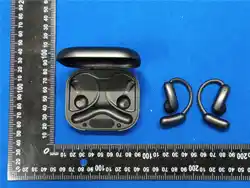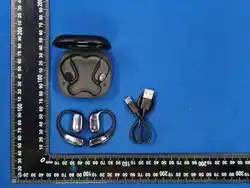
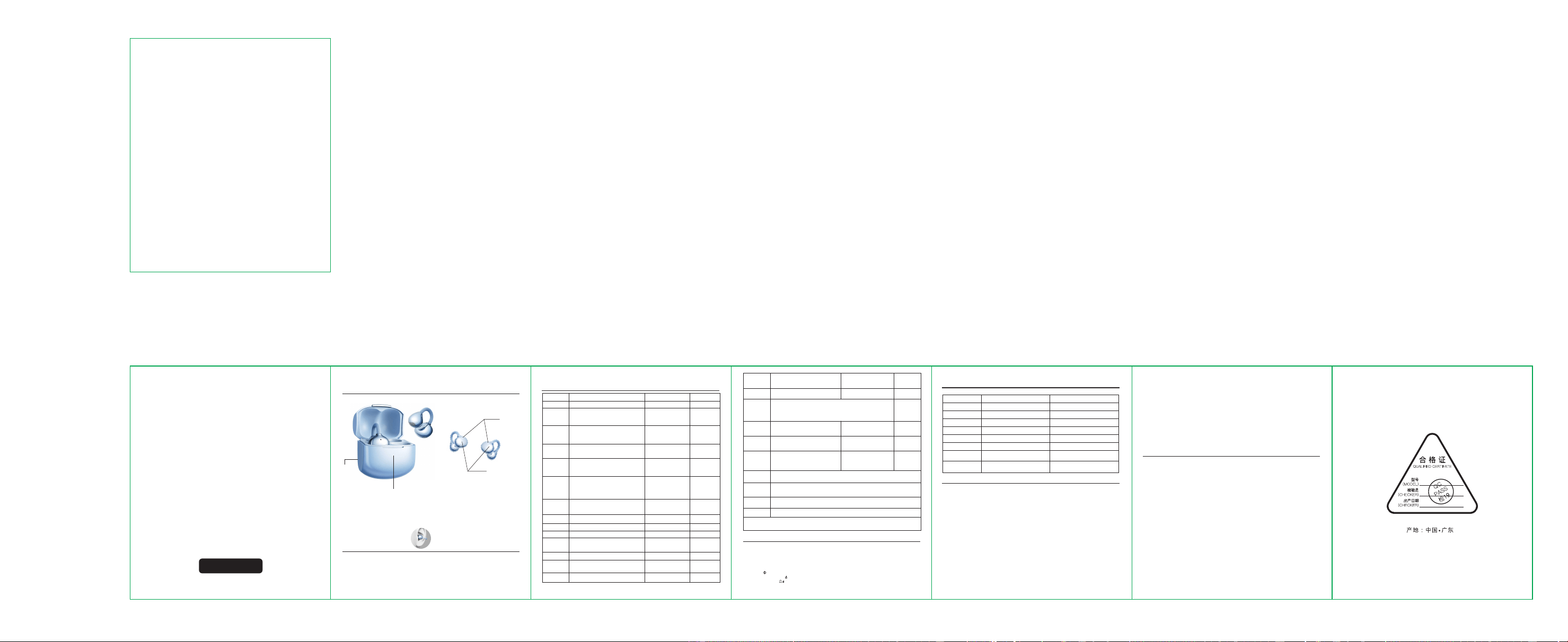
Product structure diagram
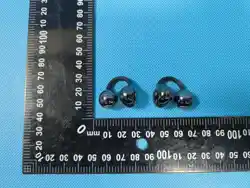
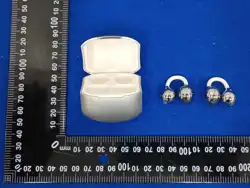
Earphones x2 pcs
Charging case x1 pcs
Type-C charging cable x1 piece
Instruction manual x1 piece
Packing list
charging
port
英语
Doesn't turn on
Charging is
silent
Automatic power off
The headphones
have an echo
There is a murmur
from the headphones
The other party's
voice is quiet
The signal is
intermittent
The headphones are low on battery
The headphones are low on battery
The headphones are low on battery
The headphones were not put away
The volume is too loud or the
environment is too noisy
Serious external interference or
too far away from the phone
The headphones are worn incorrectly or
the volume is too low
Serious external interference or too
far away from the phone
Charge the headphones
Charge the headphones
Adjust the position where the
headphones are placed
Charge the headphones
Adjust the volume or change
the environment
Change the location or be close to
your phone
Choose a distraction-free environment
or be close to your phone
fault
cause
Resolution
Simple troubleshooting
warn
Safety guidelines
Headphones flash
white light
Functional
touch keys
Earphone
indicator light
Headset parameters
1. Product name: M190
2. Bluetooth version : V6.0
3. Support mode :AAC/SBC
4. Bluetooth transmission distance :10m
5. Carrier frequency :2.402GHz~2.480GHz
6. Frequency response range :20Hz~20KHz
7. Horn size: 11mm
8. Horn sensitivity :116dB 3dB
9. Horn impedance :32 15%
10. Horn rated power :5mW
11. Headphone battery capacity :3.7V/40mAh
12. Charging bin battery capacity: 3.7V/300mAh
13. Charging interface :Type-C
14. Earphone usage time:
≈4 hours
15. Earphone single charging time :≈1.5 hours
16. Charging time: ≈1.5 hours
17. Charging case for earphones:Approximately 2-3 times
18. Shutdown standby time :≈3000 hours
When the voltage of the earbuds is lower
than 3.3V, there will be a prompt up to
the ear Powered off
Disconnected
connected
Reject an
incoming call
In the incoming call state, long press any
left or right earphone touch for 2
seconds
Hang up
Low battery
alarm
/
Disconnect
Automatic
reconnection
Note: When the Bluetooth headset is connected to a smart device and the game mode is switched,
the usage time and connection distance of the headset will be shortened
Outside the effective connection range,
or manually disconnect the Bluetooth
connection of the smart device
After powering on or disconnecting, the
earbuds will automatically reconnect to
the last connected smart device within
the effective distance
The lights go out
/
Ding Dong
toot
toot
In call mode, double-click on any left or
right earphone to touch it
The white light flashes
every 5 seconds
The main headphone's white light
is flashing, and the auxiliary
headphone's light is off
Charge the
headphones
The charging
bin charges
the headphones
Put the earphones into the charging compartment, and the charging compartment will charge the earphones
instantly. The white light will stay on, and the charging indicator light will turn off after the earphones are fully
charged. The charging compartment will turn off after about 15 seconds
When the battery level of the charging compartment is too low, connect a standard output 5V power adapter to
the charging compartment for charging, and the white light of the charging compartment will flash.
Charging bin
charging
The charging bin
is fully charged
After the charging compartment is fully charged, the white light stays on for a long time
The earphones will automatically shut down and start charging when placed back in the charging
compartment. The white light of the earphones will remain on, and the light will turn off when fully
charged
When the earphones are not connected or disconnected from the Bluetooth device, press the left and right earphone
buttons/touch five times to follow
The earphones clear the records of past connected Bluetooth devices and automatically shut down; This feature is
applicable to the following situations:
A、 No reconnection after pairing of both ears; B、When the earphones are scrambled for pairing by other Bluetooth
devices;
C、The headphones have been connected to multiple Bluetooth devices, resulting in long and unstable Bluetooth connection
time; D、When it is necessary to clear pairing records
Special Note: When there is no sound on one earbud, or when it cannot be paired, please press above Resume the reset
operation.
power off/
shutdown
Clear the
pairing history
Take out the earphone and put it into the external
ear canal, adjust it to comfortable wear angle
(golden angle 45 °) , lightweight design, long wear
is not tired.
Charging case
indicator light
INSTRUCTION MANUAL
M190
True Wireless Earphones
Adjust the earphone fit or volume level
10. Please follow the relevant regulations of your region or country and use this product as
required when driving.
11. This product contains magnetic materials, please keep away from electrical appliances with
strong magnetic or electric fields, such as microwave ovens, refrigerators, etc., when using or
placing the product.
12. It is recommended to use this product in an environment with a temperature of 0°C~45°C.
When the ambient temperature is below 5°C, battery performance is limited.
13. Do not use this product in places where it is expressly prohibited to use wireless equipment,
otherwise it will interfere with other electronic equipment or cause other dangers.
14. Before approaching medical or industrial equipment or boarding a plane, please ask the local
staff if they can use it.
15. Before cleaning and maintaining this product, stop using this product, turn off all
applications, and disconnect all connections or cables to other equipment.
16. Please dispose of waste electronic products properly in accordance with local laws and
regulations, and do not dispose of electrical and electronic equipment, parts, batteries and
other household waste.
1. Before using this product for the first time, please fully charge it before using it.
2. The product is not a toy, and children under the age of 12 must be used under the supervision
of an adult.
3. Please use a 5V/1A charger that has passed the safety certification of a regular manufacturer
to avoid damage to the product caused by a fast charging charger that supports high voltage.
4. Please charge in a safe environment, when charging the charging case, please pull out the
charging cable as soon as possible after the power is fully charged to avoid damage to the
battery caused by long-term charging. The charging method of the charging case is the Type-C
interface.
5. This product has a built-in non-removable rechargeable battery, and repeated charging and
discharging of the earbuds will lead to a decrease in battery performance over time, which is
normal for all rechargeable batteries.
6. This product contains a lithium battery. If not used for an extended period, please charge it
at least once a month.
7. If you feel skin discomfort when wearing it due to individual differences, please stop
wearing it and consult a doctor.
8. When using this product with Bluetooth connection, please adjust the sound of the earphones
to an appropriate volume to avoid hearing damage caused by long-term loud volume.
9. If you use this product while engaging in activities that require concentration, you should
pay attention to your own safety and the safety of others, such as when driving or cycling, on
roads, construction sites, railways, or walking. You should remove your headphones or adjust
the volume to ensure that you can hear the sounds around you, including alarms and warning
signals.
Power on
Power off
Connected
MUSIC/GAME
MODE
function
operate
Light Tone
After successful pairing of the left
and right ears, the white light of the
main earphone flashes and the light
of the auxiliary ear goes out
The lights in the left and
right ears are turned off
Maximum
volume
indicator
(knock)
The left and right earphones will
automatically enter pairing mode after
powering on
When the ears are successfully paired, it will
automatically enter the state to be connected, at
this time, open the Bluetooth list of the smart device
to search and click "M190" to connect, after the
earbuds are successfully connected to the smart
device, there will be a prompt tone, and the headset
indicator will go off
Without connecting to a smart device, tap
any left/right ear touch 4 times in a row to
switch languages. Factory default English
Pair the left
and right
earphones
Smart device
connectivity
Toggle Music/
Game mode
Play/Pause
Previous song
Next song
Increase the
volume
Reduce the
volume
Voice assistant
Pair name
Boot
/
/
/
/
/
/
/
/
/
/
/
Shutdown
M190
Ding Dong
Introduction to product operation
Connected/Pairing
successfully
Connect the device and tap any left/right
ear touch 4 times to switch modes. The
default music mode is factory default.
After starting the music player, tap and touch
the left earphone three times in a row
After starting the music player, tap and touch
the right earphone three times in a row
After starting the music player, click on the
right headphone touch button
After starting the music player, click on the
left headphone touch button
After starting the music player, double-click
on any left/right headphone touch button
In the connected state, press and hold either
earbud for 2 seconds to activate the voice
assistant
The earphones will automatically power off
when placed in the charging case. When the
earphones are on, pressing and holding the
touch area for 5 seconds will power them off
When the earphones are inside the charging case,
removing them will automatically power them on.
If the earphones are in the powered-off state,
holding the touch control for 3 seconds will turn
them on
English
/
White light flashing
The white light stays on
for 1 second before
turning off
Ringtone of
your phone
In the incoming call state, double-click on
any left or right earphone to touch it
/
Answer an
incoming call
Toggle the
Chinese and
English prompt
tones
1. Please follow the content of this manual to avoid damage to the product due to incorrect
operation.
2. Keep this product away from children, fire, heat, refrigeration, water and chemicals.
3. Do not immerse the product and accessories in any liquid or rinse the product with water,
otherwise it will cause fire or electric shock hazard.
4. Do not place the product in the sun or in a place with high temperature. High temperatures
can shorten the life of electronic components, damage batteries, and deform certain plastic
parts.
5. Do not store this product in a place with a lot of dust, too high or too low temperature and
humidity.
6. Do not contact the magnetic stripe card (such as bank card, bus card, etc.) with this product
for a long time, otherwise it may cause the magnetic stripe card to be damaged by the
magnetic field.
7. Do not apply greater pressure to this product, or disassemble, beat, or shake this product
to prevent damage to the product
8. Do not use this product near heat sources, such as radiators, hot air regulators, stoves, or
other instruments that generate heat
9. Do not block the openings of this product, such as charging ports, indicator lights,
microphones, etc.
10. Do not use the device in rainstormy weather, thunderstorms may cause the device to
malfunction and increase the risk of electric shock.
11. Please avoid using this product when this product and its accessories are exposed to rain
or moisture, and when you exercise vigorously or sweat a lot, to prevent liquid from
penetrating into the product and damaging this product.
12. The product contains a built-in polymer lithium battery, which is non-removable. Do not
discard or expose it to fire to avoid hazards such as explosions or fires.
13. If the consumer violates the above warning and inappropriate use, the personal and
property damage will be borne by the company, and the company will not incur any legal
responsibility.
FCC Warnning:
This equipment has been tested and found to comply with the limits for a Class B digital device,
pursuant to part 15 of the FCC Rules. These limits are designed to provide reasonable
protection against harmful interference in a residential installation. This equipment generates,
uses and can radiate radio frequency energy and, if not installed and used in accordance with
the instructions, may cause harmful interference to radio communications. However, there
is no guarantee that interference will not occur in a particular installation. If this
equipment does cause harmful interference to radio or television reception, which can be
determined by turning the equipment off and on, the user is encouraged to try to correct
the interference by one or more of the following measures:
• Reorient or relocate the receiving antenna.
• Increase the separation between the equipment and receiver.
• Connect the equipment into an outlet on a circuit different from that to which the receiver is
connected.
• Consult the dealer or an experienced radio/TV technician for help.
Caution: Any changes or modifications to this device not explicitly approved by manufacturer
could void your authority to operate this equipment.
This device complies with part 15 of the FCC Rules. Operation is subject to the following two
conditions:
(1)This device may not cause harmful interference, and (2) this device must accept any
interference received, including interference that may cause undesired operation.
This equipment complies with FCC radiation exposure limits set forth for an uncontrolled
environment. This equipment should be installed and operated with minimum distance 0cm
between the radiator and your body.