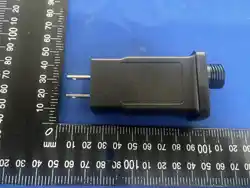
LED CONTROLLER
JT-DC300V0400-L4
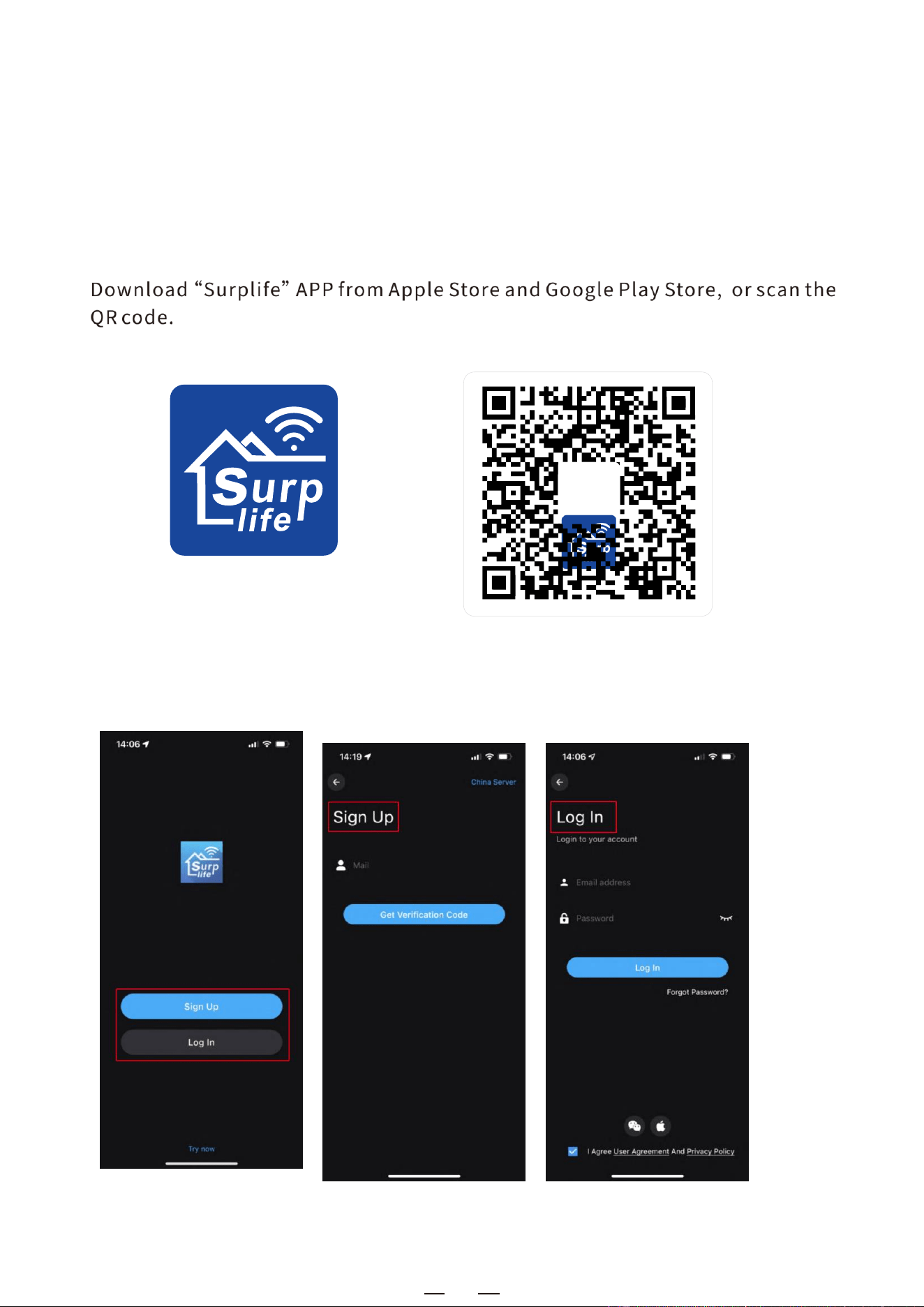
l. Download surp life APP
Il. How to connect the controller to wi-Fi network?
1) Register/Login your surp life account.
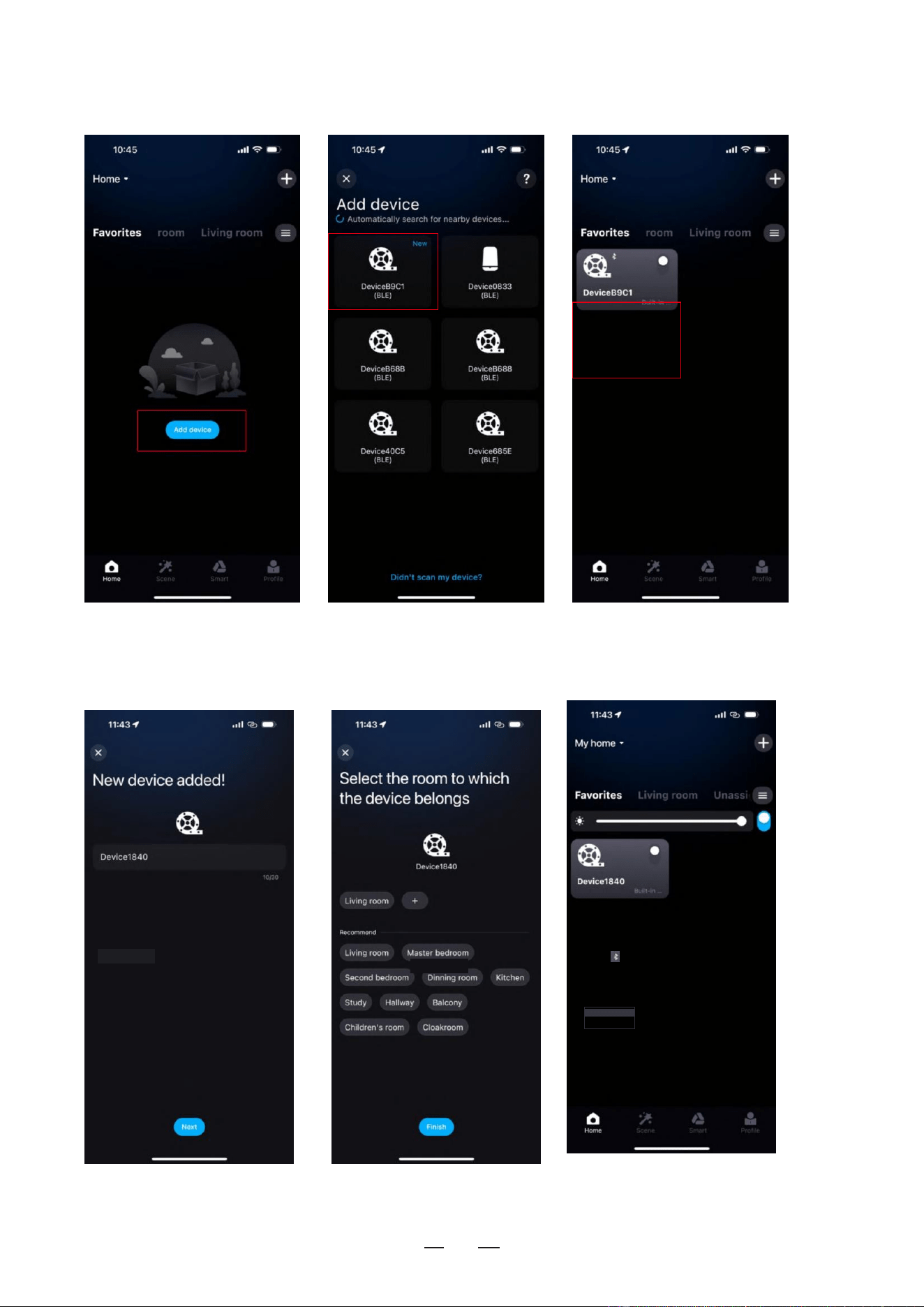
2)open your phone Bluetooth, turn on the device.
1
surplife APP
2
3) Enter "sur p life" app, tap "Add Device" or click "+" to add the device.
click Add to complete
4) Rename the device and select a room for it.
DeviceBgC1
Device B9C1
Device B9C1
-
3
Ill.
Appfeatures in
detail:
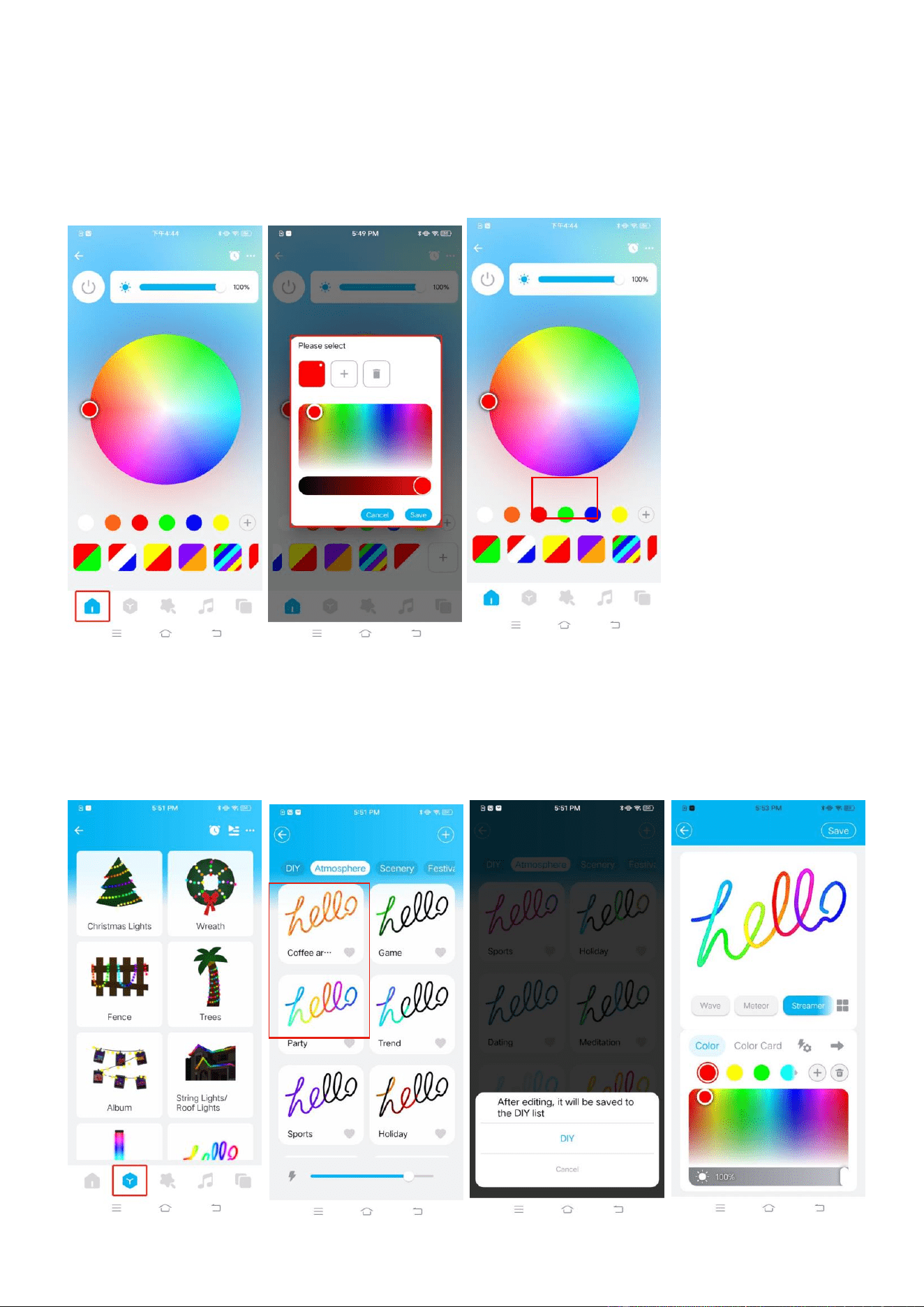
1) . Colorful function
In the color interface, you can adjust the color and brightness of the light strip. Click "+ "
to enter the static effect interface, in the static effect interface, you can add or delete the
color of the light strip, and long press a static effect to delete or edit the static effect
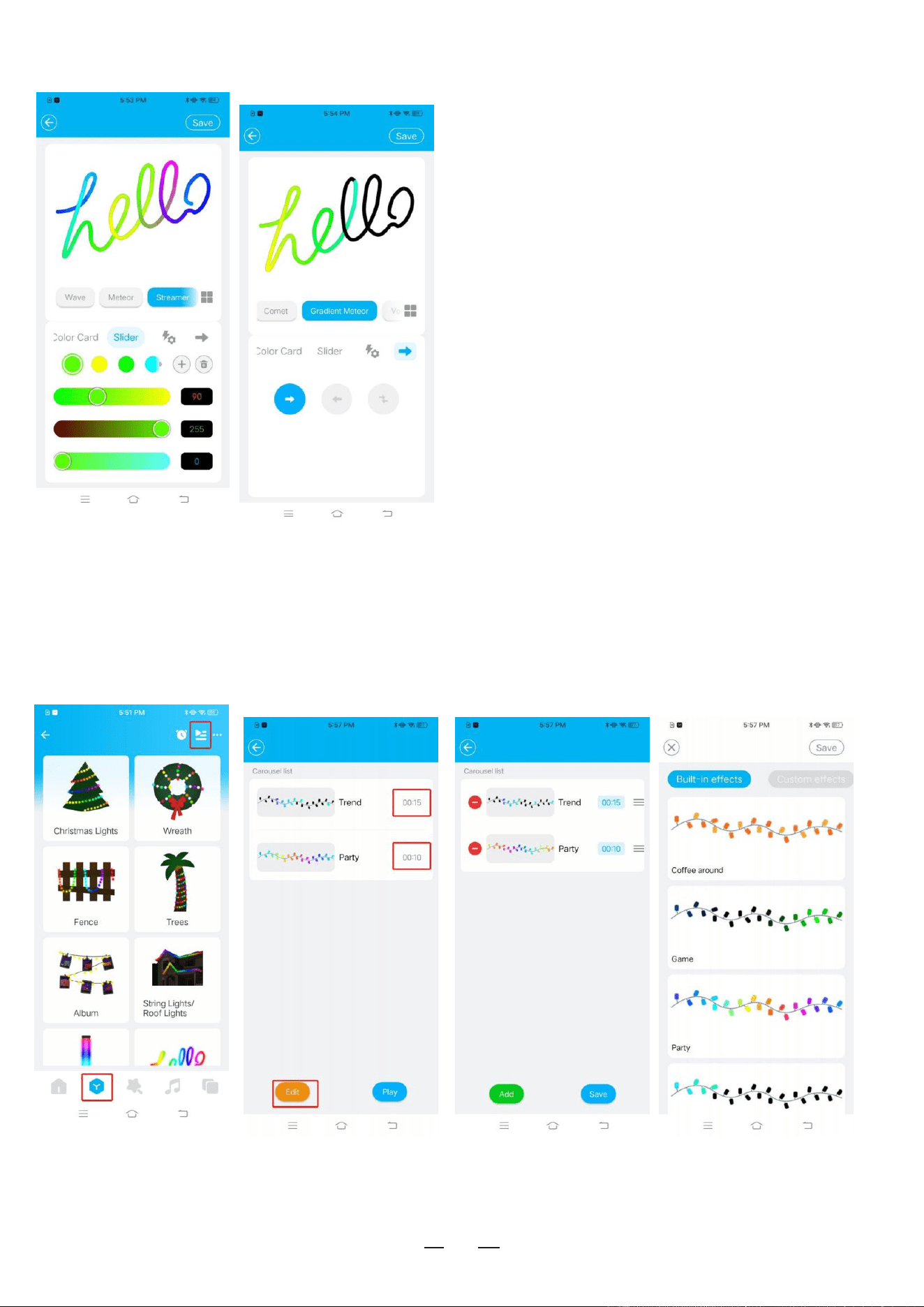
2). Lighting effect
1) Built-in lighting effect selection of various categories of scene modes, and can be long
pressed to save or edit to add custom effects. In the Custom effect screen, click Create
Custom Effect to add a custom effect
Tap and hold
Tap and
hold
4
2) In the Custom Effects screen, click Create Custom Effect to add a custom effect.
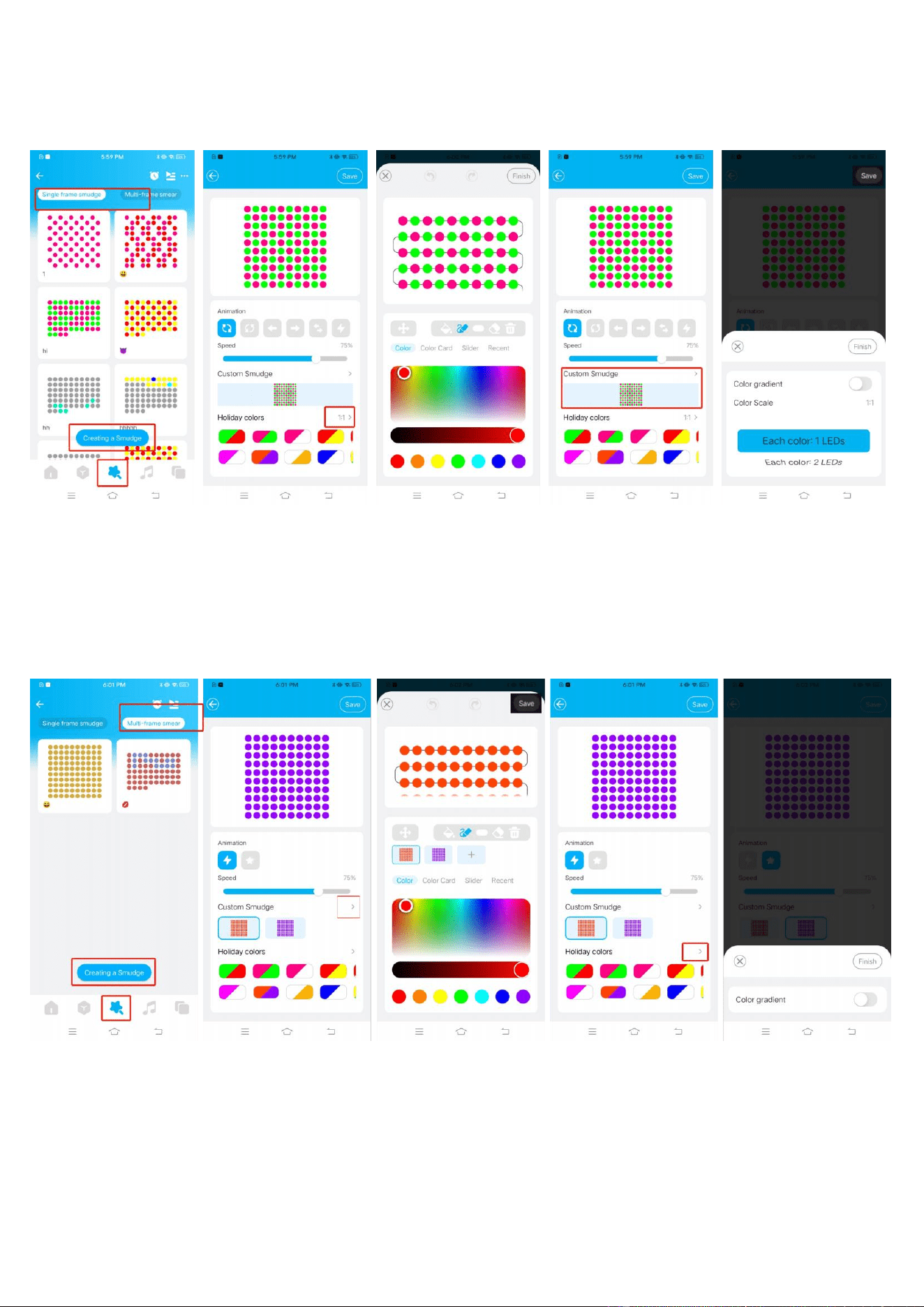
3) . Rotation function
You can select lighting effects for different categories of modes on the rotating screen and
set the duration of the lighting effects. Different lighting effects can be combined and played
back in sequence.
-
5
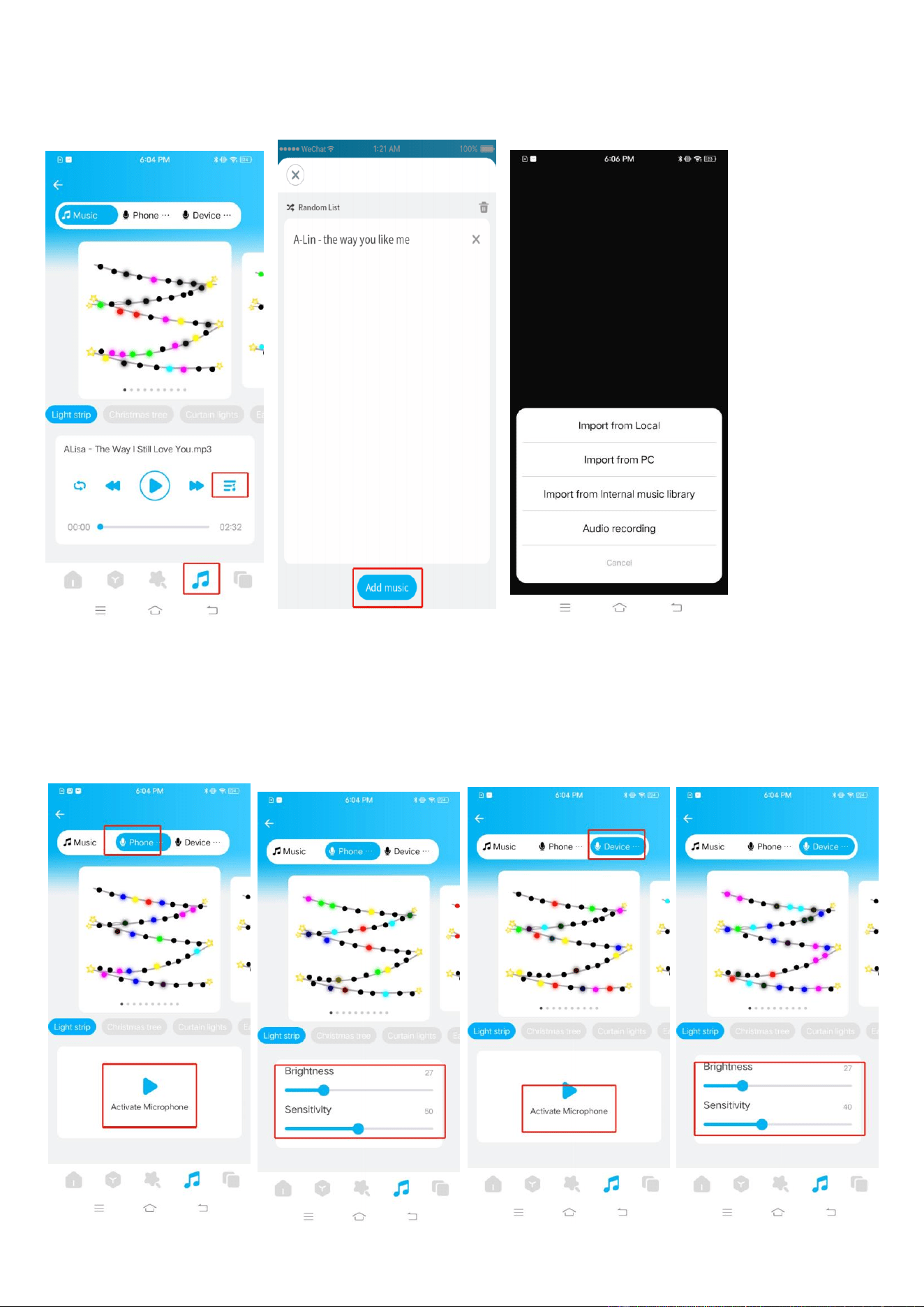
4). Spreading function
1) Single-frame smear interface: click Create Smear, select dynamic effect, color and color
ratio, and click Save after setting.
2) Multi-frame paint interface: click to create a paint, slide the slider can be set to adjust the
speed, click “ + ”to add a frame of the canvas to select the color of each frame, click save after
the settings are complete.
-
6
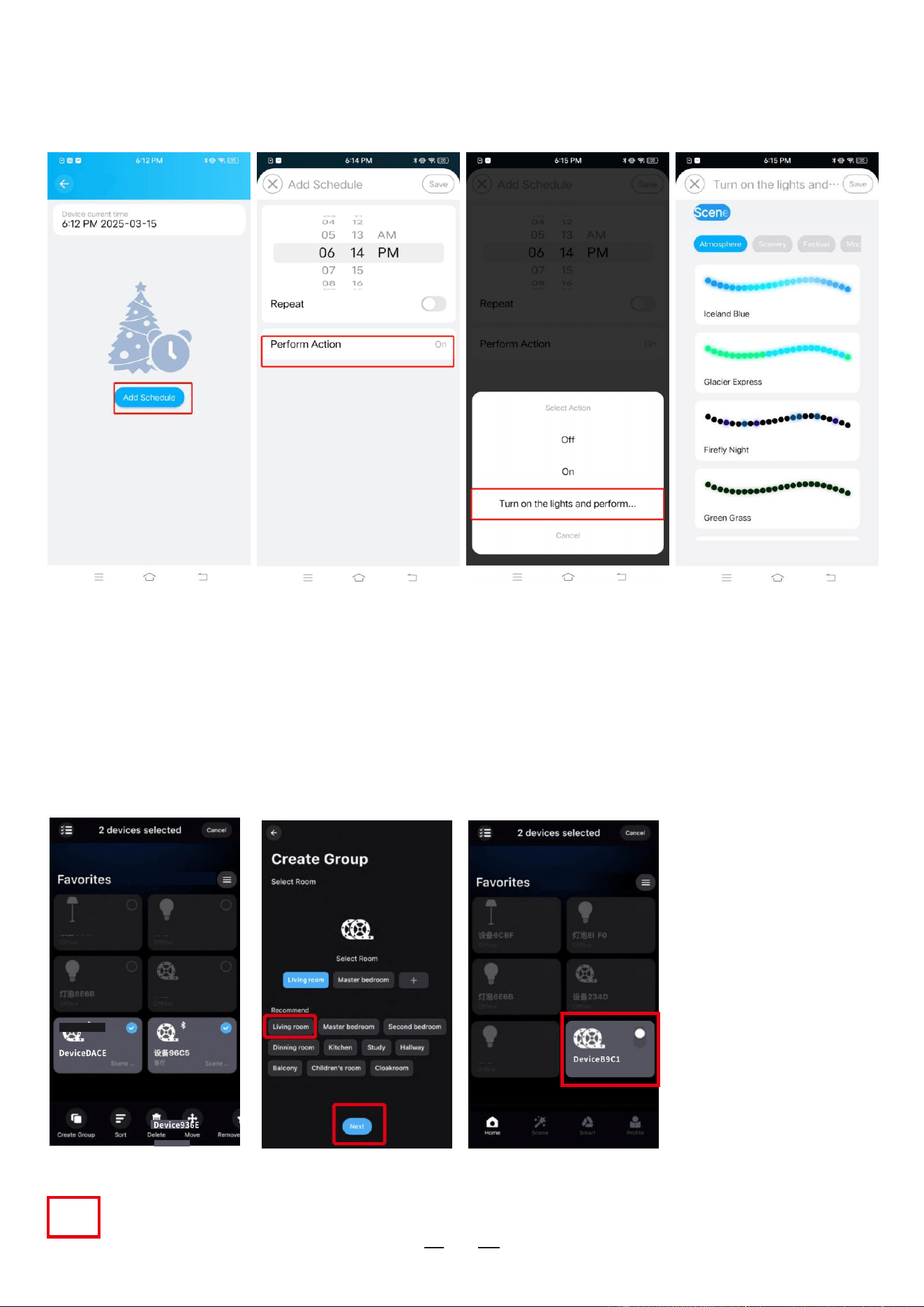
5). Rhythmic function
1) Music Mode: Lighting jumps and changes with the rhythm of music
Click “Add Sound”to imp ort a sound file or import from the built-in sound library.
2) Microphones
Cell phone cycloid or device cycloid function that converts light effects to different rhythms
according to the signal received by the cycloid
7
6). Timing function
The lights controlled by this unit can be switched on and off according to the set time. When
the lights are turned on, you can select colorful or moody lighting effects by yourself.
7). Group control function
Classify multiple controllers into the same group, you can simultaneously control the
equipment in the group with one key dimming and color dimming, switching and other
functions.
Device6CBF
Device6E6B
Living room
Device234D
Device EBFO
Living room
Living room built-in…
Device6CBF Device EBFO
Device6E6B Device2 34D
Device234D
-
8
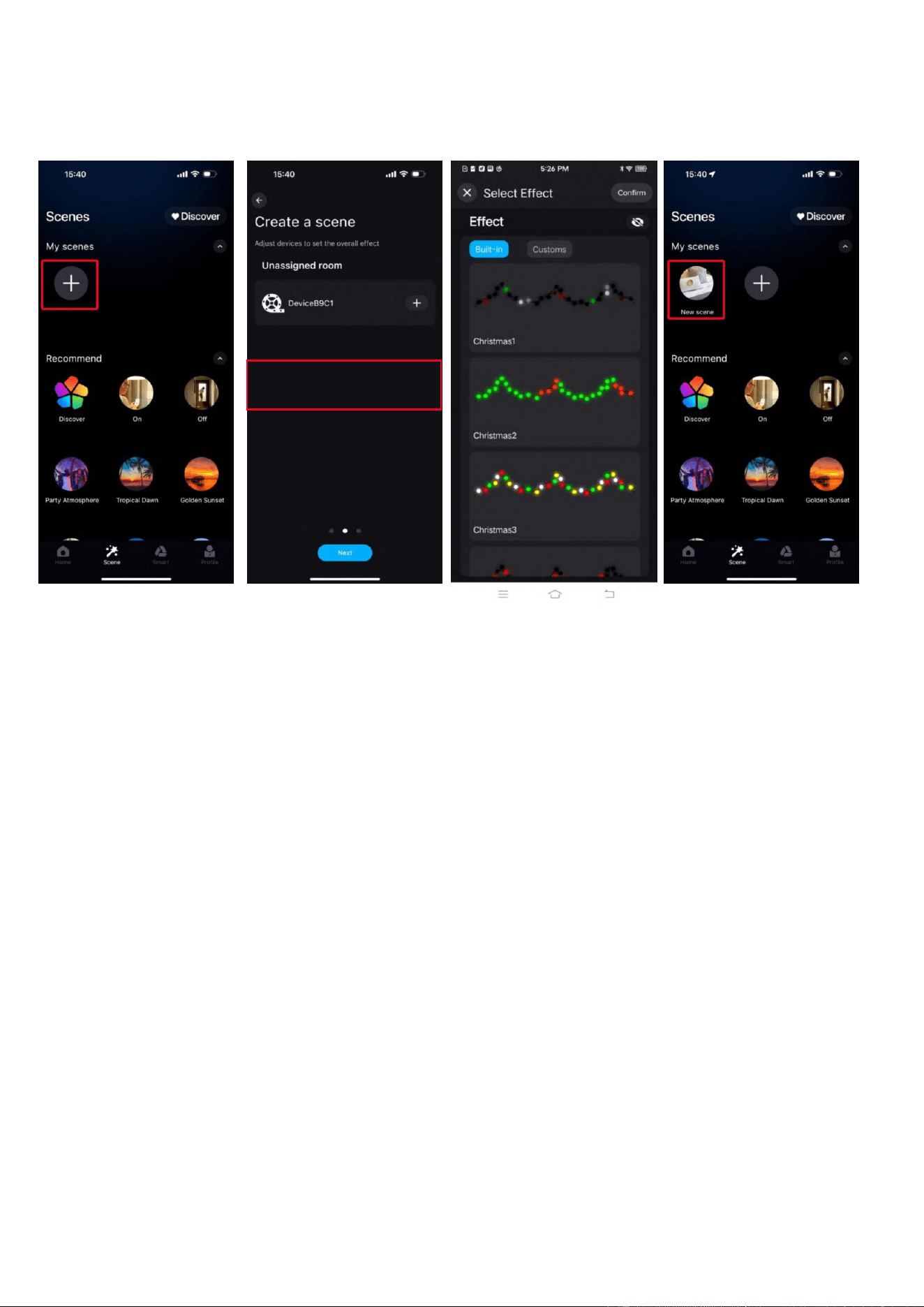
8) . Scene Functions
In the scene interface, fi nd the corresponding controller to create different scene lighting
colors or dynamic effects according to your personal needs.
FCC Statement
This equipment has been tested and found to comply with the limits for a Class B
digital device, pursuant to Part 15 of the FCC Rules. These limits are designed to
provide reasonable protection against harmful interference in a residential installation.
This equipment generates uses and can radiate radio frequency energy and, if not
installed and used in accordance with the instructions, may cause harmful interference
to radio communications. However, there is no guarantee that interference will not
occur in a particular installation. If this equipment does cause harmful interference to
radio or television reception, which can be determined by turning the equipment off and
on, the user is encouraged to try to correct the interference by one or more of the
following measures:
-- Reorient or relocate the receiving antenna.
-- Increase the separation between the equipment and receiver.
-- Connect the equipment into an outlet on a circuit different from that to which the
receiver is connected.
-- Consult the dealer or an experienced radio/TV technician for help.

-
8
This device complies with part 15 of the FCC Rules. Operation is subject to the
following two conditions: (1) This device may not cause harmful interference, and (2)
this device must accept any interference received, including interference that may
cause undesired operation.
Changes or modifications not expressly approved by the party responsible for
compliance could void the user's authority to operate the equipment.
This equipment should be installed and operated with minimum distance 20cm between
the radiator & your body.
Attentions
1)Pleaseuse the productin adryenvironment.
2) Forinput voltage, please use the AC voltage within the specified range asinstructed
inthe manual,must not connectinto 380VAC directly.
3) The product is requested common anode connection.The wrongconnection will
cause.amalfunction.
Input: 120VAC, 60Hz,0.3A
Output: 3-30Vdc 0.01-2.0A, 12W max.

