Specification
Item Name:wireless music pedal
Item model:SPT-10
Dimension:186*119*37
Weight:0.25kg
Power:DC 5V 400mA
Operating Distance:10m、33ft
Operating Frequency:2402-2480MHz
Warranty time:1 year
How to maintain
1.Please do no wipe it with WET CROCKING when charging.
2.Please turn off before charging.
3.We suggest you clean with clean soft wiper.3.We suggest you clean with clean soft wiper.
Charging
The power indicator light is always red when charging.
The power indicator light is always green when fully charged.
It takes about 3 hours to fully-charged by 5V power and the USB cable we provide.
To protect the battery,please charge when the indicator light turns red.
We suggest you fully charge it before you use it outdoors.
It takes about 6 to 8 hours to fully-charged by PC and the USB cable we provide. it
will be longer if the battery of PC is dying.
Green
Colors Battery Power
Above60%
Above30%
Above20%
Blue
Red
140mm140mm
110mm
USER MANUAL
Wireless Music Pedal
Power indicator light
How to connect
After you turn on the power, the LED indicator will flash different colors to show
the battery power remained.
Power Nap and wake-up
25 minutes after no use when connected,automatically power nap.
5minutes after no connected,automatically power nap.
Press any one of the pedals to activate the device again.
POWER and REPEAT switches
Switch(POWER) to(on)to turn on the pedal is ready to connect your device.
Switch(POWER) to(OFF)to turn off.
When the(REPEAT)is on,long press the pedal and the pages will kepp switching.
When the(REPEAT)is off,long pressing will be not different with short pressing.
Note:due to the fact that different apps response to different control models,so you
need to find out what control model your app can response when first used.
Basic Functions
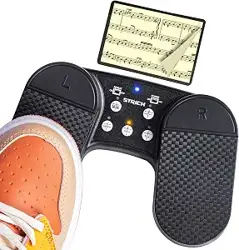
Than you for purchasing the wireless music pedal. Which can work with pc,laptop
iphone,ipad,ipod and devices of Android system.There are two foot pedals on the
each side of the middle panel and you can pedal them to switch pages when your
device is connected succeed fully.There are two switches,five buttons and one
power indicator light on the middle panel.
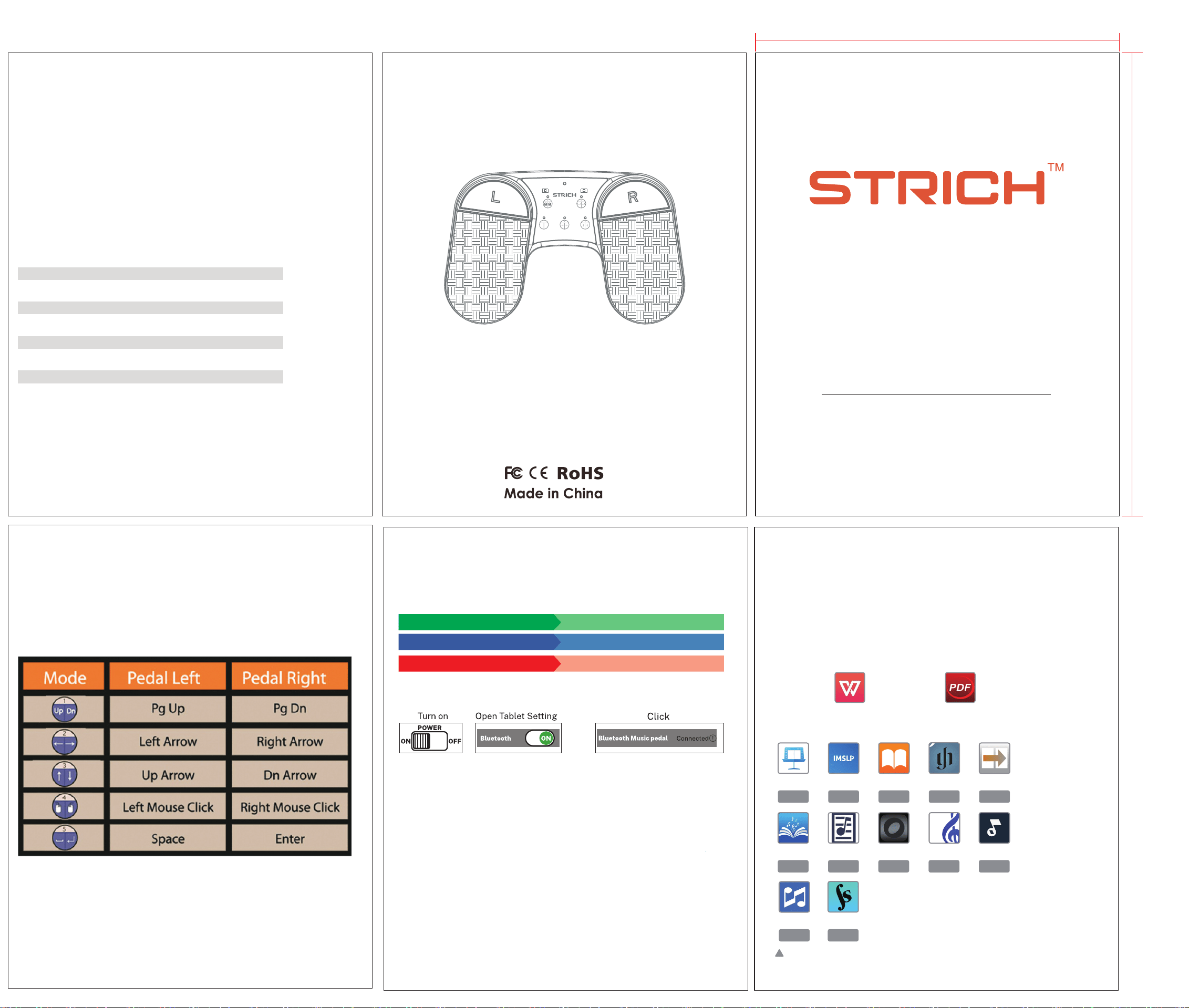
Five buttons,five control models
In the table below, these five control models are listed.
Indicator introduction
Indicator introduction
Connecting
Connected
Beyond Wireless receive distance
Loss connect
Status
R-G-B twinkle alternately,200ms for each color
Low frequency circle flash,500ms on,1500ms off
Circle flash,600ms on,600ms off
Low frequency circle flash, 200ms on,200msoff
Indicator
The device had been connected successfully,but it is out of receiving distance
while using.
It will re connect automatically when come back to receiving distance.
REPEAT
ON OFF
POWER
ON OFF
Up Dn
1 2
54
3
SPT-10
SPT-10
APP Download
1. If you are using Android or harmonyOS, open the following software ,use
a PDF or image to turn pages.The following software is free to download.
2. If you are using an iPad or iPhone, you can turn pages through any of the
following sheet music page turning software.
Software provided by third parties,Please understand that it is maynot
compatible after the update.
PiaScore
Free Free Free Free Free
Free Free Free Free Free
ImslpImslp iBooks Henle NextPage
MusicnotesDigitalScoreOnSongMusicReaderSongBook
UnreaIBook ForScore
WPS PDF
Charge Charge