1
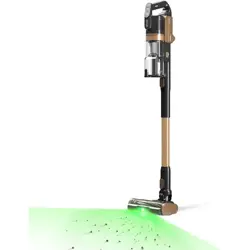
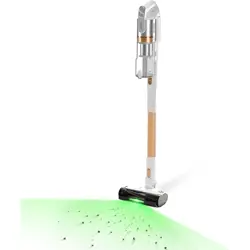
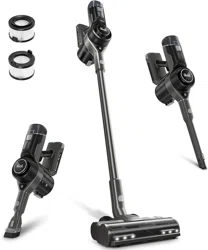
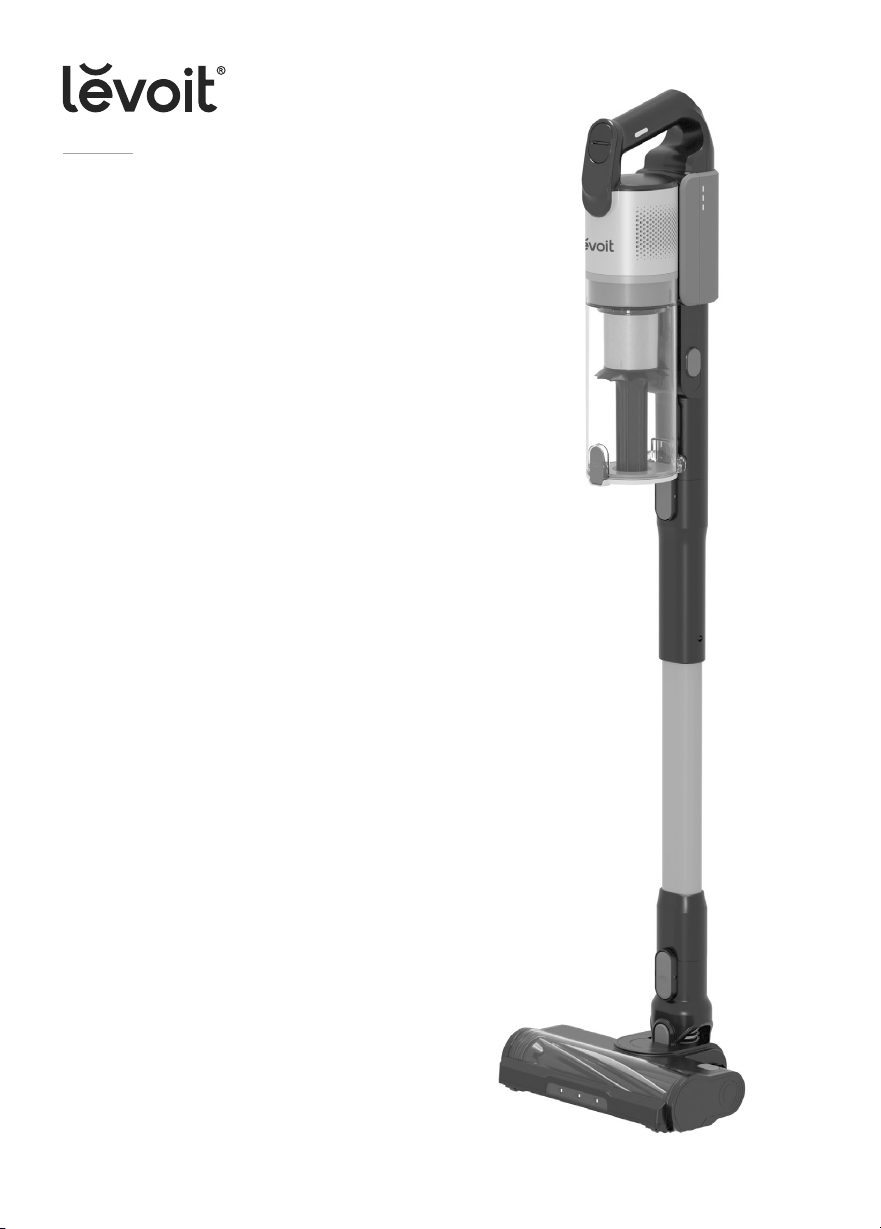
LVAC-300
Cordless Stick Vacuum
Questions or Concerns?
Please contact us Mon–Fri, 9:00 am–5:00 pm PST/PDT
at [email protected] or at 1-888-726-8520.
USER MANUAL
2
Table of Contents
Package Contents
Package Contents
Specifications
Safety Instructions
Getting to Know Your Vacuum
Controls
Using Your Vacuum
Care & Maintenance
Cleaning
Storage
Troubleshooting
Warranty Information
Customer Support
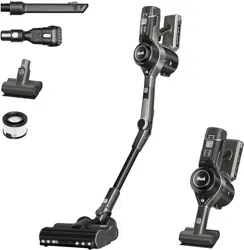
1 x Vacuum Body
1 x Long Stick
1 x Short Stick
1 x Vacuum Head
1 x 2-in-1 Crevice Tool
1 x Mini Motorized Brush
1 x Wall Mount
2 x Screw
2 x Wall Anchor
1 x Charger
1 x User Manual
2
2
3
6
7
7
9
12
15
16
18
19
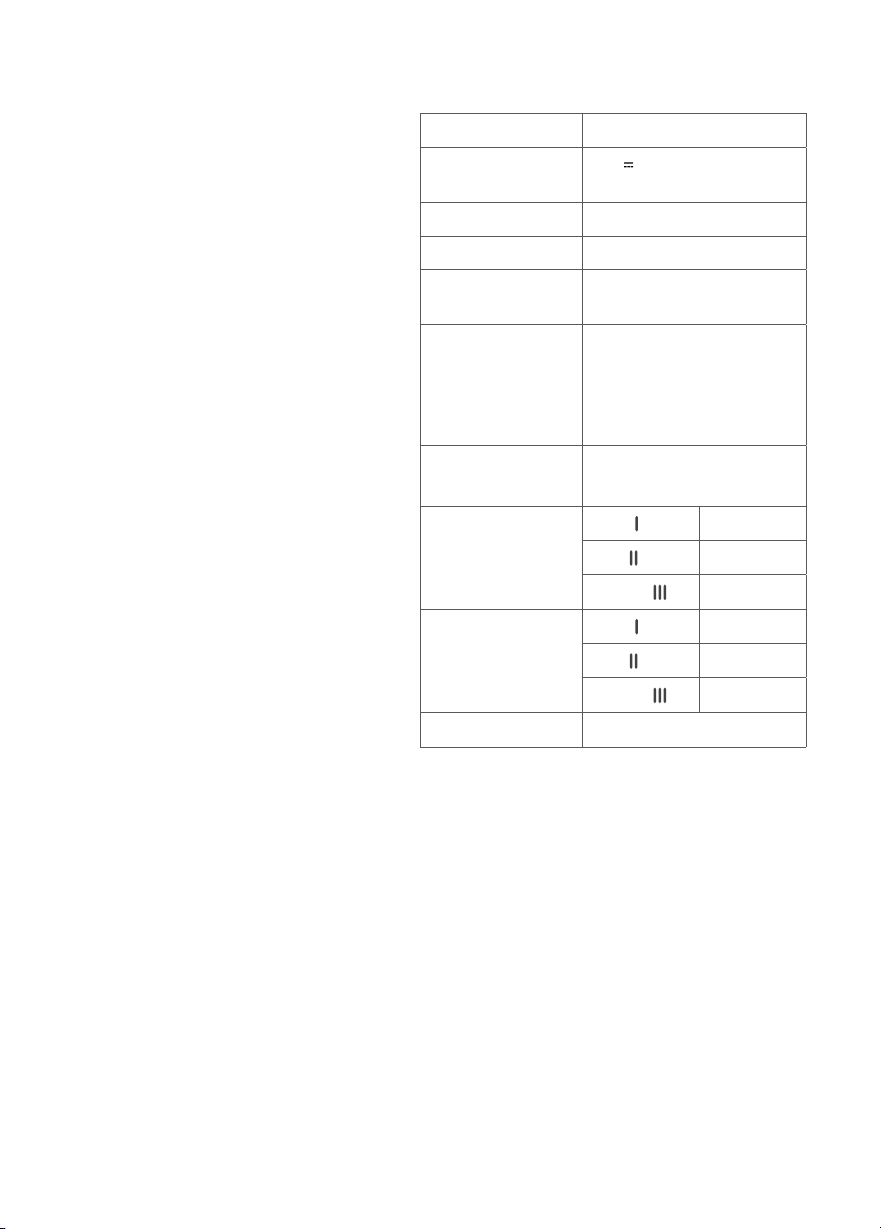
Specifications
*May vary +/- 10W.
**Tested at room temperature.
Model
LSV-V202PE-BUS
Battery Input
21.6V 3,000mAh
Li-ion battery
Rated Power
240W*
Charging Input
100–240V~ 50/60Hz 0.8A
Dimensions
9.8 x 7.7 x 43.3 in /
25 x 19.5 x 110 cm
Battery Operating
Conditions
Charging Temperature:
39.2°–104°F / 4°–40°C
Storage Temperature:
32°–77°F /0°–25°C
Storage Humidity: 65%±20%
Weight (Vacuum
Body + Battery)
3.5 lb / 1.6 kg
Runtime**
(Using Vacuum
Head or Mini
Motorized Brush)
ECO ( )
40 minutes
MID ( )
25 minutes
TURBO ( )
12 minutes
Runtime**
(Using Crevice
Tool)
ECO ( )
60 minutes
MID ( )
25 minutes
TURBO ( )
10 minutes
Charging Time
3–4 hours

3
• CAUTION: Risk of injury. Roller brush
may start unexpectedly. Remove
battery pack before cleaning or
servicing.
• Do not leave the vacuum unattended
while it is on. Unplug from outlet
when not charging and before
servicing.
• Do not use outdoors or on wet
surfaces.
• Children should be supervised to
ensure that they do not play with the
vacuum.
• Do not allow to be used as a toy. Close
attention is necessary when used by
or near children.
• This vacuum is not to be used by
persons (including children) with
reduced physical, sensory, or mental
capacities, or lack of experience
and knowledge, unless they have
been given supervision or instruction
concerning the use of the appliance
by a person responsible for their
safety.
• Children should not clean or perform
maintenance on the vacuum without
supervision.
• Only use the vacuum as described in
this manual.
• Use only manufacturer’s
recommended attachments.
• Do not use with damaged cord or
plug. If appliance is not working as it
should, has been dropped, damaged,
left outdoors, or dropped into water,
return it to a service center.
• Do not handle the charger or vacuum
with wet hands.
• Do not put any object into any
opening. Do not use the vacuum with
any opening blocked. Keep free of
dust, lint, hair, or anything that may
reduce airflow.
• Keep hair, loose clothing, fingers, and
all body parts away from openings
and moving parts.
• Use extra care when cleaning on
stairs.
• Do not vacuum the following (or use
where they may be present):
• Sharp objects such as glass
shards, metallic nails, metal paper
clips, or pins;
• Ultrafine particles such as lime,
cement, sawdust, gypsum powder,
or ashes;
• Hazardous materials or chemicals
such as solvents, drain cleaner,
strong acids, or strong alkalis.
WARNING – To reduce the risk of fire, electric shock, or injury:
When using this vacuum, basic precautions should always be followed, including the following:
IMPORTANT SAFETY
INSTRUCTIONS
READ ALL INSTRUCTIONS BEFORE USING THIS APPLIANCE

4
• Always turn the vacuum o before
connecting or disconnecting the stick,
nozzles, brushes, or vacuum head.
• Do not vacuum water or any liquids.
• Do not vacuum anything that
is burning or smoking, such as
cigarettes, matches, or hot ashes.
• Do not use without dust bin and filters
in place.
• Do not point the vacuum at any
person or animal while it is on.
• Store the vacuum on a small stand or
hang it from the wall.
• Do not use the vacuum in
temperatures above 104°F (40°C) or
below 39.2°F (4°C).
Battery & Charger
WARNING: Read all safety warnings and
instructions. Failure to follow the warnings
and instructions may result in electric shock,
fire, and/or serious injury.
• Do not pull or carry the vacuum by
the charging cable, use the cable as
a handle, close a door on the cable,
or pull the cable around sharp edges
or corners. Do not run any appliance
over the cable.
• Prevent unintentional starting. Ensure
the switch is in the o-position before
connecting to battery pack, picking
up or carrying the appliance. Carrying
the appliance with your finger on the
switch or energizing appliance that
have the switch on invites accidents.
• Disconnect the battery pack from
the appliance before making any
adjustments, changing accessories,
or storing appliance. Such preventive
safety measures reduce the risk of
starting the appliance accidentally.
• Do not unplug by pulling on cord.
To unplug, grasp the plug, not the
cord. Turn o all controls before
unplugging.
• Never place the charger or its cable
near any heat source.
• Keep the charging cable out of areas
where people walk often. Place the
cable where it will not be tripped
over.
• Do not use the charger to charge
other appliances besides this
vacuum.
• Only recharge the vacuum
with the charger specified by
Arovast Corporation. A charger
that is suitable for one type of
appliance may create a risk of
fire when used with a dierent
battery pack. For use only with
the ZD024M270090US adapter
manufactured by E-TEK Electronics
Manufactory Co., LTD. For more
information, please contact
Customer Support (see page 19).
• Only use the battery pack specifically
designed for this vacuum. Use of any
other battery packs may create a risk
of injury and fire. For use only with the
LSV-V202B-BUS battery pack
manufactured by Huizhou Topband
Electrical Technology Co., Ltd.
For more information, please contact
Customer Support (see page 19).

5
• When the battery pack is not in
use, keep it away from other metal
objects, like paper clips, coins, keys,
nails, screws, or other small metal
objects that can make a connection
from one terminal to another. Shorting
the battery terminals together may
cause burns or a fire.
• Under abusive conditions, liquid
may be ejected from the battery.
Avoid contact. If contact occurs, flush
with water. If liquid contacts eyes,
immediately flush with water and
seek medical help. Liquid ejected
from the battery may cause irritation
or burns.
• Do not use the battery pack or
vacuum if they are damaged or
modified. Damaged or modified
batteries may exhibit unpredictable
behavior resulting in fire, explosions,
or risk of injury.
• Have servicing performed only by a
qualified repair person using identical
replacement parts. This will ensure
that the safety of the vacuum is
maintained.
• Do not modify or attempt to repair the
vacuum or the battery pack except as
indicated in the manual.
• Do not expose the battery pack
or vacuum to fire or excessive
temperatures. The battery used in this
device may present a risk of fire
or chemical burn if mistreated. Do
not disassemble, short contacts, heat
above 140°F (60°C), or incinerate.
Exposure to fire or temperatures
above 266°F (130°C) may cause an
explosion.
• Follow all charging instructions
and do not charge the battery
pack or vacuum outside of the
temperature range specified in the
instructions. Charging improperly or at
temperatures outside of the specified
range may damage the battery and
increase the risk of fire.
• WARNING: Do not use with non-
rechargeable batteries.
• Do not use to pick up flammable or
combustible liquids, such as gasoline,
or use in areas where they may be
present.
• Do not use without dust bag and/or
filters in place.
SAVE THESE INSTRUCTIONS
NOT FOR COMMERCIAL USE
HOUSEHOLD USE ONLY
6
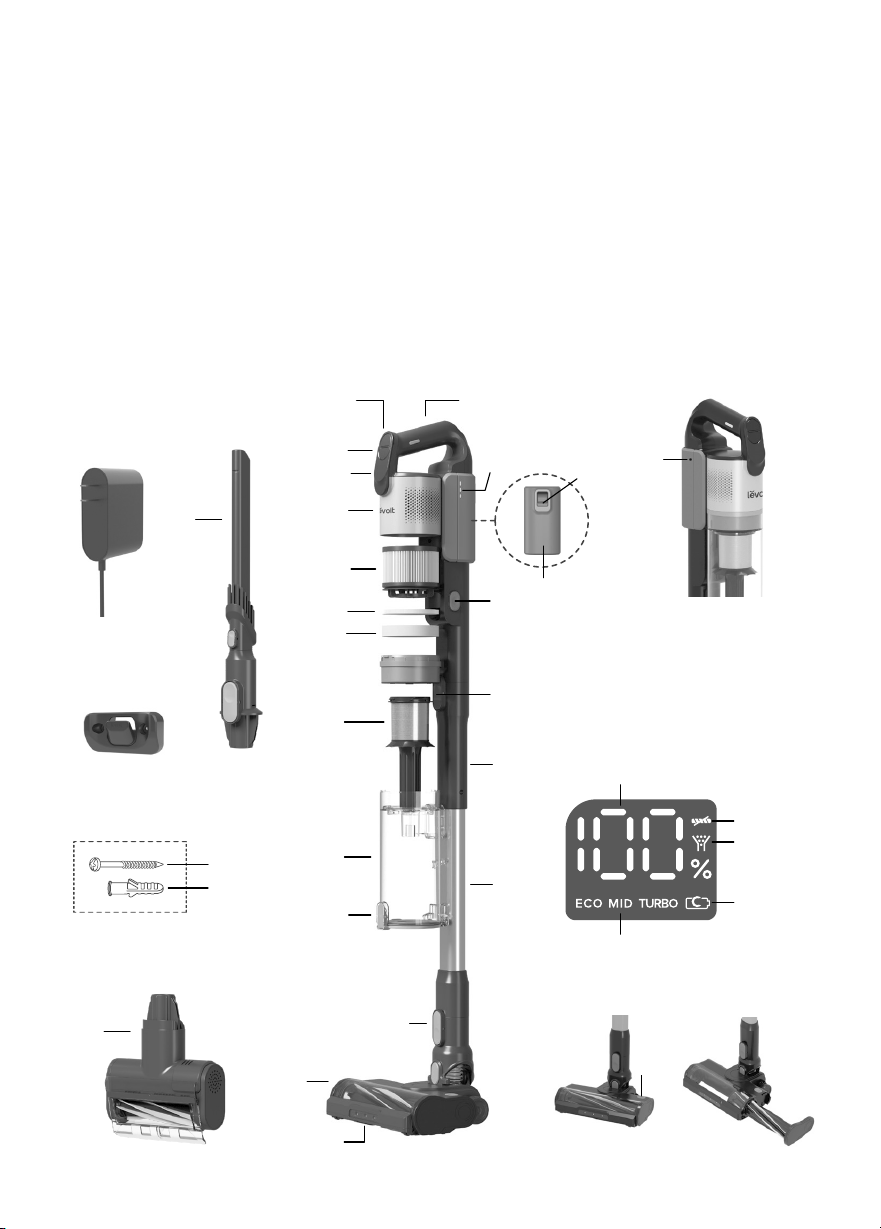
Getting to Know Your Vacuum
A. On/O Button
B. Suction Mode Button
C. LED Display
D. Vacuum Body
E. Felt Filter
F. Foam Filter
G. HEPA Filter
H. Battery Indicator Lights
I. Battery
J. Battery Release Button
K. Metal Filter
L. Dust Bin
1. Roller Brush Blockage Indicator
2. Airflow Blockage Indicator
3. Charging Indicator
4. Suction Level
5. Battery Level Percentage
M. Lid Release Button
N. Dust Bin Release Button
O. Vacuum Body Release Button
P. Charger
Q. 2-in-1 Crevice Tool
R. Mini Motorized Brush
S. Short Stick
T. Long Stick
U. Vacuum Head Release
Button
V. Vacuum Head
W. LED Lights
AA
AB
O
N
LED Display
A
B
E
K
J
I
D
C
R
Q
M
F
L
G
H
T
S
W
V
U
P
AC
5
1
2
3
4
AD
X
Z
Y
X. Roller Brush
Y. Roller Brush Release Button
Z. Vacuum Handle
AA. Charging Port (on the
battery)
AB. Screws
AC. Wall Anchors
AD. Wall Mount
7
Controls Using Your Vacuum
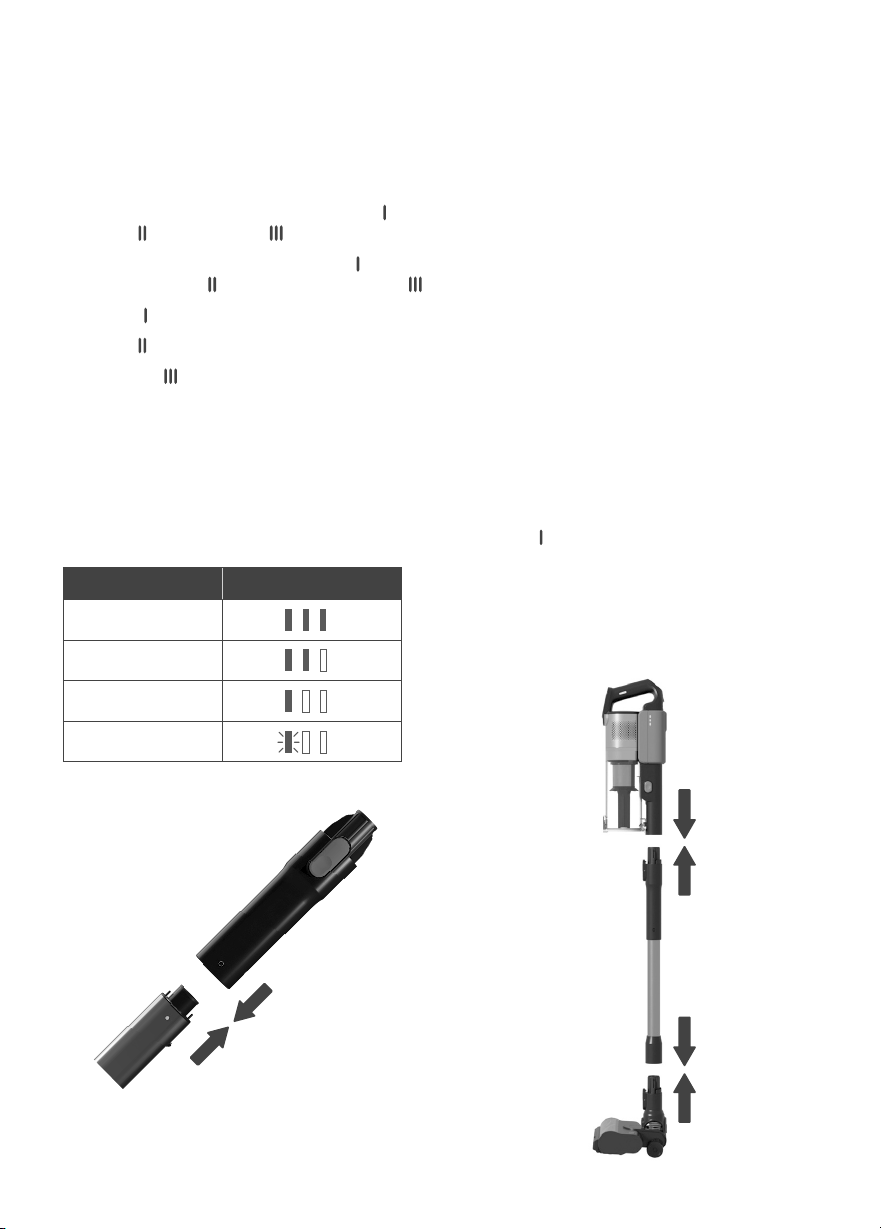
1. Build the vacuum stick by aligning the
dots on the long stick and short stick,
then push together until they lock in
place. [Figure 1.1]
2. Attach the vacuum head or a nozzle
attachment to the bottom of the stick,
then attach the vacuum body to the top
of the stick. [Figure 1.2]
Note: There is a clicking sound when
the parts are properly joined together.
Note: Fully charge the battery before first use.
Battery Indicator Light Chart
(During Use)
Figure 1.1
Figure 1.2
Battery Level Battery Indicators
70–100%
35–70%
10–35%
0–10%
On/O Button
• Turns the vacuum on/o.
Suction Mode Button
• Cycles through Suction levels: ECO ( ),
MID ( ), and TURBO ( ).
• The vacuum will default to ECO ( ). Press
once for MID ( ) and twice for TURBO ( ).
• ECO ( ) is suitable for light cleaning.
• MID ( ) is suitable for daily cleaning.
• TURBO ( ) is suitable for deep cleaning.
Battery Indicator Lights
• Indicate the battery level when you are
using the vacuum.
3. Charge the vacuum (see page 9).
4. Press the On/O Button to turn the
vacuum on. The vacuum will default to
ECO ( ).
5. Press the Suction Mode Button to adjust
the suction power.
6. Press the On/O Button to turn the
vacuum o.
8
NOZZLE ATTACHMENTS
Your vacuum comes with nozzle attachments
to help you tackle almost any cleanup job.
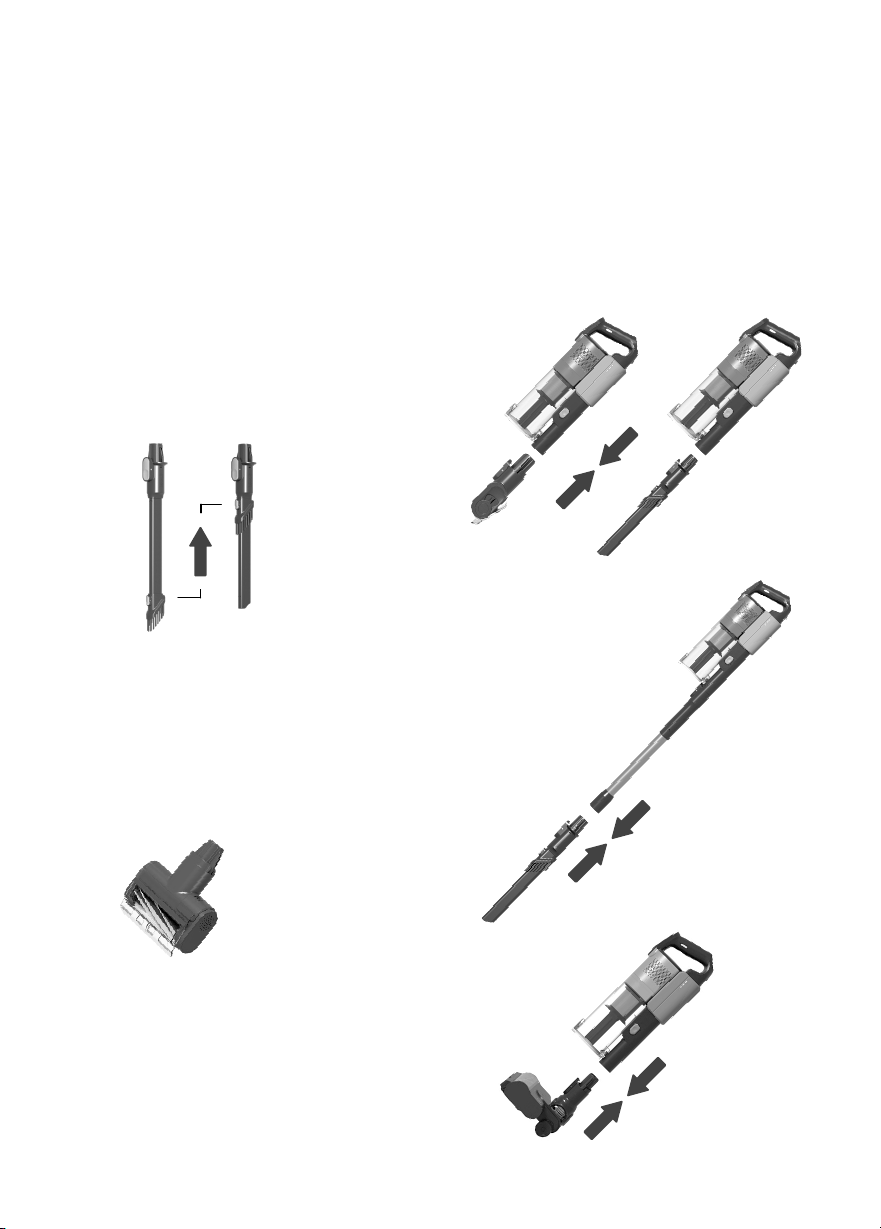
2-in-1 Crevice Tool
• Press button to slide bristles up/down
and switch between crevice tool and
dusting brush. [Figure 1.3]
• Use the crevice tool to clean hard-to-
reach places like crevices in furniture and
corners of a room or car.
• Use the dusting brush to clean dust
and hard surfaces like mantels or
baseboards.
Mini Motorized Brush
• Good for tight spaces and delicate
fabric surfaces, such as a bed, sofa, or
carpeted stairs.
• Powerfully cleans dirt and pet fur from
carpet, upholstery, mattresses, and more.
[Figure 1.4]
Figure 1.3
Figure 1.4
Note: You can also attach the vacuum
body directly to the vacuum head.
[Figure 1.7]
To use a nozzle attachment:
1. Press and hold the Vacuum Body
Release Button and gently pull the
vacuum body from the stick.
2. Slide the nozzle attachment onto the
vacuum body. [Figure 1.5]
Figure 1.5
Figure 1.6
Figure 1.7
3. Optionally, leave the stick attached to
the vacuum body and press the Vacuum
Head Release Button to remove the
vacuum head. Then, attach the nozzle
attachment to the end of the stick.
[Figure 1.6]
9
Care & Maintenance
BATTERY REMOVAL &
INSTALLATION
Your vacuum uses a 3,000mAh Li-ion battery.
Use the included charger to charge the
vacuum.
CHARGING THE VACUUM
Note:
• To maintain the life of the battery,
store the vacuum in a cool, dry place.
• Store the battery in a semi-charged
state (at least 2 battery indicator
lights) and maintain this by charging
the battery every 3 months.
Note:
• The wall mount must be high enough
on the wall to allow the vacuum to
stand up.
• Make sure that the wall is free of gas
pipes, water pipes, electrical cables,
and wires.
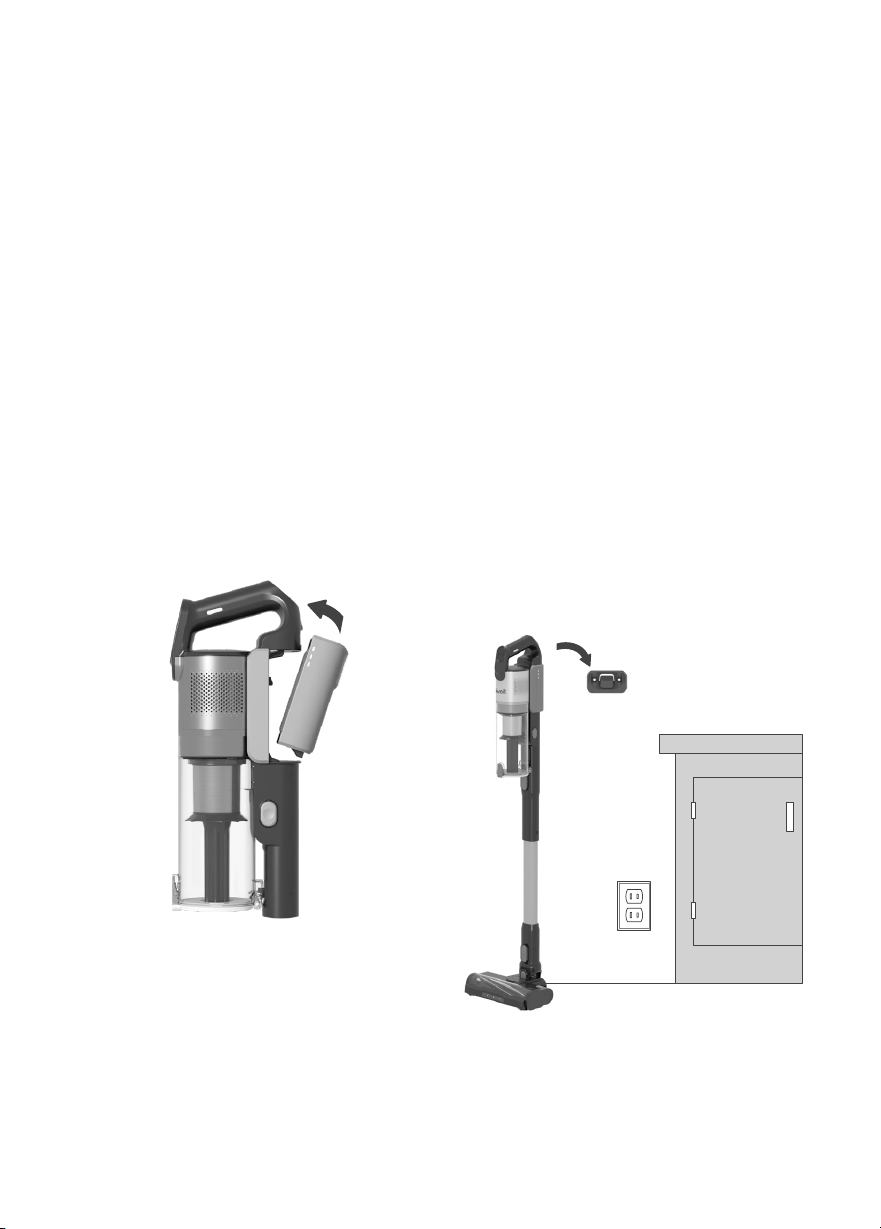
1. Turn the vacuum o. Press the Battery
Release Button and remove the battery.
2. To reinstall, slide the battery into the slot
in the vacuum body. [Figure 2.1] There will
be a clicking sound when the battery is
properly installed.
Figure 2.1
Figure 2.2
Note:
• Make sure the vacuum is turned o before
charging.
• Charge after every use.
1. Install the wall mount by screwing it into
the wall near a power outlet. [Figure 2.2]
10
Figure 2.4
Figure 2.3
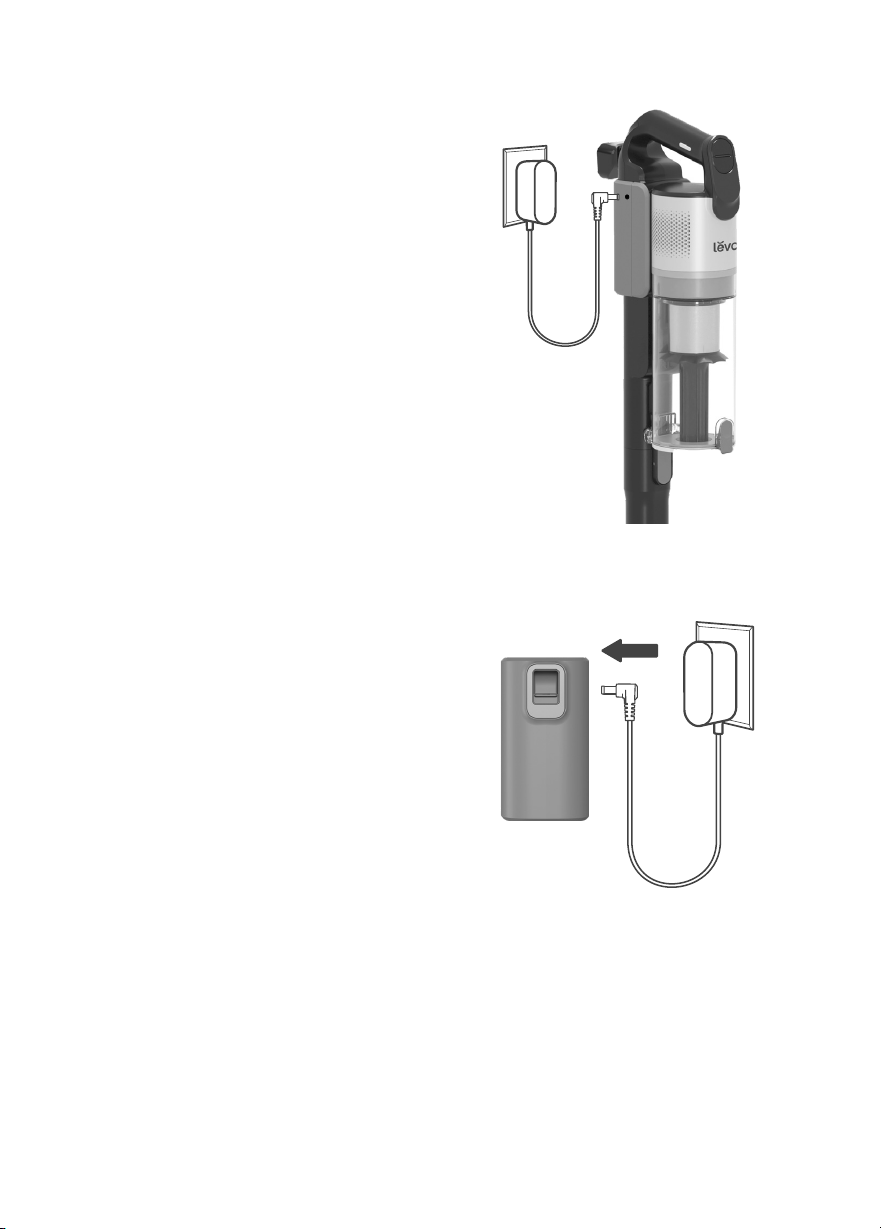
2. Hang the vacuum on the wall mount.
[Figure 2.3]
3. Insert the charger into the charging port
on the battery. [Figure 2.3]
4. Plug the charger into the outlet. When
charging, the battery lights will blink and
the display will show the current battery
level percentage.
Alternatively, the battery can be charged
separately from the vacuum body.
1. Press the Battery Release Button to
remove the battery.
2. Insert the charger into the charging port
on the battery. [Figure 2.4]
3. Plug the charger into an outlet. The
battery indicator lights will blink while
charging.
Care & Maintenance (cont.)
Note: Charging time is 3–4 hours.
Note: Charging time is 3–4 hours.
5. When the vacuum is fully charged, the
display will show 100% battery and the 3
battery indicator lights will turn solid for 5
minutes, then turn o.
4. When the vacuum is fully charged, the 3
battery indicator lights will turn solid for 5
minutes, then turn o.
11
Figure 2.5
When dust in the dust bin reaches the MAX
line, empty the dust bin.
EMPTYING THE DUST BIN
WARNING:
• Only charge the battery with the
charger specified by Levoit.
• If you are not using the battery for an
extended period, store it in a cool, dry
place.
• Store the battery in a semi-charged
state (at least 2 battery indicator lights)
and maintain this by charging the
battery every 3 months.
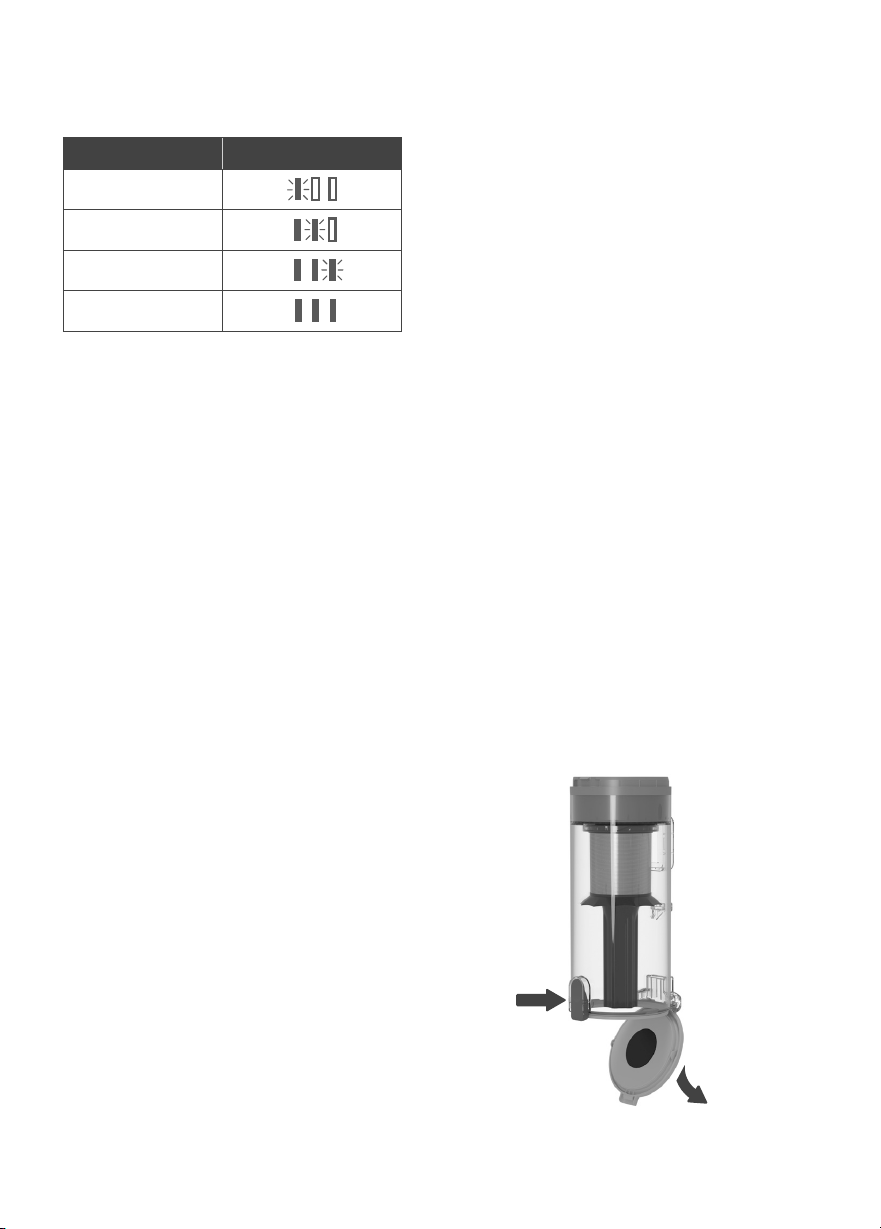
Battery Indicator Light Chart
(While Charging)
Battery Level Battery Indicators
0–35%
35–70%
70–100%
100%
*
Warning: Do not overfill the dust bin. If
the dust bin is too full, it may aect the
performance of the vacuum.
Note: Holding the dust bin inside a trash can
prevents dust from spilling out.
1. Turn the vacuum o. Remove the dust
bin by pressing the Dust Bin Release
Button.
2. Hold the dust bin over a trash can and
press the Lid Release Button. [Figure 2.5]
Use caution, as the lid will open when
the release button is pushed.
3. Empty out debris and dirt, then close
the lid.
Alternatively, you can remove the vacuum
body to empty the dust bin.
1. Remove the vacuum body by pressing
the Vacuum Body Release Button.
2. Hold the dust bin over a trash can
and press the Lid Release Button.
[Figure 2.5]
*The 3 battery indicator lights will turn
solid for 5 minutes, then turn o.
12
Figure 3.2
Figure 3.1
Cleaning
CLEANING THE VACUUM BODY
CLEANING THE DUST BIN &
METAL FILTER
1. Turn the vacuum o.
2. Wipe the outside of the vacuum down
with a damp cloth.
3. Allow the vacuum to completely dry
before using.
1. Make sure the vacuum is o and the dust
bin is completely empty before cleaning
(see Emptying the Dust Bin, page 11).
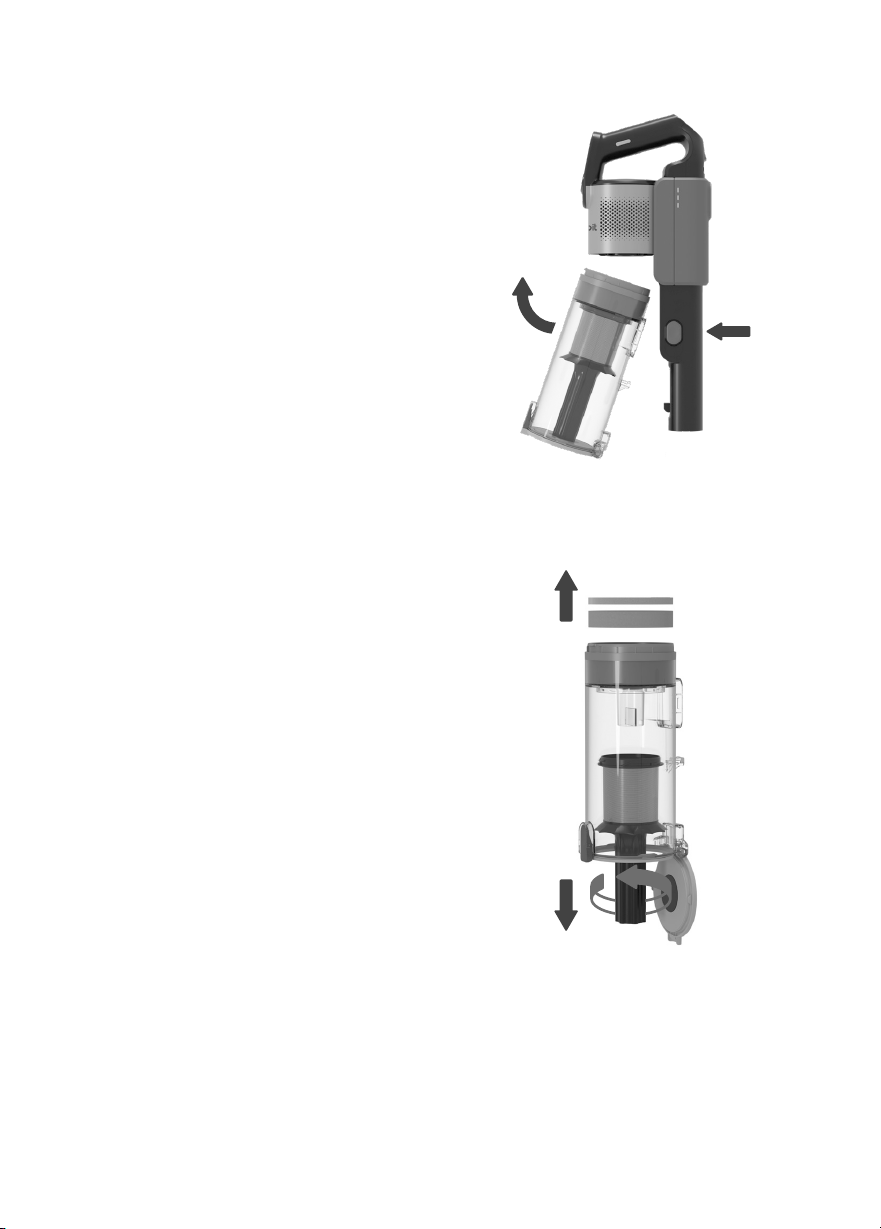
2. Press the Dust Bin Release Button and
pull the dust bin to remove it. [Figure
3.1] Empty out any remaining dust and
debris, and remove any hair tangled
around the metal filter.
3. Remove the felt filter and foam filter
from the top of the dust bin. Set aside
or wash the filters (see Cleaning
the Felt,
Foam & HEPA Filters, page 13).
4. Rotate the metal filter counterclockwise
to remove it. [Figure 3.2]
5. Rinse the dust bin and metal filter with
water and allow them to dry. Make sure
the parts are completely dry before
using.
6. Reattach the metal filter and replace the
foam filter and felt filter. Attach the dust
bin to the vacuum body.
Warning: Do not allow water to enter the
internal parts or motor of the vacuum.
Warning: Do not allow water to enter the
internal parts or motor of the vacuum.
13
Cleaning (cont.)
To maintain the performance of your filters,
they should be routinely washed and
replaced.
• If you notice decreased suction power,
or the filter is visibly dirty, clean the filter
immediately.
• The felt filter and foam filter should be
washed at least once a month and
replaced every 3 months.
• The HEPA filter should be washed at
least once a year.
• Do not put filters in a dishwasher,
washing machine, tumble dryer, oven, or
microwave, or place near an open flame.
• Never operate the vacuum without the
dust bin or filters properly installed.
• Frequent use may require cleaning the
filters more often. Cleaning the filters
regularly helps maintain your vacuum’s
cleaning performance.
• You may need to replace the filters more
frequently depending on your use and
environment.
• If the surrounding humidity is high,
please allow the filters to air-dry for a
longer period of time before reinstalling
them back into the vacuum.
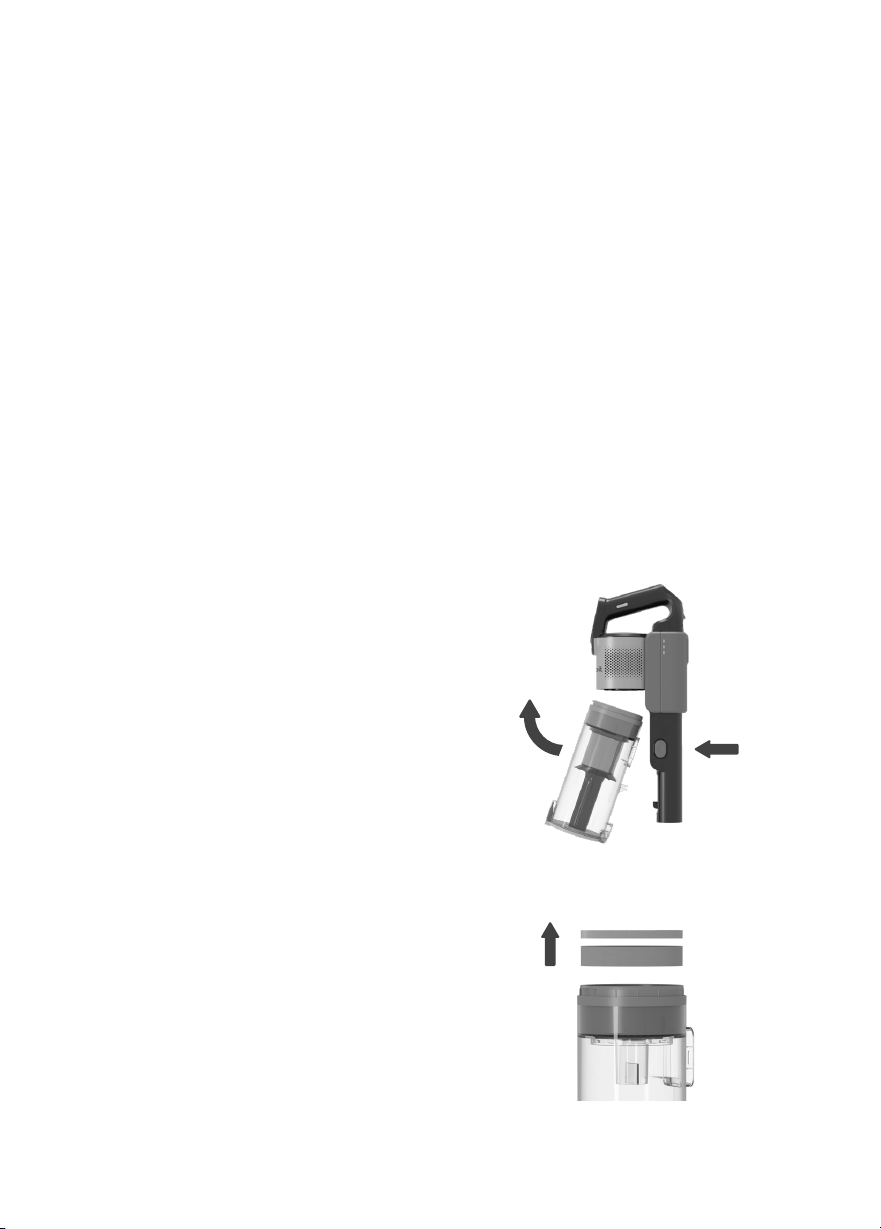
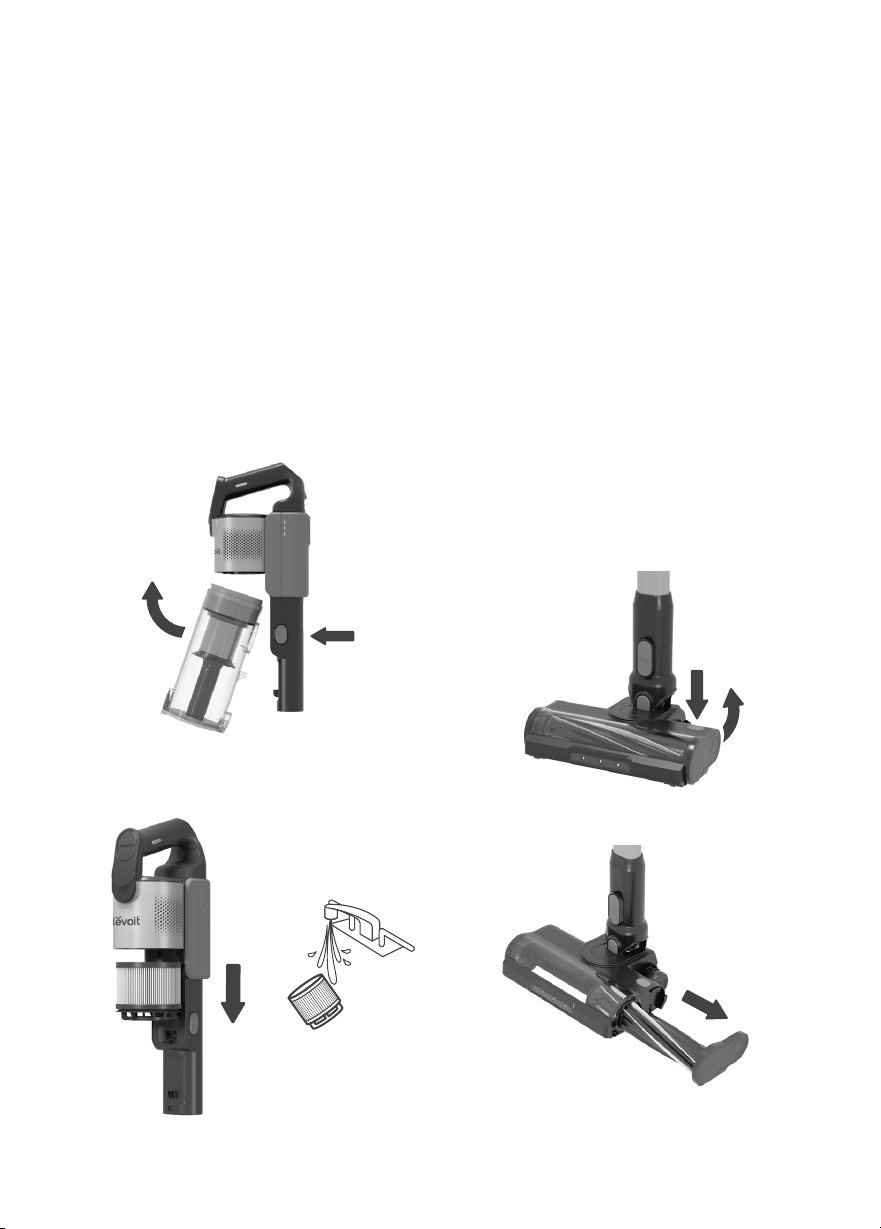
1. Press the Dust Bin Release Button to
remove the dust bin. [Figure 3.3]
2. Remove the felt and foam filter.
[Figure 3.4]
3. Clean the felt and foam filters with
water. Allow the filters to air-dry
completely under the sun or in a dry,
ventilated place before reinstallation.
4. Replace the foam filter, followed by the
felt filter.
5. Place the dust bin back onto the
vacuum body.
CLEANING THE FELT, FOAM &
HEPA FILTERS
FELT & FOAM FILTERS
Figure 3.4
Figure 3.3
Replacement Filters:
• To maintain the performance of your
vacuum, only use ocial Levoit filters.
For more information, contact Customer
Support (see page 19).
Note: Make sure the felt filter has the
ribbon-handle side facing outward when
you insert the filter.
14
Figure 3.5
Figure 3.8
Cleaning (cont.)
1. Press the Dust Bin Release Button to
remove the dust bin. [Figure 3.5]
2. Pull out the HEPA filter from the vacuum
body. [Figure 3.6]
3. If necessary, clean the HEPA filter
with water. Allow the filter to air-dry
completely under the sun or in a dry,
ventilated place before reinstallation.
[Figure 3.7]
4. Push the HEPA filter back in the vacuum
body until you hear a click, then replace
the dust bin.
Periodically check the roller brush for hair
or debris. The roller brush will automatically
shut o if it is blocked or jammed.
1. Turn the vacuum o. Detach the vacuum
head from the stick by pressing the
Vacuum Head Release Button.
2. Press the Roller Brush Release Button,
slide the side panel up to open, then pull
out the roller brush. [Figure 3.8]
3. If the roller brush is jammed, carefully
use a pair of scissors or a sharp knife
to remove any hair or debris tangled
around the roller brush.
4. Insert the roller brush back into the
vacuum head. Slide the side panel down
to lock it in place.
HEPA FILTER CLEANING THE ROLLER BRUSH
Figure 3.6
Figure 3.7

15
When the vacuum is not in use, store it on
the wall mount:
1. Screw the wall mount into the wall
near a power outlet (see Charging the
Vacuum, page 9).
2. Hang the vacuum on the wall mount.
Storage
Note:
• Always store the vacuum on the wall
mount.
• If necessary, the vacuum can be stored
in a closet or placed flat on the floor.
• If storing for long periods of time,
periodically charge the battery to
preserve the life of the battery.
Disposing of the Battery
• The battery contains materials that are
harmful to the environment and must be
removed from the vacuum before it is
discarded.
• When removing the battery, the vacuum
must be turned o.
• Discarded batteries should be handled
properly. Do not put batteries into fire,
water, or soil.
• If battery leakage touches skin or
clothing, flush with water immediately to
avoid skin injury and seek medical help.
16
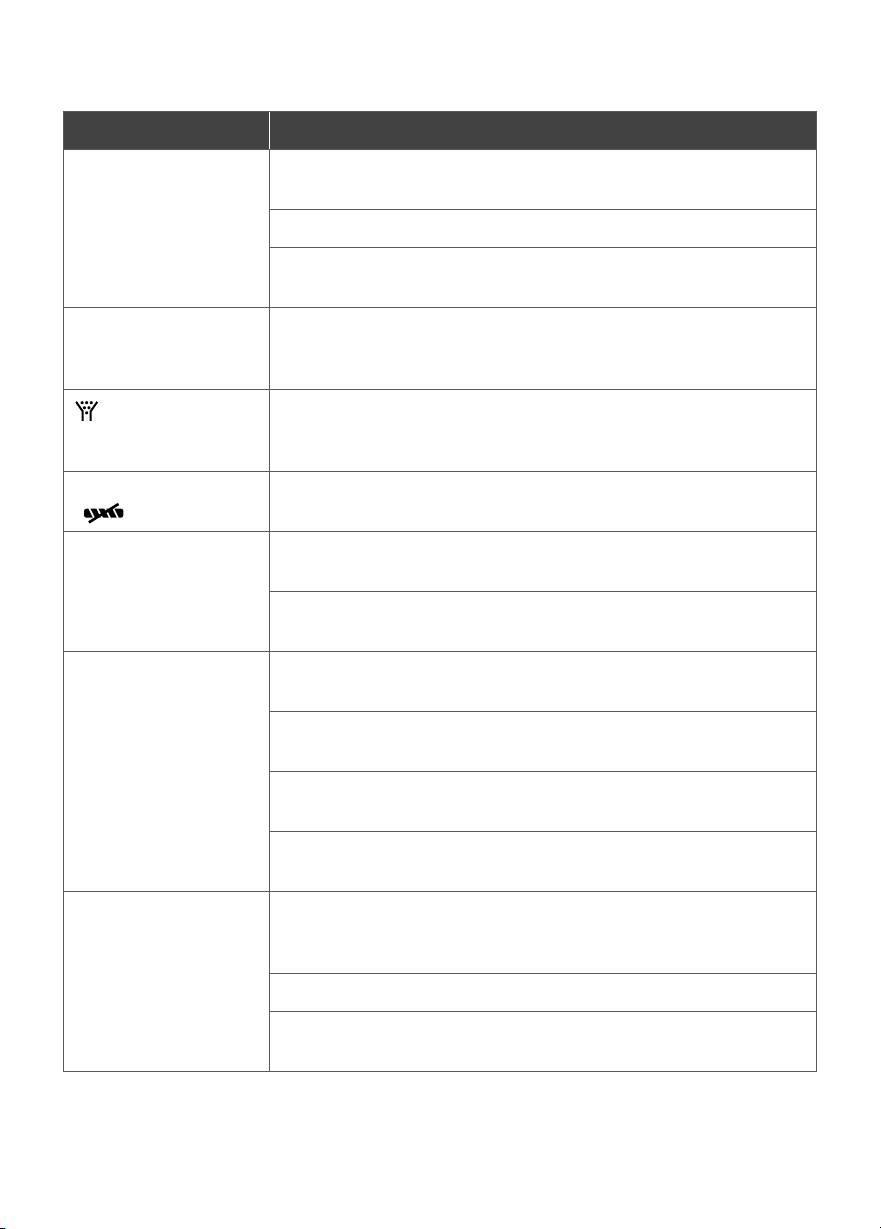
Problem Possible Solution
Vacuum will not turn
on.
The battery is not installed correctly (see Battery Removal &
Installation, page 9).
Recharge the vacuum (see Charging the Vacuum, page 9).
The vacuum motor overheated. Allow the vacuum to cool for 1 hour
before turning it back on.
Vacuum is not
charging.
The charger is not properly plugged in or you are using the wrong
charger. Use the provided Levoit charger only (see Charging the
Vacuum, page 9).
Light flashes.
Empty the dust bin and check for blockage inside the vacuum
head and stick. Remove any blockages and clean the filters (see
Cleaning, page 12).
Roller brush not turning
( flashes).
Clean the roller brush and remove any debris blocking the brush
(see Cleaning the Roller Brush, page 14).
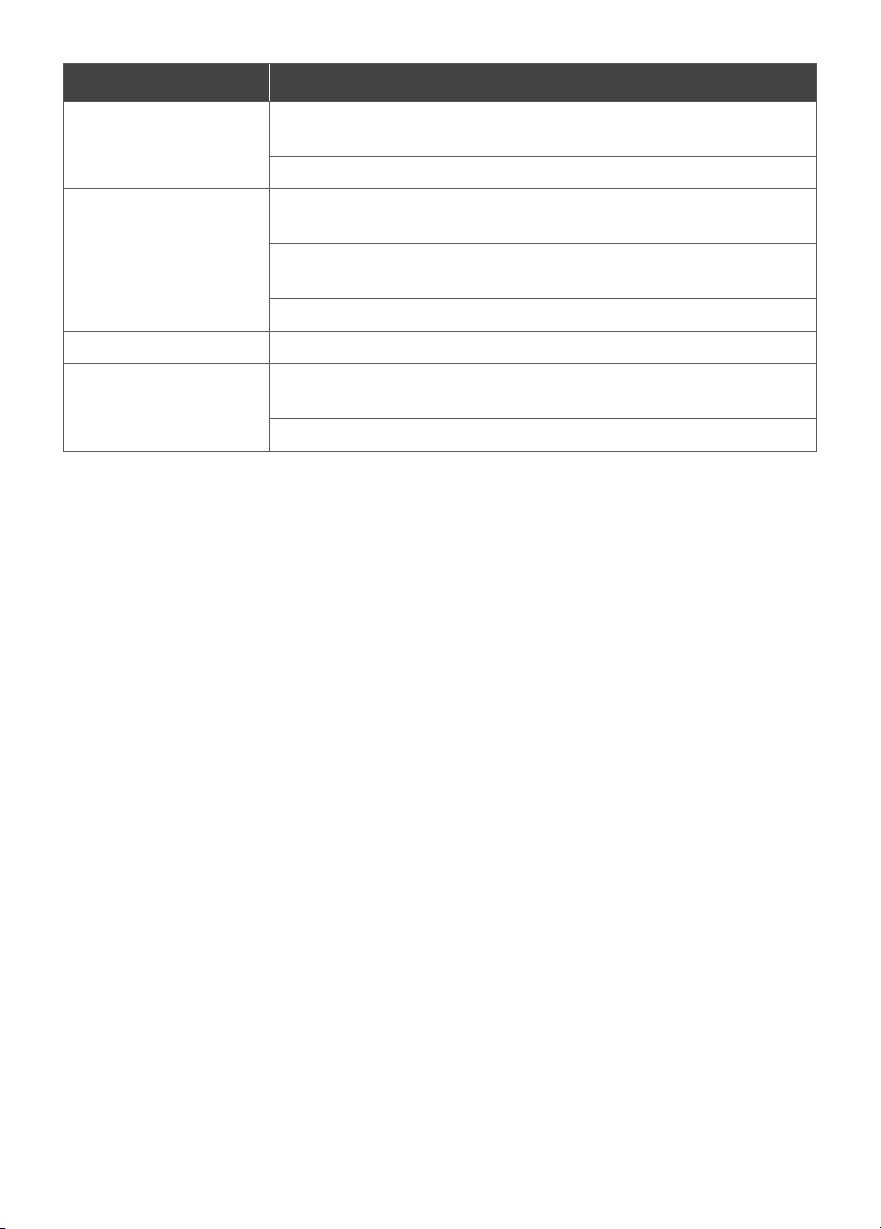
Vacuum makes an
abnormal noise.
Clean the roller brush and remove any debris blocking the brush
(see Cleaning the Roller Brush, page 14).
Check for blockage inside the vacuum body, vacuum head, and
stick. Remove any blockage (see Cleaning, page 12).
Vacuum has low
suction power.
Battery may be low. Recharge the battery to full charge (see
Charging the Vacuum, page 9).
Clean the roller brush and remove any debris blocking the brush
(see Cleaning the Roller Brush, page 14).
The dust bin and filters may be full. Empty the dust bin and clean
the filters (see Cleaning, page 12).
Check for blockage inside the vacuum body, vacuum head, and
stick. Remove any blockage (see Cleaning, page 12).
Vacuum releases a
bad or unusual smell.
The environment’s relative humidity may be high or the vacuum
may have absorbed water and caused the filter to grow mold.
Replace the filters (contact Customer Support, page 19).
The filters may be dirty. Clean the filters (see Cleaning, page 12).
The dust bin may be dirty. Empty and clean the dust bin (see
Cleaning, page 12).
Troubleshooting
17
Problem Possible Solution
Display shows E0. Make sure you are using the original charger. Use the provided
Levoit charger only (see Charging the Vacuum, page 9).
Check for foreign objects or liquid in the charging port.
Display shows E1. Make sure the battery is installed correctly (see Battery Removal
& Installation, page 9).
The battery may be overheating. Remove the battery and
allow it to cool for 1 hour before reinstalling.
Check for foreign objects or luquid in the charging port.
Display shows E2.
Contact Customer Support (see page 19).
Display shows E3. Make sure the vacuum head is properly installed (see Using
Your Vacuum, page 7).
Make sure the roller brush is properly installed.
If your problem is not listed, please contact Customer Support (see page 19).
FEDERAL COMMUNICATION COMMISSION INTERFERENCE
STATEMENT – PART 15
FCC SDOC SUPPLIER’S DECLARATION OF CONFORMITY
This device complies with Part 15 of the FCC Rules. Operation is subject to the following two conditions:
1. This device may not cause harmful interference, and
2. This device must accept any interference received, including interference that may cause
undesired operation.
NOTE: This equipment has been tested and found to comply with the limits for a Class B digital device,
pursuant to Part 15 of the FCC Rules. These limits are designed to provide reasonable protection
against harmful interference in a residential installation. This equipment generates, uses and can
radiate radio frequency energy and, if not installed and used in accordance with the instructions, may
cause harmful interference to radio communications. However, there is no guarantee that interference
will not occur in a particular installation. If this equipment does cause harmful interference to radio
or television reception, which can be determined by turning the equipment o and on, the user is
encouraged to try to correct the interference by one or more of the following measures:
• Reorient or relocate the receiving antenna.
• Increase the separation between the equipment and receiver.
• Connect the equipment into an outlet on a circuit dierent from that to which the receiver is
connected.
• Consult the dealer or an experienced radio/TV technician for help.
FCC Caution: Any changes or modifications not expressly approved by the party responsible for
compliance could void the user’s authority to operate this equipment.
Arovast Corporation hereby declares that this equipment is in compliance with FCC requirements.
The declaration of conformity may be consulted in the support section of our website, accessible from
www.levoit.com
18
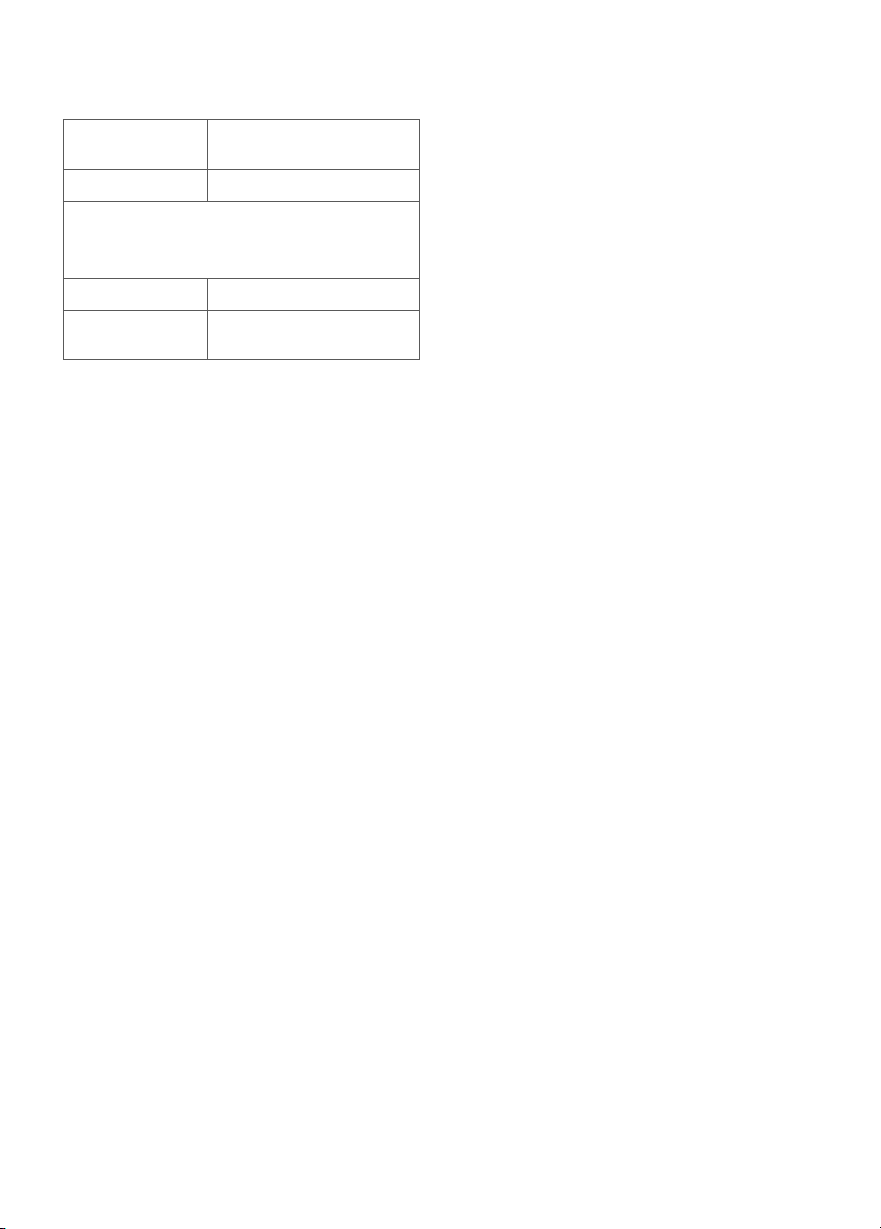
Product Name LVAC-300
Cordless Stick Vacuum
Model LSV-V202PE-BUS
For your own reference, we strongly
recommend that you record your order ID
and date of purchase.
Order ID
Date of
Purchase
Warranty Information
Levoit Limited Product Warranty
Register your products at
https://warranty.levoit.com/warranty to stay up
to date with important product information such
as product updates, limited warranties, usage and
maintenance recommendations, and notifications
concerning safety warnings or product recalls.
Registration is not required to claim your limited
warranty.
Two (2) Year Limited Consumer Product Warranty
Arovast Corporation (“Arovast”) warrants that the
product shall be free from defects in material and
workmanship for a period of 2 years from the date
of original purchase (“Limited Warranty Period”),
provided the product was used in accordance with
its use and care instructions (e.g., in the intended
environment and under normal circumstances).
Your Limited Warranty Benefits
During the Limited Warranty Period and subject
to this limited Warranty Policy, Arovast will, in its
sole and exclusive discretion, either (i) refund the
purchase price if the purchase was made directly
from the online Levoit store, (ii) repair any defects in
material or workmanship, (iii) replace the product
with another product of equal or greater value,
or (iv) provide store credit in the amount of the
purchase price.
Who is Covered?
This limited warranty extends only to the original
consumer purchaser of the product and is not
transferable to any subsequent owner of the
product, regardless of whether the product
transferred ownership during the specified term
of the limited warranty. The original consumer
purchaser must provide verification of the defect
or malfunction and proof of the date of purchase
to claim the Limited Warranty Benefits.
Be Aware of Unauthorized Dealers or Sellers
This limited warranty does not extend to products
purchased from unauthorized dealers or sellers.
Arovast’s limited warranty only extends to products
purchased from authorized dealers or sellers that
are subject to Arovast’s quality controls and have
agreed to follow its quality controls. Please be
aware, products purchased from an unauthorized
website or dealer may be counterfeit, used,
defective, or may not be designed for use in
your country. You can protect yourself and your
products by making sure you only purchase from
Arovast or its authorized dealers.
If you have any questions about a specific seller, or
if you think you may have purchased your product
from an unauthorized seller, please contact our
Customer Support Team via support@levoit.com
What’s Not Covered?
• Normal wear and tear, including normal wearing
parts, such as dust bin, filter, roller brush, battery,
and power cord, or carpet or floor damage due
to misuse.
• If the proof-of-purchase has been altered in any
way or is made illegible.
• If the model number, serial number or production
date code on the product has been altered,
removed or made illegible.
• If the product has been modified from its original
condition.
• If the product has not been used in accordance
with directions and instructions in the user
manual.
• Damages caused by connecting peripherals,
additional equipment or accessories other than
those recommended in the user manual.
• Damages or defects caused by accident, abuse,
misuse, or improper or inadequate maintenance.
• Damages or defects caused by service or repair
of the product performed by an unauthorized
service provider or by anyone other than
Arovast.
• Damages or defects occurring during
commercial use, rental use, or any use for which
the product is not intended.
• If the unit has been damaged, including but
not limited to damage by animals, lightning,
abnormal voltage, fire, natural disaster,
transportation, dishwasher, or water (unless the
user manual expressly states that the product is
dishwasher-safe).
• Incidental and consequential damages.
• Damages or defects exceeding the cost of the
product.
Claiming Your Limited Warranty Service in 5 Simple
Steps:
1. Make sure your product is within the specified
limited warranty period.
2. Make sure you have a copy of the invoice and
order ID or proof-of-purchase.
3. Make sure you have your product. DO NOT
dispose of your product before contacting us.
4. Contact our Customer Support Team via
support@levoit.com

19
5. Once our Customer Support Team has
approved your request, please return the
product with a copy of the invoice and order ID.
Sole and Exclusive Remedy
THE FOREGOING LIMITED WARRANTY
CONSTITUTES AROVAST CORPORATION’S
EXCLUSIVE LIABILITY, AND YOUR SOLE AND
EXCLUSIVE REMEDY, FOR ANY BREACH OF ANY
WARRANTY OR OTHER NONCONFORMITY
OF THE PRODUCT COVERED BY THIS LIMITED
PRODUCT WARRANTY STATEMENT. THIS LIMITED
WARRANTY IS EXCLUSIVE, AND IN LIEU OF
ALL OTHER WARRANTIES. NO EMPLOYEE OF
AROVAST CORPORATION OR ANY OTHER PARTY
IS AUTHORIZED TO MAKE ANY WARRANTY IN
ADDITION TO THE LIMITED WARRANTY IN THIS
LIMITED PRODUCT WARRANTY STATEMENT.
Disclaimer of Limited Warranties
TO THE FULLEST EXTENT PROVIDED BY APPLICABLE
LAW, EXCEPT AS WARRANTED IN THIS LIMITED
PRODUCT WARRANTY POLICY, AROVAST
CORPORATION PROVIDES THE PRODUCTS YOU
PURCHASE FROM AROVAST CORPORATION “AS IS”
AND AROVAST CORPORATION HEREBY DISCLAIMS
ALL WARRANTIES OF ANY KIND, WHETHER
EXPRESS OR IMPLIED, STATUTORY, OR OTHERWISE,
INCLUDING BUT NOT LIMITED TO ANY WARRANTIES
OF MERCHANTABILITY, NON-INFRINGEMENT, AND
FITNESS FOR PARTICULAR PURPOSE.
Limitations of Liability
TO THE FULLEST EXTENT PROVIDED BY APPLICABLE
LAW, IN NO EVENT WILL AROVAST CORPORATION,
ITS AFFILIATES, OR THEIR LICENSORS, SERVICE
PROVIDERS, EMPLOYEES, AGENTS, OFFICERS, OR
DIRECTORS BE LIABLE FOR:
(a) DAMAGES OF ANY KIND ARISING OUT OF OR
IN CONNECTION WITH PRODUCTS PURCHASED
FROM AROVAST CORPORATION IN EXCESS OF THE
PURCHASE PRICE PAID BY THE PURCHASER FOR
SUCH PRODUCTS, OR
(b) INDIRECT, SPECIAL, INCIDENTAL,
CONSEQUENTIAL, OR PUNITIVE DAMAGES EVEN
IF AROVAST CORPORATION OR ONE OF ITS
SUPPLIERS HAS BEEN ADVISED OF THE POSSIBILITY
OR LIKELIHOOD OF SUCH DAMAGES.
AND REGARDLESS OF WHETHER CAUSED BY TORT
(INCLUDING NEGLIGENCE), BREACH OF CONTRACT,
OR OTHERWISE. OUR LIABILITY SHALL UNDER NO
CIRCUMSTANCES EXCEED THE ACTUAL AMOUNT
PAID BY YOU FOR THE DEFECTIVE PRODUCT, NOR
SHALL WE UNDER ANY CIRCUMSTANCES BE LIABLE
FOR ANY CONSEQUENTIAL, INCIDENTAL, SPECIAL
OR PUNITIVE DAMAGES OR LOSSES, WHETHER
DIRECT OR INDIRECT.
EXCEPT AS COVERED BY THIS LIMITED PRODUCT
WARRANTY STATEMENT, AROVAST CORPORATION
SHALL NOT BE LIABLE FOR COSTS ASSOCIATED
WITH THE REPLACEMENT OR REPAIR OF
PRODUCTS PURCHASED FROM IT, INCLUDING,
BUT NOT LIMITED TO, LABOR, INSTALLATION, OR
OTHER COSTS INCURRED BY THE USER AND,
IN PARTICULAR, ANY COSTS RELATING TO THE
REMOVAL OR REPLACEMENT OF ANY PRODUCT.
OTHER RIGHTS YOU MAY HAVE
SOME JURISDICTIONS DO NOT ALLOW FOR:
(1) EXCLUSION OF IMPLIED WARRANTIES; (2)
LIMITATION ON THE DURATION OF IMPLIED
WARRANTIES; AND/OR (3) EXCLUSION OR
LIMITATION OF INCIDENTAL OR CONSEQUENTIAL
DAMAGES; SO THE DISCLAIMERS IN THIS POLICY
MAY NOT APPLY TO YOU. IN THESE JURISDICTIONS
YOU HAVE ONLY THE IMPLIED WARRANTIES THAT
ARE EXPRESSLY REQUIRED TO BE PROVIDED
IN ACCORDANCE WITH APPLICABLE LAW. THE
LIMITATIONS OF WARRANTIES, LIABILITY, AND
REMEDIES APPLY TO THE MAXIMUM EXTENT
PERMITTED BY LAW.
ALTHOUGH THIS LIMITED WARRANTY GIVES YOU
SPECIFIC LEGAL RIGHTS, YOU MAY HAVE OTHER
RIGHTS IN YOUR JURISDICTION. THIS STATEMENT
OF LIMITED WARRANTY IS SUBJECT TO APPLICABLE
LAWS THAT APPLY TO YOU AND THE PRODUCT.
PLEASE REVIEW THE LAWS IN YOUR JURISDICTION
TO UNDERSTAND YOUR RIGHTS FULLY.
CHANGES TO THIS POLICY
We may change the terms and availability of this
limited warranty at our discretion, but any changes
will not be retroactive.
This warranty is made by:
Arovast Corporation
1775 Flight Way, Suite 150, Tustin, CA 92782, USA
Customer Support
If you have any questions or concerns about
your new product, please contact our helpful
Customer Support Team.
Arovast Corporation
1775 Flight Way, Suite 150
Tustin, CA 92782, USA
Email: [email protected]
Toll-Free: 1-888-726-8520
*Please have your order invoice PDF or
screenshot(s) ready before contacting
Customer Support.
Mon–Fri, 9:00 am–5:00 pm PST/PDT
Support Hours

20
A1_24K06_us