Changes Note : Modification
Design : Paul Kim
Size : 148mm x 210mm
Page : 8
Date : 2025-01-17
ART WORK SPEC
HQ R&D PIC : Kwon Sang Hee
Product
Vacuum Cleaner
Post Processing : CUT
Rev No
00
Material : MOJO 60g
Model / PJT
VS9700FL / Quick Guide
Print Color : Black
Part Code
DJ68-00919G
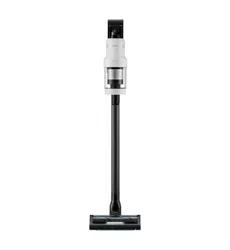
Vacuum cleaner
Simple user manual
• For detailed instructions on installation and cleaning of the appliances, visit the Samsung website
(http://www.samsung.com), go to Support > Support home, and then enter the model name.
• To check the product’s model name, see the label enclosed with the product or attached to the product.
• Open a QR code scanner app and scan the QR code image attached to the product.
You can access ‘Product registration’, ‘Manual’, and ‘Customer support’.
• Figures and illustrations are provided for reference only and may differ from the actual product
appearance. Product design and specifications may change without notice.
Scan this with your phone.
Safety information
• Congratulations on your new Samsung appliances. This manual contains important information on the installation, use,
and care of your appliances. Read this manual thoroughly before using the appliances to ensure that you know how to
safely and efficiently operate the features and functions that your new appliances offers.
Important safety symbols
What the icons and signs in this user manual mean:
WARNING
Hazards or unsafe practices that may result in severe personal injury, death and/or property damage.
CAUTION
Hazards or unsafe practices that may result in personal injury and/or property damage.
Read the instructions
After reading this manual, store it in a safe place for future reference.
Read all instructions before using the appliance.
NOTE
Supplementary information that may be useful.
DJ68-00919G-00_QG_VS9700FL_SA_EN.indd 1DJ68-00919G-00_QG_VS9700FL_SA_EN.indd 1 2025-01-09 4:18:572025-01-09 4:18:57
English2
WARNING
To reduce the risk of fire, electric shock, or injury to persons when using
your appliance, follow basic precautions, including the following:
General
1. This appliance is not intended for use by persons (including children) with
reduced physical, sensory or mental capabilities, or lack of experience
and knowledge, unless they have been given supervision or instruction
concerning use of the appliance by a person responsible for their safety.
2. For use in Europe : This appliance can be used by children aged from 8
years and above and persons with reduced physical, sensory or mental
capabilities or lack of experience and knowledge if they have been given
supervision or instruction concerning use of the appliance in a safe way
and understand the hazards involved.
Children shall not play with the appliance. Cleaning and user
maintenance shall not be made by children without supervision.
3. For use in UK : If your appliance is fitted with a nonrewireable BS 1363
plug it must not be used unless an appropriately rated (ASTA approved
to BS 1362) fuse is fitted in the carrier contained in the plug.
4. Children should be supervised to ensure that they do not play with the
appliance.
5. If the supply cord is damaged, it must be replaced by the manufacturer,
its service agent or similarly qualified persons in order to avoid a hazard.
6. Failure to meet these requirements could cause damage to the internal
parts of the vacuum and void your warranty.
7. Do not allow the vacuum cleaner to run unattended at any time.
8. This product is intended for household use only. (Do not use this product
for other than its intended purposes.)
9. Do not allow children to ride on or play with the product. An injury or
product damage may occur.
Safety information
DJ68-00919G-00_QG_VS9700FL_SA_EN.indd 2DJ68-00919G-00_QG_VS9700FL_SA_EN.indd 2 2025-01-09 4:18:572025-01-09 4:18:57
English 3
Safety information
Vacuum cleaner
• When assembling the vacuum, be careful not to catch your
fingers or hands in the movement fold of the handle.
• Do not use the vacuum cleaner on a wet rug or floor.
• Do not use the product at the following places;
- In a place where a burning candle or a desk lamp is
placed on the floor.
- In a place where heaters are turned on or
unextinguished embers exist in an unattended fireplace
or an ashtray etc.
- In a place where there are combustible materials such
as oil paint, paint thinner, mothproofing substances,
gasoline, alcohol, thinner, ashtrays with unextinguished
cigarettes, etc.
- In a closed place filled with explosive or toxic vapor.
• Do not pick up the following things. Abnormal operation or
product damage may occur.
- A match or unextinguished ashes or cigarettes
- Hard or sharp objects
- Toxic materials (chlorine bleach, ammonia, drain cleaner
etc.)
- Liquid such as water or beverage or pet’s waste
- Chalk powder
• If there is a gas leak or combustible spray such as a dust
remover is used, do not touch the power outlet and open the
window for ventilation.
- An explosion or fire may occur.
• If the product makes a strange sound or emits a smell or
smoke, turn off the product immediately, and then contact a
Samsung service center.
- Electric shock or fire may occur.
• When using the vacuum cleaner, be careful not to hurt
yourself on the moving or spinning parts.
- Keep your body parts (Hair, hands, etc.) from the spin
brush or the spin disk.
• When cleaning the wall or ceiling, you should use both
hands.
- If you clean with one hand, you can damage your wrist
or drop the vacuum and cause an injury or damage the
vacuum.
• Do not use the vacuum cleaner on objects that can be easily
scratched (monitors, stainless steel appliances, etc.).
• Sometimes the wheel of a brush can scratch the floor.
Before using the vacuum cleaner, check the wheels of the
brush.
- If there is foreign matter on the wheel of the brush
which cannot be removed easily, contact a Samsung
service center.
• When the spin brush inside a brush is working, do not touch
the brush.
- Otherwise, your hand can be caught and it may cause
an injury.
• Do not use the vacuum cleaner in direct sunlight or high
heat.
• If excessive force is applied to an accessory with motor or
foreign matter is caught in the spin brush (or spin disk), the
accessory may stop working to protect the motor or the
product. Turn the vacuum cleaner off, remove the foreign
matter, and then turn it back on.
• Static electricity may occur depending on the humidity,
temperature, or floor material, etc. in your home. If it
happens repeatedly, contact a Samsung service center.
• Do not use the brush or tools in one spot for a long time
because the floor may get damaged depending on its
material.
• Do not use Pet Tool + in a small area for a long time and do
not let Pet Tool + keep spinning in one place.
- Damage may occur if used on sensitive materials
• Do not use Combination Tool on hard materials such as
leather or wood while bristles are not extended.
Maintenance
• While using or after using the vacuum cleaner, you should
lay the vacuum cleaner down or place it on the Clean Station
to store.
- The product may fall and an injury and severe product
damage occur. In addition, you may not be compensated
for the damage.
• Do not store the vacuum cleaner inside a car.
• Before removing foreign matter inside the product, turn off
the product first.
- If the product is on while you are removing the foreign
matter, you can hurt yourself or damage the product.
• When cleaning the exterior of the product, turn off the
product first and then wipe it with a dry towel. Do not spray
water directly onto the product or wipe it with volatile
materials such as benzene, thinner, or alcohol.
- If water gets into the product and an error occurs, turn
off the product and contact a Samsung service center.
• When cleaning the washable parts, do not use alkaline
detergent, acid, industrial detergent, air freshener, acetic
acid, etc.
- Product damage such as plastic breakage, deformation,
discoloration, printing deterioration, etc. may occur.
DJ68-00919G-00_QG_VS9700FL_SA_EN.indd 3DJ68-00919G-00_QG_VS9700FL_SA_EN.indd 3 2025-01-09 4:18:572025-01-09 4:18:57
English4
Safety information
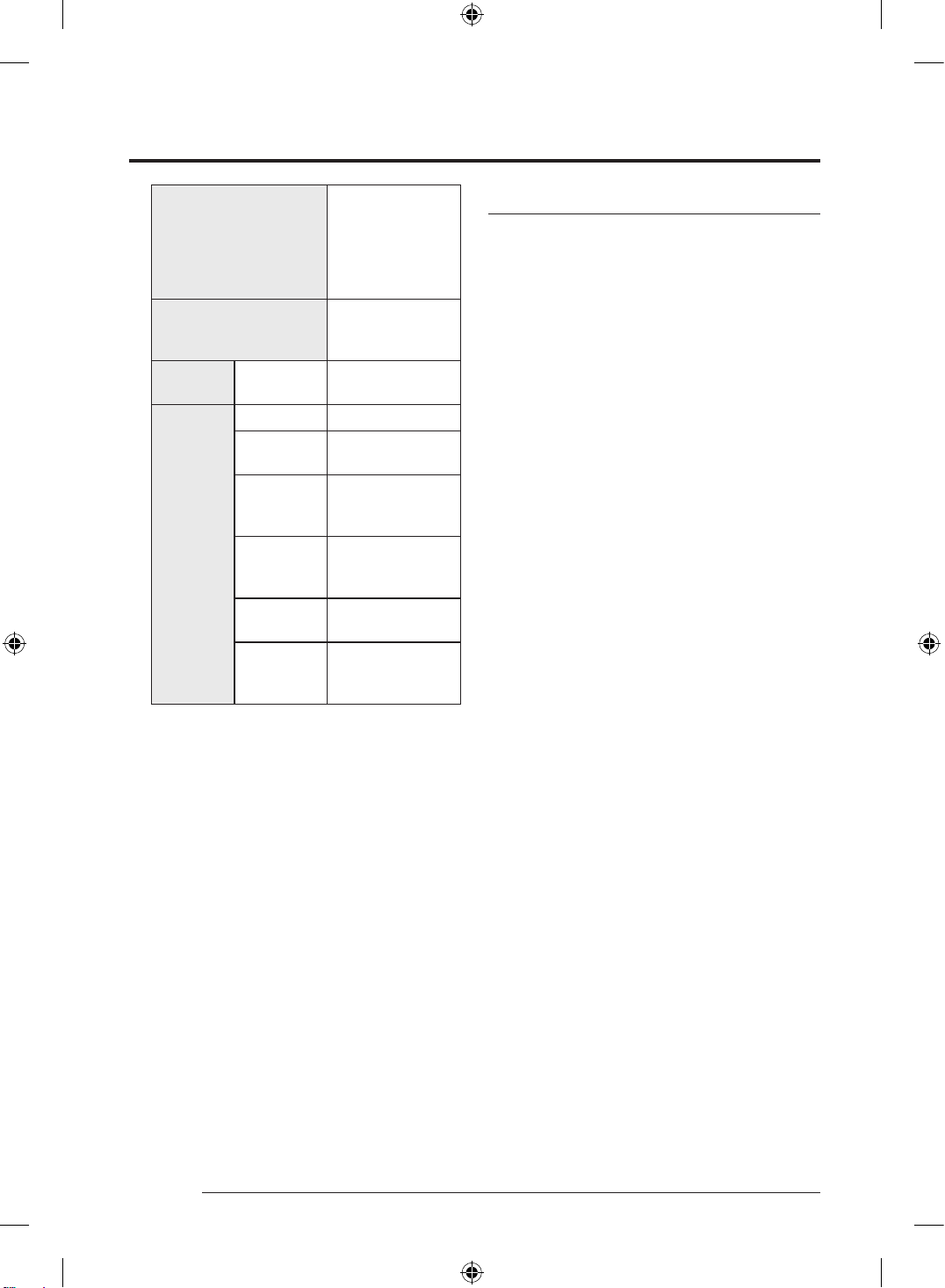
Washable Parts
Dustbin, Washable
Micro Filter, Fine
Dust Filter, Spinning
Cyclone Filter, Metal
Mesh Grille Filter, dry
cloth
Non-washable parts
Premotor Filter and
Fine Dust Filter of the
Clean Station
Acceptable
detergent
Neutral
Dish washing
detergent
Prohibited
detergent
Alkaline Lox, mold cleaner, etc.
Acid
Paraffin oil, an
emulsifier, etc.
Industrial
cleaners
NV-I, PB-I, Opti,
alcohol, acetone,
benzene, thinner, etc.
Air freshener
Jet spray air fresheners
(coffee flavor, herb,
etc.)
Oils
Animal oils, vegetable
oils
Etc.
Edible acetic acid,
vinegar, glacial acetic
acid, etc.
• Storing the product in sunlight for long hours may cause
parts of the product to deform or discolor. Therefore, store
the product in the shade.
• After cleaning the dustbin, Spinning Cyclone Filter, Metal
Mesh Grille Filter, or Washable Micro Filter with water, dry
them in the shade.
- When heat is applied, part deformation may occur.
Clean Station / Charging stand
• Do not pull or carry by the cord, use the cord as a handle,
close a door on the cord, or pull the cord around sharp edges
or corners. Keep the cord away from heated surfaces.
• Do not unplug by pulling on the cord. To unplug, grasp the
plug, not the cord.
• Do not pull the power cord and do not touch the power plug
with wet hands.
- Electric shock or fire may occur.
• Do not use extension cords or outlets with inadequately
rated current.
• If there is dust, water, etc. on a pin or contact point of the
power plug pin, wipe them carefully.
- Abnormal operation or electric shock may occur.
• Do not use a damaged power plug, power cord, or loose
power outlet.
- Electric shock or fire may occur.
• Unplug the Clean Station/Charging stand from the outlet
before servicing.
• Do not expose the Clean Station/Charging stand to high
temperatures or allow moisture or humidity of any kind to
come into contact with the Clean Station/Charging stand.
• Do not plug the Clean Station/Charging stand into a power
source with the incorrect voltage. Do not plug the Clean
Station/Charging stand into a multi-plug outlet or power
strip.
- Electric shock or fire may occur.
• If the power cord is damaged, have a Samsung authorized
service center replace the power cord with a new power
cord.
- Electric shock or fire may occur.
• Make sure that the charging terminals of the vacuum
cleaner and the Clean Station/Charging stand do not come
into contact with a conductor such as a bracelet, watch,
metal rod, nail, etc.
- Product malfunction or electric shock may occur.
• As the Clean Station/Charging stand are designed for the
use of Samsung Jet cordless vacuum cleaner only, do not
use the Clean Station/Charging stand for other electronic
appliances and other purposes. Severe damage to the Clean
Station/Charging stand or fire may occur.
• Do not allow children to cling to or push the Clean Station/
Charging stand.
- Personal injury, product and floor damage may occur.
• Do not charge the product near a window, heater, toilet,
bathroom, etc.
DJ68-00919G-00_QG_VS9700FL_SA_EN.indd 4DJ68-00919G-00_QG_VS9700FL_SA_EN.indd 4 2025-01-09 4:18:582025-01-09 4:18:58
English 5
Safety information
• Do not attempt to open the Clean Station/Charging stand.
Repairs should be only carried out by a qualified Samsung
service center.
• Injury or product malfunction from incorrect installation of
the Clean Station/Charging stand may not be compensated.
• Do not bend the power cord with excessive force or put
heavy objects on the power cord.
- Electric shock or fire may occur.
• Before unplugging or plugging in the Clean Station/
Charging stand, turn off the vacuum cleaner and make sure
that the pins of the power plug do not come into contact
with your hands.
- Fire or electric shock may occur.
Wall mount
• Do not modify the polarized plug to fit a non-polarized
outlet or extension cord.
• Do not use outdoors or on wet surfaces.
• Unplug the wall mount from the outlet when not in use and
before servicing.
• Use only the wall mount supplied by the manufacturer to
recharge.
• Do not use with a damaged cord or plug.
• Do not pull or carry by the cord, use the cord as a handle,
close a door on the cord, or pull the cord around sharp edges
or corners. Keep the cord away from heated surfaces.
• Do not use extension cords or outlets with inadequately
rated current.
• Do not charge a non-rechargeable battery.
• Do not unplug by pulling on the cord. To unplug, grasp the
plug, not the cord.
• Do not mutilate or incinerate batteries as they will explode
at high temperatures.
• Do not attempt to open the wall mount. Repairs should be
only carried out by a qualified Samsung service center.
• Do not expose the wall mount to high temperatures or allow
moisture or humidity of any kind to come into contact with
the wall mount.
Battery
• As the battery is manufactured only for this product, do
not use the battery for other electronic appliances or other
purposes.
• When you purchase a new battery, make sure to check the
model name and the genuine logo.
- Contact your nearest Samsung Electronics retailer or
Samsung service center to purchase any consumable
accessories.
• To protect the motor and the battery, the product may not
operate when the temperature is lower than 5 °C or higher
than 45 °C.
• Dispose of the dead battery in compliance with the local
regulations.
WARNING
To remove the battery contact an authorised service centre.
To obtain battery removal instructions please visit samsung.
com/global/ecodesign_energy
You must not remove (or attempt to remove) the battery
incorporated in this product on your own.
FOR YOUR OWN SAFETY, DO NOT ATTEMPT TO REMOVE THE
BATTERY ON YOUR OWN OR DISPOSE OF IT IN FIRE. DO NOT
DISASSEMBLE, CRUSH OR PUNCTURE THE BATTERY
Batteries, after use, should not be thrown in regular trash.
To avoid risks to human health and the environment, perform
environmentally appropriate disposal in a Samsung Authorized
Service.
DJ68-00919G-00_QG_VS9700FL_SA_EN.indd 5DJ68-00919G-00_QG_VS9700FL_SA_EN.indd 5 2025-01-09 4:18:592025-01-09 4:18:59
English6
Safety information
Wi-Fi / Bluetooth (BLE) models only
Wi-Fi
Frequency range 2412 - 2472 MHz
Transmitter power (Max) 20 dBm
Bluetooth (BLE)
Frequency range 2402 - 2480 GHz
Transmitter power (Max) 20 dBm
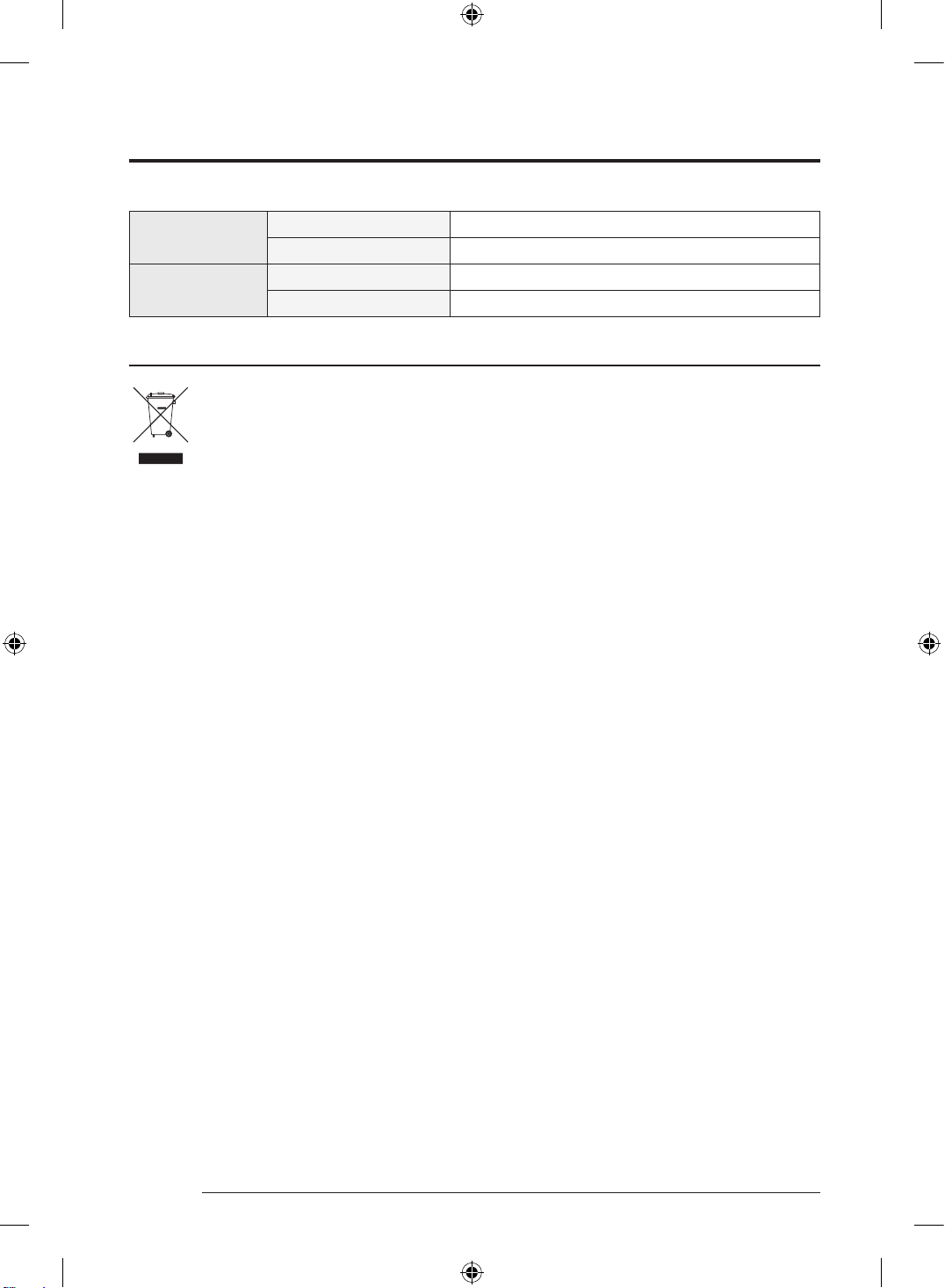
Instructions about the WEEE
Correct Disposal of This Product (Waste Electrical & Electronic Equipment)
(Applicable in countries with separate collection systems)
This marking on the product, accessories or literature indicates that the product and its electronic accessories (e.g.
charger, headset, USB cable) should not be disposed of with other household waste at the end of their working life. To
prevent possible harm to the environment or human health from uncontrolled waste disposal, please separate these
items from other types of waste and recycle them responsibly to promote the sustainable reuse of material resources.
Household users should contact either the retailer where they purchased this product, or their local government office,
for details of where and how they can take these items for environmentally safe recycling.
Business users should contact their supplier and check the terms and conditions of the purchase contract. This product
and its electronic accessories should not be mixed with other commercial wastes for disposal.
For information on Samsung’s environmental commitments and product regulatory obligations, e.g. REACH, visit our sustainability page
available via www.samsung.com
(For products sold in European countries and in the UK only)
DJ68-00919G-00_QG_VS9700FL_SA_EN.indd 6DJ68-00919G-00_QG_VS9700FL_SA_EN.indd 6 2025-01-09 4:18:592025-01-09 4:18:59
English 7
Memo
DJ68-00919G-00_QG_VS9700FL_SA_EN.indd 7DJ68-00919G-00_QG_VS9700FL_SA_EN.indd 7 2025-01-09 4:18:592025-01-09 4:18:59
DJ68-00919G-00
AUSTRALIA
1300 362 603 (Other)
1300 425 299 (HHP)
www.samsung.com/au/support
MALAYSIA
1800-22-8899 (HHP)
1800-88-9999 (OTH)
+603-7713 7420 (Overseas contact)
www.samsung.com/my/support
SINGAPORE
1800 7267864 | 1800-SAMSUNG (Other)
1800 4252997 | 1800-GALAXYS (HHP)
www.samsung.com/sg/support
SOUTH AFRICA 0860 SAMSUNG (726 7864) www.samsung.com/za/support
PHILIPPINES
Dedicated Hotline for Mobile Phones:
#GALAXY (just dial #425299)
All Products :
1-800-10-7267864 [ PLDT - Toll Free ]
1-800-8-7267864 [ Globe - Toll Free ]
84222111 [ Landline ]
www.samsung.com/ph/support
INDIA
1800 5 SAMSUNG (1800 5 7267864) (Toll-Free)
1800 40 SAMSUNG (1800 40 7267864) (Toll-Free)
www.samsung.com/in/support
This product is India RoHS compliant.
DJ68-00919G-00_QG_VS9700FL_SA_EN.indd 8DJ68-00919G-00_QG_VS9700FL_SA_EN.indd 8 2025-01-09 4:18:592025-01-09 4:18:59