•Wipe with a dry cloth; avoid chemicals.
•Regularly check screw tightness.
•Ensure tension remains balanced after monitor changes.
Introduction
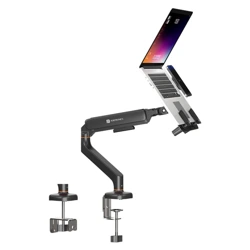
Thank you for choosing Portronics Aerolift One a premium desk-
mounted monitor arm designed for flexible positioning, ergonomic
comfort, and a clutter-free workspace. This guide will help you
assemble and use your monitor arm safely and effectively.
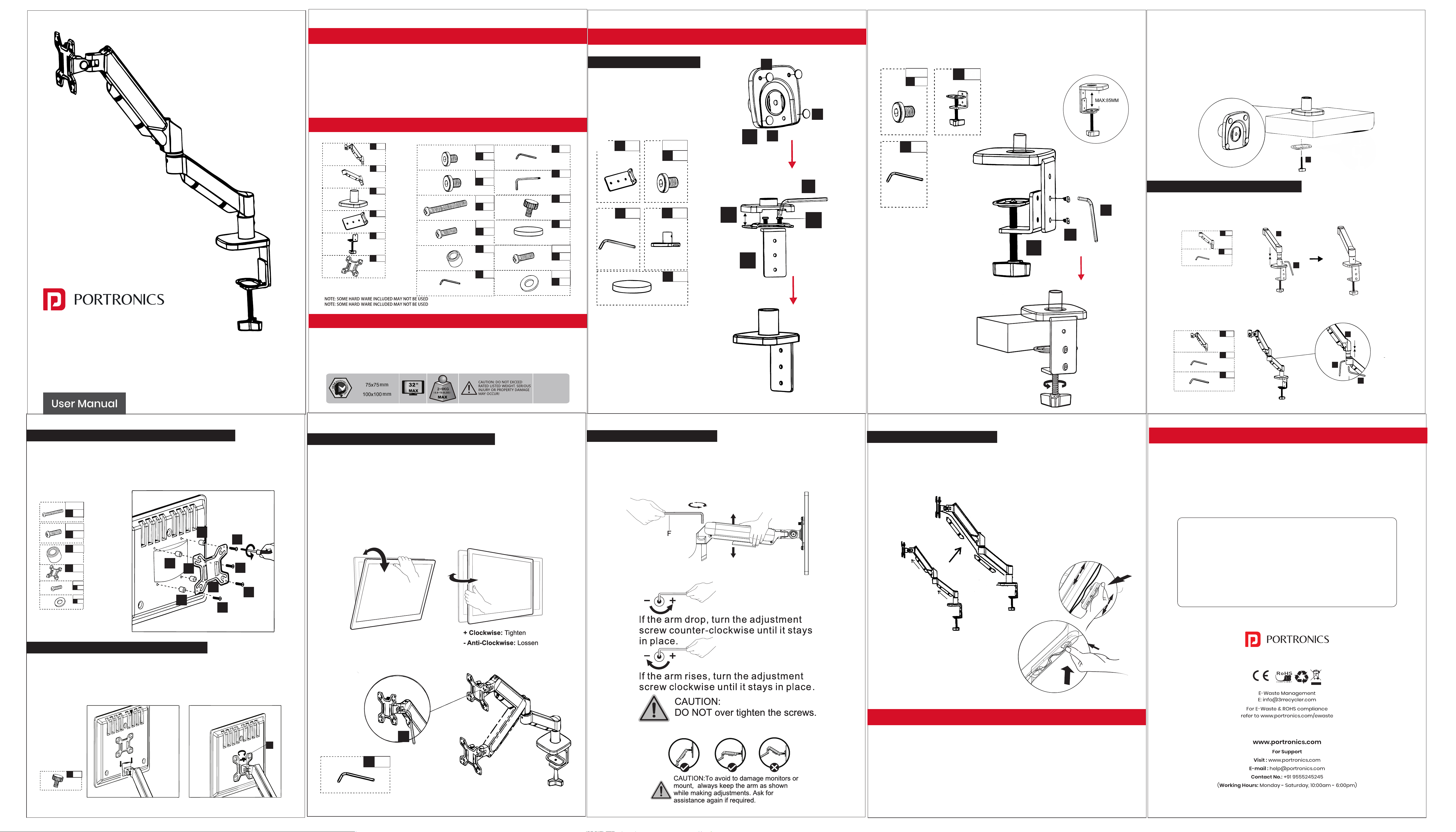
Package Contents
COMPATIBILITY
•Supports monitors with VESA 75×75 / 100×100 mm
•Ideal for flat and curved monitors
•Suitable for desks with a thickness of 10mm to 85mm
ASSEMBLY STEPS
Step 1 – Install the Base
Clamp Mount:
A. Attach the clamp assembly to the
base plate.
INTRODUCTION
PACKAGE CONTENTS
COMPATIBILITY
ASSEMBLY STEPS
Step 1 – Install the Base
Grommet Mount :
A. Insert the threaded rod through the desk hole.
B. Position the base plate over the hole and insert the threaded
rod through the desk hole.
C. Tighten the securing nut using the supplied hardware..
Step 2: Install the Arm to the Base
Slide the lower arm onto the pole. Tighten screw using the Allen
key to lock its height.
Step 3: Attach the VESA Plate to the Monitor
Select the correct screw set based on your monitor’s mounting
holes. Align the VESA plate with the holes and fasten all screws
securely. Make sure the plate is fully tightened and sits flat on the
monitor surface.
Step 4: Mount the Monitor Onto the Arm
Align the VESA plate with the head of the swivel arm.
Slide it until it clicks and lock securely.
You can tilt the monitor forward/back, swivel
left/right and rotate 90° for portrait mode.
Use the supplied 6mm Allen key to loosen or
tighten the VESA plate adjustment screw.
Adjust the monitor to the desired viewing angle,
then securely tighten the screw to keep the
monitor firmly in position.
Step 5: Adjust Monitor Angle & Orientation
Step 6: Adjust Arm Tension
If the monitor moves too freely or doesn’t hold its position:
Use the supplied Allen key to tighten or loosen the tension screw.
Turn clockwise to increase tension, anti-clockwise to decrease.
Step 7: Cable Management
Push the cables into the plastic wire clips shown.Route cables
under the arm through the built-in channels.
SAFETY & PRECAUTIONS
•Ensure the arm is installed on a stable desk.
•Do not overload beyond rated monitor weight.
•Keep cables away from pinch points.
MAINTENANCE
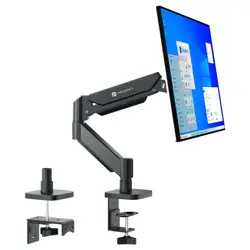
Full-Motion Single Monitor Desk Mount
AEROLIFT ONE
X1
①
X1
②
X1
③
X1
④
X1
⑤
X1
⑥
X4
I
M4X8
X2
A
M6X8
X2
B
M6X10
X4
C
M4X30
X4
D
M4X12
X4
E
X1
F
6mm
X4
J
M4X10X1
X1
F
3mm
X1
F
4mm
X1
G
X4
H
Upper arm
Lower arm
Base plate
X1
④
X2
A
M6X8
4mm
X1
F
X1
③
X4
H
③
④
A
F
③
H
H
H
⑤
X2
B
M6X10
X1
⑤
X1
F
4mm
F
B
⑤
X1
②
X1
F
3mm
F
②
X1
①
X1
F
3mm
X1
F
6mm
F
F
①
X4
C
M4X30
X4
D
M4X12
X4
E
X1
⑥
X4
I
M4X8
X4
J
M4X10X1
E
C
C
C
C
⑥
E
E
E
Note: It is optional to use (E)
G
X1
G
X1
F
6mm
F
Clamp Mount:
B. Position the clamp at the desired desk edge.
Attach the upper arm onto the lower arm
and secure using the allen key.
For Installation Issues
or Any Queries
Call Our Expert: 7428859424, 9582898597
Timing: Monday- Saturday (10 AM-6 PM)