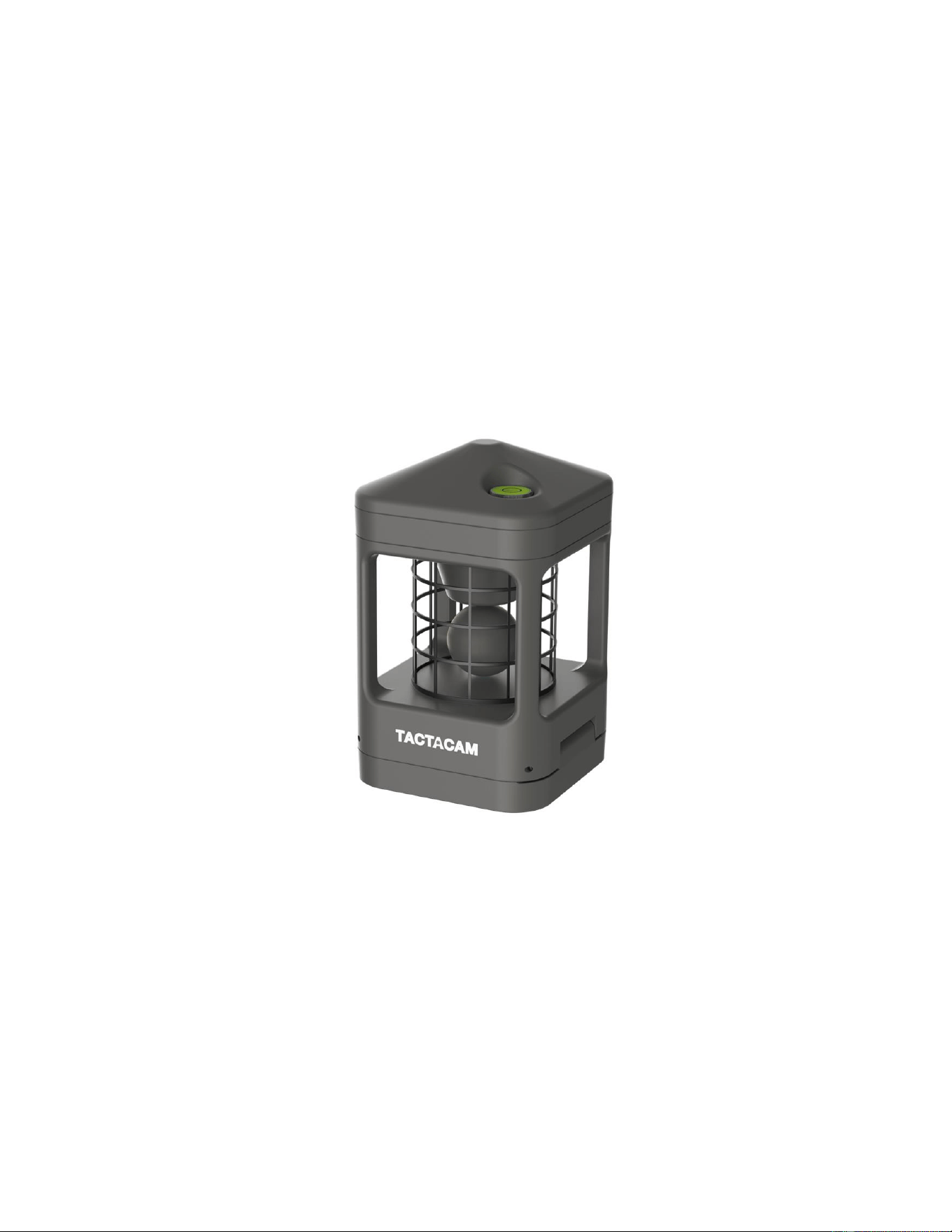
Wind sensor
user manual
R1.0
Deer Management Systems LLC Wind sensor R1.0
Page 2 of 6
1 Introduction
Smart and cost-effective Wind-Sensor, which can be used in many areas for measuring the
wind speed and wind direction. It has Bluetooth wireless connectivity for reporting the
measurement results. It is battery powered with off-the-shelf AA Alkaline batteries.
Specifications:
BLUETOOTH
▪ BLE5.0
▪ Broadcast Distance 100m
SENSOR
▪ Wind Measurement Sensor
Speed Range : 0 ~ 25m/s
Speed Accuracy : +/- 1.5m/s
Direction Accuracy : +/- 10 Deg
▪ E-Compass for auto-direction alignment
BATTERY
▪ Non-chargeable Alkaline battery
▪ 3 pieces AA size
▪ Operating Time: more than 1 year
(Using LR6 AA batteries)
LEDs
▪ Three color LED lights
INTERFACE IOs
▪ Dip Switch (Power on)
ENVIRONMENTAL
▪ Operation Temperature: -20°C to +60°C
▪ Storage Temperature: -40°C to +85°C
▪ IP65 Rating
PHYSICAL
▪ Dimensions: 75 (W) x 75 (L) x 121 (H)
mm
▪ Weight: 170 (g)
APPROVALS
▪ FCC
▪ IC
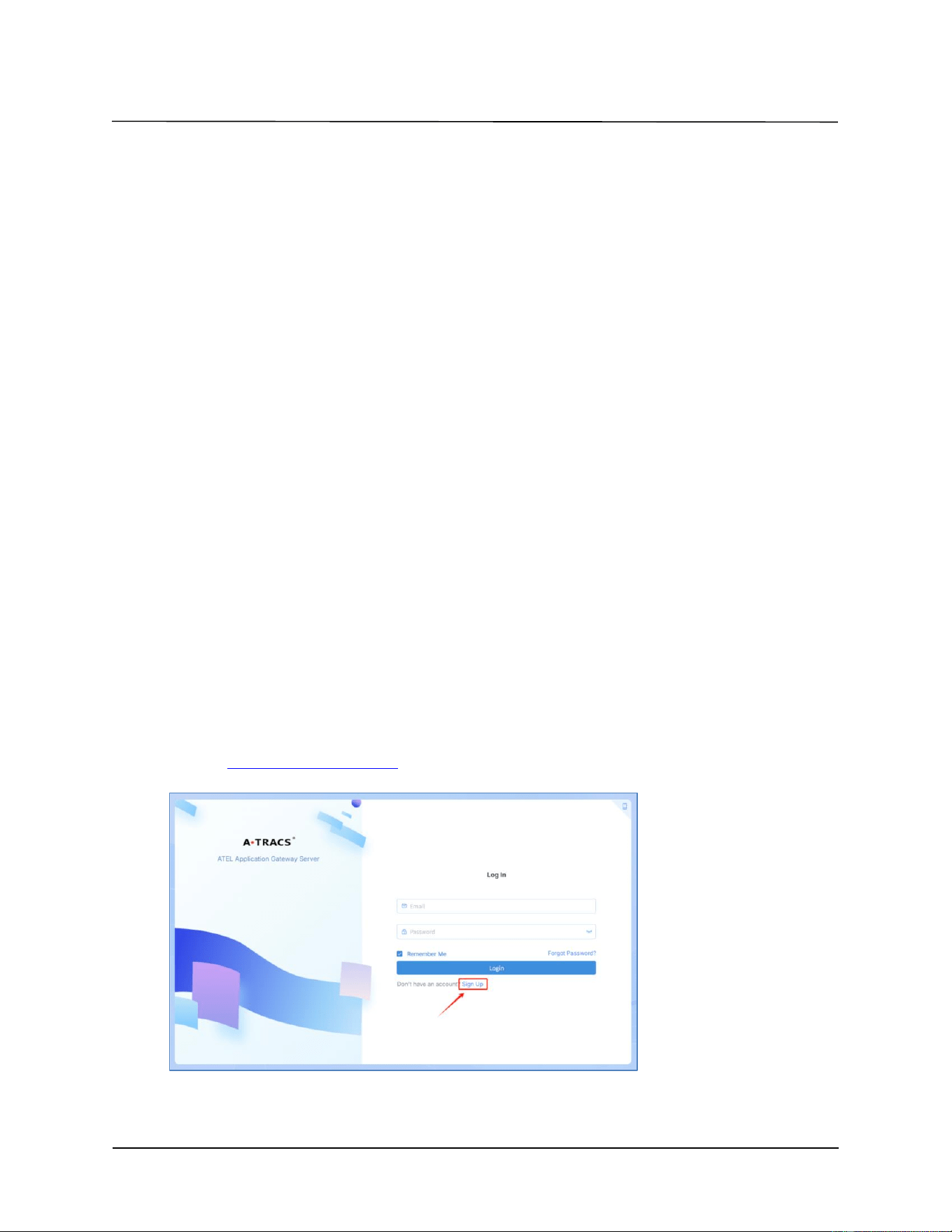
1.1 Sign up on Atel AAGS System
Website: https://aags-qa.a-tracs.com/
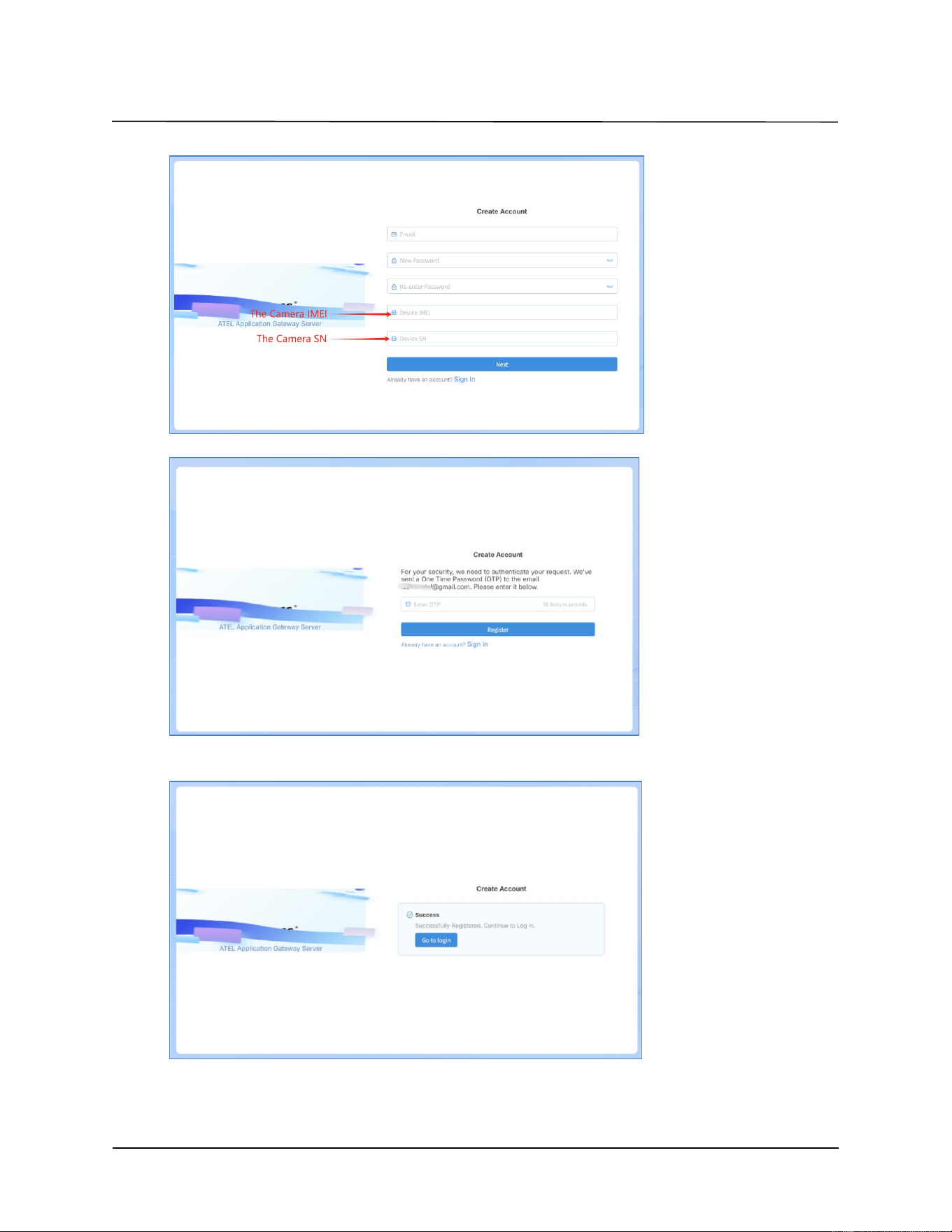
1. Select button ”Sign up” to register an account.
2. Please enter your email, password, IMEI and SN.
Deer Management Systems LLC Wind sensor R1.0
Page 3 of 6
3. Please get One Time Password from your email, then enter the code.
4. When the success prompt appears, you can access to the Atel AAGS System and
ATRACS APK. There are the same account.
Deer Management Systems LLC Wind sensor R1.0
Page 4 of 6
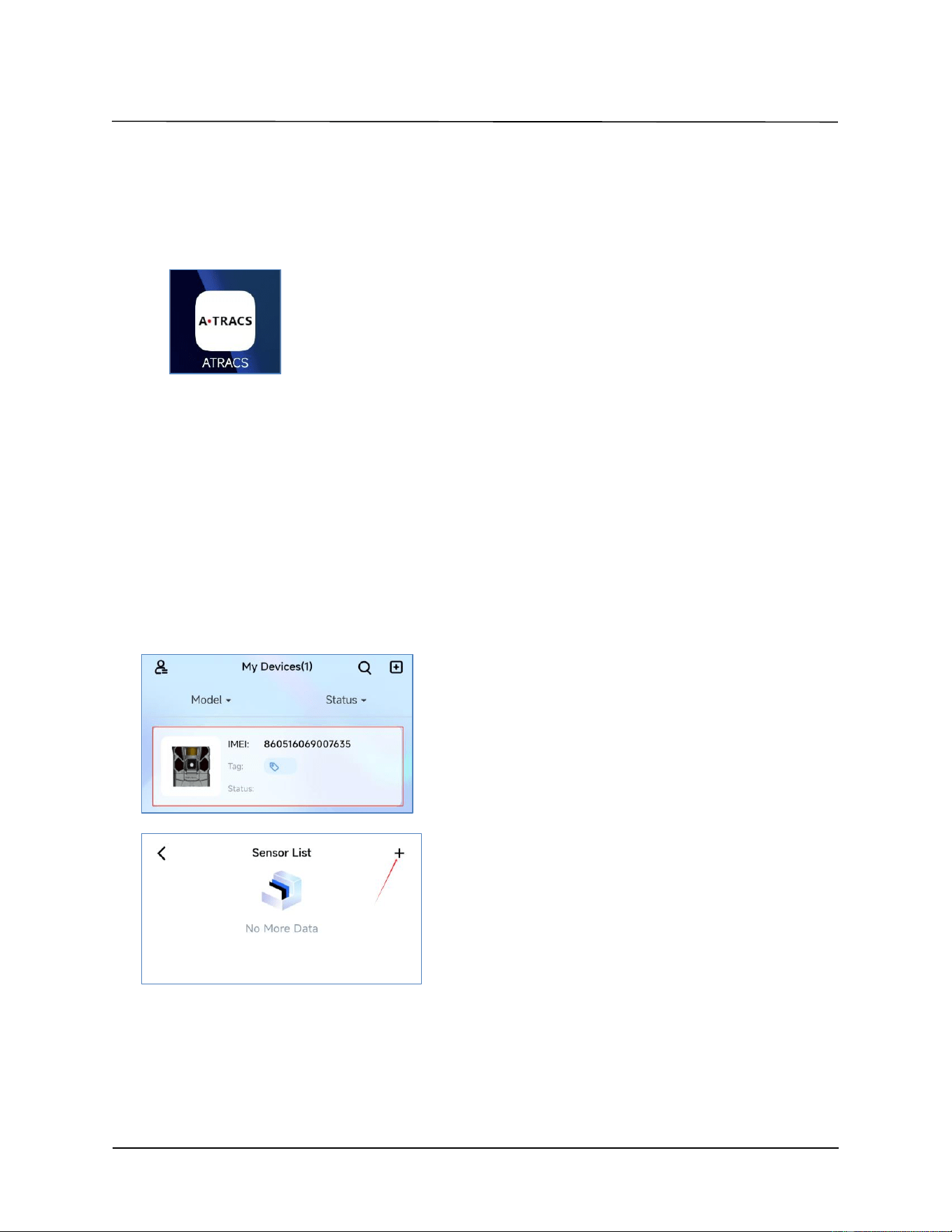
1.2 Install ATRACS
Install APK(ATRACS_1.7.1) on smartphone. This APK can support pairing or
unpairing between Wind sensor and Camara, Wind sensor data can also be
displayed on UI.
Note: please install app-wind-sensor-4.apk
2 Feature
2.1 Bluetooth Pairing
Before you begin to pair Camera and wind sensor, please make sure camera software update to APP
here is the detail steps as below
Switch camera to setup mode
Install AA batteries and Wind sensor power on when the power switch is pushed to ”ON”
Wind sensor starts to pairing on first time power up or if the Wind Sensor not paired to camera (If the wind
sensor has been paired before, you can long press the button for 5s to enter pairing mode.). LED is Blue LED
fast blinking. Place the wind sensor close to the camera.
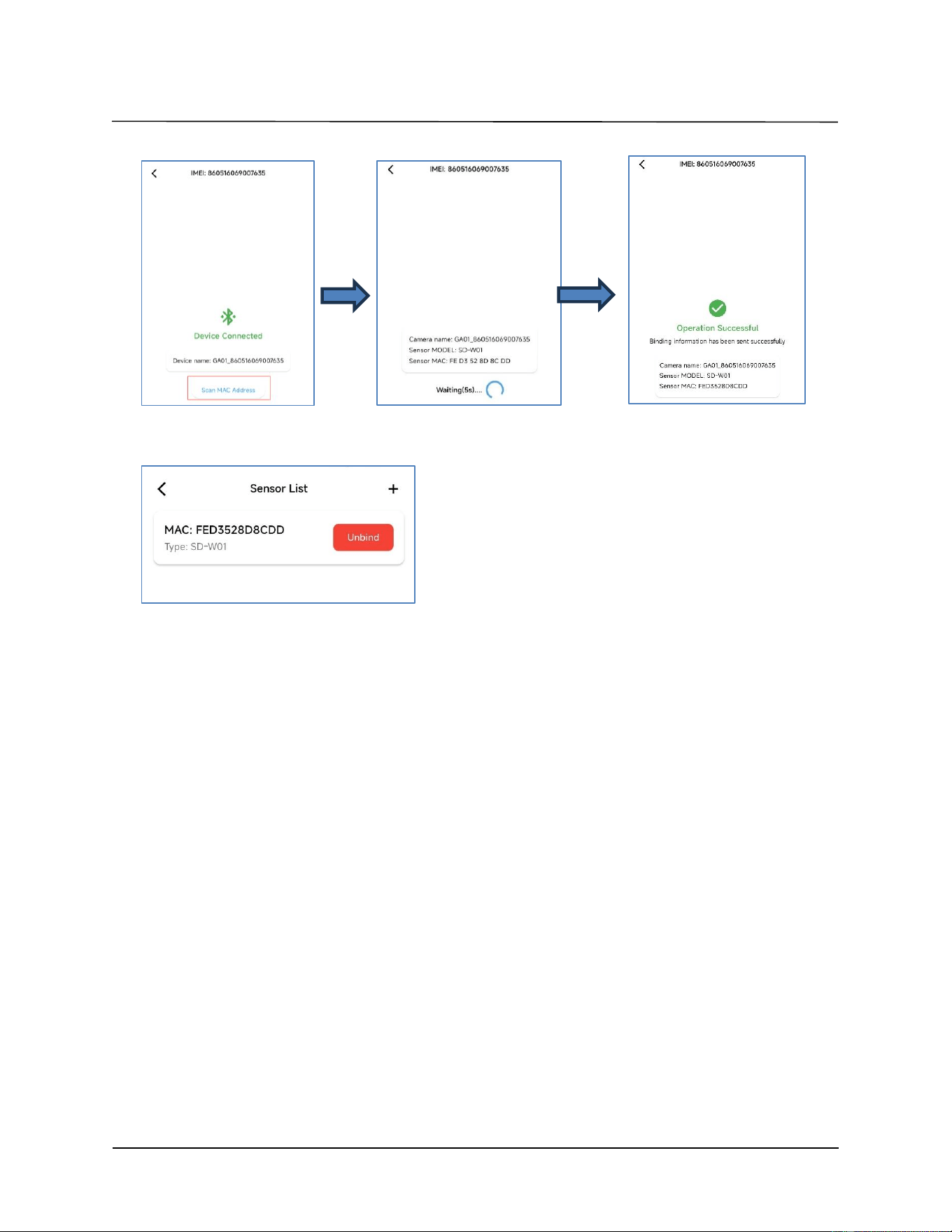
1. Select one Camera IMEI for pairing
2. Select button ”+” to add new wind sensor.
click on "Scan MAC Address" to Scan Wind Sensor QR code, please waiting until successful information
displayed, the whole pairing process take about 30s,displays "operation successful" after paired successful.
Deer Management Systems LLC Wind sensor R1.0
Page 5 of 6
3. Paired wind sensor will be listed.
Note: one camera can support 5 wind sensor.
Safety information:
FCC Regulations
This device complies with part 15 of the FCC Rules. Operation is subject to the following two conditions: (1) This
device may not cause harmful interference, and (2) this device must accept any interference received, including
interference that may cause undesired operation.
This equipment has been tested and found to comply with the limits for a Class B digital device, pursuant to part
15 of the FCC Rules. These limits are designed to provide reasonable protection against harmful interference in a
residential installation. This equipment generates, uses and can radiate radio frequency energy and, if not installed
and used in accordance with the instructions, may cause harmful interference to radio communications. However,
there is no guarantee that interference will not occur in a particular installation. If this equipment does cause
harmful interference to radio or television reception, which can be determined by turning the equipment off and
on, the user is encouraged to try to correct the interference by one or more of the following measures:
—Reorient or relocate the receiving antenna.
—Increase the separation between the equipment and receiver.
—Connect the equipment into an outlet on a circuit different from that to which the receiver is connected.
—Consult the dealer or an experienced radio/ TV technician for help.
Changes or modifications not expressly approved by the manufacturer could void the user’s authority to operate
the equipment.

Deer Management Systems LLC Wind sensor R1.0
Page 6 of 6
FCC RF Radiation Exposure Statement
This equipment complies with FCC radiation exposure limits set forth for an uncontrolled environment. To comply
with FCC RF Exposure compliance requirements, this grant is applicable to only Mobile Configurations. The
antennas used for the transmitter must be installed to provide a separation distance of at least 20cm from all
persons and must not be co-located or operating in conjunction with any other antenna or transmitter.
IC STATEMENT
This device contains licence-exempt transmitter(s)/receiver(s) that comply with Innovation, Science and Economic
Development Canada’s licence-exempt RSS(s).
Operation is subject to the following two conditions: (1) this device may not cause interference, and (2) this device
must accept any interference, including interference that may cause undesired
operation of the device.
Le présent appareil est conforme aux CNR d'Industrie Canada applicables aux appareils radio
exempts de licence. L'exploitation est autorisée aux deux conditions suivantes: (1) l'appareil ne
doit pas produire de brouillage, et (2) l'utilisateur de l'appareil doit accepter tout brouillage
radioélectrique subi, même si le brouillage est susceptible d'en compromettre le
fonctionnement.
In order to avoid the possibility of exceeding the IC radio frequency exposure limits, human
proximity to the antenna shall not be less than 20cm (8 inches) during normal operation.
Afin d'éviter la possibilité de dépasser les limites d'exposition aux fréquences radio de la IC
CNR102, la proximité humaine à l'antenne ne doit pas être inférieure à 20 cm (8 pouces)
pendant le fonctionnement normal.