Screw terminals like wire caps
Durable and convenient, no cap is required.
Screw Size
PM3.5*27.5mm
Silver Screws × 2
Screw Size PM3*5mm
Copper Screws × 4
To avoid electric shock, touching the screwed
terminals is not allowed after power-on
To Light
Power Source
Neutral
Load
Line
Ground
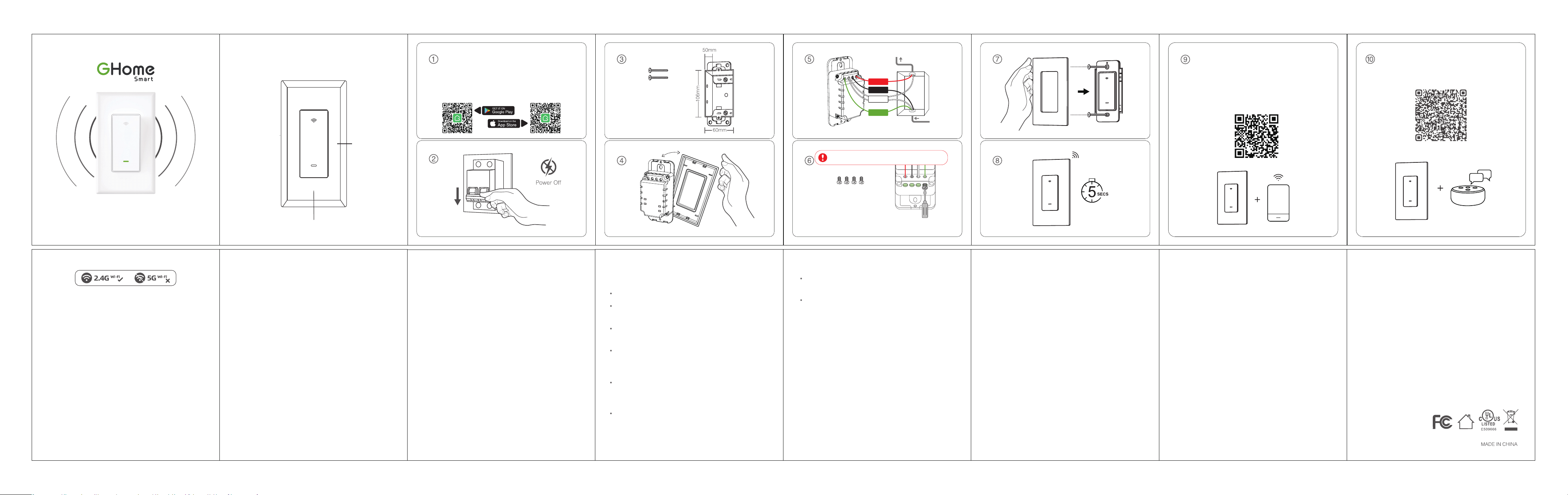
Option 1: Search for our app in the Apple
APP Store or Google Play.
Option 2: Scan the QR code to enter the
download page.
After download APP and login, make sure the
indicator under blinking, then please use our
APP "Add device" then scan the QR code and
get into Quick Pairing, connect the device and
APP. lf you meet any issue, contact us via ocial
APP or website. (https://ghomesma.com/)
Since the device only suppos 2.4G Wi-Fi
connection, please ensure that the mobile
phone and the device are connected to
2.4G Wi-Fi simultaneously
Model: SW5
Input: 120V~50/60Hz 15A
Output: 120V~50/60Hz 15A Max. Resistive
Wi-Fi: 802.11 b/g/n, 2.4 GHz(only)
Operating Temp.: 0~40°C
Operating Control
Type 1
Pollution Degree: 2
Max Power: 1800W
1. Open the app and create your account.
2. Turn on the plug and place it near the router when
pairing.
3. Hold the ON/OFF button for 5 seconds and release
when the switch stas to blink slowly to enter the
network pairing mode.
Connect your phone to the Wi-Fi router, click the "+" at
the top right corner of the homepage to add a device.
You can add a device in two ways.
1) Bluetooth Auto-Discove Mode (Recommended)
The app will suggest you to turn on Bluetooth and
Wi-Fi on your phone, then select the device you want
to add. Enter your Wi-Fi name and Wi-Fi password
(suppos 2.4G Wi-Fi only), and it will automatically
connect to the network.
2) "Slow Flash" Mode (AP)
If Bluetooth networking fails, you can t AP network-
ing mode.Select "SW5" under "Electrician", enter your
Wi-Fi name and Wi-Fi password (suppos 2.4G Wi-Fi
only), choose "Slow Blink" to ensure the LED indicator
blinks slowly, connect your phone to the device
hotspot: "SmaLife-XXXX", then return to the app
inteace, it will automatically connect to the router,
completing the conguration.
Turn on the power, hold the Reset button for more
than 5 seconds and let it go when the Switch stas
to ash slowly, the reset is successful.
When the Switch is in a new network environment,
you need to restore the facto settings, and then
reconnect to the network.
Keep it out of the reach of children and pets.
Do not use this product in humid environments or
outdoors. It's for indoor use only.
Do not place this product near heating devices,
such as microwave ovens, stoves, or radiators.
Protect the product from extreme temperatures,
direct sunlight, strong jolts, high humidity, moisture,
amma-ble gases, vapors and solvents.
Do not disassemble, modify, or repair your device,
and ask help from the authorized professionals for
device malfunction.
Do not use the device when it is no longer working
properly or visibly damaged.
Do not store the device for extended periods in
poor ambient conditions.
Never use aggressive detergents such as rubbing
alcohol or other chemical solutions because these
could damage the casing or even impair the
functioning of the product.
Note: The image shown in the manual is
indicative only. If there is inconsistency between
the image and the actual product, the actual
product shall govern.
NOTE: This equipment has been tested and found to
comply with the limits for a Class B digital device,
pursuant to pa 15 of the FCC Rules. These limits are
designed to provide reasonable protection against
harmful inteerence in a residential installation. This
equipment generates uses and can radiate radio
frequency energy and, if not installed and used in
accordance with the instructions, may cause harmful
inteerence to radio communications. However, there
is no guarantee that inteerence will not occur in a
paicular installation. If this equipment does cause
harmful inteerence to radio or television reception,
which can be determined by turning the equipment
o and on, the user is encouraged to t to correct
the inteerence by one or more of the following
measures:
- Reorient or relocate the receiving antenna.
- Increase the separation between the equipment and
receiver.
-Connect the equipment into an outlet on a circuit
dierent from that to which the receiver is connected.
-Consult the dealer or an experienced radio/TV
technician for help
Changes or modications not expressly approved by
the pay responsible for compliance could void the
user's authority to operate the equipment.
This device complies with Pa 15 of the FCC Rules.
Operation is subject to the following two conditions:
(1) this device may not cause harmful inteerence,
and (2) this device must accept any inteerence
received, including inteerence that may cause
undesired operation.
RF Exposure Warning Statements:
This equipment complies with FCC radiation exposure
limits set foh for an uncontrolled environment. This
equipment shall be installed and operated with
minimum distance 20cm between the radiator & body.
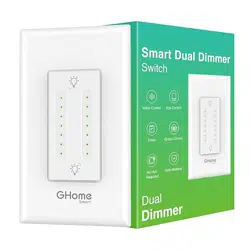
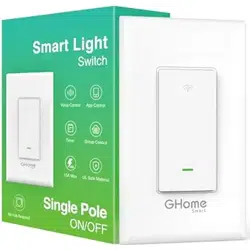
Removable Face Plate
On / O Button ( Reset Button )
SW5
Sma Switch Instruction
Product Oveiew
Parameters
How to Pair with the App
Reset
Warnings and Precautions
How to download the APP? How to connect Alexa or Google Assistant?
4.02.000.1203 V3.0