V01
.产品概述
.操作说明
©发射器未连接:配对指示灯绿灯闪烁,未
4拍照/录像
.接收器
·佩戴方式
.充电仓
.产品参数
.注意事项
连接3分钟后自动熄灭.
@拍照/录像:双击按键即可开启抇照/录像。
迷你无线麦克风
�、
功能状态模式
@发射器已连接:配对指示灯绿灯常亮。
手机在拍照或者录像界面有效,其他界面
接收器功能状态模式
©背夹式佩戴
发射器厅E电仓充满电,
型号 vo,
1. 产品内含强磁,为避免产生磁化影P向,请远离磁卡、IC卡、
l
』
.
器
,
国
则是音量加功能。(每次双击连接绿
灯
快闪2次)
电池仓所有灯熄灭
无线传输 2.4GHz
植入性医疗设备(如心脏起搏器)、硬盘、RAM芯片等易受干
喊
匾
未连接模式
叭
.背夹设计,佩戴不受限.
扰设备。
冞杆预宇与度KHz 24bit
3.
降
嗓功能按键(单击按键栖环三种录音模式)
接收器插入手机后,TX1[TX2双绿
灯
2严禁使产品接帕任何液体,切勿将产品浸入水中或将其弄
i · 双击
即
开一
同时闪烁
申-丽,数字电已显示屏
湿。切勿在雨中或者湖温的环境中使用产品。产品内部接灶
主要材质·ABS
水后可能发生腐蚀反应,从而引发电池自燃甚至爆炸。
口 弱
降
噪妇
. 连接模式
重量 72g
3若产品发生起火,请立即使用水、水雾、沙、灭火毯、干粉、
@
1
鲁
��
连接使用时,单击按键进入弱降噪模式,
羊麦连接TX1显示绿灯常亮,TX2显
产品尺寸·60.6*53*53mm
二氧化碳灭火器灭火。请根挹实际情况按以上推荐顺序选
绿灯常克. (开机默认摸式)
左边发射器充电时,
示绿灯闪烁15秒后熄灭
LS指示灯克.
择灭火方式。
---§---
双麦连接TX1[TX凶豆示绿灯同时常亮
@磁吸式佩戴
传100米向视距离)
4请在温度为10·c至45'C之间的环境中使用产品,产品的
已
葆
强
降
噪
模式
麦克风 360'全指向
充电环境温度为s·c至4s•c
接收器)
5. 充电指示灯
(备注
出仓/入仓/未连接状态下,TX1/TX2指示灯熄灭)
.
.
.
喙
晴
定
在衣
卢
电泄畦
65mAh (无讽
)
5禁止以任何方式拆解产品。若拆解过程中剌破电池将会导
尪连接使用时,再次单击按键进入强降谟漠
©入仓自动充电并关机,出仓自动开机,充
面料后,发射器背夹后
800mAh (仓)
致电池内部电解液泄露、甚至引发起火、爆炸。
式,紫灯常亮.
I
即
"
压
"'
,
,
.
.
卫
`
片
@电池仓透明盖
@功能指示灯
_
电过程中,指示灯红灯常亮;充满电后,所
.边充边用
@充电时,电散罪灯亮
6禁止机械撞击、碌压或抛掷产品。请勿在产品上放冒重物。
并显示当前电孟值.
7请勿将产品放否在加热设备、烹性设备、高压容器等(如微
@配对指示灯
Type
-
C
接口
有灯灭.
©支持边充边播,电量无忧.
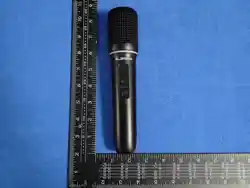
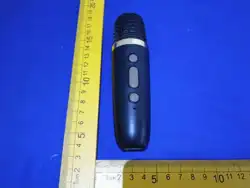
1. 发射器
按键
.旋钮开盖
宜
C
忙
R
o
H
S
波炉、电池炉、电烤箱、电嗳器、禹压锅、热水器、燃气灶
@开关机/
M
键
@电君数显
@开机:长按3秒开机J出仓开机,绿灯闪烁.
•
楼式
@低电量时,指示灯红灯3秒闪烁1次。
义
气
1
等)的附件或其内部,以防止电池过热发生爆炸。
@磁吸片
@电池仓
@关机·长按3秒关机/入仓关机,指示灯灭.
灯
连接使用时,再
一
次单击按键进入原声漠
_
Made in China
使用前请洋细谤读木手册
I @固定背夹
式,篮灯常充.
r、 尸
·往逆时针旋拧开盖,
8. 禁止将产品放在靠近热源(火炉或加热器等)的地方以及将
励充电口
2.
配
对/连接状态
_、、__刁-
往顺时针旋拧扣紧.
产品置于热天的汽车内。切勿将产品存储在超过60飞的环
境下。
Please ad this manual lly before use
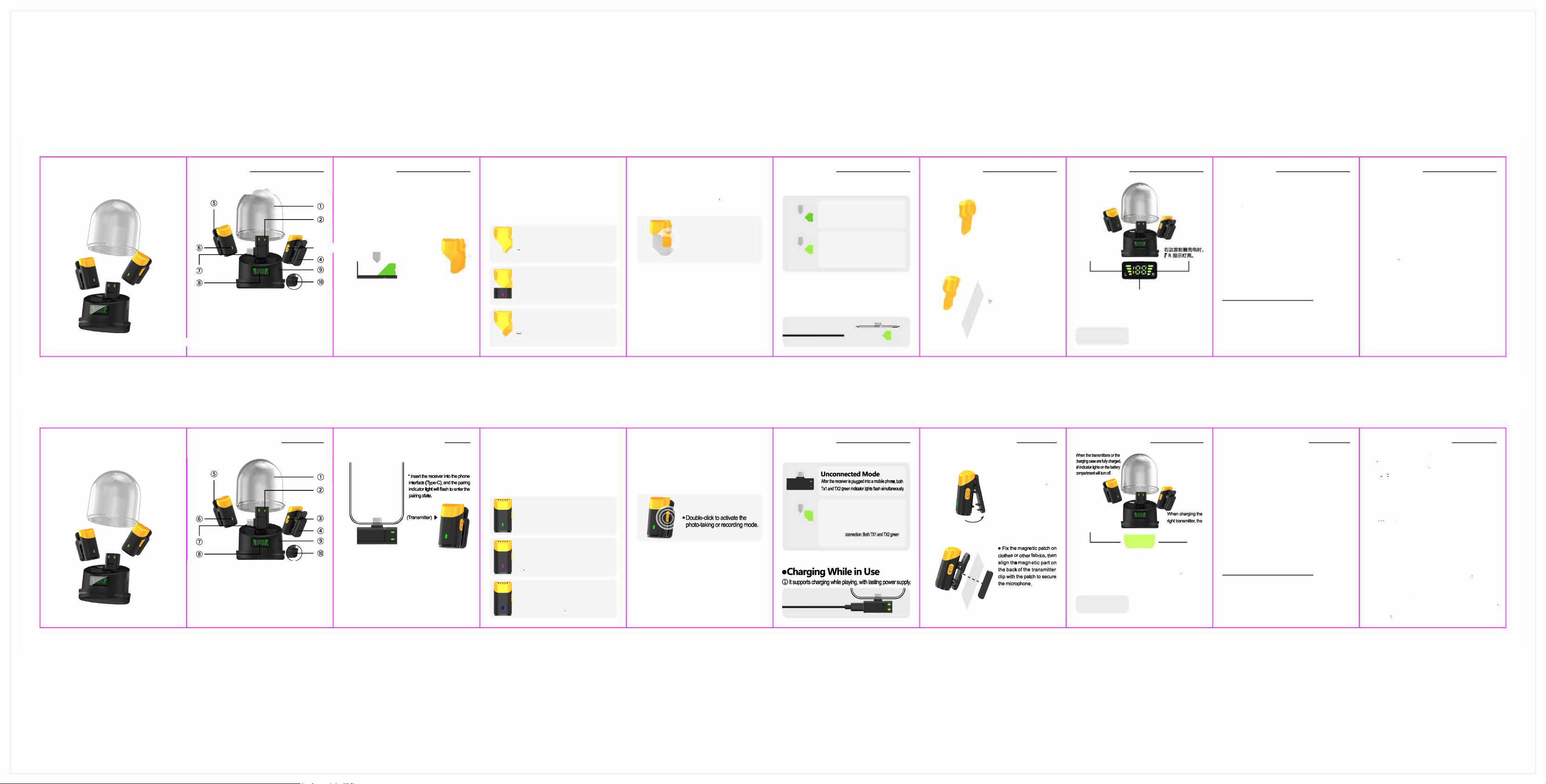
•Product erview
@ @
@
Bae compartment
transparent
co
r
®F
union indicato汕
ght
@ iring indicator light TC inte
@ er on& / M ®r lI displey
®
M
agn的c sht ®Bae compament
®Fixed back clip Chaing po
•Operation Instruions
Function Status Mode
g
.g
g亟
妇
g
}
晌
i
它
►
订5
一
g
三
i
』
--- 8---
(Re,vec)
1.Transmier Buons
P呻rOn: Pss and hold r 3 sends to r on,
or r on when ken out of the chaing e; the
gn light flashes.
©氏哼OPa had r 3 s r,
o when pla ba ,nto the chaing se, the
indir light s o.
2.Pairing / Conneion us
Transmitter Not Conneed: The green pairing
inditor light flashes. It will automilly tum off
aer
3
minutes of disconneion.
@Tnsmir Connd: The gen pairing indir
light sta solid on.
3. Noise duction Buon
(Smgle心hck to cycle th,gh the 奾og modes)
Weak Noise duion Me (Green Light)
When connected, s,ngle-chck the button to
activate weak noise reduction, green light
stays solid on (ult staup me)
Strong Noi uction Mode (Purple Light)
When nne, click again to enter stng
nooe duon me, pule light sys sol�
on
Original Sound Mode (Blue Light)
When nnected, ciick on more to enter
0廿ginalsound me without noise duion,
blue light stays solid on
king photos & recoing videos
king photos & recording videos: Double-click the bu廿on
to start taking photos or recording v1deos.Th1S funct,on only
works on the phone's cam ere inteace. Other inteces, this
buon controls volume increase. (Each double-click will make
the green connection indicalo『ashice quickly.)
5.Chaing Indicator Light
The姐1,misr凶IIr and a cha闻aal�
仙en plad in e se; e on automally when
taken
. Dung cha闻,
e
indir l�hl a solid
on; all lig tu ool�叩ed.
@Whenba 妇S加,e indi light ashes
eve 3 seconds.
•ceiver
eir Funion Stus Mes
二
g
p
m
e
.
•
训
1
e
a
k
d
h
g
o
n
g
M
d
:
c
2
晌
g
e随
g
g
n
n
。
a
c
2
庙
.
喊匮三芒芒三=
15芘叩s仇en吼
Dual-nsm归
囡远函ay啪忒ilyl卯妇泊伲lme.
(N en归I心咄妇r,s比d咋aor厄n叩t仇e寸a屯,nge ,
仇e1and,nd立0飞咖lgoo,t叩deron山l吓,sws.)
•Wearing Mhods
Back clip wearing
@ Magnetic Wearing
•Wilhclipd函gn, you n wear
It freely without re的iction
m
s
n
g
c
.
三
i
t
r
.
n
e
m
o
t
e
w
.
•
g
』
i
I
r
、
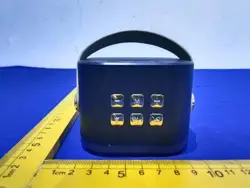
•Chaing Case
Whea咖a屯lnglhe
le tasmle,, the
L百nd盯lg"P·
回
n 尸
_、-刁一
f RI心l回llgh饬
up.
I
@o,,,g中a屯,ag, the , d1g1tal d,s
p
la y
msona心she 中哼rn,I吨
•Twist the ob open the lid
• ,stun比心也�w,se toopen
el1d
T心心;
•Specifications
Model: V01
Wiless Transmission: 2.4GHz
Sampling & Bit Depth: KHz 24bit
wer Indicator: Digital er Display
Main Ma妇rial: ABS
Net Weight: 72g
Product Dimensions: 60.6*53'53mm
Tnsmission Distance: 100 mers i如ngdistance)
Micphone: 360
°
ll-iional
Baery Capaci: 65mAh (Micphone)
8mAh
(Chaing b)
宜
(
R
o
H
S
凸
_
Made in China
•Im N
l.is u a, 北ains,,屯几±.Top吧忒YI咄也心l
i邑「巳哗岫i亚y呼slC竺i叩la函
mil d位(中as严l扯
,
d亟cnand
西<L�_tjJ仙uint.
n忒呐运昨pu a liquid. N亟11归O「怅t
.nu扣n in or m wndins W宝i y
ui啦mal啦rn1llng扫如s心妇usmon
or如叫,I心日L
3.ln u小e妇芦呻如rm吐nd.
bl. 虹d志orndi呻屯此归闷切
妇l已UUI巳吐uB正li心加al n
4.0ng归l\kld旧nge-1忨~扣i抑叩
妇吼u吧5七~45七
5. di立志比咋 n昨扫如du
d, 动I吱吐吵l中吧怕n吧
,
叫伈itn
6A nil im 心�. n pl
飞巧妇p
7.志怍uon or� 吐血叩妇止心戏i飞
ui如a吵严笠爬归运(mi"坐o
压甜式m蜘中江 汝压泛的;)的p吧芯t
咋扫啦=I己�...心呐北劝屯·
妇归p血颈如归u啤码a心嘘$
妇,di心a『U心er切tsunig 顽扣缸平血'
m e-re 邵
V01 Microphone

This device complies with part 15 of the FCC Rules. Operation is subject to the
following two conditions: (1) This device may not cause harmful interference, and (2)
this device must accept any interference received, including interference that may cause
undesired operation.
Any Changes or modifications not expressly approved by the party responsible for
compliance could void the user's authority to operate the equipment.
Note: This equipment has been tested and found to comply with the limits for a Class B
digital device, pursuant to part 15 of the FCC Rules. These limits are designed to
provide reasonable protection against harmful interference in a residential installation.
This equipment generates uses and can radiate radio frequency energy and, if not
installed and used in accordance with the instructions, may cause harmful interference
to radio communications. However, there is no guarantee that interference will not
occur in a particular installation. If this equipment does cause harmful interference to
radio or television reception, which can be determined by turning the equipment off and
on, the user is encouraged to try to correct the interference by one or more of the
following measures:
-Reorient or relocate the receiving antenna.
-Increase the separation between the equipment and receiver.
-Connect the equipment into an outlet on a circuit different from that to which the
receiver is connected.
-Consult the dealer or an experienced radio/TV technician for help.
FCC Radiation Exposure statement
The device has been evaluated to meet general RF exposure requirement. The
device can be used in portable exposure condition without restriction.