1
S128 & S358 Wireless Version 15W
User Manual
2
I. Function map
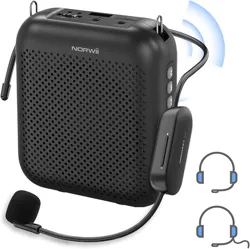
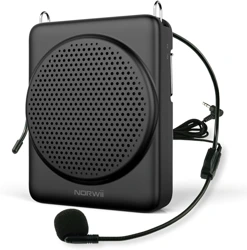
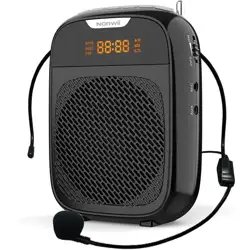
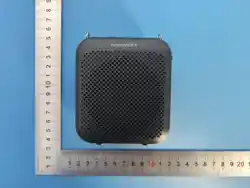
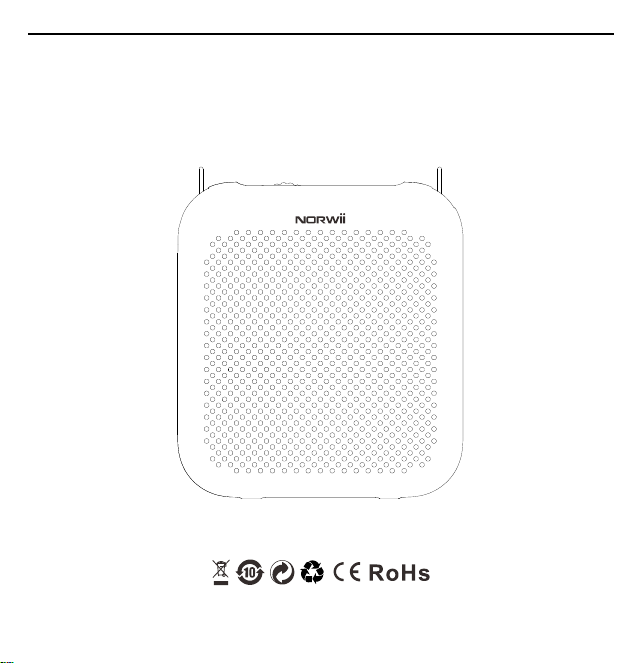
Wireless Voice Amplifier
S358
3
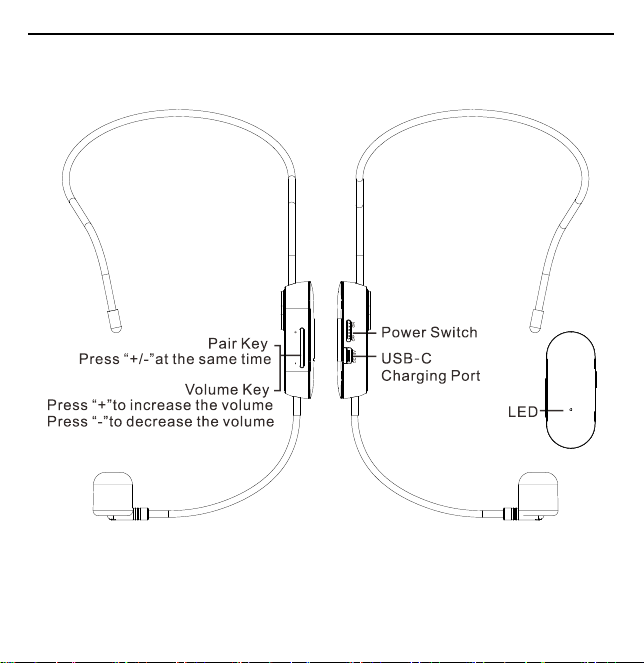
wireless microphone
S128
4
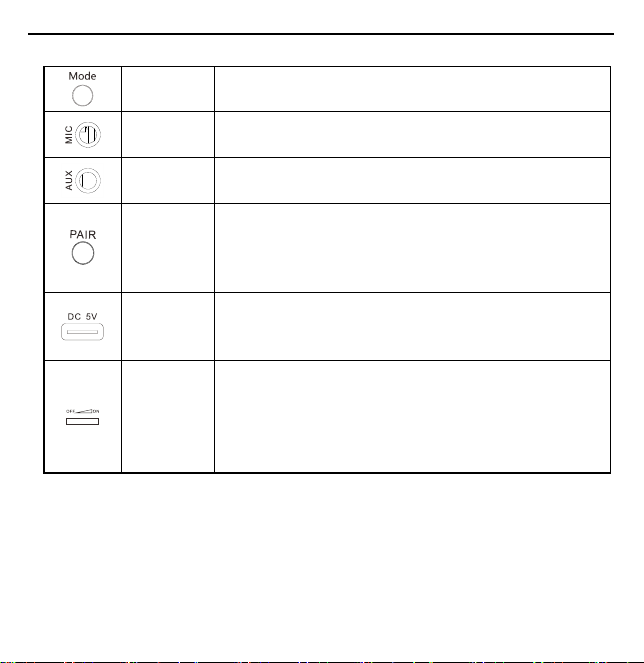
II. Keys and Ports instruction
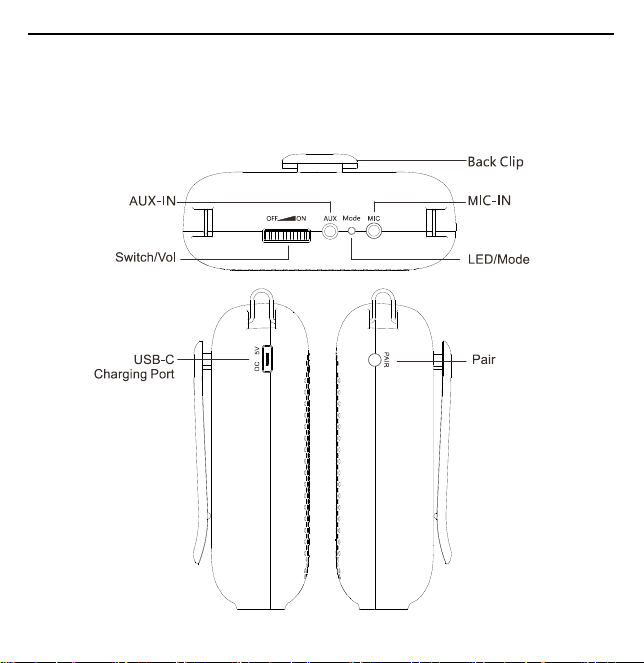
LED/Mode
Click to switch between “Bluetooth waiting for connection” or
“Standby mode”.
MIC-IN
In Standby mode, insert microphone to 3.5mm microphone
interface to amplify.
AUX-IN
3.5mm audio interface, support music play, insert audio cable to
play music automatically.
Pair key
Long press Pair key, you can connect the wireless microphone,
and the wireless amplification can be achieved after the pairing
is successful. For wired version, this key has no function, no silk
print.
USB-C
Charging
Port
Charging port supports charging through 5V mobile phone
charger and computer USB port.
Switch/Vol
Rotating the dial can switch on/off the amplifier and adjust the
volume. Rotate the switch clockwise (pull right) to turn on the
amplifier and increase volume, rotate the switch
counterclockwise (pull left) to decrease volume till turn off the
power.
III. Operation description
1. Turning on and off power:
1)
Voice amplifier:
Pull the dial switch clockwise to the right, hear a "click" sound, enter the power
on state, the indicator light will light up, and default to Bluetooth mode. Voice prompt "Bluetooth

5
waiting for connection"; When turned on, pull the dial counterclockwise to the left and turn it off
when you hear a "click" sound. The indicator light will turn off.
2)
Wireless microphone:
Push the wireless microphone switch to the "ON" position, turn on the
power, and the indicator light will be on. Push the switch to the "OFF" position, turn off the power,
and turn off the indicator light.
2. LED/Mode
Click to switch between “Bluetooth waiting for connection” or “Standby mode”, and voice prompts.
In Bluetooth mode, long press to disconnect the current Bluetooth connection, return to the
unconnected state, and the voice prompt " Bluetooth Waiting for Connection ", at this time you can
reconnect to Bluetooth.
For example, if you enter Bluetooth mode by default, click on the following functions:
1)
Power on to Bluetooth mode, voice prompt "Bluetooth waiting for connection". When connecting,
please turn on the Bluetooth switch of your phone, find the voice amplifier's name "S358" in the
available devices, and click connect, and the voice prompt "Connected", you can play music or other
audio files in the phone. If you turn off the Bluetooth switch in your phone, the voice prompt
"Disconnected", turn on the Bluetooth switch on your phone again, and Bluetooth can be
automatically reconnected.
2)
Click to switch to " Standby mode " with voice prompts. The Bluetooth connection is disconnected
and cannot be connected.
3)
Click again to switch back to Bluetooth mode, with the voice prompt “Bluetooth waiting for
connection.” Press and hold to disconnect the currently connected phone, allowing other phones to
establish a Bluetooth connection. Press and hold again to automatically reconnect to the last paired

6
phone. If Bluetooth is disabled on your phone but other phones can connect via Bluetooth, repeat step
1) above to perform Bluetooth pairing.
4)
The voice amplifier only retains the identification information of the last paired device. Each time
the voice amplifier powers on and enters Bluetooth mode, it will automatically connect to the last
connected device.
3. Wired microphone voice amplification
Wired Microphone plug directly into the MIC interface, you can amplify the sound; when using,
please wear the wired microphone first, adjust the microphone pickup head position and angle. The
product has anti-whistling function, such as close use or due to the environment is small, sound wave
reflection and caused by whistling, can be appropriate to pull open or move down the microphone,
the loudspeaker will immediately stop whistling.
4. Wireless Version Voice Amplifier and Wireless Microphone Pairing Operation
The product is factory-paired and requires no additional pairing, enabling immediate wireless
amplification. Each wireless microphone can only retain the identification information of the last
paired wireless voice amplifier. The wireless voice amplifier and wireless microphone will
automatically reconnect each time they are powered on.
To connect an unpaired wireless microphone, using the wireless voice amplifier S358 and wireless
microphone S128 as examples, follow these steps:
1)
Turn on the power switch of the wireless voice amplifier and press and hold the pairing key “ ”
on the side for 1-2 seconds. The indicator light on the wireless voice amplifier will turn yellow, and
a voice prompt will say “waiting for pairing,” indicating it has entered pairing mode. The wireless
voice amplifier will remain in pairing mode for 30 seconds. If pairing is not completed within 30

7
seconds, it will exit pairing mode and announce “Paired failed.” While in pairing mode, briefly press
the pairing button “ ” again to immediately exit pairing mode. The yellow indicator light will turn
green, and it will announce “Paired failed.”
2)
Within 30 seconds of the wireless voice amplifier entering pairing mode, turn on the power switch
of the S128 wireless microphone while simultaneously pressing and holding the volume “+” and
volume “-” keys on its side. After approximately 1 second, the indicator light on the wireless
microphone S128 will remain steadily lit. Simultaneously, the indicator light on the wireless voice
amplifier will change from yellow to green, and a voice prompt stating “Paired successful” will be
heard. This indicates that the wireless voice amplifier and wireless microphone S128 have been
successfully paired.
3)
If the wireless voice amplifier and wireless microphone S128 fail to pair, repeat steps 1) and 2)
above to perform the pairing process again.
5. Volume control
1) Voice amplifier:
Rotate the dial to adjust the volume. Pull clockwise to the right to increase
volume, and counterclockwise to the left to decrease volume.
2) Wireless microphone:
Press the "+" key to increase the voice amplification volume, and press the
"-" key to decrease the voice amplification volume.
6. AUX audio playback
Connect the voice amplifier with computers, mobile phones, PAD, MP3
,
MP4 and other devices
through the 3.5mm AUX audio cable to play audio, it can be used as external speaker at this time.

8
IV. Charging instructions
1. When the battery is low, you can use the complimentary USB-C charging data cable to charge the
voice amplifier through devices such as a computer, 5V phone charger, mobile power supply, etc.
2. The product only supports standard 5V charging and does not support all kinds of QC fast charging.
Charging with a voltage higher than 5V will burn the product or fail to charge.
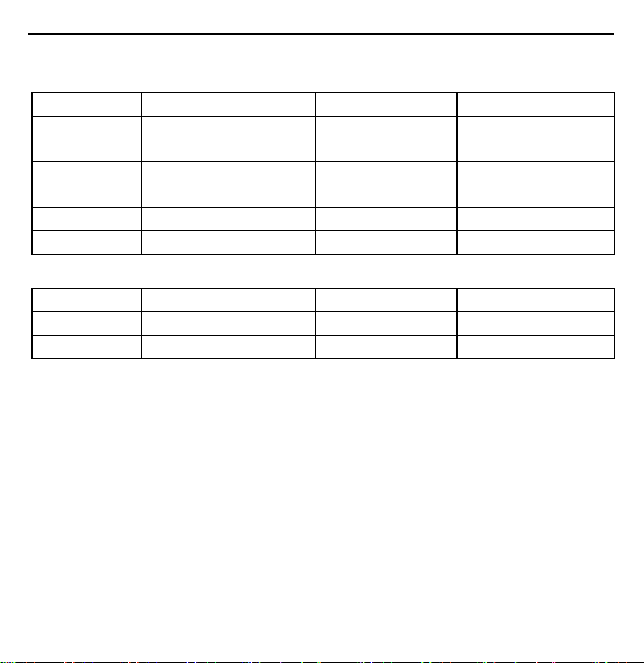
3. Description of LED indicator lights for S358 wireless voice amplifier:
Voice amplifier status
LED indicator status
Low battery
LED indicator light flashing fast
Turn on the power to charge
charging
Yellow light always on
Charged
Green light always on
Turn off power to charge
charging
Red light always on
Charged
Green light always on
4. Description of LED indicator lights for S128 wireless voice amplifier:
Wireless microphone status
LED indicator status
Low battery
LED indicator light flashing fast
Turn on the power to charge
charging
Purple light always on
Charged
Green light always on
Turn off power to charge
charging
Red light always on
Charged
Green light always on
9
V. Product specification
1. S358 wireless voice amplifier with 5200mAh lithium battery.
Rated power
7W
Max power
15W
Loudspeaker
3 inches 3 ohmic
magnetic speaker
Frequency response
120Hz-15KHz
Battery
3.7V/5200mAh, 2 lithium
batteries in parallel
Charging voltage
USB/DC 5V 2A
Charging time
3-4 hours
Using time
10-12 hours
Size
91.1*101.5*37.8mm
Net weight
205.5g
2. Specifications for S128 wireless microphone.
Battery
3.7V/600mAh
Charging voltage
USB/DC 5V 0.5A
Charging time
2 hours
Using time
35hours
Frequency
2.4G
Wireless distance
30 meters
VI. Packing List
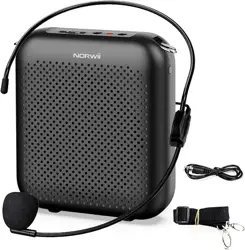
Voice amplifier*1, 3.5mm audio cable*1, USB-C cable*1, wired microphone *1, adjustable
waistband*1, user manual *1.
VII. Tips and cautions
1. It is recommended not to remove the sponge cover by placing the wired microphone pickup head
directly at the mouth 0.5-1 cm, which can attenuate airflow, reduce the noise generated by exhalation,
and make the amplification clearer and more stable.
2. The microphone should not be directly facing the front of the voice amplifier at close range, and it
is best to face the back of the microphone. The voice amplifier itself has a function to prevent voice

10
whistling. If the voice amplifier produces a voice whistling sound, the microphone should be pulled
or moved, and the voice amplifier will immediately stop whistling.
3. When using it for the first time or when not using it for a long time, fully charge the voice amplifier
to ensure battery life.
4. Do not plug an external audio source signal into the microphone port to avoid distortion or damage
to the voice amplifier due to excessive output.
5. Non-professional technicians please do not disassemble, modify or repair the machine without
authorization, if you have any questions, please contact our after-sales personnel.
6. Do not contact the product and accessories with water or moisture, and do not be exposed to rain
and splashing water to prevent the product from entering the water and short circuit.
7. Do not use in flammable and explosive areas or areas where radio equipment is prohibited. When
entering dangerous areas and areas prohibited by relevant regulations, the power supply of the product
should be turned off to avoid potential safety hazards.
8. Do not use it in high temperature, high pressure, and high humidity environment (such as sunshine
exposure, stove, heater, humidifier, water pool, etc.). Do not place it or close to dangerous sources
(fire source, liquid, explosive, high-speed machinery, etc.) to avoid damage and danger.
9. To protect the environment, please put the discarded voice amplifier in the designated trash can or
send it back to the manufacturer, and do not throw it away at will.

11
FCC Statement
Any Changes or modifications not expressly approved by the party responsible for compliance could
void the user’s authority to operate the equipment.
This device complies with part 15 of the FCC Rules. Operation is subject to the following two
conditions:
(1) This device may not cause harmful interference, and
(2) This device must accept any interference received, including interference that may cause
undesired operation.
RF warning for Portable device:
The device has been evaluated to meet general RF exposure requirment. The device can be used in
portable exposure condition without restriction.
Note : This equipment has been tested and found to comply with the limits for a Class B digital device,
pursuant to part 15 of the FCC Rules. These limits are designed to provide reasonable protection
against harmful interference in a residential installation. This equipment generates,uses and can
radiate radio frequency energy and, if not installed and used in accordance with the instructions, may
cause harmful interference to radio communications. However, there is no guarantee that interference
will not occur in a particular installation. If this equipment does cause harmful interference to radio
or television reception, which can be determined by turning the equipment off and on, the user is
encouraged to try to correct the interference by one or more of the following measures:
—Reorient or relocate the receiving antenna.
—Increase the separation between the equipment and receiver.

12
—Connect the equipment into an outlet on a circuit different from that to which the receiver is
connected.
—Consult the dealer or an experienced radio/TV technician for help.
Wireless Microphone
SRD
Operating Band/Frequency: 2404-2478 MHz
Maximum Output Power: -0.54 dBm
Voice Amplifier
Classic BT
Operating Band/Frequency: 2402-2480 MHz
Maximum Output Power: GFSK: -0.80 dBm; π/4-DQPSK: -0.36 dBm; 8DPSK: -0.06 dBm
Applicant: Shanghai Norwii Technology Co., Ltd.
Address: 2F, Building 3, No.277, Jinfeng Road, Pudong New Area, Shanghai 201201, P. R. China