H-C2
H-C2
H-C2
H-C2
Product user manual
FCC ID:2BSTCH-C2
Instructions for useType-C charging cable
Product user manual
Charging case lid
Bluetooth
earbuds (L)
Charging case
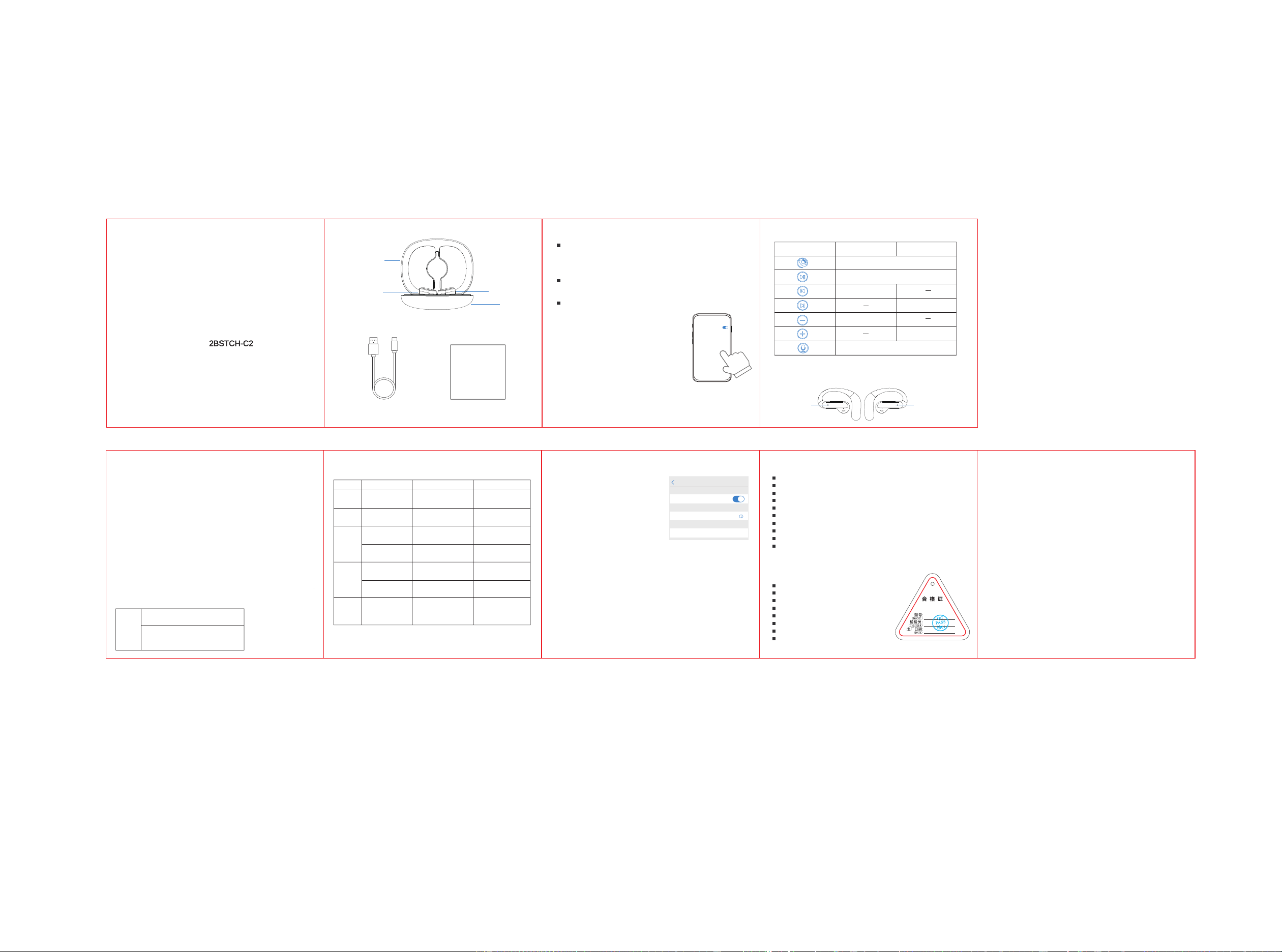
Step 1: Insert the headphones into the charging box, close the charging box lid,
and after 10 seconds, open the charging box lid and take the headphones. The
main and auxiliary headphones will enter automatic pairing. When the pairing
is complete, the light on the auxiliary headphone will go out, and the red and
blue lights on main headphone will flash quickly.
Step 2: Turn on your phone's Bluetooth and search for devices, find "H-C2" in
the Bluetooth device list, click to start, and you can use it after a successful
connection.
Step 3: Use the Bluetooth headset again, take the headset out of the charging
box to automatically pair, and automatically connect to the last connected
mobile phone
Four clicks to enter game mode "dingdong", four clicks again to
restore music mode "dangdang".
Warning:
Changes or modifications to this unit not expressly approved by the party
responsible for compliance could void the user’s authority to operate
the equipment.
NOTE:
This device complies with part 15 of the FCC Rules. Operation is subject
to the following two conditions: (1) This device may not cause harmful
interference, and (2) this device must accept any interference received,
including interference that may cause undesired operation.
FCC Statement:
This equipment has been tested and found to comply with the limits for a
Class B digital device, pursuant to part 15 of the FCC Rules. These limits
are designed to provide reasonable protection against harmful
interference in a residential installation. This equipment generates, uses
and can radiate radio frequency energy and, if not installed and used in
accordance with the instructions, may cause harmful interference to
radio communications. However, there is no guarantee that interference
will not occur in a particular installation. If this equipment does cause
harmful interference to radio or television reception, which can be
determined by turning the equipment off and on, the user is encouraged
to try to correct the interference by one or more of the following
measures:
—Reorient or relocate the receiving antenna.
—Increase the separation between the equipment and receiver.
—Connect the equipment into an outlet on a circuit different from that
to which the receiver is connected.
—Consult the dealer or an experienced radio/TV technician for help.
RF exposure compliance statement:
This device has been evaluated to meet the general RF exposure
requirement
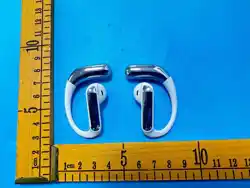
To achieve the best listening effect, headphones marked "R" are
for the right ear, and "L" for the left ear.
Warm Reminder:
a: For the first time use, be sure to place the headset
into the charging box and close the charging box lid
for 10 seconds to activate
Bluetooth
Currently discoverable by nearby
Bluetooth devices
b: For daily use, it is not recommended to frequently
open and close the charging box lid.
c: For daily use, it is recommended to turn on the
mobile phone Bluetooth first and then take out the
headphones.
Bluetooth
earbuds (R)
function L (left ear)
Click
Click
Double click
Long press
Three strikes
Long press
Double click
R (right ear)
1.Accessories 2.Pairing & Connecting 4.Music playback/calling feature/voice assistant
5.Game Mode
Keypad area
left headphone
Keypad area
right headphone
3.Wear headphones correctly
Put the headphones into the charging box and close the lid to charge the headphones.
When charging the headphones, the corresponding charging box indicator light will
display, and the light will turn off when fully charged.
Charging current 320mA
Fully charged: 4.2V ± 0.5V
Headphone in-box charging/
headphone fully charged dropping
to 2.4V maintenance voltage
Charging box plug in Type-C
charging whileHeadphone
in the box charging
Digital tube display
of current battery level
The digital tube blinks
to display the current
battery level
Battery
Check
Not charging
Headphone in the box,
close the lid to charge
Headphone in the box,
close the lid to charge
Headphone in the box,
close the lid to charge
Low battery
warning state <5%
Charging current in
constant current state
Charging box
fully charged
Charge the headphones
Headphones and
charging
case charging
simultaneously
The headphone is
fully charged
Charging
Discharge
Charge and
discharge
simultaneously
Low voltage
alarm
Function State Operation Digital display
Digital tube ones place
blinking indicates the
current battery level
Filled with digital tubes, long-
lasting 100% powerDisplays
for 2 minutes and then goes out
Digital tube long light current
electricity; left and right
corresponding to the running
light prompt
Left and right corresponding to
the running lights extinguished,
all Filled, the digital tube is
extinguished
Digital tube unit digit blinking
(priority for charging bin);
corresponding running light
indicator for left and right ears.
Pair name: H-C2
Bluetooth version:Bluetooth 5.4
Earphone size:51.5*38.6*17.8mm
Charging time for headphones: about 1.5h
Remote control of the player: MFB (Play/Pause)
transmission range(Hz):2.40GHz~2.48GHz
Audio encoding format:CVSD,MSBC,SBC,AAC
working temperature:-15°C~+60°C
Working humidity: 10%~85% (non-frozen state)
communication distance:≥10m
2. Disconnect the Bluetooth connection of the
headphones, and the Bluetooth headphones
will automatically shut down after 3 minutes.
1.Put the headset into the charging box to
charge and shut down.
Settings
Bluetooth
Bluetooth
My device
Other devices
Connected
3. Long press the touch button on the headset
for 5 seconds to turn off both ears at the
same time.
Reminder: The charging box is less than 5% charged, the charging box's digital
tube blinks to remind of low power, and stops charging headphones below 0%.
6.Charge the headphones 10.Check the current battery level of the charging box 11.Shutdown 14.Headphone parameters
Size:70*66*30.7mm
Charging port:Type-C
Charging box charging time: about 1.5h
Input voltage:DC5V
Output Voltage:DC5V
working temperature:-15°C~+60°C
Working humidity: 10%~85% (non-frozen state)
Charging current:320mA
15.Charging box parameters
Disconnected/connected phone state, long press left/right
ear for 8S at the same time, the headset restores the factory
settings successfully
12.Restore to factory settings
Pick up the headset, the first connection or connection to a new
device requires a mobile end to be connected.
13.Headphone connected to new device
Insert the charging cable into the Type-C charging port of the charging box to
charge the charging box.
1. The charging box is charging, and the digital tube blinks to indicate the
current battery level.
2. The charging box is charging, the digital tube is fully lit for 100% power display,
and it goes out after about 2 minutes
7.Charge the charging box
Low battery voice prompt every 5 minutes when the headphone is low in voltage.
Discharge
Headphone in the box,
close the lid to charge.
The digital tube is always on to indicate the current battery
level, with the corresponding running lights on the left and right.
Indicates charging, and the running on the left and right go out
when the headphones are fully charged, the screen goes black
when both headphones are fully charged.
8.Low battery warning for headphones
9.Charging box discharge phenomenon