+1(830)396-5500
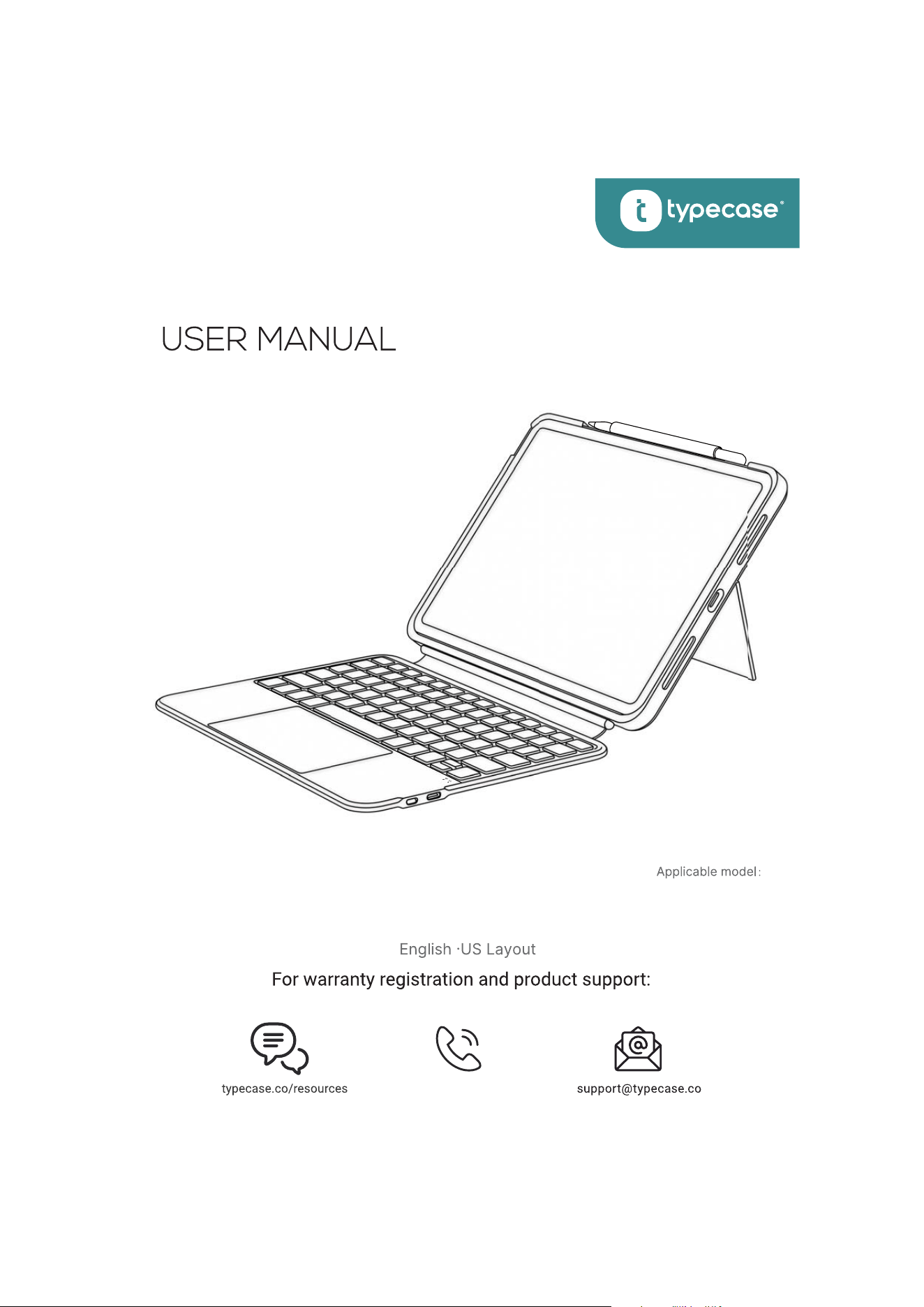
FOLIO DUO
KB301-110U
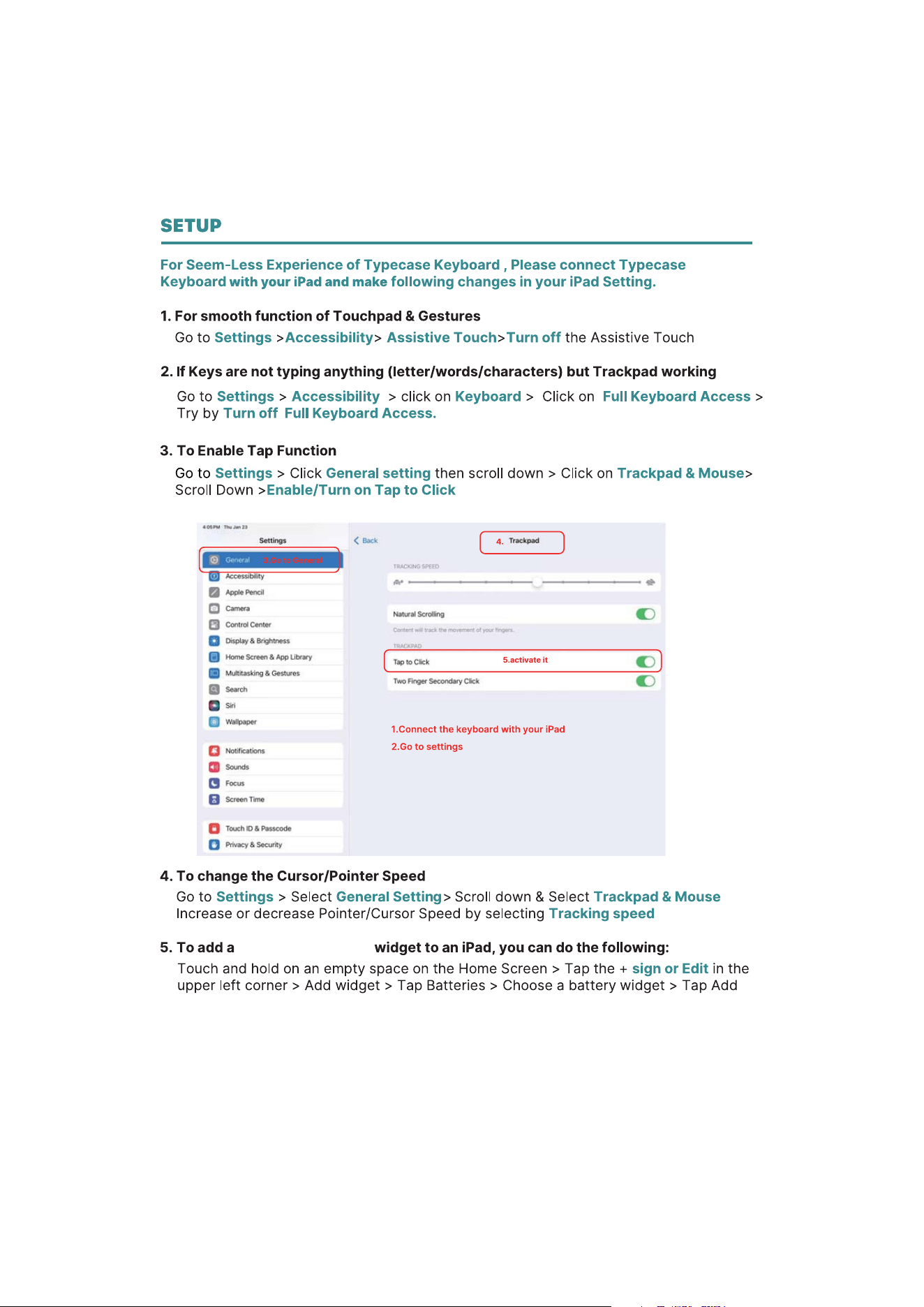
SETUP
INSTALLATION AND USAGE
7
7
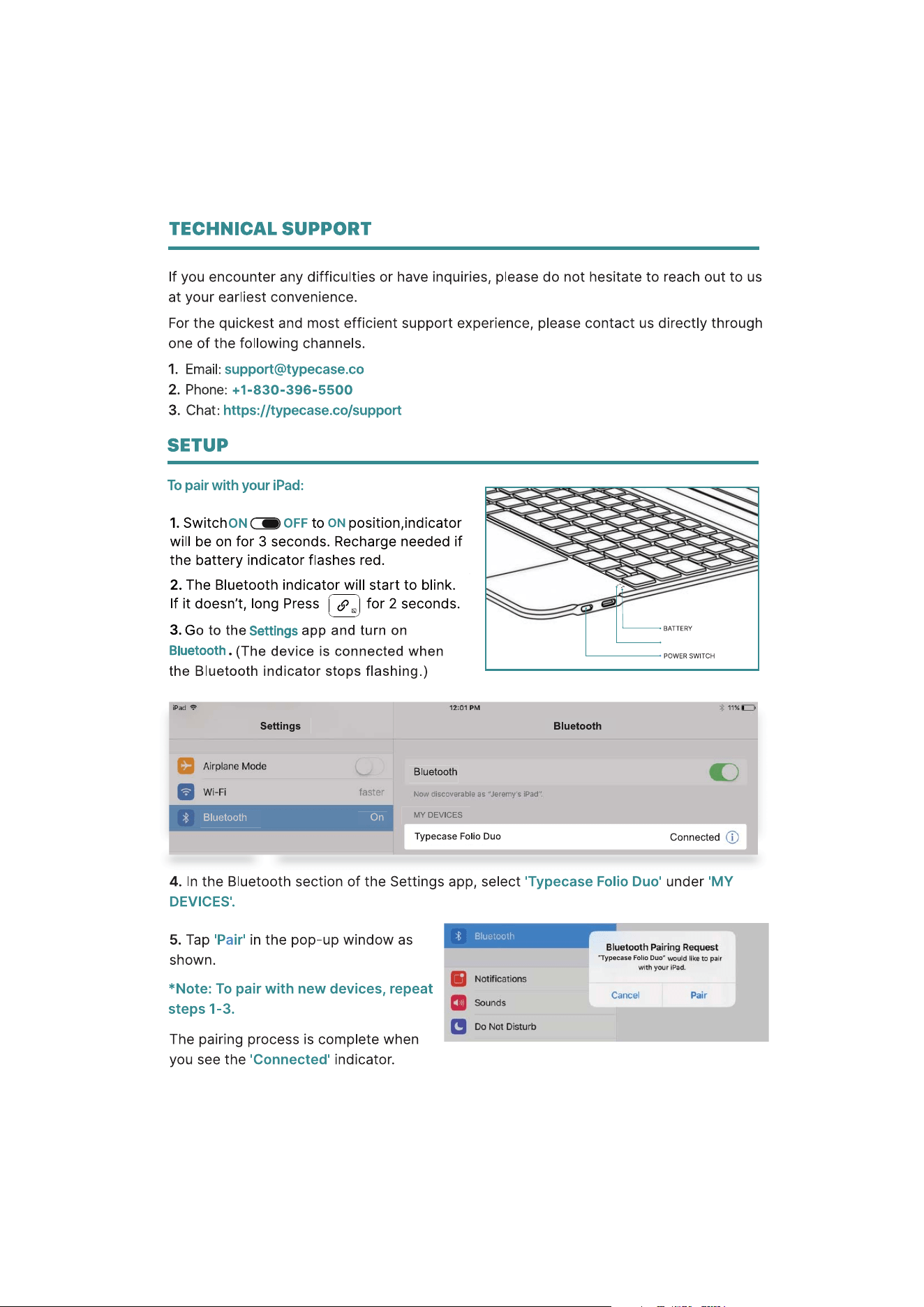
1
Bluetooth
2
battery percentage
3
4
INSTALLATION AND USAGE
5
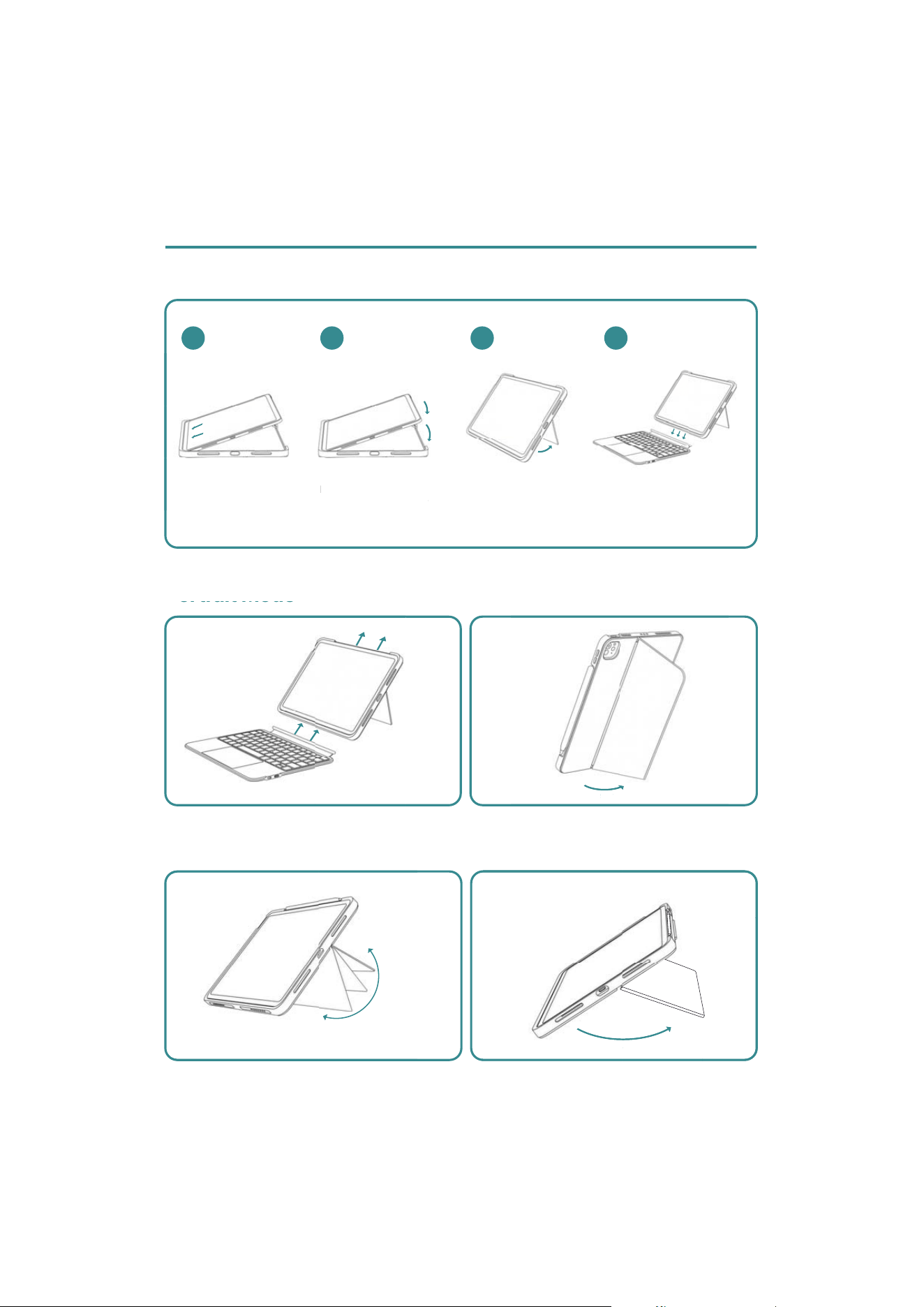
Installation
Portrait Mode
Sketch Mode
02
04
Align iPad's Bottom
with the keyboard
case.
Press the top corners
of the iPadto securely
fit into the case.
Adjust the stand on the
back to the viewing
angle you want
Magnetically attach
the keyboard to the
below edge of your
iPad
01
90°
165°
Adjust the stand on the
o
r
t
r
a
i
t
M
o
d
e
03
90°
165°
Ali
g
n iPad's Botto
m
w
ith the keyboard
Press the to
p
corners
of the iPadto securely
6
Keyboard Auto sleep & Wake
1. Wake the keyboard :
2. Resume normal typing :
To conserve power, the keyboard will automatically enter
sleep mode after approxi-mately 90 seconds of inactivity.
Switch on the keyboard (if battery light is flashing,
please charge the keyboard).
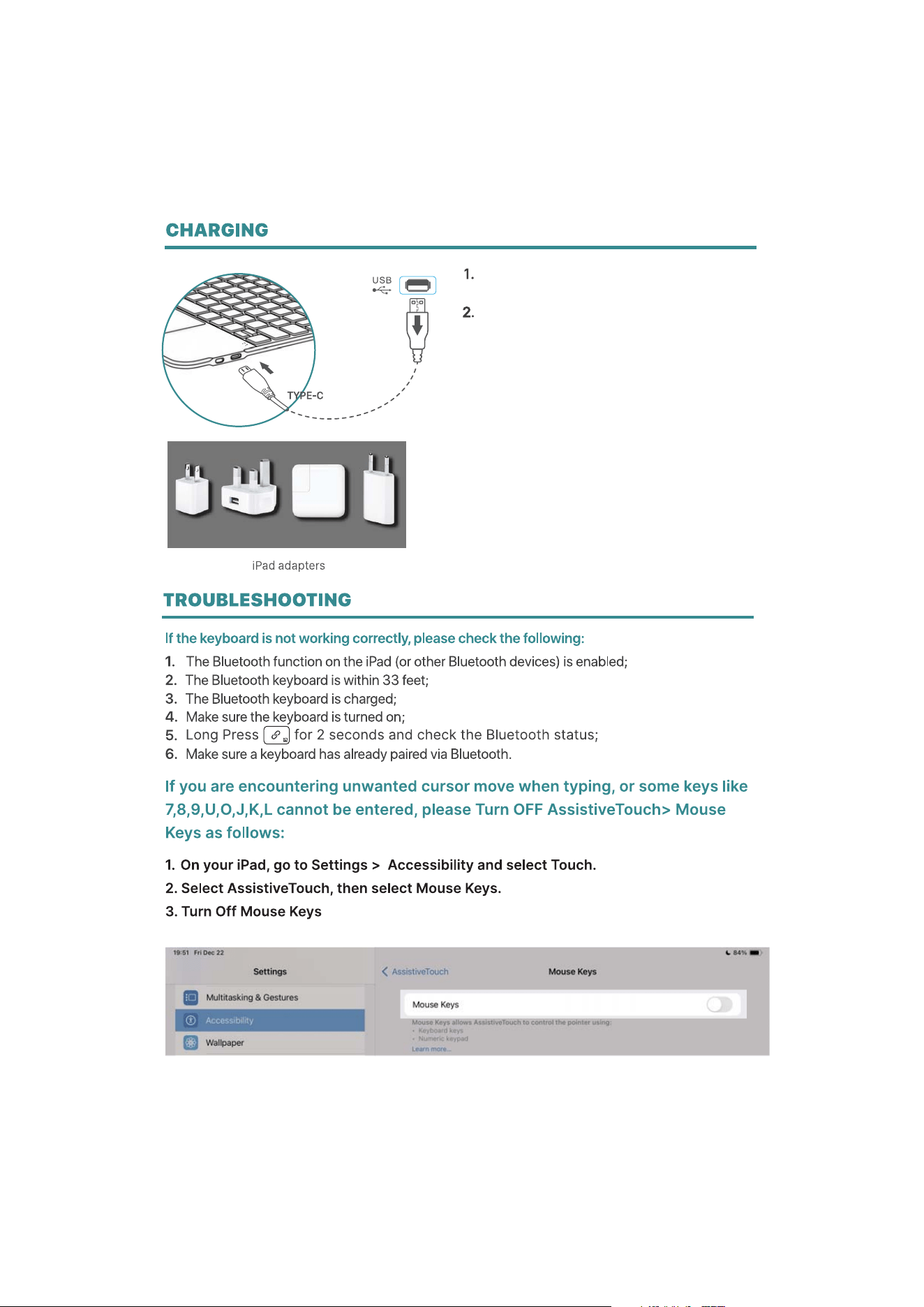
Plug the charging cable (included) into the keyboard
and power adapter (not included, iPad or iPhone
power adapter recommended);
a) Charge indicator turns Red when keyboard is
charging;
b) Charge indicator turns Green when charging
is complete.
Press any key to wake it up. The wake-up process takes
about 1-2 seconds, and the first key press will not register
as a character input, which is normal.
After waking, press any key again to type normally.
7
8