1. Press and hold the button for 10 seconds.
Release after hearing the second prompt
sound (the first sound occurs at 3
seconds). A series of beeps will confirm
the reset.
2. You can repeat this step in “SETUP
WITHAPPLE’S FIND MY APP” to pair the
wallet with your iPhone.
To Reset (from power-on state):
This device can be reset if you have trouble pairing the
wallet with your iPhone, or if you want to unpair it and give
it to someone else.
TROUBLESHOOTING (FOR APPLE)
1. In “Find My” app, tap "Items".
2. Check your wallet’s last known time and
place.
3. Click and select the wallet from the list.
4. To find a nearby item, tap "Play Sound"
and listen for a chime.
5. For distant items, click "Directions". Open
Maps to navigate to the last-known
location.
FIND YOUR
LOC8 CARD
WALLET UNIVERSAL
LOC8 URBAN Slim Wallet
Items
Me
People
Devices Items
Now
Play Sound
Directions
With You
SETUP WITH GOOGLE FIND
HUB APP
FCC Compliance Statement
This device complies with Part 15 of the FCC Rules. Operation is subject to
the following two conditions:
(1) this device may not cause harmful interference, and (2) this device must
accept any interference received, including interference that may cause
undesired operation.
Changes or modifications not expressly approved by the party responsible
for compliance could void the user’s authority to operate the equipment.
This equipment has been tested and found to comply with the limits
for a Class B digital device, pursuan
t to Part 15 of the FCC Rules. These
limits are designed to provide reasonable protection against harmful
interference in a residential installation. This equipment generates, uses
and can radiate radio frequency energy and, if not installed and used
in accordance with the instructions, may cause harmful interference to
radio communications. However, there is no guarantee that interference
will not occur in a particular installation.
If this equipment does cause harmful interference to radio or television
reception, which can be determined by turning the equipment of and on,
the user is encouraged to try to correct the interference by one or more
of the following measures:
• Reorient or relocate the receiving antenna.
• Increase the separation between the equipment and receiver.
which the receiver is connected.
• Consult the dealer or an experienced radio/TV technician for help.
The device has been evaluated to meet general RF exposure requirement.
The device can be used in portable exposure condition without restriction.
Responsible Party - U.S. Contact Information
ALOGIC USA LLC
37524 Marsten DR,
Newark CA 94560, USA
FCC RF exposure statement
EU Declaration of Conformity
This device in compliance with the essential requirements and other
relevant provisions of Directive 2014/53/EU. All essential radio test suites
have been carried out. This restriction will be applied to all Member States
of European Union.
The device complies with RF specifications when the device used at 20cm
form your body.
Hereby, ALOGIC Corporation declares that this product is in compliance
with Dire
ctive 2014/53/EU. The full text of the EU declaration of conformity
is available at the following Internet address by clicking on the Compliance
Documentation link:
IC Caution:
Radio Standards Speci
fi
cation RSS-Gen, issue 5
This device contains licence-exempt transmitter(s)/receiver(s) that
comply with Innovation, Science and Economic Development Canada’s
licence-exempt RSS(s). Operation is subject to the following two conditions:
This device may not cause interference.
This device must accept any interference, including interference that may
cause undesired operation of the device.
RF exposure statement:
The equipment complies with ISED Radiation exposure limit set forth for
uncontrolled environment. This equipment should be installed and operated
with minimum distance 20cm between the radiator and your body.
suivantes:
Cet appareil ne doit pas causer d’interférences.Cet appareil doit accepter
toutes les interférences, y compris celles susceptibles de provoquer un
fonctionnement indésirable de l’appareil.
Déclaration d'exposition RF:
L'appareil a été évalué pour répondre aux exigences générales d'exposition
aux RF. L'appareil peut être utilisé dans des conditions d'exposition portable
sans restriction.
WARNINGS
functionality.
Keep JOURNEY LOC8 FINDER products away from all heat and fire
sources, including heating equipment, heaters, ovens, open fiames,
and direct sunlight.
Do not attempt to repair or disassemble the JOURNEY LOC8
FINDER products equipment by yourself. Any unauthorized
modification may result in damage or malfunction.
Avoid using or storing JOURNEY LOC8 FINDER products in
environments with high humidity or temperatures exceeding 60°C
(140°C) to prevent potential failures.
Responsibly dispose of JOURNEY LOC8 FINDER products following
the local government's regulations on waste disposal to minimize
environmental impact.
To use the Apple Find My app to locate this item, the latest version
of iOS, iPadOS, or macOS is recommended.
Use of the Works with Apple badge means that a product has been
designed to work specifically with the technology identified in the
badge and has been certified by the product manufacturer to meet
Apple Find My network product specifications and requirements.
Apple is not responsible for the operation of this device or use of
this product or its compliance with safety and regulatory standards.
Apple, Apple Watch, iPad, iPodOS, iPad Touch, Mac, and MacOS are
trademarks of Apple Inc., registered in U.S. and other countries. IOS
is a trademark or registered trademark of Cisco in U.S. and other
countries and is used under license.
Find Hub network requires location services and Bluetooth to be
turned on. Requires cell service or internet connection. Works on
Android 9+ on select devices [tablets, phones, and laptops] and in
Google, Android, and Google Play are trademarks of Google LLC.
The best of both worlds – your
phone and wallet, together.
LOC8 CARD
WALLET UNIVERSAL
LOC8 URBAN Slim Wallet
RFID
Protection
Hold
3 cards
USB-C
Rechargeable
Built-in
Tracker
Apple
Find My
Google
Find Hub
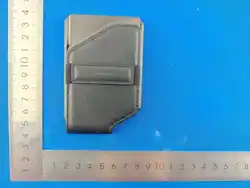
85.5MM
54MM
KENSINGTON
- USER MANUAL
FRONT PAGE
SIDE 1SIDE 2
INTERNAL PAGE 1 INTERNAL PAGE 2 INTERNAL PAGE 3 INTERNAL PAGE 4
INTERNAL PAGE 5 INTERNAL PAGE 6 INTERNAL PAGE 7 INTERNAL PAGE 8
LAST PAGE
WARNINGS
COMPLIANCE STATEMENTS
1. In “Find Hub” app, tap "Items".
2. Check your wallet's last known time and place.
FIND YOUR
LOC8 CARD
WALLET UNIVERSAL
LOC8 CARD
Wallet Universal
Find nearby
Near you right now
Battery OK
Play sound
Share device
Play sound, get hints as you
approach device
LOC8 CARD
Wallet Universal
AUSTRALIAN WARRANTY
Warranty Period
12 Months
Exclusions
This warranty no longer applies where any defect results from
alteration, accident, misuse, abuse or neglect of the product.
Warranty Terms
ALOGIC Corporation Pty Ltd warrants this product to be free from
defects in materials and workmanship for the warranty period
stated above from the date of purchase, provided the product is
used in accordance with the accompanying recommendations and
instructions.
How to Make a Claim
Please retain your receipt as proof of purchase and return the product
with the receipt to your place of purchase to make a warranty claim.
This warranty is in addition to your rights under the Australian
Consumer Law.
Our goods come with guarantees that cannot be excluded under
the Australian Consumer Law. You are entitled to a replacement or
refund for a major failure and compensation for any other reasonably
foreseeable loss or damage. You are also entitled to have the goods
repaired or replaced if the goods fail to be of acceptable quality and
the fail
ure does not amount to a major failure.
For New Zealand customers, this warranty is in addition to statutory
rights under New Zealand legislation.
ALOGIC Corporation Pty Ltd
Level 14, 140 William St Melbourne VIC Australia 3000
AU COMPLIANCE
To charge your LOC8 device, connect it to a
power source using a standard USB-C cable
and a charger with a minimum output of 5V.
Rechargeable battery lasts up to 5 months on
a full charge.
Tips: Suggest to recharge LOC8 device every 4
months in case battery drain completely.
CHARGING YOUR LOC8 CARD
WALLET UNIVERSAL
Orange
Green
LED Status
Charging
Fully charged
Device Behaviour
When LOC8 device battery level is low, you
will receive a reminder notfication on your
phone, via the Google’s Find Hub or Apple
Find My app. You can also check the battery
level of the LOC8 device in the relevant app.
CHECKING BATTERY LEVEL
USE LOST MODE (FOR APPLE)
1. If you can't find your wallet, open the Find
My app on your iPhone.
2. Click the 'Items' icon at the bottom of your
screen.
3. Tap on your
LOC8 CARD Wallet Universal
icon displayed on your screen.
4. Scroll down to "Enable Lost Mode".
5. Tap "Continue".
6. Enter your required contact details to
finalise "Lost Mode".
*
Your LOC8 URBAN Slim Wallet will stay linked
to your Apple ID, unless you unpair it.
*
If someone finds your item while it is in Lost Mode, they
can use their iPhone or any NFC-capable device to reach
you.
TROUBLESHOOTING (FOR GOOGLE)
Power On: Click the tracker button on the LOC8
device 2 times, the device will "beep" on the
second click, indicating it is now powered on.
Identification Mode: When you find an unknown
LOC8 device, hold it to your phone and quickly
press the device's tracker button once and listen
for a "beep". The LOC8 device's identification
information will display on your phone.
Reset (from power-on state):
Press and hold
the button for 10 seconds. Release after
hearing the second prompt sound (the
first
sound occurs at 3 seconds). A series of beeps
will con
firm the reset. You can repeat this step
in “SETUP WITHAPPLE’S FIND MY APP” to
pair the wallet with your iPhone.
Press and hold the LOC8 device's
tracker button for 3 seconds and release. The
Re-Pairing Mode:
the LOC8 device, then power it on to re-pair if
you want to switch to another device.
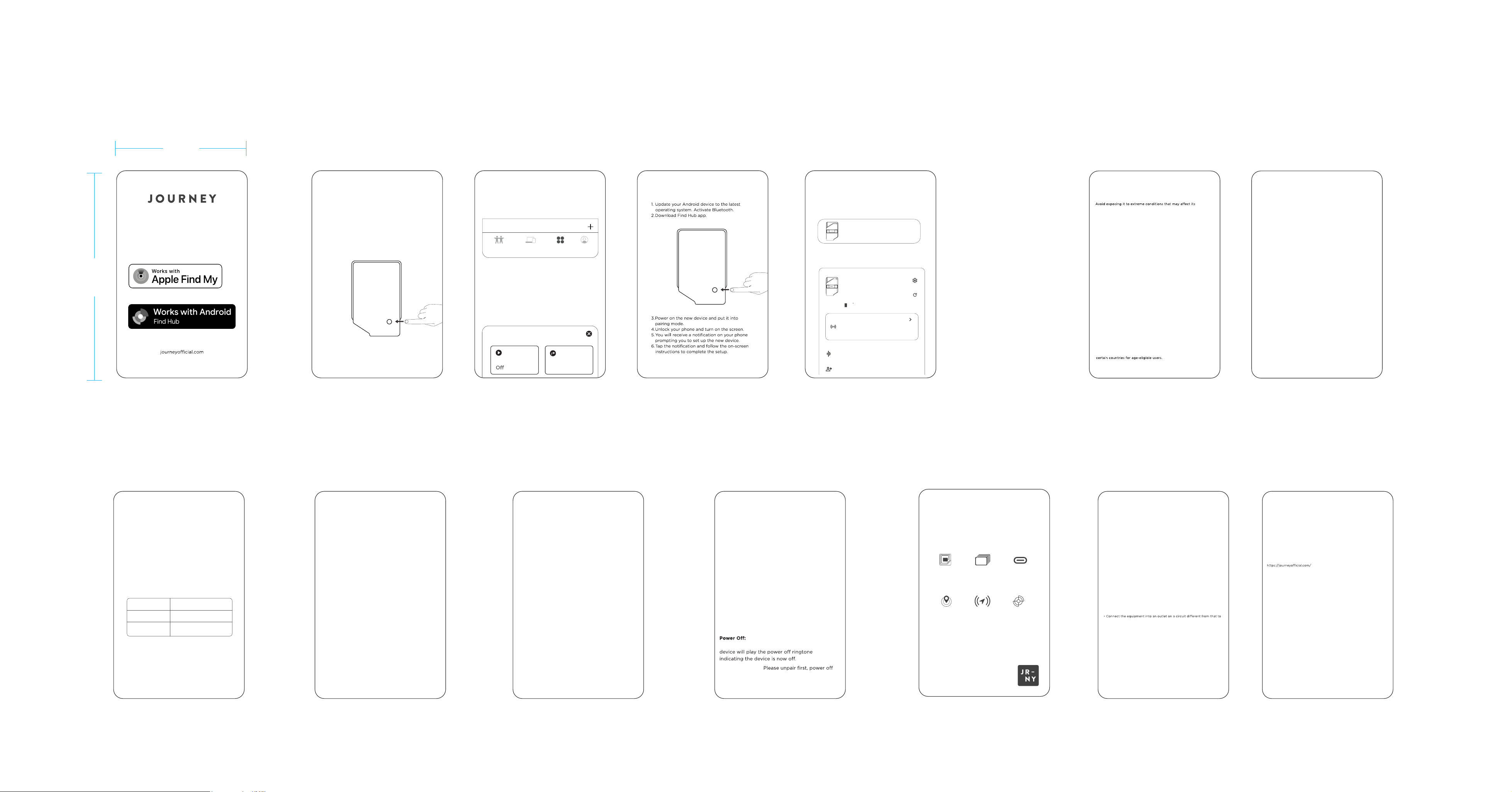
1. Update your iPhone to the latest version
of iOS. Activate Bluetooth.
2. Press your LOC8 CARD Wallet button
once (see arrow pointing to button in
drawing below). The beeping that follows
indicates your device is ready for pairing.
3. Open the Apple Find My app.
SETUP WITH APPLE FIND MY APP
4. Tap "+"; select "Add Other Item"
to bring up LOC8 CARD Wallet
on your screen for pairing.