WARNING:To prevent fire or shock hazard,do not
expose this appliance to rain or moisture.
This equipment must be disconnected
from the mains when not used.
1.To ensure the service life of the rechargeable battery, please
charge the machine at least once every three months when the
machine is not used for a long time.
2.Avoid strong shocks and drops.
3.Keep away from high temperature and humidity.
WARNING
H.MAIN PERFORMANCE AND INDEX
1.Frequency Range: AM: 530-1710KHz(RX)
FM:88-108MHz (RX)
SW: 5.9-18.0MHz(RX)
Bluetooth: 2.4G
2.Power Supply: DC 3V(UM-1X2)
3.Maximum output power: 1.8W
4.DC IN Charging Time: 4-6 hours
Solar Charging Time: 10 hours (Under Strong Sun Light)
5.USB/TF/BT playback format: MP3, WMA, WAV
E.CHARGING
F. BATTERIES
Please push the battery cover down according to the OPEN
direction and insert the 2pcs R20 batteries correctly according to
the icon in the battery compartment. When the dry battery is
placed in the unit, the unit will automatically recognize and use
both the rechargeable battery and the dry battery at the same
time. The playback time will increase (when not in use for a long
time, please take out the battery to avoid leakage of liquid that
corrodes the internal parts of the radio).
MY-R20BTS
OPERATING INSTRUCTIONS
RADIO
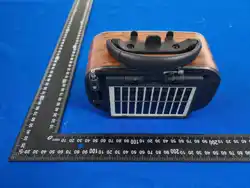
G. SOLAR CHARGING
Turn the solar charging panel toward the sunlight, and the charging
indicator light up. Charge under bright light for about 10 hours.
When the charging indicator is off, the charging is complete
D.PC
Turn the volume knob to turn on the power and adjust the volume
to a moderate position, and push the function/band button to
select the music mode. Use the USB double male data cable
(purchased by the user) to connect the PC and our radio. Plug the
data cable into the USB port of the computer and the USB port of
the radio, and then it can be used as your computer multimedia
speaker.
2.Charging time is about 4-6 hours.
1.When playing MP3 sound becomes small and intermittent With
USB connected power supply to connect the standard USB charging
cable in the DC 5V in position insert 5V DC electric charge on the
unit, charging indicator light on.
Special attention: The indicator lights will automatically turn off
after full charge.
C.BLUETOOTH
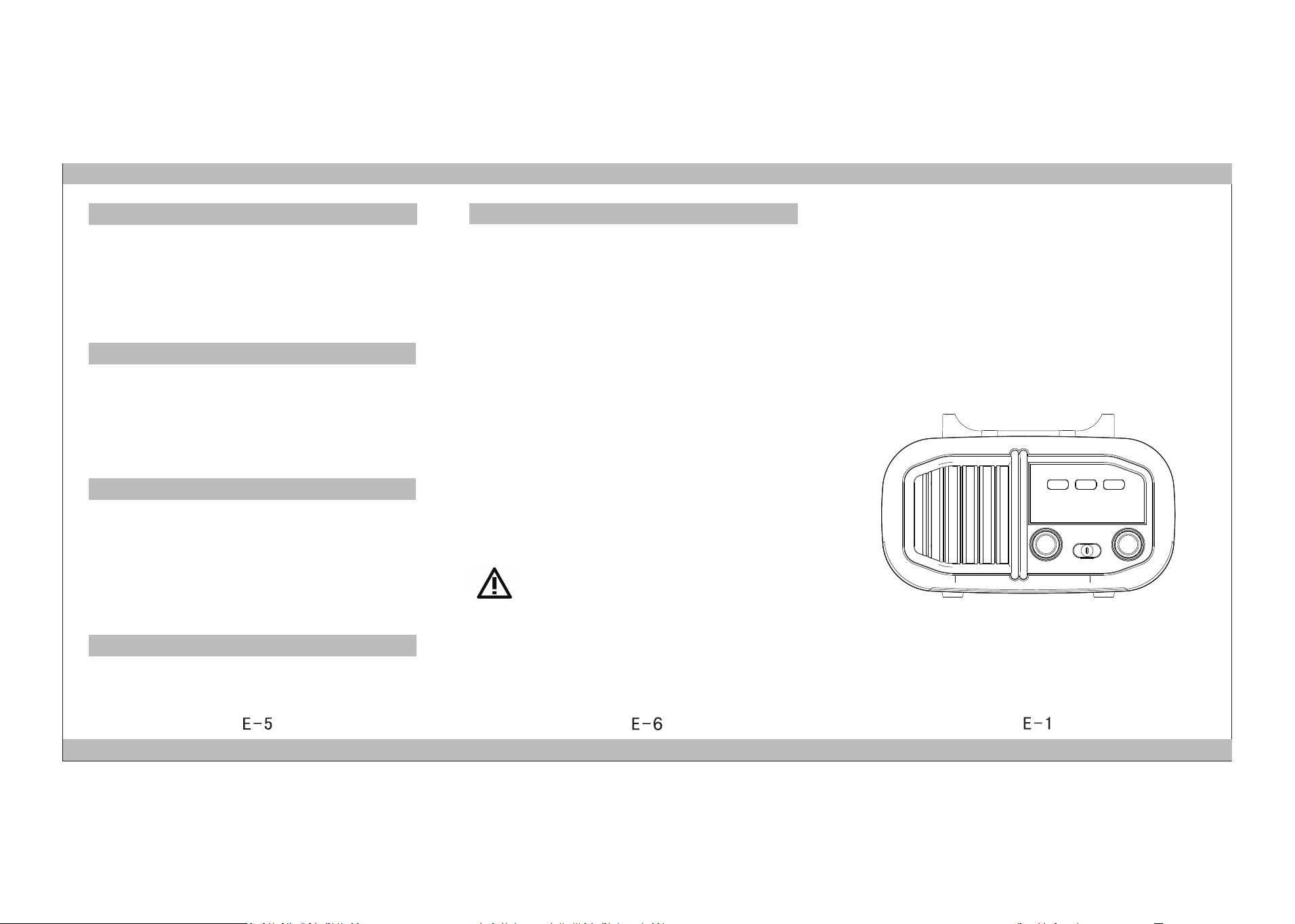
I N D E X T T O P A R T S & C O N T R O L S :
FUNCTION OPERATION METHODS
A.RADIO
1.Turn the volume knob to adjust the power volume to a moderate
position.
2.Push the function / band button to select AM/FM/SW. When
receiving the FM/SW channel, pull out the pull rod antenna to
adjust the console knob until you receive the favorite radio. Turning
the direction of the unit when listening to the AM radio can get a
better signal reception effect.
3.Please adjust the tuning knob slowly when adjusting the radio.
B.PLAY USB/TF
Audio format: MP3, WMA, WAV.
1.Turn the volume knob to turn on the power and adjust the volume
to a moderate position, push the function/band button to select
the music mode.
2.After plugging into the USB/TF socket, the device will
automatically play the music files on the USB/TF card. (Please make
sure that there are MP3, WMA, WAV audio files in your USB or TF
card)
3.During playback, press the "PREV/NEXT" button to select the
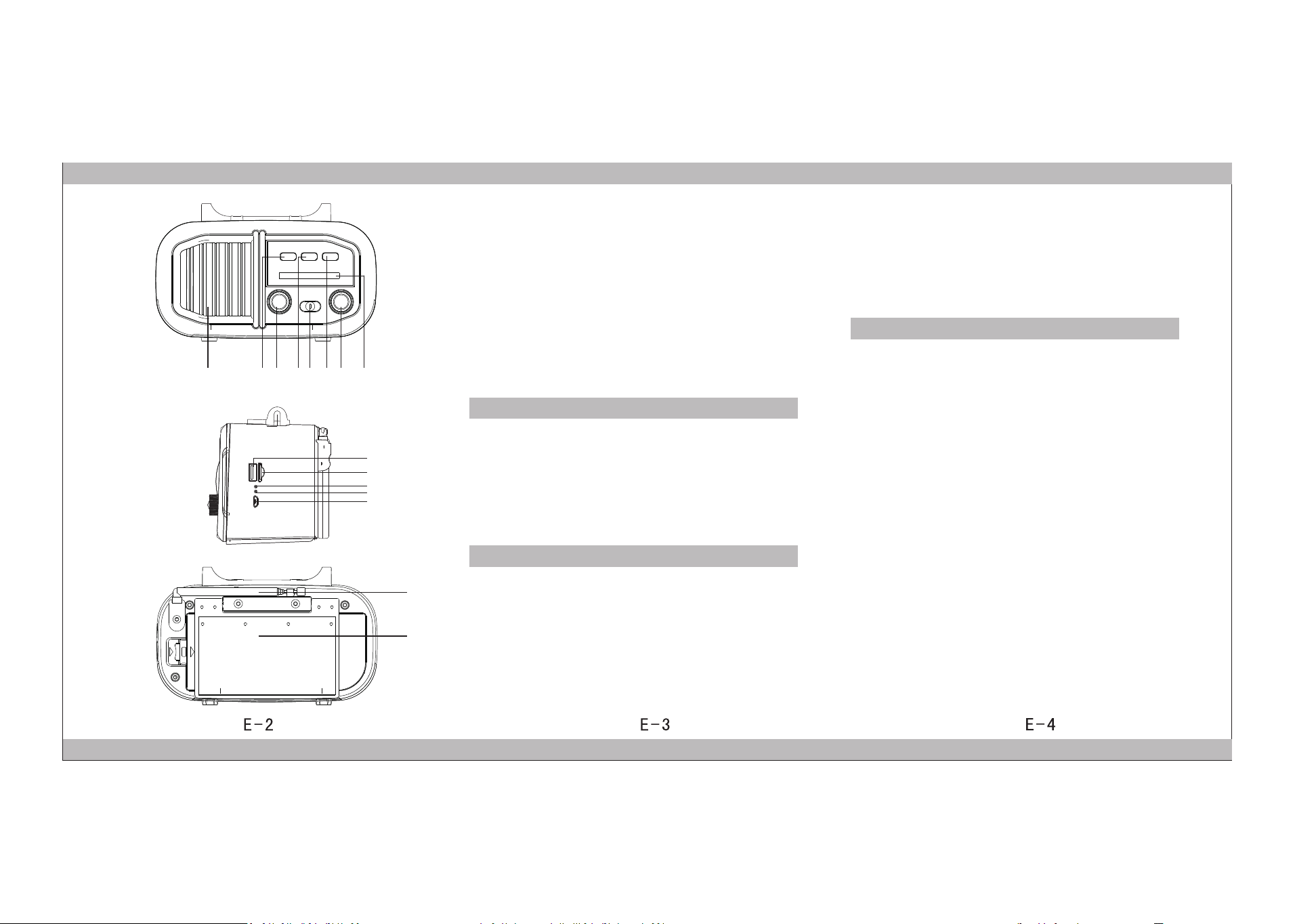
1.SPEAKER
2.PREV/REW
3. VOLUME/POWER
4.PLAY/PAUSE/TWS/
BLUETOOTH/USB/TF
5.FUNCTION/BAND
6. NEXT/F .FWD
7.TUNING
8.FREQUENCY DISPLAY WINDOWPANEL
1.Turn the volume knob to turn on the power and adjust the volume
to a moderate position. Push the function/band button to select
the music mode. When the USB/TF card is not inserted (or double-
click the PAUSE/TWS button to switch to the bluetooth function),
you will hear "Waiting for pairing".
2.Search and connect the bluetooth device "BT03". When the
bluetooth connection is complete, you will hear the "Connected"
sound.
3.When the bluetooth connection is successful, you can play music
from the mobile music application APP.
4.During playback, press the "PREV/NEXT" button to select the
previous/next song.
5.During playback, press the pause button to stop the music, and
press it again to play the music.
6.TWS: (There must be two unit of the same model) When one unit
is playing music in bluetooth mode, turn on another unit of the
same model. You will hear "Waiting for pairing" from the other
machine. Press and hold the PAUSE/TWS button on both units at
the same time for two seconds until you hear the sound of
"dingdong". When the two unit are paired, you will hear
"connected". If you want to disconnect, press and hold PAUSE/TWS
on either of the two machines for 2 seconds to exit the
interconnection function.
previous/next song. Long press the "PREV/NEXT" button to fast
forward or rewind.
4.During playback, press the PAUSE/TWS button to pause the music
playback and press again to continue the music playback. Double-
click the PAUSE/TWS button to switch function, switch
Bluetooth/USB/TF to play music, (Note, this function USB or TF
must be online to switch)
1 32 54 76
9
10
11
12
13
14
15
8
9.USB PORT
10.TF CARD SLOT
11.POWER INDICATOR
12.CHARGING INDICATOR
13.DC 5V IN
14.ROD ANTENNA
15.SOLAR CHARGING PANEL

This device complies with part 15 of the FCC Rules. Operation is subject to the
following two conditions: (1) This device may not cause harmful interference, and (2)
this device must accept any interference received, including interference that may cause
undesired operation.
Any Changes or modifications not expressly approved by the party responsible for
compliance could void the user's authority to operate the equipment.
Note: This equipment has been tested and found to comply with the limits for a Class B
digital device, pursuant to part 15 of the FCC Rules. These limits are designed to
provide reasonable protection against harmful interference in a residential installation.
This equipment generates uses and can radiate radio frequency energy and, if not
installed and used in accordance with the instructions, may cause harmful interference
to radio communications. However, there is no guarantee that interference will not
occur in a particular installation. If this equipment does cause harmful interference to
radio or television reception, which can be determined by turning the equipment off and
on, the user is encouraged to try to correct the interference by one or more of the
following measures:
-Reorient or relocate the receiving antenna.
-Increase the separation between the equipment and receiver.
-Connect the equipment into an outlet on a circuit different from that to which the
receiver is connected.
-Consult the dealer or an experienced radio/TV technician for help.
FCC Radiation Exposure statement
The device has been evaluated to meet general RF exposure requirement. The
device can be used in portable exposure condition without restriction.

