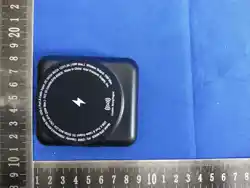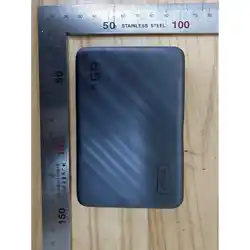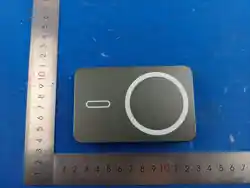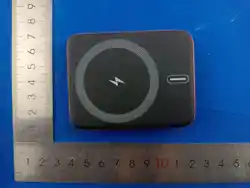

LOOP 10000MAH MAGNETIC WIRELESS POWER BANK
WITH CABLE AND PHONE STAND
INSTRUCTION MANUAL
EPB-LP26
READ ALL INSTRUCTIONS CAREFULLY BEFORE USE.
IN THE BOX
EPB-LP26 Loop 10000mAh Magnetic Wireless Power Bank with Cable (x1)
SAFETY PRECAUTIONS
This product is NOT a toy, keep away from children and pets.
Only use the product according to the instructions in this manual. Never use the
product for anything other than its intended purpose.
Do not open this product or attempt to repair the unit yourself if it is not working
properly. Doing so risks re, shock or injury.
When not in use, the product should be stored in a dry, cool location, away from
sources of water or heat.
Do not expose product or charging cable to extreme temperatures (heat or cold), open
flames, humid or wet conditions.
Do not submerge in water. Do not use in a location where the product or charging
cable could fall into liquid.
Unplug the charging cable when not in use. Do not pull the charging cable to
disconnect, or use the cable as a handle.
Do not use if the product or charging cable is damaged. If the product or charging
cable is damaged, it MUST be serviced or replaced by the manufacturer or its service
agent before using again.
Do not over charge battery.
This product contains a built-in battery and should not be disposed of with regular
household waste. Please consult the local authorities on the correct way to dispose of
this product.
Attachments on the back of your device can impede effectiveness of the wireless
charger, and lead to overheating. Remove attachments from your device before
charging on this wireless charger.
The strong magnetic elds of neodymium magnets can damage items, such as
television, computers, computer monitors, credit cards, bank cards, diskettes and
other data carriers, video tapes, mechanical watches, hearing aids, loud speakers and
VCRs. Pace-makers may be damaged or switched to “test mode” in the presence of a
strong magnetic force, if pace-maker or other electronical body implant is in use. Keep
a minimum
of 3 feet distance.
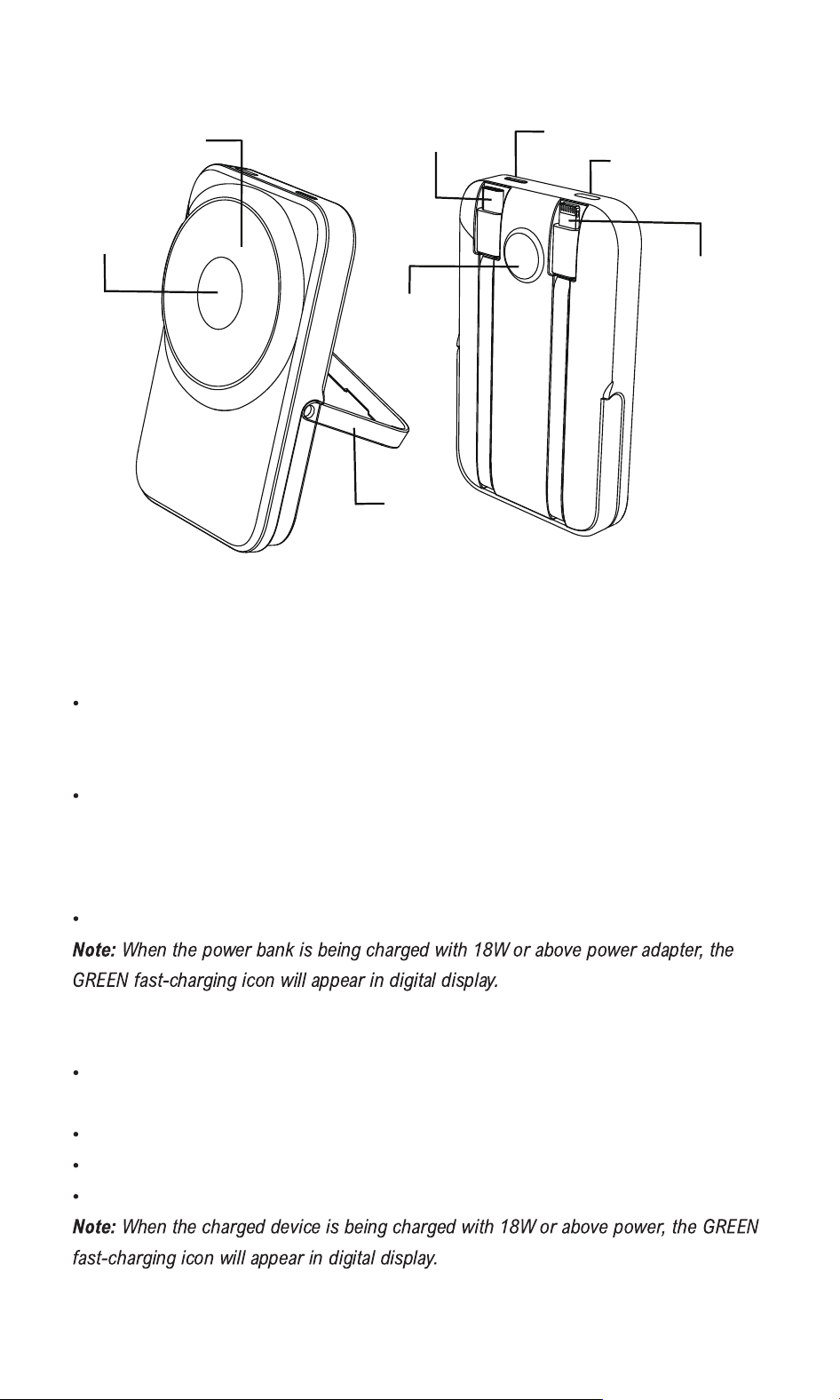
PRODUCT DIAGRAMS
INSTRUCTIONS
Charge the power bank fully before using for the rst time.
CHARGING THE POWER BANK
Pull out the integrated cable with USB-C tip and insert into a USB-C power source,
such as the USB-C port on a computer or into a certied USB-C adapter (not
included), and plug into a wall socket.
Or plug the USB-C tip of your own charging cable into the USB-C port on the power
bank. Plug the other end of the cable into a USB power source, such as the USB port
on a computer or into a certied USB adapter (not included), and plug into a wall
socket.
The digital display will display power level while the power bank is in charging.
CHARGING ELECTRONIC DEVICES WITH THE POWER BANK
Pull out the integrated cable and connect the cable to your device with the appropriate
connector.
The power bank will begin to charge automatically.
The digital display will show available power level of battery when charging.
Remove the cable from your mobile device when it is fully charged.
Smart Watch
Charging Surface
Magnetic Wireless
Charging Surface
Phone Stand
[Power] Button
USB-C
Input Port
Integrated Cable
with USB-C Tip
Integrated Cable
with Lightning Tip
Digital Display

USING WIRELESS CHARGING
Place a wireless charging enabled mobile device on the wireless charging surface, the
mobile device will begin to charge automatically. The digital display will show power
level and wireless charging symbol while charging.
If your device does not begin to charge, try repositioning your device on the wireless
charging surface. You may need to remove the case of your device to charge properly.
Remove your device from the wireless charging surface when it is fully charged.
WIRELESS CHARGING WITH MAGNETIC ATTACHMENT
If the charged device supports MagSafe Charger, simply place the device against the
magnetic surface of the power bank, the device will begin to charge automatically.
The perfectly aligned magnets in the wireless charging surface will attach to the
charged device and provide more secure wireless charging.
Remove your device from the wireless charging surface when it is fully charged.
USING WIRELESS CHARGING FOR APPLE WATCH
Place a wireless charging enabled Apple watch on the Apple Watch Charging Surface,
the Apple watch will begin to charge automatically.
The perfectly aligned magnets in the wireless charging surface will attach to the
charged Apple watch and provide more secure wireless charging.
If your Apple watch does not begin to charge, try repositioning your watch on the
wireless charging surface. You may remove the case of your watch to charge properly.
Remove your Apple watch from the wireless charging surface when it is fully charged.
NOTE ON SAFETY FEATURES:
When the wireless charging surface is overheated or when a metal object, such as a
coin, is placed on the wireless charging surface, the wireless charging symbol will flash
on the digital display and will automatically power OFF within one minute.
TECH SPECIFICATIONS
Battery Capacity: 10000mAh/3.85Vdc/38.5Wh
Product Capacity: 6000mAh (5V/2A)
USB-C Port and Cable Input: DC 5V/2A, 9V/2A, 12V/1.5A (18W Max.)
Lightning Cable Output: DC 5V/2.4A, 9V/3A (27W Max.)
USB-C Cable Output: DC 5V/3A, 9V/3A, 12V/1.5A (27W Max.)
Combined Output: DC 5V/3A (15W Max.)
Wireless Charging Output (for Phone): 5W/7.5W/10W/15W
Wireless Charging Output (for Earbuds): 5W
Wireless Charging Output (for Watch): 2W
Working Temperature: 14°F ~ 113°F (-10°C ~ 45°C)

FCC ID: 2BW9E-EPB-LP26
Made in China
This device complies with Part 15 of the FCC Rules. Operation is subject to the
following two conditions:
(1) This device may not cause harmful interference, and (2) this device must accept
any interference received, including interference that may cause undesired operation.
FCC WARNING
Reorient or relocate the receiving antenna.
Increase the separation between the equipment and receiver.
Connect the equipment into an outlet on a circuit different from that to which the
receiver is connected.
Consult the dealer or an experienced radio/TV technician for help.
NOTE 2: Any changes or modications to this unit not expressly approved by the
party responsible for compliance could void the user's authority to operate the
equipment.
The device has been evaluated to meet general RF exposure requirement. The
device canbe used in portable exposure condition without restriction.
NOTE 1: This equipment has been tested and found to comply with the limits for a
Class B digital device, pursuant to part 15 of the FCC Rules. These limits are
designed to provide reasonable protection against harmful interference in a
residential installation. This equipment generates, uses and can radiate radio
frequency energy and, if not installed and used in accordance with the instructions,
may cause harmful interference to radio communications. However, there is no
guarantee that interference will not occur in a particular installation. If this
equipment does cause harmful interference to radio or television reception, which
can be determined by turning the equipment off and on, the user is encouraged to
try to correct the interference by one or more of the following measures: