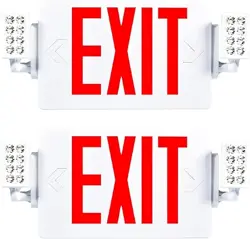

Lighting made better.
support @sunco.com
(844) 334-9938
SKU: EX-RED
EX-GRN
User Manual
LED Exit Sign
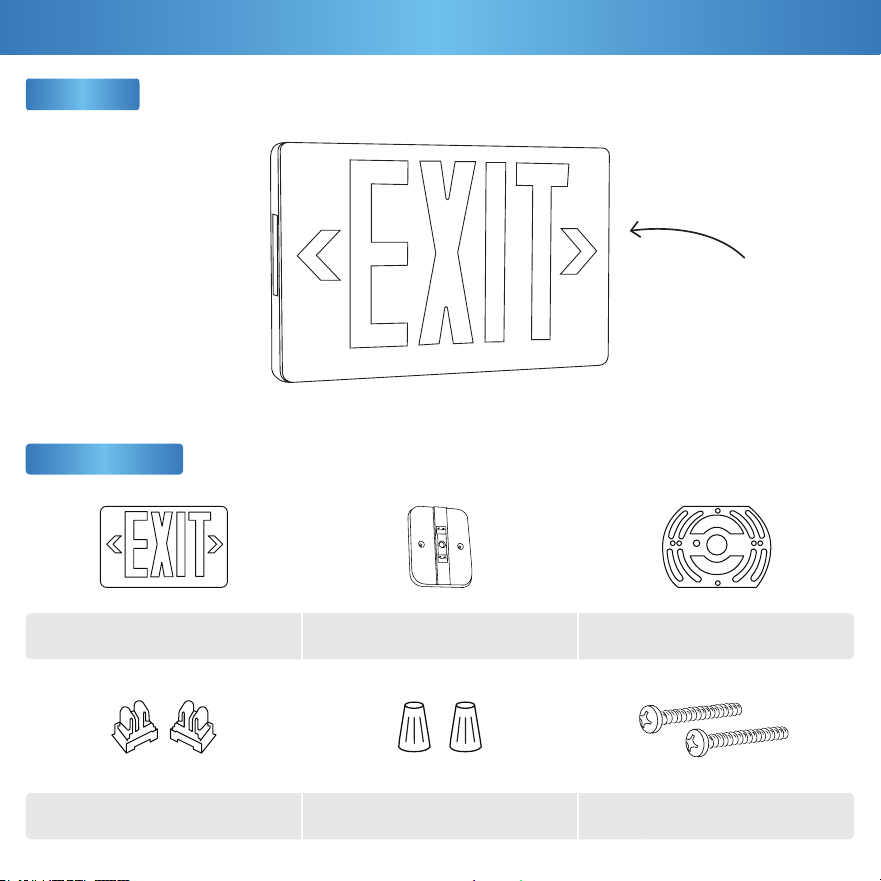
Exit Sign
1
Let there be light!
(literally)
What’s in the Box?
Components
x1
x2(d) (e) (f)
(a) (b) (c)
x1
x2
Exit Sign Housing + Panel
Support Connectors
Canopy Mount
Wire Nuts
Trim Plate
Mounting Screws
x1
x2
2
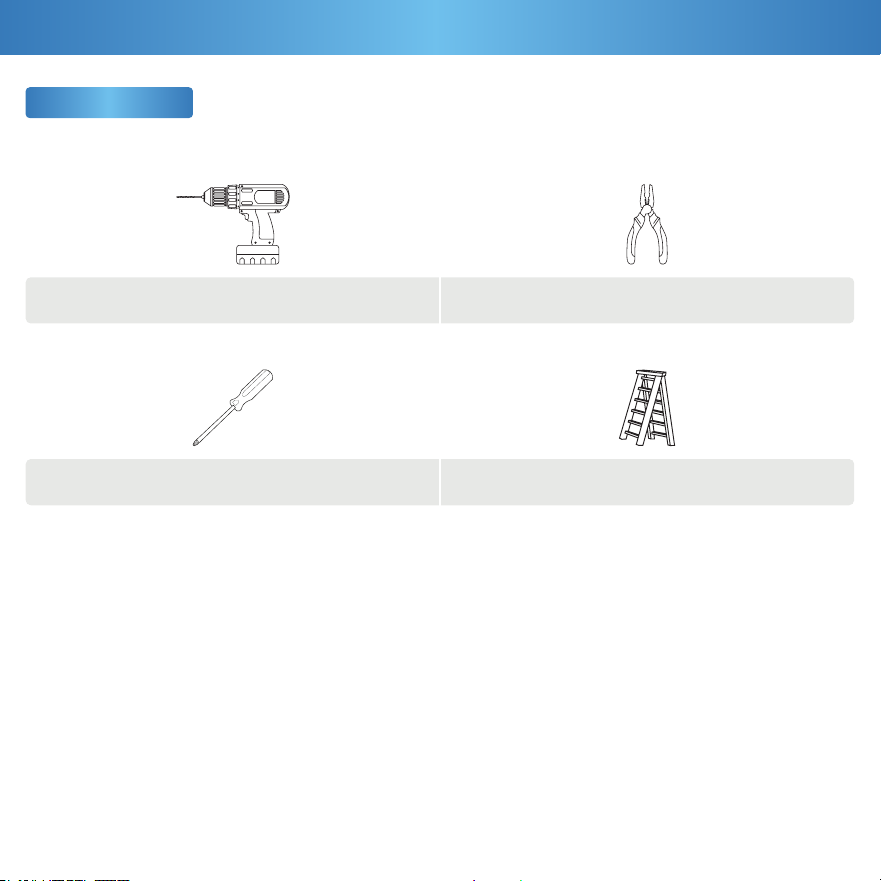
What You Need
Ladder
Pliers
Drill
Screwdriver
Get Your Gear
IMPORTANT: Prior to exit sign installation, install junction box in ceiling or wall. When re-lamping, use only lamps
specied in the exit sign. Using other lamp types may result in transformer damage or unsafe conditions. The battery in
this unit may not be fully charged upon unboxing. After electricity is hooked up to the unit, let the battery charge for at
least 24 hours. It is then ready for normal operation. Unused wires must be capped with a wire nut.
This device complies with Part 15 of the FCC rules.
Operation is subject to the following two conditions:
1.) This device may not c ause harmful interference.
2.) This device must accept any interference that may cause
undesired operation. Please review all instructions carefully
prior to installation.
• Turn o circuit breaker before installing this xture.
• Suitable for use in damp environments at temperatures
ranging from 32°F to 104°F. Not for use where directly exposed
to water.
• Not compatible with photo controls.
• Not compatible with occupancy sensors.
• Not compatible with 3rd party sensors.
• Not compatible with dimmers.
• Not compatible with timing devices.
• All electrical connections must be in accordance with local
and National Electric Code (N.E.C.) standards.
• Please review installation manual carefully before
proceeding. Consult a qualied electrician if you are unfamiliar
with proper electrical wiring connections.
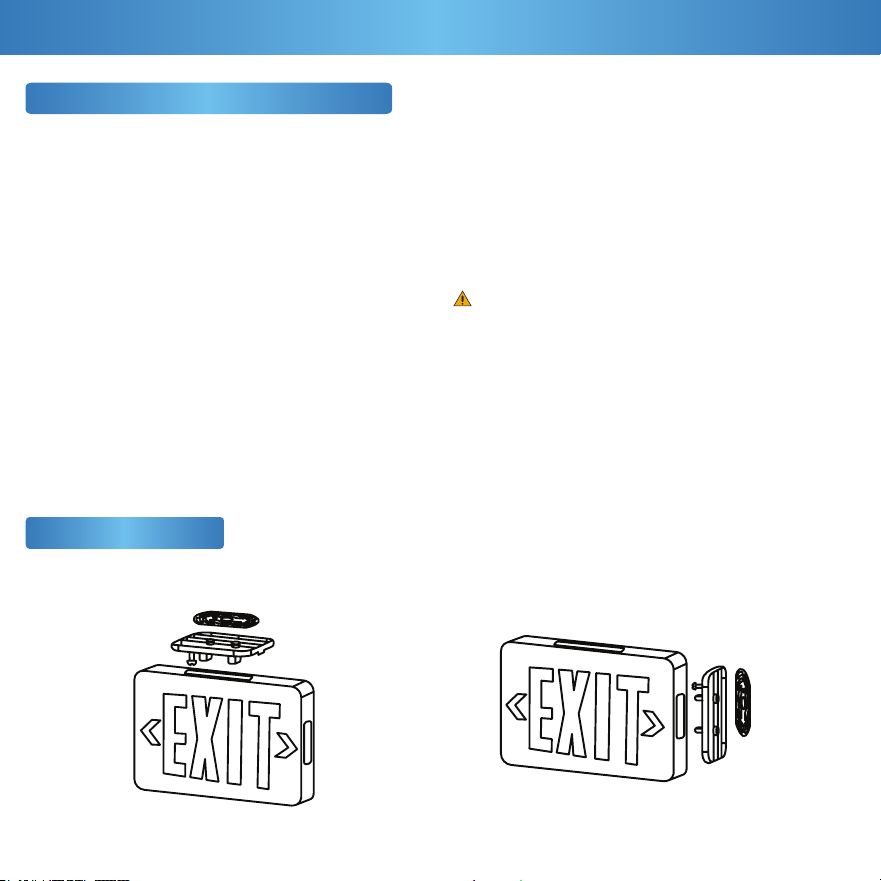
Ceiling Mount End/Wall Mount
Safety Information (Not Included)
Mounting Options
3
Before You Start
WARNING:
Cancer & Reproductive Harm- www.P65Warnings.ca.gov
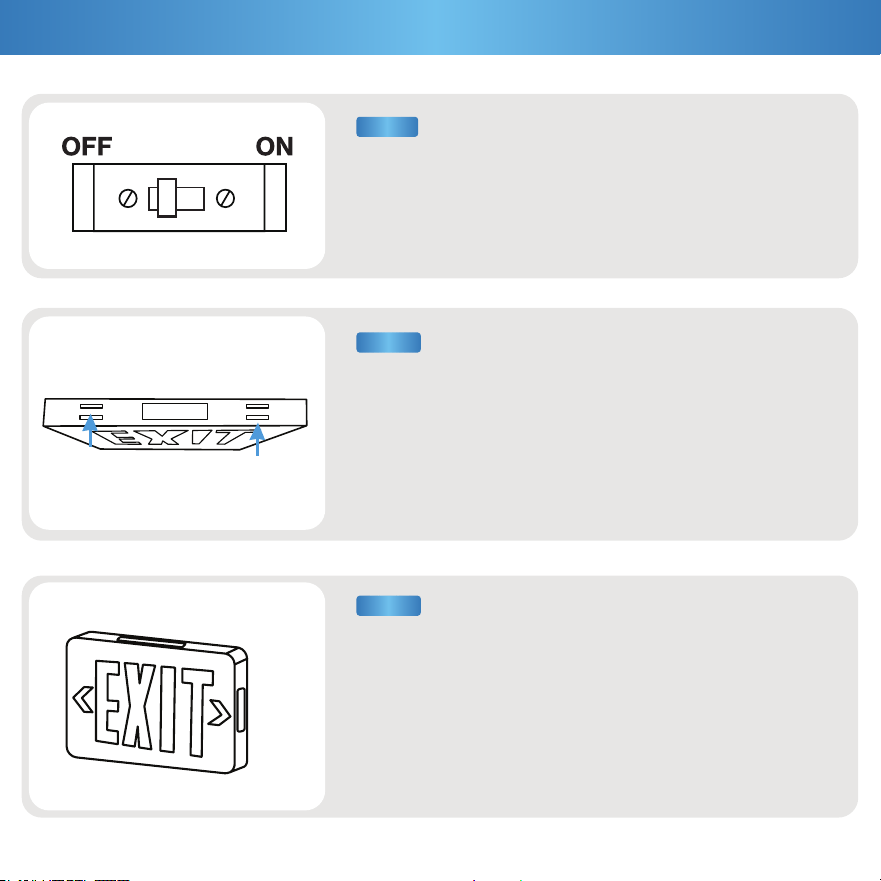
a. Pop out top knockout for ceiling mount (1)
or side knockout for wall mount (2).
b. Feed the wires through hole. Secure wires with wire guide.
Optional: To install the exit sign with both front side and back side,
unsnap the housing and pull off the backplate. Then. snap the
second faceplate ensuring all four corners have snapped
together properly.
a. Using a flathead screwdriver, insert into slots on top and pry
open the housing of the front side exit sign. Unsnap and pull off
faceplate and set aside.
b. Mounting components are wrapped in plastic for convenience.
Remove them and set aside.
a. Turn off circuit breaker before installation.
b. Components are stored inside the exit sign.
4
Installation Guide
STEP 3
STEP 2
STEP 1
(2)
(1)
STEP 5
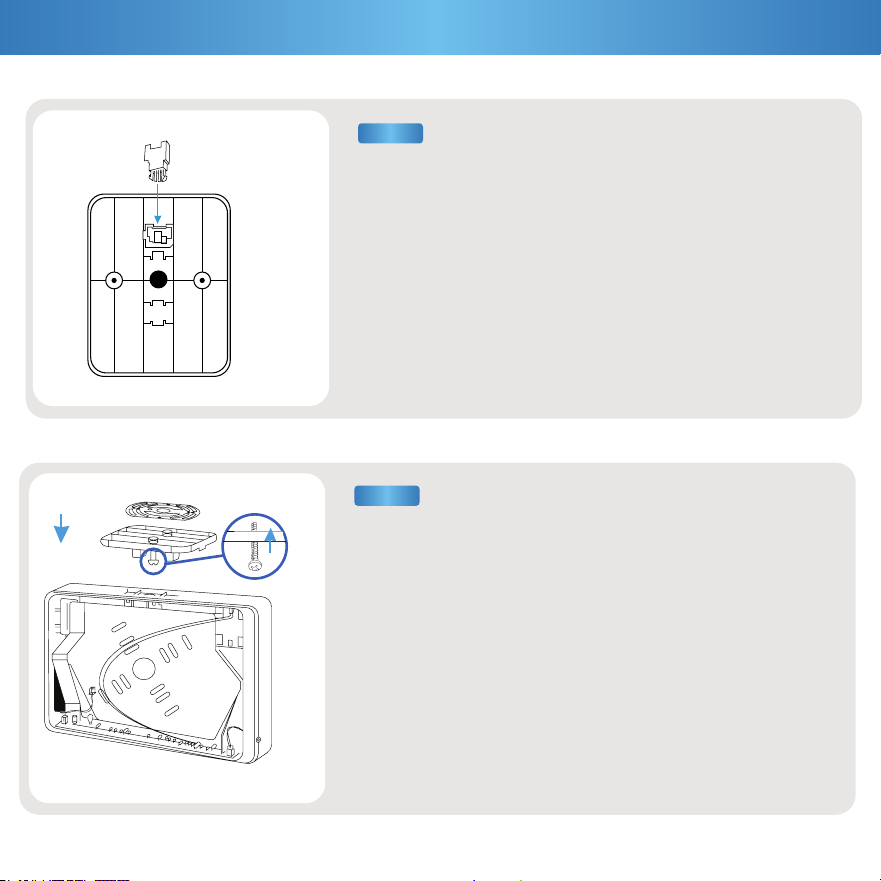
a. Snap the canopy mount (b) into the open slots of the exit sign
based on the mounting option selected.
b. Align trim plate (c) to screw holes of canopy mount (b), then,
screw the mounting screws (f) from the bottom side of the trim plate
(c) to secure it.
c. Feed lead wires through canopy mount (b) and trim plate (c).
Note: Installation for ceiling and end/wall mount follow the same
steps. The exit sign back plate housing also has knockout outlines
to drill out (optional).
5
Installation Guide (Cont.)
(b)
(f) (f)
(c)
(b
a. Remove canopy mount (b) and mounting hardware from
plastic packaging.
b. Snap the two support connectors (d) into the canopy
mount slots into the back of the canopy mount (b).
Note: This should not require a lot of force.
STEP 4
(d)
(b)
STEP 6
STEP 7
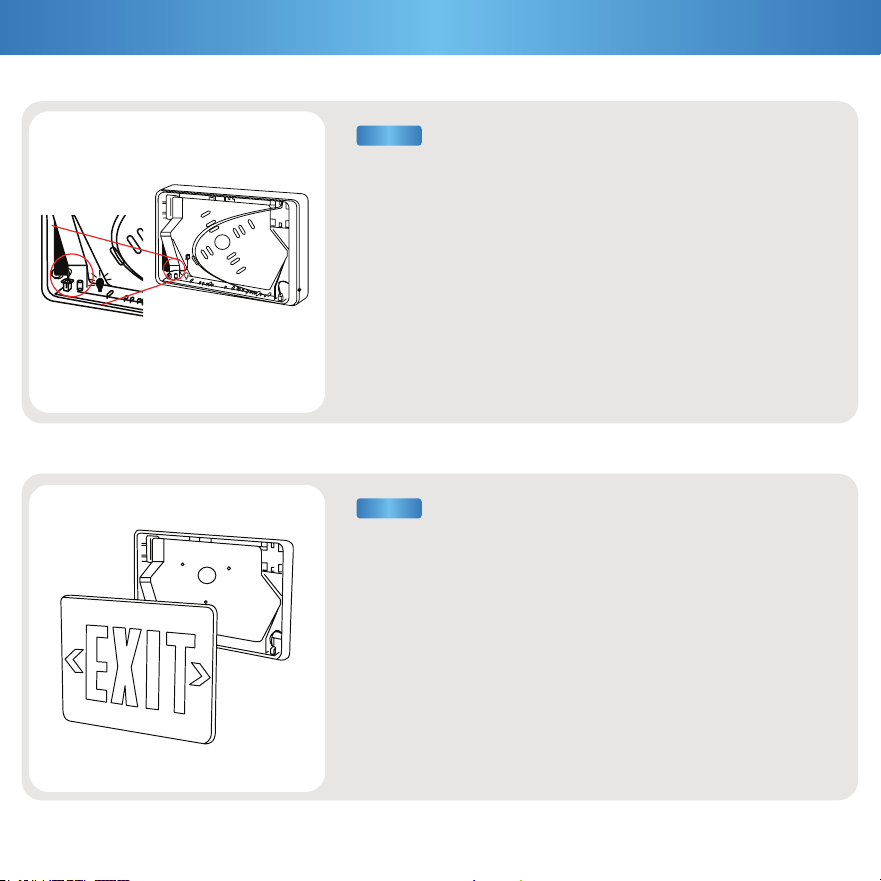
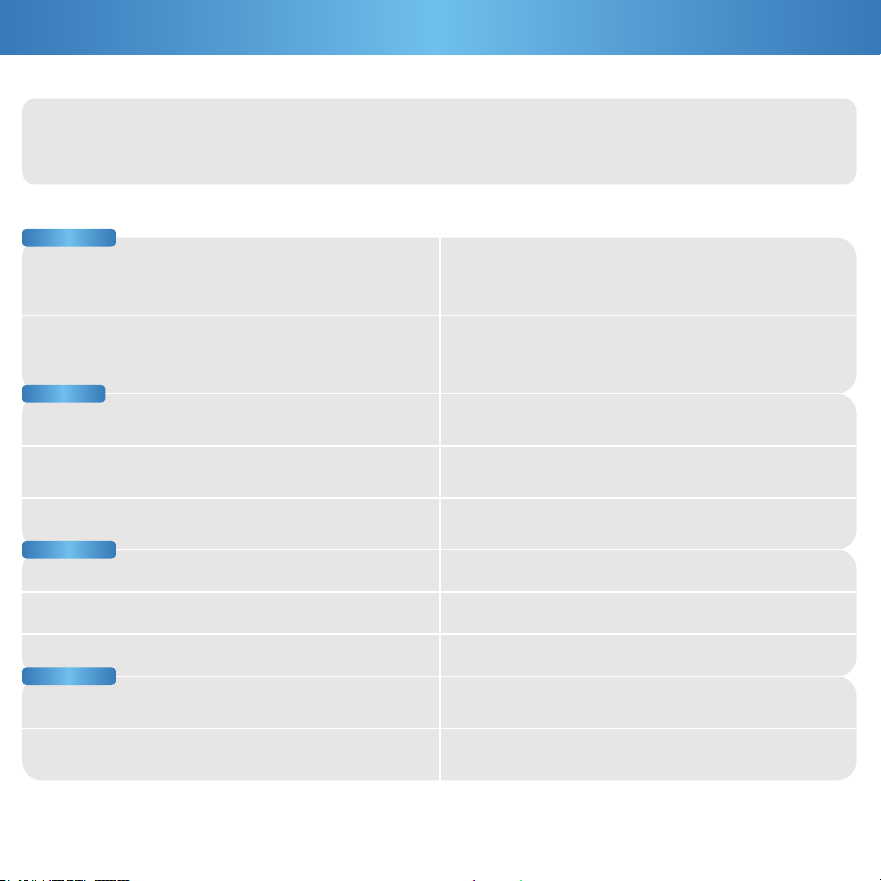
a. Connect battery to the PC board by plugging wire into socket.
b. Connect exit sign lead wires to AC input leads in junction box
(not included) and cap off unused wires with wire nuts (e).
- Red to Black (Live) • White to White (Neutral)
c. Feed excess wire into J-box.
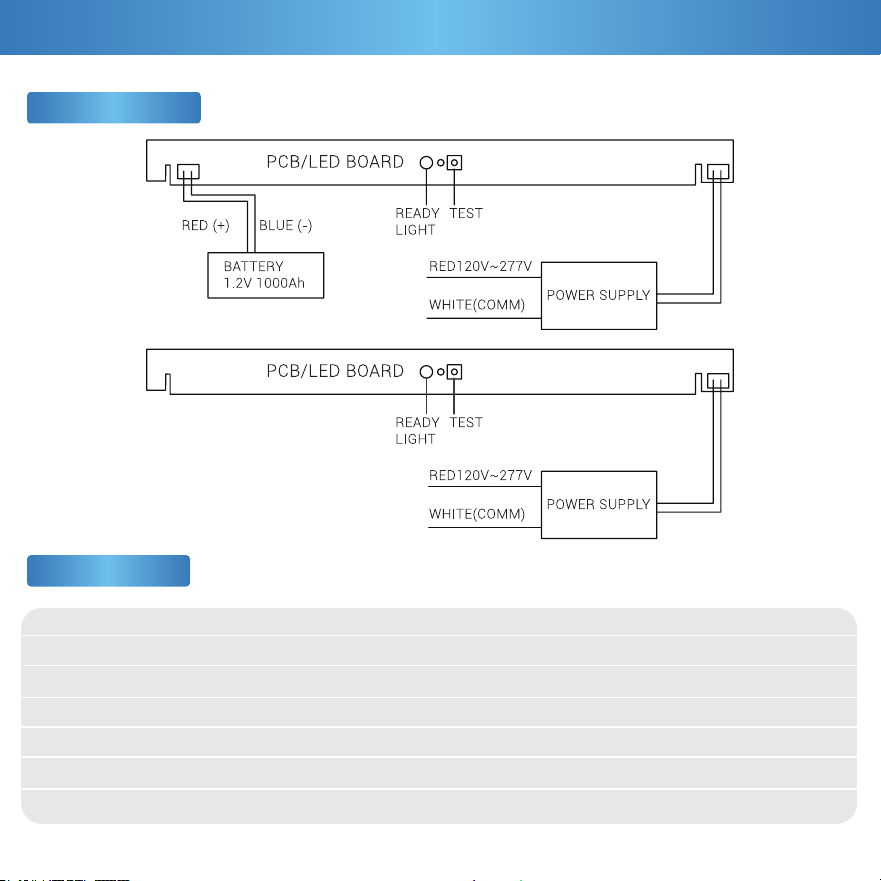
a. Reattach faceplate. Ensure all four corners have snapped together
properly.
b. Knock out directional arrow(s), as appropriate for your light fixture
location.
c. Turn on power. Battery may need 24 hours to charge before light
fixture is used for emergency purposes.
6
Installation Guide (Cont.)
Voltage
Wattage
Power Factor
CRI
Weight
Housing Material
Dimmable
120V-277V
1.6W
0.45
7
1.54 lbs
ABS
No
26280 Hours
5LM
IP20
1.2V1000mah NI-MH
Battery
20mA
3 Years
Average Lifetime
Lumens
IP Rating
Battery
Power Source
Amps
Warranty
Wiring Diagram
Specifications
7
Product Details
Feeling in the dark about an issue with your product? No
worries! Our troubleshooting section is here to shed some light
and provide you with easy-to-follow solutions for any problem.
Light isn’t bright enough.
Light not lasting on a single charge.
Fixture buzzing with appliances or electronic devices.
Look for nearby interferences that can cause buzzing.
Such as televisions, radios, computers, etc.
Battery is not charged.
Light ickering with other lights on the same circuit.
Check that the lights on the same circuit are not
overloading the circuit.
Light ickering when turned on.
Double check if xture is properly connected
and circuit breaker hasn’t been tripped.
Verify the battery is securely plugged in and the supply
wires are properly connected.
Ensure the battery is properly connected.
Light isn’t turning on.
Test light is not working.
Fixture buzzing with power outages. Verify light is connected to surge protector securely.
Verify xture compatibility and that it is grounded.
Light is ickering when turning on.
Check that xture wiring connections are secure.
Check proper wattage and for unobstructed xture.
Ensure the battery is properly connected and compatible.
If you still need some assistance, please feel free to contact
us with any questions. Our team of lighting experts are
happy to help brighten your day.
Installation
8
Common Troubleshooting
Battery
Flickering
Buzzing

support @sunco.com
(844) 334-9938
Lighting made better.
REV1.0