User's Manual
Cell Phone Signal Booster
Internal No. P20PH-PY
Package Contents
Installation Steps
Troubleshooting
Instructions of Signal Advisor APP
Index
1
2
8
9
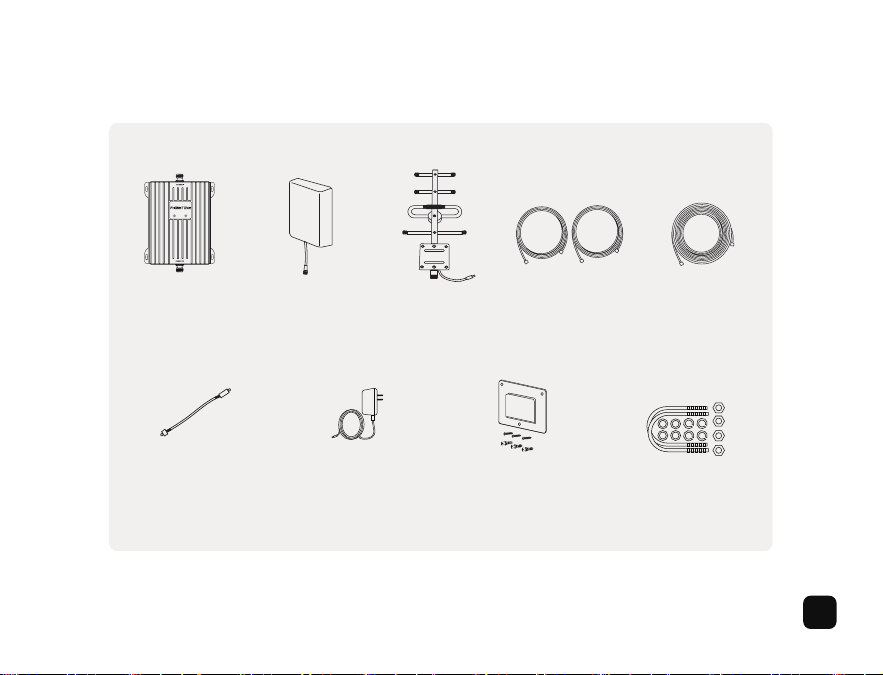
Booster Indoor Panel
Antenna
Power Adaptor Mount Bracket for
Indoor Antenna
Mount Bracket for
Outdoor Antenna
Window Entry
Cable
Outdoor Yagi
Antenna
16ft (5m)
Cable *2
33ft (10m)
Cable
Package Contents
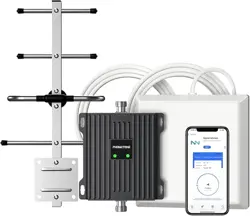
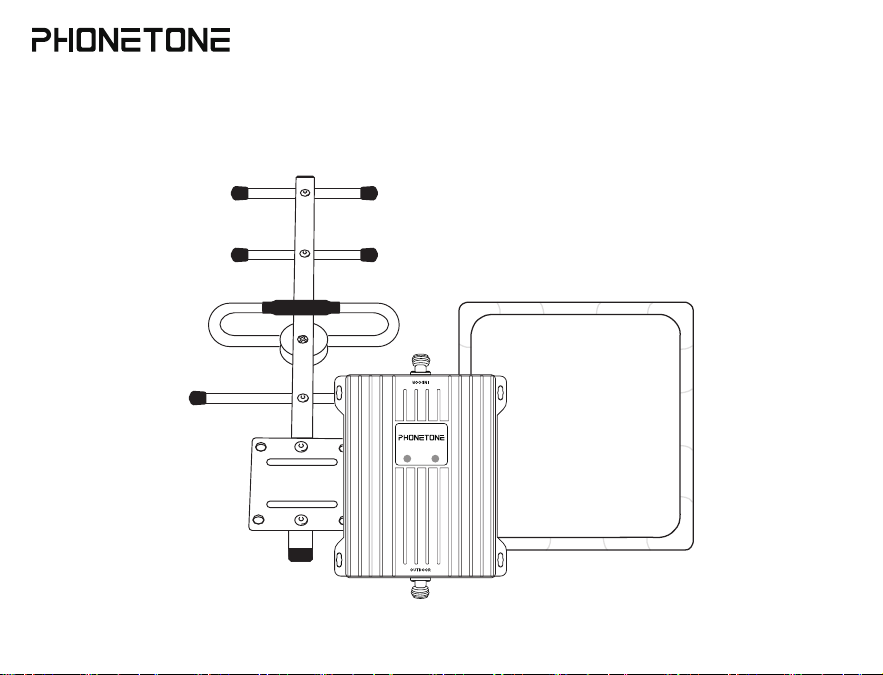
Please confirm that your purchase includes the following items:
1
Before Getting Started
The whole installation process may take 1 to 2 hours, and 2 people will be easier to calibrate the position and direction
of the antenna. Make sure the following materials are prepared and ready for your installation.
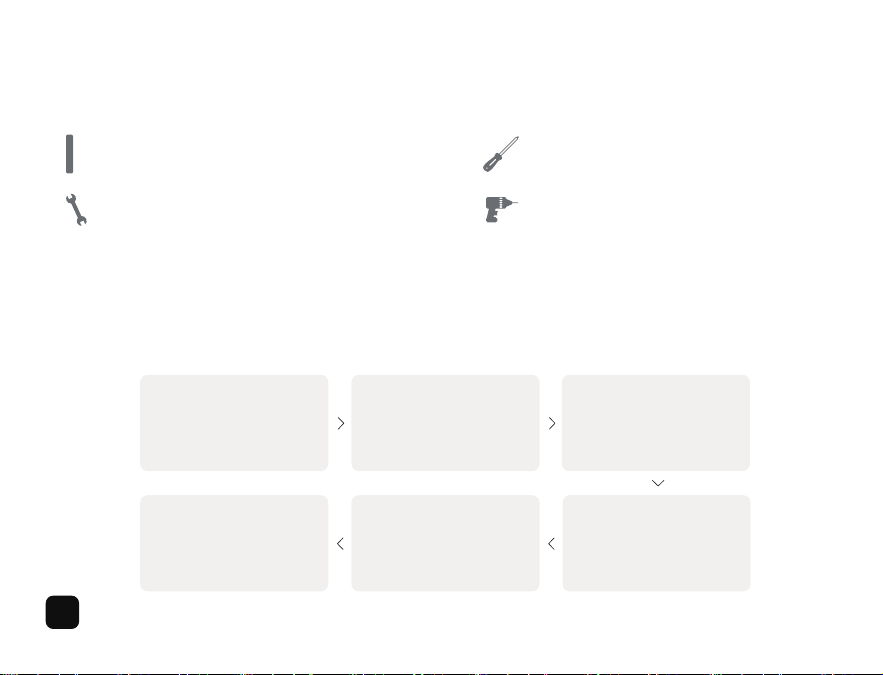
1. 2 inches diameter mount pole 2. Phillips-head screwdriver
3. Adjustable wrench or open-end wrench 4. Drill (if routing cable through wall)
Note: We strongly recommend that you find optimal locations for indoor and outdoor antennas via a pre-installation
process, then start your formal installation.
Note: Do not power on the booster until system is fully installed.
Installation
Installation Overview
Find the Location with
the Strongest Signal
Step 1
Mount the Outdoor
Antenna
Step 2
Mount the Indoor
Antenna
Step 3
Route & Connect Cable
to the Signal Booster
Step 4
Power Up & Check
Performance
Step 5
Troubleshooting
Step 6
2
Find a location outside the house that has the best reception of cell phone signals. It is recommended to install it
in a high, open, and unobstructed location such as the roof.
Before you begin, please note that you may require a mast on which to mount the outdoor antenna, you need to purchase
it additionally from the manufacturer.
After identifying the location with the strongest signal, decide the installation location for your outdoor antenna. It should
allow for sufficient isolation between outdoor and indoor antennas. Vertical isolation is preferred as it is more effective than
horizontal.
1. The greater the isolation between indoor and outdoor antennas, the better performance you will get from the booster.
2. Make sure Indoor Antenna and Outdoor Antenna are installed in opposite directions.
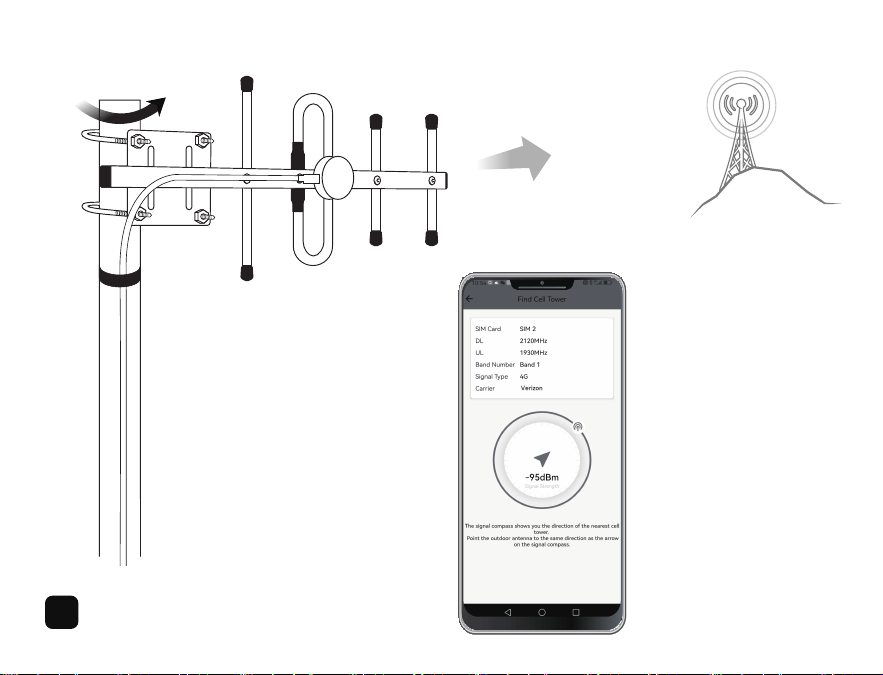
The Directional Yiga Antenna should be mounted at the highest possible location above the roof line and point towards
the direction of your carrier's nearest cell tower. This is the most critical step of installation process because it will
determine the overall performance of the booster.
(Use ‘Signal Advisor’ APP to check signal strength and find direction of your carrier's cell tower, see the APP instruction
on Page 9 for detailed guide.)
Step 1
Find Location with the Strongest Signal
Step 2
Mount the Outdoor Directional Yiga Antenna
Note:
3
4
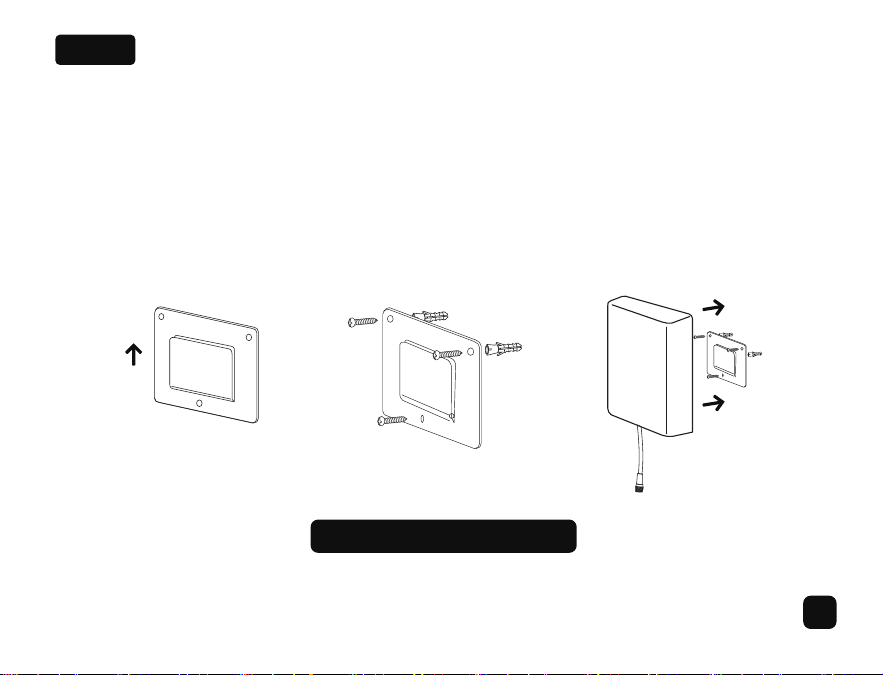
The Indoor Panel Antenna is directional with a 120-degree reach, it should be mounted on a vertical surface or wall where
there are no objects that may obstruct signals. Connect the antenna to the booster connector labelled ‘INDOOR’.
Note: 1. The Indoor Panel Antenna should be intalled in indoor activity area to get best coverage and at least 9 meters
away linearly from the outdoor antenna.
2. The installation height is the approximate 1.5-2 meters.
Step 3
Mount the Indoor Panel Antenna
Panel Antenna Install Illustration
5
Outdoor
Antenna
Window Entry
Cable
Booster
Indoor
Antenna
10m Cable
5m Cable
5m Cable
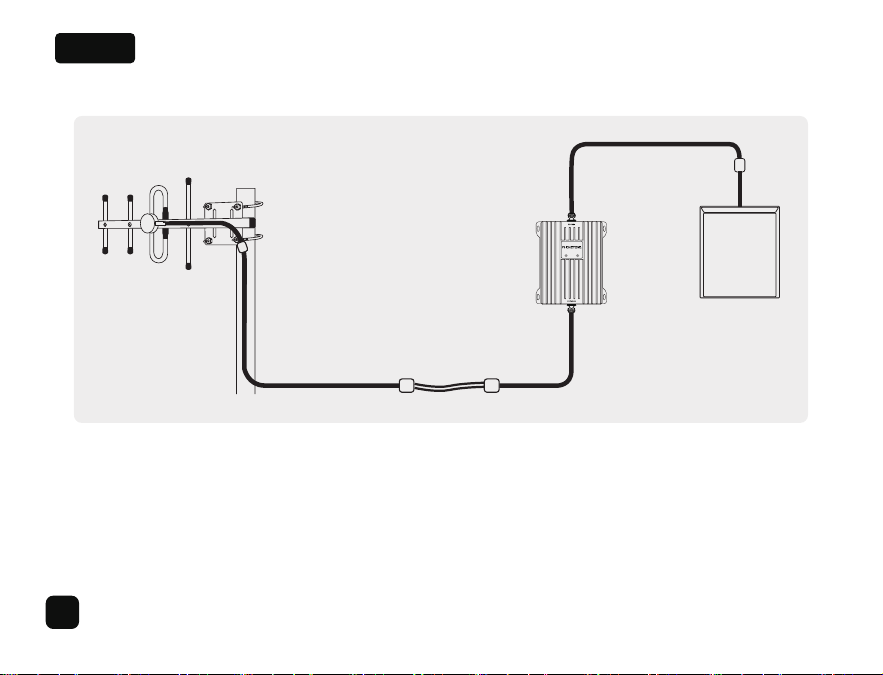
Connect the cable to outdoor antenna and route cable into house. All connections should be tightened.
A Window Entry Cable is provided to help route cable into house easier. Route cable to booster, please connect it to
the connector labelled 'OUTDOOR'.
Step 4
Route & Connect Cable to the Signal Booster
6
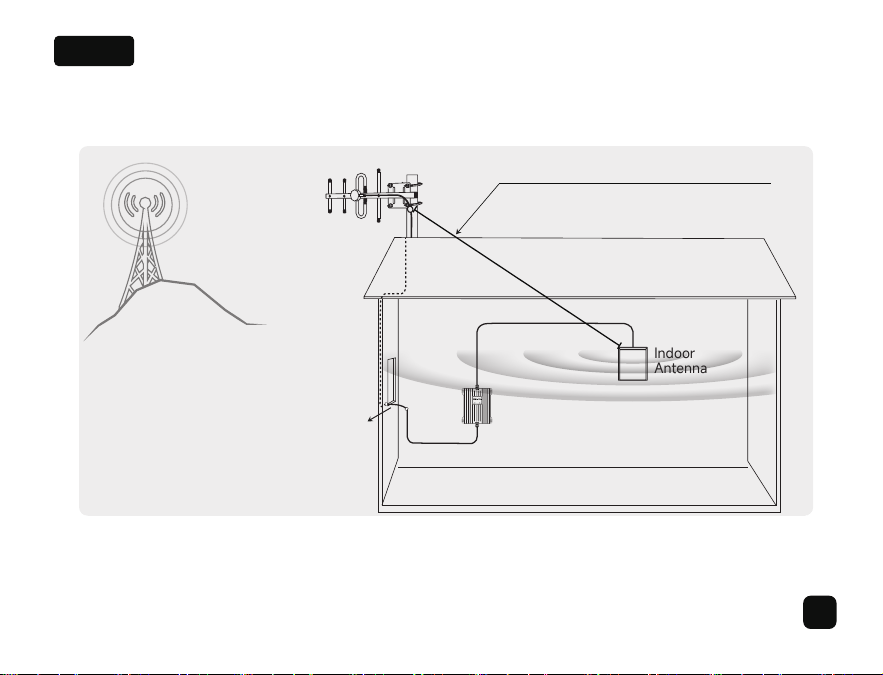
After completing installation step by step, turn on the power and the booster will start to work. The indoor signal strength
should be enhanced for normal use. If the signal is still not improved, please refer to troubleshooting steps.
Step 5
Power On the Booster & Check Performance
Cell
Tower
Outdoor
Antenna
Window Entry
Cable
Booster
Indoor
Antenna
7
at least 9m apart or good isolation in between
Step 6
Troubleshooting
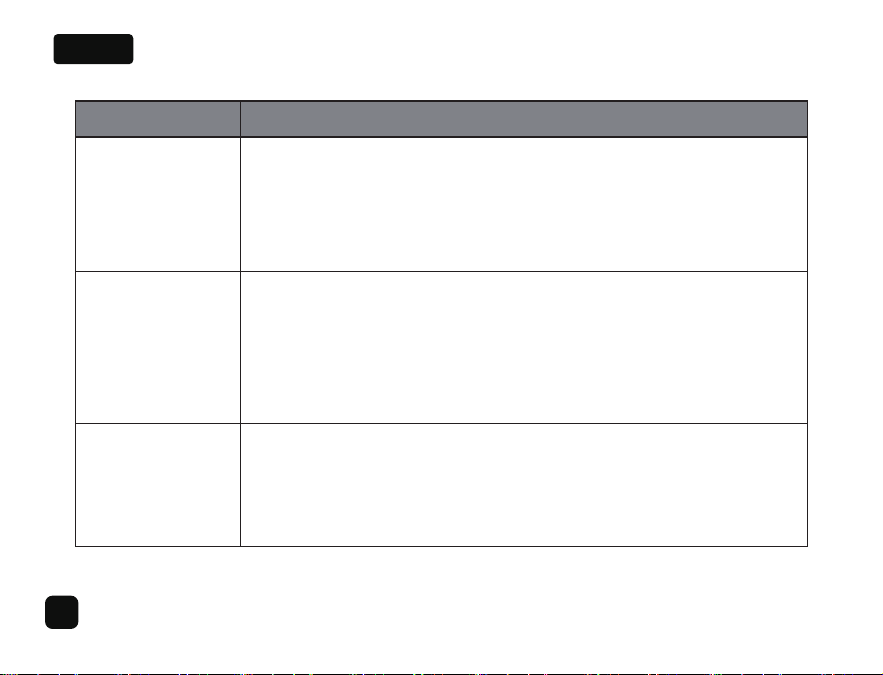
Problem
LED shows
Red
Indoor signal
strength has not
improved
Indoor signal
coverage is
too narrow
Resolution
Stronger signal input or self-oscillation has been detected, AGC (Auto-Gain Control)
function is working and one or more of the band channel have been shut down.
1. Increase the distance (ideally greater than 9m) between indoor and outdoor antennas
if possible, make sure that they are installed in opposite directions.
2. Try to adjust the direction of the outdoor antenna to slightly deviate from the signal
tower base station to reduce input signal strength.
1. Check if the installation is correct. If not sure, please contact us.
1. Find a location outdoors that receives a stronger signal as the installation location
of outdoor antenna. Please install the outdoor antenna as high as possible.
2. Use ‘Signal Advisor’ APP to find the direction of the nearest cell tower as the installation
direction of the outdoor antenna.
3. Contact us to replace with our newly developed high sensitive booster.
2. Verify the LED is ON in Green after powering on the booster.
For Android: Use our ‘Signal Advisor’ APP, see the APP instruction for detailed guide
For iPhone: Dial No. *3001#12345#* → tap ’Serving Cell Info’ → Check ‘Band Info’
3. Verify that the frequency band of your cell phone matches with the frequency band
supported by booster.
8
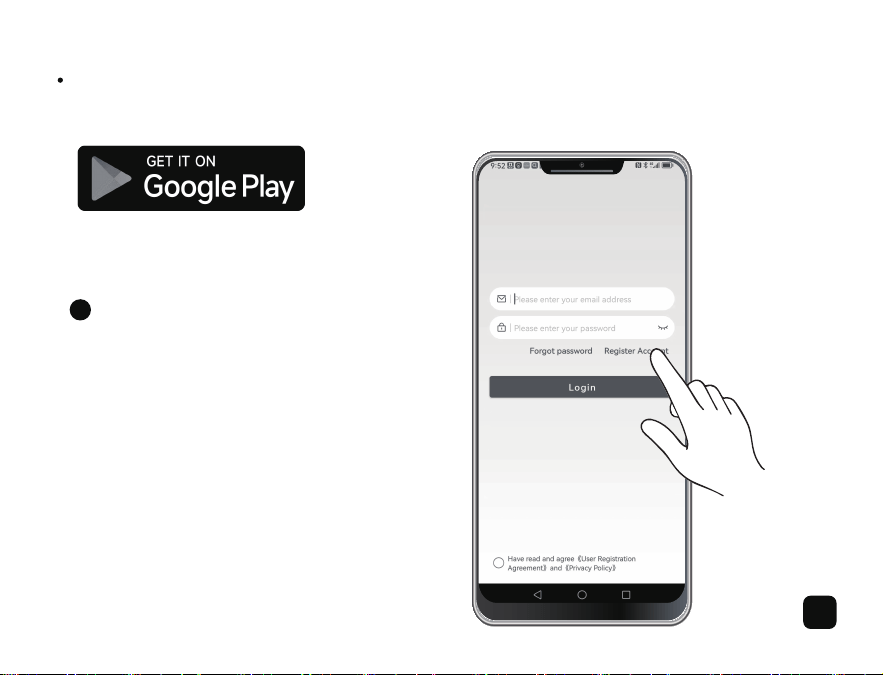
Instructions of Signal Advisor APP:
For Android:
After launching the APP, for the first time
use, you need to register your account, you
will be prompted to enter your email address,
your buying platform and create your password.
Log in:
1
9
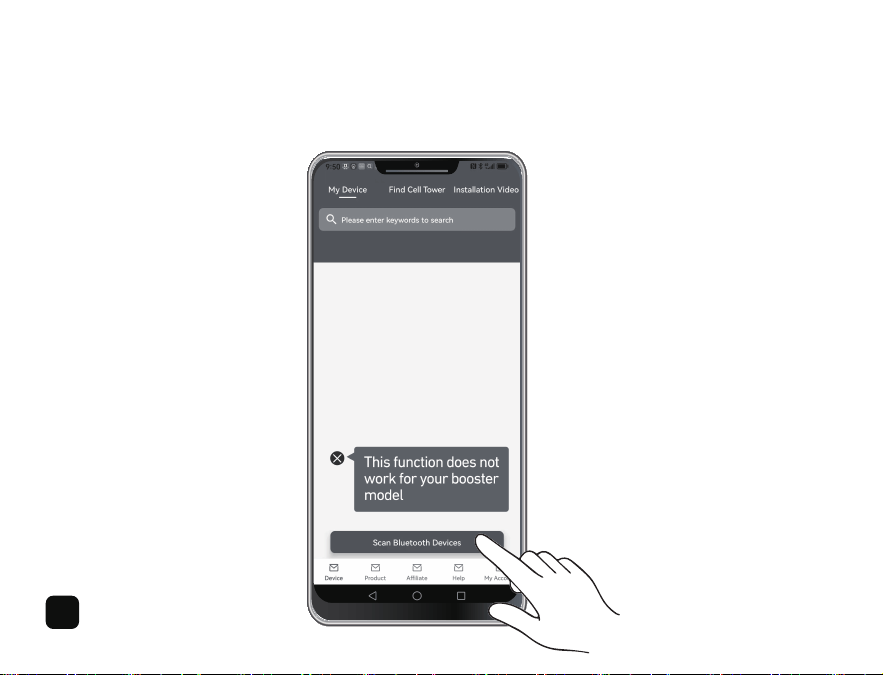
This booster model cannot be connected to the APP. This APP function is only available for certain booster models.
Please skip this page.
Please note:
10
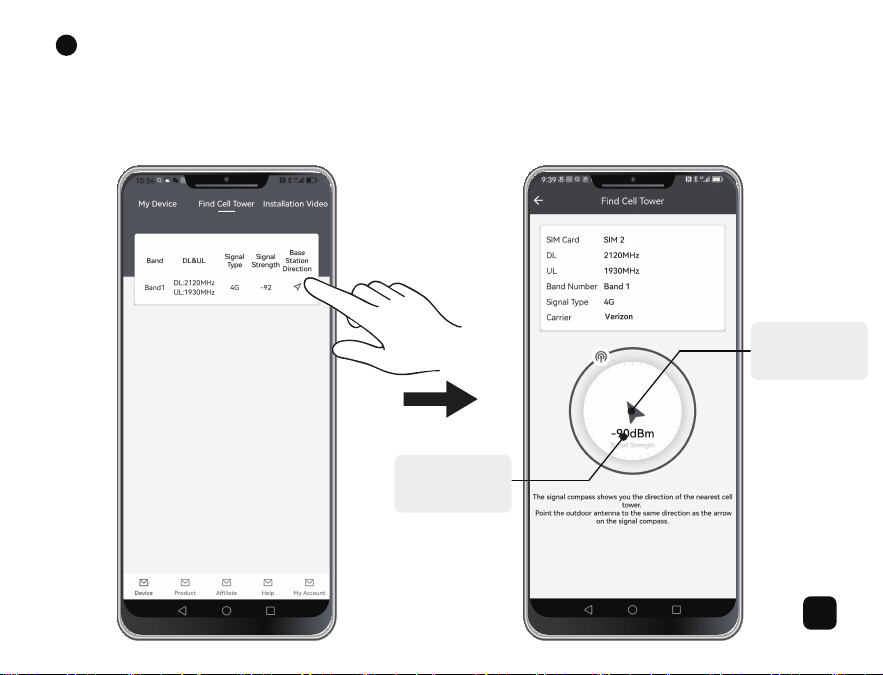
First, tap ‘Find Cell Tower’. You can see the frequency band of you phone here. Then, tap the blue arrow icon shown
below ‘Base Station Direction’ and you can enter the page as shown on the right. You can now follow the signal strength
prompts shown in the blue circle to find a direction with strong and stable signals as the installation direction of your
outdoor antenna.
Test Frequency Band and Find Cell Tower:
Find the Cell
Tower
Show
Signal Strength
2
11
3 4
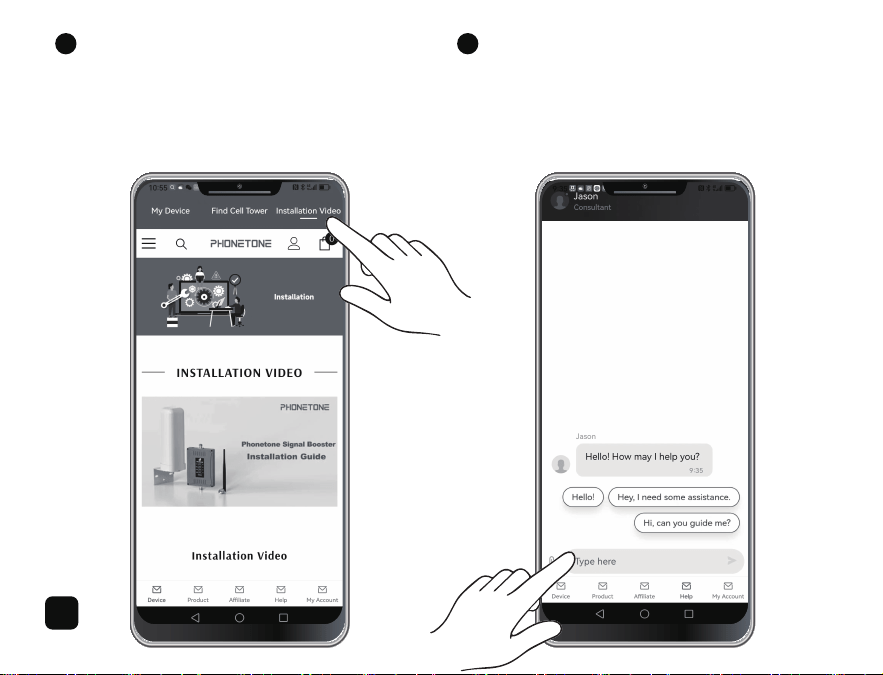
At the top of the screen,
tap ‘Installation Video’.
Watch Installation Video:
If you are experiencing any product installation problems,
please do not hesitate to contact us.
You can send messages to us by tapping 'Help' at the
bottom of the screen. You can also leave your email address
here if we don't reply in time.
Contact Us:
12
1
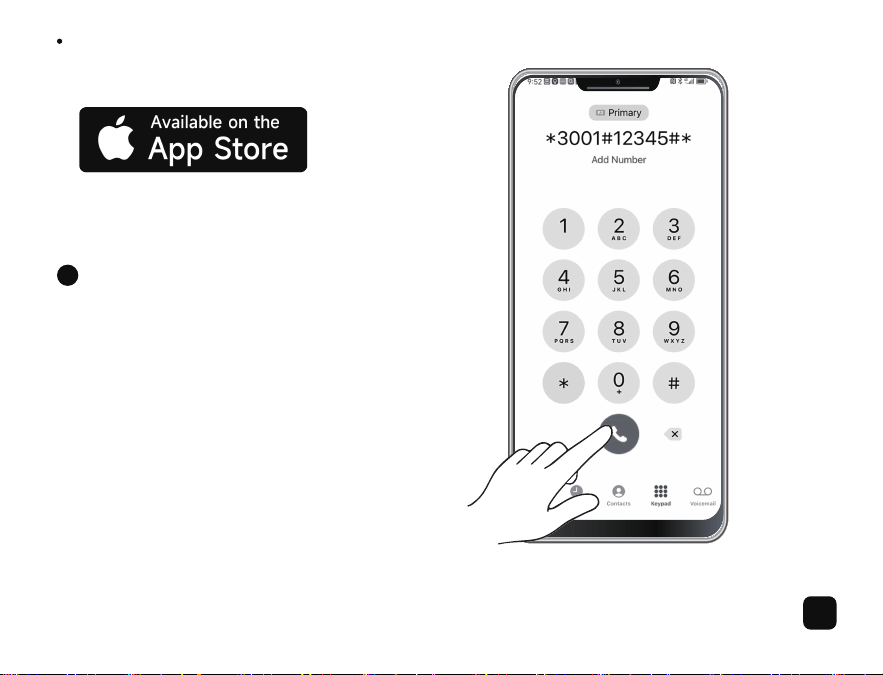
Dial No. *3001#12345#* → Tap ’Serving Cell Info’
→ Check ‘Band Info’
Test Frequency Band:
For iPhone:
13
2
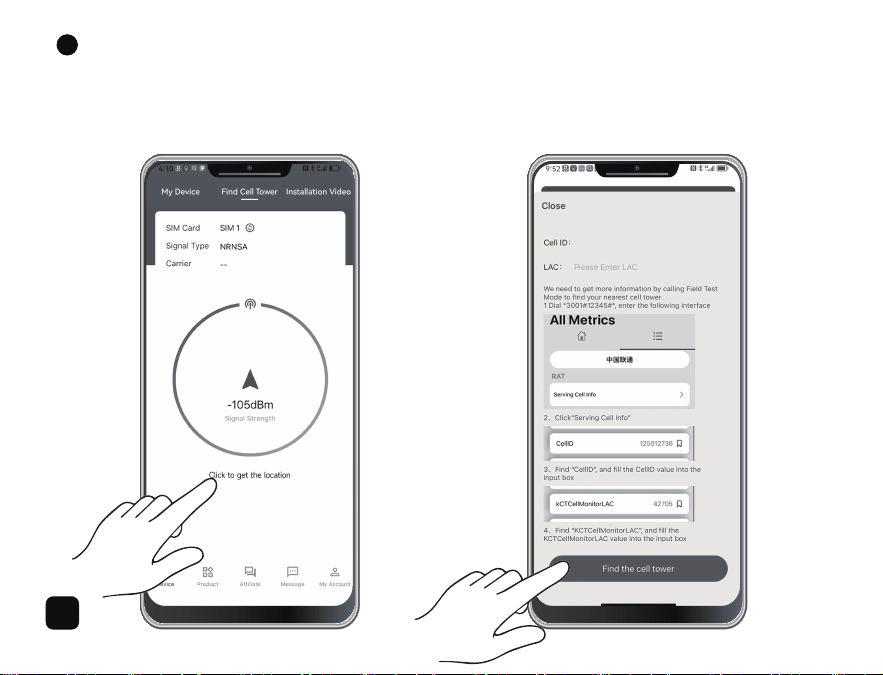
First, tap ‘Find Cell Tower’. Then, tap the text ‘Click to get the location’ and you can enter the page as shown on the right.
You can now follow instruction steps to fill in your ‘Cell ID’ and ‘LAC’ and then tap ‘Find the cell tower’.
Find Cell Tower:
14
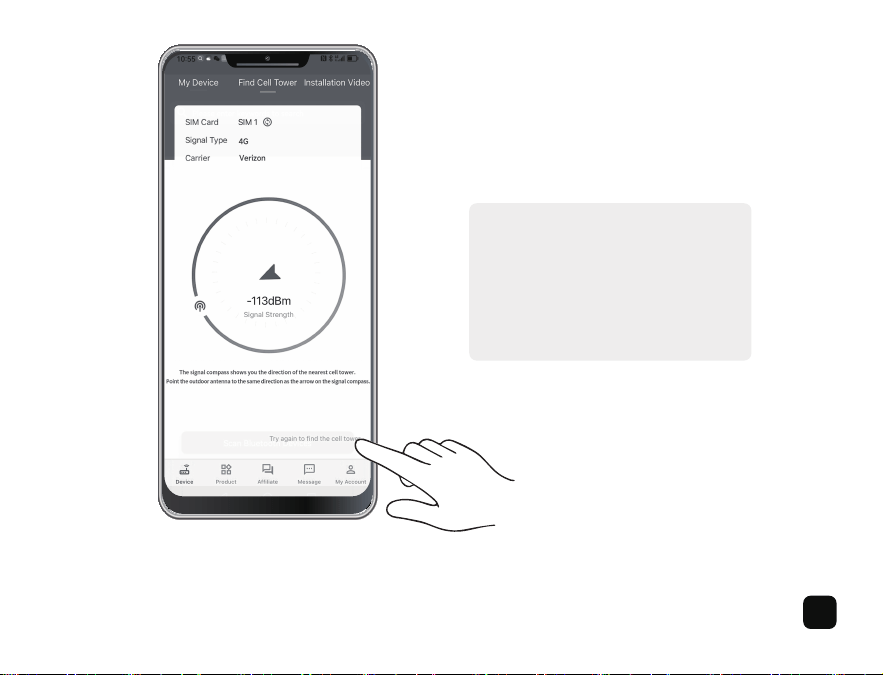
Follow the signal strength prompts shown
in the blue circle to find a direction with
strong and stable signals as the installation
direction of your outdoor antenna. You can
tap the text ‘Try again to find the cell
tower’ to go to the previous page.
Other functions of the APP for iPhone please refer to the instruction for Android, they are basically the same.
15