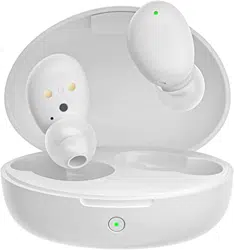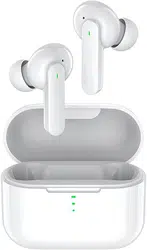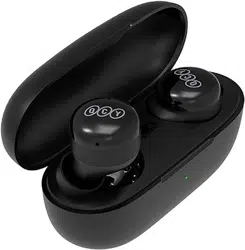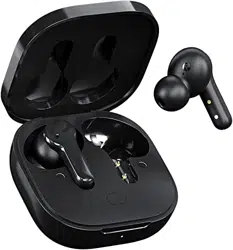
QCY Crossky C30S
耳夹式蓝牙耳机
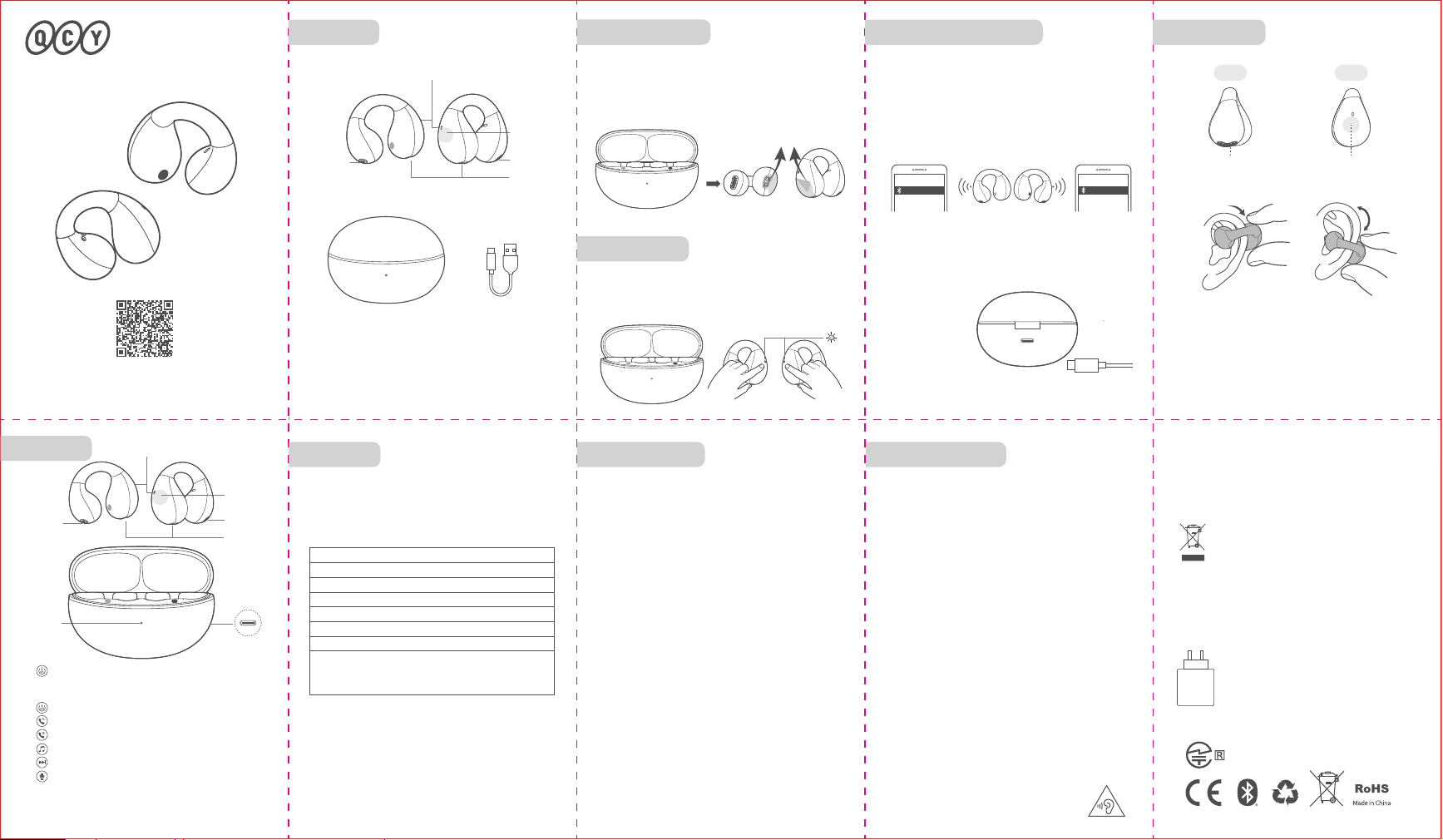
功能介绍
使用前, 请下载安装QCY手机APP客户端
以获得更便捷的耳机操控体验
首次配对方法:
认识耳机 耳机配对
本说明书中的图片均为示意图,可能与实物有偏差,请以实
物为准。
耳机与设备未连接状态下,耳机从充电盒取出后30秒内完成敲
击耳机触控面板5次后,耳机白灯闪5次,闪烁停止后复位完成。
* 恢复出厂设置后用首次配对的方法连接即可正常使用。
清除配对记录(此方法用于无法正常连接的情况)
恢复出厂设置
佩戴说明
充电中:白色灯闪烁
充满电:白色灯长亮
充电盒充电
充电中红色灯长亮,充满电后灯熄灭
耳机充电
产品信息:
产品型号
订单编号
用户信息:
用户姓名
联系电话
用户地址
退换货原因
购买信息:
销售单位
QCY产品售后服务承诺:严格按照《中华人民共和国消费者权益保护
法》、《中华人民共和国产品质量法》实行售后三包服务,服务内容如下:
在三包有效期内,您可凭购物凭证依照本规定享受免费的修理、更换、退货
的权利。
1、自您购买之日起7日内,本产品出现故障,经由QCY售后服务中心确定为产品
质量问题,可享受修理、更换、退货的服务。
2、自您购买之日起15日内,本产品出现故障,经由QCY售后服务中心确定为产
品质量问题,可享受修理或更换的服务。
3、自您购买之日起12个月内,本产品出现故障,经由QCY售后服务中心确定为
产品质量问题,可享受修理的服务。
售后服务与支持
保修期:
自产品购买之日起12个月(请妥善保管购买凭证)。
免费服务:
在产品保修期内,凡属产品本身质量引起的故障,请用户凭购买凭证与经销商取
得联系以享受售后服务。
如有任何产品损害或瑕疵非可归责于产品质量本身,则不在保修范围内。有下列
情形者不属于保修范围内:
1、因天灾、地震、雷击、异常电压、环境因素而发生之故障或毁损的。
2、自行或委托未经原厂授权维修之厂商拆卸、改装或更换非原厂零件。
3、未按使用手册操作或因人为使用不当而造成损坏者,如产品浸水、腐蚀、掉
落、挤压或露在异常温湿度环境下。
售后服务
三包凭证
若有售后服务需求,请联系客服
电话:4008-306-708
网址:www.qcy.com
制造商:东莞市和乐电子有限公司
地址:广东省东莞市道滘镇粤晖路325号
FAQ
1.Q:只有一只耳机有声音怎么解决?
A:将两只耳机放回充电仓关盖,再重新取出,查看双耳是
否都有声音,若还是只有单只耳机有声音,请对两只耳
机恢复出厂设置。
2.Q:手机提示无法连接怎么解决?
A:将手机上的配对记录删除,删除后重新进行搜索配对连
接即可。
3.Q:听歌/通话没声音怎么解决?
A:安卓手机在蓝牙连接名字的右边有个设置图标,点击进
入,关闭手机音频和媒体音频,再重新开启,若还是无
声,请将耳机重新与手机配对连接。
4.Q:为什么视频/游戏有延迟?
A:受使用环境、网络、手机编解码等因素的影响,会引起
手机传送音频数据到耳机时有不同程度的延迟。
5.Q:听到的声音卡顿/断续怎么解决?
A:在使用时若周围有大量的 Wi-Fi 、5G/4G 信号、大功率
电器等等产生干扰,可能会引起卡顿、断续的情况,换
个环境或者重新配对连接就可以解决了。
提示
- 请勿以任何理由拆除或维修改装耳机,否则可能会导致起火,
电子击穿甚至彻底损坏本品;
- 请勿将产品置于温度过低或过高(0°C以下或45°C以上的环境
下);
- 请避免靠近儿童或动物的眼睛使用产品指示灯;
- 请勿在雷暴天气下使用该产品,雷暴可导致本产品工作不正
常,并增加触电的危险;
- 请勿用油及其他挥发性液体擦拭本产品;
1. 使用产品前请仔细阅读本使用说明书并请妥善保管;
2. 首次使用时,请先将本产品充满电;
3. 如果产品长期(超过2个星期)不用,请对其充电;
4. 必须选择正规厂家生产且经过国家CCC认证的充电器;
5. 若手机无法搜索到蓝牙耳机,请将蓝牙耳机重新进入配对
模式或将蓝牙耳机恢复出厂设置,若手机程序出错,请把
手机蓝牙关闭再开启或重启手机。
电池安全
本产品内置电池已通过国家3C认证
1.请勿拆解或改装电池、插入异物、置入高温、或浸入水或其
它液体中,以免引起电池漏液、过热、起火或爆炸。电池只能由
制造商更换。
2.请勿跌落、挤压或穿刺电池。避免让电池遭受外部大的压力,
从而导致电池内部短路和过热。
使用年限
如本手册所述,在正常使用条件下,本产品的环保使用
期限为10年。
在此期间,产品不会泄露任何危险物质,本产品可以
回收,必须按照当地法规处理。
产品有害物质名称及含量
本表格依据SJ/T 11364的规定编制
O:表示该有害物质在该部件所有均质材料中的
含量均在GB/T 26572 规定的限量要求以下。
X:表示该有害物质至少在该部件的某一均质材
料中的含量超出 GB/T 26572 规定的限量要求。
外 壳
电路板组件
电 池
充 电 线
附 件
部件名称
有害物质
铅
(Pb)
六价铬
(Cr(VI))
镉
(Cd)
多溴联苯
(PBB)
多溴
二苯醚
(PBDE)
汞
(Hg)
充电盒 Type-C充电线
指示灯
充电触点
Type-C充电口
开机
关机
接听/挂断
拒接电话
播放/暂停
下一曲
语音助手
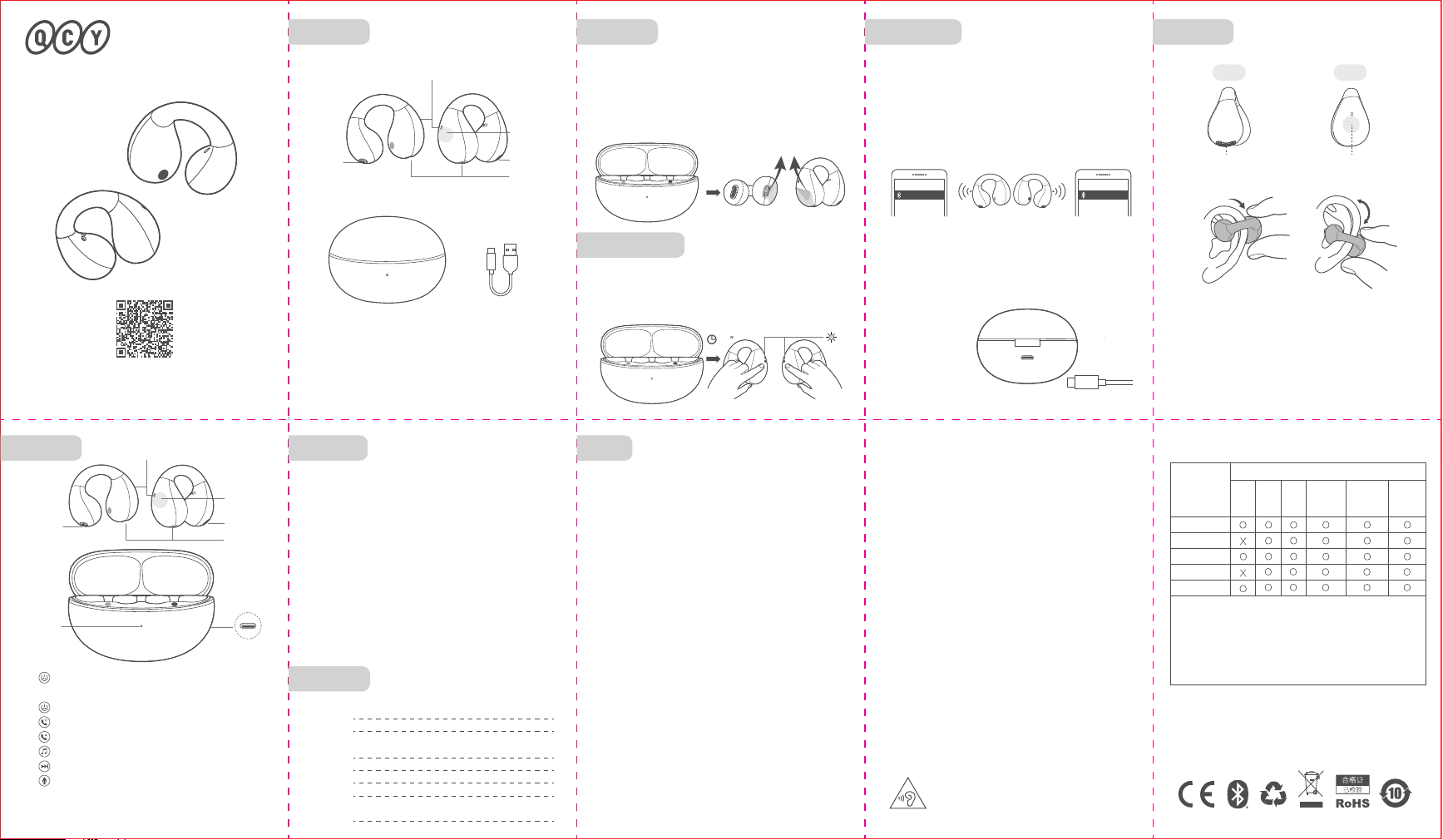
充电盒开盖,拿出耳机
长按触控面板1.5秒(耳机在充电盒外)
耳机放入充电盒
双击触控面板
长按触控面板1.5秒
双击触控面板
三击右耳触控面板
三击左耳触控面板
:
:
:
:
:
:
:
出音孔
出音孔
1.取出两只耳机 ,同时撕掉耳机上的隔离膜,再将两只耳机放
回充电盒中。(此步骤为新机激活)
2. 再次取出两只耳机。
3. 刷新手机蓝牙设备列表,点击配对“QCY Crossky C30S”,
完成配对。
触控面板
出音孔 触控面板
正面 背面
5
×
5
×
长时间使用耳机可能会造成听力损害,请合理安排
使用时间。
L R
L R
L R
1.耳机开机进入配对状态,连接设备A后,从手机端关闭蓝牙。
耳机再次进入配对状态。
2.设备B打开蓝牙并点击耳机配对名QCY Crossky C30S ,完成
配对。
3.设备A上打开蓝牙并点击已配对过的耳机配对名,配对成功,
此时耳机端同时连接两台设备。
多设备连接方法:
多设备连接
QCY Crossky C30S QCY Crossky C30S
指示灯
指示灯
充电触点
出音孔
出音孔
触控面板
1.将耳机从耳壁套入,向下移动到中间偏下位置,微调位置
直到感觉舒适。
2.调整耳机角度,将耳机出音孔垂直对准耳孔,以达到最佳
佩戴状态。
3.错误佩戴耳机会导致通话,听觉都受到不同程度的影响。
撕掉隔离膜
(在APP中自定义设置:上一曲/游戏模式/空间音效等功能)
设备A 设备B
R
L
L
L
R
30
*耳机默认关闭LDAC,如需开启LDAC功能请在APP里操作。
Above pictures are for reference only, please make the
objects as the standard.
Charging case Type-C cable
LED
LED
LED
How to Connect
Type-C port
Touch panel
Touch panel
Touch panel
Pogo pins
Pogo pins
Remove the film
Please download QCY APP to get more
convenient use experience before use.
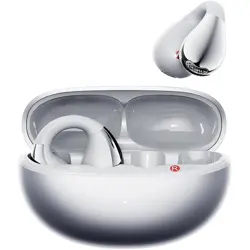
QCY Crossky C30S
Ear Clip Bluetooth Earbuds
How to Wear
Charging: LED blinks white
Top-up: LED glows solid white
LED on Case
LEDs will glow solid red when earbuds are being charged and
turn o once topped up.
LEDs on Earbuds
Sound hole
Sound hole
Sound hole
Front Back
5
×
5
×
QCY Crossky C30S QCY Crossky C30S
Sound hole
Sound hole
Overview
Factory Reset
Multi-Point Connection
Functions
Device A Device B
(Try the following steps if the earbuds can't get connected)
Disconnect the earbuds from your device. Pick them up then touch
both the panels 5 times within 30s(LED will blink white 5 times).
* Refer to How to Connect after you reset them to factory.
1. Power on earbuds and they will auto turn connectable to
device. On DeviceA, search for QCY Crossky C30S and tap
to connect. Turn o DeviceA's Bluetooth and they will be
connectable again.
2. On DeviceB, search for QCY Crossky C30S and tap to
connect.
3. On DeviceA, tap QCY Crossky C30S to connect. Now they
are connected to both of the two devices.
1. Put on the earbud your auricle, push it down like the
above picture and adjust to fit yourself.
2. Adjust its angle and make the sound hole towards your
earhole.
3. Improper wear might bring bad call and playing experiences.
(Other functions like skip track backward/gaming mode/
spacial sound can be set in QCY APP.)
Power-on: Open lid and pick up earbuds.
Or you can keep touching panels for 1.5s
(earbuds are picked up).
Power-o: Push back earbuds.
Answer/end call: Double touch either panel.
Ignore call: Keep touching either panel for 1.5s.
Pause/resume: Double touch either panel.
Skip track forward: Triple touch right panel.
Voice assistant: Triple touch left panel.
L R
L R
L R
R
L
L
L
R
Warranty
Comments:
Model Number:
Date of Purchasing:
User's Name:
User's Phone:
User's Address:
Shop's Name:
Shop's Address:
FCC Statement
Manufacturer: Dongguan Hele Electronics Co., Ltd.
Address: No. 325 Yuehui Rd. Daojiao Town Dongguan City
Guangdong Province China
Safety Precautions
This marking indicates that this product should
not be disposed with other household wastes
throughout the EU. To prevent possible harm to
the environment or human health from
uncontrolled waste disposal, recycle it
responsibly to promote the sustainable reuse of
material resources. To return your used device,
please use the return and collection systems or
contact the retailer where the product was
purchased. They can take this product for
environmental safe recycling.
Notice:
1. Please carefully read and retain this user manual before
using the product.
2. If the product is not used for an extended period (more than
2 weeks), please recharge it.
3. You must choose a charger produced by a legitimate
manufacturer and certified by the national safety authority.
4. If your phone cannot detect the Bluetooth earbuds, either
re-enter pairing mode or perform a factory reset on the
Bluetooth earbuds. If there is a phone program error, close
and reopen Bluetooth on the phone or restart the phone.
5. Do not disassemble or modify the battery, insert foreign
objects, expose it to high temperatures, or immerse it in water
or other liquids to prevent battery leakage, overheating,
ignition, or explosion. Battery replacement should only be
done by the manufacturer.
6. Do not drop, crush, or puncture the battery. Prevent
external pressure that may lead to internal short circuits and
overheating.
7. Do not dismantle or modify the earbuds for any reason, as
it may result in fire, electronic breakdown, or permanent
damage to the product.
8. Do not expose the product to extremely low or high
temperatures (below 0°C or above 45°C).
9. Do not the product indicator light near the eyes of children
or animals.
10. Do not use the product during thunderstorms, as it may
cause abnormal operation and increase the risk of electric
shock.
11. Do not use oil or other volatile liquids to clean the product.
12. please do not use this device for long periods
of time and at high volume, as there is a risk of
hearing damage。
Your QCY product purchase is covered by a one-year limited
manufacturer warranty from the date of delivery. Please
ensure you retain your purchase receipt. If any defects occur
due to quality issues within the warranty period, kindly bring
both the warranty card and the purchase receipt to the
authorized dealer for complimentary replacement services.
The manufacturer's warranty is void under the following
circumstances but not limited to:
• Improper or inadequate maintenance or modification.
• Accident, misuse, abuse, contamination, or other external
causes.
• The use of unspecified adapter and accessories.
• Malfunctions or damages resulting from natural disasters,
earthquakes, lightning, abnormal voltage, or environmental
factors.
• Damages that occur as a result of one's failure to follow the
instructions.
FCC ID:
RDR-BH24QT33A
Wireless frequency: 2.402~2.480GHz
RF power of transmission: <4dBm
This equipment has been tested and found to comply with the
limits for a Class B digital device, pursuant to Part 15 of the
FCC Rules. These limits are designed to provide reasonable
protection against harmful interference in a residential installation.
This equipment generates uses and can radiate radio frequency
energy and, if not installed and used in accordance with the
instructions, may cause harmful interference to radio communications.
However, there is no guarantee that interference will not occur in
a particular installation. If this equipment does cause harmful
interference to radio or television reception, which can be
determined by turning the equipment o and on, the user is
encouraged to try to correct the interference by one or more of
the following measures:
--Reorient or relocate the receiving antenna.
--Increase the separation between the equipment and receiver.
--Connect the equipment into an outlet on a circuit dierent
from that to which the receiver is connected.
--Consult the dealer or an experienced radio/TV technician for
help.
This device complies with part 15 of the FCC Rules. Operation is
subject to the following two conditions:
(1)This device may not cause harmful interference, and
2) this device must accept any interference received, including
interference that may cause undesired operation.
Changes or modifications not expressly approved by the party
responsible for compliance could void the user's authority to
operate the equipment.
the power delivered by the charger must be
between min 2 Watts required by the radio
equipment, and max 5 Watts in order to
achieve the maximum charging speed
2-5
W
219-248175
* LDAC is disabled by default. If you need to enable it,
please do via the app.
1. Pick up both earbuds, remove the isolation films and push
them back in case to activate.(This step is for first-time use
only.)
2. Pick them up again.
3. On phone search for QCY Crossky C30S and tap to
connect.