MODEL: IM-101/101S
Instruction to Replace the Control Circuit Board:
1.
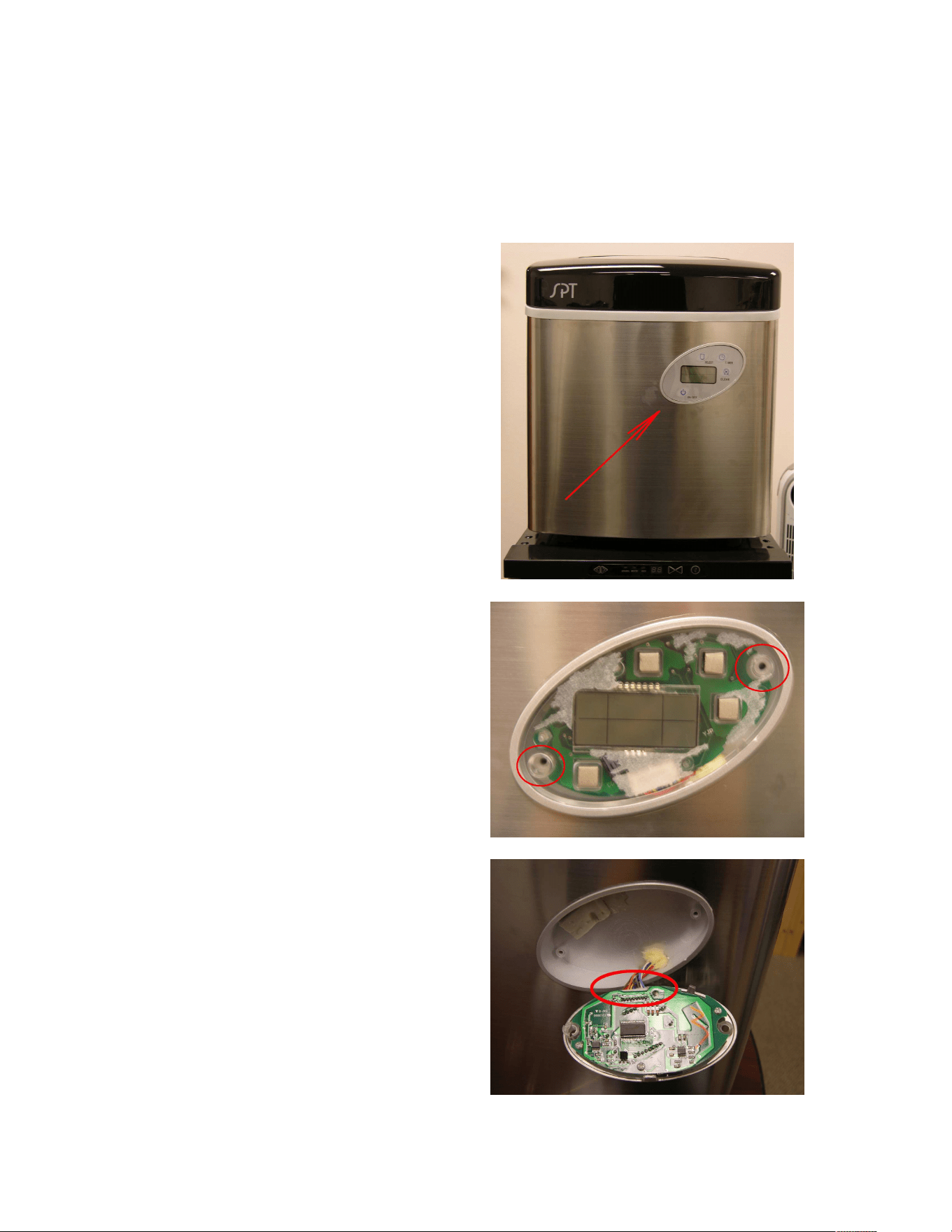
Locate the Control Panel
Then, from the edge of the control
panel peel off the control pad.
2.
Once the control pad had been
removed, remove the two screws as
indicated.
3.
Unplug the control circuit board from
the unit.
4.
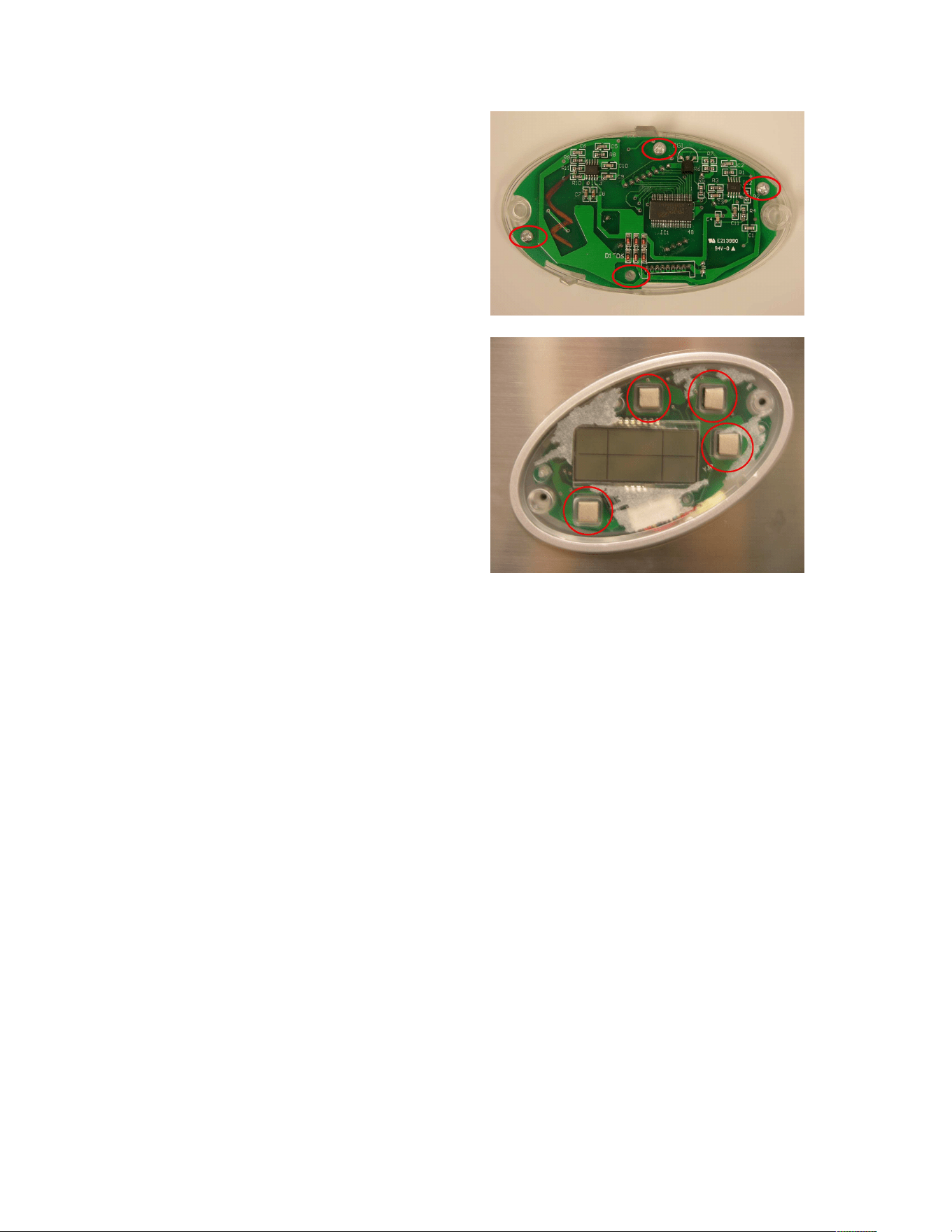
After the removal of the control circuit
board, remove the four screws as
indicated and then replace the old with
the new control circuit board.
Then, reinstall the new control circuit
board by reversing the process.
5.
CAUTION:
When reinstalling the control circuit
board, make sure the buttons are
intact before continuing.