Instructions for Use
Before using the device, please read the following safety information to ensure safe and proper use.
Do not disassemble or modify this equipment on your own.
Avoid subjecting the device to severe shaking, physical impact, or compression.
Keep foreign objects such as liquids or metals from entering the equipment.
Keep the equipment dry and do not use it outdoors during thunderstorms.
Avoid placing the product in harsh environments such as high humidity, dust, heat sources, and direct sunlight. Store the
device in a cool, dry place.
Use only chargers and accessories approved by the manufacturer.
Avoid using volatile cleaning products such as alcohol, benzene, or solvents to prevent damage and malfunction.
Disassembling or replacing parts and batteries on your own may pose a risk of electric shock and explosion.
This device is not recommended for use by minors under 13 years old. When minors under 13 or elderly individuals over 65
use it, guardians should monitor their usage and ensure intermittent use and rest.
Contact Information
Website: http://www.firstarpc.com
Common Operations of Touchpad
Touchpad Presets
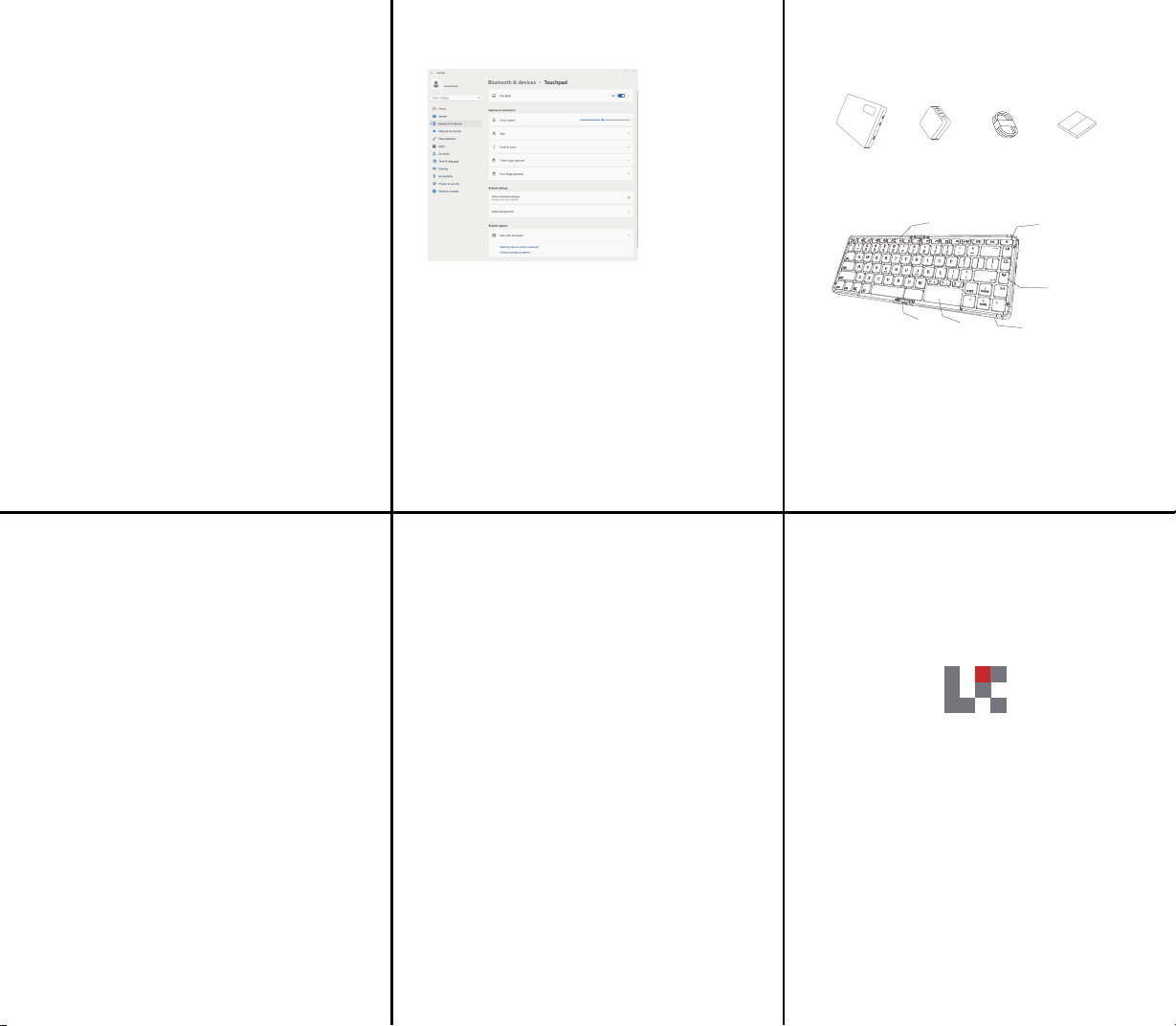
Open [Settings] > [Bluetooth & other devices] > [Touchpad] to configure presets or customize gestures.
Single-finger operation: Single-finger tap equals a left mouse click.
Double-finger swipe (up or down): Simulates mouse scroll wheel function.
Double-finger spread or pinch: Zooms in or out of the page.
Three-finger tap: Opens the "Search" page.
Three-finger swipe (left or right): Quickly switch between applications.
Three-finger swipe (up): Opens the task view.
Three-finger swipe (down): Returns to the desktop.
Four-finger operation: Swipe left or right to switch desktops, tap to open the "Notification Center".
Default General Operations:
Double-finger tap: Equivalent to a right mouse click.
Before using the product for the first time,
please read this manual carefully and keep it in a safe place.
Lunar device
Product Packing List
Power Adapter User Manual1.5m Fast Charging Cable
Product Function Illustration
① Power Button
② Type-C 3.2 Port
③ Type-C 4.0 Port
④ USB-A 3.0 Port
⑤ Power and Battery Indicator Light
⑥ Custom Button
⑦ Touchpad
⑧ Keyboard Lock Latch
⑨ Function Area (Fn+)
F1 Linglong Assistant
F2 Offline WiFi
F3 Bluetooth Keyboard
F4 Virtual Monitor
F5 Silent Mode
F6 Balanced Mode
F7 Expert Mode
F8 Touchpad Toggle
F9 Mute
F10 Volume Down
F11 Volume Up
Make sure the device is turned off or in sleep mode before storing it.
Otherwise, prolonged exposure to a sealed environment may cause the device to overheat and result in irreversible hardware damage.
①
②
③
④
⑥
⑤
⑦
⑧
⑨
LingLong Product Manual

Federal Communication Commission Interference Statement
FCC ID: 2BVCU-LL1
This device complies with Part 15 of the FCC Rules. Operation is subject to the
following two conditions: (1) This device may not cause harmful interference, and
(2) this device must accept any interference received, including interference that
may cause undesired operation.
This equipment has been tested and found to comply with the limits for a Class B
digital device, pursuant to Part 15 of the FCC Rules. These limits are designed
to provide reasonable protection against harmful interference in a residential
installation. This equipment generates, uses and can radiate radio frequency
energy and, if not installed and used in accordance with the instructions, may
cause harmful interference to radio communications. However, there is no
guarantee that interference will not occur in a particular installation. If this
equipment does cause harmful interference to radio or television reception,
which can be determined by turning the equipment off and on, the user is
encouraged to try to correct the interference by one of the following measures:
-Reorient or relocate the receiving antenna.
-Increase the separation between the equipment and receiver.
-Connect the equipment into an outlet on a circuit different from that to which
the receiver is connected.
-Consult the dealer or an experienced radio/TV technician for help.
FCC Caution: Any changes or modifications not expressly approved by the party
responsible for compliance could void the user's authority to operate this
equipment.
Radiation Exposure Statement:
This device meets the government’s requirements for exposure to radio waves.
This device is designed and manufactured not to exceed the emission limits for
exposure to radio frequency (RF) energy set by the Federal Communications
Commission of the U.S. Government.
The exposure standard for wireless device employs a unit of measurement
known as the Specific Absorption Rate, or SAR. The SAR limit set by the FCC is
1.6W/kg. Tests for SAR are conducted using standard operating positions (0mm)
accepted by the FCC with the device transmitting at its highest certified power
level in all tested frequency bands.