COMPONENTS
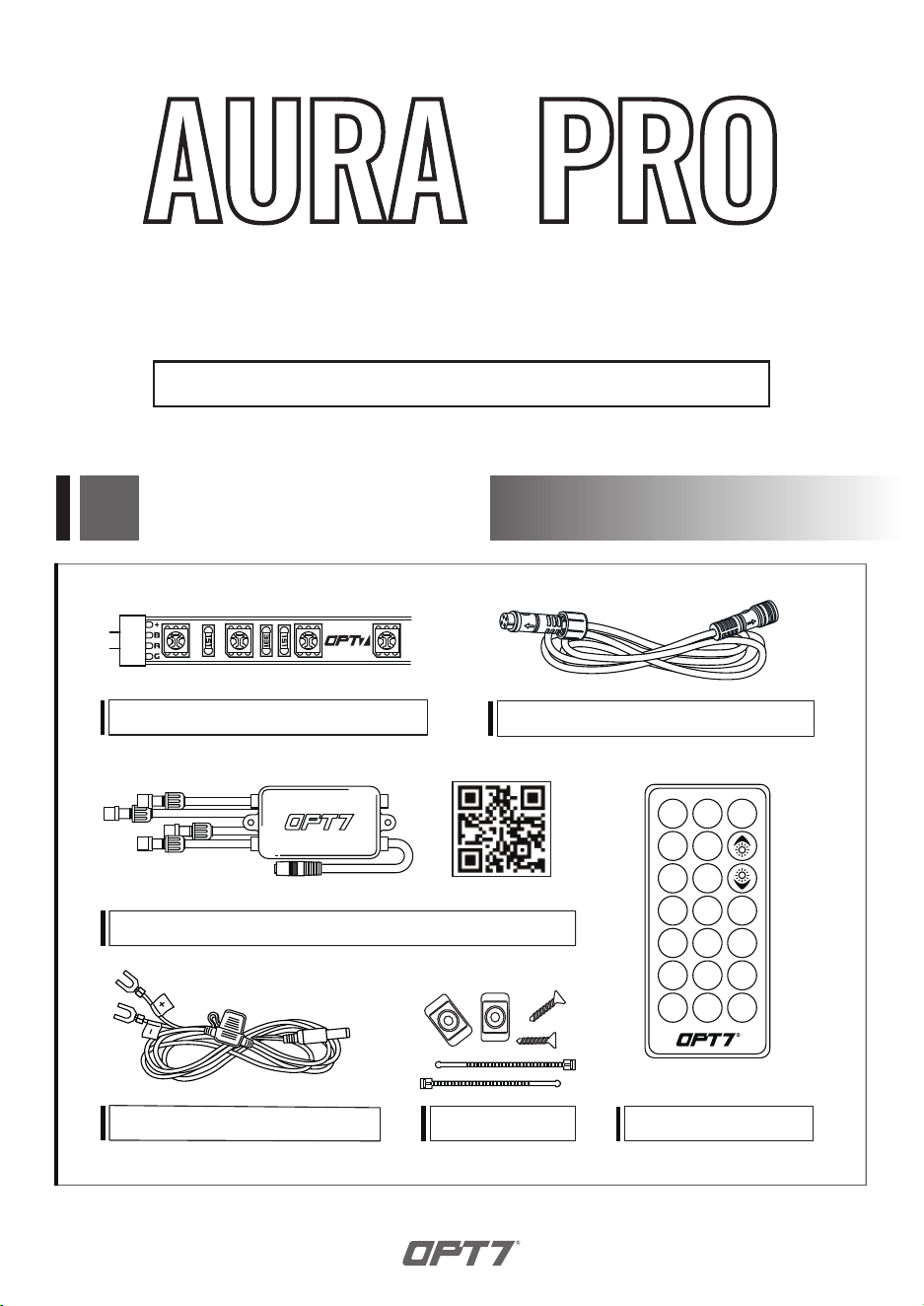
LED LIGHT STRIPS
AURA CONTROL BOX (SCAN QR CODE FOR APP USER GUIDE)
HAND HELD REMOTE
MOUNTING KIT
HARDWIRE POWER HARNESS
EXTENSION WIRES
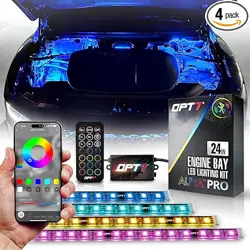
ENGINE BAY
INSTALLATION GUIDE
BLUETOOTH OPT7 GLOW APP & REMOTED CONTROLLED
TM
ON
S+ M+
OFF
AUTO
S- M-
EXAMPLES
Inspect kit to ensure all contents was included.
STEP 1
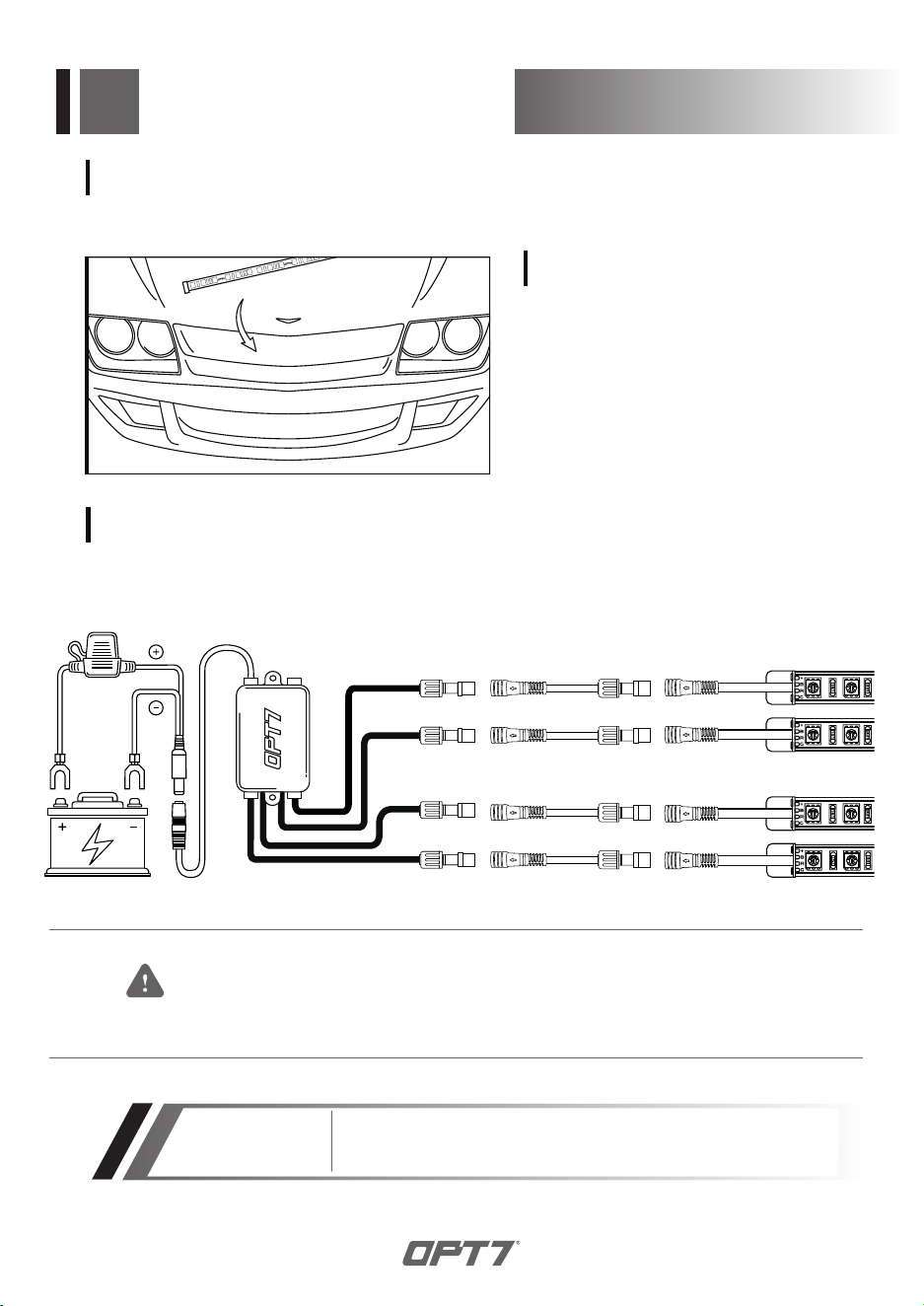
Decide where to locate the control box and
ensure wiring has enough length for light
strips to be installed in desired location.
STEP 2
INSTALLATION
Please ensure that the LED bars or strips/control box/wiring all are mounted
in areas where will not exceed 85℃ or 185℉.
WARNING
FUSE
As shown below, connect all the LED bars to the control box with the included extension cables.
EXTENSION WIRE
*Turning off the OPT7 GLOW completely helps avoid excessive
battery consumption and extends the lifespan of the OPT7 light kits.
IMPORTANT
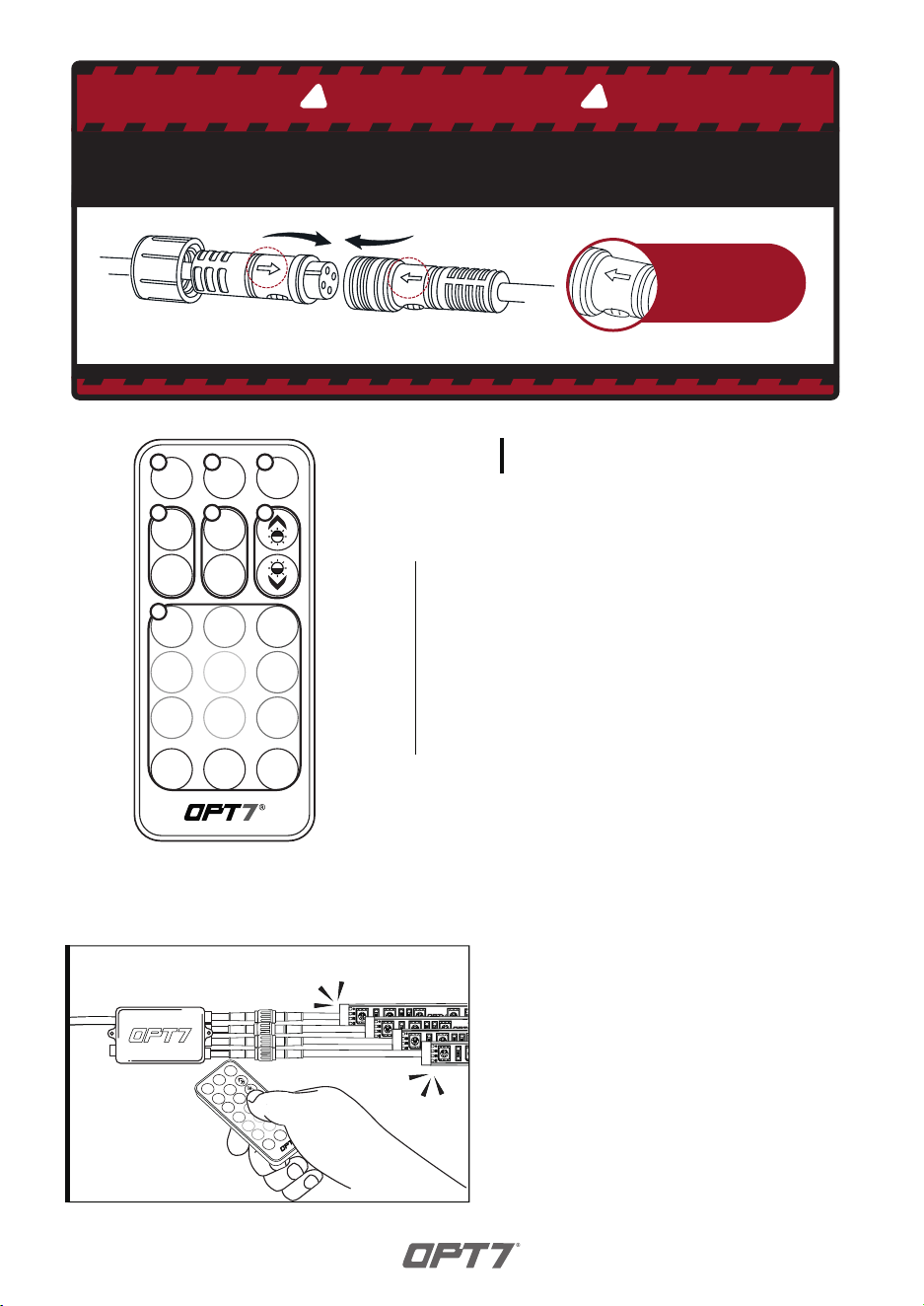
Note the
direction of
the arrows
BE SURE TO CONFIRM THE CORRECT DIRECTION OF THE ARROW!!
TO AVOID PRODUCT DAMAGE DUE TO INCORRECT INSTALLATION.
CORRECT INSTALLATION
IMPORTANT
! !
Flow direction
Off
AUTO
On
S+
S-
M+
M-
STEP 3
Using the included 21Key E-Z Remote, select your
desired color or pattern.
NOTE: When you use this product, keep it within
10m/33ft as much as possible.
Off
AUTO
On
S+
S-
M+
M-
1 2 3
4
7
5 6
Power-ON
Automatic Color Change
Power-OFF
Speed +/- 10 evels
Mode +/- 24 Mode
Dimmer 10 Levels
Color Selection 12 Colors
1
2
3
4
5
6
7
HOW TO PAIR THE REMOTE?
Pair the Device:
To pair the remote, reconnect the
power, then aim the remote at the
control box and hold the ON button
until the LED strips flash white.
OPT7 Lighting is not liable for damages or personal injuries while installing
this product. The Installation Guide is intended as assistance to reduce setup
time. OPT7 Lighting assumes no responsibility for improper installation.
If you are unfamiliar with your vehicle or inexperienced with aftermarket
upgrades, please seek professional assistance.
DISCLAIMER
OPT7 recommends installation for safety and guidance.
Modified installations or installation recommendations not specified by
OPT7 Lighting will void product warranty.
STEP 4
Download the OPT7 GLOW
to have the best experience.
QR CODE TO DOWNLOAD
Download the free “OPT7 GLOW” App
•
App iOS (12+) available on App Store
•
Android (8+) available on Google Play
Please scan to see the OPT7 GLOW user guide.
https://wintis.ladesk.com/362302-OPT7-AURA-Glow-Application-User-Guide
INSTALLATION