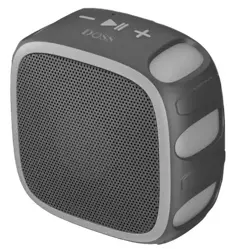
Portable Outdoor Speaker
EN DE FR IT ES JP
Model No.: E-go III
Quick Start Guide
US:
UK:
FR:
IT :
CA:
DE:
ES:
JP:
EVATOST CONSULTING LTD
Suite 11, First Floor, Moy Road Business
Centre, Taffs Well, Cardiff, Wales, CF15 7QR
contact@evatmaster.com
eVatmaster Consulting GmbH
Bettinastr. 30
60325 Frankfurt am Main,Germany
contact@evatmaster.com
REP
UK
REP
EC

EN
1. Packing content
●
1 x E-go III
●
1 x USB-C charging cable
●
1 x User manual
2. Specifications
Output power: 8W
Input: DC 5V 1A
Battery: 3.7V 1400mAh
Charge time:
~
2.5hrs
Playtime: up to 22hrs (75% volume @ pink noise)
Bluetooth range: up to 20m/66ft
Net weight: 255g/0.56lbs
Unit dimension: 9.7*5.1*9.7cm/3.8*2.0*3.8 inches
TF card audio format: MP3/WAV (Max capacity 128G)
3. Important notes before using
●
To prolong the lifetime of the battery, fully charge the speaker before using it for
the first time.
●
TWS feature is only available under Bluetooth mode.
●
Press the volume button “+ - “ simultaneously to check the version ID.
●
The speaker will auto-power off after 15 minutes without audio input.
●
If you need any assistance while using this speaker, please feel free to contact
customer service at [email protected].
4. Buttons and control
Press and hold 2s
Turn on/off
Press and hold 3s
Reject a call
Press
Answer/end a call
Press twice
Enter/exit TWS pairing
Press and hold 2s
Next track
Press
Volume up
Press and hold 2s
Previous track
Press
Volume down
Press and hold 3s
Disconnect Bluetooth
Press
Check version ID
5. LED indications
Flashing blue
Bluetooth pairing
Solid blue
Bluetooth paired
Solid red
TF card mode
Solid red
Charging
Off
Fully charged
Rapidly flashing blue
TWS pairing
6. Bluetooth mode
1. Enable the Bluetooth feature on your device.
2. Find “E-go III” on the Bluetooth device and connect it
7. TWS (True Wireless Stereo) mode
1. Press twice on both E-go III to enter into TWS pairing.
2. Once paired, the LED of the primary speaker turns solid blue, while the
second speaker turns flashing blue.
3. Find “E-go III” on your Bluetooth device and connect it.
8. Use your speaker with Echo Dot
You can connect the Dot with the speaker by Bluetooth.
Please follow the steps to set up via Bluetooth:
1. Download the Alexa app and follow the steps to set up the procedure to get
the Dot connected to your home Wi-Fi network.
2. Switch the E-go III to Bluetooth mode, you can press the Play/pause button to
re-enter Bluetooth pairing.
3. Run the Alexa app, tap Menu, and then tap Settings.
4. Tap the Echo Dot in your list of Alexa devices, then tap Bluetooth.
5. The E-go III Pro should appear in the list of Bluetooth devices. If not, please
press the power button and try again.
6. Once listed, tap on the speaker to complete the pairing process.
7. To remove the device, return to Bluetooth>tap the name of the speaker>
tap “Forget Device”
Note:
Voice command will not be able to turn on/off the speaker, it can only translate
the sound signal.
9. Safety instructions
Avoid dropping or hitting the speaker.
Avoid exposing to extreme temperature.
Avoid using the speaker near a microwave.
Never disassemble or repair the speaker.
Never use any corrosive cleanser/oil to clean.
Never leave the speaker in a car parked in the sun.
Never attempt to charge the speaker while it is wet.

FCC Statement
This equipment has been tested and found to comply with the limits for a Class
B digital device, pursuant to part 15 of the FCC Rules. These limits are designed
to provide reasonable protection against harmful interference in a residential
installation. This equipment generates, uses and can radiate radio frequency
energy and, if not installed and used in accordance with the instructions, may
cause harmful interference to radio communications. However, there is no
guarantee that interference will not occur in a particular installation. If this
equipment does cause harmful interference to radio or television reception,
which can be determined by turning the equipment off and on, the user is
encouraged to try to correct the interference by one or more of the following
measures:
• Reorient or relocate the receiving antenna.
• Increase the separation between the equipment and receiver.
• Connect the equipment into an outlet on a circuit different from that to which
the receiver is connected.
• Consult the dealer or an experienced radio/TV technician for help.
Caution: Any changes or modifications to this device not explicitly approved by
manufacturer could void your authority to operate this equipment.This device
complies with part 15 of the FCC Rules. Operation is subject to the following
two conditions:
(1) This device may not cause harmful interference, and (2) this device must
accept any interference received, including interference that may cause
undesired operation.
RF Exposure Information
The device has been evaluated to meet general RF exposure requirement.
The device can be used in portable exposure condition without restriction.
ISED Statement
This device contains licence-exempt transmitter(s)/receiver(s) that comply with
Innovation, Science and Economic Development Canada’s licence-exempt RSS(s).
Operation is subject to the following two conditions:
1. This device may not cause interference.
2. This device must accept any interference, including interference that may
cause undesired operation of the device.
This equipment should be installed and operated with a minumum distance of
20 cm between the radiator and your body.
Le présent appareil est conforme aux CNR d'Industrie Canada applicables
auxappareils radio exempts de licence. L'exploitation est autorisée aux deux
conditions suivantes : (1)l'appareil ne doit pas produire de brouillage, et (2)
l'utilisateur de l'appareil doit accepter toutbrouillage radioélectrique subi,
même si le brouillage est susceptible d'en compromettre lefonctionnement.
CAN ICES-3(B)/NMB-3(B)
L’appareil a été évalué pour répondre aux exigences générales d’exposition aux
RF. Le dispositif peut être utilisé sans restriction dans des conditions portatives
d’exposition.
Cet équipement doit être installé et utilisé à une distance minimale de 20 cm
entre le radiateur et votre corps.

DE
1. Verpackungsinhalt
●
1 x E-go III
●
1 x Micro-USB-Ladekabel
●
1 x Benutzerhandbuch
2. Spezifikationen
Ausgangsleistung: 8W
Eingang: DC 5V 1A
Akku: 3.7V 1400mAh
Aufladezeit:
~
2.5 Stunden
Spielzeit: bis zu 22 Stunden (75% Lautstärke bei rosa Rauschen)
Bluetooth-Reichweite: bis zu 20m/66ft
Nettogewicht: 255g/0.56lbs
Einheit Dimension: 9.7*5.1*9.7cm/3.8*2.0*3.8 inches
TF-Karten-Audioformat: MP3/WAV (maximale Kapazität 128G)
3. Wichtige Hinweise vor der Verwendung
●
To Verlängern Sie die Lebensdauer des Akkus, indem Sie den Lautsprecher vor
der ersten Verwendung vollständig aufladen.
●
Die TWS-Funktion ist nur im Bluetooth-Modus verfügbar.
●
Press drücken Sie gleichzeitig die Lautstärketaste "+ - ", um die Versionskennung
zu überprüfen.
●
The Der Lautsprecher schaltet sich nach 15 Minuten ohne Audioeingabe
automatisch aus.
●
If Wenn Sie bei der Verwendung dieses Lautsprechers Hilfe benötigen, wenden
Sie sich bitte an den Kundendienst unter support_de@dossav.com.
4. knöpfe und Steuerung
2s drücken und halten
Einschalten/Ausschalten
3s drücken und halten
Ablehnen eines Anrufs
Drücken Sie
Anruf annehmen/beenden
Zweimal drücken
TWS-Kopplung eingeben/verlassen
2s drücken und halten
Nächster Titel
Drücken Sie
Lautstärke erhöhen
2s drücken und halten
Vorheriger Titel
Drücken Sie
Lautstärke verringern
3s drücken und halten
Trennen der Bluetooth-Verbindung
Drücken Sie
Versions-ID prüfen
5. LED indications
Blau blinkend
Bluetooth-Kopplung
Dauerhaft blau
Bluetooth-Kopplung
Dauerhaft rot
TF-Karten-Modus
Dauerhaft rot
Aufladen
Aus
Vollständig aufgeladen
Schnell blinkend blau
TWS-Kopplung
6. Bluetooth-Modus
1. Aktivieren Sie die Bluetooth-Funktion auf Ihrem Gerät.
2. finden Sie "E-go III" auf dem Bluetooth-Gerät und verbinden Sie es.
7. TWS Modus
1.Drücken Sie zweimal auf beide E-go III, um die TWS-Kopplung zu aktivieren.
2.Nach der Kopplung leuchtet die LED des ersten Lautsprechers durchgehend
blau, während die LED des zweiten Lautsprechers blau blinkt.
3.Suchen Sie "E-go III" auf Ihrem Bluetooth-Gerät und verbinden Sie es.
8. Verwenden Sie Ihren Lautsprecher mit dem Echo Dot
Sie können den Echo Dot über Bluetooth mit dem Lautsprecher verbinden. Bitte
befolgen Sie die Schritte zum Einrichten über Bluetooth:
1. Laden Sie die Alexa-App herunter und befolgen Sie die Schritte zur Einrichtung
des Verfahrens, um den Dot mit Ihrem Heim-Wi-Fi-Netzwerk zu verbinden.
2. Schalten Sie den E-go III in den Bluetooth-Modus. Sie können die
Play/Pause-Taste drücken, um die Bluetooth-Kopplung erneut zu starten.
3. Starten Sie die Alexa-App, tippen Sie auf Menü und dann auf Einstellungen.
4.Tippen Sie auf den Echo Dot in der Liste der Alexa-Geräte und dann auf
Bluetooth.
5. Der E-go III sollte in der Liste der Bluetooth-Geräte erscheinen. Ist dies nicht
der Fall, drücken Sie bitte die Einschalttaste und versuchen Sie es erneut.
6. Sobald er in der Liste erscheint, tippen Sie auf den Lautsprecher, um den
Kopplungsprozess abzuschließen.
7. Um das Gerät zu entfernen, kehren Sie zu Bluetooth zurück>Tippen Sie auf
den Namen des Lautsprechers>Tippen Sie auf "Gerät vergessen".
Anmerkung:
Die Sprachsteuerung kann den Lautsprecher nicht ein- und ausschalten, sie
kann nur das Tonsignal übersetzen.
9. Sicherheitshinweise
Avoid extremen Temperaturen aussetzen.
Avoid extremen Temperaturen ausgesetzt wird.
Avoid Verwendung des Lautsprechers in der Nähe einer Mikrowelle.
Never den Lautsprecher zu zerlegen oder zu reparieren.
Never ätzende Reinigungsmittel/Öle zur Reinigung verwenden.
Never den Lautsprecher in einem in der Sonne geparkten Auto stehen lassen.
Never versuchen, den Lautsprecher zu laden, während er nass ist.”

FR
1. Contenu du colis
●
1 x E-go III
●
1 x Câble de charge USB-C
●
1 x Manuel d'utilisation
2. Specifications
Puissance de sortie: 8W
Entrée d'alimentation: DC 5V 1A
Batterie: 3.7V 1400mAh
Temps de charge:
~
2.5 heures
Durée de lecture: jusqu'à 22 heures (75% volume @ pink noise)
Portée Bluetooth: jusqu'à 20m/66ft
Poids net: 255g/0.56lbs
Dimension de l'unité: 9.7*5.1*9.7cm/3.8*2.0*3.8 inches
Format audio de la carte TF: MP3/WAV (capacité maximale de 128G)
3. Notes importantes avant d'utiliser
●
Prolonger la durée de vie de la batterie, chargez-le complètement avant la
première fois en utilisant.
●
La fonction TWS n'est disponible qu'en mode Bluetooth.
●
Appuyez simultanément sur le bouton de volume «+ - » pour vérifier
l'identification de la version.
●
L'enceinte bluettooth s'éteint automatiquement après 15 minutes sans entrée
audio.
●
Si vous avez besoin d'une assistance lors de l'utilisation de cet enceinte
bluetooth, n'hésitez pas à contacter le service de client à
support_fr@ dossav.com.
4. Boutons et Commandes
Appuyez et maintenez 2s
Allume / Éteint
Appuyez et maintenez 3s
Refuser un appel
Appuyez
Répondre/terminer un appel
Appuyez deux fois
Entre/sort du mode TWS
Appuyez et maintenez 2s
Piste suivante
Appuyez
Augmenter le volume
Appuyez et maintenez 2s
Piste précédente
Appuyez
Diminuer le volume
Appuyez et maintenez 3s
Déconnecter le Bluetooth
Appuyez
Vérifier ID de la version
5. Indicateur LED
Bleu clignotant
Appariement Bluetooth
Bleu fixe
Bluetooth apparié
Rouge fixe
Mode TF Carte
Rouge fixe
Chargement
Éteint
Entièrement chargé
Bleu clignotant rapidement
Appariement TWS
6. Mode Bluetooth
1.Activez la fonction Bluetooth sur votre appareil.
2.Sélectionnez «E-go III» dans la liste Bluetooth.
7. Mode TWS
1.Appuyez deux fois sur les deux E-go III pour entrer dans le jumelage TWS.
2.Une fois le jumelage effectué, le voyant de l'enceinte principale devient bleu
fixe, tandis que celui de l'enceinte secondaire clignote en bleu.
3.Trouvez «E-go III» sur votre dispositif Bluetooth et connectez-le.
8. Utilisez votre enceinte avec Echo Dot
Vous pouvez connecter le Dot au haut-parleur par Bluetooth. Veuillez suivre les
étapes ci-dessous pour effectuer la configuration via Bluetooth:
1. Téléchargez l'application Alexa et suivez la procédure d'installation standard
pour connecter l'Extreme Boom Pro à votre réseau Wi-Fi domestique.
2. Passez E-go III en mode Bluetooth, vous pouvez appuyer sur le bouton
Play/pause pour revenir à l'appairage Bluetooth.
3. Lancez l'application Alexa, appuyez sur Menu, puis sur Paramètres.
4.Appuyez sur l'Echo Dot dans votre liste d'appareils Alexa, puis appuyez sur
Bluetooth.
5.E-go III devrait apparaître dans la liste des appareils Bluetooth. Si ce n'est pas
le cas, appuyez sur le bouton d'alimentation et réessayez.
6. Une fois dans la liste, appuyez sur l'enceinte pour terminer le processus de
couplage.
7. Pour supprimer le dispositif, revenez à Bluetooth > appuyez sur le nom du
haut-parleur > appuyez sur « Forget Device ».
NB:
La commande vocale ne permet pas d'activer ou de désactiver le haut-parleur,
elle ne peut que traduire le signal sonore.
9.Consignes de sécurité
Évitez de faire tomber ou de frapper l'enceinte.
Évitez de l'exposer à des températures extrêmes.
Évitez d'utiliser l'enceinte à proximité d'un micro-ondes.
Ne démontez ou ne réparez jamais l'enceinte.
N'utilisez jamais de nettoyant/huile corrosif pour le nettoyer.
Ne laissez jamais l'enceinte dans une voiture garée au soleil.
N'essayez jamais de charger l'enceinte lorsqu'elle est mouillée.

IT
1. Contenuto della confezione
●
1 x E-go III
●
1 x USB-C Cavo di ricarica
●
1 x Manuale d'uso
2. Specifiche tecniche
Potenza in uscita: 8W
Ingresso: DC 5V 1A
Batteria: 3.7V 1400mAh
Tempo di ricarica:
~
2.5 ore
Tempo di riproduzione: fino a 22 ore (volume 75% @ rumore rosa)
Portata Bluetooth: fino a 20m/66ft
Peso netto: 255g/0.56lbs
Dimensione dell'unità: 9.7*5.1*9.7cm/3.8*2.0*3.8 inches
Formato audio della scheda TF: MP3/WAV (capacità massima 128G)
3. Note importanti prima dell'uso
●
Per prolungare la durata della batteria, caricare completamente il diffusore
prima di utilizzarlo per la prima volta.
●
La funzione TWS è disponibile solo in modalità Bluetooth.
●
Premere contemporaneamente il pulsante del volume "+ - " per controllare l'ID
della versione.
●
Il diffusore si spegne automaticamente dopo 15 minuti di assenza di audio.
●
Se si necessita di assistenza durante l'utilizzo di questo diffusore, contattare il
servizio clienti all'indirizzo all'indirizzo support_it@dossav.com.
4. Pulsanti e comandi
Tenere premuto 2s
Accendere/spegnere
Premere e tenere premuto 3s
Rifiutare una chiamata
Premere
Rispondere/terminare una chiamata
Premere due volte
Entrare/uscire dall'accoppiamento TWS
Tenere premuto 2s
Traccia successiva
Premere
Alzare il volume
Tenere premuto 2s
Traccia precedente
Premere
Abbassare il volume
Premere e tenere premuto 3s
Disconnettere il Bluetooth
Premere
Controllare l'ID della versione
5. LED indications
Blu lampeggiante
Accoppiamento Bluetooth
Blu fisso
Bluetooth accoppiato
Rosso fisso
Modalità scheda TF
Rosso fisso
Carica
Spento
Completamente carica
Blu lampeggiante rapido
Accoppiamento TWS
6. Modalità Bluetooth
1.Attivare la funzione Bluetooth sul dispositivo.
2.Trovare "E-go III" sul dispositivo Bluetooth e collegarlo.
7. Modalità TWS
1.Premere due volte su entrambi gli E-go III per entrare in modalità TWS.
2.Una volta accoppiato, il LED dell'altoparlante principale diventa blu fisso,
mentre quello del secondo altoparlante diventa blu lampeggiante.
3.Trovare "E-go III" sul dispositivo Bluetooth e collegarlo.
8. Utilizzare l'altoparlante con Echo Dot
È possibile collegare il Dot all'altoparlante tramite Bluetooth:
1. Scaricare l'app Alexa e seguire la procedura di configurazione per collegare il
Dot alla rete Wi-Fi domestica.
2. Passare l'E-go III alla modalità Bluetooth; è possibile premere il tasto
Play/Pausa per accedere nuovamente all'accoppiamento Bluetooth.
3.Eseguire l'app Alexa, toccare Menu, quindi toccare Impostazioni.
4.Toccare Echo Dot nell'elenco dei dispositivi Alexa, quindi toccare Bluetooth.
5.L'E-go III dovrebbe apparire nell'elenco dei dispositivi Bluetooth. In caso
contrario, premere il pulsante di accensione e riprovare.
6. Una volta inserito nell'elenco, toccare l'altoparlante per completare il
processo di accoppiamento.
7. Per rimuovere il dispositivo, tornare a Bluetooth> toccare il nome
dell'altoparlante> toccare "Dimentica dispositivo".
Nota:
Il comando vocale non è in grado di accendere/spegnere l'altoparlante, ma
solo di tradurre il segnale sonoro.
9. Istruzioni di sicurezza
Evitare di far cadere o colpire il diffusore.
Evitare di esporre il diffusore a temperature estreme.
Evitare di utilizzare il diffusore in prossimità di un forno a microonde.
Non smontare o riparare il diffusore.
Non utilizzare mai detergenti/olio corrosivi per la pulizia.
Non lasciare mai il diffusore in un'auto parcheggiata al sole.
Non tentare mai di caricare il diffusore quando è bagnato.

ES
1. Contenido del paquete
●
1x E-go III
●
1X Cable USB C
●
1x Manual del Usuario
2. Especificaciones
Potencia de salida: 8W
DC Entrada de alimentación: 5V 1A
Batería: 3.7V 1400mAh
Tiempo de carga:
~
2.5horas
Tiempo de reproduce: hasta 22 horas (75% de volumen @ pink noise)
Alcance del Bluetooth: hasta 20 m/66 pies
Peso neto: 255g/0.56lbs
Dimensiones unidad: 9.7*5.1*9.7cm/3.8*2.0*3.8 inches
Formato de audio de Tarjeta microSD: MP3/WAV (Capacidad máxima 128G)
3. Notas importantes antes del uso
●
Para prolongar la vida útil de la batería, carga completamente el altavoz antes de
utilizarlo por primera vez.
●
La función TWS sólo está disponible en modo Bluetooth.
●
Presiona simultáneamente el botón de volumen "+ - " para comprobar el ID de la
versión.
●
El altavoz se apagará automáticamente después de 15 minutos sin entrada de
audio.
●
Si necesitas ayuda mientras usas este altavoz, no dudes en ponerte en contacto
4. Botones y mando
Mantenga presionado 2s
Encendido/apagado
Mantenga presionado 3s
Rechaza una llamada
Presione
Contesta/termina una llamada
Presione dos veces
Entrada/salida del emparejamiento TWS
TMantenga presionado 2s
Siguiente pista
Presione
Sube el volumen
Mantenga presionado 2s
Anterior pista
Presione
Baja el volumen
Mantenga presionado 3s
Desconecta Bluetooth
Presione
Comprueba el ID de versión
5. Indicación LED
Parpadea en azul
Emparejamiento Bluetooth
Azul sólido
Bluetooth emparejado
Rojo sólido
Modo Tarjeta microSD
Rojo sólido
Cargando
Apagado
Completamente cargado
Parpadeo rápido en azul
Emparejamiento TWS
6. Modo Bluetooth
1. Active la función Bluetooth en su dispositivo.
2. Busca "E-go III" en el dispositivo Bluetooth y conéctalo.
7. Modo TWS
1.Presione dos veces en ambos E-go III para entrar en el emparejamiento TWS.
2.Una vez emparejados, el LED del altavoz principal se iluminará en azul fijo y el
del segundo altavoz parpadeará en azul.
3.Busque "E-go III" en su dispositivo Bluetooth y conéctelo.
8. Utiliza el altavoz con el Echo Dot
Puede conectar el Dot al altavoz a través de Bluetooth, por favor, siga los pasos
para configurar a través de Bluetooth:
1. Descarga la app Alexa y sigue los pasos para configurar el procedimiento para
que el Dot se conecte a la red Wi-Fi de tu casa.
2. Cambia el E-go III al modo Bluetooth, puedes presionar el Play/pausa para
volver a entrar en el emparejamiento Bluetooth.
3. Ejecuta la app Alexa, pulsa Menú y, luego, Configuración.
4. Toca el Echo Dot en tu lista de dispositivos Alexa y, luego, toca Bluetooth.
5.E-go III debería aparecer en la lista de dispositivos Bluetooth. Si no es así,
presiona el botón de encendido e inténtalo de nuevo.
6. Una vez en la lista, toca en el altavoz para completar el proceso de
emparejamiento.
7. Para eliminar el dispositivo, vuelva a Bluetooth>toque el nombre del altavoz
>toque "Olvidar dispositivo".
Nota:
El comando de Voz no podrá encender/apagar el altavoz, sólo puede traducir la
señal de sonido.
9. Instrucciones de seguridad
Evite que el altavoz se caiga o se golpee.
Evite exponerlo a temperaturas extremas.
Evite utilizar el altavoz cerca de un microondas.
No desmonte ni repare nunca el altavoz.
Nunca utilice detergentes/aceites fuertes para limpiarlo.
Nunca dejes el altavoz en un coche aparcado al sol.
Nunca intentes cargar el altavoz mientras esté mojado.

JP
1.
パッケージ
内容
●
1 x E-go III
●
1 x USB-C充電ケ
ー
ブル
●
1 x 取扱説明書(本書)
2. 基本仕様
実用最大出力: 8W
入力電圧: DC 5V 1A
バ
ッ
テ
リー
: 3.7V
1400mAh
充電時間:
~
2.5hrs
再生時間: 最大22hrs (75%ボリューム@ pink noise)
Bluetooth通信距離: 約20m/66ft
本体重量: 255g/0.56lbs
サイズ: 9.7*5.1*9.7cm/3.8*2.0*3.8 inches
TF
カードオーディオフォーマット
: MP3/WAV (最大容量128G)
3. ご使用前の注意事項
●
電池の寿命を延ばすために、初めてご使用になる前には本機を満充電して
おいて
く
ださい。
●
TWS機能はBluetooth
モードし
か使用で
きま
せん
。
「
●
+
」
と
「ー」
ボタンを同
時
に
押
す
こ
とでバ
ー
ジ
ョ
ンIDをチ
ェッ
クできます
。
●
音声入力がない状態が15分間続く場合、スピーカーは自動的に電源が切れ
ます。
●
本機を使用する時は、何かご問題·ご不明な点等がございましたら、お気軽に
support_jp@dossav.comにご連絡ください。
4.
各
ボタンのコントロ
ー
ル
2秒間押
し
続け
る
電源on/off
3秒間押
し
続け
る
電話に拒否する
押す
電話に応答/終了する
2回押す
TWSペア
リン
グ機能
を
起動/終了する
2秒間押
し
続け
る
次の曲
押す
音量+
2秒間押
し
続け
る
前の曲
押す
音量ー
3秒間押
し
続け
る
Bluetooth接続を解除する
押す
バ
ー
ジョン
ID
をチ
ェッ
クする
5.
LED
イン
ジ
ケーター
青点滅
Bluetoothペアリング
青点灯
Bluetooth接続済み
赤点灯
TF
カードモード
赤点灯
充電中
ランプは消灯
充電完了
急速に青く点灯
TWSペアリング
6.
Bluetoothペアリング
1.
デバ
イ
スのBluetooth機能をオンに
し
て
く
だ
さ
い
。
2.
Bluetooth
リストから
「
E-go III
」
を
選択
してスピーカーと
接続
します。
7. TWSモード
1.2台の E-go IIIの
ボ
タンを
2回押す
こと
でTWSペア
リン
グ
モード
に入
りま
す
。
2.2台の E-go IIIは接続が成功にな
る
場合
、メインスピーカー
のLEDは青色に点
灯
しま
す
。
サ
ブスピーカー
のLEDは青色に点滅
しま
す
。
3.Bluetooth
リスト
か
ら「
E-go III
」を
選択
してスピーカーと
接続
しま
す
。
8. 本機をEcho Dotと接続する
DotをBluetooth経由でス
ピーカー
に接続できます
。
Bluetoothを使
っ
て接続す
る手順は以下の
と
お
り
です
。
1.
Alexaアプ
リ
をダウン
ロードし
てDot
と
自宅のwi-fiネ
ット
ワ
ー
クに接続
し
ます
。
2.
E-go III
を
Bluetooth
モードに
切
り
替
えてくださ
い
。「
+
」と「ー」
ボ
タンを
3秒間
同時に押す
こと
でBluetoothペ
アリングを
再度行
うこと
が
できます。
3.
Alexaアプ
リを
起動
し、「メニュー」をタッ
プ
し、そ
の後
「
設定
」をタッ
プ
して
設定
を
行って
く
だ
さ
い
。
4.
Alexaデバ
イ
スの
リ
ス
ト
か
ら
Echo Dotをタ
ッ
プ
し、
Bluetoothをタ
ッ
プ
し
ます
。
5
「
. E-go III
」
は
、
Bluetooth機器の
リ
ス
ト
に表示
さ
れるはずです
。
表示
さ
れない場
合は
、
電源ボタンを押
し
て再試行
し
て
く
だ
さ
い
。
6.
リス
ト
に
表
示さ
れ
ると
、
スピーカーをタ
ッ
プ
し
てペアリング
し
ます
。
7.
デバ
イ
スを削除するには
、
Bluetoothに戻
り
>ス
ピー
カ
ー
の名前をタ
ッ
プ
し
>
「デ
バイスを
削除
」
をタ
ッ
プします
。
注意:
Bluetooth接続で
スピーカーに
接続
している
場合
、
音声
コマンドでのスピーカーをオン
/
オ フ
ことはできま
せ
ん。
9. 安全上のご注意
•
本機
を
落
とし
た
り、
ぶつけた
り、
揺れた
りし
ないて
く
だ
さ
い
。
•
本機
を
異常に温度の高い
とこ
ろ
や直射日光の
あたる
とこ
ろに
長
く
置かない
て
く
ださい。
•
本機
を
電子
レンジ
や無線LAN
デバイスに
近付け
ないで
く
ださい。
•
自分で本機
を
解体
した
り、
修理
した
り、
改造
した
り
しないて
く
だ
さ
い
。
•
本機
をベンゼン
、
アル
コー
ルなど
の溶剤の入
っ
た洗剤で洗浄
し
ないて
く
だ
さい
。
•
本機
を
直射日
光のあたる車内に置かないで
く
だ
さ
い
。
•
湿
っ
た状態で本機を
充電
し
よ
うとし
ないで
く
だ
さ
い
。

