UM-R1(Rev.0)
1 / 16
Document Information
Doc. Title SKEEPER USER MANUAL FOR R1
Doc. No. UM-R1
Rev. No. 0
Revision History
Rev.No Rev. Date Change Description
0 2024.01.11 Initial release

UM-R1(Rev.0)
2 / 16
1. INTENDED USE
The Skeeper is an electronic stethoscope that collects, filters, and amplifies the sound of a person's heart,
lungs, and abdomen. It is intended for use by professional users in clinical environments or by lay users in
non-clinical environments. It is not intended for self-diagnosis.
2. INTENDED USER
It is intended for use by professional users in clinical environments or by lay users in non-clinical
environments.
3. SAFETY INFORMATION
Failure to comply with safety information can interfere with measurements or create dangerous conditions.
Note
!!
Read the user manual and safety information carefully before using the device
Measuring on your skin or thin clothes
• The sound volume or the location of the measurement position may vary by the measurement
environments or physical characteristics (chest size, obesity, muscle, fat or others).
Holding and selecting the proper location for measurement
• If not corrected, this can or may give an error of measurement results.
• If not heard the heart, lung, or other vital signal sound well, find and move the location where you can
hear clearly.
Measuring in a comfortable condition
• Do not measure in hot or cold environments.
• Maintain a stable posture while measuring (The default setting time is 20 seconds, which can be
selected every 5 seconds from 10 to 60 seconds for heart and lung measurement).
• Do not measure immediately after smoking, drinking, alcohol, exercise, or coffee (caffeine).
Measuring in the quiet place
• Background noise can be interfered with accurate measurement.
• If noisy, stop and measure again.
• Do not speak or talk on the phone while measuring.
• Measure in a quiet place where there is no ambient noise (TV, music, pets, telephone rings, vacuum
cleaners, washing machines, Children's voice, etc.).
Do not change the device position during measurement.
• If you cough suddenly or drop the device, stop and measure again.
• If you speak or move while measurement, the noise can be mixed.
• For the high accuracy of measurement, please follow the instructions of manual.
Incorrect or improper use may occur damage your hearing.
• Do not listen loudly.
UM-R1(Rev.0)
3 / 16
• Do not listen for a long time.
If communication is delayed or connection is not available, please re-run the Skeeper and
Skeeper app. If the problem continues, please contact SMARTSOUND's service center.
Caution
Failure to comply with safety cautions and regulations can cause injury or property damage.
Do not use your device near other electronic devices
• Skeeper may receive electromagnetic interference from other electronic devices near you or may affect
other electronic devices. If such a problem occurs during use, use it away from other electronic devices
or turn off the power of unnecessary electronic devices.
Charging rating
• The power supplied to the cable for charging the Skeeper should be 5.0V/2.0A.
• This Skeeper does not provide an adapter. The adapter uses a certified universal USB adapter.
Do not use your device in automotive equipment that can be interfered with by radio
frequency
• On an aircraft, using electronic devices can interfere with the aircraft’s electronic navigational
instruments. Make sure the device is turned off during takeoff and landing. After takeoff,
• you can use the device if allowed by aircraft personnel.
Do not expose the device to heavy smoke or fumes
• Doing so may damage the outside of the device or cause it to malfunction.
If you use a hearing aid, contact the manufacturer for information about radio interference
• The radio frequency emitted by your device may interfere with some hearing aids. Before using your
device, contact the manufacturer to determine whether your hearing aid will be affected by radio
frequencies emitted by the device.
• This device is an electronic device. There may be electromagnetic interference from other electric
devices (TV, PC and others) nearby. If a problem occurs, move this device away from it, or use it after
stopping the operation of nearby electronic devices
Do not use your device near devices or apparatuses that emit radio frequencies, such as
sound systems or radio towers
• Radio frequencies may cause your device to malfunction or to produce incorrect measurement results.
Turn off the device in potentially explosive environments
• Turn off your device in potentially explosive environments instead of removing the battery.
• Always comply with regulations, instructions, and signs in potentially explosive environments.
• Do not use your device at refueling points (petrol stations), near fuels or chemicals, or in blasting areas.
• Do not store or carry flammable liquids, gases, or explosive materials in the same compartment as the
device, its parts, or accessories.
If you notice strange smells or sounds coming from your device or the battery, or if you see
smoke or liquids leaking from the device or battery, stop using the device immediately and

UM-R1(Rev.0)
4 / 16
contact A/S Center
• Failure to do so may result in fire or explosion.
Comply with all safety warnings and regulations regarding mobile device usage while
operating a vehicle
• While driving, safely operating the vehicle is your first responsibility. Never use your device while driving
if it is prohibited by law.
Use caution in environments with RF-emitting devices.
• The Skeeper may malfunction due to devices that generate proximity radio frequencies such as RFID
readers. Therefore, please turn off the Skeeper or keep it as far away as possible when using RFID
devices.
• Medical devices that emit RF, such as MRI and electrosurgical systems, can cause the Skeeper to
malfunction, so should turn off the Skeeper or move it away from these devices.
• The Skeeper may be affected by WPT and 5G communication environments. Please use the Skeeper
away from devices that emit such RF whenever possible.
• The Skeeper can be caused to malfunction by RF emitted by metal detectors and electromagnetic anti-
theft systems (EAS). Please turn off the power of SKEEPER in these systems.
Warning
The device does not operate while the device is being charged. Do not use while charging.
Failure to comply with safety warnings and regulations can cause serious injury or death Do
not use damaged power cords or plugs, or loose electrical sockets
• Unsecured connections can cause electric shock or fire.
Do not touch the power cord with wet hands or disconnect the charging cable by pulling the
cord
• Doing so may result in electrocution.
Do not bend or damage the power cord or charging cable
• Doing so may cause electric shock or fire.
Do not use your device while it is charging or touch your device with wet hands
• Doing so may cause electric shock.
Do not use your device outdoor during a thunderstorm
• Doing so may result in electric shock or device malfunction.
Using SMARTSOUND-approved batteries, charging cable, accessories, and supplies
• Using generic batteries or charging cable may shorten the life of your device or cause the device to
malfunction. They may also cause a fire or cause the battery to explode.
• Use only SMARTSOUND-approved battery and charging cable specifically designed for your device.
Incompatible battery and charging cable can cause serious injuries or damage to your device.
• SMARTSOUND cannot be responsible for the user’s safety when using accessories or supplies that are
not approved by SMARTSOUND.
Do not disassemble, modify, or repair this device

UM-R1(Rev.0)
5 / 16
• Toprevent voiding the warranty, do not disassemble or modify the device and its accessories. If any part
of the device does not work properly, contact A/S Center.
• SMARTSOUND is not responsible for any damage, loss, injury, or accident that occurs during
disassembly, modification, repair or other improper operation.
Do not drop, throw, bend or cause an impact to the charging cable or the device Handle and
dispose of the device and charging cable with care
• Never dispose of the battery or device in a fire. Never place the battery or device on or in heating
• devices, such as stoves, microwave ovens, radiators, or others. The device may explode when
overheated. Follow all local regulations when disposing of used battery or device.
• Never crush or puncture the device.
• Avoid exposing the device to high external pressure, which can lead to an internal short circuit and
overheating.
Protect the device, battery and charging cable from damage
• Avoid exposing your device and battery to very cold or very hot temperatures.
• Extreme temperatures can damage the device and reduce the charging capacity and life of your device
and battery
• The batteries included in Skeeper should only be replaced by SMARTSOUND service personnel.
Batteries that have been replaced by improper personnel may present a hazard of excessive heat
generation, fire, or explosion.
Do not share earphones
• For earphones to be used for Skeeper, check the material of the earphone cap and use earphones
made of material that does not have allergic reactions, etc.
• Earphones or headphones should be your own. If you use earphones with other users, there is a hazard
of cross-infection.
• When connecting earphones or headphones, please push the connector all the way in. Incorrect
connection may cause no sound or noise.
When connecting the charger, please connect it all the way to the connector. If the connection
is not correct, charging may not be possible or there may be a hazard of fire or explosion.
• Prevent the battery from coming into contact with metal objects, as this can create a connection between
the + and – terminals of your battery and lead to temporary or permanent battery damage.
• Never use a damaged charging cable or battery.
Do not store your device near or in heaters, microwaves, hot cooking equipment, or high
pressure containers
• The battery may leak.
• Your device may overheat and cause a fire.
Do not use or store your device in areas with high concentrations of dust or airborne materials
• Dust or foreign materials can cause your device to malfunction and may result in fire or electric shock.
Prevent the multipurpose jack and the small end of the charging cable from contact with
conductive materials, such as liquids, dust, metal powders, and pencil leads
• Conductive materials may cause a short circuit or corrosion of the terminals, which may result in an
explosion or fire.
Do not bite or suck the device or the battery, especially baby, child, and pet
• Doing so may damage the device or result in an explosion or fire.
•
Children or animals can choke on small parts.
UM-R1(Rev.0)
6 / 16
• If children use the device, make sure that they use the device properly.
• If children under thirteen years of age are not admitted without a parent or guardian.
Do not insert the device or supplied accessories into the eyes, ears, or mouth
• Doing so may cause suffocation or serious injuries.
Do not handle a damaged or leaking Lithium-ion (Li-Ion) battery
For safe disposal of your Lithium-ion (Li-Ion) battery, please contact A/S Center
Symbol Information
Symbol Indication
This symbol identifies a safety note. Ensure you understand the function of this control
before using it. Control function is described in the appropriate User’s or Service Manual.
Type BF applied part
To indicate that separate collection for waste electric and electronic equipment (WEEE)
is required
Refer to instruction
Humidity limitation for transportation
Atmospheric pressure limitation for transportation
Temperature limitation for transportation
Keep DRY
Manufacturer
Date of manufacture
WEEE Symbol - EU only
Disposal of your old appliance
When this crossed-out wheeled bin symbol is attached to a product it means the product
is covered by the European Directive 2012/19/EU.
All electrical and electronic products should be disposed of separately from the
municipal waste stream via designated collection facilities appointed by the government
or the local authorities.
The correct disposal of your old appliance will help prevent potential negative
consequences for the environment and human health. For more detailed information
about disposal of your old appliance, please contact your city office, waste disposal
service or the shop where you purchased the product.
QR code
DC current
SN Marking
To indicate this product is Medical device

UM-R1(Rev.0)
7 / 16
Care and use your device properly
Keep your device dry
• Humidity and liquids may damage the parts or electronic circuits in your device.
• Do not turn on your device if it is wet. If your device is already on, turn it off immediately (if the
device will not turn off). Then, dry the device with a towel and contact A/S Center.
• Do not use the device, if you or your clothes is wet.
• Do not wash, rinse or soak the device.
Store your device only on flat surfaces
• If your device falls, it may be damaged.
Do not store your device with metal objects, such as coins, keys, and necklaces
• Your device may be scratched or may malfunction.
• If the battery terminals come into contact with metal objects, this may cause a fire.
Do not store your device near magnetic fields
• Your device may malfunction, or the battery may discharge from exposure to magnetic fields.
Do not use your device or applications for a while if the device is overheated
• Prolonged exposure of your skin to an overheated device may cause low temperature burn
symptoms, such as red spots and pigmentation.
Protect your hearing and ears when using an earphone or headset
• Excessive exposure to loud sounds can cause hearing damage.
• In dry environments, static electricity can build up in the headset. Avoid using headsets in dry
environments or touch a metal object to discharge static electricity before connecting a headset to
the device.
• Do not listen at any volume that causes you discomfort.
• Recommend using a woofer / high performance bass earphone or headsets to listen the better
health sound.
Do not use while walking or moving and speaking
Do not use in a noisy or vibrating place
Do not use the device if it is cracked or broken
• Broken parts could cause injury to your hands and face. Contact A/S Center to have it repaired.
Do not drop your device or cause impacts to your device
• Your device may be damaged or may malfunction.
• If bent or deformed, your device may be damaged, or parts may malfunction.
Ensure maximum battery and charging cable life

UM-R1(Rev.0)
8 / 16
• Avoid charging your device for more than a week, as overcharging may shorten battery life.
• Over time, the unused device will discharge and must be recharged before use.
• Disconnect the charging cable from power sources when not in use.
• Use the battery only for their intended purposes.
• Leaving batteries unused over time may reduce their lifespan and performance. It may also cause
the batteries to malfunction or explode or cause a fire.
• Follow all instructions in this manual to ensure the longest lifespan of your device and battery.
Damages or poor performance caused by failure to follow warnings and instructions can void your
manufacturer’s warranty.
• Your device may wear out over time. Some parts and repairs are covered by the warranty within the
validity period, but damages or deterioration caused by using unapproved accessories are not.
Do not disassemble, modify, or repair your device
• Any changes or modifications to your device can void your manufacturer’s warranty. If your device
needs servicing, contact A/S Center.
Specific Absorption Rate (SAR) certification information
This device meets international guidelines for exposure to radio waves.
• The device is a radio transmitter and receiver. It is designed not to exceed the limits for exposure to
radio waves (radio frequency electromagnetic fields) recommended by international guidelines.
• FCC No.: 2ADIYR1
The device complies with Part 15 of the FCC Rules. Operation is subject to the following two
conditions:
(1) This device may not cause harmful interference, and
(2) This device must accept any interference received, including interference that may cause
undesired operation.
FCC Interference Statement
This equipment has been tested and found to comply with the limits for a Class B digital device, pursuant to
Part 15 of the FCC Rules. These limits are designed to provide reasonable protection against harmful
interference in a residential installation. This equipment generates, uses and can radiate radio frequency
energy and, if not installed and used in accordance with the instructions, may cause harmful interference to
radio communications. However, there is no guarantee that interference will not occur in a particular
installation. If this equipment does cause harmful interference to radio or television reception, which can be
determined by turning the equipment off and on, the user is encouraged to correct the interference by one of
the following measures:
• Reorient or relocate the receiving antenna.
• Increase the separation between the equipment and receiver.
• Connect the equipment into an outlet on a circuit different from which the receiver is connected.
• Consult the dealer or an experienced radio/TV technician for help.
UM-R1(Rev.0)
9 / 16
FCC Caution
Any changes or modifications not expressly approved by the party responsible for compliance could void the
user's authority to operate this equipment. This transmitter must not be co-located or operating in
conjunction with any other antenna or transmitter.
MRI
SAFETY INFORMATION
The Skeeper is MR Unsafe. The device presents a projectile hazard.
4. SPECIFICATION
Size (W X L X H)
149.66 x 60.33 x 37.38 mm (WxLxH, mm)
5.89" x 2.38" x 1.47" (WxLxH, inch)
Weight 145g
External Interface type USB-C type
Sensor Type MEMS MIC
Battery
Type Rechargeable Lithium-Polymer
Output 3.7 Vd.c., 1600mAh
Recharging Time Approx. 1.5 Hours
Hour of Battery Use Approx. 4 Hours (Measurement)
Protection
Internally powered Type BF Applied Part
IP24
Environment
Storage and Transportation
conditions
Temperature
-10℃~60℃
Humidity 10%~80%RH
Pressure 700~1060hPa
Operating conditions
Temperature
0℃~40℃
Humidity 30%~60%RH
Pressure 700~1060hPa
Performance
Response frequency range by mode
Heart Mode 50~300 Hz
Lung Mode 100~1200 Hz
Abdomen Mode 60~400 Hz
Extension Mode 50~2000 Hz
Maximum Sound Level 100 dB(A)
Heart rate measurement accuracy +/- 1 BPM
Wireless Communication
WiFi 802.11 b/g/n 2.4G
Bluetooth 4.1
Distance 10M
UM-R1(Rev.0)
10 / 16
5. COMPONENT AND APPERANCE
<COMPONENTS>
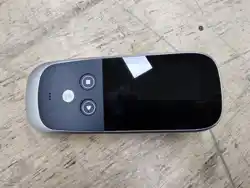
[본체] [크래들] [매뉴얼]
<APPERANCE>
No
key
Function
Operating Methods
Volume + / -
•
Adjust the volume: “+” (Volume Up), “-” (Volume Down)
UM-R1(Rev.0)
11 / 16
①
②
•
Volume adjustments can be heard as short beeps through the earphones,
and two beeps indicate the volume has reached its maximum/minimum.
Up / Down
Buttons
•
Keys for up and down moving on UI list or icons
③
Mode
•
Go to the stethoscope screen if it's not on the stethoscope screen
•
Switch to stethoscope mode for a stethoscope screen
•
Heart > Lung > Abdomen > Fetus sound circulation
•
Disable function during auscultation recording.
④
Record
•
Start/Stop recording if on a stethoscope screen
⑤
Power
•
Press and hold to Power On/Off
•
If you press it briefly, sleep/wake up
6. HOW TO USE
PREPARATION FOR USE
POWER ON/OFF
Turn the power On/Off by pressing the power button.
➊ Power On
The power button must be pressed for at least 3 seconds to power on.
LCD display will be turned on after booting animation, followed by the home menu screen(which is the
default mode).
The product is now ready for use.
➋ Power Off
To turn off the power, press the power button for more than 1.5 seconds and show the pop-up bar with the 3
kins of menu as power off, restart and screen shot.
LCD display will be turned off with shut down animation and then the power will be turned off.
PREPARATION FOR MEASUREMENT
CHARGING
Before initial use of the product, or when it has not been used for an extended period of time, it is
recommended to charge the product fully before use.
➊ Connect the USB charging cable, which is included in the product package, to the product’s charging USB
connector.
➋ The Blue LED should be turned on when charging. The green LED should be turned on when charging is
completed.
It takes approximately 180 minutes to fully charge.
The product can be continuously used for approximately 15 hours when fully charged.
UM-R1(Rev.0)
12 / 16
Use a certified charger for safe use of the product
Even when the product is not in use for an extended period, charge it regularly(at least once every 3
months) in order to avoid completely depleting the battery.
PREPARATION FOR CONNECTION
APP DOWNLOAD & BLUETOOTH CONNECTION
➊ Search “Skeeper” (full name in English) at mobile app market (App Store, Play Store, etc.).
Skeeper app is available for the following OS versions.
➋ Download and install app by selecting “Install” on app guide page.
➌ Activate your smart device’s Bluetooth and turn on the Skeeper.
Note! Do not manually pair the Skeeper with the app. It should connect automatically on the measurement
page.
➍ Launch the app and enter your ID and password
When you first launch the app, you must set ID and PW.
ID Set an ID of 2~8 characters including alphabetic characters, numbers only. (Not allowed any
special characters)
PW Set a password of 8~15 characters including alphabetic characters, numbers and permitted
special characters(!, @, #, $, %, ^, &, * permitted).
Log in blocked permanently if log in password fails more than 5 times
➎ press the “Start” button on the measurement screen. The Skeeper and the “Skeeper” app should be
connected automatically.
➏ Use the Skeeper app’s contents.
Users should be careful not to leak their usernames and passwords, and should install security
programs on their smart devices and keep them up to date.
Note! Skeeper uses BLE communication to deliver human body sound measurement results to the
Skeeper app. The user must activate the Bluetooth function of the smart device to communicate with the
Skeeper. If the app is paring and bonding with Skeeper for the first time after launching, it will be
automatically connected to Skeeper from subsequent launches.
Users should be careful not to leak their usernames and passwords, and should install security
programs on their smart devices and keep them up to date.
To keep up with the newest cybersecurity, users should update the SKEEPER APP. Please
download and install the updated file distributed by SMATSOUND through the App Store or Play
Store.
Android Version 9 or higher
iOS Version 8 or higher
UM-R1(Rev.0)
13 / 16
In the event of a cyber security breach, the Skeeper app detects it and prevents the app from
running. If a cyber security incident pop-up appears, the user should stop running the app and inform
SMARTSOUN of the fact.
After that, please delete and reinstall the app according to the instructions of Smart Sound.
MEASURMENT
Select the measurement mode on the Skeeper and connect the Skeeper app via Bluetooth to start
measuring.
➊ Turn on the Skeeper
➋ Move to the app’s measurement screen
➌ Place the Skeeper at the correct location and press down gently
➍ Recording starts when you tap 'record' in the app.
➎ If you want to stop recording, tap <Stop>.
You will be able to see the result and save the data on your app.
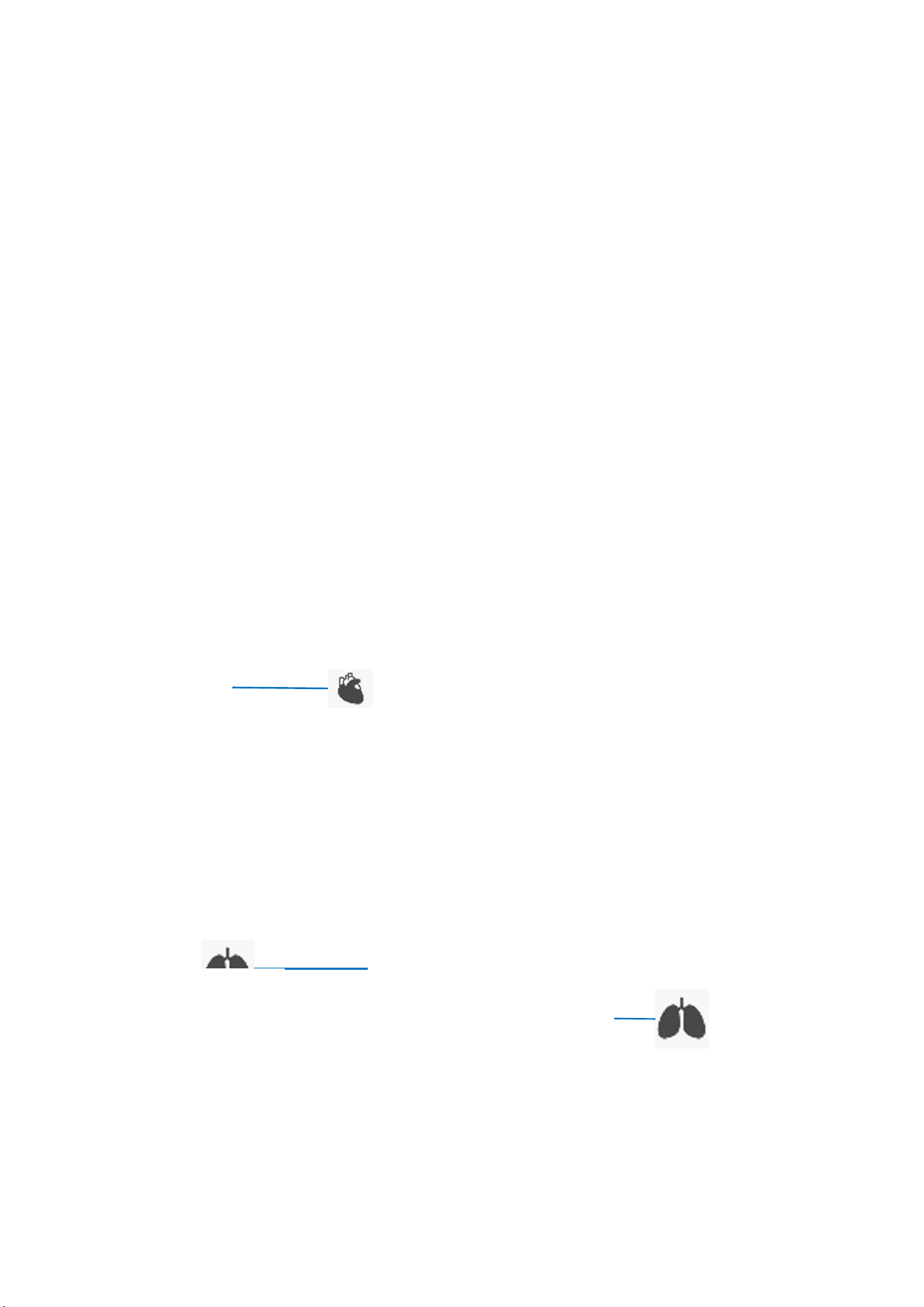
Heart Measurement
Sit in a comfortable position and avoid moving.
Lung Measurement
Sit in a comfortable position and avoid moving.
Continuously inhale and exhale deeply for the duration of the measurement session.
Heart
C
enter of left chest.
Lung
Left under the Clavicle.
Lung
Center of Right Back.
UM-R1(Rev.0)
14 / 16
SAVING YOUR MEASUREMENT RESULTS
➊ Measurement result can be saved and compared with previous data on your smart device.
➋ Once you press the “save” button, you can select the activity state and input memos
HISTORY
➊ Select a period to display the bar graph and list of measurement results.
➋ Press “List” to display your records.
➌ You can view saved measurement data in the “List” tab of the history page.
CLEANING
Use a soft cloth moistened with a 70% isopropyl alcohol solution and apply to areas of contact.
7. EMC INFORMATION
The following information is intended to ensure that the Skeeper meets EMC standards during its lifetime.
Please note that EMC can be affected by other active medical devices and the general electromagnetic environment, so be sure to read
the cautions and warnings in this manual.
The Skeeper complies with the electromagnetic compatibility requirements of IEC 60601-1-2.
Guidance and Manufacturer’s Declaration - Electromagnetic Emissions – This device is intended for use in the electromagnetic
environment specified below. The user of this device should make sure it is used in such an environment.
Emissions Test Compliance Electromagnetic Environment - Guidance
RF radiated emissions
CISPR 11
Group 1
Class B
The device uses RF energy only for its internal function. Therefore, its RF
emissions are very low and are not likely to cause any interference in
nearby electronic equipment.
RF conducted emissions
CISPR 11
Not applicable The device is suitable for use in all establishments, including domestic
establishments and those directly connected to the public low-voltage
power supply network that supplies buildings used for domestic
purposes.
Harmonic Current emissions
IEC 61000-3-2
Not applicable
Voltage change, fluctuations, and
Flicker emissions
IEC 61000-3-3
Not applicable
Guidance and Manufacturer’s Declaration - Electromagnetic Immunity – This device is intended for use in the electromagnetic
environment specified below. The user of this device should make sure it is used in such an environment.
Immunity Test IEC 60601 Test Level Compliance Level Electromagnetic Environment -
Guidance
Electrostatic Discharge
(ESD)
IEC 61000-4-2
±8 kV contact discharges
±2 kV, ±4 kV, ±8 kV, &
±15 kV air discharges
±8 kV contact discharges
±2 kV, ±4 kV, ±8 kV, &
±15 kV air discharges
Floors should be wood, concrete
or ceramic tile. If floors are covered
with synthetic material, the relative
humidity should be at least 35%.
Electrical fast ±2 kV for power supply lines; 100 Not applicable

UM-R1(Rev.0)
15 / 16
Transient/burst
IEC 61000-4-4
kHz repetition rate
±1 kV for input-output lines; 100
kHz repetition rate
Surge
IEC 61000-4-5
± 0.5, 1 kV line(s) to line(s) Not applicable
± 0.5, 1, 2 kV line(s) to earth
Voltage dips, short
interruptions and voltage
variations on power
supply input lines
IEC 61000-4-11
U
T
=0%, 0.5 cycle
(0, 45, 90, 135, 180, 225, 270 and
315°)
U
T
=0%, 1 cycle and U
T
=70%, 25/30
cycle(@0 degrees)
U
T
=0%, 250/300 cycle
Not applicable
Power frequency (50/60
Hz) magnetic field
IEC 61000-4-8
30 A/m 30 A/m Power frequency magnetic fields
should be at levels characteristic of
a typical location in a typical
hospital or home environment
Guidance and Manufacturer’s Declaration - Electromagnetic Immunity – This device is intended for use in the electromagnetic
environment specified below. The user of this device should make sure it is used in such an environment.
Immunity Test IEC 60601 Test Level Compliance Level
Electromagnetic Environment -
Guidance
Conducted RF
IEC 61000-4-6
3 Vrms
0.15 MHz to 80 MHz
6 Vrms
Amateur Radio & ISM Bands
between 0.15 MHz and 80 MHz
Not applicable Portable and mobile RF
communications equipment
should be used no closer to any
part of the device, including
cables, than the recommended 30
cm separation distance.
Interference may occur in the
vicinity of equipment marked with
the following symbol:
Radiated RF
IEC 61000-4-3
RF electromagnetic Field
10 V/m
80 MHz to 2.7 GHz
RF electromagnetic Field
10 V/m
80 MHz to 2.7 GHz
Proximity fields from RF wireless
communication
- 450, 810, 870, 930, 1720, 1845,
1970, and 2450 MHz at 28 V/m
- 385 MHz at 27 V/m
- 710, 745, 780, 5240, 5500, and
5785 MHz at 9 V/m
Proximity fields from RF
wireless communication
- 450, 810, 870, 930, 1720,
1845, 1970, and 2450
MHz at 28 V/m
- 385 MHz at 27 V/m
- 710, 745, 780, 5240,
5500, and 5785 MHz at 9
V/m
8. Warranty Period: Two Years
This limited warrant begins on the original date of purchase, and is valid only on products purchased and
used in the United States.
9. INQUIRIES
If you have any problems or inquiries regarding the use of the product.
You can receive information and service from the homepage of manufacturer (www.ismarsound.com).
To avoid warranty issues, please read the User Manual, Term of Use, and Safety Information carefully before
using this device

UM-R1(Rev.0)
16 / 16
• Tel: +82 2 575 2252
• Fax: +82 2 575 2201
• Email: contact@ismartsound.com