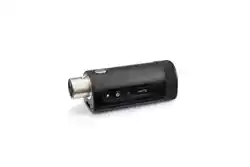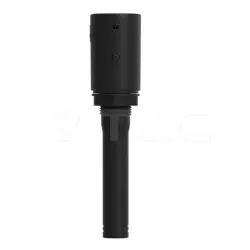

OHR812Rx
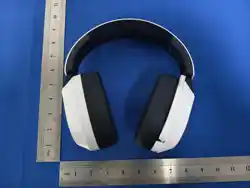
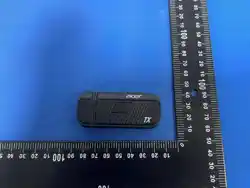
Headset Transmitter
User Manual
1. Power On / Off
Power On: Press and hold the MFB button for 3 seconds to turn on the headset.
Power Off: Press and hold the MFB button for 3 seconds to turn off the headset.
2. Connection Operation
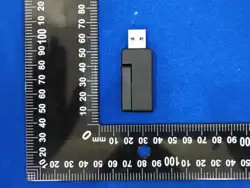
2.4G-dongle connected: headset green slow flash, dongle white breathing LED, play
connection-success tone.
Trigger 2.4G disconnection by dongle unplug or headset power-off: headset green fast
flash, dongle white flash, play disconnection tone.
After-sales Customer Service Number:
1. (978)230-8895(US) Mon-Fri: 9am-6pm(EST)
2.+0211 4187 3343(DE) Mon-Fri:9am-5pm
3.+0203868 3233(UK) Mon-Fri:9am-6pm(GMT)
4.+81090-9873-0969(日本) 月~金:午前 9 時~午後 6 時
5.+61 451 8926 82(AU) Mon-Fri:9am-6pm
For any product-related issues or concerns, please reach out to our after-sales service
team at the following email address:
1.For Temu and other purchases: shopify@newease.cc
2.For Amazon purchases: NE_hub.service@acergadget.com
FCC Compliance Statement:
This equipment has been tested and found to comply with the limits for a Class B digital
device,pursuant to part 15 of the FCC Rules. These limits are designed to provide
reasonable protection against harmful interference in a residential installation. This
equipment generates, uses and can radiate radio frequency energy and, if not installed
and used in accordance with the instructions, may cause harmful interference to radio
communications. However, there is no guarantee that interference will not occur in a
particular installation. If this equipment does cause harmful interference to radio or
television reception, which can be determined by turning the equipment off and on, the
user is encouraged to try to correct the interference by one or more of the following
measures:
• Reorient or relocate the receiving antenna.
• Increase the separation between the equipment and receiver.
• Connect the equipment into an outlet on a circuit different from that to which the
receiver is connected.
• Consult the dealer or an experienced radio/TV technician for help.
Caution: Any changes or modifications to this device not explicitly approved by
manufacturer could void your authority to operate this equipment.
This device complies with part 15 of the FCC Rules. Operation is subject to the following
two conditions:
(1)This device may not cause harmful interference, and (2) this device must accept any
interference received, including interference that may cause undesired operation.
This equipment complies with FCC radiation exposure limits set forth for an uncontrolled
environment. This equipment should be installed and operated with minimum distance
0cm between the radiator and your body.
Scan the code to view the multi-language instruction manual