AT828375MUK Rev1.indd 1AT828375MUK Rev1.indd 1 12/01/2026 14:3712/01/2026 14:37
AT828375MUK Rev1.indd 2AT828375MUK Rev1.indd 2 12/01/2026 14:3712/01/2026 14:37
AT828375MUK Rev1.indd 3AT828375MUK Rev1.indd 3 12/01/2026 14:3712/01/2026 14:37
AT828375MUK Rev1.indd 4AT828375MUK Rev1.indd 4 12/01/2026 14:3712/01/2026 14:37
AT828375MUK Rev1.indd 5AT828375MUK Rev1.indd 5 12/01/2026 14:3712/01/2026 14:37
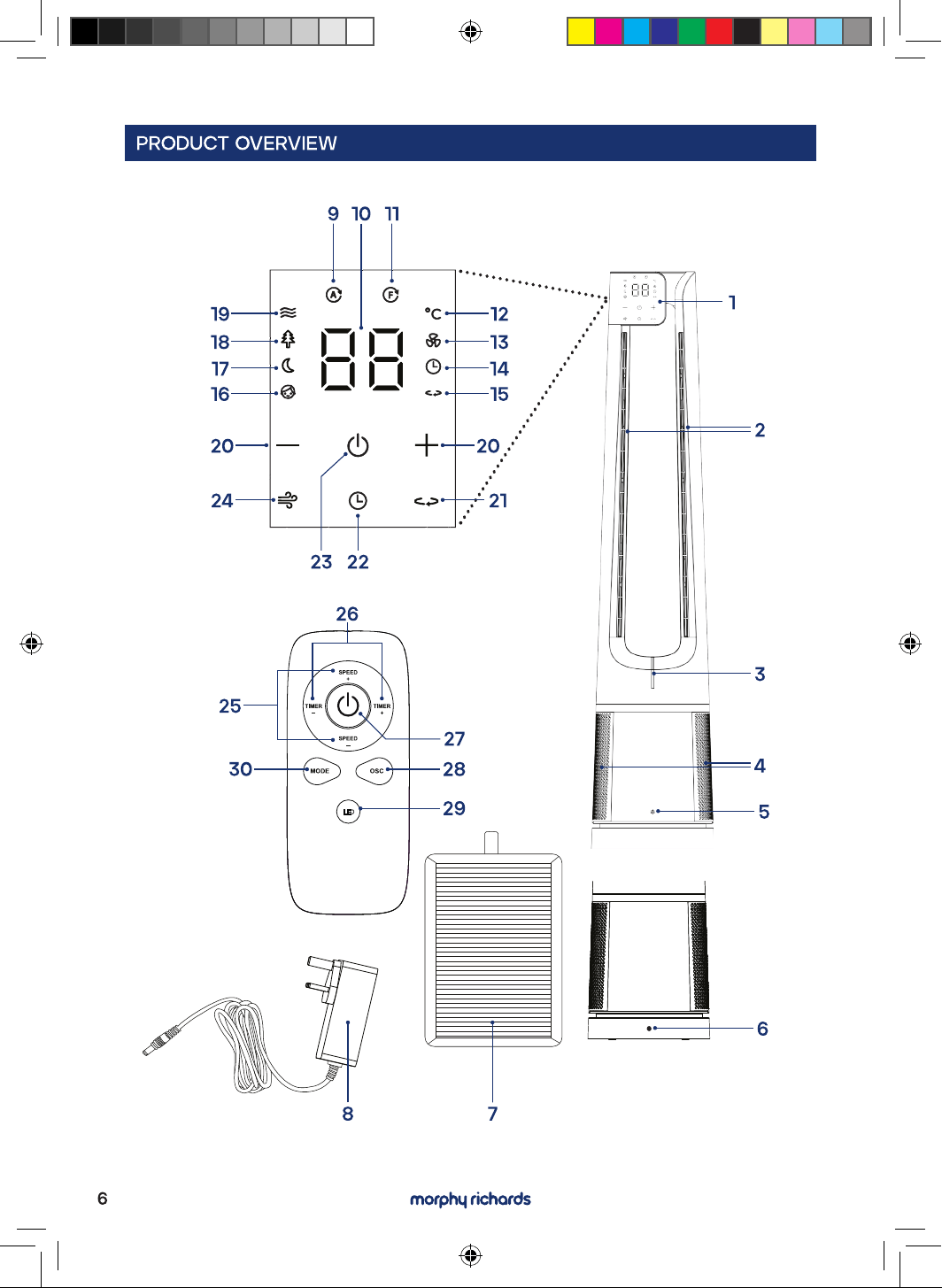
LED
AT828375MUK Rev1.indd 6AT828375MUK Rev1.indd 6 12/01/2026 14:3712/01/2026 14:37
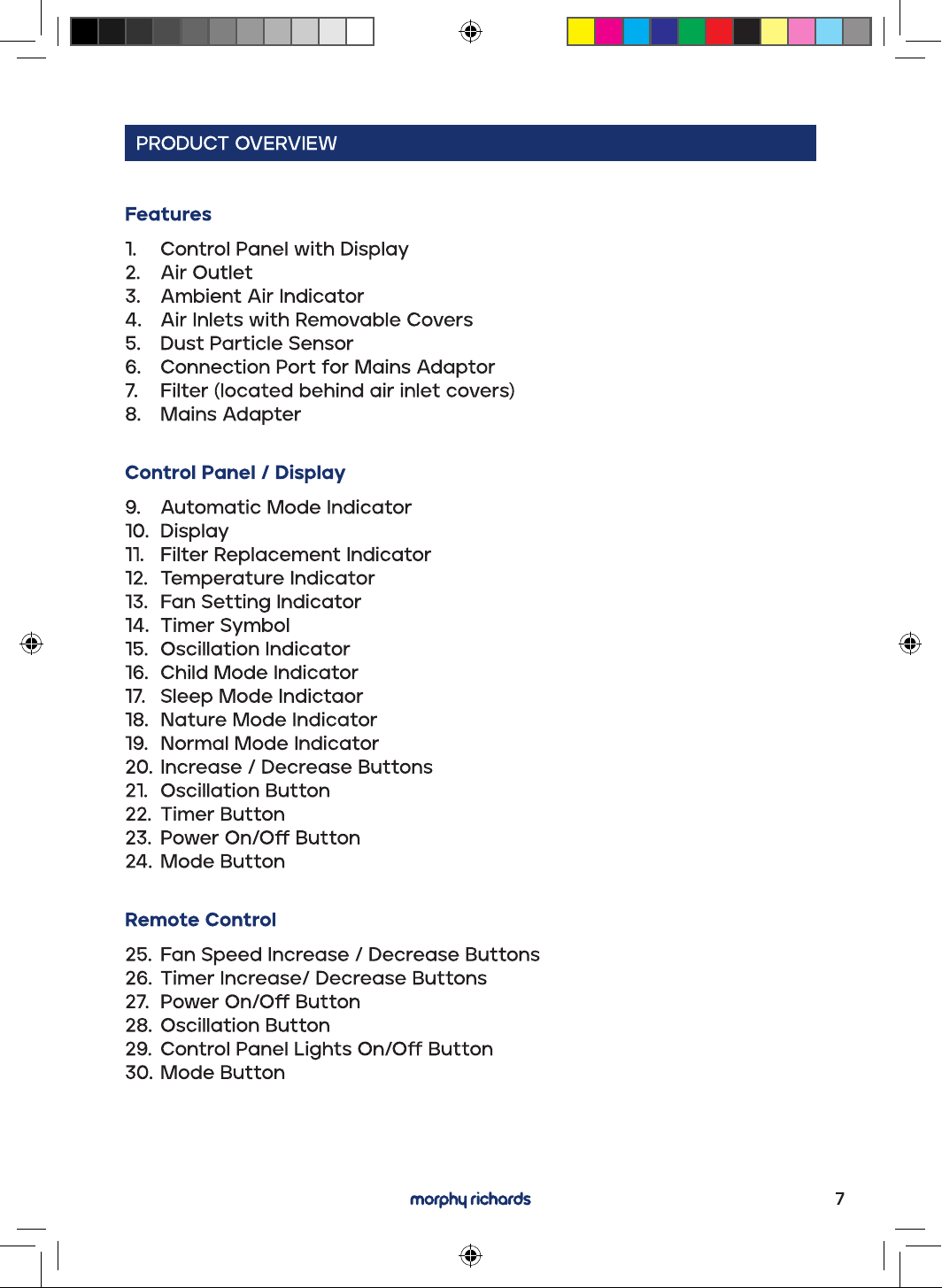
AT828375MUK Rev1.indd 7AT828375MUK Rev1.indd 7 12/01/2026 14:3712/01/2026 14:37
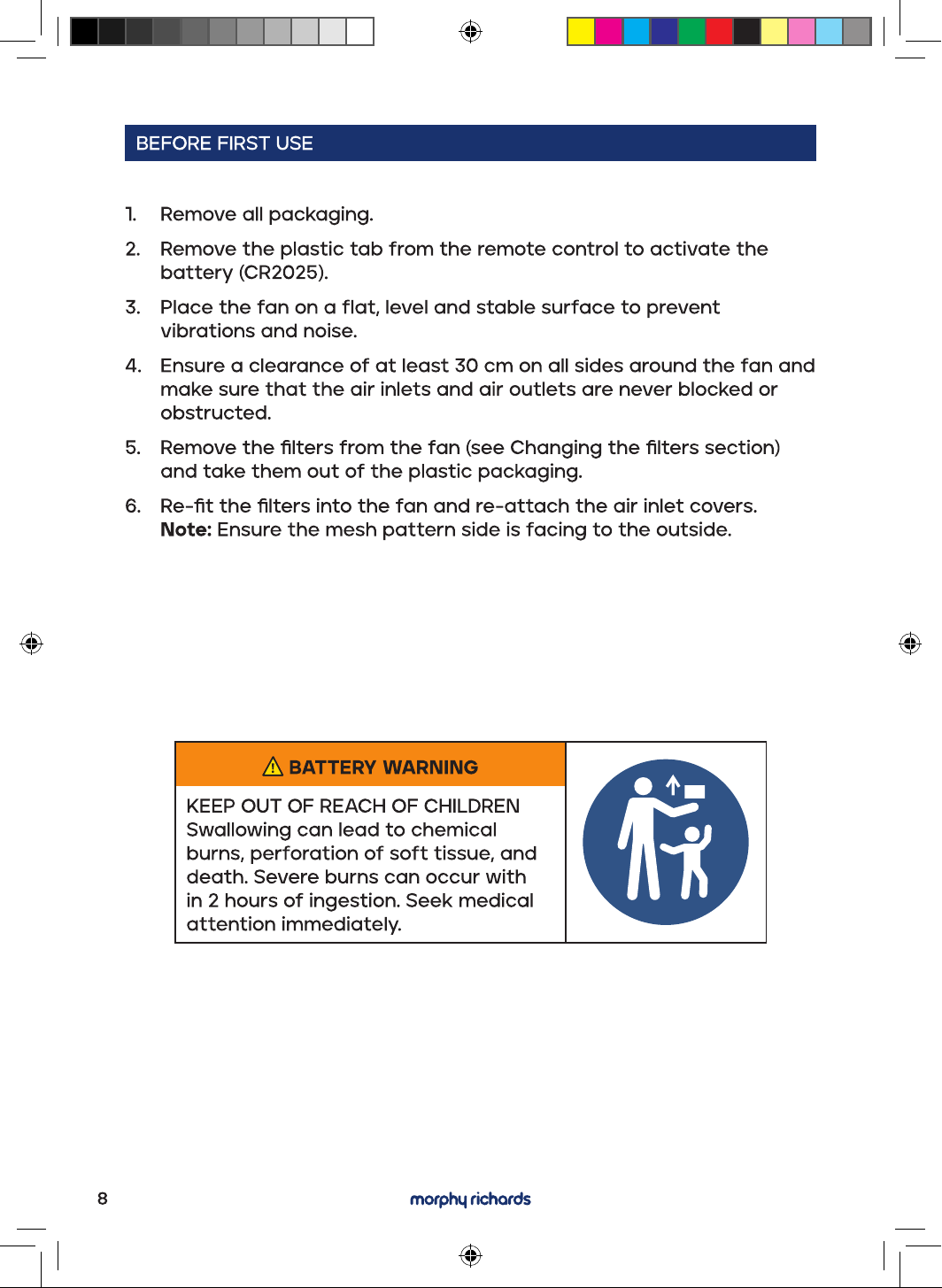
BATTERY WARNING
KEEP OUT OF REACH OF CHILDREN
Swallowing can lead to chemical
burns, perforation of soft tissue, and
death. Severe burns can occur with
in 2 hours of ingestion. Seek medical
attention immediately.
AT828375MUK Rev1.indd 8AT828375MUK Rev1.indd 8 12/01/2026 14:3712/01/2026 14:37
Ambient Air Indicator
1. Plug the mains cable of the mains adapter into the connection port
on the rear of the fan. Then plug the mains adapter into the mains
socket.
2. ThePowerOn/Obuttonilluminatesonthecontrolpanel.
3. Press the POWER button to turn the fan on.
4. A beep will be heard when the fan is switched on.
The fan will default to Speed 6 in normal mode (the LED display will
show room temperature after 5 seconds).
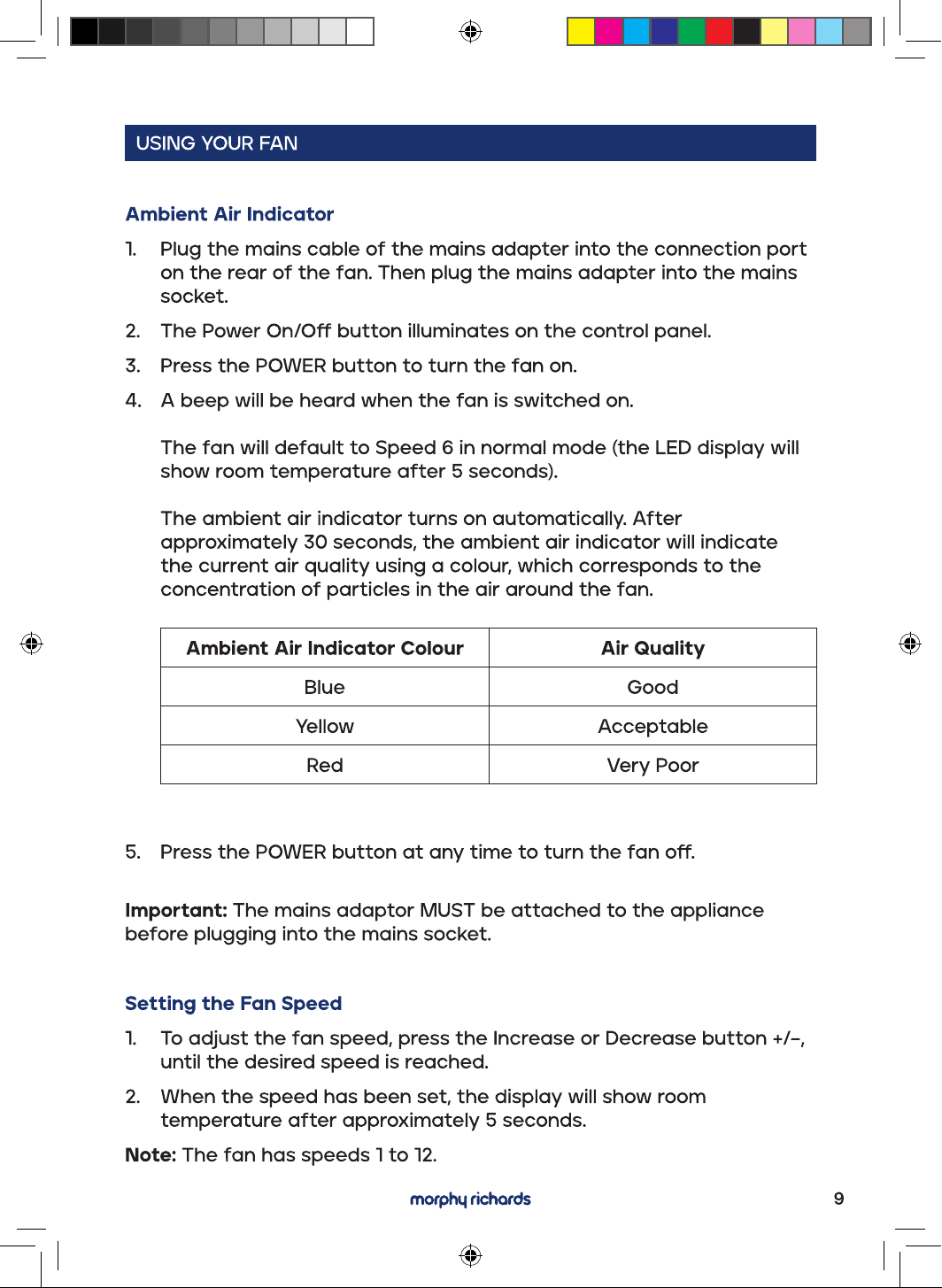
The ambient air indicator turns on automatically. After
approximately 30 seconds, the ambient air indicator will indicate
the current air quality using a colour, which corresponds to the
concentration of particles in the air around the fan.
5. PressthePOWERbuttonatanytimetoturnthefano.
Important: The mains adaptor MUST be attached to the appliance
before plugging into the mains socket.
Setting the Fan Speed
1. Toadjustthefanspeed,presstheIncreaseorDecreasebutton+/−,
until the desired speed is reached.
2. When the speed has been set, the display will show room
temperature after approximately 5 seconds.
Note: The fan has speeds 1 to 12.
AT828375MUK Rev1.indd 9AT828375MUK Rev1.indd 9 12/01/2026 14:3712/01/2026 14:37
AT828375MUK Rev1.indd 10AT828375MUK Rev1.indd 10 12/01/2026 14:3712/01/2026 14:37
AT828375MUK Rev1.indd 11AT828375MUK Rev1.indd 11 12/01/2026 14:3712/01/2026 14:37
AT828375MUK Rev1.indd 12AT828375MUK Rev1.indd 12 12/01/2026 14:3712/01/2026 14:37
11
2
2
1 1
2
2
1
1
2
2
AT828375MUK Rev1.indd 13AT828375MUK Rev1.indd 13 12/01/2026 14:3712/01/2026 14:37
AT828375MUK Rev1.indd 14AT828375MUK Rev1.indd 14 12/01/2026 14:3712/01/2026 14:37

AT828375MUK Rev1.indd 15AT828375MUK Rev1.indd 15 12/01/2026 14:3712/01/2026 14:37
AT828375MUK Rev1.indd 16AT828375MUK Rev1.indd 16 12/01/2026 14:3712/01/2026 14:37
AT828375MUK Rev1.indd 17AT828375MUK Rev1.indd 17 12/01/2026 14:3712/01/2026 14:37

AT828375MUK Rev1.indd 18AT828375MUK Rev1.indd 18 12/01/2026 14:3712/01/2026 14:37
AT828375MUK Rev1.indd 19AT828375MUK Rev1.indd 19 12/01/2026 14:3712/01/2026 14:37

AT828375MUK Rev1.indd 20AT828375MUK Rev1.indd 20 12/01/2026 14:3712/01/2026 14:37