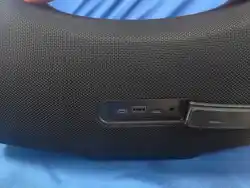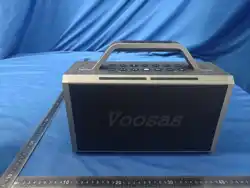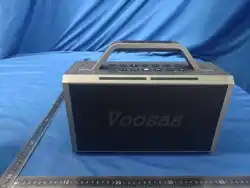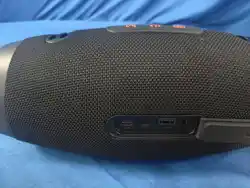
说明书盒尺寸:170x116x17mm
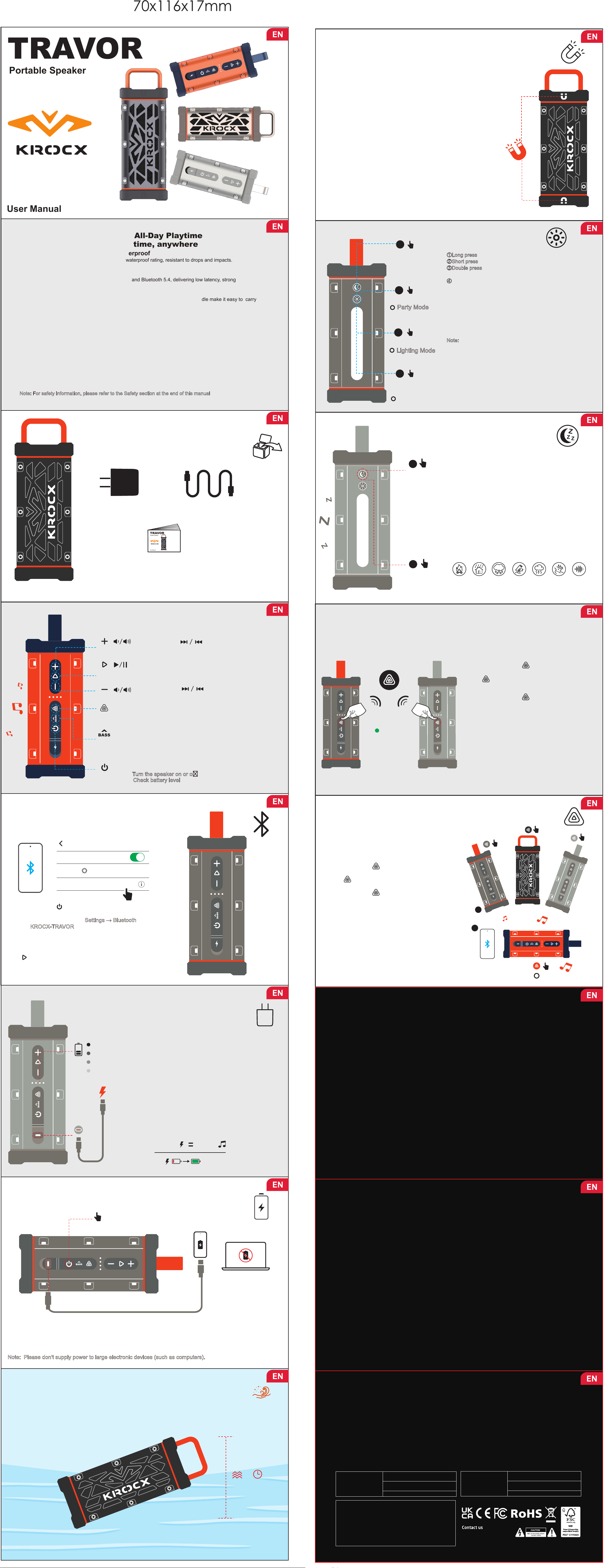
WHAT’S IN THE BOX
Power Adapter
USB-C Cable
Portable Speaker
User Manual
BLUETOOTH PAIRING
ON
1
1
2
Settings
Bluetooth
DEVICES
KROCX-TRAVOR
Connected
Now Discoverable
BASIC CONTROLS
LED
Sleep
Short press: Increase volume Long press: Next track
Long press
Short press
MULTI-SPEAKER
CONNECTION
2
AURACAST
TRUE WIRELESS STEREO(TWS)
ON/OFF
Long press
Long press
ON/OFF
4
Press and
hold for 8s
(SOS)
20W
POWER BANK FUNCTION
PD 30W OUT
Short press
CHECK BATTERY
WATERPROOF
DUSTPROOF IP68
1.5M
30 MINS
SPECIFICATIONS
• Output Power: 30W RMS for woofer,10W RMS for tweeter
• Frequency Response:
• Signal-to-Noise Ratio:
60 Hz – 20 kHz
> 80 dB
• 2 × 3.66-inch Woofer (53 × 93 mm) • 0.78-inch Tweeter (Ø20 mm)
• 2 × 5.9-inch Passive Radiator (53 × 150 mm)
Product Size:
Packaging Size:
Net Weight:
254 × 92 × 92 mm (10 × 3.6 × 3.6 inch)
292 × 126 × 131 mm (11.5 × 4.96 × 5.16 inch)
1.4 kg (3.09 lbs, with handle)
Green light
3
Double press
Lighting Mode
Magnetic Mount
Ready When You Are
BATTERY & CHARGING
100%
75%
50%
25%
10MIN 2.5H
2.5H
IP68
1
ON
AURACAST
White light
Outdoor-Grade Protection · All-Day Playtime
Bring your music to life anytime, anywhere
Rugged Protection·Dustproof & Waterproof
Aluminum alloy body with an IP68 dustproof and waterproof rating, resistant to drops and impacts.
Safe, durable, and reliable — even around water
Powerful Sound · Stable Connection
Equipped with a high-performance acoustic system and Bluetooth 5.4, delivering low latency, strong
connectivity, and rich, immersive sound
Portable Design · Travel with Ease
Magnetic mounting, an adjustable shoulder strap, and a durable aluminum alloy handle make it easy to carry
and ready for any adventure
Smart Experience · Thoughtful Interaction
• Illuminated buttons for easy operation at night
• Lighting Mode provides stable and bright illumination
• Party Mode lets you switch between various LED colors
• Sleep Sounds helps you relax and drift into sleep
• Adaptive power-saving technology intelligently manages energy consumption for extended playtime
More Surprises
• Supports TWS and Auracast wireless pairing
• USB-C reverse charging keeps both your music and your devices powered on the go
GETTING STARTED
• Fully charge the speaker before first use
• Long press the Power button to turn the speaker on or o
• A sound prompt and a flashing blue light indicate that the speaker is ready to connect
N
ote: For safety information, please refer to the Safety section at the end of this manual
Each button supports multiple actions depending on press duration
Short press: Play or pause music
Long press: Disconnect current bluetooth connection
Short press: Decrease volume Long press: Previous track
:TWS & AURACAST
Long press: Activate True Wireless Stereo (TWS) mode (green indicator)
Short press: Activate Auracast mode (white indicator)
• Short press: Switch between Outdoor Mode and Indoor Mode.
Indicator Status:
• White indicator solid on: Outdoor Mode
• Indicator o: Indoor Mode (Default on first power-on)
:Power Button
Long press: Turn the speaker on or o
C
heck battery levelShort press:
• Long press the " " button to turn on the speaker. Bluetooth
pairing mode will activate automatically and flashing blue light
• On your mobile device, go to S
ettings → Bluetooth
KROCX-TRAVOR• Select from the list of available devices
• When connected, you will hear a confirmation sound
Note:
• If the connected Bluetooth device cannot be located, long press
the " " button to disconnect the active connection.
• If phone and speaker volumes are not synchronized, enable
“Device Volume Sync” in the Bluetooth device settings. (Tap the
icon next to the speaker name “KROCX-TRAVOR” to find it.)
STEPS
1.Power on multiple TRAVOR speakers.
2.Connect your mobile device to one of the speakers.
3.Short press the " " button on this speaker to
activate Auracast mode.
4.The " " button indicator will remain solid white.
• This speaker will act as the primary speaker.
5.Short press the " " button on each additional
speaker one by one to complete pairing.
When pairing is successful, the indicator lights
on all connected speakers will remain solid white.
Note
• Auracast technology allows audio to be broadcast
to multiple speakers simultaneously.
• Supports connection of up to 100 speakers
• Ideal for parties and outdoor gatherings
Checking Battery Level
·Short press the Power button to check the current battery level
·A full charge is indicated by four bars
Charging
·Charge the speaker using the included USB-C cable
·A power adapter with an output of 20W or higher is recommended
·Supports USB-C PD fast charging up to 30W.
·Full charging time is approximately 3 hours (12–15V / 2A)
Charging Status Indicator
·One white indicator flashing: Charging in progress
·Four indicators solid on: Fully charged
Power-saving Mode
When the battery level drops below 25%, the speaker will automatically
activate the Adaptive Power-Saving Mode to extend battery life
The speaker supports reverse charging, which allows it to supply power to other devices (such as
smartphones or tablets):
·Use a compatible USB-C data cable to connect the speaker and the device.
·The white indicator will flash during charging
Ensure the speaker’s battery level is at least 20% to maintain reverse charging eciency
.
Note: Please don't supply power to large electronic devices (such as computers).
Important:
MAGNETIC MOUNT
·The speaker features a built-in magnetic mounting surface on one side, allowing it to
securely attach to suitable metal surfaces or compatible magnetic accessories
·Each magnetic position is marked with a smiley face icon, with a U-shaped mark
underneath for easy identification
Magnetic Strength & Function
·Equipped with a high-strength magnetic system
·Enables quick and convenient attachment to flat metal surfaces
·Provides stable positioning during normal use
Usage Notes
·Keep the magnetic surface away from magnetically sensitive items
such as credit cards, magnetic cards, or data storage devices
·Ensure the contact surface is clean, dry, and flat to maintain
optimal magnetic adhesion
·The magnetic mount is intended for surface attachment only
·Do not use it for hanging or load-bearing purposes
·Magnetic performance may vary depending on surface material,
·
Ensure the charging port is fully closed before exposure to water
Do not charge the speaker while it is wet or submerged
·
Waterproof performance may decrease over time due to wear and tear·
thickness, and environmental conditions
Sleep Sounds Types(random playback):
Sleep Sounds
·Short press: Play built-in sleep sounds (7 types)
·Long press: Turn sleep sounds on or o
Sleep sounds automatically stop after 60 minutes
Safety and Usage Notes
·Keep the volume at a moderate level during playback
to avoid prolonged exposure to high volume
·Ensure sucient battery or connect to external power
to prevent interruption
·Do not use sleep sounds for extended periods in humid
or high-temperature environments
·If Bluetooth playback is active simultaneously, sleep
sounds will automatically pause (subject to device logic)
①Long press: Turn LEDs on or o.
: Activate Party Mode and switch LED colors.②
Short press
: Activate Lighting Mode for stable and ③Double press
bright illumination. Short press: Exit Lighting Mode.
Press and hold for 8s: Activate Emergency Rescue ④
Light Mode (SOS) .The light flashes red.
·In emergency situations, the speaker can activate an emergency
rescue light mode to enhance visibility and attract attention.
·Flash pattern: Three short flashes, three long flashes, three short
flashes (SOS)
·Press and hold the Light Mode button again to exit Emergency
Rescue Light Mode.
N
ote:
• During music playback, the LEDs change colors automatically.
Short pressing the LED button allows you to manually
switch LED modes.
• The LED brightness is preset to enhance the visual eect
during music playback and cannot be adjusted.
• Emergency Rescue Light Mode is intended for visual signaling
only and does not replace professional rescue or location devices.
Audio
Speaker Units
Battery & Power
• Battery:
• Music Play Time:
• Charging Time:
• Power Input:
• Power Bank:
Li-ion Polymer 32.4 Wh (7.2 V / 4500 mAh)
Up to 25 hours (depending on volume and content)
Approx. 2.5 hours
30W (MAX) PD Voltage: 5-12V(5V,9V,12V)
30W (MAX) PD Voltage: 5-12V(5V,9V,12V)
Connectivity
• Bluetooth Version:
• Bluetooth Profiles:
• Bluetooth Frequency Range:
5.4
A2DP 1.4, AVRCP 1.6
2402 – 2480 MHZ
Dimensions & Weight
Flame Rain Raindrops Birdsong Thunder Stream White noise
IMPORTANT SAFETY NOTICE
• To maintain optimal battery performance, fully charge the speaker at least once every three months when not
in regular use.
• Battery life may vary depending on usage patterns and environmental conditions.
• Do not expose the speaker to liquids while the charging port is open or while charging.
• Charging in wet conditions may result in permanent damage to the speaker.
• Salt water, chlorinated pool water, and other chemicals may damage waterproof seals or internal components.
• After exposure to such substances, rinse the speaker with clean water, dry it thoroughly, and ensure the
charging port is completely dry before charging.
• Do not charge the speaker until it is completely dry and clean.
• Charging while moisture is present may cause damage to the speaker or battery.
• When using an external power adapter, ensure it complies with USB-C PD standards.
• Use of non-certified or incompatible chargers may result in damage.
Children & Storage Safety
• Keep the product and accessories out of reach of children and pets.
• Small parts may pose a choking hazard.
• Store the product in a dry, well-ventilated place when not in use.
• Ensure the product is completely dry and powered o before storage.
Warm Tips
If you encounter any issues during use, please prioritize contacting our customer
support email at
[email protected],and we will provide you with a satisfactory solution.
:Bass Adjustment
:
:
:
STEPS
1. Power on both TRAVOR speakers.
2. Connect your mobile device to one of the
speakers.
3. Press and hold the
" " button on this
speaker for 3 seconds to activate TWS mode.
• The " " button indicator will remain solid green.
•
This speaker will act as the primary speaker
(left channel).
4. Press and hold the
" " button on the other
speaker for 3 seconds to complete TWS pairing.
• This speaker will act as the secondary speaker
(right channel).
TWS Connection Notes:
① To ensure successful TWS pairing, make sure the
secondary speaker is unpaired from your mobile
device before pairing. Simply disconnecting the
Bluetooth connection is not sucient.
② After pairing is successful, the indicator on the
secondary speaker will remain solid green, while
the indicator on the primary speaker will turn o.
③ Place the left and right speakers in their corresponding
positions to enjoy true stereo sound.
TRAVOR
User Manual
Portable Speaker
TRAVOR
User Manual
Portable Speaker
• Output Power(Max):
45W(Max)
Model: TRAVOR
FCC ID: 2BCYG-TRAVOR
Portable Speaker
MADE IN CHINA
Manufacturer: Dongguan Chenxing Design Technology Co., Ltd
Address: Room 305, No. 5 Lucheng West Road, Qingxi Town,
Dongguan City,Guangdong Province
GAVIMOSA CONSULTORIA, SOCIEDAD LIMITADA
CE/REP
Address: CASTELLANA 9141,28046 Madrid
E-mail: [email protected]
Sea&Mew Accounting Ltd
UK/REP
Address: Electric Avenue Vision 25, London, Enfield EN3
7GD
E-mail: [email protected]
support@krocx.com
www.krocx.com
2
Short press
P
arty Mode
Change Sounds

FCC Warning
15.19 Labeling requirements.
This device complies with part 15 of the FCC Rules. Operation is subject to the following two
conditions: (1) This device may not cause harmful interference, and (2) this device must accept any
interference received, including interference that may cause undesired operation.
15.21 Information to user.
Any Changes or modifications not expressly approved by the party responsible for compliance
could void the user's authority to operate the equipment.
15.105 Information to the user.
Note: This equipment has been tested and found to comply with the limits for a Class B digital device
, pursuant to part 15 of the FCC Rules. These limits are designed to provide reasonable protection
against harmful interference in a residential installation. This equipment generates uses and
can radiate radio frequency energy and, if not installed and used in accordance with the instructions,
may cause harmful interference to radio communications. However, there is no guarantee that
interference will not occur in a particular installation. If this equipment does cause harmful
interference to radio or television reception, which can be determined by turning the equipment off
and on, the user is encouraged to try to correct the interference by one or more of the following
measures:
-Reorient or relocate the receiving antenna.
-Increase the separation between the equipment and receiver.
-Connect the equipment into an outlet on a circuit different from that to which the receiver is
connected.
-Consult the dealer or an experienced radio/TV technician for help.
FCC RF Exposure Warning Statement:
This equipment complies with FCC radiation exposure limits set forth for an uncontrolled
environment. This equipment can be used in portable exposure conditions.