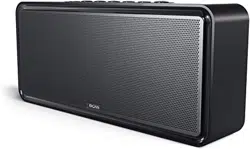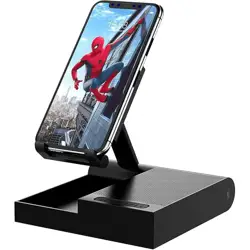
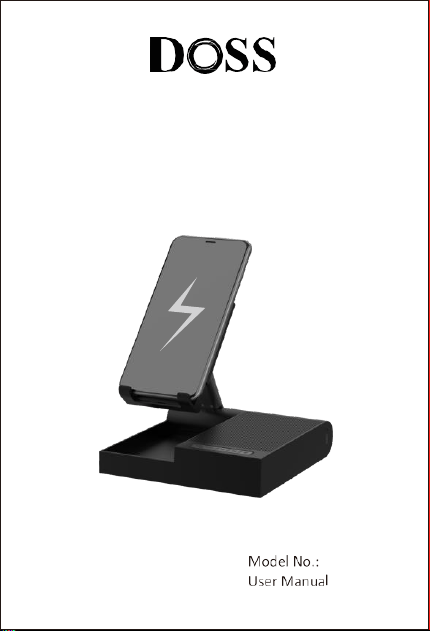
Bluetooth Speaker with Flexible Stand
DOSS FreeTalk
US:
UK:
FR:
IT :
CA:
DE:
ES:
JP:
OST_UK _20220119000010
EVATOST CONSULTING LTD
Office 101 32 Threadneedle Street, London,
United Kingdom, EC2R 8AY
contact@evatost.com
We simply act as UK representative for cross-border sellers, and are not manufacturers/importers/dis-
tributors for the product, nor involved in the manufacture/import/sale of the product. Therefore, we are
not responsible for any after-sales services related to the product. In case of any product quality or
infringement issues, the manufacturer/importer/seller shall be solely held responsible.
eVatmaster Consulting GmbH
Bettinastr. 30
60325 Frankfurt am Main,Germany
contact@evatmaster.com
OST EU 20220119000015
We simply act as EU representative for cross-border sellers, and are not manufactur-
ers/importers/distributors for the product, nor involved in the manufacture/import/sale of the
product. Therefore, we are not responsible for any after-sales service s related to the product.
In case of any product quality or infringement issues, the manufacturer/importer/seller shall
be solely held responsible.
Thanks for purchasing the DOSS FreeTalk, the Bluetooth
Speaker. We advise you to read, and follow and
keep the following Instructions to be able to correctly
set up the speaker and enjoy all of its features
to the fullest.
1 x DOSS Bluetooth Speaker
1 x Micro USB-C Charging Cable
1 x User Manual
Input: DC 5V 2A 9V 2A 12V 1.5A
Battery: Li-ion 3.7V 1500mAh
Charging time: 3 hours
TalkTime: 16 hours
Unit dimension:5.8 x 5.6 x 1.3 inches
Bluetooth version: V5.3
Operating distance: ≤10M, 33ft
Warranty: One-year limited
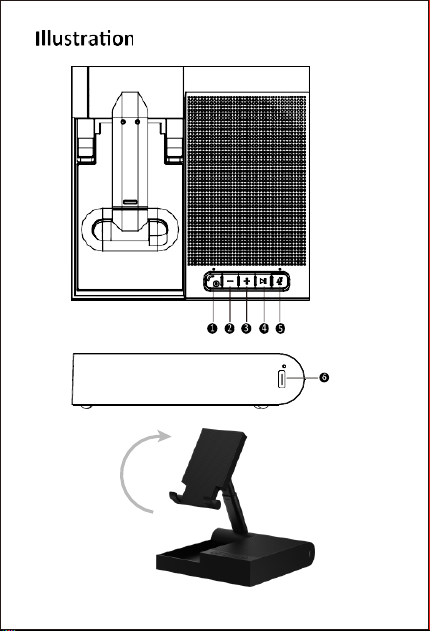
The way for phone holder unfold
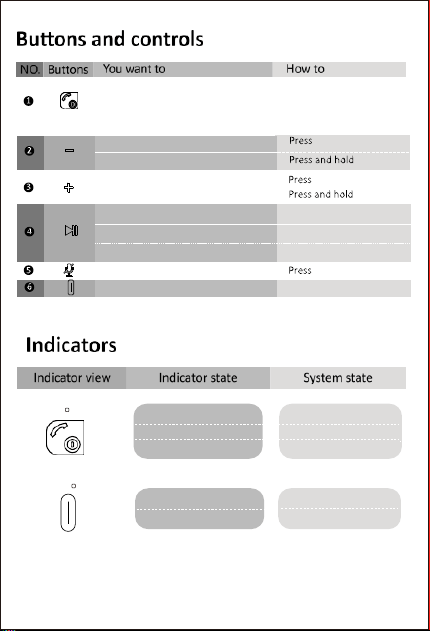
Turn on/off
Reject a call
Answer/ end a call
Press and hold for 3 seconds
Press and hold for 2 seconds
Press
Volume down
Go to previous track
Volume up
Skip to next trap
Play/Pause
Press
Disconnect
Press and hold for 3 seconds
Reconnect
Press
Mic on/off
Charge the speaker
Insert the charging cable
Solid red
off
Charging
Fully charged
Flashing blue
Solid blue
off
Bluetooth pairing
Bluetoothmode/USB-C mode
Power off

Use the supplied USB-C cable to charge your speaker directly from the cell phone
adapter (please make sure its output is 5V 2A). Make sure that the speaker is
fully charged before using it for the first time.
The charging indicator will remain RED when charging and be OFF once fully charged.
Pairing your device via Bluetooth
Power on your speaker, and then turn on Bluetooth on your device to choose DOSS
FreeTalk in the list. If the pairing succeeds, the Bluetooth indicator light will go solid
blue with a clear prompt tone.
Wireless charging
When the speaker is using the charger to take charge, your mobile phone will be
wireless charged by placing it on the phone holder.
Note
You can pair your computer with the speaker via using a USB-C cable.
The speaker will auto turn off after 10 minutes without any device connection.
If your device cannot discover the DOSS FreeTalk, please long press the play/pause
button and try to pair again.
Warning
DO NOT drop, hit or shake the speaker.
DO NOT disassemble, repair or modify the speaker by yourself.
DO NOT use cleaning products that contain benzene, solvents or alcohol.
DO NOT expose the speaker to excessive heat or direct sunlight for a long time.
DO NOT store the speaker in a place with humidity or dust.
DO NOT place heavy objects on top of the speaker.
DO NOT use the speaker near a microwave oven or wireless LAN products

FCC Statement
This equipment has been tested and found to comply with the limits for a Class B digital
device, pursuant to part 15 of the FCC Rules.These limits are designed to provide
reasonable protection against harmful interference in a residential installation.This
equipment generates, uses and can radiate radio frequency
energy and, if not installed and used in accordance with the instructions, may
cause harmful interference to radio communications. However, there is no
guarantee that interference will not occur in a particular installation. lf this
equipment does cause harmful interference to radio or television reception
which can be determined by turning the equipment off and on, the user is encouraged
to try to correct the interference by one or more of the following measures:
Reorient or relocate the receiving antenna.
Increase the separation between the equipment and receiver.
Connect the equipment into an outlet on a circuit different from that to which
the receiver is connected.
Consult the dealer or an experienced radio/TV technician for help.
Caution: Any changes or modifications to this device not explicitly approved by
manufacturer could void your authority to operate this equipment.This device complies
with part 15 of the FCC Rules. Operation is subject to the following two conditions:
(1)This device may not cause harmful interference, and (2) this device must accept any
interference received, including interference that may cause undesired operation.
RF Exposure Information
The device has been evaluated to meet general RF exposure requirement.
The device can be used in portable exposure condition without restriction.
ISED Statement
This device contains licence-exempt transmitter(s)/receiver(s) that comply with
Innovation, Science and Economic Development Canada's licence-exempt
RSS(s)Operation is subject to the following two conditions:
1.
This device may not cause interference.
2.
This device must accept any interference, including interference that may cause
undesired operation of the device.
This equipment should be installed and operated with a minimum distance of 20 cm
between the radiator and your body.