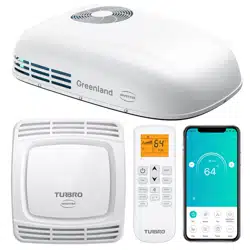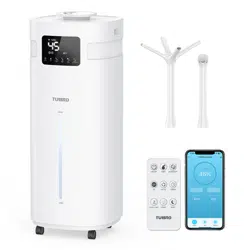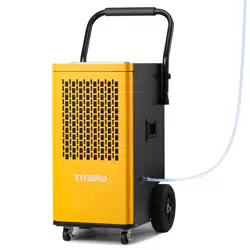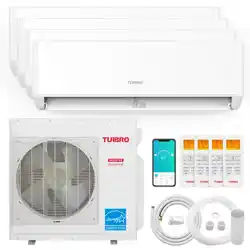
support@turbro.com www.turbro.com
SAFETY INFORMATION
01
Please read all instructions before use and save this user manual for future reference. A digital version can be
obtained from Customer Support.
Your safety and the safety of others are very important to us. We have provided many important safety
messages throughout this manual and on the appliance itself. Always read and follow all posted safety messages.
To reduce the risk of fire, electric shock, injury, or death to persons using or near this appliance, please follow
some basic safety precautions. These precautions include, but are not limited to, the following:
Installation and Setup
● This appliance is not intended for use by any persons (including children) with reduced or restricted physical,
mental, or sensory capabilities, or lack of experience and knowledge, unless under the direct supervision
of a person responsible for their safety.
● Please keep plastic bags and sheets out of the reach of children as they might be mistakenly used for play.
Packaging materials can become airtight chambers and may pose a risk of suffocation if not disposed of
properly.
● Before use, check whether the product is visibly damaged, malfunctioning, disassembled or has missing
or broken parts. If that, consult a professional or TURBRO customer service team to make sure the unit
can operate normally. Use only authorized TURBRO factory OEM parts.
● Keep the product away from fire. Do not store or use flammable gases or materials near the appliance.
● Do not use heating equipment near the appliance.
● In the event of a gas leak (propane gas, LP gas, etc.) do not operate this or any other appliance. Open a
window or door to ventilate the area immediately.
Electrical Safety Warning
● Protect the indoor unit with a fuse of suitable capacity for the maximum input current or with another
overload protection device.
● This product should be connected plugged to a power supply with properly rated, protected, and sized
in order to avoid electrical overload.
● Your air conditioner must be used in a properly grounded wall receptacle. If the wall receptacle you
intend to use is not adequately grounded or not protected by a time-delay fuse or circuit breaker, have a
qualified electrician install the proper wall power receptacle before using this appliance.
support@turbro.com www.turbro.com
02
batteries, please discard the batteries as sorted municipal waste at the accessible collection point.
●
● During the installation or moving of the appliance, be careful not to pinch, crush, or damage the wires.
Always disconnect the unit from the power supply before cleaning or maintenance operations.
● The batteries in the remote controller must be recycled or disposed of properly. For disposal of scrap
Do not obstruct the air inlet or outlet of the indoor or outdoor unit. The obstructions cause a reduction
in the operative efficiency of the conditioner with possible consequent failures or damages.
● Do not climb onto or place any objects on the outdoor unit.
FCC Caution
This device complies with part 15 of the FCC Rules. Operation is subject to the following two conditions:
(1) This device may not cause harmful interference, and (2) this device must accept any interference received,
including interference that may cause undesired operation.
Any Changes or modifications not expressly approved by the party responsible for compliance could void
the user's authority to operate the equipment.
Note: This equipment has been tested and found to comply with the limits for a Class B digital device,
pursuant to part 15 of the FCC Rules. These limits are designed to provide reasonable protection against
harmful interference in a residential installation. This equipment generates uses and can radiate radio
frequency energy and, if not installed and used in accordance with the instructions, may cause harmful
interference to radio communications. However, there is no guarantee that interference will not occur in a
particular installation. If this equipment does cause harmful interference to radio or television reception,
which can be determined by turning the equipment off and on, the user is encouraged to try to correct the
interference by one or more of the following measures:
● Reorient or relocate the receiving antenna.
● Increase the separation between the equipment and receiver.
● Connect the equipment into an outlet on a circuit different from that to which the receiver is connected.
● Consult the dealer or an experienced radio/TV technician for help.
The distance between user and device should be no less than 20cm.
support@turbro.com www.turbro.com
Ӧ AUTO MODE
The unit will automatically switch between Cool/Heat or Fan Mode depending on the ambient room
temperature.
● Press the “MODE” button until the symbol appears on the remote screen.
● Pressing the "FAN" button will adjust the fan speed.
Ӧ COOL MODE
Ideal for hot muggy weather when you need to cool and dehumidify the room.
●
27
Press the “MODE” button until the symbol appears on the remote screen.
● Press the or button to select your desired temperature 61°F-88°F (16°C-31°C).
● Pressing the "FAN" button will adjust the fan speed.
Function Description
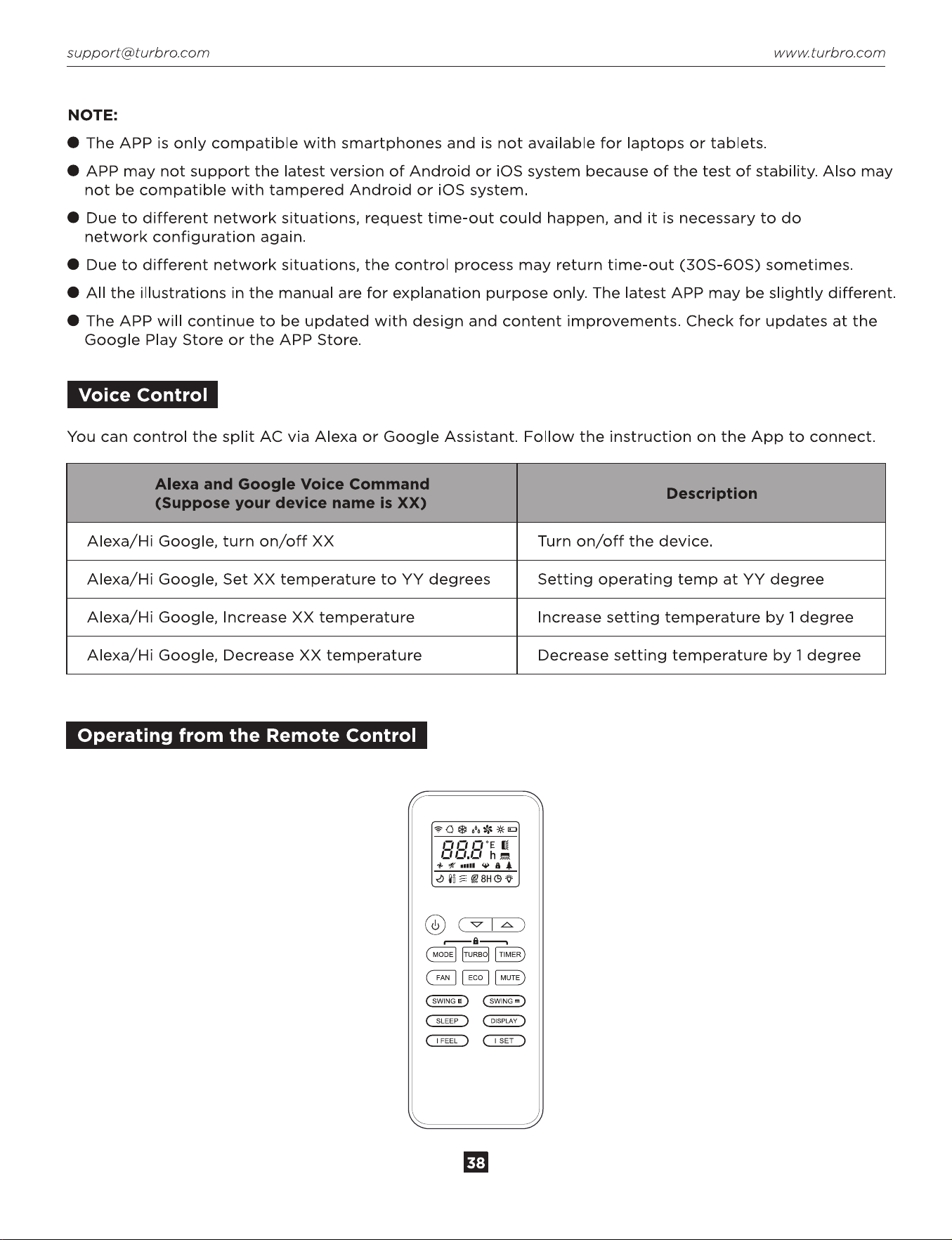
MODE Button
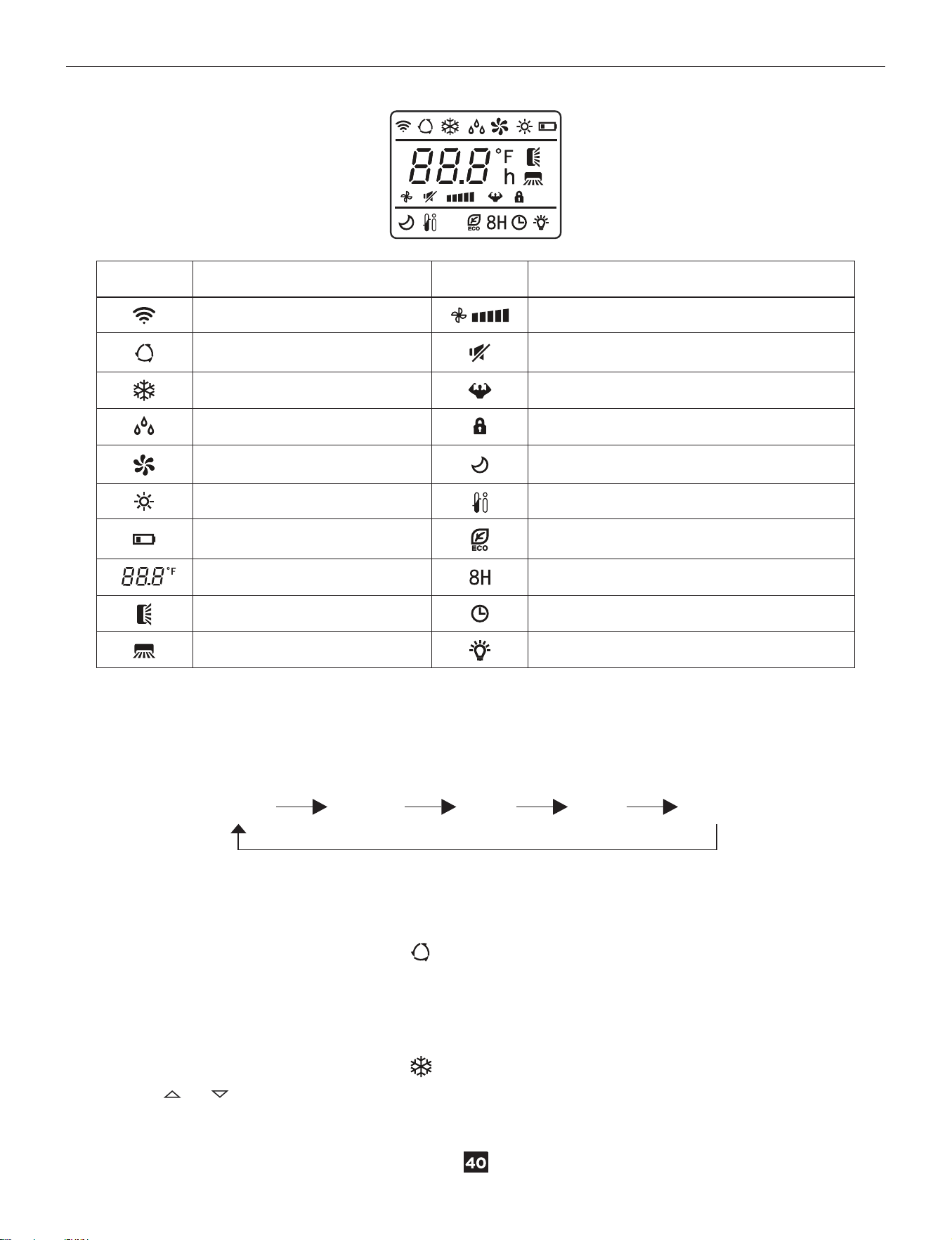
Pressing the “Mode” button will cycle through the following modes, as shown below:
SIGNAL
AUTO MODE
COOL MODE
DRY MODE
FAN MODE
HEAT MODE
BATTERY
TEMPERATURE
UP-DOWN AUTO SWING
LEFT-RIGHT AUTO SWING
FAN SPEED
MUTE FUNCTION
TURBO
CHILD LOCK
SLEEP MODE
I FEEL FUNCTION
ECO MODE
FREEZE GUARD HEATING FUNCTION
TIMER
LIGHT
MEANINGSYMBOLS MEANINGSYMBOLS
AUTO COOL DRY
FAN HEAT
support@turbro.com www.turbro.com
Ӧ DRY MODE
Ideal to reduce room humidity (spring and autumn, rainy periods or damp rooms, etc).
● Press the “MODE” button until the symbol appears on the remote screen.
● In this mode, the fan speed cannot be adjusted.
Ӧ FAN MODE
The unit only blows air, not heating or cooling the room.
● Press the “MODE” button until the symbol appears on the remote screen.
● Pressing the “Fan” button will adjust the fan speed.
Ӧ HEAT MODE
Ideal for cold weather when you need to heat the room.
●
28
Press the “MODE” button until the symbol appears on the remote screen.
● Press the or button to select your desired temperature 61°F-88°F (16°C-31°C).
● Press the "FAN" button can adjust the fan speed.
NOTE:
● In heating mode, the appliance will automatically activate a defrost cycle when needed. This procedure
usually lasts for 2-10 minutes. During defrosting, the indoor unit fan stops running. After defrosting, it will
resume heat mode automatically.
● If necessary, you can press the “ECO” button 10 times within 8 seconds while using the heating mode to
start forced defrosting.
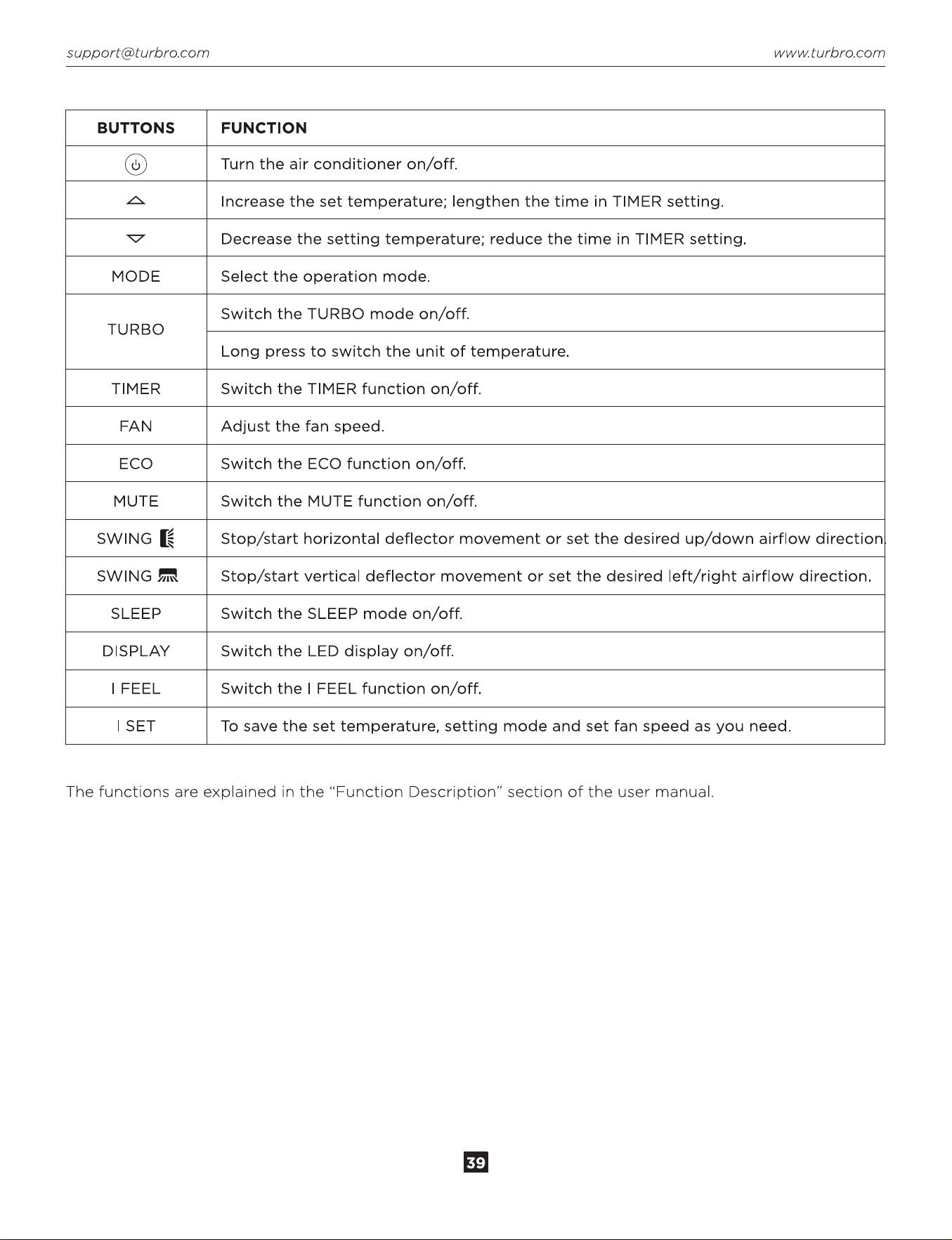
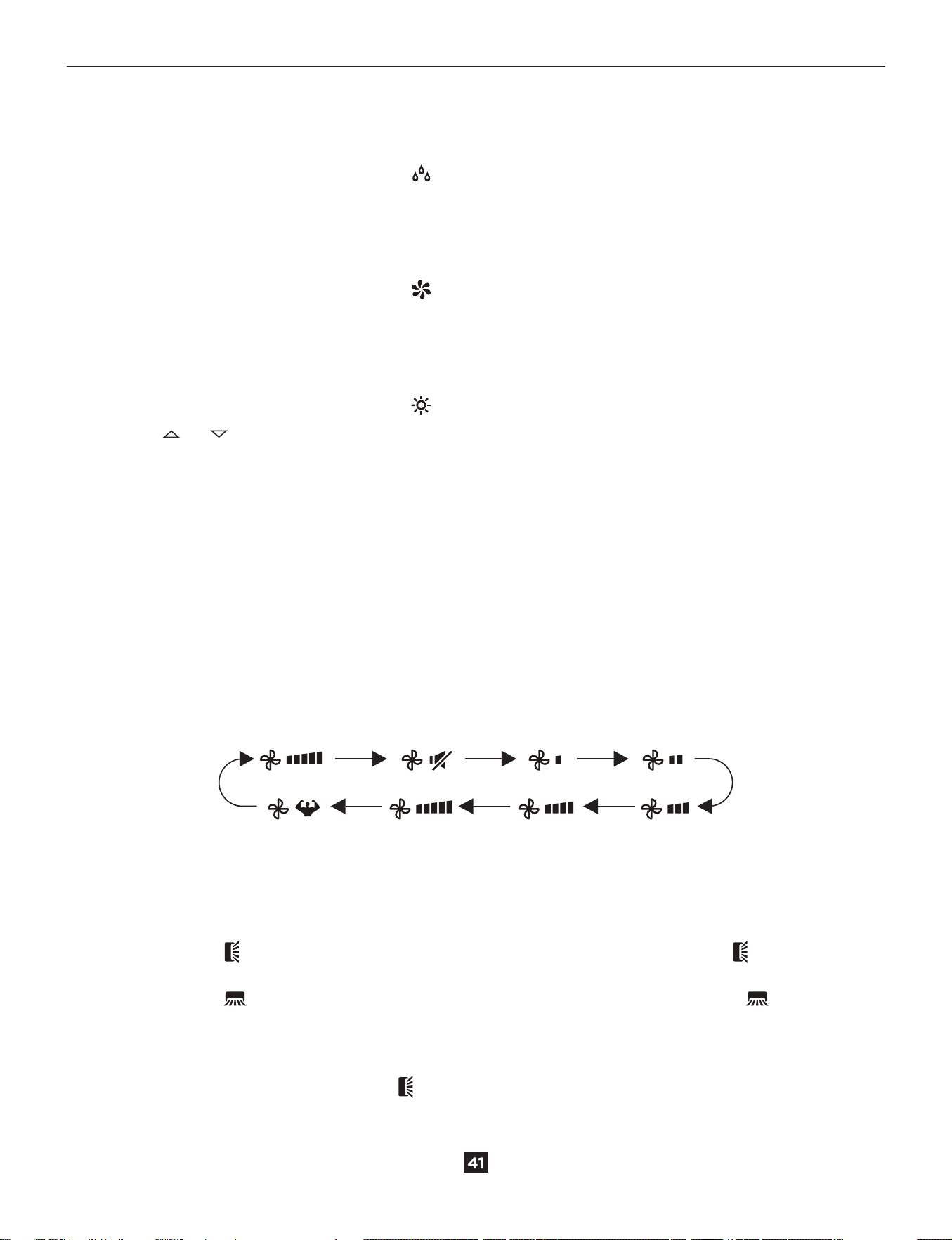
FAN Button
● Press the “FAN” button to adjust the desired fan speed.
● It can be set to AUTO / MUTE / LOW / LOW-MID / MID / MID-HIGH / HIGH / TURBO speed circularly.
NOTE: The fan speed can only be changed under AUTO / COOL / FAN / HEAT mode.
SWING Button
This function is useful for adjusting the up/down or left/right swing of air circulation.
● Press the “SWING ” button to activate the deflector to swing from up to down. The icon will appear
on the remote display. Press the button again to stop the swing movement at the current angle.
● Press the “SWING ” button to activate the deflectors to swing from left to right. The icon will appear
on the remote display. Press the button again to stop the swing movement at the current angle.
NOTE: Never put fingers, sticks, or other objects into the air inlet or outlet vents. Such accidental contact
with live parts might cause damage or injury.
In heating mode, press the “SWING ” button will activate the deflector to swing up/down after
3 minutes to make sure blowing warm wind to you.
(Flash)
support@turbro.com www.turbro.com
SLEEP Button
This function is useful at night as it maintains the room at optimum temperature silently without excessive
fluctuations in either temperature or humidity.
●
29
Press the “SLEEP” button to set sleep mode. The icon will appear on the remote and indoor unit display.
● Press this button again to cancel sleep mode and the icon will disappear.
NOTE:
● When in COOL MODE, the selected temperature will increase automatically during the 2nd-5th hours.
Then the temperature will automatically decrease for the next 5 hours back to the selected temperature
at the 10th hour and quit sleep mode automatically after that.
● Sleep function is available only on COOL / HEAT modes. In this mode, the fan speed is always low.
MUTE Button
● Press the “MUTE” button to activate this function, and will appear on the remote display. In this mode,
the indoor and outdoor unit will operate at the lowest fan speed to be quiet.
● When pressing the “FAN” or “TURBO” button, the mute function will be canceled.
NOTE: Mute function is available only on COOL / FAN / HEAT / AUTO mode.
TURBO Button
This function is ideal for cooling the room in the shortest time. When this function is active, the unit will
automatically be set to high fan speed.
● To activate the turbo function, press the “TURBO” button and the will appear on the remote display.
● In COOL / HEAT mode, when you select the TURBO feature, the unit will operate the fast cooling/heating
with the highest fan speed.
● To cancel this function, press the “TURBO” button again.
● Press the “TURBO” button for 3 seconds to switch the temperature scale between Fahrenheit and Celsius.
TIMER Button
This timer can be used to delay the unit start-up or shutdown. This avoids wasting electricity by optimizing
operating periods.
Ӧ Programming start-up
● When the unit is off, press the “Timer” button, and set time will appear on the remote screen and flash.
Press or button to set desired delayed start-up time. The timer setting increases/decreases by half
an hour between 0 and 10 hours and by one hour between 10 and 24 hours. Press the “TIMER” button
again to confirm.
● When the timer is active, and set time will appear on the indoor unit display.
● After the timer setting, you can continue to set your desired mode and temperature.
● If you press the timer button again the timer will be canceled and the display will disappear.
Ӧ Programming shut down
● When the unit is on, press the “Timer” button. Press or button to set desired delayed shut-down
time. The timer setting increases/decreases by half an hour between 0 and 10 hours and by one hour
between 10 and 24 hours. Press the “TIMER” button again to confirm.
● When the timer is active, will appear on the indoor unit screen.
support@turbro.com www.turbro.com
● Press the timer button again, the timer will be canceled and the will disappear.
ECO Button
In this mode the set temperature will be limited to 79°F-88°F(26°C-31°C) in COOL mode and 61°F-77°F
(16°C-25°C) in HEAT mode to save energy.
● Press the “ECO” button to activate ECO mode and the appears on the display.
●
30
Once you set the temperature below 61°F(26°C) in COOL mode or above 77°F(25°C) in HEAT mode, the
ECO mode will be automatically canceled.
● Press the button again to cancel it.
NOTE: The ECO function is available on COOL / HEAT modes.
I FEEL Button
This function enables the remote control to measure the temperature at its current location and send this
signal to the air conditioner to optimize the temperature around you to ensure comfort.
Normally, the ambient temperature will be based on a sensor located inside the indoor unit. In I FEEL mode,
the ambient temperature is based on a sensor in the remote control. If the remote control is unable to send
a signal back to the indoor unit, this function will automatically be turned off and will operate normally.
● Press the “I FEEL” button to activate the function, and the will appear on the remote display.
● Press the button again to cancel it.
NOTE: This function will automatically deactivate after 2 hours.
I SET Button
Remember your favorite setting and run it again by pressing one button.
Ӧ Remember the favorite setting
● On COOL / FAN / DRY / HEAT mode, long press the "I SET” button for over 3 seconds to remember the
current setting.
● When “AU” flashing appears on the remote display, it means the remote controller remembers the setting.
NOTE: Press any button to quit remembering the procedure and you can reset it by repeating the steps.
Ӧ Run the I SET setting
● On COOL / FAN / DRY / HEAT mode, only press the “I SET” button to activate the function.
● The appliance will run on your previous saved setting, and you will see “AU” flashing on the remote screen.
● Press the “I SET” button again or any other button to cancel this function.
DISPLAY Button
Switch the LED display ON/OFF on the indoor unit panel.
● Press the “DISPLAY” button to switch off the LED display on the panel and the will disappear on the
remote screen. Press again to switch on the LED display.
Other Functions
Child Lock Function
Long press the “MODE” and “TIMER” buttons simultaneously to switch on/off this function. When in this
mode, the remote screen will display and will not send any signal to the air conditioner.
support@turbro.com www.turbro.com
Freeze Guard Heating Function
This mode is useful if you are going to be away from the home for an extended period of time and want to
prevent your unit and/or water pipes in your home from freezing.
●
31
Long press the “ECO” button over 3 seconds to switch on this function. When the function is activated,
8°C (46°F) will appear on the remote display.
● This function will automatically start heat mode when the room temperature is lower than 8° C (46°F). If
the room temperature is higher than 18°C (64°F), the appliance will cancel this function automatically.
● Long press the “ECO” button for 3 seconds to switch off this function. The unit will also be turned off.
Using the Remote
● Point the remote control toward the air conditioner.
● Check that there are no objects between the remote control and the signal receptor in the indoor unit.
● Never leave the remote control exposed to the sun.
● Keep the remote control at a distance of at least 1m from the television or other electrical appliances.
Inserting or Replacing the Batteries
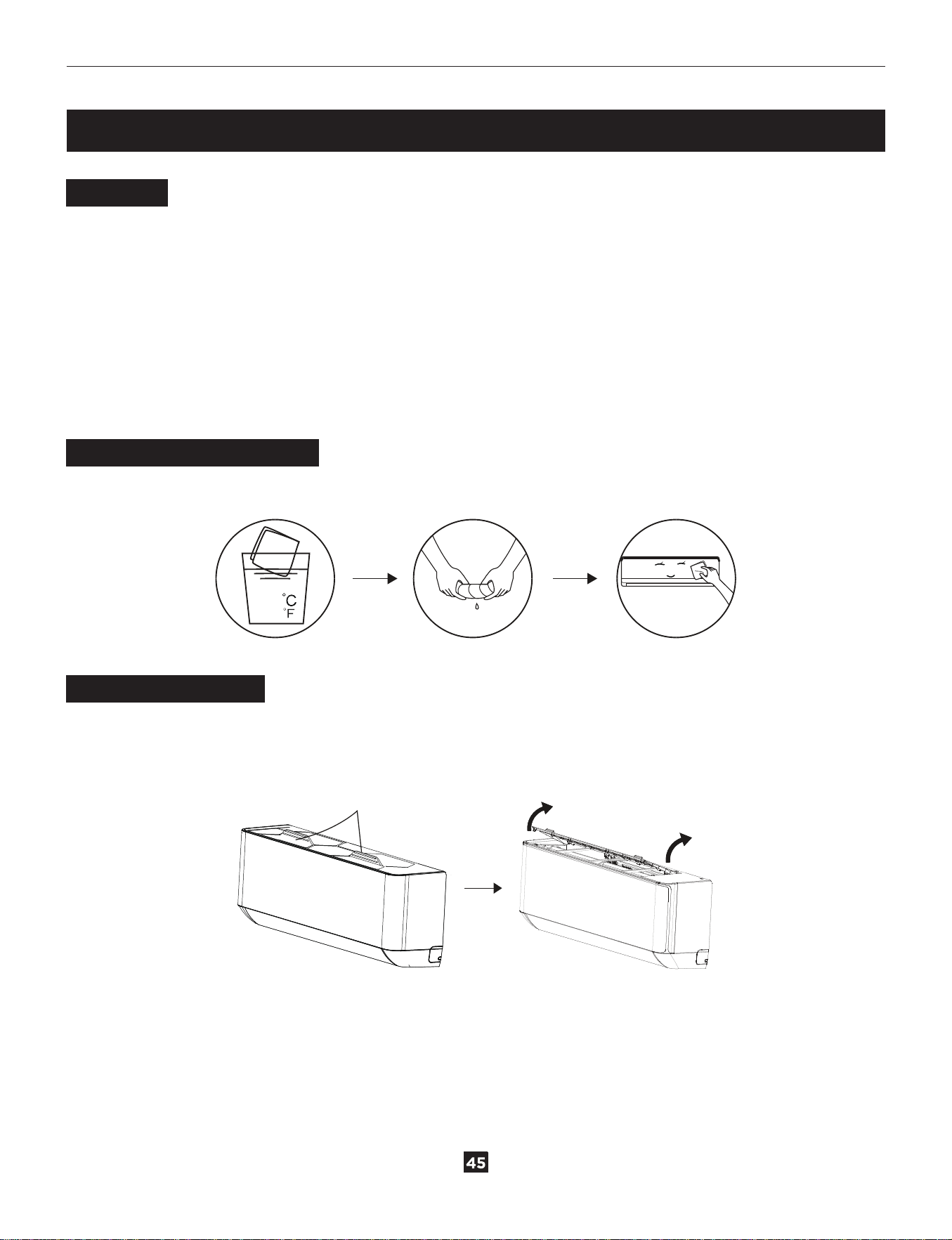
● Remove the cover on the rear of the remote control.
● Insert two "AAA" 1.5V batteries in the correct position (see instructions
inside the battery compartment).
NOTE:
● If the remote control unit is replaced or disposed of, the batteries must be removed and discarded in
accordance with current legislation as they are harmful to the environment.
● Do not mix old and new batteries. Do not mix alkaline, standard (carbon-zinc) or rechargeable
(nickel-cadmium) batteries.
● Do not dispose of batteries in fire. Batteries may explode or leak.
● Remove the batteries if the remote control won’t be used for a long time.
Self-Clean Function
This function helps carry away the accumulated dirt, bacteria, etc from the indoor evaporator.
To activate this function, turn off the indoor unit first, then press the “SWING ”and “SWING ” buttons
simultaneously until hearing a beep. The “AC” will appear on the remote and the indoor unit display. This
function will run for about 30 minutes, and it will return to the previous mode when complete.
You can press the button to cancel this function during the process and will hear 2 beeps when it's
finished or canceled.
NOTE:
● It's normal if there is some noise during the process.
● We suggest operating this function at the following ambient conditions to avoid certain safety protection
features. It's suggested to utilize this function every 3 months.
Indoor unit
Outdoor unit
Temp < 86°F (30°C)
41°F (5°C) < Temp < 86°F (30°C)
support@turbro.com www.turbro.com
32
CLEANING
Warning
● When cleaning, you must shut down the machine and cut off the power supply for more than 5 minutes.
● Under no circumstances should the air conditioner be flushed with water.
● Volatile liquid (e.g. thinner or gasoline) will damage the air conditioner, so only use a soft dry cloth or wet
cloth dipped with neutral detergent to clean the air conditioner.
● Pay attention to cleaning the filter regularly to avoid dust covering which will affect the filter effect. It's
recommended to clean the filter every 3-6 months. When the operating environment is dusty, the cleaning
frequency should be increased appropriately.
● After removing the filter, do not touch the fins of the indoor unit to avoid scratching.
Cleaning the Outer Case
If there's dust on the surface of the outer case, gently wipe it with a soft cloth.
<40
(104 )
Cleaning the Filter
● Grasp the raised handle on the filter by hand, and then pull the filter out in the direction deviating from
the unit, so that the upper edge of the filter is separated from the unit. The filter can be removed by lifting
the filter upwards.
Handle
support@turbro.com www.turbro.com
●
33
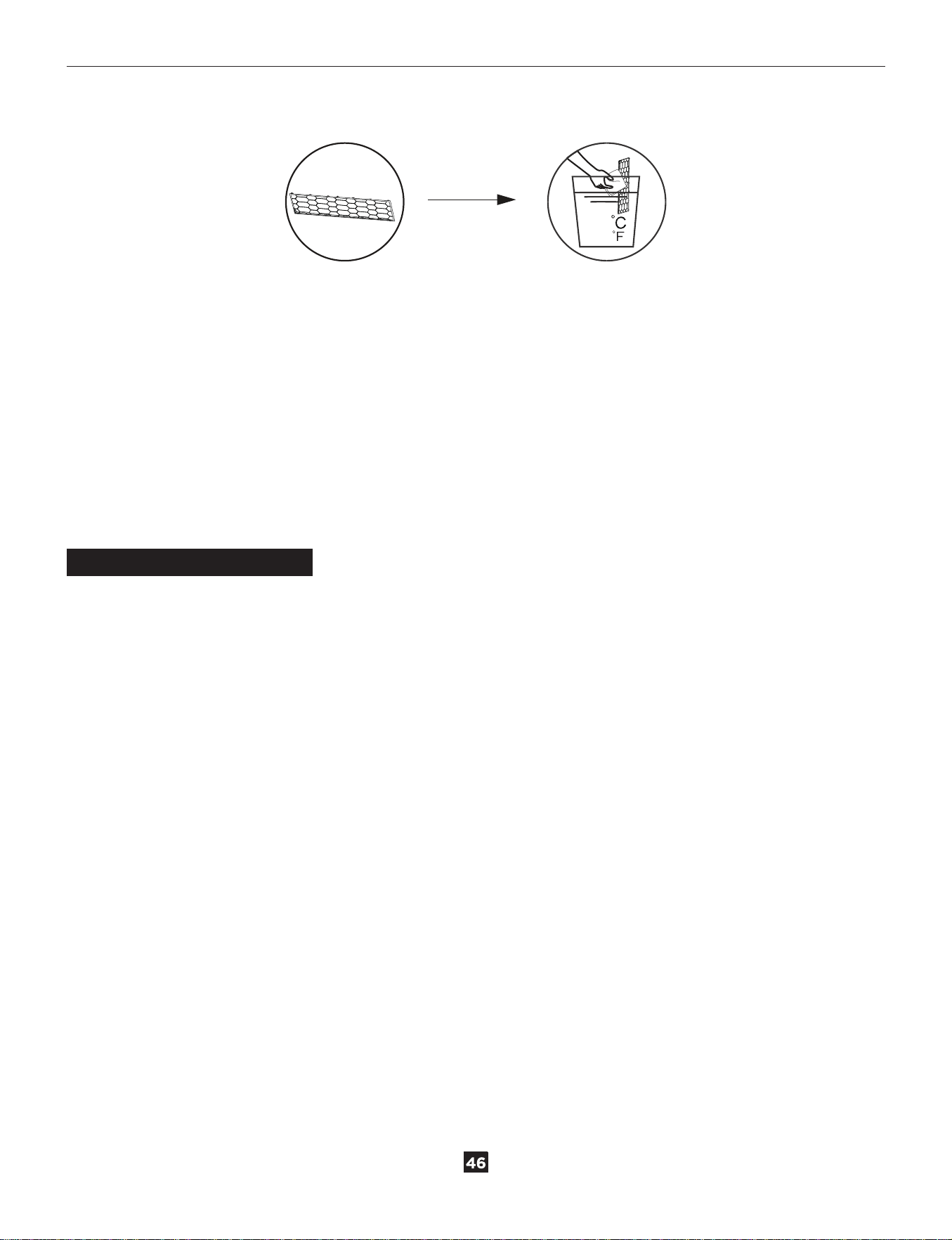
Clean the filter with soapy water and air dry it.
● When installing the filter, first insert the lower end into the corresponding position of the unit, and then
squeeze the upper end of the filter into the corresponding buckling position of the unit body.
NOTE:
● When you find accumulated dust in the filter, please clean the filter in time to ensure clean, healthy and
efficient operation inside the air conditioner.
● Do not touch the metal fins in the air conditioner after removing the filter, as they may cause personal
injury.
● Do not attempt to dry the filter with a hairdryer or other heating elements as this may deform or ignite
the filter.
● Do not operate the air conditioner if the air filter is missing.
Maintenance Checklists
Pre-Season Maintenance Checklist
● Check whether there are obstacles at the air inlet and outlet of indoor and outdoor units.
● Clean the filter.
● Install the batteries of the remote control and check whether the power is on.
● Check whether the drain pipe is unobstructed.
Post-Season Maintenance Checklist
● Clean the filter.
● Take out the batteries of the remote control.
<40
(104 )
WARRANTY & CUSTOMER SUPPORT
support@turbro.com www.turbro.com
36
WARRANTY
CUSTOMER SUPPORT
TURBRO provides a 5-year limited warranty for TURBRO products from the date of purchase, subject to the
following conditions and limitations outlined below.
What is covered?
● This warranty is limited to replacement of part(s) proved to be defective in material or workmanship, after
said defect is confirmed by the manufacturer's inspection.
● The manufacturer may, at its discretion, fully discharge all obligations with respect to this warranty by
refunding the wholesale price of the defective part(s).
What is not covered?
● Damage caused by the owner when attempting to fix or alter the product themselves.
● Damage caused by misuse, abuse, neglect, alterations, or unauthorized repair.
● Natural depreciation.
● Any alteration misuse of the product will nullify this warranty.
● This warranty is non-transferable, which is effective for the original buyer from the authorized seller only.
How to request warranty services?
● To obtain the benefit of this warranty, please leave a message online (www.turbro.com/contact ), or send
an email to support@turbro.com.
What will TURBRO do?
● Replace the item if not repairable.
● Refund the item under certain circumstances.
We are here to help anytime!
Any problems, write to us via support@turbro.com. We will get back to you within 1 business day.
www.turbro.com