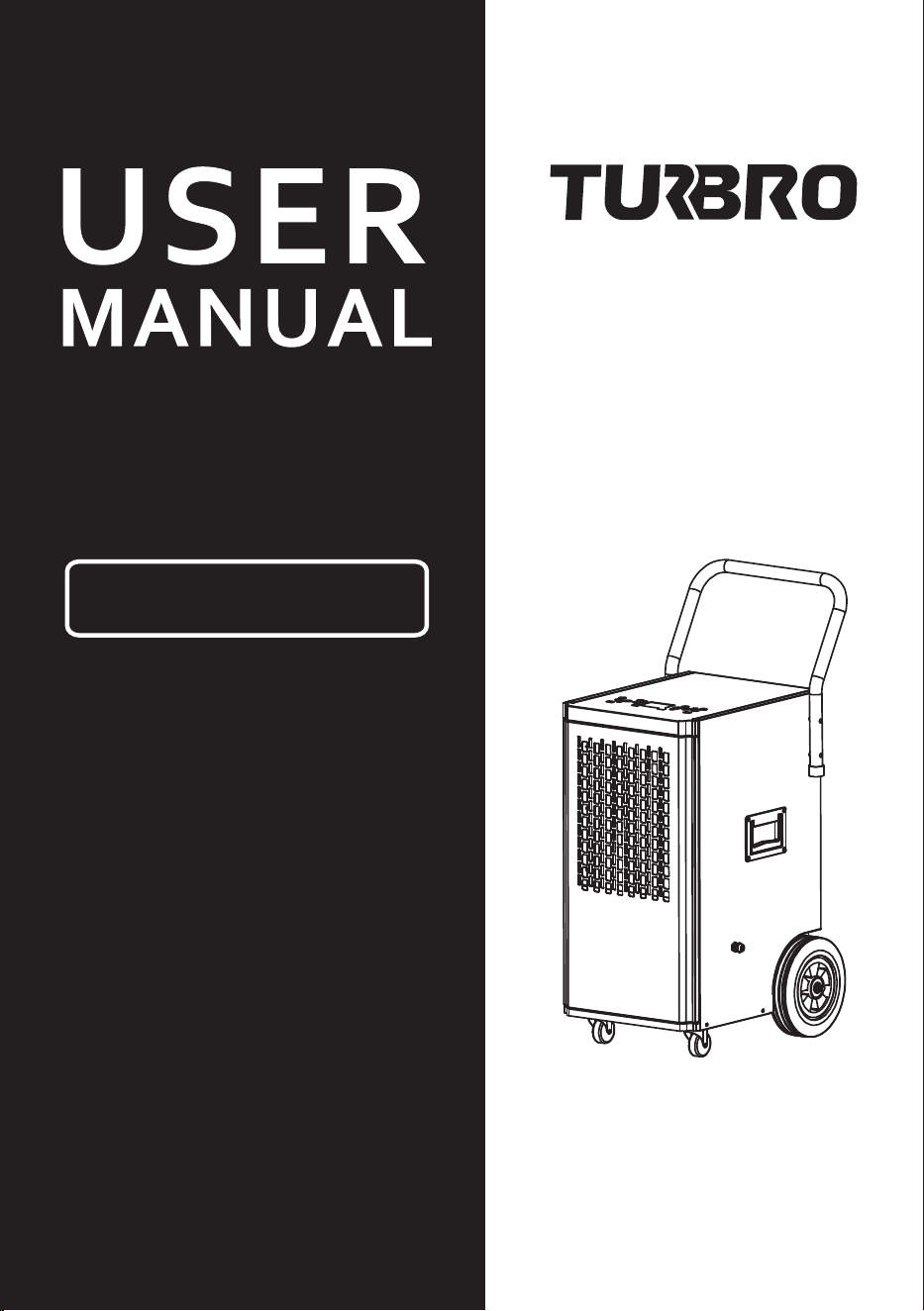
DEHUMIDIFIER
Greenland GL150P
Thank you for purchasing our product.
Please read this manual carefully before use.

[email protected] www.turbro.com
SAFETY INSTRUCTIONS
PARTS DESCRIPTION
SPECIFICATIONS
OPERATION
CLEANING
STORAGE
SELF-DIAGNOSIS
TROUBLESHOOTING
WARRANTY
CUSTOMER SUPPORT
············································· 02
················································· 04
························································ 05
································································· 05
···································································· 09
····································································· 10
························································ 10
·················································· 11
·································································· 12
················································ 13
CONTENTS
01

[email protected] www.turbro.com
SAFETY INSTRUCTIONS
02
Children shall not play with the appliance. This appliance can be used
by children aged 8 years or above and persons with reduced physical,
sensory, or mental capabilities or lack of experience and knowledge if
they have been given supervision or instruction concerning the use of
the appliance in a safe way and understand the hazards involved.
Cleaning and user maintenance shall not be done by children without
supervision.
This appliance is designed for indoor use only. Do not use outdoors.
The unit is designed only for use with R32 (propane) gas as the
designated refrigerant. R32 (propane) is flammable and heavier than
air. Do not discharge the refrigerant into the atmosphere.
If propane gas is present or even suspected, do not allow untrained
personnel to attempt to find the cause.
The propane gas used in the unit has no odor. The lack of smell does
not indicate a lack of escaped gas.
If a leak is detected, immediately evacuate all persons from the place,
ventilate the room, and contact the local fire department to advise
them that a propane leak has occurred. Do not let any persons back
into the room until the qualified service technician has arrived and
that technician advises that it is safe to return to the room.
No open flames, cigarettes, or other possible sources of ignition
should be used inside or in the vicinity of the units. Ensure the unit is
far away from fire, inflammable, or explosive objects.
The appliance shall be stored in a room without continuous operation
sources (for example: open flames, an operating gas appliance, or an
operating electric heater).
Component parts shall only be replaced with identical repair parts.
To prevent injury and property damage, please follow the below instructions
when using the dehumidifier.
[email protected] www.turbro.com
03
Please read this manual carefully and fully understand it before operating
your appliance.
Always operate the unit from a power source of equal voltage, frequency,
and rating as indicated on the product identification plate.
Unplug the power cord when cleaning or when not in use. Do not unplug
while the unit is operating. Do not unplug by pulling on the power cord.
Do not operate with wet hands. Prevent water from spilling onto the unit.
Do not immerse or expose the unit to rain, moisture, or any other liquid.
Do not tilt or turn over the unit.
Do not use an extension cord or an adapter plug.
Do not put objects on top of the unit. Do not climb or sit on the unit.
Do not insert fingers or other objects into the air outlet.
Do not operate the unit if it is damaged or showing signs of product
malfunction.
Do not clean the appliance with any chemicals.
Compliance with national gas regulations shall be observed.
Keep any required ventilation openings clear of obstruction.
The appliance shall be stored in a well-ventilated area where the room
size corresponds to the room area as specified for operation.
Install the unit in rooms that exceed 43 sq ft.(4 m2).
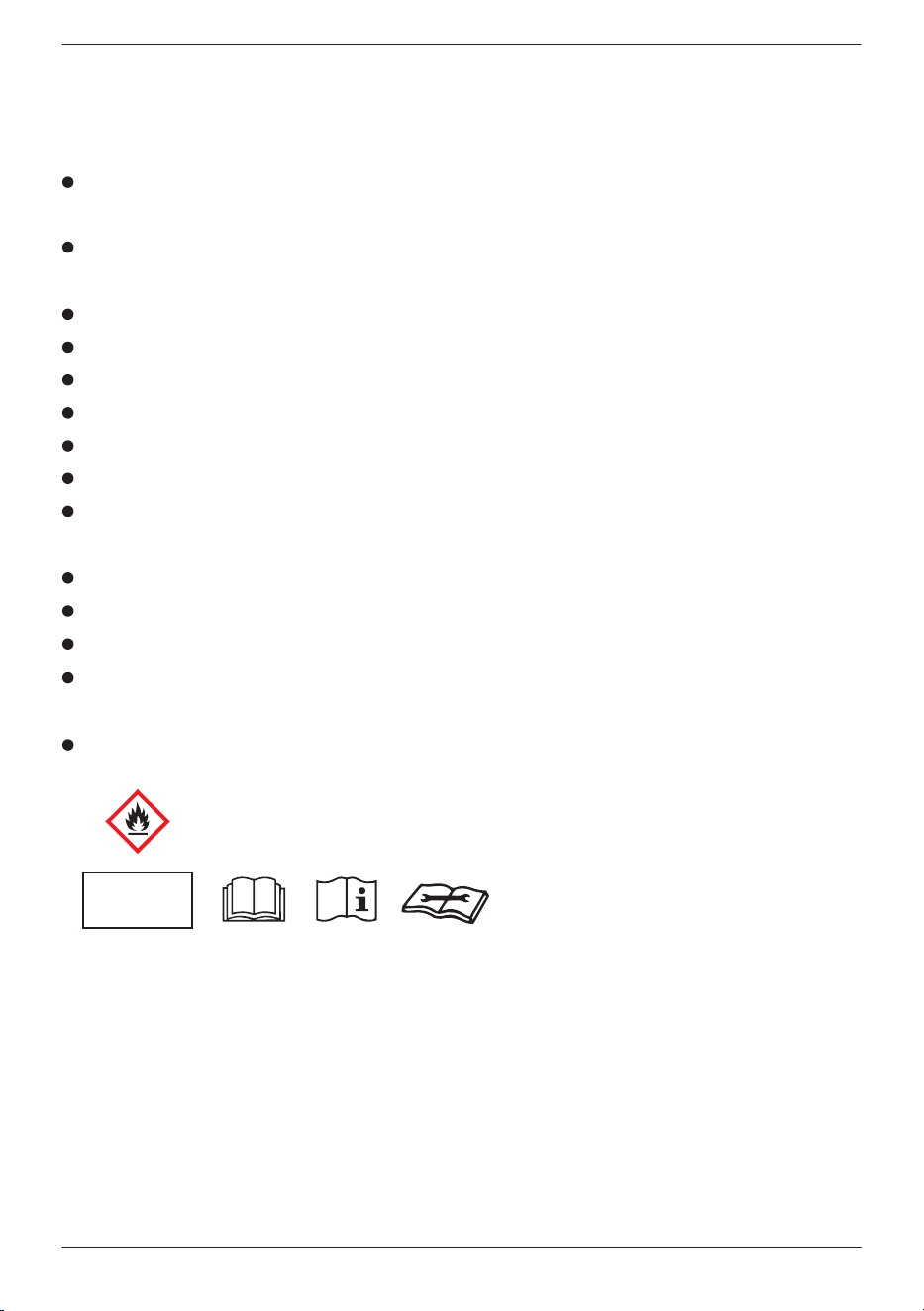
- This unit uses a flammable refrigerant.
- If refrigerant leaks and comes in contact with fire or heating elements,
it will create harmful gas and there is a risk of fire.
- Before using the appliance, read the owner's manual first.
- Before installing the appliance, read the installation manual first.
- Before repairing the appliance, read the service manual first.
- Service personnel must carefully read the user and service manuals before
operation.
Refrigerant
Safety Group
A2L
[email protected] www.turbro.com
PARTS DESCRIPTION
04
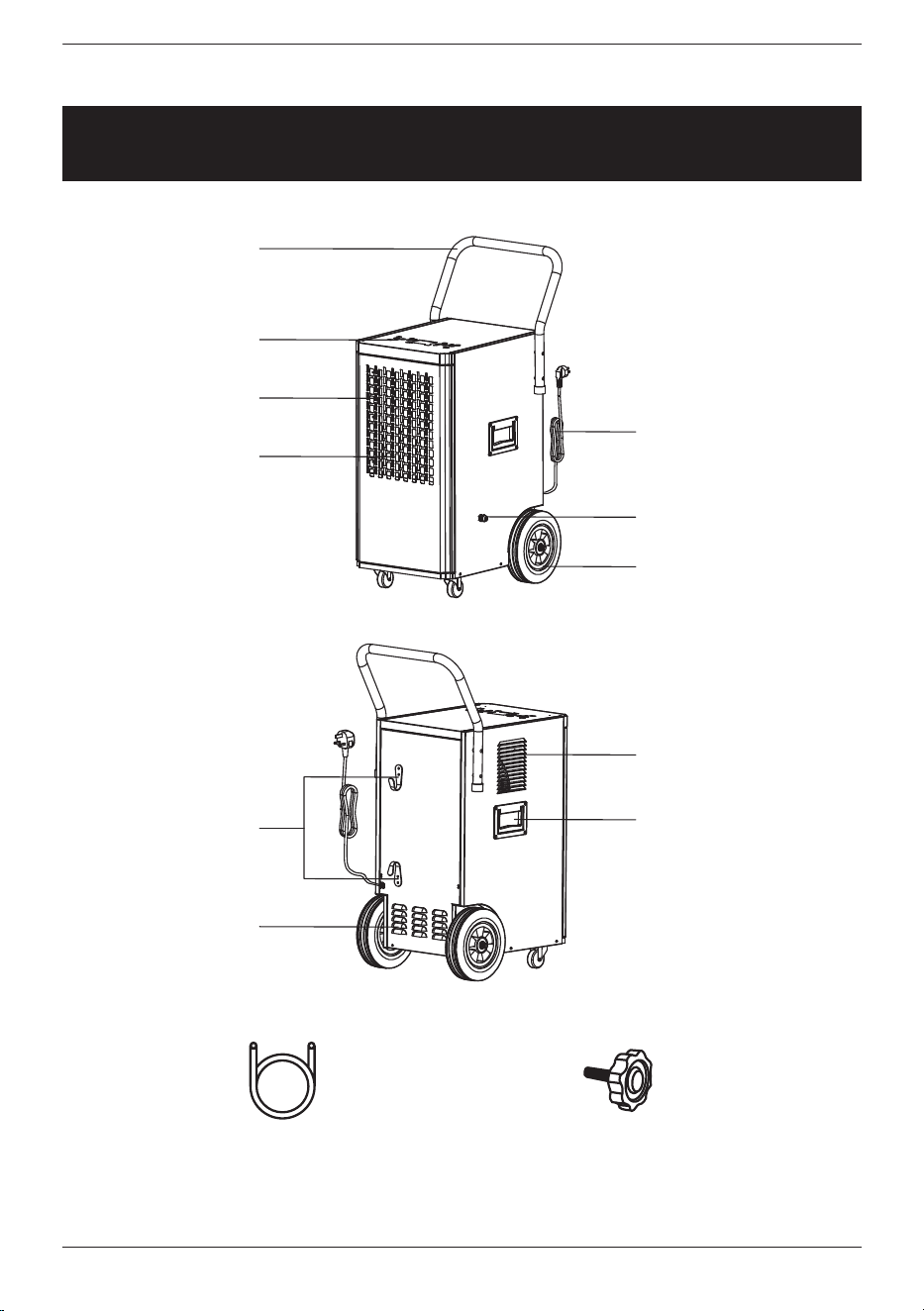
Handle
Control Panel
Air Inlet Grille
Filter
Drainage Port
Wheels
Power Cord
Power Cord
Hooks
Air Outlet
Lift Handle
(Both Sides)
Grille
Drainage Hose Screws x 2
(for the handle installation)
[email protected] www.turbro.com
05
SPECIFICATIONS
OPERATION
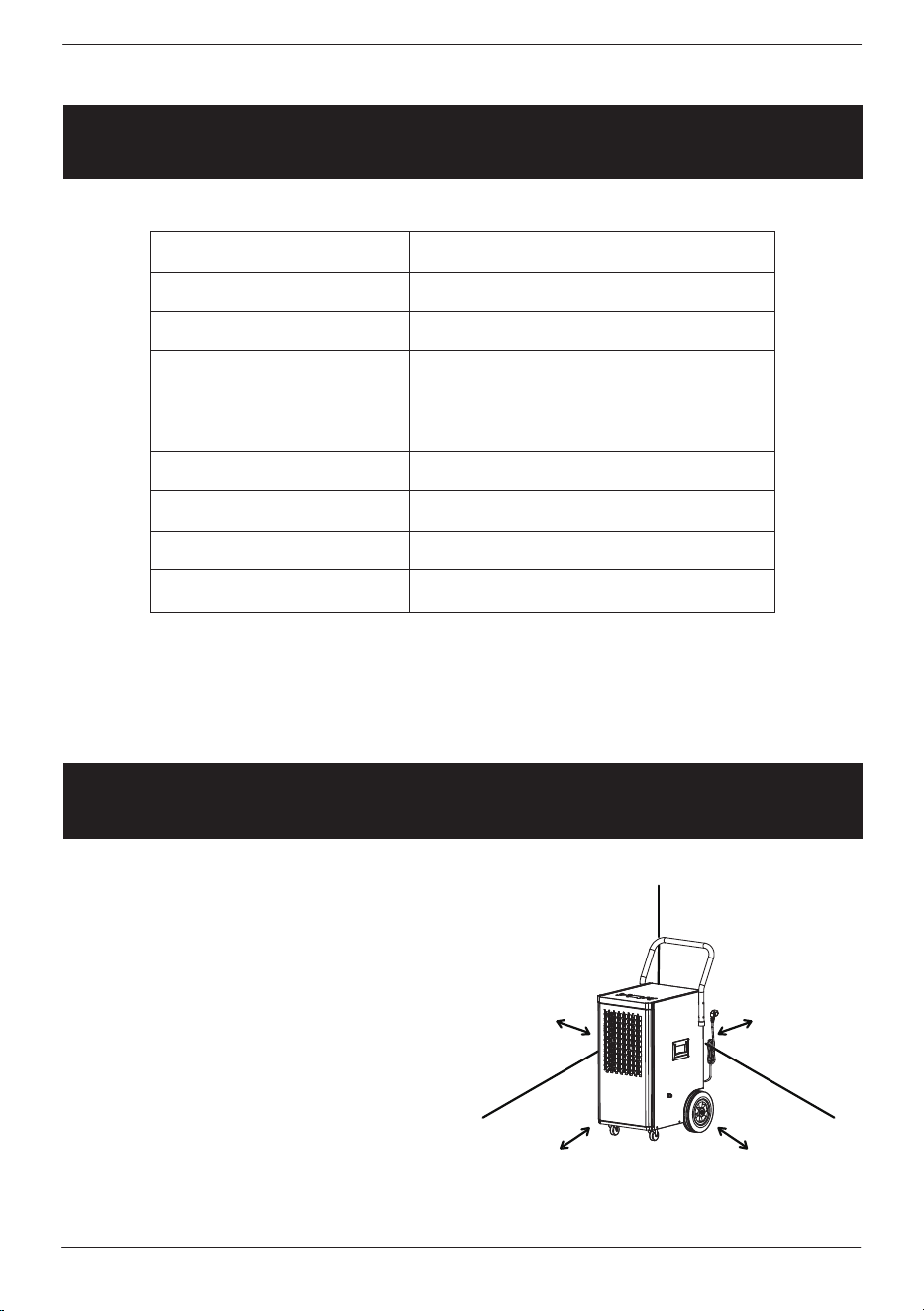
Place the dehumidifier in a horizontal
position on a flat surface at least
20 inches away from walls, furniture,
furnace, household appliances, etc.
Product Name
Model
Voltage
Rated Power
Air Circulation
Refrigerant
Noise
Work Temperature
Dehumidifier
GL150P
115V 60Hz
762W/6.8A @ 80˚F, 60% RH
970W/8.7A @ 86˚F, 80% RH
1229W/11A @ 95˚F, 90% RH
276 CFM
R32/10.59 oz
≤52dB(A)
41-95˚F
At least 20 inch /50cm
At least 20 inch /50cm
At least 20 inch /50cm
[email protected] www.turbro.com
06
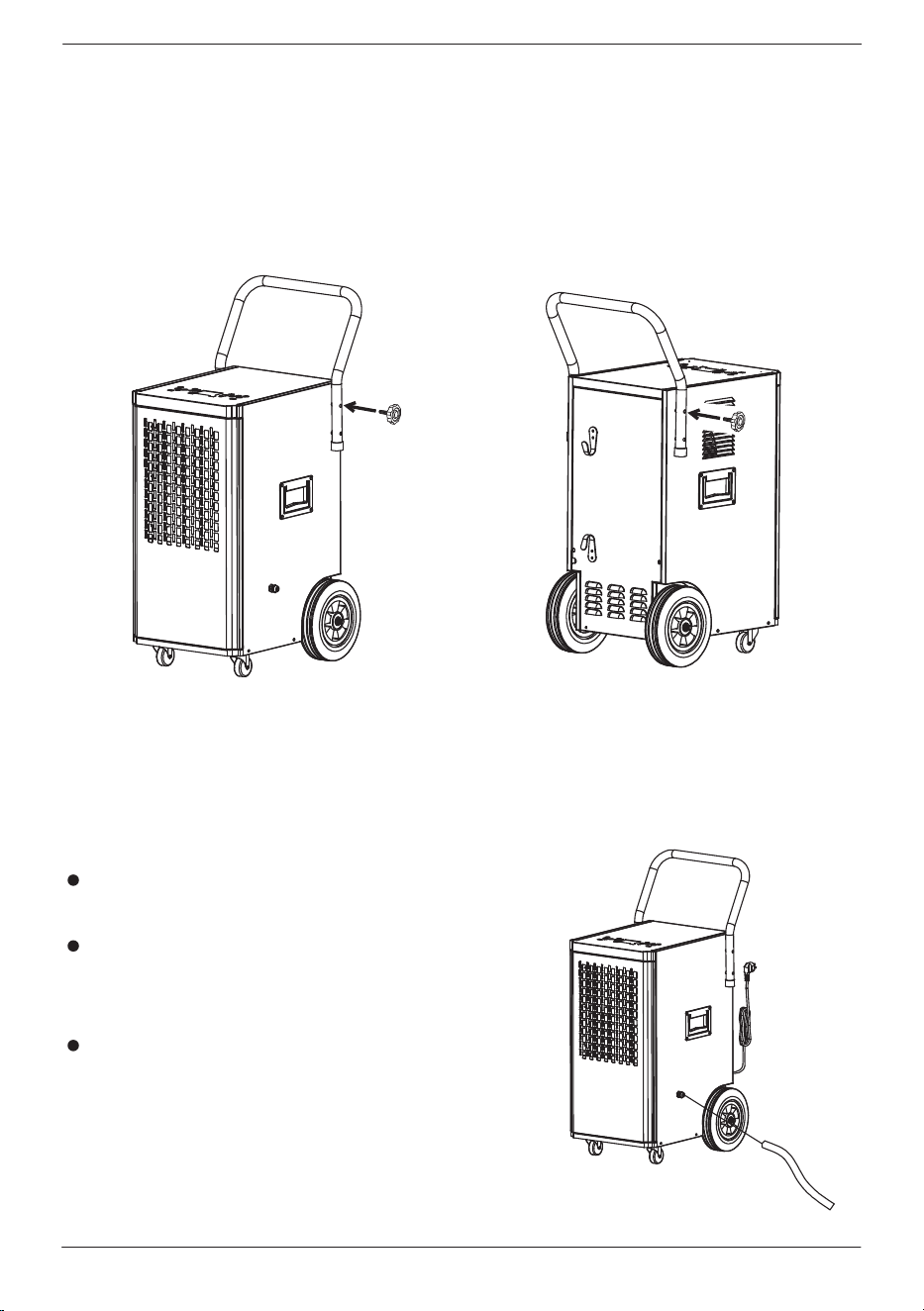
Tighten the included screws on both sides to fasten the handle in place
as shown in the picture below. Please note to align the holes on the
handle with the holes on the dehumidifier.
Install the Handle
Drainage
This dehumidifier has an internal pump that will automatically drain water
through the drainage hose.
Attach the included drainage hose to
the drainage port on the dehumidifier.
Direct the hose to a sink, drain, bucket,
or outdoors before operating the
dehumidifier.
The water pump can drain water up to
16.4ft (5m) vertically. If the water is
drained downwards, there is no limit to
the distance.
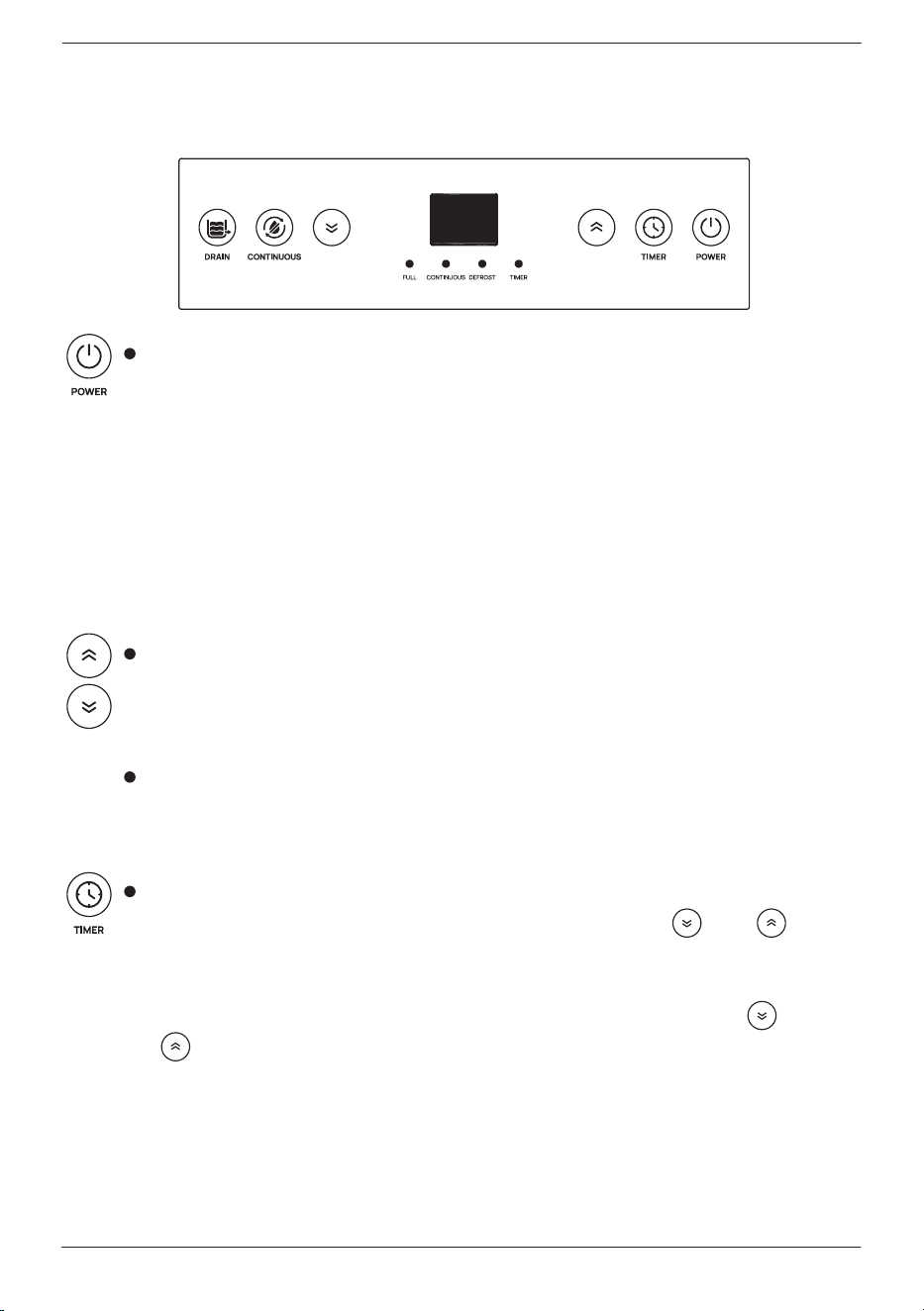
Control Panel
[email protected] www.turbro.com
07
Press this button to turn on the unit. The screen displays the
current humidity and enters continuous mode by default with
the “CONTINUOUS” light on.
Press it again to turn o the unit. The screen will display the
current humidity with half-dim light.
NOTE: The system has a memory function. If there is a sudden
power loss during operation, the system will restore to the last
settings before the power loss and will resume operation when
powered on.
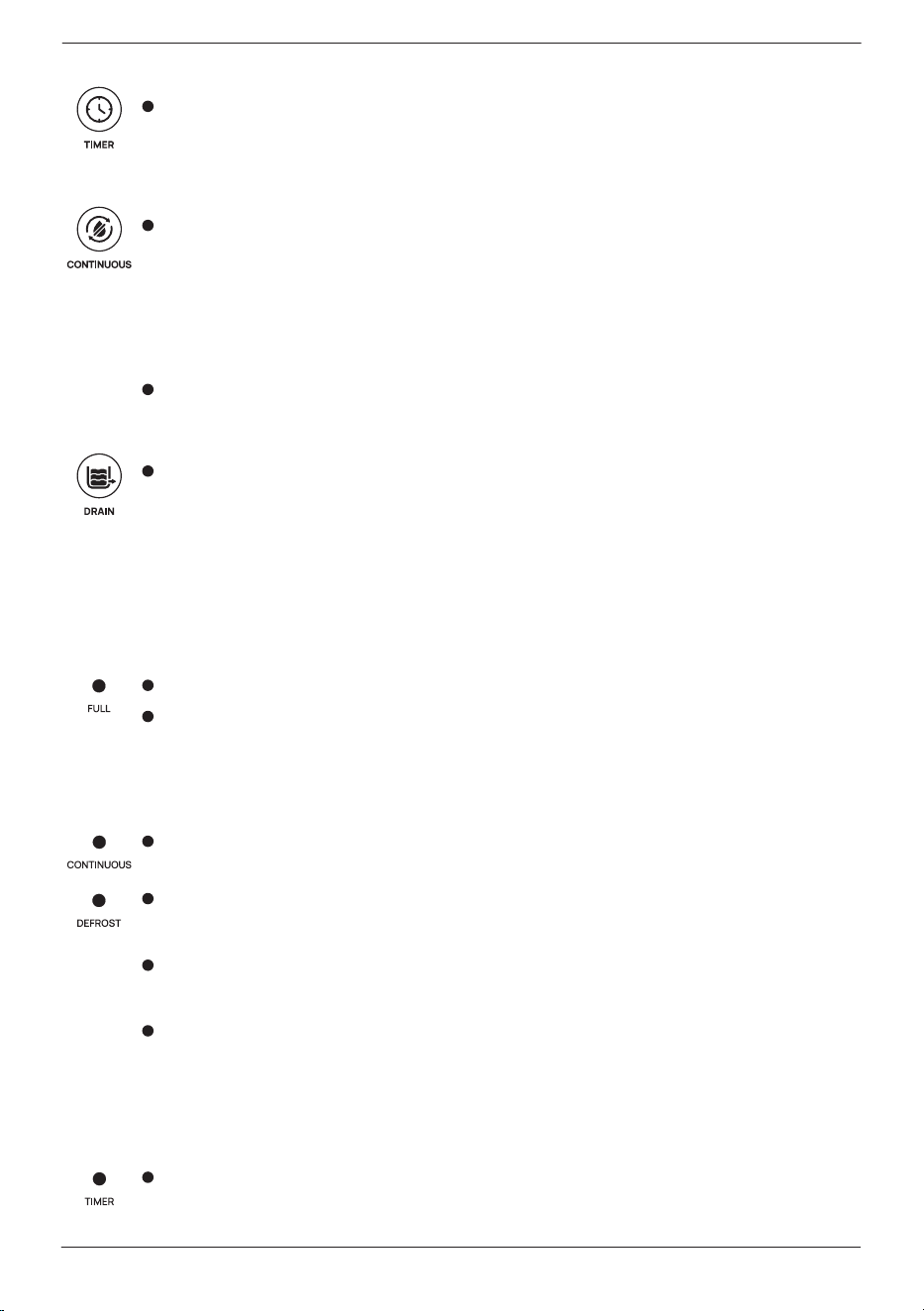
Press the buttons to choose your desired humidity in the range
of 20%-90% in increments of 5%. The default set humidity level
is 50% RH. Holding the button for 2 seconds will cause the
humidity to change rapidly.
When the ambient humidity reaches the set humidity, the
compressor and fan will stop working until the ambient humidity
is higher than the set humidity.
When the unit is o, press this button to set the desired delayed
start-up time. The “TIMER” light will be on. Press “ ” / “ ” to
adjust the time. It will then begin to countdown from the set time.
When the unit is on, press this button to set the desired delayed
shut-down time. The “TIMER” light will be on. Press “ ” /
“ ” to adjust the time. It will then begin to countdown from
the set time. Press the button twice to cancel timer.
NOTE: 1. You can not set delayed start-up and delayed shut-down
timers at the same time.
2. The setting range is 0-24 hours.
[email protected] www.turbro.com
08
Long press Timer and Power buttons at the same time for
3 seconds to show the current temperature. After 10 seconds
the display will return to show the current humidity.
Press the button to set the continuous mode. The screen will
display the current humidity and the “CONTINUOUS” light will
be on. In continuous mode, the humidity setting is unavailable,
as the machine will run continuously regardless of the ambient
humidity level.
Press this button again to switch to normal mode, where you
can set the desired humidity level.
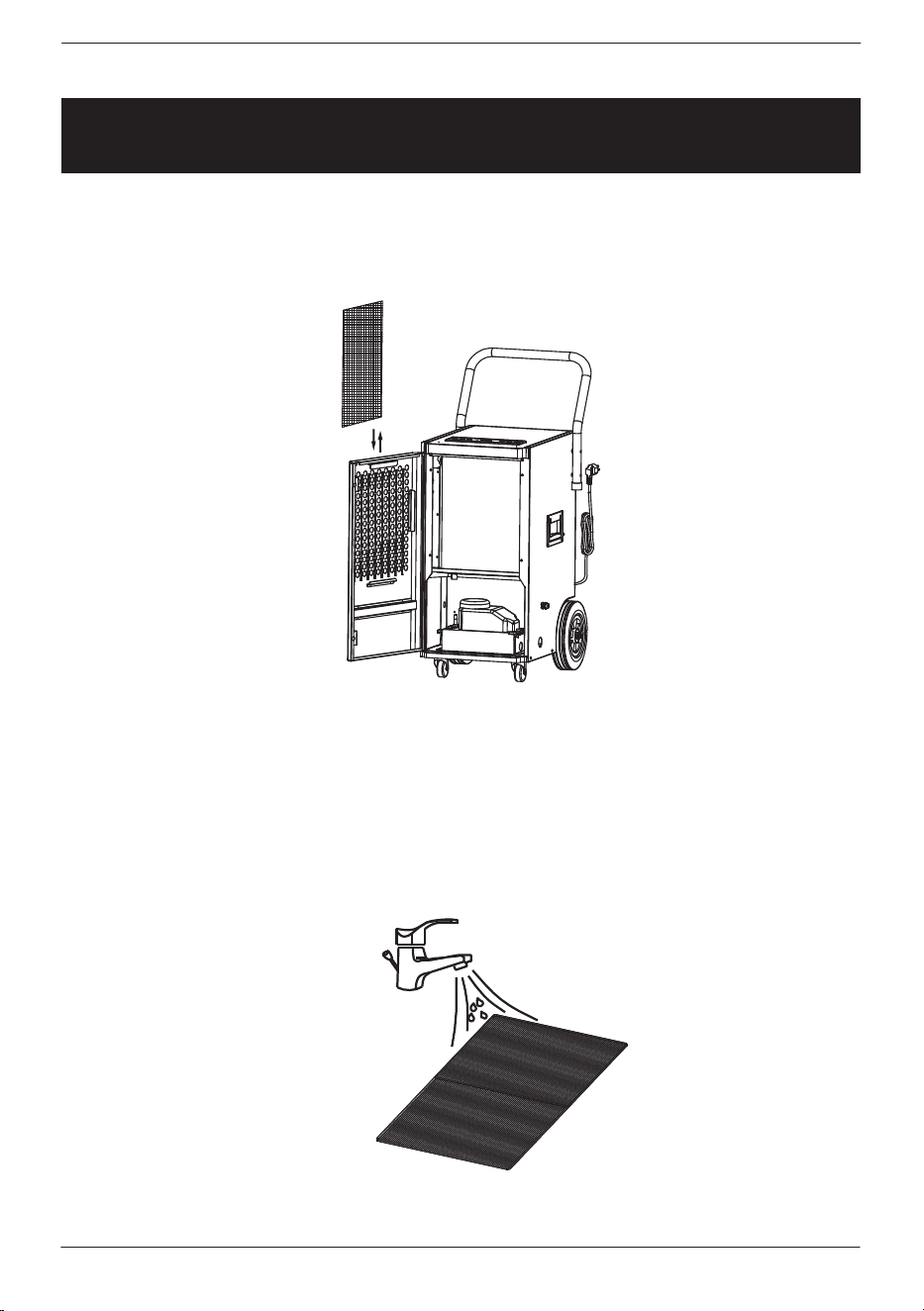
Long press the botton for 5 seconds to manually drain the water
pump no matter whether it is full or not. After 35 seconds, the
water pump will stop working.
NOTE: The “FULL” light will also be on when the pump automatically
starts working to drain the water and o after the pump stops
working.
When the water pump is full, the “FULL” light will be on.
After the water pump is emptied, the machine will automatically
switch to the previous mode while the compressor will be in
3 minutes of self-protection mode.
When the unit is in continuous mode, this light will be on.
The unit will automatically enter defrost mode when the
environmental temperature is low.
The “DEFROST” light will be on during the defrost process
and will shut o when the defrost is finished.
During defrosting, if the power is o or shuts down, the
defrosting process will start after the power comes in or starts
up. Only after the defrosting is completed, the unit can work
properly.
When the timer is set, this light will be on.
[email protected] www.turbro.com
09
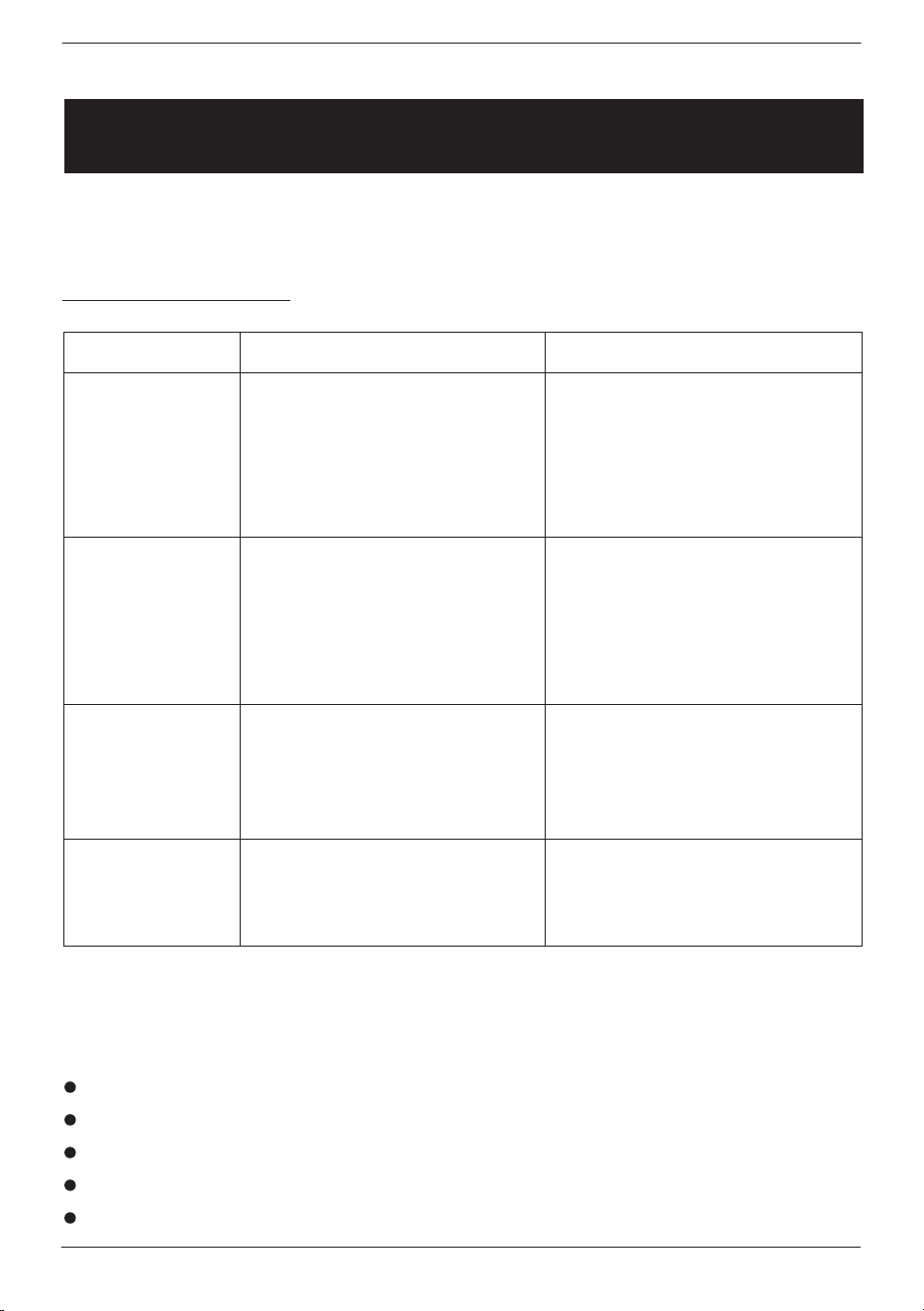
CLEANING
Clean the machine with a soft wet cloth as needed.
Open the front panel and pull the filter out.
Use a clean cloth to clean the surface dust on the filter. If the filter is
extremely dirty, use tap water to flush the filter. Fully dry the filter before
putting it back into the dehumidifier. Keeping the filter clean will increase
the machine’s eciency.

If it is displayed
E1, E2
FL
What does it mean?
Temperature sensor failure. If it is displayed,
contact TURBRO service team.
Water is full, press the "DRAIN" button to remove
water. If this continues to display, contact TURBRO
service team.
[email protected] www.turbro.com
10
SELF-DIAGNOSIS
The unit has a self-diagnosis system to identify malfunctions. The following
error messages will be displayed on the display screen if there is an error.
STORAGE
If the unit will remain unused for a long period of time, follow the steps
below:
Clean the filter.
ATTENTION: The evaporator inside the machine has to be dried out
before the unit is stored to avoid component damage and molds.
Unplug the unit and place it in a dry open area for a few days to dry
it out.
Store the power cord on the power cord hooks at the back of the unit.
Store in a clean, dry environment, covering with a dust protector as
needed.
TROUBLESHOOTING
[email protected] www.turbro.com
11
Issues POSSIBLE CAUSE
A. Did not plug into the
electrical outlet.
B. The room temperature
is under 41°F or above
95°F.
A. The humidity level may
be set too high
B. Doors, windows, or
other openings were left
ajar/open.
A. Filter is blocked by dust.
B. The air inlet and/or air
out are blocked.
A. The unit is placed on a
slope.
B. Filter is blocked by dust.
A. Plug into the required
wall outlet.
B. To protect the machine,
use it between 41-95°F.
A. Reset the humidity level.
B. Check that all doors,
windows, and other openings
are securely closed.
A. Clean the filter.
B. Check and remove the
obstacles blocking the air
outlet/inlet.
A. Move it to flat ground.
B. Clean the filter.
POSSIBLE REMEDY
The unit does
not operate
The unit runs
but does not
dehumidify
Reduce
dehumdifier
capacity
Strange noise
Troubleshoot your problem by using the chart below. If the dehumidifier
still does not work properly, please contact TURBRO customer team via
support@turbro.com.
If you notice or experience any of the following conditions, please turn
o the unit, disconnect from power, discontinue use, and contact support
immediately.
Strange noises during the operation.
Faulty electronic control board.
Faulty fuses or switches.
Spraying water or objects inside the appliance.
Very strong smells coming from the appliance.

WARRANTY
TURBRO provides a 1-year limited warranty for TURBRO products from the
date of purchase, subject to the following conditions and limitations outlined
below.
What is covered?
This warranty is limited to the repair or replacement of part(s) proved to
be defective in material or workmanship, after said defect is confirmed
by the manufacturer's inspection.
The manufacturer may, at its discretion, fully discharge all obligations with
respect to this warranty by refunding the wholesale price of the defective
part(s).
What is not covered?
Damage caused by the owner when attempting to fix or alter the product
themselves.
Damage caused by misuse, abuse, neglect, alterations, or unauthorized
repair.
Natural depreciation.
Any alteration misuse of the product will nullify this warranty.
This warranty is non-transferable, which is eective for the original buyer
from the authorized seller only.
To obtain the benefit of this warranty please leave a message online
(www.turbro.com/contact), or send an email to support@turbro.com.
What will TURBRO do?
Repair the item.
Replace the item if not repairable.
Refund the item under certain circumstances.
[email protected] www.turbro.com
12
CUSTOMER SUPPORT
We are here to help anytime!
Any problems, write to us via support@turbro.com. We will get back to
you within 1 business day.
[email protected] www.turbro.com
13
V20240320