
6
Need more help?
Scan the QR code below for operation
guiding.
Follow @onnaisoff
icial on Instagram for
immediate interaction.
E-mail to [email protected] for
eff
icient solution.
Operation Video @onnaisoff
icial
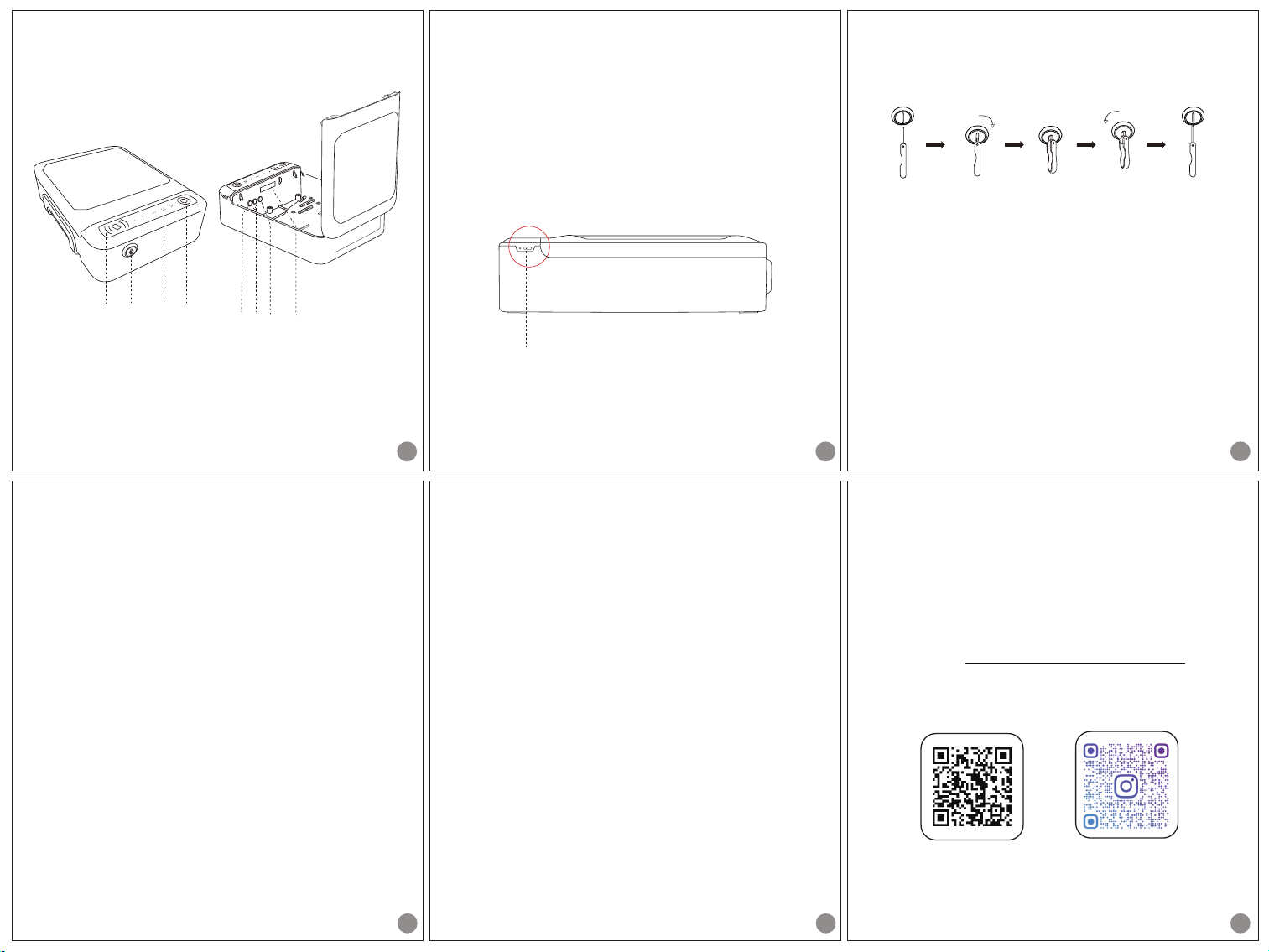
charging port
2
Step
1. Charge your ONNAIS
Charge the safe according to the following
instructions.
1.Insert the provided charging cable into the
charging port on the right side of the safe;
2.Connect the other port of the cable to any USB
outlet for charging.
Note: The charge indicator is always on when fully
charged, and blinks when charging.
3
Step 3. Reset your ONNAIS
1.Make sure the safe is fully charged;
2.Continuously press 3 times within 3 seconds
to restore the factory settings. After a successful
reset, you will hear “Operation successful".
Note: Resetting the safe means to clear the existing
settings including digital passwords, f
ingerprints
and RFID cards. After that, please add new ones.
Step 2. Unlock your ONNAIS
Turn clockwise to unlock, and pull out the key
after backing to the vertical state.
Note: DO NOT keep the keys inside!
OK
Rotate
clockwise
Insert Open
Rotate
counterclockwise
Pull out
·
·
·
4
Step 4. Register your ONNAIS
Press and follow the voice prompts to
complete the administrator registration.
Digital password: set a new password
(5-15 characters) and press to continue.
Then follow the voice prompts to repeat the
operation again.
Note: Please complete the whole process
within 60 seconds.
Fingerprint: put your f
inger on the scanner
Note: Blue light means the operation is to be
performed; green light means the operation is
successful; red light means the operation
failed.
RFID card: simply place the card in the
reading area once.
Set
OK
4 times when setting.
5
Other Functions Guide
The below settings can only be operated after
f
inishing the administrator registration
( ).
Now press and follow the voice prompts to
operate:
Button : register more f ingerprints
Button : register more RFID cards
Button : delete f
ingerprints or RFID cards
Button : check current battery level
Button : set the mute mode
Note:
1. Fingerprints and RFID cards can be added
up to 50 sets respectively.
2. Press button to mute the sound, repeat
the same step to recover the sound.
Set
1
2
3
4
5
5
Step 1- 4
2
QUICK START GUIDE
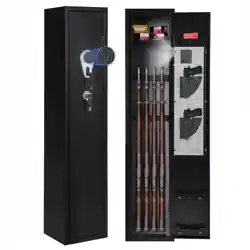
A. Keyhole
B. RFID Card Reading Area
C. Fingerprint Scanner
D. Digital Keypad
1
E. OK Button
F. Set Button
G. Exit Button
H. Built-in Light
1
FE HG
AB D C
12345

Questions & Answers
Find your answers here
Have a question?
Question 1: I can not register my fingerprint. Why?
Question 4: Always failed to register new RFID cards.
Answer: Make sure the RFID card is intact and not damaged. Then gently place it in the reading area once. Do not repeat.
Answer: First, keep your f
inger clean and dry. Make sure that you have added digital password before f
ingerprint setting. Refer
to
Register your ONNAIS on Quick Start Guide(Page 4) for guide.
Question 3: Will the safe be locked?
Answer: If the password is entered incorrectly more than 5 times, the system will be locked. Please wait 5 minutes or swipe the
RFID card and use f
ingerprint simultaneously to unlock.
Question 6: How shall I contact the seller for product replacement, refunds or other technical support?
Answer: Please send an email to [email protected] with your order ID for customer service. Our brand customer service team
will reply within 24 hours.
Question 2: If I accidentally enter the wrong number while adding my digital password, what should I do next?
Answer: Method 1-Press OK f
irst, if the red light f
lashes, then re-enter codes according to the prompts.
Method 2-Press Exit f
irst, then press Set to start again.
Question 5: Can not open it with the digital code or fingerprint.
Answer: Unlock the safe with the key and then charge it in time. If the issue still exists when fully charged, please contact us at
[email protected] for help.