78mm
135mm
FAQ
1. If you cannot add your Smart Device , please check:
1) Whether the Smart Device is powered on.
2) Whether the phone is connected with 2.4GHz Wi-Fi network.
3) Please check routers or related: if your router is dual-band, please
select 2.4GHz Wi-Fi network to connect your phone and Smart Plug.
4) Setting up Wi-Fi router: setting encryption method as WPA2-PSK
and authorization type as AES, or set both as auto. Wireless mode
cannot be 11n only.
5) Please use English and numbers to name your Wi-Fi router.
Otherwise our Smart Plug may not recognize it when you try to add it
into Smart Life.
6) To stay strong Wi-Fi connection, please keep smart device close to
router.
7) Whether connected devices have reached the maximum number of
router’s connections. If so, please turn off some devices connected to
the router and try again.
8) The manual (automatic) mode can be switched only when the
temperature and humidity probe is on.
9) The temperature & humidity probe and dual relay output will be off
when the main switch is turned off;And only the temperature and
humidity probe will be ON when the main switch is ON.
6
5
7 8 9
4
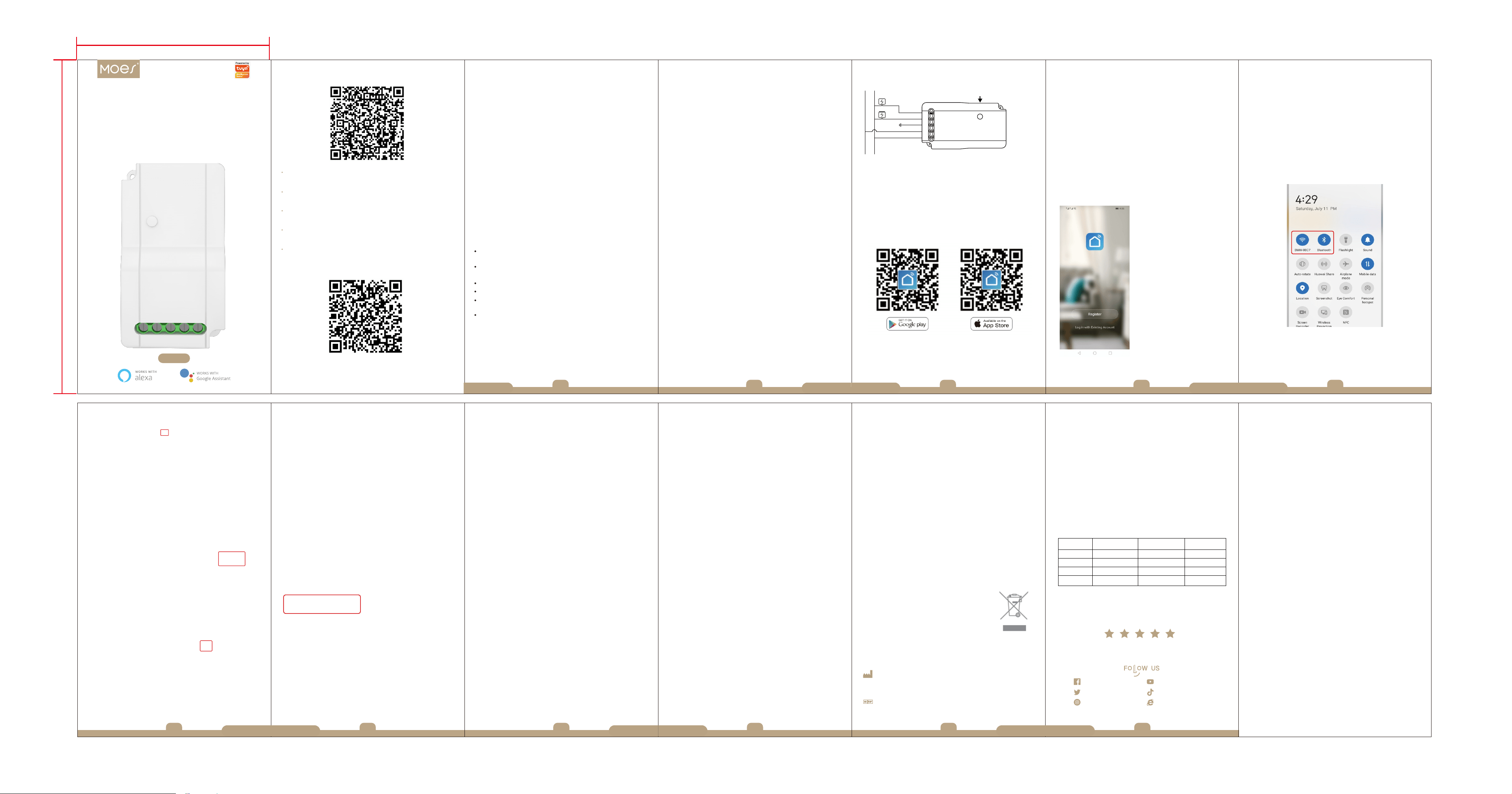
How to Download Smart Life App
1. Scan the QR code to download and install Smart Life app for iOS or
Android phone.
2. If you cannot download Smart Life app, please search “Smart Life”
on Google Play (for Android phone) or Apple Store (for iOS phone) to
download.
STEP 2
How to Sign Up an Account
You will need to sign up for an account after downloading the app.
There are two ways to sign up for an account, using your cell phone
number or your email address. Select the country you living in, and enter
your cell phone number or email whichever makes you feel comfortable.
1. If cell phone number is entered, you will receive a text message with
registration code. Type the code, your password and confirm.
2. If you enter email, you will be asked to create a password and then
Confirm. Tap “Next” to continue.
Introduction
Specifications
1 32
Thank you for purchasing your smart home product.
Ready to get started?
Download the Smart Life app to manage your smart home products
straight from your phone or tablet.
Easily connect to your home Wi-Fi and control multiple devices
with the touch of your fingertips.
Model: MS-103
Input Voltage: 90-250V AC, 50/60Hz
Max. Current: 15A/Gang; Total 15A
Temperature Measurement Range: -40~80 °C / -40~176 ° F
Humidity Measurement Range:0~99%
Wireless Protocol: Wi-Fi 2.4GHz 802.11 b/g/n
APP Control: Smart Life APP (Android 4.4/IOS 8.0 or above)
NOTE:
Before installing Smart Life App, please check your home network
setting as following:
1.Check your home routers or related: please use 2.4G Wi-Fi network.
Recommend set your 2.4G network and 5G network different names.
2. Your phone is connected with your home 2.4G Wi-Fi network.
3. To stay strong Wi-Fi connection, please keep smart device close to
router.
4. Whether connected devices have reached the maximum number of
router connections, If so, remove the device from the filter list and make
sure that router is not prohibiting device from connection.
5. Please use English and numbers to name your Wi-Fi router. Otherwise
the Smart Device may not recognize it when you try to add it into Smart
Life.
Control Your Device From Anywhere - Control your device from
wherever you are with the free smart life app.
Group Control - Create a group to control different home devices at
the sametime.
10
STEP 3
Wi-Fi link method
3.1 Pair and clear up the WiFi code with Bluetooth and
WiFi connected meantime.(New Updated)
STEP 1
Instruction Manual
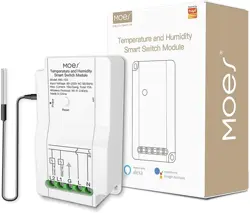
Temperature and Humidity
Smart Switch Module
Model: MS-103
MS-103 is an easy-to-use, safe and reliable dual relay output
temperature and humidity controller.
It can be used as overtemperature protection and automatic
temperature & humidity control system for various electric appliances
such as equipment for home-brew, pet breeding,incubation, seedling
heat mats, terrestrial heat control, constant temperature cycle of
heating pump, culture fermentation, accelerating germination, electric
radiator, electric oven,automatic watering,humidification and
dehumidification as humidity control system.
Dual relay output - Be able to connect with refrigeration and heating
equipment at the same time
Temperature Unit - Supports Centigrade or Fahrenheit
High and low temperature alarms are available
Share devices: You can share the devices with your family, and then
different people can control it without setting up again.
Type of Temperature and Humidity Probe: 3.3-5.5VDC
Temperature and Humidity Accuracy: ±3%H ±0.5℃
Probe Length: Max. 30 meters available
Control Function Instructions
1. Heating Mode
When the measured temperature < Low Temperature Value
the controller will enter the heating state, the switch module is on,
HEATING output works.
When the measured temperature ≥ High Temperature
Value, the switch module is off and the HEATING output turnms off.
2. Cooling Mode
when the measured temperature > High Temperature Value, the
controller will enter the cooling state, the switch module is on,
COOLING output works;
when measured temperature ≤Low Temperature Setting Value, the
switch module is off and the COOLING output turns off.
3. Humidifying Mode
4. Dehumidifying Mode
When the measured humidity >High Humidity Value the controller will
enter the dehumidifying state,the switch module is on, DEHUMIDIFYING
output works.
When the measured humidity≤Low Humidity Value, the switch module
is off and the DEHUMIDIFYING output turns off.
When the measured humidity<Low Humidity Value the controller
will enter the humidifying state,the switch module is on,HUMIDIFYING
output works.
When the measured humidity ≥High Humidity Value, the switch
module is off and the HUMIDIFYING output turns off.
11
For any inquiries comments concerning to our products, please do no
hesitate to send us email, and we will respond to you as soon as possible.
We appreciate your support!
Contact us
Enjoy Our Smart Life
Download Smart Life APP
Thank you for your support and purchase at we Moes, we are always
here for your complete satisfaction, just feel free to share your great
shopping experience with us.
If you have any other need, please do not hesitate to contact us first,
we will try to meet your demand.
MOES.Official
@moessmart
@moes_smart
@moes_smart
@moes_smart
www.moeshouse.com
WENZHOU NOVA NEW ENERGY CO.,LTD
Address: Power Science and Technology Innovation Center, NO.238, Wei 11 Road, Yueqing Economic
Development Zone, Yueqing, Zhejiang, China
Tel:+86-577-57186815
Email:[email protected]
AMZLAB GmbH
Laubenhof 23, 45326 Essen
Made in China
BB14
1.Make sure your phone is connected to Wi-Fi and Bluetooth.
3.2 Open Smart Life/Tuya App and Click“+”,then the prompt page will
automatically show on the screen.Click “Go to add”.
3.Select the device you want to add and click “+”
4.Enter Wi-Fi Password and click “Next”,waiting for completing the
connection.
5.Add the device successfully, you can edit the name of the device
to enter the device page by click “Done”
Complete the wiring of the switch module before pairing
Temperature and humidity switch
Temperature
1.During the free warranty period, if the product breaks down during
normal use, we will offer free maintenance for the product.
2.Natural disasters/man-made equipment failures, disassembly and
repair without the permission of our company, no warranty card,
products beyond the free warranty period, etc., are not within the scope
of free warranty
3.Any commitment (oral or written) made by the third party (including
the dealer/service provider) to the user beyond the warranty scope shall
be executed by the third party
4.Please keep this warranty card to ensure your rights
5.Our company may update or change the products without notice.
Please refer to the official website for the updates.
SERVICE
RECYCLING INFORMATION
All products marked with the symbol for separate collection of waste
electrical and electronic equipment (WEEE Directive 2012/19 / EU)
must be disposed of separately from unsorted municipal waste. To
protect your health and the environment, this
equipment must be disposed of at designated collection
points for electrical and electronic equipment designated
by the government or local authorities. Correct disposal
and recycling will help prevent potential negative consequences for the
environment and human health. To find out where these collection points
are and how they work, contact the installer or your local authority.
Product Information
Product Name___________________________________________________
Product Type____________________________________________________
Purchase Date___________________________________________________
Warranty Period_________________________________________________
Dealer Information_______________________________________________
Customer's Name________________________________________________
Customer Phone_________________________________________________
Customer Address_______________________________________________
________________________________________________________________
Maintenance Records
Failure date Cause Of Issue Fault Content Principal
WARRANTY CARD
English
English EnglishEnglish EnglishEnglish
English EnglishEnglishEnglish EnglishEnglish
Long press the reset button on the module until indicator flashes
for reset.
How to reset /pair Wi-Fi code
WIRING DIAGRAM
L2 L1 G L N
L N
T&H Device
T&H Device
Probe
请扫描二维码获取中文说明书、安装视频及功能介绍
Bitte scannen Sie den QR-Code, um das deutsche Handbuch, das
Installationsvideo und die Funktionseinführung zu erhalten
Escanee el código QR para obtener el manual en español, el video de
instalación y la introducción de la función
Veuillez scanner le code QR pour obtenir le manuel en français, la
vidéo d'installation et l'introduction des fonctions
Отсканируйте QR-код, чтобы получить руководство на русском
языке, видео по установке и описание функций
Leia o código QR para obter o manual em português, o vídeo de
instalação e a introdução das funções