
TABLE OF CONTENTS
PAGE
• REGULATORY Compliance Information ..........................................................1
1. ISED Compliance Statement ....................................................................1
2. FCC Compliance Statement (United States) ............................................2
3. CE Compliance (Europe) ..........................................................................3
• Notice to Quebec Consumers...........................................................................4
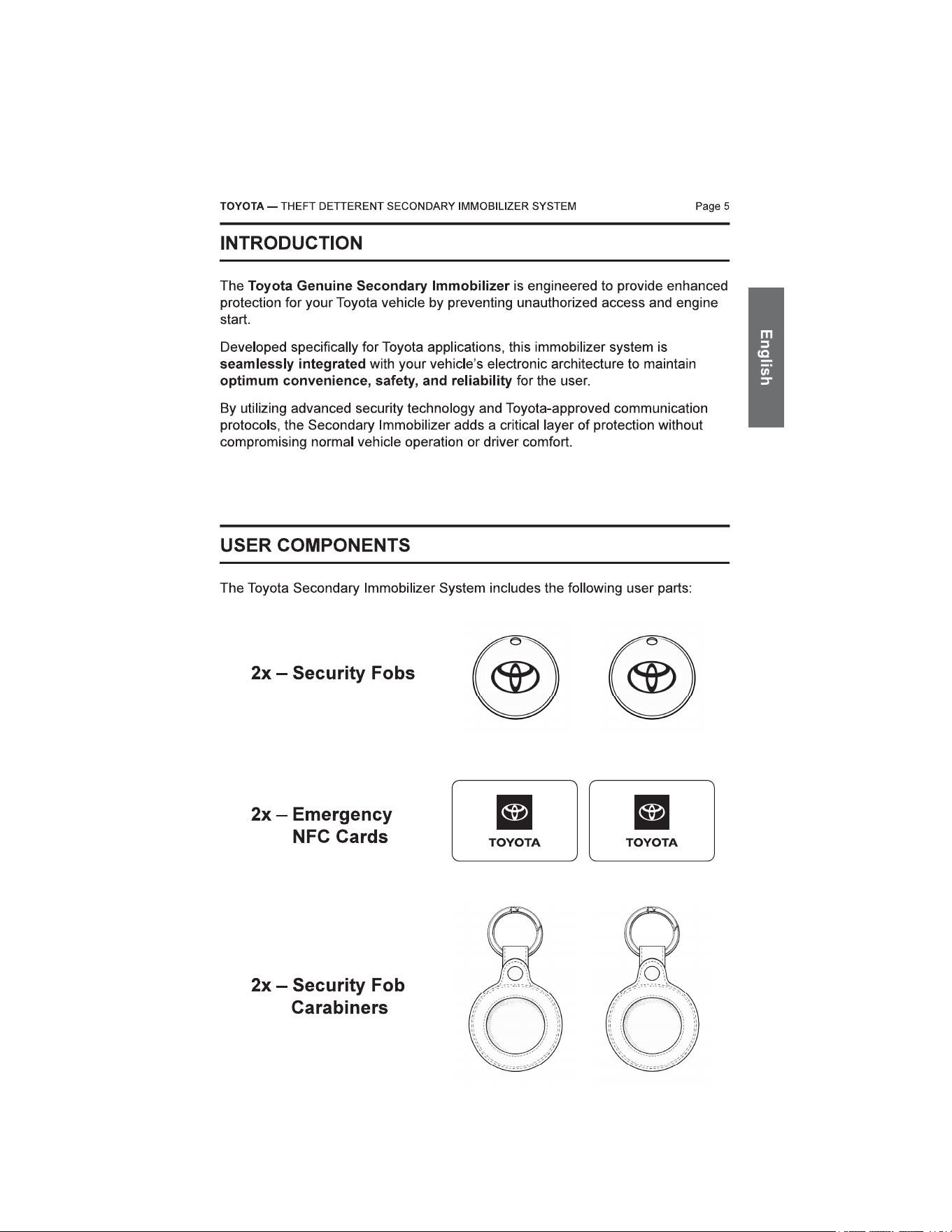
• Introduction ........................................................................................................5
• User Components ..............................................................................................5
• Operation ............................................................................................................6
• Safety .................................................................................................................6
• Using the Security Fob......................................................................................7
1. Disarming The Secondary Immobilizer.....................................................7
2. Arming The Secondary Immobilizer..........................................................7
3. Security Fob Battery Depleted - Emergency Disarm ................................8
Unlock with Vehicle Fob.....................................................................8
Disarm Secondary Immobilizer..........................................................8
• Using EMERGENCY NFC Cards .......................................................................9
1. Unlock with Vehicle Fob............................................................................9
2. Disarm Secondary Immobilizer.................................................................9
• Toyota Smart Card Key Operation..................................................................10
1. Smart Card Key Operation with SecureKey............................................10
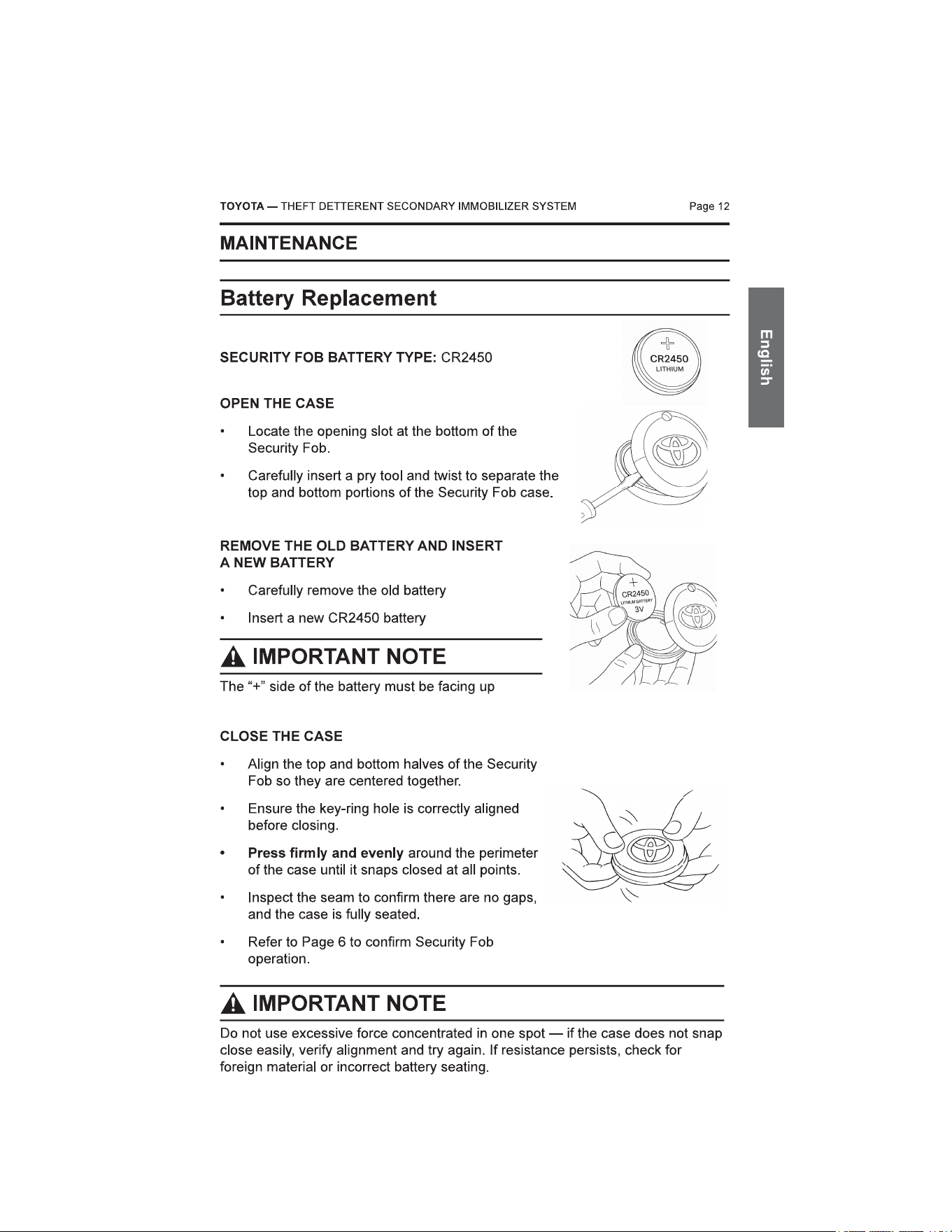
• Using the Carabiner Style Key Ring...............................................................11
1. Inserting the Security Fob into the Carabiner .........................................11
2. Attaching the Carabiner to Key Ring or other Items ...............................11
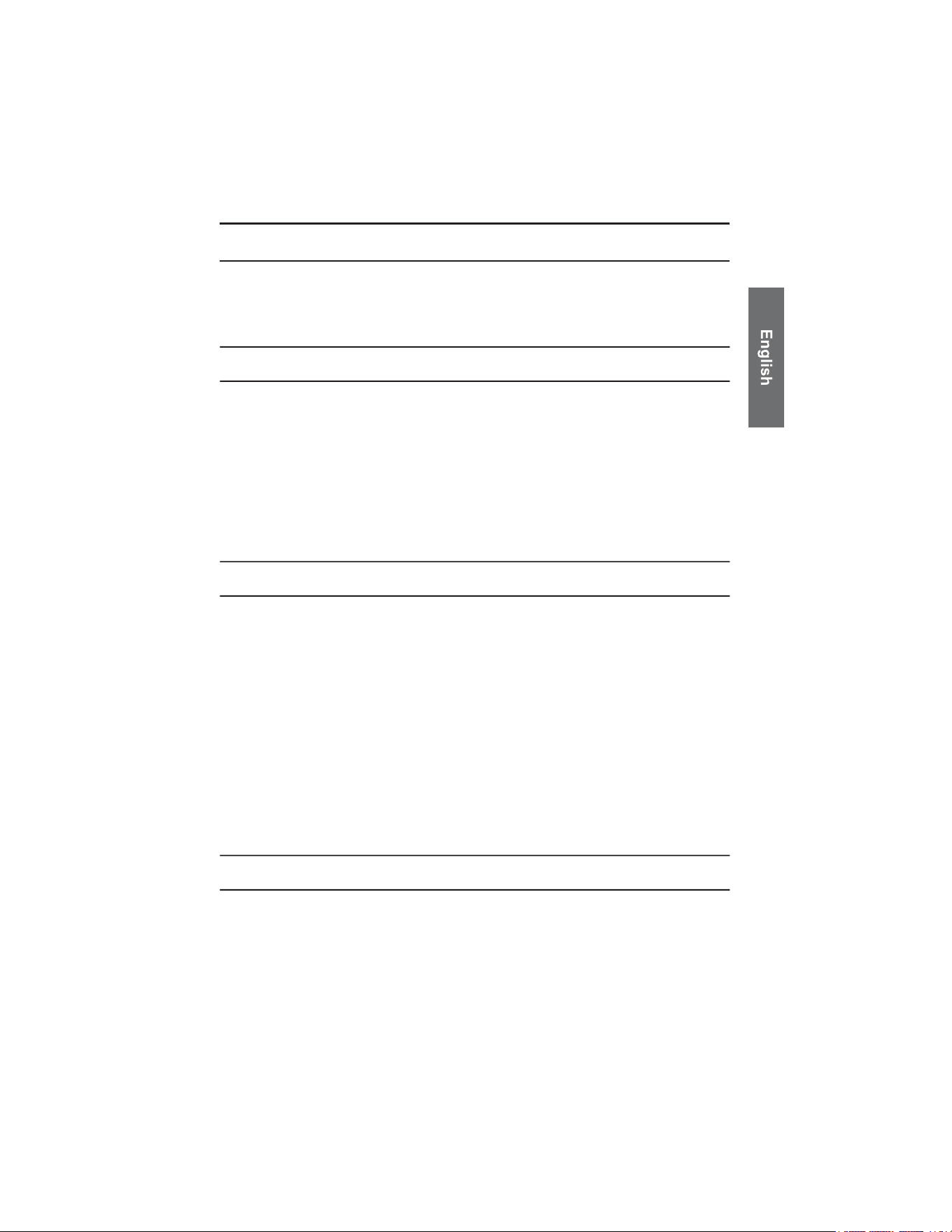
• Maintenance .....................................................................................................12
1. Battery Replacement ..............................................................................12
• Care and Use ....................................................................................................13
1. General Care ..........................................................................................13
2. Usage Notes ...........................................................................................13
3. Water Exposure ......................................................................................13
• Secondary Immobilizer Audible Feedback (Confirmation Sounds) ............14
1. Confirmation Sounds inside Vehicle .......................................................14
2. Troubleshooting Chart.............................................................................15
3. Maintenance Mode - System Diagnostics...............................................16
• Frequently Asked Questions ..........................................................................17
• General Specifications ....................................................................................18
In Vehicle System ...................................................................................18
Security Fob............................................................................................18
REGULATORY COMPLIANCE INFORMATION
ISED Compliance Statement
Page 1TOYOTA — THEFT DETTERENT SECONDARY IMMOBILIZER SYSTEM
Canadian Department of Communications
CAN ICES-11732A-PK626FOB
11732A-PK626CSM
Radio Interference Regulations Class B Compliance Notice
This Class B digital apparatus meets all requirements of the Canada
Interference-Causing equipment regulations.
This device complies with Industry Canada's licence-exempt RSSs.
Operation is subject to the following two conditions:
(1) This device may not cause interference; and
(2) This device must accept any interference, including interference that may
cause undesired operation of the device.
The device could automatically discontinue transmission in case of absence of
information to transmit, or operational failure. Note that this is not intended to
prohibit transmission of control or signaling information or the use of repetitive
codes where required by the technology.
REGULATORY COMPLIANCE INFORMATION
FCC Compliance Statement (United States)
Page 2
Federal Communication Commission Interference Statement For regulatory
identification purposes, the device is assigned a model number of xxx & xxx
FCC ID: 2ABSL-PK626FOB
2ABSL-PK626CSM
This device complies with part 15 of the FCC Rules. Operation is subject to the
following two conditions: (1) This device may not cause harmful interference, and
(2) this device must accept any interference received, including interference that
may cause undesired operation.
This device has been tested and found to comply with the limits for a Class B
digital device, pursuant to Part 15 of the FCC Rules. These limits are designed to
provide reasonable protection against harmful interference in a residential
installation. This equipment generates, uses, and can radiate radio frequency
energy, and, if not installed and used in accordance with the instructions, may
cause harmful interference to radio communications. However, there is no
guarantee that interference will not occur in a particular installation If this
equipment does cause harmful interference to radio or television reception, which
can be determined by turning the equipment off and on, the user is encouraged to
try to correct the interference by one or more of the following measures:
• Reorient or relocate the receiving antenna.
• Increase the separation between the equipment and receiver.
• Connect the equipment into an outlet on a circuit different from that to which
the receiver is connected.
• Consult the dealer or an experienced radio/TV technician for help.
FCC Caution
Any changes or modifications not expressly approved by the party responsible for
compliance could void the user‘s authority to operate the equipment.
The antenna(s) used for this transmitter must not be co-located or operating in
conjunction with any other antenna or transmitter.
TOYOTA — THEFT DETTERENT SECONDARY IMMOBILIZER SYSTEM
REGULATORY COMPLIANCE INFORMATION
CE Compliance Statement (Europe)
Page 3
This product complies with the essential requirements and other relevant
provisions of the Radio Equipment Directive (RED) 2014/53/EU. A copy of the EU
Declaration of Conformity is available upon request from the manufacturer.
The device is designed for operation within the frequency bands and power levels
defined by the applicable EU standards. Any modification not approved by the
manufacturer may invalidate the user’s authority to operate the equipment.
UKCA Compliance (United Kingdom)
This product complies with the relevant UK legislation, including the Radio
Equipment Regulations 2017 and the Electromagnetic Compatibility Regulations
2016.
A copy of the UK Declaration of Conformity is available upon request from the
manufacturer.
TOYOTA — THEFT DETTERENT SECONDARY IMMOBILIZER SYSTEM

NOTICE TO QUEBEC CONSUMERS
Page 4
Toyota Canada Inc. is pleased to offer a limited warranty on Toyota genuine
accessories. For more details of the warranty and warranty coverage visit
toyota.ca.
Quebec’s Consumer Protection Act requires Toyota Canada to disclose whether
we guarantee the availability of replacement parts, repair services, and
information necessary to maintain or repair Toyota genuine accessories. While
Toyota Canada is pleased to honor the terms of our limited accessories warranty,
please note that Toyota in no way guarantees the availability of replacement
parts, repair services and information necessary to maintain or repair
Toyota genuine accessories.
TOYOTA — THEFT DETTERENT SECONDARY IMMOBILIZER SYSTEM
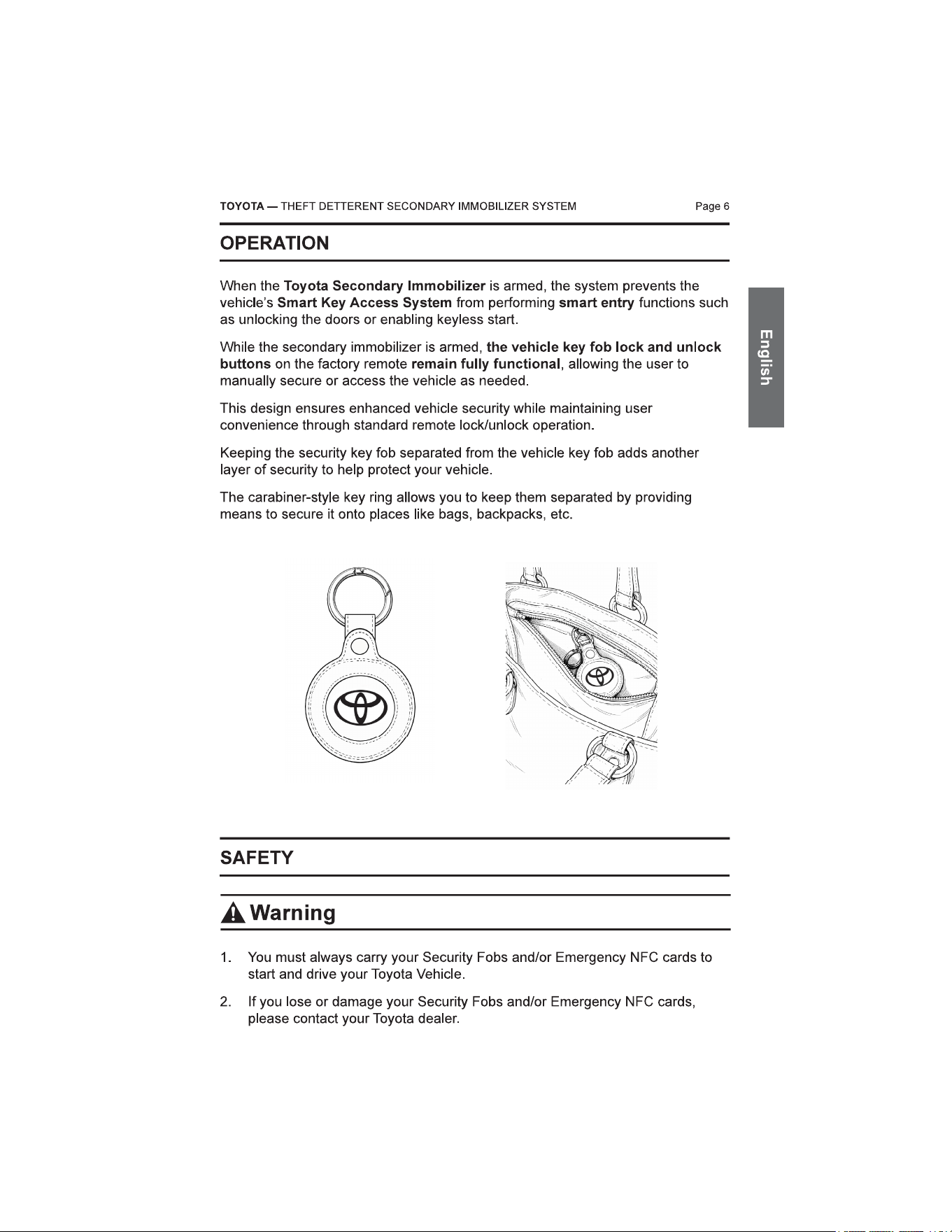
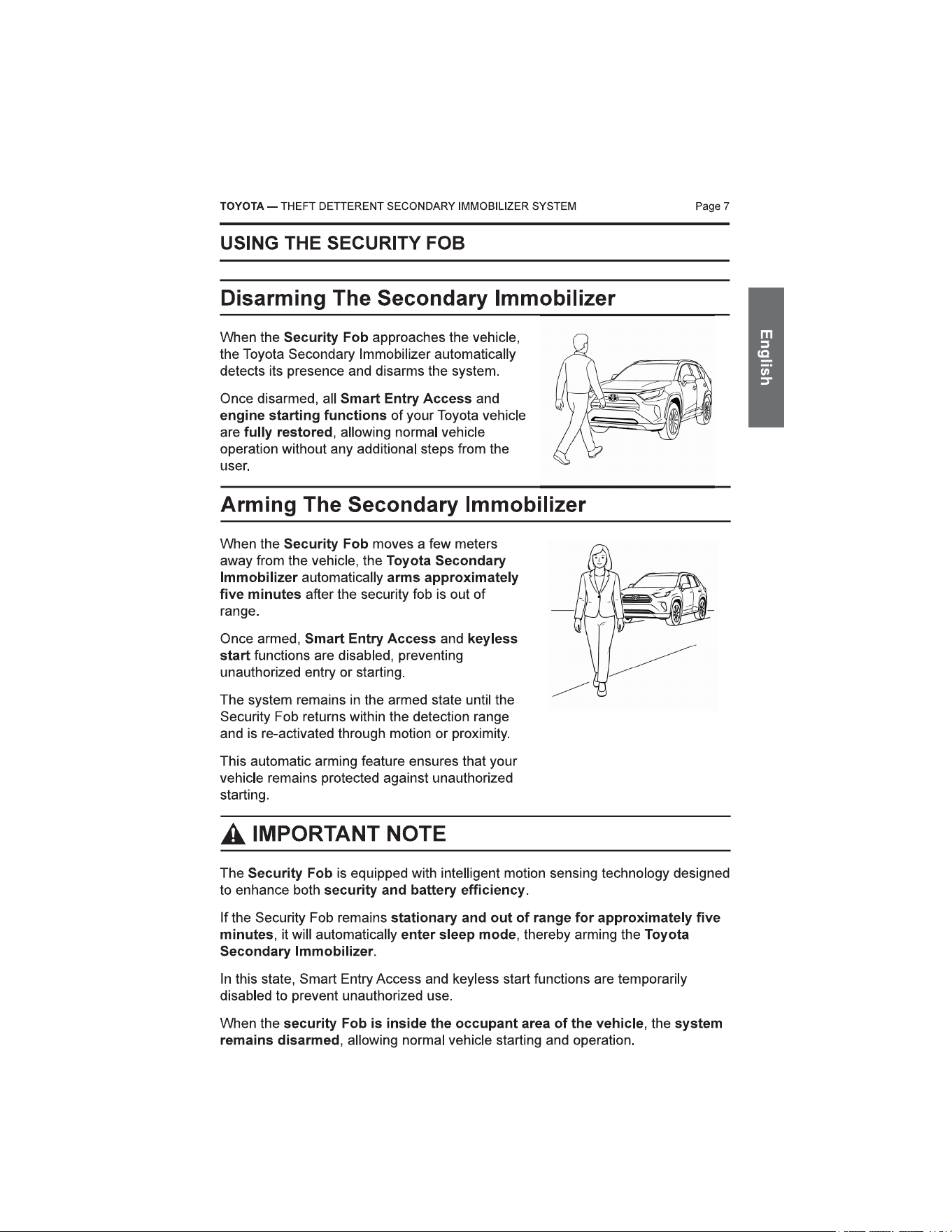
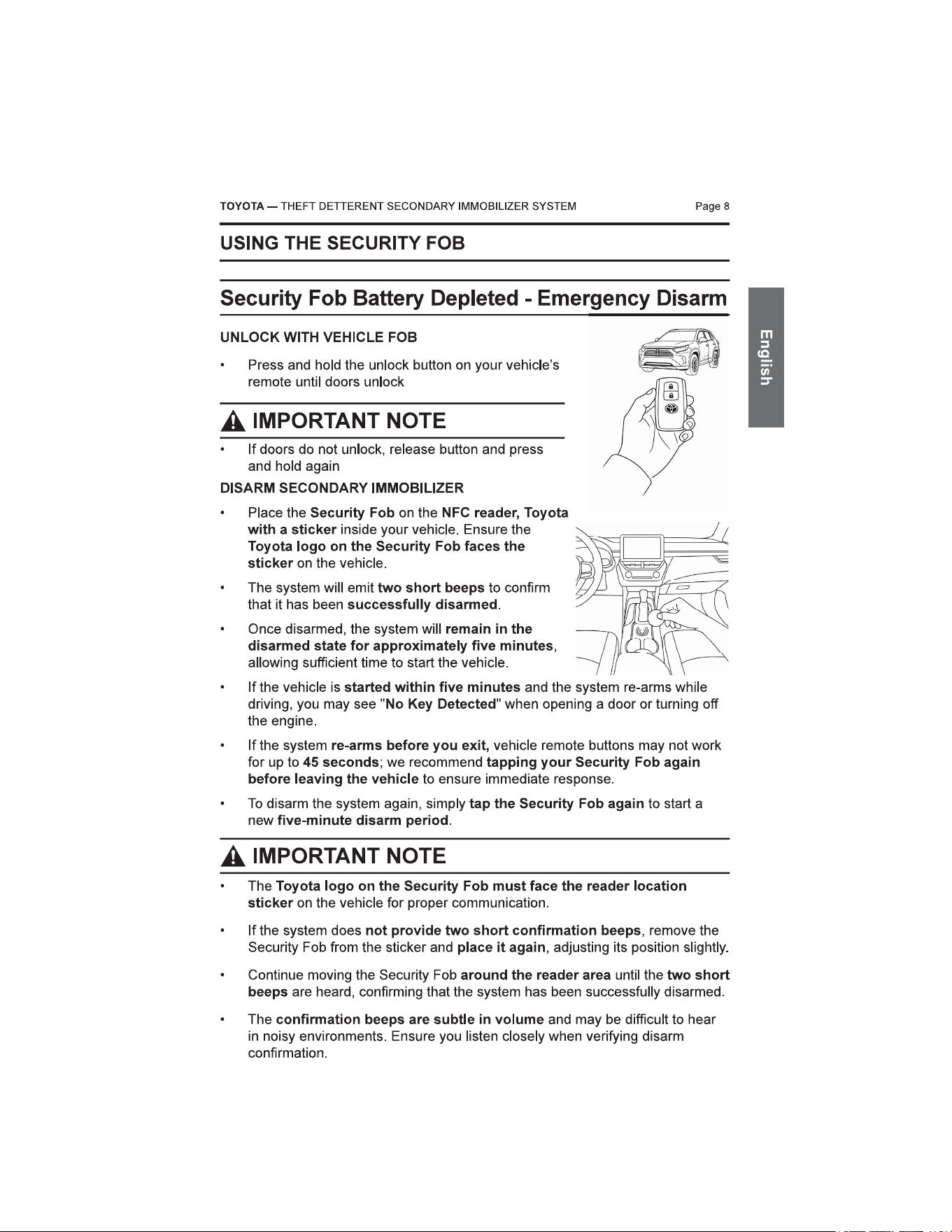
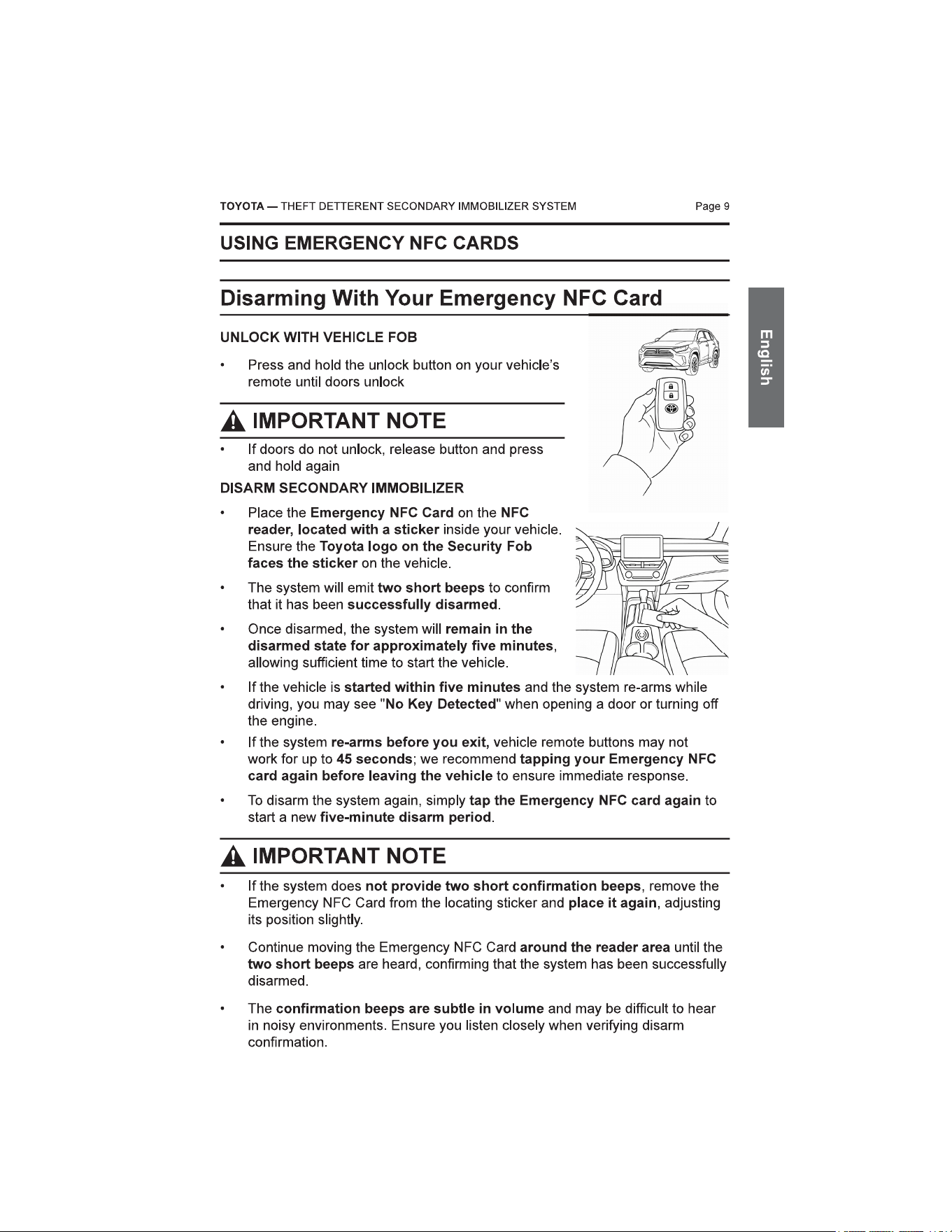
Page 10TOYOTA — THEFT DETTERENT SECONDARY IMMOBILIZER SYSTEM
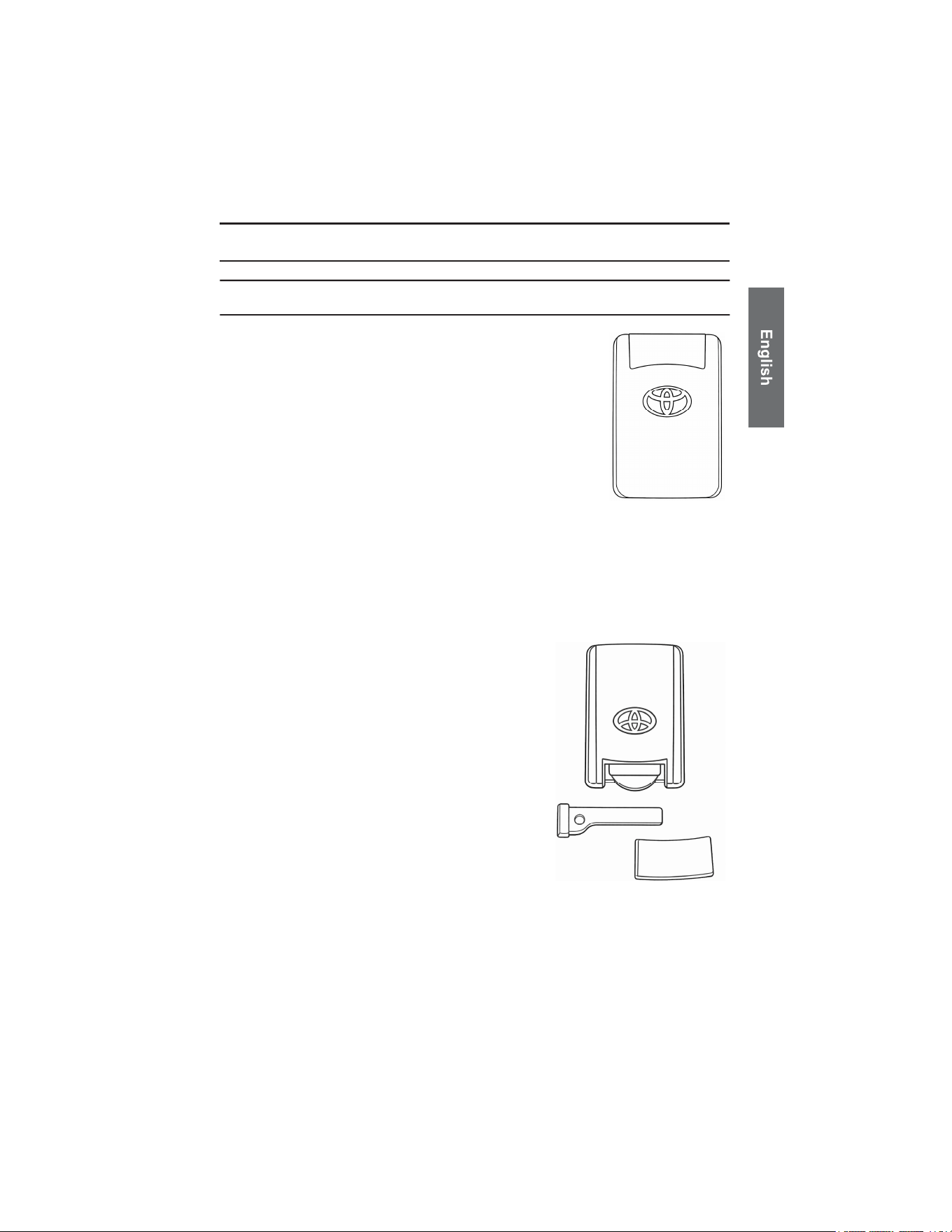
TOYOTA SMART CARD KEY OPERATION
Smart Card Key Operation with SecureKey
• When the Bluetooth Tag is not present, the Toyota
Smart Card Key cannot be used to unlock the vehicle
doors using the normal card function.
• In this situation, the mechanical key inside the Smart
Card Key can still be used to unlock the vehicle door.
However, opening the door with the mechanical key
will trigger the vehicle alarm, which will produce a
different alarm sound pattern.
• To stop the alarm and start the vehicle, the Emergency NFC card must be
used on the NFC reader inside the vehicle.
• Alternatively, the customer may unlock the vehicle doors using the
Toyota mobile application. Even when the doors are unlocked through the
mobile app, the Emergency NFC card is still required to start the vehicle.
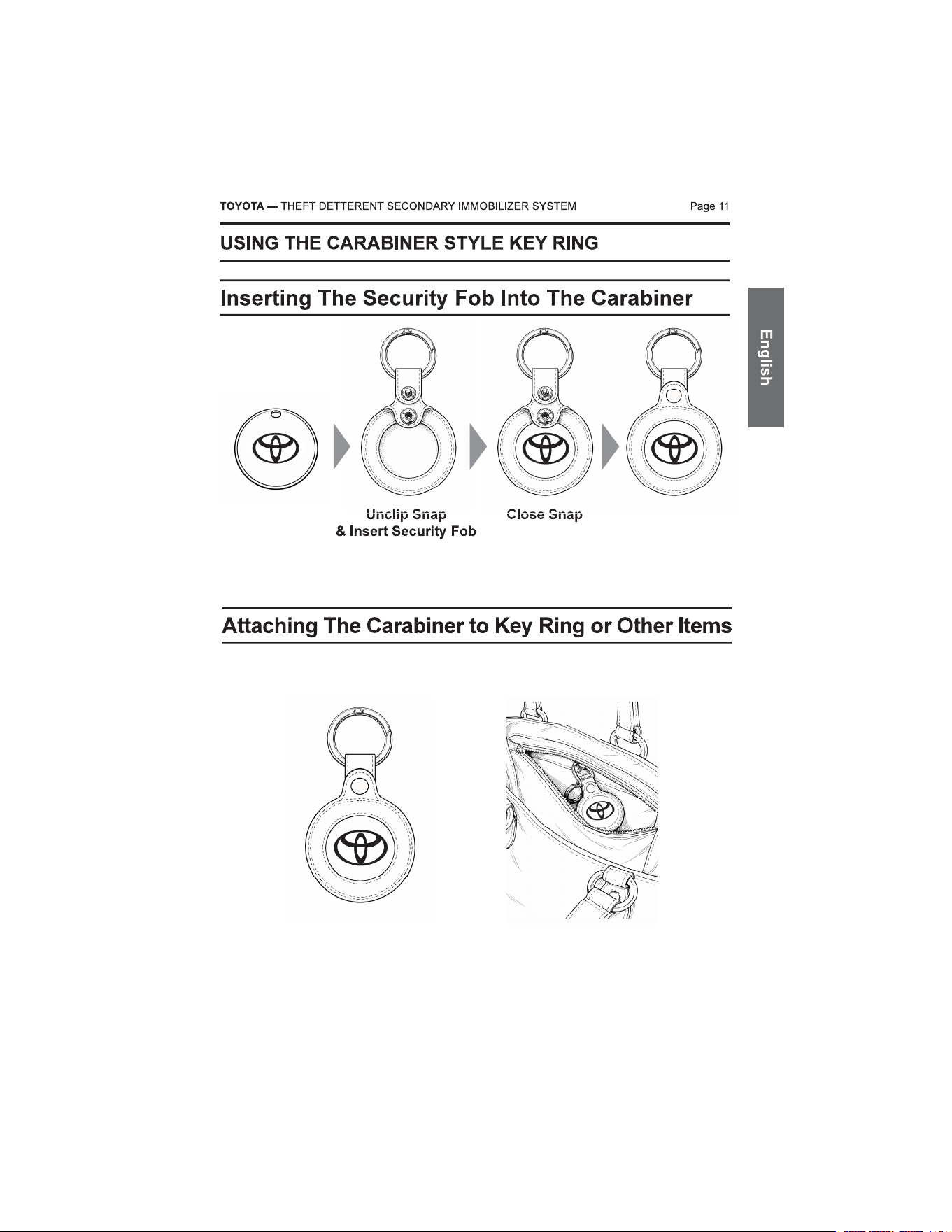
MECHANICAL KEY ACCESS
• The mechanical key is located inside
the Smart Card Key and can be
removed by opening the card. This
key allows manual access to the
vehicle when the Smart Card Key
cannot be used electronically.
CARE AND USE
General Care
Page 13
Your Security Fob and Emergency NFC Cards are electronic devices. Proper
handling and care will ensure reliable operation and long product life.
• Do not expose the remote to excessive heat, moisture, or direct sunlight.
• Avoid dropping or subjecting the unit to strong impact.
• Keep away from liquids and do not submerge in water.
• Clean only with a soft, dry cloth. Do not use solvents or chemical cleaners.
• Replace the battery only with the specified type (CR2450 3V lithium)
Usage Notes
• If the remote becomes unresponsive, check the battery orientation or replace
the battery.
• Avoid storing the remote in vehicles for extended periods in extreme
temperatures.
• Keep out of reach of small children to prevent accidental battery ingestion.
• Do not attempt to modify or repair the remote yourself.
• Emergency NFC card is intended for temporary use only and should not be
used for daily operation. It is meant to be used when security fobs are
unavailable, allowing you to operate the vehicle and contact yourToyota
dealer.
Water Exposure
• The Security Fob is not waterproof. Do not immerse it in water.
TOYOTA — THEFT DETTERENT SECONDARY IMMOBILIZER SYSTEM
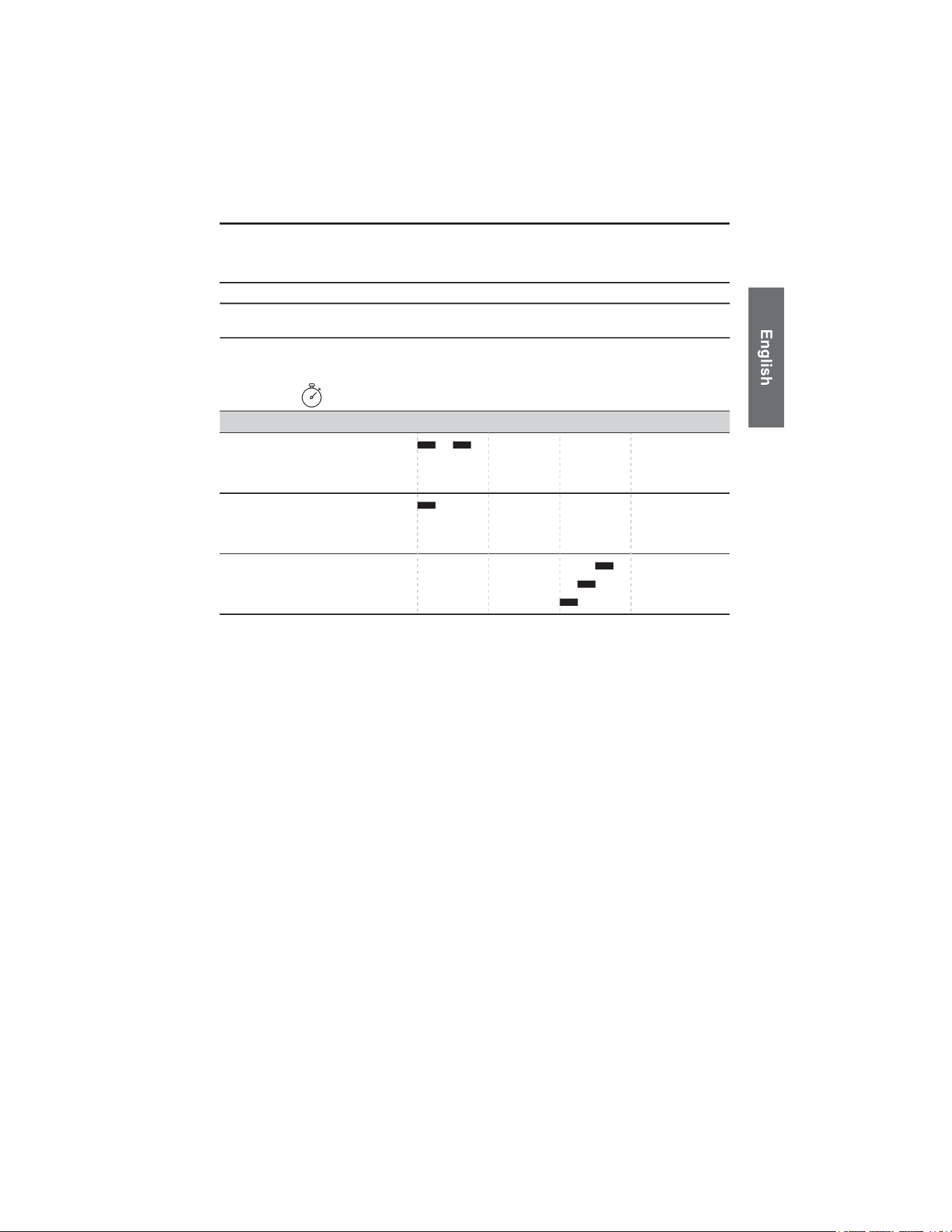
SECONDARY IMMOBILIZER AUDIBLE FEEDBACK
(CONFIRMATION SOUNDS)
Page 14TOYOTA — THEFT DETTERENT SECONDARY IMMOBILIZER SYSTEM
Confirmation Sounds Inside Vehicle
0Seconds 1 2 3
Function Tone Pattern
HIGH
MID
LOW
HIGH
MID
LOW
HIGH
MID
LOW
Disarm
Arm
System Ready
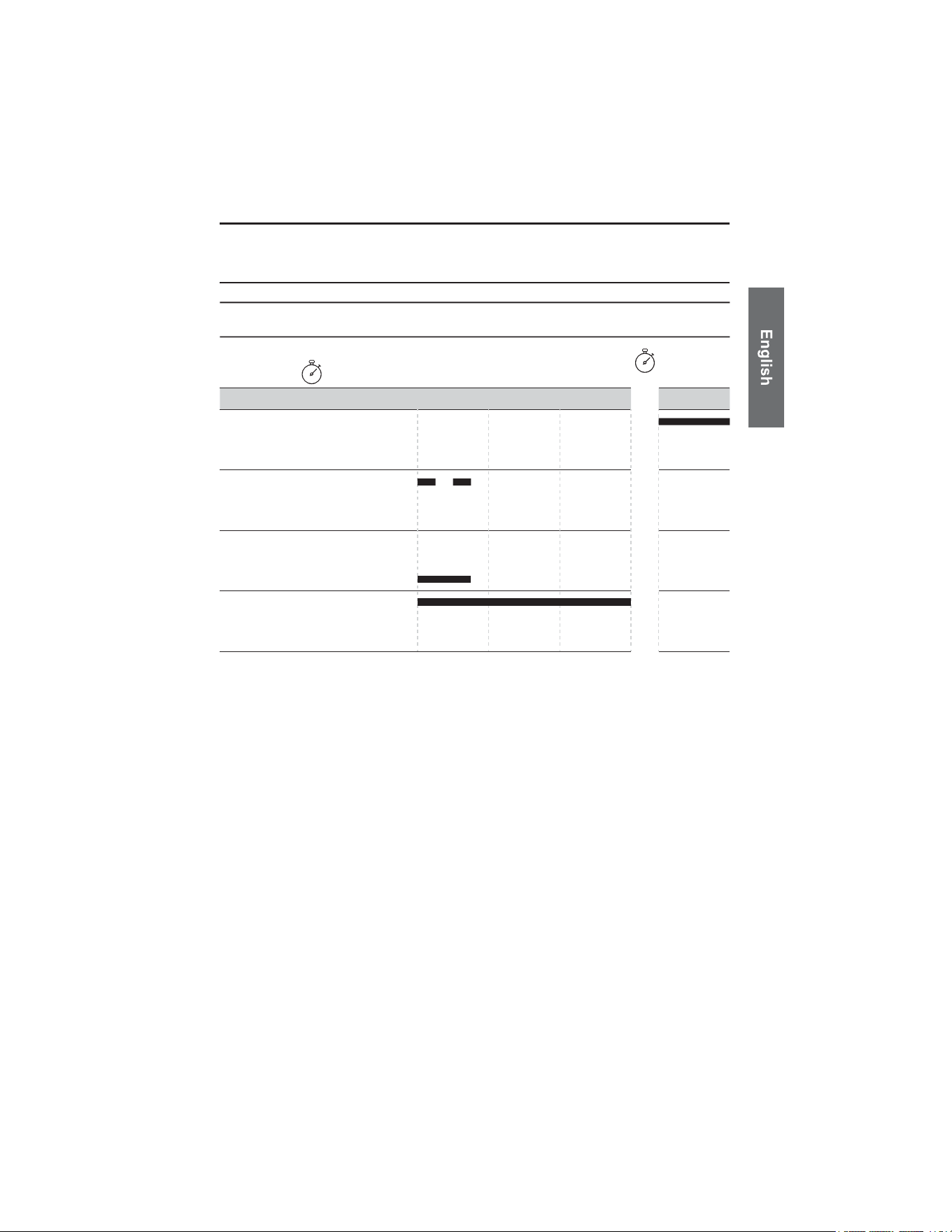
SECONDARY IMMOBILIZER AUDIBLE FEEDBACK
(CONFIRMATION SOUNDS)
Page 15TOYOTA — THEFT DETTERENT SECONDARY IMMOBILIZER SYSTEM
Troubleshooting Chart
Function Tone Pattern
HIGH
MID
LOW
HIGH
MID
LOW
HIGH
MID
LOW
System
Startup
Failed
Valid NFC Read
Invalid NFC Read
System Warning
HIGH
MID
LOW
(System Warning)
10 Seconds
0Seconds 1 2 3
Note that If the system fails to start, the message ‘System Startup Failed’ will be
played three times at 10-second intervals, indicating that the system failed to boot.
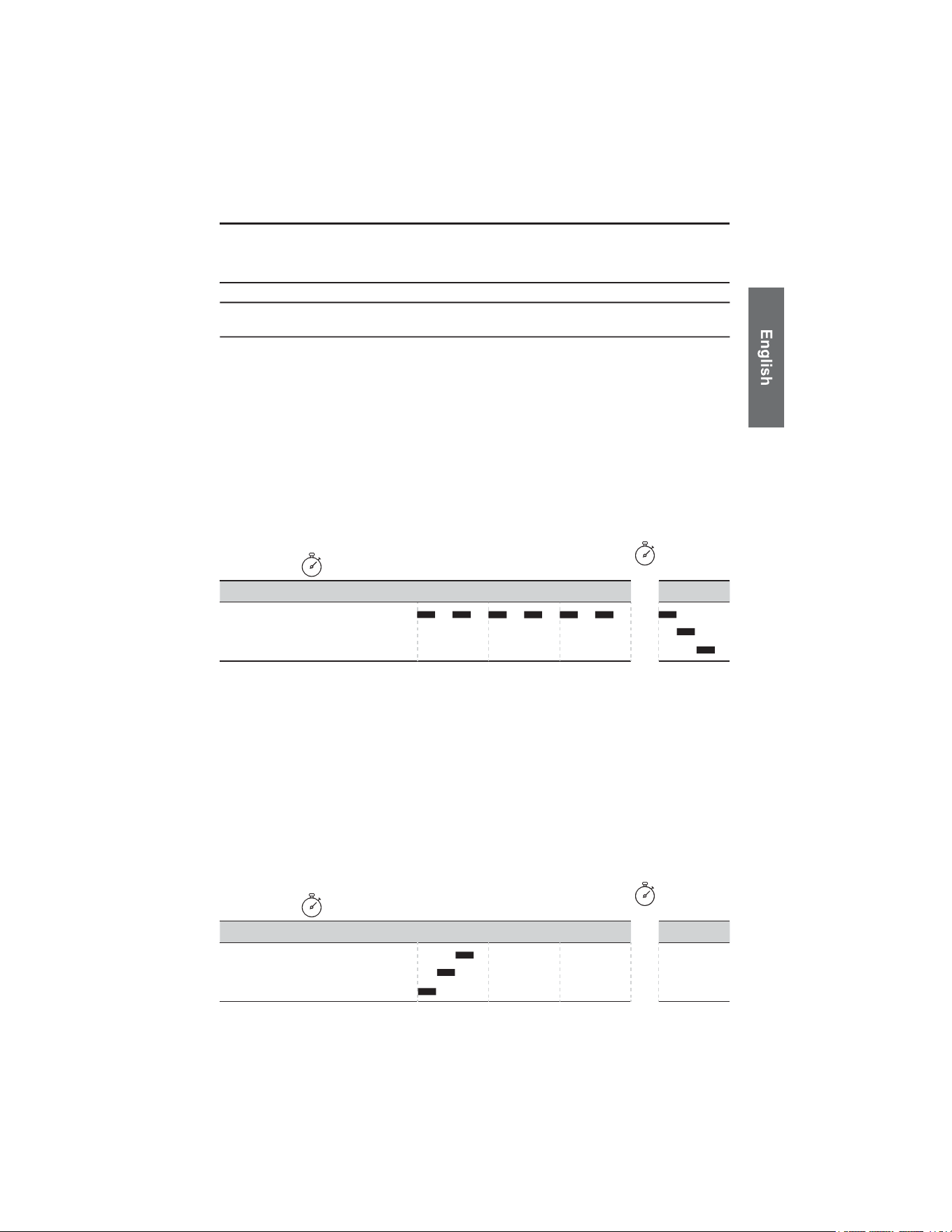
SECONDARY IMMOBILIZER AUDIBLE FEEDBACK
(CONFIRMATION SOUNDS)
Page 16
Maintenance Mode – System Diagnostics
TOYOTA — THEFT DETTERENT SECONDARY IMMOBILIZER SYSTEM
The CSM communicates system status using audio notifications.
OPERATIONAL ALERT
At vehicle start-up, a single “System Warning” notification indicates that a fault has
been detected. If this occurs, the vehicle should be taken to an authorized dealer
for service.
ENTERING MAINTENANCE MODE
To access Maintenance Mode, hold the Emergency NFC card or FOB on the NFC
reader for at least 10 seconds. During this time, you will hear the “Valid NFC
Read” notification 10 times, followed by the “Enter Maintenance Mode” notification
This sequence is illustrated in the figure below.
MAINTENANCE DIAGNOSTICS
Once in Maintenance Mode, the system will emit a repeating sequence of beeps every 60
seconds to help identify the source of the fault:
• 1 Beep Indicates LFR fault
• 2 Beeps Indicates NFC fault
• 3 Beeps Indicates CSM fault
EXITING MAINTENANCE MODE
To exit Maintenance Mode, tap the Emergency NFC card or FOB on the NFC
reader. you will hear the “Exit Maintenance Mode” notification. This sequence is
illustrated in the figure below.
HIGH
MID
LOW
10 Seconds
0Seconds 1 2 3
Enter
Maintenace
Mode
Function Tone Pattern
HIGH
MID
LOW
10 Seconds
0Seconds 1 2 3
Exit
Maintenace
Mode
Function Tone Pattern
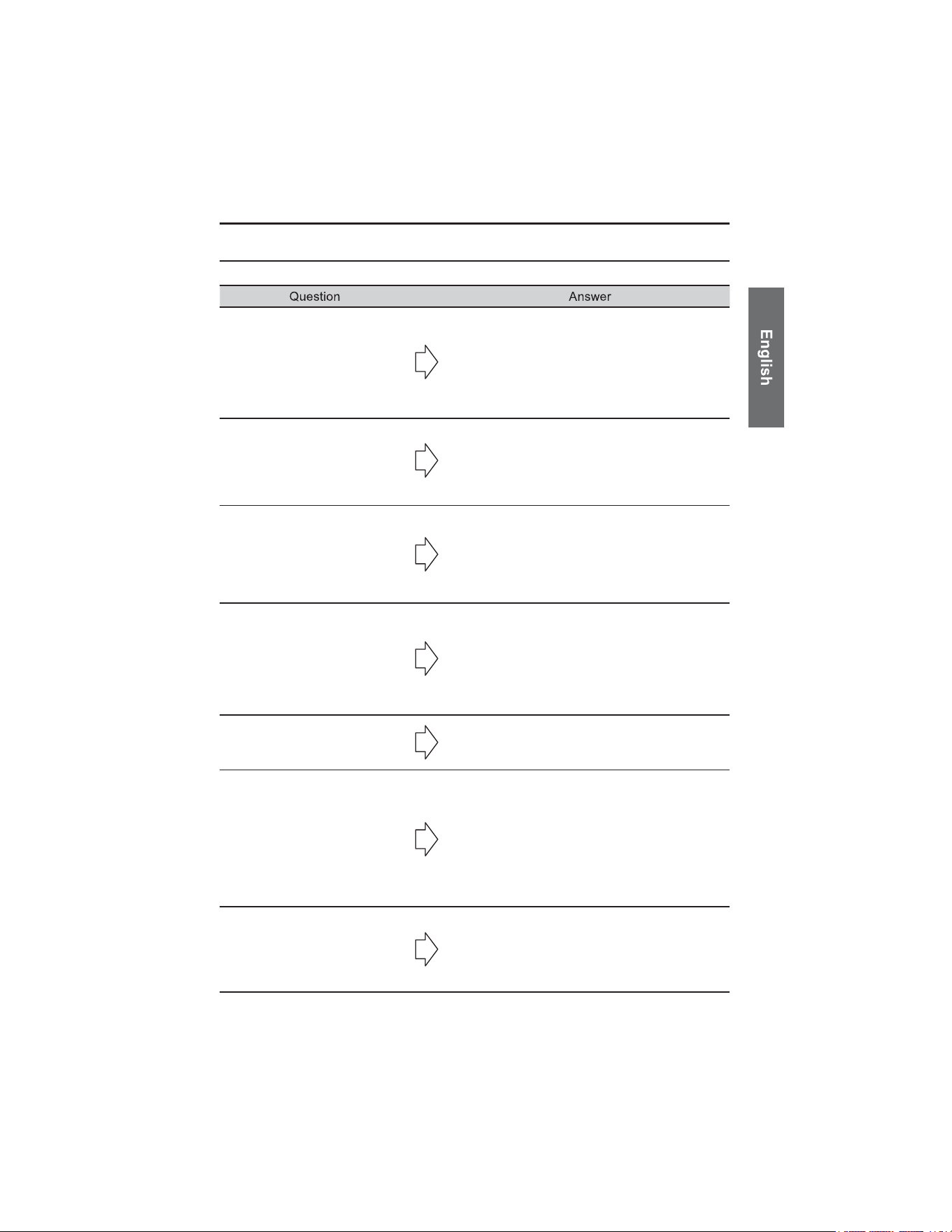
FREQUENTLY ASKED QUESTIONS
Page 17TOYOTA — THEFT DETTERENT SECONDARY IMMOBILIZER SYSTEM
When I start my vehicle, I hear
the 'System Warning'
notification (3seconds high
beeps).
Place an Emergency NFC card or Security Fob
against the NFC sticker in your vehicle.
You should hear the ‘Exit Service Mode’
notification. If you instead hear the 'Disarm'
notification or nothing at all, please consult your
dealer.
My factory Toyota Security
Fob does not work when I
press buttons.
If your factory Toyota Security Fob buttons do not
work, leave the vehicle undisturbed for 1 minute
without pressing buttons or opening doors.
Afterward, try again and ensure you hold the
button down firmly.
The Security Fob played the
'System Warning' notification.
Place an Emergency NFC card or Security Fob
against the NFC sticker in your vehicle.
You should hear the ‘Exit Service Mode’
notification. If you instead hear the 'Disarm'
notification or nothing at all, please consult your
dealer.
The Security Fob is playing a
lot of sounds.
If the Security Fob is producing continuous or
irregular sounds, the battery is likely low.
Replace the battery with a new CR2450 unit.
I was able to enter or start my
vehicle without a Security Fob
on me.
Ensure the Security Fob is disconnected from
Bluetooth by placing it stationary and out of
range for five minutes, then retry the action
(enter or start the vehicle). If the issue persists,
please consult your dealer.
Holding the Security Fob on
the NFC sticker does not
disarm the system.
First, remove the Security Fob from the
carabiner and firmly hold the surface featuring
the logo against the NFC indication sticker.
If no notification plays, attempt an emergency
disarm using an Emergency NFC card.
Should the system remain unresponsive and the
vehicle fails to start, please consult your dealer.
I lost my Security Fob.
Security Fobs cannot be replaced. Your entire kit
must be replaced, consult your dealer. In the
meantime, Temporarily use the Emergency NFC
card to operate the vehicle and contact your
Toyota dealer.
GENERAL SPECIFICATIONS
Page 18
In-Vehicle System
Item Specification
Operating temperature range
Storage temperature range
Power supply voltage
Current consumption
Wireless
Certificate
-30ºC to +65ºC
-30ºC to +85ºC
12VDC
<3mA in standby state
Frequency bands: 2.4 GHz to 2.4835 GHz
FCC ID: 2ABSL-PK626CSM
ICES: 11732A-PK626CSM
Security Fob
Item Specification
Operating temperature range
Storage temperature range
Battery
Power supply voltage
Current consumption
Wireless
Certificate
-30ºC to +65ºC
-30ºC to +85ºC
CR2450
3VDC
<1mA Avg
Frequency bands: 2.4 GHz to 2.4835 GHz
FCC ID: 2ABSL-PK626FOB
ICES: 11732A-PK626FOB
TOYOTA — THEFT DETTERENT SECONDARY IMMOBILIZER SYSTEM


TABLE DES MATIÈRES
PAGE
• INFORMATIONS DE CONFORMITÉ RÉGLEMENTAIRE ................................21
1. Déclaration de conformité ISED..............................................................21
2. Déclaration de conformité FCC (États-Unis)...........................................22
3. Conformité CE (Europe) .........................................................................23
• Avis aux consommateurs du Québec ............................................................24
• Introduction ......................................................................................................25
• Composants du système ................................................................................25
• Fonctionnement ...............................................................................................26
• Sécurité ............................................................................................................26
• Utilisation du porte-clés de sécurité ..............................................................27
1. Désactivation du système d’immobilisation secondaire..........................27
2. Activation du système d’immobilisation secondaire................................27
3. Pile du porte-clés de sécurité déchargée - Désactivation d’urgence ......28
Déverrouillage avec le porte-clés du véhicule .................................28
Désactivation du système d’immobilisation secondaire...................28
• Utilisation des cartes NFC D’URGENCE........................................................29
1. Déverrouillage avec le porte-clés du véhicule ........................................29
2. Désactivation du système d’immobilisation secondaire..........................29
• Fonctionnement de la clé carte intelligente Toyota......................................30
1. Fonctionnement de la clé carte intelligente avec SecureKey .................30
• Utilisation de l’anneau porte-clés de type mousqueton...............................31
1. Insertion du porte-clés de sécurité dans le mousqueton ........................31
2. Fixation du mousqueton à un porte-clés ou à d’autres objets ................31
• Entretien ...........................................................................................................32
1. Remplacement de la pile ........................................................................32
• Soin et utilisation .............................................................................................33
1. Entretien général.....................................................................................33
2. Notes d’utilisation....................................................................................33
3. Exposition à l’eau....................................................................................33
• Signaux sonores du système d’immobilisation secondaire (sons de
confirmation) ...................................................................................................34
1. Sons de confirmation à l’intérieur du véhicule ........................................34
2. Tableau de dépannage ...........................................................................35
3. Mode maintenance - Diagnostic du système ..........................................36
• Foire aux questions .........................................................................................37
• Spécifications générales .................................................................................38
Système embarqué.................................................................................38
Porte-clés de sécurité .............................................................................38
INFORMATIONS DE CONFORMITÉ RÉGLEMENTAIRE
Déclaration de conformité ISED
Page 21TOYOTA — SYSTÈME D'IMMOBILISATION SECONDAIRE ANTIVOL
Ministère des Communications du Canada
CAN ICES-11732A-PK626FOB
11732A-PK626CSM
Avis de conformité de classe B aux règlements sur les interférences radio
Cet appareil numérique de classe B est conforme à toutes les exigences du
Règlement canadien sur les équipements causant des interférences.
Cet appareil est conforme aux CNR exempts de licence d’Industrie Canada.
Son fonctionnement est soumis aux deux conditions suivantes :
(1) Cet appareil ne doit pas causer d’interférences; et
(2) Cet appareil doit accepter toute interférence, y compris les interférences
pouvant entraîner un fonctionnement indésirable de l’appareil.
L’appareil peut automatiquement cesser la transmission en cas d’absence
d’information à transmettre ou en cas de défaillance de fonctionnement. Veuillez
noter que cela n’a pas pour but d’interdire la transmission d’informations de
contrôle ou de signalisation ni l’utilisation de codes répétitifs lorsque requis par la
technologie.
Déclaration de conformité FCC (États-Unis)
Page 22
Déclaration d’interférence de la Federal Communications Commission
À des fins d’identification réglementaire, l’appareil est attribué aux numéros de
modèle xxx & xxx
FCC ID : 2ABSL-PK626FOB
2ABSL-PK626CSM
Cet appareil est conforme à la partie 15 des règles de la FCC. Son
fonctionnement est soumis aux deux conditions suivantes : (1) cet appareil ne doit
pas causer d’interférences nuisibles, et (2) cet appareil doit accepter toute
interférence reçue, y compris celles pouvant entraîner un fonctionnement
indésirable.
Cet appareil a été testé et déclaré conforme aux limites applicables aux appareils
numériques de classe B, conformément à la partie 15 des règles de la FCC. Ces
limites sont conçues pour offrir une protection raisonnable contre les interférences
nuisibles dans une installation résidentielle. Cet équipement génère, utilise et peut
émettre de l’énergie de radiofréquence et, s’il n’est pas installé et utilisé
conformément aux instructions, peut causer des interférences nuisibles aux
communications radio. Toutefois, il n’existe aucune garantie que des interférences
ne se produiront pas dans une installation particulière. Si cet équipement cause
des interférences nuisibles à la réception radio ou télévisuelle, ce qui peut être
déterminé en éteignant et en rallumant l’équipement, l’utilisateur est encouragé à
essayer de corriger l’interférence en appliquant une ou plusieurs des mesures
suivantes :
• Réorienter ou déplacer l’antenne de réception.
• Augmenter la distance entre l’équipement et le récepteur.
• Brancher l’équipement sur une prise d’un circuit différent de celui auquel le
récepteur est connecté.
• Consulter le revendeur ou un technicien radio/télévision expérimenté pour
obtenir de l’aide.
Avertissement FCC
Toute modification non expressément approuvée par la partie responsable de la
conformité pourrait annuler l’autorisation de l’utilisateur d’exploiter cet
équipement.
L’(les) antenne(s) utilisée(s) pour cet émetteur ne doit (doivent) pas être
co-localisée(s) ni fonctionner conjointement avec toute autre antenne ou tout
autre émetteur.
TOYOTA — SYSTÈME D'IMMOBILISATION SECONDAIRE ANTIVOL
INFORMATIONS DE CONFORMITÉ RÉGLEMENTAIRE
Déclaration de conformité CE (Europe)
Page 23
Ce produit est conforme aux exigences essentielles et aux autres dispositions
pertinentes de la directive relative aux équipements radio (RED) 2014/53/UE. Une
copie de la déclaration de conformité de l’UE est disponible sur demande auprès
du fabricant.
L’appareil est conçu pour fonctionner dans les bandes de fréquences et aux
niveaux de puissance définis par les normes de l’UE applicables. Toute
modification non approuvée par le fabricant peut annuler l’autorisation de
l’utilisateur d’exploiter l’équipement.
Conformité UKCA (Royaume-Uni)
Ce produit est conforme à la législation britannique applicable, y compris le
Règlement sur les équipements radio de 2017 et le Règlement sur la compatibilité
électromagnétique de 2016.
Une copie de la déclaration de conformité du Royaume-Uni est disponible sur
demande auprès du fabricant.
TOYOTA — SYSTÈME D'IMMOBILISATION SECONDAIRE ANTIVOL
INFORMATIONS DE CONFORMITÉ RÉGLEMENTAIRE

AVIS AUX CONSOMMATEURS DU QUÉBEC
Page 24
Toyota Canada Inc. est heureuse d’offrir une garantie limitée sur les accessoires
d’origine Toyota. Pour plus de détails sur la garantie et sa couverture, veuillez
consulter toyota.ca.
La Loi sur la protection du consommateur du Québec exige que Toyota Canada
divulgue si nous garantissons la disponibilité des pièces de rechange, des
services de réparation et des informations nécessaires à l’entretien ou à la
réparation des accessoires d’origine Toyota. Bien que Toyota Canada soit
heureuse de respecter les conditions de sa garantie limitée sur les accessoires,
veuillez noter que Toyota ne garantit en aucun cas la disponibilité des
pièces de rechange, des services de réparation ni des informations
nécessaires à l’entretien ou à la réparation des accessoires d’origine
Toyota.
TOYOTA — SYSTÈME D'IMMOBILISATION SECONDAIRE ANTIVOL
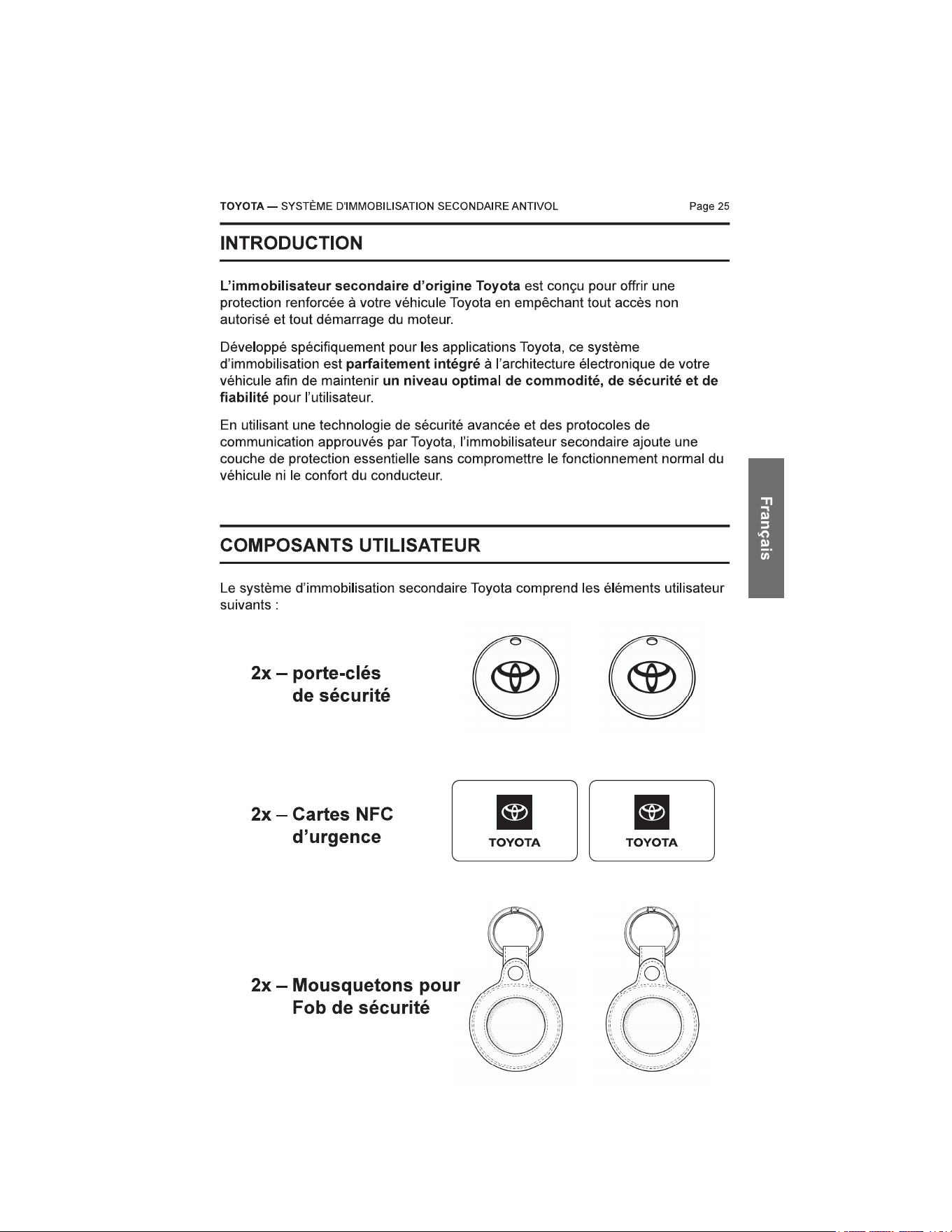
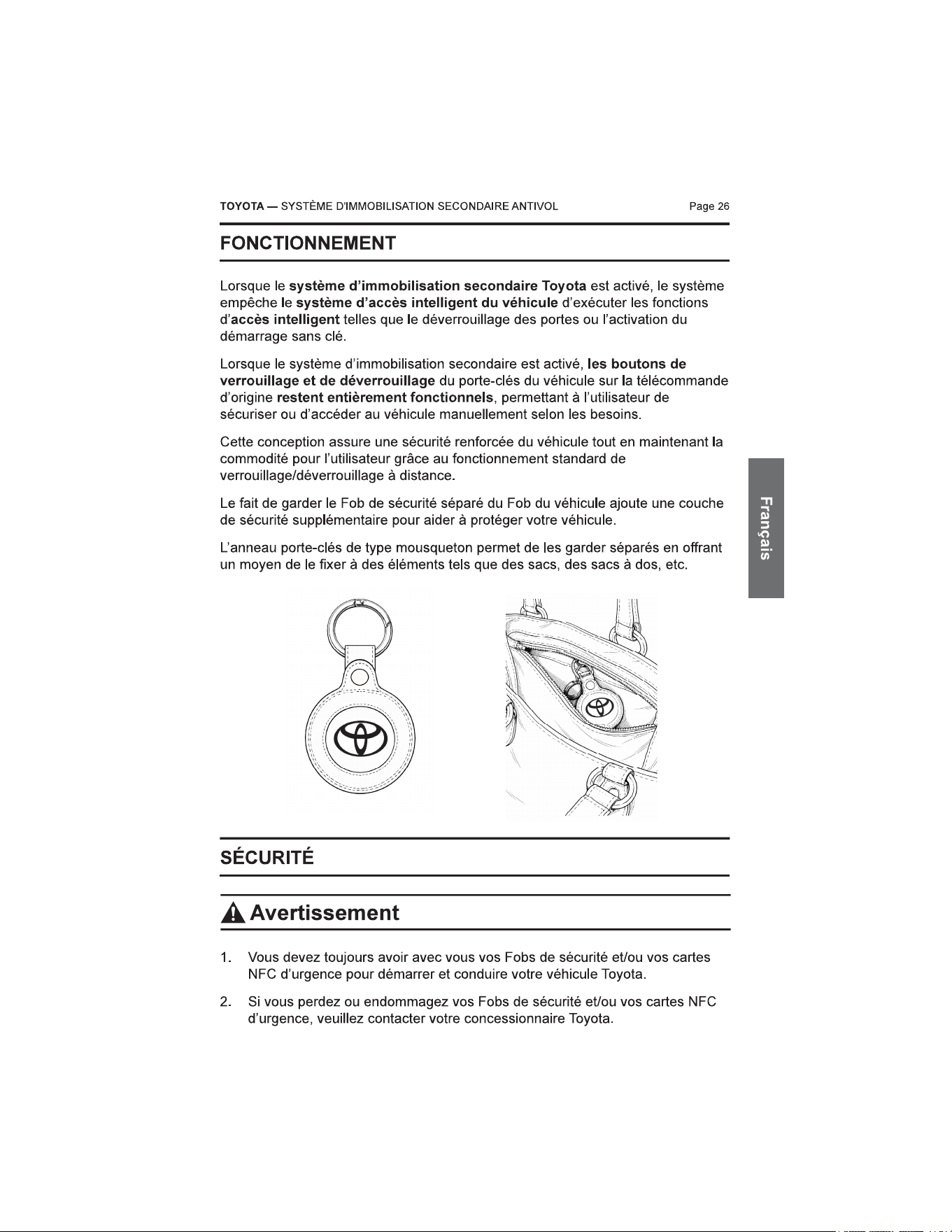
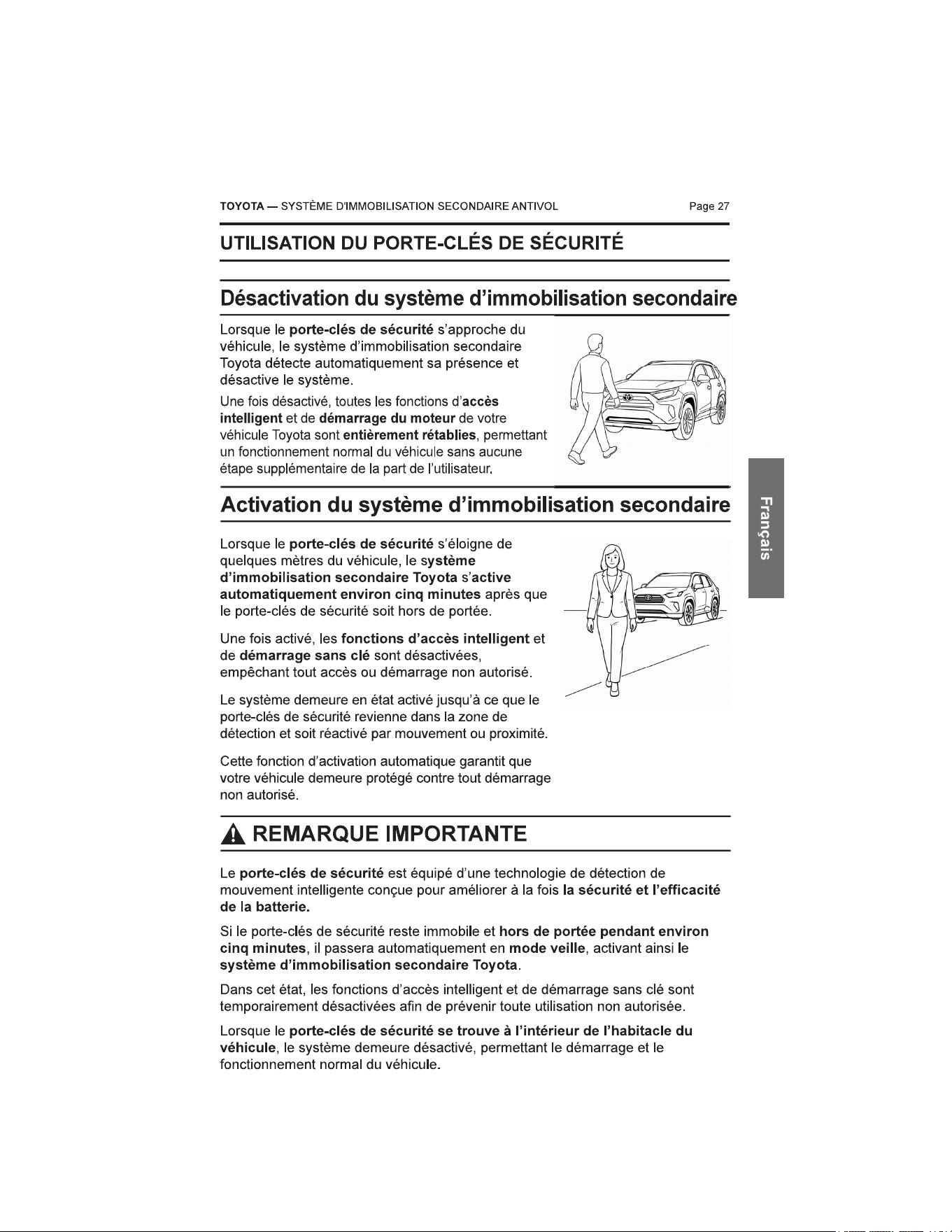
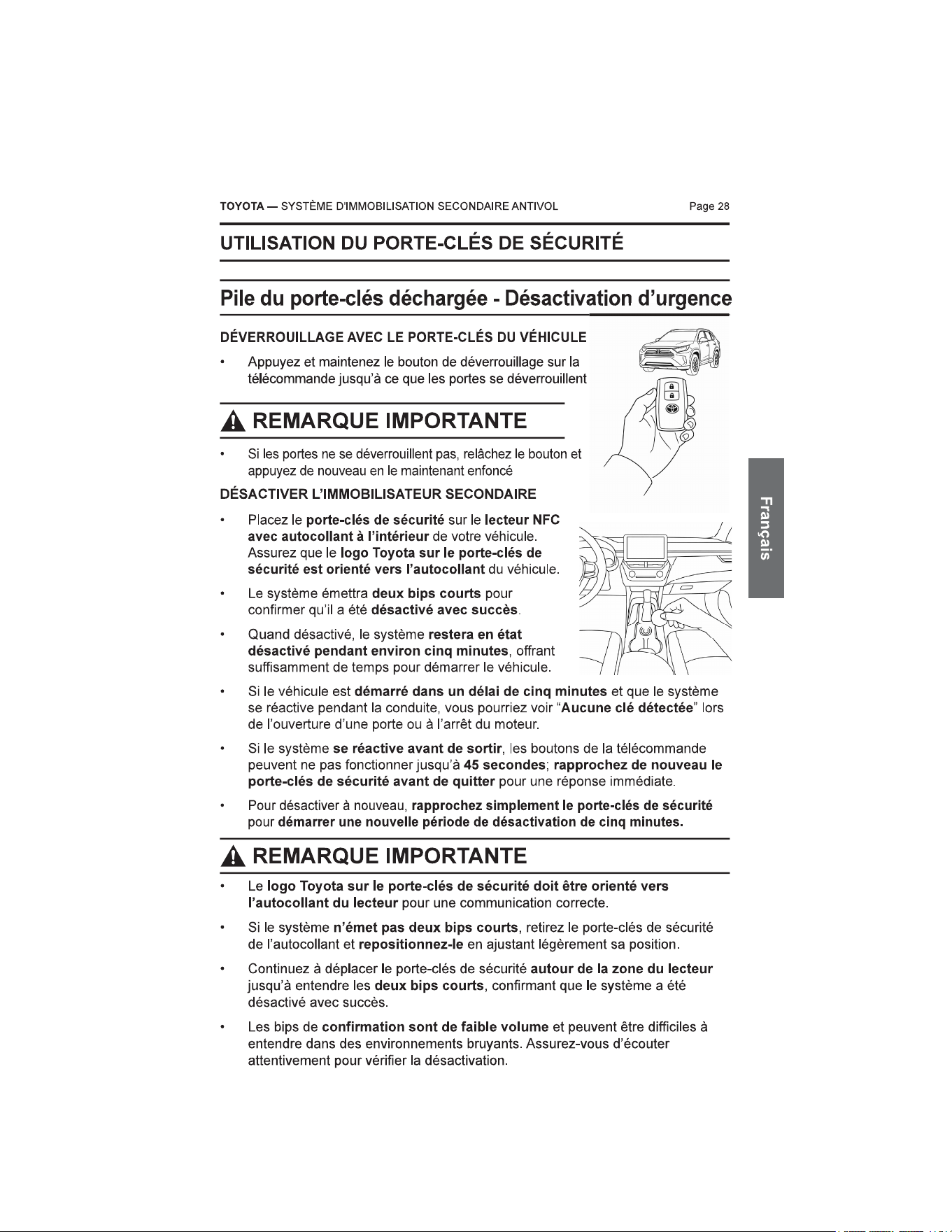
Page 30
FONCTIONNEMENT DE LA CLÉ CARTE INTELLIGENTE TOYOTA
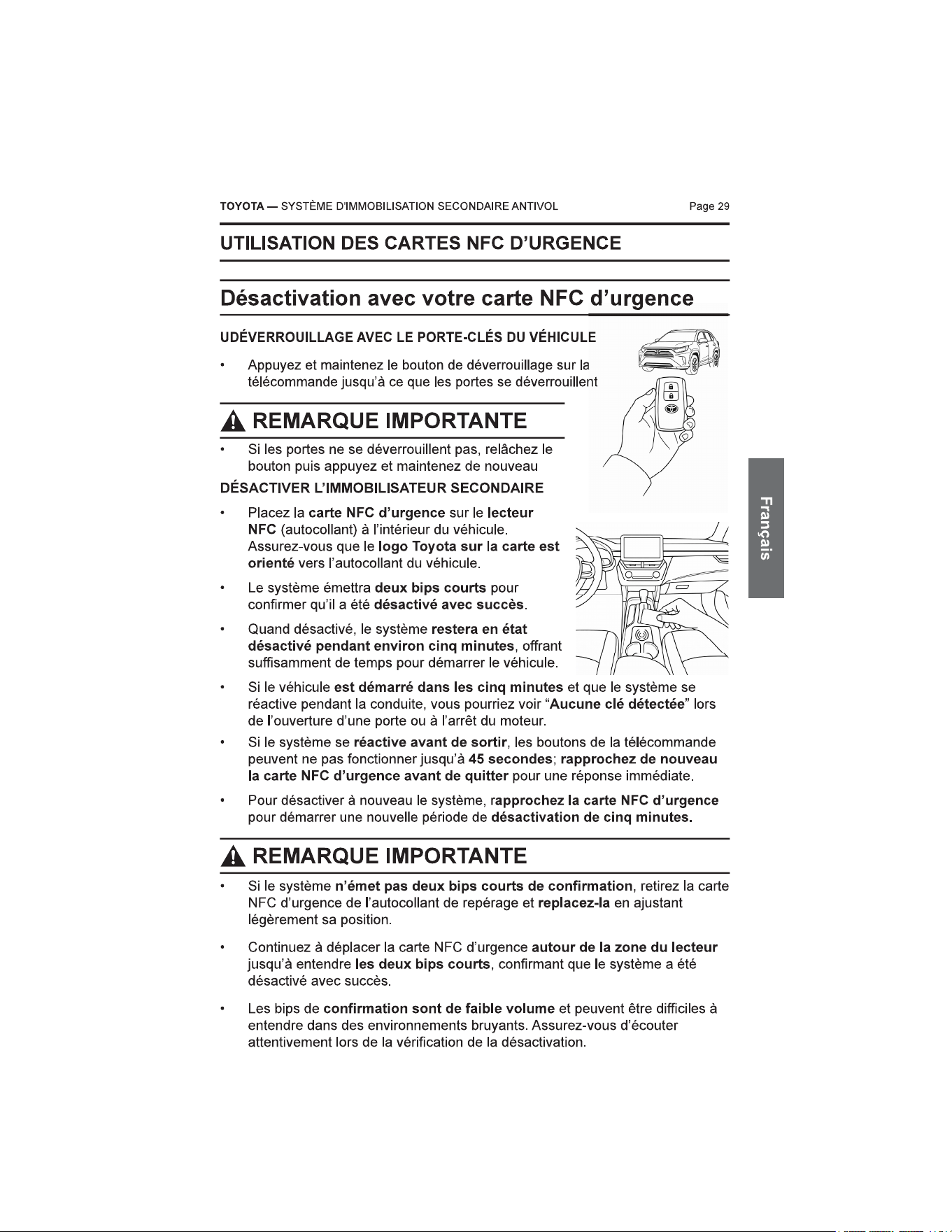
• Lorsque le Bluetooth Tag n’est pas présent, la clé
carte intelligente Toyota ne peut pas être utilisée pour
déverrouiller les portes du véhicule à l’aide de la
fonction normale de la carte.
• Dans cette situation, la clé mécanique à l’intérieur de
la clé carte intelligente peut toujours être utilisée pour
déverrouiller la porte du véhicule. Cependant,
l’ouverture de la porte avec la clé mécanique
déclenchera l’alarme du véhicule, qui produira un
schéma sonore différent.
• Pour arrêter l’alarme et démarrer le véhicule, la carte NFC d’urgence doit
être utilisée sur le lecteur NFC à l’intérieur du véhicule.
• Alternativement, le client peut déverrouiller les portes du véhicule à l’aide
de l’application mobile Toyota. Même si les portes sont déverrouillées via
l’application mobile, la carte NFC d’urgence est toujours requise pour
démarrer le véhicule.
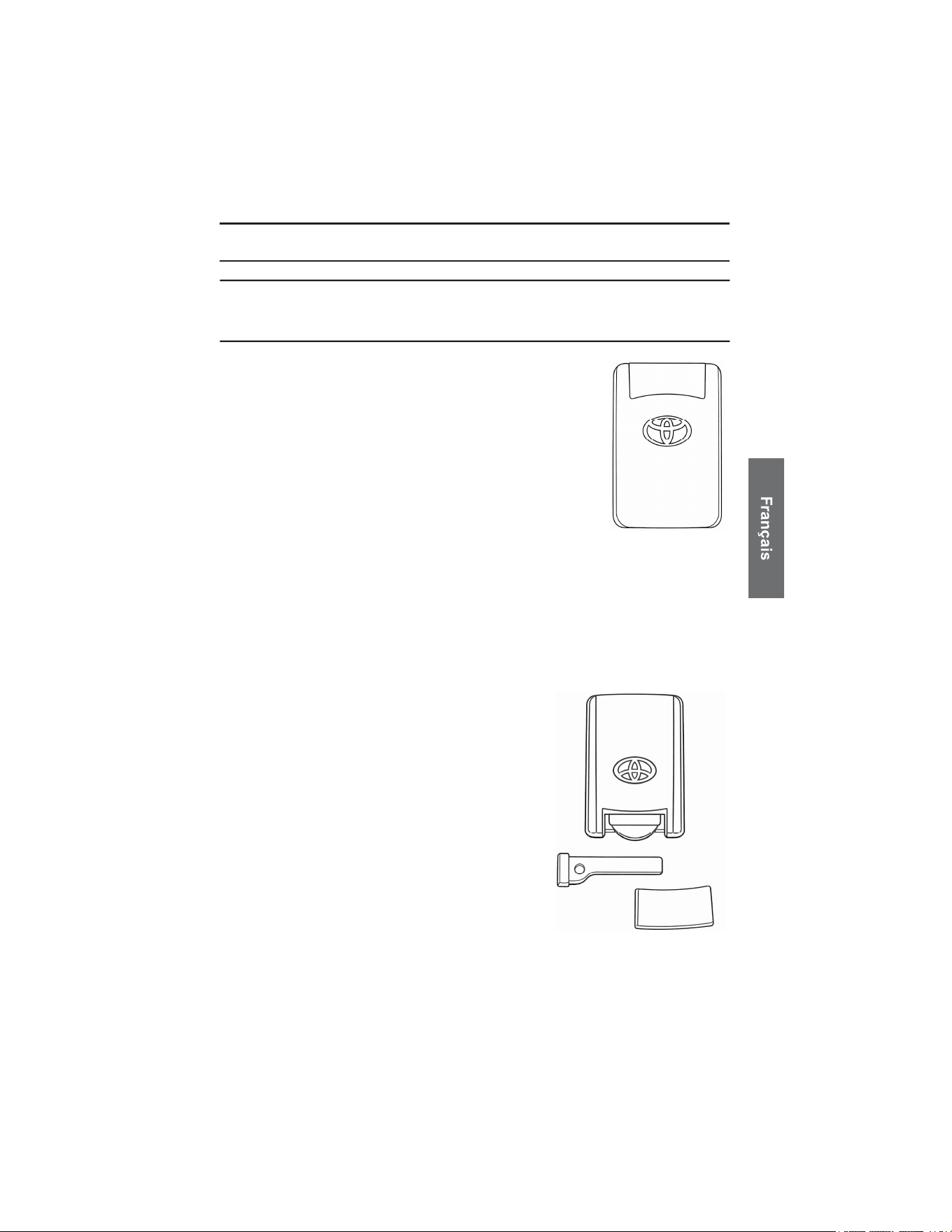
ACCÈS PAR CLÉ MÉCANIQUE
• La clé mécanique se trouve à l’intérieur
de la clé carte intelligente et peut être
retirée en ouvrant la carte. Cette clé
permet un accès manuel au véhicule
lorsque la clé carte intelligente ne
peut pas être utilisée
électroniquement.
TOYOTA — SYSTÈME D'IMMOBILISATION SECONDAIRE ANTIVOL
Fonctionnement de la clé carte intelligente avec
système d’immobilisation secondaire
ENTRETIEN ET UTILISATION
Entretien général
Page 33
Votre porte-clés de sécurité et vos cartes NFC d’urgence sont des appareils
électroniques. Une manipulation et un entretien appropriés assureront un
fonctionnement fiable et une longue durée de vie du produit.
• N’exposez pas la télécommande à une chaleur excessive, à l’humidité ou à la
lumière directe du soleil.
• Évitez de la faire tomber ou de la soumettre à des chocs importants.
• Gardez-la à l’écart des liquides et ne la plongez pas dans l’eau.
• Nettoyez uniquement avec un chiffon doux et sec. N’utilisez pas de solvants
ni de produits chimiques.
• Remplacez la pile uniquement par le type spécifié (CR2450 3V lithium).
Notes d’utilisation
• Si la télécommande ne répond plus, vérifiez l’orientation de la pile ou
remplacez-la.
• Évitez de laisser la télécommande dans le véhicule pendant de longues
périodes à des températures extrêmes.
• Gardez-la hors de portée des jeunes enfants afin d’éviter toute ingestion
accidentelle de la pile.
• N’essayez pas de modifier ou de réparer la télécommande vous-même.
• La carte NFC d’urgence est destinée à un usage temporaire uniquement et
ne doit pas être utilisée pour une utilisation quotidienne. Elle doit être utilisée
lorsque les porte-clés de sécurité ne sont pas disponibles, vous permettant
d’utiliser le véhicule et de contacter votre concessionnaire Toyota.
Exposition à l’eau
• Le porte-clés de sécurité n’est pas étanche. Ne l’immergez pas dans l’eau.
TOYOTA — SYSTÈME D'IMMOBILISATION SECONDAIRE ANTIVOL
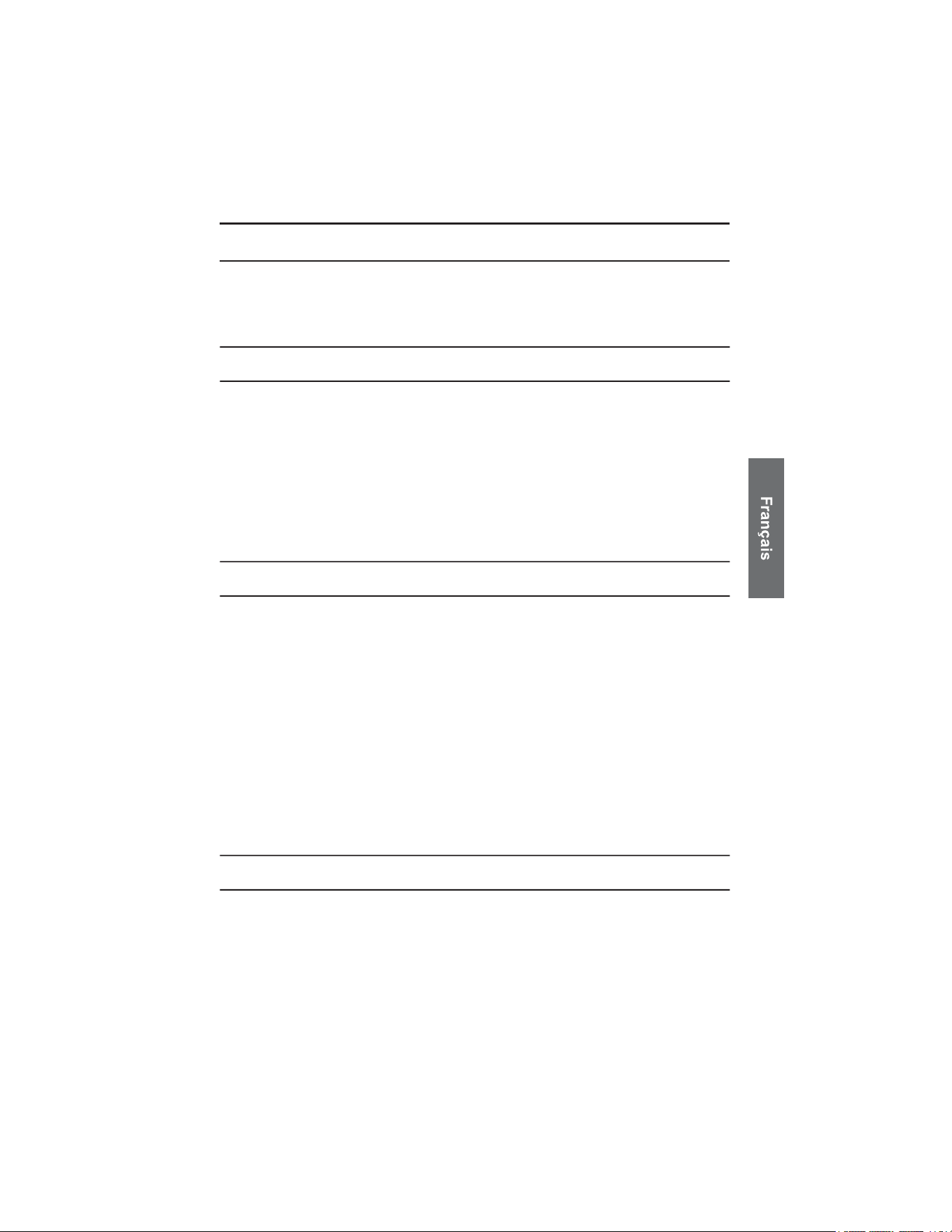
RÉTROACTION SONORE DE L’IMMOBILISATEUR SECONDAIRE
(
SONS DE CONFIRMATION
)
Page 34
Sons de confirmation à l’intérieur du véhicule
0Secondes 1 2 3
Function Tonalité Motif
ÉLEVÉ
MOYEN
FAIBLE
ÉLEVÉ
MOYEN
FAIBLE
ÉLEVÉ
MOYEN
FAIBLE
Désactivation
Activation
Système Prêt
TOYOTA — SYSTÈME D'IMMOBILISATION SECONDAIRE ANTIVOL
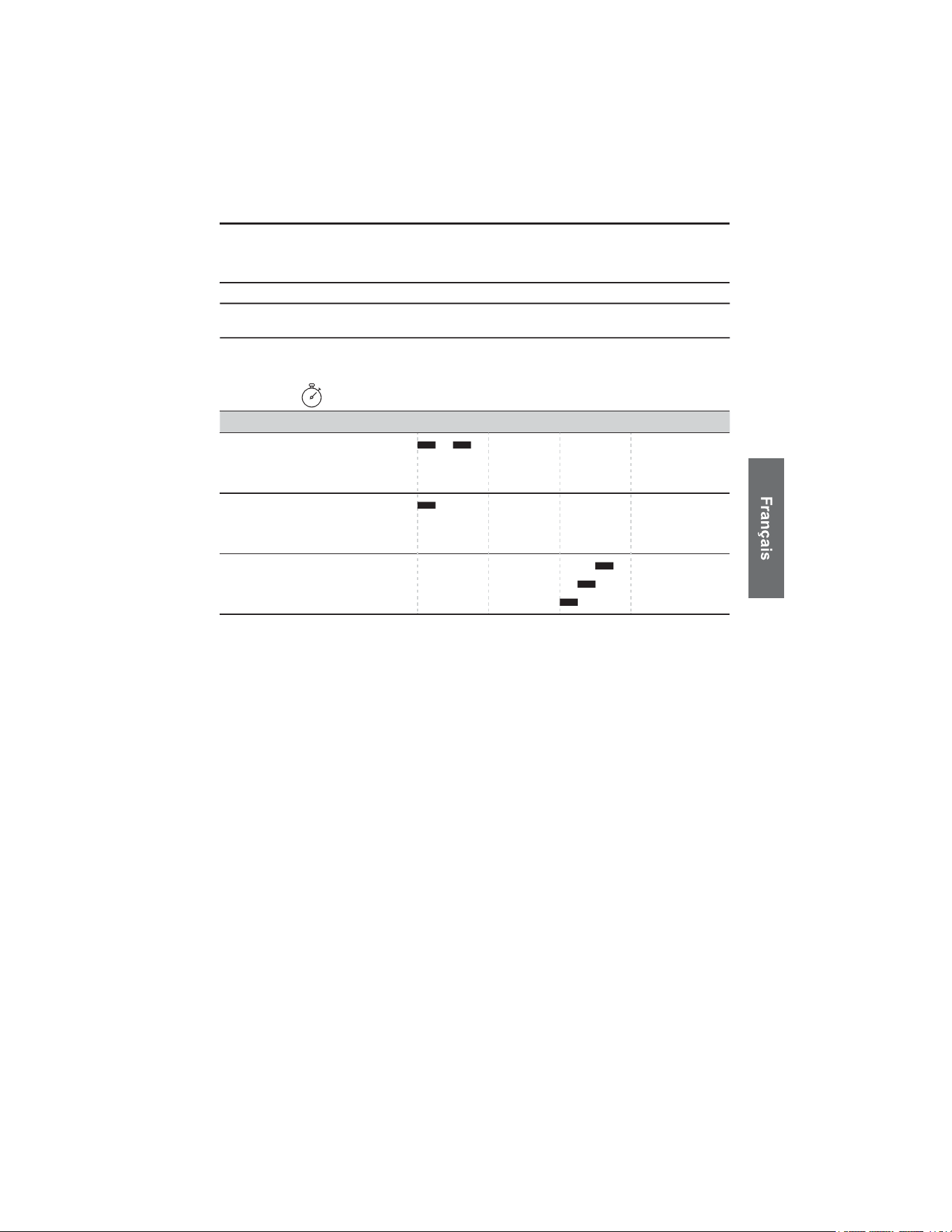
Page 35
Tableau de dépannage
Function
Tonalité
Motif
ÉLEVÉ
MOYEN
FAIBLE
ÉLEVÉ
MOYEN
FAIBLE
ÉLEVÉ
MOYEN
FAIBLE
Échec du
Démarrage du
Système
NFC Lecture Valide
NFC Lecture Invalide
Avertissement
Système
ÉLEVÉ
MOYEN
FAIBLE
(
Avertissement Système
)
10 Secondes
0Secondes 1 2 3
Notez que si le système ne démarre pas, le message « Échec du démarrage du
système » sera diffusé trois fois à des intervalles de 10 secondes, indiquant que
le système n’a pas pu démarrer.
TOYOTA — SYSTÈME D'IMMOBILISATION SECONDAIRE ANTIVOL
RÉTROACTION SONORE DE L’IMMOBILISATEUR SECONDAIRE
(
SONS DE CONFIRMATION
)
Page 36
Mode maintenance – Diagnostic du système
Le CSM communique l’état du système à l’aide de notifications sonores.
ALERTE OPÉRATIONNELLE
Au démarrage du véhicule, une seule notification « Avertissement système »
indique qu’une anomalie a été détectée. Si cela se produit, le véhicule doit être
amené chez un concessionnaire autorisé pour entretien.
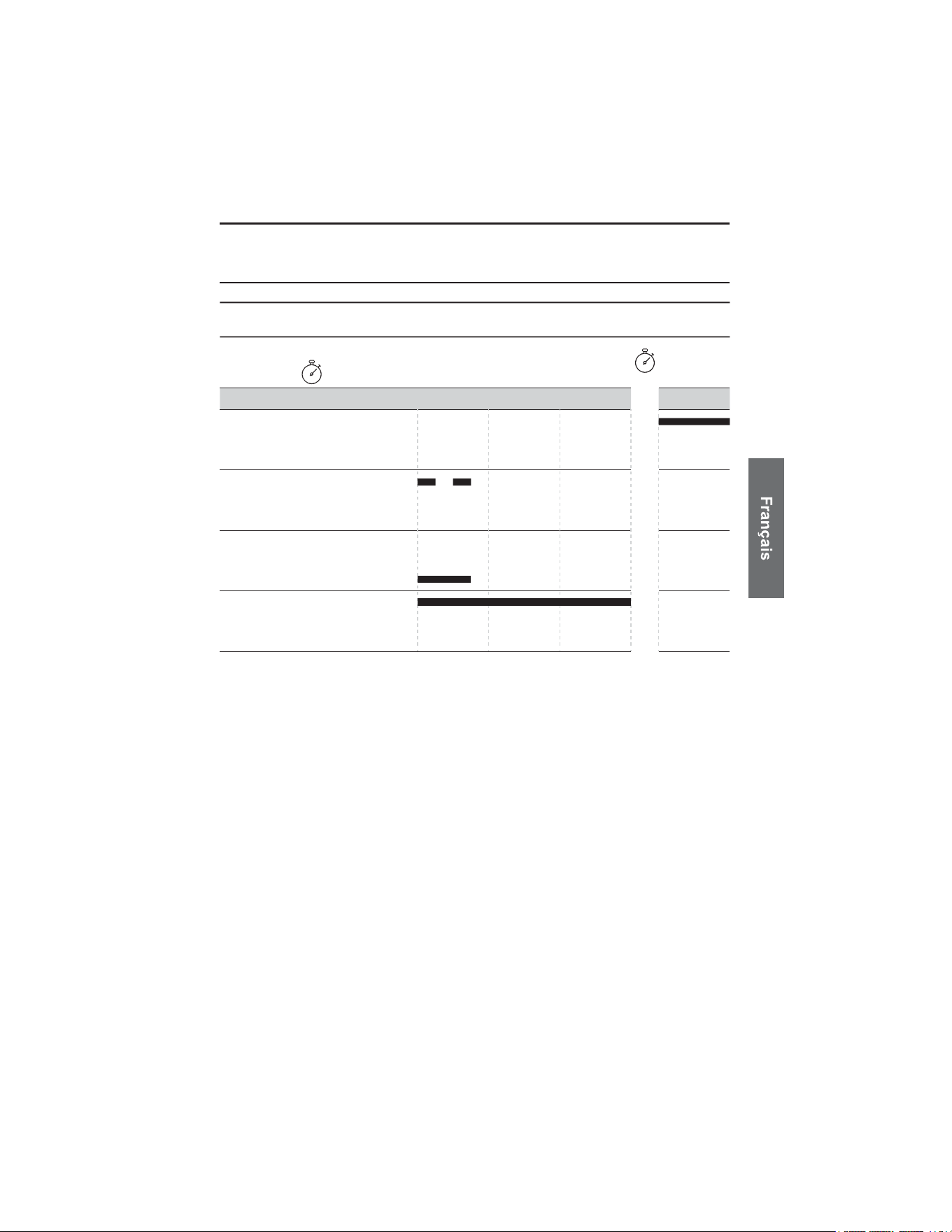
ENTRÉE EN MODE MAINTENANCE
Pour accéder au mode maintenance, maintenez la carte NFC d’urgence ou le
porte-clés sur le lecteur NFC pendant au moins 10 secondes. Pendant ce temps, vous
entendrez la notification “Lecture NFC valide” 10 fois, suivie de la notification “Entrée
en mode maintenance”. Cette séquence est illustrée dans la figure ci-dessous.
DIAGNOSTIC DE MAINTENANCE
Quand en mode maintenance, le système émettra une séquence répétée de bips toutes les
60 secondes afin d’aider à identifier la source de l’anomalie:
• 1 bip indique une anomalie LFR
• 2 bips indiquent une anomalie NFC
• 3 bips indiquent une anomalie CSM
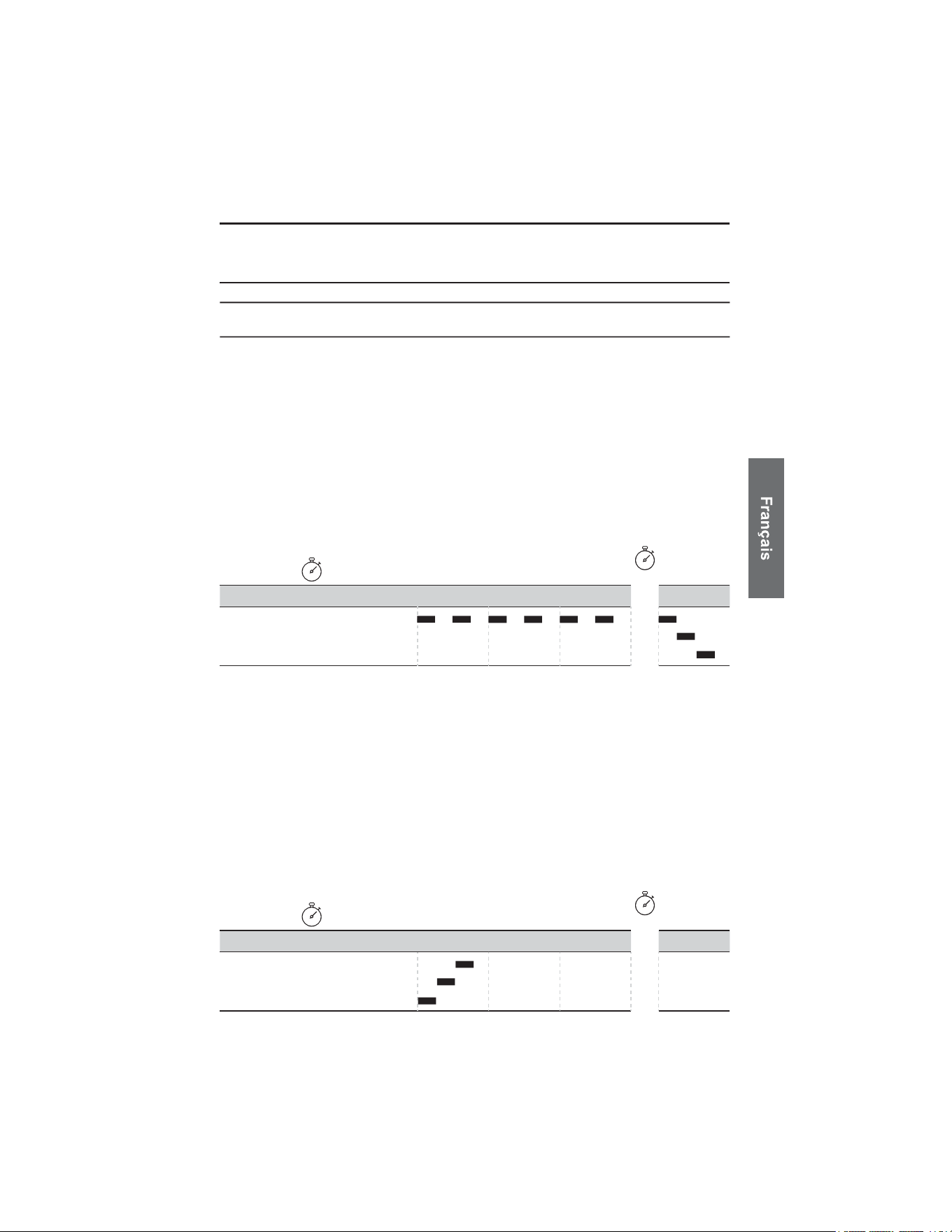
SORTIE DU MODE MAINTENANCE
Pour quitter le mode maintenance, rapprochez la carte NFC d’urgence ou le
porte-clés sur le lecteur NFC. Vous entendrez la notification « Sortie du mode
maintenance ». Cette séquence est illustrée dans la figure ci-dessous.
ÉLEVÉ
MOYEN
FAIBLE
10 Secondes
0Secondes 1 2 3
Entrée en
Mode
Maintenance
Function Tonalité Motif
ÉLEVÉ
MOYEN
FAIBLE
10
Secondes
0Secondes 1 2 3
Sortie du
Mode
Maintenance
Function Tonalité Motif
TOYOTA — SYSTÈME D'IMMOBILISATION SECONDAIRE ANTIVOL
RÉTROACTION SONORE DE L’IMMOBILISATEUR SECONDAIRE
(
SONS DE CONFIRMATION
)
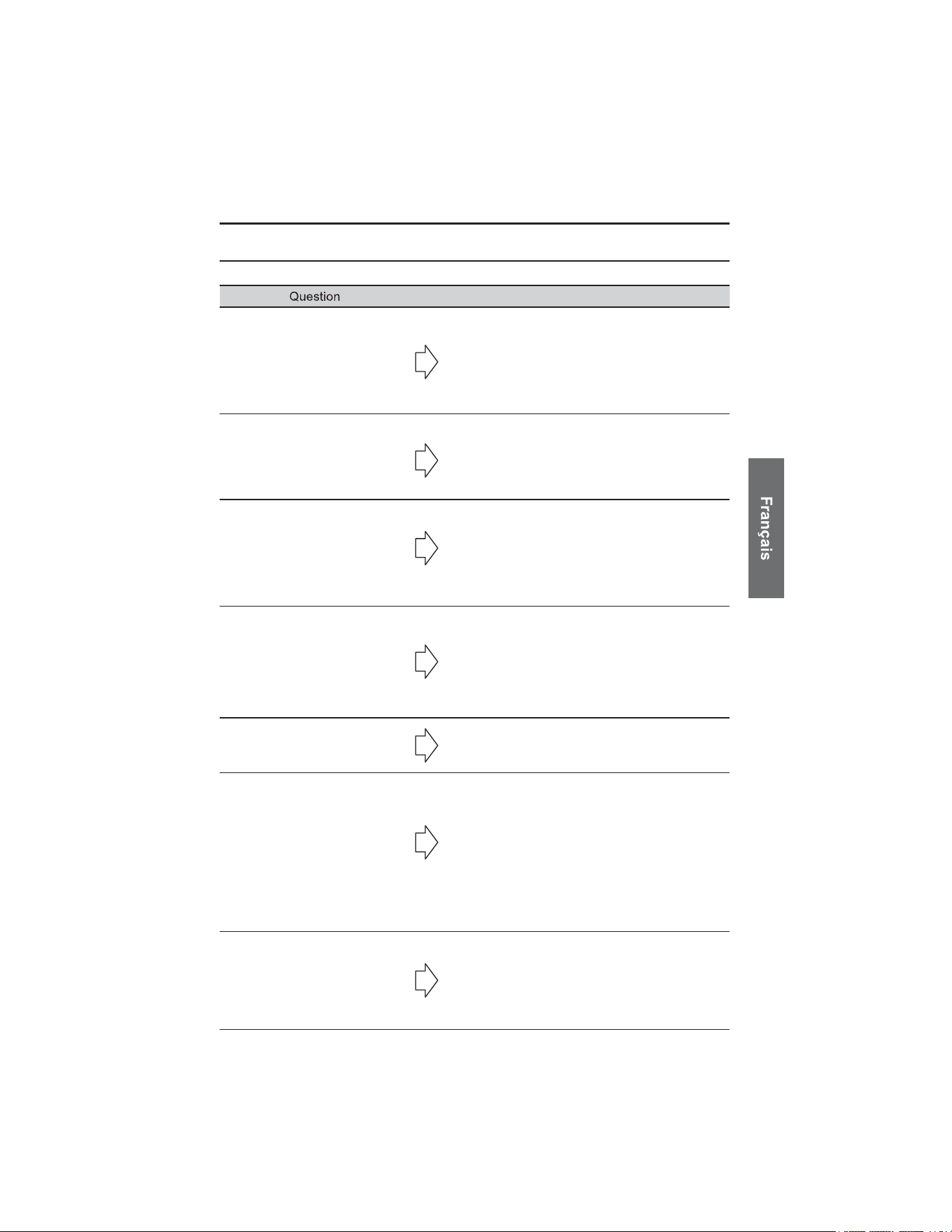
FOIRE AUX QUESTIONS
Page 37
Lorsque je démarre mon
véhicule, j’entends la
notification “Avertissement
système” (bips élevés de 3
secondes).
Placez le carte NFC d’urgence ou un porte-clés de
sécurité l’autocollant NFC dans votre véhicule.
Vous devriez entendre la notification « Sortie du
mode maintenance ». Si vous entendez plutôt la
notification « Désactivation » ou rien du tout,
veuillez consulter votre concessionnaire.
Mon porte-clés de sécurité
Toyota d’origine ne fonctionne
pas lorsque j’appuie sur les
boutons.
Si les boutons de votre porte-clés de sécurité
Toyota d’origine ne fonctionnent pas, laissez le
véhicule sans interaction pendant 1 minute sans
appuyer sur les boutons ni ouvrir les portes.
Ensuite, réessayez en maintenant fermement le
bouton enfoncé.
Le porte-clés de sécurité a
émis la notification
“Avertissement système”.
Placez une carte NFC d’urgence ou un porte-clés
de sécurité contre l’autocollant NFC dans véhicule.
Vous devriez entendre la notification « Sortie du
mode maintenance ». Si vous entendez plutôt la
notification « Désactivation » ou rien du tout,
veuillez consulter votre concessionnaire.
Le porte-clés de sécurité émet
de nombreux sons.
Si le porte-clés de sécurité émet des sons continus
ou irréguliers, la pile est probablement faible.
Remplacez-la par une nouvelle pile CR2450.
J’ai pu entrer ou démarrer
mon véhicule sans avoir de
porte-clés de sécurité sur moi.
Assurez-vous que le porte-clés de sécurité est
déconnecté du Bluetooth en le laissant immobile et
hors de portée pendant cinq minutes, puis réessayez
l’action (entrer ou démarrer le véhicule). Si le
problème persiste, consulter votre concessionnaire.
Maintenir le porte-clés de
sécurité sur l’autocollant NFC
ne désactive pas le système.
Retirez d’abord le porte-clés de sécurité du
mousqueton et maintenez fermement la surface
avec le logo contre l’autocollant NFC.
Si aucune notification n’est émise, tentez une
désactivation d’urgence à l’aide d’une carte NFC
d’urgence.
Si le système ne répond toujours pas et que le
véhicule ne démarre pas, veuillez consulter votre
concessionnaire.
J’ai perdu mon porte-clés de
sécurité.
Les porte-clés de sécurité ne peuvent pas être
remplacés. L’ensemble complet doit être
remplacé; consultez votre concessionnaire. En
attendant, utilisez temporairement la carte NFC
d’urgence pour utiliser le véhicule et contactez
votre concessionnaire Toyota.
TOYOTA — SYSTÈME D'IMMOBILISATION SECONDAIRE ANTIVOL
Réponse
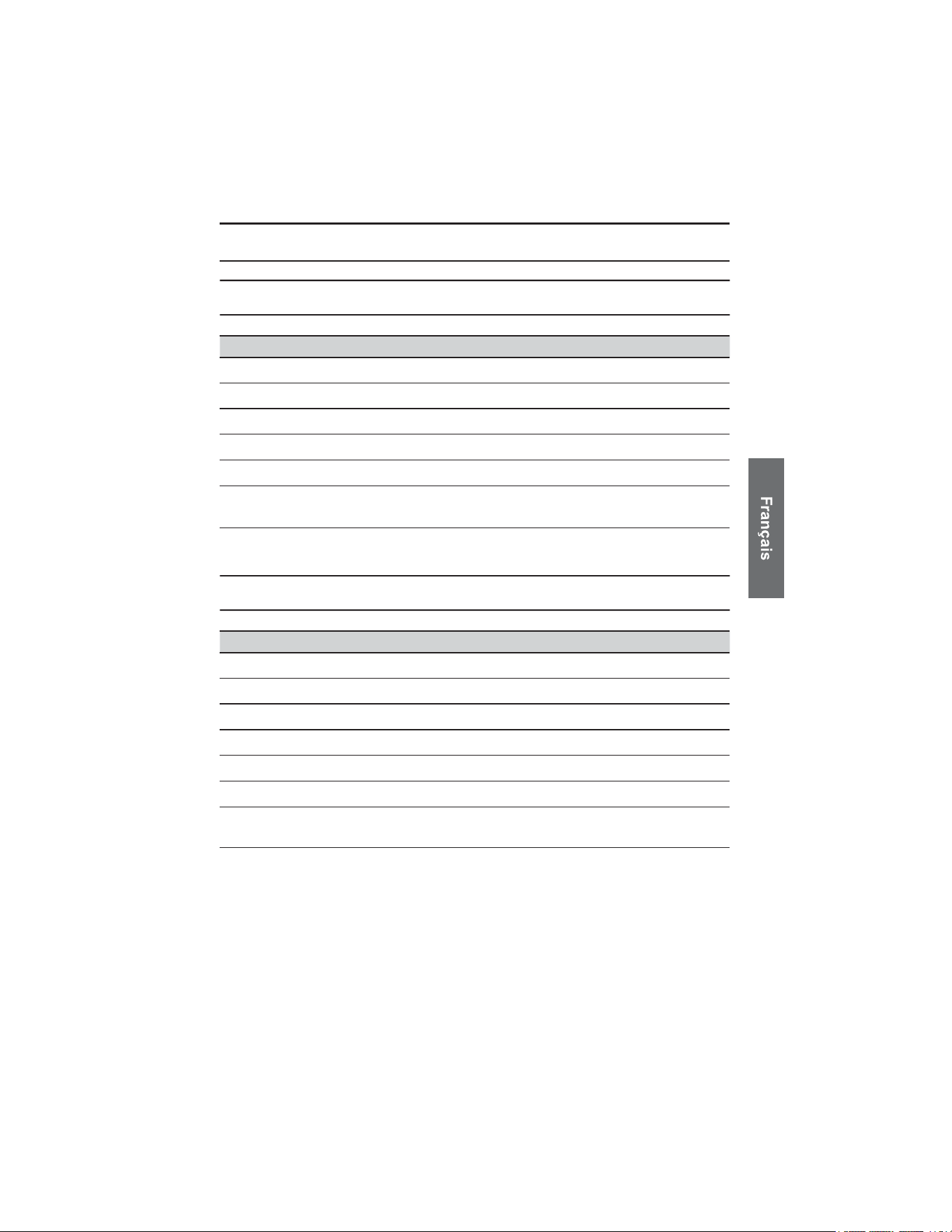
SPÉCIFICATIONS GÉNÉRALES
Page 38
Système embarqué
Élément Spécification
Plage de température de fonctionnement
Plage de température de stockage
Tension d’alimentation
Consommation de courant
Sans fil
Certificat
-30ºC to +65ºC
-30ºC to +85ºC
12VDC
<3mA in standby state
Frequency bands: 2.4 GHz to 2.4835 GHz
FCC ID: 2ABSL-PK626CSM
ICES: 11732A-PK626CSM
Porte-clés de sécurité
Élément Spécification
Plage de température de fonctionnement
Plage de température de stockage
Pile
Tension d’alimentation
Consommation de courant
Sans fil
Certificat
-30ºC to +65ºC
-30ºC to +85ºC
CR2450
3VDC
<1mA Avg
Frequency bands: 2.4 GHz to 2.4835 GHz
FCC ID: 2ABSL-PK626FOB
ICES: 11732A-PK626FOB
TOYOTA — SYSTÈME D'IMMOBILISATION SECONDAIRE ANTIVOL