Next
< Back
Main Menu
1. Before You Start
10. Register & Support
9. Troubleshooting
7. Advanced Setup
2. Connect to Audio Source
3. Listen From Speakers
8. Use as Bluetooth Speaker
6. Firmware Update
Broadcast Name & Password
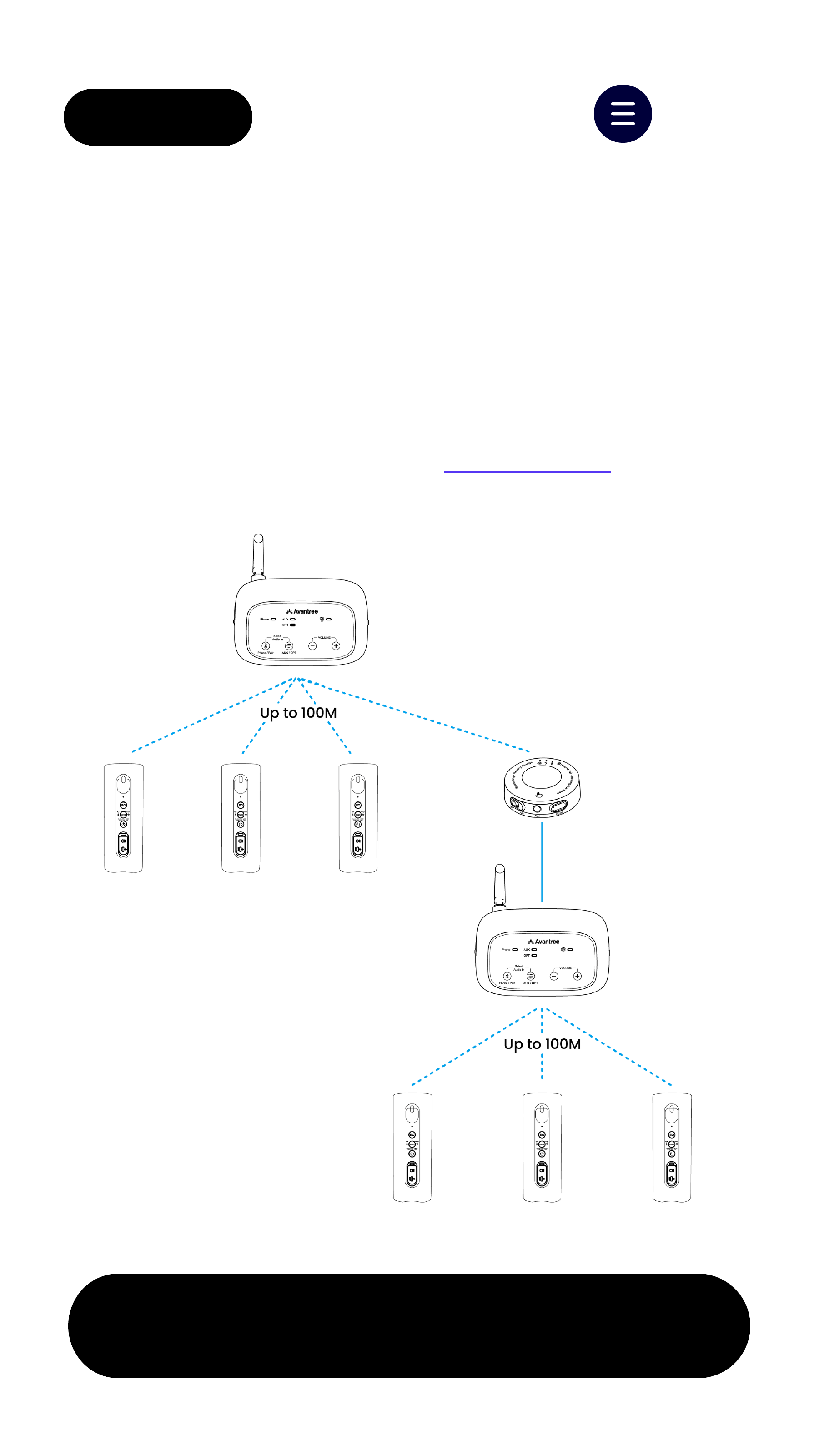
Extend Range
Keep Speakers Always On
5. Add Speakers (Optional)
Group Settings
4. Placement Tips
Rate This Guide
< Back Menu
TV /Media Device
Next
❶
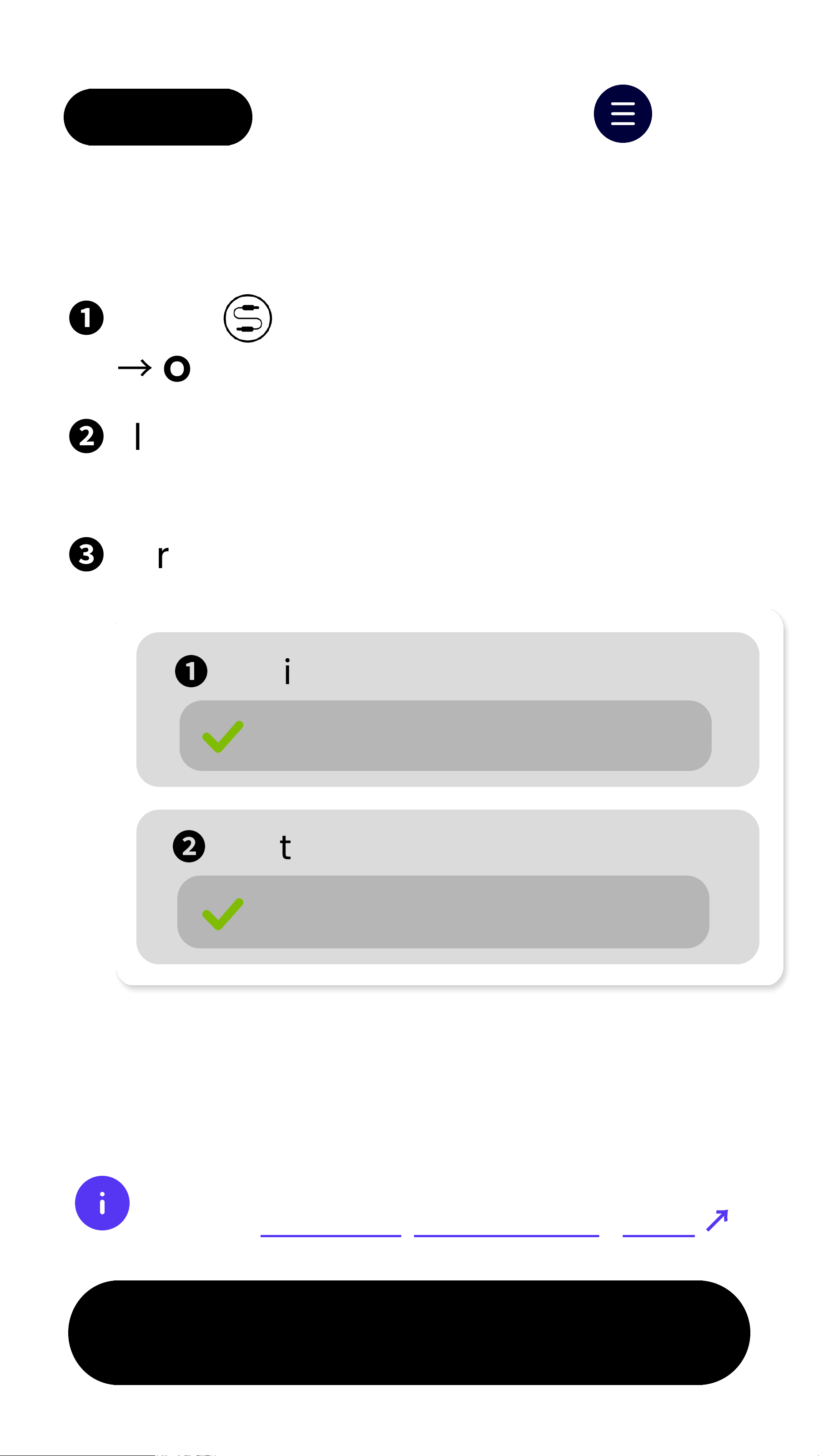
Press to switch to OPT input
→
OPT LEDblinks red.
❷
Plug Optical cableinto the
transmitter and source device.
❸
For Optical connection users
If set toPCM, you're all set.
❶
Audio Output
Optical
❷
Digital Audio Output
PCM (Required)
Not sure how to set PCM?
Checkbrand-by-brand TV guide
↗
< Back Menu
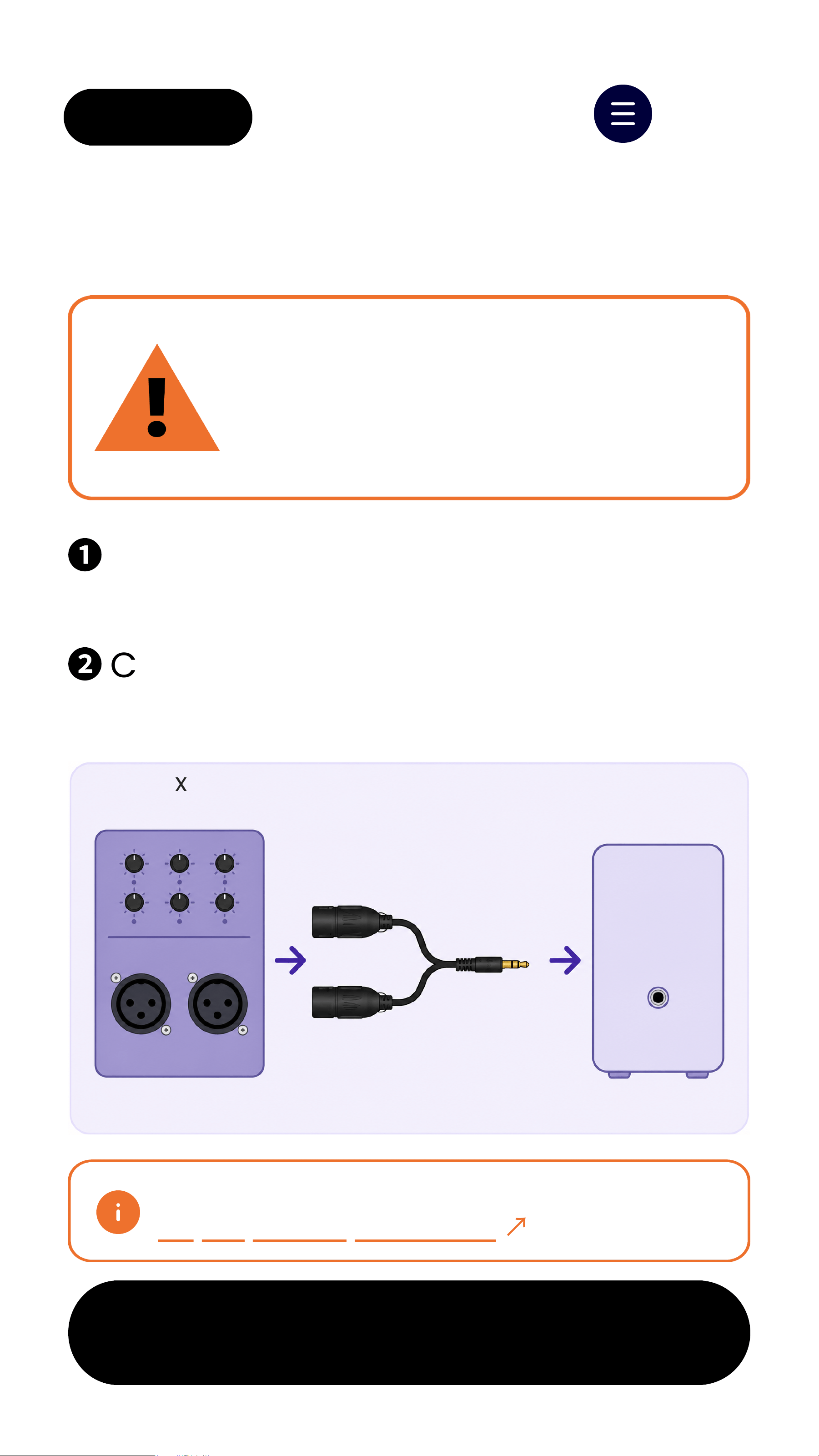
❶
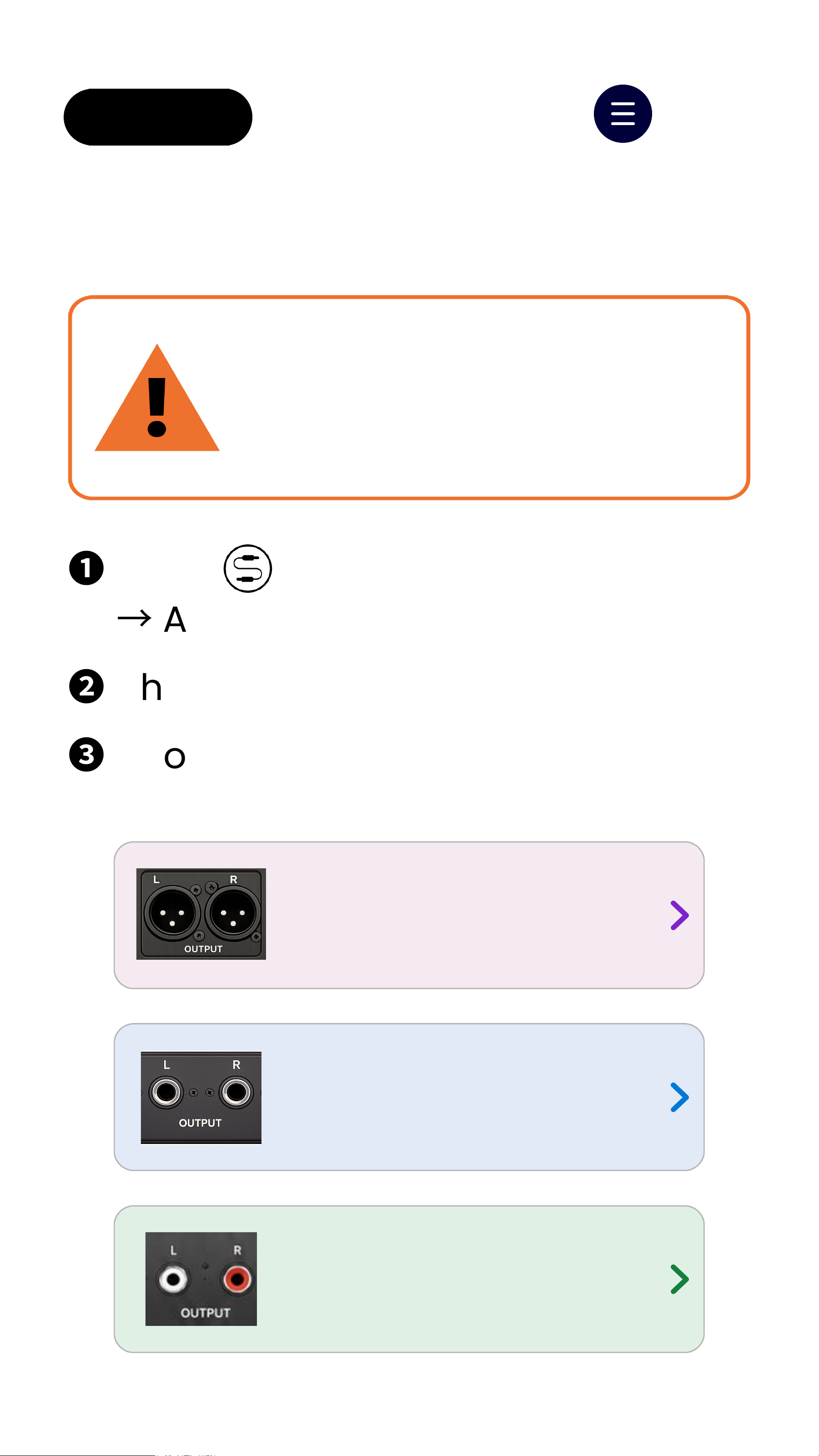
Use a dual XLR female to
unbalanced3.5mm TRS cable.
❷
Connect mixer OUTPUT L / R to
Oasis Aura AUX IN.
Dual XLR Output
Next
Wrong XLR cable may cause
low volume, missing vocals,
or poor sound quality.
IMPORTANT
XLR cable not included.
Buy separately if needed
↗
Mixer
OUTPUT L/R
Dual XLR Female
to 3.5mm TRS Cable
Oasis Aura
AUX IN
OUTPUT
OASIS AURA
AUX IN
L R
Stereo mixer output recommended
< Back Menu
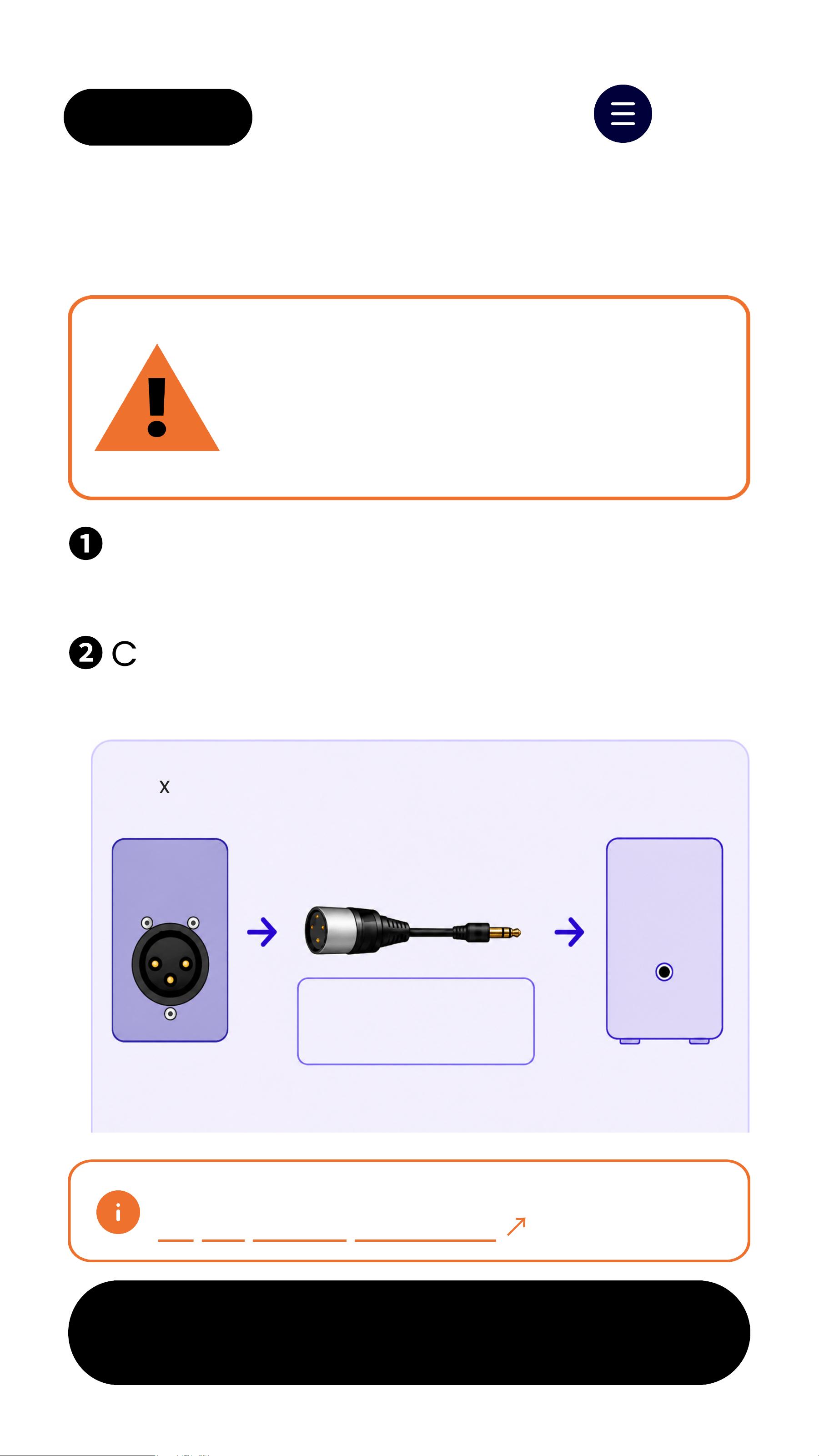
❶
Use a single XLR female to
unbalanced3.5mm TRS cable.
❷
Connect mixer OUTPUT to
Oasis Aura AUX IN.
Single XLR Output
Next
Single XLRoutputis MONOonly.
Wrong XLR cable may cause low
volume or poor sound quality.
IMPORTANT
XLR cable not included.
Buy separately if needed
↗
Mixer/DSP
Single XLR Output
Single XLR Female
to 3.5mm TRS Cable
Oasis Aura
AUX IN
OUTPUT
OASIS AURA
AUX IN
Mono output only
Pin 2 = Signal
Pin 1+ Pin 3 = GND/Shield
< Back Menu
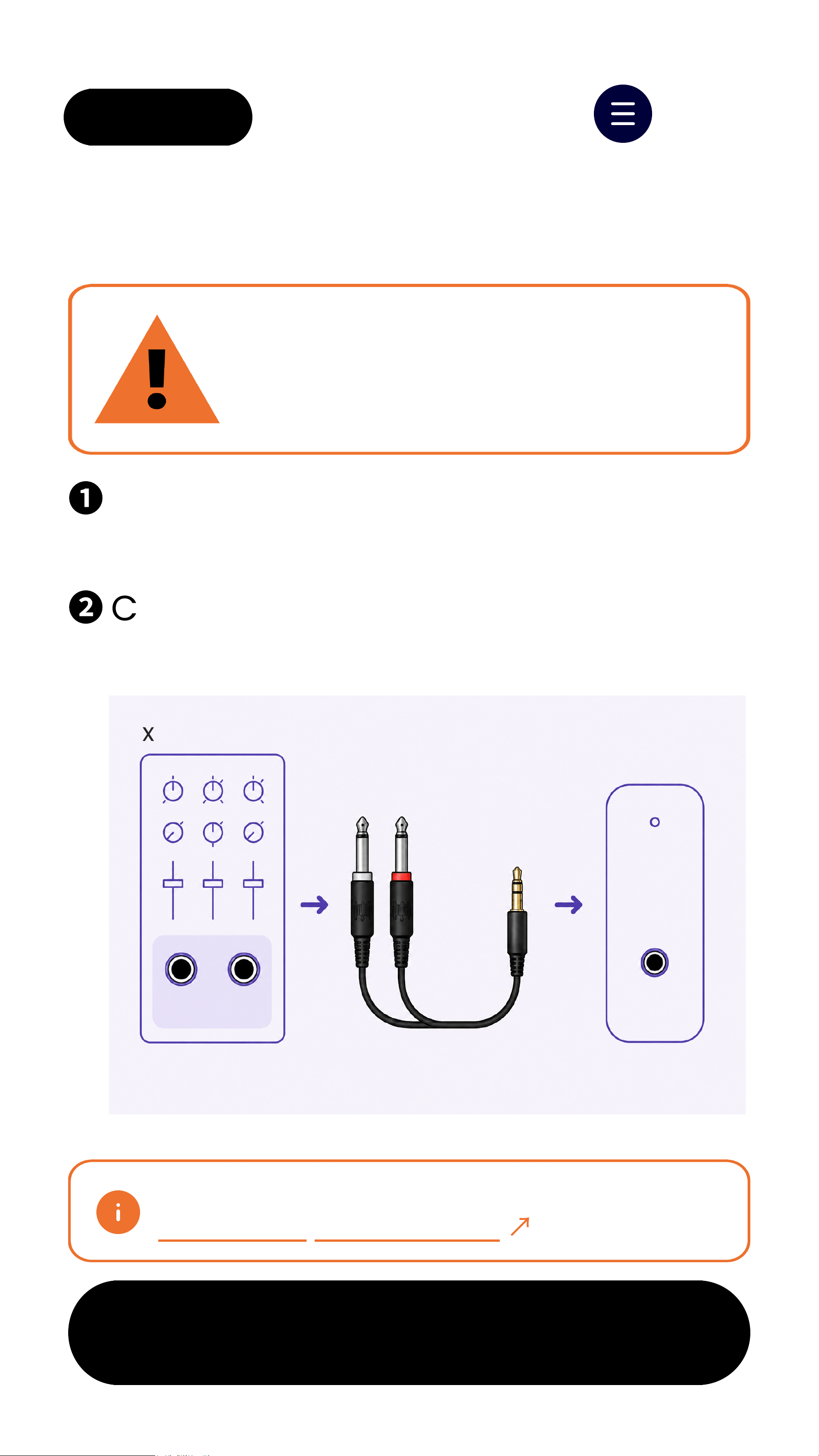
6.35mm Output
Next
❶
Use the included dual 6.35mm to
3.5mm cable.
❷
Connect L and R outputs to
Oasis Aura AUX IN.
Using the wrong cable may
cause poor sound quality.
CHECK CABLE TYPE
This cable is not included in the box.
Contact suport if needed
↗
Mixer/AV System
Dual 6.35mm
to 3.5mm Cable
Oasis Aura
AUX IN
6.35mm Outputs
AUX IN
Bestoption for many mixers
L R
< Back Menu
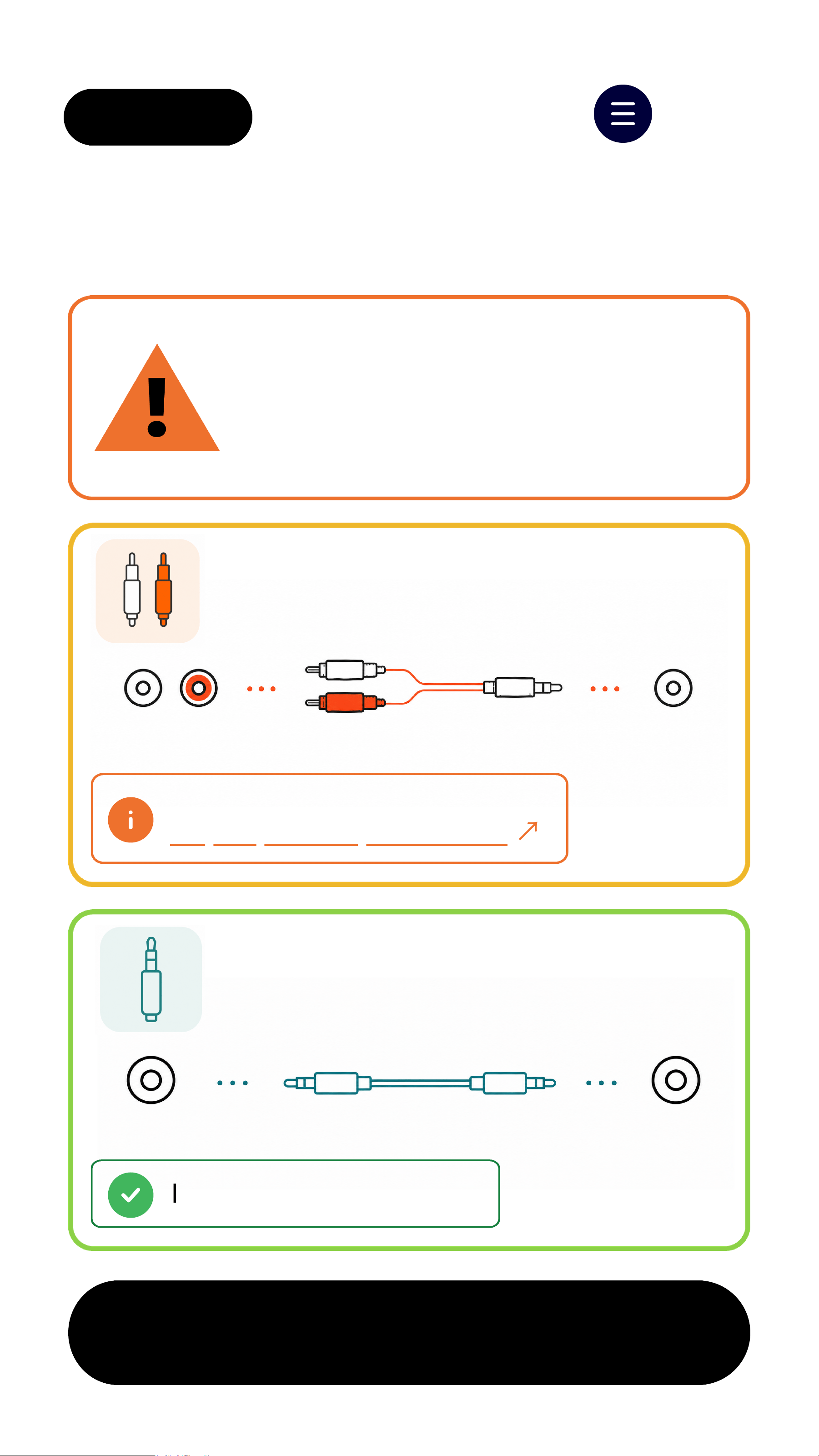
RCA / 3.5mm Output
Choose the correct output and
cable. Wrong cable may cause
poor sound quality.
IMPORTANT
3.5mm OUT
Use the included 3.5mm to
3.5mm cable.
3.5mm OUT Oasis Aura
AUX IN
RCAOUT
Use an RCA to 3.5mm cable.
RCA L/R
Oasis Aura
AUX IN
Next
RCAcable not included.
Buy separately if needed
↗
Included in the box.
< Back Menu
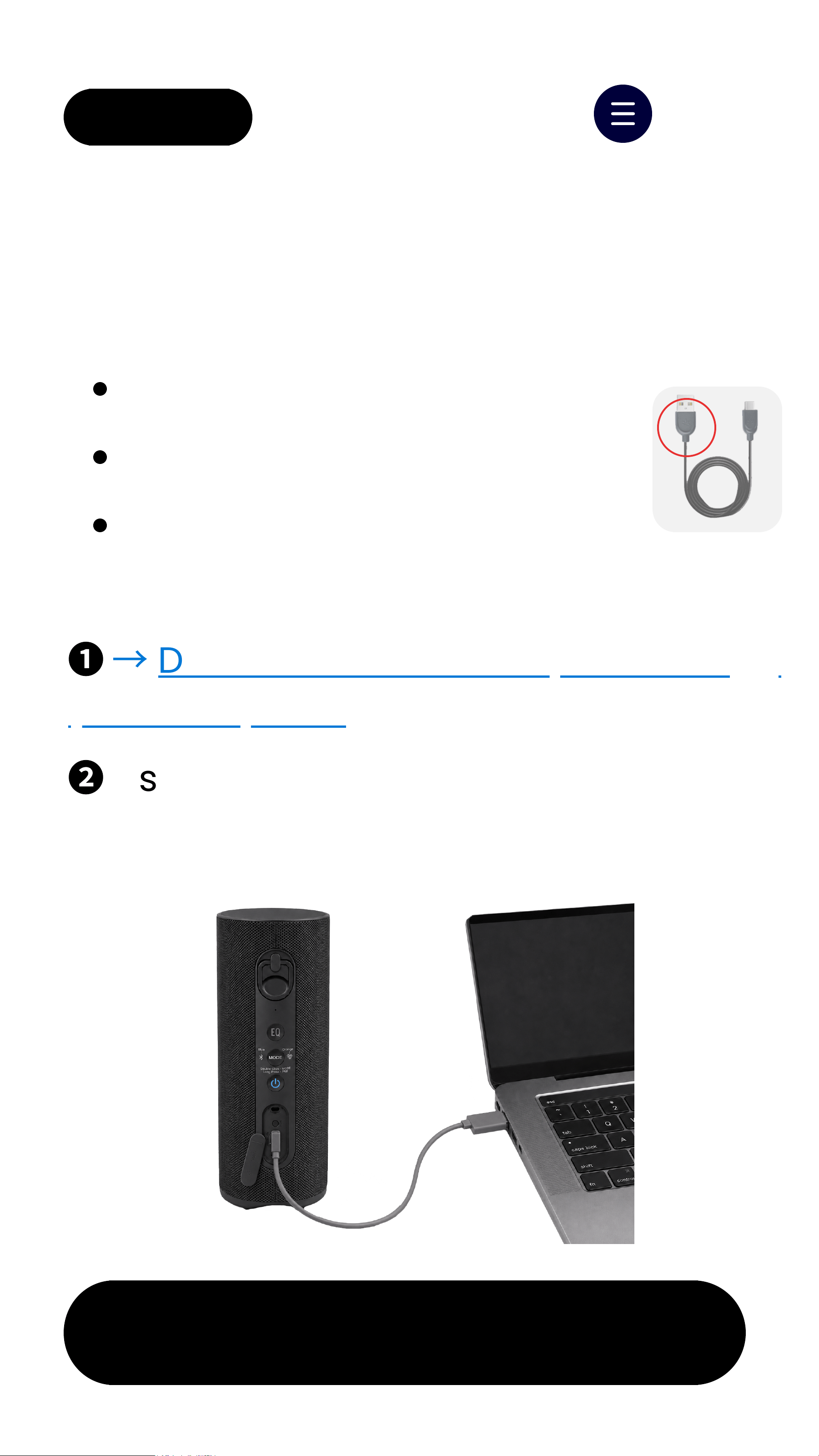
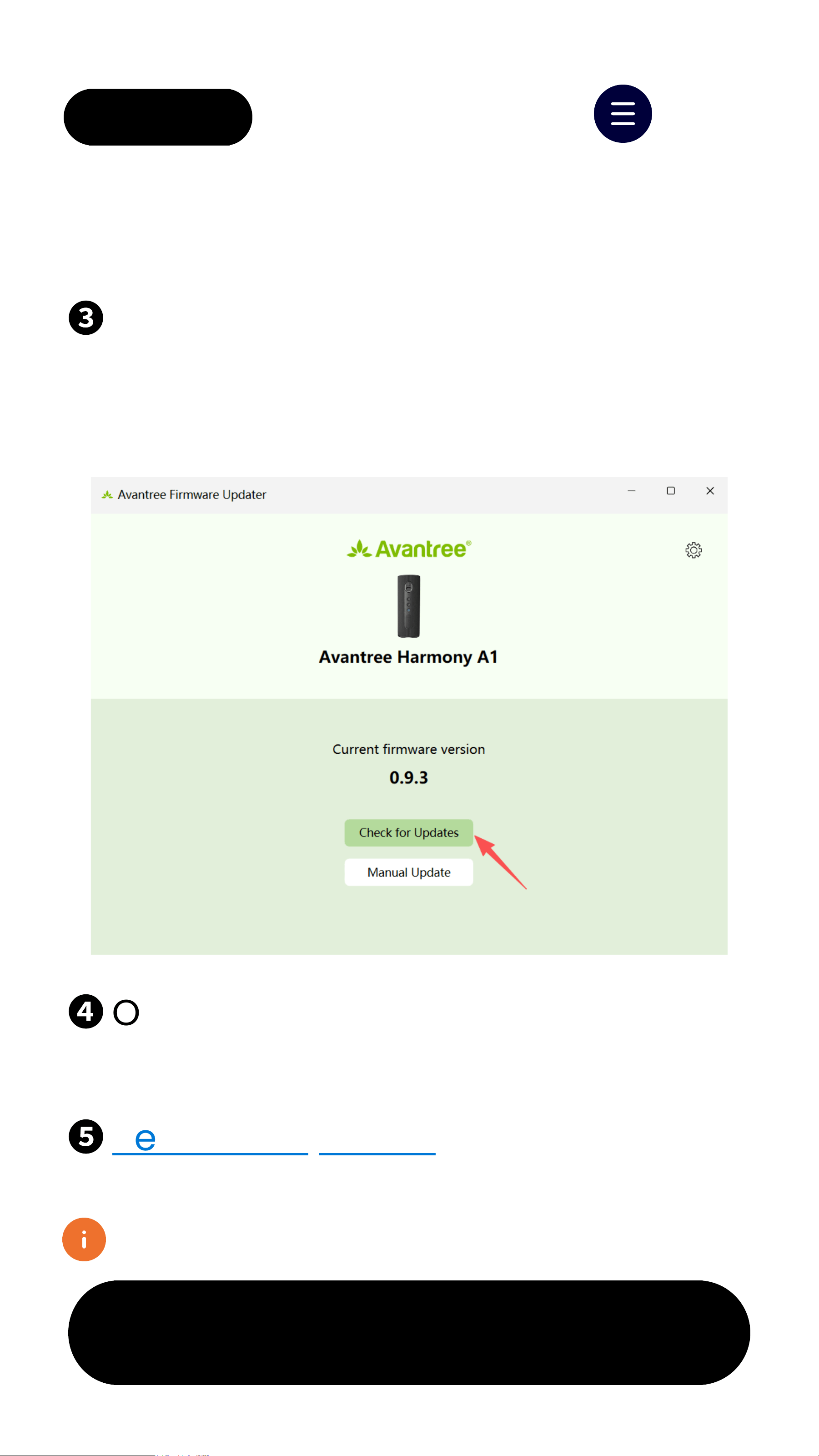
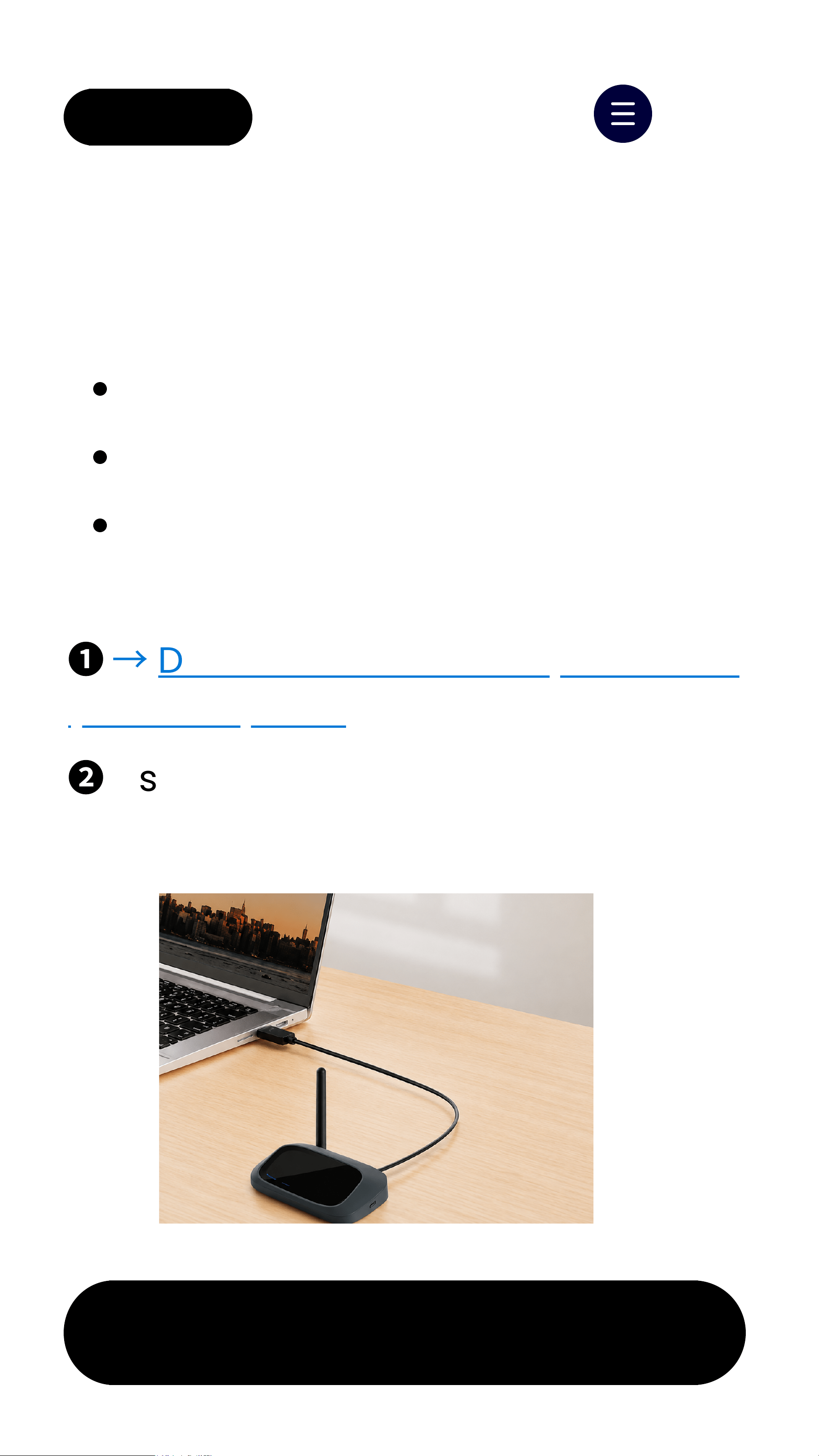
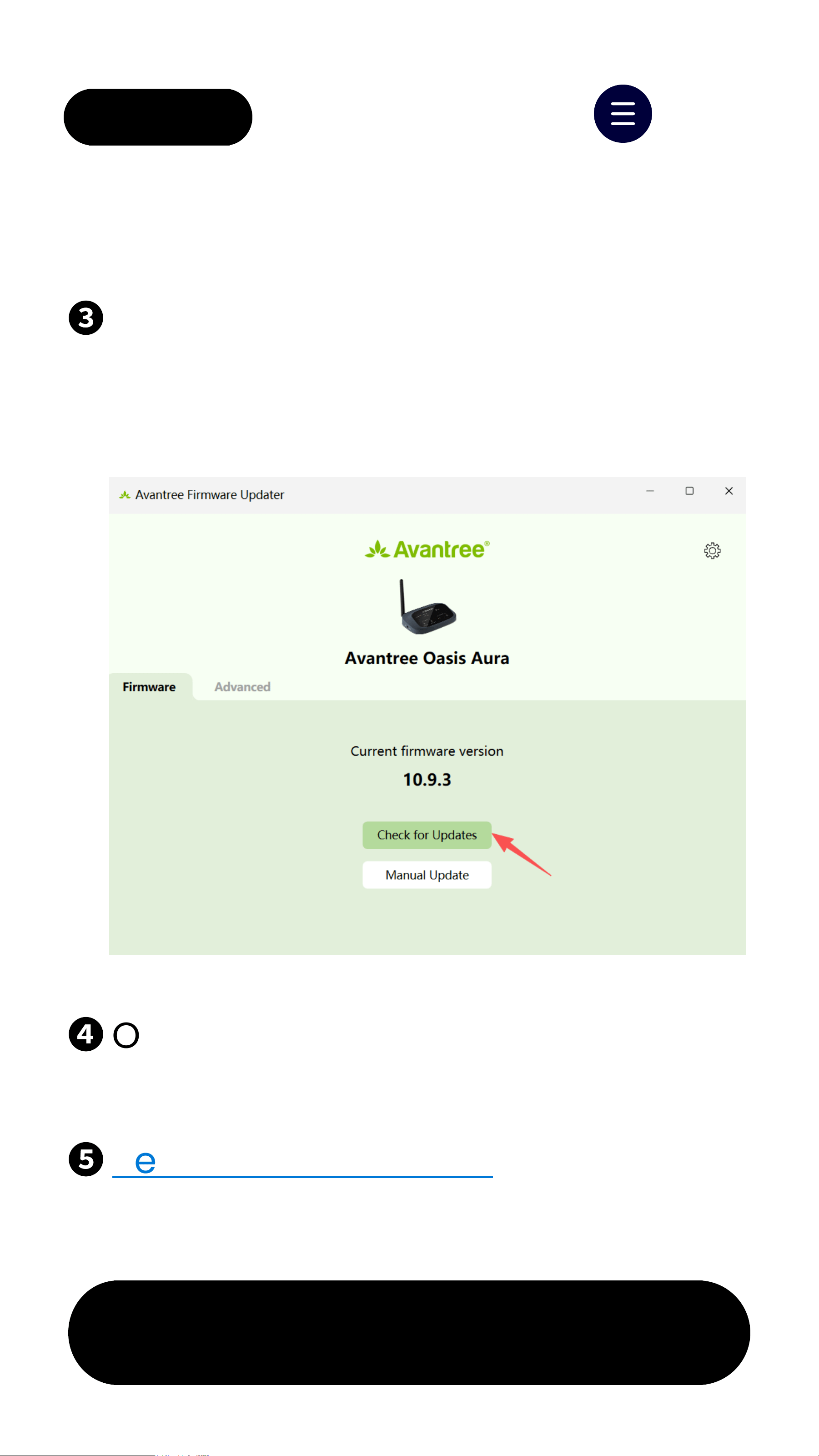
6. Firmware Update
Latest Firmware
SpeakersV0.9.3 Transmitter V10.9.3
→
View full version history
Update
Takes about 1 minute
Keep Your System Up To Date
Speakers: Stay on while plugged in
Transmitter: Less distortion
Get Future Update Alerts
Compatibility improvements
New features
No promotions. Ever.
Notify Me



7.3 Group Settings
Next
< Back Menu
Group systems to keep audio
separated.
Typical use cases:
Multiple systems in same area
Large venues with different zones
Shared or rental receivers
Why use this:
No cross-connection between
groups
No need to pair devices one by one
Set up all devices at once
Set up via DFU
:
Transmitter
↗
Speakers
↗