EXEO OWNER’S MANUAL
Inglés 3R5012003AE (07.09) (GT9)
3R5012003AE
EXEO Inglés (07.09)
Portada EXEO.qxd:Maquetación 1 1/9/09 13:22 Página 3
SEAT S.A. se preocupa constantemente por mantener todos sus tipos y modelos en un desarrollo continuo. Por ello le rogamos que com-
prenda que, en cualquier momento, puedan producirse modificaciones del vehículo entregado en cuanto a la forma, el equipamiento y la
técnica. Por esta razón, no se puede derivar derecho alguno basándose en los datos, las ilustraciones y descripciones del presente
Manual.
Los textos, las ilustraciones y las normas de este manual se basan en el estado de la información en el momento de la realización de la
impresión. Salvo error u omisión, la información recogida en el presente manual es válida en la fecha de cierre de su edición.
No está permitida la reimpresión, la reproducción o la traducción, total o parcial, sin la autorización escrita de SEAT.
SEAT se reserva expresamente todos los derechos según la ley sobre el "Copyright". Reservados todos los derechos sobre modificación.
;
Este papel está fabricado con celulosa blanqueada sin cloro.
© SEAT S.A. - Reimpresión: 15.07.09
Portada EXEO_interior.qxd:maquetación 1/9/09 13:24 Página 1

Foreword
This Instruction manual and its corresponding supplements should be read carefully to familiarise yourself with
your vehicle.
Besides the regular care and maintenance of the vehicle, its correct handling will help to preserve its value.
For safety reasons, note the information concerning accessories, modifications and parts change.
If selling the vehicle, give all of the onboard documentation to the new owner as this should be kept with the
vehicle.
Exeo_EN.book Seite 1 Freitag, 28. August 2009 10:14 10

Exeo_EN.book Seite 2 Freitag, 28. August 2009 10:14 10

Contents 3
Contents
Manual structure . . . . . . . . . . . . . . . . . . . .
Content . . . . . . . . . . . . . . . . . . . . . . . . . . . . . . . .
Safety First . . . . . . . . . . . . . . . . . . . . . . . . . . .
Safe driving . . . . . . . . . . . . . . . . . . . . . . . . . . . . . .
Brief introduction . . . . . . . . . . . . . . . . . . . . . . . .
Proper sitting position for occupants . . . . . . . . .
Pedal area . . . . . . . . . . . . . . . . . . . . . . . . . . . . . .
Stowing luggage . . . . . . . . . . . . . . . . . . . . . . . . .
Seat belts . . . . . . . . . . . . . . . . . . . . . . . . . . . . . . . .
Brief introduction . . . . . . . . . . . . . . . . . . . . . . . .
Why wear seat belts? . . . . . . . . . . . . . . . . . . . . . .
Seat belts . . . . . . . . . . . . . . . . . . . . . . . . . . . . . . .
Belt tension devices . . . . . . . . . . . . . . . . . . . . . .
Airbag system . . . . . . . . . . . . . . . . . . . . . . . . . . . .
Brief introduction . . . . . . . . . . . . . . . . . . . . . . . .
Front airbags . . . . . . . . . . . . . . . . . . . . . . . . . . . .
Knee airbag . . . . . . . . . . . . . . . . . . . . . . . . . . . . .
Side airbags* . . . . . . . . . . . . . . . . . . . . . . . . . . . .
Curtain airbags . . . . . . . . . . . . . . . . . . . . . . . . . .
Deactivating airbags* . . . . . . . . . . . . . . . . . . . . .
Child safety . . . . . . . . . . . . . . . . . . . . . . . . . . . . . .
Brief introduction . . . . . . . . . . . . . . . . . . . . . . . .
Child seats . . . . . . . . . . . . . . . . . . . . . . . . . . . . . .
Securing child seats . . . . . . . . . . . . . . . . . . . . . .
Controls and equipment . . . . . . . . . . .
Cockpit . . . . . . . . . . . . . . . . . . . . . . . . . . . . . . . . . . .
Overview . . . . . . . . . . . . . . . . . . . . . . . . . . . . . . .
Instruments . . . . . . . . . . . . . . . . . . . . . . . . . . . . .
Warning and indicator lamps . . . . . . . . . . . . . . .
Driver information system . . . . . . . . . . . . . . . . . .
Auto-check system . . . . . . . . . . . . . . . . . . . . . . .
Speed warning . . . . . . . . . . . . . . . . . . . . . . . .
On-board computer . . . . . . . . . . . . . . . . . . . . . . .
Menu display . . . . . . . . . . . . . . . . . . . . . . . . . . . .
Tyre pressure monitoring . . . . . . . . . . . . . . . . . .
Steering wheel controls . . . . . . . . . . . . . . . . . . .
The multi-function steering wheel . . . . . . . . . . .
Unlocking and locking . . . . . . . . . . . . . . . . . . . .
Remote control keys . . . . . . . . . . . . . . . . . . . . . .
Central locking . . . . . . . . . . . . . . . . . . . . . . . . . . .
Tailgate . . . . . . . . . . . . . . . . . . . . . . . . . . . . . . . . .
Childproof locks . . . . . . . . . . . . . . . . . . . . . . . . . .
Remote control key . . . . . . . . . . . . . . . . . . . . . . .
Anti-theft alarm system* . . . . . . . . . . . . . . . . . . .
Electric windows . . . . . . . . . . . . . . . . . . . . . . . . .
Sun roof / deflector* . . . . . . . . . . . . . . . . . . . . . .
Lights and visibility . . . . . . . . . . . . . . . . . . . . . . .
Lights . . . . . . . . . . . . . . . . . . . . . . . . . . . . . . . . . .
Interior lights . . . . . . . . . . . . . . . . . . . . . . . . . . . .
Visibility . . . . . . . . . . . . . . . . . . . . . . . . . . . . . . . .
Windscreen wipers . . . . . . . . . . . . . . . . . . . . . . .
Rear-view mirrors . . . . . . . . . . . . . . . . . . . . . . . . .
Seats and stowage . . . . . . . . . . . . . . . . . . . . . . .
Manual adjustment of the front seats . . . . . . . .
Electric adjustment of front seats* . . . . . . . . . . .
Lumbar support* . . . . . . . . . . . . . . . . . . . . . . . . .
Memory for driver's seat* . . . . . . . . . . . . . . . . . .
Head restraints . . . . . . . . . . . . . . . . . . . . . . . . . .
Armrests . . . . . . . . . . . . . . . . . . . . . . . . . . . . . . . .
Luggage compartment . . . . . . . . . . . . . . . . . . . .
Roof carrier . . . . . . . . . . . . . . . . . . . . . . . . . . . . . .
Drink holders . . . . . . . . . . . . . . . . . . . . . . . . . . . .
Ashtray*, cigarette lighter* and power points . .
Compartments . . . . . . . . . . . . . . . . . . . . . . . . . . .
Heating, Ventilation and Air conditioning . .
2C-Climatronic . . . . . . . . . . . . . . . . . . . . . . . . . . .
Driving . . . . . . . . . . . . . . . . . . . . . . . . . . . . . . . . . . .
Address . . . . . . . . . . . . . . . . . . . . . . . . . . . . . . . .
Safety . . . . . . . . . . . . . . . . . . . . . . . . . . . . . . . . . .
Ignition lock . . . . . . . . . . . . . . . . . . . . . . . . . . . . .
Starting and stopping the engine . . . . . . . . . . .
Handbrake . . . . . . . . . . . . . . . . . . . . . . . . . . . . . .
Parking aid acoustic system . . . . . . . . . . . . . . . .
Cruise control (GRA) . . . . . . . . . . . . . . . . . . . . . .
Manual gearbox . . . . . . . . . . . . . . . . . . . . . . . . . .
Automatic gearbox* . . . . . . . . . . . . . . . . . . . . . .
Practical tips . . . . . . . . . . . . . . . . . . . . . . . . .
Intelligent technology . . . . . . . . . . . . . . . . . . . . .
Electronic stabilisation programme (ESP) . . . . .
Brakes . . . . . . . . . . . . . . . . . . . . . . . . . . . . . . . . .
Power steering . . . . . . . . . . . . . . . . . . . . . . . . . . .
Servotronic . . . . . . . . . . . . . . . . . . . . . . . . . . . . . .
Driving and the environment . . . . . . . . . . . . . .
Running-in . . . . . . . . . . . . . . . . . . . . . . . . . . . . . .
Exhaust gas purification system . . . . . . . . . . . . .
5
6
7
7
7
10
15
16
18
18
19
22
26
28
28
31
34
37
41
44
46
46
48
51
57
57
57
59
65
71
75
82
85
87
89
91
91
96
96
98
103
104
104
106
108
111
115
115
123
126
128
130
133
133
135
136
137
139
141
142
146
147
148
151
154
154
164
164
164
165
166
168
169
172
175
175
183
183
183
186
188
188
189
189
190
Exeo_EN.book Seite 3 Freitag, 28. August 2009 10:14 10

Contents4
Economical and environmentally friendly driving
Driving abroad . . . . . . . . . . . . . . . . . . . . . . . . . . .
Trailer towing . . . . . . . . . . . . . . . . . . . . . . . . . . . . .
Trailer towing . . . . . . . . . . . . . . . . . . . . . . . . . . . .
Removable towing bracket . . . . . . . . . . . . . . . . .
Your vehicle maintenance and cleaning . . . .
General notes . . . . . . . . . . . . . . . . . . . . . . . . . . .
Vehicle exterior maintenance . . . . . . . . . . . . . . .
Vehicle interior maintenance . . . . . . . . . . . . . . .
Accessories, replacement of parts and
modifications
. . . . . . . . . . . . . . . . . . . . . . . . . . . .
Accessories and spare parts . . . . . . . . . . . . . . . .
Technical modifications . . . . . . . . . . . . . . . . . . .
Mobile telephones and radiotelephones . . . . .
Athermic windscreen* . . . . . . . . . . . . . . . . . . . . .
Checking and refilling levels . . . . . . . . . . . . . .
Refuelling . . . . . . . . . . . . . . . . . . . . . . . . . . . . . . .
Releasing the tank flap manually . . . . . . . . . . . .
Petrol . . . . . . . . . . . . . . . . . . . . . . . . . . . . . . . . . .
Diesel . . . . . . . . . . . . . . . . . . . . . . . . . . . . . . . . . .
The bonnet . . . . . . . . . . . . . . . . . . . . . . . . . . . . . .
Engine oil . . . . . . . . . . . . . . . . . . . . . . . . . . . . . . .
Cooling system . . . . . . . . . . . . . . . . . . . . . . . . . .
Washer fluid and windscreen wiper blades . . . .
Brake fluid . . . . . . . . . . . . . . . . . . . . . . . . . . . . . .
Battery . . . . . . . . . . . . . . . . . . . . . . . . . . . . . . . . .
Wheels and tyres . . . . . . . . . . . . . . . . . . . . . . . . .
Wheels . . . . . . . . . . . . . . . . . . . . . . . . . . . . . . . . .
If and when . . . . . . . . . . . . . . . . . . . . . . . . . . . . . .
Tools, tyre repair kit and spare wheel . . . . . . . .
Changing a wheel . . . . . . . . . . . . . . . . . . . . . . . .
Tyre repair* (Tyre-Mobility-System) . . . . . . . . . .
Fuses . . . . . . . . . . . . . . . . . . . . . . . . . . . . . . . . . .
Bulbs . . . . . . . . . . . . . . . . . . . . . . . . . . . . . . . . . .
Changing bulbs Halogen headlights . . . . . . . . .
Changing bulbs. Bi-Xenon AFS headlights . . . .
Replacing rear bulbs (in side panel) . . . . . . . . .
Changing rear light bulbs (in boot lid) . . . . . . . .
Side indicators . . . . . . . . . . . . . . . . . . . . . . . . . .
Luggage compartment lights . . . . . . . . . . . . . . .
Registration light . . . . . . . . . . . . . . . . . . . . . . . . .
Sunroof light . . . . . . . . . . . . . . . . . . . . . . . . . . . .
Jump-starting . . . . . . . . . . . . . . . . . . . . . . . . . . . .
Towing and tow-starting . . . . . . . . . . . . . . . . . . .
Technical Data . . . . . . . . . . . . . . . . . . . . . . .
General notes on the technical data . . . . . . .
Outstanding information . . . . . . . . . . . . . . . . . .
Data on fuel consumption . . . . . . . . . . . . . . . . .
Towing a trailer . . . . . . . . . . . . . . . . . . . . . . . . . .
Wheels . . . . . . . . . . . . . . . . . . . . . . . . . . . . . . . . .
Technical Data . . . . . . . . . . . . . . . . . . . . . . . . . . . .
Checking fluid levels . . . . . . . . . . . . . . . . . . . . . .
Petrol engine 1.6l 75 kW (102 HP) . . . . . . . . . . .
Petrol engine 1.8l 110 kW (150 HP) . . . . . . . . .
Petrol engine 2.0l 147 kW (200 HP) . . . . . . . . .
Diesel engine 2.0 l 88 kW (120 HP) CR . . . . . . .
Diesel engine 2.0l 105 kW (143 HP) . . . . . . . . .
Diesel engine 2.0l 125 kW (170 HP) . . . . . . . . .
Dimensions and capacities . . . . . . . . . . . . . . . .
Index . . . . . . . . . . . . . . . . . . . . . . . . . . . . . . . . . .
191
193
194
194
197
205
205
206
211
214
214
214
215
215
216
216
217
218
218
220
222
225
228
230
231
235
235
244
244
246
251
255
257
257
264
270
274
276
277
278
279
279
282
285
285
285
287
288
288
289
289
290
291
292
293
295
296
298
299
Exeo_EN.book Seite 4 Freitag, 28. August 2009 10:14 10
Manual structure 5
Manual structure
What you should know before reading the on-board manual
This manual contains a description of the equipment supplied with the
vehicle at the time of press. Some of the equipment hereunder described will
not be available until a later date, or is only available in certain markets.
As this is a general manual for the EXEO, some of the equipment and func-
tions that are described in this manual are not included in all types or
versions of the model. These may vary or be modified depending on tech-
nical and market requirements, which is in no way deceptive advertising.
The illustrations are intended as a general guide, and may vary from the
equipment fitted in your vehicle in some details.
The direction indications (left, right, front, rear) appearing in this manual
refer to the normal forward working direction of the vehicle except when
otherwise indicated.
The equipment marked with an asterisk* is supplied as standard on certain
versions of the model only, it can be supplied as an option on some models,
or else it is only on sale in certain countries.
® All registered marks are indicated with ®. Although the copyright symbol
does not appear, it is a copyrighted mark.
The section is continued on the following page.
This shows the end of the section.
WARNING
Texts preceded by this symbol contain safety information. They warn you
of serious dangers, possibly involving accident or injury.
Caution
Texts preceded by this symbol draw your attention to a possible risk of
damage to your vehicle.
For the sake of the environment
Texts preceded by this symbol refer to relevant points concerning environ-
mental protection.
Note
Texts preceded by this symbol contain additional information.
Exeo_EN.book Seite 5 Freitag, 28. August 2009 10:14 10

Content6
Content
This manual is structured to provide the information you need in an organised
way. The content of this Manual is divided into sections which belong to
chapters (e.g. “Air conditioning”). The entire manual is divided into five main
sections which are:
1. Safety First
Information on the vehicle equipment relating to passive safety such as seat
belts, airbags, seats, etc.
2. Controls and equipment
Information about the distribution of controls in the driver position of your
vehicle, about the seat adjustment possibilities, about how to create a suit-
able climate in the passenger compartment, etc.
3. Practical tips
Advice relating to the driving, caring and maintenance of your vehicle and
certain problems you can solve yourself.
4. Technical Data
Figures, values and the dimensions of your vehicle.
5. Alphabetic index
At the end of this manual there is a detailed alphabetical index, this will help
you to rapidly find the information you require.
Exeo_EN.book Seite 6 Freitag, 28. August 2009 10:14 10
Safe driving 7
Safety First Controls and equipment Practical tips Technical Data
Safety First
Safe driving
Brief introduction
Dear SEAT Driver
Safety first!
This chapter contains important information, tips, suggestions and
warnings that you should read and consider for both your own safety
and for your passengers safety.
WARNING
• This manual contains important information concerning the driver's
and passengers' handling of the vehicle. The other booklets in the on
board manual also contain further information that you should be aware of
for your own safety and for the safety of your passengers.
• Ensure that the onboard documentation is kept in the vehicle at all
times. This is especially important when lending or selling the vehicle to
another person.
Safety equipment
The safety equipment listed here are part of the vehicle's
passenger restraint system. They work together to help
reduce the risk of injury in a wide variety of accident situa-
tions.
Your safety and the safety of your passengers should not be left to chance. In
the event of an accident, the safety features incorporated in your vehicle are
capable of reducing the risk of injury. These are just a few of the safety
features in your SEAT:
• Three-point seat belts optimised for all seats,
• Belt force limiters for the seats,
• belt tension devices for the front seat belts,
• front airbags,
• side airbags in the front and rear seat backrests*,
• head-protection airbags*,
• knee airbag for left guide only.
• “ISOFIX” mountings* for “ISOFIX” child safety seats on the outer rear
seats,
• height-adjustable head restraints,
• adjustable steering column,
These individual safety features are harmonised to provide you and your
passengers with the best possible protection in accident situations.
Exeo_EN.book Seite 7 Freitag, 28. August 2009 10:14 10

Safe driving8
However, they can only be effective if you and your passengers sit in the
correct position and adjust and use the safety equipment properly.
Therefore, this chapter explains why these safety features are so important,
how they can protect you, what you need to remember when using them and
how you and your passengers can gain the most benefit from them. There are
also a number of important safety warnings that you and your passengers
should always observe in order to minimise the risk of injury.
Safety is everyone's responsibility!
Before setting off
The driver is responsible for the safety of the passengers and
the safe operation of the vehicle at all times.
For your own safety and the safety of your passengers, always note
the following points before setting off:
– Make sure that all lights and indicators are working properly.
– Check tyre pressure.
– Make sure that all windows are clean and give good visibility to
the outside.
– Secure all luggage and other items carefully ⇒ page 16.
– Make sure that no objects can interfere with the pedals.
– Adjust the front seat, head restraint and mirrors correctly.
– Make sure that the head restraints for all passengers are
adjusted to the correct position.
– Make sure that children are protected with suitable safety seats
and properly worn seat belts ⇒ page 46.
– Sit in a correct position. Inform your passengers as to how they
should sit ⇒ page 10.
– Fasten your seat belt correctly. Make sure that your passengers
do the same ⇒ page 18.
What affects safe driving?
Safety on the road is directly related to how you drive, and can
also be affected by the passengers in the vehicle.
The driver is responsible for the safety of the vehicle and all its occu-
pants. If your ability to drive is impaired in any way, you endanger
yourself and other road users ⇒ . Therefore:
– Do not let yourself be distracted by passengers or by using a
mobile phone, etc.
– Never drive when your driving ability is impaired (by medication,
alcohol, drugs, etc.).
– Obey all traffic regulations and speed limits and always maintain
a safe distance to the vehicle in front.
– Always adjust your speed to suit the road, traffic and weather
conditions.
– Take frequent breaks on long trips. Do not drive for more than two
hours without a stop.
Exeo_EN.book Seite 8 Freitag, 28. August 2009 10:14 10
Safe driving 9
Safety First Controls and equipment Practical tips Technical Data
– If possible, avoid driving when you are tired or stressed.
WARNING
When driving safety is impaired during a trip, the risk of injury and acci-
dents increases.
What affects driving safety?
Driving safety is largely determined by your driving style and
the personal behaviour of all occupants.
As a driver, you are responsible for yourself and your passengers.
When your concentration or driving safety is affected by any circum-
stance, you endanger yourself as well as others on the road ⇒ ,
for this reason:
– Do not allow yourself to be distracted from the traffic around you,
e.g. by passengers or telephone conversations.
– Never drive when your driving ability is impaired (e.g. by medica-
tion, alcohol, drugs).
– Observe traffic laws and speed limits.
– Always reduce your speed as appropriate for road, traffic and
weather conditions.
– When travelling long distances, take breaks regularly - at least
every two hours.
– If possible, avoid driving when you are tired or are in tension.
WARNING
When driving safety is impaired during a trip, the risk of injury and acci-
dents increases.
Exeo_EN.book Seite 9 Freitag, 28. August 2009 10:14 10
Safe driving10
Proper sitting position for occupants
Proper sitting position for driver
The proper sitting position for the driver is important for a
safe and relaxed driving.
For your own safety and to reduce the risk of injury in the event of an
accident, we recommend the following adjustments for the driver:
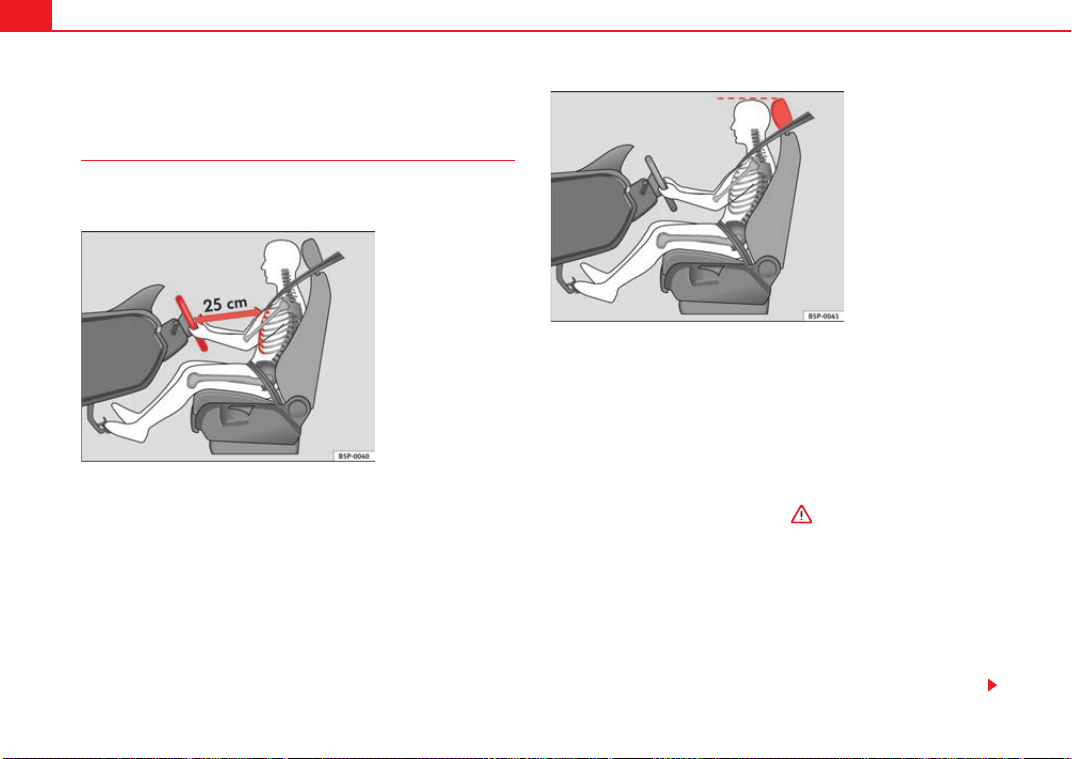
– Adjust the steering wheel so that there is a distance of at least
25 cm between the steering wheel and the centre of your chest
⇒ fig. 1.
– Move the driver's seat forwards or backwards so that you are able
to press the accelerator, brake and clutch pedals to the floor with
your knees still slightly angled ⇒ .
– Ensure that you can reach the highest point of the steering
wheel.
– Adjust the head restraint so that its upper edge is at the same
level as the top of your head, or as close as possible to the same
level as the top of your head ⇒ fig. 2.
– Move the backrest to an upright position so that your back rests
completely against it.
Fig. 1 The proper
distance between driver
and steering wheel
Fig. 2 Proper head
restraint position for
driver
Exeo_EN.book Seite 10 Freitag, 28. August 2009 10:14 10
Safe driving 11
Safety First Controls and equipment Practical tips Technical Data
– Fasten your safety belt securely ⇒ page 18.
– Keep both feet in the foot well so that you have the vehicle under
control at all times.
Adjustment of the driver's seat ⇒ page 133.
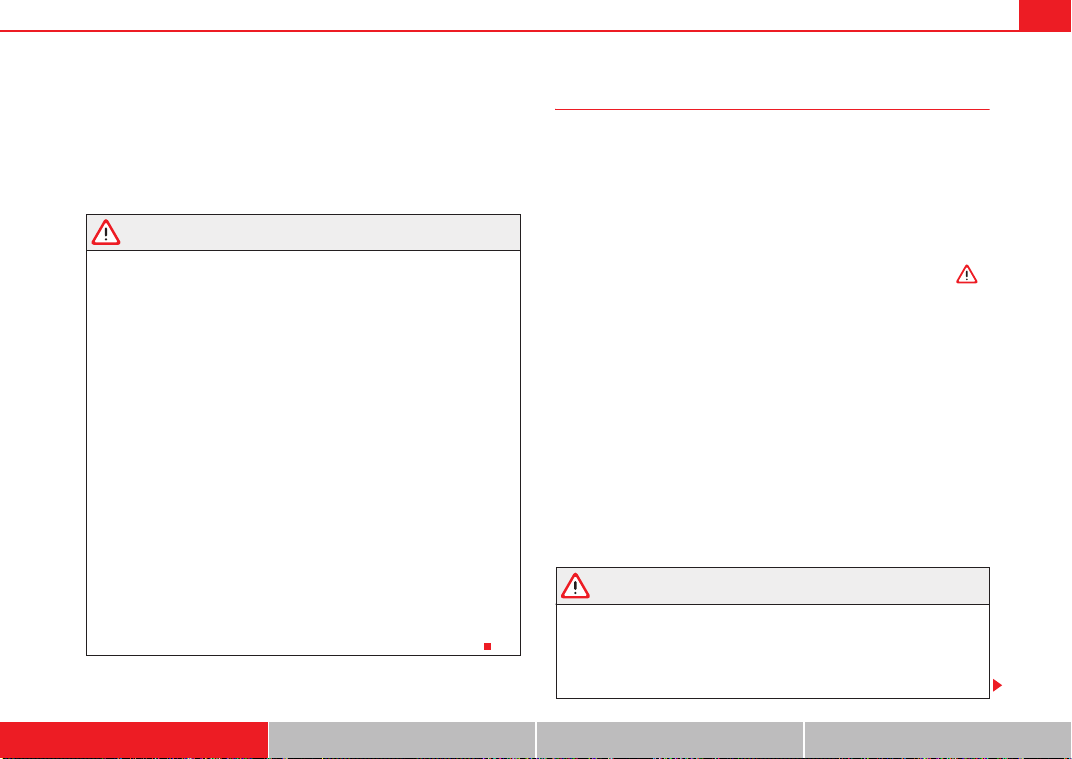
WARNING
• An incorrect sitting position of the driver can lead to severe injuries.
• Adjust the driver's seat so that there is at least 25 cm distance between
the centre of the chest and the centre of the steering wheel ⇒ page 10,
fig. 1. If you are sitting nearer than 25 cm, the airbag system cannot protect
you properly.
• If your physical constitution prevents you from maintaining the
minimum distance of 25 cm, contact a qualified workshop. The workshop
will help you decide if special specific modifications are necessary.
• When driving, always hold the steering wheel with both hands on the
outside of the ring at the 9 o'clock and 3 o'clock positions. This reduces the
risk of injury when the driver airbag is triggered.
• Never hold the steering wheel at the 12 o'clock position, or in any other
manner (e.g. in the centre of the steering wheel). In such cases, if the
airbag is triggered, you may sustain injuries to the arms, hands and head.
• To reduce the risk of injury to the driver during sudden braking manoeu-
vres or an accident, never drive with the backrest tilted far back! The airbag
system and seat belts can only provide optimal protection when the back-
rest is in an upright position and the driver is wearing his or her seat belt
properly. The further the backrests are tilted to the rear, the greater the risk
of injury due to incorrect positioning of the belt web or to the incorrect
sitting position!
• Adjust the head restraint properly to achieve optimal protection.
Proper sitting position for front passenger
The front passenger must sit at least 25 cm away from the
dash panel so that the airbag can provide the greatest
possible protection in the event that it is triggered.
For your own safety and to reduce the risk of injury in the event of an
accident, we recommend the following adjustments for the front
passenger:
– Move the front passenger's seat back as far as possible ⇒ .
– Move the backrest to an upright position so that your back rests
completely against it.
– Adjust the head restraint so that its upper edge is at the same
level as the top of your head, or as close as possible to the same
level as the top of your head ⇒ page 13.
– Keep both feet in the footwell in front of the front passenger seat.
– Fasten your safety belt securely ⇒ page 18.
It is possible to deactivate the passenger airbag in exceptional circum-
stances ⇒ page 23.
Adjusting the front passenger's seat ⇒ page 133.
WARNING
• An incorrect sitting position of the front passenger can lead to severe
injuries.
• Adjust the front passenger seat so that there is at least 25 cm between
your breastbone and the dash panel. If you are sitting nearer than 25 cm,
the airbag system cannot protect you properly.
Exeo_EN.book Seite 11 Freitag, 28. August 2009 10:14 10
Safe driving12
• If your physical constitution prevents you from maintaining the
minimum distance of 25 cm, contact a qualified workshop. The workshop
will help you decide if special specific modifications are necessary.
• Always keep your feet in the footwell when the vehicle is moving; never
rest them on the instrument panel, out the window or on the seat. An incor-
rect sitting position exposes you to an increased risk of injury in case of a
sudden braking or an accident. If the airbag is triggered, you could sustain
severe injuries due to an incorrect sitting position.
• To reduce the risk of injury to the front passenger in events such sudden
braking manoeuvres or an accident, never travel with the backrest tilted far
back! The airbag system and seat belts can only provide optimal protection
when the backrest is in an upright position and the front passenger is
wearing his or her seat belt properly. The further the backrests are tilted to
the rear, the greater the risk of injury due to incorrect positioning of the
belt web or to the incorrect sitting position!
• Adjust the head restraint properly in order to achieve maximum
protection.
Correct sitting position for passengers in the rear seats
Passengers in the rear seats must sit up straight, keep their
feet in the foot well s and wear their seat belts properly.
To reduce the risk of injury in the event of a sudden braking
manoeuvre or an accident, passengers on the rear bench seat must
consider the following:
– Adjust the headrest to the correct position ⇒ page 14.
– Keep both feet in the foot well in front of the rear seat.
–Fasten your safety belt securely ⇒ page 18.
– Use an appropriate child restraint system when you take children
in the vehicle ⇒ page 46.
WARNING
• If the passengers on the rear seat are not sitting properly, they could
sustain severe injuries.
• Adjust the head restraint properly in order to achieve maximum protec-
tion.
• Seat belts can only provide optimal protection when backrests are in an
upright position and the passengers are wearing their seat belts properly.
If passengers on the rear seat are not sitting in an upright position, the risk
of injury due to incorrect positioning of the belt web increases.
WARNING (continued)
Exeo_EN.book Seite 12 Freitag, 28. August 2009 10:14 10
Safe driving 13
Safety First Controls and equipment Practical tips Technical Data
Correct adjustment of front seat head restraints
Properly adjusted head restraints are an important part of
passengers protection and can reduce the risk of injuries in
most accident situations.
Adjust the head restraint properly in order to achieve maximum
protection.
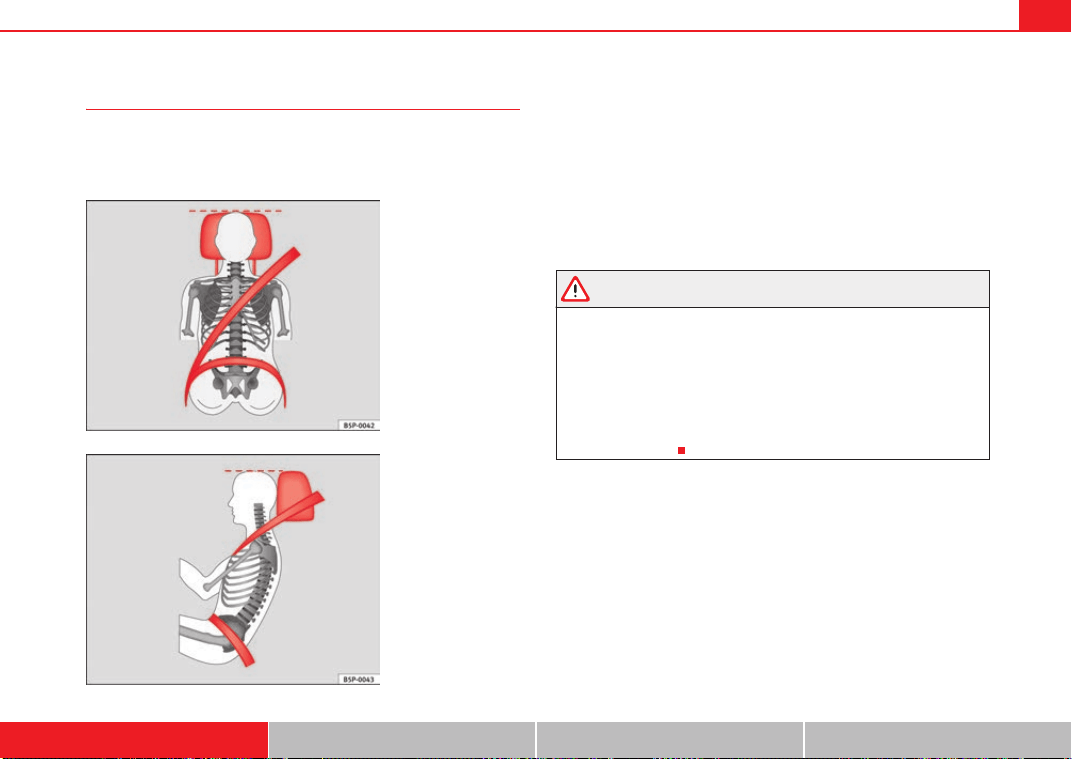
– Adjust the head restraint so that its upper edge is at the same
level as the top of your head or as close as possible to the same
level as the top of your head and, at the very least, at eye level
⇒ fig. 3 and ⇒ fig. 4.
Adjusting the head restraints ⇒ page 133.
WARNING
• Travelling with the head restraints removed or improperly adjusted
increases the risk of severe injuries.
• Incorrectly adjusted head restraints could result in death in the event of
a collision or accident.
• Incorrectly adjusted head restraints also increase the risk of injury
during sudden or unexpected driving or braking manoeuvres.
• The head restraints must always be adjusted according to the
passenger's height.
Fig. 3 Properly adjusted
head restraint viewed
from the front
Fig. 4 Properly adjusted
head restraint viewed
from the side
Exeo_EN.book Seite 13 Freitag, 28. August 2009 10:14 10
Safe driving14
Correct adjustment of rear seat head restraints
Properly adjusted head restraints are an important part of the
occupant protection and can reduce the risk of injuries in
most accident situations
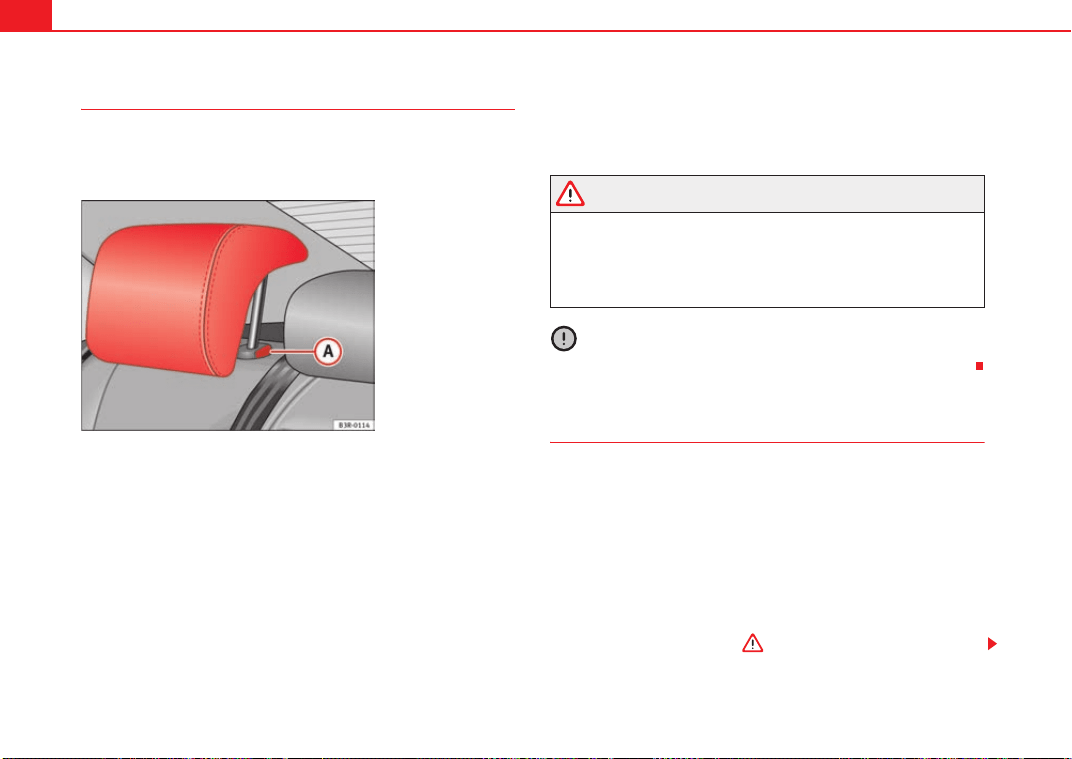
Raising the head restraint
– Take hold of the sides of the head restraint with both hands.
– Pull the head restraint up as far as it will go.
Lowering the head restraint
–Press button ⇒ fig. 5 and lower the head restraint.
Removing the head restraint
– Pull the head restraint up as far as it will go.
–Press button ⇒ fig. 5 and pull out the head restraint.
Fitting the head restraint
– Insert the head restraint in its guides until it clicks into place.
Press button and lower the head restraint.
WARNING
• Under no circumstances should the rear passengers travel while the
head restraints are in the non-use position.
• Do not swap the centre rear head restraint with either of the outer seat
rear head restraints.
• Injury risk in case of an accident!
Caution
Note the instructions on the adjustment of the head restraints ⇒ page 13.
Examples of incorrect sitting positions
An incorrect sitting position can lead to severe injuries to
occupants.
Seat belts can provide optimal protection only when the belt webs
are properly positioned. Incorrect sitting positions substantially
reduce the protective function of seat belts and increase the risk of
injury due to incorrect belt web position. As the driver, you are
responsible for all vehicle occupants, especially children.
– Never allow anyone to assume an incorrect sitting position in the
vehicle while travelling ⇒ .
Fig. 5 Outer rear seats:
Head restraints
A
A
A
A
A
A
Exeo_EN.book Seite 14 Freitag, 28. August 2009 10:14 10
Safe driving 15
Safety First Controls and equipment Practical tips Technical Data
The following list contains examples of sitting positions that could be
dangerous for all occupants. The list is not complete, but we would like to
make you aware of this issue.
Therefore, whenever the vehicle is in motion:
• Never stand in the vehicle,
• never stand on the seats,
• never kneel on the seats,
• never tilt your backrest far to the rear,
• never lean against the dash panel,
• never lie on the rear bench,
• never sit on the front edge of a seat,
• never sit sideways,
• never lean out of a window,
• never put your feet out of a window,
• never put your feet on the dash panel,
• never put your feet on the surface of a seat,
• never travel in a foot well ,
• never travel on a seat without wearing the seat belt,
• never carry any person in the luggage compartment.
WARNING
• Every incorrect sitting position increases the risk of severe injuries.
• Sitting in an incorrect position exposes the occupants to severe injuries
if airbags trigger, by striking a passenger who has assumed an incorrect
sitting position.
• Before the vehicle moves, assume the proper sitting position and main-
tain it throughout the trip. Before every trip, instruct your passengers to sit
properly and to stay in this position during the trip ⇒ page 10, “Proper
sitting position for occupants”.
Pedal area
Pedals
The operation of all pedals must never be impaired by objects
or floor mats.
– Ensure that you can always press the accelerator, brake and
clutch pedals unimpaired to the floor.
– Ensure that the pedals can return unimpaired to their initial posi-
tions.
Use only floor mats which leave the pedal area free and can be securely
fastened on the foot well.
If a brake circuit fails, the brake pedal must be pressed down thoroughly in
order to stop the vehicle.
Wear suitable shoes
Always wear shoes which support your feet properly and give you a good
feeling for the pedals.
WARNING
• Restricting pedal operation can lead to critical situations while driving.
• Never place objects on the driver footwell. An object could move into
the pedal area and impair pedal operation. In the event of a sudden driving
or braking manoeuvre, you will not be able to operate the brake, clutch or
accelerator pedal. Risk of accident!
Exeo_EN.book Seite 15 Freitag, 28. August 2009 10:14 10
Safe driving16
Floor mats on the driver side
Only floor mats may be used which can be securely fastened
in the foot well and do not impair operation of the pedals.
– Ensure that the floor mats are securely fastened during the trip
and do not obstruct the pedals ⇒ .
Only use floor mats which leave the pedals clear and which are secured to
prevent them from slipping. You can obtain suitable floor mats from a quali-
fied dealership.
WARNING
• If the pedals are obstructed, an accident may occur. Risk of serious inju-
ries.
• Ensure that the floor mats are always securely attached.
• Never lay or fit floor mats or other floor coverings over the original floor
mats. This would reduce the pedal area and could obstruct the pedals. Risk
of accident.
Stowing luggage
Loading the boot
All luggage and other loose objects must be safely secured in
the luggage compartment.
Unsecured objects which shift back and forth could impair the
driving safety or driving characteristics of the vehicle by shifting the
centre of gravity.
– Distribute the load evenly in the luggage compartment.
– Lay and stow heavy luggage as far forward as possible in the
luggage compartment.
– Stow heavy luggage as low as possible in the luggage compart-
ment.
– Secure heavy objects to the fastening rings ⇒ page 17.
WARNING
• Loose luggage and other objects in the boot could cause serious inju-
ries.
• Always stow objects in the luggage compartment and secure them on
the fastening rings.
• Use suitable specialist straps to secure heavy objects.
• During sudden manoeuvres or accidents, loose objects can be thrown
forward, injuring vehicle occupants or passers-by. This increased risk of
injury will be further increased if a loose object is struck by an inflating
airbag. If this happens, objects can be transformed into “missiles”. Risk of
fatal injury.
• Please note that the centre of gravity may shift when transporting
heavy objects; this may affect the vehicle's handling and lead to an acci-
dent. Therefore, it is essential to adjust your speed and driving style
accordingly, to avoid accidents.
• Never exceed the allowed axle loads or allowed maximum weight. If the
allowed axle load or the allowed total weight is exceeded, the driving char-
acteristics of the vehicle may change, leading to accidents, injuries and
damage to the vehicle.
• Never leave your vehicle unattended, especially when the tailgate is
open. Children could climb into the luggage compartment closing the door
Exeo_EN.book Seite 16 Freitag, 28. August 2009 10:14 10
Safe driving 17
Safety First Controls and equipment Practical tips Technical Data
behind them; they will remain trapped without help and there is a mortal
risk.
• Never allow children to play in or around the vehicle. Close and lock
both the tailgate and all the doors when you leave the vehicle. Before you
lock the vehicle, make sure that there are no adults or children in the
vehicle.
• Never transport passengers in the luggage compartment. Every
passenger must be properly belted in ⇒ page 18.
Note
• Air circulation in the vehicle helps reduce fogging of the windows. Used
air escapes through ventilation slits in the side trim of the luggage compart-
ment. Ensure that the ventilation slits are never covered.
• Straps for securing the load to the fastening rings are commercially
available.
Fastening rings
There can be four fastening rings in the boot for fastening
luggage and other objects.
– Always use suitable and undamaged straps to secure luggage
and other objects to the fastening rings ⇒ in “Loading the
boot” on page 16.
– Pull up the fastening rings to attach the straps.
During a collision or an accident, even small and light objects can build up so
much energy that they can cause very severe injuries. The amount of “kinetic
energy” depends on the speed of the vehicle and the weight of the object.
The most significant factor, however, is the speed of the vehicle.
Example: An object weighing 4.5 kg is lying unsecured in the vehicle. During
a frontal collision at a speed of 50 km/h, this object generates a force corre-
sponding to 20 times its weight. That means that the effective weight of the
object increases to about 90 kg. You can imagine the severity of the injuries
which might be sustained if this “projectile” strikes an occupant as it flies
through the passenger compartment. This increased risk of injury will be
further increased if a loose object is struck by an inflating airbag.
WARNING
• If pieces of baggage or other objects are secured to the fastening rings
with inappropriate or damaged retaining cords, injuries could result in the
event of braking manoeuvres or accidents.
• To prevent pieces of luggage or other objects from flying forward,
always use appropriate retaining cords which are secured to the fastening
rings.
• Never secure a child seat on the fastening rings.
WARNING (continued)
Exeo_EN.book Seite 17 Freitag, 28. August 2009 10:14 10
Seat belts18
Seat belts
Brief introduction
Before driving: remember your seat belt!
Wearing a seat belt properly can save your life!
In this chapter you will learn the importance of wearing seat belts,
how they work and how to properly fasten, adjust and wear them.
– Read and consider all the information as well as the warnings in
this chapter.
WARNING
• If seat belts are worn incorrectly or not at all, the risk of severe injuries
increases.
• Properly worn seat belts can reduce severe injuries in case of sudden
braking manoeuvres or accidents. For safety reasons, you and your passen-
gers must always wear the seat belts properly while the vehicle is moving.
• Pregnant women or people with physical disabilities must also use seat
belts. Like all other passengers, these people can also sustain severe inju-
ries if they are not wearing their seat belts properly.
Number of seats
Your vehicle has five seats, two in the front and three in the rear. Each seat is
equipped with a three-point seat belt.
WARNING
• More people than available seats must never be transported in your
vehicle.
• Every passenger in the vehicle must properly fasten and wear the seat
belt belonging to his or her seat. Children must be protected with an appro-
priate child restraint system.
Seat belt warning lamp*
The warning lamp acts as a reminder to the driver to fasten
the seat belt.
Before starting the vehicle:
–Fasten your safety belt securely.
– Instruct your passengers to fasten their seat belts properly before
driving off.
– Protect children by using a child seat according to the child's
height and weight.
After switching on the ignition, the warning light will remain lit until the
driver and front passenger (where applicable) have fastened their seat belts.
When the vehicle has reached a certain speed, you will also hear a warning
signal and the warning light will flash.
Exeo_EN.book Seite 18 Freitag, 28. August 2009 10:14 10
Seat belts 19
Safety First Controls and equipment Practical tips Technical Data
Why wear seat belts?
Physical principles of frontal collisions
In the event of a frontal collision, a large amount of kinetic
energy must be absorbed.
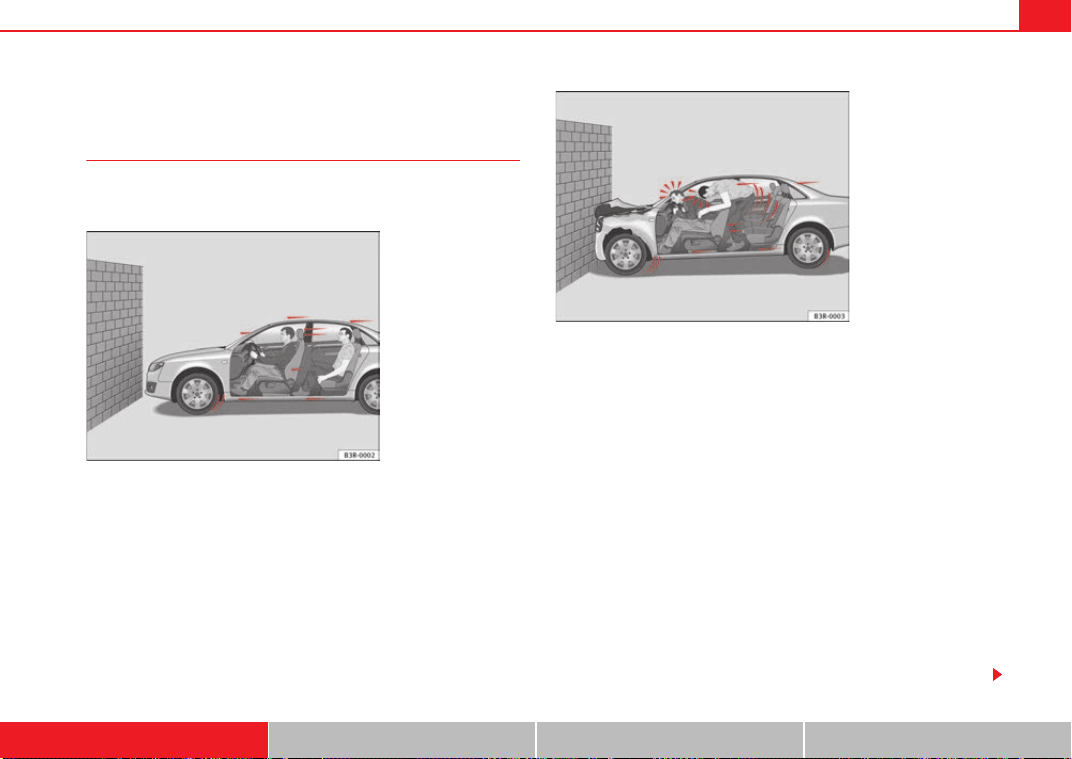
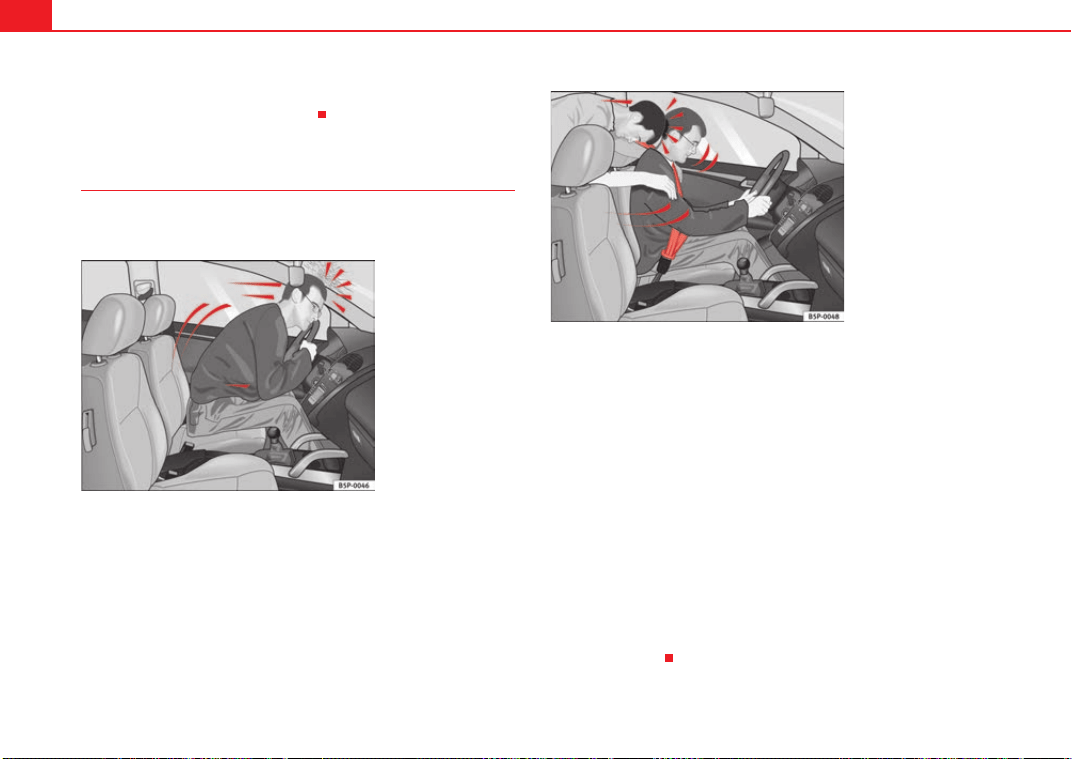
It is easy to explain how the laws of physics work in the case of a head-on
collision: When a vehicle starts moving ⇒ fig. 6, a certain amount of energy
known as “kinetic energy” is produced in the vehicle and its occupants.
The amount of “kinetic energy” depends on the speed of the vehicle and the
weight of the vehicle and its passengers. The higher the speed and the
greater the weight, the more energy there is to be “released” in an accident.
The most significant factor, however, is the speed of the vehicle. If the speed
doubles from 25 km/h to 50 km/h, for example, the kinetic energy is multi-
plied by four.
Because the passengers in our example are not restrained by seat belts, all
of the passengers' kinetic energy has to be absorbed at the point of impact
⇒ fig. 7.
Even at speeds of 30 km/h to 50 km/h, the forces acting on bodies in a colli-
sion can easily exceed one tonne (1000 kg). At greater speed these forces are
even higher.
Passengers not wearing seat belts are not “attached” to the vehicle. In a
frontal collision, they will move forward at the same speed their vehicle was
Fig. 6 Vehicle about to hit
a wall: the occupants are
not wearing seat belts
Fig. 7 The vehicle hits
the wall: the occupants
are not wearing seat belts
Exeo_EN.book Seite 19 Freitag, 28. August 2009 10:14 10
Seat belts20
travelling just before the impact. This example applies not only to frontal acci-
dents, but to all accidents and collisions.
The danger of not using the seat belt
The general belief that the passengers can protect them-
selves with their hands in a minor collision is false.
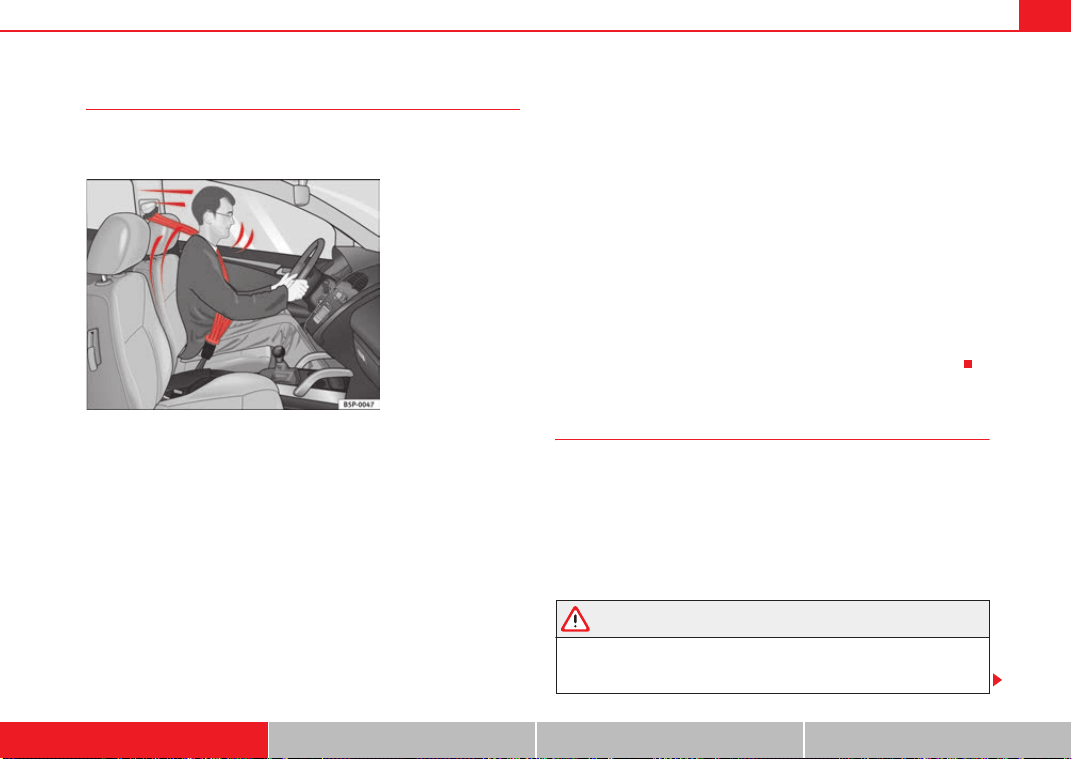
Even at low speeds the forces acting on the body in a collision are so great
that it is not possible to brace oneself with one's hands. In a frontal collision,
unbelted passengers are thrown forward and will make violent contact with
the steering wheel, dashboard, windscreen or whatever else is in the way
⇒ fig. 8.
The airbag system is not a substitute for the seat belts. When triggered,
airbags provide only additional protection. All passengers (including the
driver) must wear seat belts properly during the trip. This will reduce the risk
of severe injuries in the event of an accident – regardless of whether an
airbag is fitted for the seat or not.
Note that airbags can be triggered only once. To achieve the best possible
protection, the seat belt must always be worn properly so that you will be
protected in accidents in which no airbag is deployed.
It is also important for the rear passengers to wear seat belts properly, as they
could otherwise be thrown forward violently in an accident. Rear passengers
who do not use seat belts endanger not only themselves but also the front
occupants ⇒ fig. 9.
Fig. 8 A driver not
wearing a seat belt is
thrown forward violently.
Fig. 9 The unbelted rear
passenger is thrown
forward violently, hitting
the driver wearing a seat
belt.
Exeo_EN.book Seite 20 Freitag, 28. August 2009 10:14 10
Seat belts 21
Safety First Controls and equipment Practical tips Technical Data
Seat belt protection
Passengers not wearing seat belts risk severe injuries in the
event of an accident.
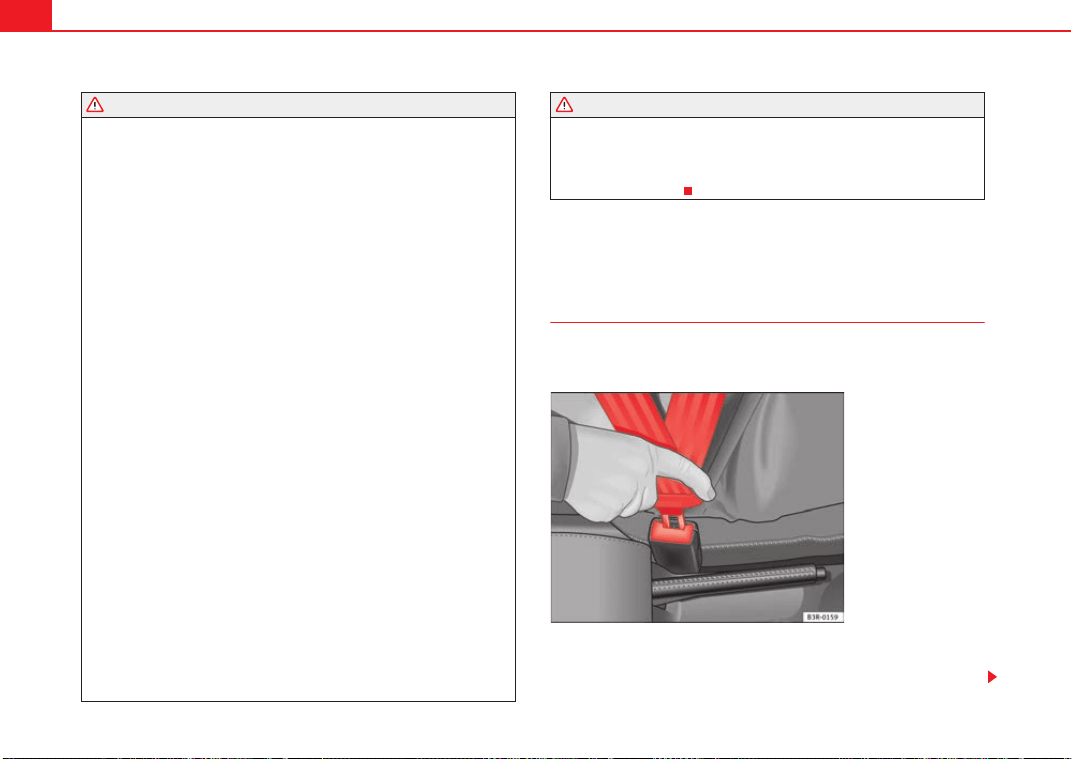
Properly worn seat belts hold the vehicle occupants in the correct sitting posi-
tions and substantially reduce the kinetic energy in the event of an accident.
Seat belts also help to prevent uncontrolled movements that could lead to
severe injuries. In addition, properly worn seat belts reduce the danger of
being thrown from the car.
Passengers wearing their seat belts correctly benefit greatly from the ability
of the belts to absorb kinetic energy. The front part of your vehicle and other
passive safety features (such as the airbag system) are also designed to
absorb the kinetic energy released in a collision. Taken together, all these
features reduce the releasing kinetic energy and consequently, the risk of
injury.
Our examples describe frontal collisions. Of course, properly worn seat belts
substantially reduce the risk of injury in all other types of accidents. This is
why it is so important to fasten seat belts before every trip, even when "just
driving around the corner".
Ensure that your passengers wear their seat belts as well. Accident statistics
have shown that wearing seat belts is an effective means of substantially
reducing the risk of injury and improving the chances of survival in a serious
accident. Furthermore, properly worn seat belts improve the protection
provided by airbags in the event of an accident. For this reason, wearing a
seat belt is required by law in most countries.
Although your vehicle is equipped with airbags, the seat belts must be
fastened and worn. The front airbags, for example, are only triggered in some
frontal accidents. The front airbags will not be triggered during minor frontal
collisions, minor side collisions, rear collisions, rolls or accidents in which the
airbag trigger threshold value in the control unit is not exceeded.
Therefore, you should always wear your seat belt and ensure that your
passengers have fastened their seat belts properly before you drive off!
Safety instructions on using seat belts
If seat belts are used correctly, they can reduce the risk of
injury in an accident.
– Always wear the seat belt as described in this section.
– Ensure that the seat belts can be fastened at all times and are not
damaged.
WARNING
• If the seat belts are worn incorrectly or not at all, the risk of severe inju-
ries increases. The optimal protection from seat belts can be achieved only
if you use them properly.
Fig. 10 A driver wearing
the seat belt properly: is
secured by the belt in
sharp braking
Exeo_EN.book Seite 21 Freitag, 28. August 2009 10:14 10
Seat belts22
• Fasten your seat belt before every trip - even when driving in town. The
other passengers must also wear seat belts, otherwise they may be in
danger of injury!
• The seat belt cannot offer its full protection if the belt web is not posi-
tioned correctly.
• Never allow two passengers (even children) to share the same seat belt.
• Keep both feet in the foot-well in front of your seat as long as the
vehicle is in motion.
• Never unbuckle a seat belt while the vehicle is in motion. Risk of fatal
injury.
• The belt webbing must never be twisted while it is being worn.
• The belt webbing should never lie on hard or fragile objects (such as
glasses or pens, etc.) because this can cause injuries.
• Do not allow the seat belt to be damaged or jammed, or to rub on any
sharp edges.
• Never wear the seat belt under the arm or in any other incorrect posi-
tion.
• Loose, bulky clothing (such as an overcoat over a jacket) impairs the
proper fit and function of the belts, reducing their capacity to protect.
• The slot in the seat belt buckle must not be blocked with paper or other
objects, as this can prevent the latch plate from engaging securely.
• Never use seat belt clips, retaining rings or similar instruments to alter
the position of the belt webbing.
• Frayed or torn seat belts or damage to the connections, belt retractors
or parts of the buckle could cause severe injuries in the event of an acci-
dent. Therefore, you must check the condition of all seat belts at regular
intervals.
• Seat belts which have been worn in an accident and stretched must be
replaced by a qualified workshop. Renewal may be necessary even if there
is no apparent damage. The belt anchorage should also be checked.
• Do not attempt to repair a damaged seat belt yourself. The seat belts
must not be removed or modified in any way.
• The belts must be kept clean, otherwise the retractors may not work
properly ⇒ page 213.
Seat belts
Seat belt adjustment
The seat belts for the front and rear occupants are locked into
position by a latch.
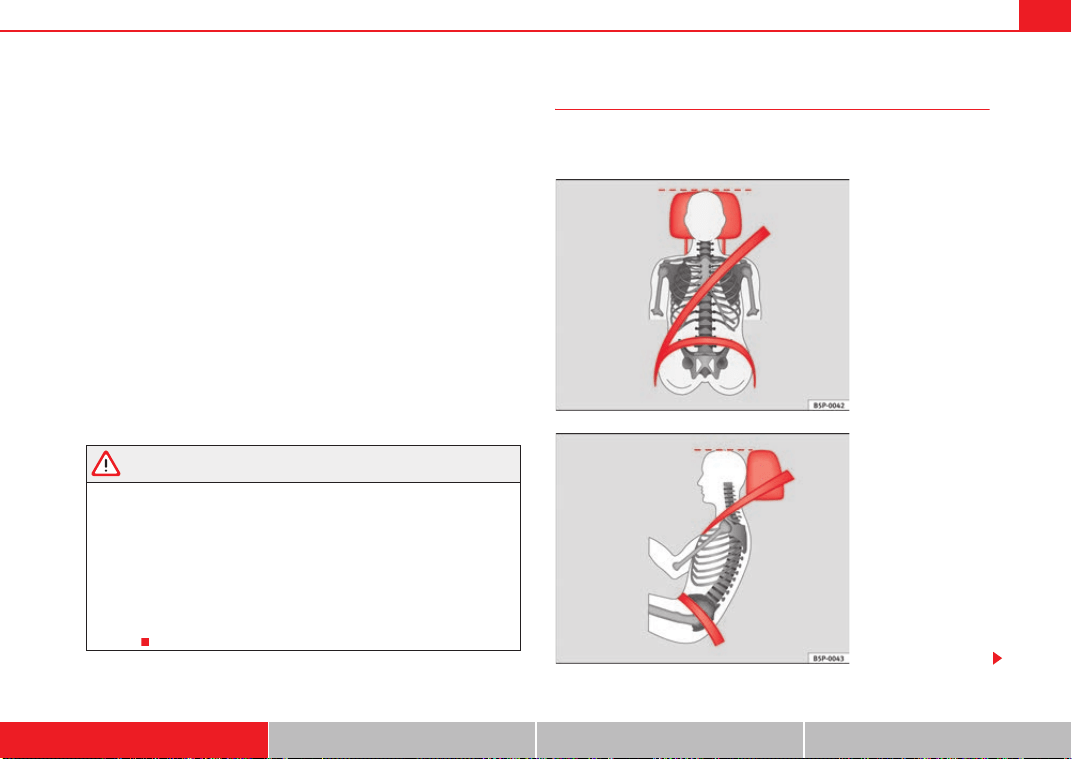
The seat belt cannot offer its full protection if the belt web is not
positioned correctly.
WARNING (continued) WARNING (continued)
Fig. 11 Belt buckle and
latch plate of seat belt
Exeo_EN.book Seite 22 Freitag, 28. August 2009 10:14 10
Seat belts 23
Safety First Controls and equipment Practical tips Technical Data
– Adjust the seat and head restraint correctly.
– To fasten the belt, take hold of the latch plate and pull it slowly
across your chest and lap.
– Insert the latch plate into the buckle for the appropriate seat and
push it down until it is securely locked with a click ⇒ page 22,
fig. 11.
– Pull the belt to ensure that the latch plate is securely engaged in
the buckle.
The seat belts are equipped with an automatic retractor on the shoulder
strap. Full freedom of movement is permitted when the shoulder belt is pulled
slowly. However, during sudden braking, during travel in mountains or bends
and during acceleration, the automatic retractor on the shoulder belt is
locked.
The automatic belt retractors on the front seats are fitted with belt tension
devices ⇒ page 26.
WARNING
• An incorrectly worn seat belt web can cause severe injuries in the event
of an accident.
• The seat belts offer best protection only when the backrests are in an
upright position and the seat belts have been fastened properly.
• Never put the latch plate in the buckle of another seat. If you do this, the
seat belt will not protect you properly and the risk of injury is increased.
• If an occupant is incorrectly belted in, the belt cannot protect him or her
properly. An incorrectly positioned belt web can cause extremely severe
injuries.
Seat belt position
Seat belts offer their maximum protection only when they are
properly positioned.
Fig. 12 Correct belt web
and head restraint posi-
tions, viewed from front
Fig. 13 Correct belt web
and head restraint posi-
tions, viewed from side
Exeo_EN.book Seite 23 Freitag, 28. August 2009 10:14 10
Seat belts24
The following features are available to adjust the seat belt in the shoulder
region:
• belt height adjustment for the front seats.
• front seat height adjustment*.
WARNING
• An incorrectly worn seat belt web can cause severe injuries in the event
of an accident.
• The shoulder part of the seat belt must lie on the centre of the shoulder,
never across the neck. The seat belt must lie flat and snugly on the torso
⇒ page 23, fig. 12.
• The lap part of the seat belt must lie across the pelvis, never across the
stomach. The seat belt must lie flat and snugly on the pelvis ⇒ page 23,
fig. 13. Pull the belt tight if necessary to take up any slack.
• Read and observe the warnings ⇒ page 21.
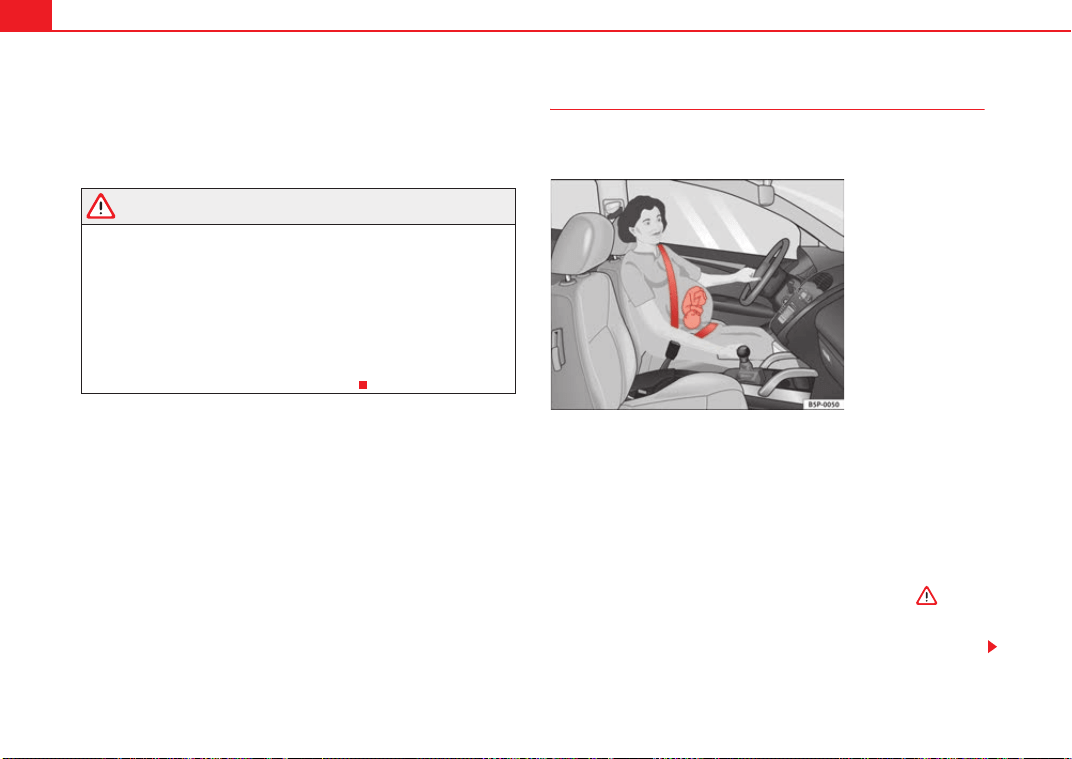
Pregnant women must also fasten their seat belts properly
The best protection for the unborn child is for the mother to
wear the seat belt properly at all times during the pregnancy.
The seat belt provides maximum protection only when the belt web
is properly positioned ⇒ page 23.
– Adjust the front seat and head restraint correctly ⇒ page 10.
– Holding the latch plate, pull the belt evenly across your chest and
as low as possible over the pelvis ⇒ fig. 14.
– Insert the latch plate into the buckle for the appropriate seat and
push it down until it is securely locked with a click ⇒ .
– Pull the belt to ensure that the latch plate is securely engaged in
the buckle.
Fig. 14 Positioning seat
belts during pregnancy
Exeo_EN.book Seite 24 Freitag, 28. August 2009 10:14 10
Seat belts 25
Safety First Controls and equipment Practical tips Technical Data
WARNING
• An incorrectly worn seat belt web can cause severe injuries in the event
of an accident.
• For pregnant women, the lap part of the seat belt must lie as low as
possible over the pelvis, never across the stomach, and always lie flat so
that no pressure is exerted on the abdomen.
• Read and observe the warnings ⇒ page 21.
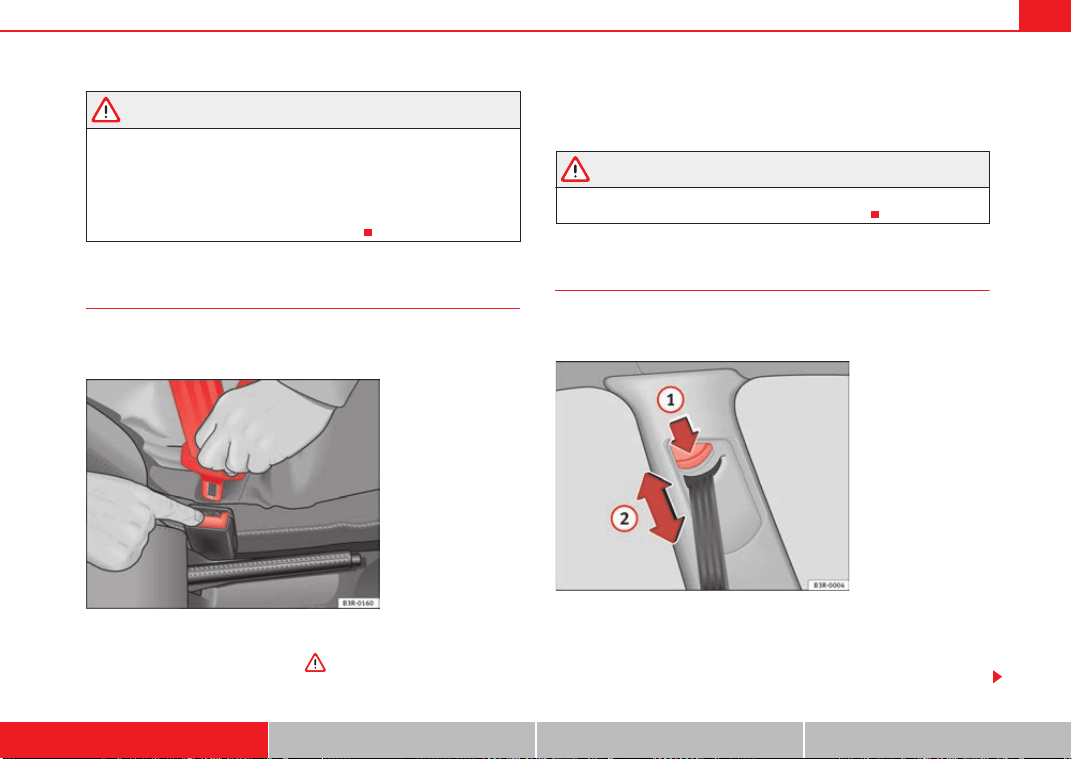
Seat belt release
The seat belt must not be unfastened until the vehicle has
come to a standstill.
– Press the red button on the belt buckle ⇒ fig. 15. The latch plate
is released and springs out ⇒ .
– Guide the belt back by hand so that it rolls up easily and the trim
is not damaged
WARNING
Never unbuckle a seat belt while the vehicle is in motion. If you do, you
increase the risk of sustaining severe or fatal injuries.
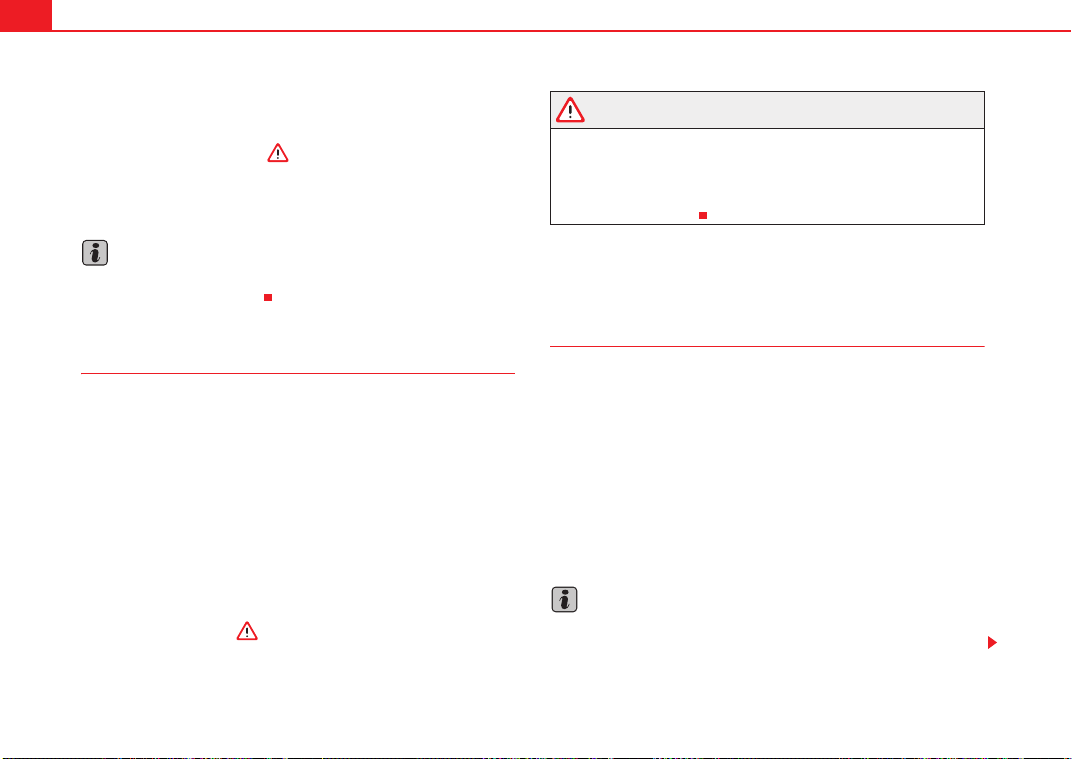
Seat belt height adjustment
Seat belt height adjusters can be used to adjust the height of
the shoulder area of the seat belt.
The belt height adjuster can be lowered by keeping the button
pressed down at the same time.
– Press button ⇒ fig. 16 to adjust the belt height.
Fig. 15 Removing latch
plate from buckle
Fig. 16 Belt height
adjustment - top guide
fitting
A
1
Exeo_EN.book Seite 25 Freitag, 28. August 2009 10:14 10
Seat belts26
– Take hold of the top guide fitting and slide it up or down so that
the shoulder part of the seat belt is positioned roughly midway
over the shoulder, although it must never rest against the neck
⇒ page 25, fig. 16 ⇒ in “Seat belt position” on page 23.
– After adjusting, pull the belt sharply to check that the catch on
the guide fitting is engaged securely.
Note
It is also possible to adjust the height of the front seats to obtain the best
position for the front seat belts.
Incorrectly fastened seat belts
Incorrectly worn seat belts can cause severe or even mortal
injuries.
Seat belts can provide optimal protection only if the belt web is
properly worn. The seat belts must be fastened exactly in the order
described in this chapter. An incorrect sitting position impairs
substantially the protection a seat belt offers and can lead to severe
or fatal injuries. The risk of severe or fatal injuries is especially
increased when a deploying airbag strikes an occupant who has
assumed an incorrect sitting position. As the driver, you are respon-
sible for all vehicle occupants, especially children. Therefore:
– Never allow anyone to wear the seat belt incorrectly while the
vehicle is moving ⇒ .
WARNING
• An incorrectly worn seat belt increases the risk of severe injuries.
• Before every trip, instruct your passengers to adjust their seat belts
properly and to wear them for the whole journey.
• Read and always observe information and warnings concerning the use
of seat belts ⇒ page 21.
Belt tension devices
Function of the belt tension device
During a frontal collision, the seat belts on the front seats are
retracted automatically.
The seat belts for the front occupants are equipped with belt tension devices.
Sensors will trigger the belt tension devices during severe head-on, lateral
and rear collisions only if the seat belt is being worn. This retracts and
tightens the seat belts, reducing the forward motion of the occupants.
The belt tension device can be triggered only once.
The belt tension devices will not be triggered in the event of a light frontal,
side or rear collision, if the vehicle overturns or in situations where no large
forces act on the front, side or rear of the vehicle.
Note
• If the belt tension devices are triggered, a fine dust is produced. This is
normal and it is not an indication of fire in the vehicle.
A
2
Exeo_EN.book Seite 26 Freitag, 28. August 2009 10:14 10
Seat belts 27
Safety First Controls and equipment Practical tips Technical Data
• The relevant safety requirements must be observed when the vehicle or
components of the system are scrapped. A qualified workshop is familiar with
these regulations and will be pleased to pass on the information to you.
Service and disposal of belt tension devices
The belt tension devices are components of the seat belts that are installed
in the seats of your vehicle. If you work on the belt tension devices or remove
and install parts of the system when performing other repair work, the seat
belt may be damaged. The consequence may be that, in the event of an acci-
dent, the belt tension devices function incorrectly or not at all.
So that the effectiveness of the belt tension device is not reduced and that
removed parts do not cause any injuries or environmental pollution, regula-
tions, which are known to the qualified workshops, must be observed.
WARNING
• If repairs are not carried out by a professional, or if the belt tension
devices are used incorrectly, the risk of severe or fatal injuries increases.
The belt tension devices may fail to trigger or may trigger in the wrong
circumstances.
• Never attempt to repair, adjust, remove or install parts of the belt
tension devices or seat belts.
• The belt tension device and seat belt including its automatic retractor
cannot be repaired.
• Any work on the belt tension devices and seat belts, including the
removal and refitting of system parts in conjunction with other repair work,
must be performed by a qualified workshop only.
• The belt tension devices will only provide protection for one accident
and must be changed it they have been activated.
Exeo_EN.book Seite 27 Freitag, 28. August 2009 10:14 10
Airbag system28
Airbag system
Brief introduction
Why wear a seat belt and assume the correct sitting
position?
For the inflating airbags to achieve the best protection, the
seat belt must always be worn properly and the correct sitting
position must be assumed.
For your own safety and the safety of the passengers, please ensure
the following before driving:
– Always wear the seat belt properly ⇒ page 18.
– Adjust the driver's seat and the steering wheel correctly
⇒ page 10.
– Adjust the front passenger seat correctly ⇒ page 11.
– Adjust the head restraint correctly ⇒ page 13.
– Use the correct child restraint system to protect children in your
vehicle ⇒ page 46.
The airbag is deployed at high speed in fractions of a second. If you have an
incorrect seating position at the time the airbag is deployed, it could cause
you critical injuries. Therefore, it is essential that all passengers in the vehicle
assume a correct sitting position while travelling.
A sharp braking before an accident may cause a passenger not wearing a seat
belt to be thrown forward into the area of the deploying airbag. In this case,
the inflating airbag may inflict critical or fatal injuries on the occupant. This
also applies to children.
Always maintain the greatest possible distance between yourself and the
front airbag. This way, the front airbags can completely deploy when trig-
gered, providing their maximum protection.
The most important factors that will trigger an airbag are: the type of acci-
dent, the angle of collision and the speed of the vehicle.
Whether the airbags are triggered depends primarily on the vehicle deceler-
ation rate resulting from the collision and detected by the control unit. If the
vehicle deceleration occurring during the collision and measured by the
control unit remains below the specified reference values, the front, side
and/or curtain airbag will not be triggered. Take into account that the visible
damage in a vehicle involved in an accident, for whatever reason, is not an
indication as to why the airbags had been triggered.
WARNING
• Wearing the seat belt incorrectly or assuming an incorrect sitting posi-
tion can lead to critical or fatal injuries.
• All occupants, including children, who are not properly belted can
sustain critical or fatal injuries if the airbag is triggered. You should always
transport all children up to 12 years of age on the rear seat. Never transport
children in the vehicle if they are not restrained or the restraint system is
not appropriate for their age, size or weight.
• If you are not wearing a seat belt, if you lean forward or to the side while
travelling or assume an incorrect sitting position, there is a substantially
increased risk of injury. This increased risk of injury will be further
increased if you are struck by an inflating airbag.
• To reduce the risk of injury from an inflating airbag, always wear the
seat belt properly ⇒ page 18.
Exeo_EN.book Seite 28 Freitag, 28. August 2009 10:14 10
Airbag system 29
Safety First Controls and equipment Practical tips Technical Data
• Always properly adjust the front seats.
The danger of fitting a child seat on the front passenger seat
Rear-facing child seats must never be used on the front
passenger seat when the front passenger airbag is enabled.
An enabled front airbag on the front passenger side is potentially a major
danger to a child. The front passenger seat is life threatening to a child if
he/she is transported in a rear-facing child seat. You should always transport
all children up to 12 years of age on the rear seat.
If a rear-facing child seat is secured to the front passenger seat, an inflating
airbag can strike it with such great force that critical or fatal injuries may
result.
Therefore we strongly recommend you to transport children on the rear seats.
That is the safest place for children in the vehicle. Alternatively, the front
passenger airbag can be disabled with a key-operated switch ⇒ page 44.
When transporting children, use a child seat appropriate to the age and size
of each child ⇒ page 46.
For those vehicles that do not include a key lock switch to turn the airbag off,
an Authorised Service Centre must be consulted.
WARNING
• If a child seat is secured to the front passenger seat, the risk to the child
of sustaining critical or fatal injuries in the event of an accident increases.
• Never secure a rear-facing child seat to the front passenger seat if the
front passenger airbag is enabled. The child can suffer critical or fatal inju-
ries when the front passenger airbag is triggered.
• An inflating front passenger airbag can strike the rear-facing child seat
and hurl it with great force against the door, the roof or the backrest.
• If, under special circumstances, it is necessary to transport a child in a
rear-facing child seat on the front passenger seat, it is absolutely essential
that you observe the following safety measures:
− Disable the front passenger airbag ⇒ page 44, “Deactivating
airbags*”.
− The child seat must be approved by the child seat manufacturer for
use on a front passenger seat with front or side airbag.
− Follow the installation instructions given by the child seat manufac-
turer and observe the safety instructions ⇒ page 46, “Child safety”.
− Before properly installing the child seat, push the front passenger
seat completely backwards so that the greatest possible distance to
the front passenger airbag is ensured.
− Ensure that no objects prevent the front passenger seat from being
pushed completely back.
− The backrest of the front passenger seat must be in an upright
position.
Warning lamp for airbag and belt tension device system
This warning lamp monitors the airbag and belt tension
device system.
The warning lamp monitors all airbags and belt tension devices in the
vehicle, including control units and wiring connections.
WARNING (continued) WARNING (continued)
Exeo_EN.book Seite 29 Freitag, 28. August 2009 10:14 10
Airbag system30
Monitoring of airbag and belt tension device system
Both the airbag and belt tension device systems operation is constantly
monitored electronically. The warning lamp
will light every time the igni-
tion is switched on until you attach your seatbelt.
The system must be checked when the warning lamp
:
• does not light up when the ignition is switched on,
• it turns off and then lights up again after the ignition is switched on,
• lights up or flashes while the car is moving.
In the event of a malfunction, the warning lamp remains on continuously.
Have the system inspected immediately by a qualified workshop.
If any of the airbags are de-activated by the Authorised Service Centre, the
indicator lights for several seconds more after the verification and will turn off
if there is no fault.
WARNING
• If there is a malfunction, the airbag and belt tension device system
cannot properly perform its protective function.
• If a malfunction occurred, have the system checked immediately by a
qualified workshop. Otherwise, in the event of an accident, the airbag
system and belt tension devices may not be triggered, or may not be trig-
gered correctly.
Repairs, maintenance and disposal of the airbags
The parts of the airbag system are installed in various places in your vehicle.
If you work on the airbag system or remove and fit parts of the system when
performing other repair work, parts of the airbag system may be damaged.
The consequence may be that, in the event of an accident, the airbag inflates
incorrectly or does not inflate at all.
The relevant safety requirements must be observed when the vehicle or
components of the airbag are scrapped. The specialist workshops and the
Vehicle disposal centres are familiar with these requirements.
WARNING
• If repairs are not carried out by a professional, or if the airbags are used
incorrectly, the risk of severe or fatal injuries is increased. The airbags may
fail to inflate, or could inflate in the wrong circumstances.
• Do not cover or stick anything on the steering wheel hub or the soft
plastic surface of the airbag unit on the passenger side of the dashboard,
and do not obstruct or modify them in any way.
• It is important not to attach any objects such as cup holders or tele-
phone mountings to the surfaces covering the airbag units.
• To clean the steering wheel or dash panel, you may use only a dry or a
water-moistened cloth. Never clean the dash panel and the airbag module
surface with cleansers containing solvents. Solvents cause the surface to
become porous. If the airbag triggered, disintegrating plastic parts could
cause substantial injuries.
• Never attempt to repair, adjust, remove or install parts of the airbag
system.
• Any work on the airbag system or removal and installation of the airbag
components for other repairs (such as repairs to the steering wheel) should
be performed only by a qualified workshop. Qualified workshops have the
necessary tools, repair information and qualified personnel.
• We strongly recommend you to go to a qualified workshop for all work
on the airbag system.
• Never attempt to alter the front bumper or the body.
• The airbags provide protection for just one accident; replace them once
they have deployed.
Exeo_EN.book Seite 30 Freitag, 28. August 2009 10:14 10
Airbag system 31
Safety First Controls and equipment Practical tips Technical Data
Front airbags
Description of front airbags
The airbag system is not a substitute for the seat belts.
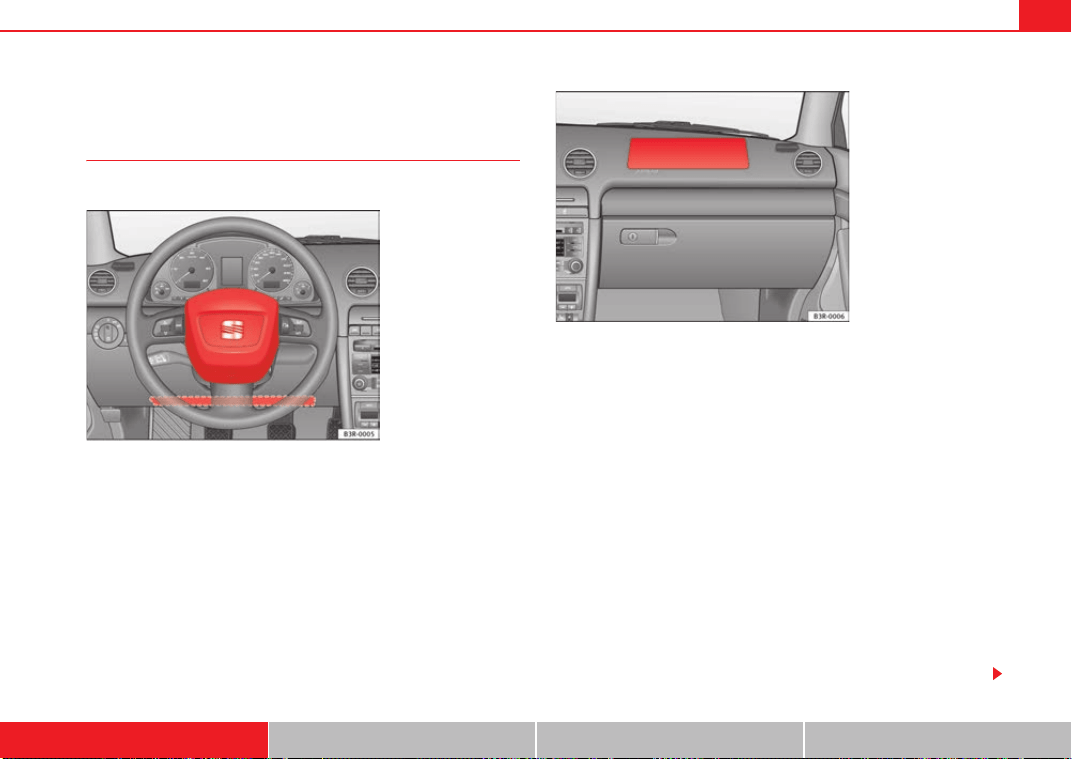
The front airbag for the driver is located in the steering wheel ⇒ fig. 17 and
the airbag for the front passenger is located in the instrument panel
⇒ fig. 18. Airbags are identified by the word “AIRBAG”. On the driver's side,
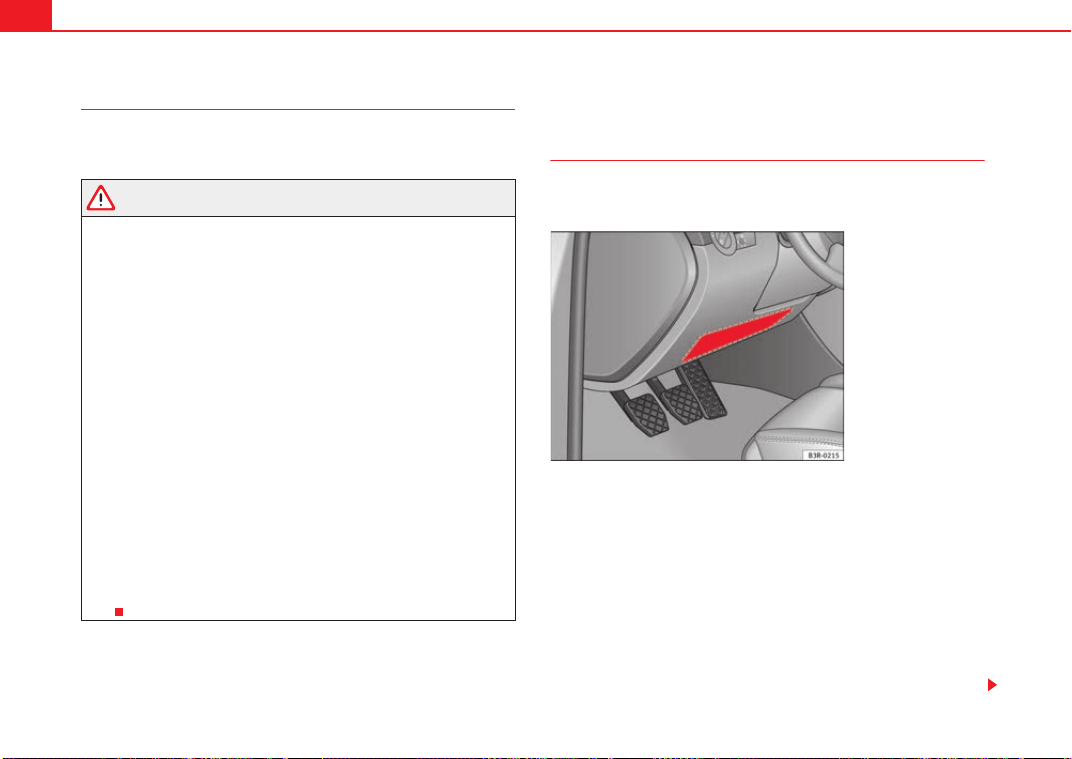
the knee airbag* is found in the front footwell, under the instrument panel.
In conjunction with the seat belts, the front airbag system gives the front
occupants additional protection for the head and chest in the event of a
severe frontal collision ⇒ page 34, “Safety notes on the frontal airbag
system”.
In addition to their normal function of restraining the occupants, the seat
belts also hold the driver and front passenger in a position where the airbags
can provide maximum protection in a frontal collision.
The airbag system is not a substitute for seat belts, but it is an integral part
of the vehicle's overall passive safety system. Please bear in mind that the
airbag system can only work effectively when the occupants are wearing their
seat belts correctly and have adjusted the head restraints properly. Therefore,
it is most important to wear the seat belts at all times, not only because this
is required by law in most countries, but also for your safety ⇒ page 18,
“Brief introduction”.
Fig. 17 Driver's Airbag in
the steering wheel and
knee airbag in the instru-
ment panel
Fig. 18 Front passenger
airbag located in dash
panel
Exeo_EN.book Seite 31 Freitag, 28. August 2009 10:14 10
Airbag system32
The main parts of the front airbag system are:
• an electronic control and monitoring system (control unit),
• the two front airbags (airbag with gas generator) for the driver and front
passenger,
• a knee airbag* for the driver,
• a warning lamp in the dash panel insert ⇒ page 29.
The airbag system operation is monitored electronically. The airbag warning
lamp will light up for a few seconds every time the ignition is switched on
(self-diagnosis).
There is a fault in the system if the warning lamp
• does not light up when the ignition is switched on ⇒ page 29
• it turns off and then lights up again after the ignition is switched on,
• lights up or flashes while the car is moving.
The front airbag system will not be triggered if:
• the ignition is switched off,
• there is a minor frontal collision,
• there is a side collision,
• there is a rear-end collision,
• the vehicle turns over.
WARNING
• The seat belts and airbags can only provide maximum protection if the
occupants are seated correctly ⇒ page 10, “Proper sitting position for
occupants”.
• If a fault has occurred in the airbag system, have the system checked
immediately by a qualified workshop. Otherwise, during a frontal collision
the system may fail to trigger, or not trigger correctly.
Operation of frontal airbags
Inflated airbags reduce the risk of head or chest injury.
The airbag system is designed so that the airbags for the driver and front
passenger are triggered in a severe frontal collision.
In certain types of accident the front, curtain and side airbags may be trig-
gered together.
When the system is triggered, the airbags fill with a propellant gas and
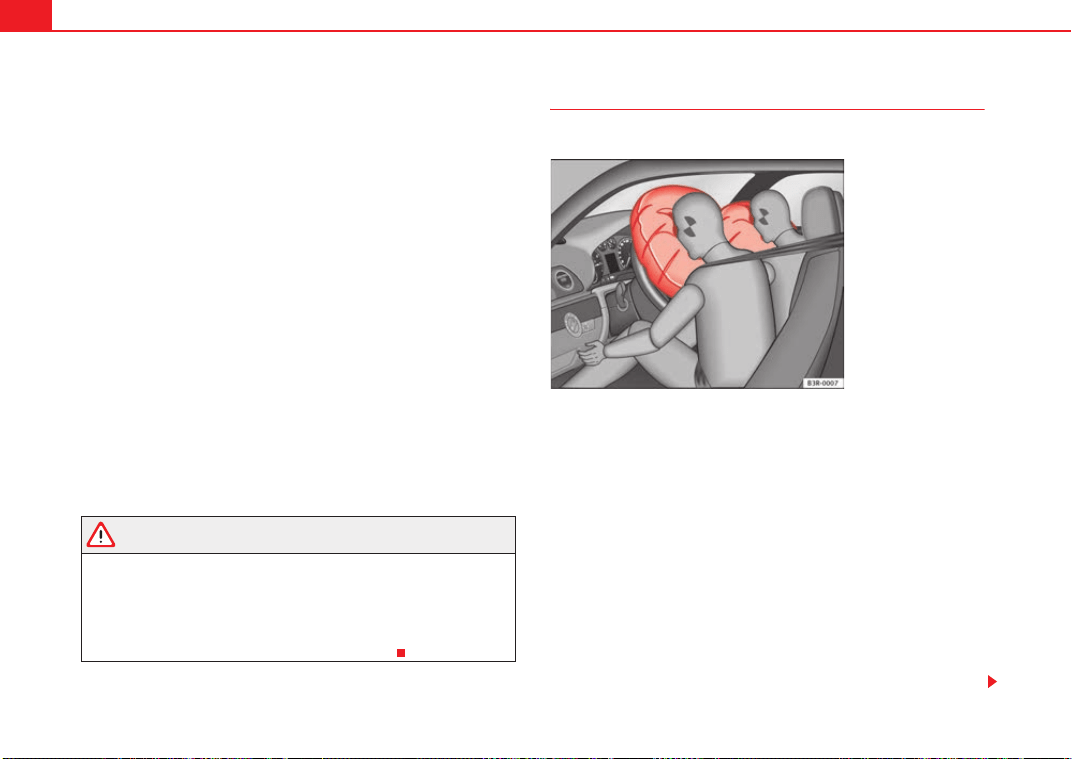
deploy in front of the driver and front passenger ⇒ fig. 19. The fully deployed
airbags cushion the forward movement of the front occupants and help to
reduce the risk of injury to the head and the upper part of the body.
The special design of the airbag allows the controlled escape of the propel-
lant gas when an occupant puts pressure on the bag. Thus, the head and
chest are surrounded and protected by the airbag. After the collision, the
airbag deflates sufficiently for the front occupants to see forward.
In order to provide the desired extra protection in an accident, the airbags
have to deploy extremely rapidly (within thousandth of a second). A fine dust
Fig. 19 Inflated front
airbags
Exeo_EN.book Seite 32 Freitag, 28. August 2009 10:14 10
Airbag system 33
Safety First Controls and equipment Practical tips Technical Data
may develop when the airbag deploys. This is normal and it is not an indica-
tion of fire in the vehicle.
Airbag covers when the frontal airbags are triggered
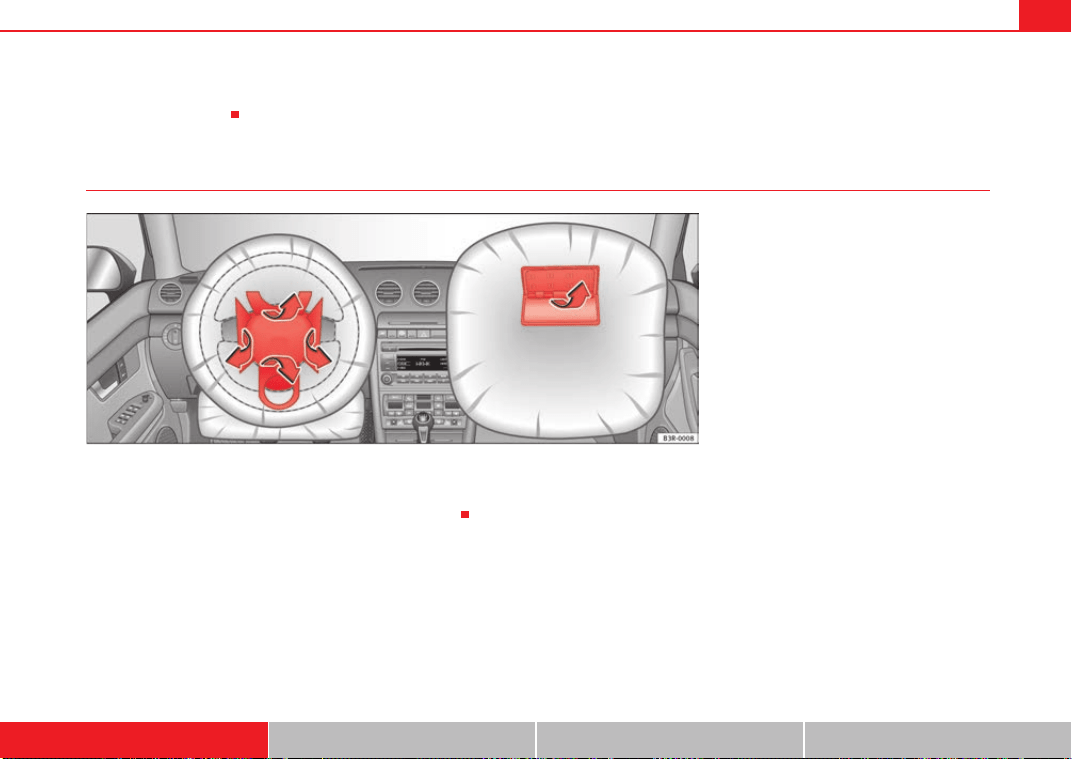
The airbag covers fold out of the steering wheel or instrument panel when the
driver's and front passenger's airbags are triggered ⇒ fig. 20. The airbag
covers remain connected to the steering wheel or the dash panel.
Fig. 20 Airbag covers reacting when the front airbags
are triggered
Exeo_EN.book Seite 33 Freitag, 28. August 2009 10:14 10
Airbag system34
Safety notes on the frontal airbag system
If you use airbags correctly, they can considerably reduce the
risk of injury in many kinds of accident.
WARNING
• It is important for the driver and front passenger to keep a distance of
at least 25 cm from the steering wheel or dash panel. If the minimum
distance is not observed then the airbags do not correctly protect the
vehicle occupants; risk of fatal injuries! In addition, the front seats and
head restraints must always be positioned correctly for the height of the
occupant.
• If you are not wearing a seat belt, if you lean forward or to the side while
travelling or assume an incorrect sitting position, there is a substantially
increased risk of injury. This increased risk of injury will be further
increased if you are struck by an inflating airbag.
• Never let a child travel on the front seat without an appropriate restraint
system. If the airbag is triggered in an accident, children can sustain
serious or fatal injuries from the airbag as it inflates ⇒ page 46, “Child
safety”.
• The deployment space between the front passengers and the airbags
must not in any case be occupied by other passenger, pets and objects.
• The airbags provide protection for just one accident; replace them once
they have deployed.
• It is also important not to attach any objects such as cup holders or
telephone mountings to the surfaces covering the airbag units.
• Do not attempt to modify components of the airbag system in any
way.
Knee airbag
Description of the knee airbag
The airbag system provides additional protection to front seat
passengers if they are properly secured.
The knee airbag for the driver is located in the instrument panel underneath
the steering wheel ⇒ fig. 21.
The knee airbag offers additional protection to the driver's knees and upper
and lower thigh areas as a supplement to the safety belts.
If the front airbags deploy, the knee airbag also deploys in severe frontal colli-
sions ⇒ page 32.
Besides their normal safety function, safety belts help keep the driver in posi-
tion in case of a frontal collision so that the airbags can provide protection.
The airbag system is not a substitute for seat belts. It is, on the other hand,
part of the overall occupant safety system of your vehicle. Always remember
Fig. 21 Driver's knee
airbag
Exeo_EN.book Seite 34 Freitag, 28. August 2009 10:14 10
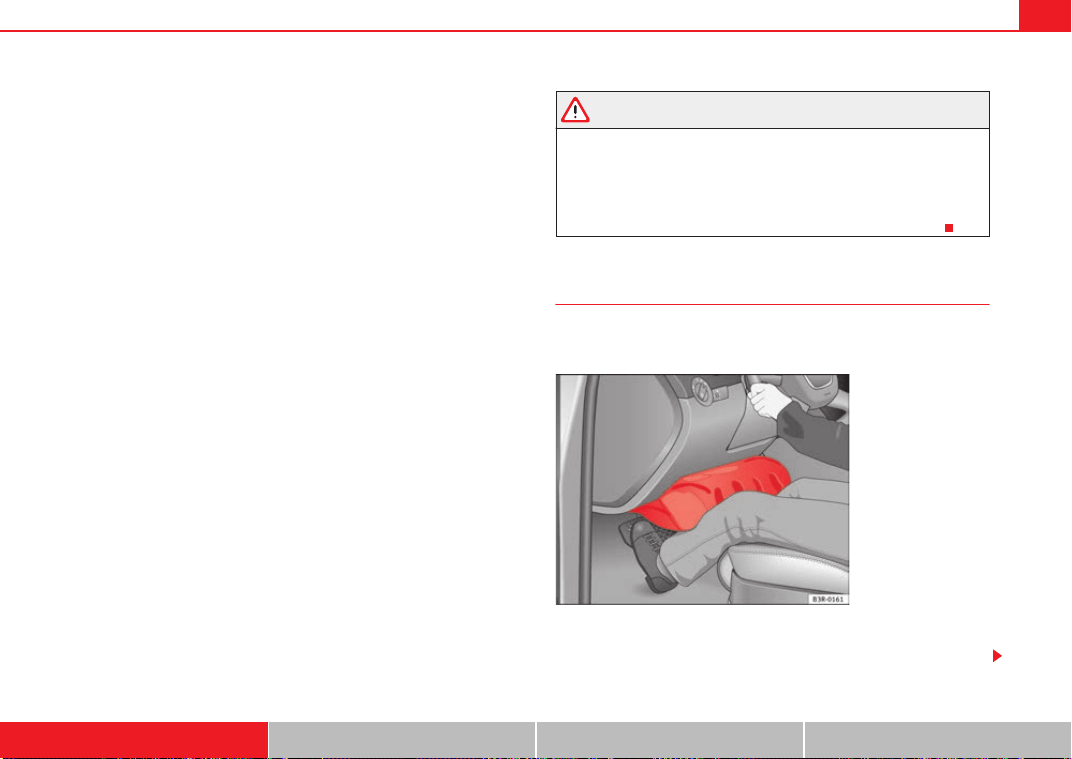
Airbag system 35
Safety First Controls and equipment Practical tips Technical Data
that the airbag system can only help to protect you if you are wearing your
safety belt and wearing it properly.
Remember too that airbags will deploy only once and only in certain kinds of
accidents - your safety belts are always there to offer protection in those acci-
dents in which airbags are not supposed to deploy or when they have already
deployed, for example when your vehicle strikes or is struck by another after
the first collision.
This is just one of the reasons why an airbag is not a substitute for the safety
belt. The airbag system works most effectively when used with the safety
belts. Therefore, always wear your safety belts correctly.
It is important to remember that while the supplemental airbag system is
designed to reduce the likelihood of serious injuries, other injuries, for
example, swelling, bruising, and minor abrasions can also be associated with
airbags.
The knee airbag system basically consists of:
• The electronic control module
• One inflatable airbag (airbag and gas generator) for the driver
• An airbag indicator light in the instrument panel
The knee airbag system will not deploy:
• when the ignition is turned off
• in frontal collisions when the deceleration measured by the control unit is
too low
• in side collisions
• in rear-end collisions
• in rollovers
• in the event of a system malfunction (warning/indicator light illuminated)
⇒ page 65.
WARNING
• Safety belts and the airbag system can only provide protection when
occupants are in the proper seating position.
• If the airbag indicator light comes on when the vehicle is being used,
have the system inspected immediately by your Authorised Service Centre.
The airbag may not work properly when the vehicle acceleration in a side
collision is high enough to deploy the airbag. See also ⇒ page 65.
How knee airbags work
The risk of injury to the leg area is reduced by fully deployed
knee airbags.
The knee airbag system has been designed so that the airbag for the driver is
deployed in certain but not all frontal collisions.
Fig. 22 Inflated airbags
protect in a frontal colli-
sion.
Exeo_EN.book Seite 35 Freitag, 28. August 2009 10:14 10
Airbag system36
If the front airbag deploys, the knee airbag also deploys in severe frontal colli-
sions.
When the system is deployed, the airbag starts to fill with a propellant gas,
and inflates between the lower part of the instrument panel and the driver
⇒ page 35, fig. 22.
Although they are not a soft pillow, they can “cushion” the impact and in this
way they can help to reduce the risk of injury to the lower extremities.
All this takes place instantaneously, so fast that many people do not even
realize that the airbags have deployed. The airbags also inflate with a great
deal of force and it is important for occupant safety that nothing should be in
their way when they deploy.
Fully inflated airbags in combination with properly worn safety belts slow
down and limit the occupant's forward movement and help to reduce risk.
Important safety notes on the knee airbag system
Airbags are only supplemental restraints.
Always wear safety belts correctly and drive in a proper seated position. There
is a lot that you and your passengers must know and do to help the safety
belts and airbags to provide supplementary protection.
WARNING
An inflating knee airbag can cause serious injury. Wearing safety belts
incorrectly and improper seating positions increase the risk of serious
personal injury and death whenever a vehicle is being used.
• The airbag system cannot protect you properly if you are seated too
close to any of the airbag locations. When adjusting their seating posi-
tions, it is important for drivers to keep their upper bodies and knees to the
following minimum safe distances:
− 25 cm between the chest and the steering wheel/instrument panel.
− 10 cm between the knees and the lower part of the instrument panel.
• The risk of personal injury increases if you lean forward or to the side,
or if the seat is improperly positioned and you are not wearing your safety
belt. The risk increases even more should the airbag deploy.
• Always make sure that the knee airbag can inflate without interference.
Objects between yourself and the airbag can increase the risk of injury in
an accident by interfering with the way the airbag deploys or by being
thrust into you as the airbag deploys.
− No objects of any kind should be carried in the footwell area in front
of the driver's seat. Bulky objects (shopping bags, for example) can
hinder or prevent proper deployment of the airbag. Small objects can
be thrown through the vehicle if the airbag deploys and injure you or
your passengers.
• Make sure there are no cracks, deep scratches or other damage in the
area of the instrument panel where the knee airbag is located.
• If children are incorrectly seated, their risk of injury increases in the
case of an accident ⇒ page 46.
WARNING (continued)
Exeo_EN.book Seite 36 Freitag, 28. August 2009 10:14 10
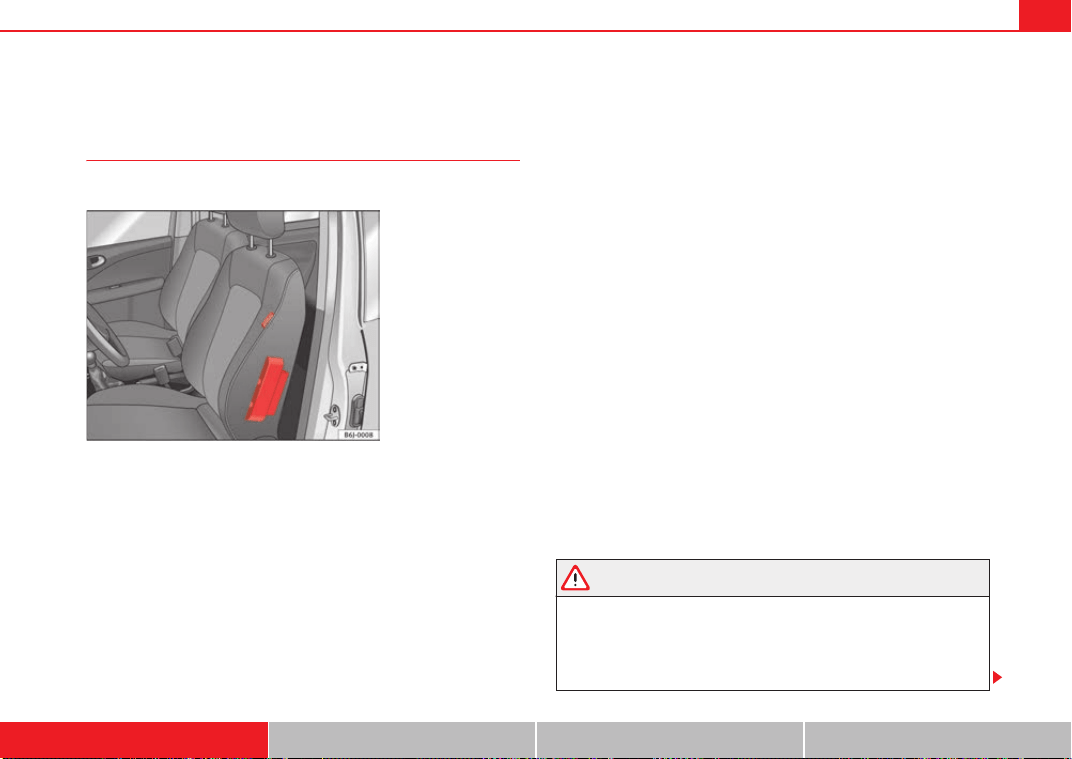
Airbag system 37
Safety First Controls and equipment Practical tips Technical Data
Side airbags*
Description of side airbags
The airbag system is not a substitute for the seat belts.
The front side airbags are located in the driver's seat and front passenger's
seat backrests ⇒ fig. 23. The rear side airbags are located in the rear wheel
housing lining. The locations are identified by the text “AIRBAG” in the upper
region of the backrests and in the rear wheel housing lining.
Together with the seat belts, the side airbag system gives the front seat occu-
pants additional protection for the upper body in the event of a severe side
collision ⇒ page 40, “Safety notes on the operation of the side airbag
system”.
In a side collision, the side airbags reduce the risk of injury to passengers on
the front seats to the areas of the body facing the impact. In addition to their
normal function of protecting the occupants in a collision, the seat belts also
hold the passengers in the front seats and the outer rear seats in a position
where the side airbags can provide maximum protection.
The airbag system is not a substitute for seat belts, but it is an integral part
of the vehicle's overall passive safety system. Please bear in mind that the
airbag system can only work effectively when the occupants are wearing their
seat belts. Therefore, it is most important to wear the seat belts at all times,
not only because this is required by law in most countries, but also for your
safety ⇒ page 18, “Brief introduction”.
The side airbag system will not be triggered if:
• the ignition is switched off,
• there is a minor side collision,
• there is a frontal collision,
• there is a rear-end collision,
• the vehicle turns over.
The main parts of the airbag system are:
• an electronic control and monitoring system (control unit),
• The front side airbags in the backrests of the front seats and the rear side
airbags in the lining of the rear wheel housing.
• a warning lamp in the dash panel insert ⇒ page 29.
The airbag system operation is monitored electronically. The airbag warning
lamp will light up for approx. 4 seconds every time the ignition is switched on
(self-diagnosis).
WARNING
• In a side-on collision, the side airbags will not work, if the sensors do
not correctly measure the pressure increase on the interior of the doors,
due to air escaping through the areas with holes or openings in the door
panel.
• Never drive the vehicle if the interior panels have been removed.
Fig. 23 Side airbag in
driver seat
Exeo_EN.book Seite 37 Freitag, 28. August 2009 10:14 10
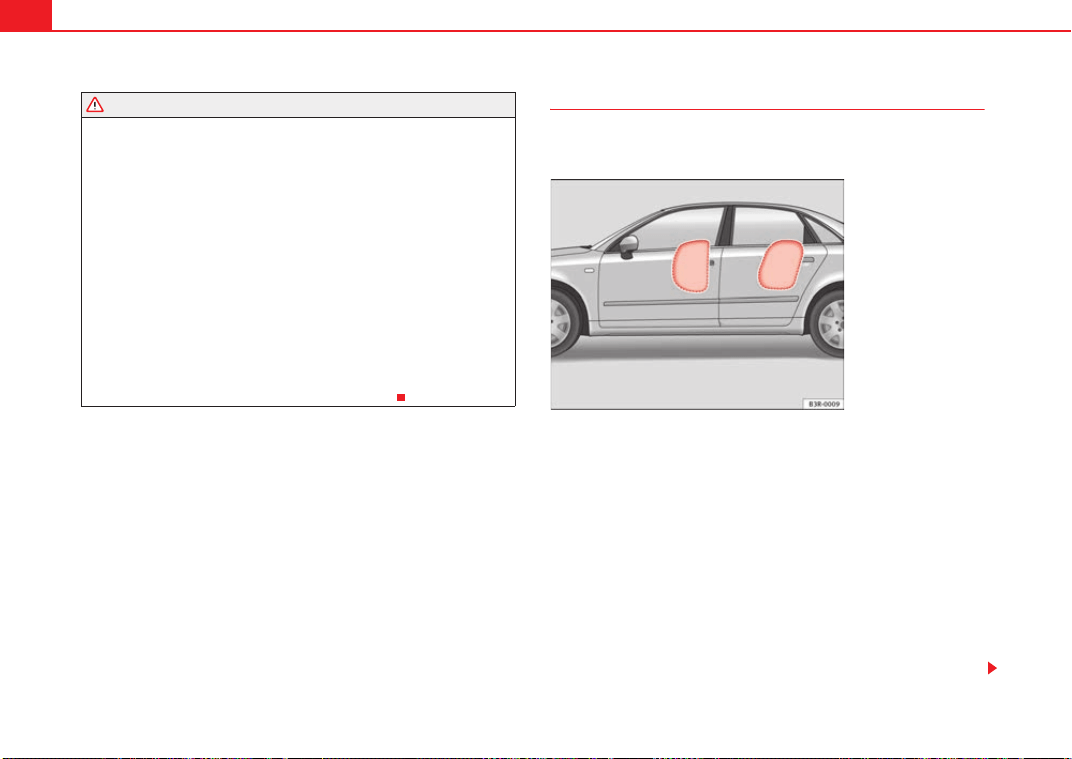
Airbag system38
• Never drive if the interior door panels have been removed or if the
panels have not been correctly fitted.
• Never drive the vehicle if the loudspeakers in the door panels have
been removed, unless the holes left by the loudspeakers have been
correctly closed.
• Always check that the openings are closed or covered if loudspeakers
or other equipment are fitted in the interior door panels.
• Any work carried out to the doors should be made in a qualified author-
ised workshop.
• The seat belts and airbags can only provide maximum protection if the
occupants are seated correctly ⇒ page 10, “Proper sitting position for
occupants”.
• If a fault has occurred in the airbag system, have the system checked
immediately by a qualified workshop. Otherwise, during a side collision,
the system may fail to trigger, or not trigger correctly.
Function of side airbags
Inflated airbags can reduce the risk of head or chest injury in
many side impact collisions.
In some side collisions, the side airbag is triggered on the impact side of the
vehicle ⇒ fig. 24.
In certain types of accident the front, curtain and side airbags may be trig-
gered together.
When the system is triggered, the airbag is filled with propellant gas.
In order to provide the desired extra protection in an accident, the airbags
have to deploy extremely rapidly (within thousandth of a second). A fine dust
may develop when the airbag deploys. This is normal and it is not an indica-
tion of fire in the vehicle.
The fully deployed airbags cushion the movement of the occupants of the
front seats and the outer rear seats and help to reduce the risk of injury to the
upper body.
WARNING (continued)
Fig. 24 Inflated side
airbag on left side of
vehicle
Exeo_EN.book Seite 38 Freitag, 28. August 2009 10:14 10

Airbag system 39
Safety First Controls and equipment Practical tips Technical Data
The special design of the airbag allows the controlled escape of the propel-
lant gas when an occupant puts pressure on the bag. Thus, the head and
chest are surrounded and protected by the airbag.
Exeo_EN.book Seite 39 Freitag, 28. August 2009 10:14 10
Airbag system40
Safety notes on the operation of the side airbag system
If airbags are used correctly, they can considerably reduce the
risk of injury in side impact collisions.
WARNING
• If you do not wear a seat belt, if you lean forward, or are not seated
correctly while the vehicle is in motion, you are at a greater risk of injury if
the side airbag system is triggered in an accident.
• In order for the side airbags to provide their maximum protection, the
prescribed sitting position must always be maintained with seat belts
fastened while travelling.
• Occupants of the outer seats must never carry any objects or pets in the
deployment space between them and the airbags, or allow children or
other passengers to travel in this position. It is also important not to attach
any accessories (such as cup holders) to the doors. This would impair the
protection offered by the side airbags.
• The built-in coat hooks should be used only for lightweight clothing. Do
not leave any heavy or sharp-edged objects in the pockets.
• Great forces, such as hard blows or kicks, must not be exerted upon the
backrest bolster because the system may be damaged. In this case, the
side airbags would not be triggered.
• Under no circumstances should protective covers be fitted over the
driver seat or front passenger seat unless the covers have been expressly
approved for use in your vehicle. Because the airbag is triggered from the
side of the backrest, the use of non-approved seat covers would obstruct
the side airbag, seriously reducing the airbag's effectiveness ⇒ page 214,
“Accessories, replacement of parts and modifications”.
• Any damage to the original seat upholstery or around the seams of the
side airbag units must be repaired immediately by a qualified workshop.
• The airbags provide protection for just one accident; replace them once
they have deployed.
• When children assume an incorrect sitting position, they expose them-
selves to an increased risk of injury in the event of an accident. This is
particularly the case if the child is travelling on the front passenger seat
and the airbag system is triggered in an accident; this could have critical
consequences including serious injury or death ⇒ page 46, “Child safety”.
• Any work on the side airbag system or removal and installation of the
airbag components for other repairs (such as removal of the front seat)
should only be performed by a qualified workshop. Otherwise, faults may
occur during the airbag system operation.
• Do not attempt to modify components of the airbag system in any way.
• The side and head airbags are managed through sensors located in the
interior of the front doors. To ensure the correct functioning of the side and
head airbags neither the doors nor the door panels should be modified in
any way (e.g. fitting loudspeakers). If the front door is damaged, the airbag
system may not work correctly. All work carried out on the front door must
be made in a qualified workshop.
WARNING (continued)
Exeo_EN.book Seite 40 Freitag, 28. August 2009 10:14 10
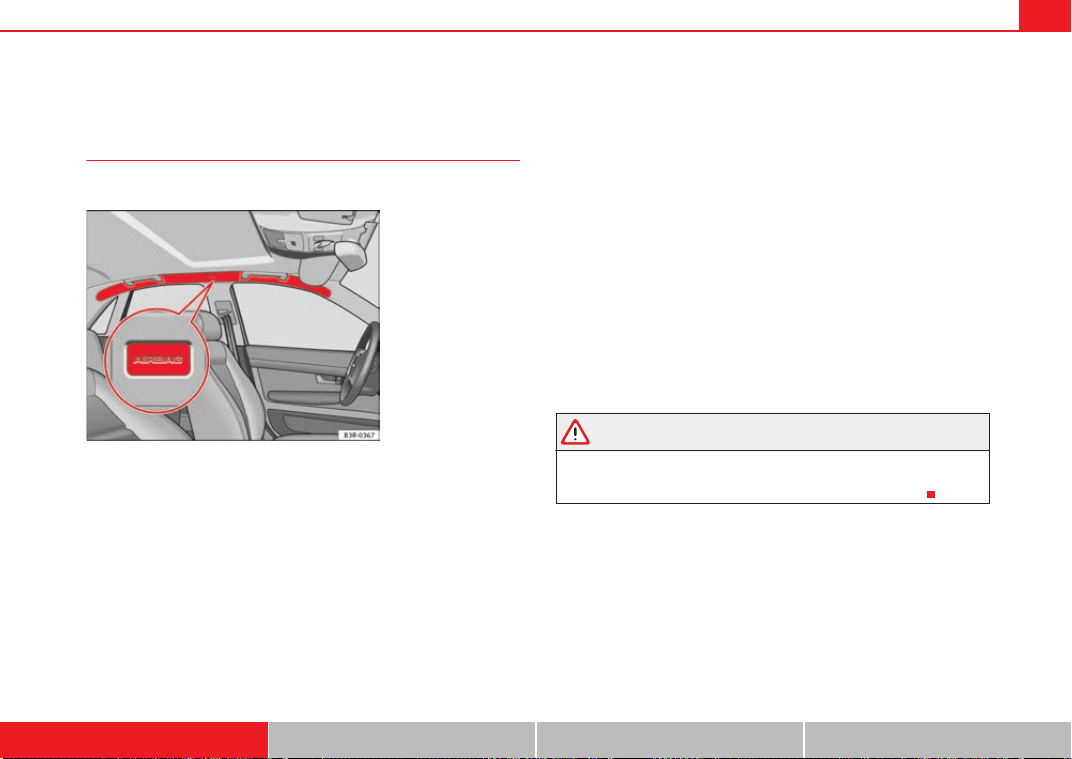
Airbag system 41
Safety First Controls and equipment Practical tips Technical Data
Curtain airbags
Description of curtain airbags
The airbag system is not a substitute for the seat belts.
The curtain airbags are located on both sides in the interior above the doors
⇒ fig. 25 and are identified with the text “AIRBAG”.
In conjunction with the seat belts, the curtain airbag system gives the occu-
pants additional protection for the head and upper body in the event of a
severe side collision ⇒ page 42, “Safety notes on the operation of the
curtain airbag system”.
The airbag system is not a substitute for seat belts, but it is an integral part
of the vehicle's overall passive safety system. Please bear in mind that the
airbag system can only work effectively when the occupants are wearing their
seat belts correctly and have adjusted the head restraints properly. Therefore,
it is most important to wear the seat belts at all times, not only because this
is required by law in most countries, but also for your safety ⇒ page 18,
“Brief introduction”.
The main parts of the curtain airbag system are:
• an electronic control and monitoring system (control unit),
• the curtain airbags (airbags with gas generator) for the driver, front
passenger and passengers on the rear seats,
• a warning lamp in the dash panel insert ⇒ page 29.
The airbag system operation is monitored electronically.
The curtain airbag system will not be triggered
• the ignition is switched off,
• there is a frontal collision,
• there is a rear-end collision,
• if the vehicle rolls,
• during a minor side collision,
WARNING
If a fault has occurred in the airbag system, have the system checked imme-
diately by a qualified workshop. Otherwise there is a danger that during a
collision, the system may fail to trigger, or not trigger correctly.
Fig. 25 Location of left
curtain airbag
Exeo_EN.book Seite 41 Freitag, 28. August 2009 10:14 10
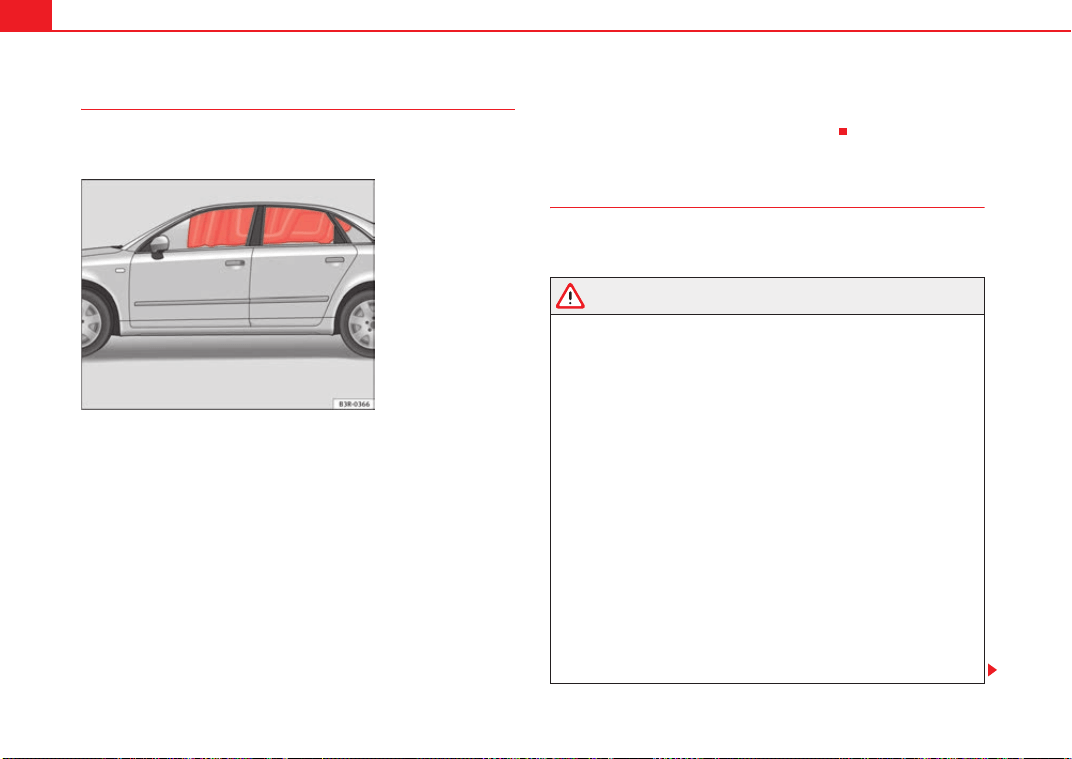
Airbag system42
Function of curtain airbags
Fully inflated airbags reduce the risk of head or chest injury in
a side collision.
During some side collisions the curtain airbag is triggered on the impact side
of the vehicle ⇒ fig. 26.
In certain types of accident the front, side and curtain airbags may be trig-
gered together.
When the system is triggered, the airbag is filled with propellant gas. In the
process, the curtain bag covers the side windows and door pillars.
In order to provide the desired extra protection in an accident, the airbags
have to deploy extremely rapidly (within thousandth of a second). A fine dust
may develop when the airbag deploys. This is normal and it is not an indica-
tion of fire in the vehicle.
The fully deployed airbags cushion the movement of the front occupants and
help to reduce the risk of injury to the upper body.
The special design of the airbag allows the controlled escape of the propel-
lant gas when an occupant puts pressure on the bag. Thus, the head and
chest are surrounded and protected by the airbag.
Safety notes on the operation of the curtain airbag system
If you use airbags correctly, they can considerably reduce the
risk of injury in many kinds of accident.
WARNING
• In order for the side airbags to provide their maximum protection, the
prescribed sitting position must always be maintained with seat belts
fastened while travelling.
• For safety reasons, the head air bag must be disconnected in those
vehicles fitted with a passenger compartment separation screen. See an
Authorised Service Centre to make this adjustment.
• There must be no other persons, animals or objects between the occu-
pants of the outer seats and the deployment space of the curtain airbags
so that the curtain airbag can deploy without restriction and provide the
greatest possible protection. Therefore, sun blinds which have not been
expressly approved for use in your vehicle may not be attached to the side
windows ⇒ page 214, “Accessories, replacement of parts and modifica-
tions”.
• The built-in coat hooks should be used only for lightweight clothing. Do
not leave any heavy or sharp-edged objects in the pockets. Please, do not
hang the clothes on coat hangers.
• The airbags provide protection for just one accident; replace them once
they have deployed.
• Any work on the curtain airbag system or removal and installation of
the airbag components for other repairs (such as removal of the roof lining)
Fig. 26 Deployed curtain
airbags
Exeo_EN.book Seite 42 Freitag, 28. August 2009 10:14 10
Airbag system 43
Safety First Controls and equipment Practical tips Technical Data
should only be performed by a qualified workshop. Otherwise, faults may
occur during the airbag system operation.
• Do not attempt to modify components of the airbag system in any way.
• The side and head airbags are managed through sensors located in the
interior of the front doors. To ensure the correct functioning of the side and
head airbags neither the doors nor the door panels should be modified in
any way (e.g. fitting loudspeakers). If the front door is damaged, the airbag
system may not work correctly. All work carried out on the front door must
be made in a qualified workshop.
WARNING (continued)
Exeo_EN.book Seite 43 Freitag, 28. August 2009 10:14 10
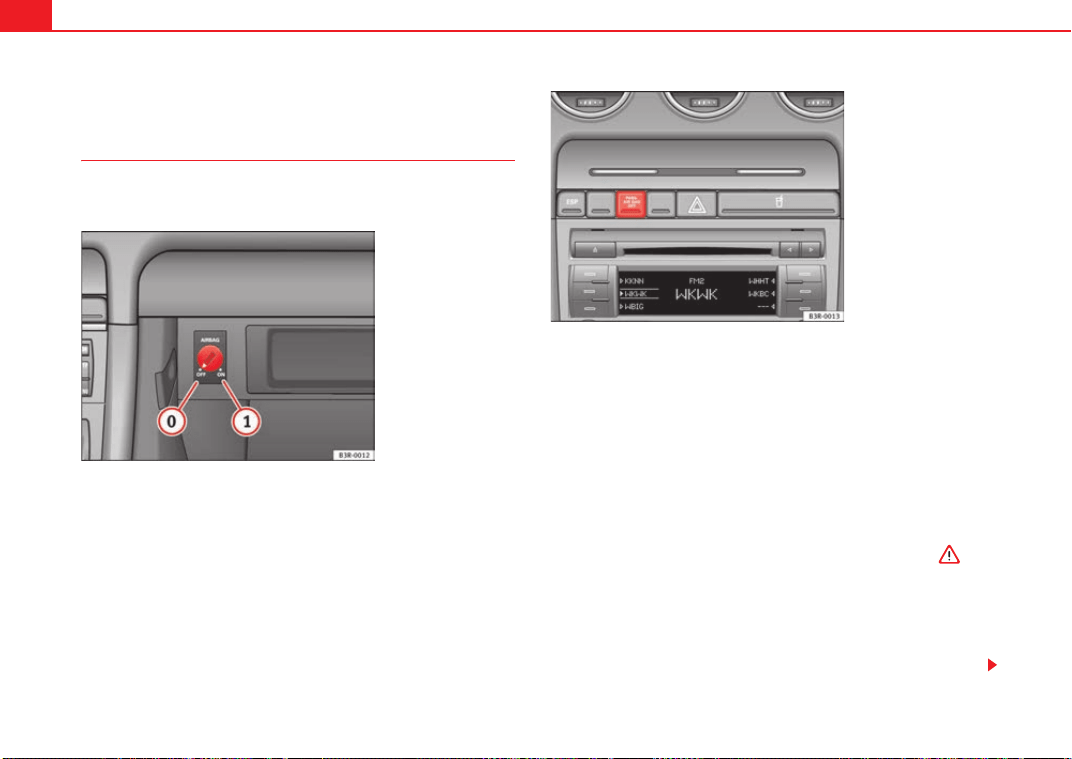
Airbag system44
Deactivating airbags*
Disabling front passenger airbag
If you fit a rear-facing child seat to the front passenger seat,
the front passenger airbag must be de-activated.
When the passenger airbag is deactivated, this means that only the
frontal airbag is deactivated. All the other airbags in the vehicle
remain functional.
Disabling front passenger airbag
– Switch the ignition off.
– Turn the ignition switch in the key-operated switch in the glove
compartment to position OFF ⇒ fig. 27.
– Check that the warning lamp “OFF” on the instrument panel
⇒ fig. 28 remains lit when the ignition is switched on ⇒ .
Enabling front passenger airbag
– Switch the ignition off.
– Turn the ignition switch in the key-operated switch in the glove
compartment to position ON ⇒ fig. 27.
Fig. 27 In the glovebox:
key for enabling and disa-
bling front passenger
airbag
Fig. 28 Warning lamp for
deactivated passenger
airbag in centre console
A
0
A
1
Exeo_EN.book Seite 44 Freitag, 28. August 2009 10:14 10
Airbag system 45
Safety First Controls and equipment Practical tips Technical Data
– Check that the warning lamp on the instrument panel does
⇒ page 44, fig. 28 not light up when the ignition is switched on
⇒ .
WARNING
• The driver is responsible for the proper position of the key-operated
switch.
• You should only deactivate the front passenger airbag when, in excep-
tional cases, you have to use a rear-facing child seat ⇒ page 46, “Child
safety”
• Never install a child seat facing backwards (or rear-facing) on the front
passenger seat unless the front passenger airbag has been disabled. This
represents a risk of fatal injuries to the child! However, if it is necessary in
exceptional circumstances to transport a child in a rear-facing child seat on
the front passenger seat, you must always disable the front passenger
airbag.
• As soon as the child seat is no longer needed on the front passenger
seat, enable the front passenger airbag again.
• Only deactivate the passenger airbag when the ignition is off, other-
wise a fault may occur in the airbag system, this will create a danger that
in case of an accident, the airbag does not deploy properly or does not
deploy at all.
• When the passenger airbag is deactivated, if the warning lamp AIRBAG
OFF is not continuously lit up when the front passenger airbag is disabled,
there may be a fault in the airbag system:
− Have the airbag system inspected immediately by a qualified work-
shop.
− Do not use a child seat on the front passenger seat! The front
passenger airbag could be triggered despite the fact that there is a fault
in the system and, as a result, a child could sustain serious or fatal inju-
ries.
− It is predictable whether the front passenger airbag will deploy
during an accident! Warn all your passengers of this.
• When using the ignition key to activate / deactivate the passenger front
airbag, only the passenger front airbag will be activated / deactivated. The
side airbag and head airbag on the passenger side will remain active.
WARNING (continued)
Exeo_EN.book Seite 45 Freitag, 28. August 2009 10:14 10
Child safety46
Child safety
Brief introduction
Introduction
Statistics show that children are generally safer on the rear
seat than on the front passenger seat.
We recommend that children under 12 years of age are transported on the
rear seats. Children travelling on the rear seat must use a child restraint
system or the seat belts provided, depending on their age, height and
weight. It is advisable that children always travel in the rear seats, the rear
central position being the safest seat, since the risk of injuries in a side colli-
sion is diminished.
The physical laws involved and the forces acting in a collision apply also to
children ⇒ page 19, “Why wear seat belts?”. But unlike adults, children do
not have muscle and bone structures fully developed. This means that chil-
dren are subject to a greater risk of injury.
To reduce this risk, children must always use special child restraint systems
when travelling in the vehicle.
We recommend the use of child safety products from the SEAT Genuine Acces-
sories Program, which includes systems for all ages made by “Peke”
1)
.
These systems have been especially designed and approved, complying with
the ECE-R44. regulation.
Follow the manufacturer's instructions and observe any statutory require-
ments when installing and using child seats. Always read and note
⇒ page 46, “Safety notes on using child seats”.
We recommend you to include together with the on-board documentation,
the manufacturer's Child Seat instructions manual.
Safety notes on using child seats
Proper use of child seats substantially reduces the risk of
injury in an accident!
As the driver, you are responsible for any children you transport in
your vehicle.
– Protect your children by properly using appropriate child seats
⇒ page 48.
– Always ensure that the belt webbing is properly positioned
according to the instructions provided by the manufacturer of the
child seat.
– When travelling, do not allow children to distract you from traffic.
– Take breaks regularly during long trips. Take a break at least
every two hours.
WARNING
• Never install a child seat facing backwards (or rear-facing) on the front
passenger seat unless the front passenger airbag has been disabled. This
could lead to a risk of potentially fatal injuries to the child! However, if it is
necessary, in exceptional cases, to transport a child in the front passenger
seat, the front passenger airbag must always be disabled ⇒ page 44,
1)
Not for all countries
Exeo_EN.book Seite 46 Freitag, 28. August 2009 10:14 10
Child safety 47
Safety First Controls and equipment Practical tips Technical Data
“Deactivating airbags*”. If the passenger seat has a height adjustment
option, move it to the highest position.
• For those vehicles that do not include a key lock switch to turn the
airbag off, an Authorised Service Centre must be consulted.
• All passengers, especially children, must assume the proper sitting
position and be properly belted in while travelling.
• Never hold children or babies on your lap, this can result in potentially
fatal injuries to the child!
• Never allow a child to be transported in a vehicle without being properly
secured, or to stand up or kneel on a seat while travelling. In an accident,
the child could be flung through the vehicle, causing possibly fatal injuries
to themselves and to the other passengers.
• If children assume an improper sitting position when the car is moving,
they expose themselves to greater risk of injury in the event of sudden
braking manoeuvre or in an accident. This is particularly important if the
child is travelling on the front passenger seat and the airbag system is trig-
gered in an accident; as this could cause serious injury or even death.
• A suitable child seat can protect your child!
• Never leave an unsupervised child alone on a child seat or in the
vehicle.
• Depending on weather conditions, it may become extremely hot or cold
inside the vehicle. This can be fatal.
• Children who are less than 1.5 metres tall must not wear a normal seat
belt without a child restraint system, as this could cause injuries to the
abdominal and neck areas during a sudden braking manoeuvre or in an
accident.
• Do not allow the belt webbing to become twisted or jammed, or to rub
on any sharp edges.
• Incorrectly worn seat belts can cause injuries even in a minor collision
or in sudden braking manoeuvres.
• The seat belt provides maximum protection only when the belt web is
properly positioned ⇒ page 22, “Seat belts”.
• Only one child may occupy a child seat ⇒ page 48, “Child seats”.
WARNING (continued) WARNING (continued)
Exeo_EN.book Seite 47 Freitag, 28. August 2009 10:14 10
Child safety48
Child seats
Categorisation of child seats into groups
Use only child seats that are officially approved and suitable
for the child.
Child seats are subject to the regulation ECE-R 44. ECE-R. It means that:
Economic Commission for Europe Regulation
The child seats are grouped into 5 categories:
Group 0: Children up to 10 kg
Group 0+: Children up to 13 kg
Group 1: from 9 to 18 kg
Group 2: from 15 to 25 kg
Group 3: from 22 to 36 kg
Child seats that have been tested and approved under the ECE R 44 standard
bear the test mark on the seat (the letter E in a circle with the test number
below it).
Group 0 and 0+ child seats
A suitable child seat and a correctly adjusted seat belt can
help you to protect your child.
Group 0: For babies from about 9 months old and 10 kg in weight the most
suitable seats are those appearing in the illustration ⇒ fig. 29.
Group 0+: For babies from about 18 months old and 13 kg in weight the most
suitable seats are those appearing in the illustration.
Follow the manufacturer's instructions and observe any statutory require-
ments when installing and using child seats.
We recommend you to include together with the on-board documentation,
the manufacturer's Child Seat instructions manual.
WARNING
Read and always observe information and warnings concerning the use of
child seats ⇒ in “Safety notes on using child seats” on page 46.
Fig. 29 A group 0 rear-
facing child seat fitted on
the rear seat.
Exeo_EN.book Seite 48 Freitag, 28. August 2009 10:14 10
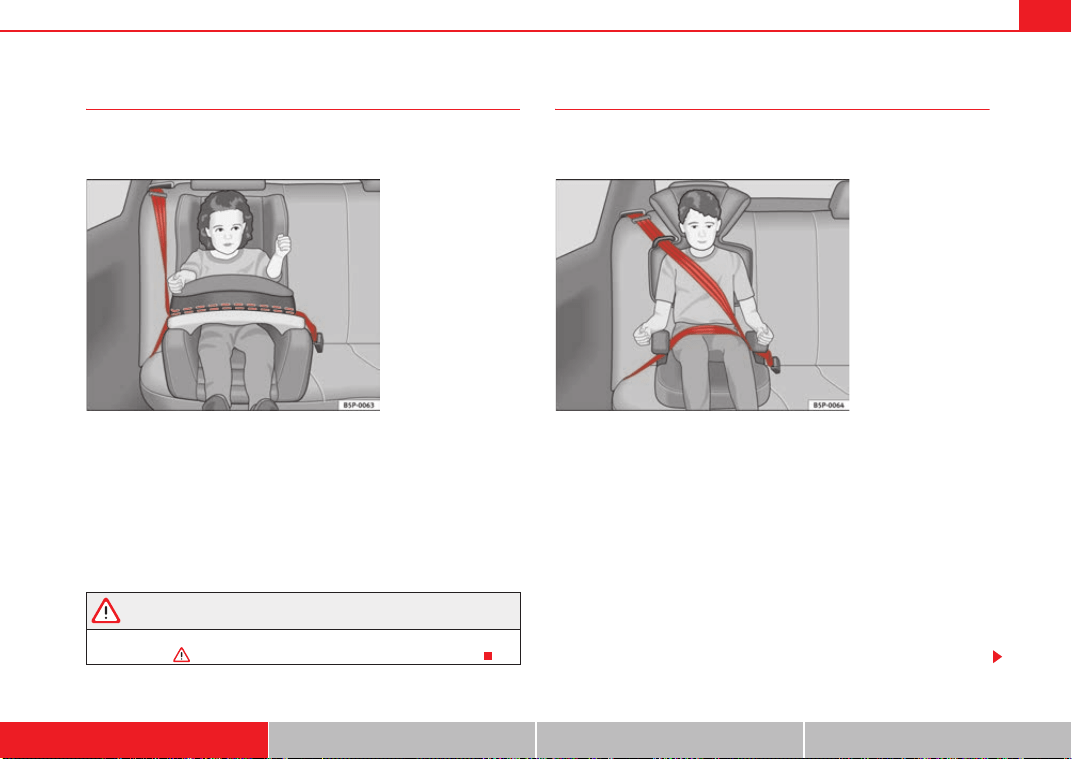
Child safety 49
Safety First Controls and equipment Practical tips Technical Data
Group 1 child seats
A suitable child seat and a correctly adjusted seat belt can
help you to protect your child.
Child seats using the “ISOFIX” system or seats in which the child faces the
rear of the car are most appropriate for babies and small children weighing
between 9 and 18 kg.
Follow the manufacturer's instructions and observe any statutory require-
ments when installing and using child seats.
We recommend you to include together with the on-board documentation,
the manufacturer's Child Seat instructions manual.
WARNING
Read and always observe information and warnings concerning the use of
child seats ⇒ in “Safety notes on using child seats” on page 46.
Group 2 and 3 child seats
A suitable child seat and a correctly adjusted seat belt can
help you to protect your child.
Follow the manufacturer's instructions and observe any statutory require-
ments when installing and using child seats.
We recommend you to include together with the on-board documentation,
the manufacturer's Child Seat instructions manual.
Group 2 child seats
Children under 7 years of age weighing between 15 and 25 kg are best
protected by group 2 child seats together with properly adjusted seat belts.
Group 3 child seats
Children over 7 years of age weighing between 22 and 36 kg but less than 1.5
metres tall are best protected by seat cushions with head restraints together
with properly worn seat belts ⇒ fig. 31.
Fig. 30 A category 1
forward-facing child seat
fitted on the rear seat.
Fig. 31 Forward-facing
child seat installed on rear
seat.
Exeo_EN.book Seite 49 Freitag, 28. August 2009 10:14 10
Child safety50
WARNING
• The shoulder part of the seat belt must lie approximately on the centre
of the shoulder, never across the neck or the arm. The seat belt must lie
close to the upper part of the body. The lap belt part must lie across the
pelvis, not across the stomach, and always fit closely. Pull the belt tight if
necessary to take up any slack ⇒ page 22, “Seat belts”.
• Read and always observe information and warnings concerning the use
of child seats ⇒ in “Safety notes on using child seats” on page 46.
Exeo_EN.book Seite 50 Freitag, 28. August 2009 10:14 10
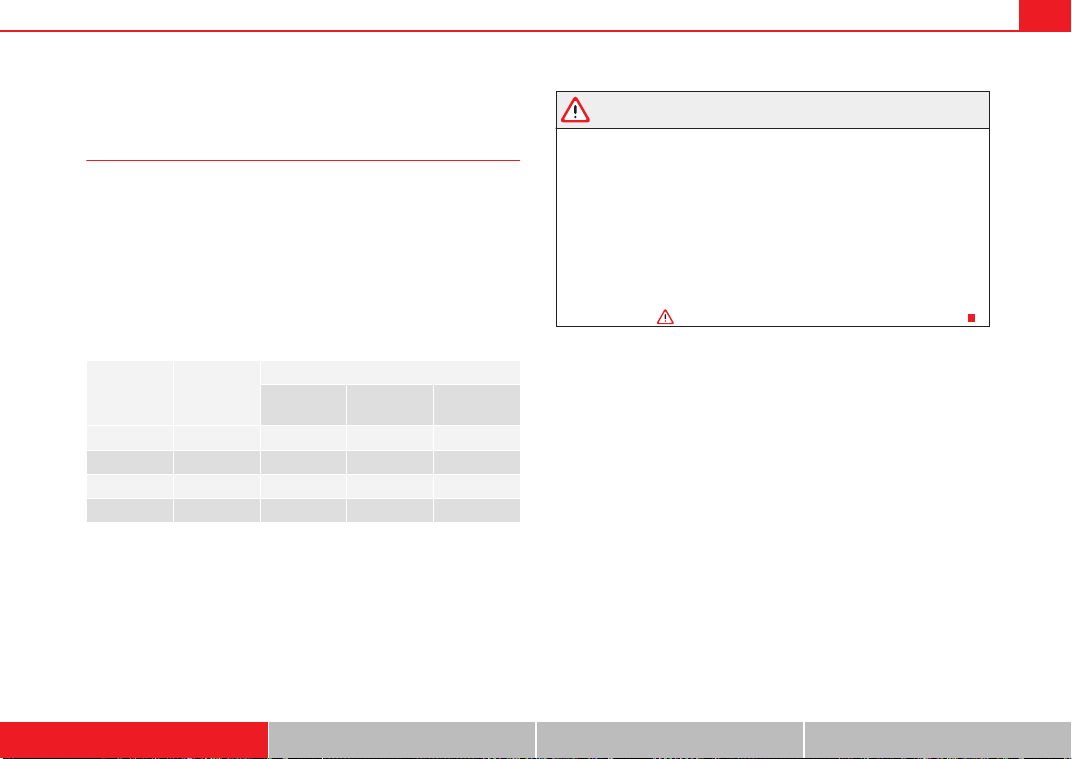
Child safety 51
Safety First Controls and equipment Practical tips Technical Data
Securing child seats
Ways to secure a child seat
A child seat can be secured differently on the rear seat and on
the front passenger seat.
You can secure a child seat to the rear seat or front passenger seat in the
following ways:
• Child seats in groups 0 to 3 can be secured with a seat belt.
• Seats for children aged 0, 0+ and 1 with the “ISOFIX” system can be
secured without fastening seat belts, using the “ISOFIX” and/or Top Tether
securing rings ⇒ page 52.
U: Suitable for universal approved restraining systems for use in this age
category (universal retention systems are those fitted using the adult
seat belt).
*: Move the passenger seat as far to rear as possible, as high as possible
and always deactivate the airbag.
L: Suitable for retention systems using the “ISOFIX” anchors.
WARNING
• When travelling, children must be secured in the vehicle with a
restraint system suitable for age, weight and size.
• Never install a child seat facing backwards (or rear-facing) on the front
passenger seat unless the front passenger airbag has been disabled. This
could cause fatal injuries to the child! However, if it is necessary, in excep-
tional cases, to transport a child in the front passenger seat, the front
passenger airbag must always be disabled ⇒ page 44, “Deactivating
airbags*” and move the seat to its highest position, in case it has this
adjustment.
• Read and always observe information and warnings concerning the use
of child seats ⇒ in “Safety notes on using child seats” on page 46.
Category Weight
Seat locations
Front
passenger
Rear outer Rear centre
Group 0 <10 kg U* U/L U
Group 0+ <13 kg U* U/L U
Group 1 9-18 kg U* U/L U
Group 2 / 3 15-36 kg U* U U
Exeo_EN.book Seite 51 Freitag, 28. August 2009 10:14 10
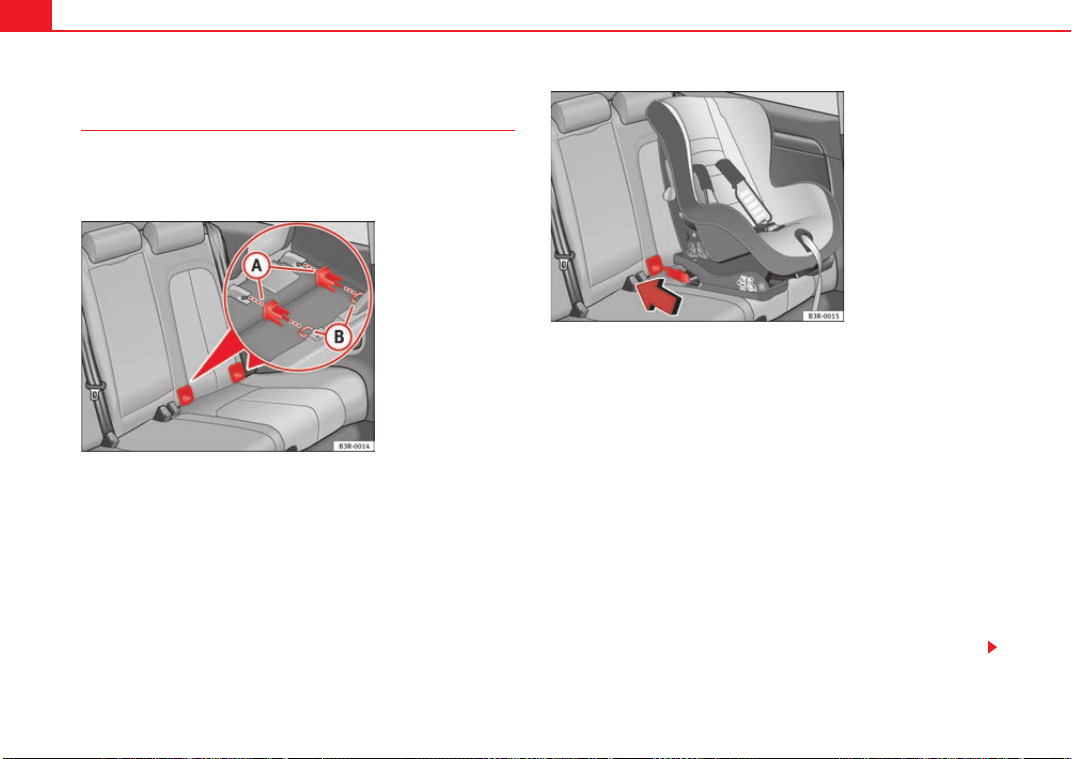
Child safety52
Child seat mounting using the “ISOFIX” and/or Top Tether
system
The child retention systems can be installed quickly and
safely on the rear seat using the “ISOFIX” and/or Top Tether
systems (fitted on the rear tray).
Following the instructions given by the child seat manufacturer
when installing and removing the seat.
– Fit the plastic guides on the vehicle's ISOFIX anchorages
between the backrest and the seat ⇒ fig. 32.
– Slide the child seat anchorages along the plastic guides until
secured in the car's ISOFIX rings (when correctly closed, you will
hear a “click” and the seat should also have a visual indicator to
confirm it is correctly secured) ⇒ fig. 33.
– Check that the ISOFIX system is correctly secured by pulling on
the child seat.
Detailed fitting instructions are supplied with the child safety seat.
Child seats with “ISOFIX” mountings are available from Dealers and specialist
retailers.
Fig. 32 Position of the
ISOFIX anchorages on the
side rear seat
Fig. 33 The ISOFIX child
seat anchorings slide
along the fitted plastic
guides until secured in
the vehicle's ISOFIX
anchorages
Exeo_EN.book Seite 52 Freitag, 28. August 2009 10:14 10
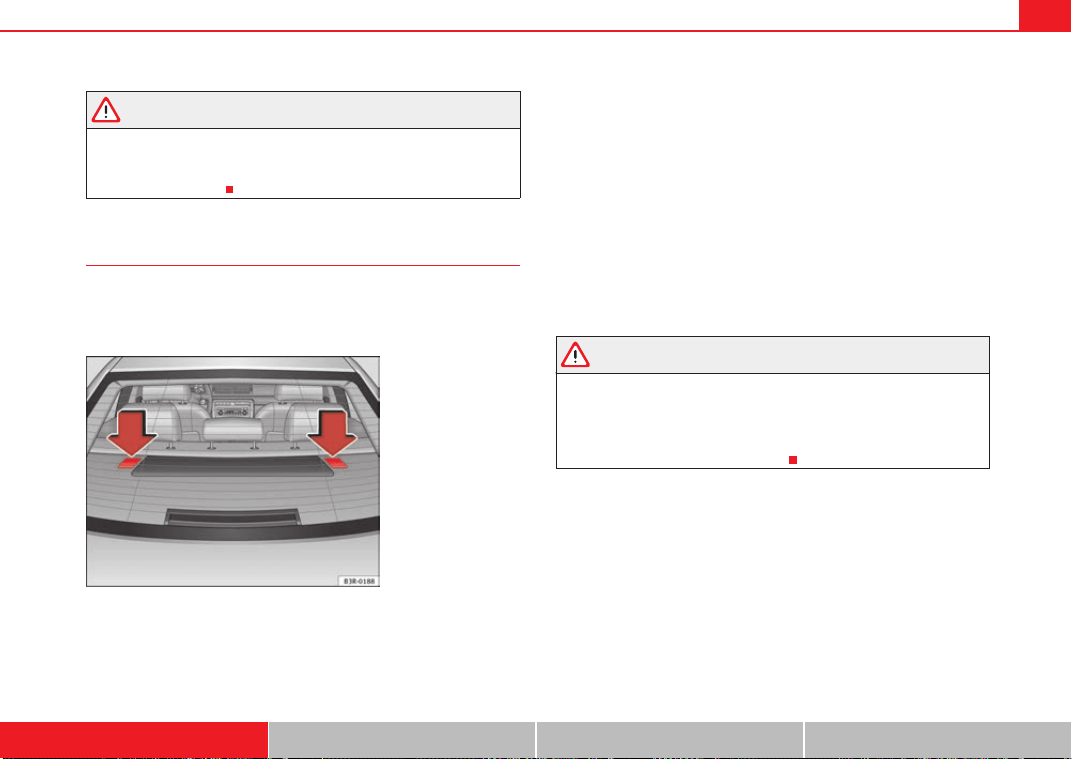
Child safety 53
Safety First Controls and equipment Practical tips Technical Data
WARNING
The retainers employed for this child safety seat are specially designed for
the “ISOFIX” system. Never secure other child seats, seat belts or other
items into the retainers. If you do, you increase the risk of sustaining
severe or fatal injuries.
Top Tether retainer straps
Some child restraint seats have a third Top Tether anchoring
point, apart from both “ISOFIX” anchoring points, which
allow better child retention.
The Top Tether system has an upper strap for attachment to the vehicle's
upper anchoring point, which is found on the rear luggage compartment
cover.
The retainer strap is used to reduce forwards movements of the safety seat in
a crash, helping reduce the risk of injuries to the head from hitting the inside
of the vehicle.
It is foreseen that an EU Directive will introduce requirements related to the
retention of child restraint systems by means of ISOFIX and Top Tether anchor-
ages (probably compulsory for new types from 2010), which will entail
improved retention of the child restraint seat and less head movement in
case of frontal collisions.
Use of retainer straps on rear-facing seats
At present there are very few rear-facing child safety seats fitted with a
retainer strap. Please carefully read and follow the safety seat manufacturer's
instructions for information on how to install the retainer strap properly.
WARNING
An undue installation of the safety seat will increase the risk of injury in the
event of a crash.
• Never tie the retainer strap to a hook in the luggage compartment.
• Never secure or tie luggage or other items to the lower anchorages
(ISOFIX) or the upper ones (Top Tether).
Fig. 34 Position of the
Top Tether rings on the
rear tray
Exeo_EN.book Seite 53 Freitag, 28. August 2009 10:14 10
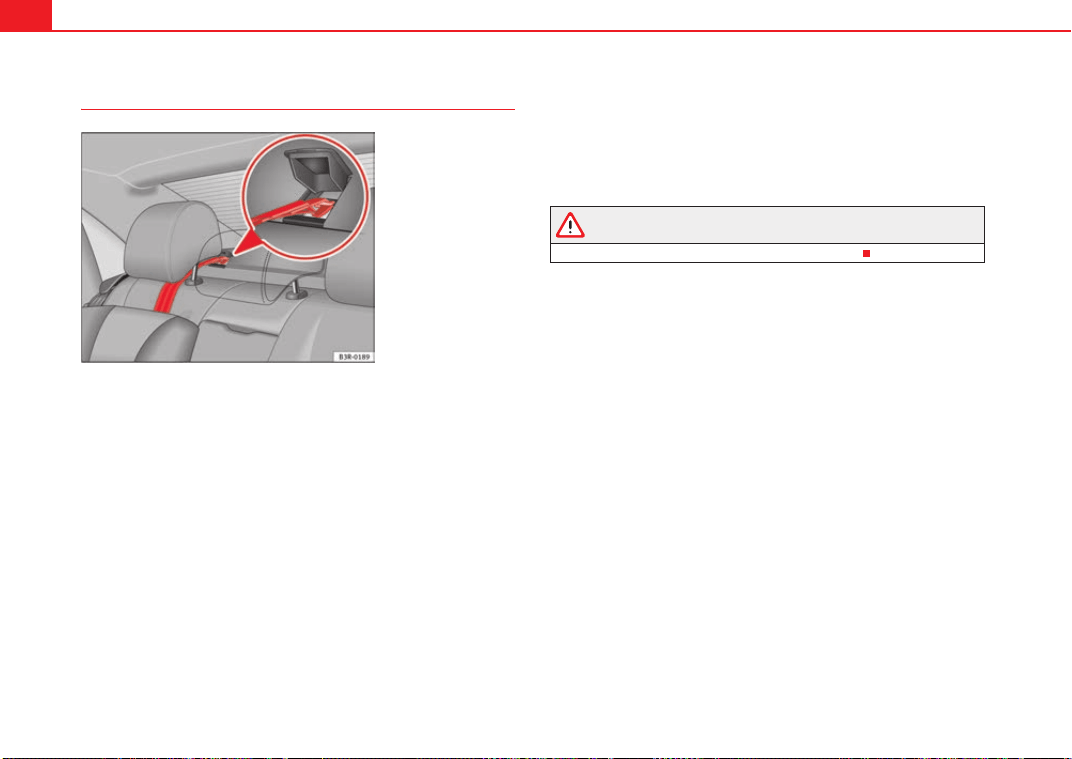
Child safety54
Fitting the Top Tether child restraint to the anchoring point
Securing the Top Tether child restraint to the anchoring point
situated on the vehicle luggage compartment cover
– Pull out the fastening belt of the child restraint seat according to
the manufacturer's instructions.
– Lead the Top Tether fastening belt under the rear seat head
restraint ⇒ fig. 35 (lift the head restraint where necessary).
– Lift the luggage compartment cover anchorage cover -see detail-
⇒ fig. 35.
– Slide the belt so that the Top Tether belt of the child restraint seat
is correctly secured to the luggage compartment cover
anchorage.
– Firmly tighten the Top Tether belt following the child restraint
seat manufacturer's instructions.
Releasing the retaining strap
– Release the retainer strap in line with the instructions given by
the child safety seat manufacturer.
– Push the lock and release it from the anchoring support.
WARNING
Read and bear in mind all the WARNINGS ⇒ page 53.
Fig. 35 Retainer strap:
correct adjustment and
fitting
Exeo_EN.book Seite 54 Freitag, 28. August 2009 10:14 10

55
Safety First Controls and equipment Practical tips Technical Data
Exeo_EN.book Seite 55 Freitag, 28. August 2009 10:14 10
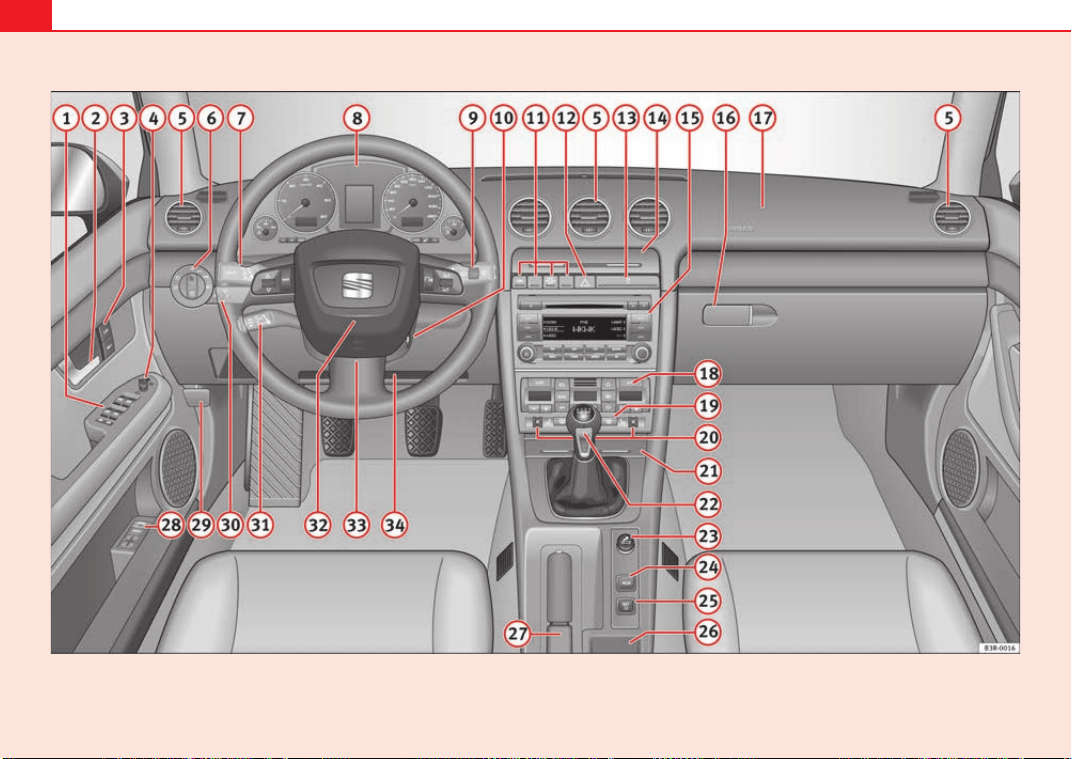
56
Fig. 36 Some of the equipment listed in this section is only fitted on certain models or are optional extras.
Exeo_EN.book Seite 56 Freitag, 28. August 2009 10:14 10

Cockpit 57
Safety First Controls and equipment Practical tips Technical Data
Controls and equipment
Cockpit
Overview
Instrument panel overview
Electric windows . . . . . . . . . . . . . . . . . . . . . . . . . . . . . . . . . . . . .
Door handle
Central locking switch . . . . . . . . . . . . . . . . . . . . . . . . . . . . . . . . .
Electric adjuster for exterior mirrors . . . . . . . . . . . . . . . . . . . . . .
Air outlets with thumbwheel . . . . . . . . . . . . . . . . . . . . . . . . . . .
Light switch . . . . . . . . . . . . . . . . . . . . . . . . . . . . . . . . . . . . . . . . .
Lever for indicators and main beam headlights . . . . . . . . . . . .
Instrument panel . . . . . . . . . . . . . . . . . . . . . . . . . . . . . . . . . . . . .
Levers and switches for:
− Windscreen wipers and washer . . . . . . . . . . . . . . . . . . . . . . .
− On-board computer . . . . . . . . . . . . . . . . . . . . . . . . . . . . . . . .
− Menu display . . . . . . . . . . . . . . . . . . . . . . . . . . . . . . . . . . . . .
Ignition lock . . . . . . . . . . . . . . . . . . . . . . . . . . . . . . . . . . . . . . . . .
Depending on equipment fitted:
− Electronic stabilisation programme (ESP) . . . . . . . . . . . . . . .
− Warning lamp indicating that front passenger's airbag has
been disabled . . . . . . . . . . . . . . . . . . . . . . . . . . . . . . . . . . . . .
− Switch for acoustic parking aid . . . . . . . . . . . . . . . . . . . . . . .
− Sun blind . . . . . . . . . . . . . . . . . . . . . . . . . . . . . . . . . . . . . . . . .
Hazard warning lights . . . . . . . . . . . . . . . . . . . . . . . . . . . . . . . . .
Drink holder . . . . . . . . . . . . . . . . . . . . . . . . . . . . . . . . . . . . . . . . .
Stowage compartments
Depending on equipment fitted: Sound system or navigation
system
Lockable glove compartment . . . . . . . . . . . . . . . . . . . . . . . . . . .
Front passenger's airbag . . . . . . . . . . . . . . . . . . . . . . . . . . . . . .
Climate control . . . . . . . . . . . . . . . . . . . . . . . . . . . . . . . . . . . . . .
Switch for heated rear window . . . . . . . . . . . . . . . . . . . . . . . . . .
Thumbwheel for seat heating . . . . . . . . . . . . . . . . . . . . . . . . . . .
Ashtray . . . . . . . . . . . . . . . . . . . . . . . . . . . . . . . . . . . . . . . . . . . . .
Manual gear lever
Cigarette lighter / Socket . . . . . . . . . . . . . . . . . . . . . . . . . . . . . .
Auxiliary socket
Tyre pressure monitoring . . . . . . . . . . . . . . . . . . . . . . . . . . . . . .
Stowage compartment
Handbrake . . . . . . . . . . . . . . . . . . . . . . . . . . . . . . . . . . . . . . . . . .
Seat memory* . . . . . . . . . . . . . . . . . . . . . . . . . . . . . . . . . . . . . . .
Bonnet lock release . . . . . . . . . . . . . . . . . . . . . . . . . . . . . . . . . .
Headlight range control . . . . . . . . . . . . . . . . . . . . . . . . . . . . . . .
− coming home and leaving home: delayed lights off and
anticipated lights on function . . . . . . . . . . . . . . . . . . . . . . . .
Lever for cruise control . . . . . . . . . . . . . . . . . . . . . . . . . . . . . . . .
Steering wheel with:
− Horn
A
1
108
A
2
A
3
100
A
4
131
A
5
161
A
6
115
A
7
122
A
8
59
A
9
128
85
87
A
10
165
A
11
68
44
169
127
A
12
121
A
13
147
A
14
A
15
A
16
151
A
17
31
A
18
156
A
19
126
A
20
163
A
21
148
A
22
A
23
148
A
24
A
25
66
A
26
A
27
168
A
28
137
A
29
220
A
30
119
118
A
31
172
A
32
Exeo_EN.book Seite 57 Freitag, 28. August 2009 10:14 10

Cockpit58
− Driver's airbag . . . . . . . . . . . . . . . . . . . . . . . . . . . . . . . . . . . .
− Controls for radio and telephone*
Adjustable steering column . . . . . . . . . . . . . . . . . . . . . . . . . . . .
Vehicle wallet compartment / knee airbag* . . . . . . . . . . . . . . .
Note
• Separate operating instructions are enclosed if the vehicle is equipped
with a factory-fitted radio or navigation system.
• The arrangement of switches and controls on right-hand drive models*
may be slightly different from the layout shown in ⇒ page 56, fig. 36.
However, the symbols used to identify the controls are the same.
31
A
33
164
A
34
31
Exeo_EN.book Seite 58 Freitag, 28. August 2009 10:14 10
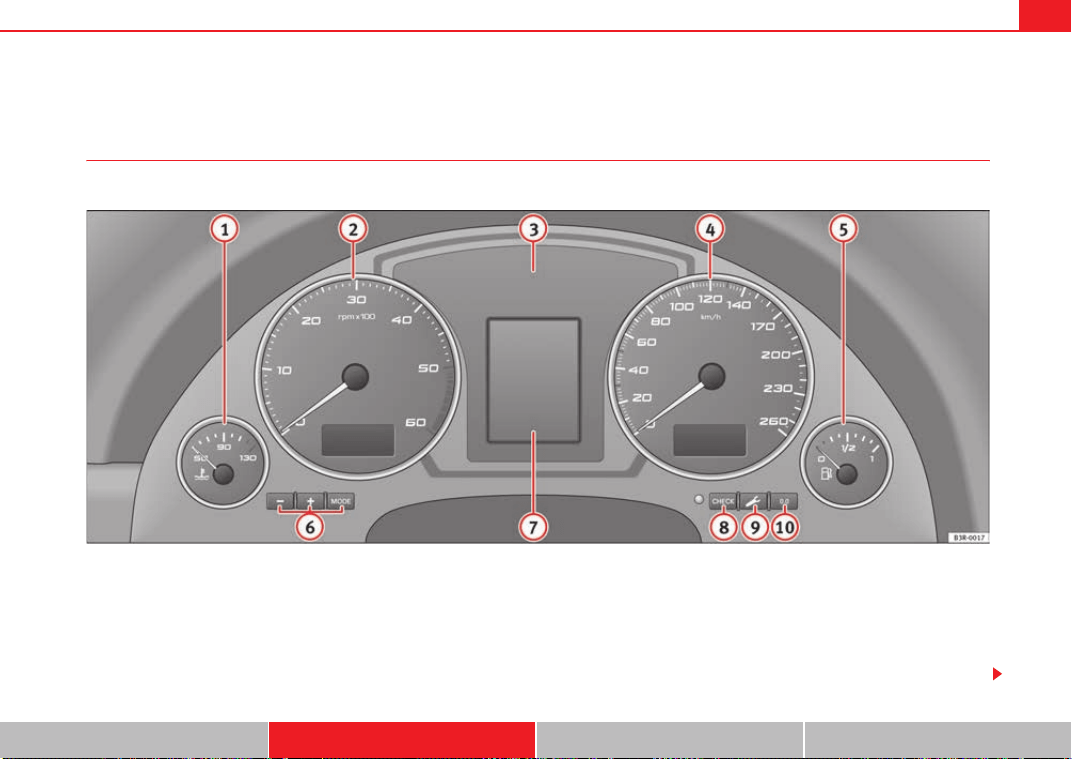
Cockpit 59
Safety First Controls and equipment Practical tips Technical Data
Instruments
Instrument panel overview
The instrument panel is the driver's information centre.
Fig. 37 Overview of instrument panel
Coolant temperature gauge . . . . . . . . . . . . . . . . . . . . . . . . . . . .
Rev counter incorporating digital clock and date . . . . . . . . . . .
Warning and indicator lamps . . . . . . . . . . . . . . . . . . . . . . . . . . .
Speedometer (incorporating mileage recorder display) . . . . . .
Fuel gauge . . . . . . . . . . . . . . . . . . . . . . . . . . . . . . . . . . . . . . . . . .
Adjuster buttons for
− Digital clock and date . . . . . . . . . . . . . . . . . . . . . . . . . . . . . .
− Instrument lighting . . . . . . . . . . . . . . . . . . . . . . . . . . . . . . . . .
Digital display with
− Service indicator . . . . . . . . . . . . . . . . . . . . . . . . . . . . . . . . . . .
A
1
60
A
2
61, 61
A
3
65
A
4
63
A
5
63
A
6
61
62
A
7
74
Exeo_EN.book Seite 59 Freitag, 28. August 2009 10:14 10
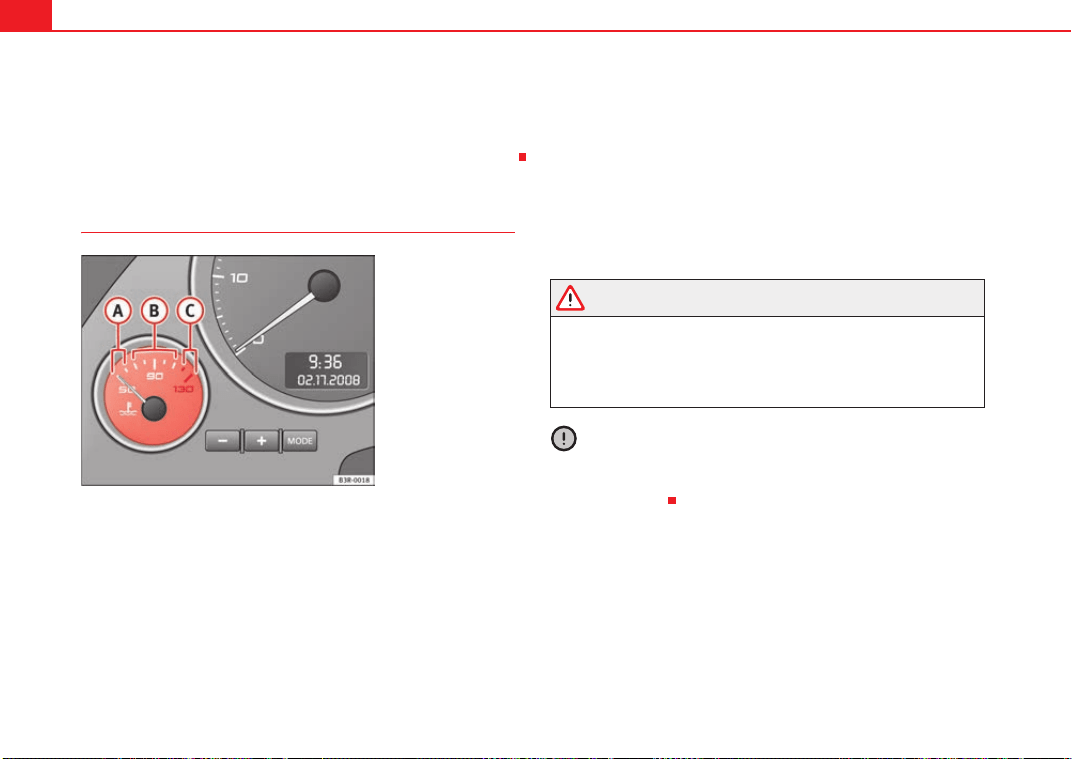
Cockpit60
− Driver information system . . . . . . . . . . . . . . . . . . . . . . . . . . .
CHECK button . . . . . . . . . . . . . . . . . . . . . . . . . . . . . . . . . . . . . . .
Call-up button for service indicator . . . . . . . . . . . . . . . . . . . . . .
Reset button for trip recorder . . . . . . . . . . . . . . . . . . . . . . . . . . .
Coolant temperature gauge
The coolant temperature gauge ⇒ fig. 38 only works when the ignition is
switched on. In order to avoid engine damage, please read the following
notes for the different temperature ranges.
Cold temperature
If the needle is still on the left of the dial, this indicates that the engine has
not yet reached operating temperature. Avoid high revs and heavy accelera-
tion and do not make the engine work hard.
Normal temperature
In normal operations, the needle will settle somewhere in the centre of the
dial once the engine has reached running temperature. The temperature may
also rise when the engine is working hard, especially at high outside temper-
atures. This is no cause for concern, provided the warning lamp
does not
light up in the instrument panel.
Warning temperature
If the symbol
flashes in the display, this means that either the coolant
temperature is too high or the coolant level is too low ⇒ page 78.
WARNING
• Before opening the bonnet and checking the coolant level, observe the
warning information ⇒ page 221.
• Never open the bonnet when steam or coolant is being released from it.
This could lead to burns. Wait until you can no longer see or hear escaping
steam or coolant.
Caution
Accessories in front of the air inlet reduce the cooling effect of the coolant. At
high outside temperatures and high engine loads, there is a risk of the
engine overheating.
71
A
8
64
A
9
74
A
10
63
Fig. 38 Engine coolant
temperature gauge
A
A
A
B
A
C
Exeo_EN.book Seite 60 Freitag, 28. August 2009 10:14 10
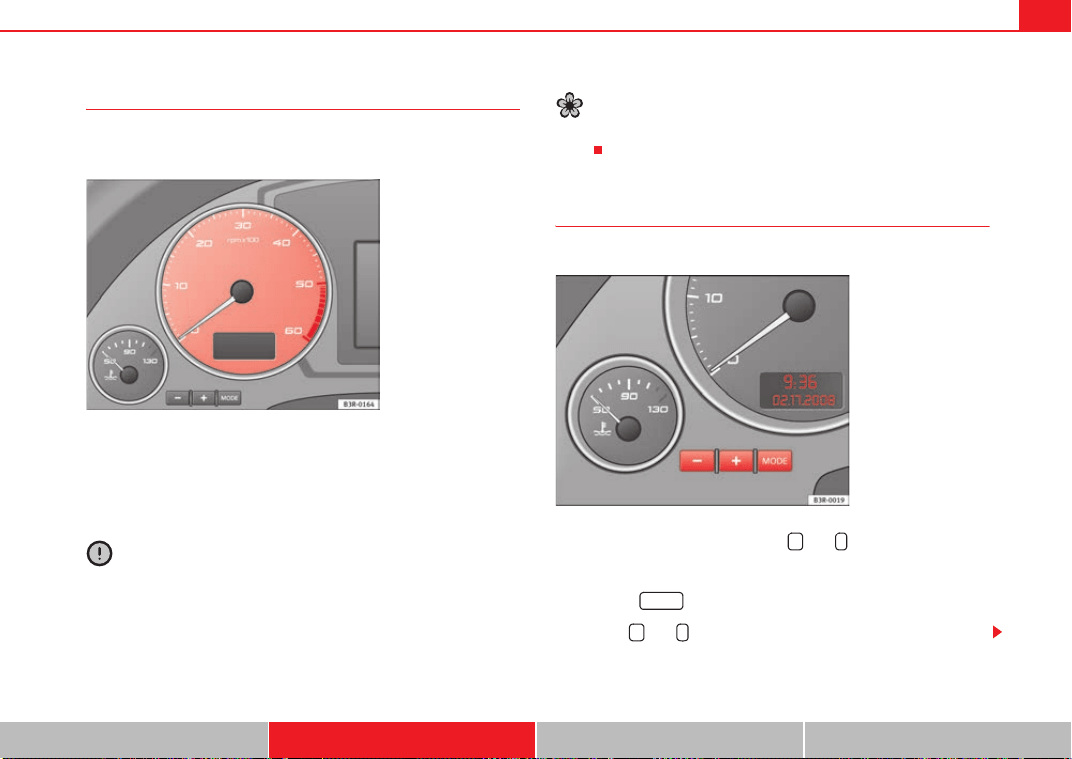
Cockpit 61
Safety First Controls and equipment Practical tips Technical Data
Rev counter
The rev counter indicates the number of engine revolutions
per minute.
You should select a lower gear if the engine speed drops below 1500 rpm.
The start of the red zone on the dial indicates the maximum engine speed
which may be used when the engine is warm and after it has been run in prop-
erly. However, it is advisable to change up a gear or lift your foot off the accel-
erator before the needle reaches the red zone.
Caution
The rev. counter needle ⇒ fig. 39 must only reach the red zone for a short
period, otherwise the engine could be damaged. The start of the red zone on
the dial is different for some engine versions.
For the sake of the environment
Changing up a gear early will help you to save fuel and minimise engine
noise.
Digital clock and date
Your vehicle is equipped with a quartz clock.
The time and date are set using the and buttons.
Setting the hour
– Press the button. The hour display will start to flash.
– Use the and buttons to set the hour.
Fig. 39 Detailed view of
the dash panel insert:
Rev. counter
Fig. 40 Detail of the dash
panel insert: Digital clock
+ -
MODE
+ -
Exeo_EN.book Seite 61 Freitag, 28. August 2009 10:14 10
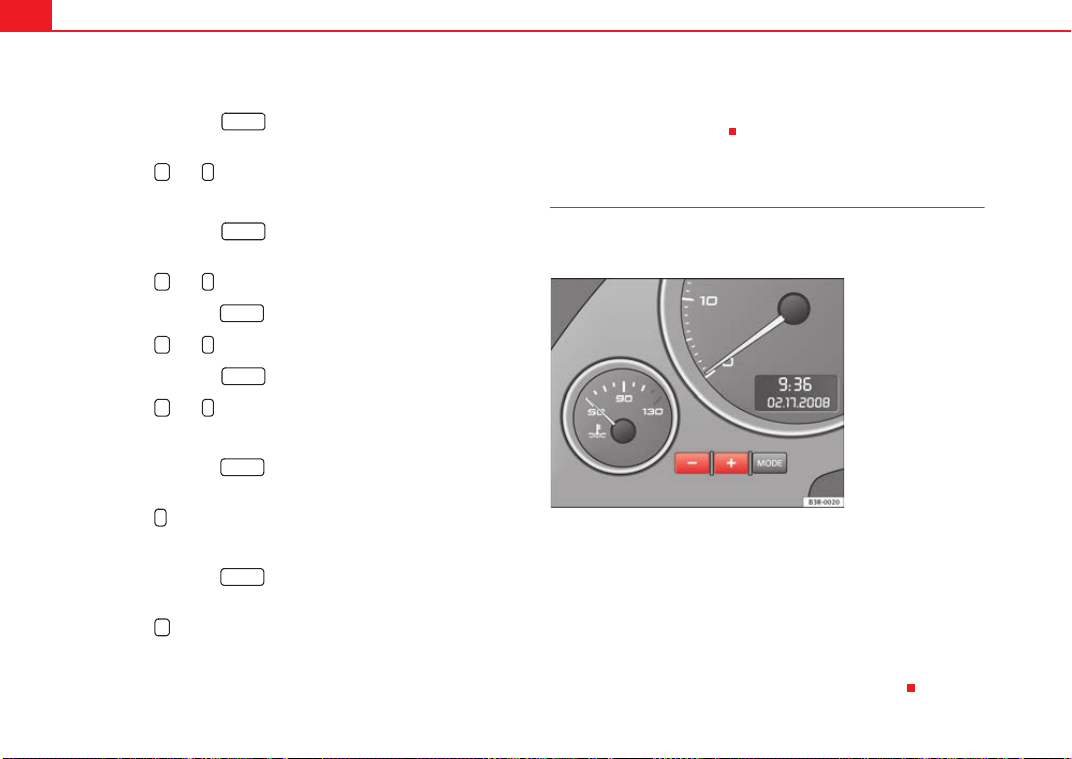
Cockpit62
Setting the minutes
– Keep pressing the button until the minutes display
flashes.
– Use the and buttons to set the minutes.
Setting the date
– Keep pressing the button until the date display (day)
flashes.
– Use the and buttons to set the day.
– Keep pressing the button until the month display flashes.
– Use the and buttons to set the month.
– Keep pressing the button until the year display flashes.
– Use the and buttons to set the year.
Disabling the date display
– Keep pressing the button until the complete date display
flashes.
– Use the button to disable the date display.
Enabling the date display
– Keep pressing the button until the complete date display
flashes.
– Use the button to enable the date display.
When the display stops flashing, this means the setting you are performing
is completed and the time and date have been successfully stored.
When the ignition is switched off, the mileage recorder and the digital clock
with date display can be switched on for a few seconds by pressing the CHECK
button ⇒ page 59, fig. 37 .
Instrument lighting
The brightness of the instrument lighting can be adjusted as
required.
– Press the "+" button to increase the brightness of the instrument
lighting.
– Press the "-" button to reduce the brightness of the instrument
lighting.
The instrument lighting (dials and needles), the centre console illumination
and the illumination of the displays are regulated by a light sensor incorpo-
rated in the instrument panel, depending on the outside light.
MODE
+ -
MODE
+ -
MODE
+ -
MODE
+ -
MODE
-
MODE
+
A
8
Fig. 41 Instrument panel
lighting
Exeo_EN.book Seite 62 Freitag, 28. August 2009 10:14 10
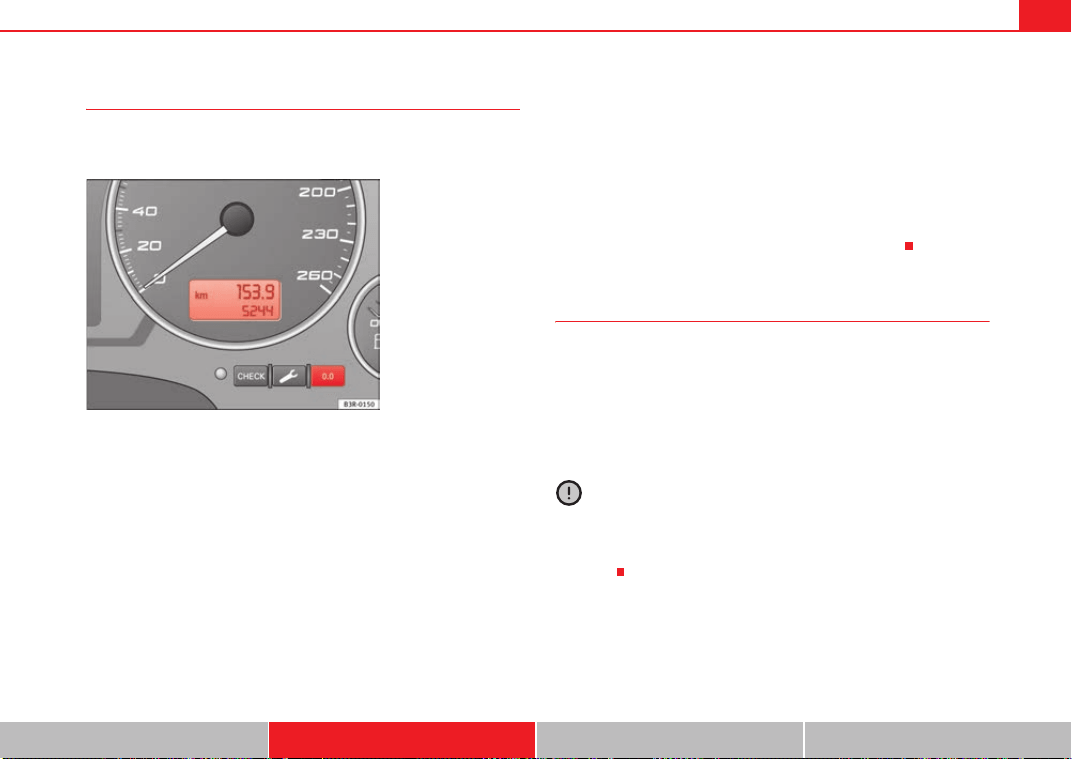
Cockpit 63
Safety First Controls and equipment Practical tips Technical Data
Speedometer with distance display
The speedometer indicates the speed of the vehicle and the
distance travelled.
The distance is normally stated in kilometres (km). On some models,
however, the mileage recorder will show “miles”.
Lower distance display
The lower distance display records the vehicle's total mileage.
Upper distance display (trip recorder)
The upper distance display shows the distance that has been travelled since
the trip recorder was last reset. It is used to measure short journeys. The last
digit of the trip recorder indicates distances of 100 metres or tenths of a mile.
The upper distance display can be reset to zero by pressing the reset button
⇒ fig. 42.
Fault display
If there is a fault in the instrument panel, the letters DEF will appear perma-
nently in the trip recorder display. Please have the fault rectified as soon as
possible.
Electronic immobiliser
The vehicle key data is consulted when the ignition is switched on.
If an uncoded key is used, the message SAFE will appear in the trip recorder
display. The vehicle can no longer be started if that happens.
Fuel reserve
The display only works when the ignition is switched on.
When the needle reaches the reserve zone, the symbol
lights up in the
instrument cluster display ⇒ page 80. At this point there are still about 8 to
10 litres of fuel left in the tank. This is your reminder to fill up soon.
You can consult the tank capacity of your vehicle in the ⇒ page 298, “Dimen-
sions and capacities” section.
Caution
Never run the tank completely dry. If there is an irregular fuel supply, misfiring
can occur. This means that fuel could reach the exhaust system without
burning. This may lead to the catalytic converter reheating and being
damaged.
Fig. 42 Detail of the dash
panel insert: Distance
display
Exeo_EN.book Seite 63 Freitag, 28. August 2009 10:14 10
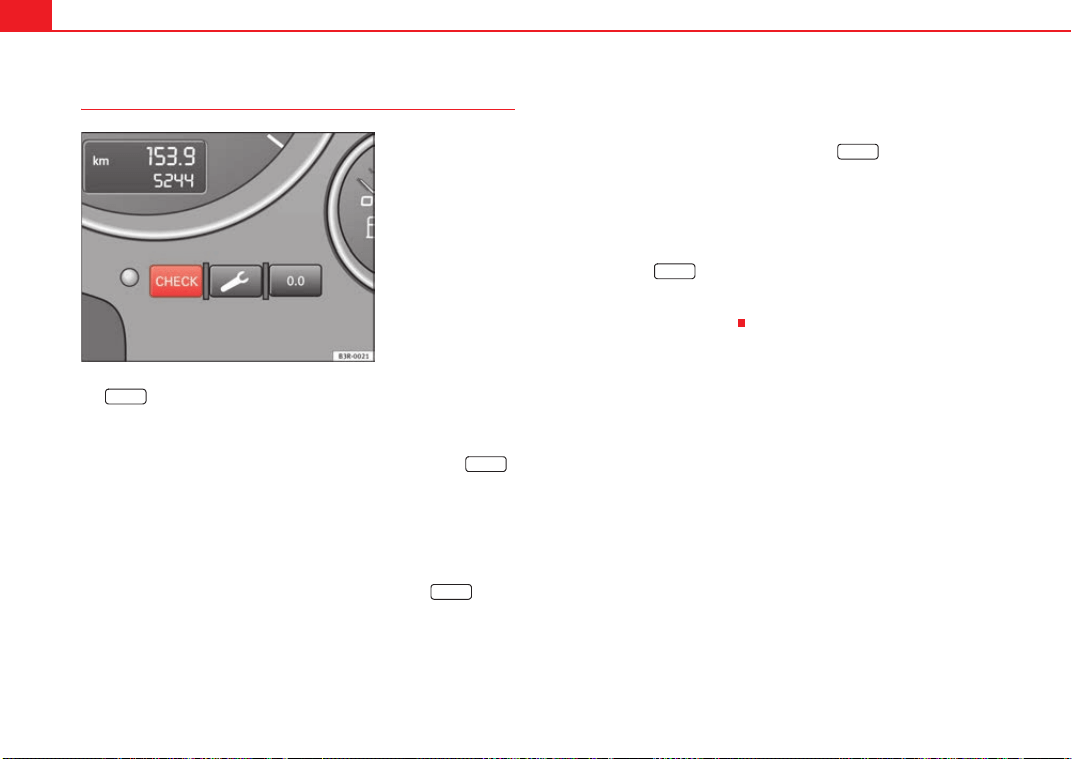
Cockpit64
CHECK button
The button has the following functions:
Enabling the digital clock and the distance display
When the ignition is switched off, the distance display and the digital clock
with date display can be enabled for a few seconds by pressing the
button ⇒ fig. 43.
Starting check procedure (auto-check control)
The auto-check control ⇒ page 75 checks important components and vehicle
systems. These background checks are run constantly, as long as the ignition
is switched on.
You can start the “check procedure” manually by pressing the button
with the ignition switched on. This function check can be started with the
engine either stationary or running, but not at road speeds above 5 km/h.
Calling up driver messages
If a Priority 1 symbol flashes in the display ⇒ page 75, or if the bulb monitor
detects a failure of one of the lights ⇒ page 81, the relevant driver informa-
tion can be called up again by briefly pressing the button. For
example:
Switch off engine, check oil level
The message will disappear from the display after about 5 seconds.
Speed warning
You can press the button to set speed limit warning 1 ⇒ page 83,
“Setting speed limit warning 1” while the vehicle is moving. Speed limit
warning 2* can only be set when the ignition is switched off ⇒ page 84,
“Setting speed limit warning 2”.
Fig. 43 Detail of the dash
panel insert: CHECK
button
CHECK
CHECK
CHECK
CHECK
CHECK
Exeo_EN.book Seite 64 Freitag, 28. August 2009 10:14 10
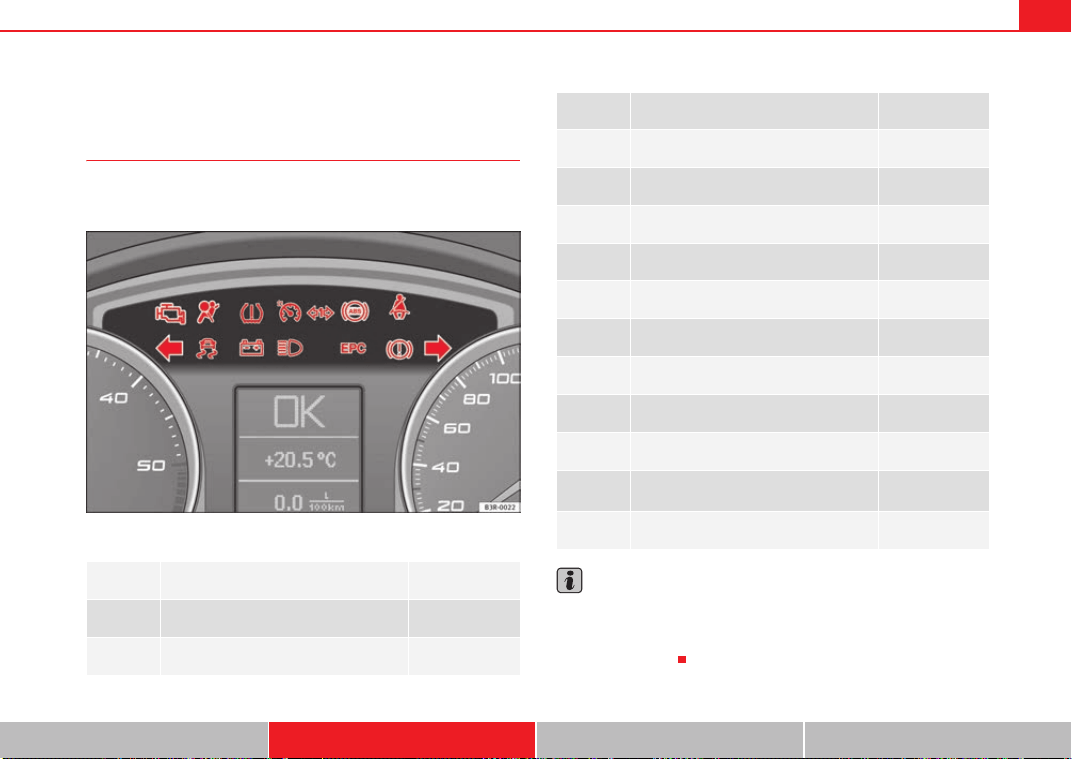
Cockpit 65
Safety First Controls and equipment Practical tips Technical Data
Warning and indicator lamps
General description
The warning and indicator lamps indicate a number of
different functions and possible faults.
Fig. 44 Instrument panel with warning and indicator lamps
Note
A number of functions are monitored by the auto-check control ⇒ page 75. If
a malfunction should occur, this will be shown by the display in the instru-
ment cluster either with a red symbol (priority 1 - danger) or a yellow symbol
(priority 2 - warning).
Exhaust emission control system ⇒ page 66
Airbag system ⇒ page 66
Tyre pressure too low ⇒ page 66
Cruise control ⇒ page 67
Trailer indicators ⇒ page 67
Anti-lock brake system (ABS) ⇒ page 67
Seat belt warning ⇒ page 68
Left indicators ⇒ page 68
Electronic stabilisation programme (ESP) ⇒ page 68
Alternator ⇒ page 69
Main beam headlights ⇒ page 69
Engine management (alternative to )
⇒ page 69
Glow plug system (alternative to )
⇒ page 70
Fault in brake system / handbrake is
applied
⇒ page 70
Right indicators ⇒ page 68
Exeo_EN.book Seite 65 Freitag, 28. August 2009 10:14 10
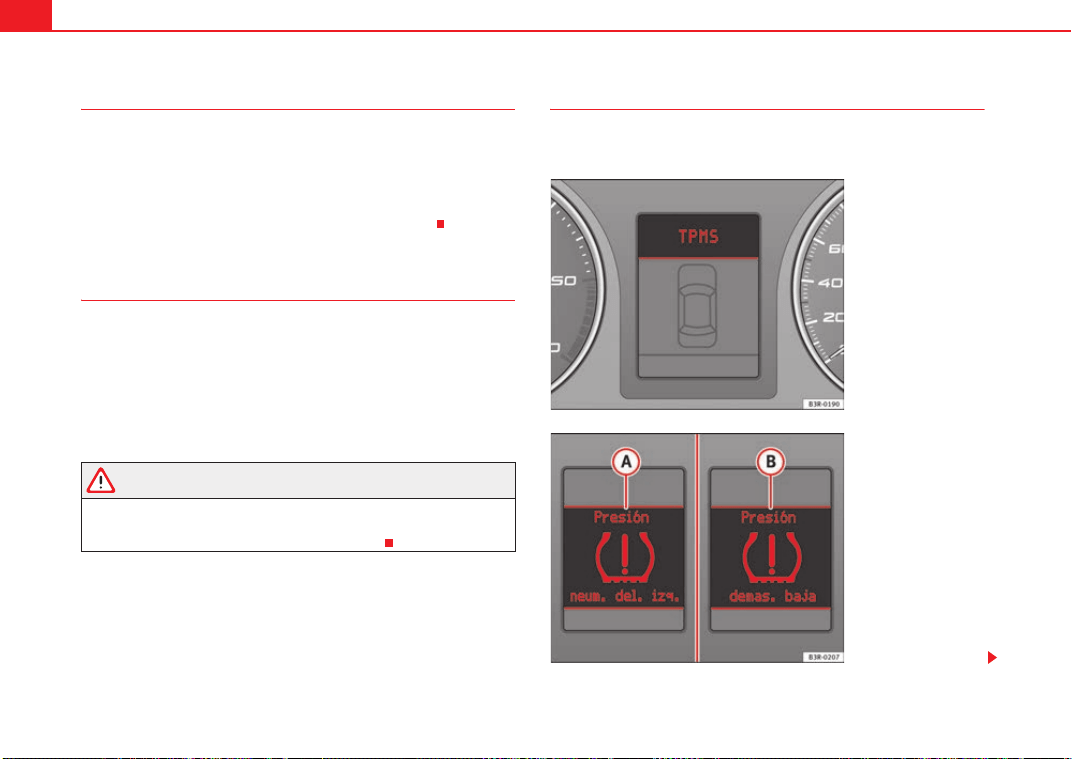
Cockpit66
Exhaust emission control system
If the warning lamp lights up continuously you should take your vehicle to a
specialist garage as soon as possible in order to have the fault rectified.
If the warning lamp flashes drive on at reduced speed and seek professional
help in order to avoid damage to the catalytic converter.
For further information on the catalytic converter ⇒ page 190.
Airbag system
This warning lamp monitors the airbag and belt tension
device system.
The warning lamp should light up for a few seconds when the ignition is
switched on.
If the warning lamp does not go out, or if it lights up, flashes or flickers when
the vehicle is moving, this indicates a malfunction in the system.
WARNING
If a malfunction should occur, have the system checked immediately by a
specialist garage. Otherwise there is a risk that the airbag system and/or
belt tensioners may not be triggered in an accident.
Tyre pressure monitoring display*
The tyre pressure should be corrected as soon as possible if
it is too low.
Fig. 45 Display: system
fault
Fig. 46 Display: warning
message
Exeo_EN.book Seite 66 Freitag, 28. August 2009 10:14 10

Cockpit 67
Safety First Controls and equipment Practical tips Technical Data
The yellow warning lamp remains on if the system is faulty or if
the pressure is too low in at least one tyre. In the event of a system
fault, the letters TPMS are displayed in the centre of the instrument
panel ⇒ page 66, fig. 45. If the tyre pressure drops rapidly, the
message ⇒ page 66, fig. 46 will be shown on the central display
of the instrument panel. If the pressure loss is more gradual, the
message ⇒ page 66, fig. 46 will be shown on the central display
of the instrument panel. This message does not show the tyre
affected. Should any of these warnings be displayed:
– Stop the engine.
– Check the tyres. Although the warning corresponds to just one
tyre, you should also check the others.
– Correct the tyre pressure ⇒ page 236.
For more detailed information on the tyre pressure monitoring system, please
refer to ⇒ page 235.
Cruise control system*
The indicator lamp on the instrument panel lights up when the cruise
control system is operating.
Trailer indicators*
This indicator lamp flashes when the indicators are operating
while towing a caravan or trailer.
The indicator lamp flashes when the indicators are operated if a trailer is
correctly coupled to the vehicle.
Where a turn signal lamp does not work, either on the trailer or on the towing
vehicle, the indicator lamp will not flash.
Anti-lock brake system (ABS)
The warning lamp monitors the ABS and the integrated elec-
tronic differential lock (EDL).
The warning lamp lights up for a few seconds when the ignition is
switched on and while the engine is being started. The lamp goes out again
after the system has run through an automatic test sequence.
There is a fault in the ABS if:
• the warning lamp does not light up when the ignition is switched on,
• The warning lamp does not go out again after a few seconds.
• The warning lamp lights up when the vehicle is moving.
The vehicle can still brake in the normal way (except that the ABS control func-
tion is out of action). Please take the vehicle to a specialist garage as soon as
possible. For further information on the ABS ⇒ page 184.
If a malfunction should occur in the ABS, the ESP warning lamp will also light
up.
A
A
A
B
Exeo_EN.book Seite 67 Freitag, 28. August 2009 10:14 10
Cockpit68
Entire brake system fault
If the ABS warning lamp
lights up together with the brake warning lamp
⇒ page 70 (with the handbrake released), this indicates not only a fault
in the ABS function, but probably also a malfunction in the main brake system
as well ⇒ .
The symbol
will light up in the instrument panel if a fault occurs in the
brake system. Please refer to ⇒ page 77.
Electronic differential lock (EDL) fault
The EDL works in conjunction with the ABS. The ABS indicator lamp will light
up
to indicate an EDL fault. Please take the vehicle to a specialist garage
as soon as possible. For further information on the EDL ⇒ page 185.
WARNING
• Before opening the bonnet and checking the brake fluid level, observe
the warning information in ⇒ page 221, “Work in the engine compart-
ment”.
• If the brake warning lamp should light up together with the ABS
warning lamp
, stop the vehicle immediately and check the brake fluid
level in the reservoir. If the fluid level has dropped below the "MIN" mark
you must not drive on otherwise there may be an increased accident risk.
Obtain technical assistance.
• If the brake fluid level is correct, the fault in the brake system may have
been caused by a fault in the ABS control function. As a result, the rear
wheels can lock relatively easily when braking. Under certain circum-
stances, the rear of the vehicle could suddenly sway from side to side, with
the subsequent danger of skidding. Drive carefully to the nearest specialist
garage and have the fault rectified.
Seat belt warning lamp*
The warning lamp acts as a reminder to the driver to fasten
the seat belt.
After switching on the ignition, the warning lamp will remain lit until the
driver and front passenger (if applicable) have fastened their seat belts.
When the vehicle has reached a certain speed, you will also hear a warning
signal and the warning light will flash.
For further information on the seat belts, see ⇒ page 22.
Indicators and hazard warning lights
Depending on which turn signal is operated, either the left or right indi-
cator lamp flashes. Both indicator lamps will flash when the hazard warning
lights are switched on.
If one turn signal fails, the indicator lamp will start flashing twice as fast as
normal.
This does not apply when towing a trailer. Where a turn signal lamp does not
work, either on the trailer or on the towing vehicle, the indicator lamp will not
flash. For further information on the indicators, see ⇒ page 122.
Electronic stabilisation programme
This warning lamp monitors the electronic stabilisation
program (ESP).
The warning lamp has the following functions:
Exeo_EN.book Seite 68 Freitag, 28. August 2009 10:14 10
Cockpit 69
Safety First Controls and equipment Practical tips Technical Data
• It will start flashing to indicate that ESP is counteracting an unstable
driving condition.
• It lights up when the ignition is switched on for approx. 2 seconds while
the function is checked.
• The warning lamp will light up if there is a malfunction in the ESP.
• It will light up after the battery has been disconnected.
• The warning lamp will light up if the ESP is switched off.
• It will also come on if a fault should occur in the ABS because the ESP
operates in conjunction with the ABS.
If the ESP warning lamp lights up and stays on after the engine is started, this
may mean that the control system has temporarily switched off the ESP. In this
case the ESP can be reactivated by switching the ignition off and then on
again. After this the warning lamp should go out to show that the system is
fully functional.
The warning lamp will light up when the ignition is switched on if the battery
has been disconnected and then reconnected. It should go out again after
driving a short distance if the steering wheel is turned slightly.
For further information on the ESP, see ⇒ page 185.
Alternator
The warning lamp signals a fault in the alternator or in the
vehicle's electrical system.
The warning lamp lights up when the ignition is switched on. It should
switch off after the engine has started.
If the warning lamp
lights up when you are driving, you can normally
continue as far as the nearest specialist garage. However, given that the
battery will be running down, any electrical consumption not absolutely vital
should be switched off.
Caution
If the coolant warning lamp in the instrument panel lights up as well as the
alternator waning lamp while driving ⇒ page 78, stop the vehicle immedi-
ately and switch off the engine. In this case the coolant pump is no longer
being driven, and there is a risk of engine damage.
Main beam headlights
The indicator lamp lights up when the main beams are on or when the
headlight flasher is operated.
For further information on the main beam headlights, see ⇒ page 122.
Engine management
This warning lamp monitors the engine management system
for petrol engines.
The warning lamp (Electronic Power Control) lights up while the function
is being checked.
Note
If the warning lamp lights up while the vehicle is moving, this indicates a fault
in the engine management system. The vehicle must be taken immediately to
a specialist garage to have the engine serviced.
Exeo_EN.book Seite 69 Freitag, 28. August 2009 10:14 10
Cockpit70
Glow plug system
The indicator lamp lights up while the glow plugs are
preheating.
The indicator lamp lights up while the glow plugs are preheating. When
the indicator lamp goes out the engine should be started straight away. When
the engine is warm, or at outside temperatures above +8°C, the indicator
lamp will only light up very briefly.
Note
• If the glow plug indicator lamp should start flashing while the vehicle is
moving, this indicates a fault in the engine management system. The engine
should be serviced without delay.
• If the indicator lamp fails to light up when the ignition is switched on, this
can mean that the glow plug system is defective. The engine should be
serviced.
Brake system
The warning lamp flashes when the handbrake is applied, or
if the brake fluid level is too low or if there is a fault in the ABS
system.
If the warning lamp flashes (and the handbrake is not applied), stop the
vehicle and check the brake fluid level ⇒ ⇒ page 230.
If a failure should occur in the ABS, the ABS warning lamp
will light up
together with the brake warning lamp
⇒ .
Handbrake applied
The warning lamp
also lights up when the handbrake is applied. In addi-
tion to this, the handbrake warning ⇒ page 76 switches on after driving for 3
seconds at a speed above 5 km/h.
WARNING
• Before opening the bonnet and checking the brake fluid level, observe
the warning information in ⇒ page 221, “Work in the engine compart-
ment”.
• If the brake warning lamp does not go out, or if it lights up when
driving, the brake fluid level in the reservoir is too low and this may cause
an increased accident risk. Stop the vehicle and do not drive on. Obtain
technical assistance.
• If the brake warning lamp lights up together with the ABS warning
lamp, this can mean that the control function of the ABS is out of action. As
a result, the rear wheels can lock relatively easily when braking. Under
certain circumstances, the rear of the vehicle could suddenly sway from
side to side, with the subsequent danger of skidding. Drive carefully to the
nearest specialist garage and have the fault rectified.
Exeo_EN.book Seite 70 Freitag, 28. August 2009 10:14 10
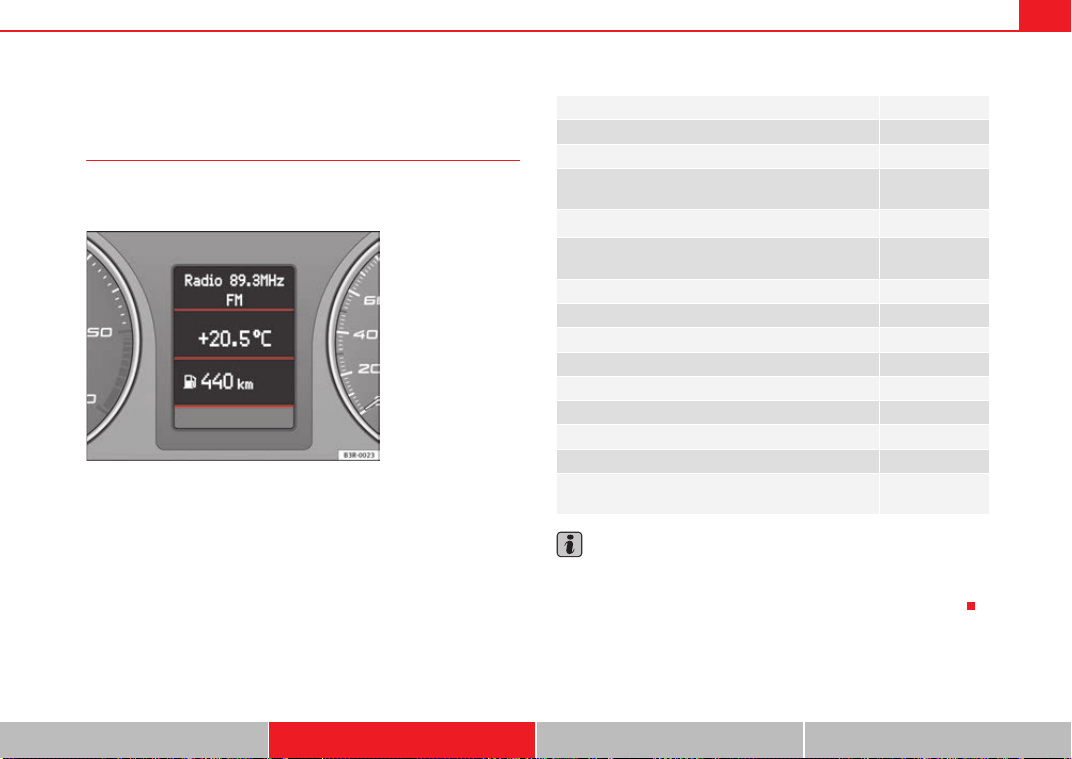
Cockpit 71
Safety First Controls and equipment Practical tips Technical Data
Driver information system
General notes
The driver information system in the instrument panel shows
the status of various on-board systems at a glance.
The display for the driver information system is in the centre of the instrument
panel.
The system runs a check on certain components and functions when the igni-
tion is switched on and while the vehicle is moving. The DIS system gives an
audible warning if a fault should occur or if servicing is required, and a red or
yellow warning symbol (in some cases with a corresponding driver message)
appears in the dashboard display.
The driver is informed on the audio system.
The driver information system includes the following functions:
Note
• If a fault should occur, the display will show a red or yellow warning
symbol. A red warning symbol indicates a serious malfunction ⇒ page 77. A
yellow warning symbol indicates a less serious malfunction ⇒ page 79.
Fig. 47 Cockpit: Digital
display in the instrument
panel
Display for the CD reader, radio and telephone* ⇒ page 72
Ambient temperature display ⇒ page 72
Gear indicator* ⇒ page 73
Selector lever positions for the 7-speed automatic gear-
box*
⇒ page 181
Selector lever positions with Multitronic
®
*
⇒ page 177
Distance to empty (the distance you can travel with the
remaining fuel)
⇒ page 73
Door catch/tailgate warning ⇒ page 74
Service interval display ⇒ page 74
auto-check control ⇒ page 75
Driving tips ⇒ page 76
Handbrake warning ⇒ page 76
Bulb monitor* ⇒ page 81
On-board computer* ⇒ page 85
Tyre pressure monitoring* ⇒ page 89
Navigation information* Separate operat-
ing instructions
Exeo_EN.book Seite 71 Freitag, 28. August 2009 10:14 10
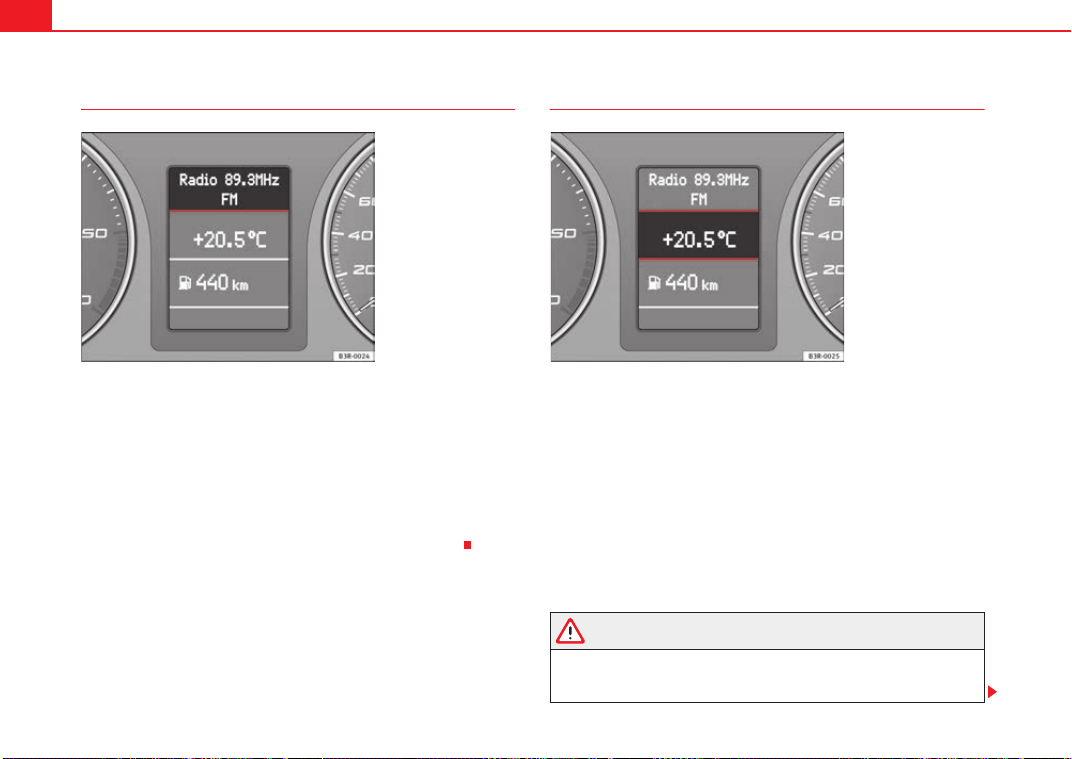
Cockpit72
CD, radio and telephone display*
If the radio is switched on and no Priority 2 faults are indicated by the auto-
check control, the “OK” symbol will go out and the display will show the name
or frequency of the selected radio station and various other information,
depending on the type of radio fitted.
When in CD mode*, the display will show the current track.
If you have a compatible telephone*, the phone book or telephone dialled
can also be seen on this display.
These displays appear in addition to the display on the radio itself.
Ambient temperature display
The ambient temperature is shown in the display when the ignition is
switched on ⇒ fig. 49. On vehicles with an automatic gearbox, the display
does not appear until the driver has engaged a gear.
At temperatures below +5°C a snowflake symbol appears next to the temper-
ature display. This is to warn the driver to take extra care when there is a risk
of ice on the road. When the vehicle is stationary or travelling at very low
speeds, the temperature displayed may be slightly higher than the actual
ambient temperature as a result of heat coming from the engine.
If the vehicle has an air conditioning and the display is changed over to °F
(degrees Fahrenheit), the ambient temperature display automatically
changes over to °F ⇒ page 159.
WARNING
Do not rely on the ambient temperature display as an ice warning. Please
bear in mind that there may be ice on the roads even at ambient tempera-
tures of +5°C – beware of ice patches.
Fig. 48 Display: addi-
tional radio information
Fig. 49 Display: Ambient
temperature display
Exeo_EN.book Seite 72 Freitag, 28. August 2009 10:14 10
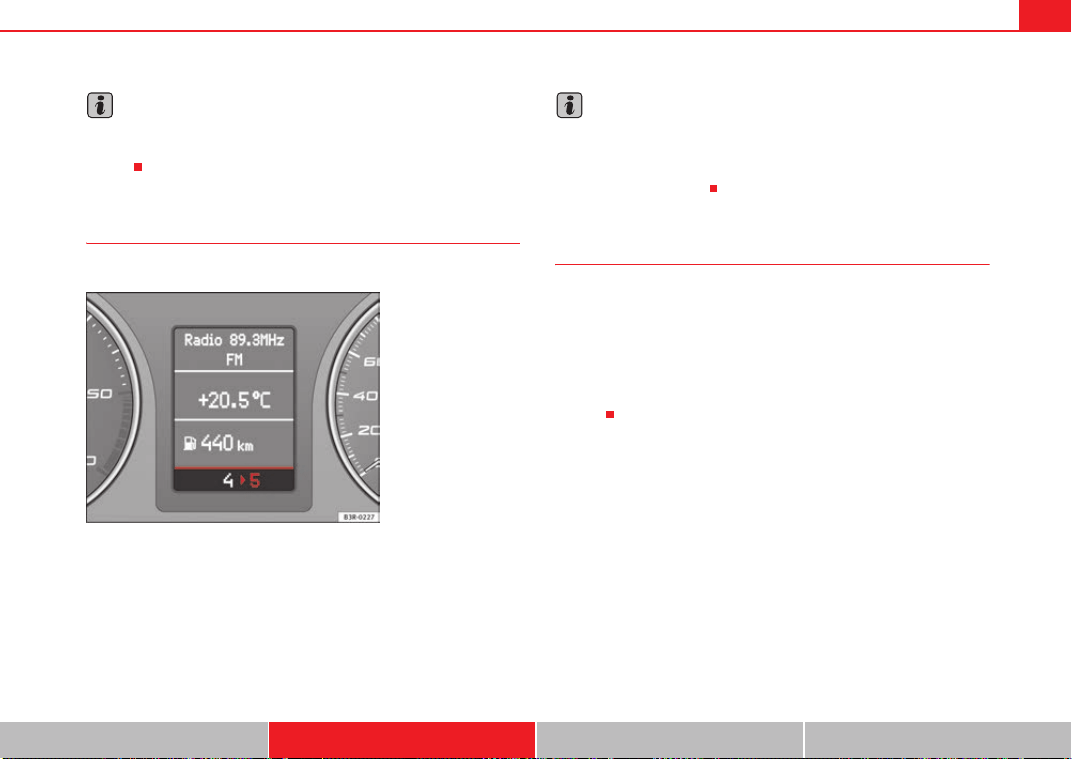
Cockpit 73
Safety First Controls and equipment Practical tips Technical Data
Note
When the display shows route guidance instructions from the navigation
system, the ambient temperature appears in the second line of the radio
display.
Gear display*
This display helps to save fuel.
Use the gear display to save fuel. The display in the instrument cluster
⇒ fig. 50 recommends that you select the gear indicated by the arrow. It may
also skip a gear, and recommend changing up from 4th gear to 6th gear, for
example.
Note
• The display may not recommend any gear-change while you are acceler-
ating.
• If desired, you can have the gear-change display deactivated by an
Authorised Service Centre.
Fuel range
The fuel range display can help you to plan your trip.
The estimated fuel range is displayed in km. It shows how far the vehicle can
be driven with the amount of fuel left in the tank, assuming the same style of
driving. The fuel range is displayed in increments of 10 km.
The fuel range is calculated on the basis of the fuel consumption over the last
30 kilometres. The fuel range will increase if you drive in a more economical
manner.
Fig. 50 Gear display
Exeo_EN.book Seite 73 Freitag, 28. August 2009 10:14 10
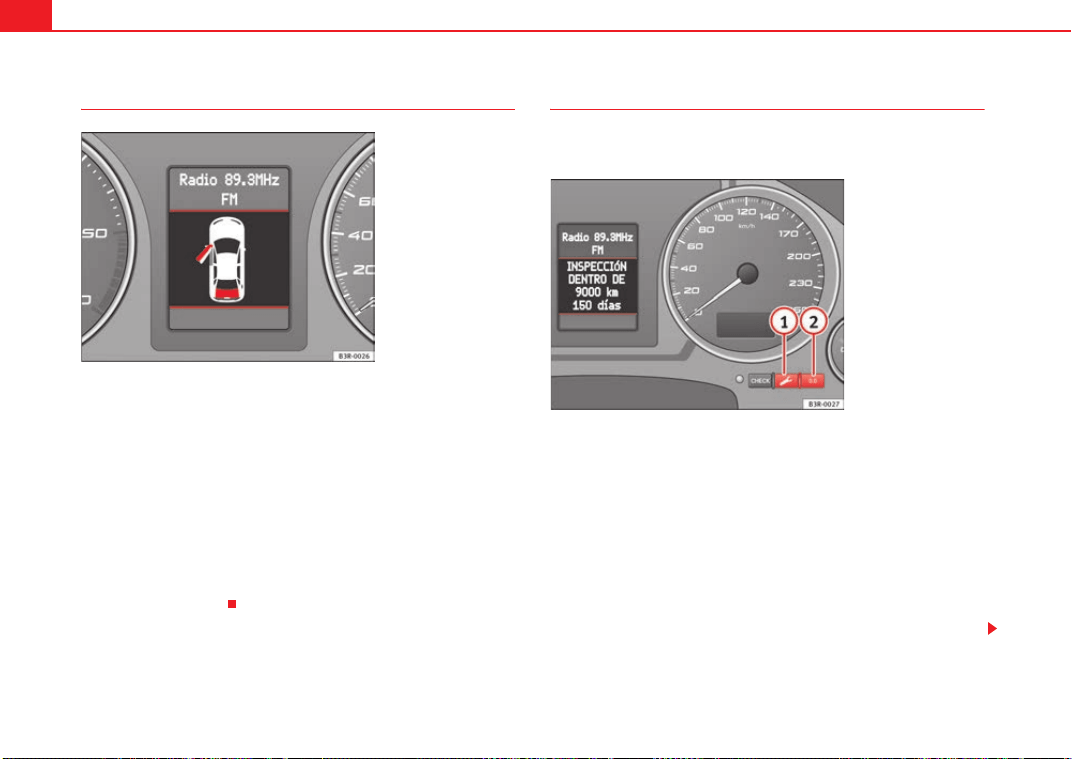
Cockpit74
Door catch/ tailgate warning
The door catch/tailgate warning symbol lights up if one or more of the doors,
or the bonnet or tailgate are not properly closed when the ignition is on. The
symbol also indicates which of these is not properly closed. The display in the
illustration ⇒ fig. 51 shows that the front left door is open.
The corresponding part of the pictogram will flash if either the bonnet or tail-
gate are open. The warning symbol goes out when the bonnet, tailgate and
all the doors are closed.
On vehicles with a driver information system and an on-board computer* the
door catches/tailgate warning symbol can be switched off by briefly pressing
one of the control switches for the on-board computer ⇒ page 86. However,
the warning symbol will appear again if any of the doors or the bonnet or tail-
gate is opened or closed.
Service indicator
This display reminds the driver when the next routine service
is due.
Displaying distance to next service
When you press the service button briefly with the ignition switched on,
the display will show how far the vehicle can be driven before the next service
is due. This check can be carried out with the engine stopped or running up
to speeds of 5 km/h. Before the first 500 km and after the ignition cycle, the
kilometres and days before the service inspection are not displayed.
If the service button is pressed before the first 500 kms the following indi-
cation appears on screen:
Service in ----- km --- days
This is also valid for vehicles with “Extended Service Intervals”*.
Fig. 51 Display: door
catch/tailgate warning
Fig. 52 Detail of the dash
panel insert: Service indi-
cator display
A
1
A
1
Exeo_EN.book Seite 74 Freitag, 28. August 2009 10:14 10

Cockpit 75
Safety First Controls and equipment Practical tips Technical Data
Service reminder
The instrument panel controls the distance travelled every day. Calculate the
average of these distances travelled and enable the service reminder suffi-
ciently in advance.
The display reverts back to the standard display after about 5 seconds. The
remaining distance to the next service is updated every time the ignition is
switched on, until the service becomes due.
Service due
When a service is due, SERVICE! will appear in the display immediately after
you switch on the ignition. The display reverts back to the standard display
after about 5 seconds.
Resetting the display
The display is reset by the garage after the service has been carried out. If the
service indicator has not been reset by the specialist garage, please perform
the following steps:
• Switch the ignition off.
• Press the service button ⇒ page 74, fig. 52 and hold while switching
on the ignition. The display will show one of these messages:
Service in ----- km or Service!
• Now press and hold the reset button until the display shows Service
in ----- km --- days or Service!
The display switches out of the reset mode if you do not press the reset button
within 5 seconds.
Note
• Do not reset the service indicator between services, otherwise the display
will be incorrect.
• The information in the service indicator remains intact if the battery is
disconnected.
• The distance to the next service cannot be called up if the system has
detected a Priority 1 fault (red symbol).
Auto-check system
Introduction
The auto-check system checks important components and vehicle systems.
These background checks are run constantly, as long as the ignition is
switched on.
A message is displayed in the instrument panel if a fault should occur or if any
maintenance or repairs are urgently required. This is accompanied by an
audible warning signal. Depending on the priority of the fault, a red or yellow
warning symbol lights up in the display.
The red symbols indicate a danger, whereas the yellow ones represent a
warning. Additional messages to assist the driver may be shown with the red
or yellow symbols.
A
1
A
2
Exeo_EN.book Seite 75 Freitag, 28. August 2009 10:14 10
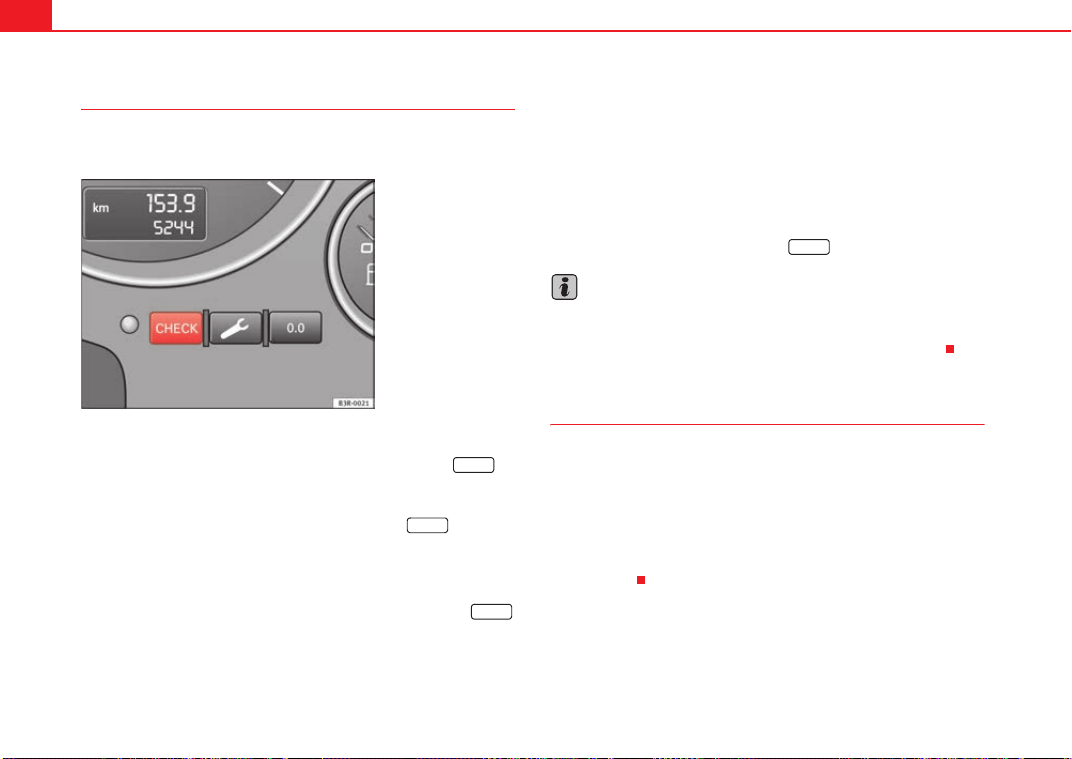
Cockpit76
Driver messages
Additional messages to assist the driver are displayed
together with the warning symbols in the instrument panel.
Driver messages and red symbols
If a red warning symbol appears in the display, you can press the
button ⇒ fig. 53 to call up an additional driver message.
For example: in the event of an oil pressure malfunction, the oil pressure
symbol
will appear in the display. If you now press the button, the
following message will appear in the display:
Switch off engine, check oil level
The message will disappear from the display after about 5 seconds. If
required, the message can be called up again by briefly pressing the
button.
Driver messages and yellow symbols
If a yellow warning symbol appears in the display, it will automatically be
accompanied by the corresponding driver message.
For example, the symbol
is displayed to indicate that the windscreen
washer fluid level is low. In addition, the following message will appear:
Top up washer fluid
The message will disappear after a few seconds. If required, the message can
be called up again by briefly pressing the button.
Note
• The messages handbrake applied and When stationary apply footbrake
while selecting gear cannot be called up a second time. They will remain in
the display until the handbrake is released or until a gear is selected.
Handbrake warning
– Release the handbrake.
If you drive by mistake with the handbrake still applied, you will hear a
warning buzzer and the display will show the message:
Handbrake applied
The handbrake warning switches on after driving for 3 seconds at speeds
above 5 km/h.
Fig. 53 Instrument panel:
CHECK button
CHECK
CHECK
CHECK
CHECK
Exeo_EN.book Seite 76 Freitag, 28. August 2009 10:14 10
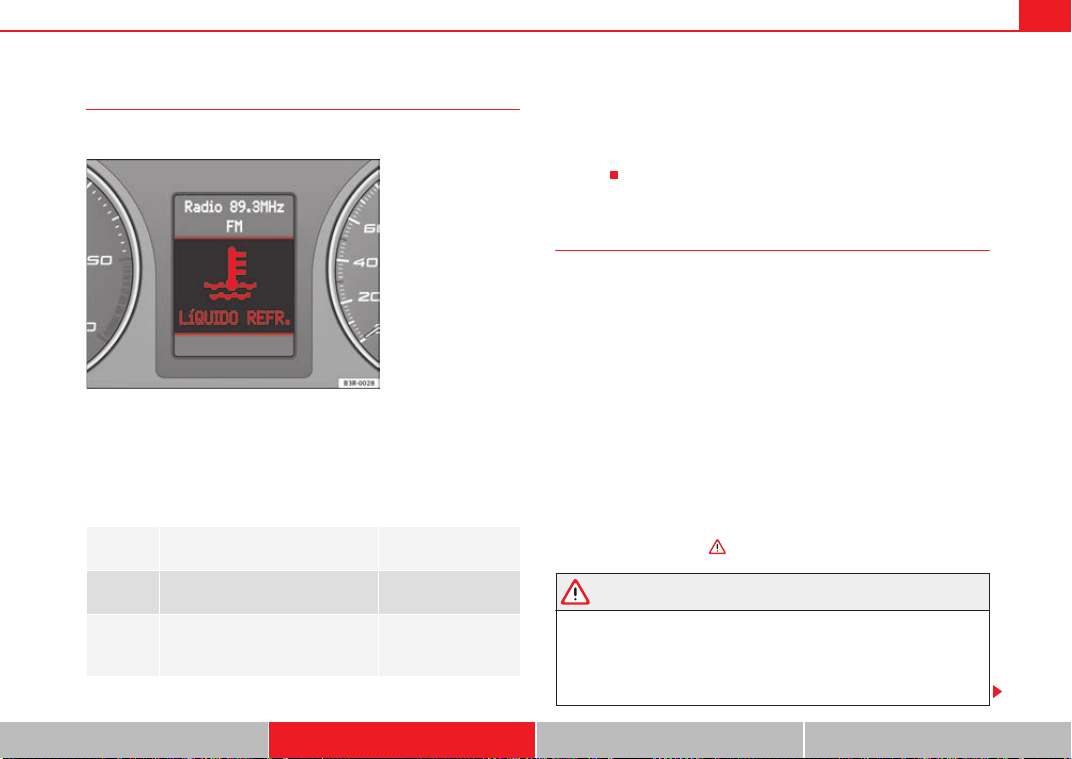
Cockpit 77
Safety First Controls and equipment Practical tips Technical Data
Red symbols
A red symbol warns of a danger.
–Stop the vehicle.
– Switch the engine off.
– Check the fault. Obtain professional assistance if necessary.
The red symbols are used to indicate a Priority 1 fault (serious malfunction).
A red symbol is accompanied by three warning chimes. The symbols will keep
flashing until the faults are corrected. If several Priority 1 faults are detected
at the same time, the symbols are displayed one after the other for about 2
seconds.
Fault in the brake system
A fault in the brake system should be rectified as soon as
possible.
If the symbol flashes in the display, there is a fault in the brake
system. One of the following messages will appear in the display
together with the symbol:
Stop vehicle, check brake fluid and hydraulic fluid levels
Warning! Fault in brake system (ABS) Please visit garage
–Stop the vehicle.
– Check the brake fluid level ⇒ page 230.
If the ABS fails, the ABS warning lamp will light up together with the brake
system fault symbol
⇒ .
WARNING
• Before opening the bonnet and checking the brake fluid level, observe
the warning information in ⇒ page 221, “Work in the engine compart-
ment”.
• If the brake fluid level in the reservoir is too low, this could result in an
accident. Do not drive on. Obtain technical assistance.
BRAKE
Fault in brake system ⇒ page 77
COOLANT
Coolant level too low / coolant tem-
perature too high
⇒ page 78
OIL
PRESSURE
Engine oil pressure too low ⇒ page 78
Fig. 54 Display: Coolant
level warning
Exeo_EN.book Seite 77 Freitag, 28. August 2009 10:14 10
Cockpit78
• If the brake warning lamp lights up together with the ABS warning
lamp, this can mean that the control function of the ABS is out of action. As
a result, the rear wheels can lock relatively easily when braking. Under
certain circumstances, the rear of the vehicle could suddenly sway from
side to side, with the subsequent danger of skidding. Drive carefully to the
nearest specialist garage and have the fault rectified.
Fault in the cooling system
Faults in the cooling system must be rectified immediately.
If the symbol flashes in the display, this means that either the
coolant temperature is too high or the coolant level is too low. The
following message will appear in the display together with the
symbol:
Switch off engine and check coolant level
– Stop the vehicle.
– Switch the engine off.
– Check the coolant level ⇒ page 226.
– Add more coolant if necessary ⇒ page 227.
– Wait for the symbol to go out before driving on.
– Obtain professional assistance if necessary.
If the coolant level is correct, the overheating may be caused by a malfunction
of the radiator fan.
If the alternator warning lamp lights up as well ⇒ page 69, it is possible that
the drive belt has broken.
Caution
Do not drive on if the symbol has come on to indicate a fault in the cooling
system, otherwise there is a risk of engine damage.
Engine oil pressure too low
If the engine oil pressure is too low the fault must be rectified
immediately.
If the symbol flashes in the display, the oil pressure is too low.
The following message will appear in the display together with the
symbol:
Switch off engine, check oil level
– Stop the vehicle.
– Switch the engine off.
– Check the engine oil level ⇒ page 224.
– Obtain professional assistance if necessary.
Engine oil level too low
If the engine oil level is too low, add more oil ⇒ page 224.
Engine oil level correct
If the
symbol flashes and the engine oil level is correct, obtain profes-
sional assistance. Do not drive on. Do not continue to run the engine, even at
idle speed.
WARNING (continued)
Exeo_EN.book Seite 78 Freitag, 28. August 2009 10:14 10
Cockpit 79
Safety First Controls and equipment Practical tips Technical Data
Note
The oil pressure warning lamp is not an indicator for the oil level. The oil
level should therefore be checked regularly, preferably every time you fill the
tank.
Yellow symbols
A yellow symbol indicates a warning.
Yellow symbols are used to indicate a Priority 2 fault (warning).
Yellow symbols are accompanied by one warning chime. The function indi-
cated should be checked as soon as possible. If several Priority 2 faults are
Brake light failure warning light ⇒ page 80
Fuel level low ⇒ page 80
Check engine oil level ⇒ page 80
F ig. 55 D isp la y: Fu el le ve l
low
Engine oil sensor faulty* ⇒ page 80
Diesel particulate filter* obstructed ⇒ page 80
Light sensor/ rain sensor faulty ⇒ page 80
Brake pad worn ⇒ page 81
Speed warning 1 ⇒ page 81
Dynamic headlight range control*
faulty
⇒ page 81
Self-directing headlights* faulty ⇒ page 81
Washer fluid level low* ⇒ page 81
Speed warning 2* ⇒ page 81
Battery voltage too high or too low* ⇒ page 81
Bulb monitor* ⇒ page 81
Tyre pressure monitoring system*
Loss of pressure
⇒ page 89
TPMS Tyre pressure monitoring system*
System not available
⇒
page 66
Exeo_EN.book Seite 79 Freitag, 28. August 2009 10:14 10
Cockpit80
detected at the same time, the symbols are displayed one after the other for
about 2 seconds at a time.
Brake light failure
This warning light will appear on the upper part of the display if any of the
brake lights has failed. A text message in the central part of the display indi-
cates which brake light has failed (left or right).
Fuel level low
When this symbol comes on for the first time, there are about 8 to 10 litres
of fuel left in the tank. You should fill up as soon as possible ⇒ page 216.
Check engine oil level
If the symbol lights up, please check the engine oil level as soon as
possible ⇒ page 224. Top up the oil at the next opportunity ⇒ page 224.
Engine oil sensor defective*
If the symbol lights up, take the vehicle to a qualified workshop and have
the oil level sensor checked. Until then it is advisable to check the oil level
every time you fill up with fuel ⇒ page 224.
Diesel particulate filter obstructed
If the symbol lights up, you may be able to contribute towards automatic
filter cleaning by driving in the right manner. To do this, drive about 15
minutes in 4th or 5th gear (automatic gearbox: S gear range) at a speed of 60
km/h, with the engine running at approximately 2000 rpm. The increase in
temperature will burn off any soot in the filter. When cleaning is successful,
the symbol switches off.
If the light on symbol
does not go off, take the vehicle to a specialist
garage to repair the fault.
For further information on the diesel particulate filter, see ⇒ page 191.
WARNING
It is essential that you adjust your speed to suit the weather, road, terrain
and traffic conditions. The recommended driving speed must never lead to
the driver disregarding the traffic regulations.
Light sensor/ rain sensor faulty
Automatic headlights / automatic wipers faulty
If the
symbol appears, this means that the light sensor / rain sensor is not
working. For safety reasons, the dipped beam headlights will then be
switched on permanently when the light switch is set to the AUTO position.
However, you can still switch the lights on and off in the normal way with the
light switch. If the rain sensor is faulty, the functions operated via the wind-
screen wiper lever will still be available. You should have the light sensor /
rain sensor checked by a specialist garage as soon as possible.
Exeo_EN.book Seite 80 Freitag, 28. August 2009 10:14 10
Cockpit 81
Safety First Controls and equipment Practical tips Technical Data
Worn brake pads
If the symbol lights up, have the front brake pads (and, for safety's sake,
the rear pads as well) inspected by a specialist garage.
Speed warning 1
If the symbol lights up, this means you are exceeding the speed that has
been pre-set with the speed warning function. You should reduce your speed
accordingly ⇒ page 82.
Headlight range control faulty
This symbol indicates a malfunction in the dynamic headlight range
control. Take the vehicle to a specialist garage to have the dynamic headlight
range control function repaired.
Self-directing headlights* faulty
Self-directing headlights faulty
This symbol
indicates that the self-directing headlight system is faulty.
Take the vehicle to a specialist garage to have the headlights or the self-
directing headlight control unit repaired.
Washer fluid level low
If the symbol lights up, top up the fluid for the windscreen washer and
headlight washer system* ⇒ page 228.
Speed warning 2
If the symbol lights up, this means you are exceeding the speed that has
been pre-set. You should reduce your speed accordingly ⇒ page 82.
Battery voltage too high or too low
If the symbol lights up, take the vehicle to a specialist garage and have
the following items checked:
• Ribbed belt
• Battery condition
It is also advisable to check whether the alternator warning lamp has come on
⇒ page 69.
Bulb monitor
The bulb monitor checks whether the lights on the vehicle are
working.
If a defective bulb is detected, or if one of the lights has failed for any reason,
the bulb monitor symbol
will appear in the display together with an addi-
tional message (which goes out after 5 seconds). For instance, if the rear left
Exeo_EN.book Seite 81 Freitag, 28. August 2009 10:14 10
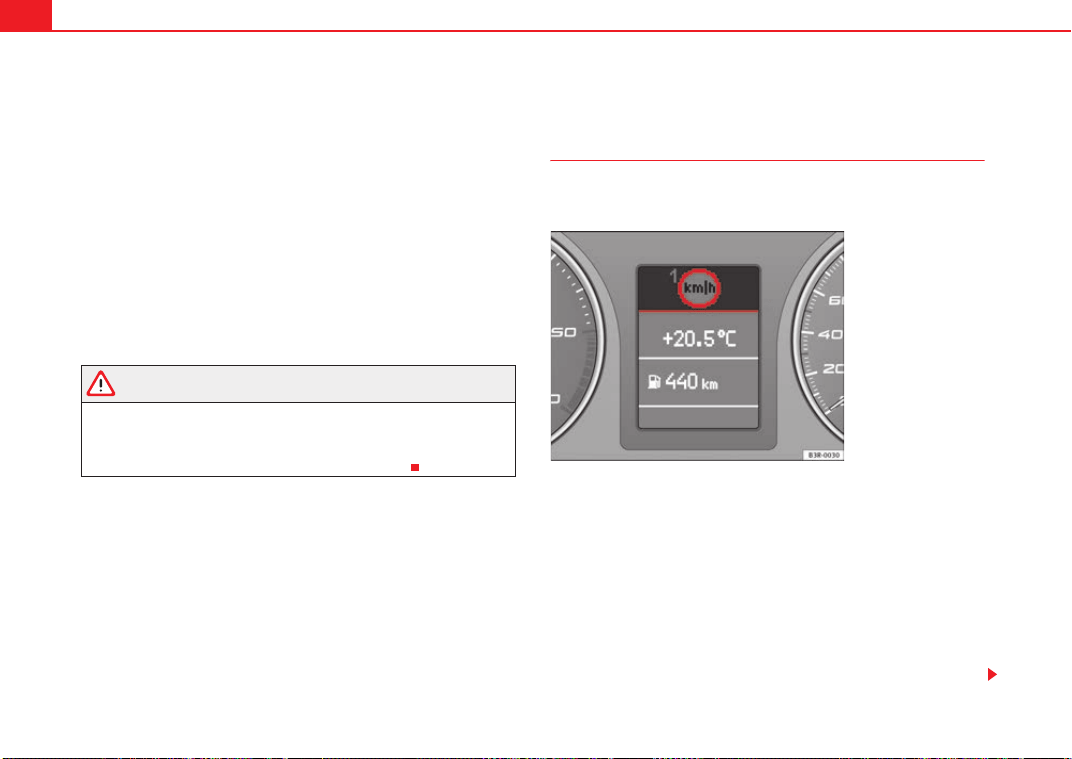
Cockpit82
turn signal is not working, the display in the instrument panel will show the
following message:
Left rear turn signal
The message disappears after 5 seconds. Press the CHECK button briefly if
you wish to call up the message again.
If the display indicates that one of the lights is not working, this can have a
number of causes:
• Bulb failure ⇒ page 257.
• A “blown” fuse ⇒ page 255, “Changing fuses”.
• Faulty electrical wiring.
Have the components replaced or the wiring repaired as necessary by a
specialist garage.
WARNING
• Bulbs are highly sensitive to pressure. The glass can break when you
touch the bulb, causing injury.
• The high voltage element of gas discharge lamps* (xenon light) must
be handled correctly. Otherwise, there is a risk of death.
Speed warning
Introduction
The speed warning function can help prevent you exceeding
a particular pre-set maximum speed.
The speed warning function will warn the driver if a pre-set maximum speed
is exceeded. The system gives an audible warning signal if the set speed is
exceeded by about 10 km/h. A warning symbol will also appear in the display
⇒ fig. 56.
The speed warning function has two different warning speeds, which operate
independently and serve slightly different purposes:
Speed limit warning 1
With speed limit warning 1, the maximum speed can be changed while
driving. The speed limit that has been set remains stored until the ignition is
switched off, or until it is changed or cleared.
Fig. 56 Display: Speed
warning function
Exeo_EN.book Seite 82 Freitag, 28. August 2009 10:14 10
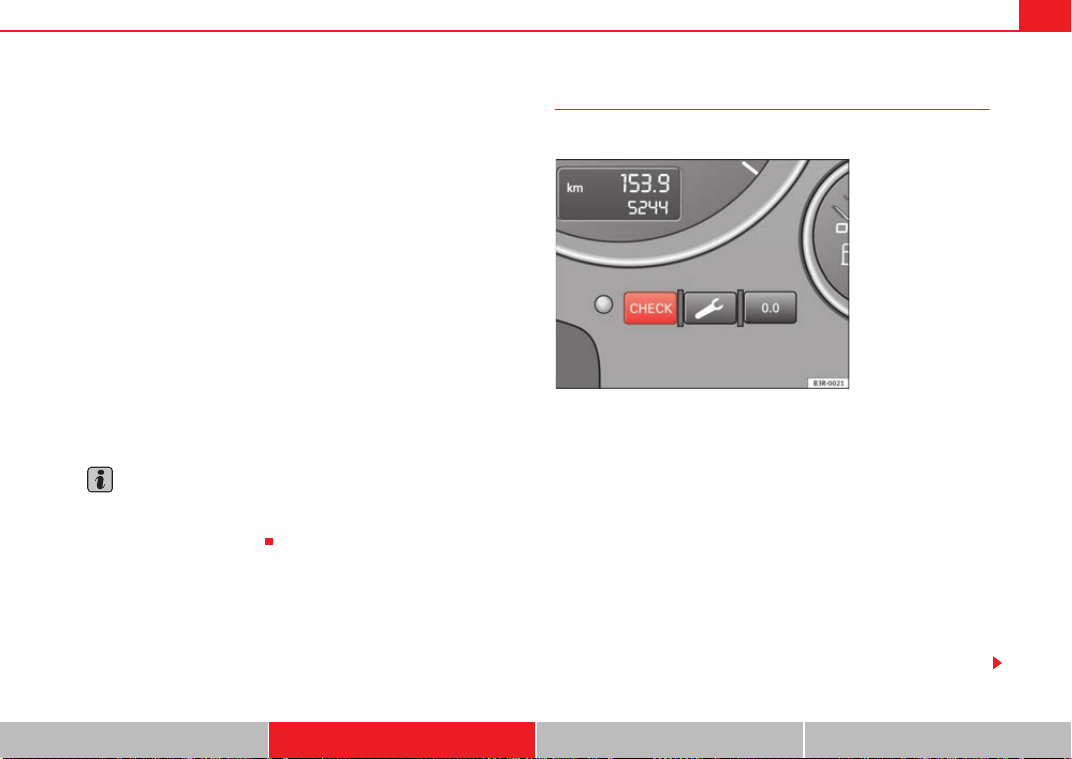
Cockpit 83
Safety First Controls and equipment Practical tips Technical Data
The speed limit warning symbol
for speed warning 1 ⇒ page 82, fig. 56
will appear in the display if you exceed the pre-set speed. It goes out again if
the speed is reduced below the set speed limit.
The symbol also goes out if the speed is increased to more than about 40
km/h above the set speed for at least 10 seconds. However, this does not
cancel the speed limit that was originally set.
Setting speed limit warning 1 ⇒ page 83.
Speed limit warning 2
With speed limit warning 2, the speed limit can only be changed or cleared
when the ignition is switched off. You are recommended to store this speed
limit warning if you always wish to be reminded of a particular speed limit.
This could be when driving in countries with general speed limits, or if a
particular speed should not be exceeded when winter tyres are fitted etc.
The speed limit warning symbol
for speed warning 2 will appear in the
display if you exceed the pre-set speed. Unlike speed limit warning 1, the
warning symbol only goes out once the road speed has dropped below the
set value again.
Setting speed limit warning 2 ⇒ page 84.
Note
Please bear in mind that, even with the speed warning function, it is still
important to keep a eye on the car's speed with the speedometer and to
observe the legal speed limits.
Setting speed limit warning 1
Use the CHECK button to set speed limit warning 1.
Setting the speed limit
– Drive at the desired maximum speed.
– Press the CHECK button and hold it down until the symbol
⇒ page 82, fig. 56 appears.
Clearing the speed limit
– Drive the vehicle at a minimum of 5 km/h.
– Press the CHECK button for at least two seconds.
The speed warning symbol lights up briefly in the display when the button
is released to confirm that the selected speed has been stored. The speed
limit that has been selected remains stored until another speed is selected
Fig. 57 Detail of the dash
panel insert: CHECK
button
Exeo_EN.book Seite 83 Freitag, 28. August 2009 10:14 10
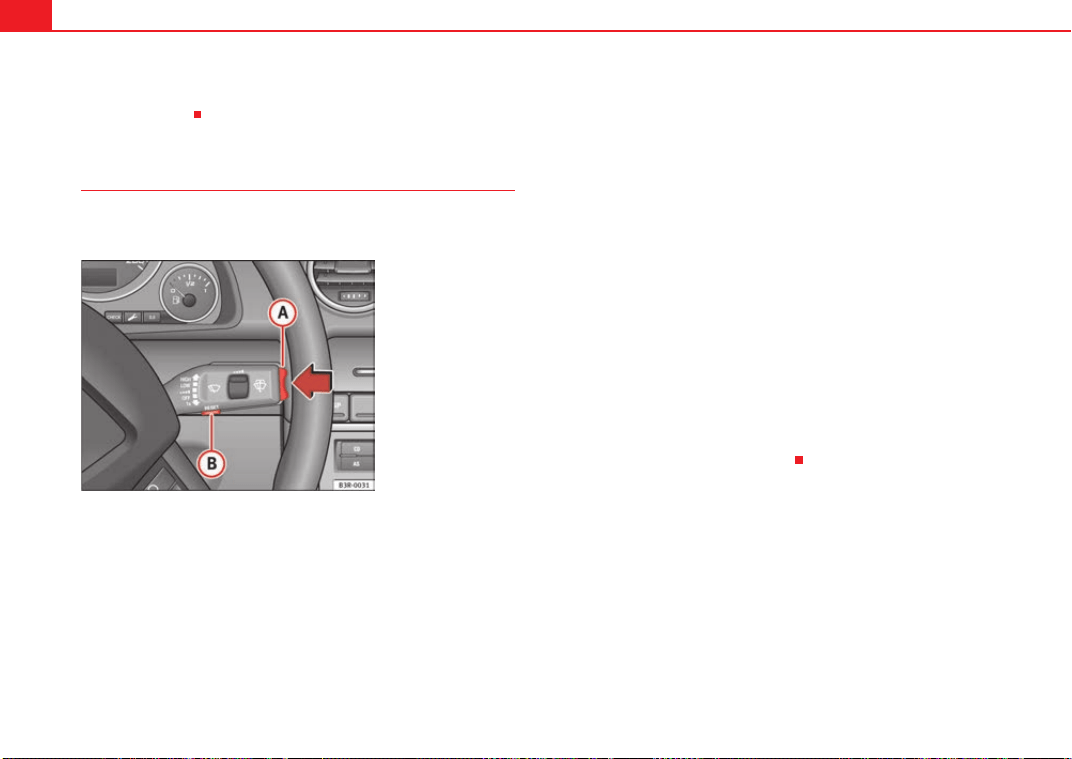
Cockpit84
with a brief push of the button, or until the memory is cleared with a long
push of the button.
Setting speed limit warning 2
Speed limit warning 2 is set using the switches on the wind-
screen wiper lever.
Setting the speed limit
– Switch the ignition off.
– Briefly press the CHECK button in the instrument cluster
⇒ page 83, fig. 57. The distance display and the digital clock
will light up.
– Press the CHECK button for at least two seconds. The display will
show the speed limit which is currently set or, if no speed limit
has been set, the crossed out warning symbol for speed limit 2.
– To change the speed limit, press the top or bottom of the function
selector switch on the windscreen wiper lever ⇒ fig. 58. The
speed limit displayed will then increase or decrease by 10 km/h
at a time.
Clearing the speed limit
– Switch the ignition off.
– Briefly press the CHECK button in the instrument cluster
⇒ page 83, fig. 57. The distance display and the digital clock
will light up.
– Press the CHECK button for at least two seconds. The display will
show the speed limit which is currently set.
– Now press and hold the Reset button on the windscreen wiper
lever ⇒ fig. 58 until the crossed out warning symbol for
speed limit 2 appears on the display.
The display lighting for the mileage recorder and digital clock goes off again
a few seconds after the button is released.
Fig. 58 Windscreen wiper
lever: Function selector
switch
A
A
A
B
Exeo_EN.book Seite 84 Freitag, 28. August 2009 10:14 10
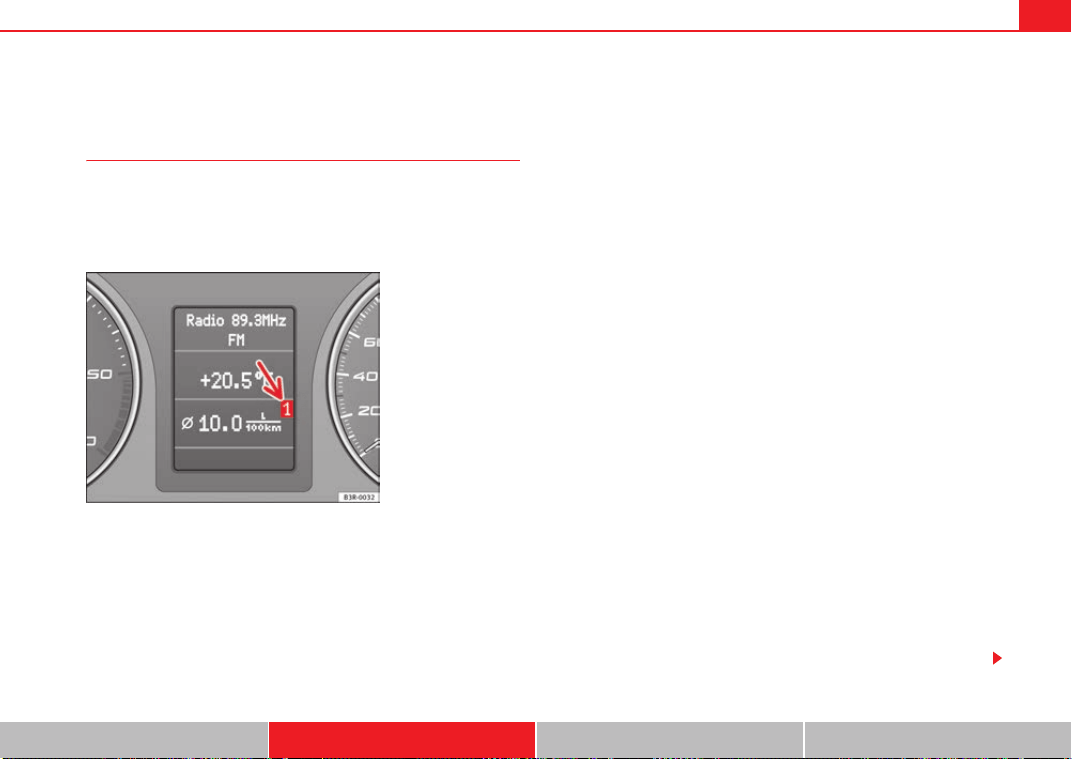
Cockpit 85
Safety First Controls and equipment Practical tips Technical Data
On-board computer
Introduction
The on-board computer provides you with useful information
during a journey, including average and current fuel
consumption, average speed, fuel range, driving time and
distance covered.
Press RESET button ⇒ page 86, fig. 60 to switch back and forward
between the functions of on-board computers 1 and 2.
The numbers in the display ⇒ fig. 59 indicates which of the two memories is
currently in use. The figure 1 means that the display is showing the informa-
tion in the single journey memory (on-board computer 1). The figure 2 means
that the display is showing the information in the total journey memory (on-
board computer 2).
Single-journey memory (on-board computer 1)
The single-journey memory processes the information on a journey from the
time the ignition is switched on until it is switched off. If the journey is
resumed within two hours after the ignition is switched off, the new figures
are automatically included in the calculation. If the journey is interrupted for
more than two hours the stored info rmation is automatically erased when you
resume your journey.
Total-journey memory (on-board computer 2)
Unlike the single-journey memory, the total-journey memory is not erased
automatically. Hence, you can determine the period for which you wish the
on-board computer to supply figures.
Fuel range
The estimated fuel range is displayed in km. The fuel range is displayed in
increments of 10 km.
Average fuel consumption
This mode shows the average fuel consumption since the memory was last
cancelled in litres/100 km.
Instantaneous fuel consumption
The display shows the instantaneous fuel consumption in litres/100 km.
When the vehicle is stationary, the computer will display the last value in the
memory.
Average speed
This mode shows the average speed driven since the memory was last
cancelled (in km/h).
Driving time
This display shows the period of time which has elapsed since the memory
was last cancelled. The longest possible period it can cover is 999 hours and
59 minutes.
Fig. 59 On-board
computer: memory 1
A
B
Exeo_EN.book Seite 85 Freitag, 28. August 2009 10:14 10
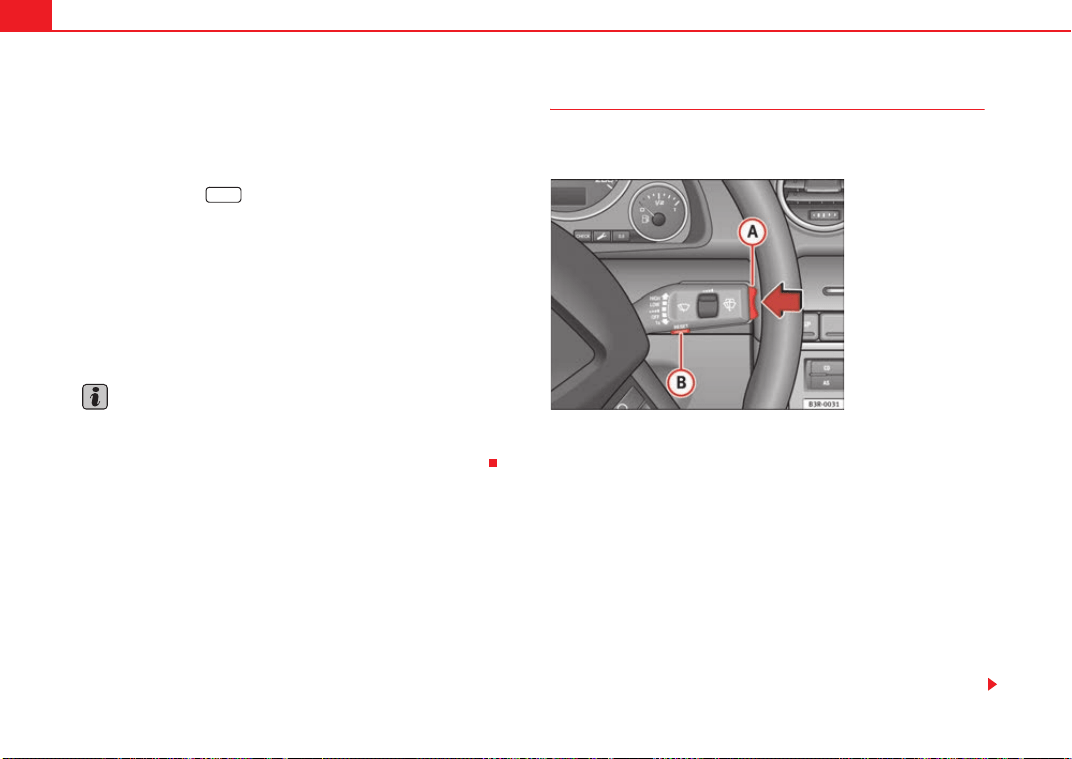
Cockpit86
Driving time warning
After 2 hours of continuous driving, the display automatically switches over
to the driving time display of 2:00. At the same time the driving time display
starts flashing. This is to remind the driver to take a break.
The driving time warning can be switched off by briefly pressing the function
selector switch or the button ⇒ fig. 60.
If you continue driving or take a break for less than 10 minutes, the driving
time warning will switch on once again when the total driving time is 4:00
hours, 6:00 hours, etc. However, if you take a break for more than 10 minutes,
the driving time warning clock will be erased.
Distance covered
This display shows the distance you have covered since the memory was last
cancelled. The longest possible distance which can be recorded is
9999.9 km.
Note
• The displays for fuel consumption (average and instantaneous), fuel
range and speed are shown in metric units.
• The information in the memory is lost if the battery is disconnected.
Operating
The on-board computer is controlled by means of two
switches on the windscreen wiper lever.
Enabling the on-board computer
– Press the reset button repeatedly until the on-board
computer (memory 1 or 2) ⇒ page 85, fig. 59 is displayed.
Selecting the function
– Press the top or bottom of the function selector switch
⇒ fig. 60. This displays the functions of the on-board computer
in sequence.
Resetting to zero
– Press and hold the Reset button for at least two seconds.
The following values can be reset to zero using the Reset button:
Reset
Fig. 60 Windscreen wiper
lever: On-board computer
controls
A
B
A
A
A
B
Exeo_EN.book Seite 86 Freitag, 28. August 2009 10:14 10
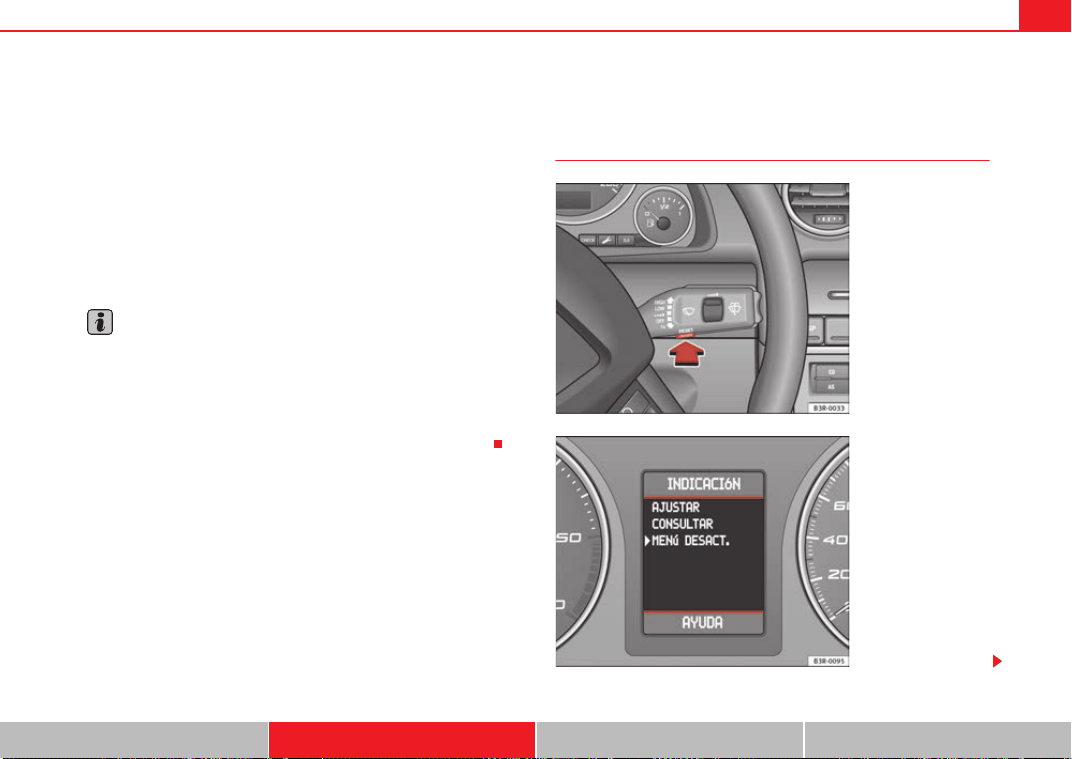
Cockpit 87
Safety First Controls and equipment Practical tips Technical Data
• Journey duration
• Distance covered
• Average fuel consumption
• Average speed
The on-board computer can only be operated when the ignition is switched
on. When the ignition is switched on, the display shows the function that was
last selected.
As well as the figures from the on-board computer (computer 1 or 2), the
display can also show information from the navigation system*. Press the
Reset button briefly to switch back and forward between these displays.
Note
• If you keep the Reset button pressed for longer than two seconds, it will
reset the currently displayed figure to zero (for instance average fuel
consumption).
• Faults detected by the auto-check control will be displayed even if the
display is off.
• The information in the memory is lost if the battery is disconnected.
Menu display
Introduction
A
B
Fig. 61 Windscreen wiper
lever: Menu selection
button
Fig. 62 Display: Main
menu
Exeo_EN.book Seite 87 Freitag, 28. August 2009 10:14 10
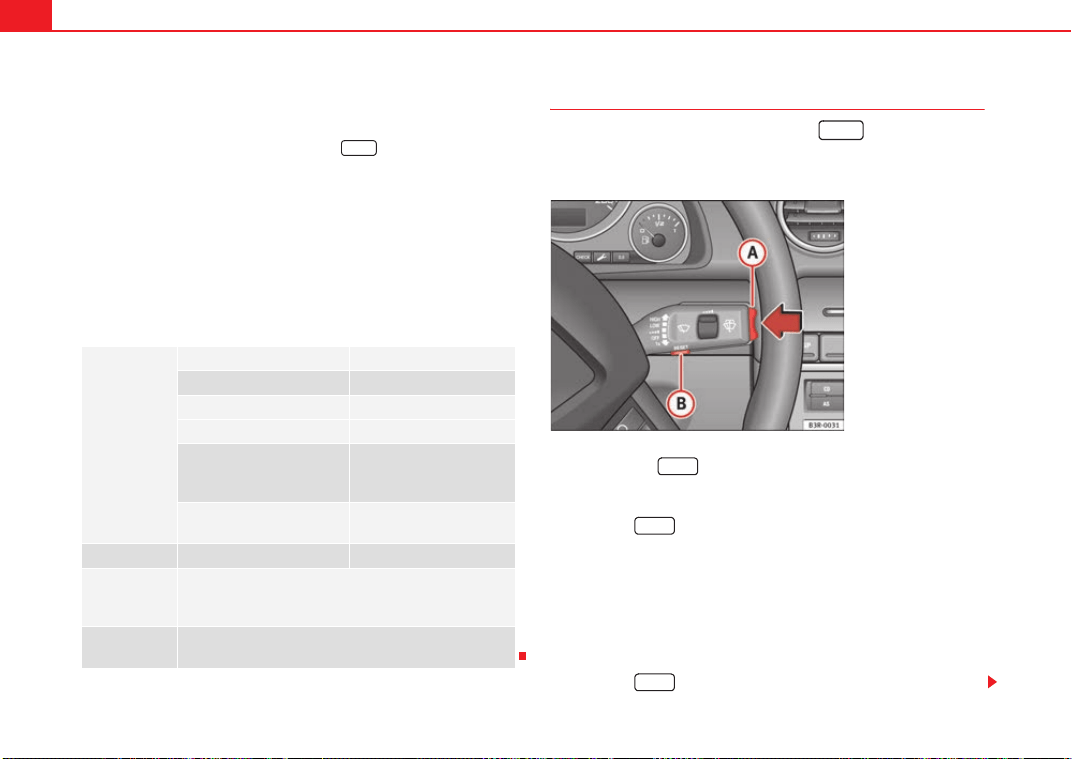
Cockpit88
Some of your vehicle's functions can be adjusted, activated and controlled by
menus. With the aid of the menus you can then also select the information
you wish to see displayed on the DIS display. This is only possible when the
ignition is on. The menu is enabled using the button on the wind-
screen wiper lever ⇒ page 87, fig. 61.
The main menu lists the different display types (or basic commands):
Programming
Check
Menu off
Help
The main menu options have the following submenus:
Controlling the menu
The menu display is called up via the button and the
rocker switch on the windscreen wiper lever. Use these
controls to make checks and adjust the settings.
Functions of the ⇒ fig. 63 and the rocker switch :
Enabling the menu
– Press the button until the menu display ⇒ page 87,
fig. 62 appears.
Selecting and setting
– Press the rocker switch to select one of the menus. Press "up" or
"down" on the switch to select the options accordingly.
Entering and confirming
–Press the button.
Programming Clock ⇒ page 88
Computer ⇒ page 88
Speed warning ⇒ page 82
Radio info (on/off)
Units: for measuring dis-
tance, fuel consumption and
temperature
⇒ page 88
Language: you can select
one of 6 languages.
⇒ page 88
Check Service ⇒ page 74
Menu off When the menu is switched off, the display shows the
same information as on vehicles without the menu func-
tion.
Help The help function may be used to understand the meaning
of symbols that can appear on different menus.
Reset
Reset
Fig. 63 Windscreen wiper
lever: Reset button and
rocker switch
Reset
A
B
A
A
Reset
Reset
Exeo_EN.book Seite 88 Freitag, 28. August 2009 10:14 10
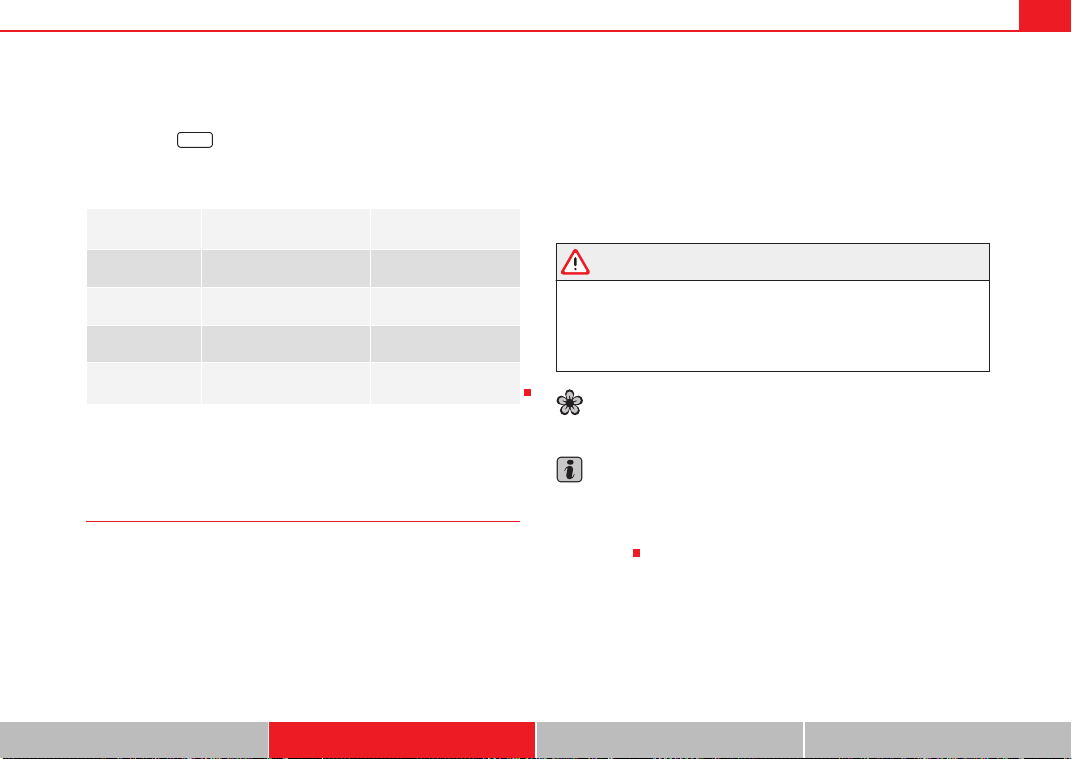
Cockpit 89
Safety First Controls and equipment Practical tips Technical Data
Use the rocker switch to select the menus and adjust various values. The
selected values are highlighted on a red background.
By pressing the button, you can confirm the option you have selected
or the value you have set. Selected functions are marked with a tick.
The following symbols are used:
Tyre pressure monitoring*
Introduction
The tyre pressure monitoring system constantly checks the
pressure of the tyres.
The system warns the driver in the event of a loss of pressure by means of
symbols and messages in the instrument panel display. The system works
with the help of the ABS sensors in the wheels.
Please bear in mind that the tyre inflation pressure is also influenced by the
temperature of the tyre. Tyre pressure increases about 0.1 bar for each 10°C
in tyre temperature increase. The tyre heats up while the vehicle is being
driven and the tyre pressure will rise accordingly. Therefore, you should only
adjust the tyre pressures when they are cold (i.e. approximately at ambient
temperature).
To ensure that the tyre pressure monitoring system works reliably, you should
check and, if necessary, adjust the tyre pressures at regular intervals and
store the correct pressures (reference values) in the system.
A tyre pressure information label is attached to the inside of the fuel tank flap.
WARNING
• Never adjust tyre pressure when the tyres are hot. This may damage or
even burst the tyres. Risk of accident!
• An insufficiently inflated tyre flexes a lot more at high speeds and
causes significant heating of the tyre. Under these conditions, the tyre
bead may be released or the tyre may burst. Risk of accident!
For the sake of the environment
Under-inflated tyres lead to increased fuel consumption and tyre wear.
Note
• Responsibility for ensuring that the tyres are correctly inflated remains
with the driver; the system can only provide assistance.
• Pressure can only be adjusted when the tyres are at ambient
temperature.
Cursor Function selected Red background (active
function)
Tick Selected
Box Not selected
Triangle pointing upwards Previous page
Triangle pointing down-
wards
Next page
Reset
Exeo_EN.book Seite 89 Freitag, 28. August 2009 10:14 10

Cockpit90
Tyre pressure monitoring display
The tyre pressure should be corrected as soon as possible if
it is too low.
If the symbol appears, the tyre pressure on at least one of the
wheels is too low.
– Stop the vehicle.
– Check the tyre(s).
– Correct the tyre pressure ⇒ page 236.
For more detailed information on the tyre pressure monitoring system, please
refer to ⇒ page 235.
Exeo_EN.book Seite 90 Freitag, 28. August 2009 10:14 10
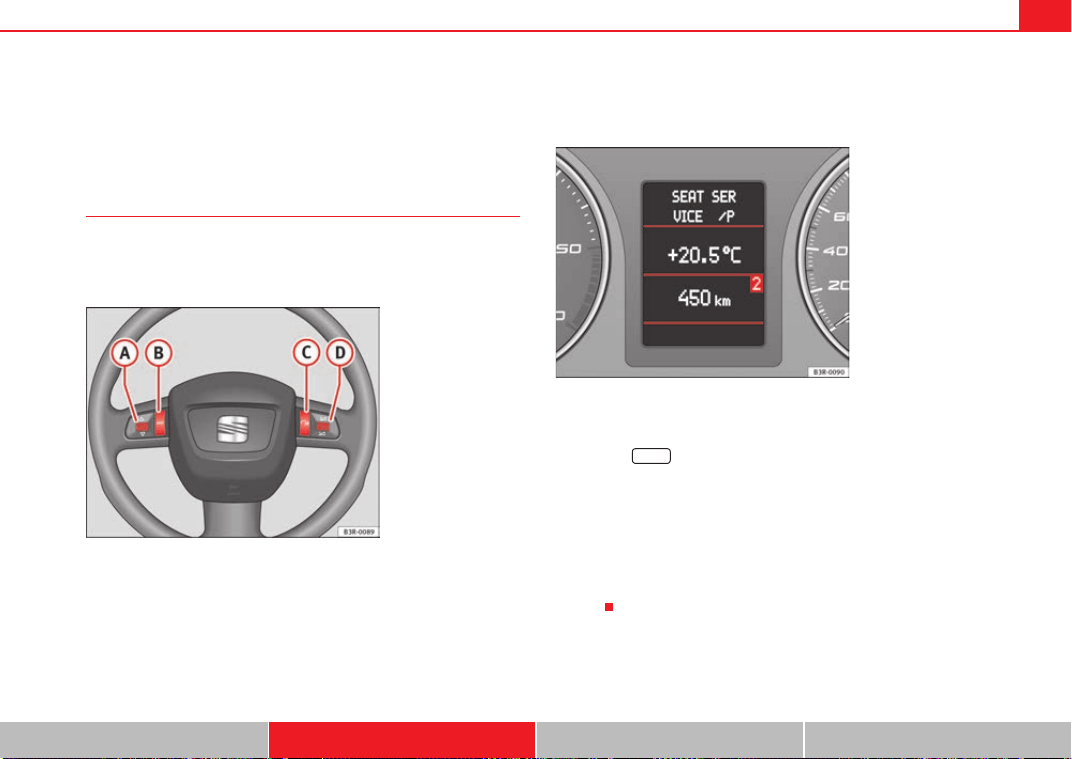
Steering wheel controls 91
Safety First Controls and equipment Practical tips Technical Data
Steering wheel controls
The multi-function steering wheel
Introduction
You can use the multi-function steering wheel to quickly and
easily operate selected functions of the radio, CD, and tele-
phone*.
The functions are operated by pressing or scrolling the controls to on
the multi-function steering wheel ⇒ fig. 64:
• Press the button repeatedly to switch between modes, which
are then displayed in the driver information system ⇒ fig. 65.
• Scroll and press the left thumbwheel to select a function from one of
the menus.
• The speech control system* for the on-board phone system is enabled by
pressing the talk button . Pressing the talk button again disables speed
control*.
• Scroll the right thumbwheel up/down to raise/lower the volume as
desired.
Fig. 64 Controls on the
multi-function steering
wheel
Fig. 65 Driver informa-
tion system
A
A
A
D
MODE
A
B
A
A
A
C
A
D
Exeo_EN.book Seite 91 Freitag, 28. August 2009 10:14 10

Steering wheel controls92
Steering wheel audio version controls
(Mode) (PTT)
+-Press +-Press
Radio
mode
Station search.
Increase frequency
Station search.
Decrease fre-
quency
1st press: starts
the search.
2nd press: cancels
the search
One long press:
block the steering-
wheel controls
Short press:
activates the steer-
ing-wheel controls (if
they are blocked /
without specific func-
tion (if they are not
blocked)
No function
specified
Volume up Volume down MUTE
CD/
iPod-USB
Mode
CD mode: next
track.
iPod/USB Mode:
next track
CD mode: previ-
ous track.
iPod/USB Mode:
previous track
CD mode: fast for-
ward.
iPod/USB Mode:
fast forward
Volume up Volume down MUTE
MP3
mode
Next track Previous track Fast forward Volume up Volume down MUTE
A
A
A
B
A
C
A
D
Exeo_EN.book Seite 92 Freitag, 28. August 2009 10:14 10
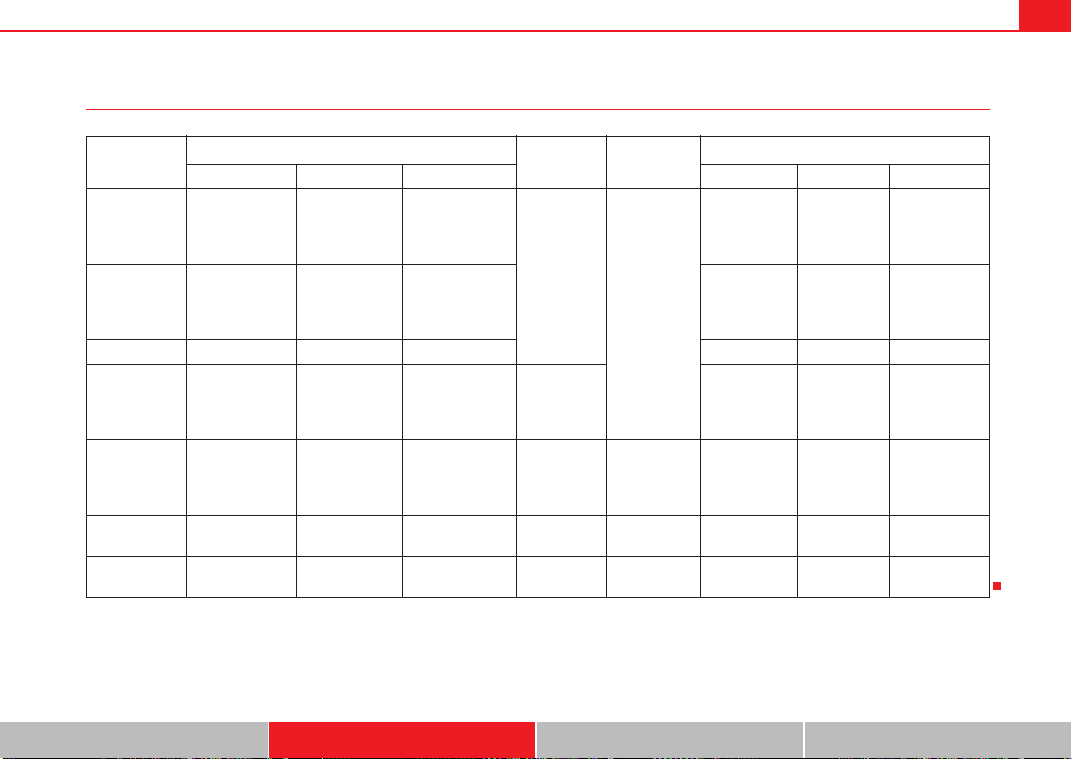
Steering wheel controls 93
Safety First Controls and equipment Practical tips Technical Data
Steering wheel Audio + Telephone version controls
(Mode) (PTT)
+-Press +-Press
Radio mode
Station search.
Increase fre-
quency
Station search.
Decrease fre-
quency
1st press: starts
the search.
2nd press: cancels
the search
Change to
phone
Enable voice
recognition
Volume up Volume down MUTE
CD/
iPod-USB Mode
CD mode: next
track.
iPod/USB Mode:
next track
CD mode: previ-
ous track.
iPod/USB Mode:
previous track
CD mode: fast for-
ward.
iPod/USB Mode:
fast forward
Volume up Volume down MUTE
MP3 mode Next track Previous track Fast forward Volume up Volume down MUTE
Phone mode
Next name in
phone book
Previous name in
phone book
Accept
Change to
radio / CD /
iPod-USB /
MP3
Volume up Volume down
No function
specified
Incoming call
mode
No function spec-
ified
No function
specified
One press: accept
call.
Held down: reject
call
No function
specified
No function
specified
Volume up Volume down
No function
specified
Active call
mode
No function spec-
ified
No function
specified
End call
No function
specified
No function
specified
Volume up Volume down
No function
specified
Voice activa-
tion mode
No function spec-
ified
No function
specified
No function speci-
fied
No function
specified
Cancel Volume up Volume down
No function
specified
A
A
A
B
A
C
A
D
Exeo_EN.book Seite 93 Freitag, 28. August 2009 10:14 10

Steering wheel controls94
Steering wheel controls, Navigation System* version
(Mode) (PTT)
+-Press +-Press
Radio mode
Station search.
Increase fre-
quency
Station search.
Decrease fre-
quency
1st press: starts
the search.
2nd press: cancels
the search
No specified
function
No function
specified
Volume up Volume down
Repetition of
the last naviga-
tion order (only
if active)
CD/
iPod-USB Mode
CD mode: next
track.
iPod/USB Mode:
next track
CD mode: previ-
ous track.
iPod/USB Mode:
previous track
CD mode: fast for-
ward.
iPod/USB Mode:
fast forward
Volume up Volume down
Repetition of
the last naviga-
tion order (only
if active)
MP3 mode Next track Previous track Fast forward Volume up Volume down
Repetition of
the last naviga-
tion order (only
if active)
A
A
A
B
A
C
A
D
Exeo_EN.book Seite 94 Freitag, 28. August 2009 10:14 10

Steering wheel controls 95
Safety First Controls and equipment Practical tips Technical Data
Steering wheel controls, Navigation System + Telephone* version
(Mode) (PTT)
+-Press +-Press
Radio mode
Station search.
Increase fre-
quency
Station search.
Decrease fre-
quency
1st press: starts
the search.
2nd press: cancels
the search
Change to
phone
Enable voice
recognition
Volume up Volume down
Repetition of
the last naviga-
tion order (only
if active)
CD/
iPod-USB Mode
CD mode: next
track.
iPod/USB Mode:
next track
CD mode: previ-
ous track.
iPod/USB Mode:
previous track
CD mode: fast for-
ward.
iPod/USB Mode:
fast forward
Volume up Volume down
Repetition of
the last naviga-
tion order (only
if active)
MP3 mode Next track Previous track Fast forward Volume up Volume down
Repetition of
the last naviga-
tion order (only
if active)
Phone mode
Next name in
phone book
Previous name in
phone book
Accept
Change to
radio / CD /
iPod-USB /
MP3
Volume up Volume down
Repetition of
the last naviga-
tion order (only
if active)
Incoming call
mode
No function spec-
ified
No function
specified
One press: accept
call.
Held down: reject
call
No function
specified
No function
specified
Volume up Volume down
Repetition of
the last naviga-
tion order (only
if active)
Active call
mode
No function spec-
ified
No function
specified
End call
No function
specified
No function
specified
Volume up Volume down
Repetition of
the last naviga-
tion order (only
if active)
Voice activa-
tion mode
No function spec-
ified
No function
specified
No function speci-
fied
No function
specified
Cancel Volume up Volume down
No function
specified
A
A
A
B
A
C
A
D
Exeo_EN.book Seite 95 Freitag, 28. August 2009 10:14 10
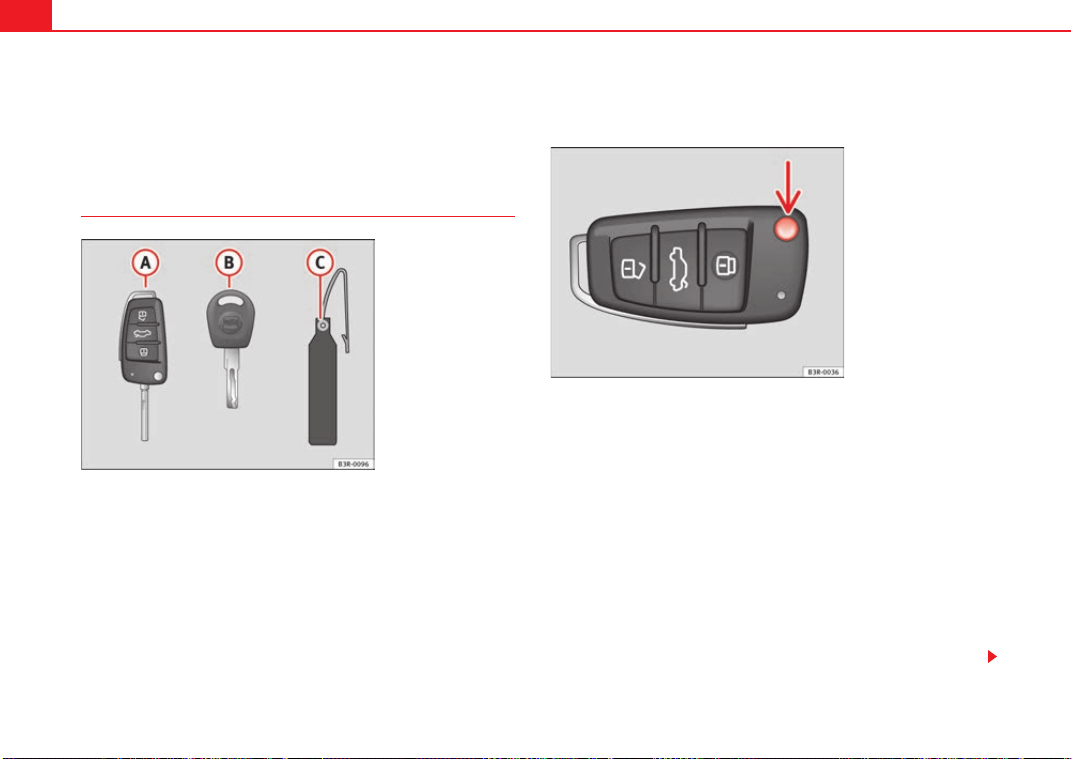
Unlocking and locking96
Unlocking and locking
Remote control keys
Set of keys
The set of keys belonging to your vehicle consists of the following items:
one remote control key.
one key without remote control.
a plastic key tab*.
Remote control key
The remote control key will lock and unlock the car and start the engine. Press
the release button ⇒ fig. 67 -arrow- to unfold the key out of the handle and
to fold it back in.
Replacing a key
If you lose a key, please contact the Technical Service. Have the remote
control coding for that key disabled. You should therefore bring the plastic
key tab* and all available keys with you. It is also important to notify your
insurance company if a key or the plastic key tab has been lost.
Fig. 66 Set of keys
supplied with the vehicle
Fig. 67 Remote control
key: Release button
A
A
A
B
A
C
Exeo_EN.book Seite 96 Freitag, 28. August 2009 10:14 10
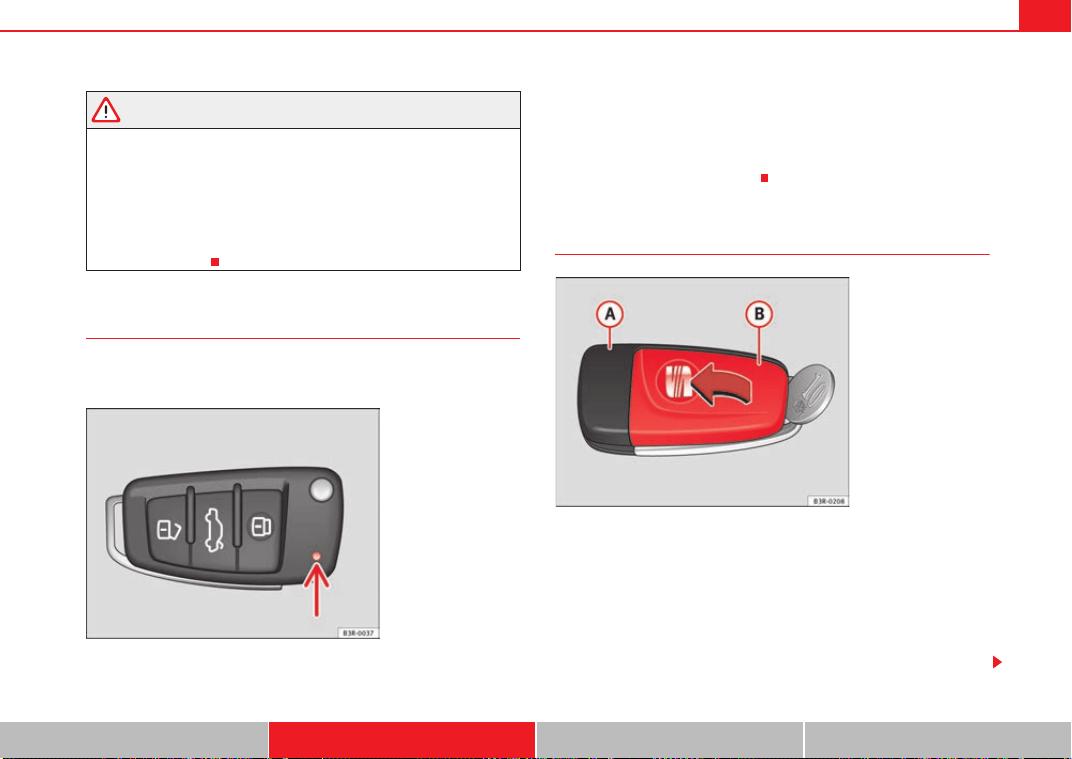
Unlocking and locking 97
Safety First Controls and equipment Practical tips Technical Data
WARNING
• Always take the key with you when leaving the vehicle, even if you only
intend to be gone for a short time. This is particularly important if there are
children in the car, as they might otherwise be able to start the engine or
use power-operated equipment (e.g. the electric windows), which could
lead to injuries.
• Wait for the vehicle to come to a standstill before removing the ignition
key from the lock! Otherwise, the steering lock could engage suddenly,
causing an accident.
Indicator light on the remote control key
The condition of the battery in the remote control key is moni-
tored by the indicator light.
Condition of the key battery
The indicator light ⇒ fig. 68 (arrow) flashes when one of the buttons is
pressed. If the indicator light does not light up or flash, this means that the
battery is exhausted and must be replaced.
Replacing the batteries ⇒ page 97.
Replacing the key battery
We recommend you have the batteries changed in a specialist
garage. If you decide to change the used battery yourself, follow the
steps below:
– Carefully prise apart the key ⇒ fig. 69 and the cover
using a coin.
– Remove cover in the direction of the arrow.
Fig. 68 LED on the remote
control key
Fig. 69 Master key:
Opening the cover
A
A
A
B
Exeo_EN.book Seite 97 Freitag, 28. August 2009 10:14 10
Unlocking and locking98
– Remove the used battery from the cover.
– Insert the new battery. Make sure that the “+” symbol on the
battery is facing downwards. The correct polarity is indicated on
the cover.
– After inserting the battery, align the cover and key and press the
two parts together.
For the sake of the environment
Used batteries must be disposed of appropriately and must not be discarded
with ordinary household waste.
Note
• The system must be re-synchronised after each battery replacement to be
able to lock and unlock the car using the remote control ⇒ page 106.
• The new battery must be of the same type as the original.
Electronic immobiliser
The electronic immobiliser is designed to prevent unauthor-
ised persons from starting up the vehicle.
There is an electronic chip inside the key which automatically deactivates the
immobiliser when the key is inserted into the ignition lock. The electronic
immobiliser is enabled automatically when the ignition key is removed from
the ignition lock after coming to a stop.
If an uncoded key is used, the message SAFE will appear in the trip recorder
display.
Note
• The engine can only be started using an original SEAT key with the correct
code.
• It may not be possible to start the engine with the key if there is another
ignition key from a different make of vehicle on the same key tab.
Central locking
Description
The central locking system enables you to lock and unlock all
the doors, the tailgate and the tank flap together.
The central locking system on your vehicle locks and unlocks all the doors
and the tank flap simultaneously. The tailgate is unlocked when the vehicle
is opened. However, the handle must be used to open it. The vehicle can be
locked and unlocked using the remote control ⇒ page 104 or by turning the
key in the lock in the driver's door.
The windows can also be centrally opened or closed using the central locking
system ⇒ page 110. The sun roof* can be closed but not opened using the
central locking system.
The central locking system is combined with an anti-theft security system. If
the vehicle is locked with the key from the outside, the interior opening levers
stop working, which prevents unauthorised persons from entering the
vehicle.
Should the central locking system fail to work, you can still normally enable
all the locks individually. The fuel tank flap can be released manually if neces-
sary. For manual release of the tank flap ⇒ page 217.
Exeo_EN.book Seite 98 Freitag, 28. August 2009 10:14 10
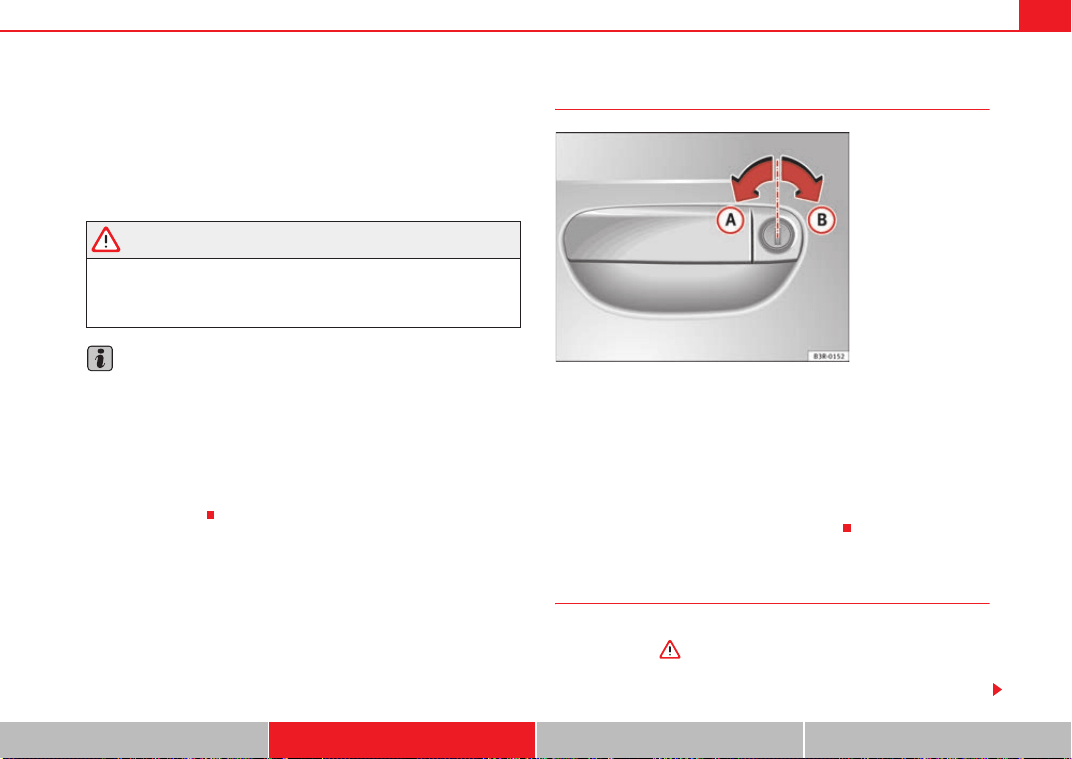
Unlocking and locking 99
Safety First Controls and equipment Practical tips Technical Data
Automatic locking function (Auto Lock)*
The Auto Lock* function automatically locks all doors and the tailgate when
the vehicle exceeds a speed of about 15 km/h.
The vehicle is unlocked again automatically when the ignition key is
removed. Alternatively, the driver can also unlock the vehicle using the
central locking switch
or by opening one of the doors.
WARNING
Do not leave anyone (especially children) inside the car if it is locked from
the outside and the anti-theft security system is enabled, as the doors and
windows cannot then be opened from the inside. Locked doors could delay
assistance in an emergency, potentially putting lives at risk.
Note
• Should the central locking system fail to work, you can still lock and
unlock the driver's door and the tailgate using the key. For manual release of
the tank flap ⇒ page 217. Locking the doors manually if central locking fails
to work ⇒ page 102.
• The anti-theft mechanism and the anti-theft alarm* cannot be enabled if
the central locking is not working.
• Never leave any valuable items in the vehicle unattended. Even a locked
vehicle is not a safe.
Unlocking the vehicle with the key
– To unlock the vehicle, turn the key in the driver's door to position
⇒ fig. 70.
– Pull the handle to open the door.
• This will unlock all the doors, the tailgate and the tank flap simultane-
ously.
• The anti-theft security system will be disabled.
Locking the vehicle with the key
– To lock the vehicle, turn the key in the driver's door to position
⇒ fig. 70 ⇒ .
• This will lock all the doors and the tailgate.
Fig. 70 Turning the key to
enable the open and close
functions
A
A
A
B
Exeo_EN.book Seite 99 Freitag, 28. August 2009 10:14 10
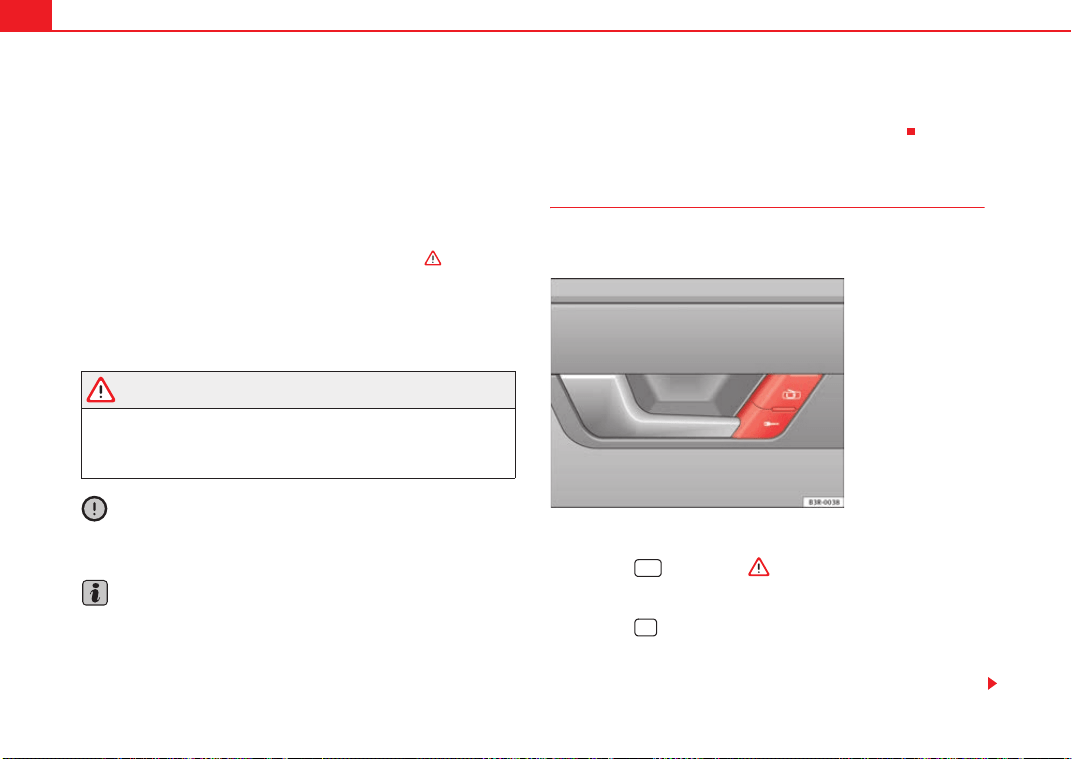
Unlocking and locking100
• The interior lights are switched off, provided the light switch is in the cour-
tesy light position.
• The windows and the sun roof* will close as the key is held in the locking
position.
• The anti-theft security system will be enabled immediately.
Locking the vehicle without enabling the anti-theft security system
With the anti-theft security system enabled, it is more difficult to break into
the vehicle. If the anti-theft security system has been enabled, the inside
door handles and the central locking switch will not work ⇒ .
If you are leaving passengers in the vehicle while it is parked, it is possible to
lock the vehicle without enabling the anti-theft security system.
To do so, turn the key in the driver's door twice in quick succession to position
⇒ page 99, fig. 70.
WARNING
Do not leave anyone (especially children) in the car if it is locked from the
outside and the anti-theft security system is enabled, as the doors and
windows cannot then be opened from the inside. Locked doors could delay
assistance in an emergency, potentially putting lives at risk.
Caution
If the driver's door is locked using the key while open, the car will be automat-
ically immobilised and the alarm triggered.
Note
• Please note that when the vehicle is locked without enabling the anti-
theft mechanism, the anti-theft alarm* remains operative. You should there-
fore switch off the interior monitor* before locking the vehicle, as otherwise
the alarm* could be triggered unintentionally.
• The driver's door cannot be locked using the central locking system when
it is still open. The door must be locked separately after it has been closed.
This helps to prevent you from being locked out of the vehicle.
Central locking switch
The central locking system can be enabled from inside the
vehicle using the central locking switch on the driver's door.
Locking the vehicle
–Press the ⇒ fig. 71 ⇒ button.
Unlocking the vehicle
–Press the button.
Please note the following when using the central locking switch to lock your
vehicle:
A
B
Fig. 71 Detail of driver
door: Central locking
switch
Exeo_EN.book Seite 100 Freitag, 28. August 2009 10:14 10
Unlocking and locking 101
Safety First Controls and equipment Practical tips Technical Data
• The doors and the tailgate cannot be opened from the outside (for secu-
rity reasons, e.g. when stopped at traffic lights).
• You can open the doors individually from the inside by pulling the inside
door handle.
• When the driver's door is open, it cannot be locked by pressing the central
locking switch and then closing the door. This helps to prevent you from
being locked out of the vehicle. The door has to be locked separately after it
has been closed.
• In the event of an accident in which the airbags inflate, doors locked from
the inside will be automatically unlocked to facilitate access and assistance.
WARNING
The central locking switch is still operative when the ignition is switched
off. This switch can be used to automatically lock all the doors and the tail-
gate. However, since this makes it difficult to enter the car from the
outside, you should never leave children unattended in the vehicle. Locked
doors could delay assistance in an emergency, potentially putting lives at
risk.
Note
The central locking switch inside the vehicle will not be operative if the anti-
theft mechanism has been enabled.
Security central locking*
The security central locking feature allows you to only unlock
the driver's door and the tank flap. All other doors and the
tailgate remain locked.
Unlocking the driver's door and tank flap
–Turn the key once to the unlock position, or press the unlock
button on the remote control once.
Unlocking all the doors, the tailgate and the tank flap
simultaneously.
–Turn the key twice within five seconds, or press the unlock button
on the remote control twice within five seconds.
The security system and the anti-theft alarm* are immediately disabled if you
unlock only the driver's door, without unlocking the other doors
⇒ page 106.
Exeo_EN.book Seite 101 Freitag, 28. August 2009 10:14 10
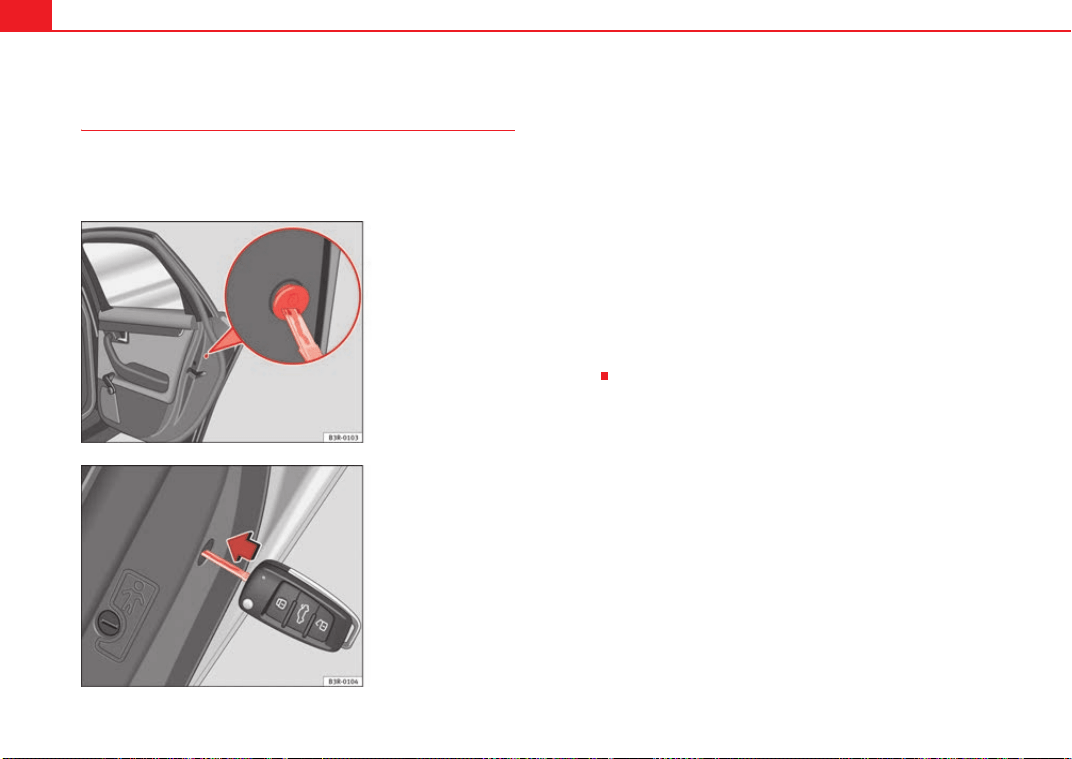
Unlocking and locking102
Locking the doors manually if the central locking fails to
work
Should the central locking system fail to work at any time (for
instance if there is no electrical power supply), each door will
have to be locked separately.
A manual locking device (only visible when the door is open) is
provided on the front passenger's door and the rear doors.
– Open the door.
–Use the key ⇒ fig. 72 to turn the cap slightly and then fold it
downwards.
– Insert the key into the slot inside ⇒ fig. 73 and turn it as far as
the stop, i.e. about 90 degrees to the right (doors on right side)
or to the left (door on the left side).
Once the door has been closed it can no longer be opened from the outside.
The door can be opened from the inside by pulling the door handle. If the
child-proof catch is engaged on one of the rear doors, the door can be opened
by pulling the inside door handle once and then opening the door from the
outside.
Fig. 72 Manual locking
device
Fig. 73 Enabling manual
locking
Exeo_EN.book Seite 102 Freitag, 28. August 2009 10:14 10
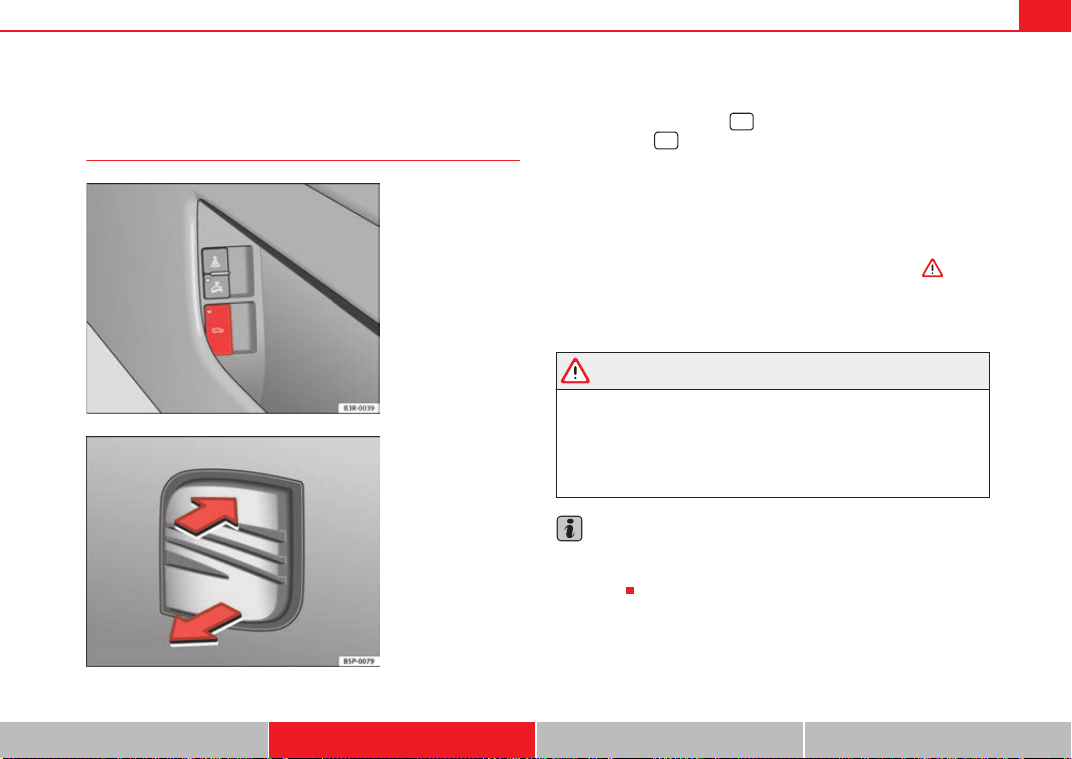
Unlocking and locking 103
Safety First Controls and equipment Practical tips Technical Data
Tailgate
Tailgate: opening and closing
Opening the tailgate
– Press the centre button on the remote control key or press
the switch* on the driver's door ⇒ fig. 74. The tailgate will
open.
– Then lift up the tailgate. If your vehicle is equipped accordingly,
the tailgate will open automatically*.
Closing the tailgate
– Pull down the tailgate and let it drop into the latch ⇒ .
Use the recessed handle in the interior trim to make it easier to pull down the
tailgate.
WARNING
• After closing the boot lid, always check that the catch has engaged
properly. If not, the boot could open while driving, even if it has been
locked. Risk of accident!
• The tailgate must always be completely closed when the vehicle is
moving, otherwise toxic exhaust fumes may be drawn into the vehicle.
Danger of poisoning!
Note
• The door catch/boot lid warning symbol lights up in the instrument
cluster if the boot lid is not properly closed when the ignition is switched on
⇒ page 74.
Fig. 74 Driver's door:
Unlocking the tailgate
Fig. 75 Luggage
compartment: opening
from the outside
Exeo_EN.book Seite 103 Freitag, 28. August 2009 10:14 10
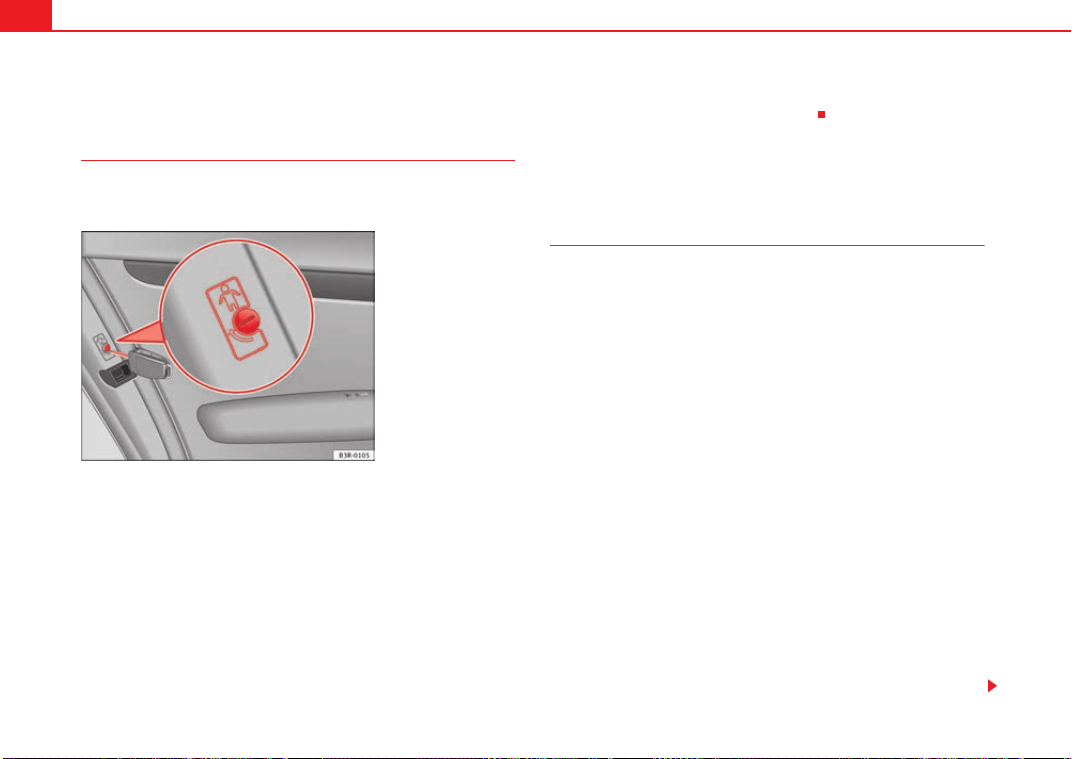
Unlocking and locking104
Childproof locks
Childproof locks on rear doors
The childproof lock prevents the rear doors from being
opened from the inside.
The rear doors are equipped with childproof locks. These can be
operated using the ignition key. The childproof locks are only visible
with the doors open.
Enabling the childproof lock
– Turn the key in the direction of the arrow ⇒ fig. 76.
Disabling the childproof lock
– Turn the key in the opposite direction of the arrow.
When the childproof lock is enabled, the inside door handle will not work and
the door can only be opened from the outside.
Remote control key
Description
The remote control key will lock and unlock the vehicle
without having to insert the key in the lock.
The following functions are available:
• Locking and and unlocking the vehicle
• Unlocking the tailgate
All the indicators will flash as confirmation when the vehicle is locked or
unlocked. Furthermore, the interior lights will automatically light up when the
vehicle is unlocked and go out when the vehicle is locked, provided that the
switches are in the courtesy light position.
The remote control transmitter and the battery are integrated into the handle
of the key. The receiver is in the interior of the vehicle. The maximum range
depends on different circumstances. The range is reduced when the battery
starts to lose power.
The remote control incorporates a foldaway key that can be used to manually
lock or unlock the vehicle, as well as to start the engine.
If the receiver has been repaired or replaced, or if a replacement key is used,
the system will need re-programming by a specialist garage. Only then will
you be able use the remote control again.
The remote control meets all relevant authorisation requirements and has
been approved by the Federal Approvals Office for Telecommunications of the
Federal Republic of Germany. All components are marked in accordance with
Fig. 76 Childproof lock
on the rear doors
Exeo_EN.book Seite 104 Freitag, 28. August 2009 10:14 10
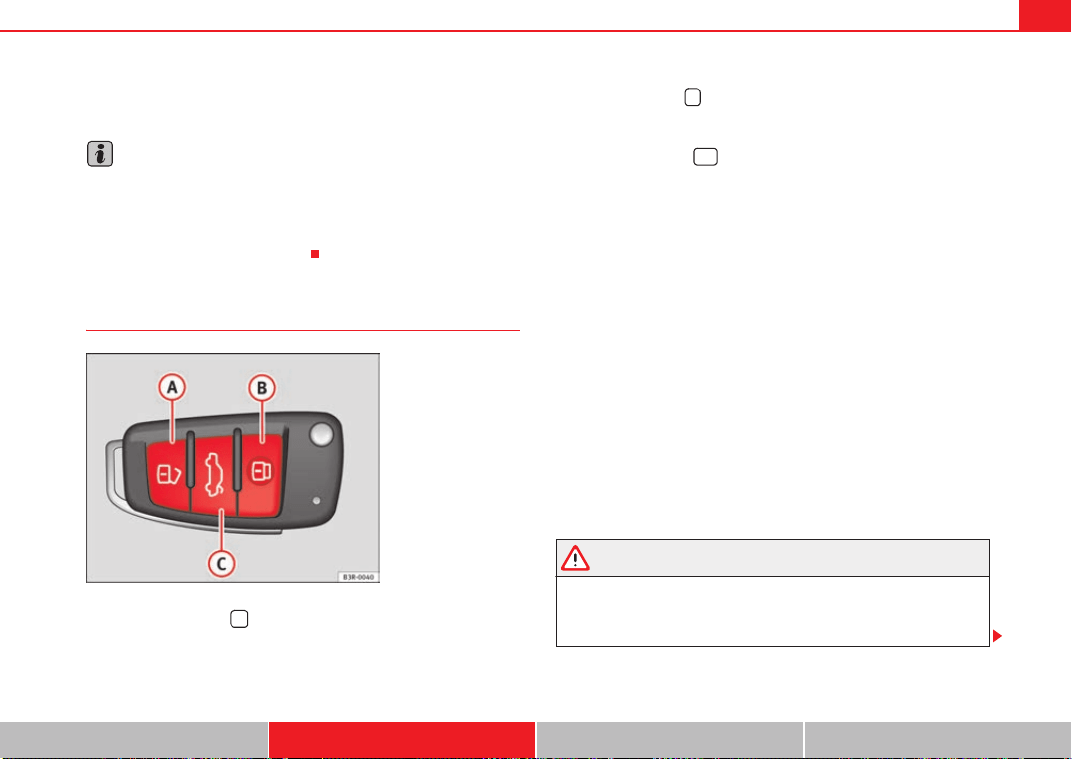
Unlocking and locking 105
Safety First Controls and equipment Practical tips Technical Data
the current legal requirements. This certification forms the basis for official
approval for use in other countries.
Note
• The remote control is automatically disabled when the ignition is
switched on.
• The function of the remote control may be impaired by interference from
other nearby radio signals (e.g. from a mobile phone or TV transmitter) if
these are in the same frequency range.
Locking and unlocking the vehicle
Unlocking the vehicle
– Press button ⇒ fig. 77 for about 1 second.
Locking the vehicle
– Press button for about 1 second.
Opening the tailgate
– Press button and hold for at least one second.
The indicators will flash twice as confirmation when you unlock the car. The
vehicle will be locked again automatically if you do not open one of the doors
or the tailgate within 60 seconds after unlocking the car with button . This
function prevents the vehicle from remaining unlocked if the unlocking
button is pressed by mistake.
On vehicles with the security central locking* feature, you can unlock just the
driver's door and the tank flap by pressing button once or the whole
vehicle by pressing the button twice.
The indicators flash once when the vehicle is locked to confirm that the doors
and tailgate are properly locked.
Moreover, apart from unlocking the vehicle, the seat* and mirror* memory
programmed in the key is activated. The driver's seat and exterior mirrors will
be automatically adjusted to the positions stored in the memory.
The interior lights will automatically light up when the vehicle is unlocked and
go out when the vehicle is locked, provided that the switch is in the courtesy
light position.
WARNING
Do not leave anyone (especially children) in the car if it is locked from the
outside and the anti-theft security system is enabled, as the doors and
windows cannot then be opened from the inside. Locked doors could delay
assistance in an emergency, potentially putting lives at risk.
Fig. 77 Remote control
key: Control buttons
A
A
A
B
A
C
A
A
A
A
Exeo_EN.book Seite 105 Freitag, 28. August 2009 10:14 10
Unlocking and locking106
Note
• The remote control should only be used when the doors and the tailgate
are closed.
• The remote control should not be used when the vehicle is out of sight.
• The anti-theft alarm* can be accidentally triggered and the vehicle locked
if you press the locking button on the remote control inside the vehicle
before inserting the key in the ignition. If this should happen by mistake,
press the unlock button .
Re-synchronising
Should the remote control fail to lock or unlock the vehicle,
the system must be re-synchronised.
– If the vehicle is locked, use the key to unlock the driver's door.
– Press the unlock button on the remote control.
– Insert the key into the ignition and switch on the ignition.
– Switch off the ignition and remove the key.
– Press the unlock or the lock button .
Anti-theft alarm system*
Description
The system triggers an alarm if anyone attempts to break into
the vehicle.
The anti-theft alarm helps to prevent the vehicle being broken into or stolen.
If the system senses interference with the vehicle, it triggers an audible and
visible alarm.
How is the system enabled?
The anti-theft alarm system is enabled automatically when the vehicle is
locked with the remote control or by turning the key in the driver's door (if the
door is closed). The system is enabled about 30 seconds after the vehicle is
locked.
How is the system disabled?
The anti-theft alarm is only disabled when the vehicle is unlocked using the
remote control. The vehicle will lock again automatically if none of the doors
is opened within 60 seconds after pressing the remote control button.
If the vehicle is unlocked by turning the key in the driver's door, all the other
doors, the tailgate and the tank flap will remain locked.
If the vehicle has been unlocked with the key in the driver's door, the key must
be inserted in the ignition lock and the ignition switched on within 15
seconds of opening the door in order to disable the alarm. The alarm will be
triggered if the ignition is not switched on within 15 seconds.
When does the system trigger the alarm?
The following parts of the car are monitored when the vehicle is locked:
• Engine compartment (bonnet)
• Luggage compartment
Exeo_EN.book Seite 106 Freitag, 28. August 2009 10:14 10
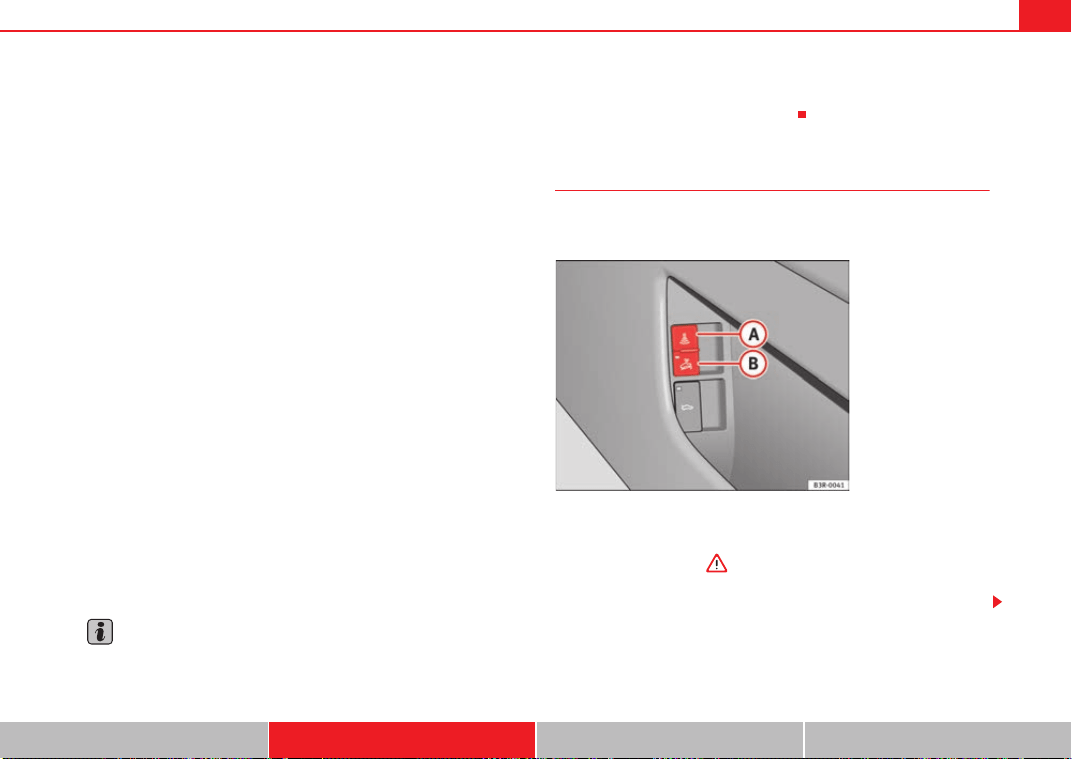
Unlocking and locking 107
Safety First Controls and equipment Practical tips Technical Data
• Doors
• Tilt angle (tow-away protection)
• Ignition
• Radio (only with a factory-fitted SEAT radio)
• Interior ⇒ page 107
If any of the named areas are entered, the alarm will be triggered.
How is the alarm disabled?
The alarm can be switched off by unlocking the vehicle using the remote
control, or by switching on the ignition with the key, thus “disabling” the
alarm system. The alarm will also switch off when it comes to the end of its
cycle.
Indicators
The indicators flash briefly when the vehicle is locked to confirm that the
doors, the engine bonnet and the tailgate are properly closed and locked.
If the indicators do not flash, check the doors, the bonnet and the tailgate to
make sure they are properly closed. The indicators will also flash briefly if one
of the doors or the tailgate or engine bonnet are closed after the alarm system
has been enabled.
LED
When the vehicle is locked, the LED on the top of the driver's door trim will
flash rapidly for about 30 seconds and then continue flashing slowly. This is
to indicate that the anti-theft alarm system (including the interior monitor
and tow-away protection) is operative. If the LED lights up continuously for
about 30 seconds when the vehicle is locked instead of flashing, this means
the alarm system is not working properly.
Note
• To make sure that the alarm is fully operative when leaving the vehicle,
briefly check that all the doors and windows and the sun roof* are closed.
• The alarm is triggered immediately if one of the battery cables is discon-
nected while the alarm system is enabled.
Interior monitoring*
The interior monitor triggers an alarm if it detects movement
inside the vehicle.
You should disable the interior monitor if there is a possibility that
the alarm could be triggered, e.g. by a pet or by an object moving
about inside the car ⇒ . The tow-away protection feature, which
is integrated into the alarm system, should be disabled if the car is
being towed or transported (e.g. by rail or ship).
Fig. 78 Interior monitor
switch
Exeo_EN.book Seite 107 Freitag, 28. August 2009 10:14 10
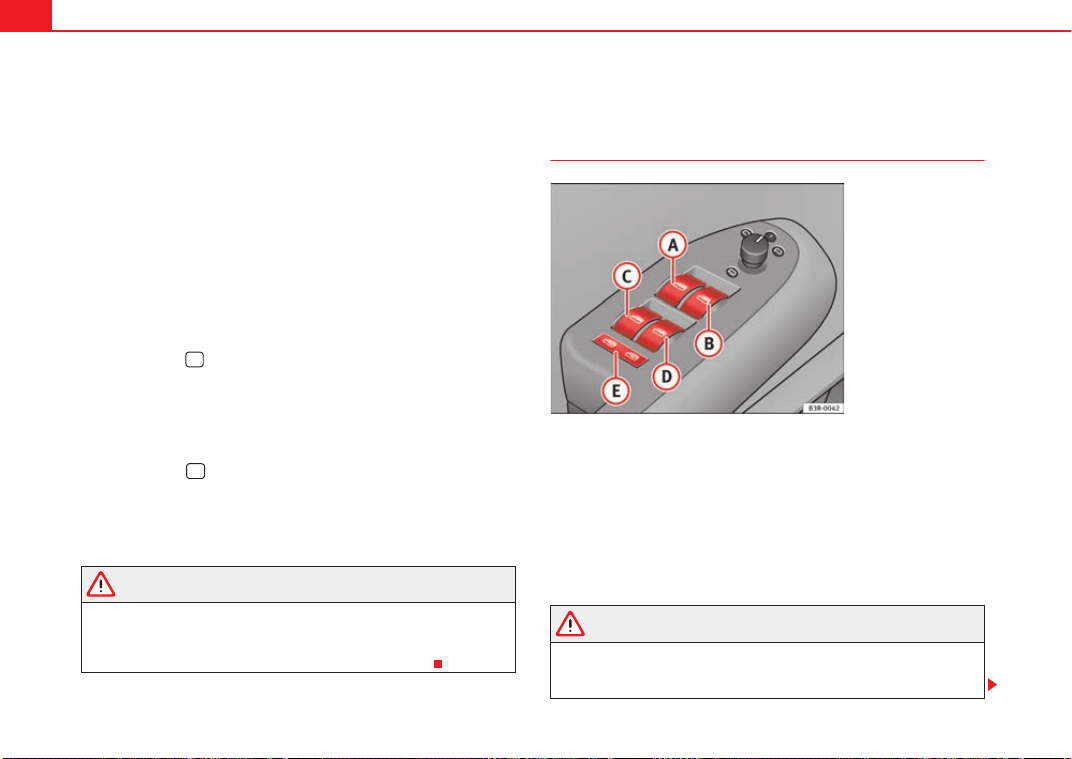
Unlocking and locking108
Disabling the interior monitor
– Open the door and pull out the switch (with the symbol
) to
one side of the storage compartment, in the driver's door
⇒ page 107, fig. 78.
– Then lock the vehicle.
Disabling the tow-away protection
– Open the door and pull out switch (with the symbol
) to one
side of the storage compartment, in the driver's door
⇒ page 107, fig. 78.
– Then lock the vehicle.
The LED on switch will light up when the interior monitor is disabled. The
LED on the top of the driver's door trim will also light up for about 3 seconds.
When the vehicle is locked, the LED on the top of the driver's door trim will
flash rapidly for about 3 seconds. After about 30 seconds it flashes more
slowly. The interior monitor is automatically enabled again the next time the
vehicle is locked.
The LED on switch will light up when the tow-away protection function is
disabled. The LED on the top of the driver's door trim will also light up for
about 3 seconds. When the vehicle is locked, the LED on the top of the
driver's door trim will flash rapidly for about 3 seconds. The tow-away protec-
tion is automatically enabled again the next time the vehicle is locked.
WARNING
Do not leave anyone (especially children) in the car if it is locked from the
outside and the anti-theft security system is enabled, as the doors and
windows cannot then be opened from the inside. Locked doors could delay
assistance in an emergency, potentially putting lives at risk.
Electric windows
Control switches
Switches for front windows
Switch ⇒ fig. 79 for the driver's door window
Switch for the front passenger's door window.
Switches for rear windows
Switch for the rear left door window
Switch for the rear right door window
Safety switch
WARNING
• Always take the key with you when leaving the vehicle, even if you only
intend to be gone for a short time. This is particularly important if there are
children in the car, as they might otherwise be able to start the engine or
A
A
A
B
Fig. 79 Detail of the
driver's door: Control
switches
A
A
A
B
A
C
A
D
A
E
Exeo_EN.book Seite 108 Freitag, 28. August 2009 10:14 10
Unlocking and locking 109
Safety First Controls and equipment Practical tips Technical Data
use power-operated equipment (e.g. the electric windows), which could
lead to injuries. The window switches are only disabled when the driver's
door or the front passenger's door is opened.
• Never close the windows carelessly or in an uncontrolled manner as
this may cause bruising.
• When locking the vehicle from the outside, make sure that nobody is
inside the vehicle, as the windows cannot be opened from the inside in an
emergency.
Switches in the driver's door
The driver can operate all the electric windows in the vehicle.
The electric windows are controlled by two-stage switches:
Opening the windows
– Press the switch as far as the first stop and hold it until the
window has moved to the desired position.
– Press the switch briefly to the second stop and the window will
automatically open all the way.
Closing the windows
– Pull the switch as far as the first stop and hold it until the window
has moved to the desired position.
– Pull the switch briefly to the second stop and the window will
automatically close all the way.
Safety switch
The safety switch ⇒ page 108, fig. 79 can deactivate the rear door
switches. The windows can only be operated from the rear when the safety
switch is pressed in.
The symbol
lights up on the safety switch when the electric windows in the
rear doors are disabled (switch not pressed in).
Note
The windows will work for about ten minutes after the ignition has been
switched off. The window switches are only disabled when the driver's door
or the front passenger's door is opened.
Switch on the front passenger's door and on the rear doors
Each of these doors has a switch for its own window.
The electric windows are controlled by two-stage switches:
WARNING (continued)
A
E
Fig. 80 Switch on front
passenger's door
Exeo_EN.book Seite 109 Freitag, 28. August 2009 10:14 10
Unlocking and locking110
Opening the windows
– Press the switch as far as the first stop and hold it until the
window has moved to the desired position.
– Press the switch briefly to the second stop and the window will
automatically open all the way.
Closing the windows
– Pull the switch as far as the first stop and hold it until the window
has moved to the desired position.
– Pull the switch briefly to the second stop and the window will
automatically close all the way.
Note
The windows will work for about ten minutes after the ignition has been
switched off. The window switches are only disabled when one of the front
doors is opened.
Opening and closing the windows using the central locking
function
The windows can be opened or closed simultaneously when
the vehicle is unlocked or locked.
Opening the windows using the remote control
– Press and hold the unlock button on the remote control until
the windows reach the desired position.
Opening the windows using the ignition key
– unlock the driver's door with the key and hold the key in the
unlock position until all the windows are open.
Closing the windows using the remote control
– Press and hold the lock button until all windows are closed
⇒ .
Closing the windows using the ignition key
– Lock the driver's door with the key and hold the key in the lock
position until all the windows are closed ⇒ .
The windows will stop moving when you release the remote control button or
turn the key back to its initial position in the door lock.
WARNING
• Be careful when closing the windows to ensure nobody is hurt.
• For safety reasons, you should only use the remote control open and
close functions within about 2 metres of the vehicle. To avoid injuries,
always keep an eye on the windows when pressing the button to close
them. The windows stop moving as soon as the button is released.
Possible malfunctions
Automatic open and close function not working
The automatic open and close function will not work if the battery has been
temporarily disconnected. The function can be restored as follows:
• Close the window as far as it will go by lifting and holding the window
switch.
Exeo_EN.book Seite 110 Freitag, 28. August 2009 10:14 10
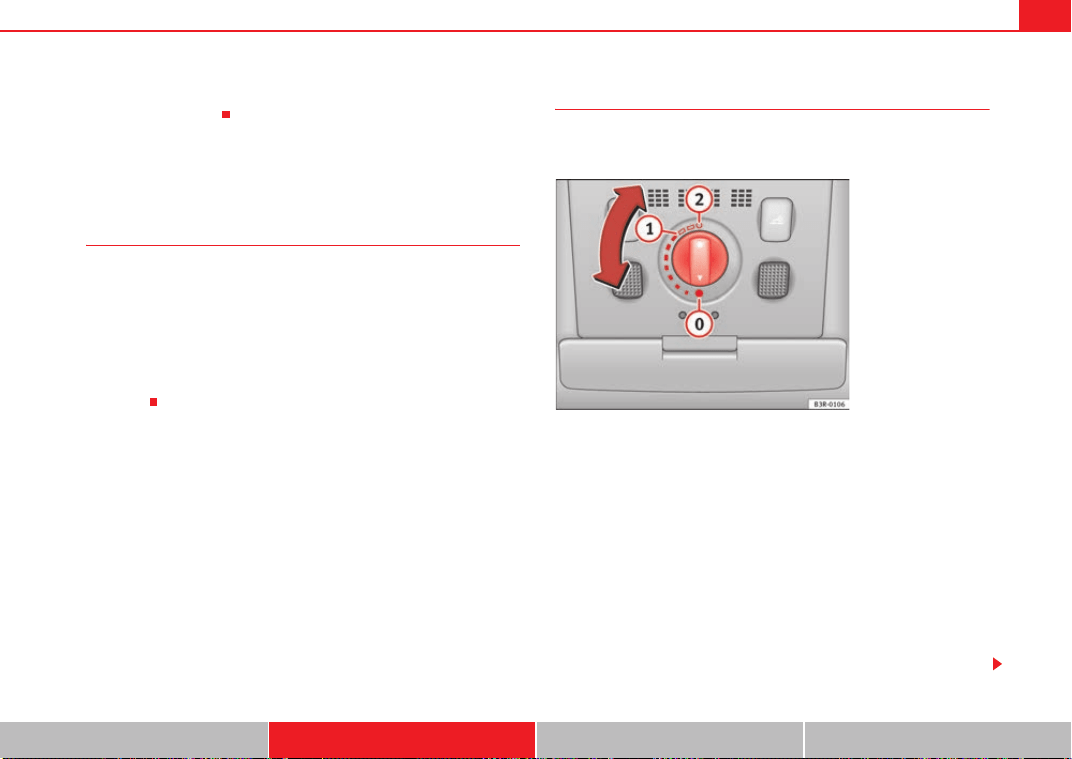
Unlocking and locking 111
Safety First Controls and equipment Practical tips Technical Data
• Release the switch and then lift it again for one second. This will re-enable
the automatic function.
Sun roof / deflector*
Description
The sliding/tilting sun roof is operated using the rotary control ⇒ fig. 81. The
rotary control for sliding the roof open can be adjusted to several different
settings (with click stops). This control only works when the ignition is
switched on. The rotary control must be in the position if you want to tilt
the roof up at the rear.
The sun roof will work for about ten minutes after the ignition has been
switched off. However, it is immediately disabled when one of the front doors
is opened.
Sliding/Tilting
The sun roof will create less wind noise if it is opened in the
comfort setting.
Comfort setting
– Turn the control until it engages at position ⇒ fig. 81. The sun
roof will now only open as far as the comfort setting which means
there is less wind noise.
Opening completely
– Turn the switch to position and hold it until the sun roof
reaches the desired position. This position can cause more wind
noise.
Tilting open
– Turn the control to position .
A
0
Fig. 81 Details of head-
liner: Rotary sun roof
control
A
1
A
2
A
0
Exeo_EN.book Seite 111 Freitag, 28. August 2009 10:14 10
Unlocking and locking112
– With the control in position 0, press the control briefly to make
the roof tilt open all the way.
– To open the roof as far as an intermediate setting, press and hold
the control until the roof has moved to the desired position.
When you release the switch it will automatically spring back from position
to position .
The sliding sun blind in the headliner automatically opens when the sunroof
is slid open. If required, it can be closed by hand when the sunroof is closed.
It is advisable to close the sun blind when the vehicle is left standing in the
sun. It is important to remember to close the sunroof when parking the
vehicle or if it suddenly starts raining – especially when the sun blind is
extended.
For further information on the automatic close function, see ⇒ page 112.
Closing
Closing
– Turn the control to position ⇒ page 111, fig. 81 to close the
sunroof ⇒ .
Closing the sunroof from the tilt position
– Pull the specially formed rear end of the control and hold it until
the sunroof has moved down to the desired position.
– Pull the switch briefly to lower the sunroof automatically to the
fully closed position. If required, the sunroof can be stopped in
any position by briefly pulling the control again ⇒ .
WARNING
Take care when closing the sliding/tilting roof. There is a risk of suffering
injury. For this reason, always take out the ignition key when leaving the
vehicle.
Automatic close function
The sun roof can also be closed from outside the vehicle.
– Turn the key in the lock on the driver's door and hold it in the lock
position or press the lock button on the remote control until the
roof has closed all the way ⇒ .
WARNING
Take care when closing the sunroof. There is a risk of suffering injury.
Sunroof / deflector*
The solar cells in the roof power the climate control fan.
The solar roof is operated in the same way as the normal sliding/tilting sun
roof.
The interior trim is fixed to the solar roof and cannot be opened and closed
separately.
A
2
A
1
A
0
Exeo_EN.book Seite 112 Freitag, 28. August 2009 10:14 10
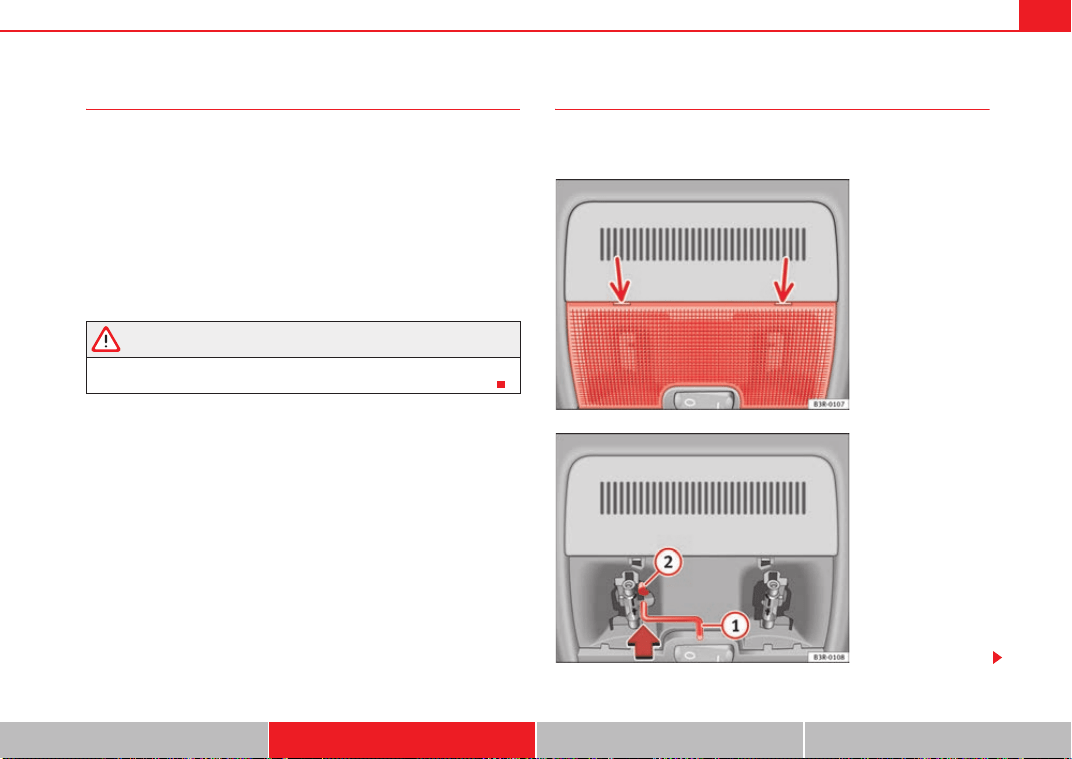
Unlocking and locking 113
Safety First Controls and equipment Practical tips Technical Data
Closing the sunroof by overriding the safety cut-out
It is possible to override the safety cut-out to close the
sunroof.
The sliding sunroof mechanism is equipped with a safety cut-out. If
the roof should fail to close normally, it can be closed by overriding
the safety cut-out.
– Turn the control to position ⇒ page 111, fig. 81.
– Pull on the control switch until the roof closes.
WARNING
Take care when closing the sunroof. There is a risk of suffering injury. For
this reason, always take out the ignition key when leaving the vehicle.
Closing the sunroof manually
The sunroof can be closed by hand if the electrical system
should fail to operate.
A
0
Fig. 82 Details of head-
liner: Points for applying
screwdriver
Fig. 83 Details of head-
liner: Crank handle for
manual operations
Exeo_EN.book Seite 113 Freitag, 28. August 2009 10:14 10

Unlocking and locking114
– Carefully insert the flat end of a screwdriver (from the car's tool
kit) at the rear of the glass cover on the interior light ⇒ page 113,
fig. 82.
–Carefully lever off the glass cover.
– Take the crank handle from its mounting on the inside of the fuse
box cover ⇒ page 255.
– Insert the crank handle all the way into the hexagonal socket
⇒ page 113, fig. 83.
– Hold the crank handle in position and turn it to close the sun roof.
– Reinstall the glass cover: insert the plastic lugs first and then
press the cover upwards.
– Have the fault repaired.
Note
You can use the screwdriver handle to make it easier to turn the crank. Detach
the handle from the screwdriver and then fit the handle onto the crank.
A
1
A
2
Exeo_EN.book Seite 114 Freitag, 28. August 2009 10:14 10
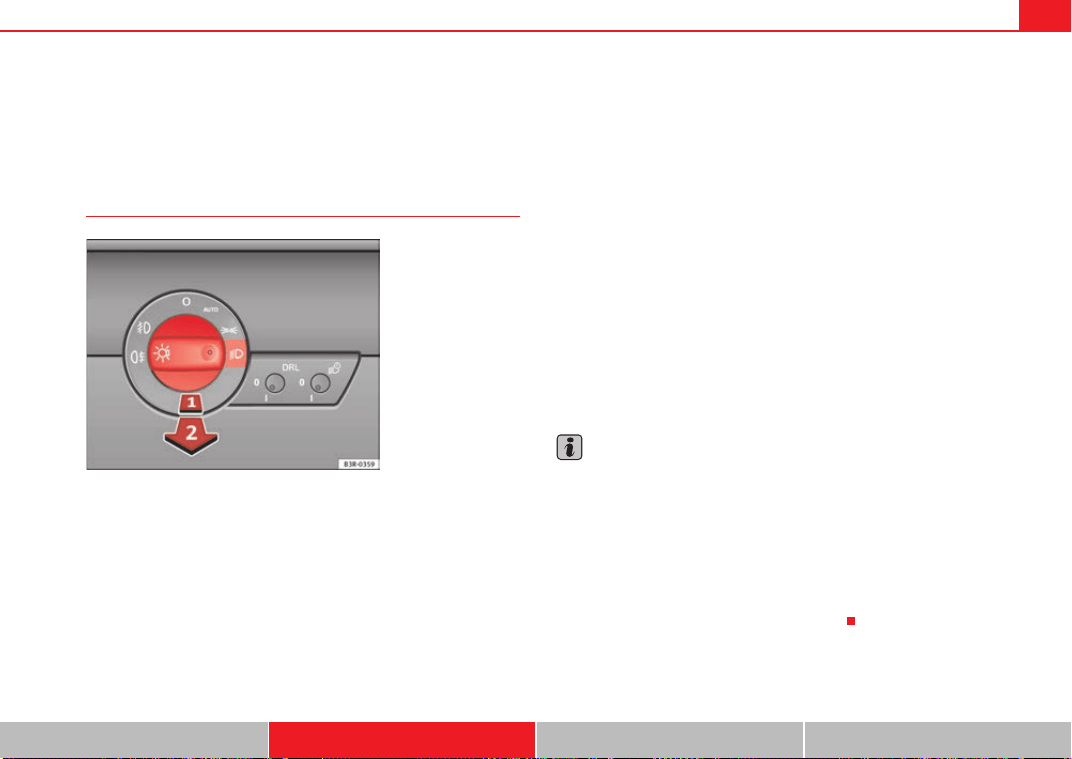
Lights and visibility 115
Safety First Controls and equipment Practical tips Technical Data
Lights and visibility
Lights
Lights: switching on and off
Switching on parking lights
– Turn the light switch ⇒ fig. 84 to position
.
Switching on dipped or main beam headlights (driving lights)
Dipped headlights
– Turn the lights switch to position
.
Main beam headlights
– Turn the lights switch to position
.
– Press the main beam lever forward ⇒ page 122.
Switching off the lights
– Turn the light switch to position O.
Daytime running lights: In vehicles for countries where daytime running
lights are obligatory and in all vehicles with AFS headlights, daytime running
lights are turned on or off with the ignition. Daytime running lights have main
beam flashers, as usual, but not the dipped-beam headlight function
The dipped beam headlights will only work with the ignition on. The head-
lights are automatically switched to side lights after the ignition has been
switched off.
If the side lights or the dipped-beam headlights are turned on, the
symbol
will come on together with the lights switch.
Note
• If the lights are left on after the key has been taken out of the ignition lock,
a buzzer sounds when the driver's door is opened.
• Observe all relevant statutory requirements when using the lighting
systems described here.
•
Depending on weather conditions (cold or wet), the front lights, the fog
lights, the rear lights and the indicators may be temporarily misted. This does
not affect the useful life of the lighting system. By switching on the lights, the
area through which the beam of light is projected will quickly be demisted.
However, the edges may continue to be misted up.
Fig. 84 Detailed view of
the instrument panel:
Light switch
Exeo_EN.book Seite 115 Freitag, 28. August 2009 10:14 10
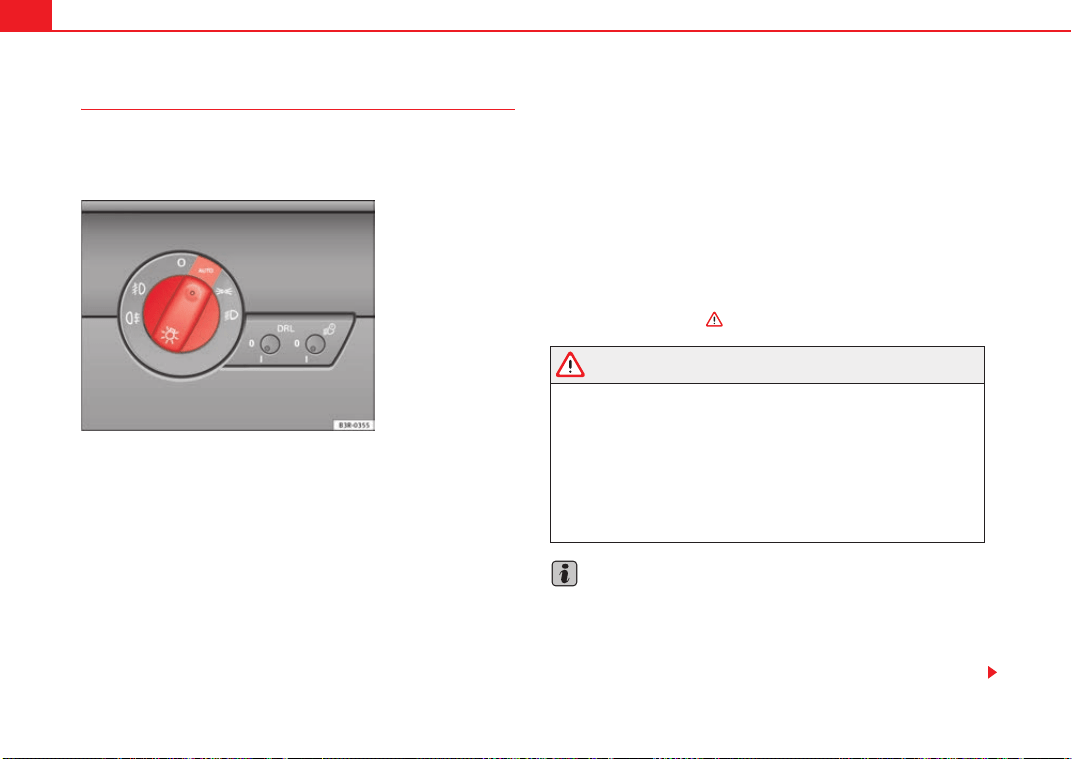
Lights and visibility116
Automatic headlight switch* (sensor-controlled)
If you set the light switch to “AUTO”, the headlights will switch
on and switch off automatically according to the ambient light
level.
Turning on dipped-beam headlights
–Turn the light switch ⇒ fig. 85 to the AUTO position.
Turning off dipped-beam headlights
– Turn the light switch to position O.
The symbol on the switch lights up when the switch is in the AUTO position.
The dipped beams, side lights, rear lights and number plate lights come on
together when the headlights are switched on automatically.
When you are using the automatic headlights switch, you can also operate
the main beam headlights, however, please note the following: If you enable
the main beam headlights while using the automatic headlights function
during the day (e.g. when driving through a tunnel), but do not disable them
again, only the dipped beam headlights will come on the next time the lights
are automatically switched on. To be able to use the main beam headlights
again, you must first pull the main beam lever back to the "off" position and
then push it forward again to "on".
The side lights, headlights, fog lights and rear fog light can still be switched
on manually in the normal way by using lights switch ⇒ page 115.
The mirror inside the vehicle is fitted with sensors that measure the ambient
light. The dipped-beam headlights will be switched on automatically if the
available light drops below the factory preset value (for instance when driving
through a tunnel, etc.). The headlights switch off again automatically when
the light level increases ⇒ .
WARNING
• The automatic dipped-beam headlights are only intended to assist the
driver. Automatic dipped-beam headlights do not relieve the driver of his
or her responsibility to control them and turn off or turn on the lights manu-
ally according to weather or lighting conditions. The light sensors are, for
example, unable to detect rain and fog - you should therefore always switch
on the dipped-beam headlights
manually in these conditions and when
driving after dark.
• Observe all relevant legal requirements when using the signalling and
lighting systems described here.
Note
• If automatic headlight switching is activated, when the ignition is turned
off the dipped-beam headlights are turned off, and when the key is removed
from the ignition the side lights are turned off.
• If you have to attach any type of sticker on the windscreen, do not do so
in front of the sensors. Doing so could prevent the automatic dipped-beam
Fig. 85 Detailed view of
instrument panel: Light
switch
Exeo_EN.book Seite 116 Freitag, 28. August 2009 10:14 10
Lights and visibility 117
Safety First Controls and equipment Practical tips Technical Data
headlight or anti-dazzle function from working correctly or even from working
at all.
• The warning symbol will appear on the instrument panel if a malfunc-
tion occurs ⇒ page 80.
• Observe all relevant legal requirements when using the signalling and
lighting systems described here.
Front fog lights
The light switch can also be used to turn on the front fog
lights.
Switching on the front fog lights
– Do not turn the light switch ⇒ page 115, fig. 84 to symbol .
– First turn the light switch to the position
or .
– Then pull the light switch out to the first stop .
The front fog light symbol next to the switch will light up when the front fog
lights are on.
Rear fog light
The light switch can also be used to turn on the rear fog light.
– Do not turn the light switch ⇒ page 115, fig. 84 to symbol .
– First turn the light switch
⇒ page 115, fig. 84 to position
or
.
– Then pull out the light switch to the second stop to switch on
the rear fog light.
The symbols and next to the switch will light up when the rear fog light
is switched on.
If you are towing a trailer or caravan equipped with a rear fog light on a vehicle
with a factory-fitted towing bracket*, only the rear fog light on the trailer or
caravan will light up.
Caution
To avoid dazzling the traffic behind you, the rear fog light should only be used
in accordance with legal regulations.
A
1
A
2
Exeo_EN.book Seite 117 Freitag, 28. August 2009 10:14 10
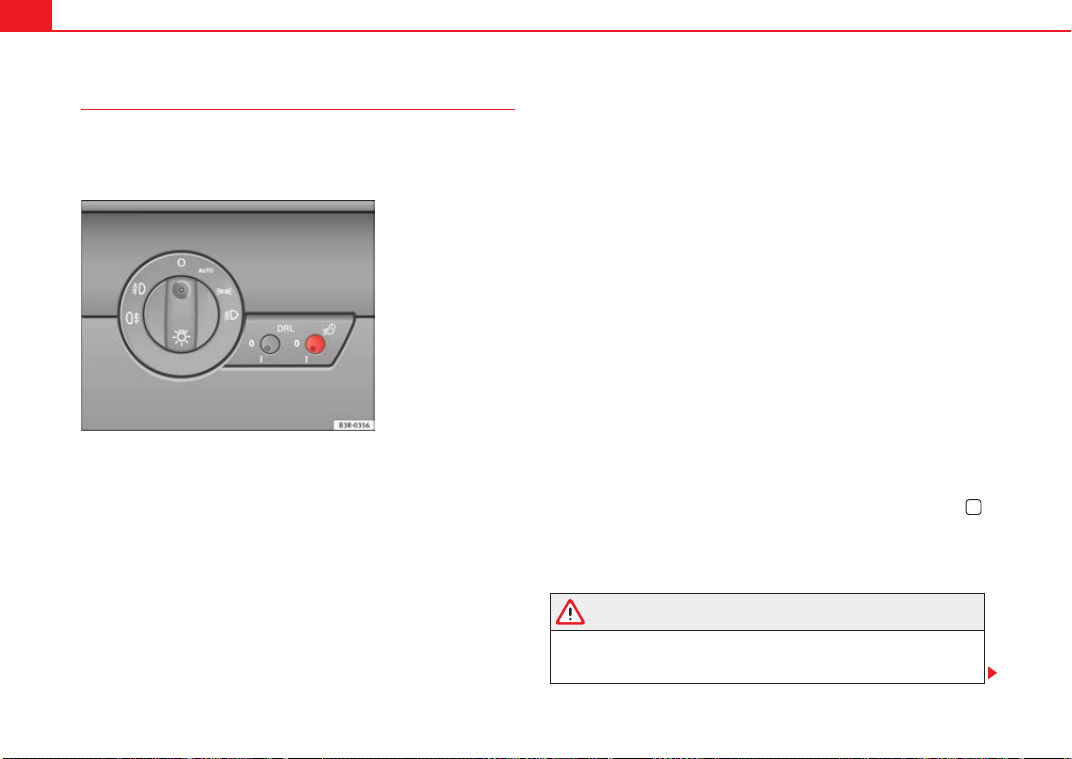
Lights and visibility118
Coming home and leaving home functions*
The coming home and leaving home functions are used to
light up the surroundings in the dark. The front fog lights, the
rear side lights and the number plate light switch on.
Enabling the functions
– Briefly press the knob ⇒ fig. 86 to release it from its set position.
– Turn the knob to position 1.
– Press the knob in again to prevent the setting from being
changed unintentionally.
Disabling the functions
– Briefly press the knob ⇒ fig. 86 to release it from its set position.
– Turn the knob to position 0.
– Press the knob in again to prevent the setting from being
changed unintentionally.
The coming home and leaving home functions are controlled by light sensors
in the rear view mirror housing. The system will function when the following
requirements are met:
• The knob is set to position 1.
• The headlights and the ignition are switched off.
• Dark conditions; the sensors register little or no light.
Coming home
When the system is enabled and it is dark, the corresponding exterior lights
switch on as soon as the driver's door is opened.
The exterior lights will stay on for up to a maximum of 2 minutes as long as
one of the doors or the tailgate is open.
The exterior lights stay on for about 30 seconds to light up the area in front of
the car after all the doors and the tailgate have been closed.
This time interval is factory-set, but you can have it changed by a specialist
garage to suit your own requirements (max. setting is 60 seconds).
Leaving home
The exterior lights are switched on when the vehicle is unlocked with the
button on the remote control key.
The exterior lights go out when the driver's door is opened or after 60
seconds when the vehicle locks itself again automatically ⇒ page 105.
WARNING
Before leaving the vehicle, remove the key from the ignition, as the lights
will not go out if the coming home is enabled. This will lead to battery
discharge and vehicle breakdown.
Fig. 86 Detailed view of
the instrument panel:
Coming home and leaving
home functions
Exeo_EN.book Seite 118 Freitag, 28. August 2009 10:14 10
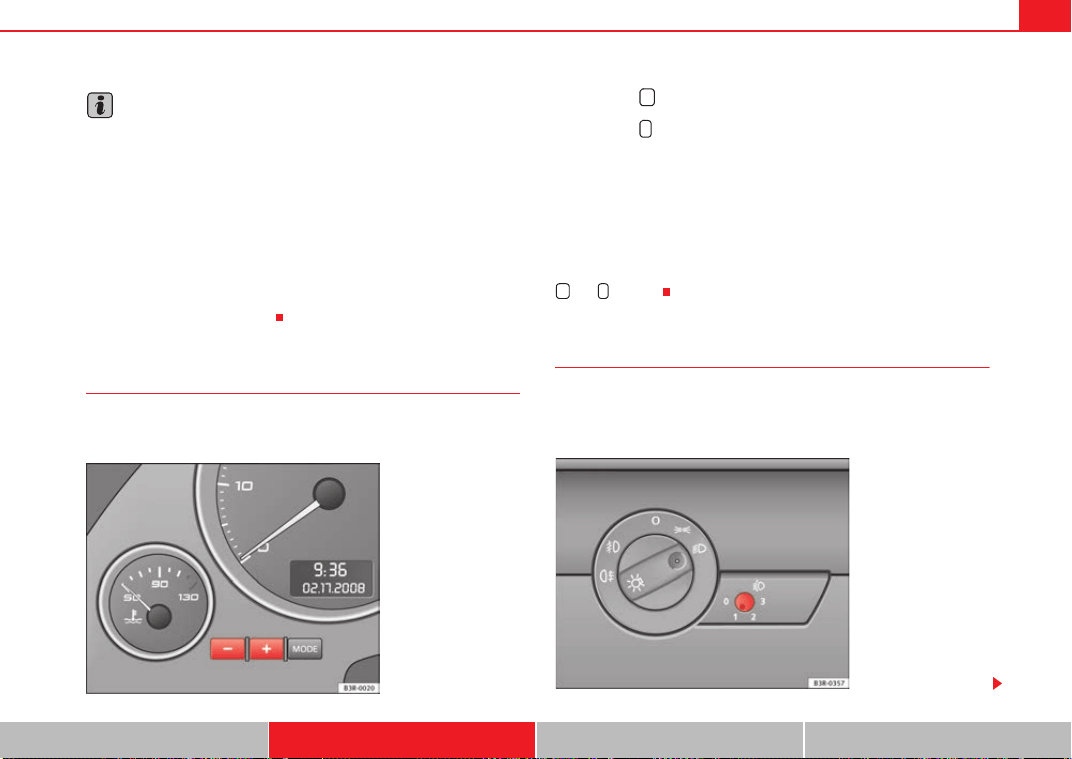
Lights and visibility 119
Safety First Controls and equipment Practical tips Technical Data
Note
• If you always wish to use the coming home and leaving home functions,
you can leave them permanently switched on. As the system is controlled via
a light sensor, it will only work in dark conditions.
• Permanent use of the coming home and leaving home functions, particu-
larly on short journeys, will increase the load on the battery. To make sure the
battery is always sufficiently charged, occasionally drive longer distances.
• If the fog lights have been switched on by the coming home and leaving
home functions, they will always be switched off when you switch on the igni-
tion.
• Observe all relevant legal requirements when using the signalling and
lighting systems described here.
Instrument lighting
The brightness of the instrument lighting, displays and
centre console lighting can be varied as required.
– Press the button to increase the brightness.
– Press the button to reduce the brightness.
With the ignition switched on
The lighting of the digital displays will adjust automatically, depending on
the ambient light.
With the vehicle's lights switched on
When the vehicle's lights are switched on, the brightness of the instrument
lighting, displays and centre console lighting can be varied by pressing the
and buttons.
Headlight range control
When the dipped beam headlights are switched on, the range
of the headlights can be adjusted to suit the load being
carried.
Fig. 87 Instrument panel
lighting
+
-
+ -
Fig. 88 Headlight range
control
Exeo_EN.book Seite 119 Freitag, 28. August 2009 10:14 10
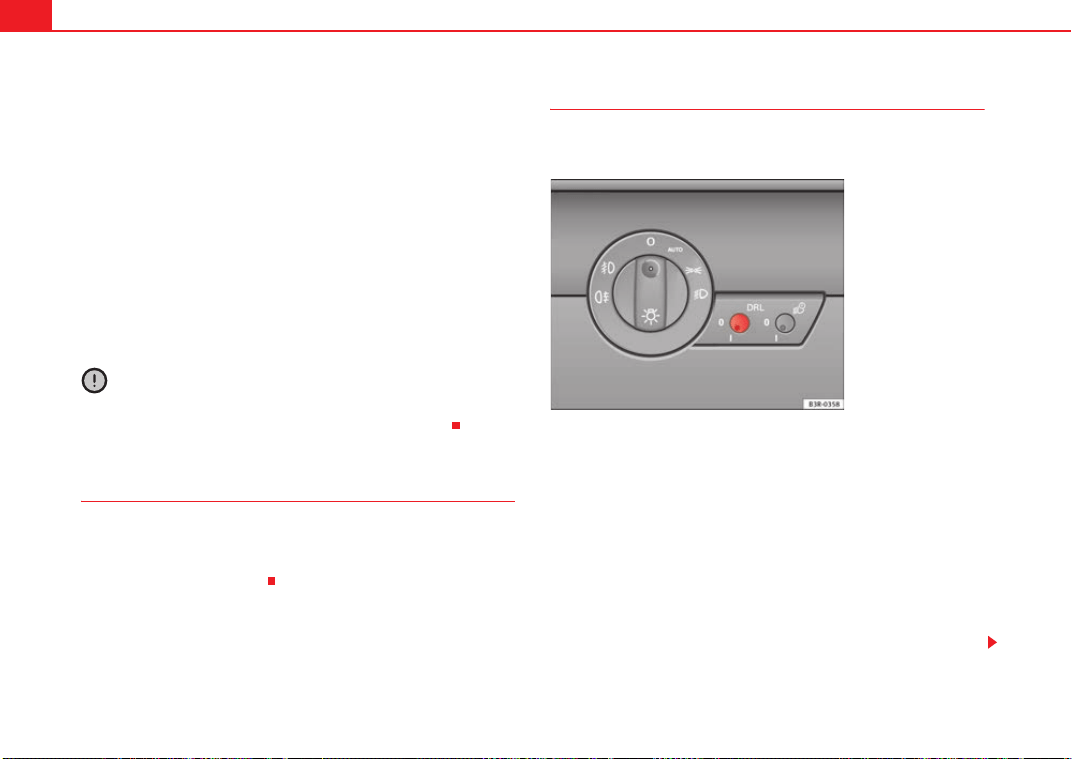
Lights and visibility120
– Briefly press the knob
⇒ page 119, fig. 88 to release it from
its set position.
– Turn the knob to the required setting.
– Press the knob in again to prevent the setting from being
changed unintentionally.
Settings
The settings roughly correspond to the following load conditions:
Two front occupants, luggage compartment empty
Full load of occupants, luggage compartment empty
Full load of occupants, luggage compartment loaded
Driver only, luggage compartment loaded
Caution
Always adjust the headlights to avoid dazzling oncoming traffic. Make sure
you lower the headlights when the vehicle is more heavily laden.
Dynamic headlight range control
On vehicles with xenon gas-discharge bulbs, the headlights automatically
adapt to suit the load being carried when the ignition is switched on. The
headlights are also automatically adjusted when the vehicle is in motion (e.g.
when accelerating and braking).
Daytime running lights*
The daytime running lights turn on automatically when the
ignition is switched on.
Enabling the functions
– Briefly press the knob ⇒ fig. 89 to release it from its set position.
– Turn the knob to position 1.
– Press the knob in again to prevent the setting from being
changed unintentionally.
Disabling the functions
– Briefly press the knob ⇒ fig. 89 to release it from its set position.
– Turn the knob to position 0.
A
O
A
1
A
2
A
3
Fig. 89 Daytime running
lights switch
Exeo_EN.book Seite 120 Freitag, 28. August 2009 10:14 10
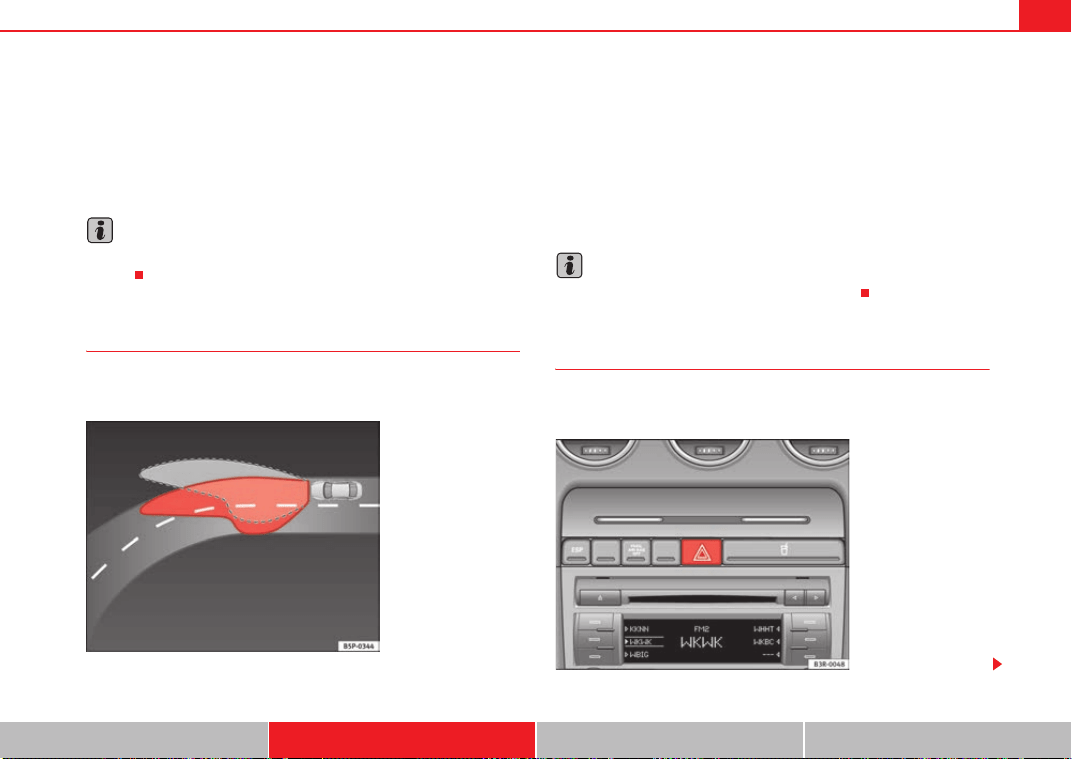
Lights and visibility 121
Safety First Controls and equipment Practical tips Technical Data
– Press the knob in again to prevent the setting from being
changed unintentionally.
This button activates or deactivates the daytime running lights function. With
the function activated, when the ignition is switched on the daytime running
lights are turned on automatically.
Note
Please observe any relevant legal requirements which may apply in your
country.
Adaptive headlights* (for cornering)
When driving around bends, the headlights will light the
most important areas of the road.
The dynamic cornering light gives better illumination of the curve zone and
the side of the road when driving around a bend ⇒ fig. 90. The dynamic
cornering light is controlled automatically depending on the speed and the
steering wheel angle.
The dipped-beam headlights are regulated automatically when you drive
around a bend, depending on how far you turn the steering wheel. The two
main headlights move at different angles to avoid that the front of the vehicle
is left completely in the dark.
Note
The system operates from a speed of about 10 km/h.
Hazard warning lights
The hazard warning lights are used to draw the attention of
other road users to your vehicle in emergencies.
Fig. 90 Self-directing
headlights when driving
Fig. 91 Centre console:
Switch for hazard warning
lights
Exeo_EN.book Seite 121 Freitag, 28. August 2009 10:14 10
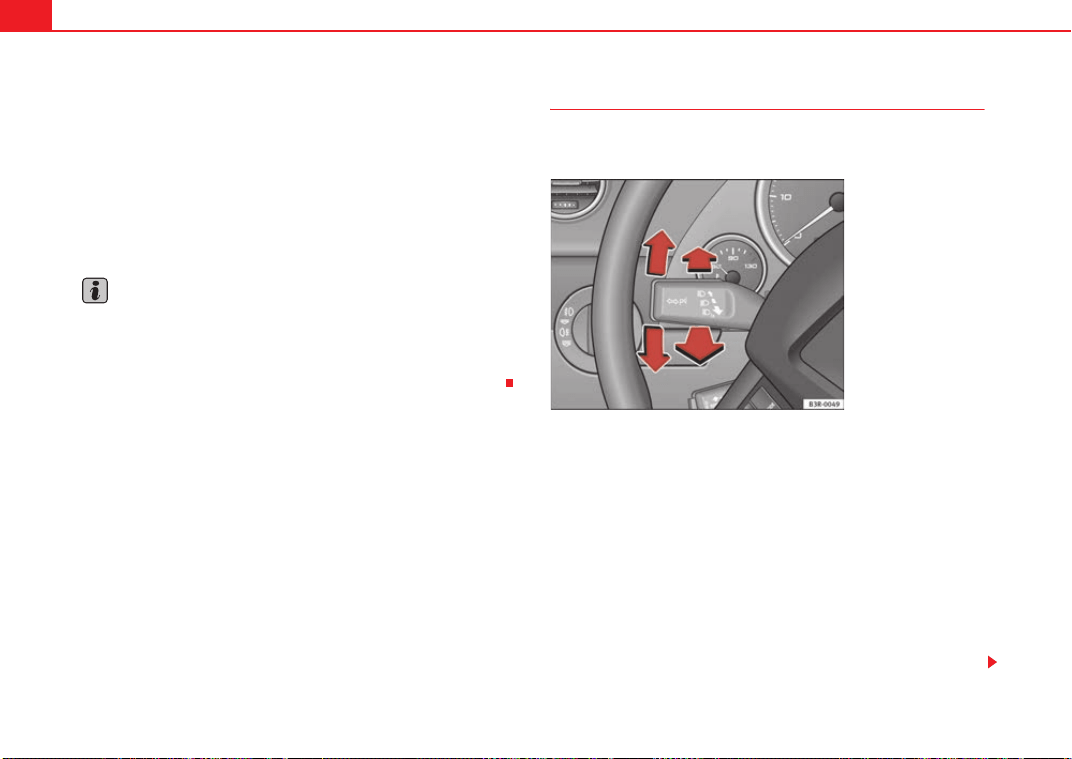
Lights and visibility122
–Press the switch
⇒ page 121, fig. 91 to switch the hazard
warning lights on or off.
All four indicators flash simultaneously when the hazard warning lights are
switched on. The hazard warning light indication lamps
and the turn
signal indication lamp itself
flash at the same time. The hazard warning
lights also work when the ignition is switched off.
In an accident in which the airbags are triggered, the hazard warning lights
are switched on automatically.
Note
You should switch on the hazard warning lights to warn other road users, e.g.
• When reaching the tail end of a traffic jam
• If your vehicle breaks down or there is an emergency
• If your vehicle is being towed away or if you are towing another vehicle
Indicator and main beam headlight lever
The turn signal and main beam headlight lever also operates
the parking lights and the headlight flasher.
The turn signal and main beam headlight lever has the following
functions:
Indicators
– Move the lever all the way up to indicate right or all the way down
to indicate left ⇒ fig. 92.
– Move the lever up or down just as far as the point of resistance
and hold it there: the indicators flash for as long as you hold the
lever (for instance when changing a lane).
– Move the lever briefly up or down as far as the point of resistance
and release it to signal briefly (the indicators flash three times).
Fig. 92 Turn signal and
main beam headlight
lever
Exeo_EN.book Seite 122 Freitag, 28. August 2009 10:14 10
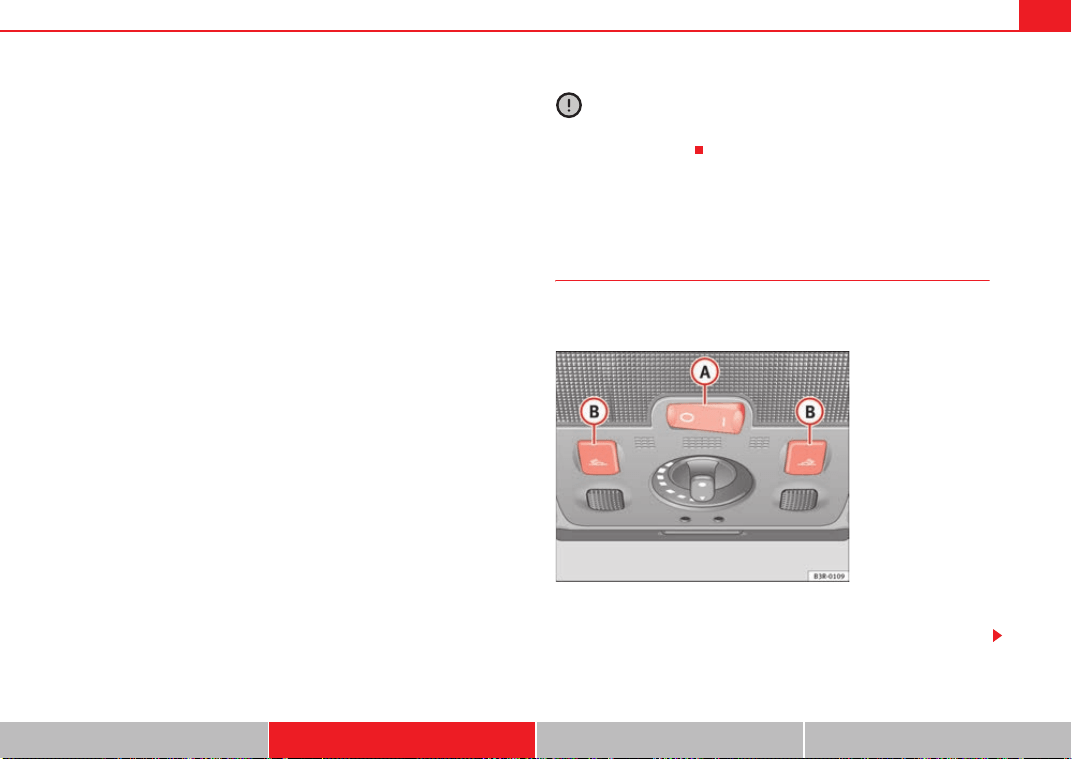
Lights and visibility 123
Safety First Controls and equipment Practical tips Technical Data
Main beam headlights
– Press the lever forward to switch on the main beams.
– Pull the lever back towards you to switch the main beam head-
lights off again.
Headlight flasher
– Pull the lever towards the steering wheel to operate the flasher.
Parking light
– Switch the ignition off.
– Move the lever up or down to turn on the right or left-hand
parking lights respectively.
Notes on these functions
• The indicators only work when the ignition is switched on. The indicator
lamp
or flashes in the instrument panel when the turns signals
⇒ page 65 are working.
• The indicators are cancelled automatically when the steering wheel is
returned to the straight-ahead position.
• The main beam headlights can only be switched on if the dipped beam
headlights are already on. The main beam headlight indicator lamp
then
comes on in the instrument panel.
• The headlight flasher comes on for as long as you pull the lever, even if no
other lights are switched on. The main beam headlight indicator lamp
then comes on in the instrument panel.
• When the parking lights are switched on, the headlight and the rear light
on one side of the car light up with reduced intensity. The parking lights will
only work with the ignition off.
Caution
Never use the main beam headlights or the headlight flasher if this would
dazzle oncoming traffic.
Interior lights
Front interior lights and glove compartment light
The front interior light also incorporates the reading lights for
the driver and passenger.
The rocker switch ⇒ fig. 93 for the front interior light has the
following functions:
Fig. 93 Details of head-
liner: front interior lights
A
A
Exeo_EN.book Seite 123 Freitag, 28. August 2009 10:14 10
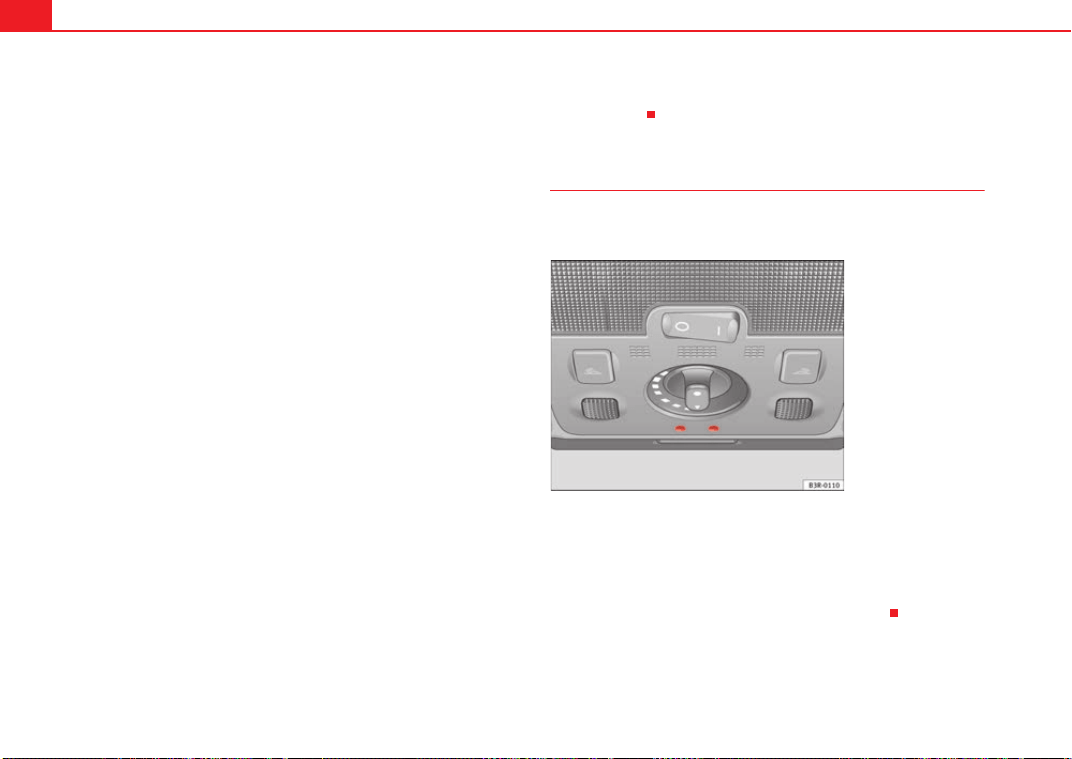
Lights and visibility124
Door light position
– Move switch to the centre position.
Interior light switched on
– Move switch to position I.
Interior light switched off
– Move switch to position O.
Front reading lights
– Press one of the switches to turn the left and right reading
lights on and off.
Glove compartment light
– Open the glove compartment on the front passenger's side. The
glove compartment light will come on automatically if the side
lights or headlights are switched on, and will go out again when
the glove compartment is closed.
Footwell* and door lighting
– This is switched on when the doors are opened and off when they
are closed.
If the switch is in the courtesy light position, the interior light comes on auto-
matically when the vehicle is unlocked or the doors are opened. The light also
comes on when the key is pulled out of the ignition. The light turns off about
30 seconds after closing the doors. The interior light is switched off immedi-
ately when the vehicle is locked or when the ignition is switched on.
If a door is left open, the light is switched off after about 10 minutes to
prevent the battery from running flat.
The brightness of the lights is automatically adjusted by a dimmer when they
are switched on.
Background lighting*
The background lighting illuminates a number of minor
controls.
The lights in the door handles come on automatically when the ignition is
switched on.
The lighting above the windscreen* also comes on when the side lights or
headlights are switched on. The centre console is illuminated from above.
The background lighting* cannot be switched off manually.
A
A
A
A
A
A
A
B
Fig. 94 Details of head-
liner: background lighting
Exeo_EN.book Seite 124 Freitag, 28. August 2009 10:14 10
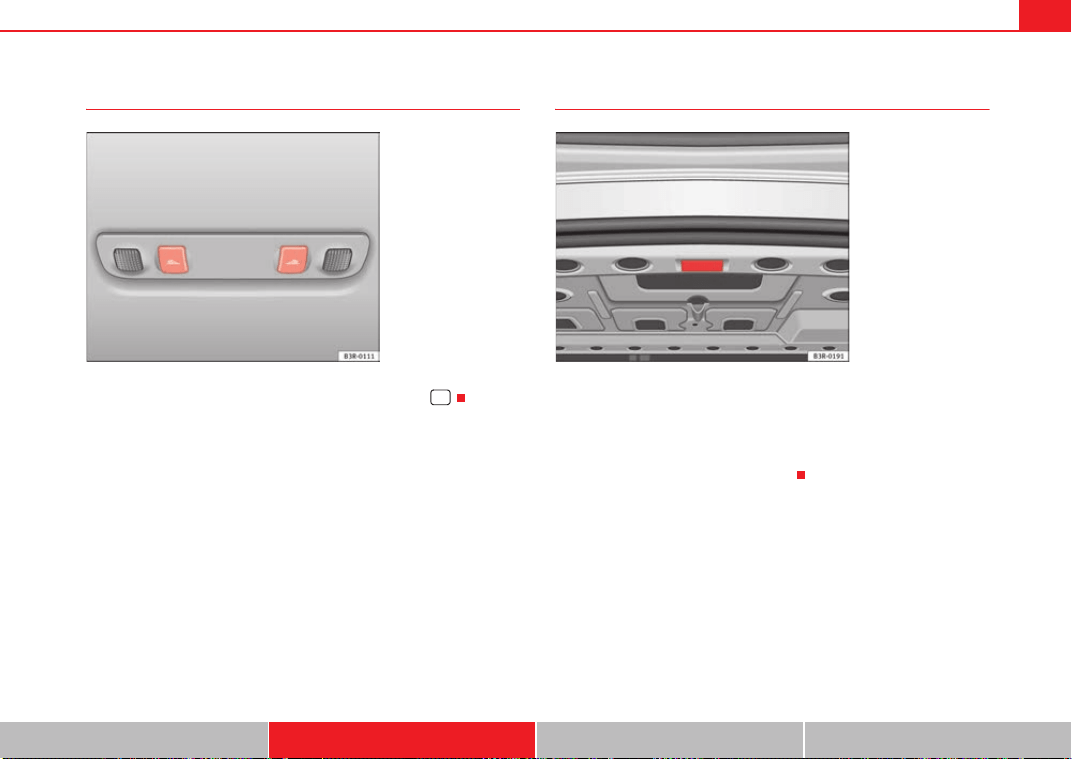
Lights and visibility 125
Safety First Controls and equipment Practical tips Technical Data
Rear reading lights
The reading lights are switched on and off with the switches .
Luggage compartment lighting
The light is in the upper part of the luggage compartment. A second light is
provided on the inside panel below the boot opening.
The light ⇒ fig. 96 switches on automatically when the tailgate is opened.
The luggage compartment light is switched off automatically if the tailgate is
left open for more than about 10 minutes.
Fig. 95 Details of head-
liner: rear reading lights
Fig. 96 Detailed view of
the top of the luggage
compartment: luggage
compartment lighting
Exeo_EN.book Seite 125 Freitag, 28. August 2009 10:14 10
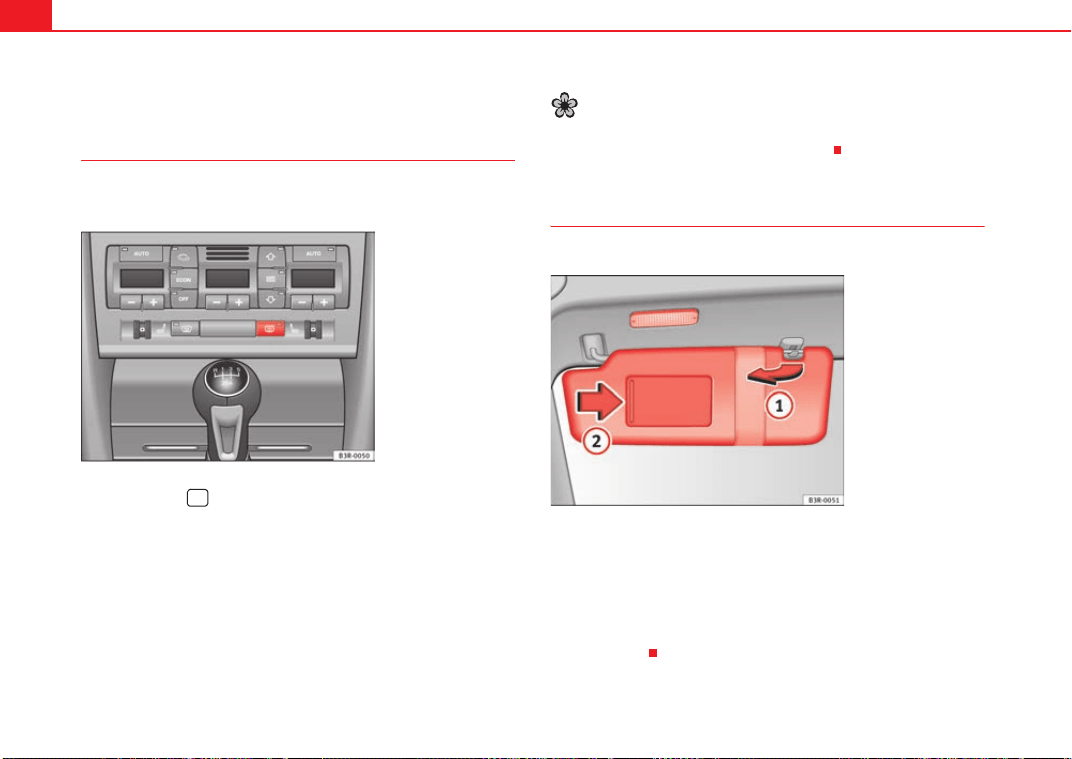
Lights and visibility126
Visibility
Heated rear window
The rear window heating clears the rear window of condensa-
tion.
– Press button to switch the rear window heating on or off
⇒ fig. 97.
The rear window heating only works when the ignition is switched on. An indi-
cator lamp in the button lights up when the rear window heater is switched
on.
The heated rear window switches off automatically after about 10 minutes if
the outside temperature is above 0°C.
Depending on the outside temperature, the wing mirrors are also heated
while the heated rear window is turned on.
For the sake of the environment
Switch of the heated rear window as soon as the rear window has demisted.
By saving electrical power you can also save fuel.
Sun visors
The sun visors can improve visibility and contribute to safety.
The sun visors for the driver and the front passenger can be pulled out of
their mountings in the centre of the vehicle and turned towards the doors
⇒ fig. 98.
The make-up mirrors in the sun visors have covers. On opening the cover ,
the mirror light* located in the headliner is automatically switched on. The
light switches itself off when the cover is closed and when the sun visor is
pushed back up.
Fig. 97 Switch for heated
rear window
Fig. 98 Sun visor
A
1
A
2
Exeo_EN.book Seite 126 Freitag, 28. August 2009 10:14 10
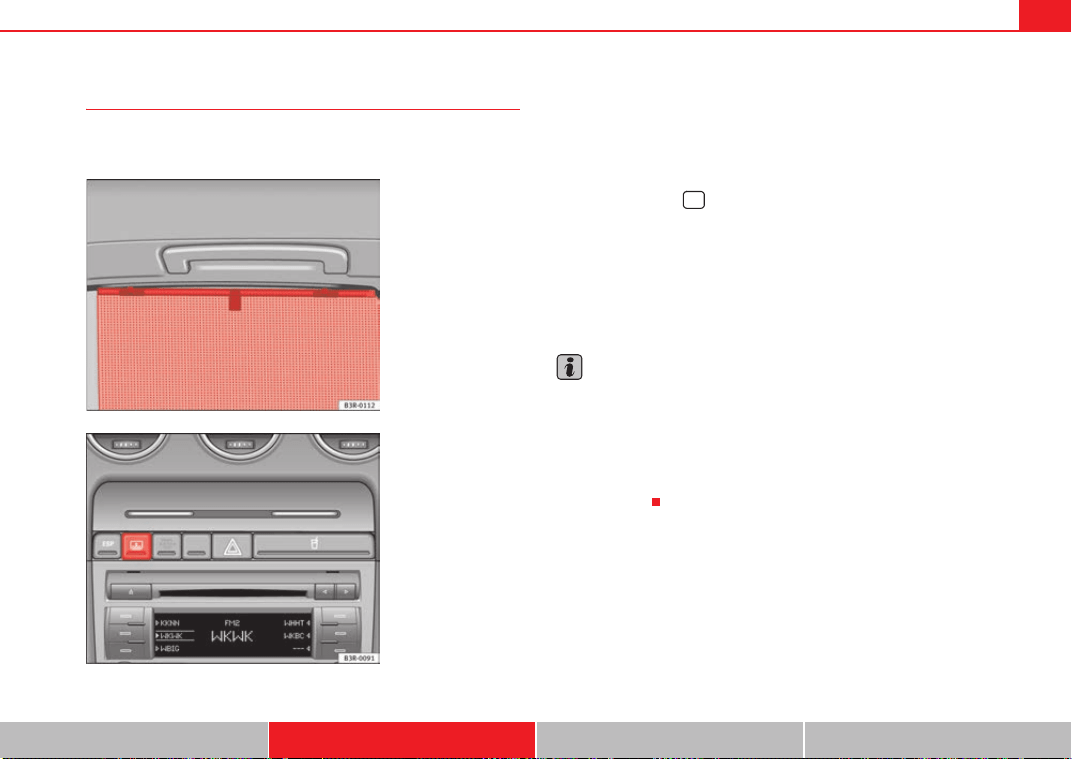
Lights and visibility 127
Safety First Controls and equipment Practical tips Technical Data
Sun blind*
Sun blinds are provided for the rear window and the rear side
windows.
Sun blinds (rear side windows)
– Pull out the blind and hook it into the hooks at the top of the door
frame ⇒ fig. 99.
Sun blind (rear window)
– Press the switch to extend or retract the electric sun blind for
the rear window ⇒ fig. 100.
The sun blind for the rear window switches off automatically when it reaches
the end position. It can be made to move in the other direction before it
reaches its end position by briefly pressing the switch a second time. If the
ignition is turned off while the blind is still moving, it continues until it
reaches the end position before switching off.
Note
• An overload cut-out may be triggered if the sun blind for the rear window
is operated repeatedly. There will then be a short delay before the blind can
be operated again.
• As the material of the sun blind is less flexible at low temperatures, the
electric actuator is switched off when the temperature in the car is below -5°C.
The sun blind can only be operated when the temperature inside the car rises
above this level.
Fig. 99 Sun blind
extended to cover rear
side window
Fig. 100 Switch for elec-
tric sun blind on rear
window
Exeo_EN.book Seite 127 Freitag, 28. August 2009 10:14 10
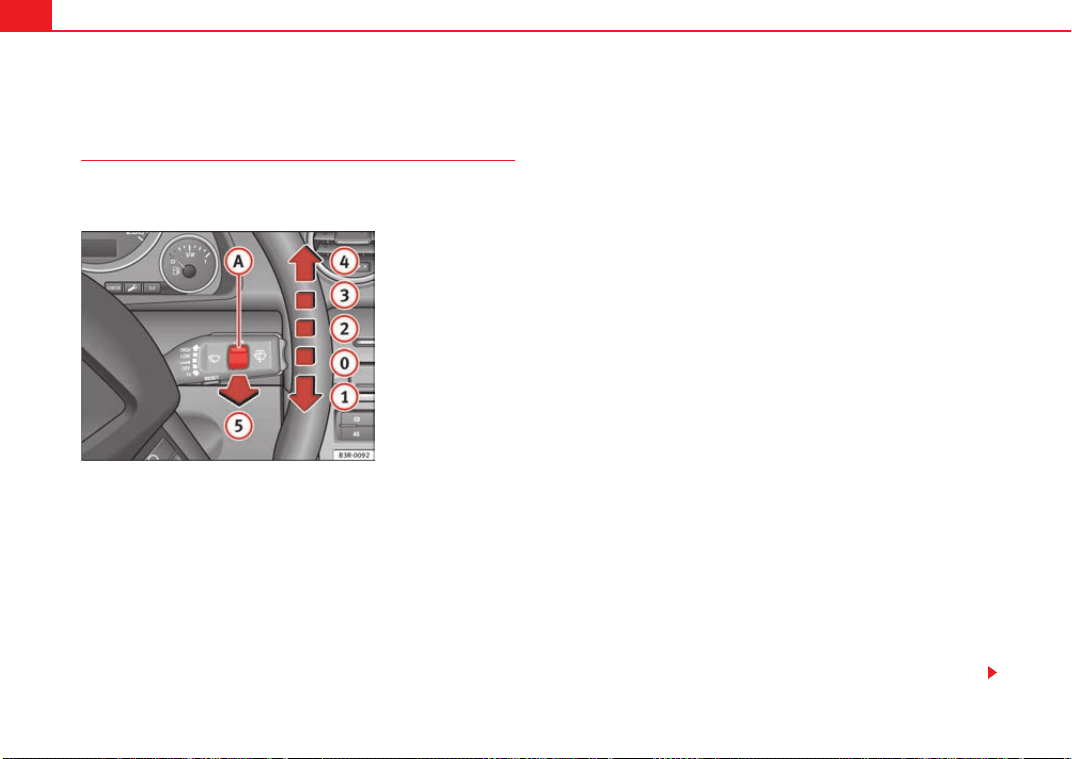
Lights and visibility128
Windscreen wipers
Windscreen wipers
The windscreen wiper lever controls the windscreen wipers
and the automatic wash and wipe.
The windscreen wiper lever ⇒ fig. 101 has the following settings:
Brief wipe
– Move the lever down to position to give the windscreen a brief
wipe.
Intermittent wipe
/ Rain sensor* (enabling)
– Move the lever up to position .
– Move the switch up or down to set the wiper intervals.
– On vehicles equipped with a rain sensor*, you can move the
switch up and down to set the sensitivity of the rain sensor.
Slow wipe
– Move the lever up to position .
Continuous wipe
– Move the lever up to position .
Automatic wash and wipe
– Pull the lever towards the steering wheel, , to activate the
windscreen washer.
– Release the lever. The washer will stop and the wipers will keep
running for approximately 4 seconds.
Disabling the windscreen wiper
– Pull the lever to basic position .
General notes
The washers and wipers will work only when the ignition is switched on.
If you stop briefly, e.g. at traffic lights, the wiper speed will automatically be
reduced. The rain sensor* will automatically be set to the intermittent wipe
function.
The windscreen washer jets are heated when the ignition is switched on.
The wiper intervals in the intermittent wipe setting are also varied automati-
cally according to the road speed (in addition to the manual delay setting).
When the lights are switched on you should only pull the lever briefly to wash
the windscreen, otherwise the headlight washers* will also be enabled. This
will use an unnecessary amount of fluid from the reservoir.
Fig. 101 Windscreen
wiper lever
A
1
A
2
A
A
A
A
A
3
A
4
A
5
A
0
Exeo_EN.book Seite 128 Freitag, 28. August 2009 10:14 10
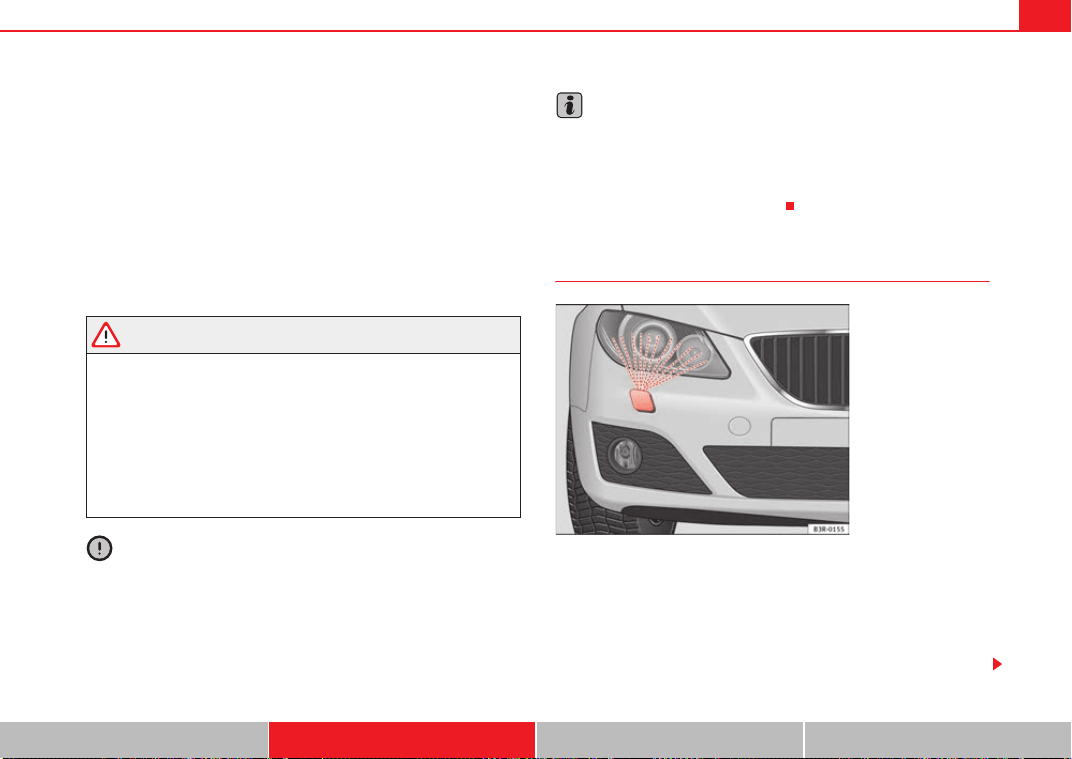
Lights and visibility 129
Safety First Controls and equipment Practical tips Technical Data
Rain sensor
The rain sensor* will only function in the intermittent wipe position. The inter-
mittent wipe function is enabled automatically when it starts to rain.
Before you reach a road speed of 6 km/h ,you will have to enable the rain
sensor manually by switching it off and back on again.
Use control to set the sensitivity of the rain sensor*.
If you have selected a high sensitivity level for the rain sensor the windscreen
wipers will react sooner to any moisture on the windscreen.
The wiper intervals in the intermittent wipe setting are also varied automati-
cally according to the road speed (in addition to the sensitivity setting).
WARNING
• For correct visibility and safe driving, the wiper must be in perfect
condition ⇒ page 209. Failure to do so could result in an accident.
• The rain sensor* is only intended to assist the driver. The driver is still
obliged to manually operate the windscreen wipers as required depending
on visibility.
• Do not use water-repellent coatings on the windscreen. In bad visibility
conditions such as light rain, low sun or when driving at night, these coat-
ings can cause increased dazzle, which is a serious safety hazard. Such
coatings can also cause the wiper blades to judder.
Caution
• In the event of frost, check that the wiper blade has not frozen before
enabling the windscreen wipers. Should the windscreen wiper system be
enabled when the blade is frozen, this could damage it or even the wind-
screen wiper system motor.
• Make sure you switch off the windscreen wiper system (lever in position
0) before you use an automatic car wash. This will avoid inadvertent trig-
gering of the wipers and possible damage to the wiper system.
Note
• Check that the washer fluid reservoir is full before starting a long journey.
Fill the reservoir ⇒ page 228.
• Worn or dirty wiper blades can cause smearing on the glass which can
also impair the effectiveness of the rain sensor*. Check the condition of wind-
screen wiper blades at regular intervals.
Headlight washer system
With the lights switched on, operate the automatic wash and wipe
⇒ page 128, fig. 101 , and keep the lever pulled towards you for
at least 1 second.
The headlight washer jets come out of the bumper automatically (under water
pressure) ⇒ fig. 102.
A
A
Fig. 102 Headlight with
extended washer jet
A
5
Exeo_EN.book Seite 129 Freitag, 28. August 2009 10:14 10
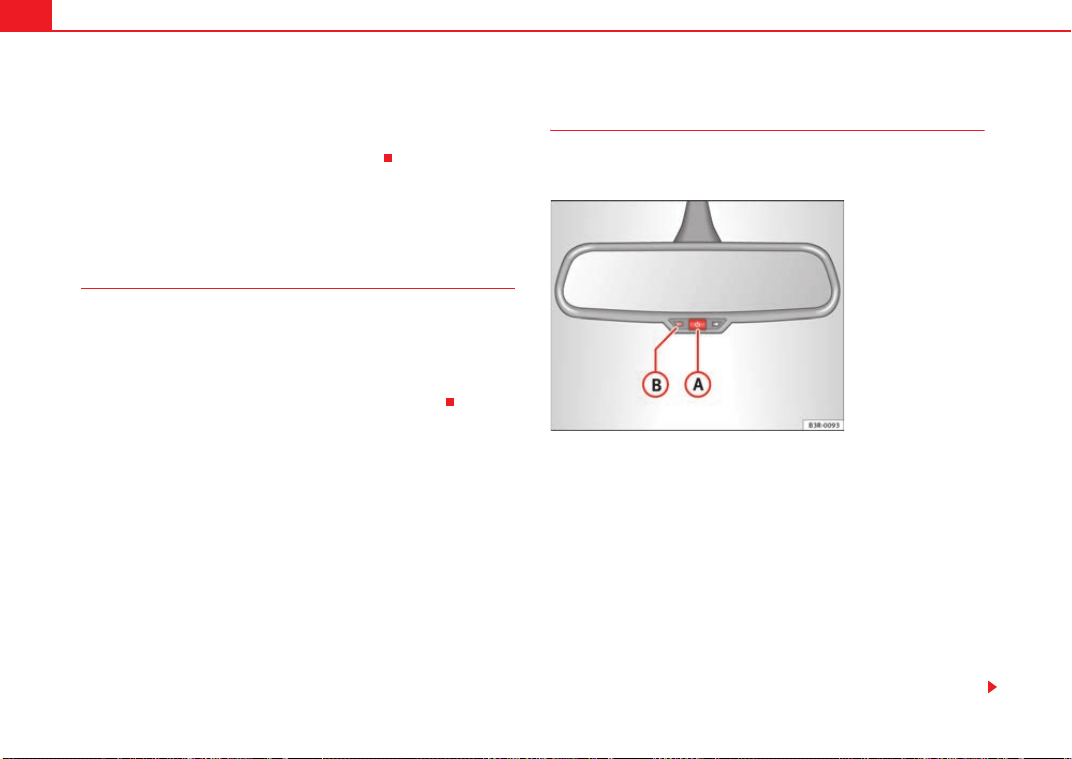
Lights and visibility130
Clean off stubborn dirt (insects, etc.) from the lenses at regular intervals, for
instance when filling the tank.
To ensure that the system works properly in winter, keep the nozzle holders
free of snow and remove any ice with a de-icer spray.
Rear-view mirrors
Interior rear view mirror with manual anti-dazzle setting
Normal setting
– Point the lever at the bottom of the mirror forwards.
Anti-dazzle setting for the rear view mirror
– Point the lever at the bottom of the mirror to the rear.
Anti-dazzle interior rear-view mirror with automatic
adjustment*
The automatic anti-dazzle function can be switched on and off
as desired.
Switching off anti-dazzle function
–Press button ⇒ fig. 103. Warning lamp goes out:
Switching on anti-dazzle function
–Press button ⇒ fig. 103. The indicator lamp will light up.
Anti-dazzle function
The anti-dazzle function is activated every time the ignition is switched on.
The green indicator lamp lights up in the mirror housing.
When the anti-dazzle function is enabled, the interior rear view mirror will
darken automatically according to the amount of light it receives. The anti-
dazzle function is disabled if:
Fig. 103 Interior rear
view mirror with anti-
dazzle setting: Indicator
lamp and on/off switch
A
A
A
B
A
A
A
B
Exeo_EN.book Seite 130 Freitag, 28. August 2009 10:14 10
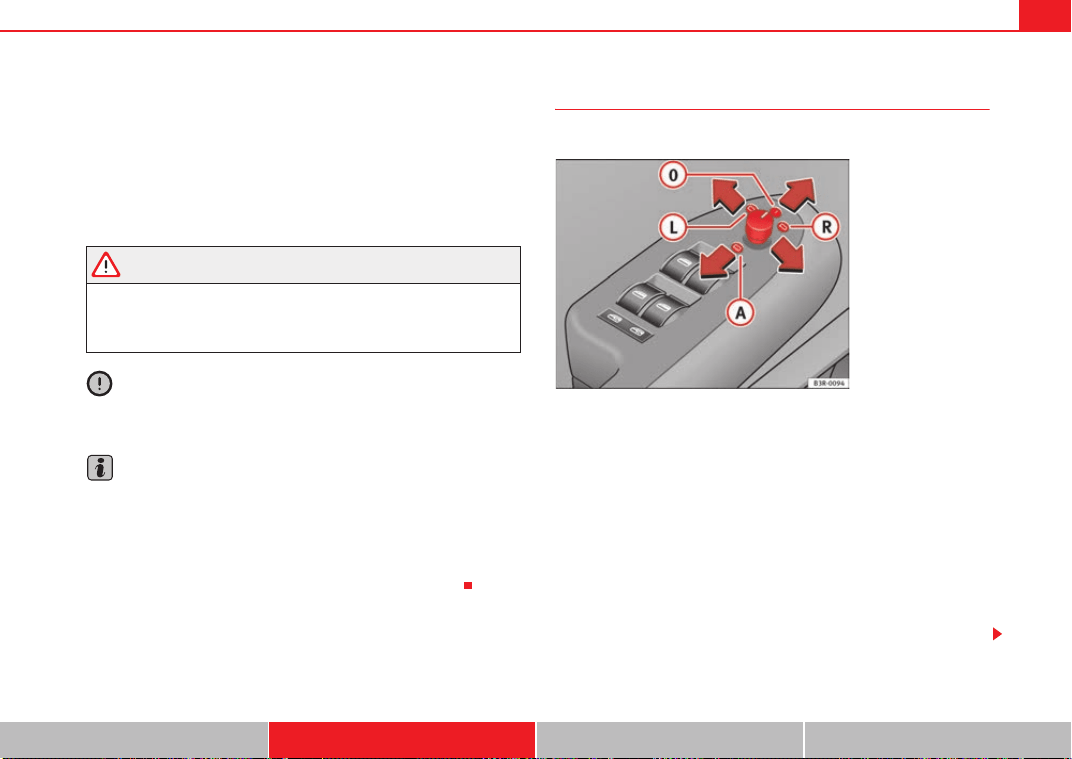
Lights and visibility 131
Safety First Controls and equipment Practical tips Technical Data
• the interior lighting is switched on
• reverse gear is engaged
Sensors for automatic headlights*
When the light switch is set to the AUTO position, the dipped beam head-
lights are switched on and off automatically according to the ambient light
level with the aid of the sensors located in the interior rear view mirror
⇒ page 116.
WARNING
Electrolyte fluid can leak from a broken mirror. This fluid can cause irrita-
tion to the skin, eyes and respiratory organs. Wash thoroughly with clean
water should you come into contact with this fluid. Seek medical assist-
ance if needed!
Caution
Electrolyte fluid leaking from a broken mirror can cause damage to plastic
surfaces. Use a sponge or similar to remove the fluid as soon as possible.
Note
• The rear-view mirror's automatic anti-dazzle function* will only work prop-
erly if the sun blind* for the rear window is retracted and if there are no other
objects preventing light from reaching the interior mirror.
• If you have to stick any type of sticker on the windscreen, do not do so in
front of the sensors. Doing so could prevent the automatic headlight or anti-
dazzle function from working correctly or even from working at all.
Exterior mirrors
The exterior mirrors are adjusted electrically.
Adjusting the exterior mirrors
– Turn the adjuster knob to position ⇒ fig. 104 (left exterior
mirror) or position (right exterior mirror).
– Move the knob as required to adjust the exterior mirror for a good
view behind you.
Retracting both exterior mirrors
– Turn the knob to position .
It is advisable to fold the exterior mirrors, for example when parking or when
driving through narrow spaces.
Fig. 104 Detailed view of
the armrest: Adjuster
knob
A
L
A
R
A
A
Exeo_EN.book Seite 131 Freitag, 28. August 2009 10:14 10

Lights and visibility132
Heated mirrors
The mirrors are heated (depending on the outside temperature) when the rear
window heater ⇒ page 126 is switched on.
Memory for exterior mirrors*
On vehicles with memory function for the driver's seat, the setting of the exte-
rior mirrors is automatically stored together with the seat position
⇒ page 137.
Tilting function for exterior mirror on the passenger's side* (only if equipped
with memory for exterior mirrors)
When reverse gear is engaged, the mirror surface tilts slightly downwards,
provided the mirror control is switched to the exterior mirror on the
passenger's side (knob in position ⇒ page 131, fig. 104). This provides a
better view of the kerb when parking.
The mirror returns to its original position as soon as reverse gear is disen-
gaged and the vehicle is driven forwards at a speed above 15 km/h, or when
the mirror control is turned to position or to the neutral position .
Caution
• Rear view convex or aspheric* mirrors increase the field of vision,
although objects appear smaller and further away in the mirrors. Therefore,
you should not rely on these mirrors for judging the distance of vehicles
behind.
• If one of the mirror housings is knocked out of position (e.g. when
parking), the mirrors must first be fully retracted with the electric control. Do
not readjust the mirror housing by hand, as this will interfere with the mirror
adjuster function.
Note
If the electrical adjustment ever fails to operate, the mirrors can be adjusted
by hand by lightly pressing the edge of the mirror glass.
A
R
A
L
A
0
Exeo_EN.book Seite 132 Freitag, 28. August 2009 10:14 10
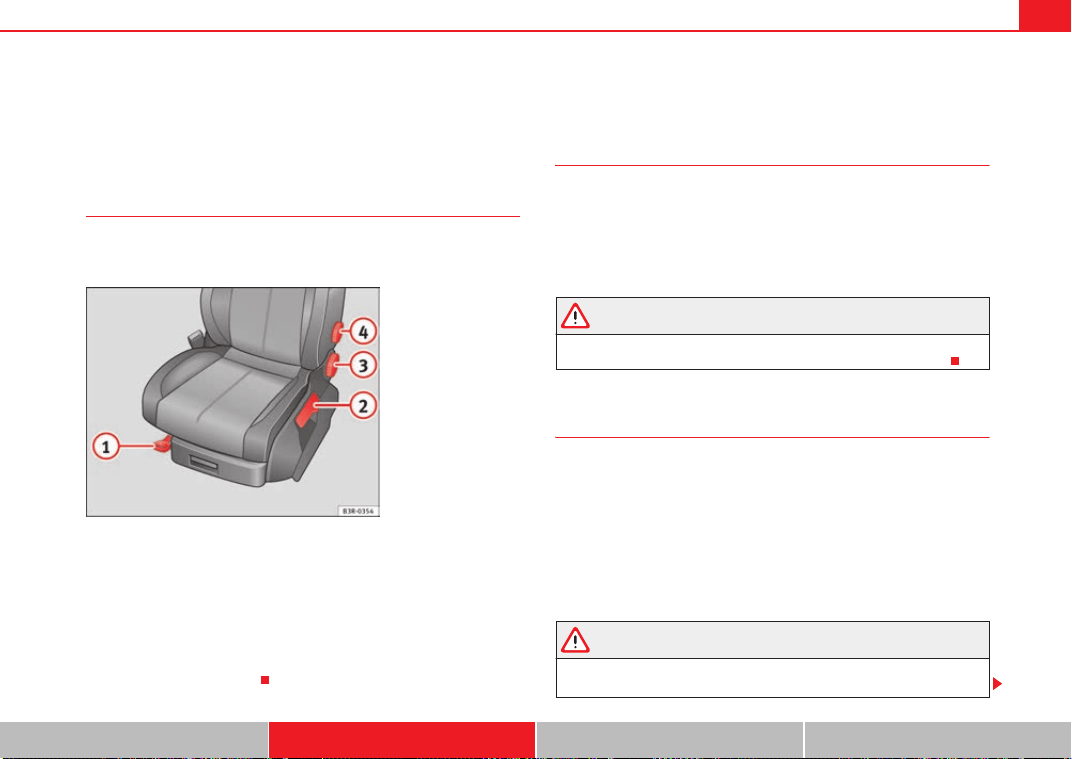
Seats and stowage 133
Safety First Controls and equipment Practical tips Technical Data
Seats and stowage
Manual adjustment of the front seats
Seat adjuster controls
There are several seat adjustment functions for your conven-
ience
Some of the equipment listed is only fitted on certain models or is an optional
extra.
Control switches
Moving the seat backwards or forwards
Raising/lowering the seat
Adjusting the backrest angle
Adjusting lumbar support
Moving the seats forwards and backwards
– Lift the lever ⇒ fig. 105 and move the seat to the desired
position.
– Then release the lever and move the seat further until the
catch engages.
WARNING
The driver's seat must only be moved forwards and backwards when the
vehicle is at a standstill. Failure to do so could result in an accident.
Adjusting the seat height*
Raising the seat
–Pull the lever ⇒ fig. 105 up repeatedly until the seat is in the
desired position.
Lowering the seat
– Press the lever down repeatedly until the seat is in the
desired position.
WARNING
• The height of the driver's seat must not be adjusted while driving.
Failure to do so could result in an accident.
Fig. 105 Adjuster
controls on driver's seat
A
1
A
2
A
3
A
4
A
1
A
1
A
2
A
2
Exeo_EN.book Seite 133 Freitag, 28. August 2009 10:14 10
Seats and stowage134
• Be careful when adjusting the seat height. Injuries can be caused if the
height is adjusted without due care and attention.
Adjusting the backrest angle
– Lean forwards to take your weight off the backrest.
– Turn the adjuster wheel ⇒ page 133, fig. 105 to set the angle
of the backrest as required.
WARNING
The front backrests must not be reclined for driving. Otherwise, safety
belts and the airbag system might not protect as they should, with the
subsequent danger of injury.
Adjusting lumbar support*
– Do not exert any pressure on the backrest and turn adjuster
wheel ⇒ page 133, fig. 105 to adjust lumbar support.
As you make the adjustments, the curvature of the cushioned area of the
lumbar region becomes more or less acute. In this way, it adapts to the
natural curvature of the spine.
WARNING (continued)
A
3
A
4
Exeo_EN.book Seite 134 Freitag, 28. August 2009 10:14 10
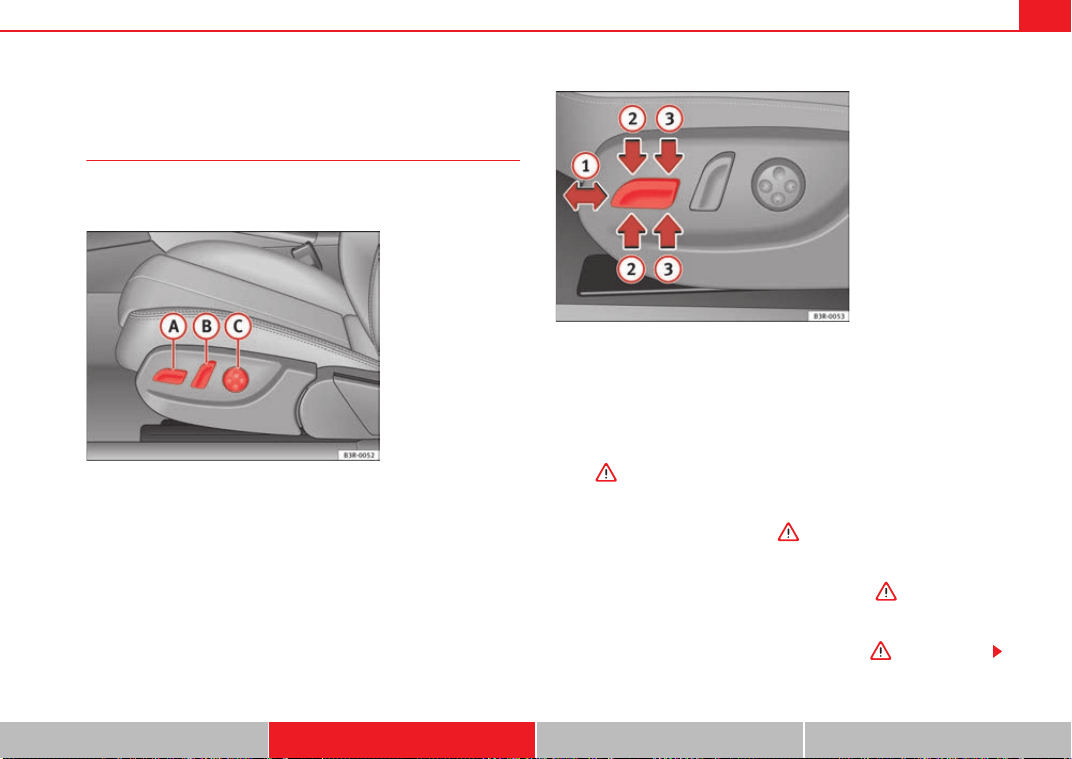
Seats and stowage 135
Safety First Controls and equipment Practical tips Technical Data
Electric adjustment of front seats*
Adjusting the seat
The arrangement of the switches corresponds with the design
of the seats.
The adjustment switches for the seat and backrest correspond with
the design of the seat. The seats can be adjusted merely by pressing
the corresponding switch in the required direction.
Moving the seat forwards / backwards
–Press switch ⇒ fig. 106 forwards or backwards ⇒ fig. 107
⇒ .
Raising/lowering the seat
– Press switch up or down ⇒ .
Raising/lowering the front part of the seat
– Press the front of switch up or down ⇒ .
Raising/lowering the rear part of the seat
– Press the rear of switch up or down ⇒ .
Fig. 106 Front seat:
Adjuster controls
Fig. 107 Front seat: Seat
adjustment switches
A
A
A
1
A
A
A
A
A
2
A
A
A
3
Exeo_EN.book Seite 135 Freitag, 28. August 2009 10:14 10
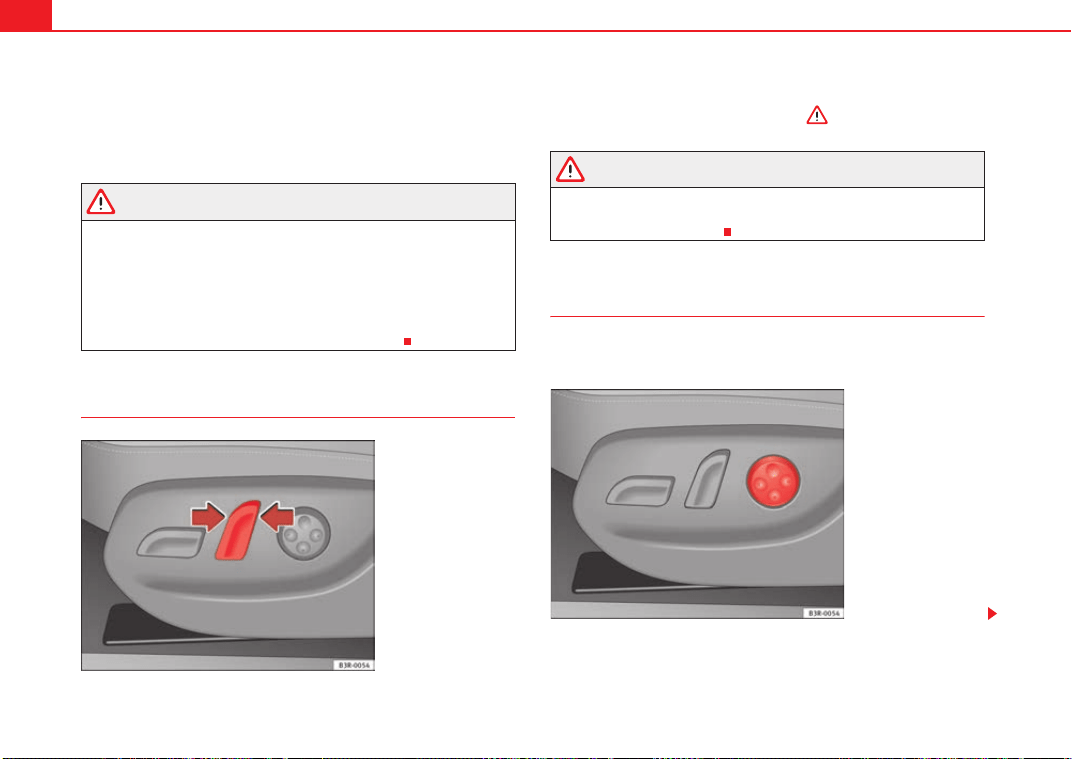
Seats and stowage136
Control switches
Seat adjustment
Backrest adjustment
Lumbar support*
WARNING
• The electrical seat adjustment also works when the ignition is off or
when the key is not in the ignition. To avoid accidental injuries, never leave
children unattended in the vehicle.
• For safety reasons, the seat must only be adjusted when the vehicle is
at a standstill. Failure to do so could result in an accident.
• Be careful when adjusting the seat height. Injuries can be caused if the
seat height is adjusted without due care and attention.
Adjusting the backrest angle
– Press the button in the appropriate direction of the arrow
⇒ fig. 108 to adjust the backrest ⇒ .
WARNING
The front backrests must not be reclined for driving. Otherwise, safety
belts and the airbag system might not protect as they should, with the
subsequent danger of injury.
Lumbar support*
The lumbar support can be adjusted to fit the natural curve of
the spine.
A
A
A
B
A
C
Fig. 108 Front seat: Back-
rest adjuster switch
Fig. 109 Front seat:
Adjuster switch for lumbar
support
Exeo_EN.book Seite 136 Freitag, 28. August 2009 10:14 10
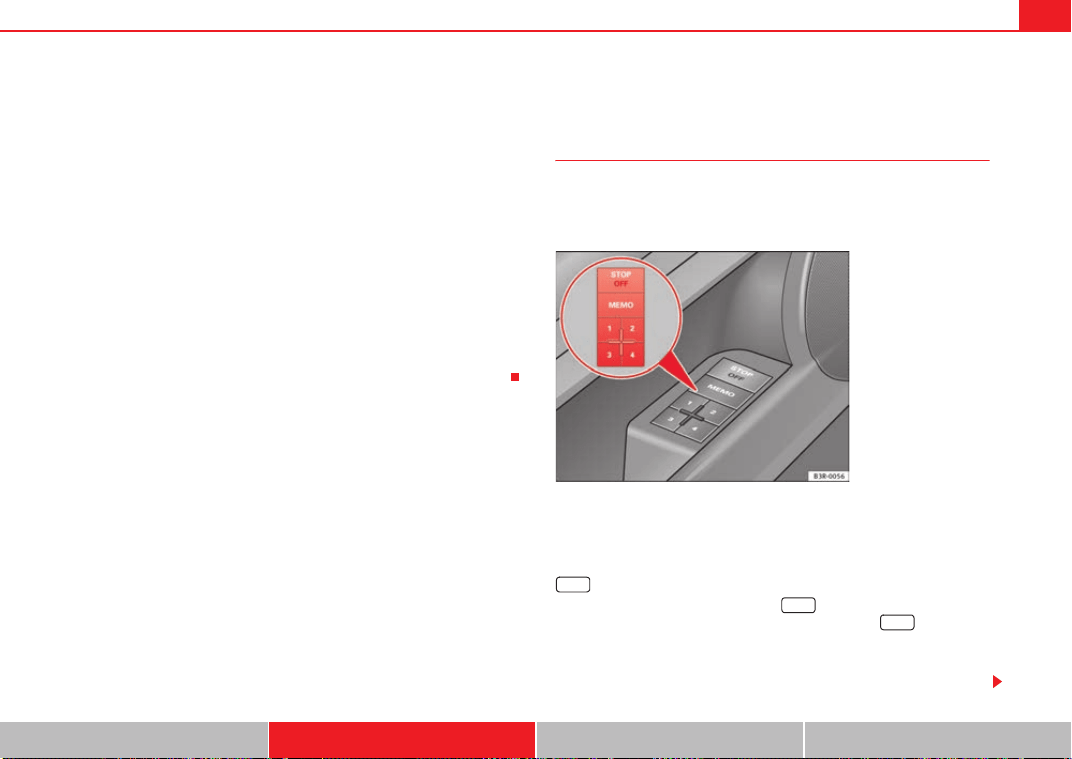
Seats and stowage 137
Safety First Controls and equipment Practical tips Technical Data
Adjusting the contour of lumbar support
– Press the front part of the adjuster switch ⇒ page 136, fig. 109
to increase the contour of the lumbar support.
– Press the rear part of the adjuster switch to decrease the contour
of the lumbar support.
Adjusting the height of lumbar support
– Press the top part of the adjuster switch to move the lumbar
support upwards.
– Press the bottom part of the adjuster switch to move the lumbar
support down.
The lumbar support provides effective support for the natural curvature of the
spine to give a more relaxed seating position, especially on long journeys.
Memory for driver's seat*
Description
The recall buttons in the driver's door can be used to store
and recall up to four different positions for the driver's seat
and exterior mirrors.
Memory buttons
Using the recall buttons 1, 2, 3 and 4 ⇒ fig. 110, you can store and recall the
seat and exterior mirror positions for up to four different drivers.
button
The seat memory will be disabled if the button is in the up position
(press and release). The word
will light up next to the button (only
visible when the lights are switched on).
The stored settings will all remain in the memory. However, the seat and the
exterior mirrors can now only be adjusted using the conventional electrical
Fig. 110 Driver's door:
Memory system
STOP
STOP
STOP
Exeo_EN.book Seite 137 Freitag, 28. August 2009 10:14 10
Seats and stowage138
adjustment. Use of the button is recommended to disable the memory
system when the vehicle is being driven temporarily by a different driver
whose settings do not need to be stored in the memory.
Note
You can also use the remote control to call up the stored settings
⇒ page 139.
Storing settings
The button must be in its down position (pressed in) before
you can store the desired settings.
– Adjust the driver's seat as required ⇒ page 135.
– Adjust both exterior mirrors ⇒ page 131.
– Press and hold the button. At the same time, press one of
the memory buttons for at least a second.
– Release both buttons. The setting is now stored on the selected
memory button.
Any new setting selected automatically cancels the existing setting stored on
the memory button. It is best to begin with memory button No. 1 for the first
driver and then assign the other memory buttons to each subsequent driver.
The seat and mirror positions are stored when the car is locked with the
remote control and are assigned to the remote control key. The exterior
mirrors adjust automatically to the previous position when you unlock the
car; the driver's seat adjusts automatically when you open the driver's door.
However, this does not delete the settings stored in memory buttons 1 to 4.
These settings can be enabled at any time.
Enabling settings
Stored settings can be recalled using either the memory
buttons or the remote control (remote control key).
Using the memory buttons
– If the driver's door is open, press the desired memory button
briefly.
– If the driver's door is closed, press and hold down the appro-
priate memory button until the seat and exterior mirrors reach
their programmed positions.
Using the remote control
– Unlock the vehicle using the remote control and open the driver's
door within the next ten minutes.
The seat adjustment will have to be called up using the memory buttons if the
driver's door is not opened within 10 minutes after unlocking the vehicle with
the remote control.
WARNING
• For safety reasons, the seat must only be adjusted when the vehicle is
at a standstill. Failure to do so could result in an accident.
• In an emergency, the memory function can be stopped at any time by
pressing the STOP button or by briefly pressing any of the memory
buttons.
STOP
STOP
MEMO
Exeo_EN.book Seite 138 Freitag, 28. August 2009 10:14 10
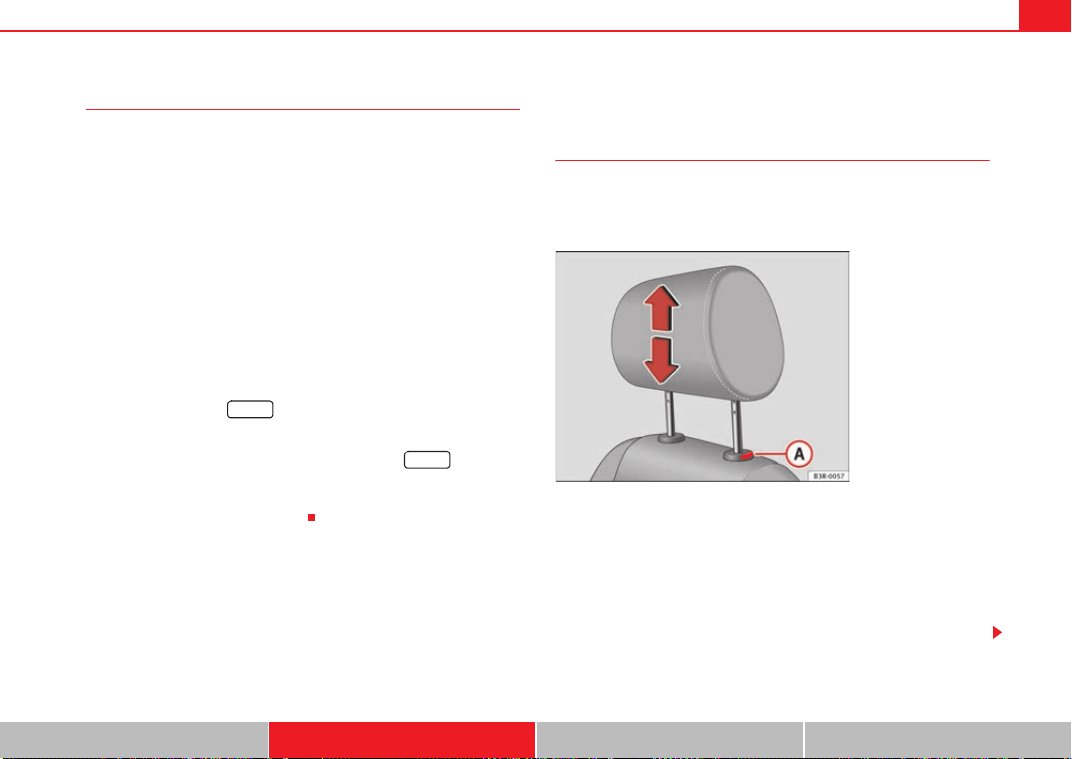
Seats and stowage 139
Safety First Controls and equipment Practical tips Technical Data
Assigning remote control keys
The key must be assigned to a memory button so that the
positions stored in the memory can also be recalled using the
remote control key.
Assigning the remote control key to a memory button
– Using the memory button, recall the settings that are to be
programmed onto the key.
– Keeping the memory button pressed down, press the unlock
button on the remote control key within 10 seconds.
– Wait for about 2 seconds before releasing the memory button.
Deleting assignment of the remote control key to the memory
button
– Press and hold the button and press the unlock button on
the remote control key within 10 seconds.
– Wait for about 2 seconds before releasing the button.
The previous settings are automatically cancelled when the keys are re-
assigned to different memory buttons.
Head restraints
Front head restraints
In combination with properly worn seat belts, the head
restraints offer effective protection, provided they are prop-
erly adjusted to suit the height of the occupant.
Raising the head restraint
– Take hold of the sides of the head restraint with both hands.
– Pull up the head restraint.
Lowering the head restraint
– Press button and lower the head restraint.
MEMO
MEMO
Fig. 111 Front seats:
Head restraints
A
A
Exeo_EN.book Seite 139 Freitag, 28. August 2009 10:14 10
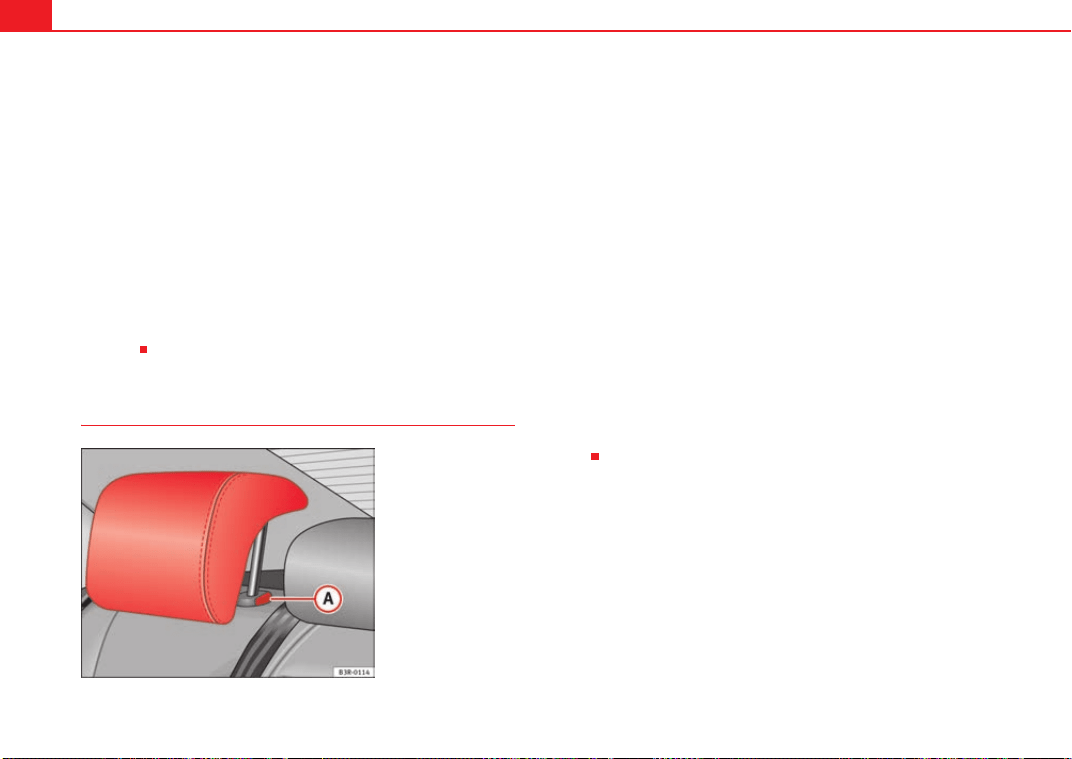
Seats and stowage140
Removing the head restraints
– Pull up the head restraint as far as it will go.
– Press button and pull out the head restraint.
Fitting the head restraint
– Insert the head restraint in its guides until it clicks into place.
Press button and lower the head restraint.
The height of the head restraints is adjustable. They should be set to suit the
height of the occupant. In combination with the seat belts, the head
restraints offer effective protection, provided they are properly adjusted.
For best protection, the top of the head restraint should be at least at eye level
or higher.
Head restraints on the side rear seats
Raising the head restraint
– Take hold of the sides of the head restraint with both hands.
– Pull up the head restraint as far as it will go.
Lowering the head restraint
–Press button ⇒ fig. 112 and lower the head restraint.
Removing the head restraint
– Pull up the head restraint as far as it will go.
–Press button ⇒ fig. 112 and pull out the head restraint.
Fitting the head restraint
– Insert the head restraint in its guides until it clicks into place.
Press button and lower the head restraint.
When the rear seats are not occupied, the head restraints should be moved
to the lowest position so that they do not obstruct the driver's field of
vision.
A
A
A
A
Fig. 112 Outer rear seats:
Head restraints
A
A
A
A
A
A
Exeo_EN.book Seite 140 Freitag, 28. August 2009 10:14 10
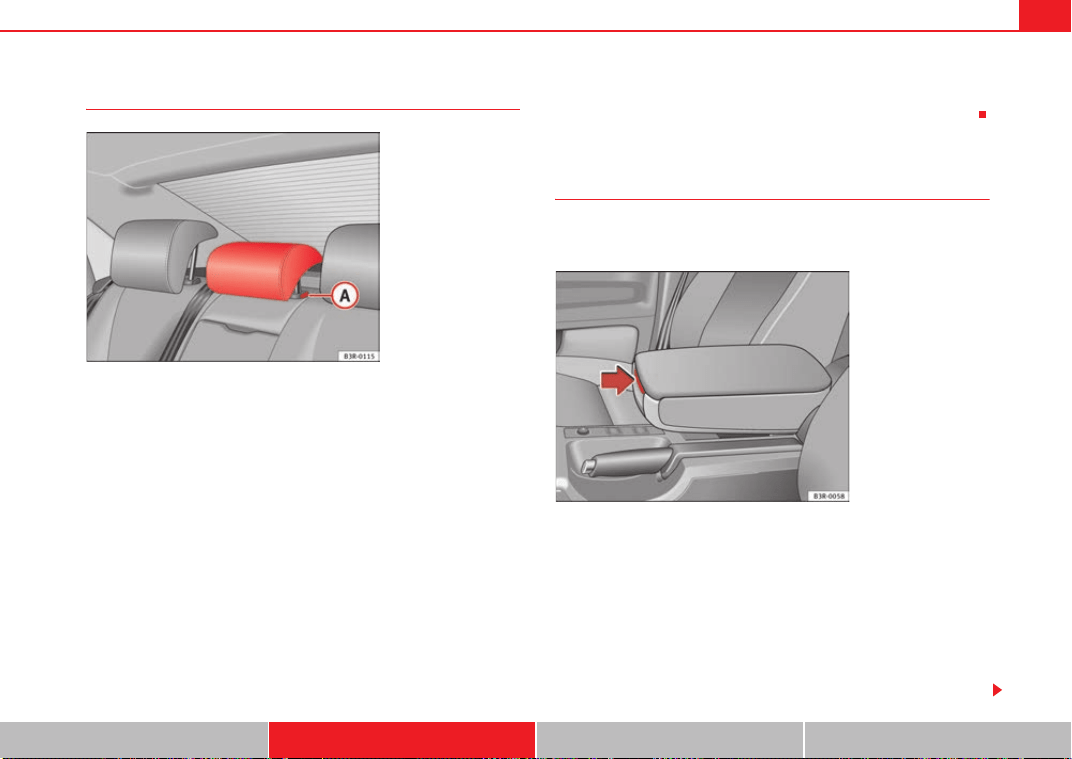
Seats and stowage 141
Safety First Controls and equipment Practical tips Technical Data
Central head restraint of the rear seat
Raising the head restraint
– Take hold of the sides of the head restraint with both hands.
– Pull up the head restraint as far as it will go.
Lowering the head restraint
– Press button ⇒ fig. 113 and lower the head restraint.
Removing the head restraint
– Pull up the head restraint as far as it will go.
– Press button ⇒ fig. 113 and pull out the head restraint.
Fitting the head restraint
– Insert the head restraint in its guides until it clicks into place.
Press button and lower the head restraint.
When the rear seats are not occupied the head restraints should be moved to
the lowest position so that they do not obstruct the driver's field of vision.
Armrests
The armrest can be adjusted to several positions and incorpo-
rates a storage compartment.
Adjusting the armrest
– To adjust the position of the armrest, fold the armrest all the way
down.
– Then lift the armrest gradually until it engages in the desired
position.
Opening the storage compartment
– Press the release lever ⇒ fig. 114.
Fig. 113 Centre rear seat:
Head restraints
A
A
A
A
A
A
Fig. 114 Armrest
between the driver's seat
and front passenger's
seat
Exeo_EN.book Seite 141 Freitag, 28. August 2009 10:14 10
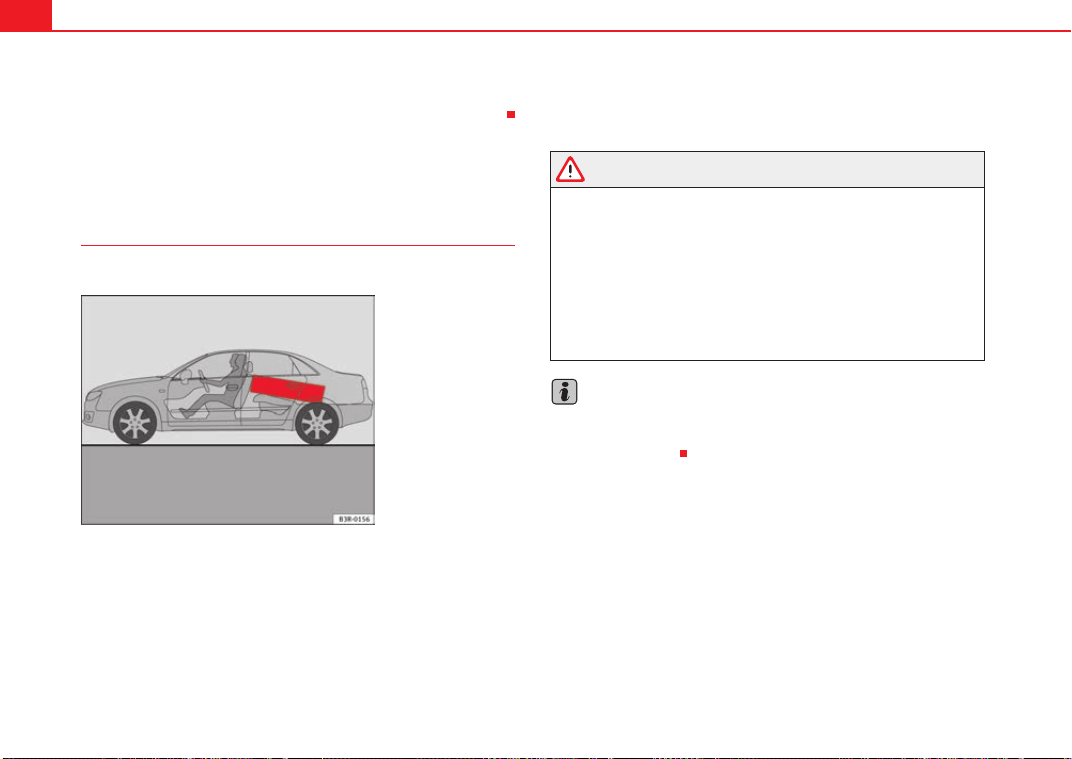
Seats and stowage142
Please note that the armrest can restrict the driver's movements when it is
lowered. The armrest should therefore be raised when driving in city traffic.
Luggage compartment
Loading the luggage compartment
Loads in the luggage compartment should be safely secured.
To maintain safe handling on the road, please observe the following
points:
– Distribute the load evenly.
– Position heavy items as far forward as possible ⇒ fig. 115.
– Secure the load with a luggage net* or with non-elastic straps
secured to the fastening rings ⇒ page 143.
WARNING
• Unsecured objects in the luggage compartment can suddenly shift and
cause changes in the handling of the vehicle.
• In an accident or a sudden manoeuvre, loose objects in the passenger
compartment can be flung forward and might injure vehicle occupants.
• Always keep all objects in the luggage compartment and use appro-
priate grips to secure them, particularly in the case of heavy objects.
• When you transport heavy objects, always bear in mind that a change
of the centre of gravity can also cause changes in vehicle handling.
• Please refer to the notes on ⇒ page 7.
Note
The tyre pressure must be adjusted according to the load. Consult the label
containing the pressure values inside the fuel tank flap where required
⇒ page 216, fig. 165.
Fig. 115 Position heavy
items as far forward as
possible.
Exeo_EN.book Seite 142 Freitag, 28. August 2009 10:14 10
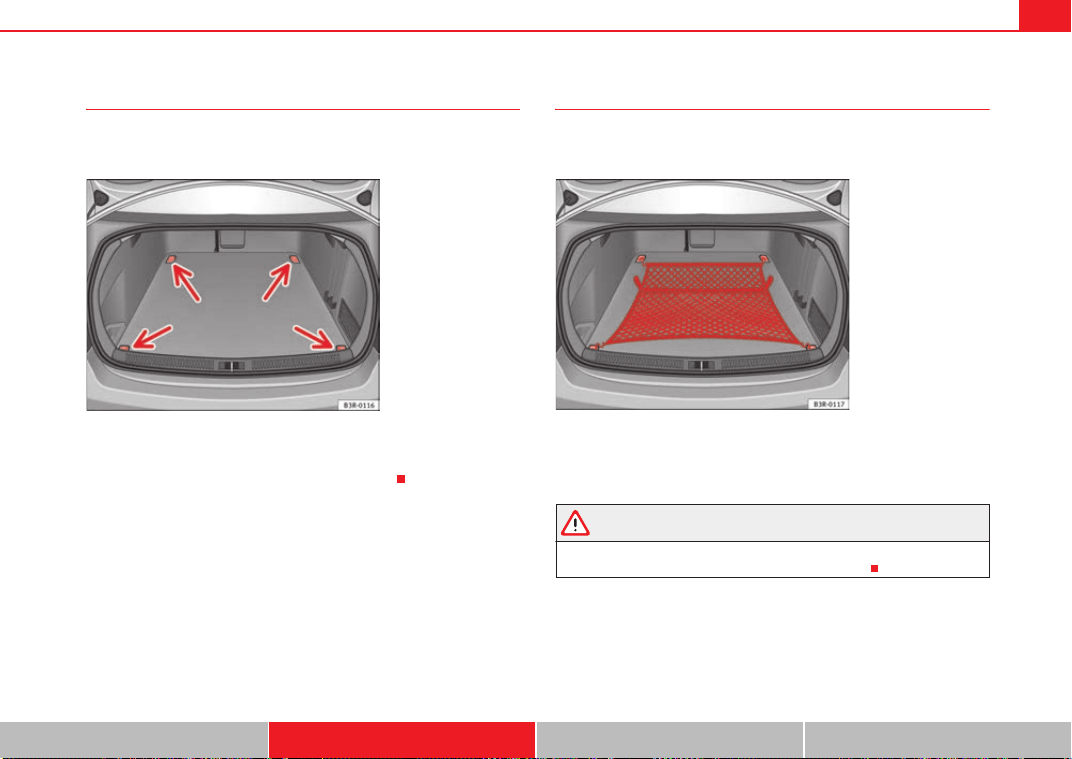
Seats and stowage 143
Safety First Controls and equipment Practical tips Technical Data
Fastening rings*
There are four fastening rings in the luggage compartment,
which can be used to secure loads.
– Use the fastening rings to secure the load ⇒ fig. 116 -arrows-.
– Please refer to the safety notes ⇒ page 142.
Luggage net*
The luggage net can be used to secure and retain light items
in the luggage compartment.
Luggage net
– Secure the luggage net to the four fastening rings ⇒ fig. 117.
WARNING
The luggage net should only be used to hold objects weighing up to 5 kg.
Heavier objects cannot be safely secured (injury risk).
Fig. 116 Location of
fastening rings in luggage
compartment
Fig. 117 Stretch net laid
out
Exeo_EN.book Seite 143 Freitag, 28. August 2009 10:14 10
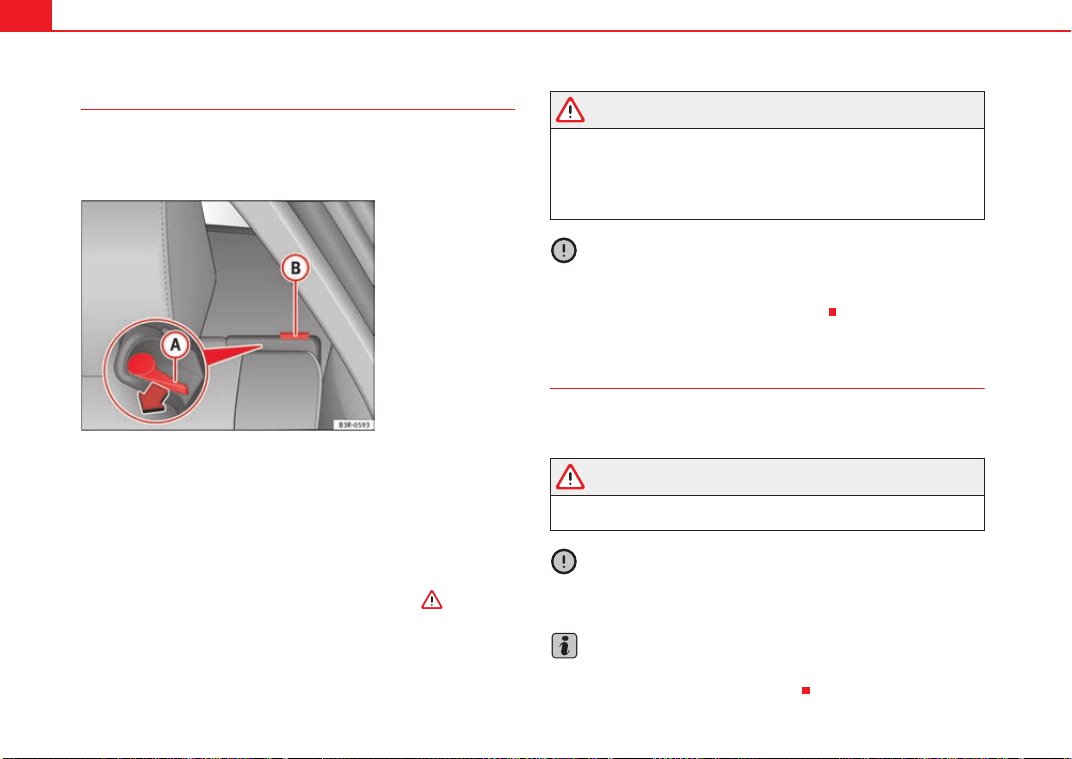
Seats and stowage144
Extending the luggage compartment
The two sections of the backrest can be folded forwards either
together or separately to increase the capacity of the luggage
compartment.
Folding the backrest forwards
– Press the release lever ⇒ fig. 118 in the direction indicated
by the arrow.
– Fold down the backrest.
Returning the backrest to its upright position
– Push the backrest up until it engages securely ⇒ . The red
marking on the tab should no longer be visible when the
backrest is properly secured.
WARNING
• Make sure that the rear backrest is securely locked in position so that
the seat belt can provide proper protection on the centre rear seat.
• The rear backrest must always be securely latched so that objects
stored in the luggage compartment will not fly forward during sudden
braking.
Caution
When returning the backrest to an upright position, make sure that the seat
belts for the outer rear seats are in their guides, so that they cannot be caught
up and damaged in the catches for the backrest.
Storage shelf
The storage shelf behind the rear backrest should only be
used to store light items of clothing.
WARNING
Do not store any heavy or hard objects on the storage shelf. These could
cause injury if the brakes are applied suddenly.
Caution
Please note that hard objects could chafe against the wires of the heating
element in the rear window and cause damage.
Note
Make sure that the slots between the rear window and the storage shelf are
kept clear to ensure unimpaired ventilation.
Fig. 118 Backrest release
lever
A
A
A
B
Exeo_EN.book Seite 144 Freitag, 28. August 2009 10:14 10
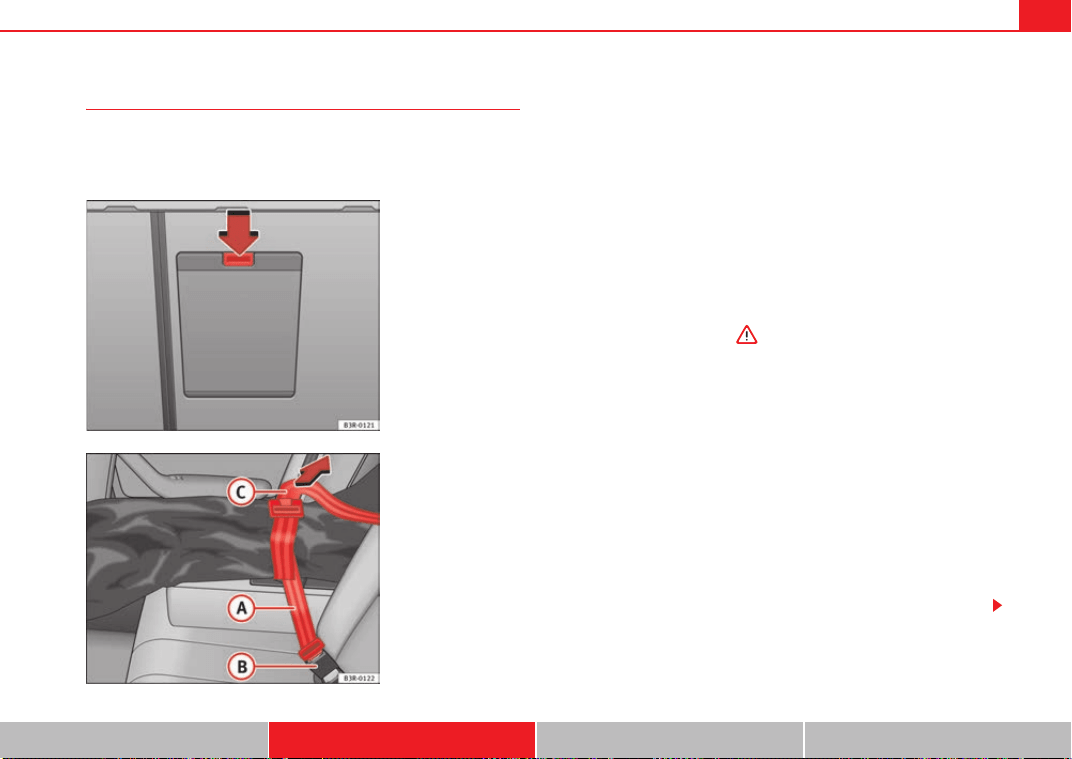
Seats and stowage 145
Safety First Controls and equipment Practical tips Technical Data
Ski bag*
You can use the "ski bag" to transport skis or other extra-long
objects safely inside the vehicle without soiling or damaging
the upholstery.
Loading
–Open the tailgate.
– Press the release catch for the ski bag cover ⇒ fig. 119 -arrow-
and swivel the cover downwards.
– Pull down the centre rear armrest.
– From the passenger compartment, press down the release catch
for the ski bag cover and pull out the cover.
– Pull out and unfold the ski bag.
– The long items can now be loaded through the luggage compart-
ment into the ski bag ⇒ .
Securing
– Insert the fastening belt ⇒ fig. 120 of the ski bag into the
centre seat belt buckle .
– Pull the free end of belt to tighten.
Storing
– Close the cover of the load-through hatch in the luggage
compartment.
– Carefully fold away the ski bag.
– Close the inside cover of the load-through hatch from the
passenger compartment.
Fig. 119 Detailed view of
the rear of the rear back-
rest: Ski bag cover
Fig. 120 Securing the ski
bag on the centre seat
belt buckle on the rear
seat bench
A
A
A
B
A
C
Exeo_EN.book Seite 145 Freitag, 28. August 2009 10:14 10
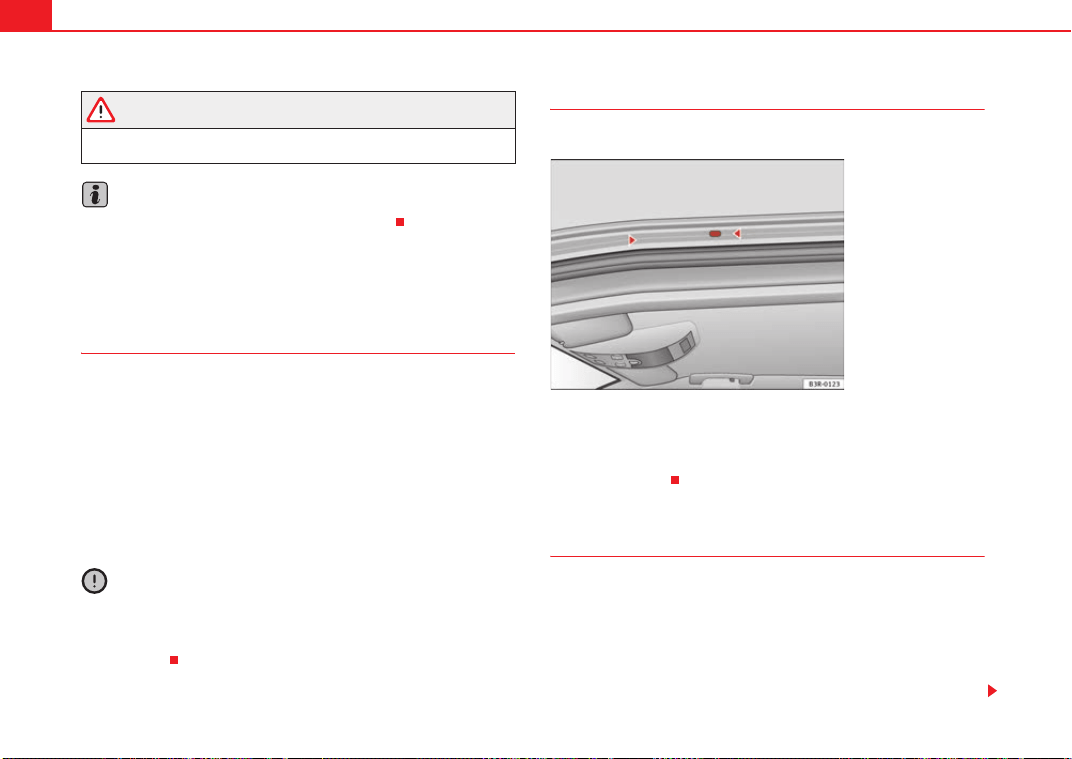
Seats and stowage146
WARNING
The ski bag must be secured in place with the fastening belt after it has
been loaded.
Note
Do not fold away the ski bag after use if it is still damp.
Roof carrier
Description
Additional luggage can be carried on the roof carrier.
Note the following points if you intend to carry loads on the roof:
• There are aerodynamic drainage channels on the roof of the vehicle and,
therefore, normal roof racks cannot be used. We recommend using the carrier
units from the range of original SEAT accessories.
• These carrier units are the basis of a complete roof carrier system. For
safety reasons, however, the corresponding additional fastenings must be
fitted to carry luggage, bicycles, surfboards, skis and boats. All the parts of
this system are available from SEAT Dealers.
Caution
Any damage to the vehicle caused by the use of other types of roof rack or
incorrect installation will not be covered by the factory warranty. The roof
carrier system must therefore be installed exactly according to the instruc-
tions provided.
Attachment points
The roof carrier must be attached at the marked points only.
Installation
The feet of the carrier units must be fitted exactly between the points marked
with arrows on the roof sealing strip ⇒ fig. 121. The arrows are only visible
with the doors open.
Roof load
Loads carried on the roof must be securely attached. The car's
handling is affected whenever you carry loads on the vehicle.
The authorised load on the roof of your vehicle is 75 kg. Use the weight of the
roof carrier system and that of the load as a basis to calculate the roof load.
If less resistant systems are used, the roof carrier must not be loaded to the
maximum weight permitted. If less resistant systems are used, these must
Fig. 121 Attachment
points for carrier units
Exeo_EN.book Seite 146 Freitag, 28. August 2009 10:14 10
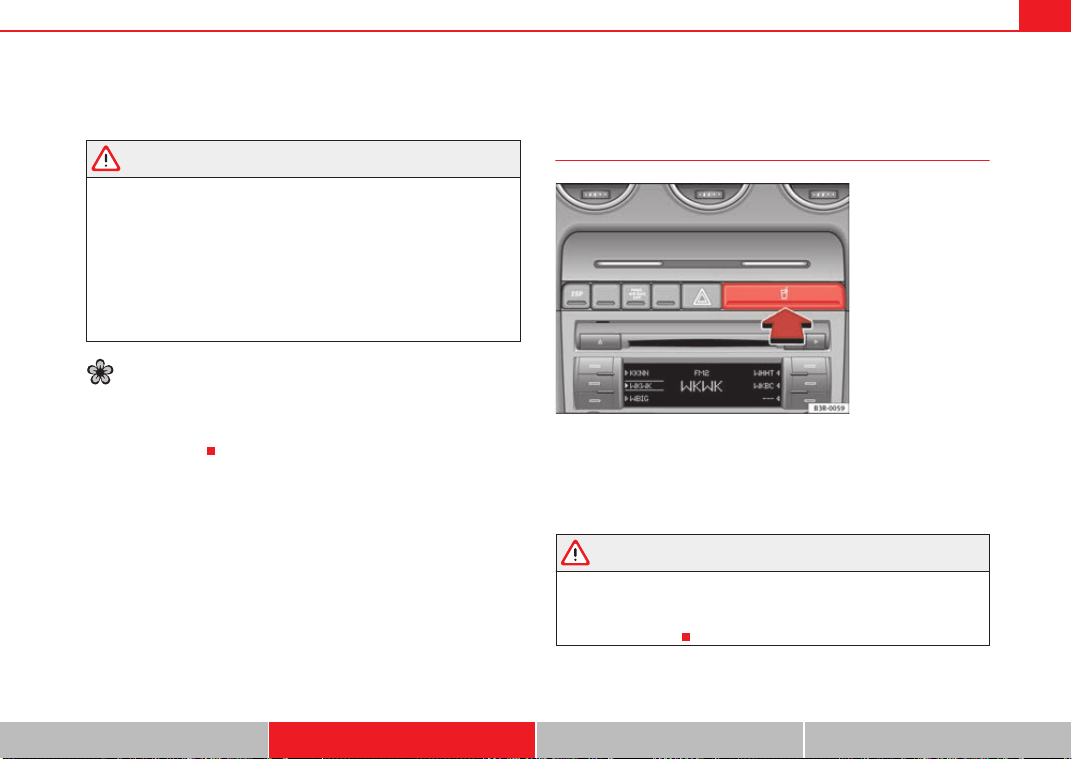
Seats and stowage 147
Safety First Controls and equipment Practical tips Technical Data
only be loaded to the maximum weight permitted indicated in the assembly
instructions.
WARNING
• Loads carried on the roof must be securely attached. Failure to do so
could result in an accident.
• Do not exceed the maximum roof load for the vehicle, the maximum
axle loads or the maximum gross vehicle weight. Failure to do so could
result in an accident.
• When transporting heavy or bulky loads on the roof, bear in mind that
the car's handling is affected by the extra weight on the roof and a possible
susceptibility to cross winds. Adjust your speed and driving style accord-
ingly to avoid accidents.
For the sake of the environment
Roof carriers are often left attached for convenience, even when they are not
being used. However, the increased air resistance means that the vehicle
uses more fuel. For this reason you should always take off the roof carrier
when it is not in use.
Drink holders
Front drink holders
– To open the drink holder, press the symbol on the drink holder
lid ⇒ fig. 122
– To close the drink holder, press it in until it engages.
WARNING
• Do not put any hot drinks in the drink holder while the vehicle is
moving. You can be scalded if the hot liquid is spilt.
• Do not use hard china cups or glasses. These could cause injury in the
event of an accident.
Fig. 122 Detailed view of
instrument panel: Drink
holders
Exeo_EN.book Seite 147 Freitag, 28. August 2009 10:14 10
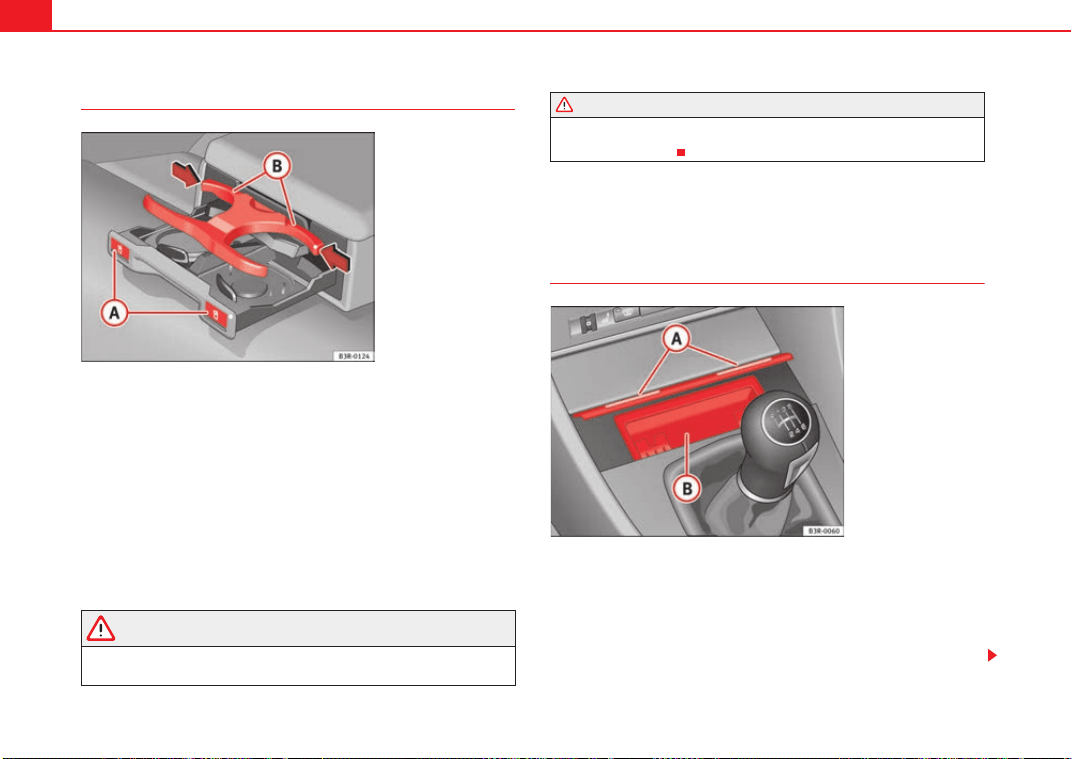
Seats and stowage148
Drinks holder in the rear armrest*
Opening the drink holder
–Press the symbol
⇒ fig. 123.
Adjusting the retainer arm
– To adjust one of the retainer arms , release it by pressing in
the direction indicated (arrow) and move it as required.
The retainer arm should be positioned against the drinks holder so that it is
held securely.
One or two drinks holders can be held in the centre armrest.
WARNING
• Do not put any hot drinks in the drink holder while the vehicle is
moving. You can be scalded if the hot liquid is spilt.
• Do not use hard china cups or glasses. These could cause injury in the
event of an accident.
Ashtray*, cigarette lighter* and power points
Front ashtray*
Opening the ashtray
– Lightly press the front part of the ashtray ⇒ fig. 124.
Removing the ashtray
– Take hold of the sides of the ashtray ⇒ fig. 124 and lift it out.
Fig. 123 Drink holder in
the rear armrest
A
A
A
B
WARNING (continued)
Fig. 124 Centre console:
Open ashtray
A
A
A
B
Exeo_EN.book Seite 148 Freitag, 28. August 2009 10:14 10
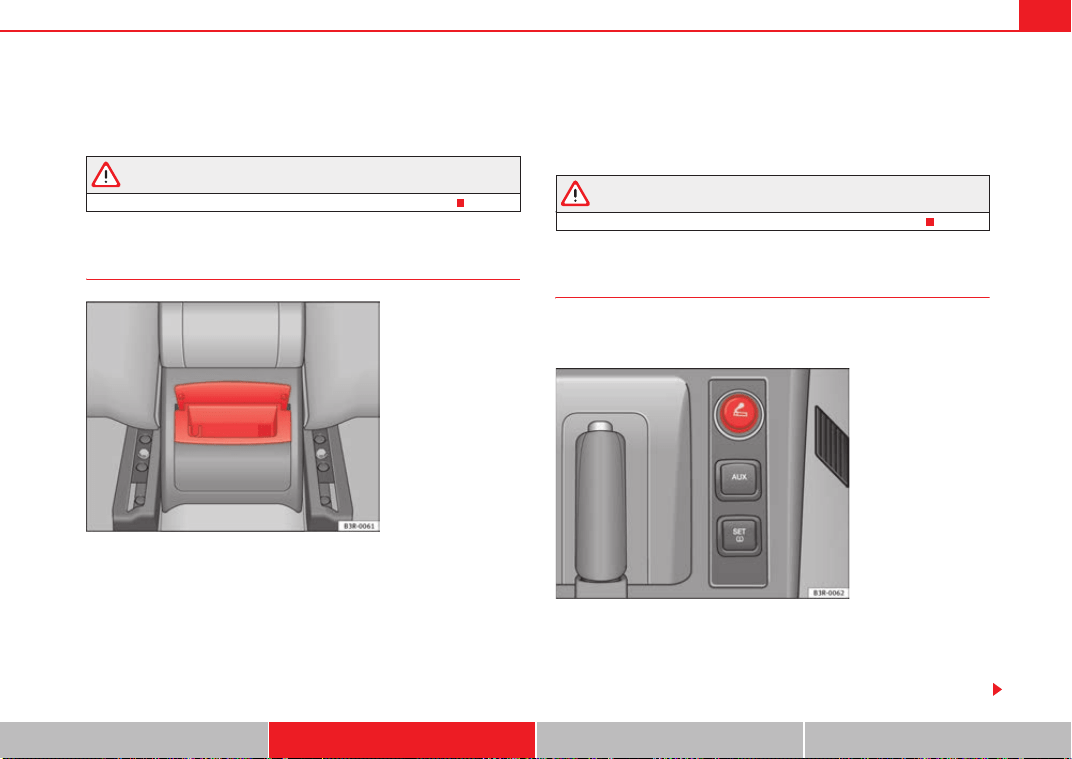
Seats and stowage 149
Safety First Controls and equipment Practical tips Technical Data
Fitting the ashtray casing
– Insert the casing and press it into its mountings.
WARNING
Never put waste paper in the ashtray, as this could cause a fire.
Rear ashtray
Opening the ashtray
– Lift the lid.
Removing the ashtray
– Take hold of the lid ⇒ fig. 125 and lift out the ashtray.
Fitting the ashtray casing
– Open the lid on the ashtray and press the casing into the
mounting as far as it will go.
WARNING
Never put waste paper in the ashtray, as this could cause a fire.
Cigarette lighter*
The 12-volt socket for the cigarette lighter can also be used as
a power source for other electrical appliances.
Using the cigarette lighter
–Press in the cigarette lighter knob.
– Wait for the lighter to pop out slightly.
Fig. 125 Rear ashtray
Fig. 126 Cigarette lighter
in the centre console
Exeo_EN.book Seite 149 Freitag, 28. August 2009 10:14 10
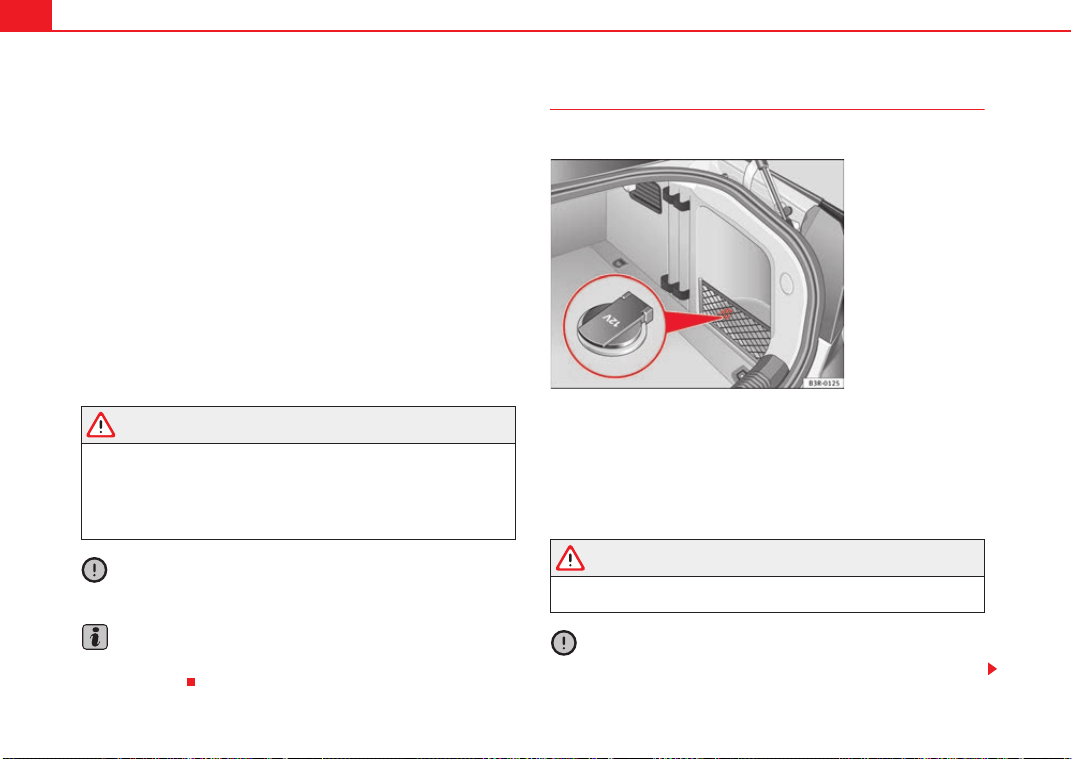
Seats and stowage150
– Pull out the cigarette lighter immediately.
– Use the glowing heater element of the cigarette lighter to light
your cigarette.
– Put the cigarette lighter back in its socket.
Operating the socket
– Take out the cigarette lighter.
– Insert the plug of the electrical appliance into the cigarette
lighter socket.
The cigarette lighter ⇒ page 149, fig. 126 employs a standard 12-volt
socket, which can also be used as a power source for electrical appliances.
The appliances connected to the socket must not exceed a power rating of
100 W.
WARNING
• Be careful when using the electric cigarette lighter. Carelessness or
negligence when using the cigarette lighter can cause burns.
• The lighter will only work when the ignition is switched on.
• The electrical sockets and, therefore, any appliances connected to
them will only work when the ignition is switched on.
Caution
Always use the correct type of plugs to avoid damaging the sockets.
Note
The use of electrical appliances with the engine switched off will cause a
battery discharge.
Electrical socket*
Electrical equipment can be connected to the 12 Volt socket.
– Lift the power point cover ⇒ fig. 127.
– Insert the plug of the electrical appliance into the socket.
Electrical equipment can be connected to the 12-volt socket. The appliances
connected to the socket must not exceed a power rating of 100 W.
WARNING
The electrical sockets and, therefore, any appliances connected to them
will only work when the ignition is switched on.
Caution
Always use the correct type of plugs to avoid damaging the sockets.
Fig. 127 Detailed view of
the side trim in the
luggage compartment:
12-volt socket
Exeo_EN.book Seite 150 Freitag, 28. August 2009 10:14 10
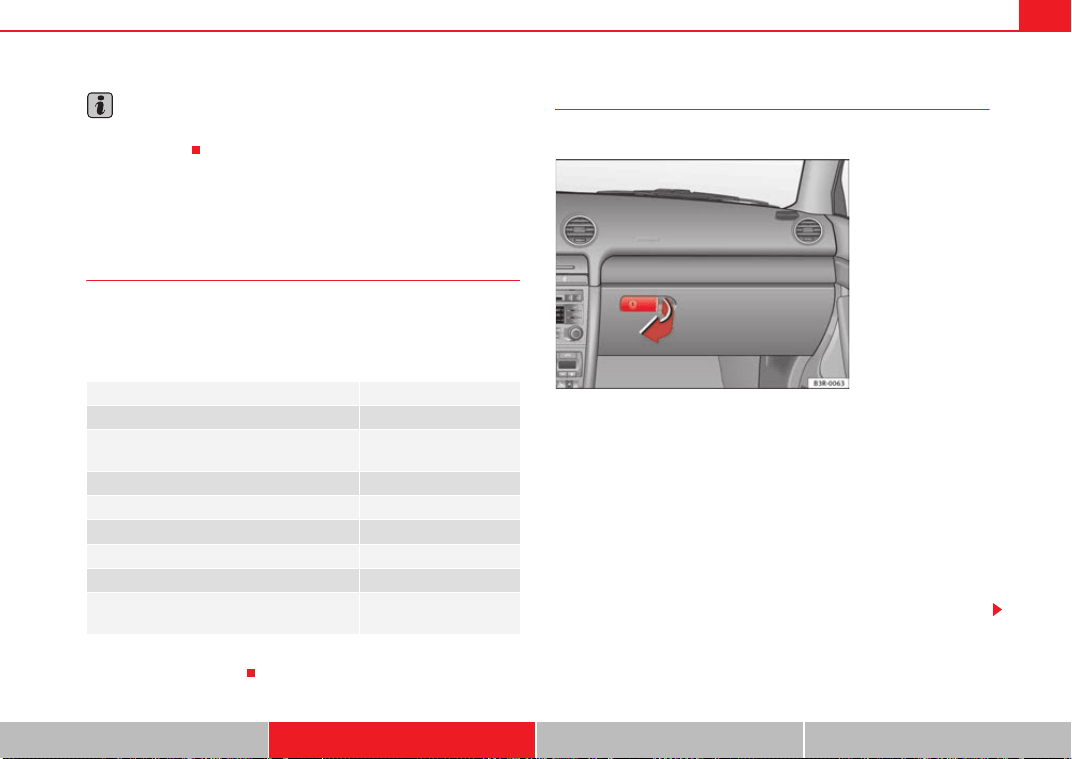
Seats and stowage 151
Safety First Controls and equipment Practical tips Technical Data
Note
The use of electrical appliances with the engine switched off will cause a
battery discharge.
Compartments
Overview
There are several storage compartments at various points in
the vehicle.
Your vehicle has the following storage compartments:
Some of the compartments listed are only provided in certain models / model
years or are optional extras.
Glove compartment
The glove compartment is equipped with a lock* and a light.
Opening the glove compartment
– Pull the handle on the lid in the direction indicated (arrow)
⇒ fig. 128 and open the lid.
Closing the glove compartment
– Close the lid and push it in until it engages.
If the side lights or headlights are switched on, the light in the glove compart-
ment comes on when it is opened.
The lid has separate holders for a pen and a note pad.
First-aid kit*
Emergency triangle*
Glove compartment (glove compartment cool-
ing)
⇒ page 151
Storage compartment in the centre console
Vehicle wallet compartment*
Compartments in the door trims ⇒ page 152
Coat hooks ⇒ page 153
Storage shelf ⇒ page 144
Side storage compartment in luggage com-
partment
Fig. 128 Glove compart-
ment
Exeo_EN.book Seite 151 Freitag, 28. August 2009 10:14 10
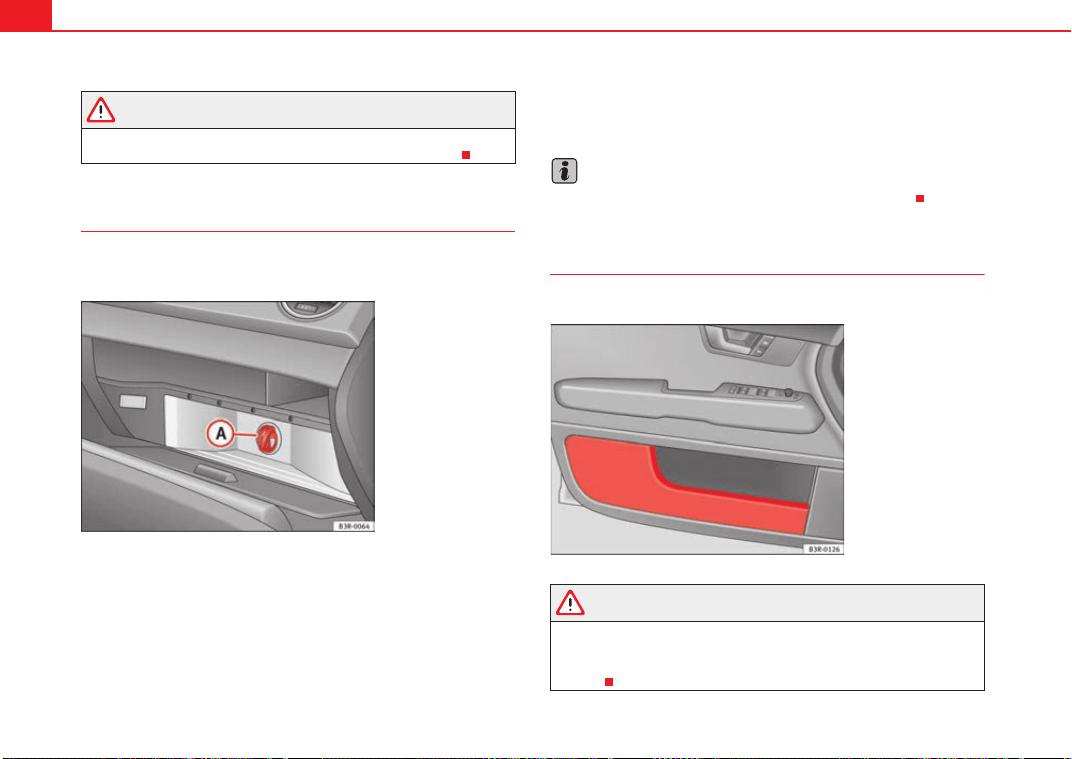
Seats and stowage152
WARNING
For safety reasons, the glove compartment must always be closed when
the vehicle is moving. Failure to do so could result in an accident.
Cool box in glove compartment*
The cool box will only work when the climate control is deliv-
ering cooled air.
– Open the glove compartment ⇒ page 151, fig. 128.
–Open the lid of the cool box ⇒ fig. 129.
– Turn switch to switch cooling on and off.
The cool box will only work when the climate control is delivering cooled air.
We recommend you switch off the cool box if the climate control is delivering
warm air to heat the interior.
Note
The “non-slip” mat in the cool box can be removed for cleaning.
Compartments in the door trim
Storage compartments are provided in the door trims.
WARNING
The storage compartments in the door trims should only be used to store
small objects. Make sure that they are stored safely inside the compart-
ment, as they might otherwise impair the protection offered by the side
airbags.
Fig. 129 Glove compart-
ment with cool box open
A
A
Fig. 130 Door trim with
storage compartment
Exeo_EN.book Seite 152 Freitag, 28. August 2009 10:14 10
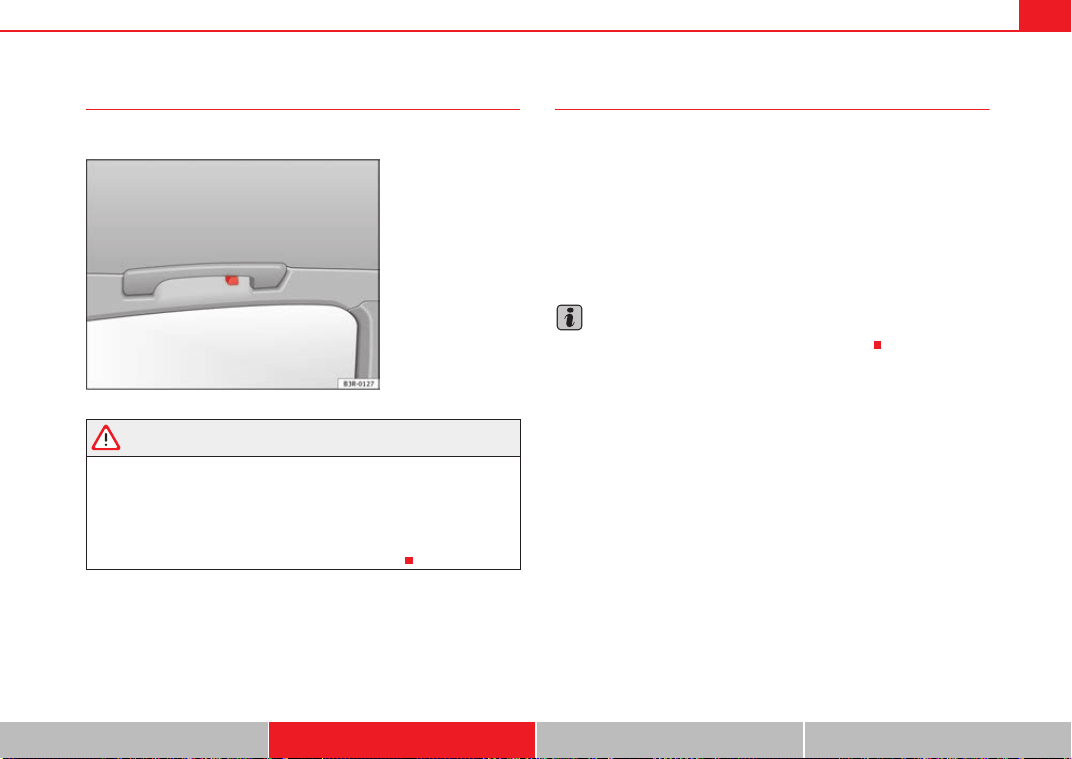
Seats and stowage 153
Safety First Controls and equipment Practical tips Technical Data
Coat hooks
There is a coat hook above each of the rear doors.
WARNING
• Please make sure that any items of clothing hanging from the coat
hooks do not obstruct your view to the rear.
• The coat hooks should only be used for lightweight clothing. Do not
leave any heavy or sharp objects in the pockets.
• Do not use clothes hangers to hang up the clothing, as this could inter-
fere with the function of the head-protection airbags*.
Compartments in the front seats*
There is a storage compartment with a lid at the front of each
front seat.
Opening
– Pull the handle to open the compartment.
Closing
– Close the lid and push it in until it engages.
Note
The compartments will hold a maximum weight of 1 kg.
Fig. 131 Area above the
rear doors: Coat hooks
Exeo_EN.book Seite 153 Freitag, 28. August 2009 10:14 10

Heating, Ventilation and Air conditioning154
Heating, Ventilation and Air conditioning
2C-Climatronic
Description
The climate control is designed to automatically keep the
passenger compartment at the temperature you find most
comfortable at all times of the year.
Recommended settings:
– Set the temperature to 22°C (71°F).
–Press the ⇒ page 156, fig. 132 button.
The following setting quickly provides a comfortable temperature inside the
vehicle. We therefore recommend you do not modify the setting unless you
find this temperature uncomfortable or where circumstances require as such.
The climate control provides heating and ventilation and also cools and
dehumidifies the air inside the vehicle.
The climate control is fully automatic and will constantly maintain the temper-
ature which has been set. To achieve this, the temperature of the air supplied
to the interior, the blower speed (volume of air delivery) and the air distribu-
tion are regulated automatically. The system also takes solar radiation into
account and, therefore, no subsequent manual readjustments are required.
Therefore, automatic mode ⇒ page 157 should be used for the comfort of all
the passengers in virtually all conditions throughout the year.
Please note the following points:
The humidity of the air is automatically reduced when the system cools the
interior of the vehicle. This helps to prevent condensation on the windows.
If the humidity and temperature outside the vehicle are high, condensation
can drip off the evaporator in the air cooling system and form a pool under-
neath the vehicle. This is normal and does not indicate a leak.
If the outside temperature is low, the blower normally only switches to a
higher speed once the coolant has warmed up sufficiently (this does not
apply to the defrost setting).
In order to achieve maximum engine power, the air conditioning compressor
is temporarily switched off when pulling away from standstill with full throttle.
The compressor also switches off if the coolant temperature is excessively
high to ensure adequate engine cooling under extreme loads.
Pollution filter
The pollution filter (a combined particle filter and activated charcoal filter)
serves as a barrier against impurities in the outside air, including dust and
pollen.
For the climate control to work with maximum efficiency, the pollution filter
element must be replaced at the intervals specified in the Service Schedule.
If the vehicle is driven in areas with a high level of air pollution and the filter
is no longer fully effective, it may be necessary to change the filter element
more frequently.
Caution
• If you suspect that the climate control system is damaged, switch over to
ECON mode to prevent further damage and have the system checked by a
specialist garage.
• Repairs to the climate control require specialist knowledge and special
tools. For this reason, please contact a specialist garage if the system is not
working properly.
AUTO
Exeo_EN.book Seite 154 Freitag, 28. August 2009 10:14 10
Heating, Ventilation and Air conditioning 155
Safety First Controls and equipment Practical tips Technical Data
Note
• Keep the air intake slots in front of the windscreen clear of snow, ice and
leaves to ensure unimpaired heating and cooling and to prevent the windows
misting over.
• The air from the outlets flows through the passenger compartment and
out through the slots below the rear window. Therefore, do not cover these
slots with items of clothing or other objects.
• The air conditioning system operates most effectively with the windows
and the sliding/tilting roof* closed. However, if the vehicle has heated up
after standing in the sun for some time, the air inside can be cooled more
quickly by opening the windows briefly.
Exeo_EN.book Seite 155 Freitag, 28. August 2009 10:14 10
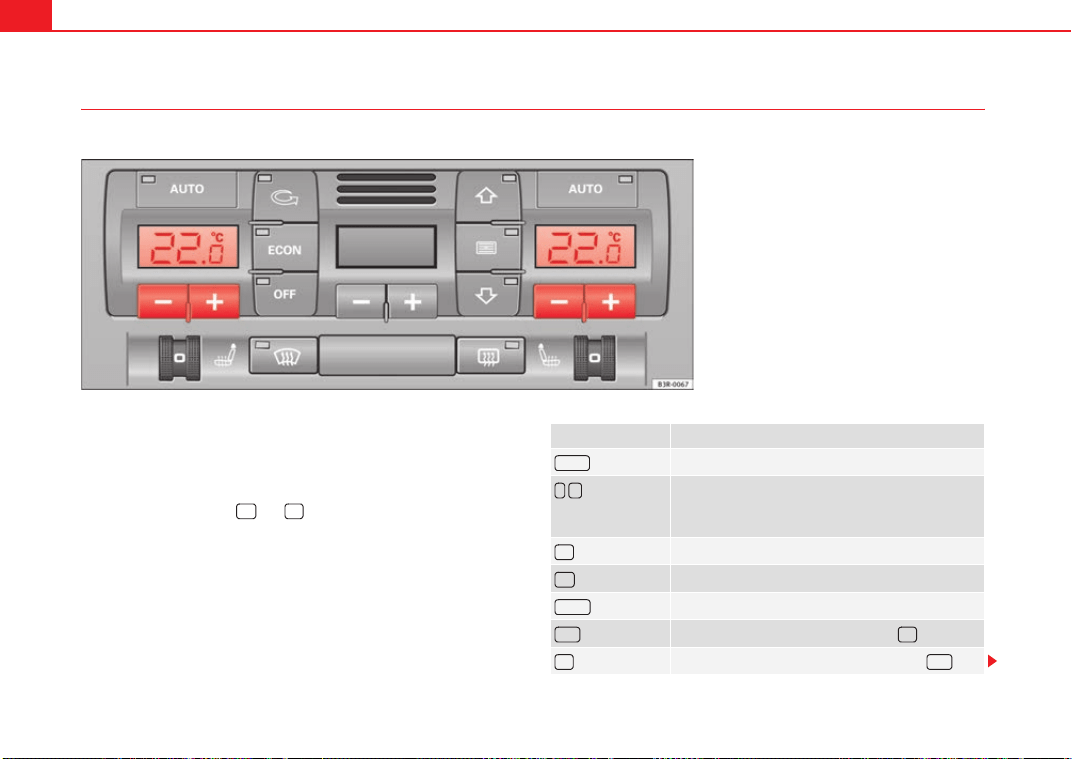
Heating, Ventilation and Air conditioning156
Controls
This overview will help you become quickly familiar with the controls for the climate control.
The left-hand display shows the temperature selected for the left-hand side
and the right-hand display the temperature for the right-hand side.
The functions can be switched on or off by briefly pressing the buttons. The
diode on the buttons lights up when the function is enabled.
The grille between buttons and must be kept clear, as the tempera-
ture sensors are located behind the grille.
• Do not cover the grille.
• Do not clean the grille with a vacuum cleaner, as this could damage the
temperature sensors located behind the grille.
Fig. 132 Climate control controls
Button(s) Meaning
Automatic mode
(left and right
sides)
Temperature selection for the left
and right sides
Defrost
Manual air recirculation mode
Switches off air cooling
Switches off climate control (instead of )
Automatic air recirculation mode (instead of )
AUTO
- +
ECON
OFF
OFF
Exeo_EN.book Seite 156 Freitag, 28. August 2009 10:14 10
Heating, Ventilation and Air conditioning 157
Safety First Controls and equipment Practical tips Technical Data
The , and buttons (which regulate air distribution) can either be
selected individually or in combination.
Automatic mode
Standard setting for all seasons.
Switching on automatic mode
– Select a temperature between +18°C (64°F) and +29°C (86°F).
– Press the button ⇒ page 156, fig. 132.
The automatic mode maintains a constant temperature inside the vehicle and
dehumidifies the air. Air temperature, air delivery and air distribution are
regulated automatically to reach the desired interior temperature as quickly
as possible, and then to maintain this temperature. The system automatically
compensates for any variations in the outside temperature and for the effect
of direct sunlight.
The automatic temperature regulation only operates at temperature settings
between +18°C and +29°C. If a temperature below +18°C is selected, LO
appears on the display. If a temperature is selected which is higher than
+29°C, the display will show HI. In the two extreme settings, the climate
control operates continuously with maximum cooling or heating output and
the temperature is not regulated automatically. The temperature is not regu-
lated.
Note
By keeping the button on the driver's side pressed for several seconds,
the temperature of the passenger's side can be set to the temperature of the
driver's side or vice versa. The display indicates the new temperature value.
Selecting the temperature
Separate temperatures can be selected for the driver's and
front passenger's side.
– Press the or buttons below the displays ⇒ page 156,
fig. 132 until the desired temperature is selected for the driver's
side or front passenger's side.
The currently selected temperature setting is shown in the display above the
buttons.
By keeping the button on the driver's side pressed for several seconds,
the temperature of the passenger's side can be set to the temperature of the
driver's side or vice versa. The display indicates the new temperature value.
The previous temperature setting can be restored by resetting the display on
the driver's or passenger's side as required.
(centre buttons)
Adjusts blower speed
Air to the windows
Air from the dashboard outlets
Air to the footwells
Button(s) Meaning
- +
AUTO
AUTO
AUTO
- +
- +
AUTO
Exeo_EN.book Seite 157 Freitag, 28. August 2009 10:14 10
Heating, Ventilation and Air conditioning158
Defrosting
The windscreen and side windows are defrosted or demisted
as quickly as possible.
– To enable this mode, press the ⇒ page 156, fig. 132 button.
– To disable, press the button again or select the button.
The temperature is regulated automatically. The air output is increased to
maximum and most of the air comes out of outlets 1 and 2 ⇒ page 161.
The air recirculation and ECON modes are switched off when the button is
pressed.
Air recirculation: manual enabling
The air recirculation setting prevents fumes etc. from entering
the interior.
Enabling air recirculation mode
–Press the ⇒ page 156, fig. 132 ⇒ button.
Disabling air recirculation mode
– Press the button again or
– Press the button or
–Press the button.
In this setting, the air in the vehicle is constantly recirculated. We recommend
using the air recirculation mode in the following circumstances:
• When driving through a tunnel or in queues of traffic, to prevent fumes
entering the interior of the vehicle.
WARNING
Do not drive for too long with the air recirculation mode enabled because,
if the compressor is disconnected, the windscreen may mist up because no
fresh air is entering the interior of the vehicle, with the subsequent risk of
accidents.
ECON Mode (economy)
ECON mode helps save fuel.
– To enable, press the button ⇒ page 156, fig. 132.
– To disable, press the button again or select the
button.
Air cooling is disconnected in ECON mode. The heating and the blower are
adjusted automatically. “ECON” stands for “Economy”. Disconnecting air
cooling (compressor) saves on fuel.
Please note that the interior temperature must not be lower than the outside
temperature in ECON mode. The blower does not cool or dehumidify the air in
the interior. The windows could therefore mist up.
On diesel vehicles, the supplementary heater is switched off in ECON mode
to save fuel.
Note
If the diode on the ECON button continues to light up when the ECON mode
has been switched off (i.e. the climate control has been switched on) this is
AUTO
AUTO
ECON
ECON
ECON AUTO
Exeo_EN.book Seite 158 Freitag, 28. August 2009 10:14 10
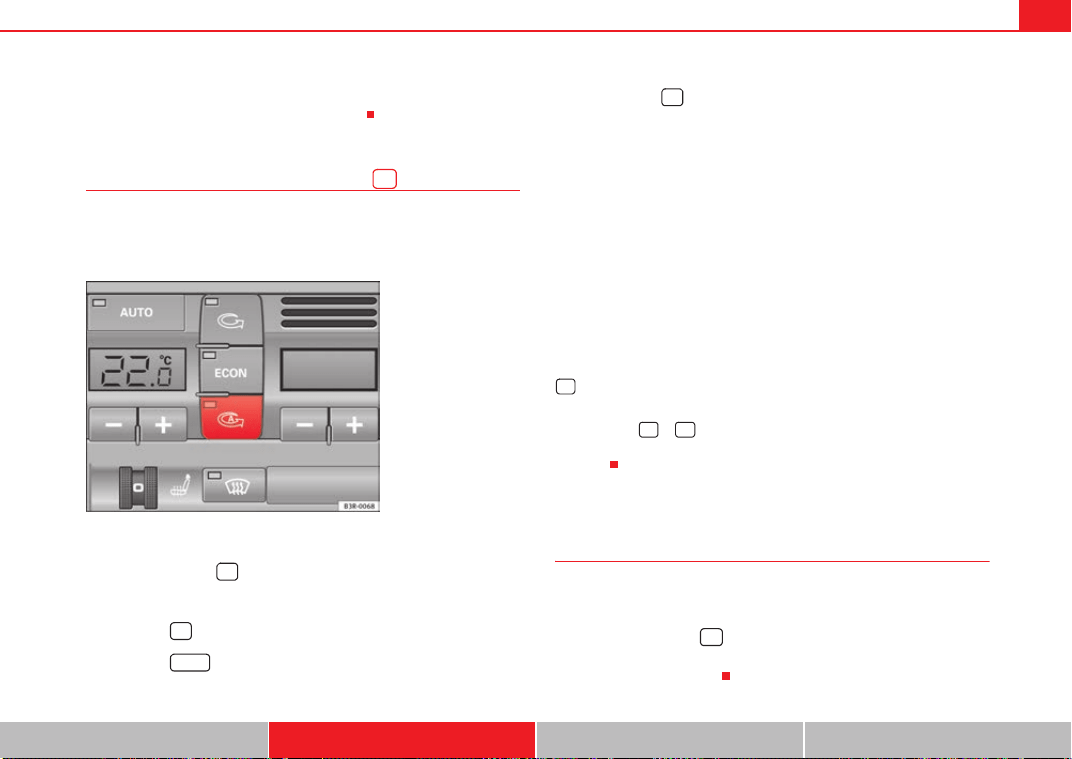
Heating, Ventilation and Air conditioning 159
Safety First Controls and equipment Practical tips Technical Data
due to a defect in one of the climate control components. If a malfunction
should occur, please contact a specialist garage.
Air recirculation: automatic activation*
If the outside air is polluted by diesel and petrol emissions,
an air purity sensor in the vehicle will automatically switch on
the air recirculation.
Enabling air recirculation mode
– Press the button ⇒ fig. 133.
Disabling air recirculation mode
– Press the button again or
– Press the button or
– Press button .
The automatic air recirculation mode should normally be left switched on at
all times.
The system is ready to operate approx. 30 seconds after the engine ignition
key has been turned. During this initial period, fresh air is fed into the car.
If the air purity sensor in the air conditioning system detects a certain
concentration of fumes in the outside air, the control unit will either pass the
incoming air through the pollution filter or automatically switch on the air
recirculation. If there is a high concentration of pollution in the outside air,
the climate control automatically switches to air recirculation and the supply
of air from the outside is cut off. As soon as the level of pollution decreases,
air is fed into the vehicle from the outside again.
The automatic air recirculation operates for a maximum period of 12 minutes.
If the windows mist up when the automatic air recirculation is on, press the
button immediately.
The automatic air recirculation switches itself off under certain circumstances
(for instance if or is selected). In “ECON” and at temperature of below
approx. 8°C below zero, the automatic air recirculation mode is limited to 12
seconds.
Switching the temperature display from °C to °F and vice
versa
The temperature display can be switched from °C (degrees
Celsius) to °F (degrees Fahrenheit) and vice versa.
– Press and hold the button for recirculation mode and briefly
press the plus button of the left-hand temperature selector
⇒ page 156, fig. 132.
Fig. 133 Button for auto-
matic air recirculation
AUTO
Exeo_EN.book Seite 159 Freitag, 28. August 2009 10:14 10
Heating, Ventilation and Air conditioning160
Switching the climate control on/off
Switching the climate control off: models with an button
– Press the button. The climate control is switched off and the
supply of air from outside the car is cut off.
Switching the climate control off: models with a button
– Keep pressing the button for the blower until the display
segment is empty. The climate control is switched off and the
supply of air from outside the car is cut off.
Switching the climate control on: models with an button
– Press the button again, or
– Press the button or
– Press one of the air distribution buttons , or .
Switching the climate control on: models with a button
– Press the button for the blower, or
– Press the button or
– Press one of the air distribution buttons , or .
The climate control also starts to operate if one of the blower or temperature
selector buttons is pressed.
Blower speed
The automatically selected blower speed can be reduced or
increased manually.
– Press the and buttons in the centre of the control panel
⇒ page 156, fig. 132 to set the blower to the desired speed (and
regulate the volume of air delivery).
The climate control system automatically regulates the blower speed
according to the interior temperature. However, you can also adjust the air
delivery manually. The current blower setting is illustrated by a bar in the
middle display (above the buttons).
Automatic change of passenger temperature
In order to set automatically the passenger temperature like the driver
temperature, press the button on the driver's side for 2 seconds
approximately. In order to set automatically the driver temperature like the
passenger's temperature, press the button on the passenger's side for
2 seconds approximately.
OFF
OFF
-
OFF
OFF
AUTO
+
AUTO
- +
- +
AUTO
AUTO
Exeo_EN.book Seite 160 Freitag, 28. August 2009 10:14 10
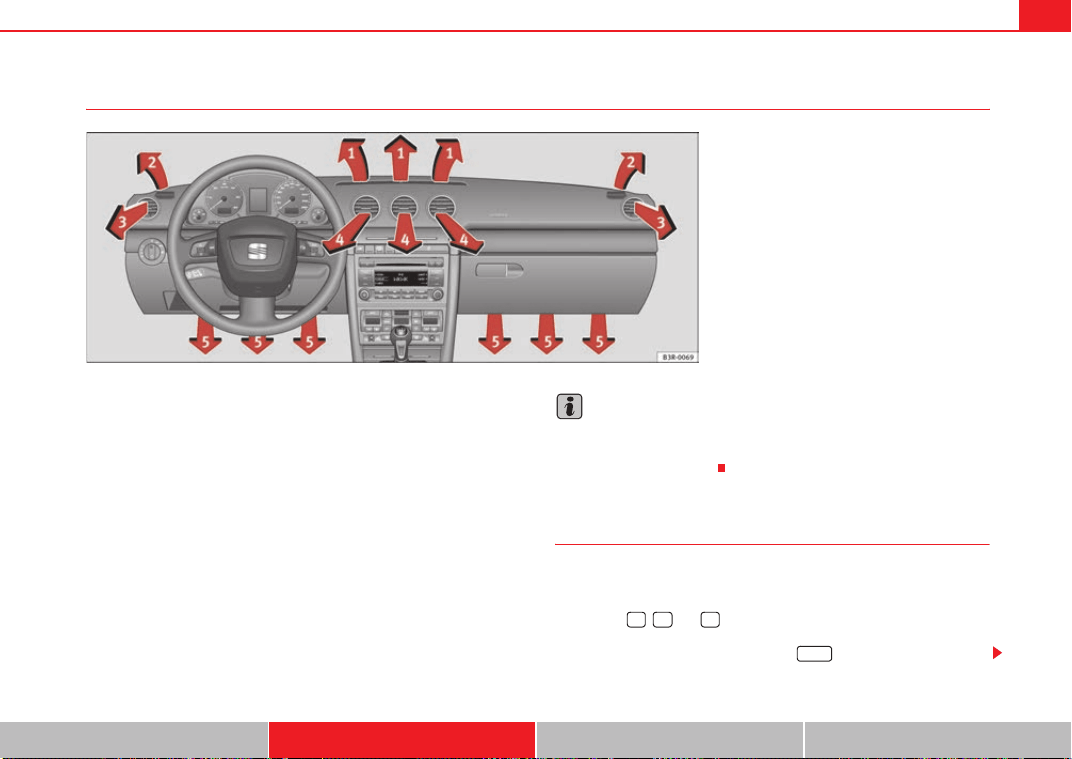
Heating, Ventilation and Air conditioning 161
Safety First Controls and equipment Practical tips Technical Data
Air outlets
The air outlets ⇒ fig. 134 and can be operated as follows:
Outlets and
– The outlets can be opened and closed by turning the left thum-
bwheels.
– The direction of air delivery from the outlets can be varied as
required using the adjuster in the centre of each outlet grille. The
direction of air flow can be adjusted horizontally and vertically as
desired.
The flow of air from the outlets is controlled either automatically or manually,
depending on the operating mode selected. All the outlets can provide air
that is either heated, unheated or cooled.
The heater outlets for the rear footwells are located under the front seats.
They are controlled together with outlets .
Note
The cool air provided by the climate control is mainly issued from outlets
and . To ensure adequate cooling, outlets and should therefore
never be closed completely.
Air distribution
The automatically-programmed air distribution can be
altered manually.
The buttons , and can be operated either separately or in combi-
nation. To return to automatically controlled air distribution, switch off the
selected functions separately or press the button
Fig. 134 Instrument panel: Location of air outlets
A
3
A
4
A
3
A
4
A
5
A
3
A
4
A
3
A
4
AUTO
Exeo_EN.book Seite 161 Freitag, 28. August 2009 10:14 10
Heating, Ventilation and Air conditioning162
Each of the three buttons has a specific function. The numbers relate to the
air outlets ⇒ page 161, fig. 134.
Air directed to windows
This setting directs all the air to outlets 1 and 2. Unlike in setting , the
volume of air delivery remains the same.
Air to the driver/front passenger
All the air comes from outlets 3 and 4 in the dash panel and from the rear of
the centre console.
Air to the footwells
Most of the air emerges from outlets 5 and the outlets under the front seats.
Some of the air will also be issued from outlets 3 and 4.
Note
In all of the above air distribution settings, a small amount of air will still
come from the other outlets.
Economical use of the climate control
Economical use of the climate control will help save fuel.
Engine power is reduced and fuel consumption increases when the
climate control is in cooling mode. To ensure that the system is only
switched on when it is really necessary, please note the following
points:
– Select ECON mode if you wish to save fuel.
– Select ECON mode if you decide to open the windows or sun roof*
while driving.
– If the vehicle has heated up after standing in the sun, open the
windows and doors for a short time to cool the vehicle.
For the sake of the environment
By saving fuel you also reduce the amount of pollutants emitted from your
vehicle.
Key settings
When the ignition is switched on, the climate control settings
assigned to the key are selected automatically.
The climate control settings selected are automatically stored and assigned
to the key in use. When the vehicle is started, the climate control automati-
cally selects the settings assigned to the key. Hence, every driver automati-
cally obtains his/her preferred settings without having to select them manu-
ally.
Note
Should another driver use the key and enter other settings, the previous
settings will be deleted.
Exeo_EN.book Seite 162 Freitag, 28. August 2009 10:14 10
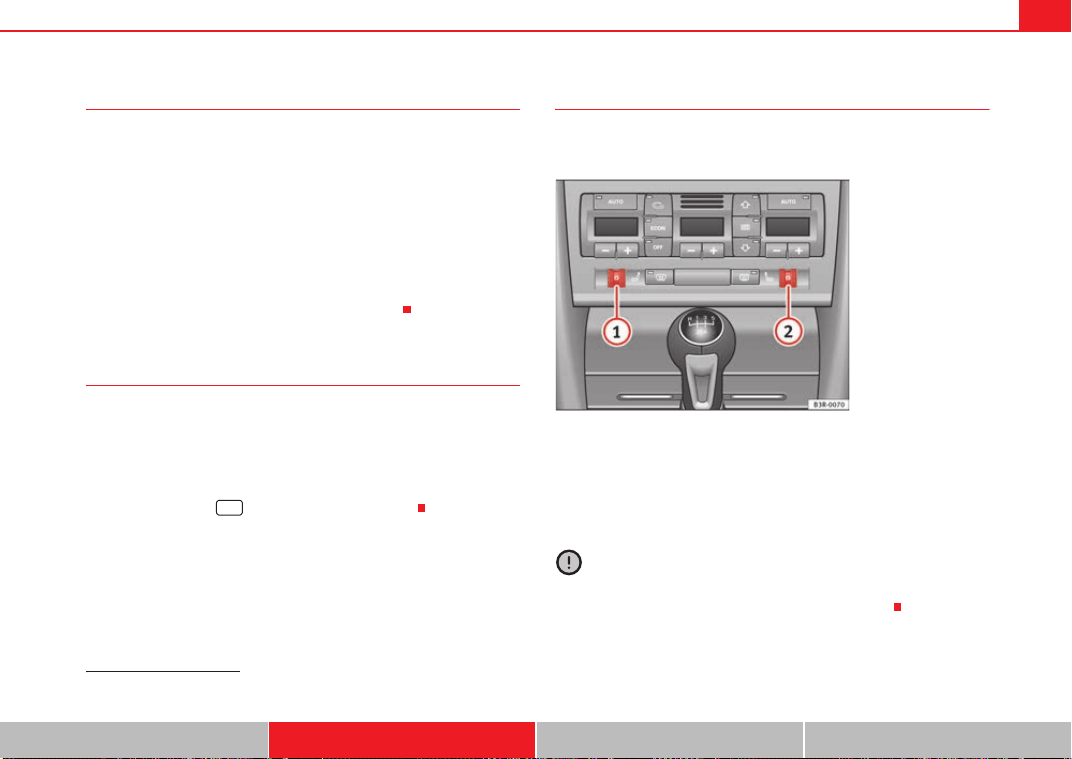
Heating, Ventilation and Air conditioning 163
Safety First Controls and equipment Practical tips Technical Data
Solar-powered blower/solar roof*
If the vehicle is parked in sufficiently strong sunlight, the
blower will operate in solar-powered mode when the ignition
is switched off.
After the ignition is switched off, the blower is supplied with electrical power
from the solar roof. Please ensure that outlets 3 and 4 are open ⇒ page 161,
fig. 134 to ensure the best possible ventilation.
The blower only works when the sun roof is closed or tilted open at the rear.
If the air recirculation mode is on when you switch off the engine, the climate
control will automatically switch to fresh air ventilation.
Supplementary heating*
Diesel vehicles are fitted with supplementary heating
2)
to raise the tempera-
ture of the interior as quickly as possible. At outdoor temperatures below
+5°C and with the engine running, the supplementary heating will switch on
and off automatically depending on the temperature of the coolant.
In order to save fuel, the supplementary heating can be can be switched off
by briefly pressing the button on the climate control.
Seat heating*
The surface and backrest of the front seats can be electrically
heated.
Turn thumbwheel or ⇒ fig. 135 to switch on and adjust the
heating on the left or right front seats.
The heating is switched off when the thumbwheel is set to 0. The temperature
settings range from 1 to 6.
Caution
To avoid damaging the heating elements of the seat heating, please do not
kneel on the seat or apply sharp pressure to a single point.
2)
For Nordic countries only.
Fig. 135 Detailed view of
instrument panel: Thum-
bwheel controls for seat
heating
A
1
A
2
Exeo_EN.book Seite 163 Freitag, 28. August 2009 10:14 10
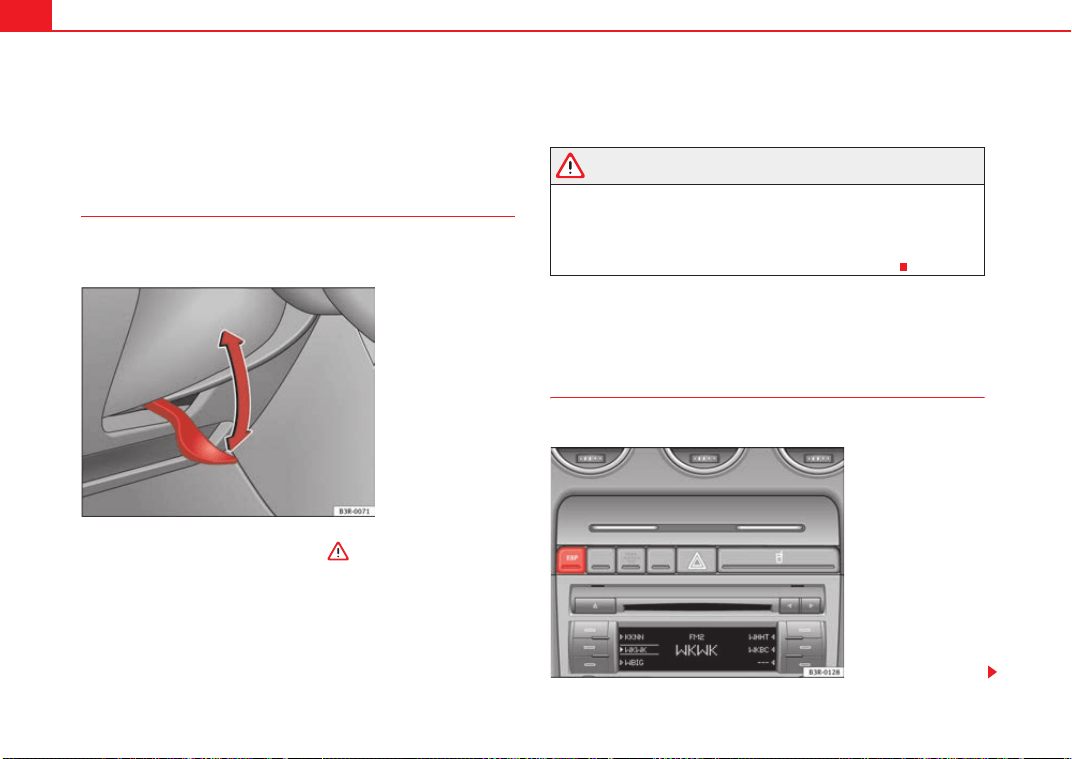
Driving164
Driving
Address
Adjusting the steering wheel position
The height and reach of the steering wheel can be adjusted as
required to suit the driver.
–Push the lever ⇒ fig. 136 down ⇒ .
– Move the steering wheel to the desired position.
– Then push the lever back up against the steering column until it
engages in position.
WARNING
• Never adjust the position of the steering wheel when the vehicle is
moving, as this could cause an accident.
• For safety reasons, the lever must always be securely engaged when
the vehicle is moving, so that the position of the steering wheel cannot
shift unexpectedly. Otherwise this could cause an accident.
Safety
Electronic stabilisation programme (ESP)*
ESP helps make driving safer in certain situations.
Fig. 136 Lever beneath
steering column
Fig. 137 Detail of the
centre console: ESP
button
Exeo_EN.book Seite 164 Freitag, 28. August 2009 10:14 10
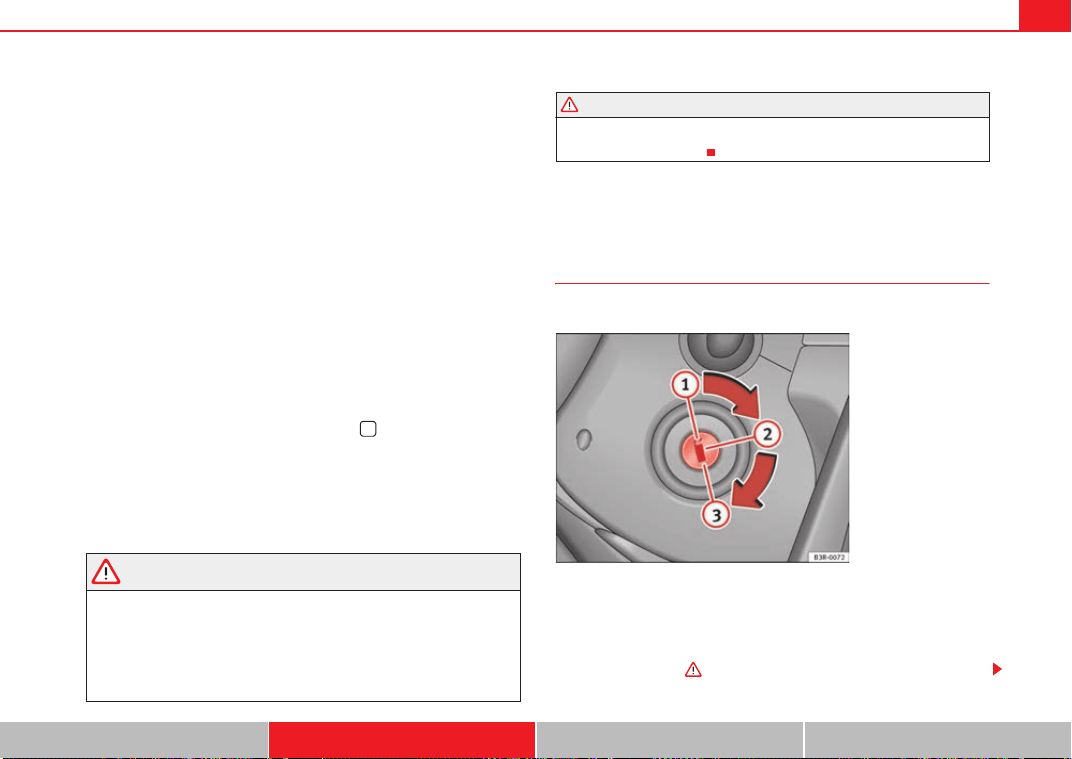
Driving 165
Safety First Controls and equipment Practical tips Technical Data
The Electronic Stabilisation Program (ESP) contains the electronic differential
lock (EDL) and the traction control system (TCS). The ESP function works
together with the ABS. If a fault in the ABS occurs, both warning lamps light
up, but if the ESP fails, only the ESP warning lamp lights up.
The ESP is started automatically when the engine is started.
The ESP switch deactivates both TCS and ESP functions. The ESP, in spite of
being deactivated, will always self-connect when necessary if brakes are
being used.
The TCS can be deactivated when in cases where wheel sliding is desirable.
For example:
• When driving with snow chains,
• when driving in deep snow or on loose surfaces,
• when rocking the vehicle backwards and forwards to free it from mud, for
example.
Next, the button should be pressed to reactivate the TCS.
When does the warning light switch on or flash ?
• On switching the ignition on, it lights up for about two seconds to carry
out a function control.
• The warning lamp will start flashing when the vehicle is moving if the ESP
or the TCS is activated.
• It will light up continuously if there is a malfunction in the ESP.
WARNING
• The electronic stabilisation programme (ESP) cannot defy the laws of
physics. This should be kept in mind, particularly on slippery and wet
roads and when towing a trailer.
• Always adapt your driving style to suit the condition of the roads and
the traffic situation. Do not let the extra safety afforded by ESP tempt you
into taking any risks when driving, this can cause accidents.
• Please refer to the corresponding warning notes on ESP in ⇒ page 183,
“Intelligent technology”.
Ignition lock
Ignition key positions
The ignition key is used to start and stop the engine.
Position
The ignition key is inserted in this position. To engage the steering wheel
lock, take out the key and turn the wheel until you hear the pin engage. You
should always engage the steering lock when you leave the vehicle. This will
help to deter thefts ⇒ .
WARNING (continued)
Fig. 138 Ignition key
positions
A
1
Exeo_EN.book Seite 165 Freitag, 28. August 2009 10:14 10
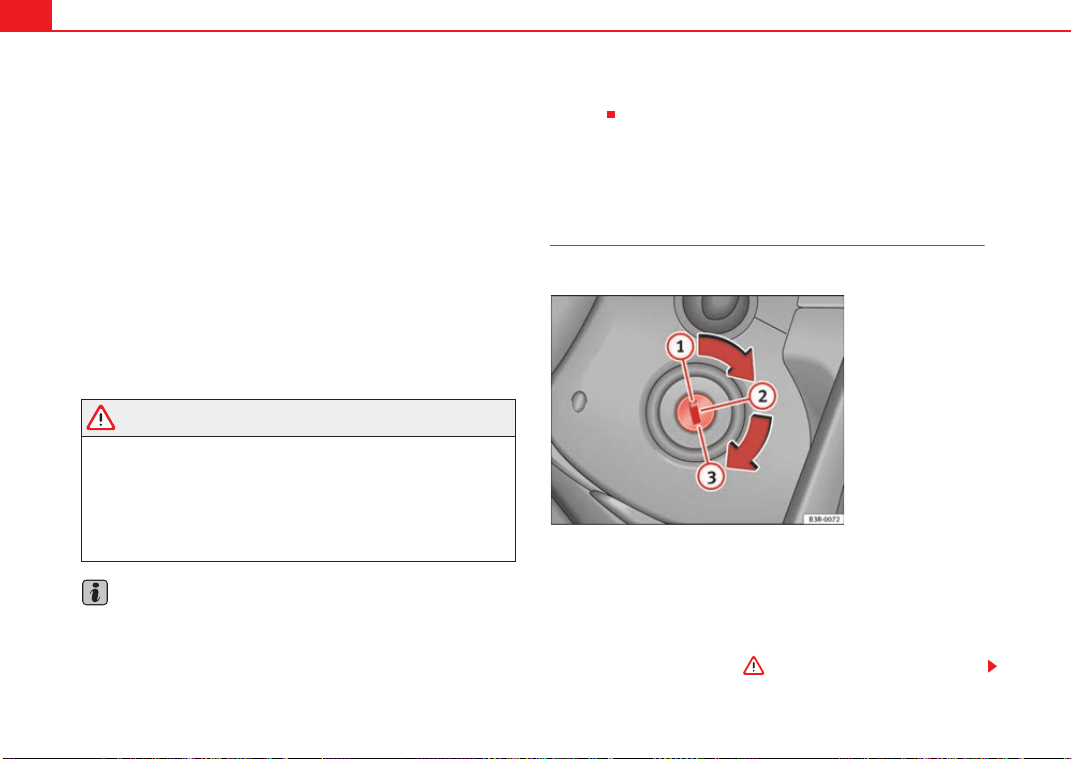
Driving166
Switching on the ignition/pre-heating glow plugs
If the key is difficult to turn in the lock, move the steering wheel (to take the
load off the steering lock mechanism) until the key turns freely. In the case of
vehicles with a diesel engine, the key is turned to this position to preheat the
glow plugs.
Starting the engine
The engine is started in this position. Electrical components with a high
power consumption are switched off temporarily.
After the engine has started, the ignition key returns to position by itself.
The ignition key has to be turned back to position before re-starting the
engine. The starter inhibitor in the ignition lock prevents the starter motor
from engaging when the engine is running, as this could cause damage.
Switching off the ignition
Turn the ignition key to this position.
WARNING
• Never remove the ignition key until the vehicle is stationary! Otherwise
the steering lock could engage suddenly, which could cause an accident.
• Always take the key with you when leaving the vehicle, even if you only
intend to be gone for a short time. This is particularly important if there are
children in the car, as they might otherwise be able to start the engine or
use power-operated equipment (e.g. the electric windows), which could
lead to injuries.
Note
• If the battery has been disconnected and then reconnected, it will be
necessary to leave the key in position for about 5 seconds before starting
the engine.
• Vehicles with automatic gearbox: After switching off the ignition, you can
only remove the ignition key if the gear selector lever is in position “P”
(parking lock). The gear selector lever is locked after the ignition key has been
removed.
Starting and stopping the engine
Starting the engine
The engine can only be started with an original SEAT key.
Vehicles with a petrol engine:
– Use the foot brake.
– Manual gearbox: Push the clutch pedal all the way down.
– Move the gear lever into neutral (automatic gearbox: gear
selector lever to P or N) ⇒ .
A
2
A
3
A
2
A
1
A
1
A
2
Fig. 139 Ignition key
positions
Exeo_EN.book Seite 166 Freitag, 28. August 2009 10:14 10
Driving 167
Safety First Controls and equipment Practical tips Technical Data
– Turn the ignition key to position without pressing the acceler-
ator.
– Release the ignition key as soon as the engine starts (the starter
motor must not be allowed to run on with the engine).
Vehicles with a diesel engine:
– Use the foot brake.
– Manual gearbox: Push the clutch pedal all the way down.
– Move the gear lever into neutral (automatic gearbox: gear
selector lever to P or N) ⇒ .
– Turn the ignition key to position . The pre-heating indicator
light
comes on while the glow plugs are preheating.
– When the indicator light
goes out, turn the ignition key to
position . Do not press the accelerator.
– Release the ignition key as soon as the engine starts (the starter
motor must not be allowed to run on with the engine).
When starting a very cold engine, it may be a little noisy for the first few
seconds until oil pressure has built up in the hydraulic valve compensators.
This is quite normal, and no cause for concern.
If the engine fails to start straight-away, switch off the starter after about 10
seconds and try again after about half a minute.
Glow plug system*
To assist starting at low temperatures, diesel engines are equipped with a
glow plug preheating system. The preheating time depends on the coolant
temperature and the outside temperature. Start the engine as soon as the
glow plug indicator light
goes out.
When the engine is warm or at outside temperatures above +8°C, the glow
plug indicator light will only come on for about one second. This means that
the engine can be started immediately.
If the engine will not start...
• ⇒ page 279
• ⇒ page 282
• ⇒ page 216, “Refuelling”
WARNING
Never run the engine in confined spaces, as the exhaust gases are
poisonous.
Caution
Avoid high engine speeds, full throttle and extreme load conditions until the
engine has reached its normal operating temperature, otherwise this can
damage the engine.
For the sake of the environment
Do not warm up the engine by running the engine with the vehicle stationary.
Start immediately. This will help avoid unnecessary exhaust emissions.
Stopping the engine
– Turn the ignition key to position ⇒ page 166, fig. 139.
WARNING
• Never switch the engine off until the vehicle is stationary.
A
3
A
2
A
3
A
1
Exeo_EN.book Seite 167 Freitag, 28. August 2009 10:14 10
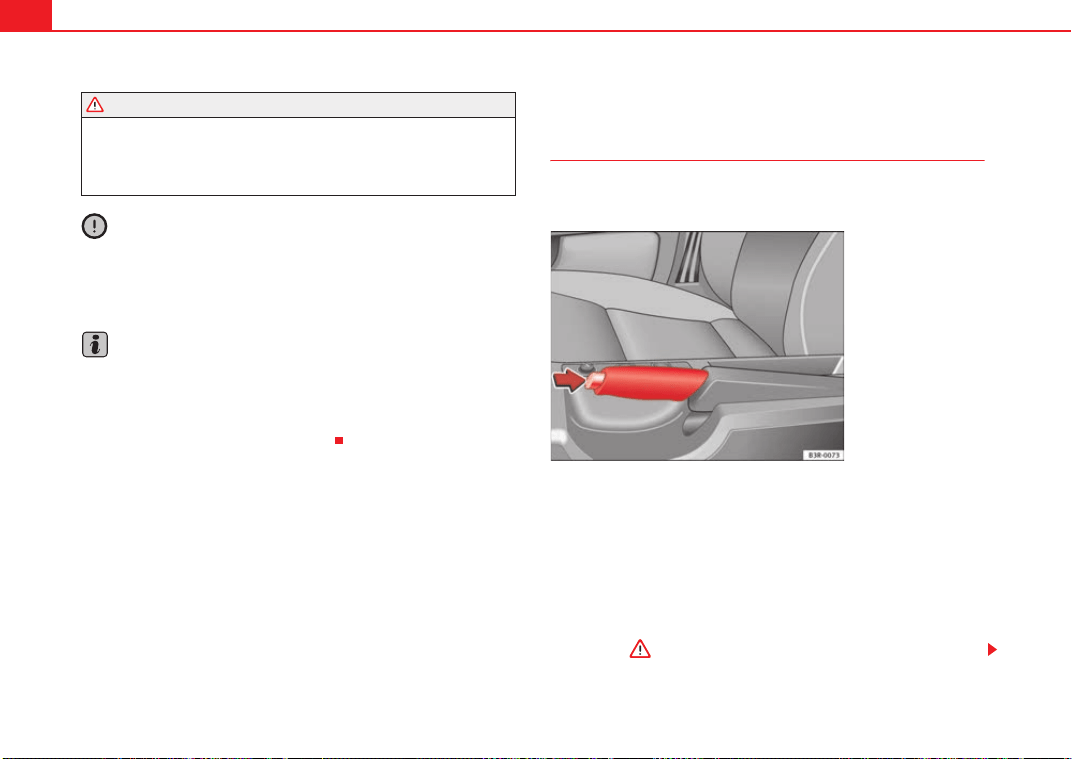
Driving168
• The brake servo and the power steering system work only when the
engine is running. You need more strength to steer and brake the vehicle
when the engine is switched off. Given that you will be unable to steer and
brake as usual, this could lead to a risk of accidents and injuries.
Caution
If the engine has been running hard for a long time, there is a risk of heat
building up in the engine compartment after the engine has been switched
off; this could cause engine damage. Therefore, you should idle the engine
for approx. 2 minutes before you switch it off.
Note
After the engine is switched off the radiator fan may run on for up to 10
minutes, even if the ignition is switched off. It may also start running again
after some time if the coolant temperature rises due to a build-up of heat
under the bonnet, or if the engine is already warm and the engine compart-
ment is heated up further by direct sunlight.
Handbrake
Handbrake
The handbrake should be applied firmly to prevent the
vehicle from accidentally rolling away.
Applying the handbrake
– Pull the handbrake lever up all the way.
Releasing the handbrake
– Pull the lever up slightly and at the same time press in the release
button ⇒ fig. 140 -arrow-.
– Keep the release button pressed and push the lever all the way
down ⇒ .
WARNING (continued)
Fig. 140 Detail of the
centre console: Hand-
brake applied
Exeo_EN.book Seite 168 Freitag, 28. August 2009 10:14 10
Driving 169
Safety First Controls and equipment Practical tips Technical Data
If you drive by mistake with the handbrake still applied, you will hear a
warning buzzer and the display will show the message:
Handbrake applied
The handbrake warning is enabled after driving for 3 seconds at a speed
above 5 km/h.
The handbrake warning lamp
lights up when the handbrake is applied
with the ignition on.
WARNING
Please note that the handbrake should be released all the way. If it is only
partially released, this will cause rear brakes overheating, which can
impair the function of the brake system and could lead to an accident.
Caution
Once the vehicle has come to a standstill, always apply the handbrake firmly
and then, on a manual gearbox, engage a gear, or select P on an automatic.
Parking
The following points will ensure there is no risk of the car
rolling away accidentally after it is parked.
– Use the foot brake to stop the vehicle.
– Apply handbrake firmly.
– Switch the engine off.
– On a manual gearbox engage 1st gear or on an automatic move
the selector lever to P ⇒ .
When parking on slopes:
Turn the steering wheel so that the, if the vehicle moves, it will do so towards
the curb.
WARNING
• Do not leave anyone (especially children) in the vehicle when it is
locked. Locked doors could delay assistance in an emergency, potentially
putting lives at risk.
• Never leave children unsupervised in the vehicle. They could release
e.g. the handbrake or gear lever, moving the vehicle and causing an
accident.
Parking aid acoustic system
General notes
Various systems are available to help you when parking or manoeuvring in
tight spaces, depending on the equipment fitted on your vehicle.
The SEAT parking system gives an acoustic warning if there are any obstacles
behind your car ⇒ page 170.
When you are parking, SEAT parking system plus warns you acoustically and
optically about obstacles in front of and behind the vehicle ⇒ page 170.
Note
To ensure the acoustic parking aid works properly, the sensors must be kept
clean and free of snow and ice.
Exeo_EN.book Seite 169 Freitag, 28. August 2009 10:14 10
Driving170
SEAT parking system*
The SEAT parking system is an acoustic parking aid.
Sensors are located in the rear bumper. When the sensors detect an obstacle,
you are alerted by acoustic signals (beeps). The measuring range of the
sensors starts at about:
The acoustic signals sound with increasing frequency as you approach the
obstacle. When the vehicle is less than approx. 0.30 m away from the
obstacle, the warning tone will sound continuously. Do not drive on!
The volume of the warning beeps will be gradually reduced after about 4
seconds if the vehicle remains at a constant distance from a detected
obstacle (it will not be reduced if the obstacle is closer than 0.30 m).
The parking aid is switched on automatically when reverse gear is engaged.
You will hear a brief acknowledgement tone.
WARNING
• The parking aid is not a replacement for driver awareness. The driver is
personally responsible for safe parking and other manoeuvres.
• The sensors have blind spots in which obstacles are not registered.
Always look out for small children and animals because the system will not
always detect them. Always pay attention when reversing to avoid acci-
dents.
• Always keep a close watch on the area around the vehicle and make full
use of the rear-view mirrors.
Caution
Please note that low obstacles detected by the system may no longer be
registered by the sensors as the car moves closer, so the system will not give
any further warning. Certain kinds of obstacles (such as wire fences, chains,
thin painted posts or trailer draw bars, etc) may not always be detected by the
system, so take care not to damage the vehicle in such cases.
Note
• Please refer to the notes on towing ⇒ page 171.
SEAT parking system plus*
The SEAT parking system plus is an acoustic parking aid.
Sensors are located in the front and rear bumpers. When the sensors detect
an obstacle, you are alerted by acoustic signals (beeps). The measuring
range of the sensors starts at about:
The acoustic signals sound with increasing frequency as you approach the
obstacle. When the vehicle is less than approx. 0.30 m away from the
obstacle the warning tone will sound continuously. Stop moving immedi-
ately!
The volume of the warning beeps will be gradually reduced after about 4
seconds if the vehicle remains at a constant distance from a detected
obstacle (it will not be reduced if the obstacle is closer than 0.30 m).
Rear
Side 0.60 m
Centre 1.60 m
Front
Side 0.90 m
Centre 1.20 m
Rear
Side 0.60 m
Centre 1.60 m
Exeo_EN.book Seite 170 Freitag, 28. August 2009 10:14 10
Driving 171
Safety First Controls and equipment Practical tips Technical Data
Enabling/Disabling
Enabling
– Engage reverse gear or
– Press the button
on the central console ⇒ fig. 141 or on the
gear selector gate. You will hear a brief acknowledgement tone
and the LED on the switch will light up.
Disabling
– Drive forwards faster than 10 km/h, or
– Press the button
or
– disconnect the on button or
– go out of reverse gear.
WARNING
• The parking aid is not a replacement for driver awareness. The driver is
personally responsible for safe parking and other manoeuvres.
• The sensors have blind spots in which obstacles are not registered.
Always look out for small children and animals because the system will not
always detect them. Always pay attention when reversing to avoid acci-
dents.
• Always keep a close eye on the area around the vehicle and make full
use of the rear-view mirrors.
Caution
Please note that low obstacles detected by the system may no longer be
registered by the sensors as the car moves closer, so the system will not give
any further warning. Certain kinds of obstacles (such as wire fences, chains,
thin painted posts or trailer draw bars, etc) may not always be detected by the
system, so take care not to damage the vehicle in such cases.
Note
• Please refer to the notes on towing ⇒ page 171.
• There is a slight delay in the picture display.
Towing bracket*
In towing mode, the rear parking sensors are not enabled when you select
reverse gear or press the switch
. This function may not be guaranteed on
towing brackets that are not factory fitted. This results in the following restric-
tions:
Fig. 141 Centre console:
switch for parking aid
Exeo_EN.book Seite 171 Freitag, 28. August 2009 10:14 10
Driving172
SEAT parking system*
There is no distance warning.
SEAT parking system plus*
There is no rear distance warning. The system will still give a warning when
obstacles are detected while driving forwards.
Fault messages*
If you hear a long beep for a few seconds and the LED on the switch * starts
flashing when you switch on the parking aid, a system fault has occurred.
Please have the fault corrected by a Dealer or specialist garage.
Note
If the fault is not corrected before you switch off the ignition, it will only be
indicated by the flashing LED on the switch
* the next time you switch on
the parking aid.
Cruise control (GRA)
Introduction
The cruise control system allows you to maintain a constant
speed.
Using this equipment, any speed over 30 km/h can be kept constant up to the
power output of the engine. This is subject to power output and braking
ability of the engine. This helps to reduce fatigue, especially on long jour-
neys.
The indicator light
in the instrument panel lights up when the cruise
control system is operating.
WARNING
For safety reasons, the cruise control system should not be used in dense
traffic or poor road conditions (such as slippery surfaces, heavy rain, loose
grit or gravel), as this could cause an accident.
Caution
On vehicles with a manual gearbox: do not go into neutral if the device is
enabled without previously releasing the clutch, as the engine will increase
its revs and, under certain conditions, could break down.
Note
The cruise control cannot maintain a constant speed when travelling down
steep hills. The vehicle tends to accelerate under its own weight. Change
down to a lower gear in good time or use the foot brake to slow the vehicle.
Exeo_EN.book Seite 172 Freitag, 28. August 2009 10:14 10
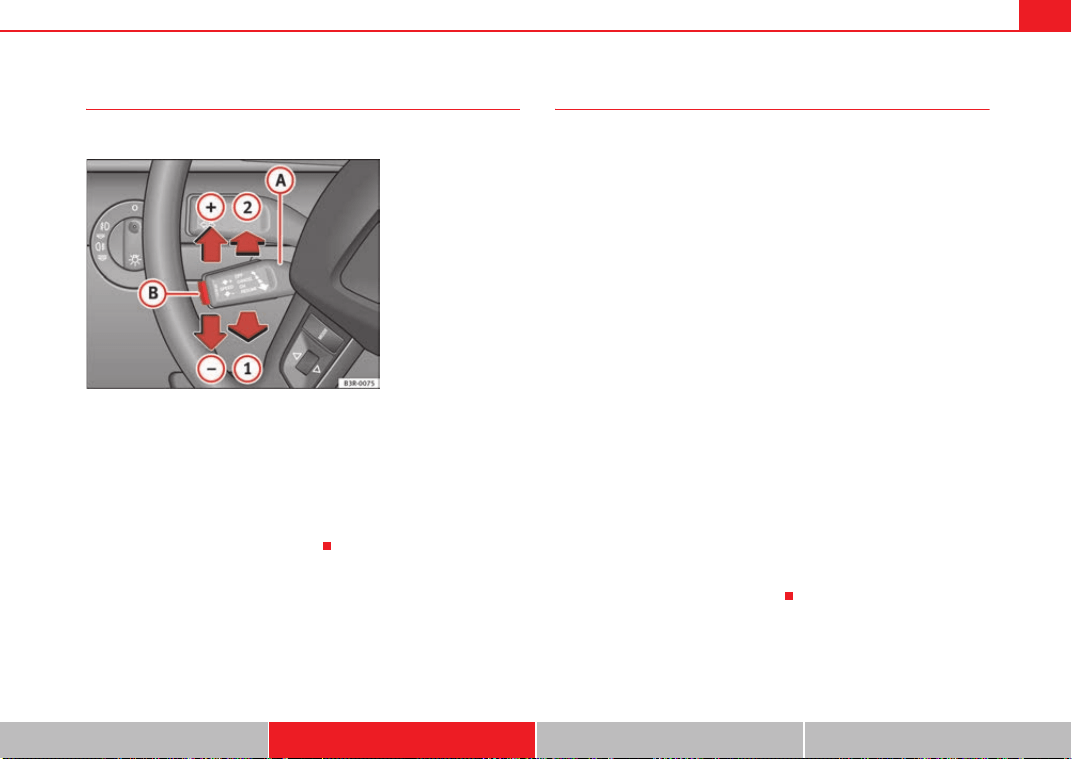
Driving 173
Safety First Controls and equipment Practical tips Technical Data
Setting speed
The desired cruising speed needs to be stored in the memory.
– Drive at the desired speed.
– Pull the lever to position ⇒ fig. 142 to enable the system.
– Briefly press button .
When button is released, the current speed is stored in the memory and
the vehicle will then maintain this speed.
Adjusting stored speed
The desired cruising speed can be adjusted up or down as
required.
Acceleration
–Move the lever up towards ⇒ fig. 142 .
– Release the lever to store the current cruising speed.
Decelerating
–Move the lever down towards ⇒ fig. 142 .
– Release the lever to store the current cruising speed.
Pressing lever briefly
– You can increase the set speed in steps of 2 km/h by briefly
pressing the lever up towards ⇒ fig. 142 .
– You can decrease the set speed in steps of 2 km/h by briefly
pressing the lever down towards ⇒ fig. 142 .
You can also use the accelerator pedal momentarily to increase speed. The
previously programmed speed will be automatically resumed when the accel-
erator pedal is released.
However, if the vehicle exceeds the programmed speed by more than 10
km/h for more than 5 minutes, the programmed speed will be deleted. You
will then need to enter the speed again.
Fig. 142 Controls for the
cruise control system
A
A
A
1
A
B
A
B
A
A
A
+
A
A
A
-
A
A
A
A
A
+
A
A
A
-
Exeo_EN.book Seite 173 Freitag, 28. August 2009 10:14 10
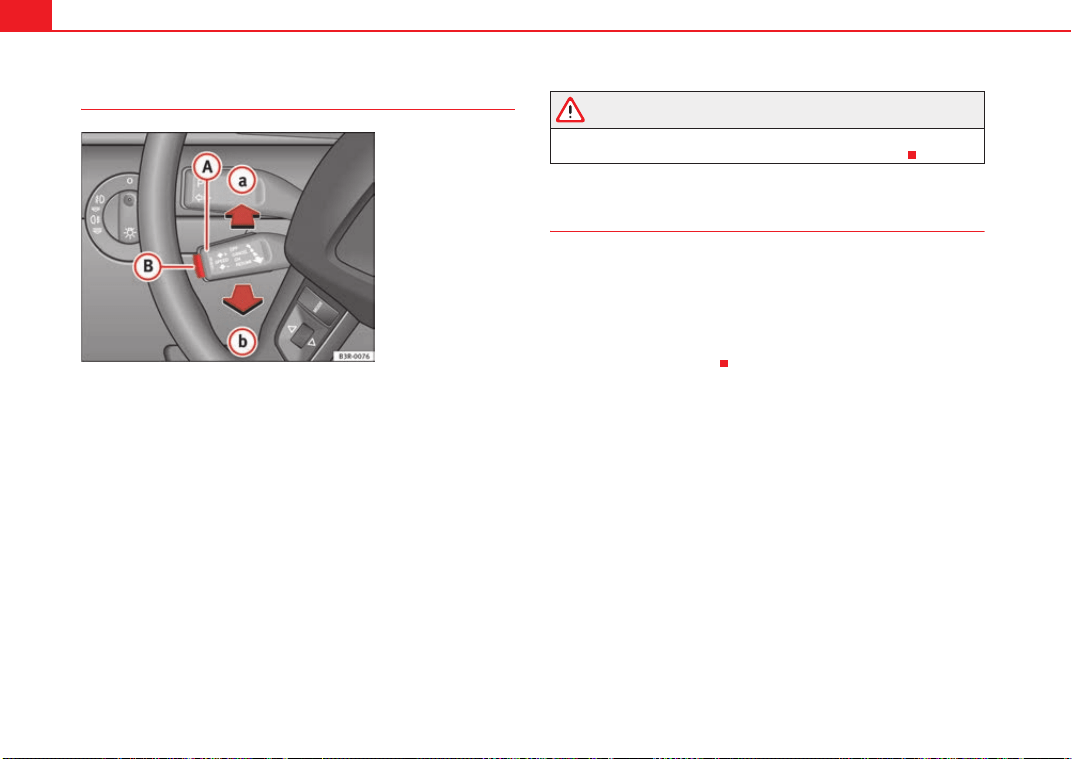
Driving174
Disabling cruise control temporarily
–Press the brake pedal or
–the clutch or
– press the lever ⇒ fig. 143 to position (click stop not
engaged).
– Any intervention of the TCS or the ESP will switch off the cruise
control.
The speed stored at this point remains in the memory if the system is only
temporarily deactivated.
To resume the programmed cruising speed, release the clutch or brake pedal
and pull the lever to position .
If no speed was stored when the system was temporarily disabled, a new
speed can be set as follows: drive at the desired cruising speed and briefly
press button ⇒ page 173, fig. 142 (SET).
WARNING
Retrieve the programmed speed only if this is not excessive for the current
traffic conditions. Failure to do so could result in an accident.
Disabling the cruise control
While driving
–Move lever ⇒ page 173, fig. 142 to position (click stop
engaged).
While the vehicle is stationary
– Switch the ignition off.
Fig. 143 Controls for the
cruise control system
A
A
A
a
A
A
A
b
A
B
A
A
A
2
Exeo_EN.book Seite 174 Freitag, 28. August 2009 10:14 10
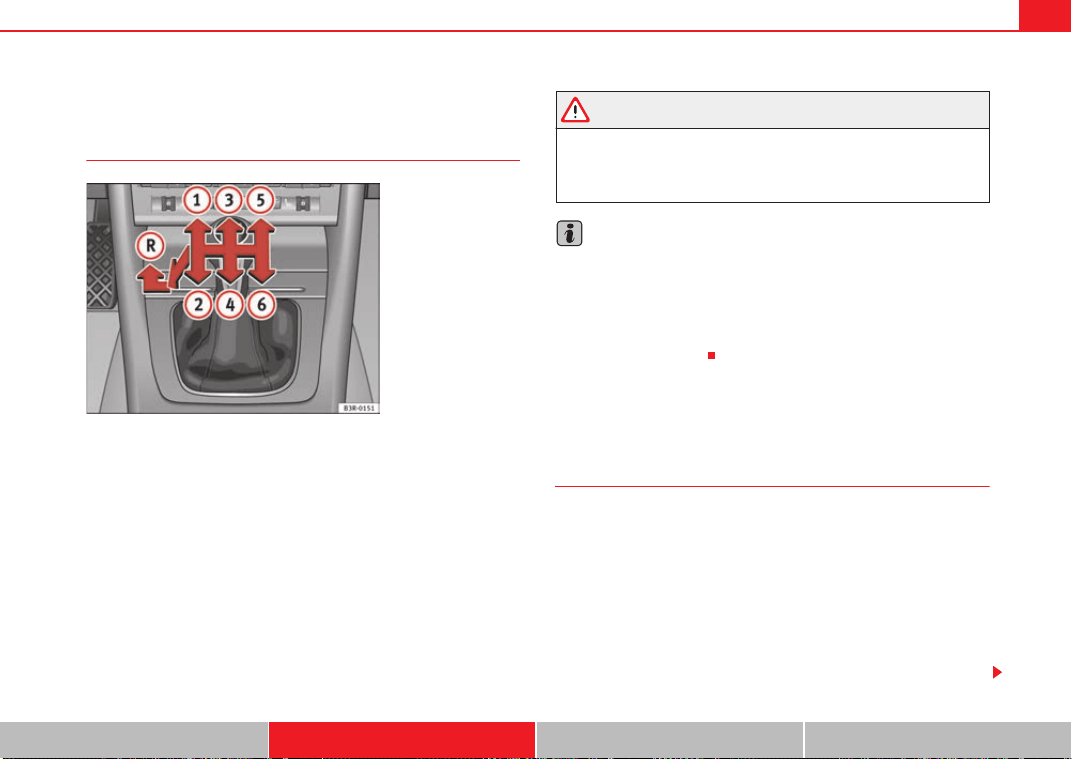
Driving 175
Safety First Controls and equipment Practical tips Technical Data
Manual gearbox
Driving a car with a manual gearbox
Engaging the reverse gear
– The vehicle should be stationary with the engine idling. Press the
clutch down thoroughly.
– Place the gear lever into neutral and push the lever downwards.
– Slide the gear lever to the left, and then into the reverse position
shown on the gear stick.
The reverse gear can only be engaged when the vehicle is stationary. When
the engine is running and before engaging this gear, wait about 6 seconds
with the clutch pressed down thoroughly in order to protect the gearbox.
The reverse lights light up when the reverse gear is selected and the ignition
is on.
WARNING
• When the engine is running, the vehicle will start to move as soon as a
gear is engaged and the clutch released.
• Never select the reverse gear when the vehicle is in motion. Risk of acci-
dent.
Note
• Do not rest your hand on the gear lever while driving. The pressure of your
hand could cause premature wear on the selector forks in the gearbox.
• When changing gear, you should always depress the clutch fully to avoid
unnecessary wear and damage.
• Do not hold the car “on the clutch” up hills. This causes premature wear
and damage to the clutch.
Automatic gearbox*
Introduction
multitronic
®
, tiptronic (7-speed gearbox)
Applies to vehicles with multitronic
®
gearbox
The vehicle is equipped with an electronically controlled continuously vari-
able transmission (Multitronic
®
). Unlike conventional automatics, the gear
ratios are not shifted in fixed steps but continuously variable. This gives
smoother transmission and makes for better fuel economy.
The gearbox selects the gear ratio and shifts up or down automatically
according to the gear change programmes stored in the control unit
⇒ page 180.
Fig. 144 Detail of the
centre console: gear shift
pattern of a 6-speed
manual gearbox
Exeo_EN.book Seite 175 Freitag, 28. August 2009 10:14 10
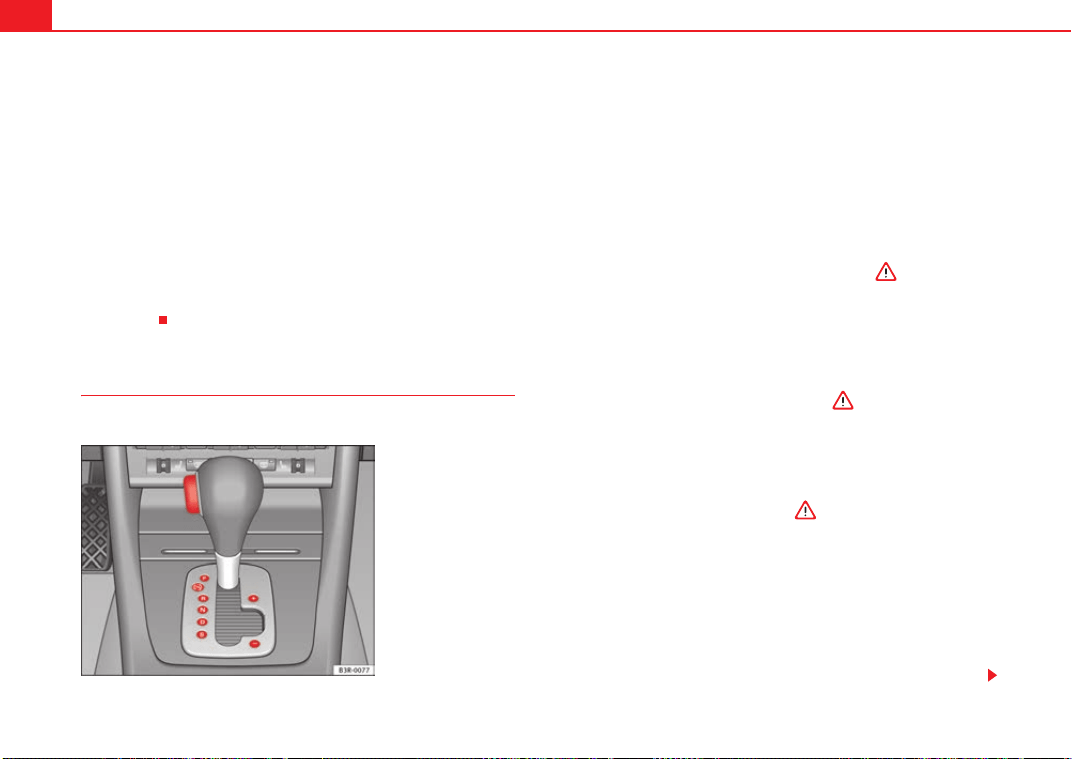
Driving176
If desired, you can also select the gears manually (tiptronic mode)
⇒ page 181.
Please note that on vehicles with a multitronic® gearbox, torque is trans-
mitted via a multi-plate clutch, and not via a torque converter as on conven-
tional automatics. This means that the car will not “creep” as much as
conventional automatics when the engine is idling if you stop temporarily
with the selector lever in position D, S or R.
Applies to vehicles with tiptronic gearbox
The vehicle is equipped with an electronically controlled 7-speed automatic
gearbox. The gearbox changes up and down automatically.
If desired, you can also select the gears manually (tiptronic mode)
⇒ page 181.
Driving instructions
The gears are changed automatically.
Moving away from a standstill
–Press and hold the brake pedal.
– Press and hold the interlock button (the button in the selector
lever handle), move the selector lever to the desired position, for
instance D, and release the interlock button.
– Wait for the gearbox to engage the gear (a slight movement can
be felt).
– Release the brake and press the accelerator ⇒ .
Stopping briefly
– Apply the foot brake to hold the vehicle when stationary (for
instance at traffic lights).
– To prevent the vehicle from rolling away, apply the parking brake
before moving off on steep gradients ⇒ .
– As soon as you accelerate as normal, the parking brake will auto-
matically be released and the vehicle will start moving.
Parking the vehicle
–Press and hold the brake pedal ⇒ .
– Apply the parking brake.
– Press and hold the interlock button, move the selector lever to P
and release the interlock button.
The engine can only be started when the selector lever is at P or N.
On level ground it is sufficient to move the selector lever to P. On slopes, first
engage the parking brake and then put the selection lever into the P position.
Fig. 145 Detail of the
centre console: Selector
lever with lock button
Exeo_EN.book Seite 176 Freitag, 28. August 2009 10:14 10
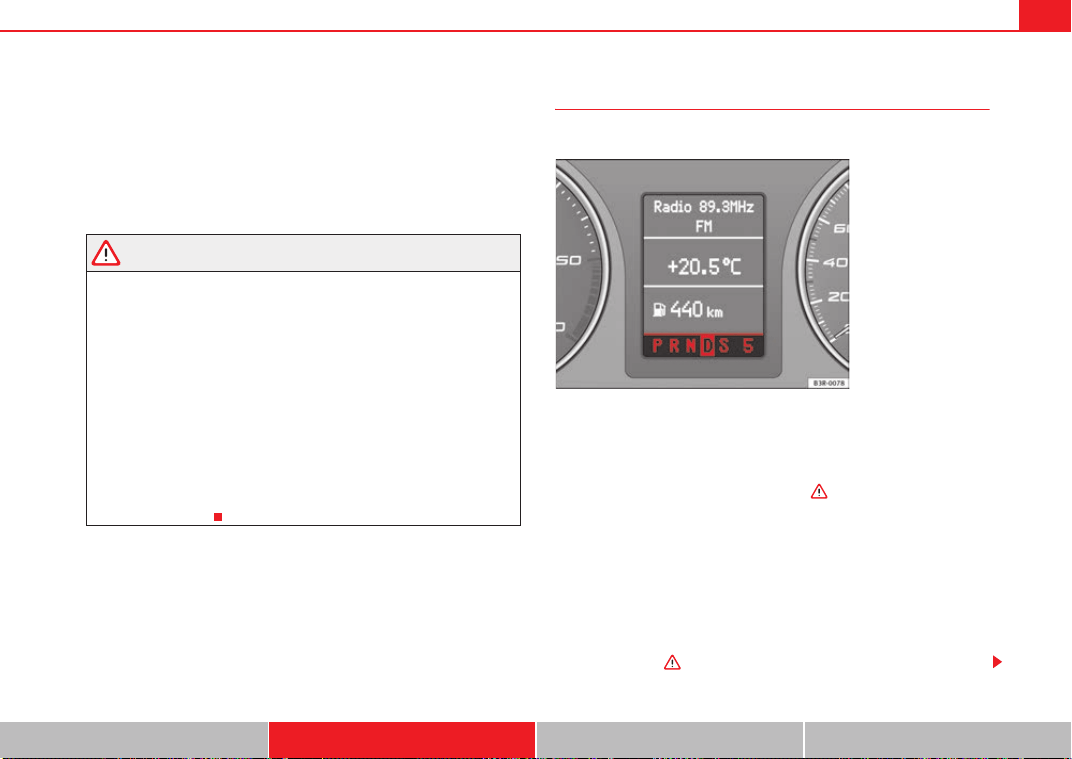
Driving 177
Safety First Controls and equipment Practical tips Technical Data
This avoids overloading the locking mechanism and it will be easier to move
the selector lever from position P.
Vehicles with multitronic® gearbox: Your vehicle is equipped with the hill
hold assist function which makes it easier to start off on a slope. The system
is activated when you press and hold the brake pedal for a few seconds.
When you release the brake pedal the braking force will be maintained for a
moment in order to prevent the vehicle rolling back when you drive away.
WARNING
• While you are selecting a gear and the vehicle is stopped with the
engine running, do not accelerate. Failure to do so could result in an acci-
dent.
• Please note that some power will still be transmitted when you stop
temporarily with the selector lever in position D, S or R. To do this, when
stopping you will need to press the brake with the force required to hold
the vehicle still. Failure to do so could result in an accident.
• Never move the selector lever to R or P when driving, as this could cause
an accident.
• Vehicles with multitronic® gearbox: Please note that some power will
still be transmitted when you stop temporarily with the selector lever in
position D, S or R. Therefore, when stopping you will need to press the
brake with the force required to hold the vehicle still. Failure to do so could
result in an accident.
Selector lever positions
This section covers all the selector lever positions.
The current selector lever position is shown on the dash panel display.
P - parking lock
This locks the driving wheels mechanically. The parking brake should only be
used when the vehicle is already stopped ⇒ .
The interlock button (the button in the selector lever handle) must be pressed
in and the brake pedal must be depressed before moving the selector lever
either in or out of position P. This is only possible when the ignition is on.
R -Reverse gear
When reverse gear is engaged the gearbox automatically selects the lowest
gear ratio.
The reverse gear may be engaged only when the vehicle is stationary and the
engine is idling ⇒ .
Fig. 146 Display:
Selector lever positions
Exeo_EN.book Seite 177 Freitag, 28. August 2009 10:14 10
Driving178
To move the selector lever to position R, press in the interlock button and at
the same time press the brake pedal. Depending on the model, one or two
reversing lights will come on in selector lever position R (when ignition is
switched on).
N - Neutral (idling)
In this position the gearbox is in neutral ⇒ .
D - Drive (forwards)
In this position, the gearbox selects the optimal transmission ratio
depending on the engine load, speed and the dynamic gear regulation
program (DRP).
Press the brake pedal when moving the selector lever from N to D if the
vehicle is stationary or at speeds below 5 km/h ⇒ .
Under certain circumstances (e.g. when driving in mountains or towing a
trailer or caravan) it can be advantageous to switch temporarily to Tiptronic
mode ⇒ page 181, so that the gear ratios can be selected manually to suit
the driving conditions.
S - Sport position
To drive in sports mode, select the position S. The engine power reserve is
used to its maximum. When accelerating the gear shifts will be noticeable.
Press the brake pedal when moving the selector lever from N to S if the
vehicle is stationary or at speeds below 5 km/h ⇒ .
WARNING
• Never move the selector lever to R or P when driving. Failure to do so
could result in an accident.
• In selector position D or S the vehicle must always be held with the foot
brake when the engine is running. This is because an automatic gearbox
still transmits power even at idling speed, and the vehicle tends to “creep”.
The throttle must on no account be opened inadvertently (for instance by
hand from the engine compartment) when a gear is engaged with the
vehicle stationary. The vehicle could otherwise start moving immediately
(in some cases even if the parking brake is engaged) and possibly cause an
accident.
• To avoid accidents, apply the parking brake and put the selector lever
in position P before opening the bonnet and working on the vehicle with
the engine running. Please observe the important safety warnings
⇒ page 221, “Work in the engine compartment”.
Note
• Applies to vehicles with tiptronic gearbox:
• If the lever is moved accidentally to N when driving, release the acceler-
ator and let the engine speed drop to idling before selecting D or S again.
• For the sake of fuel economy (and the environment), the gearbox ratios on
some models are designed so that maximum speed is only obtained when
the selector lever is at position S.
WARNING (continued)
Exeo_EN.book Seite 178 Freitag, 28. August 2009 10:14 10
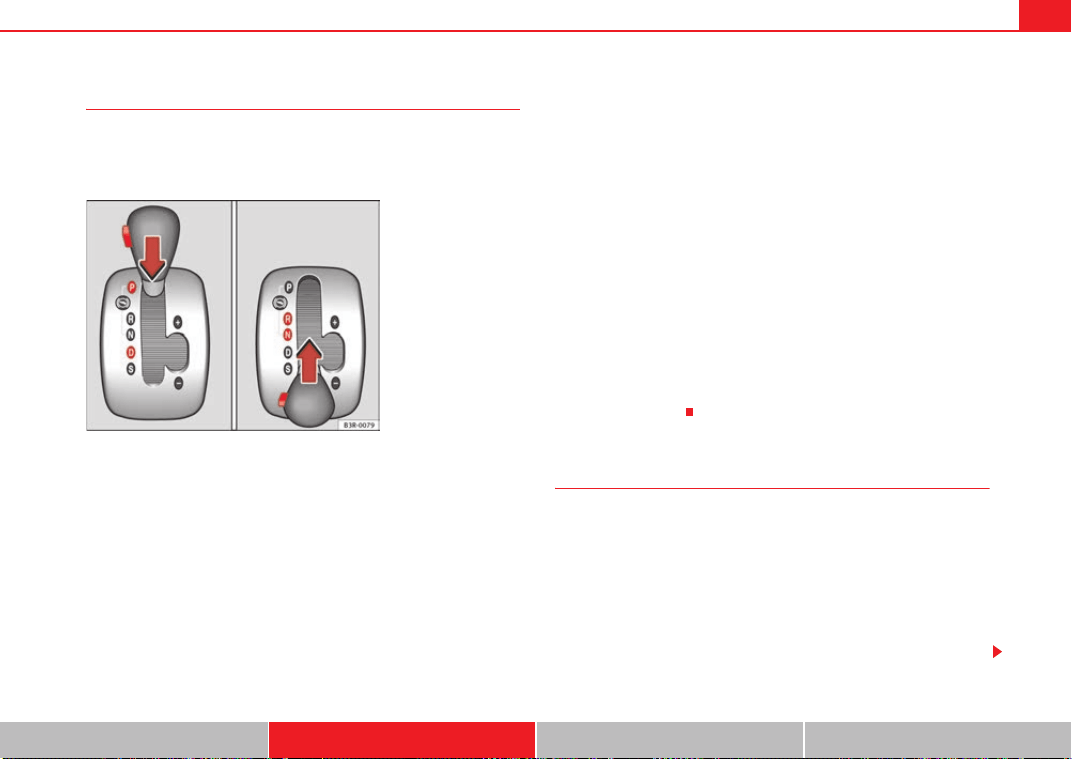
Driving 179
Safety First Controls and equipment Practical tips Technical Data
Selector lever lock
The selector lever lock prevents gears from being engaged
inadvertently, so that the vehicle is not set in motion uninten-
tionally.
The selector lever lock is released as follows:
– Switch the ignition on.
–Press the brake pedal and at the same time press in the interlock
button.
Automatic selector lever lock
With the ignition turned on, the selector lever is locked in the positions P and
N. To remove it from these positions, press on the brake. The following
message appears in the instrument display as a reminder for the driver when
the selector lever is in position P or N:
WHEN STATIONARY APPLY FOOTBRAKE WHILE SELECTING GEAR
The selector lever lock only works if the vehicle is stationary or driving at
speeds up to 5 km/h. At higher speeds the selector lever lock in the N posi-
tion is disengaged automatically.
The selector lever lock is not engaged if the selector lever is moved quickly
through position N (e.g. when shifting from R to D). This makes it possible, for
instance, to “rock” the vehicle backwards and forwards if it is stuck in snow
or mud. The selector lever lock engages automatically if the brake pedal is not
depressed and the lever is in position N for more than about a second.
Interlock button
The interlock button on the selector lever handle prevents the driver from
inadvertently engaging particular gears. Press the button in to disengage the
selector lever lock. The selector lever positions in which the button has to be
pressed are shown in the illustration, highlighted in colour ⇒ fig. 147.
Safety interlock for ignition key
Once the ignition has been turned off, the key may be removed only if the gear
selector is in position P. While the key is not in the ignition, the selector lever
is locked in position P.
Kick-down feature
The kickdown feature is designed to give maximum accelera-
tion.
Applies to vehicles with multitronic
®
gearbox
When the accelerator pedal is pressed right down past the point of resistance
at full throttle, the gearbox will select a lower gear ratio, depending on road
speed and engine speed. While you keep the accelerator depressed the
engine speed is automatically controlled to give your vehicle maximum accel-
eration.
Fig. 147 Selector lever
lock functions
Exeo_EN.book Seite 179 Freitag, 28. August 2009 10:14 10
Driving180
Applies to vehicles with tiptronic gearbox
When the accelerator pedal is pressed right down past the point of resistance
at full throttle, the gearbox will shift down to a lower gear, depending on road
speed and engine speed. The upshift to the next higher gear is delayed until
the engine reaches maximum rpm.
WARNING
Please note that if the road surface is slippery or wet, the kick-down feature
could cause the driving wheels to spin, which could result in skidding.
Dynamic gear control program (DCP)
The automatic gearbox is controlled electronically.
The vehicle is equipped with an electronically controlled gearbox. The gear
ratios are selected automatically according to preset gearshift programmes.
When you drive at moderate speeds the gearbox will select the most econom-
ical shift programme. It will then change up early and delay the downshifts to
give better fuel economy.
If you drive at higher speeds with heavy acceleration, if you open the throttle
quickly, or if you use the kick-down or the car's maximum speed, the gearbox
will automatically select the more sporty shift programmes.
The gearbox is self-adapting, and continuously selects the most suitable shift
programme. At the same time, the driver can also make the gearbox switch to
a more sporty programme by pressing the accelerator quickly. Depending on
road speed, this makes the gearbox shift down early into a lower gear ratio
for more rapid acceleration (for instance to pass another vehicle), without
having to press the accelerator all the way down into the kick-down position.
After the gearbox has shifted back up it returns to the original programme,
depending on your style of driving.
Vehicles with multitronic® gearbox: the gearbox continuously adapts the
gear ratios to gradients. If the brake pedal is pressed on a downhill gradient
the gearbox automatically shifts to a lower gear ratio. This increases the
engine braking effect.
Vehicles with tiptronic gearbox: in mountainous areas, the gearbox adapts
the gearshifts for uphill and downhill gradients. This prevents the gearbox
from shifting up and down unnecessarily on uphill gradients.
Exeo_EN.book Seite 180 Freitag, 28. August 2009 10:14 10
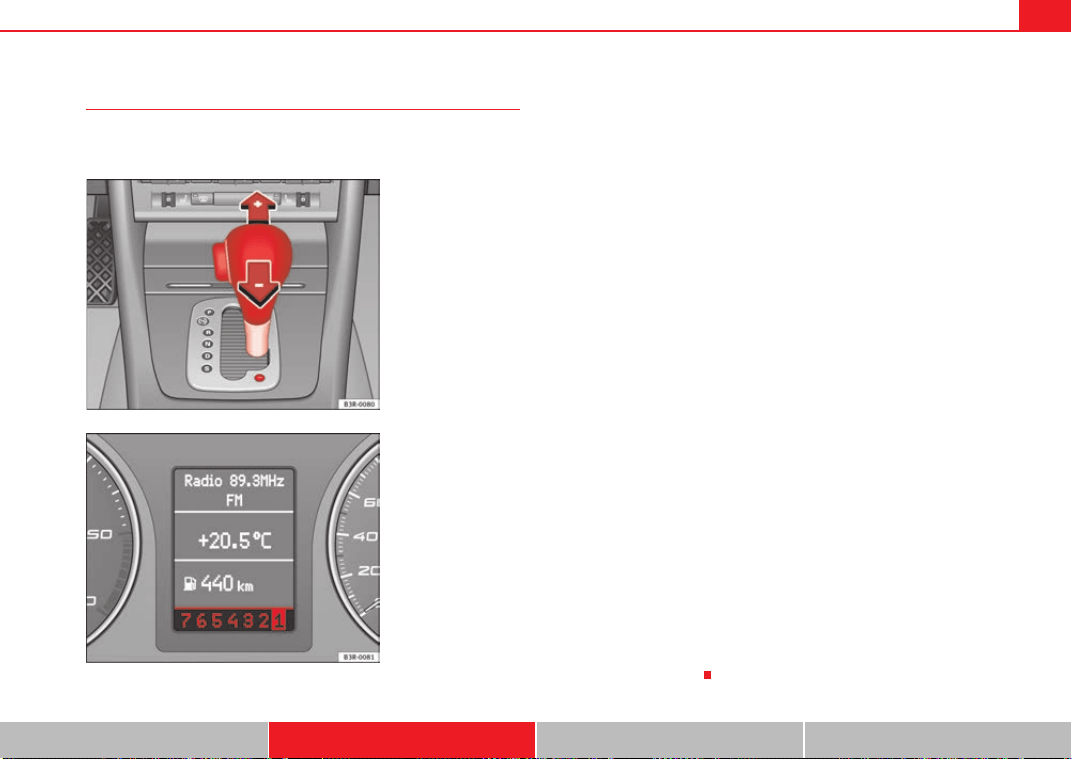
Driving 181
Safety First Controls and equipment Practical tips Technical Data
Manual gear selection (tiptronic mode)
With the manual shift programme (tiptronic) the driver can
manually select pre-programmed gears.
Switching over to the manual programme
– Move the selector lever from the position D to the right-hand
side. As soon as the selector lever has entered the tiptronic rail,
the gear engaged is displayed on the screen.
Shifting up a gear
– Briefly push the selector lever forwards (in the Tiptronic gate)
⇒ fig. 148 .
Shifting down a gear
– Briefly pull the selector lever backwards (in the Tiptronic gate)
.
With the tiptronic system, the driver can manually choose between eight (on
vehicles with multitronic) or seven (on vehicles with tiptronic) different gear
programmes. The manual programme can be selected either with the vehicle
stationary or on the move.
When accelerating, the gearbox automatically shifts up into the next gear
shortly before the maximum engine speed is reached.
If you select a gear which is lower than the gear shown in the instrument
display ⇒ fig. 149, the gearbox will only shift down when there is no longer
a risk of over-revving the engine.
When the vehicle slows down (for instance when braking), the gearbox auto-
matically shifts down into the next gear when the minimum engine speed is
reached.
Changing down to a lower gear increases the engine braking effect on down-
hill gradients.
When the accelerator pedal is pressed right down past the point of resistance
at full throttle, the gearbox will select a lower gear ratio, depending on road
speed and engine speed.
Fig. 148 Centre console:
Manual gear selection
(tiptronic mode)
Fig. 149 Display: Manual
gear selection (tiptronic
mode)
A
+
A
-
Exeo_EN.book Seite 181 Freitag, 28. August 2009 10:14 10
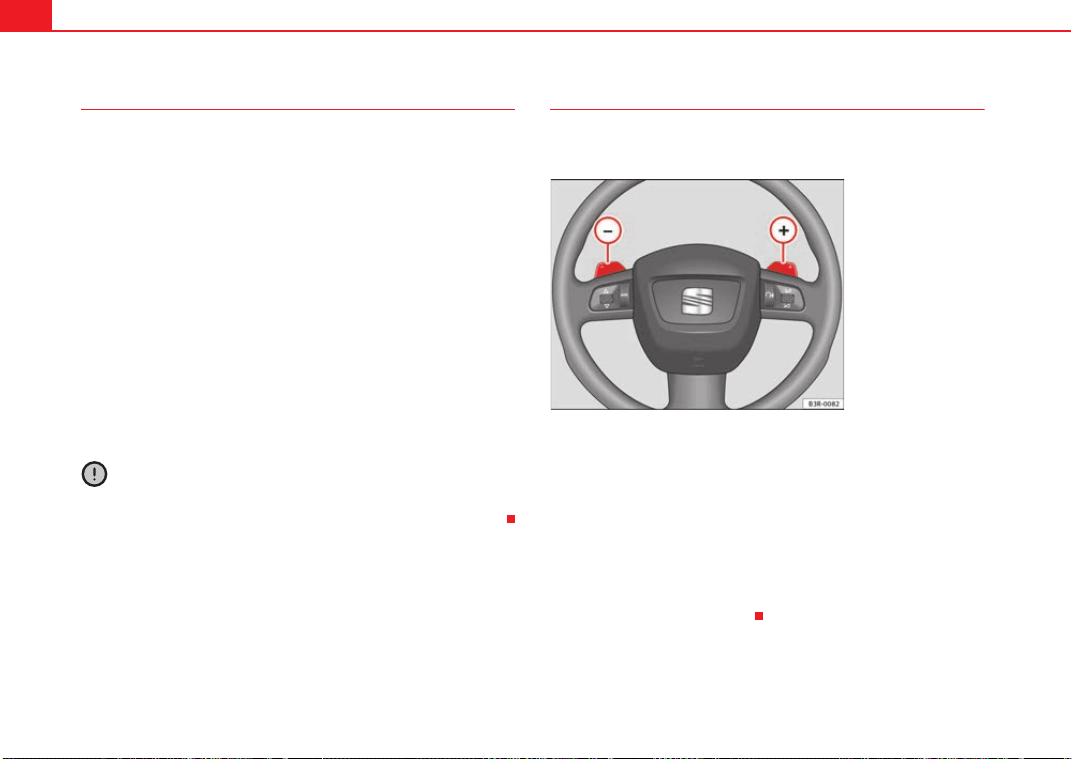
Driving182
Back-up programme
A back-up system is in place if a fault should occur in the
control system.
The automatic gearbox switches to the back-up programme if a fault should
occur in the control system. This is indicated by a gear-wheel symbol which
lights up on the dash panel display (the symbol represents a gear pinion).
It is still possible to move the selector lever to all positions. The manual shift
programme (Tiptronic) is not available when the back-up programme is
active.
Vehicles with tiptronic gearbox: When the selector lever is in position D or S
or in the manual shift programme, the gearbox will remain in 3rd gear if 1st,
2nd or 3rd gears were engaged when the fault occurred. The gearbox will
remain in 5th gear if 4th, 5th or 6th gears were engaged. The gearbox will
then engage 3rd gear when you drive away from a standstill or after the
engine is restarted.
It will still be possible to use reverse gear in the normal way. However, the
electronic lock for reverse gear will be switched off.
Caution
Should the gearbox ever switch into the back-up programme, you should take
the vehicle to a technical service or qualified workshop as soon as possible.
Steering wheel with paddle levers
The paddle levers on the steering wheel enable the driver to
manually select pre-programmed ratios or gears.
– Briefly pull the left-hand paddle lever to change down to a
lower gear.
– Briefly pull the right-hand paddle lever to change up to a
higher gear.
The paddle levers are activated when the selector lever is in position D or S,
or the position for the manual shift programme (tiptronic).
The manual shift programme can, of course, still be operated using the
selector lever in the centre console.
Fig. 150 Steering wheel:
Tiptronic controls
A
–
A
+
Exeo_EN.book Seite 182 Freitag, 28. August 2009 10:14 10
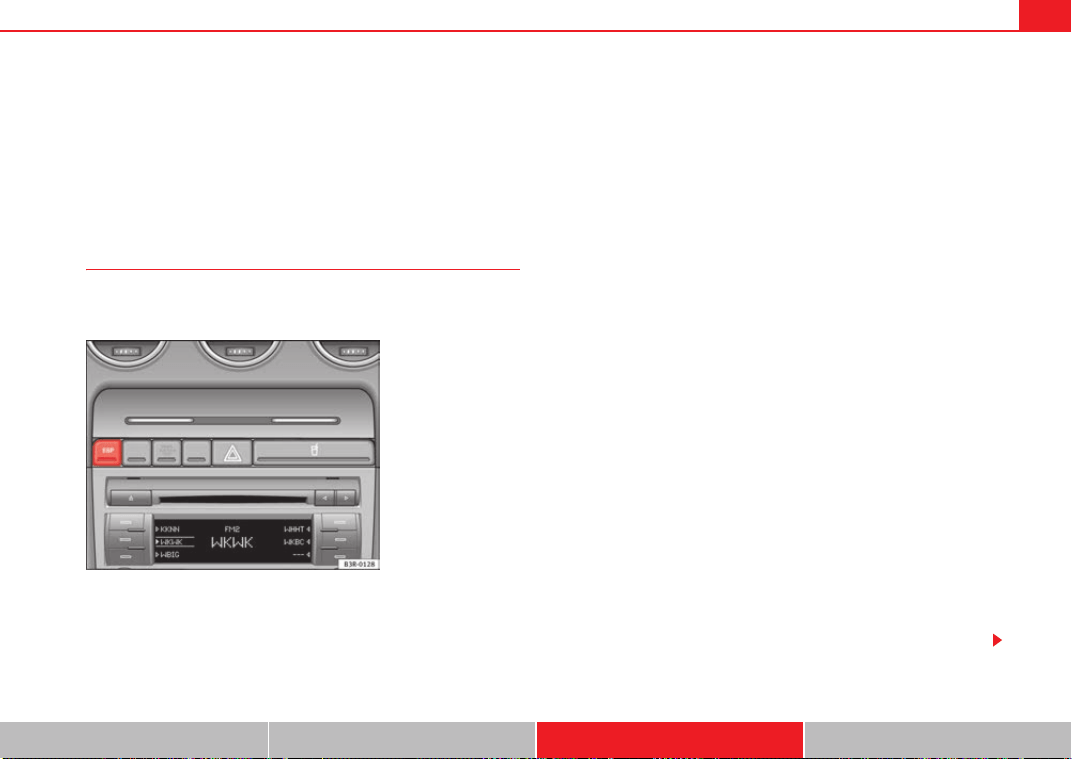
Intelligent technology 183
Safety First Controls and equipment Practical tips Technical Data
Practical tips
Intelligent technology
Electronic stabilisation programme (ESP)
General notes
The electronic stabilisation programme increases the
vehicle's stability on the road.
The ESP is designed to increase the degree of control in situations where the
car approaches the limits of adhesion, especially when accelerating and
cornering. It reduces the risk of skidding and improves stability in all road
conditions. The system is active across the entire speed range.
The anti-lock brake system (ABS), the electronic differential lock (EDL) and
the traction control system (TCS) are all integrated into the electronic stabili-
sation programme.
How it works
The ESP control unit processes data from the three integrated systems. It also
processes additional inputs provided by other high-precision sensors. These
register the vehicle's rotation about the vertical axis (yaw rate), lateral accel-
eration, brake pressure and steering wheel angle.
The system uses the steering wheel angle and road speed to calculate the
changes of direction desired by the driver, and constantly compares them
with the actual behaviour of the vehicle. If the desired course is not being
maintained (for instance, if the car is starting to skid), then the ESP compen-
sates automatically by braking the appropriate wheel.
The forces acting on the braked wheel bring the car back to a stable condi-
tion. If the vehicle over swerves (tendency of the rear to leave the road), the
brakes will act on the front wheel facing the outside of the bend. If the vehicle
under swerves (tendency to leave the bend), the braking force is applied to
the rear wheel facing the inside of the bend.
The ESP works in conjunction with the ABS ⇒ page 184. If a malfunction
should occur in the ABS, the ESP will also be out of action.
Disabling
The ESP is enabled automatically when the engine is started and performs a
self-test routine.
Fig. 151 Centre console
with ESP switch
Exeo_EN.book Seite 183 Freitag, 28. August 2009 10:14 10
Intelligent technology184
If required, the ESP can also be enabled and disabled manually by briefly
pressing the switch ⇒ page 183, fig. 151. The ESP warning lamp lights
up when the system is switched off, see ⇒ page 68.
In general, the ESP should be left switched on at all times. In particular
circumstances where a certain amount of wheel slip is desirable, it may be
advisable to switch off the ESP. Examples:
• when driving with snow chains
• when driving in deep snow or on loose surfaces
• when rocking the car backwards and forwards to free it.
The ESP should be switched on again afterwards as soon as possible.
WARNING
The ESP is not able to overcome the physical limits of adhesion. Even with
ESP, you should always adjust your speed to suit the conditions. Please
bear this in mind, especially on wet or slippery road surfaces. Do not let the
extra safety features tempt you into taking any risks when driving. Failure
to do so could result in an accident.
Anti-lock brake system (ABS)
ABS prevents the wheels from locking up under braking.
The anti-lock brake system (ABS) is an important part of the car's active safety
system. However, the ABS will not necessarily guarantee shorter stopping
distances in all conditions. For instance, on loose gravel or fresh snow on top
of an icy surface (conditions which anyway require extreme care and reduced
speed), the stopping distance with ABS may even be slightly longer.
How the ABS works
The system runs an automatic self-check when the car reaches a road speed
of about 6 km/h. This may be accompanied by a noise from the ABS pump.
When one of the wheels is turning very slowly in relation to the road speed
and is close to locking up, the system will reduce the pressure in the brake
line to this wheel. The driver is made aware of this adjustment process by a
vibration of the brake pedal and an audible noise. This is a deliberate
warning to the driver that one or more of the wheels is tending to lock up and
the ABS control function has intervened. In this situation it is important to
keep the brake pedal fully depressed so the ABS can regulate the brake appli-
cation, but do not “pump” the brake pedal.
WARNING
The grip provided by ABS is still subject to the physical limits of adhesion.
Always bear this in mind, especially on wet or slippery roads. If you notice
that the ABS is working (to counteract locked wheels under braking), you
should reduce speed immediately to suit the road and traffic conditions. Do
not let the extra safety features tempt you into taking any risks when
driving. Failure to do so could result in an accident.
Note
If a malfunction should occur in the ABS, this is indicated by a warning lamp
⇒ page 67.
Brake assist system
The brake assist system helps the driver to achieve optimum
braking effect.
The brake assist system helps to increase braking power and thus to achieve
a shorter stopping distance. If the driver presses the brake pedal very quickly,
ESP
Exeo_EN.book Seite 184 Freitag, 28. August 2009 10:14 10
Intelligent technology 185
Safety First Controls and equipment Practical tips Technical Data
the brake assist system automatically boosts the braking force to the
maximum level, up to the point where the anti-lock brake function (ABS) inter-
venes to stop the wheels from locking. You should then keep the brake pedal
pressed until the vehicle has braked to the required speed. The brake assist
system switches itself off as soon as you release the brake pedal.
The brake assist system will not be operative if there is a malfunction in the
ABS or the ESP.
WARNING
Please remember that the accident risk always increases if you drive too
fast, especially in corners or on a slippery road, or if you follow too close
behind the vehicle in front of you. An increased accident risk cannot be
compensated even by the brake assist system. Risk of accident.
Electronic differential lock (EDL)
The electronic differential lock prevents the loss of traction
caused if one wheel starts spinning.
General notes
The electronic differential lock (EDL) helps the car to start moving, accelerate
and climb a gradient in slippery conditions where this may otherwise be diffi-
cult or even impossible.
How it works
The EDL works automatically, i.e. without the driver's involvement. With the
aid of the ABS sensors, the system monitors the rotational speed of the
driven wheels ⇒ page 184. If a considerable difference in revs is detected
(approx. 100 rpm) in the speed of the driven wheels, e.g. when only one part
of the surface supporting the wheels is slippery, the system applies the brake
to slow down the skidding wheel so that more of the power is directed to the
other wheels. The systems works up to a speed of approx. 80 km/h. The
system will make noises while it is working.
Moving away from a standstill
If one wheel has less grip and starts spinning (for instance, if one of the
driven wheels is on ice), keep pressing the accelerator gradually until the car
starts moving.
Overheating of the brakes
To prevent the brake disk of the braked wheel from overheating, the EDL cuts
out automatically if subjected to excessive loads. In this case, the vehicle will
continue to run and will have the same running properties as those of another
without EDL.
The EDL will switch on again automatically when the brake has cooled down.
WARNING
• When accelerating on a uniformly slippery surface (for instance all four
wheels on ice or snow), press the accelerator gradually and carefully.
Despite EDL, the driven wheels may otherwise start to spin. This could
impair the car's stability. Risk of accident.
• Even with EDL, you should always adjust your speed to suit the condi-
tions. Do not let the extra safety features tempt you into taking any risks
when driving. Failure to do so could result in an accident.
Note
If the ABS warning lamp lights up, this can also mean there is a fault in the
EDL. Please take the vehicle to a specialist garage as soon as possible.
Exeo_EN.book Seite 185 Freitag, 28. August 2009 10:14 10

Intelligent technology186
Traction control system (TCS)
The traction control system prevents the drive wheels from
spinning when the car is accelerating.
General notes
The traction control system (TCS) is one of the functions incorporated in the
electronic stabilisation programme (ESP).
The traction control system (TCS) helps the car to start moving, accelerate or
climb a gradient in slippery conditions where this may otherwise be difficult
or even impossible.
How it works
The TCS acts automatically, i.e. without the driver's intervention. With the aid
of the ABS sensors ⇒ page 184, the TCS monitors the speed of the driven
wheels. If the wheels start to spin, the engine power is reduced automatically
to match the amount of grip available. The system is active across the entire
speed range.
The TCS works in conjunction with the ABS. If a malfunction occurs in the ABS,
the TCS will also be inoperative.
Note
To ensure that the TCS works properly, all four wheels must be fitted with
identical tyres. The difference in size of the wheels may lead to an undesired
reduction in engine power. Also see ⇒ page 241.
Brakes
General notes
New brake pads
New brake pads do not provide optimal performance during the first 200 km
they must be “run in”. However, the reduced braking capacity may be
compensated by pressing on the brake pedal a little harder. Avoid over-
loading the brakes during run-in.
Wear
The rate of wear on the brake pads depends a great deal on how you drive and
the conditions in which the vehicle is operated. Negative factors are, for
instance, city traffic, frequent short trips or hard driving with abrupt starts
and stops.
Wet roads; road salt
In certain conditions, such as in heavy rain, or after washing the car or driving
through water, the full braking effect can be delayed by moisture (or in winter
by ice) on the discs and brake pads. The brakes should be “dried” by pressing
the pedal to restore full braking effect.
When the velocity is over 80 km/h windscreen wipers are on, the brake
system moves the pads towards the brake discs for a few seconds. This
occurs - without warning to the driver - at regular intervals and requires a
more rapid response from the brakes when driving on wet roads.
The effectiveness of the brakes can also be temporarily reduced if the car is
driven for some distance without using the brakes when there is a lot of salt
on the road in winter. In this case, the layer of salt on the brake discs and pads
has to wear off before braking.
Exeo_EN.book Seite 186 Freitag, 28. August 2009 10:14 10
Intelligent technology 187
Safety First Controls and equipment Practical tips Technical Data
Corrosion
There may be a tendency for dirt to build up on the brake pads and corrosion
to form on the discs if the car is used infrequently, or if you only drive low
mileages without using the brakes very much.
If the brakes are not used frequently, or if rust has formed on the disks, it is
advisable to clean off the pads and disks by braking firmly a few times from a
moderately high speed ⇒ .
Faults in the brake system
If the brake pedal travel should ever increase suddenly, this may mean that
one of the two brake circuits has failed. Drive immediately to the nearest qual-
ified workshop and have the fault rectified. On the way to the dealer, be
prepared to use more pressure on the brake pedal, and allow for longer stop-
ping distances.
Low brake fluid level
Malfunctions can occur in the brake system if the brake fluid level is too low.
The brake fluid level is monitored electronically.
WARNING
When applying the brakes to clean off deposits on the pads and discs,
select a clear, dry road. Be sure not to inconvenience or endanger other
road users. Risk of accident.
Caution
• Never let the brakes “drag” by leaving your foot on the pedal when you do
not really intend to brake. This overheats the brakes, resulting in longer stop-
ping distances and greater wear.
• Before driving down a long, steep gradient, it is advisable to reduce speed
and change to a lower gear (or move the selector lever to a lower gear position
if your car has automatic transmission). This makes use of engine braking
and prolongs the service life of the brakes. If you still have to use the brakes,
it is better to brake firmly at intervals than to apply the brakes continuously.
Note
If you wish to equip the car with accessories such as a front spoiler or wheel
covers, it is important that the flow of air to the front wheels is not obstructed,
otherwise the brakes can overheat.
Brake servo
The brake servo assists the driver when braking
The brake servo amplifies the pressure you apply to the brake pedal. The
brake servo works only when the engine is running.
WARNING
Ensure the vehicle does not move while in neutral, when the motor is
stopped. Failure to do so could result in an accident.
Note
If the brake servo is not working, e.g. because the vehicle has to be towed or
because it is broken, you will have to press the brake pedal considerably
harder to make up for the lack of servo assistance.
Exeo_EN.book Seite 187 Freitag, 28. August 2009 10:14 10

Intelligent technology188
Power steering
The power steering assists the driver when turning the
steering wheel (with the engine running).
The power steering assists the driver by reducing the force needed to turn the
steering wheel.
The power steering does not work if the engine is off. In this case the steering
wheel is very hard to turn.
If the steering is held at its turning limit when the car is stationary, this will
place an excessive load on the power steering system. Turning the steering
wheel to its limit places a load on the system, which causes noise. It will also
reduce the idling speed of the engine.
Caution
When the engine is running, do not turn the steering wheel to its limit for
more than 15 seconds. Otherwise, there is a risk of damaging the power
steering.
Note
• If the power steering should fail at any time or the engine is switched off
(for instance when being towed), the car can still be steered. However, more
effort will be required to turn the steering wheel.
• If the system is leaking or malfunctioning, please take the car to a quali-
fied workshop as soon as possible.
• The power steering requires a special hydraulic fluid. The fluid reservoir is
located at the front of the engine compartment on the left ⇒ page 289. The
correct fluid level in the reservoir is important for the power steering to func-
tion properly. The hydraulic fluid level is checked at the Inspection Service.
Servotronic
The servotronic system electronically adjusts the degree of
power assistance
In cars equipped with servotronic power steering the degree of power assist-
ance ⇒ page 188 is adjusted electronically according to road speed.
If a fault should occur in the servotronic system, the power steering will still
operate. The degree of power assistance will, however, no longer adapt to
different speeds. If the electronic regulating system is not working properly,
this is most noticeable when turning the steering wheel at low speeds (for
instance when parking) – more effort will be required than usual. The fault
should be corrected by a qualified workshop as soon as possible.
Exeo_EN.book Seite 188 Freitag, 28. August 2009 10:14 10
Driving and the environment 189
Safety First Controls and equipment Practical tips Technical Data
Driving and the environment
Running-in
Running in a new engine
The engine needs to be run-in over the first 1,500 km.
Up to 1,000 kilometres
– Do not drive at speeds of more than 2/3 the maximum speed.
– Do not accelerate hard.
– Avoid high engine revolutions.
– Do not tow a trailer.
From 1000 to 1500 km
– Speeds can be gradually increased to the maximum road speed
or maximum permissible engine speed (rpm).
During its first few hours of running, the internal friction in the engine is
greater than later on, when all the moving parts have bedded in.
For the sake of the environment
If the engine is run in gently, its life will be increased and its oil consumption,
reduced.
Braking effect and braking distance
The braking effect and braking distance are influenced by
driving situations and road conditions.
The efficiency of the brakes depends directly on the brake pad wear. The rate
of wear of the brake pads depends to a great extent on the conditions under
which the vehicle is operated and the way the vehicle is driven. If you often
drive in town traffic, drive short distances or have a sporty driving style, we
recommend that you have the thickness of your brake pads checked by an
Authorised Service Centre more frequently than recommended in the Service
Schedule.
If you drive with wet brakes, for example, after crossing areas of water, in
heavy rainfall or even after washing the car, the effect of the brakes is less-
ened as the brake discs are wet or even frozen (in winter): The brakes should
be “dried” by pressing the pedal to restore full braking effect.
WARNING
Longer braking distances and faults in the brake system increase the risk
of accidents.
• New brake pads must be run in and do not have the correct friction
during the first 200 km. However, the reduced braking capacity may be
compensated by pressing on the brake pedal a little harder. This also
applies when new brake pads are fitted.
• If brakes are wet or frozen, or if you are driving on roads which have
been gritted with salt, braking power may set in later than normal.
• On steep slopes, if brakes are excessively used, they will overheat.
Before driving down a long steep slope, it is advisable to reduce speed and
change down into a lower gear (or move the selector lever to a lower gear if
Exeo_EN.book Seite 189 Freitag, 28. August 2009 10:14 10
Driving and the environment190
your vehicle has automatic transmission). This makes use of engine
braking and relieves the brakes.
• Never let the brakes “slip” by applying light pressure. Continuous
braking will cause the brakes to overheat and the braking distance will
increase. Apply and then release the brakes alternately.
• Never let the vehicle run with the engine switched off. The braking
distance is increased considerably when the brake servo is not active.
• Very heavy use of the brakes may cause a vapour lock if the brake fluid
is left in the system for too long. This impairs the braking effect.
• Non-standard or damaged front spoilers could restrict the airflow to the
brakes and cause them to overheat. Observe the relevant instructions
before purchasing accessories ⇒ page 214, “Technical modifications”.
• If a brake circuit fails, the braking distance will be increased consider-
ably. Contact a qualified workshop immediately and avoid unnecessary
journeys.
Exhaust gas purification system
Catalytic converter*
To conserve the useful life of the catalytic converter
– Always use unleaded petrol.
– Do not let the fuel get too low in the tank.
– For engine oil changes, do not replenish with too much engine oil
⇒ page 224.
– Never tow the vehicle to start it, use jump leads if necessary
⇒ page 279.
If you notice misfiring, uneven running or loss of power when the vehicle is
moving, reduce speed immediately and have the vehicle inspected at the
nearest qualified workshop. In general, the exhaust warning lamp will light
up when any of the described symptoms occur ⇒ page 66. If this happens,
unburnt fuel can enter the exhaust system and escape into the environment.
The catalytic converter can also be damaged by overheating.
WARNING
The catalytic converter reaches very high temperatures! Fire hazard!
• Never park where the catalytic converter could come into contact with
dry grass or inflammable materials under the vehicle.
• Do not apply additional underseal or anti-corrosion coatings to the
exhaust pipes, catalytic converter or the heat shields on the exhaust
system. These materials could catch fire when the vehicle is being driven.
Caution
Never fully drain the fuel tank because the irregularity of the fuel supply may
cause ignition problems. This allows unburnt fuel to enter the exhaust
system, which could cause overheating and damage the catalytic converter.
For the sake of the environment
Even when the emission control system is working perfectly, there may be a
smell of sulphur from the exhaust under some conditions. This depends on
the sulphur content of the fuel used. Quite often the problem can be solved
by changing to another brand of fuel.
WARNING (continued)
Exeo_EN.book Seite 190 Freitag, 28. August 2009 10:14 10
Driving and the environment 191
Safety First Controls and equipment Practical tips Technical Data
Diesel engine particulate filter*
The diesel engine particulate filter eliminates soot produced
by burning diesel.
The diesel engine dust filter eliminates most of the soot from the exhaust gas
system. Under normal driving conditions, the filter cleans itself. If the driving
conditions do not allow the filter to clean itself (for example, multiple short
trips) the filter will be obstructed by dust and pollen and the indicator
for
the diesel engine particulate filter indicator will light up. See section on
Warning Lights.
WARNING
• The diesel engine particulate filter may reach extremely high tempera-
tures; it should not enter into contact with flammable materials under-
neath the vehicle. Failure to comply could result in fire.
Caution
• The vehicle is not designed for refuelling with mixtures of FAME fuel
(biodiesel) over 7% in accordance with DIN 51628. The diesel particle filter
will be damaged if this mixture percentage is exceeded.
Economical and environmentally friendly
driving
Economical and environmentally friendly driving
Fuel consumption, environmental pollution and wear to the engine, brakes
and tyres depends in large part on your driving style. By adopting an econom-
ical driving style and anticipating the traffic situation ahead, you can easily
reduce fuel consumption by 10-15%. Some tips on how to help you reduce
pollution while saving money are listed below.
As you drive try to anticipate the traffic situation
A vehicle uses most fuel when accelerating. When you anticipate the situa-
tion, you have to brake less often and, thus, accelerate less. If it is possible,
let the vehicle roll with a gear engaged, for example, if you see a red light
ahead. The braking effect achieved in this way helps to reduce the wear of
brakes and tyres; emissions and fuel consumption are reduced to zero
(disconnection due to inertia).
Change gear early to save energy
An effective way of saving fuel is to change up quickly through the gears.
Running the engine at high rpm in the lower gears uses an unnecessary
amount of fuel.
Manual gearbox: Change from first to second gear as quickly as possible. We
recommend that, whenever possible, you change to a higher gear upon
reaching 2,000 rpm.
Avoid driving at high speed
We advise you not to drive at the top speed permitted by the vehicle. Fuel
consumption, exhaust emissions and noise levels all increase very rapidly at
higher speeds. Driving at moderate speeds will help to save fuel.
Avoid idling
It is worthwhile switching off the engine when waiting in a traffic jam, at level
crossings or at traffic lights with a long red phase. The fuel saved after only
30 - 40 seconds is greater than the amount of fuel needed to restart the
engine.
The engine takes a very long time to warm up when it is running at idling
speed. Mechanical wear and pollutant emissions are also especially high
during this initial warm-up phase. It is therefore best to drive off immediately
after starting the engine. Avoid running the engine at high speed.
Exeo_EN.book Seite 191 Freitag, 28. August 2009 10:14 10

Driving and the environment192
Periodic maintenance
Periodic maintenance work guarantees that, before beginning a journey, you
will not consume more than the required amount of fuel. A well-serviced
engine gives you the benefit of improved fuel efficiency as well as maximum
reliability and an enhanced resale value.
A badly serviced engine can consume up to 10% more fuel than necessary.
Avoid short journeys
To reduce the consumption and emission of polluting gases, the engine and
the exhaust filtration systems should reach the optimum service tempera-
ture.
With the engine cold, fuel consumption is proportionally higher. The engine
does not warm up and fuel consumption does not regularise until having
driven some four kilometres. This is the reason why we recommend avoiding
short trips wherever possible.
Maintain the correct tyre pressures
Bear in mind that keeping the tyres at an adequate pressure saves fuel. If the
tyre pressures are just 1 bar too low, this can put the fuel consumption up by
as much as 5%. Due to the greater rolling resistance, under-inflation also
increases tyre wear and impairs handling.
The tyre pressures should always be checked when the tyres are cold.
Do not use winter tyres all year round: they will increase fuel consumption by
up to 10%.
Avoid unnecessary weight
Every kilo of extra weight will put up the fuel consumption, so it is worth
checking the luggage compartment occasionally to make sure that no unnec-
essary loads are being transported.
A roof carrier is often left in place for the sake of convenience, even when it is
no longer needed. At a speed of 100-120 km/h your car will use about 12%
more fuel as a result of the extra wind resistance caused by the roof carrier
even when it is not in use.
Saving electrical energy
The engine activates the alternator, which produces electricity. With the need
for electricity, fuel consumption is also increased. Because of this, always
turn off electrical equipment when you do not need them. Examples of equip-
ment that use a lot of electricity are: the fan at high speeds, the rear window
heating or the seat heaters*.
Environmental friendliness
Environmental protection is a top priority in the design, choice of materials
and production of your new Seat.
Design measures for economical recycling
• Joints and connections designed for ease of dismantling
• Modular construction to facilitate dismantling
• Increased use of single-grade materials
• Plastic parts and elastomers are labelled in accordance with ISO 1043,
ISO 11469 and ISO 1629
Choice of materials
• Nearly all materials used can be recycled
• Similar types of plastics grouped together for easy recycling
• Recycled materials used in manufacture
• Reduction of volatile compounds in plastics
• CFC-free refrigerant in air conditioning
Compliance with prohibited materials laws: cadmium, lead, mercury, chrome
VI.
Manufacturing methods
• Use of recycled material for manufacturing plastic parts
• Solvent-free cavity sealing
Exeo_EN.book Seite 192 Freitag, 28. August 2009 10:14 10

Driving and the environment 193
Safety First Controls and equipment Practical tips Technical Data
• Solvent-free wax for protecting the vehicles in transit
• Solvent-free adhesives
• No CFCs used in production
• Surplus materials used extensively for energy conversion and building
materials
• Overall water consumption reduced
• Heat recovery systems
• The use of water-soluble paints
Driving abroad
Observations
To drive abroad, the following must be taken into consideration:
• For vehicles fitted with a catalytic converter ensure that unleaded petrol is
available for the journey. See the chapter “Refuelling”. Automobile organisa-
tions will have information about service station networks selling unleaded
fuel.
• In some countries, it is possible that a vehicle model is sold under condi-
tions where some spare parts are not available or that the Authorised Service
Centre may only carry out limited repairs.
SEAT importers and distributors will gladly provide information about the
technical preparation of your vehicle and also about necessary maintenance
and repair possibilities.
Adhesive strips for headlights
If you have to drive a right-hand drive vehicle in a left-hand drive country, or
vice versa, the asymmetric dipped beam headlights will dazzle oncoming
traffic.
To prevent dazzling, you must apply stickers to certain parts of the headlight
lenses. Further information is available in your Authorised Service Centre.
In vehicles with self-directing headlights, the rotation system must previ-
ously be disconnected. To do this, please go to a specialist workshop.
Exeo_EN.book Seite 193 Freitag, 28. August 2009 10:14 10
Trailer towing194
Trailer towing
Trailer towing
Technical requirements
The towing bracket must meet certain technical requirements.
Your car is intended mainly for transporting passengers and luggage.
However, if suitably equipped, it can also be used to tow a trailer or caravan.
If your vehicle has been factory-supplied with a towing bracket, all of the
necessary technical and legal aspects for trailing towing have been taking
into account during manufacturing.
Your vehicle is fitted with a 13-pole socket for the electrical connection
between the trailer and the vehicle. If the trailer has a 7-pole connector you
can use an adapter cable. This can be purchased from any SEAT Dealer.
If a towing bracket is to be fitted after the car is purchased, this must be done
according to the instructions of the towing bracket manufacturer
⇒ page 203.
WARNING
If a towing bracket is retrofitted, the installation should be carried out by a
specialist garage.
• Particularly in high outdoor temperatures, it is not possible to drive up
long steep gradients without a suitable cooling system. The engine would
heat up.
• Incorrect installation can result in a safety risk!
Notes on towing
There are a number of points which need to be checked before
towing a trailer or caravan.
– Observe the maximum permitted trailer weights ⇒ page 289.
Trailer weights
Never exceed the maximum permitted trailer weights.
If you do not load the trailer up to the maximum permitted trailer weight, you
can then climb correspondingly steeper gradients.
The maximum trailer weights listed are only applicable for altitudes up to
1,000 m above sea level. With increasing altitude the engine power and
therefore the vehicle's climbing ability are impaired because of the reduced
air density. The maximum trailer weight has to be reduced accordingly. The
weight of the car and trailer must be reduced by about 10% for every subse-
quent 1000 m (or part thereof). This figure refers to the combined weight of
the (loaded) vehicle and (loaded) trailer.
The figures for the draw bar weight that appear on the identification plate of
the towing bracket are for certification purposes only. The correct figures for
your specific model, which may be lower than these figures for the towing
bracket, are given in the registration documents and on ⇒ page 282. Also
refer to ⇒ page 289.
Distributing the load
Distribute loads in the trailer so that heavy objects are as near to the axle as
possible. Loads carried in the trailer must be secured to prevent them
moving.
Exeo_EN.book Seite 194 Freitag, 28. August 2009 10:14 10

Trailer towing 195
Safety First Controls and equipment Practical tips Technical Data
Where possible, operate the trailer with the maximum permitted draw bar
weight on the ball joint of the towing bracket, but do not exceed the specified
limit.
Tyre pressure
Check the tyre pressures on your car, and adjust for “full load” conditions
(refer to the sticker listing the tyre pressures on the door pillar). It may also be
necessary to adjust the tyre pressures on the trailer according to the recom-
mendations of the trailer manufacturer.
Exterior mirrors
Check whether you can see enough of the road behind the trailer with the
standard mirrors. If this is not the case you should have additional mirrors
fitted. The two exterior mirrors should be fitted on folding arms. Adjust the
mirrors to give sufficient rear vision.
Headlights
Before starting a journey, check the headlight beam settings with the trailer
hitched up. If necessary, alter the height of the headlight beams by means of
the headlight range control. See ⇒ page 119.
Power supply
When you remove the ignition key, the power supply to the trailer is inter-
rupted.
Removable ball joint coupling
Vehicles with a factory-fitted towing bracket are equipped with a removable
ball joint coupling. This is stored in the spare wheel well in the luggage
compartment together with the necessary fitting instructions.
Note
If you frequently tow, we recommend you also have vehicle serviced between
services.
Notes on towing
Towing a trailer involves additional attention by the driver.
Weight distribution
The weight distribution of a loaded trailer with an unladen vehicle is very
unfavourable. However, if this cannot be avoided, drive extra slowly to allow
for the unbalanced weight distribution.
Speed
The stability of the car and trailer is reduced with increasing speed. Therefore,
it is advisable not to drive at the maximum permissible speed in an unfavour-
able road, weather or wind conditions. This especially applies when driving
downhill.
You should always reduce speed immediately if the trailer shows the slightest
sign of swaying. Never try to stop the “snaking” by increasing speed.
Anticipate hazards and brake in good time. If towing a trailer with an inertia
brake, first brake gently and then more severely. This will prevent brake
tapping by the trailer wheels when they lock. Select a low gear in due course
before going down a steep downhill. This enables you to use the engine
braking to slow down the vehicle.
Swaying and pitching can be reduced by stabiliser aids. We recommend
having stabiliser aids installed when towing trailers with a high trailer load.
They can be purchased and installed at a Dealer.
Reheating
When climbing long hills in hot weather with the engine running fast in low
gear, you should keep an eye on the coolant temperature gauge ⇒ page 60.
Reduce speed immediately if the needle moves to the right end of the scale.
If the temperature warning light
in the instrument cluster should start
flashing, stop the car and let the engine cool down by running it at idling
speed for a few minutes.
Exeo_EN.book Seite 195 Freitag, 28. August 2009 10:14 10
Trailer towing196
Equipment and accessories
Before mounting equipment and accessories (e.g. bicycle
rack) please observe the following notes.
The equipment/accessories mounted must not protrude more than 700 mm
from the ball joint .
The total weight (mounted equipment plus the load) must not exceed 75 kg.
The maximum load depends on where the centre of gravity lies.
The maximum weight decreases as the distance between the centre of gravity
and the ball joint increases.
The following limits apply:
If the distance is 300 mm, the total weight (incl. the equipment mounted)
must not exceed 75 kg.
If the distance is 600 mm, the total weight (incl. the equipment mounted)
must not exceed 35 kg.
Only bicycle racks for a maximum of three bicycles may be used.
Equipment and accessories mounted on the towing bracket
SEAT recommends that you only mount equipment (e.g. bicycle rack) which
has been officially approved on the ball joint. If you wish to attach other
equipment please make sure that it has been approved by the manufacturer
for use on the ball joint. If you mount unsuitable equipment, this can cause
damage to the towing bracket. In an extreme case, damage to the towing
bracket could cause it to break ⇒ .
WARNING
• If you wish to mount equipment which has not been approved by SEAT,
please ensure that it is suitable for use on SEAT vehicles.
• The use of unsuitable accessory equipment can result in severe damage
to the towing bracket, and it could then break while pulling a trailer - Risk
of accident.
• Never use tools of any kind when fitting and removing the ball joint.
This would damage the locking device, no longer guaranteeing the correct
working order of the bracket. This could lead to an accident.
Fig. 152 Load distribu-
tion of equipment and
accessories
A
1
A
1
A
A
A
B
Exeo_EN.book Seite 196 Freitag, 28. August 2009 10:14 10
Trailer towing 197
Safety First Controls and equipment Practical tips Technical Data
Removable towing bracket
Introduction
Special care is required when fitting and removing the towing
bracket.
The removable ball joint attachment for the towing bracket is stored under the
floor panel in the luggage compartment.
• On vehicles with a spare wheel ⇒ fig. 153.
The ball joint can be fitted and removed by hand.
Equipment / Accessories mounted on the towing bracket
Please note that the ball joint attachment can be damaged by using unsuit-
able equipment that is mounted onto the towing bracket (e.g. bicycle rack).
Due to the material construction, such damage to the towing bracket dramat-
ically increases safety risks and in extreme cases could lead to breakage of
the towing bracket while towing ⇒ .
Therefore, before buying such equipment, ensure that it is suitable for
mounting onto the vehicle's towing bracket and that it is approved for this
purpose. To prevent damage to the ball joint from unsuitable equipment, we
recommend that equipment for the towing bracket be purchased through
your SEAT Dealer. Also refer to ⇒ page 214.
WARNING
• Only mount equipment on the towing bracket of your vehicle if you are
certain it will not damage the bracket. The use of unsuitable accessory
equipment can result in severe damage to the towing bracket, and it could
then break while pulling a trailer - Risk of accident.
• Never use tools of any kind when fitting and removing the ball joint.
This would damage the locking device, no longer guaranteeing the correct
working order of the bracket. This could lead to an accident.
Note
• Do not attempt to modify or repair the ball joint or other towing bracket
components.
• Should you have any difficulties when using the towing bracket, or
suspect that it is not fitted properly, contact a specialist garage.
• Before setting off, always check that the ball joint is secured properly
⇒ page 200.
• Never disengage the ball joint with the caravan / trailer still hitched or
with a bicycle rack or similar accessory still attached.
• It is advisable to remove the ball joint when you are not towing a trailer.
Make sure that the cover piece is properly fitted on the mounting fixture on
the vehicle.
• Remove the ball joint before washing the vehicle with pressurised steam
equipment. Make sure the cover piece is fitted correctly onto the mounting
fixture.
Fig. 153 Luggage
compartment: Spare
wheel with towing bracket
Exeo_EN.book Seite 197 Freitag, 28. August 2009 10:14 10
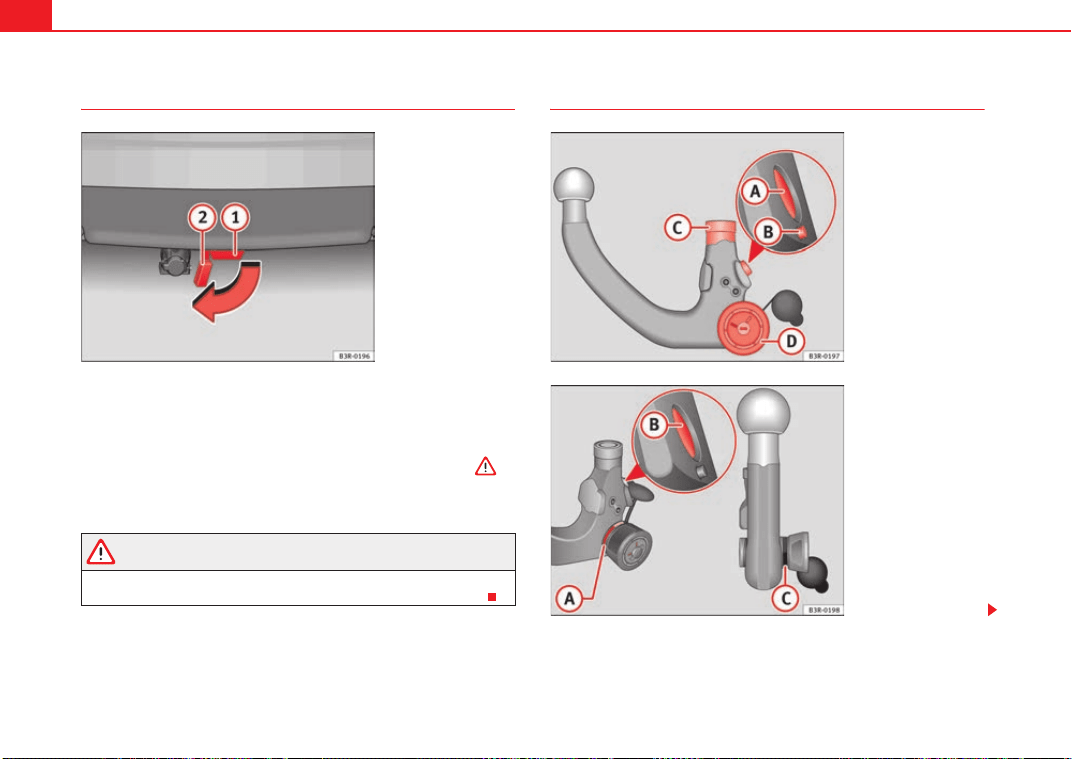
Trailer towing198
Fitting the ball joint (step 1)
– Remove the cover piece ⇒ fig. 154 on the mounting fixture
below the bumper as far as it will go. The cover piece is held
automatically in the open position.
– Make sure the mounting fixture is clean. If not, clean it ⇒ .
Cont ⇒ page 198, “Fitting the ball joint (step 2)”.
WARNING
It is important to keep the mounting fixture clean. Otherwise the ball joint
may fail to engage safely and securely. This could lead to an accident.
Fitting the ball joint (step 2)
Fig. 154 Rear bumper:
Open the cover piece
A
2
A
1
Fig. 155 Removable
towing bracket: Ball joint
Fig. 156 Removable
towing bracket: Ball joint
Exeo_EN.book Seite 198 Freitag, 28. August 2009 10:14 10
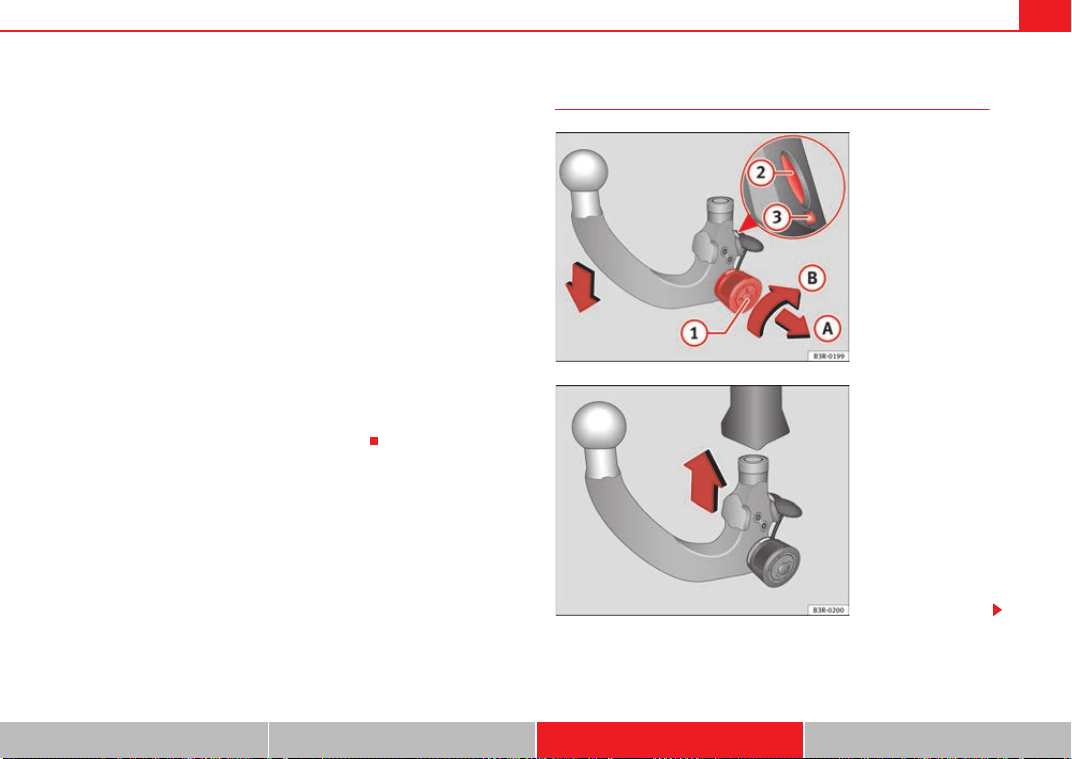
Trailer towing 199
Safety First Controls and equipment Practical tips Technical Data
Make sure the ball joint is clean and undamaged
– Check the locking pin , release pin , shaft section and
knob ⇒ page 198, fig. 155 on the ball joint to make sure they
are clean and undamaged.
The spring mechanism inside the ball joint must be in the ready
position
– Check that the red marking ⇒ page 198, fig. 156 on the knob
is inside the black zone marked on the ball joint.
– Check that the locking pin is inside the holes in the shaft
section of the ball joint.
– Check that the knob protrudes visibly from the ball joint, so that
there is a clear gap between the knob and the ball joint.
The ball joint can only be installed if the internal spring mechanism is in the
ready position.
Cont ⇒ page 199, “Fitting the ball joint (step 3)”.
Fitting the ball joint (step 3)
A
A
A
B
A
C
A
D
A
A
A
B
A
C
Fig. 157 Removable
towing bracket: Setting
the spring mechanism to
the "ready" position
Fig. 158 Removable
towing bracket: inserting
the ball joint
Exeo_EN.book Seite 199 Freitag, 28. August 2009 10:14 10
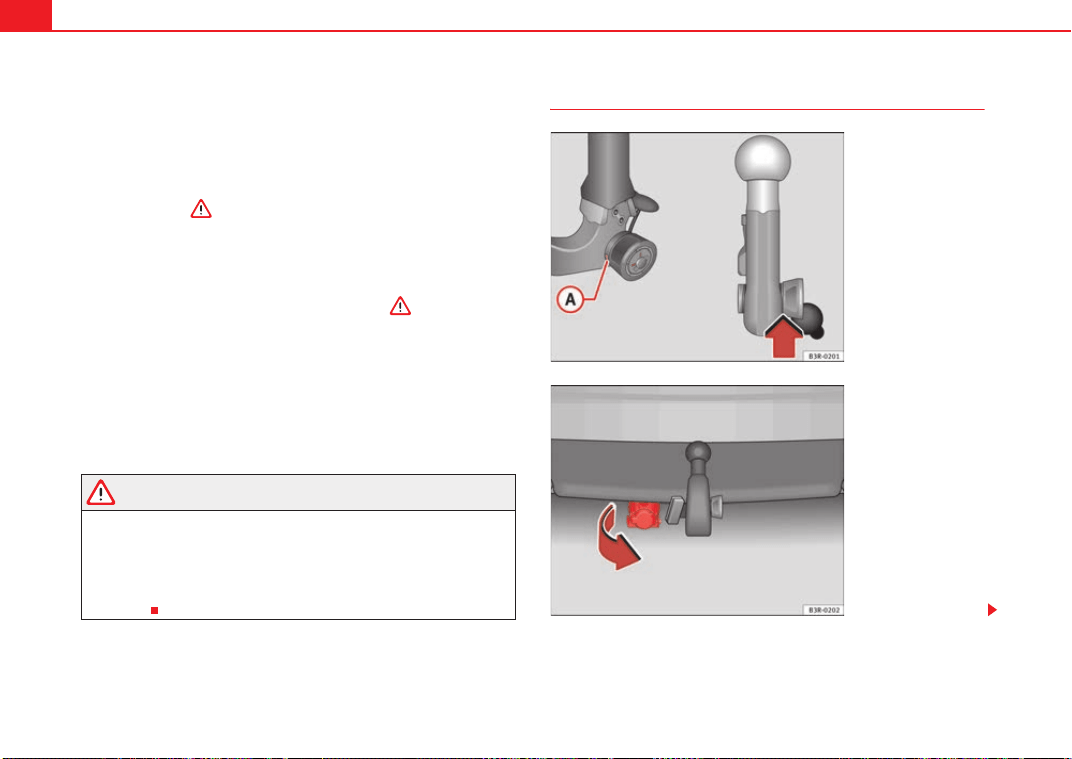
Trailer towing200
Setting the spring mechanism to the ready position (if required)
– Insert the key ⇒ page 199, fig. 157 in the lock on the knob
and turn it towards the red marking.
– Pull out the knob in direction , hold and turn in direction
until the locking pin engages and the release pin moves
out visibly ⇒ .
inserting the ball joint
– With the spring mechanism in the ready position, insert the ball
joint into the mounting fixture and push it upwards ⇒ page 199,
fig. 158 in the direction indicated (arrow) ⇒ . It should lock
into position automatically. You should now clearly hear it click
into place.
– Lock the ball joint by turning the key to the green marking.
– Remove the key.
Cont ⇒ page 200, “Fitting the ball joint (step 4)”.
WARNING
• If it is not possible to set the spring mechanism to the ready position as
described above, do not use the ball joint. Please contact a specialist
garage.
• To avoid injury, keep your hands away from the knob or cover piece
when inserting the ball joint in the mounting fixture. Otherwise, you could
be injured.
Fitting the ball joint (step 4)
A
1
A
A
A
B
A
2
A
3
Fig. 159 Removable
towing bracket: Safety
check
Fig. 160 Rear bumper:
Pulling down the
connecting socket
Exeo_EN.book Seite 200 Freitag, 28. August 2009 10:14 10
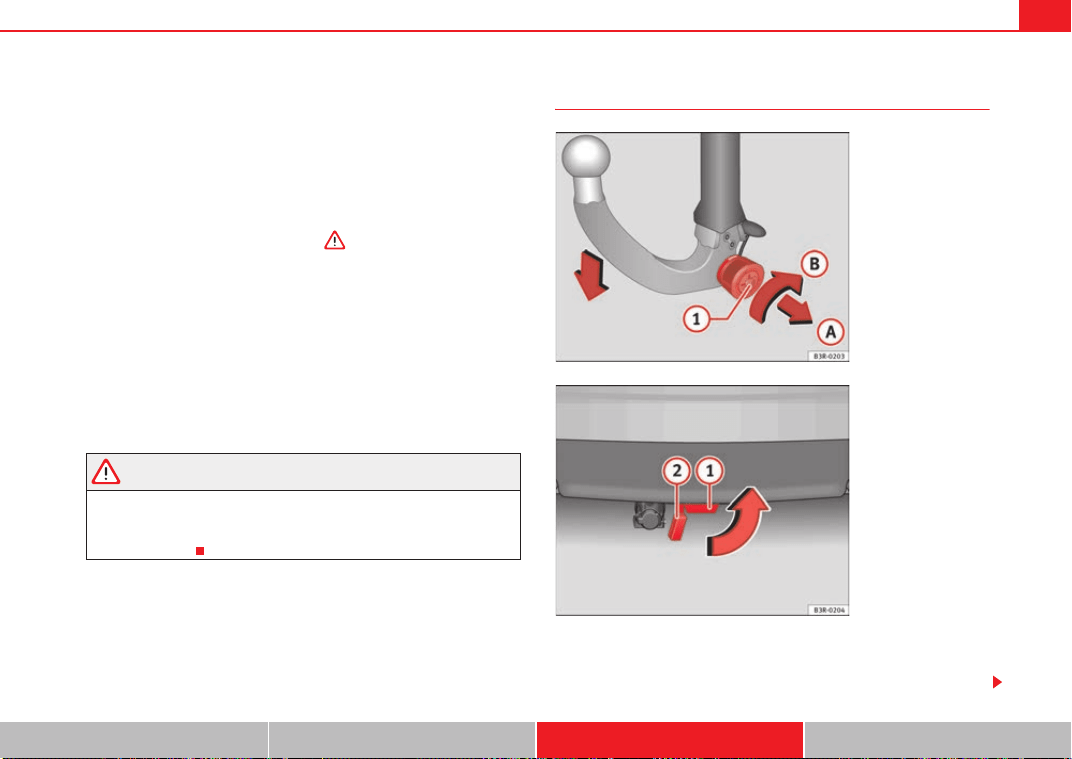
Trailer towing 201
Safety First Controls and equipment Practical tips Technical Data
Safety check
– Check that the green marking ⇒ page 200, fig. 159 on the
knob is inside the black zone marked on the ball joint.
– Check that the knob is directly against the ball joint, so that there
is no gap between the knob and the ball joint -arrow-.
– Check that the ball joint is locked and the key is removed so that
the knob cannot be pulled out ⇒ .
– Check that the ball joint fits tightly in the mounting fixture (try
moving it about to check).
Towing socket
– To plug in the electrical connection for the trailer, pull down the
socket below the bumper ⇒ page 200, fig. 160.
If the safety check is not satisfactory, the ball joint must be fitted again prop-
erly.
WARNING
To avoid accidents, the ball joint must meet all the safety requirements
listed in the safety check. The towing bracket must not be used if any one
of these requirements is not met. If this is the case, you should contact a
specialist garage.
Removing the ball joint
– Insert the key in the lock ⇒ fig. 161 on the knob.
– Unlock the ball joint by turning the key to the red marking.
A
A
Fig. 161 Removable
towing bracket: Removing
the ball joint
Fig. 162 Rear bumper:
fitting the cover piece
A
1
Exeo_EN.book Seite 201 Freitag, 28. August 2009 10:14 10
Trailer towing202
– Take hold of the ball joint and pull out the knob in direction .
– Keep hold of the knob and turn it as far as it will go in direction
.
– Release the knob. The spring mechanism will remain in the ready
position ⇒ .
– Pull the ball joint down out of the mounting fixture
⇒ page 201, fig. 162. The cover piece will cover the mounting
fixture automatically .
– Put away the ball joint attachment under the floor panel in the
luggage compartment.
– Move the socket back up to its original position.
WARNING
• To avoid injury, keep your hands away from the locking pin and the
release pin when releasing the locking mechanism.
• Make sure that the cover piece is properly engaged on the mounting
fixture on the vehicle. Otherwise the ball joint may fail to engage securely
if dirt accumulates in the mounting fixture.
A
A
A
B
A
1
A
2
Exeo_EN.book Seite 202 Freitag, 28. August 2009 10:14 10
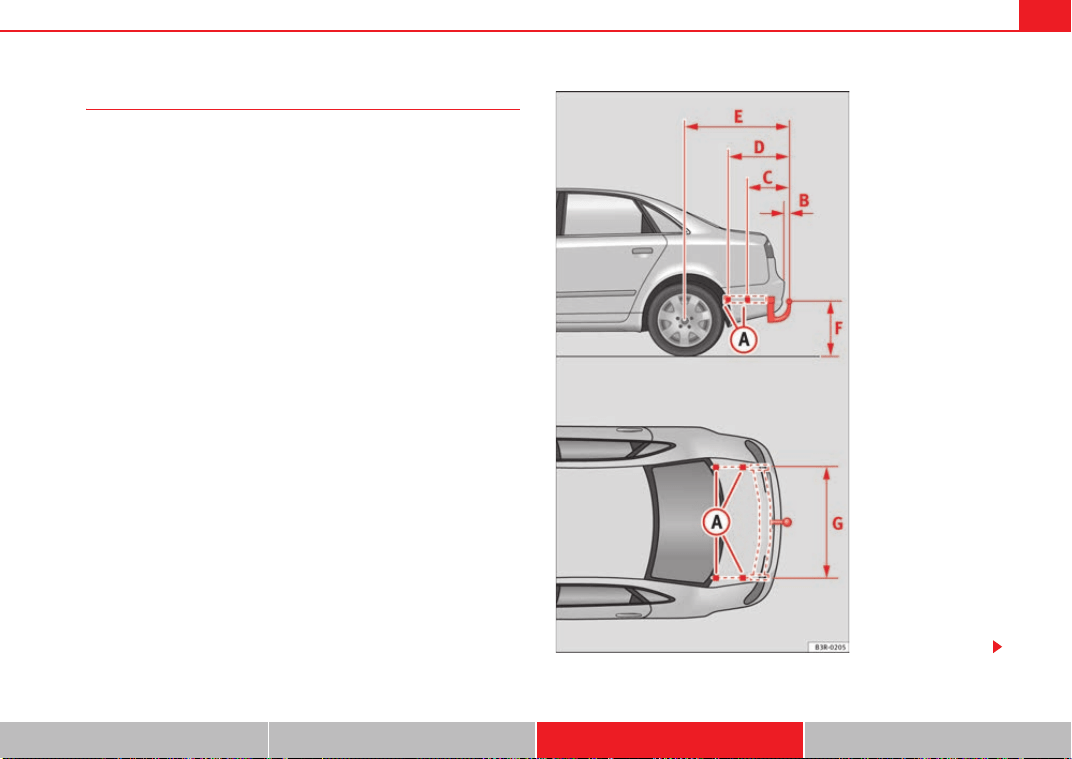
Trailer towing 203
Safety First Controls and equipment Practical tips Technical Data
Fitting a towing bracket*
It is possible to fit a towing bracket to the rear of the vehicle.
Fig. 163 Attachment
points for towing bracket
Exeo_EN.book Seite 203 Freitag, 28. August 2009 10:14 10
Trailer towing204
If a towing bracket is to be fitted after the vehicle is purchased, this must be
completed according to the instructions of the towing bracket manufacturer.
The attachment points for the towing bracket are on the lower part of the
vehicle.
The distance between the centre of the ball coupling and the ground should
never be lower than the indicated value, even with a fully loaded vehicle and
including the maximum resting weight.
Elevation values for securing the towing bracket:
65 mm (minimum)
403
629 mm
1112 mm (vehicle with max. load)
from 350 to 420 mm (fully loaded vehicle)
1,000 mm
Fitting a towing bracket
• Driving with a trailer involves an extra effort for the vehicle. Therefore,
before fitting a towing bracket, please contact an Authorised Service Centre
to check whether your cooling system needs modification.
• Submit to the legal requirements in your country (e.g. the fitting of a sepa-
rate warning lamp).
• Certain vehicle components, e.g. the rear bumper, must be removed and
reinstalled. The towing bracket securing bolts must be tightened using a
torque wrench, and an electrical socket must be connected to the vehicle's
electrical system. The above-mentioned require specialized knowledge and
tools.
• Figures in the illustration show the elevation value and the attachment
points which must be considered if you are retrofitting a towing bracket.
WARNING
Towing brackets should be fitted by specialists.
• If the towing bracket is incorrectly installed, there is serious danger of
accident.
• For your own safety, please observe the instructions provided by the
manufacturer of the towing bracket.
Caution
• If the electrical socket is incorrectly installed, this could cause damage to
the vehicle's electrical system.
Note
For the Sport finish, fitting a trailer bracket is not recommended due to the
design of the bumpers.
A
A
A
B
A
C
A
D
A
E
A
F
A
G
WARNING (continued)
Exeo_EN.book Seite 204 Freitag, 28. August 2009 10:14 10
Your vehicle maintenance and cleaning 205
Safety First Controls and equipment Practical tips Technical Data
Your vehicle maintenance and cleaning
General notes
Regular washing and care help maintain the value of your
vehicle.
Your vehicle maintenance
Regular care and washing help to maintain the value of the vehicle. This may
also be one of the requirements for acknowledging warranty claims in the
event of bodywork corrosion or paint defects.
The best way to protect your car against the harmful effects of the environ-
ment is through correct maintenance and frequent washing. The longer
substances such as insects remains, bird droppings, resinous tree sap, road
dirt, industrial deposits, tar, soot or road salt and other aggressive materials
remain on the vehicle, the more damage they do to the paintwork. High
temperatures (for instance in strong sunlight) further intensify the corrosive
effect.
After winter, a period when salt is put on the roads, it is important to have the
underside of the vehicle washed thoroughly.
Products for vehicle maintenance
Car care products are available in your Authorised Service Centre. Keep the
product instructions until you have used them up.
WARNING
• Car care products can be toxic. For this, they must always be kept
closed in their original container. Keep them out of the reach of children.
Failure to comply could result in poisoning.
• Always read and observe the instructions and warnings on the package
before using car care products. Improper use could damage your health or
your vehicle. The use of certain products may produce noxious vapours;
they should be used in well ventilated areas.
• Never use fuel, turpentine, engine oil, nail varnish remover or other
volatile fluids. These are toxic and highly flammable. Risk of fire and explo-
sion.
• Before washing your vehicle, or carrying out any maintenance, switch
the engine off, apply your handbrake firmly and remove the key from the
ignition.
Caution
Never attempt to remove dirt, mud or dust if the surface of the vehicle is dry.
Never use a dry cloth or sponge for cleaning purposes. This could damage the
paintwork or the windows of your vehicle. Soak dirt, mud or dust with plenty
of water.
For the sake of the environment
• When purchasing products for your vehicle maintenance, select the ones
which are not harmful to the environment.
• The leftovers of the car care products should not be disposed of with ordi-
nary household waste. Observe the disposal information on the package.
WARNING (continued)
Exeo_EN.book Seite 205 Freitag, 28. August 2009 10:14 10
Your vehicle maintenance and cleaning206
Vehicle exterior maintenance
Automatic car wash tunnel
The car can normally be washed without problem in an auto-
matic car wash.
The vehicle paintwork is so durable that the car can normally be washed
without problems in an automatic car washing tunnel. However, the paint-
work wear depends to a large extent, on the kind of the car washing tunnel,
the brushes used, its water filtering and the type of cleaning and preservative
products.
Before going through a car wash, be sure to take the usual precautions such
as closing the windows and sunroof. There is nothing to note apart from that.
If the vehicle has special accessories such as spoilers or a roof carrier or two-
way radio aerial, etc., it is advisable to consult the car washing tunnel oper-
ator.
After washing, the brakes could hesitate to respond as the brake discs and
pads could be wet, or even frozen in winter. “Dry” the brakes by braking
several times.
WARNING
Water, ice and salt on the brakes can reduce braking efficiency. Risk of
accident.
Washing by hand
Vehicle washing
– First soften the dirt with plenty of water and rinse it off.
– Clean your vehicle from top to bottom with a soft sponge, a glove
or a brush. Use very light pressure.
– Rinse the sponge or glove often with clean water.
– Special car shampoo should only be used for very stubborn dirt.
– Clean the wheels, sill panels etc. until last with a different
sponge or glove.
– Rinse the vehicle thoroughly with water.
– Dry your vehicle surface gently with a chamois leather.
–When temperature is cold, dry the rubber seals and its surfaces
to prevent them from freezing. Apply silicone spray to the rubber
seals.
After washing
– Directly after washing, avoid sudden and sharp braking. “Dry”
⇒ page 189, “Braking effect and braking distance”the brakes by
braking several times.
WARNING
• Wash your car with the ignition switched off.
• Protect your hands and arms from cuts on sharp metal edges when
cleaning the underbody, the inside of the wheel housings etc. Risk of
injury.
• Water, ice and salt on the brakes can reduce braking efficiency. Risk of
accident.
Exeo_EN.book Seite 206 Freitag, 28. August 2009 10:14 10
Your vehicle maintenance and cleaning 207
Safety First Controls and equipment Practical tips Technical Data
Caution
• Never remove dirt, mud or dust if the vehicle surface is dry. Never use a
dry cloth or sponge for cleaning purposes. This could scratch the paintwork
or glass on your vehicle.
• Washing the vehicle in low temperatures: when washing the vehicle with
a hose, do not direct water into the lock cylinders or the gaps around the
doors, tailgate, or sunroof. Risk of freezing.
For the sake of the environment
To protect environment, the car should be washed only in specially provided
wash bays. This prevents toxic, oil-laden waste water entering the sewerage
system. In some districts, washing vehicles outside wash bays is prohibited.
Note
Do not wash the vehicle in direct sunlight.
Washing the car with a high pressure cleaner
Be particularly careful when using a high pressure cleaner!
– Always observe the instructions for the high-pressure cleaner,
particularly those concerning the pressure and the spraying
distance.
– Increase the spraying distance for soft materials and painted
bumpers.
– Do not use a high pressure cleaner to remove ice or snow from
windows ⇒ page 208.
– Never use concentrated jet nozzles (“rotating jets”) ⇒ .
– Directly after washing, avoid sudden and sharp braking. “Dry”
⇒ page 189 the brakes by braking several times.
WARNING
• Never wash tyres with a concentrated jet (“rotating nozzle”). Even at
large spraying distances and short cleaning times, visible and invisible
damage can occur to the tyres. This may cause an accident.
• Water, ice and salt on the brakes can reduce braking efficiency. Risk of
accident.
Caution
• Do not use water hotter than 60°C. This could damage the vehicle.
• To avoid damage to the vehicle, keep a sufficient distance from sensitive
materials such as flexible hoses, plastic, soundproofing material, etc. This is
also important for bumpers painted as the paintwork. The closer the nozzle is
to the surface, the greater the wear on the material.
Vehicle paint maintenance requirements
Regular waxing protects the paintwork.
You need to apply wax to your car if water does not form small drops and run
off the paintwork when it is clean.
A good quality hard wax product is available from your Authorised Service
Centre.
Exeo_EN.book Seite 207 Freitag, 28. August 2009 10:14 10
Your vehicle maintenance and cleaning208
Regular wax applications help to protect the paintwork from environmental
contaminants ⇒ page 205. It is also effective in protecting against minor
scratches.
Even if a wax solution is used regularly in the car washing tunnel, it is advis-
able to protect the paint with a hard wax coating at least twice a year.
Polishing the paintwork
Polishing brings back gloss to the paintwork.
Polishing is only necessary if the paint has lost its shine, and the gloss cannot
be brought back by applying wax. Polishing products can be purchased in
your Authorised Service Centre.
The car must be waxed after polishing if the polish used does not contain wax
compounds to seal the paint ⇒ page 207, “Vehicle paint maintenance
requirements”.
Caution
To prevent damage to the paintwork:
• Do not use polishes and hard wax on painted parts with a matte finish or
on plastic parts.
• Do not polish your vehicle in a sandy or dusty environment.
Caring for plastic parts
Solvents damage plastic parts.
If normal washing fails to clean plastic parts, clean them with approved
solvent-free plastic cleaning and care products.
Caution
• The use of liquid air freshener directly over the air vents of the vehicle may
damage the plastic parts if the liquid is accidentally spilled.
• Cleaning products which contain solvents will damage the material.
Cleaning windows and exterior mirrors
Cleaning windows
– Moisten the windows with commercially available, alcohol based
glass cleaner.
– Dry the windows with a clean chamois leather or a lint-free cloth.
Removing snow
– Use a small brush to remove snow from the windows and mirrors.
Removing ice
–Use a de-icer spray.
Use a clean cloth or chamois leather to dry the windows. The chamois
leathers used on painted surfaces are not suitable to clean windows because
they are soiled with wax deposits which could smear the windows.
If possible, use a de-icing spray to remove ice. If you use an ice scraper, push
it in one direction only without swinging it.
Use window cleaner or a silicone remover to clean rubber, oil, grease and sili-
cone deposits off.
Wax deposits can be removed with a special cleaner available in your Author-
ised Service Centre. Wax deposits on the windscreen could cause the wiper
blades to judder. If a window cleanser, specifically for removing wax, is added
Exeo_EN.book Seite 208 Freitag, 28. August 2009 10:14 10
Your vehicle maintenance and cleaning 209
Safety First Controls and equipment Practical tips Technical Data
to the windscreen washer fluid prevents wiper blades from juddering. Wax
deposits are not removed.
Caution
• Never use warm or hot water to remove snow and ice from windows and
mirrors. This could cause the glass to crack!
• The heating element for the rear window is located on the inner side of the
window. To prevent damage, do not put stickers on the heating elements
inside the window.
Cleaning windscreen wiper blades
Clean wiper blades are essential to provide clear vision.
1. Use a soft cloth to remove dust and dirt from the windscreen
wiper blades.
2. Use window cleanser to clean the windscreen wiper blades. Use
a sponge or a cloth to remove stubborn stains.
Rubber seals maintenance
If rubber seals are well looked after, they will not freeze so
quickly.
1. Use a soft cloth to remove dust and dirt from the rubber seals.
2. Apply a specialist care product to the rubber seals.
The strips on the doors, windows, bonnet and rear lid will remain pliable and
last longer if they are treated with a suitable care product (for example sili-
cone spray).
Caring for rubber seals will also prevent premature ageing and leaks. The
doors will be easier to open. If rubber seals are well looked after, they will not
freeze so quickly in winter.
Door lock cylinders
The door lock cylinders can freeze up in winter.
To de-ice the lock cylinders you should only use spray with lubricating and
anti-corrosive properties.
Cleaning chrome parts
1. Clean chrome parts with a damp cloth.
2. Polish chrome parts with a soft, dry cloth.
If this does not provide satisfying results, use a specialist chrome cleaning
product. Chrome cleaning products will remove stains and coatings from the
surface.
Caution
To prevent scratching chrome surfaces:
• Never use an abrasive care product on chrome.
• Do not clean or polish chrome parts in a sandy or dusty environment.
Exeo_EN.book Seite 209 Freitag, 28. August 2009 10:14 10
Your vehicle maintenance and cleaning210
Steel wheel rims
– Clean steel wheel rims regularly using a separate sponge.
Use an industrial cleanser to remove brake dust. Any damage to the paint on
steel wheel rims should be repaired before starting to rust.
WARNING
• Never wash tyres with a cylindrical jet. Even at large spraying distances
and short cleaning times, visible and invisible damage can occur to the
tyres. This may cause an accident.
• Water, ice and salt on the brakes can reduce braking efficiency. Risk of
accident. Directly after washing, avoid sudden and sharp braking. “Dry”
⇒ page 189 the brakes by braking several times.
Cleaning alloy wheel rims
Every two weeks
– Wash salt and brake dust from alloy wheels.
– Use an acid free detergent to clean the wheel rims.
Every three months
– Apply a hard wax compound to the wheels.
Alloy wheels require regular attention to preserve their appearance. If road
salt and brake dust are not often removed, the aluminium finish will be
impaired.
Always use an acid-free detergent for alloy wheel rims.
Car polish or other abrasive agents should not be used. If the protective
coating is damaged, e.g. by stone impact, the damaged area should be
repaired immediately.
WARNING
• Never wash tyres with a cylindrical jet. Even at large spraying distances
and short cleaning times, visible and invisible damage can occur to the
tyres. This may cause an accident.
• Water, ice and salt on the brakes can reduce braking efficiency. Risk of
accident. Directly after washing, avoid sudden and sharp braking. “Dry”
⇒ page 189 the brakes by braking several times.
Underbody maintenance
The vehicle underbody is coated to protect it from chemical
and mechanical damage.
The protective coating can be damaged when driving. We recommend you to
check the protective coating under the body and on the running gear, and
reinstated if necessary, before and after the winter season.
We recommend you to go to your Authorised Service Centre to carry out repair
work and additional anti-corrosion work.
WARNING
Do not apply underseal or anti-corrosion coatings to the exhaust pipes,
catalytic converter or the heat shields on the exhaust system. The heat of
the exhaust system or the engine could cause them to ignite! Fire hazard.
Exeo_EN.book Seite 210 Freitag, 28. August 2009 10:14 10
Your vehicle maintenance and cleaning 211
Safety First Controls and equipment Practical tips Technical Data
Cleaning the engine compartment
Take special care when cleaning the engine compartment.
Anti-corrosion treatment
The engine compartment and the surface of the power unit are given anti-
corrosion treatment at the factory.
Good corrosion protection is particularly important in winter when the car is
frequently driven on salted roads. To prevent the salt corroding the vehicle,
the entire engine compartment should be thoroughly cleaned before and
after winter.
Your Authorised Service Centre has got the necessary equipment to provide
the correct cleaning and preserving products. For this reason, we recommend
having this work performed by them.
The anti-corrosion protection is usually removed if the engine compartment
is cleaned with grease removing solutions, or if you have the engine cleaned.
On commissioning this work, ensure that all surfaces, seams, joints and
components in the engine compartment are given anti-corrosion treatment.
WARNING
• When working in the engine compartment, always observe the safety
warnings ⇒ page 221
• Before opening the bonnet, switch the engine off, apply the parking
brake firmly and always remove the key from the ignition.
• Allow the engine to cool before you clean the engine compartment.
• Do not clean the vehicle underbody, wheel arches without protecting
your hands and arms. You may cut yourself on sharp-edged metal parts.
Failure to comply could result in injury.
• Moisture, ice and salt on the brakes may affect braking efficiency. Risk
of accident. Directly after washing, avoid sudden and sharp braking.
• Never touch the radiator fan. It is temperature-controlled and could
start automatically, even when the key is removed from the ignition!
For the sake of the environment
Fuel, grease and oil deposits could be removed when the engine is washed.
The polluted water must be cleaned in an oil separator. For this reason,
engine washing should be carried out only by a qualified workshop or a petrol
station.
Vehicle interior maintenance
Plastic parts and dash panel cleaning
– Use a clean, damp cloth to clean plastic parts and the dash
panel.
– If this does not provide satisfactory results, use a special
solvent-free plastic cleaning product.
WARNING
Never clean the dash panel and the airbag module surface with cleansers
containing solvents. Solvents cause the surface to become porous. If the
airbag triggered, disintegrating plastic parts could cause substantial inju-
ries.
WARNING (continued)
Exeo_EN.book Seite 211 Freitag, 28. August 2009 10:14 10
Your vehicle maintenance and cleaning212
Caution
Cleaning products which contain solvents will damage the material.
Wooden trim cleaning*
– Clean the wooden trim with a water-moistened clean cloth.
– If this does not provide satisfactory results, use a gentle soap
solution.
Caution
Cleaning products which contain solvents will damage the material.
Cloth seat covers and fabric trim cleaning
Cloth seat covers and fabric trim on the doors, headlining etc. can be cleaned
with a special interior cleanser or with dry foam and a soft brush.
Leather cleaning*
Normal cleaning
– Moisten a cotton or woollen cloth with water and wipe over the
leather surfaces.
Cleaning stubborn stains
– More stubborn dirt can be removed using a mild soap solution
(pure liquid soap; two tablespoons diluted in one litre of water)
and a cloth.
– Do not let the water soak through the leather or soak into the
seams.
– Then wipe off with a soft, dry cloth.
Leather maintenance
– The leather should be treated twice a year with a special leather-
care product, available in your Authorised Service Centre.
– Apply these products very sparingly.
– Then wipe off with a soft, dry cloth.
SEAT does everything possible to preserve the genuine qualities of this
natural product. Due to the natural properties of the specially selected hides
employed, the finished leather has a certain sensitivity to grease and dirt, etc.
so a degree of care is required in everyday use and when looking after the
leather.
Dust and grit in the pores and seams can scratch and damage the surface. If
the vehicle is under solar radiation for long periods, the leather should be
protected to prevent it from fading. However, slight colour variations in high-
quality natural leather are normal.
Caution
• Do not use solvents, wax polish, shoe cream, spot removers or similar
products on leather.
• To avoid damage, stubborn stains should be removed by a qualified
workshop.
Exeo_EN.book Seite 212 Freitag, 28. August 2009 10:14 10
Your vehicle maintenance and cleaning 213
Safety First Controls and equipment Practical tips Technical Data
Seat belts cleaning
A dirty belt may not work properly.
Check all seat belts regularly and keep them clean.
Seat belts cleaning
– Pull the dirty seat belt right out and unroll it.
– Clean dirty seat belts with a gentle soap solution.
– Allow it to dry.
– Do not roll the seat belt up until it is dry.
If large stains form on the belts, it will not retract correctly into the automatic
belt retractor.
WARNING
• Do not use chemical cleaning agents on the seat belts, as this can
impair the strength of the webbing. Ensure that belts do not come into
contact with corrosive fluids.
• Check all seat belts condition at regular intervals. If you notice that the
belt webbing, fittings, retractor mechanism or buckle of any of the belts is
damaged, the belt must be replaced by a specialist workshop.
• Do not attempt to repair a damaged seat belt yourself. The seat belts
must not be removed or modified in any way.
Caution
After cleaning, allow seat belts to dry completely before rolling them up.
Otherwise, the belt retractors could become damaged.
Exeo_EN.book Seite 213 Freitag, 28. August 2009 10:14 10
Accessories, replacement of parts and modifications214
Accessories, replacement of parts and modifications
Accessories and spare parts
Always consult an Authorised Service Centre before
purchasing accessories and parts.
Your vehicle is designed to offer a high standard of active and passive safety.
Before purchasing accessories and parts, and before making technical
changes to your car, we recommend you consult your Authorised Service
Centre.
SEAT dealerships will be happy to provide you with the latest information
about the use, legal requirements and recommendations from the manufac-
turer regarding accessories and parts.
We recommend you use only SEAT Approved Accessories
®
and SEAT
Approved Spare Parts
®
. This way, SEAT can guarantee that the product in
question is suitable, reliable and safe. SEAT Authorised Service Centres have
the necessary experience and facilities to ensure that parts are correctly and
professionally installed.
Despite a continuous observation of the market, SEAT is not able to assess
the reliability, safety and suitability of those parts SEAT has not approved. For
this reason, SEAT cannot assume responsibility for any non-genuine parts
used, even if these parts have been approved by an official testing agency or
are covered by an official approval certificate.
Any equipment subsequently installed which has a direct effect on the
vehicle and/or the way it is driven (e.g. cruise control system or electronically-
controlled suspension) must be approved by SEAT and bear the e mark (the
European Union's authorisation symbol).
If any additional electrical components are fitted so that they do not serve to
control the vehicle itself (for instance a refrigerator box, laptop or ventilator
fan, etc.), then they must bear the CE mark (European Union manufacturer
conformity declaration).
WARNING
Accessories, for example telephone holders or drink holders, should never
be fitted on the covers of, or within the working range of the airbags. Other-
wise, there is a danger of injury if the airbag is triggered in an accident.
Technical modifications
Modifications must always be carried out according to our
specifications.
Unauthorised modifications to the electronic components or software in the
vehicle may cause malfunctions. Due to the way the electronic components
are linked together in networks, other indirect systems may be affected by the
faults. This can seriously impair safety, lead to excessive wear of compo-
nents, and also invalidate your vehicle registration documents.
SEAT Authorised Service Centres cannot be held liable for any damage
caused by modifications and/or work incorrectly performed.
For this reason, we recommend you that all work should be performed by an
Authorised Service Centre using genuine and SEAT
®
approved parts and
accessories.
Exeo_EN.book Seite 214 Freitag, 28. August 2009 10:14 10
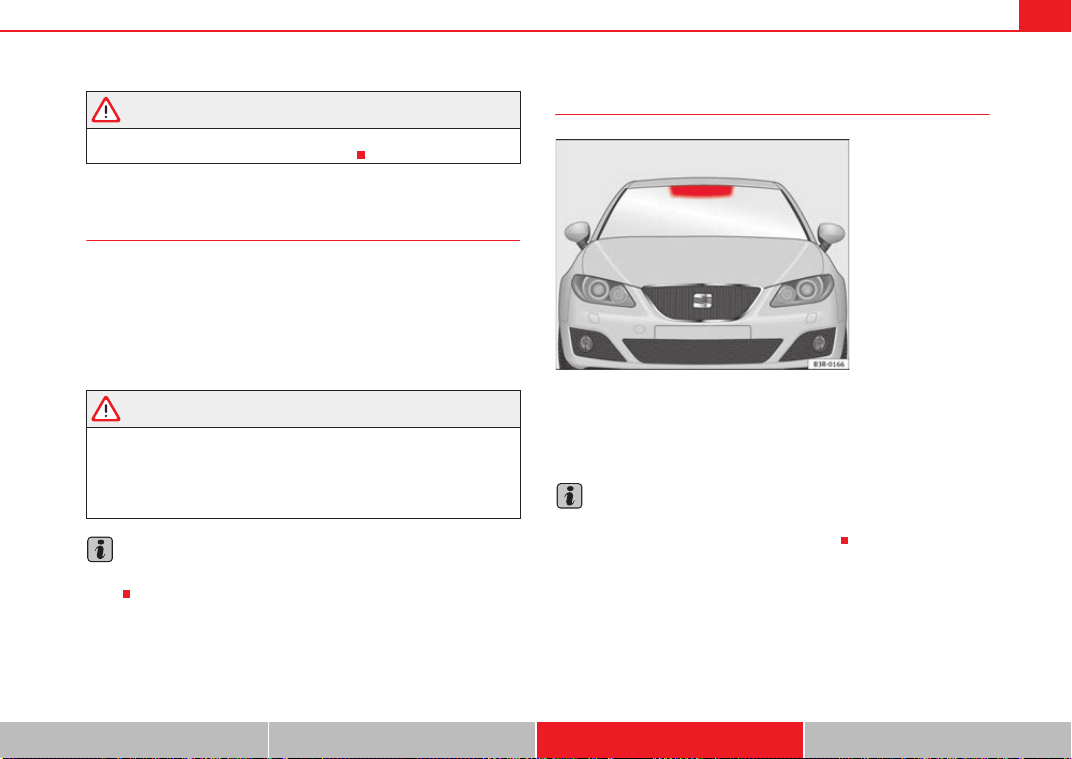
Accessories, replacement of parts and modifications 215
Safety First Controls and equipment Practical tips Technical Data
WARNING
Incorrectly performed modifications or other kind of work on your vehicle
can lead to malfunctions and cause accidents.
Mobile telephones and radiotelephones
First consult your Authorised Service Centre if you wish to use a mobile tele-
phone or a two-way radio with a transmitting power output in excess of
10 watts. Here you will receive information concerning the technical possibil-
ities for retrofitting this equipment.
Mobile telephones and two-way radios should be only fitted by a qualified
workshop, for example an Authorised Service Centre.
WARNING
• Always concentrate primarily on driving. If you are distracted while
driving you could have an accident.
• Never attach the telephone mountings to the surfaces covering the
airbag units or within the range of the airbags. There is a high danger of
injury if the airbag is triggered.
Note
Please observe the operating instructions of your mobile telephone / two-way
radio.
Athermic windscreen*
Vehicles with an athermic windscreen have an area without athermic treat-
ment above the rear-view mirror ⇒ fig. 164. This area has been designed for
the operating of electronic components of fitted devices (e.g. electronic toll
collection system).
Note
The customer should ensure that the electronic toll collection system is fitted
in the correct area to make sure it works correctly.
Fig. 164 Location of the
electronic toll collection
system
Exeo_EN.book Seite 215 Freitag, 28. August 2009 10:14 10
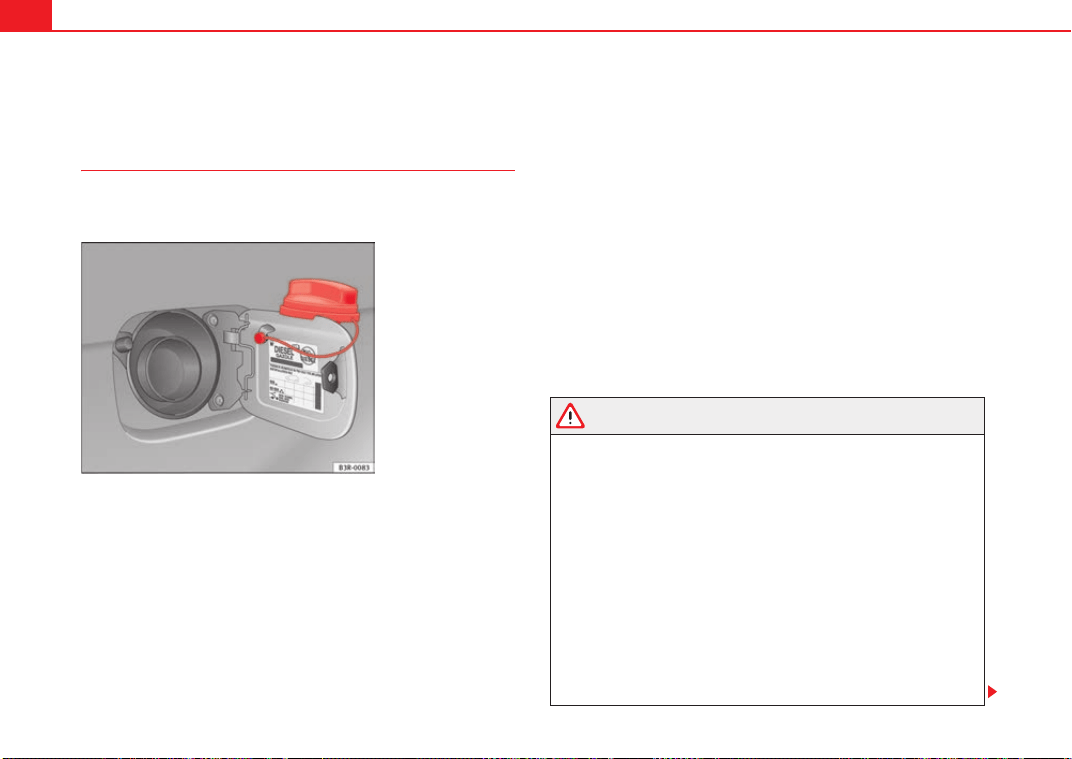
Checking and refilling levels216
Checking and refilling levels
Refuelling
The tank flap is released manually. The tank holds approxi-
mately 70 litres.
The flap that covers the tank cap is unlocked and locked automati-
cally by the central locking.
Unscrewing the tank cap
– Press the right side of the flap to open it.
– Unscrew the fuel tank cap anti-clockwise.
– Hook the cap onto the support fitted to the open tank flap
⇒ fig. 165.
Closing the tank cap
– Screw the tank cap clockwise into the filler opening until it you
hear it click into position.
– Close the tank flap.
The tank flap is at the rear of the vehicle on the right.
If the automatic filler nozzle is operated correctly, it will switch itself off as
soon as the tank is “full”. Never attempt to fill beyond this point, as this will
fill the expansion chamber. Fuel may leak out if ambient conditions are warm.
The correct fuel grade for your vehicle is given on a sticker on the inside of the
fuel tank flap. where further notes on fuel can be found.
WARNING
• Fuel is highly inflammable and can cause serious burns and other inju-
ries.
− Never smoke or use any naked flame when filling the fuel tank of the
vehicle, or a spare fuel canister, with fuel. This is an explosion hazard.
− Follow legal requirements for the use of spare fuel canisters.
− For safety reasons we do not recommend carrying a spare fuel
canister in the vehicle. The canister could be damaged in an accident
and leak.
• If, in exceptional circumstances, you have to carry a spare fuel canister,
please observe the following points:
− Never fill the spare fuel canister inside the vehicle or on it. An elec-
trostatic charge could build up during filling, causing the fuel fumes to
ignite. This may be fatally explosive. Always place the canister on the
ground to fill it.
Fig. 165 Fuel tank flap
with tank cap attached
Exeo_EN.book Seite 216 Freitag, 28. August 2009 10:14 10
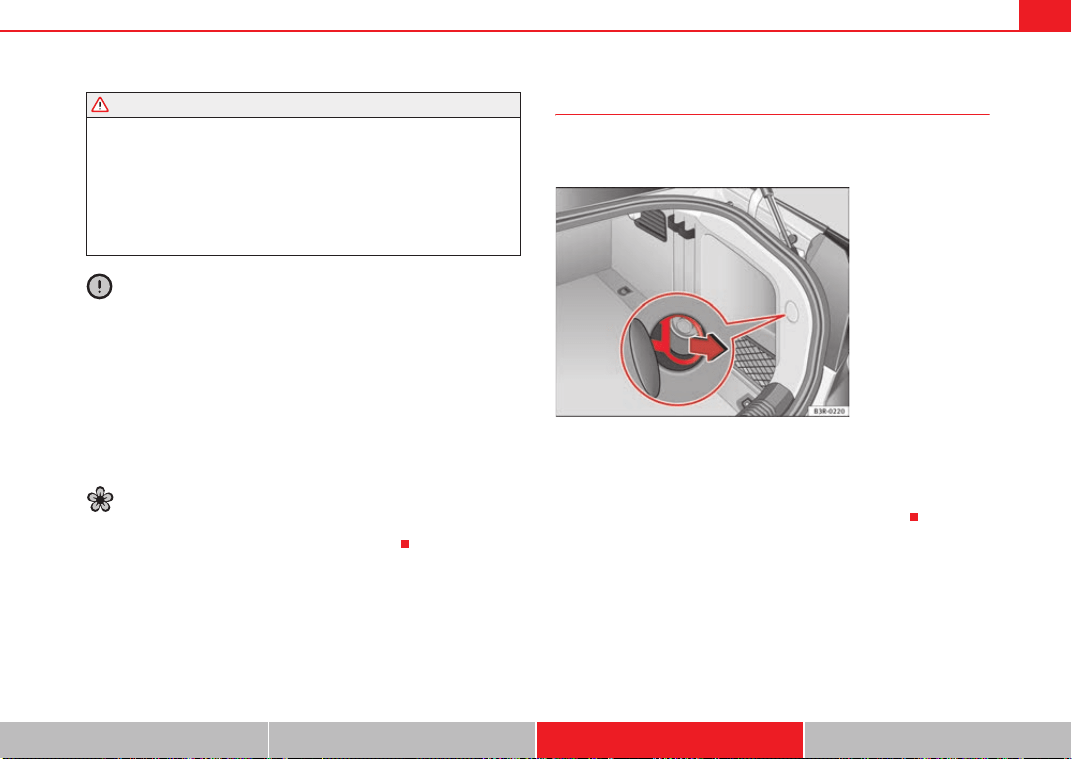
Checking and refilling levels 217
Safety First Controls and equipment Practical tips Technical Data
− Insert the fuel nozzle into the mouth of the canister as far as
possible.
− If the spare fuel canister is made of metal, the filling nozzle must be
in contact with the canister during filling. This helps prevent an electro-
static charge building up.
− Never spill fuel in the vehicle or in the luggage compartment. Fuel
vapours are explosive. Danger of death.
Caution
• Fuel spills should be removed from the paintwork immediately.
• Never run the tank completely dry. An irregular fuel supply could cause
misfiring. As a result, unburnt fuel could enter the catalytic converter and
cause damage.
• When filling the fuel tank after having run it completely dry on a vehicle
with a diesel engine the ignition must be switched on for at least 30 seconds
without starting the engine. When you then start the engine it may take
longer than normal (up to one minute) for the engine to start firing. This is due
to the fact that the fuel system has to purge itself of air before starting.
For the sake of the environment
Do not try to put in more fuel after the automatic filler nozzle has switched off;
this may cause the fuel to overflow if it becomes warm.
Releasing the tank flap manually
The tank flap can be released manually if the central locking
system fails to operate.
–Open the tailgate.
– Open the cover in the right-hand side trim.
– Pull the ring to unlock the fuel tank flap ⇒ fig. 166.
WARNING (continued)
Fig. 166 Luggage
compartment: Releasing
the fuel tank flap by hand
in case of emergency
Exeo_EN.book Seite 217 Freitag, 28. August 2009 10:14 10

Checking and refilling levels218
Petrol
Petrol types
The recommended fuel types are listed on a sticker inside the
fuel tank flap.
Only unleaded petrol, corresponding to the standard DIN EN 228, may be
used for vehicles with catalytic converters (EN = “European Standard”).
Fuel types are differentiated by the octane rating, e.g: 91, 95, 98 RON (RON
= “Regulation Octane Number, unit for determining the knock resistance of
petrol”). You may use petrol with a higher octane number than the one recom-
mended for your engine. However, this has no advantage in terms of fuel
consumption and engine power.
The correct fuel type for your vehicle is given in the technical table for the
engine. Section “Technical Data”
Caution
• Petrol that follows EN 228 may be mixed with small quantities of ethanol.
However, the so-called “bioethanol fuels” available at commercial establish-
ments, e.g. with reference E50 or E85, which contain a high percentage of
ethanol, may not be used, as they will damage the fuel system.
• Even one tankful of leaded fuel would permanently impair the efficiency
of the catalytic converter.
• High engine speed and full throttle can damage the engine when using
petrol with an octane rating lower than the correct grade for the engine.
For the sake of the environment
Just one full tank of leaded fuel would seriously impair the efficiency of the
catalytic converter.
Petrol additives
Petrol additives improve the quality of the petrol.
The quality of the petrol influences running behaviour, performance and
service life of the engine. For this reason, you should use good quality petrol
containing additives. These additives will help to prevent corrosion, keep the
fuel system clean and prevent deposits from building up in the engine.
If good quality petrol with additives is not available or engine problems occur,
the required additives must be added during refuelling.
Diesel
Diesel*
Diesel fuel must correspond to DIN EN 590 (EN = “European standard”). It
must have a cetane number (CN) of at least 51. The cetane number indicates
the ignition quality of the diesel fuel.
Notes on refuelling ⇒ page 216.
Biodiesel*
The biodiesel fuel must comply with the DIN EN 14.214 (FAME) Standard.
• Biodiesel is a methyl ester obtained from rapeseed oil.
• DIN is the German abbreviation for “Deutsches Institut für Normung e.V.”,
the German standards institute.
• EN means European Norm.
• FAME is the English abbreviation for “Fatty Acid Methyl Ester”.
Exeo_EN.book Seite 218 Freitag, 28. August 2009 10:14 10
Checking and refilling levels 219
Safety First Controls and equipment Practical tips Technical Data
Your Authorised Service Centre can also be consulted to know if the vehicle
has been prepared for biodiesel use.
Things to note about RME fuel (biodiesel)
• The performance of a vehicle using biodiesel maybe somewhat reduced.
• Fuel consumption of a vehicle using biodiesel may be slightly higher.
• RME fuel is resistant to the cold down to approx. -10°C.
• At temperatures below -10°C, we recommend using winter diesel fuel.
• Your vehicle is designed to be refuelled with up to a maximum of 7%
biodiesel blend, in accordance with the DIN 51628 standard.
Caution
• RME fuel can damage the fuel system in vehicles which are not suitably
adjusted.
• If you decide to use biodiesel in your vehicle, please use only RME fuel
which is DIN E 14.214 compliant.
• If you use biodiesel that does not meet the required standard, the fuel
filter could become clogged.
Note
• In case of low exterior temperatures and a fuel biodiesel percentage of
higher than 50%, an increase in gas emission may occur during operation of
the independent heating.
• The fuel filter may become clogged when fuel is changed to biodiesel. For
this reason, we recommend you that, when having run 300 or 400 km after a
fuel change, the fuel filter change must also be done. Also note the instruc-
tions in the Inspection and Maintenance plan.
• If the vehicle is to remain parked for more than about two weeks, we
recommend filling the fuel tank with biodiesel and driving about 50 km in
order to avoid damage to the injection system.
Winter driving
Diesel can thicken in winter.
Winter-grade diesel
When using summer-grade diesel fuel, difficulties may be experienced at
sub-zero temperatures because the fuel thickens due to wax separation.
Therefore, winter-grade diesel fuel is available in some countries during the
cold months. It can be used at temperatures as low as -22°C.
In countries with different climatic conditions the diesel fuel generally sold
has different temperature characteristics. Check with an Authorised Service
Centre or filling stations in the country concerned regarding the type of diesel
fuels available.
Filter pre-heater
Your vehicle is fitted with a fuel filter pre-heater, making it well equipped for
operation in winter. This ensures that the fuel system remains operational to
approx. -24°C, provided you use winter-grade diesel which is safe to -15°C.
However, if the fuel has waxed to such an extent that the engine will not start
at temperatures of under -24°C, simply place the vehicle in a warm place for
a while.
Caution
Do not mix fuel additives (“thinners”, or similar additives) with diesel fuel.
Exeo_EN.book Seite 219 Freitag, 28. August 2009 10:14 10
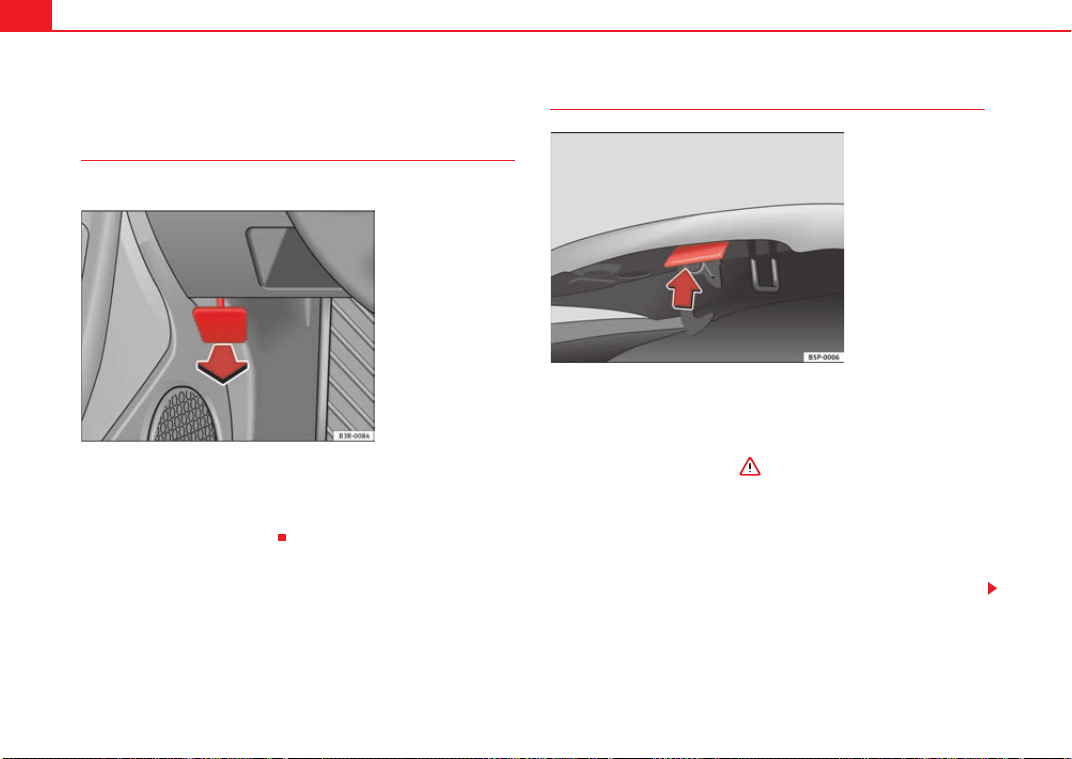
Checking and refilling levels220
The bonnet
Releasing the bonnet
The bonnet is released from inside the vehicle.
– To release the bonnet, pull the lever under the instrument panel
⇒ fig. 167 in the direction indicated (arrow).
The bonnet springs out of its lock.
Opening the bonnet
Before opening the bonnet make sure that the windscreen wiper
arms are not lifted away from the glass. Otherwise the paint may be
damaged.
– Lift the bonnet slightly ⇒ .
– Press the release catch under the bonnet upwards ⇒ fig. 168.
This will release the arrester hook under the bonnet.
– Open the bonnet.
The bonnet is held in position by a gas-filled strut.
Fig. 167 Detail of foot-
well area on driver's side:
lever for unlocking the
bonnet.
Fig. 168 Release catch
under the bonnet
Exeo_EN.book Seite 220 Freitag, 28. August 2009 10:14 10
Checking and refilling levels 221
Safety First Controls and equipment Practical tips Technical Data
WARNING
Never open the bonnet if you see steam or drips of coolant being released
from the engine compartment. Failure to comply could result in burns. Wait
until no steam or coolant can be seen before opening the bonnet.
Work in the engine compartment
Extra caution is necessary when working on components in
the engine compartment.
Always be aware of the danger of injury and scalding as well as the risk of
accident or even fire when working in the engine compartment (e.g. when
checking and refilling fluids). Therefore, always observe the warnings listed
below and follow all general safety precautions. The engine compartment of
any motor vehicle is a potentially hazardous area ⇒
WARNING
• Switch the engine off.
• Remove the ignition key.
• Apply handbrake firmly.
• If your vehicle is equipped with a manual gearbox, place the gearshift
lever in neutral. If you are driving an automatic vehicle, place the selector
lever in the position P.
• Wait for the engine to cool down.
• Children should not be allowed to approach the engine compartment
• Never spill liquids involved in vehicle operations on the engine
compartment, as these may catch fire (e.g. anti-freeze containing liquid
coolant).
• Take care not to cause short circuits in the electrical system, especially
when working on the battery.
• Never touch the radiator fan while the engine is hot, as the fan could
start up suddenly.
• Never open the expansion tank when the engine is hot. The cooling
system is under pressure.
• Protect face, hands and arms from any hot steam or hot liquid coolant
released by covering the cap with a large, thick rag when opening the
expansion tank.
• If any tests have to be performed with the engine running, there is an
extra safety risk from the rotating parts, such as the drive belts, alternator
and radiator fan, etc., and from the high-voltage ignition system.
• Observe the following additional warnings if work on the fuel system or
the electrical system is necessary:
− Always disconnect the battery.
− Do not smoke.
− Never work near open flames
− Always keep an approved fire extinguisher immediately available.
Caution
When topping up fluids, make sure the correct fluid is put into the correct
filler opening. This can otherwise cause serious malfunctions or engine
damage.
For the sake of the environment
Inspect the ground underneath your vehicle regularly so that any leaks are
detected at an early stage. If you find spots of oil or other fluids, have your
vehicle inspected in the garage.
WARNING (continued)
Exeo_EN.book Seite 221 Freitag, 28. August 2009 10:14 10
Checking and refilling levels222
Note
On right-hand drive vehicles some of the containers/ reservoirs mentioned
below are located on the other side of the engine compartment.
Closing the bonnet
– To close the bonnet, pull it down to overcome the spring pres-
sure.
– Leave the bonnet secured in the locking part. Do not tighten
⇒ .
WARNING
• For safety reasons the bonnet must always be completely closed when
the vehicle is moving. After closing it always check that it is properly
secured. The bonnet must be flush with the adjacent body panels.
• Should you notice that the bonnet is not safely secured when the
vehicle is moving, stop the vehicle immediately and close the bonnet.
Failure to do so could result in an accident.
Engine oil
General notes
We recommend that the oil change should be performed by an Authorised
Service Centre or a qualified workshop, according to the Maintenance
Program.
The correct oil specifications for your engine are listed in the ⇒ page 223,
“Oil properties”.
Check that the specifications quoted (VW standards) appear on the container
either singly or in combination with other specifications.
Flexible maintenance intervals (Extended Service Intervals*)
Special lubricating oils ⇒ page 223 have been developed in the framework
of the SEAT “Extended Service Intervals” ⇒ Booklet “Maintenance Program”
This type of oil must be used if you intend to take advantage of the prolonga-
tion of the maintenance intervals in the framework of the “Extended Service
Intervals” program.
• Do not mix the LongLife oil with oil intended for fixed service intervals, as
the requirements for the extended service intervals are then no longer guar-
anteed.
• Only in exceptional circumstances, if the engine oil level is too low
⇒ page 224 and LongLife oil is not available, it is permitted to top up (once)
with oil for fixed service intervals ⇒ page 223 (up to a maximum of 0.5
litres).
Fixed service intervals*
If “Extended Service Intervals” are not applied to your vehicle, you can use
oils for fixed service intervals ⇒ page 223. In this case, your vehicle must be
serviced after a fixed interval of 1 year / 15,000 km (10,000 miles) (see the
Maintenance Program).
• In exceptional circumstances, if the engine oil level is too low
⇒ page 224 and you cannot obtain the oil specified for your vehicle, you can
put in a small quantity of oil conforming to the specification ACEA A2 or
ACEA A3 (petrol engines) or ACEA B3 or ACEA B4 (diesel engines) (up to 0.5l).
Vehicles with diesel particulate filter*
The Maintenance Program states whether your vehicle is fitted with a diesel
particulate filter.
Exeo_EN.book Seite 222 Freitag, 28. August 2009 10:14 10
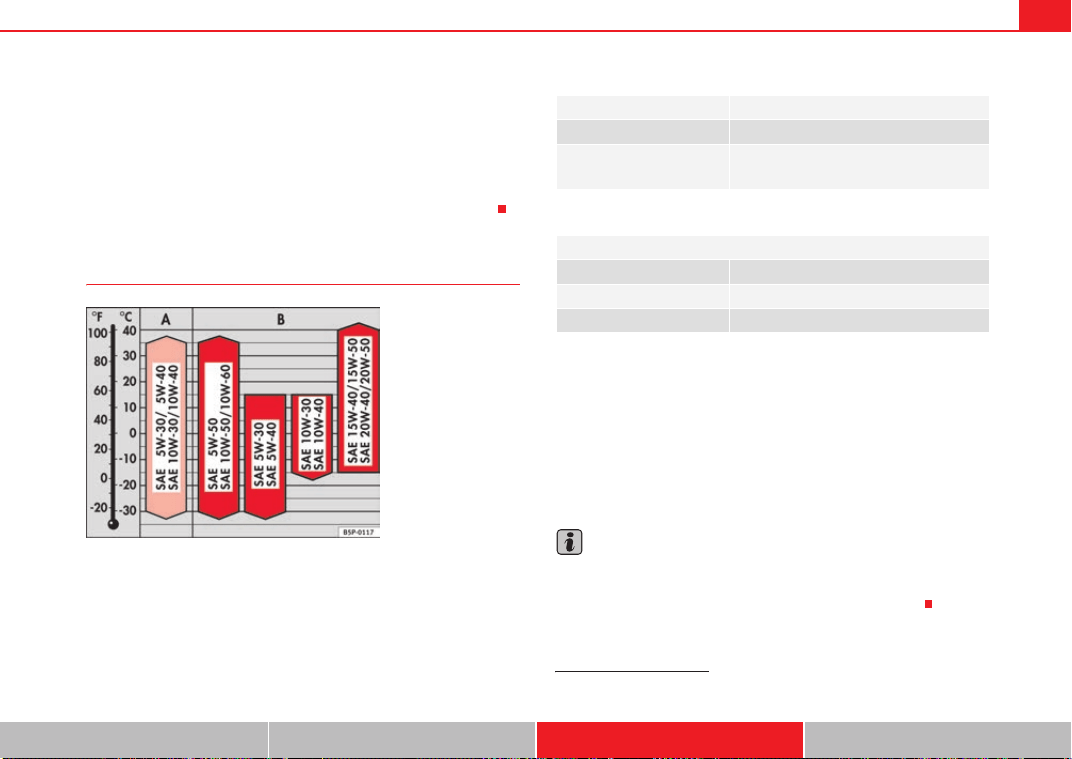
Checking and refilling levels 223
Safety First Controls and equipment Practical tips Technical Data
• Vehicles with a diesel particulate filter must only be filled with VW 507 00
engine oil.
• Avoid mixing this oil with other engine oils.
• Only in exceptional circumstances, if the engine oil level is too low
⇒ page 224 and you cannot obtain the oil specified for your vehicle, can you
put in a small quantity of oil (once) conforming to the VW 506 00, VW 506 01,
VW 505 00, VW 505 01 or ACEA B3 / ACEA B4 specification. (up to 0.5l).
Oil properties
Viscosity
The viscosity class of the oil is selected according to the diagram.
When the ambient temperature falls outside the limits of the scale for a short
period, an oil change is not required.
Mono-grade oil
Single grade oils are generally not suitable for all year round use, due to
ranges of viscosity
3)
.
These oils are only useful in a climate that is constantly very cold or very
warm.
Engine oil additives
No type of additive should be mixed with the engine oil. The deterioration
caused by these additives is not covered by the warranty.
Note
Before a long trip, we recommend finding an engine oil that conforms to the
corresponding VW specifications and keeping it in the vehicle. This way, the
correct engine oil will always be available for a top-up if needed.
Fig. 169 Types of oil
according to temperature
Engine type Specification
Petrol VW 502 00/ VW 504 00
Diesel Engines with Particu-
late filter (DPF)
a)
a)
Only use recommended oils, otherwise you may damage the engine.
VW 507 00
Extended Service Intervals*
Engine type Specification
Petrol VW 504 00
Diesel VW 507 00
3)
Viscosity: oil density
Exeo_EN.book Seite 223 Freitag, 28. August 2009 10:14 10
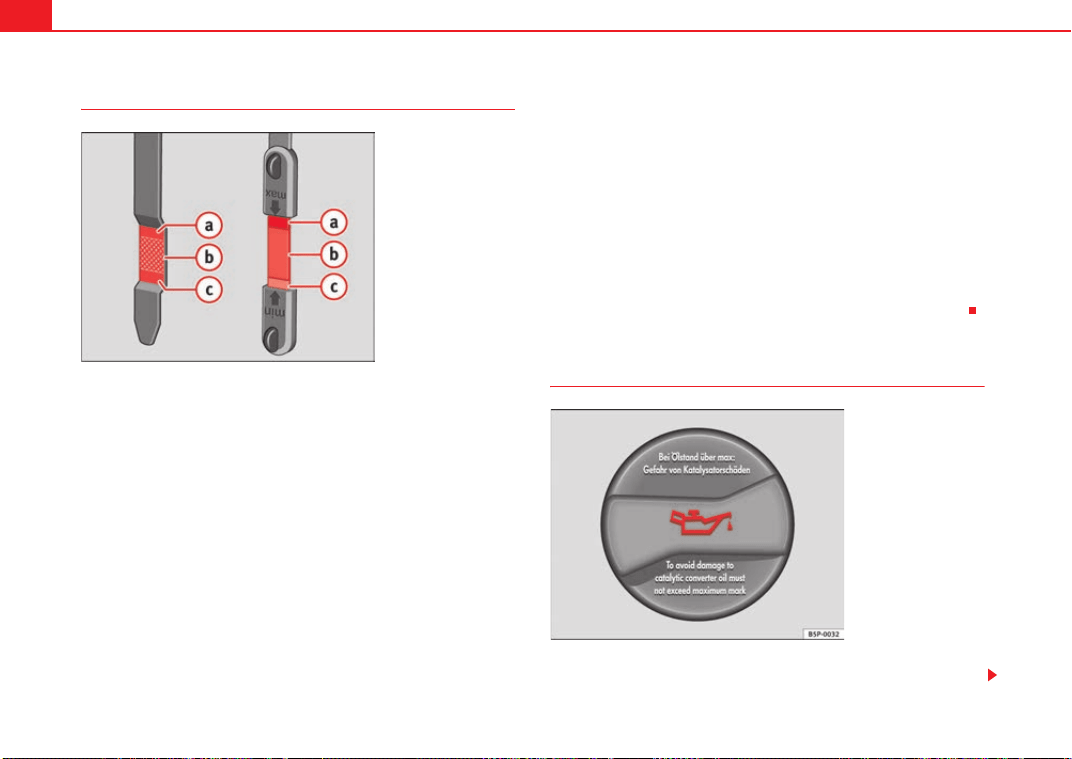
Checking and refilling levels224
Checking the oil level
Checking oil level
– Park the vehicle in a horizontal position.
– Briefly run the engine at idle speed until the service temperature
is reached then stop.
– Wait two minutes.
– Pull out the dipstick. Wipe the dipstick with a clean cloth and
insert it again, pushing it in as far as it will go.
– Then pull it out once more and check the oil level ⇒ fig. 170. If
the oil level is too low, add more engine oil ⇒ page 224.
Oil level in area
–Do not top up oil.
Oil level in area
–Oil can be topped up. After topping up the oil level should be in
area .
Oil level in area
–Oil must be topped up. After topping up the oil level should be in
area .
Depending on how you drive and the conditions in which the car is used, oil
consumption can be up to 0.5 l/1,000 km. Oil consumption is likely to be
higher for the first 5,000 km. Therefore, the engine oil level must be checked
at regular intervals, preferably when filling the tank and before a journey.
Topping up the engine oil
–Unscrew cap from oil filler opening ⇒ page 289, fig. 233.
Fig. 170 Markings on oil
dipstick
A
a
A
b
A
a
A
c
A
a
Fig. 171 In the engine
compartment: Engine oil
filler cap
Exeo_EN.book Seite 224 Freitag, 28. August 2009 10:14 10
Checking and refilling levels 225
Safety First Controls and equipment Practical tips Technical Data
– Carefully put in the specified grade of oil ⇒ page 223, adding
0.5 litres at a time.
– After two minutes, check the oil level once again ⇒ page 224.
– Where necessary, add more engine oil.
– Replace the oil filler cap carefully and push the dipstick all the
way in.
WARNING
• When refilling with oil, make sure no oil falls onto hot engine parts.
Failure to comply could result in fire.
• Wash your skin thoroughly if it comes into contact with engine oil.
Caution
• The oil level must never be above area . This could damage the cata-
lytic converter or the engine. Contact a specialist garage to drain the engine
oil if necessary.
• No additives should be used with engine oil. Any damage caused by the
use of such additives would not be covered by the factory warranty.
For the sake of the environment
• Oil must not be disposed of into the drains or onto the ground.
• Always observe legal requirements when disposing of empty oil
canisters.
Cooling system
Liquid coolant
The purpose of the liquid coolant is to carry heat away from
the engine. The correct amount of antifreeze is decisive in
preventing the cooling system from freezing in winter.
The your vehicle's engine cooling system is filled for life at the factory, so no
coolant needs to be changed. The liquid coolant consists of a mixture of water
and anti-freeze G12++. This is a glycol-based antifreeze with anti-corrosion
additives.
Liquid coolant additive
The amount of antifreeze required depends on the temperatures to be
expected in the winter season. If the antifreeze concentration is too low the
coolant can freeze, resulting in failure of the cooling system and heater.
The cooling system is filled at the factory with the correct amount of anti-
freeze for the country concerned.
In most cases, the mixture consists of 60% water and 40% anti-freeze. This
mixture gives the required anti-freeze protection at temperatures down to
-25°C and particularly protects the metal parts of the cooling system against
corrosion. It also prevents scaling and significantly raises the boiling point of
the liquid coolant.
Countries with warm climate
The liquid coolant concentration must not be reduced by adding plain water,
even in the summer or in warm climates. The concentration of the anti-freeze
must always be at least 40%.
Countries with cold climate
If greater frost protection is required in very cold climates, the proportion of
the anti-freeze G12++ can be increased. A concentration of 60% offers anti-
A
a
Exeo_EN.book Seite 225 Freitag, 28. August 2009 10:14 10
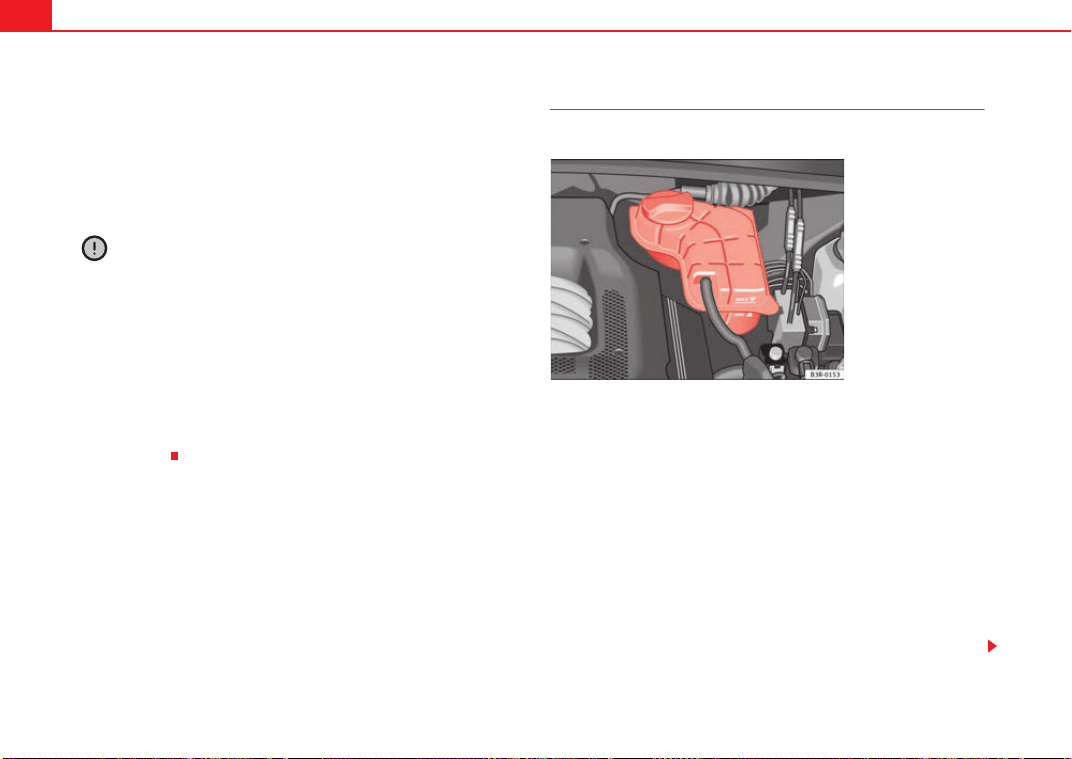
Checking and refilling levels226
freeze protection of temperatures down to approx. -40°C. However, the
concentration of anti-freeze must not exceed 60%, as the anti-freeze protec-
tion would then drop and the performance of the coolant system would suffer.
Vehicles for countries with cold climates (e.g. Sweden, Norway and Finland)
have factory-filled anti-freeze protection for temperatures down to -35°C. In
these countries, the concentration of anti-freeze should always be at least
50%.
Caution
• It is advisable to have the cooling system checked before the winter
season to make sure that the antifreeze concentration is adequate for the
conditions to be expected. This applies particularly if you intend to take the
car into a colder climate zone. If necessary, have the antifreeze concentration
increased to 50 - 60% as required.
• Use only anti-freeze G12++ , an additive meeting the “TL-VW 774G” spec-
ification. Other anti-freezes may give considerably inferior corrosion protec-
tion. The damage caused by the use of these anti-freezes may lead to a loss
of liquid coolant, causing serious damage to the engine.
• The anti-freeze G12++ can be mixed only with anti-freeze additives G11,
G12 and G12+.
Checking the liquid coolant level
The liquid coolant level can be checked at a glance.
– Switch the ignition off.
– Check the coolant level on liquid coolant expansion tank
⇒ fig. 172. When the engine is cold, it should be between the
“min” and “max” marks. When the engine is hot, it may be
slightly above the “max” mark.
Its location is shown in the corresponding general overview of the engine
compartment.
The liquid coolant level should be checked with the engine switched off.
The liquid coolant level is monitored by a warning lamp in the instrument
panel ⇒ page 78. However, we recommend that it should be checked occa-
sionally.
Fig. 172 Engine compart-
ment: Liquid coolant
deposit
Exeo_EN.book Seite 226 Freitag, 28. August 2009 10:14 10
Checking and refilling levels 227
Safety First Controls and equipment Practical tips Technical Data
Liquid coolant losses
Any loss of liquid coolant normally indicates a leak in the cooling system. In
this case the cooling system should be inspected by a specialist garage
without delay. It is not sufficient merely to top up the liquid coolant.
If there are no leaks in the system, a loss of liquid coolant can only occur if
the coolant boils and is forced out of the system as a result of overheating.
Caution
Radiator sealants must not be added to the liquid coolant. Such additives
could seriously impair the function of the cooling system.
Topping up the liquid coolant
Be careful when topping up with liquid coolant.
– Switch the engine off.
– Wait for the engine to cool down.
– Cover the cap on the expansion tank ⇒ page 226, fig. 172 with a
cloth, and carefully unscrew the cap anti-clockwise ⇒ .
– Add liquid coolant.
– Screw on the cap tightly.
Make sure that the liquid coolant meets the required specifications
⇒ page 225, “Liquid coolant”. Do not use a different type of anti-freeze if
anti-freeze G12++ is not available. In this case, use only water and bring the
anti-freeze concentration back up to the correct level as soon as possible.
Always top up with new liquid coolant.
Do not fill above the “max” mark. Excess liquid coolant is forced out of the
system through the valve in the filler cap when the engine gets hot.
If a lot of liquid coolant has been lost, wait for the engine to cool down before
putting in cold coolant. Failure to do so could result in serious engine
damage.
WARNING
• The cooling system is under pressure. Do not unscrew the cap on the
expansion tank when the engine is hot. Failure to comply could result in
burns.
• The anti-freeze and liquid coolant can be a health hazard. Therefore,
the anti-freeze should be stored in the original container in a safe place out
of reach of children. Failure to comply could result in poisoning.
For the sake of the environment
Drained off coolant should not be used again. Drain off the used coolant into
a suitable container and dispose of it in the proper manner (observe environ-
mental regulations).
Radiator fan
The radiator fan can start running spontaneously.
The auxiliary fan can continue to run for as long as 10 minutes after stopping
the engine – even after the ignition is switched off. It may also start running
suddenly ⇒ after some while if
• stored heat raises the coolant temperature, or
• the hot engine compartment is additionally heated up by the sun.
Exeo_EN.book Seite 227 Freitag, 28. August 2009 10:14 10
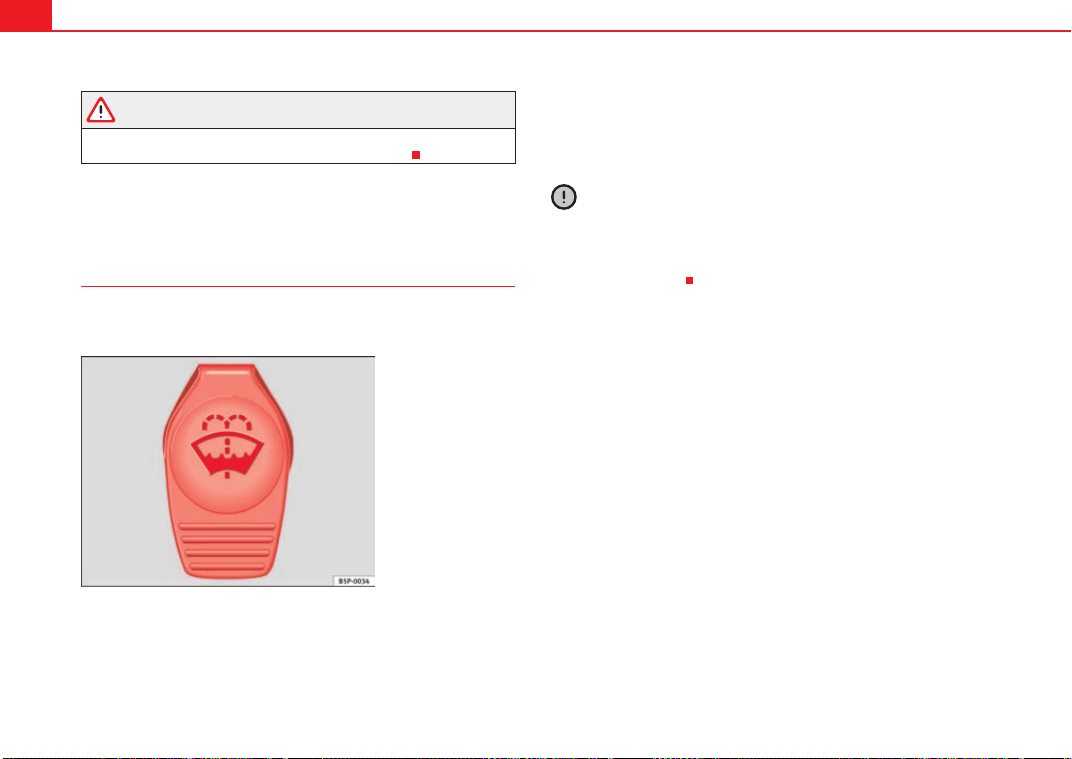
Checking and refilling levels228
WARNING
when working in the engine compartment be aware that the radiator fan
may start running suddenly, leading to the risk of injury.
Washer fluid and windscreen wiper blades
Windscreen washer system
Plain water on its own is not sufficient for the windscreen
washer system.
The container for the windscreen washer contains the cleaning fluid for the
windscreen and the headlight washer system*. The container is located in the
engine compartment (front left). The filler cap is marked with the symbol
⇒ fig. 173.
The capacity of the container is listed in ⇒ page 289.
Plain water on its own is not enough to clean the glass properly. It is therefore
advisable to add a suitable washer fluid additive (with wax solvent) to the
water. A washer fluid with freeze-resistant additive should be used in winter.
Caution
• Never put radiator anti-freeze or other additives into the windscreen
washer fluid.
• Never use washer fluid which contains paint thinners or solvents as it can
damage the paintwork.
Fig. 173 In the engine
compartment: Cap of
windscreen washer fluid
reservoir.
Exeo_EN.book Seite 228 Freitag, 28. August 2009 10:14 10
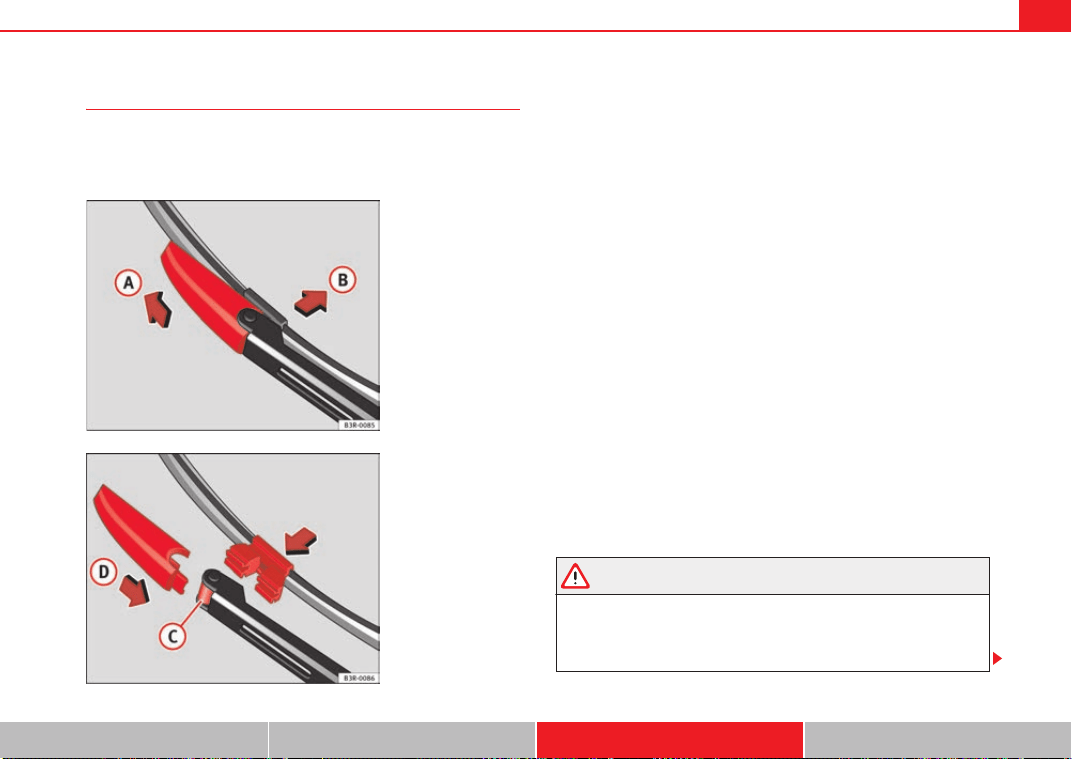
Checking and refilling levels 229
Safety First Controls and equipment Practical tips Technical Data
Changing windscreen wiper blades
If the windscreen wiper blades are in perfect condition, you
will benefit from an improved visibility. Damaged wiper
blades should be replaced immediately.
Removing the wiper blade
– Lift the wiper arm away from the windscreen.
– Slide the retainer catch on the wiper blade in the direction indi-
cated ⇒ fig. 174 . Hold onto the wiper blade at the same time.
– Pull the wiper blade out of its mounting on the wiper arm.
Fitting the wiper blade
– Slide back the retainer catch on the new wiper blade. The
mounting on the wiper blade should now be visible.
– Fit the new wiper blade into the mounting on the wiper arm
⇒ fig. 175 .
– Slide the retainer catch on the wiper blade in direction so that
it clicks into place on the wiper arm.
– Fold the wiper arm back down onto the glass.
If the windscreen wipers smear, they should be replaced if they are damaged,
or cleaned if they are soiled.
If this does not produce the desired results, the setting angle of the wind-
screen wiper arms might be incorrect. They should be checked by a qualified
workshop and corrected if necessary.
WARNING
Do not drive unless you have good visibility through all windows!
• The ignition must not be switched on while the front wiper arms are in
a raised position. The wipers would return to their park position and
damage the paintwork on the bonnet.
Fig. 174 Removing the
wiper blade
Fig. 175 Fitting the wiper
blade
A
A
A
B
A
C
A
D
Exeo_EN.book Seite 229 Freitag, 28. August 2009 10:14 10
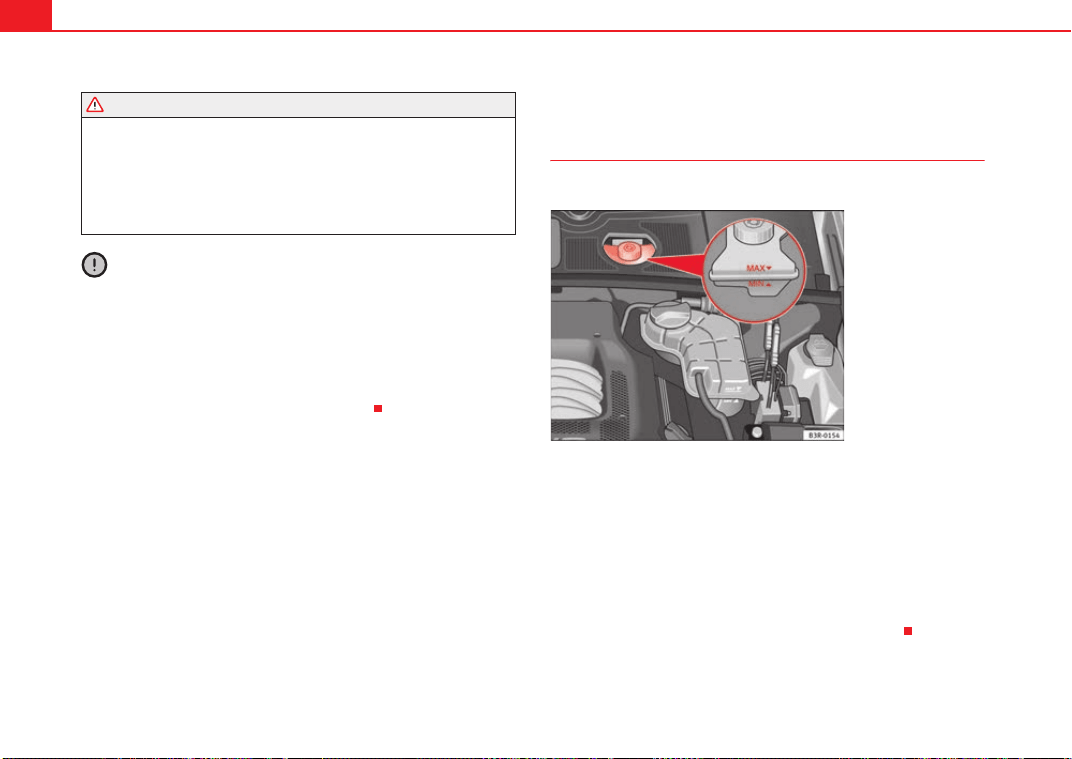
Checking and refilling levels230
• To prevent smearing on the windscreen, the wiper blades should be
cleaned regularly using a window cleaner solution. If the wiper blades are
very dirty (e.g. insects etc.), they should be cleaned using a sponge or
cloth. Failure to do so could result in an accident.
• For safety reasons, the wiper blades should be changed once or twice a
year.
Caution
• Damaged or dirty windscreen wipers could scratch the windscreen.
• Never use fuel, nail varnish remover, paint thinner or similar products to
clean the windows. This could damage the windscreen wiper blades.
• Never move the windscreen wiper or windscreen wiper arm manually. This
could cause damage.
• Do not pull the windscreen wipers forward unless they are in the service
position. Otherwise the bonnet could be damaged.
Brake fluid
Checking the brake fluid level
The brake fluid level can be checked at a glance.
The brake fluid level must be between the “Min” and “Max” ⇒ fig. 176 mark-
ings.
The fluid level may drop slightly after a period of time due to the automatic
compensation for brake pad wear. This is quite normal.
However, if the level goes down noticeably in a short time, or drops below the
“Min” mark, there may be a leak in the brake system. If the fluid level in the
reservoir is too low, this will be indicated by the brake warning lamp
⇒ page 70 and ⇒ page 77. If this should happen, take the car to a qualified
workshop immediately and have the brake system inspected.
WARNING (continued)
Fig. 176 Engine compart-
ment: markings on brake
fluid reservoir
Exeo_EN.book Seite 230 Freitag, 28. August 2009 10:14 10
Checking and refilling levels 231
Safety First Controls and equipment Practical tips Technical Data
Topping up and changing the brake fluid
It is best to have the brake fluid changed by a professional.
Brake fluid absorbs damp. Therefore, in the course of time it will absorb water
from the ambient air. If the water content in the brake fluid is too high, the
brake system could corrode. In addition, the boiling point of the brake fluid
will be considerably reduced. This could adversely affect the braking ability in
certain circumstances.
For this reason the brake fluid must be changed periodically.
Your vehicle's Service Schedule will tell you when the brake fluid has to be
renewed.
We recommend you have the brake fluid changed as part of a regular Inspec-
tion Service at your garage. They are familiar with the procedure and have the
necessary special tools and spare parts as well as the proper facilities for
disposing of the old fluid.
Use only the genuine brake fluid specified by the factory Specialist garages
know that the brake fluid -DOT 4- is factory approved. The brake fluid must be
new.
WARNING
• Therefore, it must always be kept closed in its original container. Keep
out of the reach of children. Failure to comply could result in poisoning.
• Heavy use of the brakes may cause a vapour lock if the brake fluid is left
in the system for too long. This would seriously affect the efficiency of the
brakes and the safety of the car, leading to the risk of accident.
Caution
Please note that brake fluid will attack the paintwork on contact.
For the sake of the environment
If the fluid has to be drained out of the brake system, use an appropriate
container to catch the used brake fluid and dispose of it in the proper
manner.
Battery
General notes
All work on batteries requires specialist knowledge.
The battery is virtually maintenance-free and is checked in the Inspection
Services.
We recommend that you replace a battery once it is older than 5 years.
Disconnecting the battery
If the battery is disconnected, some of the vehicle's functions will become
inoperative (e.g. electric windows). These functions will require resetting
after the battery is reconnected. For this reason, the battery should only be
disconnected from the vehicle's electrical system when absolutely necessary.
Long periods of non-use
The battery will gradually lose its charge because certain electrical equip-
ment continues to draw current even when the ignition is off. If you park the
vehicle for long periods of time in winter you should take the battery out of
the vehicle and keep it in a frost-proof room. Store the battery in a place
where it cannot “freeze up” and become damaged. At warm outside temper-
atures it is sufficient to disconnect the negative terminal of the battery. Even
when the battery is not connected you should charge it from time to time.
Exeo_EN.book Seite 231 Freitag, 28. August 2009 10:14 10
Checking and refilling levels232
Winter operations
The battery is drained more in cold weather, which means that the starting
power is reduced. For this reason, have the battery checked and charged if
necessary before the start of winter.
Replacing the battery
A replacement battery must have the same capacity, voltage and current
rating. It must also have the same dimensions as the original, factory-fitted
battery and have sealed caps. The SEAT batteries which have been specially
developed fulfil the maintenance, performance and safety specifications for
your vehicle.
We recommend you use maintenance-free batteries.
WARNING
• All work on batteries requires specialist knowledge. If work is required
on the battery, this should be performed by a Technical Service or
specialist garage. Danger of caustic burns and explosion!
• The battery must not be opened. Never try to change the battery's
liquid level. Explosive gas is released from the battery that could lead to an
explosion.
Caution
• The battery holder and clamps must always be correctly secured.
• Before starting any work on the battery, always observe the warnings
listed under ⇒ .
For the sake of the environment
Batteries contain toxic substances including sulphuric acid and lead.
Therefore, they must be disposed in line with environmental regulations and
must not be disposed of with ordinary household waste. Make sure discon-
nected batteries cannot tip over. Sulphuric acid could be spilt!
Important safety warnings for handling a car battery
The battery is located at the back of the engine compartment ⇒ page 289.
WARNING
Always be aware of the danger of injury and chemical burns as well as the
risk of accident or fire when working on the battery and the electrical
system:
•
Wear eye protection. Protect your eyes, skin and clothing from acid and
particles containing lead.
• Battery acid is very corrosive and caustic. Wear protective gloves and
eye protection. Do not tilt the batteries. This could spill acid through the
vents. Rinse battery acid from eyes immediately for several minutes with
clear water. Then seek medical care immediately. Neutralize any acid
splashes on the skin or clothing with a soapy solution, and rinse off with
plenty of water. If acid is swallowed by mistake, consult a doctor immedi-
ately.
• Fires, sparks, naked lights and smoking are prohibited. When handling
cables and electrical equipment, avoid causing sparks and electrostatic
charge. Never short the battery terminals. High-energy sparks can cause
injury.
Wear eye protection
Battery acid is very corrosive and caustic. Wear protective
gloves and eye protection!
Fires, sparks, naked lights and smoking are prohibited!
A highly explosive mixture of gases is released when the bat-
tery is under charge.
Keep children away from acid and batteries!
Exeo_EN.book Seite 232 Freitag, 28. August 2009 10:14 10
Checking and refilling levels 233
Safety First Controls and equipment Practical tips Technical Data
• A highly explosive mixture of gases is released when the battery is
under charge. The batteries should be charged in a well-ventilated room
only.
• Keep children away from acid and batteries.
• Before working on the electrical system, you must switch off the
engine, the ignition and all consumers. The negative cable on the battery
must be disconnected. When a light bulb is changed, you need only switch
off the light.
• Deactivate the anti-theft alarm by unlocking the vehicle before you
disconnect the battery! The alarm will otherwise be triggered.
• When disconnecting the battery from the vehicle electrical system,
disconnect first the negative cable and then the positive cable.
• Switch off all electrical consumers before reconnecting the battery.
Reconnect first the positive cable and then the negative cable. Never
reverse the polarity of the connections. This could cause an electrical fire.
• Never charge a frozen battery, or one which has thawed. This could
result in explosions and chemical burns. Always replace a battery which
has frozen. A flat battery can freeze at temperatures around 0°.
• Ensure that the vent hose is always connected to the battery.
• Never use a defective battery. This may be fatally explosive. Replace a
damaged battery immediately.
Caution
• Never disconnect the battery if the ignition is switched on or if the engine
is running. This could damage the electrical system or electronic compo-
nents.
• Do not expose the battery to direct sunlight over a long period of time, as
the intense ultraviolet radiation can damage the battery housing.
• If the vehicle is left standing in cold conditions for a long period, protect
the battery from frost. If it “freezes” it will be damaged.
Charging the battery
A fully-charged battery is important for reliable starting.
–Note the warnings ⇒ in “Important safety warnings for
handling a car battery” on page 232 and ⇒ .
– Switch off the ignition and all electrical equipment.
– Only if “fast-charging”: both battery cables must be discon-
nected (first the “negative” cable, then the “positive” cable).
– Connect the charger cables to the battery terminals, noting the
colour code (red is used for “positive”, black or brown for “nega-
tive”).
– Now connect the battery charger to the power point and switch
on.
– After charging the battery: switch off the battery charger and
disconnect the power point cable.
– Finally disconnect the charger cables from the battery.
– If necessary, reconnect both battery cables to the battery (first
the “positive” cable, then the “negative” cable).
When charging with a low current (for instance with a small battery charger)
the battery does not normally have to be disconnected. However, both
battery cables must be disconnected before “fast-charging” the battery with
a high current. However, always follow the instructions given by the manufac-
turer of the battery charger.
The fast-charging procedure for a battery is dangerous ⇒ in “Important
safety warnings for handling a car battery” on page 232, as it requires a
WARNING (continued)
Exeo_EN.book Seite 233 Freitag, 28. August 2009 10:14 10
Checking and refilling levels234
special charger and the corresponding level of knowledge. We therefore
recommend that this work should only be performed by a specialist garage.
A flat battery can freeze at temperatures of around 0°C. The battery must be
defrosted before charging ⇒ . It is advisable to replace the battery if it has
frozen, because the ice can crack the battery casing and allow the battery
acid to escape.
The battery caps should not be opened while the battery is being charged.
WARNING
Never charge a frozen battery. Failure to comply could result in an
explosion.
Exeo_EN.book Seite 234 Freitag, 28. August 2009 10:14 10
Wheels and tyres 235
Safety First Controls and equipment Practical tips Technical Data
Wheels and tyres
Wheels
General notes
Avoiding damage
– If you have to drive over a kerb or similar obstacle, drive very
slowly and as near as possible at a right angle to the kerb.
– Keep grease, oil and fuel off the tyres.
– Inspect the tyres regularly for damage (cuts, cracks or blisters,
etc.). Remove any foreign objects embedded in the treads.
Storing tyres
– Mark tyres when you remove them to indicate the direction of
rotation. This ensures you will be able to install them correctly
when you replace them.
– When removed, the wheels and/or tyres should be stored in a
cool, dry and preferably dark location.
– Store tyres in a vertical position if they are not fitted on wheel
rims.
New tyres
New tyres have to be run-in.
The tread depth of new tyres may vary, according to the type and make of tyre
and the tread pattern.
Concealed damage
Damage to tyres and rims is often not readily visible. If you notice unusual
vibrations or the car pulling to one side, this may indicate that one of the tyres
is damaged. The tyres should be checked immediately by an Authorised
Service Centre.
Tyres with directional tread pattern
An arrow on the tyre sidewall indicates the direction of rotation on tyres with
directional tread. Always observe the direction of rotation indicated when
fitting the wheel. This guarantees optimum grip and helps to avoid aqua-
planing, excessive noise and wear.
WARNING
• New tyres do not have maximum grip in the first 500 km. Drive particu-
larly carefully to avoid risk of accident.
• Never drive with damaged tyres. This may cause an accident.
• If you notice unusual vibration or if the vehicle pulls to one side when
driving, stop the vehicle immediately and check the tyres for damage.
Checking tyre pressure
The correct tyre pressure can be seen on the sticker on the
inside of the tank flap.
1. Read the required tyre inflation pressure from the sticker. The
values refer to Summer tyres. For Winter tyres, you must add 0.2
bar to the values given on the sticker.
Exeo_EN.book Seite 235 Freitag, 28. August 2009 10:14 10
Wheels and tyres236
2. The tyre pressures should only be checked when the tyres are
cold. The slightly raised pressures of warm tyres must not be
reduced.
3. Adjust the tyre pressure to the load you are carrying.
Tyre pressure
The correct tyre pressure is especially important at high speeds. The pressure
should therefore be checked at least once a month and before starting a
journey.
The sticker with the tyre pressure values can be found on the inside of the
tank flap. The tyre pressure values given are for cold tyres. Do not reduce the
slightly raised pressures of warm tyres ⇒ .
WARNING
• Check the tyre pressure at least once per month. Checking tyre pressure
value is very important. If the tyre pressure is too high or too low, there is
an increased danger of accidents - particularly at high speeds.
• A tyre can easily burst if the pressure is too low, causing an accident!
• At continuously high speeds, a tyre with insufficient pressure flexes
more. In this way it becomes too hot, and this can cause tread separation
and tyre blow-out. Always observe the recommended tyre pressures.
• If the tyre pressure is too low or too high, the tyres will wear prema-
turely and the vehicle will not handle well. Risk of accident!
For the sake of the environment
Under-inflated tyres will increase fuel consumption.
Tyre pressure monitoring*
The tyre pressure monitoring system constantly checks the
pressure of the tyres.
The system warns the driver in the event of a loss of pressure by means of
symbols and messages in the instrument cluster display.
Note that tyre pressure also depends on tyre temperature. Tyre pressure
increases about 0.1 bar for each 10°C in tyre temperature increase. The tyre
heats up while the vehicle is being driven and the tyre pressure will rise
accordingly. For this reason, you should only adjust the tyre pressures when
they are cold (i.e. approximately at ambient temperature).
To ensure that the tyre pressure monitoring system works reliably, you should
check and, if necessary, adjust the tyre pressures at regular intervals and
store the correct pressures (reference values) in the system.
A tyre pressure information label is attached to the inside of the fuel tank flap.
WARNING
• Never adjust tyre pressure when the tyres are hot. This may damage or
even burst the tyres. Risk of accident!
• An insufficiently inflated tyre flexes a lot more at high speeds and
causes significant heating of the tyre. Under these conditions, the tyre
bead may be released or the tyre may burst. Risk of accident!
For the sake of the environment
Under-inflated tyres lead to increased fuel consumption and tyre wear.
Exeo_EN.book Seite 236 Freitag, 28. August 2009 10:14 10
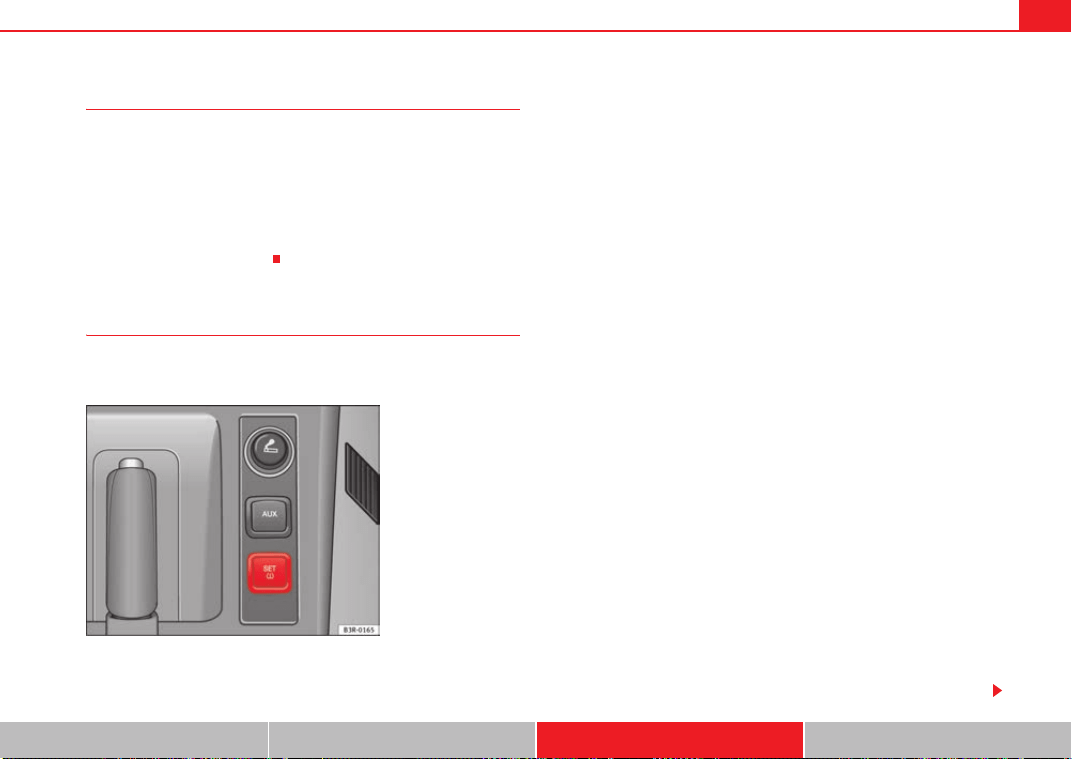
Wheels and tyres 237
Safety First Controls and equipment Practical tips Technical Data
Significant tyre pressure loss
The tyre symbol is displayed and indicates that the tyre pressure for a least
one tyre is insufficient.
- Stop the vehicle.
- Switch the engine off.
- Check the tyre(s).
- Change the wheel if necessary.
Tyre pressure monitoring (RKA+)*
The type pressure monitor display on the instrument panel
indicates that the pressure is too low.
The tyre pressure monitoring system makes use of the ABS sensors to
compare the rolling circumference and the frequency characteristics of the
wheels. If the rolling circumference or frequency characteristic changes on
one or more wheels, the tyre pressure warning lamp
will light up. The fault
will also be indicated by a warning buzzer. The position of the affected tyre
will also be shown (if only one tyre is affected) on the centre display of the
instrument panel.
The rolling circumference and frequency characteristics can change if:
• the tyre pressure is too low.
• the tyre has suffered structural damage.
• the wheels or the inflation pressures have been changed without initial-
ising the system (see Adjusting the tyre pressure settings).
• there is a greater load on the wheels of one axle (e.g. if you are carrying
more passengers or luggage).
• the road surface under the left wheels is different to the road surface
under the right wheels for a long period.
• when driving with snow chains.
Adjusting the tyre pressure settings (initialising the tyre pressure
monitoring system)
After any incident regarding the wheels of your vehicle, e.g. after modify the
tyre pressure ⇒ page 238 or after changing of swapping around wheels ⇒
page 180 - with the vehicle at a standstill and the engine running - press
⇒ fig. 177. The yellow warning lamp
will light up. Hold the button down
for 2 seconds until the warning lamp goes out and an acoustic warning is
given. You can now release the button.
If the wheels are subjected to extremely stress (e.g. heavy load), the tyre pres-
sure must be increased to the recommended value for the maximum load
(see the adhesive label on the inside of the fuel tank flap) and then initialise
the system.
Tyre pressure warning lamp on
When you switch on the ignition, the tyre pressure warning lamp
will light
up for about 2 seconds. There is a fault in the system if the indicator stays on
permanently after switching on the ignition. The instrument panel also
Fig. 177 Detailed view of
the centre console: Button
for the tyre pressure
monitoring system
Exeo_EN.book Seite 237 Freitag, 28. August 2009 10:14 10
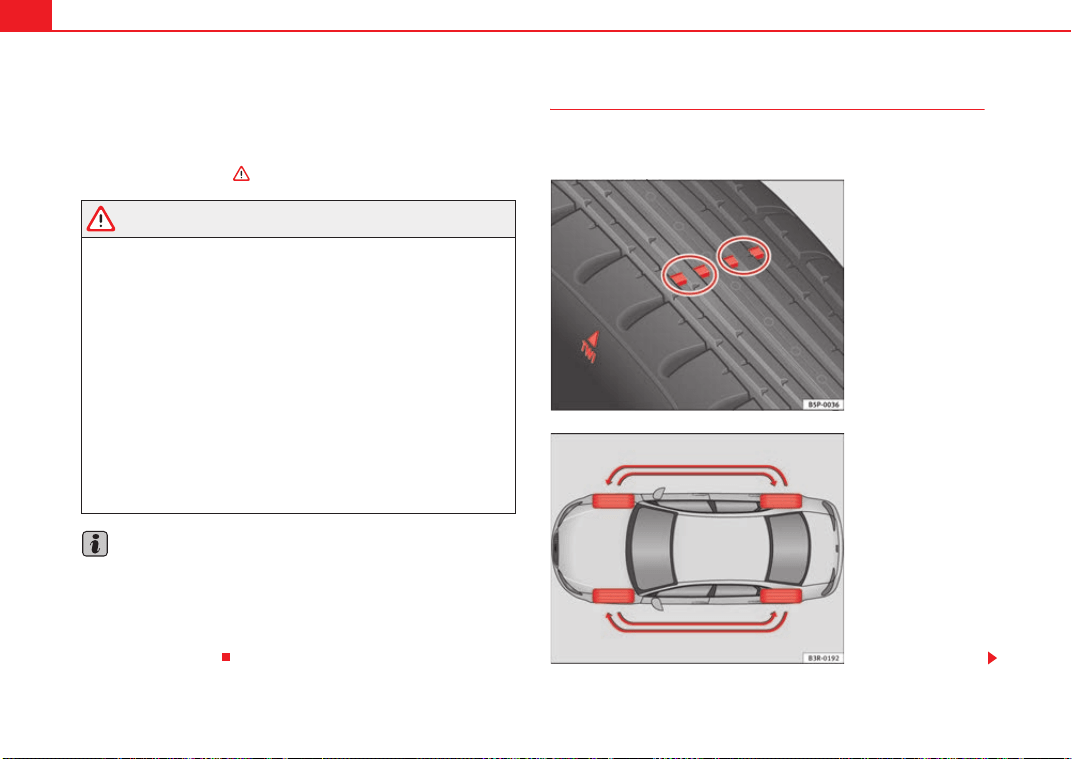
Wheels and tyres238
display TMPS (Tyre Pressure Monitoring System). Please contact the nearest
specialist garage as soon as possible.
The tyre pressure warning lamp
lights up if the tyre pressure on one or
more wheels is significantly lower than the tyre pressure setting which was
confirmed by the driver ⇒ .
WARNING
• If the tyre pressure warning lamp lights up you must slow down
immediately and avoid any severe braking or steering manoeuvres. Stop
the vehicle as soon as possible and check the tyres and their pressure.
• The driver is responsible for maintaining correct tyre pressures. There-
fore, the tyre pressure must be regularly checked.
• Under certain conditions (e.g. driving at high speeds, on ice and snow
or on poor road surfaces) the tyre pressure warning lamp
may not light
up immediately or not at all.
• Please ask your Dealer or specialist garage whether run-flat tyres can
be used on your vehicle. Fitting this type of tyre in an undue manner could
lead to your driving licence being taken away from you. Furthermore, it may
led to damage to the vehicle or, under certain circumstances, may cause
accidents.
• If you change normal tyres for run-flat tyres or vice versa, the control
unit must be reprogrammed by the Dealer or a specialist garage.
Note
If you did not press the button for the tyre pressure monitoring system to
confirm a new tyre pressure setting after making changes to the tyre pres-
sures or changing one or more wheels, the warning lamp
may light up
although the tyre pressures are correct. In this case, stop the vehicle as soon
as possible and, after examining the tyres, press the button for the tyre pres-
sure monitoring system.
Tyre service life
The service life of tyres is dependent on tyre pressure, driving
style and fitting.
Fig. 178 Tyre tread wear
indicators
Fig. 179 Diagram for
changing wheels
Exeo_EN.book Seite 238 Freitag, 28. August 2009 10:14 10
Wheels and tyres 239
Safety First Controls and equipment Practical tips Technical Data
Wear indicators
The original tyres on your vehicle have 1.6 mm high “tread wear indicators”
⇒ page 238, fig. 178, running across the tread. Depending on the make,
there will be six to eight of them evenly spaced around the tyre. Markings on
the tyre sidewall (for instance the letters “TWI” or other symbols) indicate the
positions of the tread wear indicators. The minimum tread depth required by
law is 1.6 mm (measured in the tread grooves next to the tread wear indica-
tors). Worn tyres must be replaced. Different figures may apply in export
countries ⇒ .
Tyre pressure
Under-inflation or over-inflation will reduce the life of the tyres considerably
and also impair the car's handling. The inflation pressures are listed on a
sticker on the inside of the fuel tank flap.
Correct inflation pressures are very important, especially at high speeds. The
pressure should therefore be checked at least once a month and before
starting any long journey.
Tyre pressure monitoring (RKA+)*
Monitoring of the tyre pressures is based on the tyre pressures you have
stored. The tyre pressure monitoring system cannot function as intended if
you store tyre pressure settings for a normal load, but then drive with the
vehicle fully laden. The tyre pressure must be adapted to the actual load and
stored accordingly in the tyre pressure monitoring system ⇒ page 237.
Driving style
Fast cornering, heavy acceleration and hard braking all increase tyre wear.
Changing wheels around
If the front tyres are worn considerably more than the rear ones it is advisable
to change them around as shown ⇒ page 238, fig. 179. All the tyres will then
last for about the same time.
Wheel balance
The wheels on new vehicles are balanced. However, various factors encoun-
tered in normal driving can cause them to become unbalanced, which results
in steering vibration.
Unbalanced wheels should be rebalanced, as they otherwise cause excessive
wear on steering, suspension and tyres. A wheel must also be rebalanced
when a new tyre is fitted.
Incorrect wheel alignment
Incorrect wheel alignment causes excessive tyre wear, impairing the safety of
the vehicle. If tyres show excessive wear, you should have the wheel align-
ment checked by an Authorised Service Centre.
WARNING
There is a serious danger of accidents if a tyre bursts during driving!
• The tyres must be replaced at the latest when the tread is worn down to
the tread wear indicators. Failure to do so could result in an accident. Worn
tyres do not grip well at high speeds on wet roads. There is also a greater
risk of “aquaplaning”
• At continuously high speeds, a tyre with insufficient pressure flexes
more. This causes it to overheat. This can cause tread separation and tyre
blow-out. Risk of accident. Always observe the recommended tyre pres-
sures.
• If tyres show excessive wear, you should have the running gear checked
by an Authorised Service Centre.
• Keep chemicals such as oil, fuel and brake fluid away from tyres.
• Damaged wheels and tyres must be replaced immediately!
For the sake of the environment
Under-inflated tyres will increase fuel consumption.
Exeo_EN.book Seite 239 Freitag, 28. August 2009 10:14 10
Wheels and tyres240
Anti-puncture tyres*
Anti-puncture tyres allow you to continue driving even with a
punctured tyre, in the majority of cases.
Vehicles equipped with anti-puncture
4)
tyres from the factory indi-
cate the loss of tyre pressure on the instrument panel.
Driving with anti-puncture tyres (emergency gear)
– Leave the ESP/TCS (electronic stabilisation programme)
switched on, or switch on ⇒ page 68.
– Continue driving carefully and slowly (80 km/h maximum).
– Avoid sudden manoeuvres and sharp turns.
– Avoid driving over obstacles (for example kerbs) or potholes.
– Look out for the ESP/TCS intervening often, smoke coming from
the tyres or the smell of rubber, the vehicle vibrating or a clat-
tering noise. If any of these occur, stop the vehicle.
The anti-puncture tyres have a tag on the side of the tyre, with the description:
“DSST”, “Eufonia”, “RFT”, “ROF”, “RSC”, “SSR” or “ZP”.
The sides of this type of tyre are reinforced. When the tyres lose air they are
supported on the sides (emergency driving).
The loss of pressure in the tyre is shown on the instrument panel. You can
then drive a maximum of 80 km and if the circumstances are favourable (for
example, low load), even more.
The damaged tyre should be changed as soon as possible. The rim should be
checked in a specialist workshop to detect possible damage and replace it if
necessary. We recommend you contact Technical Service. If more than one
tyre is being used under emergency conditions, this reduces the distance
which can be travelled.
Starting driving in emergency conditions
When loss in tyre pressure is displayed on the instrument panel, this means
that at least one tyre is being driven in emergency conditions ⇒ .
End of emergency operation
Do not drive on if:
• smoke is coming from one of the tyres,
• there is a smell of rubber,
• the vehicle vibrates,
• there is a rattling noise.
When is it no longer possible to continue driving even using anti-puncture
tyres?
• If the Electronic Stabilisation Program (ESP) is out of operation.
• If the tyre pressure monitoring system is out of operation.
• If one of the tyres has been severely damaged in an accident, etc. If a tyre
has been badly damaged there is a risk that parts of the tread can be thrown
off and cause damage to the fuel lines, brake pipes or fuel filler.
• It is also advisable to stop driving if severe vibrations occur, or if the wheel
starts overheating and gives off smoke.
WARNING
When driving in emergency conditions, the driving quality of the vehicle is
considerably impaired.
• The maximum permitted speed of 80 km/h is subject to road and
weather conditions. Please observe legal requirements when doing so.
• Avoid sharp turns and rapid manoeuvres, and brake earlier than usual.
4)
Depending upon version and country.
Exeo_EN.book Seite 240 Freitag, 28. August 2009 10:14 10
Wheels and tyres 241
Safety First Controls and equipment Practical tips Technical Data
• Avoid driving over obstacles (for example kerbs) or potholes.
• If one or more tyres is being driven in emergency conditions, the driving
quality of the vehicle is impaired and there is a risk of accident.
Note
• The anti-puncture tyres do not “deflate” on losing pressure because they
are supported on the reinforced sides. Therefore defects in the tyre can not be
detected with a visual inspection.
• Snow chains must not be used on front tyres used in emergency
conditions.
New tyres and wheels
New tyres and wheels have to be run-in.
The tyres and wheel rims are an essential part of the vehicle's design. The
tyres and rims approved by SEAT are specially matched to the characteristics
of the vehicle and make a major contribution to good road holding and safe
handling ⇒ .
Tyres should be replaced at least in pairs and not individually (i.e. both front
tyres or both rear tyres together). A knowledge of tyre designations makes it
easier to choose the correct tyres. Radial tyres have the tyre designations
marked on the sidewall, for example:
195/65 R15 91T
This contains the following information:
195 Tyre width in mm
65 Height/width ratio in %
RTyre construction: Radial
15 Rim diameter in inches
91 Load rating code
TSpeed rating
The tyres could also have the following information:
• A direction of rotation symbol
• “Reinforced” denotes heavy-duty tyres.
The manufacturing date is also indicated on the tyre sidewall (possibly only
on the inner side of the wheel).
“DOT ... 1103...” means, for example, that the tyre was produced in the 11th
week of 2003.
We recommend that work on tyres and wheels is carried out by an Authorised
Service Centre. They are familiar with the procedure and have the necessary
special tools and spare parts as well as the proper facilities for disposing of
the old tyres.
Any Authorised Service Centre has full information on the technical require-
ments when installing or changing tyres, wheels or wheel trims.
WARNING
• We recommend that you use only wheels and tyres which have been
approved by SEAT for your model. Failure to do so could impair vehicle
handling. Risk of accident.
• Avoid running the vehicle on tyres that are more than six years old. If
you have no alternative, you should drive slowly and with extra care at all
times.
• Never use old tyres or those with an unknown “history of use”.
• If wheel trims are retrofitted, you must ensure that the flow of air to the
brakes is not restricted. This could cause them to overheat.
• All four wheels must be fitted with radial tyres of the same type, size
(rolling circumference) and the same tread pattern.
WARNING (continued)
Exeo_EN.book Seite 241 Freitag, 28. August 2009 10:14 10
Wheels and tyres242
For the sake of the environment
Old tyres must be disposed of according to the laws in the country concerned.
Note
• For technical reasons, it is not generally possible to use the wheels from
other vehicles. This can also apply to wheels of the same model. The use of
wheels or tyres which have not been approved by SEAT for use with your
model may invalidate the vehicle's type approval for use on public roads.
• If the spare tyre is not the same as the tyres that are mounted on the
vehicle - for example with winter tyres - you should only use the spare tyre for
a short period of time and drive with extra care. Refit the normal road wheel
as soon as possible.
Wheel bolts
Wheel bolts must be tightened to the correct torque.
The design of wheel bolts is matched to the rims. If different wheel rims are
fitted, the correct wheel bolts with the right length and correctly shaped bolt
heads must be used. This ensures that wheels are fitted securely and that the
brake system functions correctly.
In certain circumstances, you may not use wheel bolts from a different car -
even if it is the same model ⇒ page 214.
After the wheels have been changed, the tightening torque of the wheel bolts
should be checked as soon as possible with a torque wrench. ⇒ The tight-
ening torque for steel and alloy wheels is 120 Nm.
WARNING
If the wheel bolts are not tightened correctly, the wheel could become
loose while driving. Risk of accident.
• The wheel bolts must be clean and turn easily. Never apply grease or oil
to them.
• Use only wheel bolts which belong to the wheel.
• If the torque of the wheel bolts is too low, they could loosen whilst the
vehicle is in motion. Risk of accident! If the tightening torque is too high,
the wheel bolts and threads can be damaged.
Caution
The prescribed torque for wheel bolts for steel and alloy wheels is 120 Nm.
Winter tyres
Winter tyres will improve the vehicles handling on snow and
ice.
In winter conditions winter tyres will considerably improve the vehicles
handling. The design of summer tyres (width, rubber compound, tread
pattern) gives less grip on ice and snow.
Winter tyres must be inflated to a pressure 0.2 bar higher than the pressures
specified for summer tyres (see sticker on tank flap).
Winter tyres must be fitted on all four wheels.
Information on permitted winter tyre sizes can be found in the vehicle's regis-
tration documents. Use only radial winter tyres. All tyre sizes listed in the
vehicle documentation also apply to winter tyres.
Exeo_EN.book Seite 242 Freitag, 28. August 2009 10:14 10
Wheels and tyres 243
Safety First Controls and equipment Practical tips Technical Data
Winter tyres lose their effectiveness when the tread is worn down to a depth
of 4 mm.
The speed rating code ⇒ page 241, “New tyres and wheels” determines the
following speed limits for winter tyres: ⇒
Q max. 160 km/h
S max. 180 km/h
T max. 190 km/h
H max. 210 km/h
In some countries, vehicles which can exceed the speed rating of the fitted
tyre must have an appropriate sticker in the driver's field of view. These
stickers are available from your Authorised Service Centre. The legal require-
ments of each country must be followed.
Do not have winter tyres fitted for unnecessarily long periods. Vehicles with
summer tyres handle better when the roads are free of snow and ice.
If you have a flat tyre, please refer to the notes on the spare wheel
⇒ page 241, “New tyres and wheels”.
WARNING
The maximum speed for the winter tyres must not be exceeded. Otherwise,
this could lead to tyre damage and thus, an accident risk.
For the sake of the environment
Fit your summer tyres in good time. They are quieter, do not wear so quickly
and reduce fuel consumption.
Snow chains
Snow chains may be fitted only to the front wheels, and only to certain tyre
sizes ⇒ page 288.
Remove wheel hub covers and trim rings before fitting snow chains. For safety
reasons cover caps, available in any Authorised Service Centre, must then be
fitted over the wheel bolts.
WARNING
Observe the fitting instructions provided by the snow chain manufacturer.
Caution
You must remove the snow chains to drive on roads which are free of snow.
Otherwise they will impair handling, damage the tyres and wear out very
quickly.
Note
• In some countries, the speed limit for using snow chains is 50 km/h. The
legal requirements of the country should be followed.
• We recommend that you ask your Approved Service Centre for information
about appropriate wheel, tyre and snow chain size.
205/55 R16 15 mm chains
225/45 R17 9 mm chains
225/40 R18 7 mm chains
Exeo_EN.book Seite 243 Freitag, 28. August 2009 10:14 10
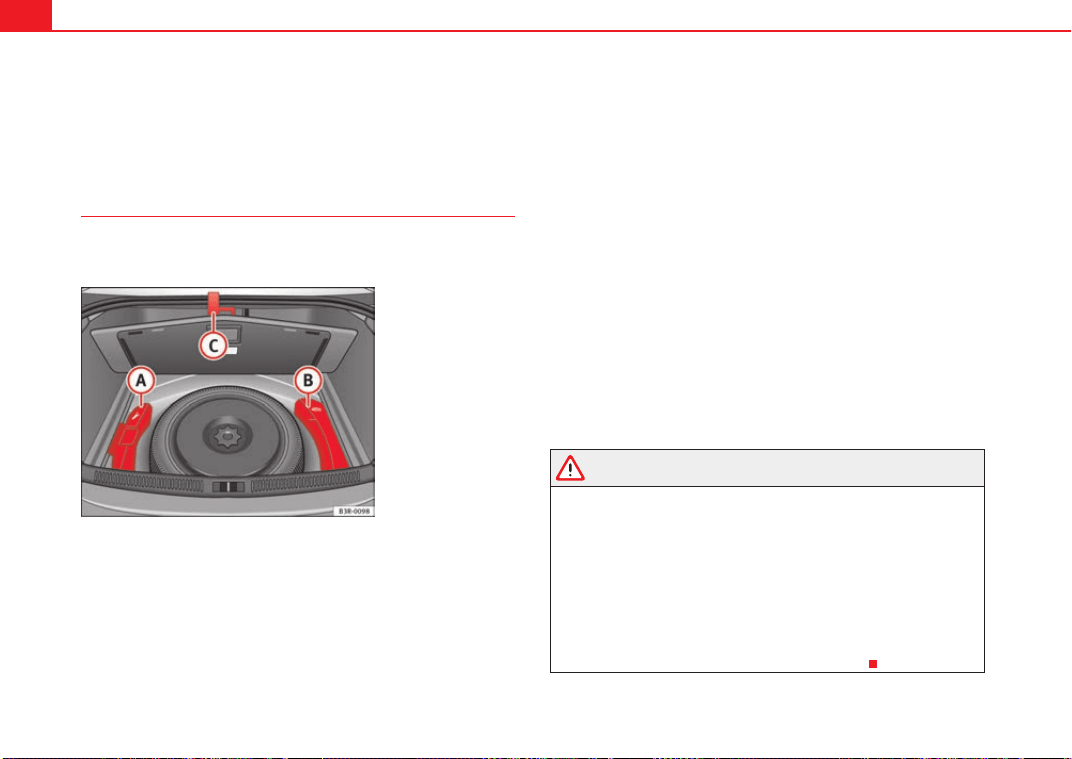
If and when244
If and when
Tools, tyre repair kit and spare wheel
Tools
The tools and jack are stored under the floor panel in the
luggage compartment.
The tools and jack ⇒ fig. 180 are stored under the floor panel
in the luggage compartment.
– Lift the floor panel using the plastic handle.
– Hook the handle onto the luggage compartment weather-
strip.
– Release the toolbox by pulling up the handle on the box.
– Take out the tools or jack.
– Replace the floor panel before closing the boot lid.
The tool kit includes:
• A hook for removing wheel covers* or hub caps
• Box spanner for wheel bolts
• A screwdriver with reversible blade
• Towing eye
• An adapter for the anti-theft wheel bolts*
Before replacing the jack in the storage bin, wind down the arm of the jack as
far as it will go.
Some of the tools listed are only provided in certain models or are optional
extras.
WARNING
• Do not use the hexagonal socket in the screwdriver handle to tighten
the wheel bolts, as with this it is not possible to tighten the bolts to the
required torque. Risk of accident.
• The jack supplied by the factory is only designed for changing wheels
on this model. On no account attempt to use it for lifting heavier vehicles
or other loads. Risk of injury.
• Never start the engine when the vehicle is raised. Failure to do so could
result in an accident.
• If work is to be carried out underneath the vehicle, this must be secured
by suitable stands. Otherwise, there is a risk of injury.
Fig. 180 Toolbox and jac
k
A
A
A
B
A
C
Exeo_EN.book Seite 244 Freitag, 28. August 2009 10:14 10
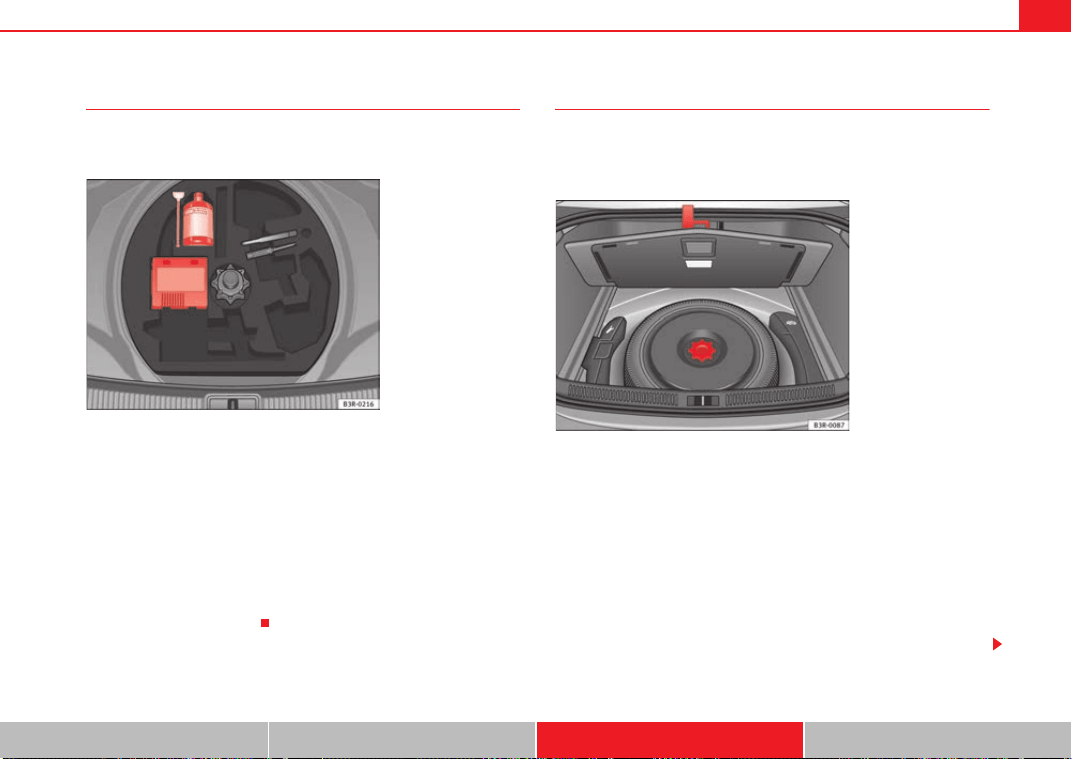
If and when 245
Safety First Controls and equipment Practical tips Technical Data
Tyre mobility system
The tyre mobility system is stored under the floor panel in the
luggage compartment.
– Take hold of the handle and fold back the floor panel in the
luggage compartment.
– Take out the tyre mobility system.
Your vehicle is equipped with a Tyre Mobility System in case of a puncture.
The tyre mobility system consists of a container with sealing compound and
a compressor to generate the required tyre pressure.
Instructions for using the sealant compound and the compressor are
included with the sealant can.
Spare steel rim wheel
The spare steel rim wheel is carried in the wheel well under
the floor panel in the luggage compartment. It is only
intended for temporary use over short distances.
Taking out the spare wheel
–Turn the plastic knob ⇒ fig. 182 anti-clockwise.
– Take out the spare wheel.
Securing the defective wheel in the spare wheel well
– Place wheel in spare wheel well in the luggage compartment.
– Secure wheel by turning plastic knob clockwise.
– Replace the floor panel before closing the boot lid.
Fig. 181 Tyre Mobility
System under floor panel
in luggage compartment
Fig. 182 Spare steel rim
wheel
Exeo_EN.book Seite 245 Freitag, 28. August 2009 10:14 10
If and when246
Your vehicle can be equipped with a steel spare wheel at the factory. The
spare wheel does not usually meet the same performance standards as the
wheels fitted on the vehicle because of the wheel/tyre dimensions, rubber
composition, tread pattern, etc. Therefore, note the following restrictions:
• The spare steel rim wheel is designed only for your vehicle model. Do not
attempt to mount the wheel on any vehicle but your own.
• Your vehicle will have different driving characteristics when the spare
steel rim wheel is mounted ⇒ .
• The spare wheel is only intended for temporary use after having a flat tyre.
Replace the spare wheel with a normal wheel that has the proper tyre dimen-
sions as soon as possible.
• If the size of the spare steel rim wheel is different to that of the other
wheels, it is unlikely that snow chains suitable for the other wheels will fit it.
WARNING
• After mounting the spare steel rim wheel, the tyre pressure must be
checked and corrected as soon as possible. The inflating pressure must
adapt to the vehicle load (consult the table containing the inflation pres-
sures). Otherwise there is danger of causing an accident. Use the highest
tyre pressure as indicated in the table.
• Do not drive faster than 80 km/h, as higher speeds can cause an acci-
dent.
• Avoid heavy acceleration, hard braking and fast cornering, as this could
cause an accident.
Changing a wheel
Preparation work
What you must do before changing a wheel.
– If you have a flat tyre or puncture, park the car as far away from
the flow of traffic as possible. Choose a location that is as level
as possible.
– All passengers should leave the vehicle. They should wait in a
safe place (e.g. behind the roadside crash barrier).
–Apply the handbrake firmly.
–Engage 1st gear.
– When towing a trailer: Unhitch the trailer from your vehicle.
–Take the tools and the spare wheel ⇒ page 244 out of the
luggage compartment.
WARNING
If you have a puncture in heavy traffic, switch on the hazard warning lights
and place the warning triangle in a visible location. This is for your own
safety and also warns other road users.
Caution
If you have to change the tyre on a gradient, block the wheel opposite the
wheel being changed by placing a stone or similar object under it to prevent
the vehicle from rolling away.
Exeo_EN.book Seite 246 Freitag, 28. August 2009 10:14 10
If and when 247
Safety First Controls and equipment Practical tips Technical Data
Note
Please observe legal requirements when doing so.
Changing a wheel
Change the wheel as described below.
– Remove the wheel cover.
–Loosen the wheel bolts ⇒ page 248.
– Raise the car with the jack ⇒ page 249.
– Take off the wheel with the flat tyre and then put on the spare
wheel ⇒ page 250.
– Lower the vehicle.
– Tighten the wheel bolts firmly in diagonal sequence with the box
spanner ⇒ page 248.
– Replace the cover.
After changing a wheel
After changing the wheel, there are still tasks to complete.
– Place the wheel with the defective tyre in the spare wheel well
and secure it.
– Put the tools and jack back in the luggage compartment.
–The inflation pressure of the newly fitted spare tyre must be
checked as soon as possible.
–Have the tightening torque of the wheel bolts checked as soon
as possible with a torque wrench. It must be 120 Nm (always
when cold)
– Have the flat tyre replaced as quickly as possible.
Note
• If you notice that the wheel bolts are rusty and difficult to turn when
changing a wheel, they must be replaced before having the tightening torque
checked.
• For your safety, drive at moderate speeds until the wheel bolt torque has
been checked.
Exeo_EN.book Seite 247 Freitag, 28. August 2009 10:14 10
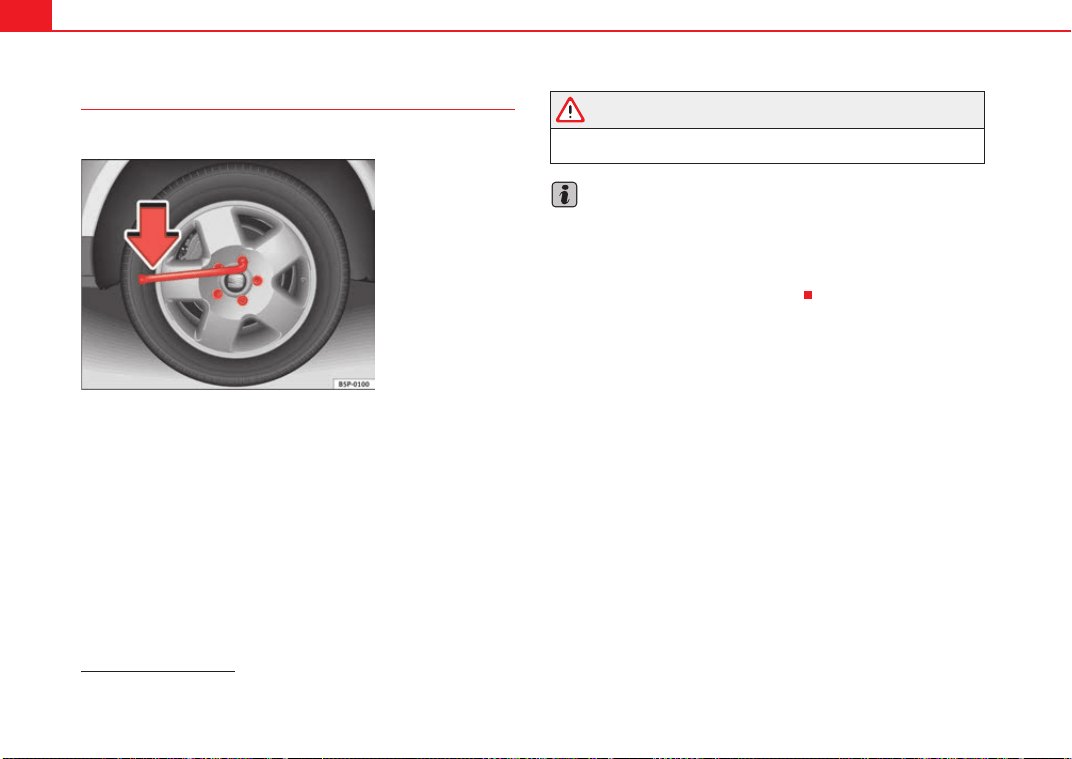
If and when248
Loosening and tightening the wheel bolts
The wheel bolts must be loosened before raising the vehicle.
Loosening
–Fit the box spanner as far as it will go over the wheel bolt
5)
.
– Grip the box spanner as close to the end as possible and turn the
wheel bolts about one turn anti-clockwise ⇒ fig. 183 -arrow-.
Tightening
– Fit the box spanner as far as it will go over the wheel bolt
5)
.
– Grip the box spanner as close to the end as possible and tighten
the bolt firmly by turning clockwise.
WARNING
Loosen the wheel bolts only about one turn before raising the vehicle with
the jack. Failure to do so could result in an accident.
Note
• Do not use the hexagonal socket in the screwdriver handle to loosen or
tighten the wheel bolts.
• If the wheel bolt does not come loose, it may be possible to release it by
pushing down the end of the spanner carefully with your foot. Hold on to the
vehicle for support and take care not to slip.
5)
An adapter is required to unscrew or tighten the anti-theft wheel bolts* ⇒ page 250.
Fig. 183 Changing the
wheel: Loosen the wheel
bolts
Exeo_EN.book Seite 248 Freitag, 28. August 2009 10:14 10
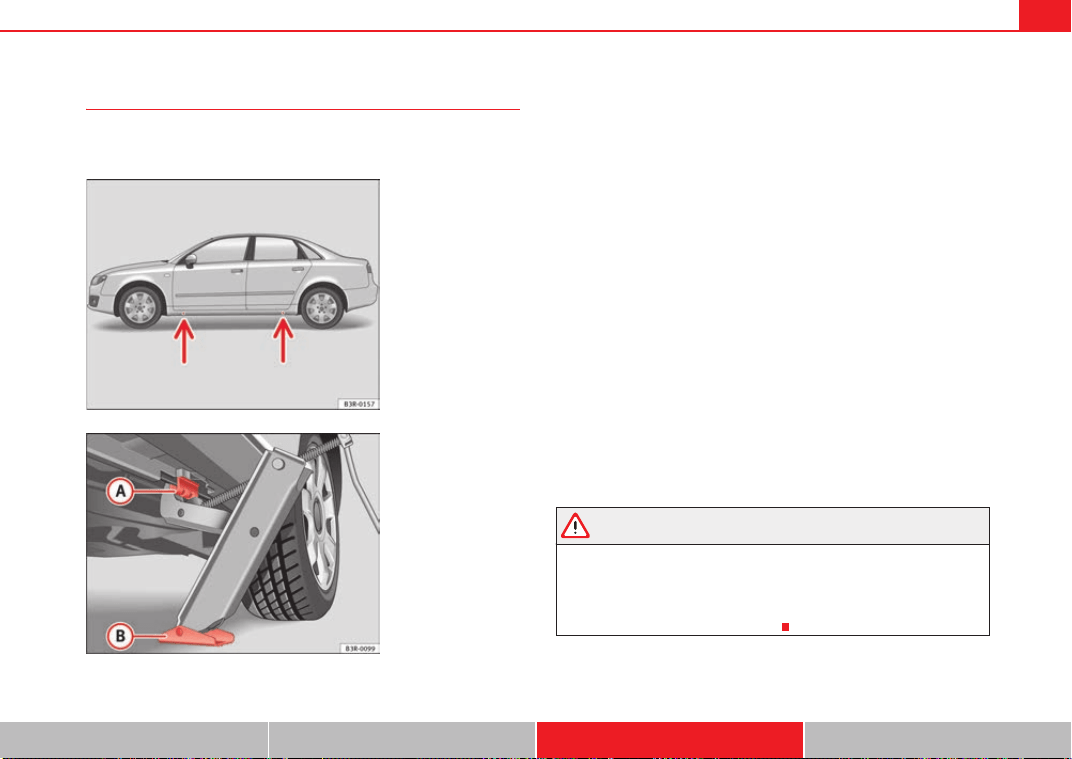
If and when 249
Safety First Controls and equipment Practical tips Technical Data
Raising the vehicle
In order to remove the wheel, the vehicle must be raised with
a jack.
– Position the vehicle jack under the door sill at the jacking point
closest to the wheel being changed ⇒ fig. 184 -arrows-.
–Wind up the jack under the jacking point until the claw of the jack
is directly below the vertical rib under the door sill.
– Align the jack so that the arm of the jack fits on the rib under the
door sill ⇒ fig. 185 and the movable base plate of the jack
is flat on the ground.
– Raise the vehicle until the defective wheel is just clear of the
ground.
Recesses at the front and rear of the door sills mark the jacking points
⇒ fig. 184 -arrows-. There is only one jacking point for each wheel. Do not fit
the jack anywhere else.
The distance from the jacking points to the wheel arches is approximately 15
cm at the front and 25 cm at the rear.
An unstable surface under the jack may cause the vehicle to slip off the jack.
Therefore, the jack must be fitted on solid ground offering good support. Use
a large, stable base if necessary. On a hard, slippery surface (such as tiles)
use a rubber mat or similar to prevent the jack from slipping.
WARNING
• Take all precautions so that the base of the jack does not slip. Failure to
do so could result in an accident.
• The vehicle can be damaged if the jack is not applied at the correct
jacking points. There is also a risk of injury since the jack can slip off
suddenly if it is not properly engaged.
Fig. 184 Changing the
wheel: The jacking points
Fig. 185 Changing the
wheel: Jack
A
A
A
B
Exeo_EN.book Seite 249 Freitag, 28. August 2009 10:14 10
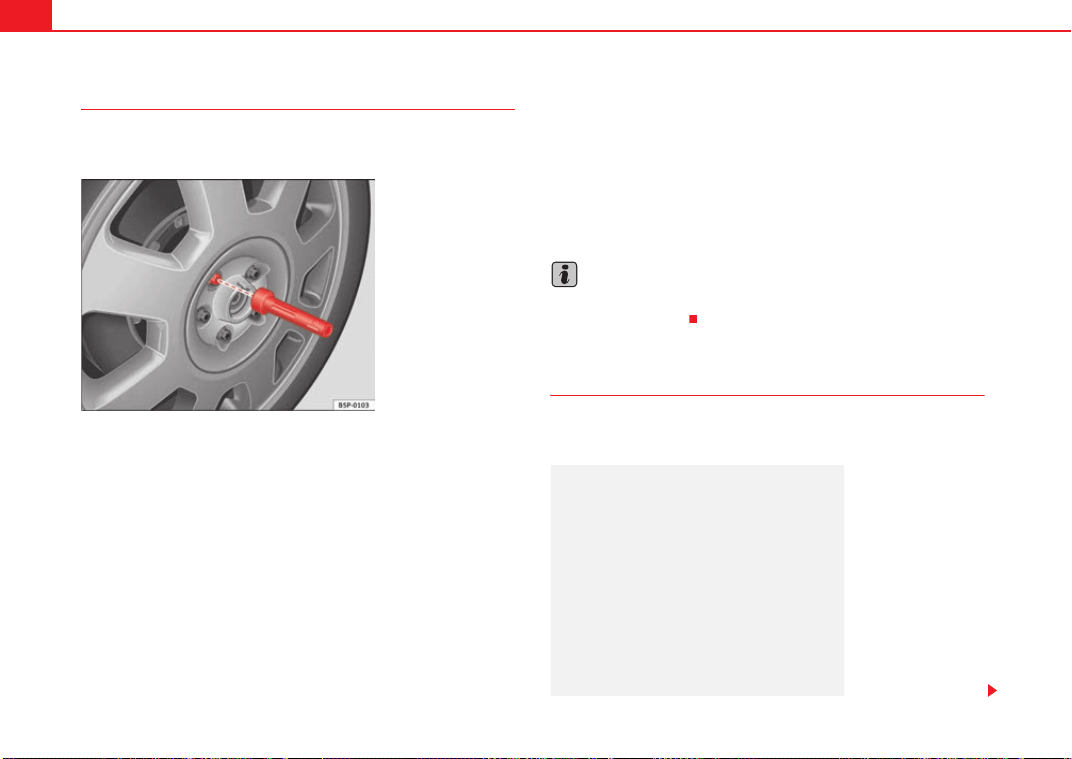
If and when250
Removing and fitting the wheel
For removal and fitting the wheel, the following tasks must be
completed.
After loosening the wheel bolts and raising the vehicle with the jack,
change the wheel as described below:
Removing a wheel
– Unscrew the bolts using the hexagonal tool in the handle of the
screwdriver (vehicle tool) and place them on a clean surface
⇒ fig. 186.
Fitting a wheel
– Screw in the wheel bolts and tighten them lightly using the
hexagonal socket in the screwdriver handle.
The wheel bolts should be clean and easily screwed. Before fitting the spare
wheel, inspect the wheel condition and hub mounting surfaces. These
surfaces must be clean before fitting the wheel.
The hexagonal socket in the screwdriver handle makes it easier to turn the
wheel bolts. The reversible screwdriver blade should be removed when the
tool is used for this purpose.
If tyres with a specific direction of rotation are fitted, note the direction of
rotation.
Note
Do not use the hexagonal socket in the screwdriver handle to loosen or
tighten the wheel bolts.
Anti-theft wheel bolts
A special adapter is required to turn the anti-theft wheel
bolts.
Fig. 186 Changing the
wheel: Hexagonal socket
in screwdriver handle to
turn the wheel bolts
Fig. 187 Anti-theft wheel
bolt
Exeo_EN.book Seite 250 Freitag, 28. August 2009 10:14 10
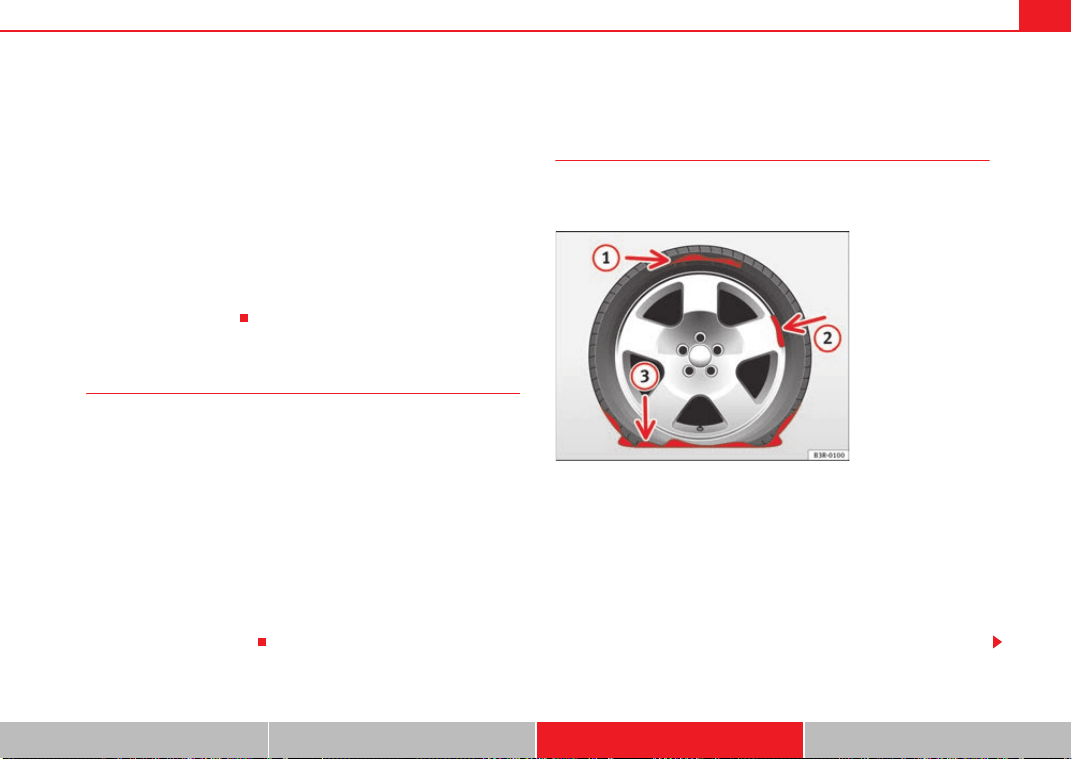
If and when 251
Safety First Controls and equipment Practical tips Technical Data
– Insert the adapter onto the wheel bolt and push it on as far as it
will go ⇒ page 250, fig. 187.
– Fit the box spanner as far as it will go over the adapter.
– Loosen or tighten the wheel bolt as appropriate.
Error code
The code number of the anti-theft wheel bolt is stamped onto the front part of
the adaptor.
The code number should be noted and kept in a safe place, as it is only by
using the code number that a duplicate adaptor can be obtained from an
Authorised Service Centre.
Tyres with directional tread pattern
Tyres with directional tread pattern must be fitted so that they
rotate in the correct direction.
A directional tread pattern can be identified by arrows on the sidewall that
point in the direction of rotation. Always note the direction of rotation indi-
cated when fitting the wheel. This is important so that these tyres can give
maximum grip and avoid excessive noise, tread wear and aquaplaning.
If, in an emergency, you have to fit the spare wheel so it rotates in the wrong
direction, you must drive extremely carefully. The tyre will not give optimum
performance. This is particularly important when driving on wet roads.
To benefit from the advantages of tyres with this type of tread pattern, the
defective tyre should be replaced as soon as possible so that all tyres again
rotate in the correct direction.
Tyre repair* (Tyre-Mobility-System)
General information and safety notes
Repaired tyres are only suitable for temporary use over a
short period.
Your vehicle is equipped with a tyre repair kit: the Tyre Mobility System.
In the event of a puncture you will find the TMS, which consists of a sealing
compound and a compressor, located under the floor panel in the luggage
compartment.
The Tyre Mobility System will reliably seal tyres damaged by foreign bodies,
provided that the cuts or punctures are no larger than approx. 4 mm in diam-
eter.
It is not necessary to remove the foreign body from the tyre.
Fig. 188 The Tyre
Mobility System is not
suitable for repairing this
type of damage to tyres.
Exeo_EN.book Seite 251 Freitag, 28. August 2009 10:14 10
If and when252
The sealing compound must not be used in the following cases:
• On cuts and punctures larger than 4 mm ⇒ page 251, fig. 188
• if the wheel rim has been damaged
• if you have been driving with very low pressure or a completely flat tyre
How to use the TMS (tyre mobility system) is described in the section
Repairing a tyre ⇒ page 253 and in the instructions supplied with the tyre
sealant can.
The TMS (tyre mobility system) can be used at outside temperatures down to
-20°C.
WARNING
After repairing a tyre please note the following points:
• Do not drive faster than 80 km/h.
• Avoid heavy acceleration, hard braking and fast cornering.
• Vehicle handling could be impaired.
• Tyres which have been sealed using the Tyre Mobility System are only
suitable for temporary use over a short period.
• After using the tyre sealant the tyre pressure monitoring system* may
malfunction. Therefore, please drive carefully to the next available quali-
fied workshop.
• The Tyre Mobility System must NOT be used,
− on cuts and punctures larger than 4 mm
− if the wheel rim has been damaged
− if you have been driving with very low pressure or a completely flat
tyre
• Seek professional assistance if the repair of a tyre puncture is not
possible with the sealing compound.
• Do not allow the sealant to come into contact with your eyes, skin or
clothing.
• If you do come into contact with the sealant immediately rinse the eyes
or skin affected with clean water.
• Change clothing immediately if it becomes soiled with the tyre sealant.
• Make sure you do not breathe in the fumes!
• If any of the tyre sealant is accidentally ingested, immediately rinse the
mouth thoroughly and drink lots of water.
− Do not induce vomiting. Seek medical assistance if needed.
• If any allergic reactions should occur get medical help immediately.
• Keep the sealant away from children.
For the sake of the environment
Used bottles of sealing compound can be returned to the Technical Service
for disposal.
Note
• If sealant should leak out, leave it to dry. When it has dried, you can pull
it off like a piece of foil.
• Observe the expiry date stated on the sealing compound can. Have the
sealing compound exchanged by a qualified workshop.
A
1
A
2
A
3
WARNING (continued)
Exeo_EN.book Seite 252 Freitag, 28. August 2009 10:14 10
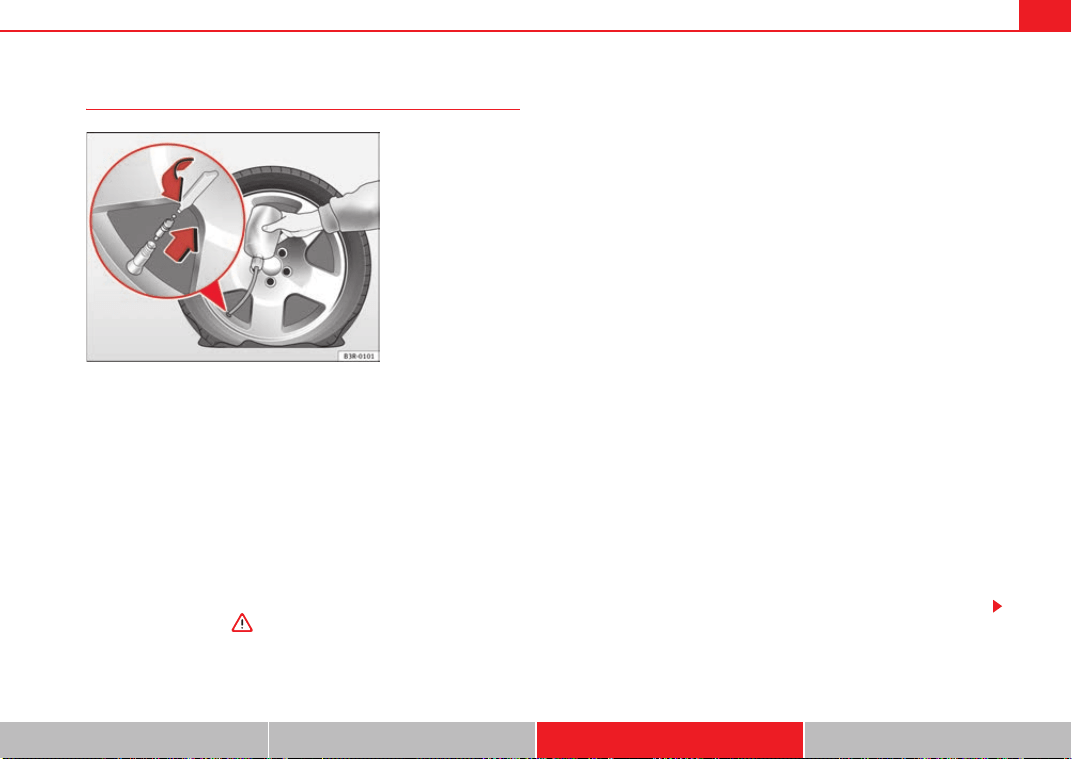
If and when 253
Safety First Controls and equipment Practical tips Technical Data
Repairing a tyre
Preparations
– If you have a flat tyre or puncture, park the car as far away from
the flow of traffic as possible.
–Apply the handbrake firmly to prevent the vehicle from moving
accidentally on slopes.
– Engage 1st gear.
– Check whether a repair is possible using the Tyre Mobility System
⇒ page 251.
– Ensure that all passengers leave the vehicle and move away from
the danger area ⇒ .
–Take the tyre sealant can and the compressor out of the luggage
compartment.
– Stick the “max. 80 km/h” adhesive, which is included with the
tyre sealant can, onto the instrument panel where the driver will
see it.
Filling the tyre
– Shake the tyre sealant can well.
– Screw the enclosed filling hose onto the sealant can as far as it
will go. This will automatically pierce the foil sealing the can.
– Take the valve cap off the tyre valve and use the enclosed valve
insert tool to unscrew the valve insert ⇒ fig. 189.
– Place the valve insert onto a clean surface.
– Remove the sealing plug from the filling hose and insert the hose
into the tyre valve.
– Hold the tyre sealant can upside down and fill the complete
contents of the can into the tyre.
– Then disconnect the hose and screw the valve insert firmly back
into the tyre valve.
Inflating the tyre
– Screw the compressor filling hose onto the tyre valve and plug
the connector into the cigarette lighter.
– Pump the tyre up to 2.0 to 2.5 bar and monitor the pressure
shown on the pressure gauge.
Fig. 189 Repairing a tyre
Exeo_EN.book Seite 253 Freitag, 28. August 2009 10:14 10
If and when254
– If the tyre pressure remains lower than the value specified above
drive the vehicle approx. 10 metres forwards or backwards, so
that the sealant can spread evenly in the tyre. If the pressure is
still lower than the specification the tyre is too badly damaged
and cannot be repaired using the tyre sealant.
Final check
– After about 10 minutes, stop to check the tyre pressure.
– If tyre pressure is less than 1.3 bar, the tyre is too badly
damaged. Do not drive on! You should obtain professional
assistance.
WARNING
• If you have a puncture in heavy traffic, switch on the hazard warning
lights and place the warning triangle in a visible location. This is for your
own safety and also warns other road users.
• Make sure your passengers wait in a safe place (for instance behind the
roadside crash barrier).
• Please observe the manufacturers' safety notes on the compressor and
the instructions supplied with the tyre sealant can.
• If it was not possible to build up a tyre pressure of 2.0 bar within 6
minutes this means that the tyre is too badly damaged. Do not drive on!
• Seek professional assistance if the repair of a tyre puncture is not
possible with the sealing compound.
• If tyre pressure is less than 1.3 bar after driving about 10 minutes, the
tyre is too badly damaged. Do not drive on! Obtain technical assistance.
Caution
Take special care if you have to repair a tyre on a slope.
Note
• Do not use the compressor for longer than 6 minutes. Otherwise, it might
overheat. When the compressor has cooled down, you can use it again.
• If tyre sealant should leak out, leave it to dry and then pull it off like foil.
• After carrying out a tyre repair remember to buy a new tyre sealant can at
a qualified workshop. This will ensure that the Tyre Mobility System is opera-
tive again.
• Please observe legal requirements when doing so.
Exeo_EN.book Seite 254 Freitag, 28. August 2009 10:14 10
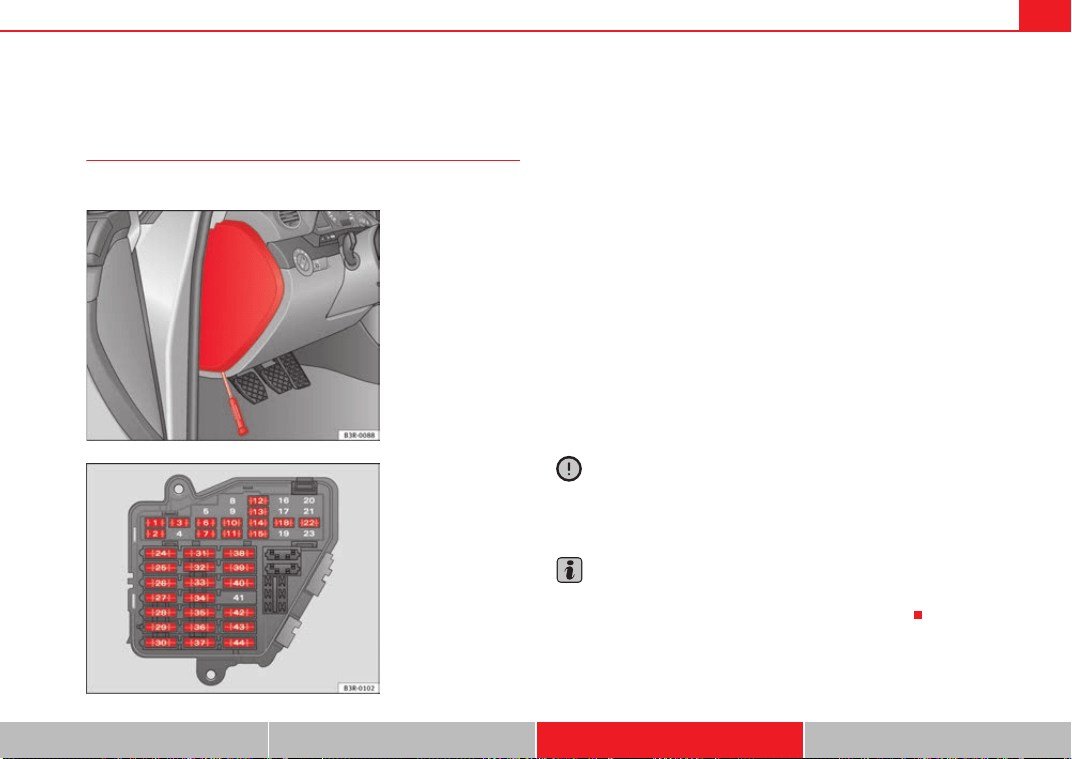
If and when 255
Safety First Controls and equipment Practical tips Technical Data
Fuses
Changing fuses
If a fuse has blown, it must be replaced.
– Switch off the ignition and its failed electrical component.
– Remove the fuse cover using a screwdriver ⇒ fig. 190.
– Identify the fuse for the failed component ⇒ page 256, “Fuse
assignment”.
– Take the plastic clip from inside the fuse cover, fit it onto the
blown fuse, and pull the fuse out.
– Replace the blown fuse (which will have a melted metal strip)
with a new fuse of the same amp rating.
–Fit the fuse cover back on.
The individual electrical circuits are protected by fuses. The fuses are located
behind a cover at the left-hand end of the instrument panel.
Two spare fuses and a sticker identifying the fuses are provided on the inside
of the fuse cover. There is also a crank handle for operating the sun roof* by
hand (if the electrical system fails).
Caution
Never “repair” damaged fuses and never replace them with fuses with a
higher rating. Failure to comply could result in fire. It could also cause
damage to other parts of the electrical system.
Note
If a newly replaced fuse blows again after a short time, the electrical system
must be checked by a qualified workshop as soon as possible.
Fig. 190 Left side of dash
panel: Fuse box cover
Fig. 191 Schematic
drawing of fuse box at the
left-hand end of instru-
ment panel: Fuses
(without fuse cover)
Exeo_EN.book Seite 255 Freitag, 28. August 2009 10:14 10
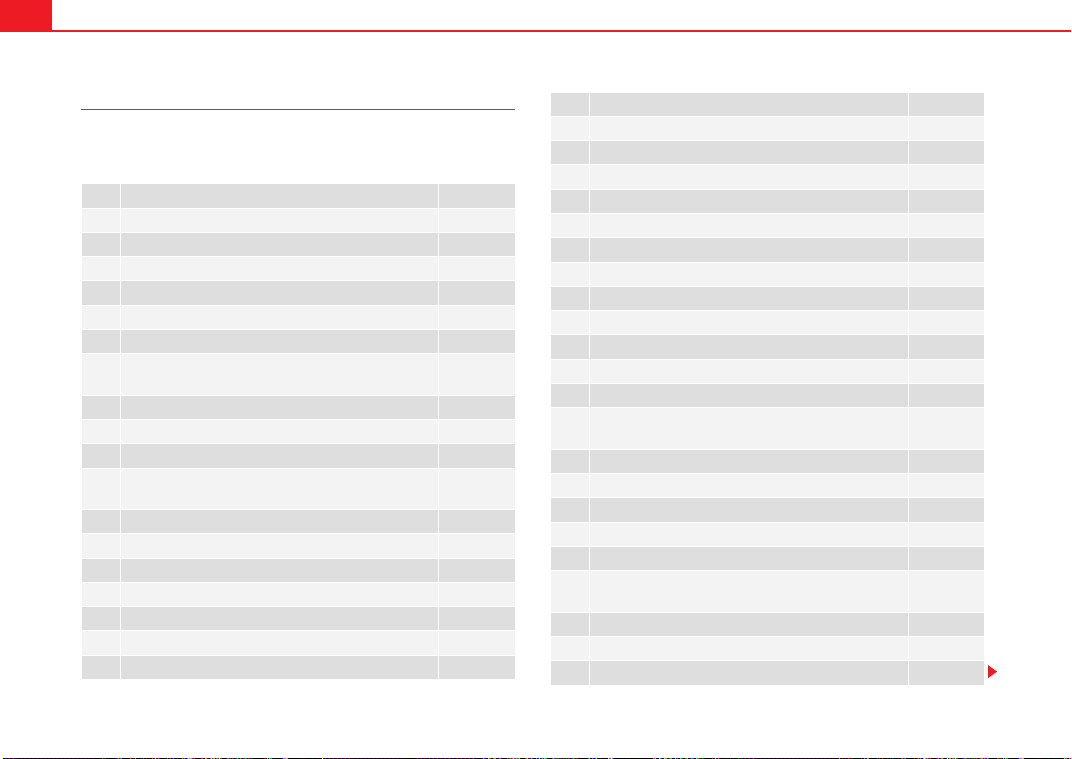
If and when256
Fuse assignment
This list shows the fuses which can be replaced relatively
easily by the owner.
No. Consumer Amps
1 Climate control 10
2 Footwell lamps 5
3 Heated washer jets 5
4 Radiator fan 5
5 Parking aid, automatic gearbox 10
6 Air conditioner (air purity sensor), pressure sensor 5
7
Electronic Stabilisation Program (ESP), brake light
switch, clutch pedal switch, steering angle sensor
10
8 Telephone 5
9 Vacant
10 Self-directing headlights (adaptive light) right 5
11
Airbag and disconnection of the front passenger air-
bag
5
12 Diagnostic socket 10
13 Steering column unit 10
14 Brake lights 10
15 Instrument panel 10
16 Vacant
17 Tyre pressure control, rain/light sensor 10
18 Self-directing headlights (adaptive light) left 5
19 Vacant
20 Vacant
21 Vacant
22 Driver's door / front passenger's door 15
23 Rear doors 15
24 Central electrics unit for convenience equipment 20
25 Heater blower 30
26 Rear window heater 30
27 Electrical socket for trailer (control unit) 30
28 Fuel pump, auxiliary pump for diesel 20
29 Vacant
30 Sliding/tilting sunroof 20
31
Diagnosis connection, automatic anti-dazzle interior
mirror, reverse light, automatic gearbox
15
32 Towing socket 15
33 Lighter 20
34 Diesel lambda-probe 5
35 Luggage compartment power point* 20
36 Wiper system 30
37
Pump for windscreen washer and headlight washer
system
30
38 Luggage compartment illumination, alarm 15
39 Radio, Amplifier 20
40 Horn 25
No. Consumer Amps
Exeo_EN.book Seite 256 Freitag, 28. August 2009 10:14 10
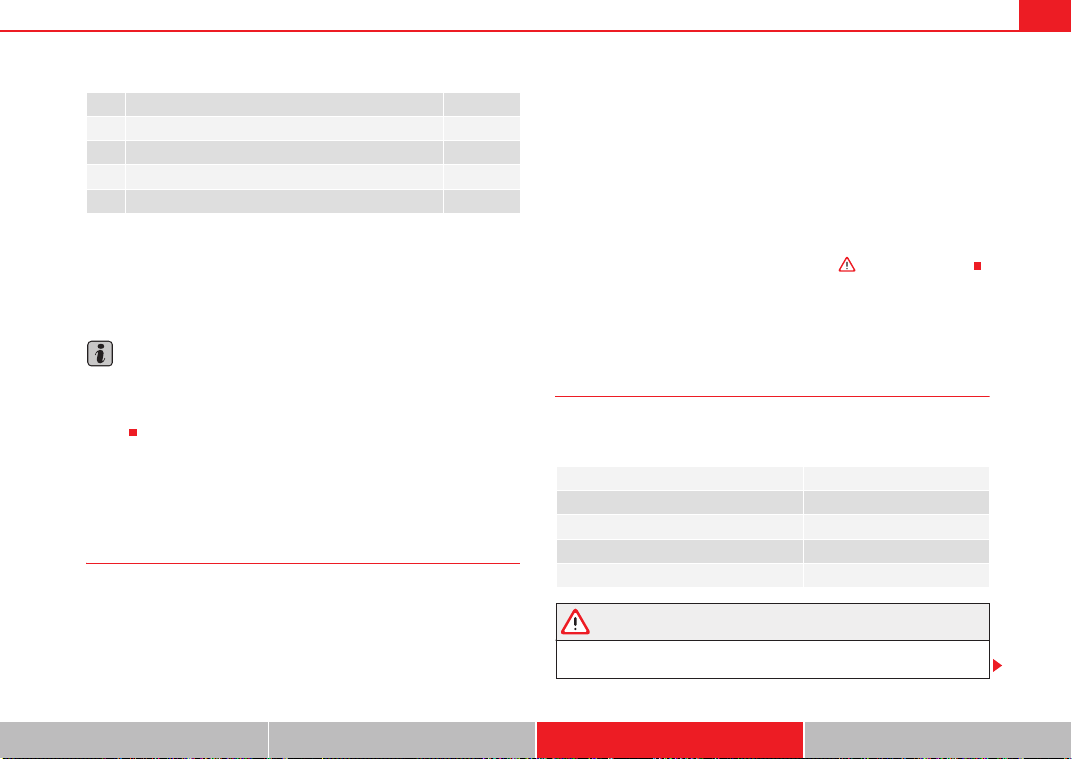
If and when 257
Safety First Controls and equipment Practical tips Technical Data
Some of the electrical items listed in the table are only fitted on certain
models or are optional extras.
The electric windows and electric seat adjusters are protected by circuit
breakers. These reset automatically after a few seconds when the overload
(caused for example by frozen windows) has been corrected.
Note
Please note that the above list contains all data at the time of going to press,
so it is subject to modifications. If discrepancies should occur, please refer to
the sticker on the inside of the fuse cover for the correct information for your
model.
Bulbs
General notes
You can change the following bulbs for exterior lights yourself:
• Main headlights: all (except for xenon headlights)
• Rear lights: All bulbs
• Side indicator bulb
The following bulbs can only be changed by a qualified workshop:
• Main headlights: Xenon* bulb ⇒ page 264
• Front fog lights: Bulb
As a rule, you require a certain degree of practical skill to change defective
bulbs. This applies in particular to those bulbs which are only accessible from
the engine compartment.
If in doubt, we recommend that you have defective bulbs changed by a qual-
ified workshop or qualified mechanic.
If you do decide to change bulbs in the engine compartment yourself, be
aware of the safety risks involved ⇒ page 221 ⇒ in “Types of bulbs”.
Changing bulbs Halogen headlights
Types of bulbs
You must only replace a bulb with a bulb of the same type. The name can be
found on the base of the bulb.
WARNING
• Take particular care when working on components in the engine
compartment if the engine is warm - risk of burns!
41 Vacant 30
42 Electronic stabilisation programme (ESP) 25
43 Engine management 15
44 Seat heating 35
No. Consumer Amps
Bulb Type
Dipped-beam headlights (halogen) 12 V/55 W (H7 LL)
Main beam headlights 12 V/55 W (H1)
Indicator light 12 V/21 W (PY21W)
Side lights 12 V/5 W (W5W LL)
Exeo_EN.book Seite 257 Freitag, 28. August 2009 10:14 10
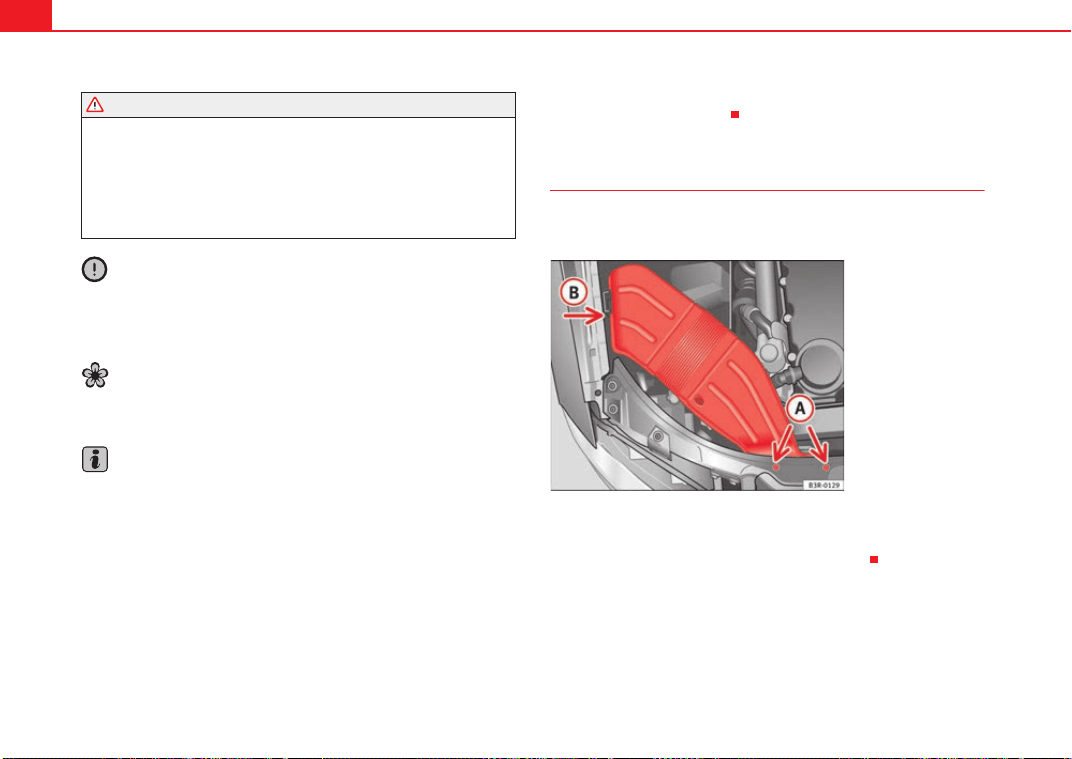
If and when258
• Bulbs are highly sensitive to pressure. The glass can break when you
touch the bulb, causing injury.
• The high voltage element of gas discharge lamps* (xenon light) must
be handled correctly. Otherwise, there is a risk of death.
• When changing bulbs, please take care not to injure yourself on sharp
parts in the headlight housing.
Caution
• Remove the ignition key before working on the electric system. If not, a
short circuit could occur.
• Switch off the lights or parking lights before you change a bulb.
For the sake of the environment
Please ask your specialist retailer how to dispose of used bulbs in the proper
manner.
Note
• Depending on weather conditions (cold or wet), the front lights, the fog
lights, the rear lights and the indicators may be temporarily misted. This does
not affect the useful life of the lighting system. By switching on the lights, the
area through which the beam of light is projected will quickly be demisted.
However, the edges may continue to be misted.
• Please check at regular intervals that all lighting (especially the exterior
lighting) on your vehicle is functioning properly. This is not only in the interest
of your own safety, but also in that of all other road users.
• Before changing a bulb, make sure you have the correct new bulb.
• Do not touch the glass part of the bulb with your bare hands, use a cloth
or paper towel instead. Otherwise, the fingerprints left on the glass will
vaporise as a result of the heat generated by the bulb, be deposited on the
reflector and impair its surface.
Removing the air duct
The air duct has to be removed to gain access to the bulbs for
the right-side headlight.
–Unscrew bolts ⇒ fig. 192.
– Detach air duct from guide and take it out.
WARNING (continued)
Fig. 192 Air duct on right
side of vehicle
A
A
A
B
Exeo_EN.book Seite 258 Freitag, 28. August 2009 10:14 10
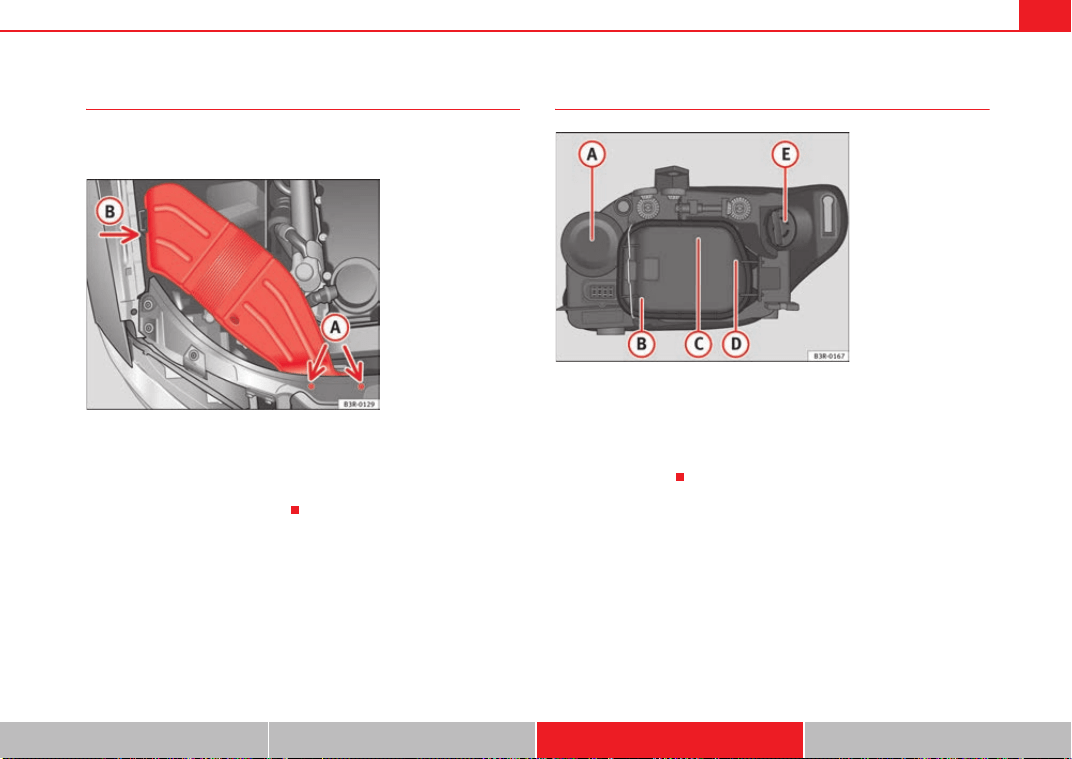
If and when 259
Safety First Controls and equipment Practical tips Technical Data
Fitting the air duct
Once the bulb(s) for the right-side headlight have been
changed, the air duct must be re-installed.
– Place the air duct in the correct position.
– First turn the two screws in lightly, then tighten both screws.
– Push air duct into guide .
Halogen headlight bulbs
Main beam headlights
Side lights
Dipped headlights
Side lights
Turn signal light
Fig. 193 Air duct on right
side of vehicle
A
A
A
B
Fig. 194 Halogen bulbs
A
A
A
B
A
C
A
D
A
E
Exeo_EN.book Seite 259 Freitag, 28. August 2009 10:14 10
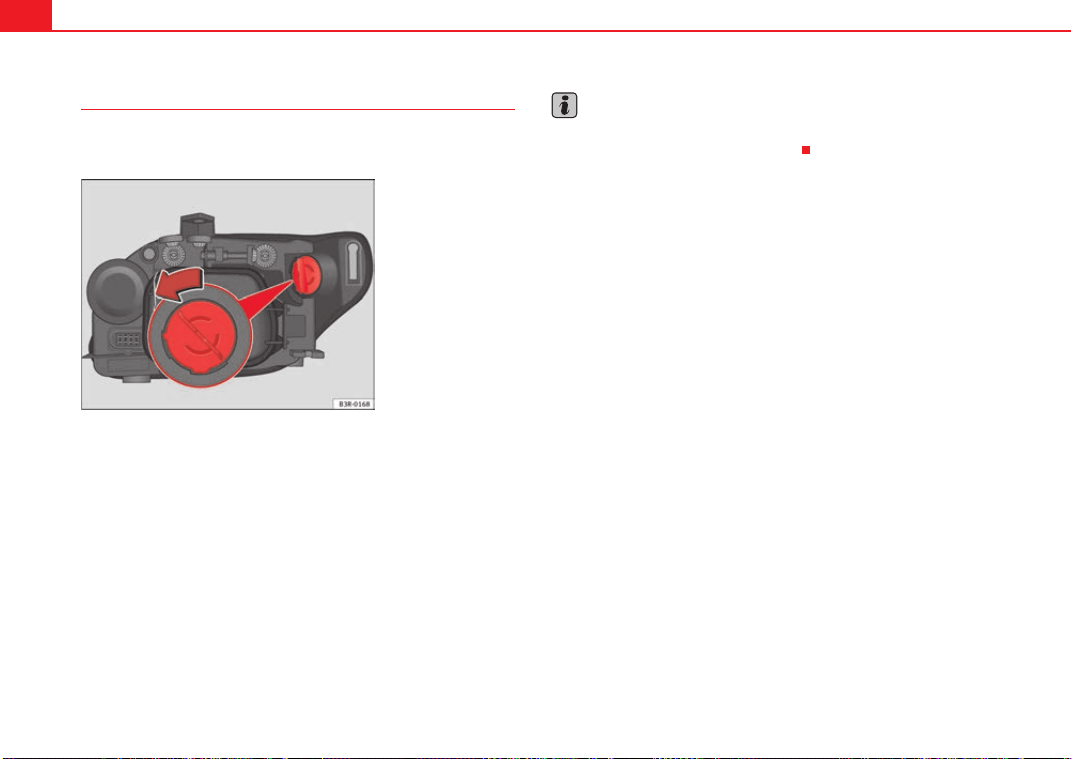
If and when260
Changing the turn signal bulb
The procedure for changing the bulbs on the front
passenger's side is the same as on the driver's side.
– Switch off the ignition and the lights.
– Raise the bonnet.
– Turn the bulb holder anti-clockwise, pulling it by the grip
⇒ fig. 195 and removing the bulb holder and the bulb.
– Replace the blown bulb in the bulb holder (press and turn anti-
clockwise to remove) with a new bulb (press and turn clockwise
to insert).
– Installation is in the reverse order.
– Check whether the new bulb is working.
Note
Although it is not necessary, previously remove the rigid cover ⇒ page 262,
fig. 198 for easier turn signal bulb changes.
Fig. 195 Indicator bulb
Exeo_EN.book Seite 260 Freitag, 28. August 2009 10:14 10
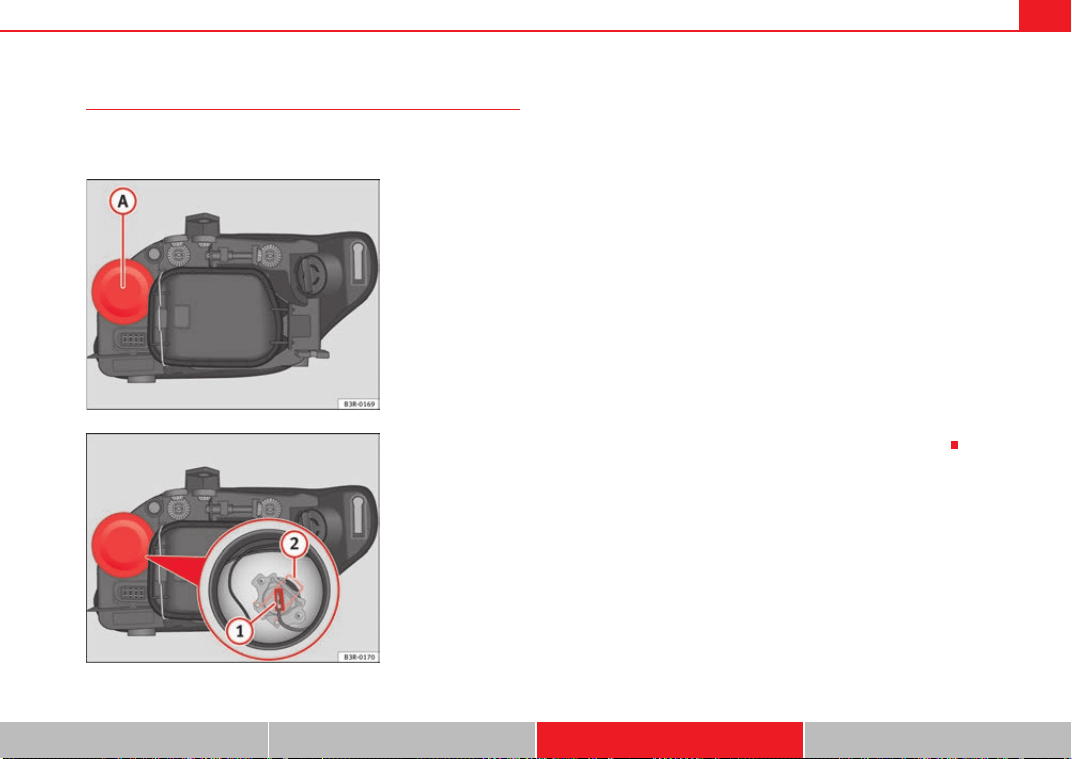
If and when 261
Safety First Controls and equipment Practical tips Technical Data
Changing the main headlight bulb
The procedure for changing the bulbs on the front
passenger's side is the same as on the driver's side.
– Switch off the ignition and the lights.
– Raise the bonnet.
– Pull up on the rubber cover ⇒ fig. 196 to remove it.
– Remove the connector ⇒ fig. 197 from the bulb.
– Press the spring ⇒ fig. 197 inwards and to the right.
– Remove the bulb. pulling it from the connection terminal and
fitting fit the replacement so that it sits correctly in the cut-out on
the reflector. To ensure correct lighting, the filament must be
vertical. When changing the bulb, you can check the position of
the bulb through the headlight glass.
– Installation is in reverse order, ensuring that the rubber cover is
well fitted to the housing.
– Check whether the new bulb is working.
– Have the headlight settings checked as soon as possible.
Fig. 196 Main beam
headlights
Fig. 197 Main beam
headlights
A
A
A
1
A
2
Exeo_EN.book Seite 261 Freitag, 28. August 2009 10:14 10
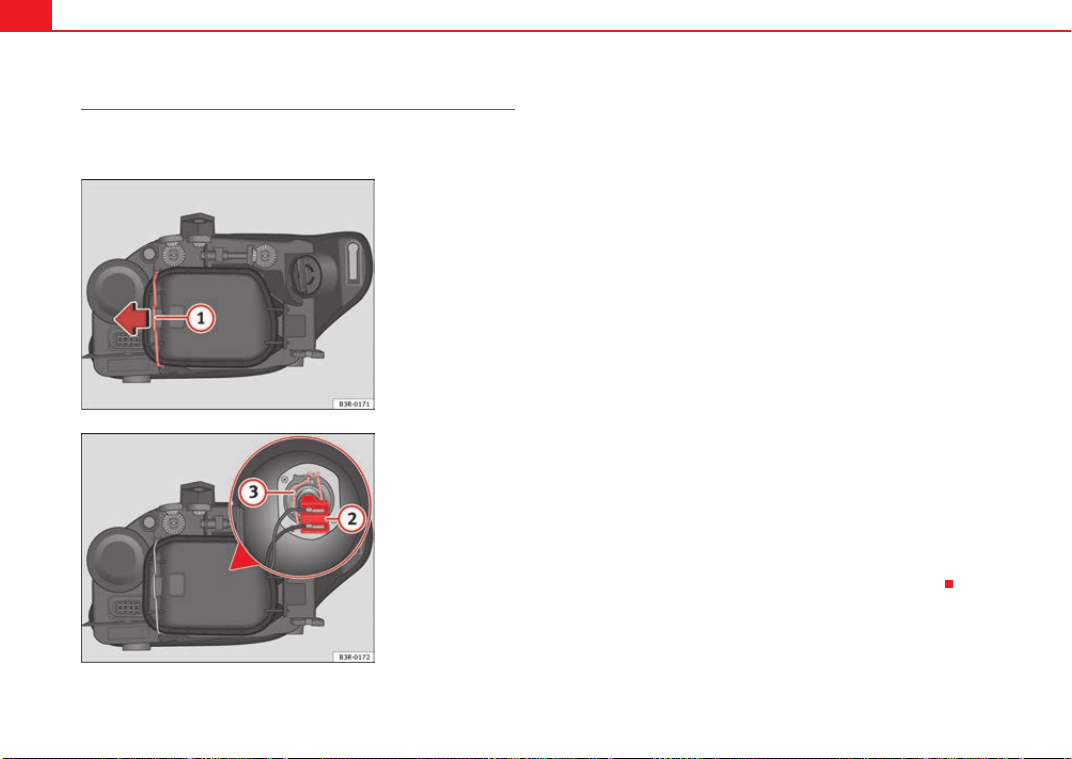
If and when262
Changing the dipped beam headlight bulb
The procedure for changing the bulbs on the front
passenger's side is the same as on the driver's side.
– Switch off the ignition and the lights.
– Raise the bonnet.
– Move the brace ⇒ fig. 198 in the direction of the arrow and
remove the rigid cover, separating the brace side and then
removing the two tabs from the other end of the cover.
– Pull the connector ⇒ fig. 199 from the bulb.
– Unclip the retainer spring ⇒ fig. 199 pressing inwards to the
right.
– Remove the bulb and fit the new one in the headlight casing with
the tab upwards, starting to position it from below.
– Clip on the spring, raising it and pressing it slightly while turning
it anti-clockwise. To ensure correct lighting, the filament must be
vertical. When changing the bulb, you can check the position of
the bulb through the headlight glass.
– Connect the connector to the bulb.
– Fit the cover, first inserting the side tabs and then closing the
cover and the brace. Make sure that the gasket sits well on the
casing cover during the operation.
– Check whether the new bulb is working.
– Have the headlight settings checked as soon as possible.
Fig. 198 Dipped head-
lights
Fig. 199 Dipped head-
lights
A
1
A
2
A
3
Exeo_EN.book Seite 262 Freitag, 28. August 2009 10:14 10
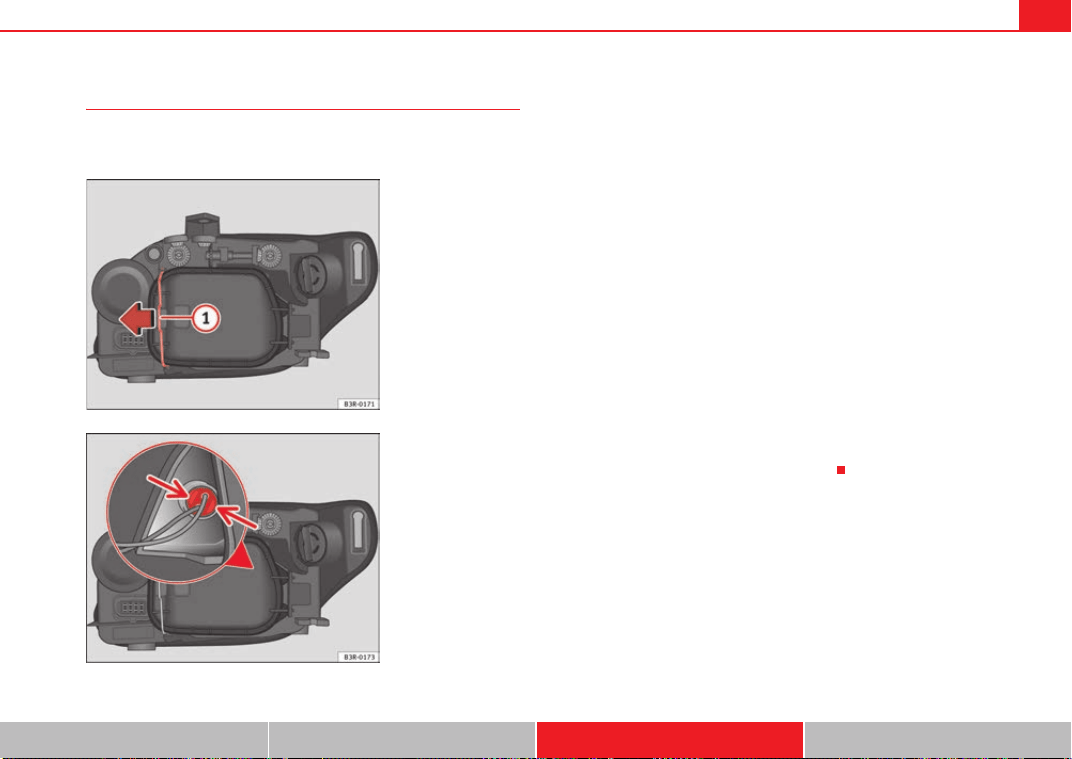
If and when 263
Safety First Controls and equipment Practical tips Technical Data
Changing side light bulb (outside of vehicle)
The procedure for changing the bulbs on the front
passenger's side is the same as on the driver's side.
– Switch off the ignition and the lights.
– Raise the bonnet.
– Move the brace ⇒ fig. 200 in the direction of the arrow and
remove the rigid cover, separating the brace side and then
removing the two tabs from the other end of the cover.
– Gently press on the bulb holder tabs ⇒ fig. 201 and pull the
cover upwards (it can also be removed by pulling on the bulb
holder wires).
– Separate the bulb from the bulb holder by pulling both pieces
anti-clockwise.
– Fit the new bulb by pressing on the bulb holder.
– Insert the bulb into the socket and press on the bulb holder. Fit
the cover, first inserting the side tabs and then closing the cover
and the brace. Make sure that the gasket sits well on the casing
cover during the operation.
– Check whether the new bulb is working.
Fig. 200 Side light bulb
(outside of vehicle)
Fig. 201 Side light bulb
(outside of vehicle)
A
1
Exeo_EN.book Seite 263 Freitag, 28. August 2009 10:14 10
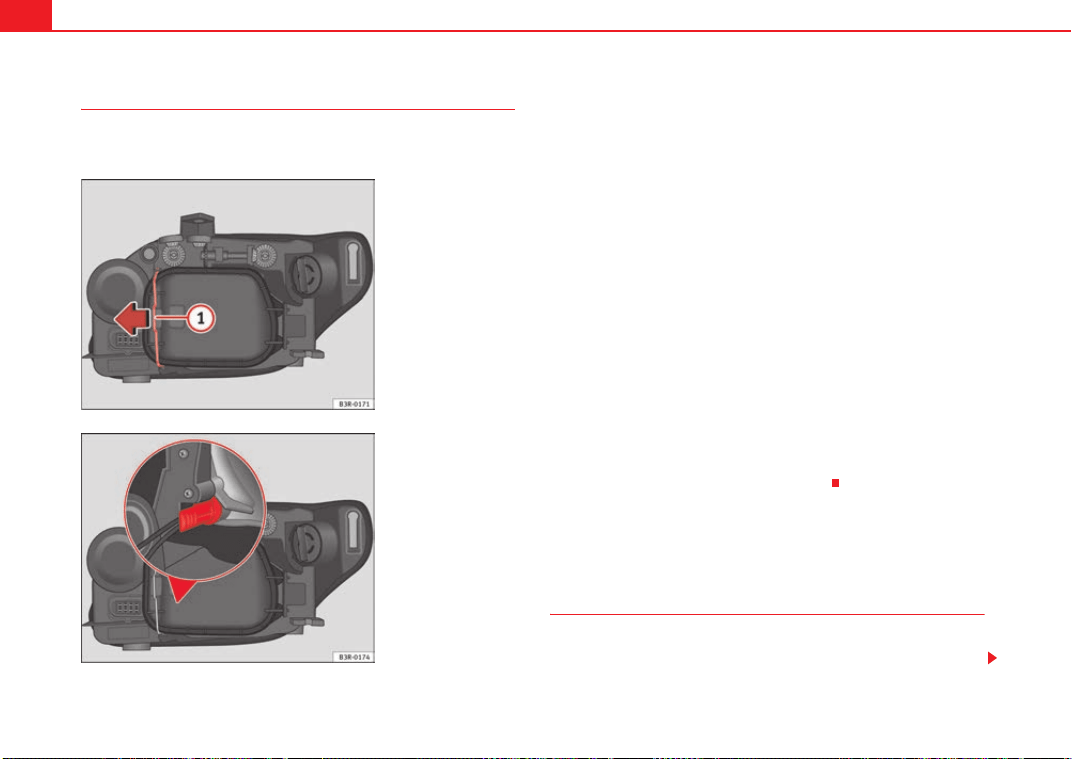
If and when264
Changing the side light bulb (inside of vehicle)
The procedure for changing the bulbs on the front
passenger's side is the same as on the driver's side.
– Switch off the ignition and the lights.
– Raise the bonnet.
– Move the brace ⇒ fig. 202 in the direction of the arrow and
remove the rigid cover, separating the brace side and then
removing the two tabs from the other end of the cover.
– Remove the bulb and the bulb holder by pulling on the bulb
holder wiring.
– Separate the bulb from the bulb holder by pulling both pieces
anti-clockwise.
– Fit the new bulb by pressing on the bulb holder.
– Insert the bulb into the socket so that the side of the bulb holder
grip is vertical ⇒ fig. 203 and press on it.
– Fit the cover, first inserting the side tabs and then closing the
cover and the brace. Make sure that the gasket sits well on the
casing cover during the operation.
– Check whether the new bulb is working.
Changing bulbs. Bi-Xenon AFS headlights
Types of bulbs
You must only replace a bulb with a bulb of the same type. The name can be
found on the base of the bulb.
Fig. 202 Side light bulb
(inside of vehicle)
Fig. 203 Side lights. Bulb
holder grip in vertical
position
A
1
Exeo_EN.book Seite 264 Freitag, 28. August 2009 10:14 10
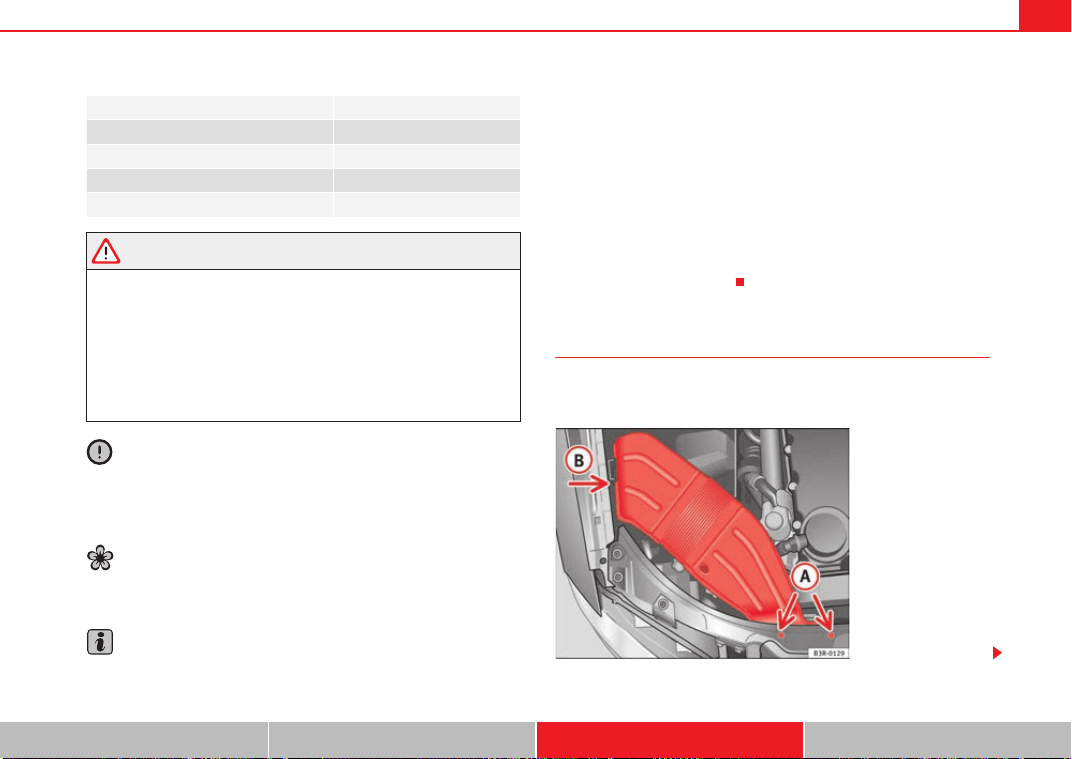
If and when 265
Safety First Controls and equipment Practical tips Technical Data
WARNING
• Take particular care when working on components in the engine
compartment if the engine is warm - risk of burns!
• Bulbs are highly sensitive to pressure. The glass can break when you
touch the bulb, causing injury.
• The high voltage element of gas discharge lamps* (xenon light) must
be handled correctly. Otherwise, there is a risk of death.
• When changing bulbs, please take care not to injure yourself on sharp
parts in the headlight housing.
Caution
• Remove the ignition key before working on the electric system. If not, a
short circuit could occur.
• Switch off the lights or parking lights before you change a bulb.
For the sake of the environment
Please ask your specialist retailer how to dispose of used bulbs in the proper
manner.
Note
• Depending on weather conditions (cold or wet), the front lights, the fog
lights, the rear lights and the indicators may be temporarily misted. This does
not affect the useful life of the lighting system. By switching on the lights, the
area through which the beam of light is projected will quickly be demisted.
However, the edges may continue to be misted.
• Please check at regular intervals that all lighting (especially the exterior
lighting) on your vehicle is functioning properly. This is not only in the interest
of your own safety, but also in that of all other road users.
• Before changing a bulb, make sure you have the correct new bulb.
• Do not touch the glass part of the bulb with your bare hands, use a cloth
or paper towel instead. Otherwise, the fingerprints left on the glass will
vaporise as a result of the heat generated by the bulb, be deposited on the
reflector and impair its surface.
Removing the air duct
The air duct has to be removed to gain access to the bulbs for
the right-side headlight.
Bulb Type
Xenon bulbs 12 V/35 W (D1S)
DRL (day light) 12 V/21 W (P21W SLL)
Indicator light 12 V/21 W (PY21W)
Side lights 12 V/5 W (W5W blue LL)
Fig. 204 Air duct on right
side of vehicle
Exeo_EN.book Seite 265 Freitag, 28. August 2009 10:14 10
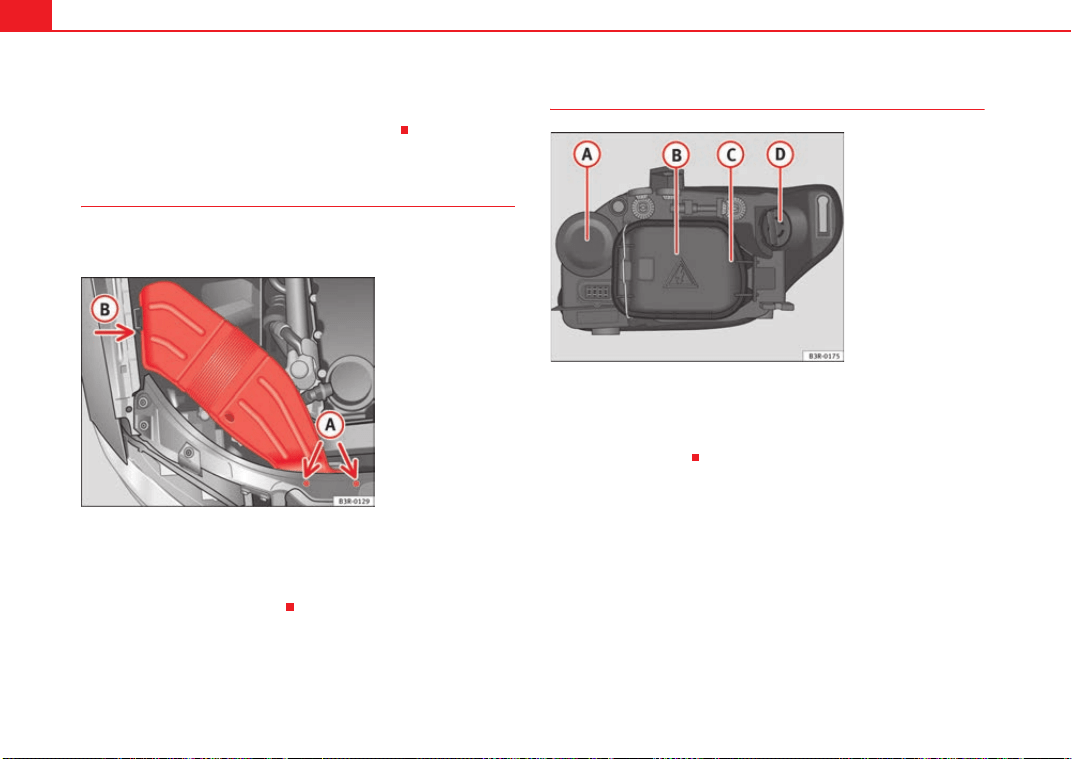
If and when266
–Unscrew bolts ⇒ page 265, fig. 204.
– Detach air duct from guide and take it out.
Fitting the air duct
Once the bulb(s) for the right-side headlight have been
changed, the air duct must be re-installed.
– Place the air duct in the correct position.
– First turn the two screws in lightly, then tighten both screws.
– Push air duct into guide .
Bi-Xenon AFS headlight bulbs
Indicator light
Xenon headlight (dipped-beam/main beam)
Side lights
DRL light (day light)
A
A
A
B
Fig. 205 Air duct on right
side of vehicle
A
A
A
B
Fig. 206 Bi-Xenon AFS
headlight bulbs
A
A
A
B
A
C
A
D
Exeo_EN.book Seite 266 Freitag, 28. August 2009 10:14 10
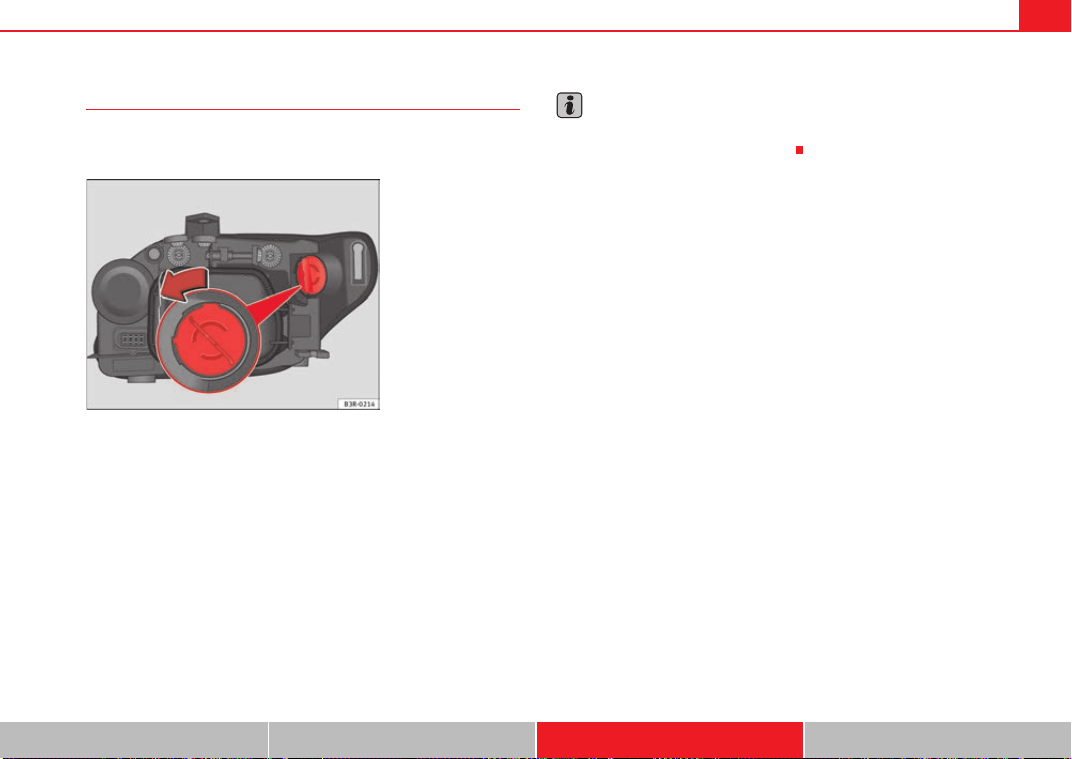
If and when 267
Safety First Controls and equipment Practical tips Technical Data
Changing the DRL light bulb (day light)
The procedure for changing the bulbs on the front
passenger's side is the same as on the driver's side.
– Switch off the ignition and the lights.
– Raise the bonnet.
– Turn the bulb holder anti-clockwise, pulling it by the grip
⇒ fig. 207 and removing the bulb holder and the bulb.
– Replace the blown bulb in the bulb holder (press and turn anti-
clockwise to remove) with a new bulb (press and turn clockwise
to insert).
– Installation is in the reverse order.
Note
Although it is not necessary, previously remove the rigid cover ⇒ page 269,
fig. 210 for easier day light bulb changes.
Fig. 207 DRL light (day
light)
Exeo_EN.book Seite 267 Freitag, 28. August 2009 10:14 10
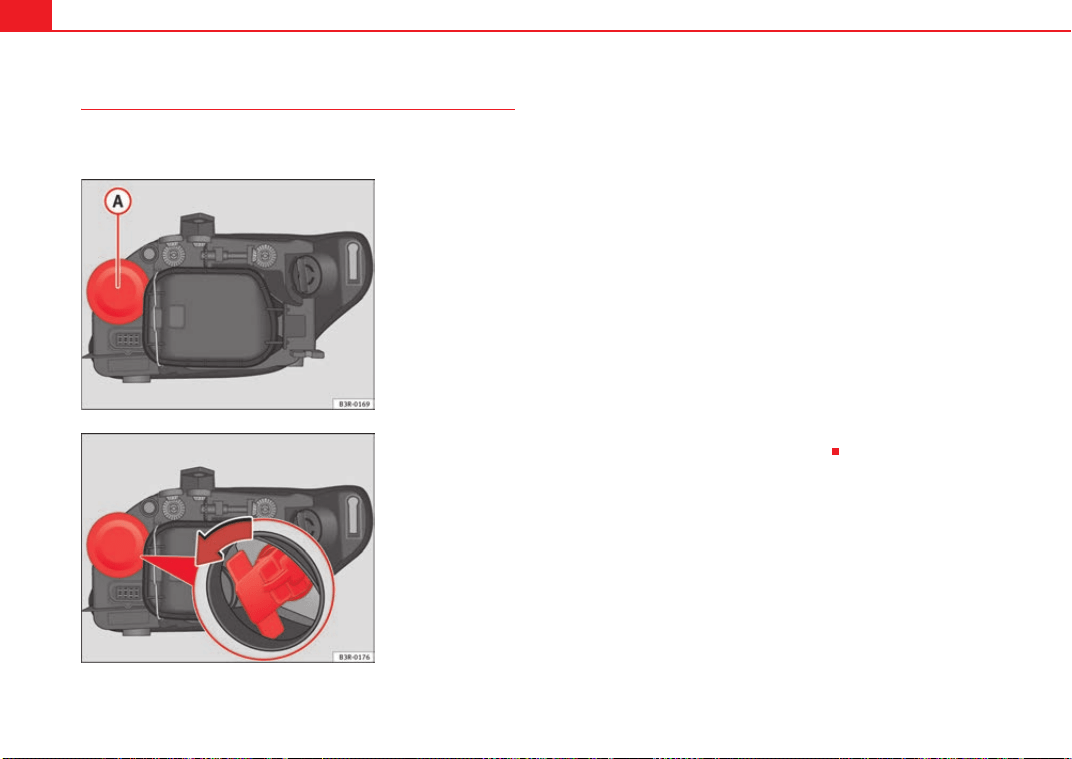
If and when268
Changing the turn signal bulb
The procedure for changing the bulbs on the front
passenger's side is the same as on the driver's side.
– Switch off the ignition and the lights.
– Raise the bonnet.
– Pull the rubber cap ⇒ fig. 208 to remove it.
– Remove the bulb holder by pulling on the grip and turning it anti-
clockwise ⇒ fig. 209.
– Replace the blown bulb in the bulb holder (press and turn anti-
clockwise to remove) with a new bulb (press and turn clockwise
to insert).
– Insert the bulb holder into the socket with the tab facing upwards
and the grip horizontal. Press it against the socket and turn
clockwise. When changing the bulb, you can check the position
of the bulb through the headlight glass.
– Fit the rubber cap and tighten, making sure it fit properly into the
headlight casing.
– Check whether the new bulb is working.
Fig. 208 Indicator bulb
Fig. 209 Indicator bulb
Exeo_EN.book Seite 268 Freitag, 28. August 2009 10:14 10
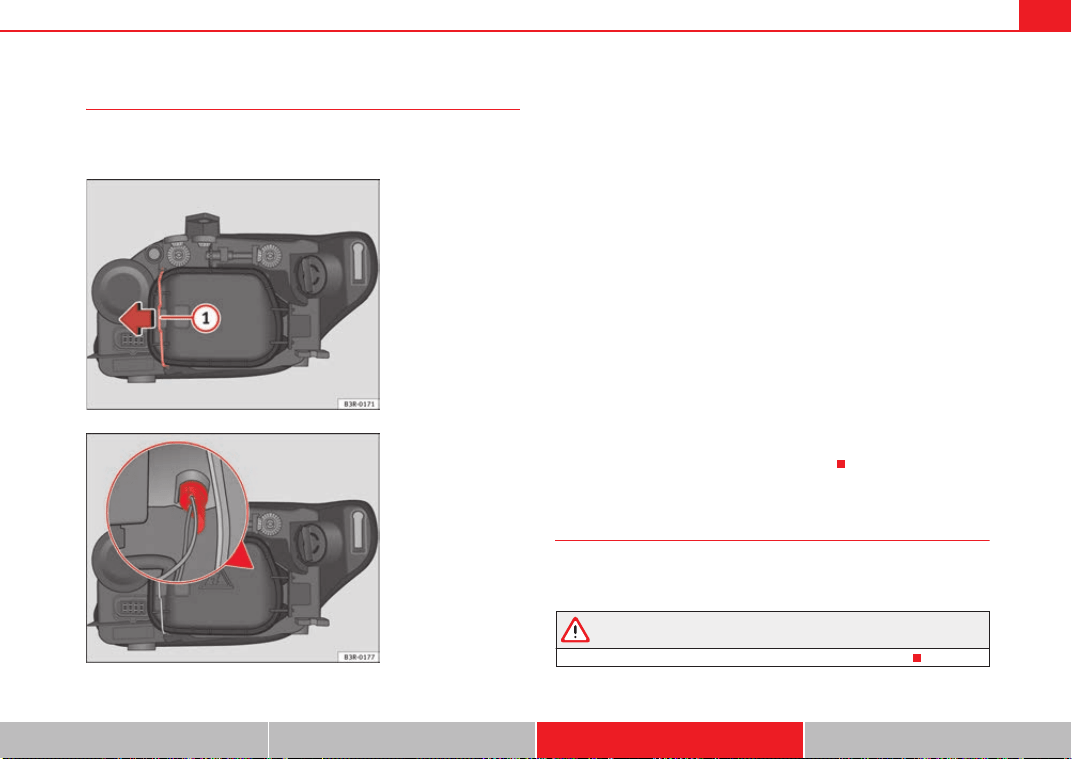
If and when 269
Safety First Controls and equipment Practical tips Technical Data
Changing the side light bulb
The procedure for changing the bulbs on the front
passenger's side is the same as on the driver's side.
– Switch off the ignition and the lights.
– Raise the bonnet.
– Move the brace ⇒ fig. 210 in the direction of the arrow and
remove the rigid cover, separating the brace side and then
removing the two tabs from the other end of the cover.
– Remove the bulb holder by pulling on the grip ⇒ fig. 211 (it can
also be removed by pulling on the bulb holder wires).
– Separate the bulb from the bulb holder by pulling both pieces
anti-clockwise.
– Fit the new bulb by pressing on the bulb holder.
– Insert the bulb into the socket and press on the bulb holder grip.
– Fit the cover, first inserting the side tabs and then closing the
cover and the brace. Make sure that the gasket sits well on the
casing cover during the operation.
– Check whether the new bulb is working.
Changing the xenon bulb
The procedure for changing the bulbs on the front passenger's side is the
same as on the driver's side.
WARNING
This type of bulb should be changed at a qualified workshop.
Fig. 210 Side light
Fig. 211 Side light
A
1
Exeo_EN.book Seite 269 Freitag, 28. August 2009 10:14 10
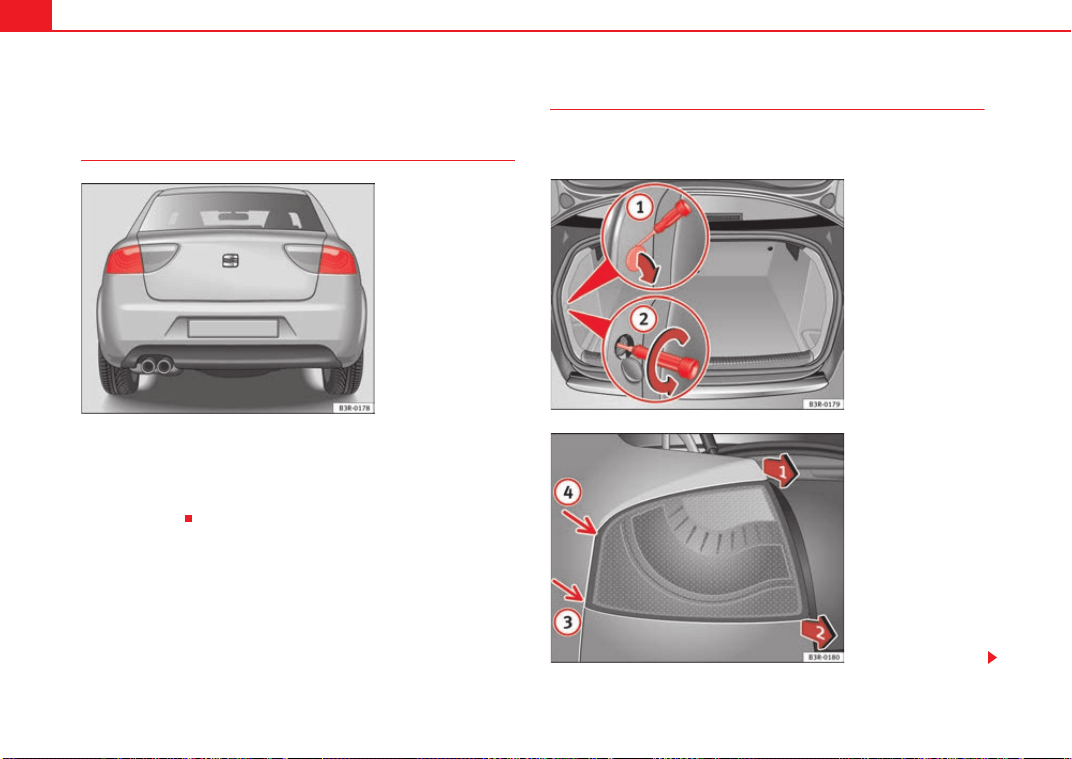
If and when270
Replacing rear bulbs (in side panel)
Overview of rear lights
Rear lights in side panel
• Brake lights and rear lights
• Rear light
• Indicator light
Removing rear light
To change the bulbs you must remove the rear light assembly.
Removing the light requires a certain degree of practical skill.
Fig. 212 Overview of rear
lights
Fig. 213 Luggage
compartment: Location of
the bolt securing the rear
light
Fig. 214 Removing rear
light from side panel
Exeo_EN.book Seite 270 Freitag, 28. August 2009 10:14 10
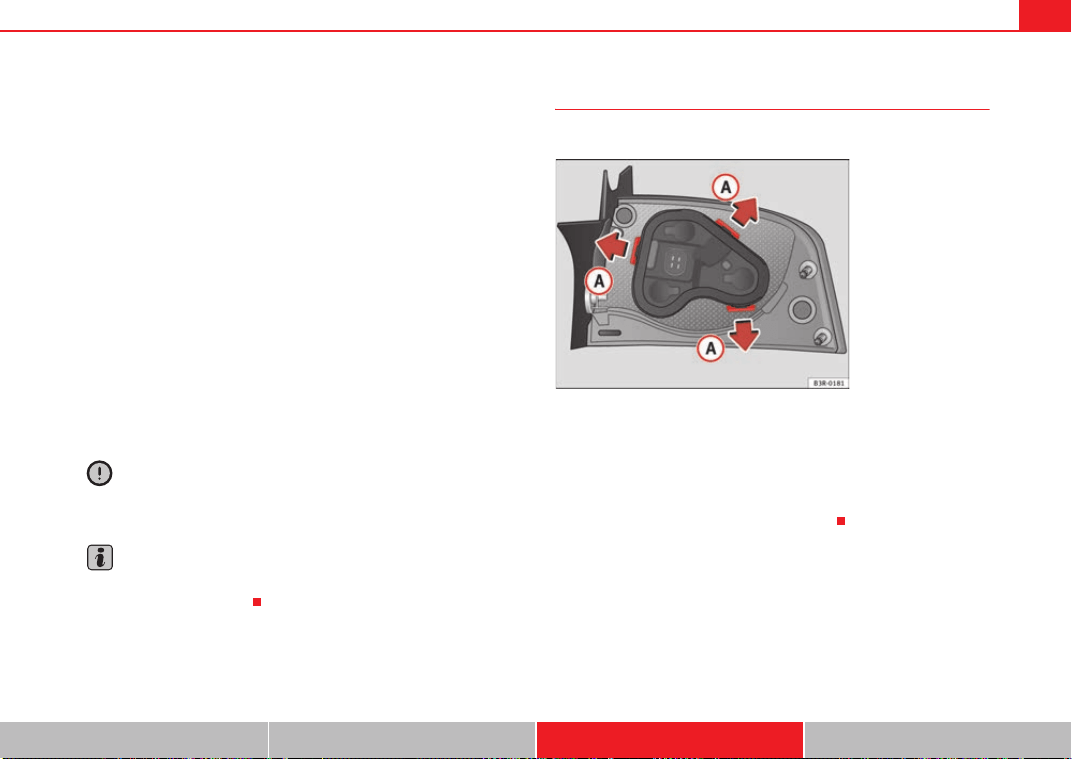
If and when 271
Safety First Controls and equipment Practical tips Technical Data
A special retaining screw is used to secure and guide the rear light.
– Check which of the bulbs is defective.
–Open the tailgate.
– Take the screwdriver out of the vehicle's tool kit ⇒ page 244.
– Use the flat-blade side of the reversible screwdriver insert.
– Prise open the cover at the slot with the screwdriver ⇒ page 270,
fig. 213 .
– Use the screwdriver to loosen the screw (arrow) located
behind the cover.
– Gradually ease the rear light out of the housing (⇒ page 270,
fig. 214 positions and ) by pulling alternately in positions
and .
– Remove the bulb holder ⇒ page 271.
Caution
Take care when removing the rear light to make sure there is no damage to
the paintwork or any of its components.
Note
Make sure you have a soft cloth ready to place under the glass on the rear
light, to avoid any scratches.
Removing the bulb holder
When changing a bulb, you must first remove the bulb holder.
There are three securing tabs on the inside of the rear light.
– Release the retaining tabs ⇒ fig. 215 .
– Take out the bulb holder.
– Change the defective bulb ⇒ page 272.
A
1
A
2
A
3
A
4
A
1
A
2
Fig. 215 Retaining tabs
on reverse side of rear
light
A
A
Exeo_EN.book Seite 271 Freitag, 28. August 2009 10:14 10
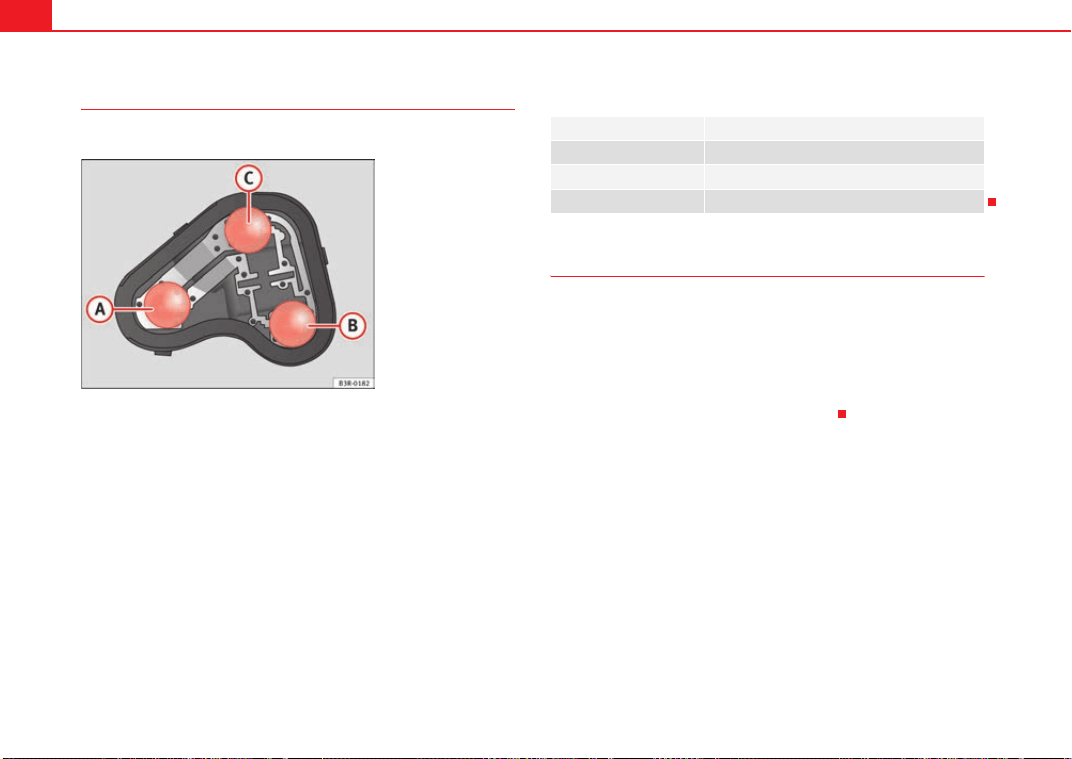
If and when272
Changing bulbs
All bulbs can be changed easily in the bulb holder.
The bulbs are secured with a bayonet fastener. The table below
gives an overview of the bulb positions.
– Lightly press the defective bulb into the bulb holder, then turn it
to the left and remove it.
– Fit the new bulb, pressing it into the bulb holder and turn it to the
right as far as it will go.
– Use a cloth to remove any fingerprints from the glass part of the
bulb.
– Check whether the new bulb is working.
– Re-install the bulb holder ⇒ page 272.
Position of the bulbs
Fitting the bulb holder
The bulb holder is easy to fit.
– Position the bulb holder on the rear light and align it so that it is
securely seated.
– Press the bulb holder into the rear light until it engages.
– Re-install the rear light unit ⇒ page 273.
Fig. 216 Position of the
bulbs in the bulb holder:
Example: Left rear light in
side panel
Pos. ⇒ fig. 216 Bulb function
A Brake lights and rear lights
B Side lights
C Indicator light
Exeo_EN.book Seite 272 Freitag, 28. August 2009 10:14 10
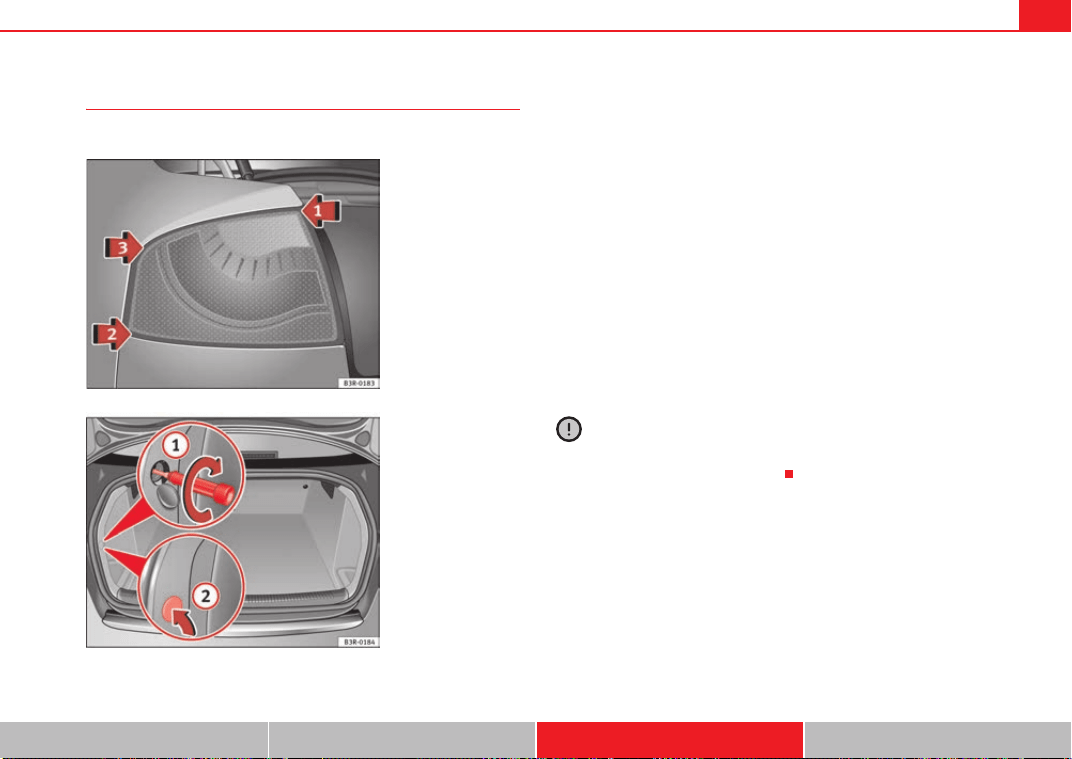
If and when 273
Safety First Controls and equipment Practical tips Technical Data
Fitting the rear light unit
The rear light unit is easy to fit.
– First place the rear light unit in ⇒ fig. 217 arrow in the
housing.
– Gently press the rear light unit against the housing, first in posi-
tion and then in position , until that the clips engage firmly
in the rubber mountings.
– Apply gentle pressure to the front side of the rear light unit and
secure using the screwdriver, from the luggage compartment
⇒ fig. 218 .
– Try to move the rear light sideways to ensure it is correctly fitted.
– Replace the cover in the interior trim.
– Put the screwdriver back into the tool kit.
– Make sure that all bulbs for the rear lights are working.
Caution
Take care when fitting the rear light unit to make sure there is no damage to
the paintwork or any of its components.
Fig. 217 Fitting the rear
light unit
Fig. 218 Luggage
compartment: Location of
the bolt securing the rear
light unit
A
1
A
2
A
3
A
1
A
2
Exeo_EN.book Seite 273 Freitag, 28. August 2009 10:14 10
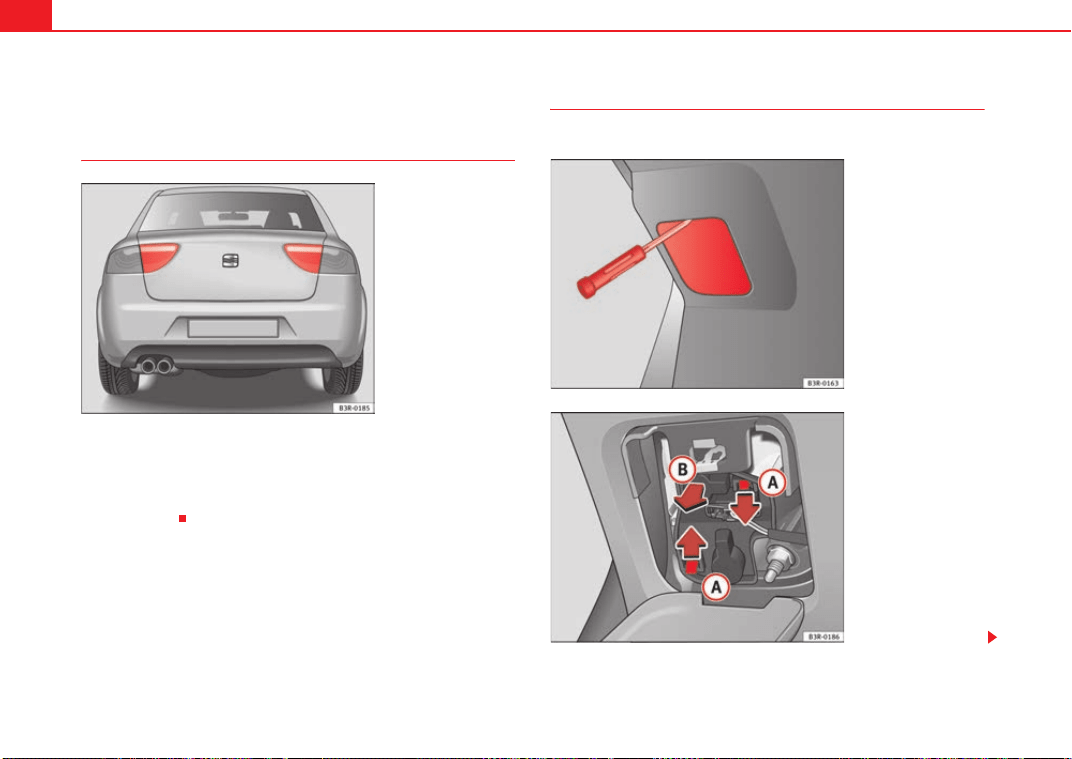
If and when274
Changing rear light bulbs (in boot lid)
Overview of rear lights
Rear lights in the boot lid
• Rear light
• Fog lights
• Reverse light
Removing the bulb holder
The tailgate must be open to change the bulbs.
Fig. 219 Overview of rear
lights
Fig. 220 Remove the
cover in the tailgate
Fig. 221 Remove the bulb
holder
Exeo_EN.book Seite 274 Freitag, 28. August 2009 10:14 10
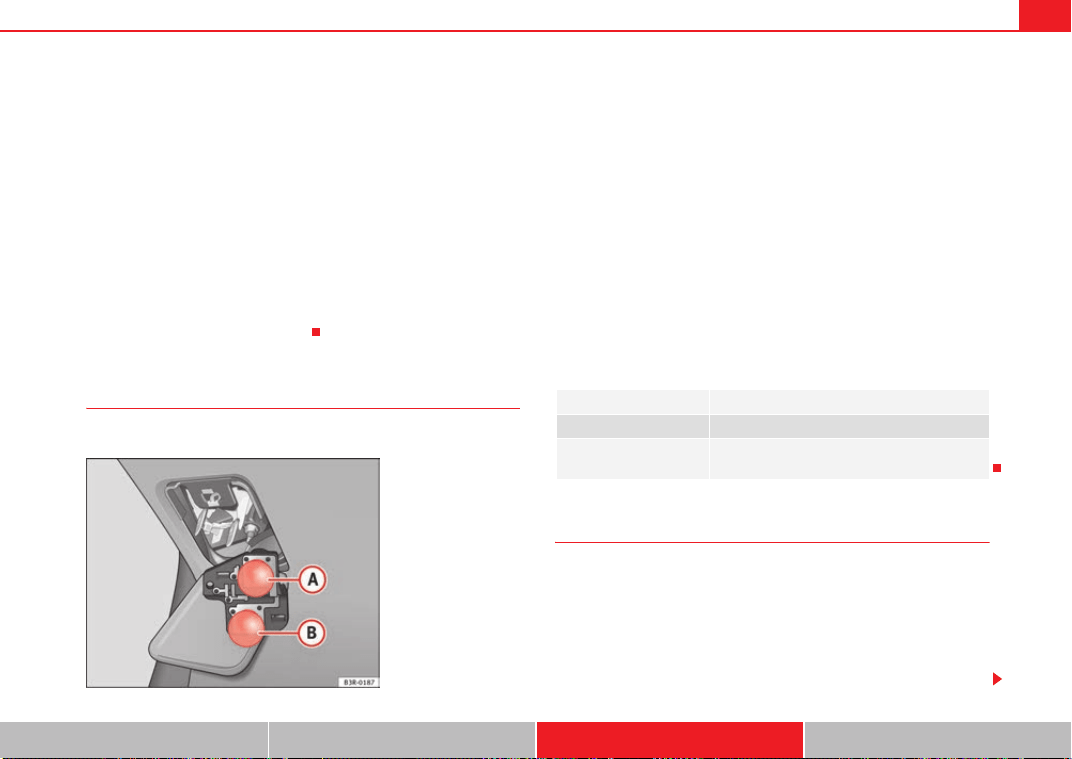
If and when 275
Safety First Controls and equipment Practical tips Technical Data
You can access the bulb holder for the inner rear lights via the inside
of the tailgate.
– Check which of the bulbs is defective.
– Take the screwdriver out of the vehicle's tool kit ⇒ page 244.
– Insert the screwdriver into the opening in the cover from the top
⇒ page 274, fig. 220 and detach the cover.
–Press on the tabs ⇒ page 274, fig. 221 in the direction of the
arrows and remove the bulb holder by pulling in the direction of
the arrow .
– Change the bulbs ⇒ page 275.
Changing bulbs
All bulbs can be changed easily in the bulb holder.
The bulbs are secured with a bayonet fastener. The table below
gives an overview of the bulb positions.
– Lightly press the defective bulb into the bulb holder, then turn it
to the left and remove it.
– Fit the new bulb, pressing it into the bulb holder and turn it to the
right as far as it will go.
– Use a cloth to remove any fingerprints from the glass part of the
bulb.
– Check whether the new bulb is working.
– Re-install the bulb holder ⇒ page 275.
Position of the bulbs
Fitting the bulb holder
The bulb holder is easy to fit.
– Check that the seal is seated correctly on the bulb holder.
– Position the bulb holder on the rear light and align it so that it is
securely seated.
– Press the bulb holder into the rear light until it engages.
A
A
A
B
Fig. 222 Position of the
bulbs in the bulb holder.
Example: Rear lights in
the tailgate
Pos. ⇒ fig. 222 Bulb function
A Reverse light
B
Rear light and
rear fog light
Exeo_EN.book Seite 275 Freitag, 28. August 2009 10:14 10
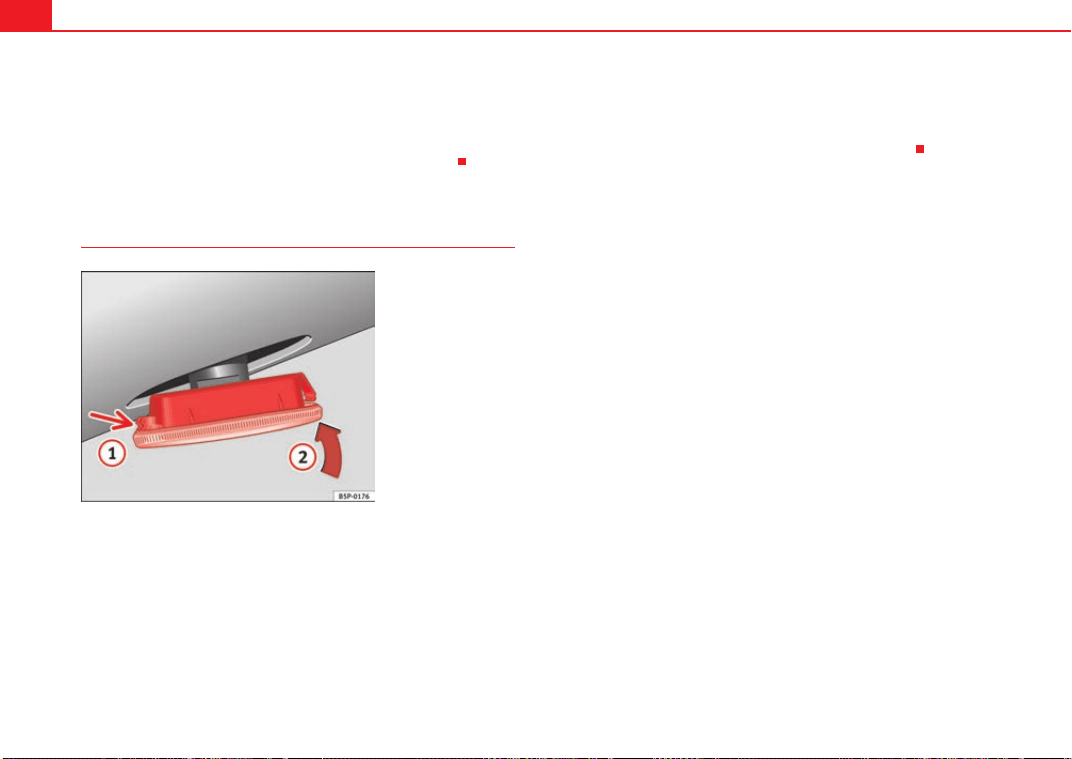
If and when276
– Fit the cover back in the interior trim so that it engages.
– Put the screwdriver back into the tool kit.
– Make sure that all bulbs for the rear lights are working.
Side indicators
– Press the indicator to the left or to the right to remove the lamp.
– Remove the lamp holder from the indicator.
– Remove the failed glass bulb and replace with a new bulb.
– Insert the lamp holder in the indicator guide until it clicks into
place.
– First place the indicator in the opening in the bodywork, fixing
the tabs ⇒ fig. 223, arrow .
– Insert the bulb as shown by the arrow ⇒ fig. 223.
Fig. 223 Side indicator
A
1
A
2
Exeo_EN.book Seite 276 Freitag, 28. August 2009 10:14 10
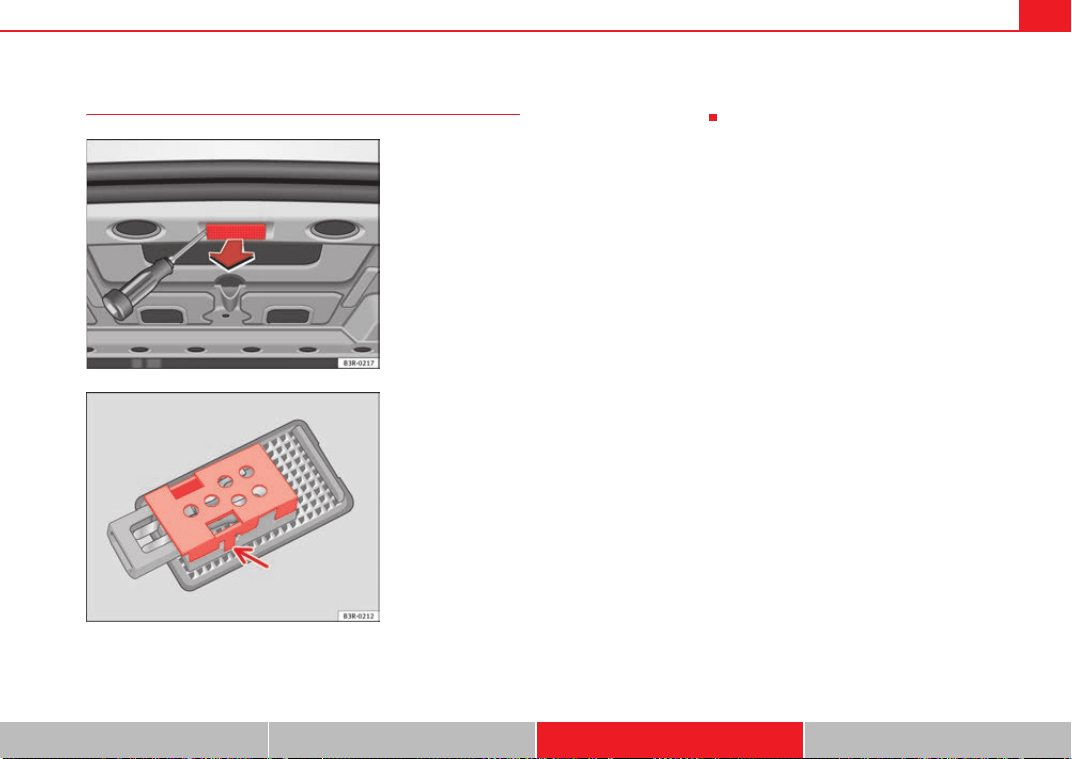
If and when 277
Safety First Controls and equipment Practical tips Technical Data
Luggage compartment lights
– Remove the tulip-shaped fitting by pressing on its inside edge
using the flat side of a screwdriver.
– Remove the protective cover and remove the bulb from the
housing ⇒ fig. 225.
Fig. 224 Luggage
compartment light
Fig. 225 Luggage
compartment light
Exeo_EN.book Seite 277 Freitag, 28. August 2009 10:14 10
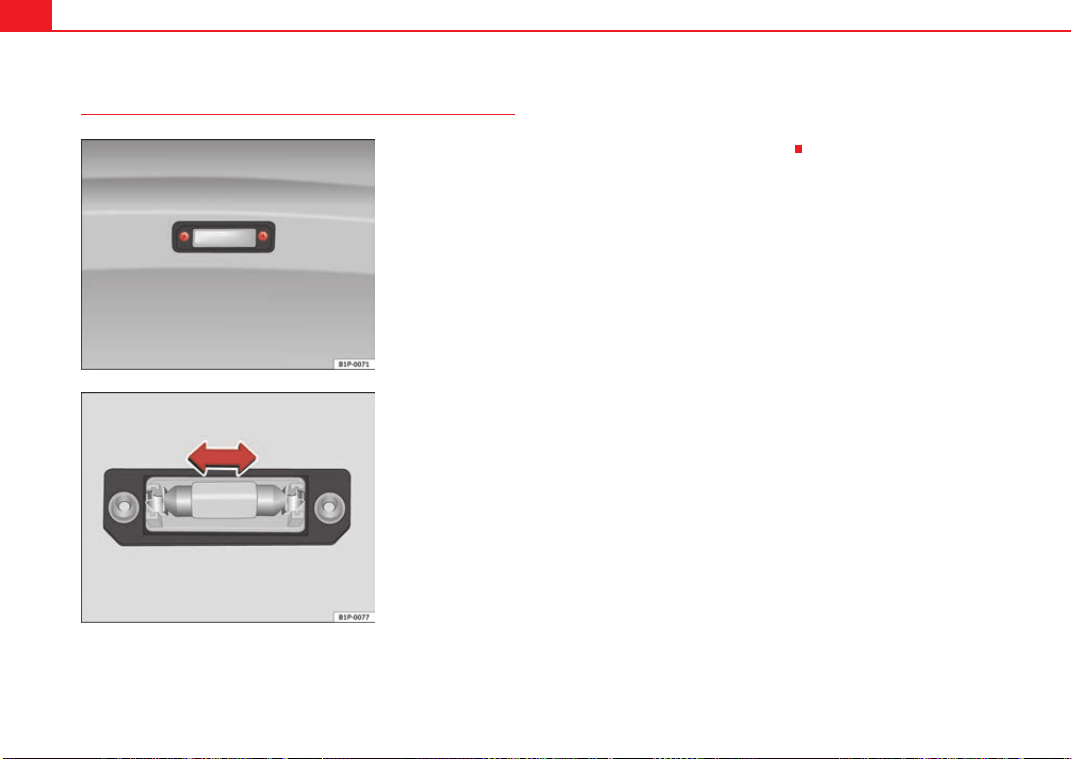
If and when278
Registration light
– To remove the tulip-shaped fitting, unscrew the bolts ⇒ fig. 226.
– Remove the bulb, moving it in the direction of the arrow and
outwards ⇒ fig. 227.
– Installation is in the reverse order.
Fig. 226 Registration
light
Fig. 227 Registration
light
Exeo_EN.book Seite 278 Freitag, 28. August 2009 10:14 10
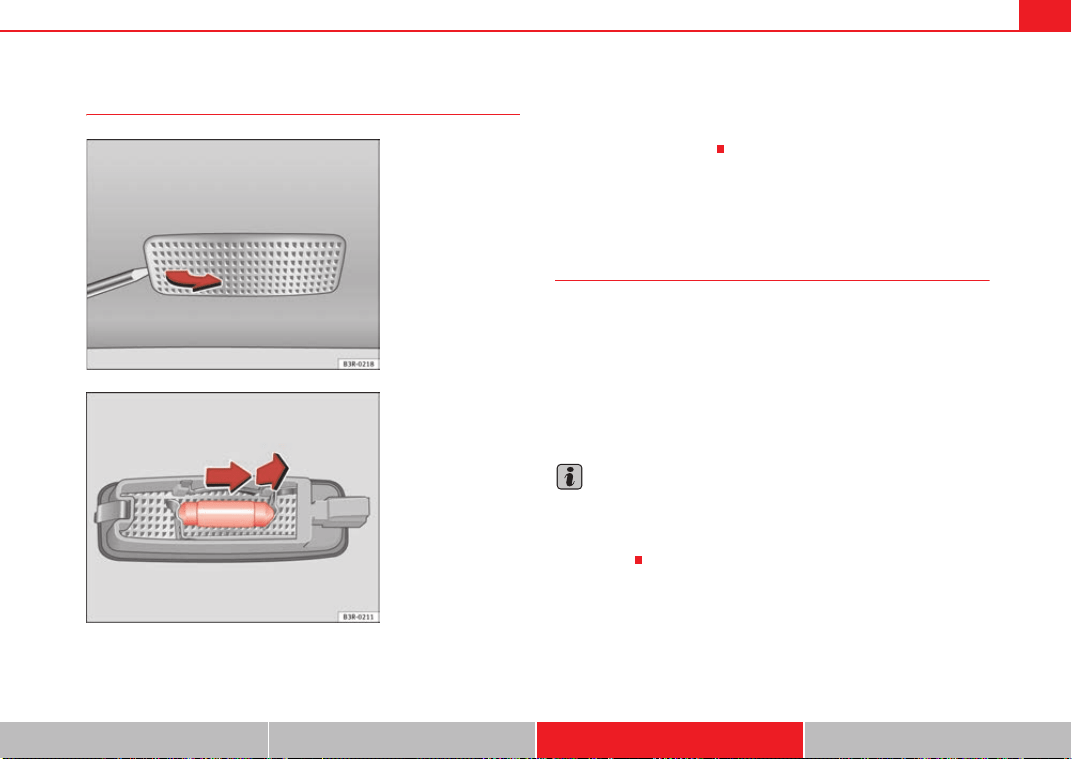
If and when 279
Safety First Controls and equipment Practical tips Technical Data
Sunroof light
– Remove the bulb carefully, using the screwdriver on its flat side
⇒ fig. 228.
– Use a screwdriver to remove the protective cover.
– Remove the bulb, moving it in the direction of the arrow and
outwards ⇒ fig. 229.
Jump-starting
Jump leads
The jump lead must have a sufficient wire cross section.
If the engine fails to start because of a discharged battery, the battery can be
connected to the battery of another vehicle to start the engine.
Jump leads
Jump leads must comply with the standard DIN 72553 (see manufacturer's
documentation). The wire cross section must be at least 25 mm
2
for petrol
engines and at least 35 mm
2
for diesel engines.
Note
• The vehicles must not touch each other, otherwise electricity could flow as
soon as the positive terminals are connected.
• The discharged battery must be properly connected to the vehicle elec-
trical system.
Fig. 228 Removing sun
visor light
Fig. 229 Removing sun
visor light
Exeo_EN.book Seite 279 Freitag, 28. August 2009 10:14 10
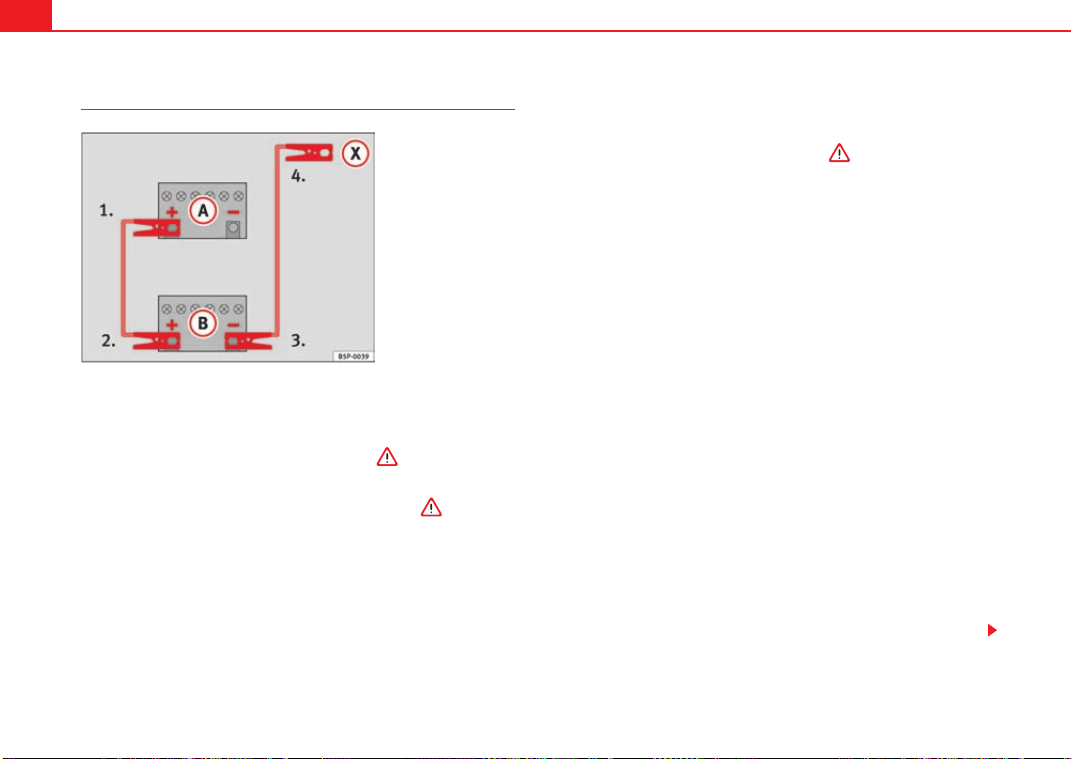
If and when280
How to jump start: description
⇒ fig. 230 shows the flat battery and the charged battery.
Jump lead terminal connections
– Switch off the ignition on both vehicles ⇒ .
1. Connect one end of the red jump lead to the positive ⇒ fig. 230
terminal of the vehicle with the flat battery ⇒ .
2. Connect the other end of the red jump lead to the positive
terminal in the vehicle providing assistance.
3. Connect one end of the black jump lead to the negative terminal
on the battery of the vehicle providing assistance.
4. Connect the other end of the black jump lead to a solid metal
component which is bolted on to the engine block, or onto the
engine block itself of the vehicle with the flat battery. Do not
connect it to a point near the battery ⇒ .
5. Position the leads in such a way that they cannot come into
contact with any moving parts in the engine compartment.
Starting
6. Start the engine of the vehicle with the boosting battery and let
it run at idling speed.
7. Start the engine of the car with the flat battery and wait one or
two minutes until the engine is “running”.
Removing the jump leads
8. Before you remove the jump leads, switch off the headlights (if
they are switched on).
9. Turn on the heater blower and rear window heater in the vehicle
with the flat battery. This helps minimise voltage peaks which are
generated when the leads are disconnected.
10. When the engine is running, disconnect the leads in reverse
order to the details given above.
Connect the battery clamps so they have good metal-to-metal contact with
the battery terminals.
If the engine fails to start, switch off the starter after about 10 seconds and
try again after about half a minute.
Fig. 230 How to connect
the jump leads
A
A
A
B
A
+
A
+
A
-
A
X
Exeo_EN.book Seite 280 Freitag, 28. August 2009 10:14 10
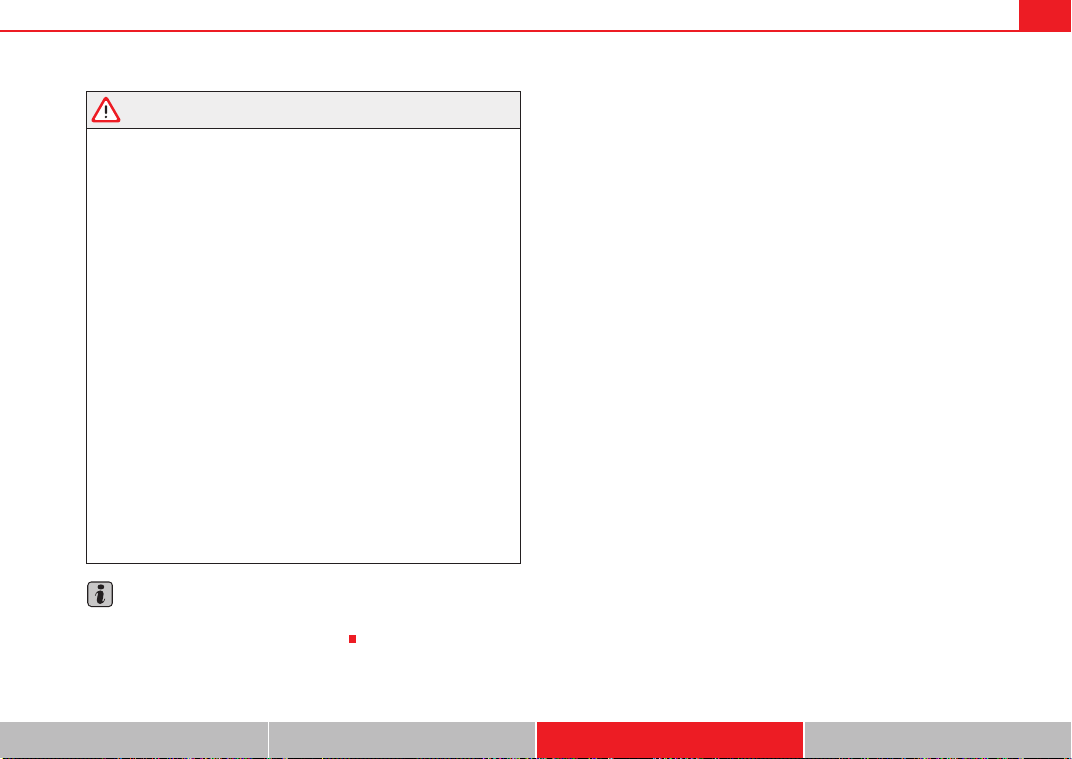
If and when 281
Safety First Controls and equipment Practical tips Technical Data
WARNING
• Please note the safety warnings referring to working in the engine
compartment ⇒ page 221.
• The battery providing assistance must have the same voltage as the flat
battery (12V) and approximately the same capacity (see imprint on
battery). Failure to comply could result in an explosion.
• Never use jump leads when one of the batteries is frozen. Danger of
explosion! Even after the battery has thawed, battery acid could leak and
cause chemical burns. If a battery freezes, it should be replaced.
• Keep sparks, flames and lighted cigarettes away from batteries, danger
of explosion. Failure to comply could result in an explosion.
• Observe the instructions provided by the manufacturer of the jump
leads.
• Do not connect the negative cable from the other vehicle directly to the
negative terminal of the flat battery. The gas emitted from the battery could
be ignited by sparks. Danger of explosion.
• Do not attach the negative cable from the other vehicle to parts of the
fuel system or to the brake line.
• The non-insulated parts of the battery clamps must not be allowed to
touch. The jump lead attached to the positive battery terminal must not
touch metal parts of the vehicle, this can cause a short circuit.
• Position the leads in such a way that they cannot come into contact
with any moving parts in the engine compartment.
• Do not bend over the batteries. This could result in chemical burns.
Note
The vehicles must not touch each other, otherwise electricity could flow as
soon as the positive terminals are connected.
Exeo_EN.book Seite 281 Freitag, 28. August 2009 10:14 10
If and when282
Towing and tow-starting
Tow-starting
The use of jump leads is preferable to tow-starting.
We recommend that you do not tow-start your vehicle. Jump-starting
is preferable ⇒ page 279.
However, if your vehicle has to be tow-started:
– Engage the 2
nd
or the 3
rd
gear.
– Keep the clutch pressed down.
– Switch the ignition on.
– Once both vehicles are moving, release the clutch.
– As soon as the engine starts, press the clutch and move the gear
lever into neutral. This helps to prevent driving into the towing
vehicle.
WARNING
The risk of accidents is high when tow-starting. The vehicle being towed
can easily collide with the towing vehicle.
Caution
When tow-starting, fuel could enter the catalytic converter and damage it.
Comments
Please observe the following points if you use a tow-rope:
Notes for the driver of the towing vehicle
– Drive slowly at first until the tow-rope is taut. Then accelerate
gradually.
– Begin and change gears cautiously. If you are driving an auto-
matic vehicle, accelerate gently.
– Remember that the brake servo and power steering are not
working in the vehicle you are towing. Brake earlier than you
would normally, but with a more gentle pressure on the brake.
Notes for the driver of the towed vehicle
– Ensure that the tow-rope remains taut at all times when towing.
Tow-rope or tow-bar
It is easier and safer to tow a vehicle with a tow-bar. You should only use a
tow-rope if you do not have a tow-bar.
A tow-rope should be slightly elastic to reduce the loading on both vehicles.
It is advisable to use a tow-rope made of synthetic fibre or similarly elastic
material.
Attach the tow-rope or the tow-bar only to the towing eyes provided or a
towing bracket.
Driving style
Towing requires some experience, especially when using a tow-rope. Both
drivers should be familiar with the technique required for towing. Inexperi-
enced drivers should not attempt to tow-start or tow away another vehicle.
Exeo_EN.book Seite 282 Freitag, 28. August 2009 10:14 10
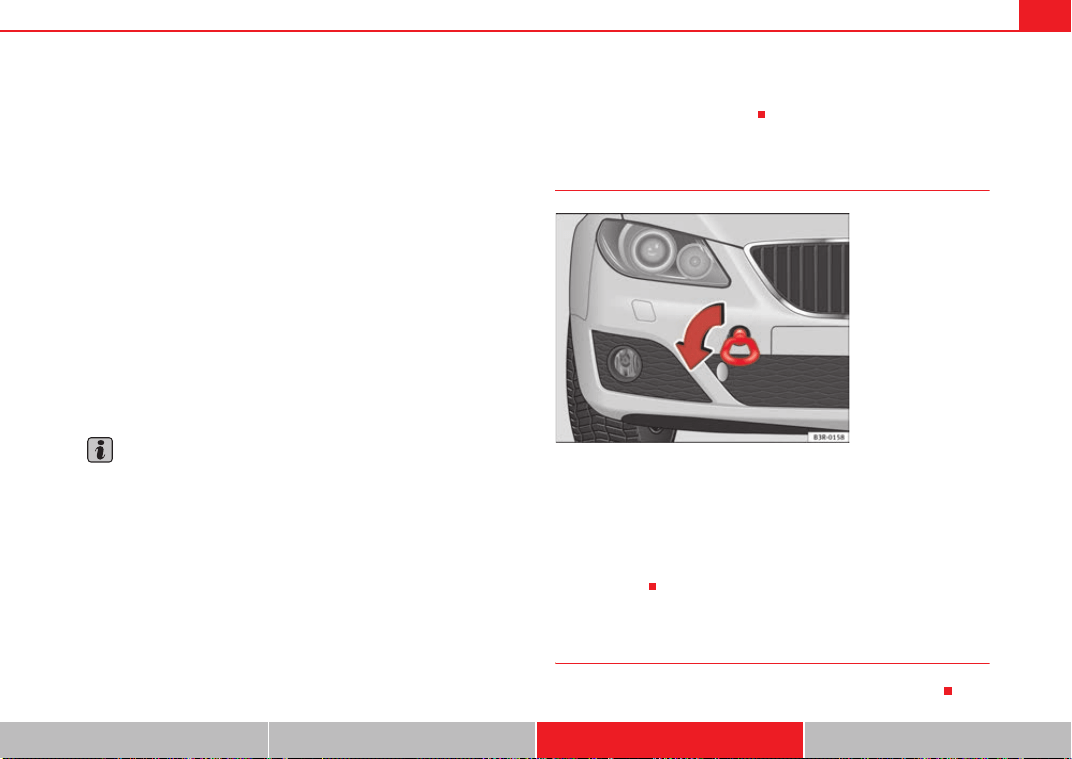
If and when 283
Safety First Controls and equipment Practical tips Technical Data
Do not pull too hard with the towing vehicle and take care to avoid jerking the
tow-rope. When towing on an unpaved road, there is always a risk of over-
loading and damaging the anchorage points.
The ignition of the vehicle being towed must be switched on to prevent the
steering wheel from locking and also to allow the use of the indicators, horn,
windscreen wipers and washers.
As the brake servo does not work if the engine is not running, you must apply
considerably more pressure to the brake pedal than you normally would.
As the power assisted steering does not work if the engine is not running, you
will need more strength to steer than you normally would.
Towing vehicles with an automatic gearbox
• Put the selector lever into position “N”.
• Do not drive faster than 50 km/h when towing a vehicle.
• Do not tow further than 50 km.
• If a breakdown vehicle is used, the vehicle must be towed with the front
wheels raised.
Note
• Observe legal requirements when towing or tow-starting.
• Switch on the hazard warning lights of both vehicles. However, observe
any regulations to the contrary.
• For technical reasons, vehicles with an automatic gearbox must not be
tow-started.
• If damage to your vehicle means that there is no lubricant in the gearbox,
you must raise the drive wheels while the vehicle is being towed.
• If the vehicle has to be towed more than 50 km, the front wheels must be
raised during towing, and towing should be carried out by a qualified person.
• The steering wheel is locked when the vehicle has no electrical power. The
vehicle must then be towed with the front wheels raised. Towing should be
carried out by a qualified person.
• The towing eye should always be kept in the vehicle. Please refer to the
notes ⇒ page 282, “Tow-starting”.
Front towing eye
Fitting the towing eye
– Take the towing ring from the onboard tool set.
– Remove the front cover by pressing down on the right hand side.
– Bolt the eye to its limit to the left, in the direction of the arrow
⇒ fig. 231
Rear towing eye
There is a towing eye at the rear on the right below the rear bumper.
Fig. 231 Fitting the
towing eye to front rear of
the vehicle
Exeo_EN.book Seite 283 Freitag, 28. August 2009 10:14 10

Exeo_EN.book Seite 284 Freitag, 28. August 2009 10:14 10

General notes on the technical data 285
Safety First Controls and equipment Practical tips Technical Data
Technical Data
General notes on the technical data
Outstanding information
Important considerations
All data in the official vehicle documents take precedence
over this data.
All data provided in this manual are valid for the standard model in Spain. The
vehicle data card included in the Maintenance Programme or the vehicle
registration documents shows which engine is installed in the vehicle.
The figures may be different depending on if additional equipment is fitted,
for different models, for special vehicles and for other countries.
Abbreviations used in this paragraph of the Technical Data
Abbrevia-
tion
Meaning
kW Kilowatt, engine power measurement.
bhp Brake horse power, formerly used to denote engine power
at rpm Revolutions per minute - engine speed.
Nm Newton metres, unit of engine torque.
l/100 km Fuel consumption in litres per 100 km.
g/km Carbon dioxide emissions in grams per km travelled.
CO
2
Carbon dioxide
CN Cetane number, indication of the diesel combustion power.
RON
Research octane number, indication of the knock resistance
of petrol.
Exeo_EN.book Seite 285 Freitag, 28. August 2009 10:14 10
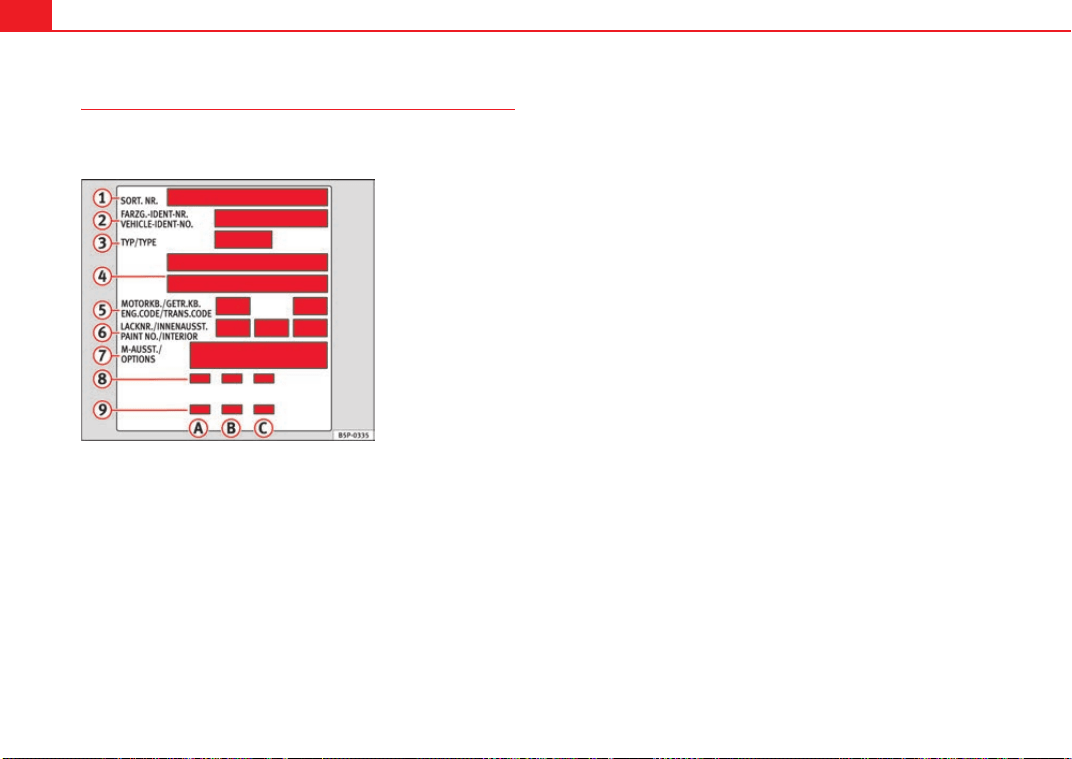
General notes on the technical data286
Vehicle identification data
The most important data are given on the type plate and the
vehicle data sticker.
Vehicles for certain export countries do not have a type plate.
Type plate
The type plate is located on the left rib inside the engine compartment.
Vehicle identification number
The vehicle identification number (chassis number) can be read from outside
the vehicle through a viewer in the windscreen. This is located on the left-
hand side of the vehicle in the lower area of the windscreen. It is also located
on the right hand side of the engine compartment.
Vehicle data
The data sticker is placed on the inside of the spare wheel recess in the
luggage compartment.
The following information is provided on the vehicle data sticker: ⇒ fig. 232.
These data are also provided in the Maintenance Program.
Production control number
Vehicle identification number (chassis number)
Model code number
Model designation / engine power output
Engine and gearbox code letters
Paintwork number / interior trim code
Optional equipment codes
Consumption values
CO
2
emissions values
Data from 2 to 9 are also provided in the Maintenance Program.
Consumption figures and CO
2
Consumption (litres/100 km) / CO
2
emissions (g/km) urban
Consumption (litres/100 km) / CO
2
emissions (g/km) motorway
Consumption (l/100 km) / CO
2
Emissions (g/km) mixed
Fig. 232 Vehicle data
sticker – boot
A
1
A
2
A
3
A
4
A
5
A
6
A
7
A
8
A
9
A
A
A
B
A
C
Exeo_EN.book Seite 286 Freitag, 28. August 2009 10:14 10
General notes on the technical data 287
Safety First Controls and equipment Practical tips Technical Data
Data on fuel consumption
Fuel consumption
The consumption and emission details shown on the vehicle
data sticker differ from one vehicle to another.
The fuel consumption and CO
2
emissions of the vehicle can be found on the
vehicle data sticker.
The fuel consumption and emissions figures given are based on the vehicle
weight category, which is determined according to the engine/gearbox
combination and the equipment fitted.
The consumption and emission figures are calculated in accordance with the
EC test requirements 1999/100/EC. These test requirements specify a real-
istic test method based on normal everyday driving.
The following test conditions are applied:
Note
• Actual consumption may vary from quoted test values, depending on
personal driving style, road and traffic conditions, the weather and the
vehicle condition.
Weights
Kerb weight refers to the basic model with a fuel tank filled to 90% capacity
and without optional extras. The figure quoted includes 75 kg to allow for the
weight of the driver.
For special versions and optional equipment fittings or for the addition of
accessories, the weight of the vehicle will increase ⇒ .
WARNING
• Please note that the centre of gravity may shift when transporting
heavy objects; this may affect the vehicle's handling and lead to an acci-
dent. Always adjust your speed and driving style to suit road conditions
and requirements.
• Never exceed the gross axle weight rating or the gross vehicle weight
rating. If the allowed axle load or the allowed total weight is exceeded, the
driving characteristics of the vehicle may change, leading to accidents,
injuries and damage to the vehicle.
Urban cycle
The urban cycle starts with an engine cold start. City driving
is then simulated.
Extra urban
cycle
In the extra urban cycle simulation the vehicle frequently
accelerates and brakes in all gears, as in normal everyday
driving. The road speed ranges from 0 to 120 km/h.
Total con-
sumption
The average total consumption is calculated with a weighting
of around 37% for the urban cycle and 63% for the extra
urban cycle.
CO
2
emis-
sions
The exhaust gases are collected during both driving cycles to
calculate carbon dioxide emissions. The gas composition is
then analysed to evaluate the CO
2
content and other emis-
sions.
Exeo_EN.book Seite 287 Freitag, 28. August 2009 10:14 10
General notes on the technical data288
Towing a trailer
Trailer weights
Trailer weights
The trailer weights and drawbar loads approved are selected in intensive
trials according to precisely defined criteria. The approved trailer weights are
valid for vehicles in the EU for maximum speeds of 80 km/h (in certain
circumstances up to 100 km/h). The figures may be different in other coun-
tries. All data in the official vehicle documents take precedence over these
data ⇒ .
Drawbar load
The maximum permitted weight exerted by the trailer drawbar on the ball joint
of the towing bracket must not exceed 75 kg.
In the interest of road safety, we recommend that you always tow
approaching the maximum drawbar load. The response of the trailer on the
road will be poor if the drawbar load is too small.
If the maximum permissible drawbar load cannot be met (e.g. with small,
empty and light-weight single axle trailers or tandem axle trailers with an axle
base of less than 1 metre), at least 4% of the actual trailer weight is a legal
stipulation for a drawbar load.
WARNING
• For safety reasons, do not exceed the 80 km/h limit. This is also valid in
countries where higher speeds are permitted.
• Never exceed the maximum trailer weights or the draw bar loading. If
the permissible axle load or the permissible total weight is exceeded, the
driving characteristics of the vehicle may change, leading to accidents,
injuries and damage to the vehicle.
Wheels
Tyre pressure, snow chains, wheel bolts
Tyre pressures
The sticker with the tyre pressure values can be found on the inside of the
tank flap. The tyre pressure values given there are for cold tyres. The slightly
raised pressures of warm tyres must not be reduced. ⇒
Snow chains
Snow chains may be fitted only to the front wheels.
Consult the chapter “wheels” of this manual.
Wheel bolts
After the wheels have been changed, the tightening torque of the wheel bolts
should be checked as soon as possible with a torque wrench ⇒ . The tight-
ening torque for steel and alloy wheels is 120 Nm.
WARNING
• Check the tyre pressure at least once per month. Checking tyre pressure
value is very important. If the tyre pressure is too high or too low, there is
an increased danger of accidents, particularly at high speeds.
• If the torque of the wheel bolts is too low, they could loosen while the
vehicle is in motion. Risk of accident! If the tightening torque is too high,
the wheel bolts and threads can be damaged.
Note
We recommend that you ask your Authorised Service Centre for information
about appropriate wheel, tyre and snow chain size.
Exeo_EN.book Seite 288 Freitag, 28. August 2009 10:14 10
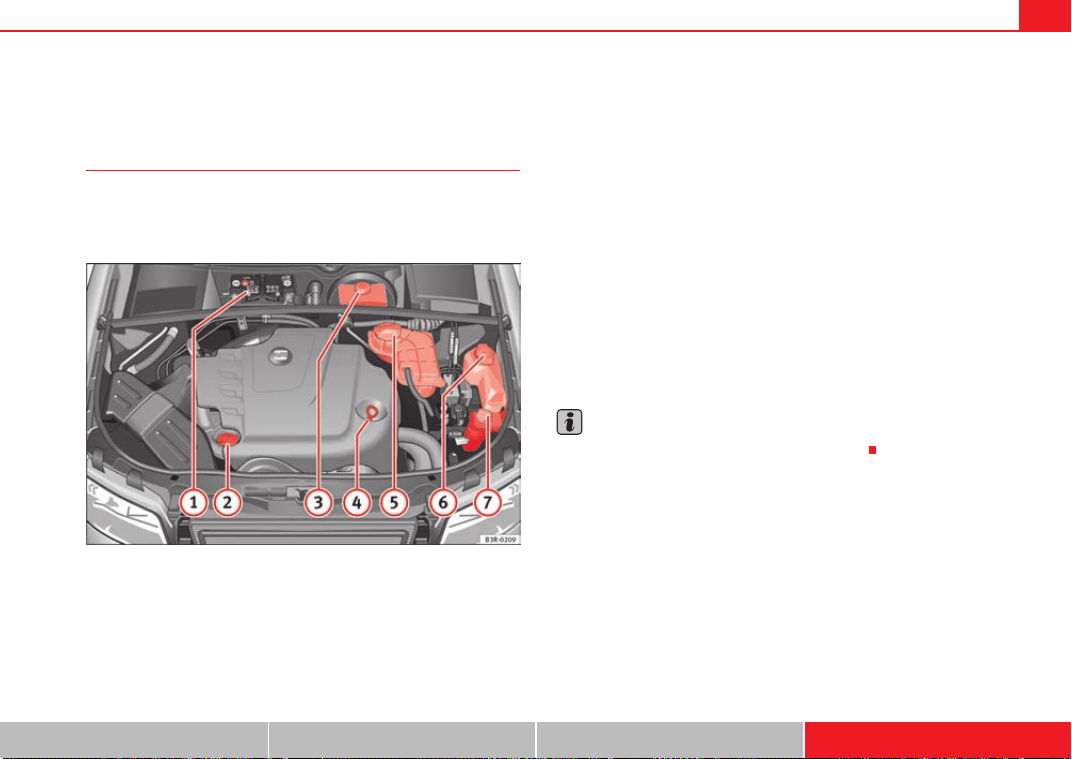
Technical Data 289
Safety First Controls and equipment Practical tips Technical Data
Technical Data
Checking fluid levels
From time to time, the levels of the different fluids in the
vehicle must be checked. Never fill with incorrect fluids,
otherwise serious damage to the engine may be caused.
Fig. 233 Diagram for the location of the various elements
Vehicle battery
Engine oil filler cap
Brake fluid reservoir
Engine oil dipstick.
Coolant expansion tank
Windscreen washer fluid container
Hydraulic fluid reservoir for power steering
The checking and refilling of service fluids are carried out on the components
mentioned above. These operations are described in the ⇒ page 221.
Overview
Further explanations, instructions and restrictions on the technical data are
contained as of ⇒ page 285.
Note
The layout of parts may vary depending on the engine.
A
1
A
2
A
3
A
4
A
5
A
6
A
7
Exeo_EN.book Seite 289 Freitag, 28. August 2009 10:14 10
Technical Data290
Petrol engine 1.6l 75 kW (102 HP)
Engine specifications
Performance figures
Weights
Trailer weights
Power output in kW (bhp) rpm 75 (102) / 5600
Maximum torque in Nm at 1/min 148 / 3800
No. of cylinders/ capacity
in cm
3
4 / 1595
Fuel
Super 95 RON
a)
/Normal 91 RON
b)
a)
Research-Octane-Number = Measure of the antidetonator petrol power.
b)
Slight power loss
Maximum speed in km/h 190
Acceleration from 0-80 km/h in seconds 8,6
Acceleration from 0-100 km/h in seconds 12,6
Gross vehicle weight in kg 1870
Weight in working order (with driver) in kg 1385
Gross front axle weight in kg 990
Gross rear axle weight in kg 1010
Permitted roof load in kg 75
Trailer without brakes 690
Trailer with brakes, gradients up to 8% 1400
Trailer with brakes, gradients up to 12% 1200
Exeo_EN.book Seite 290 Freitag, 28. August 2009 10:14 10
Technical Data 291
Safety First Controls and equipment Practical tips Technical Data
Engine oil capacity
Petrol engine 1.8l 110 kW (150 HP)
Engine specifications
Performance figures
Weights
Approximate engine oil capacity with oil filter change 3.6 litres
Power output in kW (HP) rpm 110 (150) / 5700
Maximum torque in Nm at rpm 220 / 1800
No. of cylinders/ capacity
in cm
3
4 / 1781
Fuel
Super 98 RON
a)
/Super 95 RON
b)
a)
Research-Octane-Number = Measure of the antidetonator petrol power.
b)
Slight power loss.
Maximum speed in km/h 217
Acceleration from 0-80 km/h in seconds 6,3
Acceleration from 0-100 km/h in seconds 9,3
Gross vehicle weight in kg 1960
Weight in working order (with driver) in kg 1475
Gross front axle weight in kg 1065
Gross rear axle weight in kg 1025
Permitted roof load in kg 75
Exeo_EN.book Seite 291 Freitag, 28. August 2009 10:14 10
Technical Data292
Trailer weights
Engine oil capacity
Petrol engine 2.0l 147 kW (200 HP)
Engine specifications
Performance figures
Trailer without brakes 730
Trailer with brakes, gradients up to 8% 1600
Trailer with brakes, gradients up to 12% 1400
Approximate engine oil capacity with oil filter change 4.4 litres
Power output in kW (HP) rpm 147 (200) / 5100
Maximum torque in Nm at rpm 280 / 1800
No. of cylinders/ capacity
in cm
3
4 / 1984
Fuel
Super 98 RON
a)
/Super 95 RON
b)
a)
Research-Octane-Number = Anti-detonation rating of the petrol.
b)
Slight power loss.
Manual Automatic
Maximum speed in km/h 241 235
Acceleration from 0-80 km/h in seconds 5,4 5,3
Acceleration from 0-100 km/h in seconds 7,3 7,3
Exeo_EN.book Seite 292 Freitag, 28. August 2009 10:14 10
Technical Data 293
Safety First Controls and equipment Practical tips Technical Data
Weights
Trailer weights
Engine oil capacity
Diesel engine 2.0 l 88 kW (120 HP) CR
Engine specifications
Manual Automatic
Gross vehicle weight in kg 1990 2015
Weight in working order (with driver) in kg 1505 1530
Gross front axle weight in kg 1090 1120
Gross rear axle weight in kg 1030 1030
Permitted roof load in kg 75 75
Manual Automatic
Trailer without brakes 750 750
Trailer with brakes, gradients up to 8% 1600 1700
Trailer with brakes, gradients up to 12% 1400 1500
Approximate engine oil capacity with oil filter change 4.5 litres
Power output in kW (bhp) rpm 88 (120) / 4000
Maximum torque in Nm at rpm 290 / 1750-2500
No. of cylinders, capacity
in cm
3
4 / 1968
Fuel
Min. 51 CN
a)
a)
Cetane-Number (cetane index) = Measure of the combustion power of the diesel
Exeo_EN.book Seite 293 Freitag, 28. August 2009 10:14 10
Technical Data294
Performance figures
Weights
Trailer weights
Engine oil capacity
Maximum speed in km/h 204
Acceleration from 0-80 km/h in seconds 7,2
Acceleration from 0-100 km/h in seconds 10,5
Gross vehicle weight in kg 1990
Weight in working order (with driver) in kg 1505
Gross front axle weight in kg 1100
Gross rear axle weight in kg 1015
Permitted roof load in kg 75
Trailer without brakes 750
Trailer with brakes, gradients up to 8% 1500
Trailer with brakes, gradients up to 12% 1300
Approximate engine oil capacity with oil filter change 4.3 litres
Exeo_EN.book Seite 294 Freitag, 28. August 2009 10:14 10
Technical Data 295
Safety First Controls and equipment Practical tips Technical Data
Diesel engine 2.0l 105 kW (143 HP)
Engine specifications
Performance figures
Weights
Trailer weights
Power output in kW (HP) rpm 105 (143) / 4200
Maximum torque in Nm at rpm 320 / 1750-2500
No. of cylinders/ capacity
in cm
3
4 / 1968
Fuel
Min. 51 CN
a)
a)
Cetane-Number (cetane index) = Measure of the combustion power of the diesel
Maximum speed in km/h 214
Acceleration from 0-80 km/h in seconds 6,3
Acceleration from 0-100 km/h in seconds 9,2
Gross vehicle weight in kg 1990
Weight in working order (with driver) in kg 1505
Gross front axle weight in kg 1100
Gross rear axle weight in kg 1015
Permitted roof load in kg 75
Trailer without brakes 750
Trailer with brakes, gradients up to 8% 1800
Trailer with brakes, gradients up to 12% 1600
Exeo_EN.book Seite 295 Freitag, 28. August 2009 10:14 10
Technical Data296
Engine oil capacity
Diesel engine 2.0l 125 kW (170 HP)
Engine specifications
Performance figures
Weights
Approximate engine oil capacity with oil filter change 4.3 litres
Power output in kW (HP) rpm 125 (170) / 4200
Maximum torque in Nm at rpm 350 / 1750-2500
No. of cylinders/ capacity
in cm
3
4 / 1968
Fuel
Min. 51 CN
a)
a)
Cetane-Number (cetane index) = Measure of the combustion power of the diesel
Maximum speed in km/h 229
Acceleration from 0-80 km/h in seconds 5,9
Acceleration from 0-100 km/h in seconds 8,4
Gross vehicle weight in kg 2015
Weight in working order (with driver) in kg 1530
Gross front axle weight in kg 1115
Gross rear axle weight in kg 1030
Permitted roof load in kg 75
Exeo_EN.book Seite 296 Freitag, 28. August 2009 10:14 10
Technical Data 297
Safety First Controls and equipment Practical tips Technical Data
Trailer weights
Engine oil capacity
Trailer without brakes 750
Trailer with brakes, gradients up to 8% 1800
Trailer with brakes, gradients up to 12% 1600
Approximate engine oil capacity with oil filter change 4.3 litres
Exeo_EN.book Seite 297 Freitag, 28. August 2009 10:14 10
Technical Data298
Dimensions and capacities
Dimensions
Length, width 4,661 mm/ 1,772 mm
Height at kerb weight 1,430 mm
Front and rear projection 976 mm/ 1,043 mm
Wheelbase 2,642 mm
Turning circle 11.2 m
Track width
a)
a)
This data will change depending on the type of wheel rim.
Front Rear
1,522 mm 1,523 mm
Capacities
Fuel tank 70 l. Reserve 10 l.
Windscreen washer fluid container with headlight washer 4.8 l.
Tyre pressure
Summer-grade tyres:
The correct tyre pressure can be seen on the sticker on the inside of the tank flap.
Winter tyres:
The pressure of these tyres is the same as the summer tyre pressure plus 0.2 bar.
Exeo_EN.book Seite 298 Freitag, 28. August 2009 10:14 10

Index 299
Index
A
Accessories . . . . . . . . . . . . . . . . . . . . . . . . . . . . 214
Towing . . . . . . . . . . . . . . . . . . . . . . . . . . . . . 196
Adaptive headlights . . . . . . . . . . . . . . . . . . . . . 121
Air conditioner
2C-Climatronic . . . . . . . . . . . . . . . . . . . . . . . 154
Defrosting . . . . . . . . . . . . . . . . . . . . . . . . . . . 158
Solar-powered blower/solar roof . . . . . . . . 163
Air duct
Fitting . . . . . . . . . . . . . . . . . . . . . . . . . 259, 266
Removing . . . . . . . . . . . . . . . . . . . . . . 258, 265
Air purity sensor . . . . . . . . . . . . . . . . . . . . . . . . . 159
Airbag
Warning lamp . . . . . . . . . . . . . . . . . . . . . . . . . 66
Airbag covers . . . . . . . . . . . . . . . . . . . . . . . . . . . . 33
Airbag system . . . . . . . . . . . . . . . . . . . . . . . . . . . 28
Curtain airbags . . . . . . . . . . . . . . . . . . . . . . . 41
Front airbags . . . . . . . . . . . . . . . . . . . . . . . . . 31
Side airbags . . . . . . . . . . . . . . . . . . . . . . . . . . 37
Warning lamp . . . . . . . . . . . . . . . . . . . . . . . . . 29
Alternator
Warning lamp . . . . . . . . . . . . . . . . . . . . . . . . . 69
Ambient temperature display . . . . . . . . . . . . . . . 72
Anti-freeze . . . . . . . . . . . . . . . . . . . . . . . . . . . . . 225
Anti-lock brake system
How it works . . . . . . . . . . . . . . . . . . . . . . . . . 184
Anti-puncture tyres . . . . . . . . . . . . . . . . . . . . . . 240
Anti-theft alarm system . . . . . . . . . . . . . . . . . . . 106
Interior monitoring . . . . . . . . . . . . . . . . . . . 107
Aquaplaning . . . . . . . . . . . . . . . . . . . . . . . . . . . 239
Armrest
Storage compartment in front armrest . . . . 141
Armrests
Adjusting the front armrest . . . . . . . . . . . . . 141
Ashtray
Front . . . . . . . . . . . . . . . . . . . . . . . . . . . . . . . 148
Rear . . . . . . . . . . . . . . . . . . . . . . . . . . . . . . . 149
Athermic windscreen . . . . . . . . . . . . . . . . . . . . . 215
Auto-check system . . . . . . . . . . . . . . . . . . . . . . . 75
Automatic car wash tunnel . . . . . . . . . . . . . . . . 206
Automatic gearbox
Dynamic gear control program . . . . . . . . . . 180
Kick-down feature . . . . . . . . . . . . . . . . . . . . 179
multitronic® . . . . . . . . . . . . . . . . . . . . . . . . 175
Paddle levers (tiptronic mode) . . . . . . . . . . 182
Safety interlock for ignition key . . . . . . . . . 165
Selector lever lock . . . . . . . . . . . . . . . . . . . . 179
Selector lever positions . . . . . . . . . . . . . . . . 177
Steering wheel with paddle levers . . . . . . . 182
tiptronic . . . . . . . . . . . . . . . . . . . . . . . 175, 181
Automatic headlight control . . . . . . . . . . . . . . . 115
B
Background lighting . . . . . . . . . . . . . . . . . . . . . 124
Battery . . . . . . . . . . . . . . . . . . . . . . . . . . . . . . . . 231
Battery voltage . . . . . . . . . . . . . . . . . . . . . . . . 81
Charging . . . . . . . . . . . . . . . . . . . . . . . . . . . . 233
Disconnection . . . . . . . . . . . . . . . . . . . . . . . 231
Long periods of non-use . . . . . . . . . . . . . . . 231
Replacing . . . . . . . . . . . . . . . . . . . . . . 231, 232
Testing . . . . . . . . . . . . . . . . . . . . . . . . . . . . . 231
Winter operations . . . . . . . . . . . . . . . 231, 232
Belt tension device
Disposal . . . . . . . . . . . . . . . . . . . . . . . . . . . . . 27
Warning lamp . . . . . . . . . . . . . . . . . . . . . . . . 29
Belt tension devices . . . . . . . . . . . . . . . . . . . . . . 26
Bicycle rack
Towing . . . . . . . . . . . . . . . . . . . . . . . . . . . . . 196
Biodiesel . . . . . . . . . . . . . . . . . . . . . . . . . . . . . . 218
Biodiesel fuel . . . . . . . . . . . . . . . . . . . . . . . . . . . 218
Bonnet . . . . . . . . . . . . . . . . . . . . . . . . . . . . . . . . 220
Closing . . . . . . . . . . . . . . . . . . . . . . . . . . . . . 222
Opening . . . . . . . . . . . . . . . . . . . . . . . . . . . . 220
Releasing . . . . . . . . . . . . . . . . . . . . . . . . . . . 220
Brake light
Failure control . . . . . . . . . . . . . . . . . . . . . . . . 80
Brake pads . . . . . . . . . . . . . . . . . . . . . . . . . . . . . 189
Brake servo . . . . . . . . . . . . . . . . . . . . . . . . . . . . 189
Brake system
Brake servo . . . . . . . . . . . . . . . . . . . . . . . . . 186
Brakes . . . . . . . . . . . . . . . . . . . . . . . . . . . . . 186
Malfunction . . . . . . . . . . . . . . . . . . . . . . . . . . 77
Exeo_EN.book Seite 299 Freitag, 28. August 2009 10:14 10

Index300
Brakes . . . . . . . . . . . . . . . . . . . . . . . . . . . . . . . . 189
Brake assist system . . . . . . . . . . . . . . . . . . 184
Brake fluid . . . . . . . . . . . . . . . . . . . . . . . . . . 230
Worn brake pads . . . . . . . . . . . . . . . . . . . . . . 81
Braking distance . . . . . . . . . . . . . . . . . . . . . . . . 189
Bulb change
general notes . . . . . . . . . . . . . . . . . . . . . . . 257
C
Car keys . . . . . . . . . . . . . . . . . . . . . . . . . . . . . . . . 96
Catalytic converter . . . . . . . . . . . . . . . . . . . . . . 190
Central locking . . . . . . . . . . . . . . . . . . . . . . . . . . 98
Manual locking . . . . . . . . . . . . . . . . . . . . . . 102
Sunroof: opening and closing . . . . . . . . . . 112
Central locking system
Anti-theft security system . . . . . . . . . . . . . . 100
Locking . . . . . . . . . . . . . . . . . . . . . . . . . . . . . 99
Locking and unlocking the vehicle from inside
100
Opening and closing the windows . . . . . . 110
Security central locking . . . . . . . . . . . . . . . 101
Switch on the driver's door . . . . . . . . . . . . . 100
Tailgate . . . . . . . . . . . . . . . . . . . . . . . . . . . . 103
Unlocking . . . . . . . . . . . . . . . . . . . . . . . . . . . . 99
Cetane number . . . . . . . . . . . . . . . . . . . . . . . . . 218
Changing the main headlight bulb
Main headlight . . . . . . . . . . . . . . . . . . . . . . 261
Changing the main headlight bulbs
Dipped beam headlight . . . . . . . . . . . . . . . 262
Changing the rear lights
luggage compartment lights . . . . . . . . . . . 277
Changing windscreen wiper blades . . . . . . . . . 229
Chassis number . . . . . . . . . . . . . . . . . . . . . . . . 286
Child safety . . . . . . . . . . . . . . . . . . . . . . . . . . . . . 46
Child safety seat
ISOFIX system . . . . . . . . . . . . . . . . . . . . . . . . 52
Child seat . . . . . . . . . . . . . . . . . . . . . . . . . . . . . . . 48
Categorisation in groups . . . . . . . . . . . . . . . 48
Group 1 . . . . . . . . . . . . . . . . . . . . . . . . . . . . . 49
Group 2 . . . . . . . . . . . . . . . . . . . . . . . . . . . . . 49
Group 3 . . . . . . . . . . . . . . . . . . . . . . . . . . . . . 49
Groups 0 and 0+ . . . . . . . . . . . . . . . . . . . . . . 48
Safety notes . . . . . . . . . . . . . . . . . . . . . . . . . . 46
Securing . . . . . . . . . . . . . . . . . . . . . . . . . . . . . 51
Child seats
on the front passenger seat . . . . . . . . . . . . . 29
Childproof lock
Rear doors . . . . . . . . . . . . . . . . . . . . . . . . . . 104
Cigarette lighter . . . . . . . . . . . . . . . . . . . . . . . . 149
Cleaning alloy wheel rims . . . . . . . . . . . . . . . . 210
Cleaning chrome . . . . . . . . . . . . . . . . . . . . . . . . 209
Cleaning engine compartment . . . . . . . . . . . . . 211
Cleaning steel wheel rims . . . . . . . . . . . . . . . . 210
Cleaning windows . . . . . . . . . . . . . . . . . . . . . . . 208
Climate control
Air distribution . . . . . . . . . . . . . . . . . . . . . . 161
Air outlets . . . . . . . . . . . . . . . . . . . . . . . . . . 161
Air purity sensor . . . . . . . . . . . . . . . . . . . . . 159
Air recirculation . . . . . . . . . . . . . . . . . . . . . . 158
Air recirculation (automatic) . . . . . . . . . . . . 159
Automatic mode . . . . . . . . . . . . . . . . . . . . . 157
Blower . . . . . . . . . . . . . . . . . . . . . . . . . . . . . 160
Controls . . . . . . . . . . . . . . . . . . . . . . . . . . . . 156
ECON Mode (economy) . . . . . . . . . . . . . . . . 158
Economical use . . . . . . . . . . . . . . . . . . . . . . 162
Key settings . . . . . . . . . . . . . . . . . . . . . . . . . 162
Temperature selection . . . . . . . . . . . . . . . . 157
Clock, setting . . . . . . . . . . . . . . . . . . . . . . . . . . . 61
Cloth seat covers cleaning . . . . . . . . . . . . . . . . 212
Coat hooks . . . . . . . . . . . . . . . . . . . . . . . . . . . . 153
Cockpit . . . . . . . . . . . . . . . . . . . . . . . . . . . . . . . . . 57
Overview . . . . . . . . . . . . . . . . . . . . . . . . . . . . 57
Compartments . . . . . . . . . . . . . . . . . . . . . . . . . . 151
In the door trim . . . . . . . . . . . . . . . . . . . . . . 152
In the front seats . . . . . . . . . . . . . . . . . . . . . 153
Cool box in glove compartment . . . . . . . . . . . . 152
Cooling system
Coolant temperature gauge . . . . . . . . . . . . . 60
Malfunction . . . . . . . . . . . . . . . . . . . . . . . . . . 78
Cruise control . . . . . . . . . . . . . . . . . . . . . . . . . . 172
Cruise control system
Adjust stored speed . . . . . . . . . . . . . . . . . . 173
Disabling . . . . . . . . . . . . . . . . . . . . . . . . . . . 174
Disabling temporarily . . . . . . . . . . . . . . . . . 174
Setting speed . . . . . . . . . . . . . . . . . . . . . . . 173
Curtain airbags . . . . . . . . . . . . . . . . . . . . . . . . . . 41
Description . . . . . . . . . . . . . . . . . . . . . . . . . . 41
Function . . . . . . . . . . . . . . . . . . . . . . . . . . . . . 42
Safety notes . . . . . . . . . . . . . . . . . . . . . . . . . . 42
Exeo_EN.book Seite 300 Freitag, 28. August 2009 10:14 10

Index 301
D
Danger of fitting a child seat on the front passenger
seat . . . . . . . . . . . . . . . . . . . . . . . . . . . . . . . 29
Dash panel cleaning . . . . . . . . . . . . . . . . . . . . . 211
Data entry control . . . . . . . . . . . . . . . . . . . . . . . . 88
Date display . . . . . . . . . . . . . . . . . . . . . . . . . . . . . 61
Daytime running lights . . . . . . . . . . . . . . . . . . . 120
Diesel . . . . . . . . . . . . . . . . . . . . . . . . . . . . . . . . . 218
Diesel engine
Winter driving . . . . . . . . . . . . . . . . . . . . . . . . 219
Diesel engine particulate filter . . . . . . . . . . . . . 191
Diesel particulate filter . . . . . . . . . . . . . . . . . . . . 80
Engine oil . . . . . . . . . . . . . . . . . . . . . . . . . . . 222
Digital clock . . . . . . . . . . . . . . . . . . . . . . . . . . . . . 61
Dipped headlights . . . . . . . . . . . . . . . . . . . . . . . 115
DIS
Average fuel consumption . . . . . . . . . . . . . . 85
Average speed . . . . . . . . . . . . . . . . . . . . . . . . 85
Driving time . . . . . . . . . . . . . . . . . . . . . . . . . . 85
Instantaneous fuel consumption . . . . . . . . . 85
Disabling front passenger airbag
Safety notes . . . . . . . . . . . . . . . . . . . . . . . . . . 45
Disabling the airbag
Disabling front passenger airbag . . . . . . . . . 44
Disposal
Airbags . . . . . . . . . . . . . . . . . . . . . . . . . . . . . . 30
Distance covered . . . . . . . . . . . . . . . . . . . . . . . . . 86
Distance display . . . . . . . . . . . . . . . . . . . . . . . . . 63
Door catch/ tailgate warning . . . . . . . . . . . . . . . 74
Door lock cylinders . . . . . . . . . . . . . . . . . . . . . . 209
Doors
Childproof lock . . . . . . . . . . . . . . . . . . . . . . 104
Locking the doors manually if the central lock-
ing fails to work . . . . . . . . . . . . . . . . . . . . 102
Driver information system . . . . . . . . . . . . . . . . . . 71
Ambient temperature display . . . . . . . . . . . . 72
Auto-check system . . . . . . . . . . . . . . . . . . . . 75
CD, radio and telephone display . . . . . . . . . 72
Door catch/ tailgate warning . . . . . . . . . . . . 74
Driver messages . . . . . . . . . . . . . . . . . . . . . . 76
Handbrake warning . . . . . . . . . . . . . . . . . . . . 76
Menu display . . . . . . . . . . . . . . . . . . . . . . . . . 87
On-board computer . . . . . . . . . . . . . . . . . . . . 85
Red symbols . . . . . . . . . . . . . . . . . . . . . . . . . . 77
Speed warning . . . . . . . . . . . . . . . . . . . . . . . . 82
Warning messages . . . . . . . . . . . . . . . . . . . . 76
Yellow symbols . . . . . . . . . . . . . . . . . . . . . . . 79
Driver messages . . . . . . . . . . . . . . . . . . . . . . . . . 76
Driver's seat
Assigning the key to the seat . . . . . . . . . . . 139
Enabling stored settings . . . . . . . . . . . . . . . 138
With memory . . . . . . . . . . . . . . . . . . . . . . . . 137
Driving
Driving abroad . . . . . . . . . . . . . . . . . . . . . . . 193
Economically / With Respect for the
Environment . . . . . . . . . . . . . . . . . . . . . . . 191
Driving abroad . . . . . . . . . . . . . . . . . . . . . . . . . . 193
Headlights . . . . . . . . . . . . . . . . . . . . . . . . . . 193
Driving safety . . . . . . . . . . . . . . . . . . . . . . . . . . . . . 9
Dynamic gear control program . . . . . . . . . . . . . 180
E
Economical driving . . . . . . . . . . . . . . . . . . . . . . 191
Electric windows . . . . . . . . . . . . . . . . . . . . . . . . 108
Central locking system . . . . . . . . . . . . . . . . 110
Possible malfunctions . . . . . . . . . . . . . . . . . 110
Switch on font passenger's door . . . . . . . . 109
Switch on rear doors . . . . . . . . . . . . . . . . . . 109
Switches in the driver's door . . . . . . . . . . . 109
Electrical power point . . . . . . . . . . . . . . . 149, 150
Electronic differential lock
How it works . . . . . . . . . . . . . . . . . . . . . . . . 185
Electronic immobiliser . . . . . . . . . . . . . . . . . . . . 98
Electronic stabilisation programme
Description . . . . . . . . . . . . . . . . . . . . . . . . . . 164
How the system works . . . . . . . . . . . . . . . . 183
Warning light . . . . . . . . . . . . . . . . . . . . . . . . 165
Emergencies
Changing a wheel . . . . . . . . . . . . . . . . . . . . 246
Disconnecting the battery . . . . . . . . . . . . . . 231
Jack . . . . . . . . . . . . . . . . . . . . . . . . . . . 244, 249
Tools . . . . . . . . . . . . . . . . . . . . . . . . . . . . . . . 244
tyre mobility system . . . . . . . . . . . . . . . . . . 245
Engine
Running in . . . . . . . . . . . . . . . . . . . . . . . . . . 189
Starting . . . . . . . . . . . . . . . . . . . . . . . . . . . . 166
Stop . . . . . . . . . . . . . . . . . . . . . . . . . . . . . . . 167
Engine compartment
Safety instructions . . . . . . . . . . . . . . . . . . . 221
Exeo_EN.book Seite 301 Freitag, 28. August 2009 10:14 10

Index302
Engine oil . . . . . . . . . . . . . . . . . . . . . . . . . . . . . . 222
Checking oil level . . . . . . . . . . . . . . . . . . . . 224
Consumption . . . . . . . . . . . . . . . . . . . . . . . . 224
Oil pressure too low . . . . . . . . . . . . . . . . . . . 78
Oil properties . . . . . . . . . . . . . . . . . . . . . . . . 223
Oil sensor defective . . . . . . . . . . . . . . . . . . . 80
Topping up . . . . . . . . . . . . . . . . . . . . . . . . . . 224
Environment . . . . . . . . . . . . . . . . . . . . . . . . . . . 191
Environmental friendliness . . . . . . . . . . . . 192
Environmental tip
Avoiding pollution . . . . . . . . . . . . . . . . . . . . 217
Environmentally friendly driving . . . . . . . . . . . 191
Exhaust gas purification system . . . . . . . . . . . 190
Exterior mirrors . . . . . . . . . . . . . . . . . . . . . . . . . 208
F
Fabric trim cleaning . . . . . . . . . . . . . . . . . . . . . 212
Fastening rings . . . . . . . . . . . . . . . . . . . . . . . . . . 17
Filling the tank
Releasing the tank flap manually . . . . . . . 217
Floor mats . . . . . . . . . . . . . . . . . . . . . . . . . . . . . . 16
Fog lights . . . . . . . . . . . . . . . . . . . . . . . . . . . . . . 117
Front airbags . . . . . . . . . . . . . . . . . . . . . . . . . . . . 31
Description . . . . . . . . . . . . . . . . . . . . . . . . . . 31
Front drink holders . . . . . . . . . . . . . . . . . . . . . . 147
Front passenger airbag deactivation . . . . . . . . . 44
Frontal airbags
Operation . . . . . . . . . . . . . . . . . . . . . . . . . . . . 32
safety notes . . . . . . . . . . . . . . . . . . . . . . . . . . 34
Fuel
Diesel . . . . . . . . . . . . . . . . . . . . . . . . . . . . . . 218
Fuel gauge . . . . . . . . . . . . . . . . . . . . . . . . . . . 63
Fuel level low . . . . . . . . . . . . . . . . . . . . . . . . . 80
Instantaneous fuel consumption . . . . . . . . . 85
Petrol . . . . . . . . . . . . . . . . . . . . . . . . . . . . . . 218
Fuel range . . . . . . . . . . . . . . . . . . . . . . . . . . . 73, 85
Fuel tank
opening the fuel tank flap . . . . . . . . . . . . . 216
Fuel: save . . . . . . . . . . . . . . . . . . . . . . . . . . . . . . 191
Fuse
Assignment . . . . . . . . . . . . . . . . . . . . . . . . . 256
Changing . . . . . . . . . . . . . . . . . . . . . . . . . . . 255
G
Gear display . . . . . . . . . . . . . . . . . . . . . . . . . . . . . 73
Gear shift pattern . . . . . . . . . . . . . . . . . . . . . . . 175
General overview of the engine compartment 289
Glove compartment . . . . . . . . . . . . . . . . . . . . . . 151
Cool box . . . . . . . . . . . . . . . . . . . . . . . . . . . . 152
Light . . . . . . . . . . . . . . . . . . . . . . . . . . . . . . . 123
GRA . . . . . . . . . . . . . . . . . . . . . . . . . . . . . . . . . . . 172
H
Handbrake . . . . . . . . . . . . . . . . . . . . . . . . . . . . . 168
Hazard warning lights . . . . . . . . . . . . . . . . . . . . 121
Head restraint
Rear seat . . . . . . . . . . . . . . . . . . . . . . . . . . . 141
Head restraints
Front seats . . . . . . . . . . . . . . . . . . . . . . . . . . 139
Rear seats . . . . . . . . . . . . . . . . . . . . . . . . . . 140
Removing and fitting . . . . . . . . . . . . . . . . . 140
head restraints, correct adjustment . . . . . . . . . 13
In-use and non-use positions . . . . . . . . . . . 14
Headlight range control . . . . . . . . . . . . . . . . . . 119
Dynamic . . . . . . . . . . . . . . . . . . . . . . . . . . . . 120
Faulty . . . . . . . . . . . . . . . . . . . . . . . . . . . . . . . 81
Headlights . . . . . . . . . . . . . . . . . . . . . . . . . . . . . 115
Adaptive headlights . . . . . . . . . . . . . . . . . . 121
Automatic headlight control . . . . . . . . . . . 116
Automatic headlight control photo sensors . . .
116
Coming home function . . . . . . . . . . . . . . . . 118
Driving abroad . . . . . . . . . . . . . . . . . . . . . . . 193
Front fog lights . . . . . . . . . . . . . . . . . . . . . . 117
Headlight range control . . . . . . . . . . . . . . . 119
Headlight washer system . . . . . . . . . . . . . . 129
Leaving home function . . . . . . . . . . . . . . . . 118
Heated
Seats . . . . . . . . . . . . . . . . . . . . . . . . . . . . . . 163
Heated rear window . . . . . . . . . . . . . . . . . . . . . 126
Heated seat . . . . . . . . . . . . . . . . . . . . . . . . . . . . 163
High pressure cleaners . . . . . . . . . . . . . . . . . . . 207
Horn . . . . . . . . . . . . . . . . . . . . . . . . . . . . . . . . . . . 57
I
Identification number . . . . . . . . . . . . . . . . . . . . 286
Exeo_EN.book Seite 302 Freitag, 28. August 2009 10:14 10

Index 303
Ignition key
Safety interlock . . . . . . . . . . . . . . . . . . . . . . 165
Ignition lock . . . . . . . . . . . . . . . . . . . . . . . . . . . . 165
Indicator lamps
Cruise control system . . . . . . . . . . . . . . . . . . 67
Glow plug system . . . . . . . . . . . . . . . . . . . . . 70
Hazard warning lights . . . . . . . . . . . . . . . . . . 68
Indicators . . . . . . . . . . . . . . . . . . . . . . . . . . . . 68
Main beam headlights . . . . . . . . . . . . . . . . . 69
Trailer indicators . . . . . . . . . . . . . . . . . . . . . . 67
Indicator lamps - overview . . . . . . . . . . . . . . . . . 65
Indicators . . . . . . . . . . . . . . . . . . . . . . . . . . . . . . 122
Instruments
Lighting . . . . . . . . . . . . . . . . . . . . . . . . 62, 119
Interior lights
Background lighting . . . . . . . . . . . . . . . . . . 124
Front . . . . . . . . . . . . . . . . . . . . . . . . . . . . . . . 123
Luggage compartment . . . . . . . . . . . . . . . . 125
Rear . . . . . . . . . . . . . . . . . . . . . . . . . . . . . . . . 125
Interior monitoring . . . . . . . . . . . . . . . . . . . . . . . 107
Intermittent wipe . . . . . . . . . . . . . . . . . . . . . . . . 128
ISOFIX . . . . . . . . . . . . . . . . . . . . . . . . . . . . . . . . . . 52
J
Jack . . . . . . . . . . . . . . . . . . . . . . . . . . . . . . 244, 249
Jump leads . . . . . . . . . . . . . . . . . . . . . . . . . . . . . 279
Jump-starting . . . . . . . . . . . . . . . . . . . . . . . . . . . 279
K
Keys . . . . . . . . . . . . . . . . . . . . . . . . . . . . . . . . . . . 96
Battery . . . . . . . . . . . . . . . . . . . . . . . . . . . . . . 97
Climate control settings . . . . . . . . . . . . . . . 162
Remote control key . . . . . . . . . . . . . . . . . . . 104
Settings for the driver's seat . . . . . . . . . . . . 139
Kick-down feature . . . . . . . . . . . . . . . . . . . . . . . 179
L
Leather cleaning . . . . . . . . . . . . . . . . . . . . . . . . 212
Light sensor faulty . . . . . . . . . . . . . . . . . . . . . . . . 80
Lighting
Instruments . . . . . . . . . . . . . . . . . . . . . . 62, 119
Lights . . . . . . . . . . . . . . . . . . . . . . . . . . . . . . . . . 115
Adaptive headlights . . . . . . . . . . . . . . . . . . 121
Automatic headlight control . . . . . . . . . . . . 115
Cornering light . . . . . . . . . . . . . . . . . . . . . . . 121
Dipped headlights faulty . . . . . . . . . . . . . . . 81
Dynamic headlight range control . . . . . . . . 120
Headlight flasher . . . . . . . . . . . . . . . . . . . . . 123
Parking light . . . . . . . . . . . . . . . . . . . . . . . . . 123
Rear lights faulty . . . . . . . . . . . . . . . . . . . . . . 81
Switching on and off . . . . . . . . . . . . . . . . . . 115
Xenon lights . . . . . . . . . . . . . . . . . . . . . . . . . 120
Liquid coolant
Anti-freeze . . . . . . . . . . . . . . . . . . . . . . . . . . 225
Checking the level . . . . . . . . . . . . . . . . . . . . 226
Liquid coolant additive . . . . . . . . . . . . . . . . 225
Topping up . . . . . . . . . . . . . . . . . . . . . . . . . . 227
Load compartment in the boot
See Luggage compartment . . . . . . . . . . . . . . 16
Locking the doors manually if the central locking
fails to work
Locking the doors manually if the central lock-
ing fails to work . . . . . . . . . . . . . . . . . . . . 102
Locks . . . . . . . . . . . . . . . . . . . . . . . . . . . . . . . . . 209
Long periods of non-use
Battery . . . . . . . . . . . . . . . . . . . . . . . . . . . . . 231
Luggage compartment . . . . . . . . . . . . . . . . 16, 142
Extending . . . . . . . . . . . . . . . . . . . . . . . . . . . 144
Fastening rings . . . . . . . . . . . . . . . . . . . . . . 143
Light . . . . . . . . . . . . . . . . . . . . . . . . . . . . . . . 125
Loading . . . . . . . . . . . . . . . . . . . . . . . . . . . . 142
Luggage net . . . . . . . . . . . . . . . . . . . . . . . . . 143
Ski bag . . . . . . . . . . . . . . . . . . . . . . . . . . . . . 145
See also Luggage compartment . . . . . . . . . . 16
Luggage rack
See Roof carrier . . . . . . . . . . . . . . . . . . . . . . 146
M
Main beam headlights . . . . . . . . . . . . . . . . . . . 122
Maintenance
airbags . . . . . . . . . . . . . . . . . . . . . . . . . . . . . . 30
Maintenance and cleaning . . . . . . . . . . . . . . . . 205
Manual gearbox . . . . . . . . . . . . . . . . . . . . . . . . . 175
Manual operation
Closing the sunroof manually . . . . . . . . . . . 113
Fuel tank flap . . . . . . . . . . . . . . . . . . . . . . . . 217
Exeo_EN.book Seite 303 Freitag, 28. August 2009 10:14 10

Index304
Mirrors
Anti-dazzle interior rear-view mirror with auto-
matic adjustment . . . . . . . . . . . . . . . . . . . 130
Automatic exterior mirror adjustment . . . . 137
Enabling stored settings . . . . . . . . . . . . . . . 138
Heated exterior mirrors . . . . . . . . . . . . . . . . 131
Make-up mirrors . . . . . . . . . . . . . . . . . . . . . 126
Storing settings . . . . . . . . . . . . . . . . . . . . . . 138
Mobile telephones and radiotelephones . . . . 215
multitronic® . . . . . . . . . . . . . . . . . . . . . . . . . . . 175
Driving with multitronic® . . . . . . . . . . . . . . 176
N
Number of seats . . . . . . . . . . . . . . . . . . . . . . . . . 18
O
Observations . . . . . . . . . . . . . . . . . . . . . . . . . . . 193
Octane number . . . . . . . . . . . . . . . . . . . . . . . . . 218
Oil consumption . . . . . . . . . . . . . . . . . . . . . . . . 224
Oil dipstick . . . . . . . . . . . . . . . . . . . . . . . . . . . . 224
Oil level
Check level . . . . . . . . . . . . . . . . . . . . . . . . . . 80
Oil properties . . . . . . . . . . . . . . . . . . . . . . . . . . . 223
On-board computer . . . . . . . . . . . . . . . . . . . . . . . 85
Override function
Sunroof override function . . . . . . . . . . . . . . 113
Overview
Cockpit . . . . . . . . . . . . . . . . . . . . . . . . . . . . . . 57
P
Paddle levers
tiptronic . . . . . . . . . . . . . . . . . . . . . . . . . . . . 182
Paintwork
Polishing . . . . . . . . . . . . . . . . . . . . . . . . . . . 208
Parking . . . . . . . . . . . . . . . . . . . . . . . . . . . . . . . . 169
multitronic® . . . . . . . . . . . . . . . . . . . . . . . . 176
Parking aid
SEAT parking system . . . . . . . . . . . . . . . . . 170
SEAT parking system plus . . . . . . . . . . . . . 170
Parking aid acoustic system . . . . . . . . . . . . . . . 169
Pedals . . . . . . . . . . . . . . . . . . . . . . . . . . . . . . . . . 15
Petrol . . . . . . . . . . . . . . . . . . . . . . . . . . . . . . . . . 218
Driving abroad . . . . . . . . . . . . . . . . . . . . . . . 193
Petrol additives . . . . . . . . . . . . . . . . . . . . . . . . . 218
Physical principles of a frontal collision . . . . . . 19
Plastic parts . . . . . . . . . . . . . . . . . . . . . . . . . . . . 208
Plastic parts cleaning . . . . . . . . . . . . . . . . . . . . 211
Power steering . . . . . . . . . . . . . . . . . . . . . . . . . . 188
Products for vehicle maintenance . . . . . . . . . . 205
Q
Quartz clock . . . . . . . . . . . . . . . . . . . . . . . . . . . . . 61
R
Radiator fan . . . . . . . . . . . . . . . . . . . . . . . . . . . . 227
Radio display . . . . . . . . . . . . . . . . . . . . . . . . . . . . 72
Rain sensor . . . . . . . . . . . . . . . . . . . . . . . . . . . . 128
Rain sensor faulty . . . . . . . . . . . . . . . . . . . . . . . . 80
Reading lights
Front . . . . . . . . . . . . . . . . . . . . . . . . . . . . . . . 123
Rear . . . . . . . . . . . . . . . . . . . . . . . . . . . . . . . 125
Rear drinks holder . . . . . . . . . . . . . . . . . . . . . . . 148
Rear fog light . . . . . . . . . . . . . . . . . . . . . . . . . . . 117
Rear side window sun blind . . . . . . . . . . . . . . . 127
Rear view mirror
With manual anti-dazzle setting . . . . . . . . 130
Rear view mirrors
Anti-dazzle setting . . . . . . . . . . . . . . . . . . . 130
Interior rear view mirror . . . . . . . . . . . . . . . 130
Rear window heating
Heating element wires . . . . . . . . . . . . . . . . 209
Rear window sun blind . . . . . . . . . . . . . . . . . . . 127
Refuelling . . . . . . . . . . . . . . . . . . . . . . . . . . . . . 216
Registration light . . . . . . . . . . . . . . . . . . . . . . . 278
Remote control key
Indicator light . . . . . . . . . . . . . . . . . . . . . . . . 97
Locking and unlocking . . . . . . . . . . . . . . . . 105
Locking and unlocking the vehicle . . . . . . 105
Replacing the battery . . . . . . . . . . . . . . . . . . 97
Remote control keys . . . . . . . . . . . . . . . . . . . . . . 96
Re-synchronising . . . . . . . . . . . . . . . . . . . . 106
Removing and fitting the wheel . . . . . . . . . . . . 250
Repairs
airbags . . . . . . . . . . . . . . . . . . . . . . . . . . . . . . 30
Replacement of parts . . . . . . . . . . . . . . . . . . . . 214
Replacing rear bulbs . . . . . . . . . . . . . . . . . . . . . 270
Rev counter . . . . . . . . . . . . . . . . . . . . . . . . . . . . . 61
Exeo_EN.book Seite 304 Freitag, 28. August 2009 10:14 10

Index 305
Reverse gear
Automatic gearbox . . . . . . . . . . . . . . . . . . . 177
Manual gearbox . . . . . . . . . . . . . . . . . . . . . . 175
Roof carrier . . . . . . . . . . . . . . . . . . . . . . . . . . . . . 146
Attachment points . . . . . . . . . . . . . . . . . . . . 146
Roof load . . . . . . . . . . . . . . . . . . . . . . . . . . . 146
Rubber seals . . . . . . . . . . . . . . . . . . . . . . . . . . . 209
Running in
Engine . . . . . . . . . . . . . . . . . . . . . . . . . . . . . 189
S
SAFE . . . . . . . . . . . . . . . . . . . . . . . . . . . . . . . . . . . 98
Safe driving . . . . . . . . . . . . . . . . . . . . . . . . . . . . . . 7
Aspects to take into account . . . . . . . . . . . . . 8
Before setting off . . . . . . . . . . . . . . . . . . . . . . . 8
Driving safety . . . . . . . . . . . . . . . . . . . . . . . . . . 8
Safety . . . . . . . . . . . . . . . . . . . . . . . . . . . . . . . . . . . 9
Safety equipment . . . . . . . . . . . . . . . . . . . . . . . . . 7
Safety instructions
Engine compartment . . . . . . . . . . . . . . . . . . 221
Safety notes
Airbags . . . . . . . . . . . . . . . . . . . . . . . . . . . . . . 30
Belt tension devices . . . . . . . . . . . . . . . . . . . 27
Curtain airbags . . . . . . . . . . . . . . . . . . . . . . . 42
Disabling front passenger airbag . . . . . . . . . 45
frontal airbags . . . . . . . . . . . . . . . . . . . . . . . . 34
side airbags . . . . . . . . . . . . . . . . . . . . . . . . . . 40
Using child seats . . . . . . . . . . . . . . . . . . . . . . 46
Using seat belts . . . . . . . . . . . . . . . . . . . . . . . 21
Seals . . . . . . . . . . . . . . . . . . . . . . . . . . . . . . . . . . 209
Seat adjustment
Lumbar support . . . . . . . . . . . . . . . . . . . . . . 136
Seat belt position
Pregnant women . . . . . . . . . . . . . . . . . . . . . . 24
Seat belts . . . . . . . . . . . . . . . . . . . . . . . . . . . . 23
Seat belt protection . . . . . . . . . . . . . . . . . . . . . . . 21
Seat belt release . . . . . . . . . . . . . . . . . . . . . . . . . 25
Seat belt warning lamp . . . . . . . . . . . . . . . . . . . . 18
Seat belts . . . . . . . . . . . . . . . . . . . . . . . . . . . . . . . 18
adjustment . . . . . . . . . . . . . . . . . . . . . . . . . . . 22
Height adjustment . . . . . . . . . . . . . . . . . . . . . 25
Incorrectly fastened . . . . . . . . . . . . . . . . . . . . 26
Not worn . . . . . . . . . . . . . . . . . . . . . . . . . . . . . 20
Safety notes . . . . . . . . . . . . . . . . . . . . . . . . . . 21
Warning lamp . . . . . . . . . . . . . . . . . . . . . . 18, 68
Seat belts cleaning . . . . . . . . . . . . . . . . . . . . . . 213
Seat heating . . . . . . . . . . . . . . . . . . . . . . . . . . . . 163
Seats . . . . . . . . . . . . . . . . . . . . . . . . . . . . . . . . . . . 18
Electric adjustment . . . . . . . . . . . . . . . . . . . 135
Electric backrest adjustment . . . . . . . . . . . 136
Manual adjustment . . . . . . . . . . . . . . . . . . . 133
Manual adjustment of lumbar support . . . 134
Manual backrest angle adjustment . . . . . . 134
Moving the seat forwards and backwards . 133
Seat height adjustment . . . . . . . . . . . . . . . 133
Selector lever positions . . . . . . . . . . . . . . . . . . . 177
Self-directing headlights
faulty . . . . . . . . . . . . . . . . . . . . . . . . . . . . . . . . 81
Service indicator . . . . . . . . . . . . . . . . . . . . . . . . . 74
Servotronic . . . . . . . . . . . . . . . . . . . . . . . . . . . . . 188
Shoes . . . . . . . . . . . . . . . . . . . . . . . . . . . . . . . . . . 15
Side airbags . . . . . . . . . . . . . . . . . . . . . . . . . . . . . 37
Description . . . . . . . . . . . . . . . . . . . . . . . . . . . 37
Function . . . . . . . . . . . . . . . . . . . . . . . . . . . . . 38
Safety notes . . . . . . . . . . . . . . . . . . . . . . . . . . 40
Side lights . . . . . . . . . . . . . . . . . . . . . . . . . . . . . 115
Sitting position
Driver . . . . . . . . . . . . . . . . . . . . . . . . . . . . . . . 10
Front passenger . . . . . . . . . . . . . . . . . . . . . . . 11
Incorrect sitting position . . . . . . . . . . . . . . . . 14
Passengers . . . . . . . . . . . . . . . . . . . . . . . . . . 12
Sitting position, occupants . . . . . . . . . . . . . . . . . 10
Ski bag . . . . . . . . . . . . . . . . . . . . . . . . . . . . . . . . 145
Snow chains . . . . . . . . . . . . . . . . . . . . . . . 243, 288
Solar-powered blower/solar roof . . . . . . . . . . . 163
Spare keys . . . . . . . . . . . . . . . . . . . . . . . . . . . . . . 96
Spare parts . . . . . . . . . . . . . . . . . . . . . . . . . . . . . 214
Spare wheel
Steel rim . . . . . . . . . . . . . . . . . . . . . . . . . . . . 245
Speed warning . . . . . . . . . . . . . . . . . . . . . . . . 81, 82
Speed warning function . . . . . . . . . . . . . . . . . . . 82
Speedometer . . . . . . . . . . . . . . . . . . . . . . . . . . . . 63
Steam jets . . . . . . . . . . . . . . . . . . . . . . . . . . . . . 207
Steering
Locking . . . . . . . . . . . . . . . . . . . . . . . . . . . . . 165
Manual steering wheel adjustment . . . . . . 164
Steering wheel controls . . . . . . . . . . . . . . . . . . . 91
Stopping the engine . . . . . . . . . . . . . . . . . . . . . 167
Sun roof
Opening . . . . . . . . . . . . . . . . . . . . . . . . . . . . 111
Sun roof / deflector . . . . . . . . . . . . . . . . . . . . . . 111
Exeo_EN.book Seite 305 Freitag, 28. August 2009 10:14 10

Index306
Sun visors . . . . . . . . . . . . . . . . . . . . . . . . . . . . . 126
Sunroof . . . . . . . . . . . . . . . . . . . . . . . . . . . . . . . 112
Automatic close function . . . . . . . . . . . . . . 112
Closing . . . . . . . . . . . . . . . . . . . . . . . . . . . . . 112
Manual operation . . . . . . . . . . . . . . . . . . . . 113
Override function . . . . . . . . . . . . . . . . . . . . 113
Supplementary heating . . . . . . . . . . . . . . . . . . 163
Switches in the driver's door
Electric windows . . . . . . . . . . . . . . . . . . . . . 109
Symbols
Red symbols in central display . . . . . . . . . . 77
Yellow symbols in central display . . . . . . . . 79
T
Tailgate
Central locking system . . . . . . . . . . . . . . . . 103
Light . . . . . . . . . . . . . . . . . . . . . . . . . . . . . . . 125
TCS
How the system works . . . . . . . . . . . . . . . . 186
Technical modifications . . . . . . . . . . . . . . . . . . 214
The danger of not using the seat belt . . . . . . . . 20
The environment
Heated rear window . . . . . . . . . . . . . . . . . . 126
Leaks . . . . . . . . . . . . . . . . . . . . . . . . . . . . . . 221
Roof carriers . . . . . . . . . . . . . . . . . . . . . . . . 147
Warming up the engine . . . . . . . . . . . . . . . 166
Tightening torque of wheel bolts . . . . . . . . . . . 288
tiptronic . . . . . . . . . . . . . . . . . . . . . . . . . . . 175, 181
Tools . . . . . . . . . . . . . . . . . . . . . . . . . . . . . . . . . . 244
Tow starting
Comments . . . . . . . . . . . . . . . . . . . . . . . . . . 282
Towing . . . . . . . . . . . . . . . . . . . . . . . . . . . . 194, 282
Accessories . . . . . . . . . . . . . . . . . . . . . . . . . 196
Notes on towing . . . . . . . . . . . . . . . . . 194, 195
Removable towing bracket . . . . . . . . . . . . . 197
Technical requirements . . . . . . . . . . . . . . . 194
Towing a trailer . . . . . . . . . . . . . . . . . . . . . . . . . 288
Towing bracket, fitting . . . . . . . . . . . . . . . . . . . 203
Towing eye . . . . . . . . . . . . . . . . . . . . . . . . . . . . . 282
Towing eyes . . . . . . . . . . . . . . . . . . . . . . . . . . . . 283
Tow-starting . . . . . . . . . . . . . . . . . . . . . . . . . . . . 282
Traction control system
How the system works . . . . . . . . . . . . . . . . 186
Trailer weights . . . . . . . . . . . . . . . . . . . . . . . . . . 288
Trip recorder . . . . . . . . . . . . . . . . . . . . . . . . . . . . 63
Type plate . . . . . . . . . . . . . . . . . . . . . . . . . . . . . 286
Tyre Mobility System . . . . . . . . . . . . . . . . . . . . . 251
Tyre mobility system . . . . . . . . . . . . . . . . . . . . . 245
Tyre pressure . . . . . . . . . . . . . . . . . . . . . 66, 90, 235
Loss . . . . . . . . . . . . . . . . . . . . . . . . . . . . . . . 237
Tyre pressure monitoring . . . . . . . . . . . . . . . . . 236
Tyre pressure monitoring system . . . . . . . . . . . . 89
Tyre pressures . . . . . . . . . . . . . . . . . . . . . . . . . . 288
Tyre repair kit
Tyre Mobility System . . . . . . . . . . . . . . . . . . 251
Tyres and wheels
Dimensions . . . . . . . . . . . . . . . . . . . . . . . . . 241
Tyres service life . . . . . . . . . . . . . . . . . . . . . . . . 238
Tyres tread depth . . . . . . . . . . . . . . . . . . . . . . . 239
Tyres with directional tread pattern . . . . . . . . . 235
U
Underbody maintenance . . . . . . . . . . . . . . . . . 210
V
Vehicle data . . . . . . . . . . . . . . . . . . . . . . . . . . . . 286
Vehicle identification data . . . . . . . . . . . . . . . . 286
Vehicle identification number . . . . . . . . . . . . . 286
Vehicle Maintenance
Exterior . . . . . . . . . . . . . . . . . . . . . . . . . . . . . 206
Vehicle modifications . . . . . . . . . . . . . . . . . . . . 214
Vehicle paintwork
Products for vehicle maintenance . . . . . . . 205
Waxing . . . . . . . . . . . . . . . . . . . . . . . . . . . . . 207
Vehicle washing . . . . . . . . . . . . . . . . . . . . . . . . 206
Ventilation slits . . . . . . . . . . . . . . . . . . . . . . . . . . 17
W
Warning lamp . . . . . . . . . . . . . . . . . . . . . . . . . . . 29
Alternator . . . . . . . . . . . . . . . . . . . . . . . . . . . . 69
Warning lamps
Airbag . . . . . . . . . . . . . . . . . . . . . . . . . . . . . . 66
Anti-lock brake system . . . . . . . . . . . . . . . . . 67
Electronic differential lock . . . . . . . . . . . . . . 67
Electronic stabilisation programme . . . . . . . 68
Engine management (EPC) . . . . . . . . . . . . . . 69
Exhaust emission control system . . . . . . . . 66
Handbrake . . . . . . . . . . . . . . . . . . . . . . . . . . . 70
Exeo_EN.book Seite 306 Freitag, 28. August 2009 10:14 10

Index 307
Red symbols in central display . . . . . . . . . . . 77
Seat belt warning lamp . . . . . . . . . . . . . . . . . 68
Yellow symbols in central display . . . . . . . . 79
Warning lamps - overview . . . . . . . . . . . . . . . . . . 65
Washer fluid level . . . . . . . . . . . . . . . . . . . . . . . . 81
Washing by hand . . . . . . . . . . . . . . . . . . . . . . . . 206
Washing with high pressure cleaners . . . . . . . 207
Wear indicators . . . . . . . . . . . . . . . . . . . . . . . . . 239
Wheel bolts . . . . . . . . . . . . . . . . . . . . . . . . . . . . 288
Torque . . . . . . . . . . . . . . . . . . . . . . . . . . . . . 242
Wheels . . . . . . . . . . . . . . . . . . . . . . . . . . . 235, 288
Changing a wheel . . . . . . . . . . . . . . . . . . . . 246
Why assume the correct sitting position? . . . . . 28
Why should head restraints be correctly adjusted?
13
Why wear seat belts? . . . . . . . . . . . . . . . . . . . 19, 28
Why wear seatbelts? . . . . . . . . . . . . . . . . . . . . . . 18
Windows
Defrosting . . . . . . . . . . . . . . . . . . . . . . . . . . . 158
Windscreen washer system . . . . . . . . . . . . . . . 228
Windscreen wiper blades
Cleaning . . . . . . . . . . . . . . . . . . . . . . . . . . . . 209
Windscreen wipers . . . . . . . . . . . . . . . . . . . . . . 128
Changing blades . . . . . . . . . . . . . . . . . . . . . 229
Rain sensor . . . . . . . . . . . . . . . . . . . . . . . . . 128
Washer jets . . . . . . . . . . . . . . . . . . . . . . . . . 128
Winter
Battery . . . . . . . . . . . . . . . . . . . . . . . . . . . . . 231
Winter conditions
Defrost function . . . . . . . . . . . . . . . . . . . . . . 158
Winter driving
Diesel engine . . . . . . . . . . . . . . . . . . . . . . . . 219
Winter operations
Battery . . . . . . . . . . . . . . . . . . . . . . . . . . . . . 232
Winter tyres . . . . . . . . . . . . . . . . . . . . . . . . . . . . 242
Wiper and washer system . . . . . . . . . . . . . . . . . 128
Wooden trim cleaning . . . . . . . . . . . . . . . . . . . . 212
Exeo_EN.book Seite 307 Freitag, 28. August 2009 10:14 10
EXEO OWNER’S MANUAL
Inglés 3R5012003AE (07.09) (GT9)
3R5012003AE
EXEO Inglés (07.09)
Portada EXEO.qxd:Maquetación 1 1/9/09 13:22 Página 3