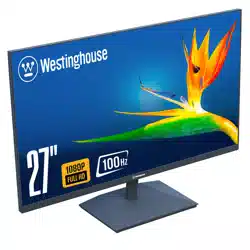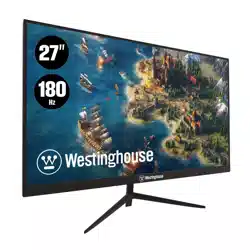
WH24FA9600 / WH27FA9600
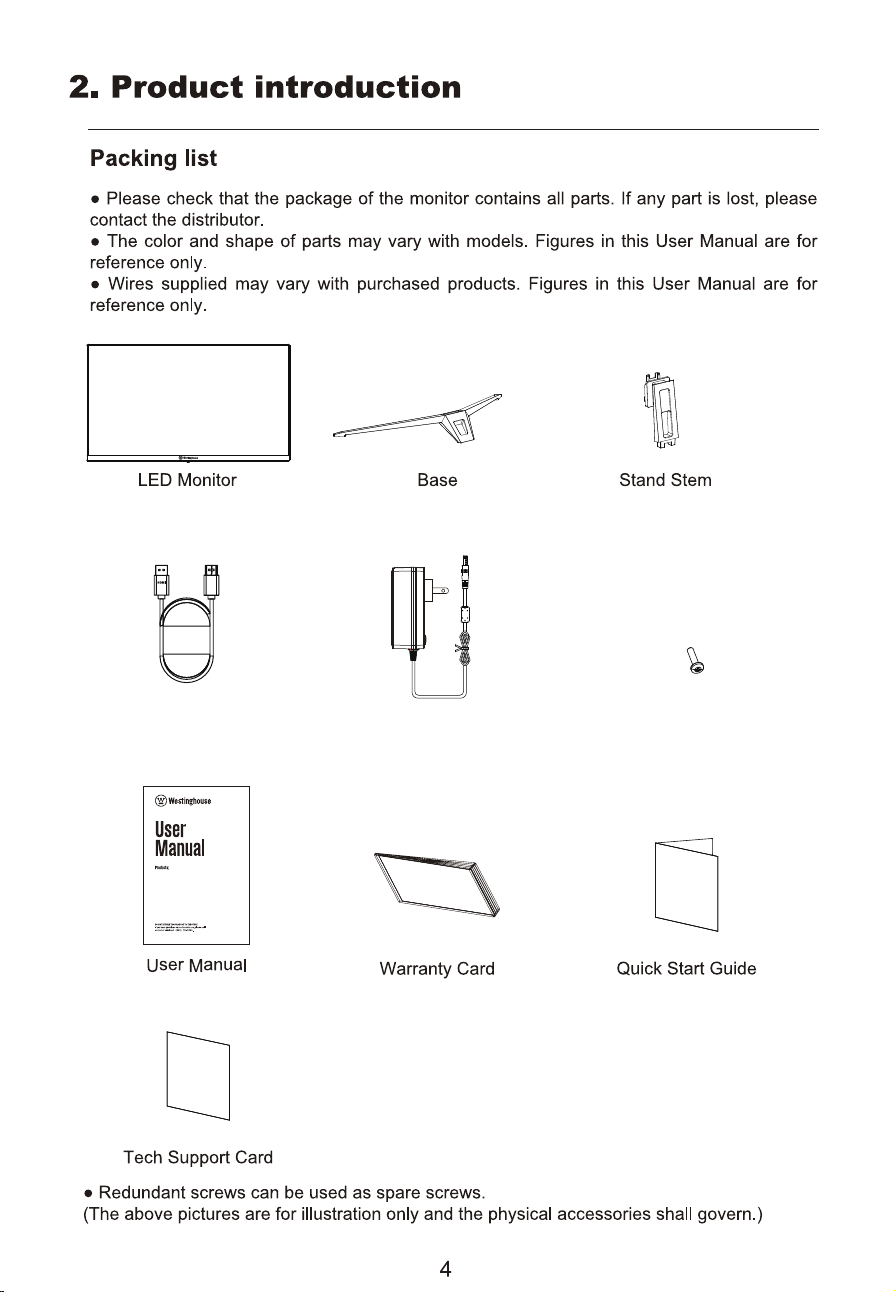
Screws for Monitor Stand
WH24FA9600 / WH27FA9600
Power AdapterHDMI Cable
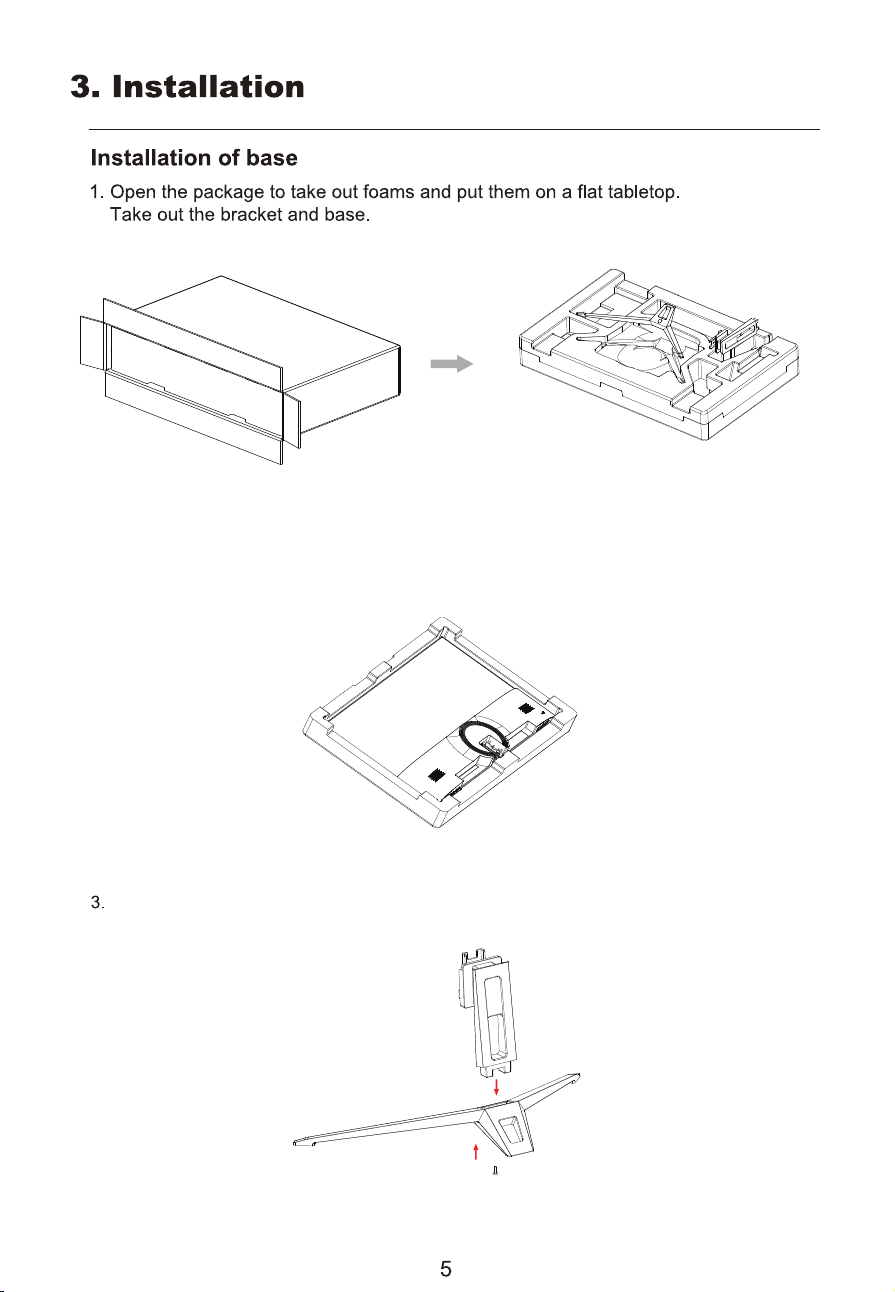
2. Remove the upper foam cover and put it aside, take out the monitor film bag and
put themonitor in the lower foam cover.
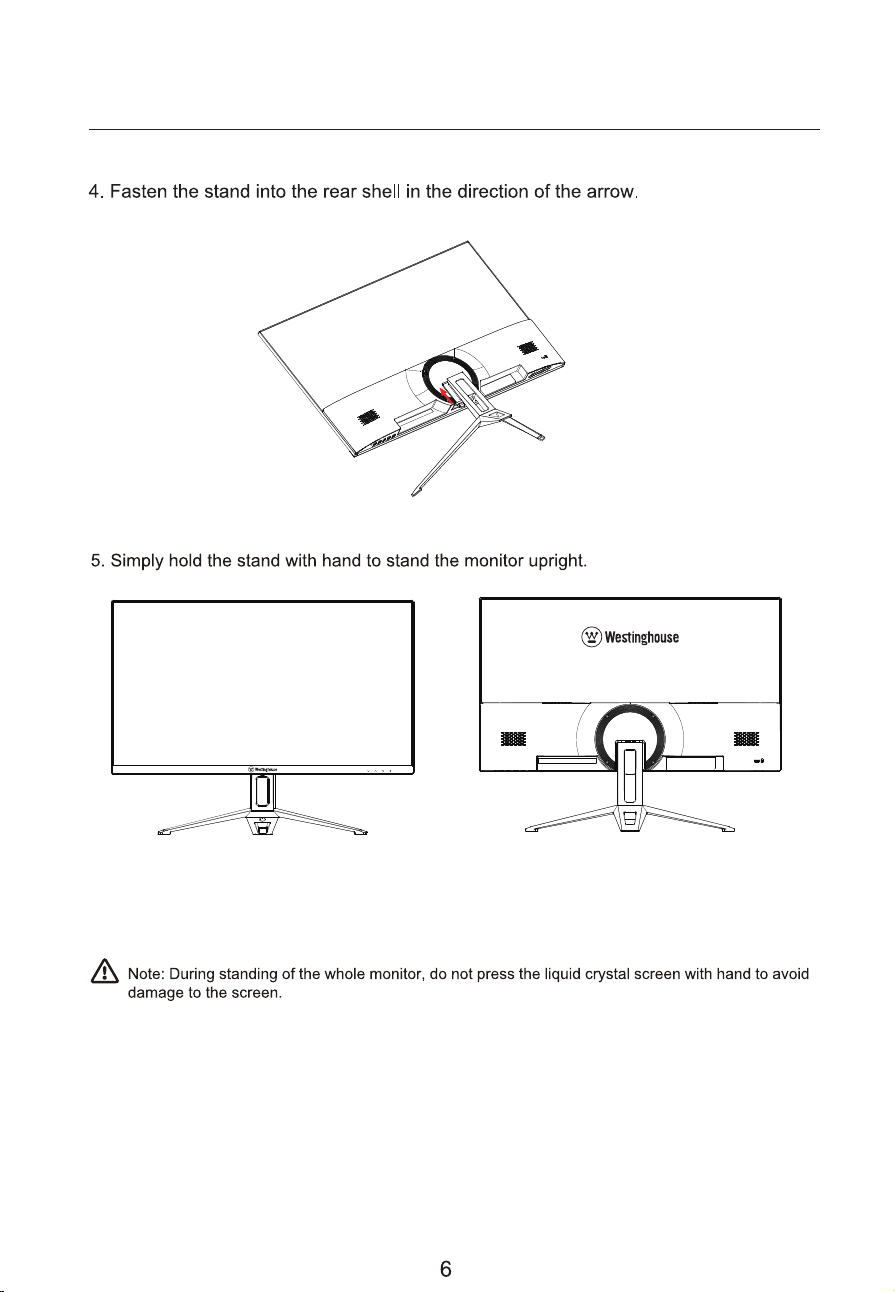
Align the bracket with the base, take out the matching screws and tighten
them with a screwdriver.
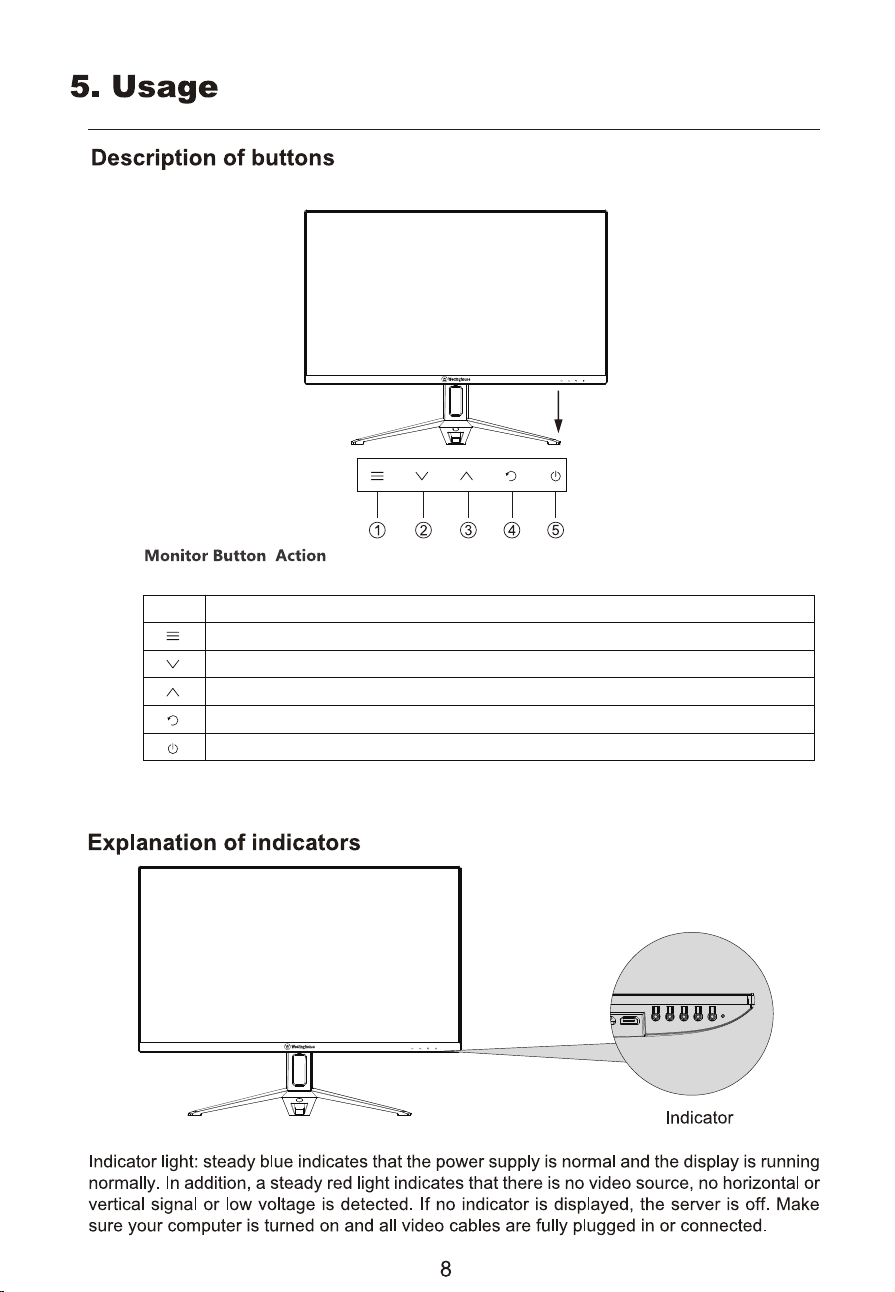
Menu button: Press to enter sub-menus/ quickly enter the main menu
Down button: Press to move down in the menu/quickly ECO hot key
Up button: Press to move up in the menu/Signal selection
Exit/ GamePlus selection
Power button:Press to turn on/off the monitor
Button Function
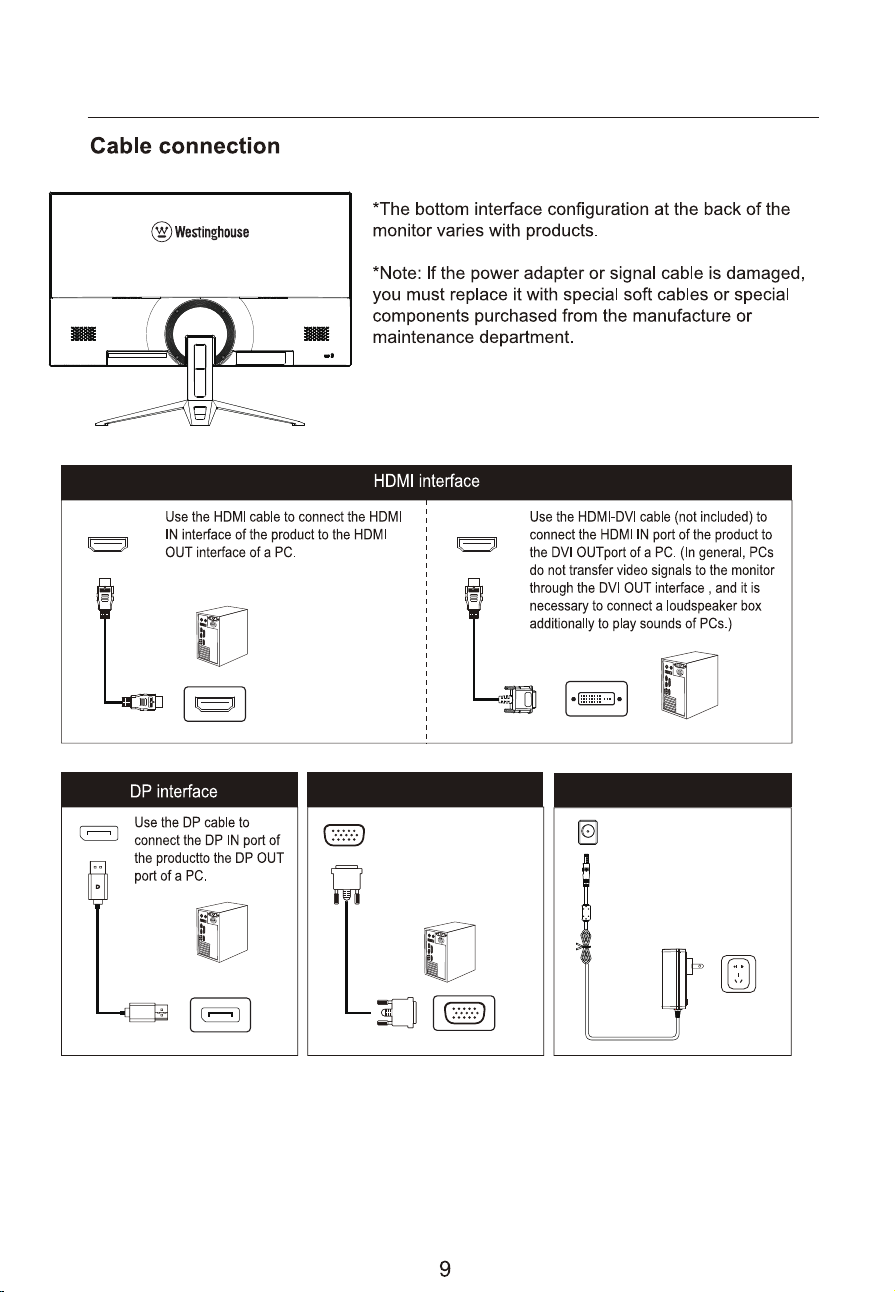
Please connect the power
adapter plug to the
corresponding power port
of the monitor, and then
connect the power cable
to a properly grounded
power outlet.
DC interface
VGA interface
Use the VGA cable to
connect the VGA IN
interface of the product
to the VGA OUT interface
of a PC.
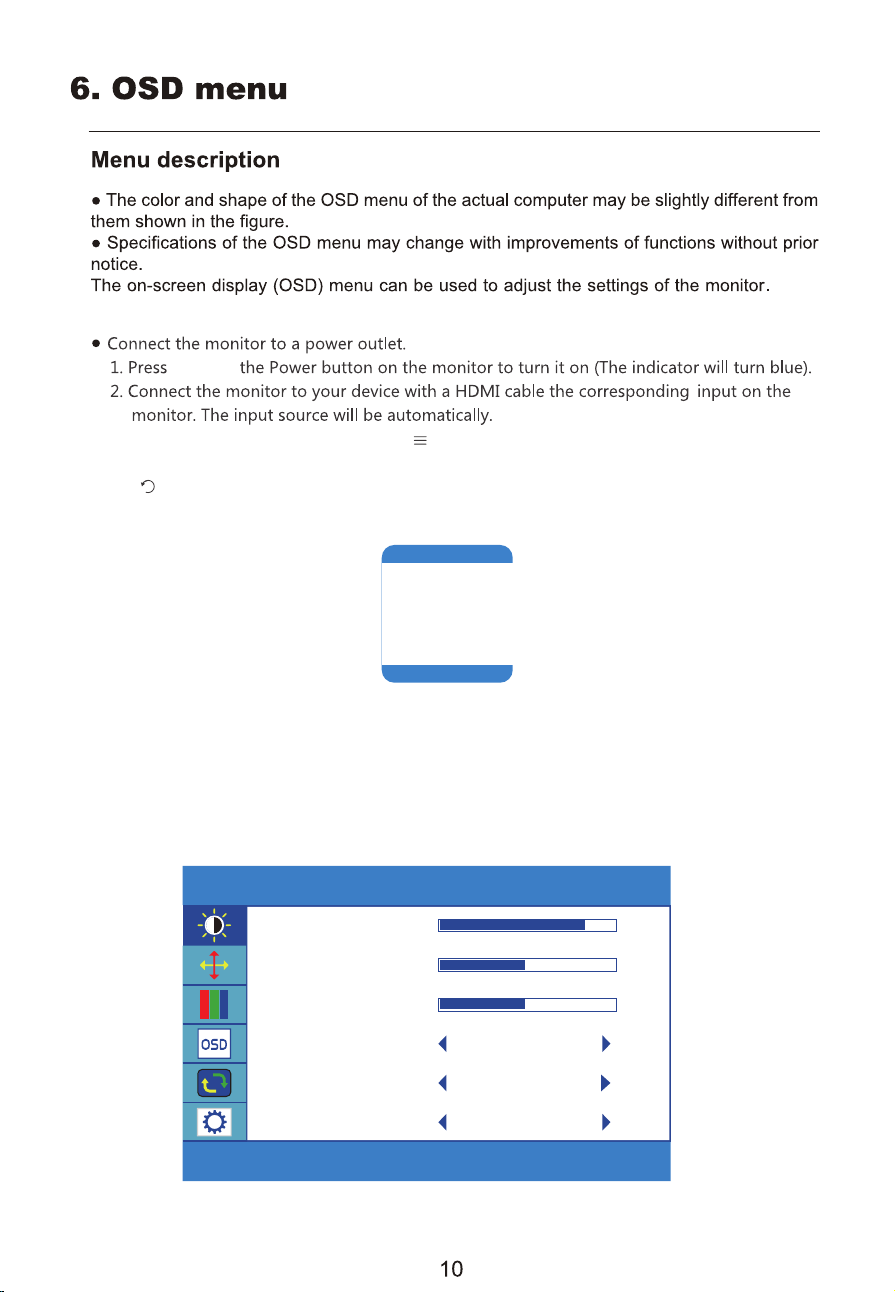
BRIGHTNESS
BRIGHTNESS 80
CONTRAST 50
BLACK EQUALIZER 50
LOW BLUE
OFF
ECO
STANDARD
DCR
OFF
3. To change between inputs, press the " " button to enter the source menu. Use the
Brightness/Contrast
After entering the OSD menu, you can adjust the parameters of image mode, color,
audiosettings, input selection, system settings, and information.
VGA
HDMI
DP
and hold
" " buttonto confirm.
"▲ " and"▼" buttons to choose the input source between Auto Source, HDMI and VGA and DP.
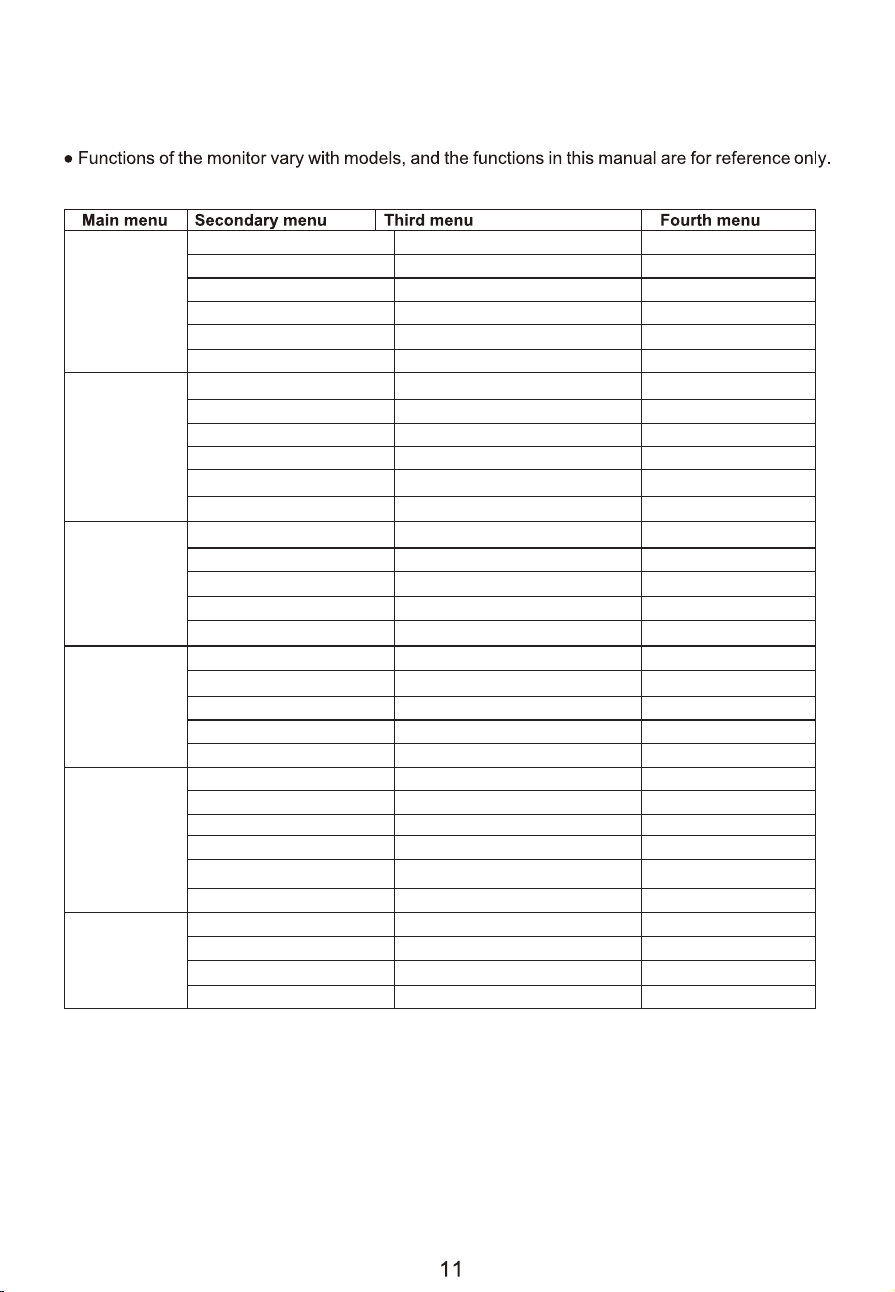
Brightness
Brightness
Contrast
Eco Mode
DCR
Color Temp.
Red
Green
Blue
HDR mode
Image
Color Temp.
OSD Setup
Reset
Misc.
MPRT
Signal source
Mute
Volume
/
/
/
0-100
0-100
0-100
0-100
0-100
12 Countries Language
0-100
0-100
5-60
0-100
0-100
HDMI / VGA / DP
Off/On
Off/On
Off/On
Language
OSD H-Position
OSD V-Position
0-100
0-100
H.Position
V.Position
0-100
Clock
0-100
Phase
Off/On
Adaptive sync
Wide (16:9), 4:3
Aspect
OSD Timer
Off/OnAuto Power down
10-90Timecount
Off/OnOver drive
Transparence
Image Auto adjust
Color Auto adjust
Reset
Standard/Text/Game/FPS/RTS/Movie
Low blue
Off/On
Off/On
Black equalizer
0-100
Warm/Cool/User
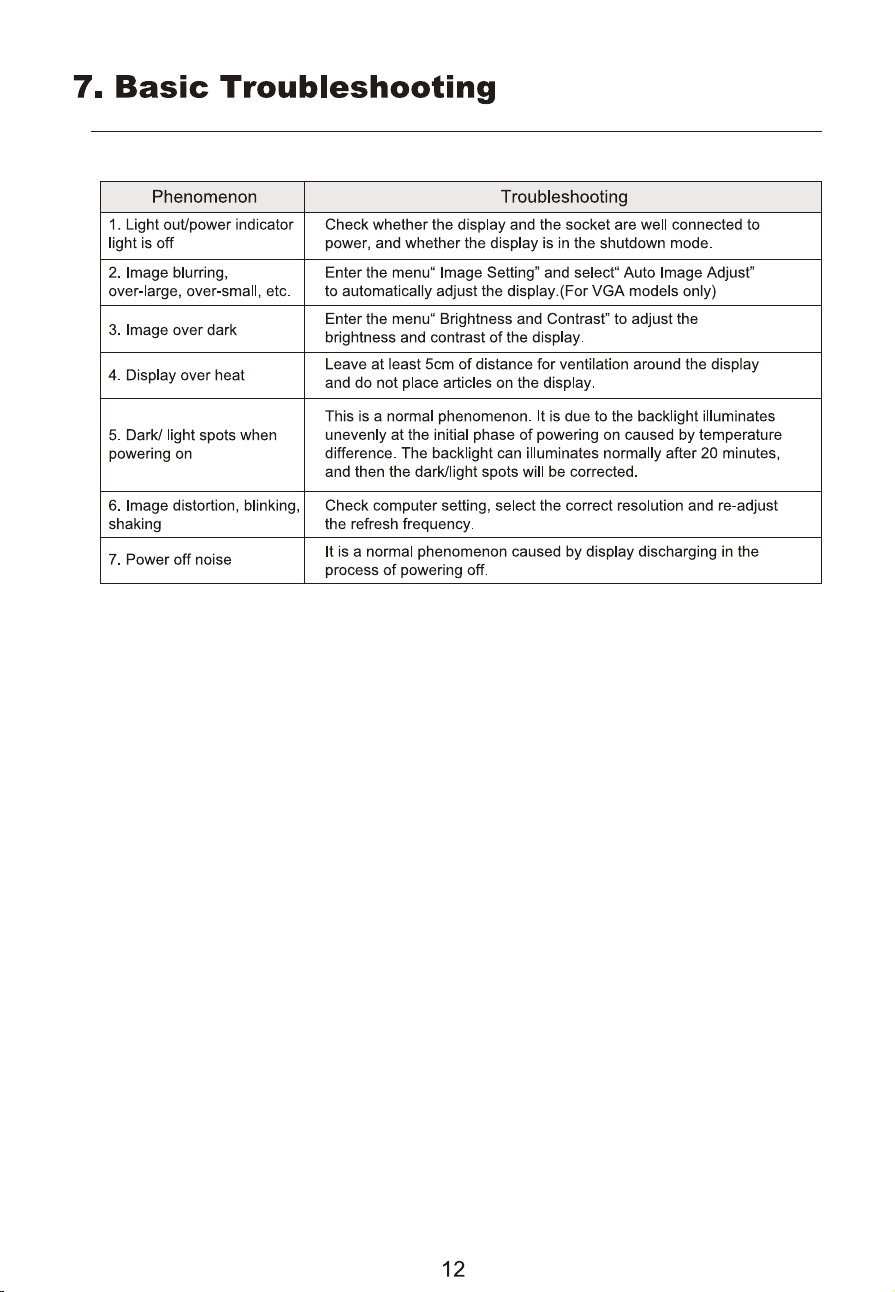
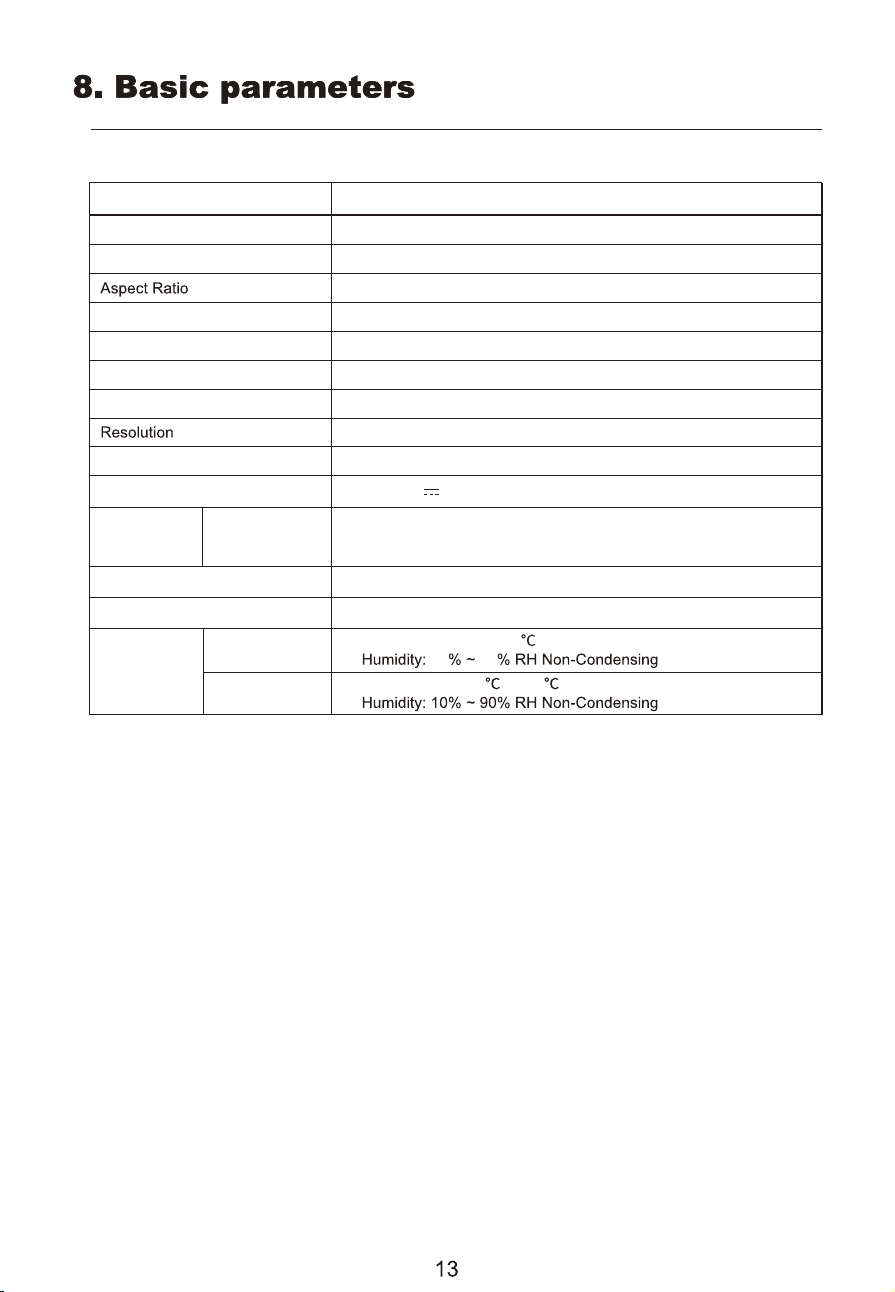
Product model
Screen Size
Viewing Angle
Pixel pitch
Contrast ratio
Colors
Product
Dimensions
Without base
Action
Storage
With base
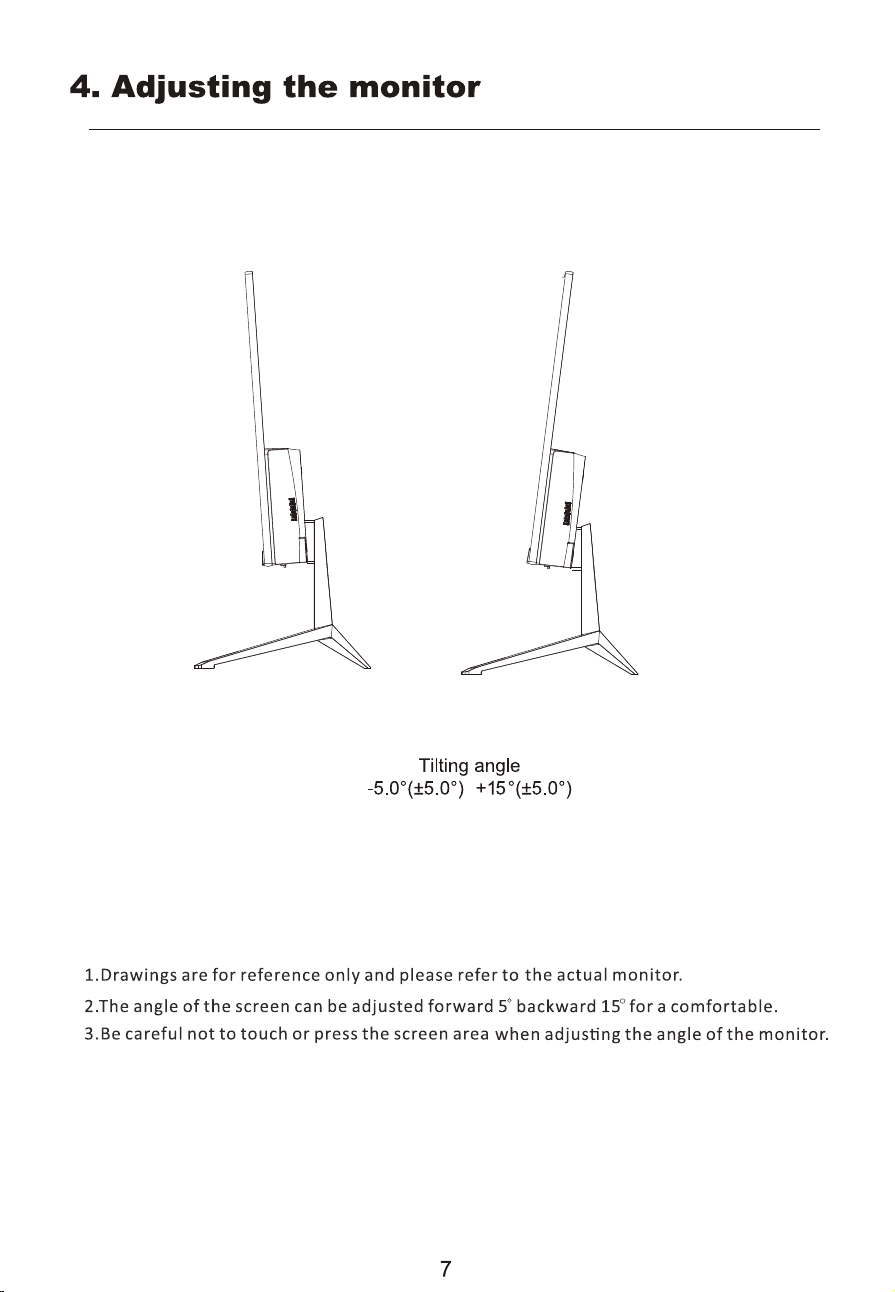
Tilting angle
speaker
Environmental
conditions
2 x1watt
Forward tilting :5°(±5°); Backward tilting :15°(±5°)
Temperature: 0 ~ + 40
Temperature: -20
10 90
~ +60
Power Input
Maximum refresh rate
Product Name
WH24FA9600
23.8inches
178°(H) / 178°(V)
0.2745(H) ×0.2745(V)mm
1500:1 (TYP)
16.7M(8bit)
16:9
1920×1080
539 x 321 x 42mm
539 x 418 x 170mm
120Hz
24" HOME/OFFICE MONITOR
DC 12V 2.5A
(The actual application of the above parameters shall be subject to the specific model.)
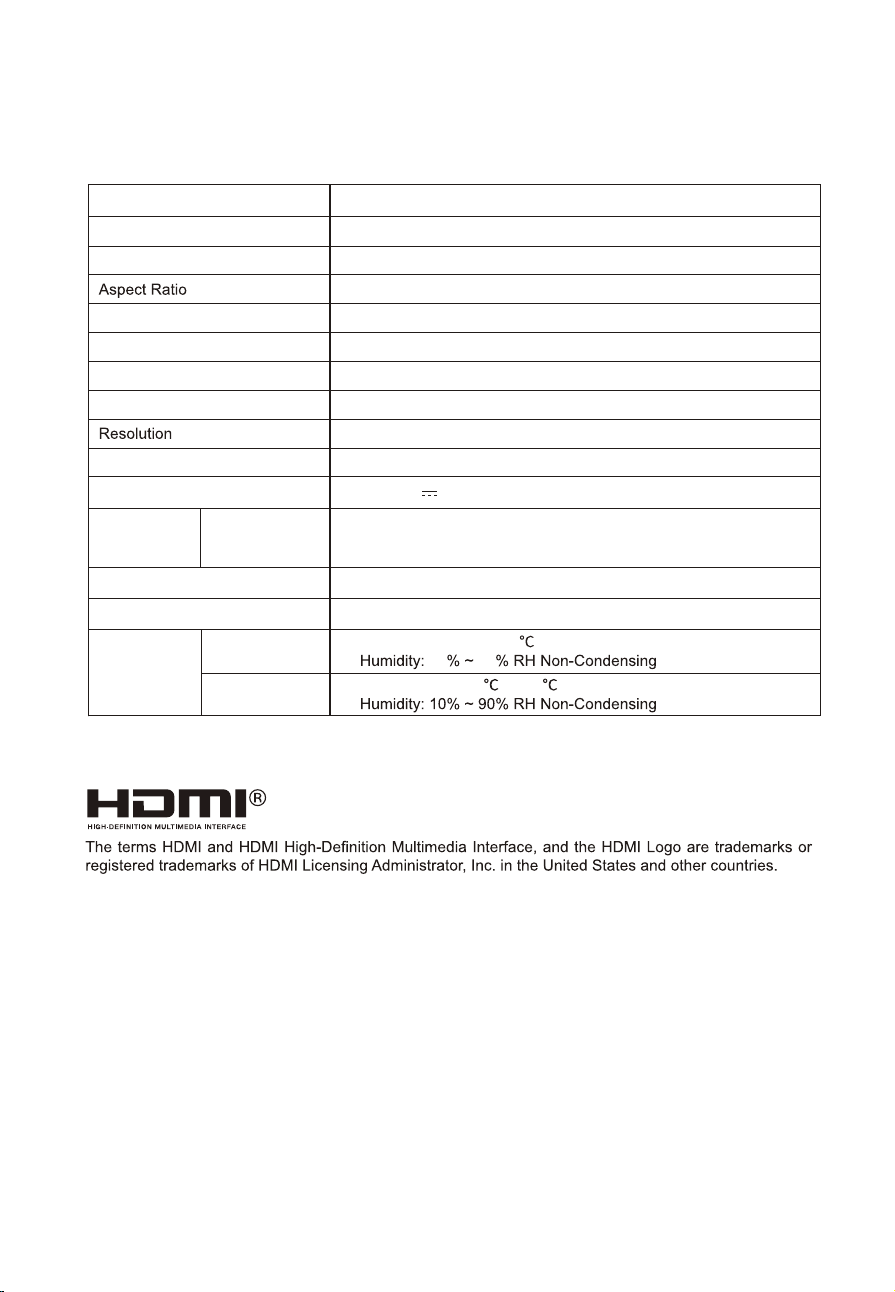
Product model
Screen Size
Viewing Angle
Pixel pitch
Contrast ratio
Colors
Product
Dimensions
Without base
Action
Storage
With base
Tilting angle
speaker
Environmental
conditions
2 x1watt
Forward tilting :5°(±5°); Backward tilting :15°(±5°)
Temperature: 0 ~ + 40
Temperature: -20
10 90
~ +60
Power Input
Maximum refresh rate
Product Name
WH27FA9600
27inches
178°(H) / 178°(V)
0.3114 (H) x 0.3114 (V)mm
1500:1 (TYP)
16.7M(8bit)
16:9
1920×1080
614 x 363 x 53 mm
614 x 480 x 170 mm
120Hz
27" HOME/OFFICE MONITOR
DC 12V 3.0A
(The actual application of the above parameters shall be subject to the specific model.)
14
P/N:750-00-04127