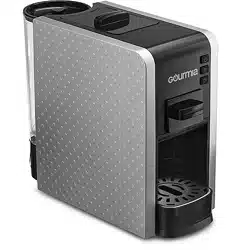
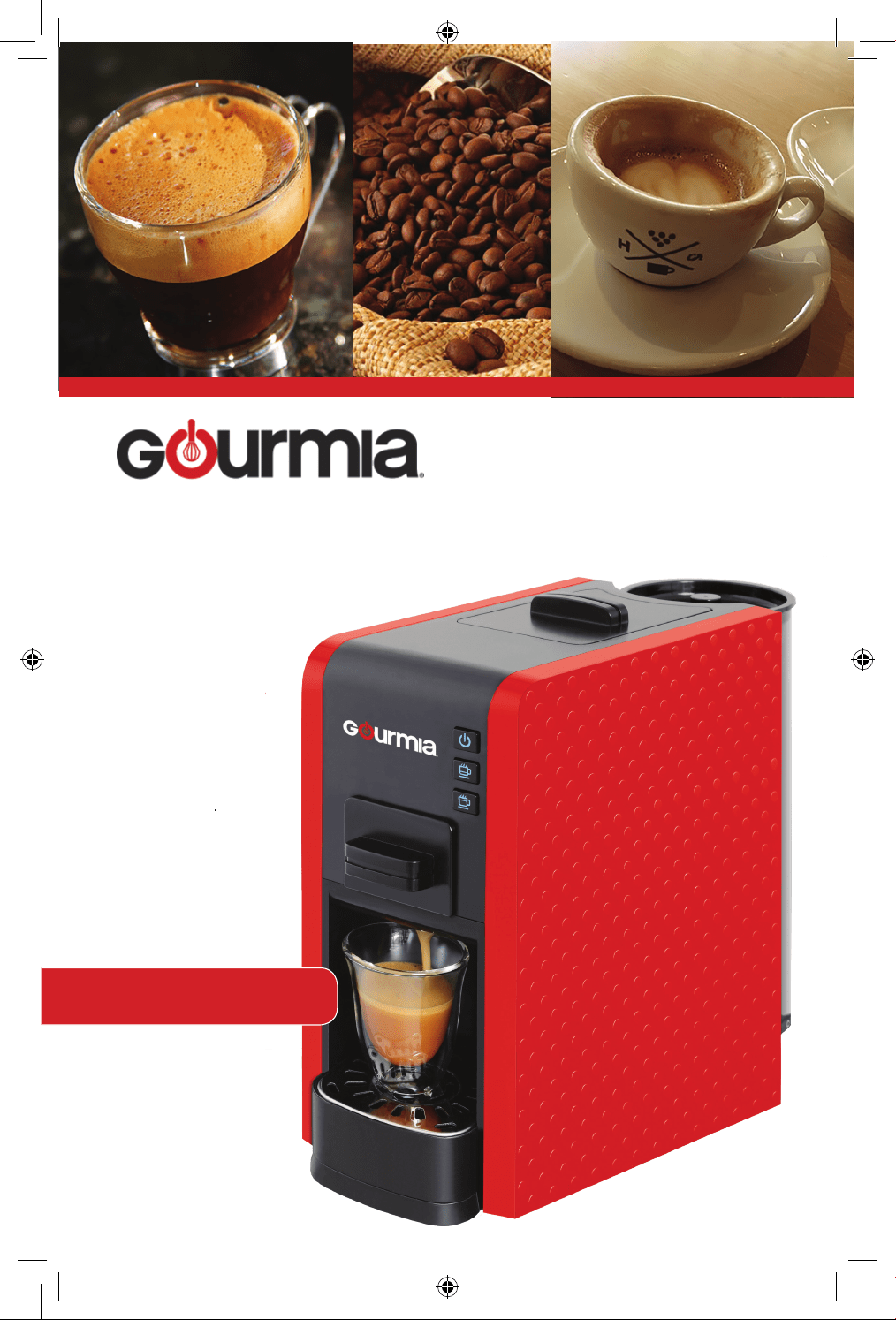
Model# GCM-7000
USER
MANUAL
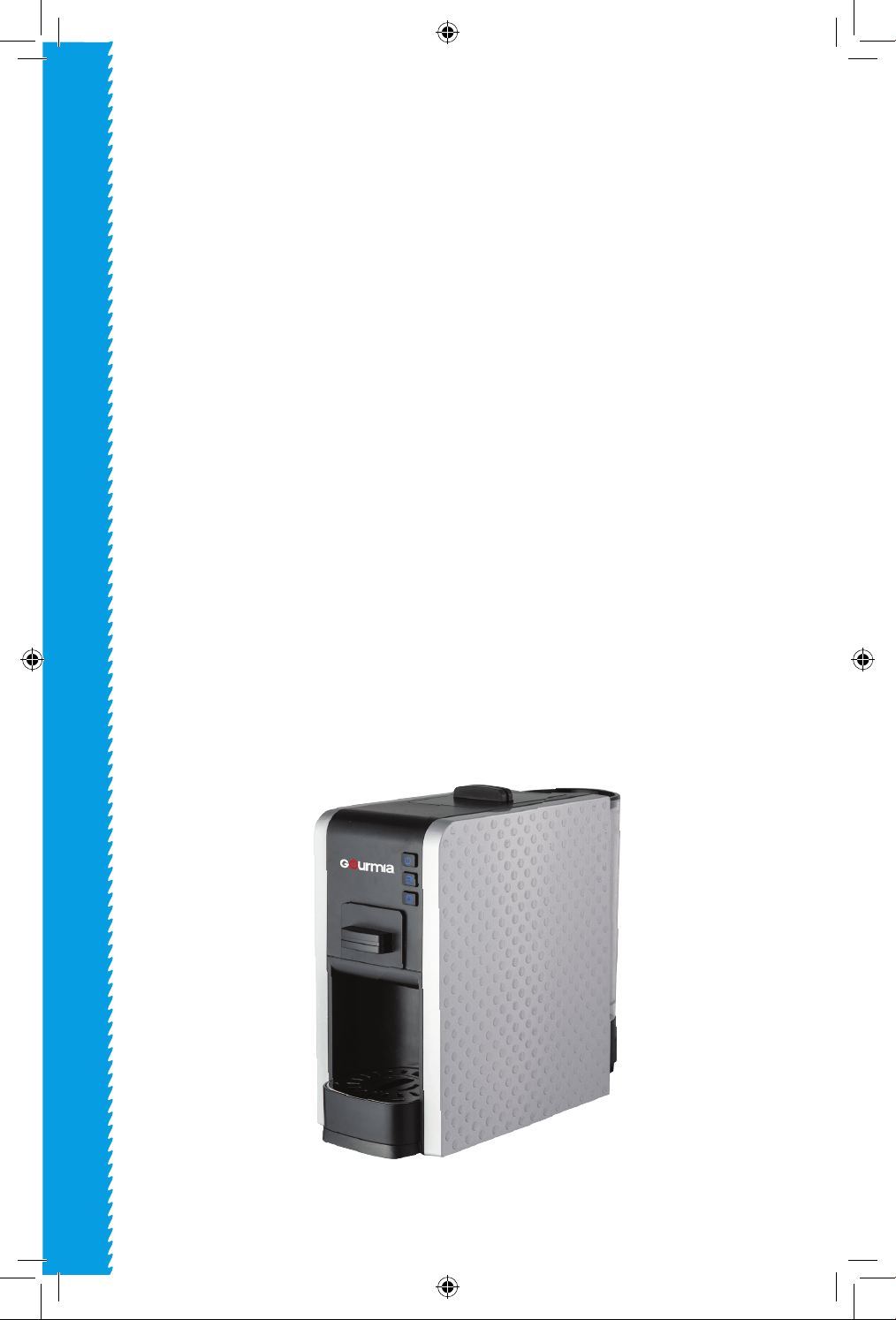
Espresso Multi Capsule
Machine

Model: CG9129-GS
© 2016 Gourmia
www.gourmia.com
The Steelstone Group
Brooklyn, NY
All rights reserved. No portion of this manual may be reproduced by any means
whatsoever without written permission from The Steelstone Group, except for the
inclusion of quotations in a media review.
Although every precaution has been taken in the preparation of this manual, The
Steelstone Group assumes no responsibility for errors or omissions. Nor is any
liability assumed for damages resulting from the use of the information contained
herein. Although every eort has been made to ensure that the information
contained in this manual is complete and accurate, The Steelstone Group is not
engaged in rendering professional advice or services to the individual consumer;
further, The Steelstone Group shall not be held responsible for any loss or damage
allegedly arising from any information or suggestion in this manual.
Read this manual thoroughly
before using and save it for
future reference
2
Welcome to the Exciting World of
Fresh Espresso from Gourmia
Congratulations on your purchase of the Capsule and Ground Espresso Machine
from Gourmia, exclusively designed for the discerning espresso lover!
If you are one the those people who cherishes, or maybe even worships, a good
fresh ground cup of espresso – that “pick-me-up” goodness when you walk into
the room and the smell of freshly brewed, real, delicious espresso - you’ve made
the right choice.
With your new Gourmia Capsule and Ground Espresso Machine, preparing fresh
espresso that exceeds the expectations of your most demanding coffee
connoisseurs is only moments away. Whether you prefer fresh ground, or the
convenience and variety of capsules, we’re confident that you’ll find your new
compact Espresso Machine from Gourmia easy and fun to use, with the end
results being is a fresh full-bodied espresso experience that you are sure to love
over and over again!
The pages of this manual offer full and comprehensive instructions to guide you
through the functions and features of the Gourmia Espresso Maker. Inside this
guide you will also find information on its modes of operation, complete step-
by-step instructions for the operation, assembly, cleaning, and maintenance of
your appliance.
Please read all safety instructions thoroughly to ensure safe usage at all times.
Thank you for your purchase! We sincerely hope you will enjoy this as well as all
the many innovative products brought to you by our family at Gourmia.
3
4
IMPORTANT SAFEGUARDS
IMPORTANT SAFEGUARDS
1. Please read the Manual and safety notes thoroughly before beginning
operation.
2. Keep Coffee Machine out of children’s reach.
3. Make sure voltage indicated on the rating plate agrees with that of
the electrical installation.
4. Damaged power cord cannot be used, the machine shall stay away
from heat sources and flammable materials:
5. Do not use the machine outdoors, immersed in liquid or close to heat
source.
6. If the power supply cord is damaged, it must be replaced by the
manufacturer or its services agent or a similarly qualified person in
order to avoid a hazard.Please keepthe circuit dry and the use original
accessories.
7. Turn off the power and unplug the power before moving the ma-
chine.
8. The original packaging can well protect the coffee machine during
the transportation, please retain the packaging box.
9. Proper use and maintenance will extend the life of your coffee ma-
chine.
10. Do not open any component or cut off the power supply of the
coffee machine during operation.
11. If machine does not work properly, contact the distributor. Do not
dismantle the machine or try to fix it on you own. Bring the machine
to authorized service center for repair if necessary. The manufacturer
will assume no liability for any damage due to unauthorized servicing.
12. The machine should not be operated by the following people:
Children, people with mental illness, physical defect, or have a lack of
knowlege or experience using this product. Unless the said people
have been supervised or guided by qualified personnel who will take
full responsibility for their safety during operation.
FOR HOUSEHOLD USE ONLY
TABLE OF CONTENTS
Know Your Espresso Machine ..........6
Before Using The
Espresso Machine
.7
Using Your Espresso Machine .......... 8
Setting
Your Espresso Machine
.........9
Trouble Shooting .........................10
Maintenance and Care .................11
5
TABLE OF CONTENTS
KNOW YOUR ESPRESSO MACHINE
6
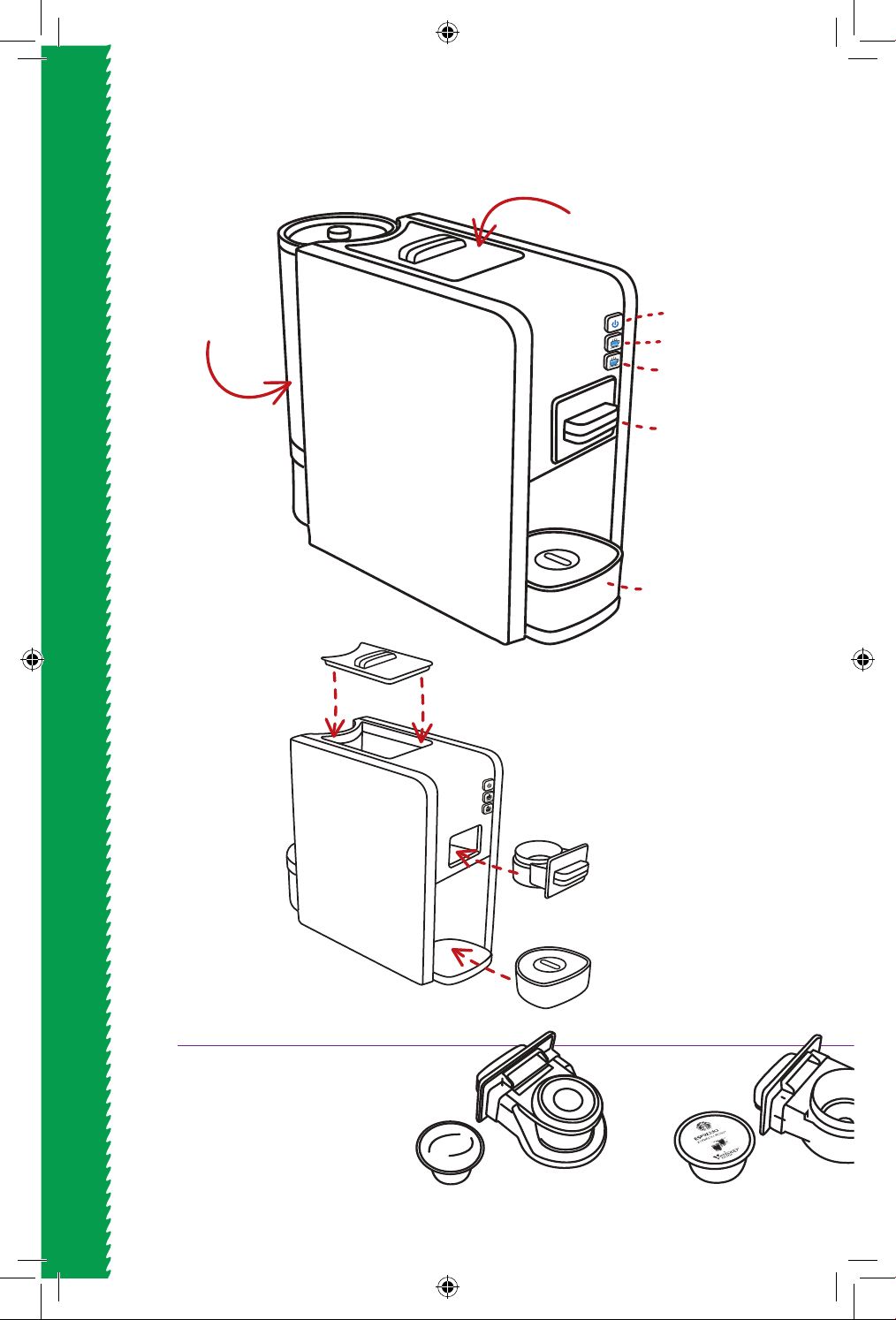
KNOW YOUR ESPRESSO MACHINE
Choose the correct drawer
for your capsule brand.
Choice of 4 drawers.
More are available for
your specic sysytem.
Nespresso
CBTL/Cataly, K-fee, Verismo*
Water Tank
Drawer Storage
Compartment
Drawer Storage
Compartment
Cover
Drawer
Drawer
ON/OFF Button
Short Cup Button
Long Cup Button
Drip Tray
Drip Tray
NC Drawer
CK Drawer
* by Starbucks
Water Tank
Heating Stand
7
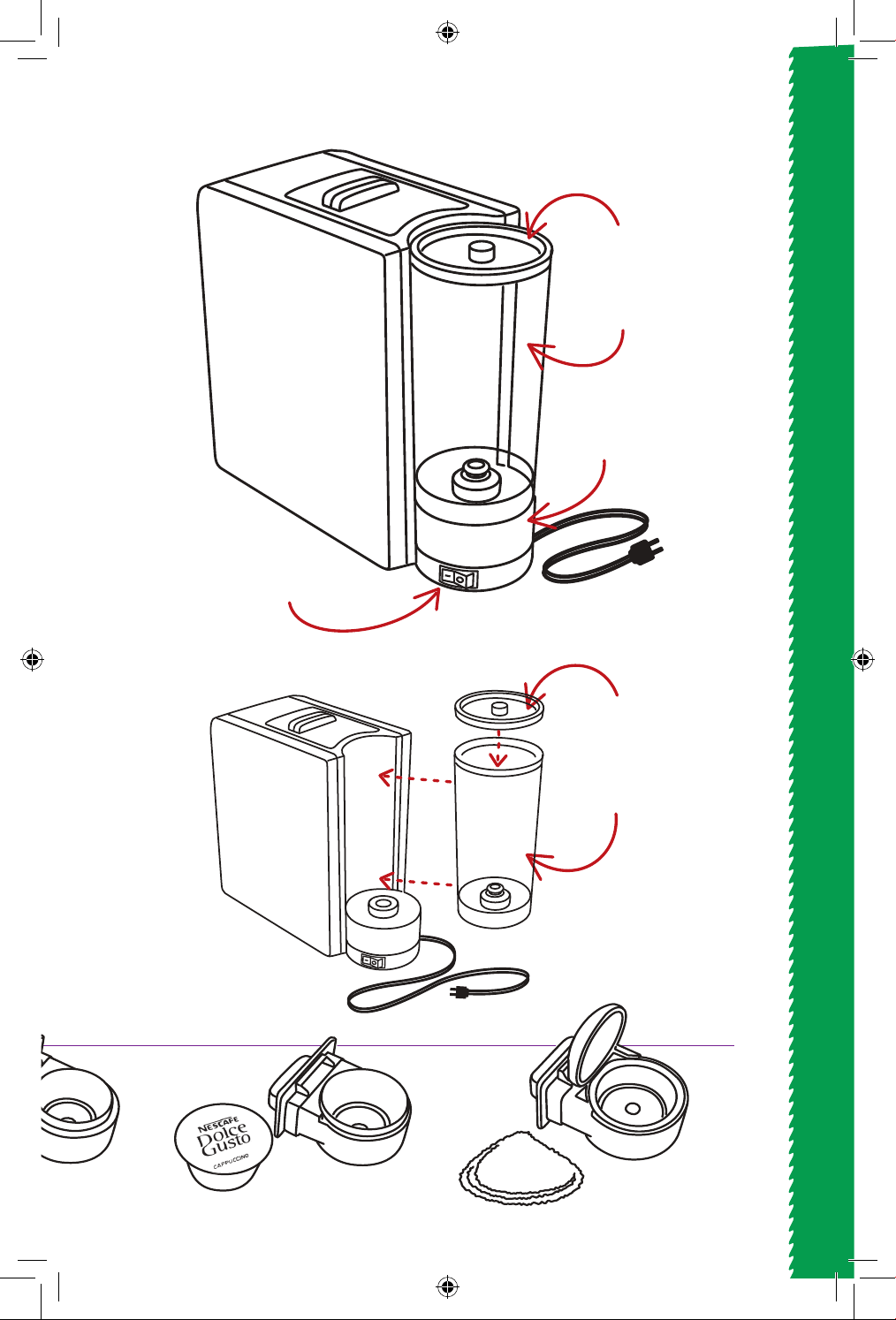
KNOW YOUR ESPRESSO MACHINE
Docle Gusto Ground Coee
CBTL/Cataly, K-fee, Verismo*
Water Tank
Power Cord
Water Tank
Cover
Main Power Switch
DGDrawer GC Drawer
Water Tank
Water Tank
Cover
* by Starbucks
8
USING YOUR ESPRESSO MACHINE
1. Remove all items from the box
carfully, and inspect to make
sure that there is no damage to
any part.
2. Place the Capsule Espresso
Machine on a dry secure surface
near a wall outlet.
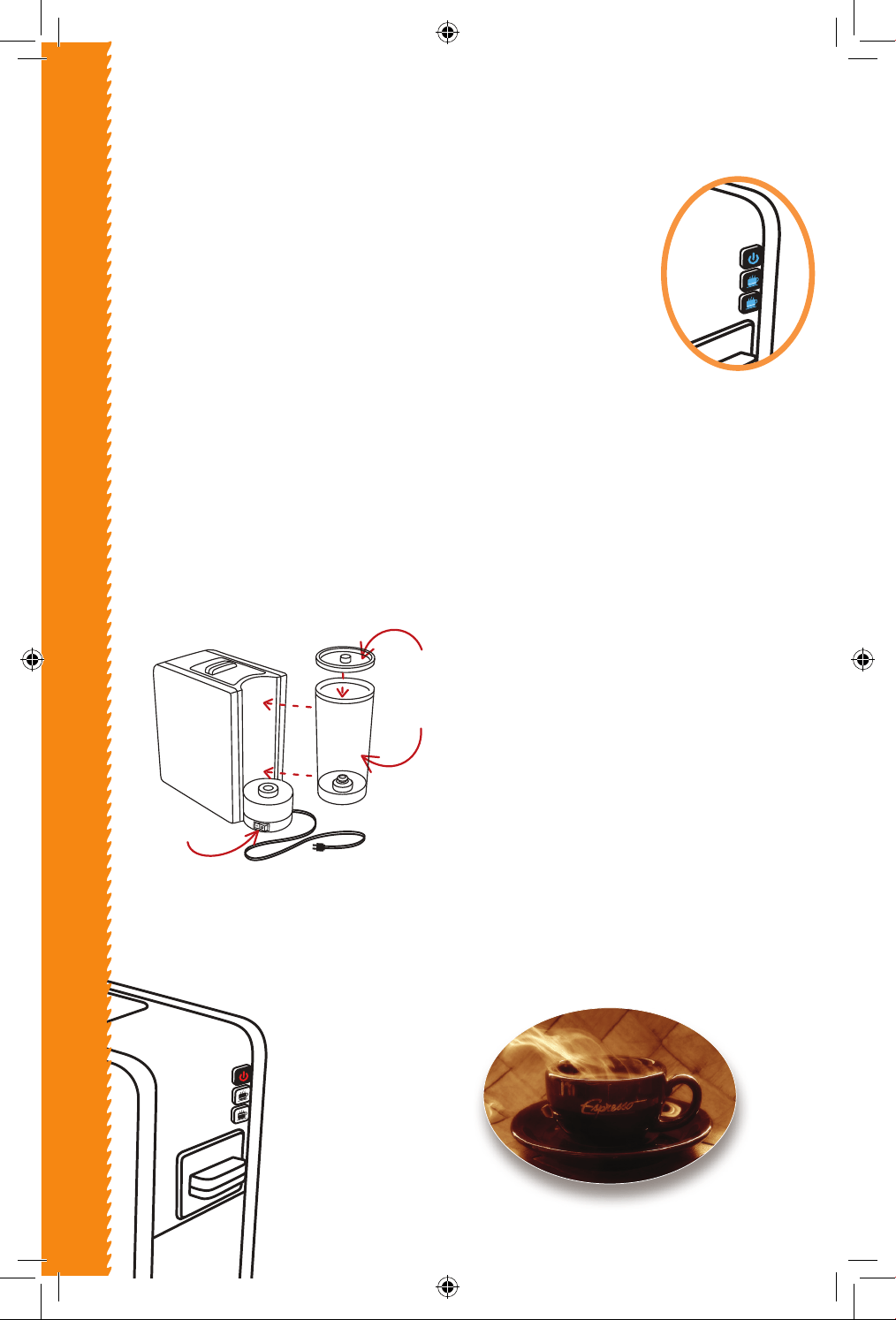
3. The Water Tank should first be
cleaned thoroughly with warm
water, rinsed and dried before
use.
4. Fill the Water Tank with cool
purified water only. Make sure
not to over fill the Water Tank.
5. Cover the Water Tank with its
lid, and place it firmly on the
Water Tank Heating Stand.
6. Connect the power plug to the
wall outlet, turn on the power
by pressing the Main Switch on
the bottom of the Water Tank
Heating Stand.
Once the power has
been turned
on the ON/OFF
button will turn
on red.
7. Press the red
button to turn
the unit on.
Using Your Espresso M
achine
The button will begin
flashing blue light.
After flashing
numerous times
all the buttons will
turn Blue - indicating
Stand
-by Mode.
Your Capsule Espresso
Machine is now ready to make
espresso, or to be programmed.
(See instructions on next page)
8. Select your desired coee
capsule along with its corre-
sponding drawer. (See chart
on previous page for available
choices.)
9. Place the coee capsule into
the drawer, and slide the drawer
into its slot in the front of the
unit.
10. Place your espresso cup onto
the Drip Tray below the coee
nozzle.
11. Choose the size of drink you
would like.
For a Long (65ml default) cup -
press the bottom blue button.
For a Short (30 ml default) cup -
press the middle button.
12. Time and volume may vary
depending on the capsule
brand you choose.
Water Tank
Water Tank
Cover
Main Switch
9
SETTING YOUR ESPRESSO MACHINE
Setting the Quantity
1. While each button has a default setting for the amount of coffee it will
dispense, you can also adjust its amount to suit your needs.
This can be accomplished while the unit is in standby mode - with ALL
THREE BUTTONS in BLUE.
2. For the short setting, press and hold down the Short Cup Button for as
long as you want it dispense coffee (from 15 seconds but no longer than
80 seconds) and then release it. The machine will remember this setting
when this button is used. To change the Long Cup setting simply repeat
the above instructions while holding down the Long Cup Button.
3. To return back to the default setting: Press both the Short and Long Cup
buttons at the same time, until they flash 3 times. The buttons will now
return to their default settings.
Setting the Temperature
1. While the unit has a default temperature setting, six more temperature
settings are available. The coee temperature may be increased 4 levels
and decreased 2 levels.
(To change back to default setting follow #3 step from above)
2. TO DECREASE TEMPERATURE LEVEL:
Unit must be in standby mode - with ON/OFF button in RED.
Note: Default level is considered Level 3.
• To increase tem-
perature by1one
level, press the
Long Cup Button
for one second -
it will ash 1 time,
indicating that the
Long Cup Button
was increased
by one level,
to level 4.
• To increase tem-
perature by two
levels, press the
Long Cup Button
two times -
it will ash 2 times,
indicating that the
Long Cup Button
was increased
by two levels,
to level 5.
• To increase tem-
perature by three
levels, press the
Long Cup Button
three times -
it will ash 3 times,
indicating that the
Long Cup Button
was increased
by three levels,
to level 6.
• To increase tem-
perature by four
levels, press the
Long Cup Button
four times -
it will ash 4 times,
indicating that the
Long Cup Button
was increased by
4 levels, to level 7.
(the maximum)
• To decrease temperature by one
level, press the Short Cup Button for
one second - it will ash two times,
indicating that the Short Cup Button
will now dispense at level 2 heat
setting.
• To decrease by two levels, press
the Short Cup Button two times -
it will now flash 1 time, indicating
that the Short Cup Button will now
dispense at level 1 heat setting.
(the lowest)
3. TO INCREASE TEMPERATURE LEVEL:
Unit must be in standby mode - with ON/OFF button in RED.
Note: Default level is considered Level 3.
10
TROUBLE SHOOTING
Trouble Shooting
NO LIGHT:
Check the power supply, fuse and main switch.
NO COFFEE:
Water tank may be empty. Fill water tank and press the
button several times to make sure the water tank supplies
water smoothly.
NOTHING HAPPENS AFTER PRESSING THE BUTTON:
Check to make the drawer is in the right position. Pull drawer out
and slide it back in carefully.
THE DRAWER CAN'T BE PULLED OUT:
Turn off the machine to release the pressure inside the machine,
then try to pull out the drawer again.
LOUD NOISE:
Check to see if the water tank is filled and the tank is properly inserted.
THE MACHINE TURNS OFF BY ITSELF:
If the machine is not used for 25 minutes it will automatically
go into Energy Saving mode to protect the machine.
ALL LIGHTS ARE FLASHING:
Switch o the machine for 1 minute and restart it again.
11
MAINTENANCE AND CARE
WARRANTY & SERVICE
This Limited Warranty is for one full year from the date
of purchase. It is applicable to the original purchaser
only and is not transferable to a third party user. Repair
or replacement of defective parts is solely at the seller’s
discretion. In the event that repair isn’t possible, the
seller will replace the product/part. If product repair/
replacement won’t suce, the seller has the option of
refunding the cash value of the product or component
returned.
Product defects not covered under the Warranty
provisions include normal wear and damage incurred
from use or accidental negligence, misuse of instruction
specications or repair by unauthorized parties.
The manufacturing company is not liable for any
incidental or consequential damages incurred by such
circumstances.
Ma
intenance and Care:
Daily cleaning and important information:
1. WATER TANK: Remove, drain, clean with a soft cloth and
rinse with clean water.
2. DRIP TRAY AND DRAWER: Remove, clean out the water or
coffee residue with a soft cloth and rinse.
3. EXTERIOR. Wipe the outer surface with a soft cloth regu-
larly. Keep the appliance clean, especially the switches and
plug, to ensure safety.
NOTE: NO PARTS OF YOUR ESPRESSO CAPSULE MACHINE
SHOULD BE TO BE WASHED IN A DISHWASHER OR SIMILAR
HOME APPLIANCES.

FOR CUSTOMER SERVICE
QUESTIONS OR COMMENTS
VISIT US @ GOURMIA.COM
OR CALL 888.552.0033