Quick Start Guide
Details
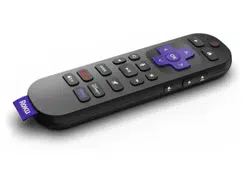
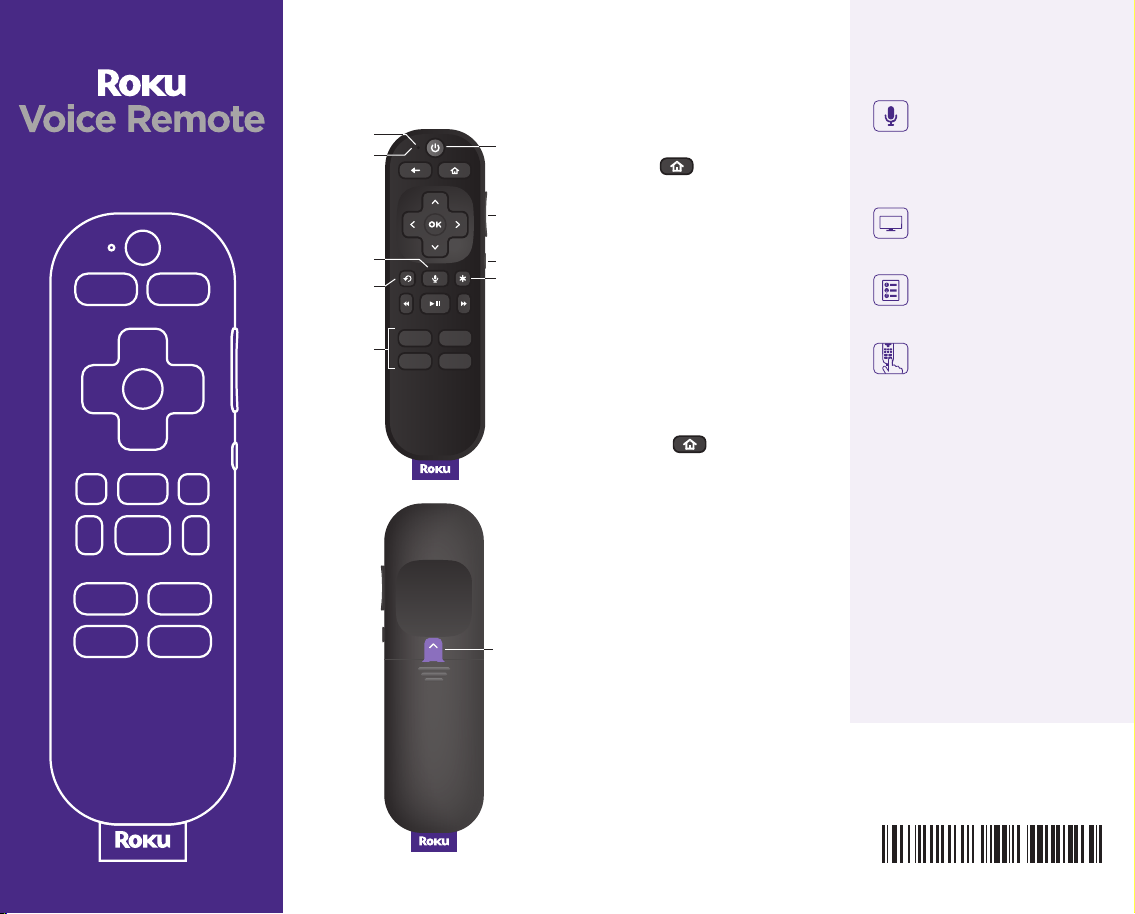
Battery
tab
Volume
TV
power
Status
light
Mute
Instant
replay
Options
Microphone
Voice
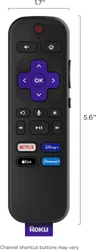
Channel
shortcuts
Pairing your remote
Step 1:
Use your current Roku remote
or the free mobile app to press
and hold for 5 seconds to
open the setup menu.
Step 2:
Select Remote and follow the
on-screen instructions to pair
your new remote.
For help pairing your remote,
visit go.roku.com/remotepair
Setting up TV controls
Own a Roku TV™? You can
skip this section.
• Press the button on your
new remote.
• Go into the Settings menu
and select Remotes &
Devices.
• Find your new remote under
Remotes.
• Select Set up remote for TV
control and follow the
instructions.
Happy Streaming™
Remote features
Push-to-talk voice
Use your voice to quickly
search across channels,
turn captions on, and
more.
TV controls
Power up your TV, adjust
the volume, and mute.
Simple setup
Easily pair it to your
compatible Roku device.
Pre-set channel
shortcuts
Launch popular streaming
channels in just a press.
What type of voice
commands can I use with
this remote?
“Turn captions on”
“Launch The Roku Channel”
“Skip 30 sconds”
“Show me action movies”
© 2022 Roku, Inc. All rights reserved.
Roku, Roku TV, Happy Streaming and
the Roku logo are the trademarks or
registered trademarks of Roku, Inc.
4100000873_01