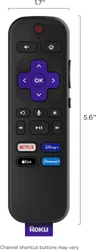
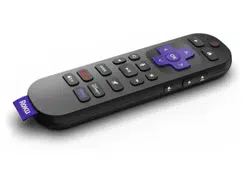
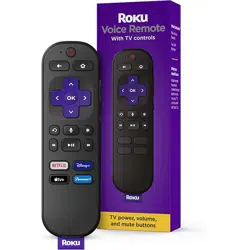
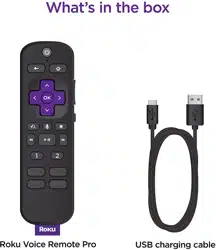
User manual Voice Remote
Pairing your remote with a Roku TVTM
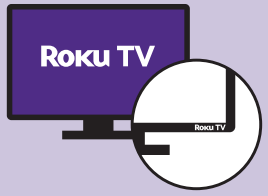
Step 1: Turn TV on
Stay on the Roku home screen.
Step 2: Insert batteries
On the back side of the remote, slide open the battery cover. Insert batteries placing the negative (-) ends in first.
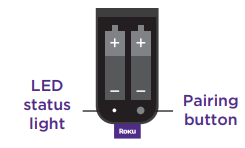
Press and hold the Pairing button down for 5 seconds until you see the LED status light begin flashing.
Step 3: Pair
Point your new remote at your Roku TV and wait 30 seconds while the remote pairs.
NOTE: If the remote pairing dialog does not appear on your TV screen repeat steps 1 through 3.
Pairing your remote with a Roku player or Roku Smart Soundbar
See back page for “Pairing your remote with a Roku TV”

Step 1: Turn off Roku player
Remove the power cable from your player, wait 5 seconds, then re-connect it.
Step 2: Wait for home screen
When your Roku player displays the home screen, insert the batteries into your remote.
Step 3: Insert batteries
On the back side of the remote, slide open the battery cover. Insert batteries placing the negative (-) ends in first.
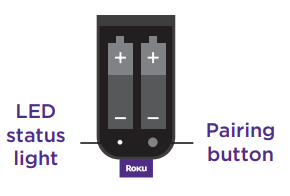
Press and hold the Pairing button down for 5 seconds until you see the LED status light begin flashing.
Step 4: Pair
Wait 30 seconds while your remote pairs with your player.
NOTE: If the remote pairing dialog does not appear on your TV screen repeat steps 1 through 4.
Setting up TV power and volume on my Roku player or audio device
- Press the Home button on your new Roku remote.
- Scroll up or down and select Settings.
- Select Remotes & devices and then select Remote.
- Select Set up remote for TV control. Follow the on-screen instructions.
Easy voice search

Search for your favorite entertainment, launch channels and turn on captions with one-touch access on your voice remote.
Here are a few things to try: “Launch the Roku Channel” “Show me comedies” “Launch Hulu”