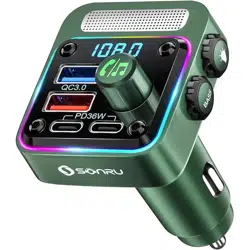
BC91 Bluetooth FM Transmitter
Manual
Features:
1. Supports Bluetooth and FM audio transmission
2. Supports QC3.0, QC2.0, PD, Huawei FCP,
Samsung AFC, BC1.2, Apple 2.4A, etc charging
protocol.
3. Supports WMA, MP3, WAV, APE, FLAC music
formats
4. Supports Bluetooth phone, voice, music,
navigation
5. Support output over voltage protection,
short circuit protection, over current
protection, over temperature protection
6. Support BASS acoustics
7. Automatic connect
8. Support U disk to play music
Specifications:
1. Bluetooth version: 5.3
2. FM frequency: 87.5MHz-108.0MHz
3. Bluetooth effective distance: 10 meters
4. QC3.0 port output:5V/3A、9V/2A、
12V/1.5A
5. PD port output:5V/3A、9V/3A、12V/3A
PPS:3.3V-11V/3A
6. Input Voltage:12V-24V
7. Maximum output power:54W
8. U disk capacity:max 32 GB
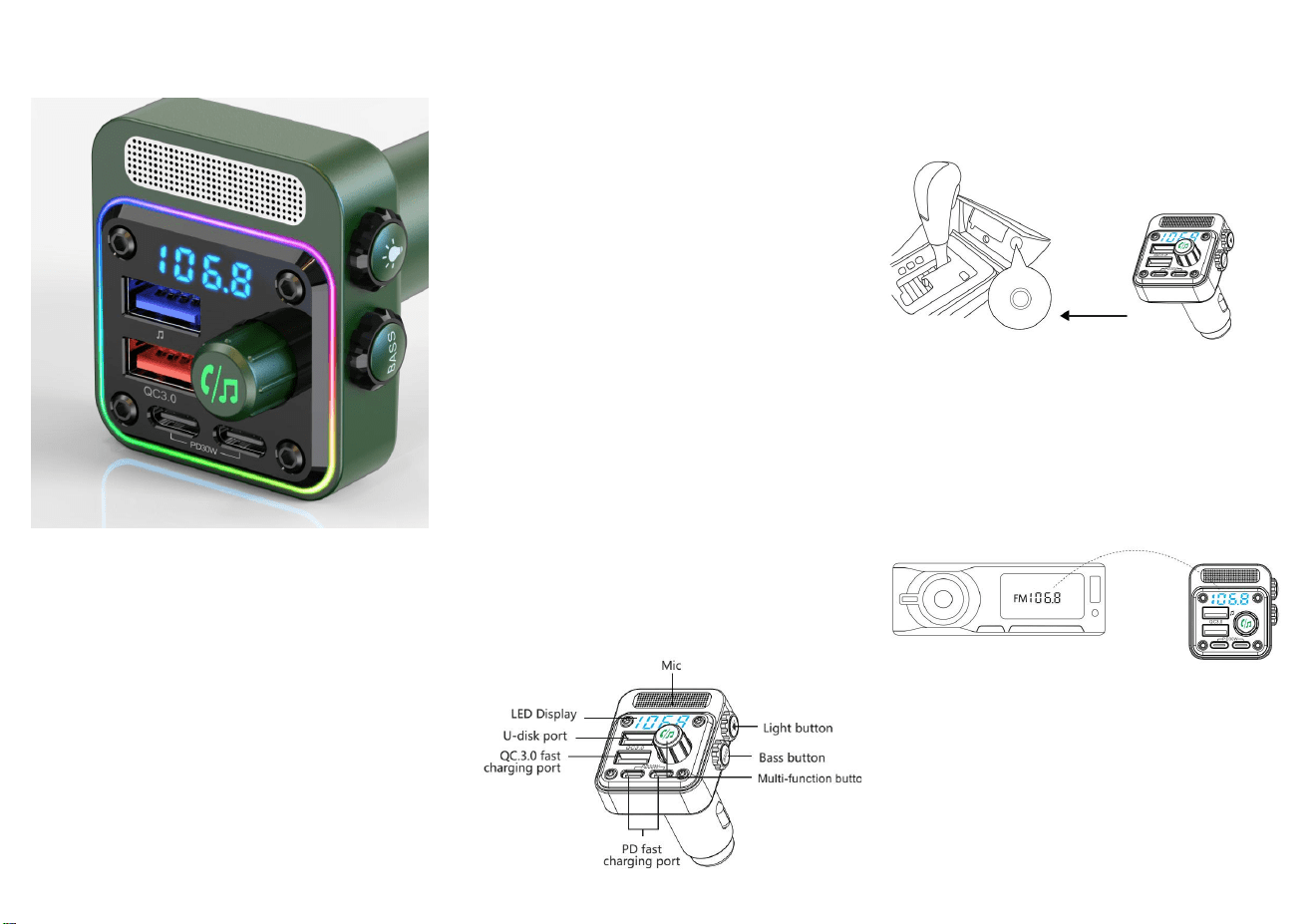
Product diagram:
Operating instructions:
1.
Insert the product into the cigarette lighter of the
car after vehicle start.
2. After insertion, the device will automatically
start up and display HI -- current voltage -- BT
frequency flashing alternately.
3. Turn on the car radio and tune to a blank FM
channel
4. Tune the device to the same channel as the car
radio.
5. Open the Bluetooth of your phone ,search for
the "BC91" , and click connect.
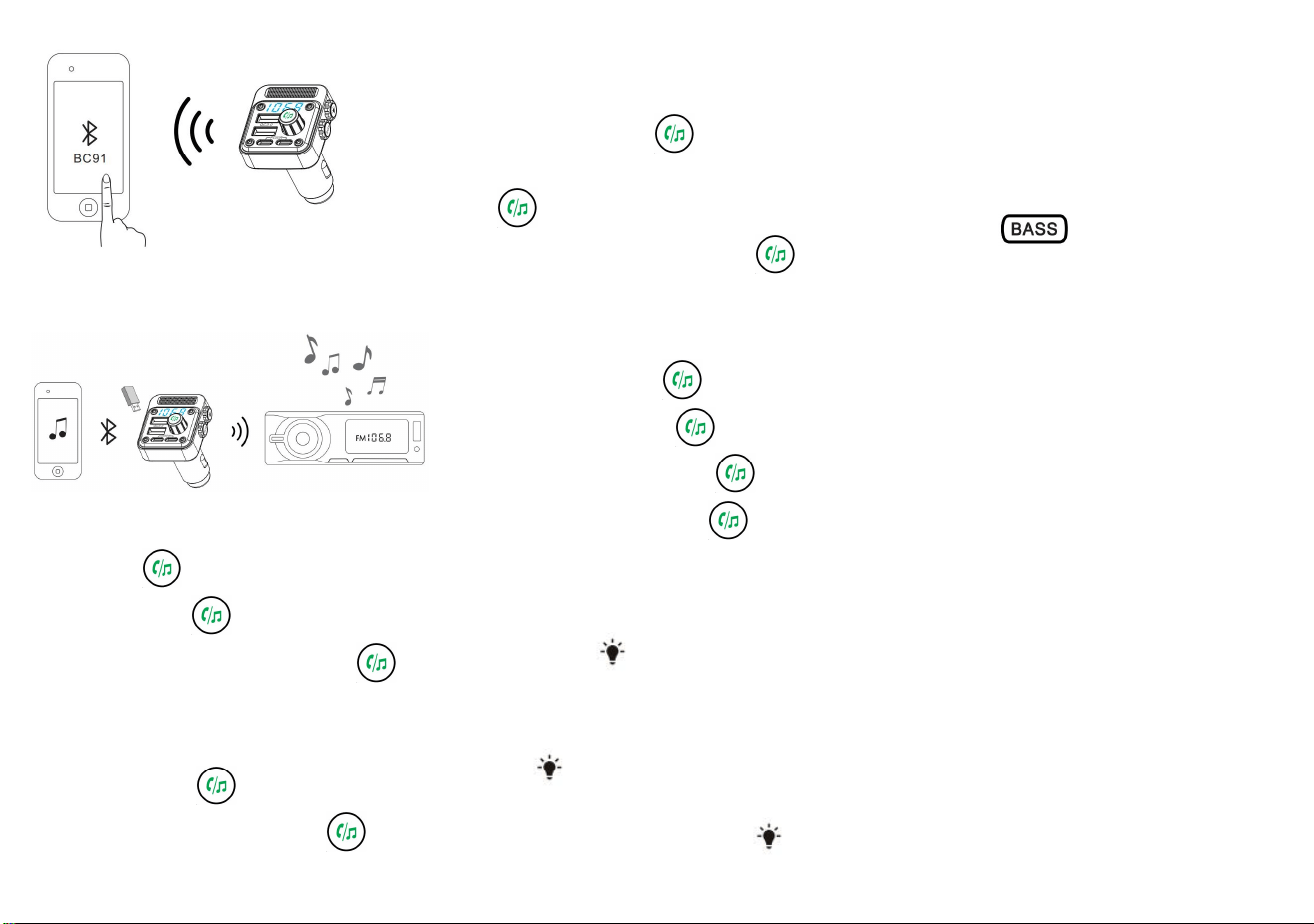
6. After the connection is successful,then you can
play music, navigation or make/answer calls.
FM Frequency Regulation:
1.Long press” “button,frequency is flashing,
clockwise rotation” “button to increase
frequency ,counterclockwise rotation”
“button to decrease frequency.
Volume Adjustment:
clockwise rotation“ ”button to increase
volume;counterclockwise rotation“ ”button
to decrease volume,when the maximum volume will
have a "drip, drip" prompt tone
Music Control:
1.
Pause/Play—click“ ”button
2. Last song--counterclockwise rotation
“ ”
button once
3. Next song--clockwise rotation “ ”
button once
Dial/Answer Call
:
1.
Answer a call
:
click
“
”button
2. Hang up a call:click“ ”button
3. Reject a call:long press“ ”button
4.
Redial calls
:
double click“ ”button
U disk/Bluetooth Switch:
Switch between U disk/Bluetooth mode:
double click“ ”button.
Ambient Light
Click
“ ”
button,turn on/switch ambient
lighting in sequence.
long press “ ” to
enter breathing light mode
One-touch bass
Click“BOSS”button,turn on/off bass function
Power on/off function
Long press “ ” button to turn off FM
Transmitter function,keep charging function;press
any key to turn on.
Low Voltage Warning Function
When the battery voltage is lower than 11V, the
voltage flashes alarm
Warm Tips:
1. Do not turn the radio volume too high (usually 18 or
below) to avoid the increase of the sound back noise.
2. Although the transmission power of this product is
relatively strong, you’d better skip the frequency with
strong signal in local to get a better sound quality.
3.Do not use this product in a dusty and humid
environment with extremely high and low
temperatures.
4. Do not drop the product to avoid surface damage or
breakdown.
5. Do not disassemble the product, if you have any
questions, please contact your dealer.
6. Due to continuous improvement and enhancement
of technology, changes in product performance and
functionality are subject to change without notice.
Troubleshooting
:

Power is
not
respondin
g or not
displayed
·
Check if the machine is in good
contact with the cigarette port, and
the cigarette holder is not seriously
rusted.
· Unplug and re-try again.
·
Check if the cigarette holder is
powered normally.
Can't play
·
Check if the USB device is
connected to the player or not, or
you can try another USB device.
·
Please make sure that there is
copy of the file in the USB device
that can be supported by the
product.
·
Please make sure the volume is
not set to 0.
There is
noise but
no sound
·
Whether the product player is in
a pause state?
·
Is the volume adjusted to 0 or
small?
The audio
of car can't
receive
sound
· Make sure that the product FM
launch has been turned on.
· Is the transmission frequency of
the product the same as the
reception frequency of car’s?
The
launching
effect is
not good,
there is
noise
·
Make sure that there is no strong
signal station at the frequency of
the current transmission. When
using it, adjust to the frequency of
no radio station to get better sound
effect.
Packaging accessories
1. User manual 2. Main device
