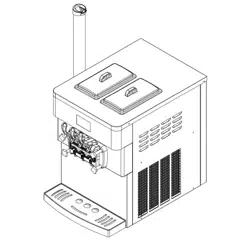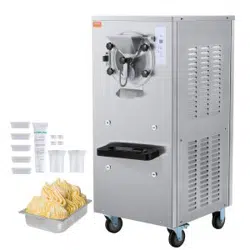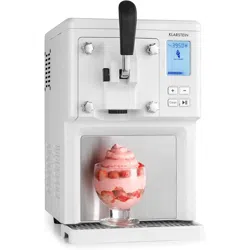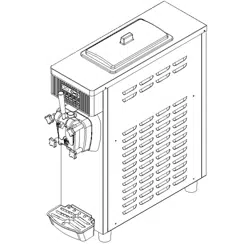
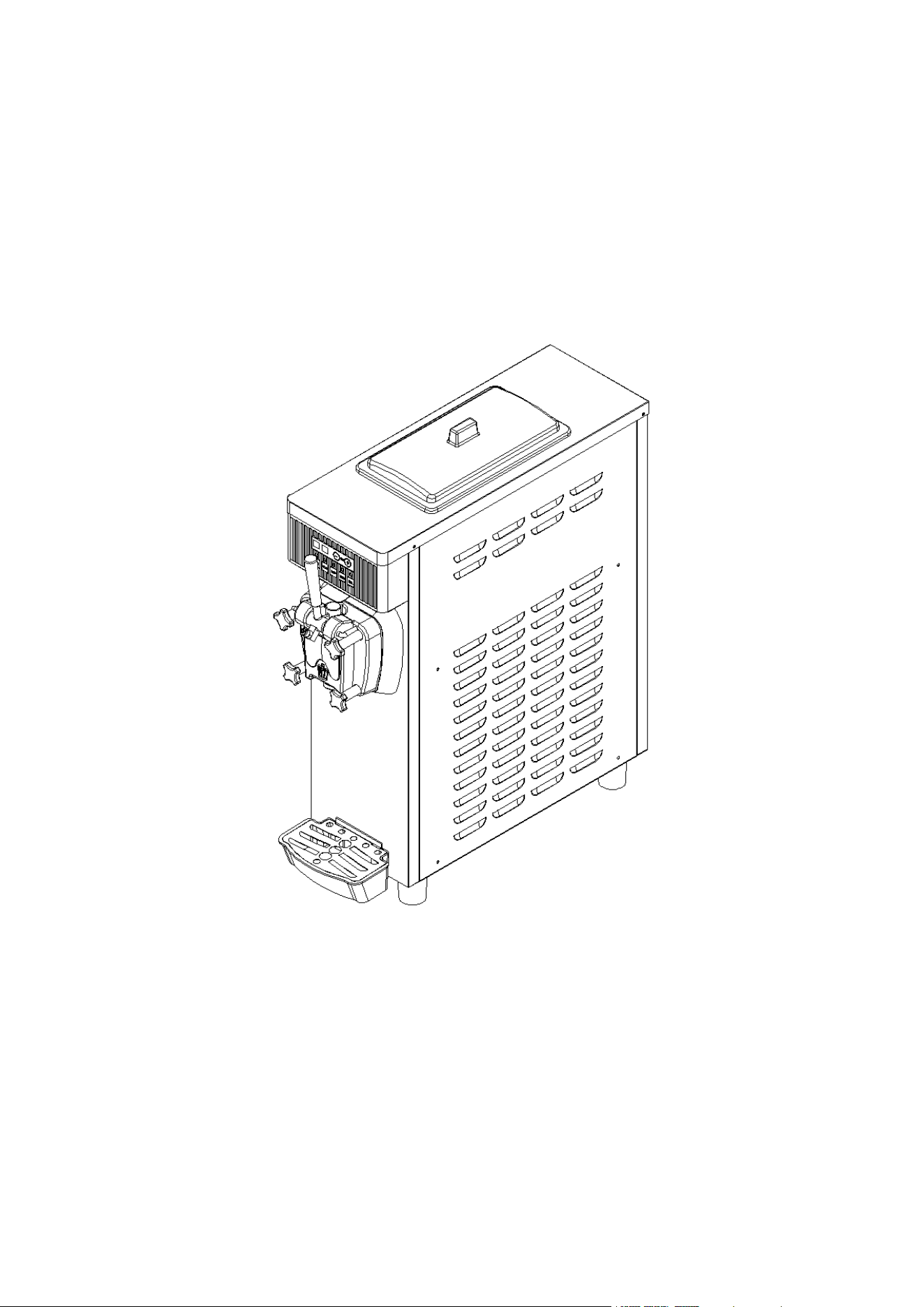
Ice Cream Machine ICM01
USER MANUAL
Model: YKF-8116F
For your safety and correct use, please read the "USER MANUAL“ carefully before using.

1
CONTENT
USAGE AND FEATURES .................................................................................................2
SECURITY PRECAUTIONS .............................................................................................2
PRODUCT STRUCTURE DIAGRAM ...............................................................................3
INSTALLATION AND DEBUGGING .................................................................................4
OPERATING INSTRUCTIONS .........................................................................................6
ICE CREAM MAKING INSTRUCTION ............................................................................ 8
MAINTENANCE AND REPAIR .........................................................................................9
MAINTENANCE AND REPAIR ....................................................................................... 11
ELECTRIC PRINCIPLE DIAGRAM ................................................................................13
ATTACHED ACCESSORIES ..........................................................................................13
WARRANTY ....................................................................................................................14
GET SALES SERVICE ................................................................................................... 14
AFTER-SALES INFORMATION .....................................................................................14

2
USAGE AND FEATURES
This series of products can be used in bars, hotels, cold drink stores, internet cafes, cabarets, cafes,
western restaurants, resorts and other entertainment and leisure places. All of our commercial ice
cream machines are equipped with digital computer control system with LCD or digital display. Since
our commercial ice cream machines use high quality and stable electrical components with advanced
production technology, they are easy to operate, safe and reliable. In addition, our products are
equipped with compressors of world famous brands to ensure stable and reliable refrigeration system,
high production capacity and low power consumption. The ice cream made with our machine tastes
crispy and tender, with high puffing rate.
SECURITY PRECAUTIONS
1. When you carry or move the machine, the angle of tilt should not exceed 45°.
2. Since vibration cannot be avoided during the carrying process, it is best to leave the machine stable
for more than 4 hours before use.
3. When there is water in the tank, it is not allowed to turn on the "Auto" button.
4. Check the nameplate (technical parameters) on the back panel of the machine, whether the
required voltage is consistent with the local power supply.
5. Make sure the power outlet is effectively connected to the ground wire.
6. When stop using the machine, or disassemble its parts or clean the machine, please disconnect the
power supply.
7. To prevent electric shock, do not get the plug, motor or other electrical parts wet or spill liquid on
them.
8. If the power cord is damaged, it must be replaced by the manufacturer or its service center or other
similar qualified professional to avoid danger.
3
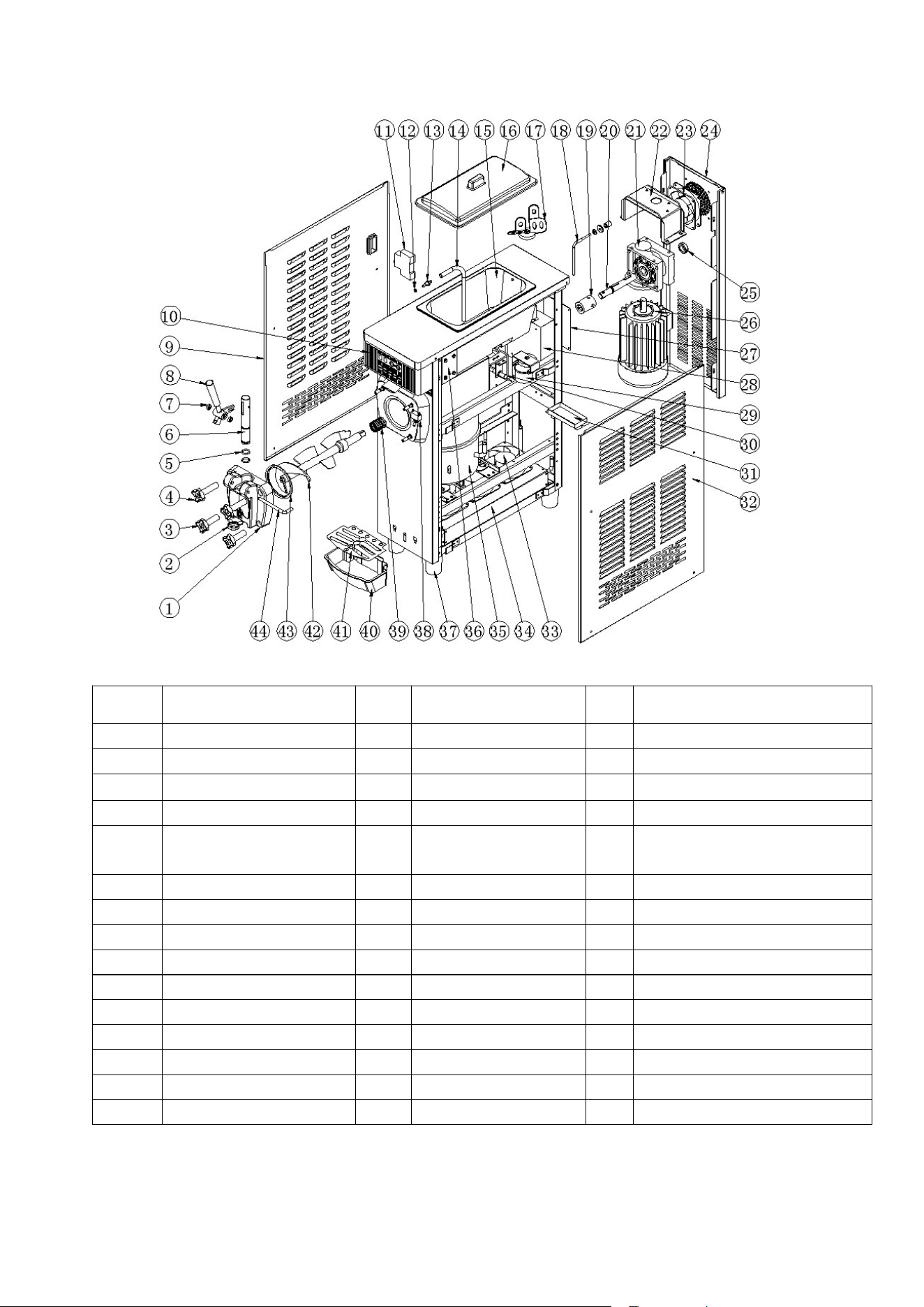
PRODUCT STRUCTURE DIAGRAM
No. Name No. Name No. Name
1
Liquid outlet valve 16 Cylinder cover 31 Slag box
2
Outlet sealing ring 17 Blender 32 Right side panel
3
Fixing nuts-short 18 Level lever 33 Axial Fan 2
4
Fixing nuts-long 19 Coupling seal 34 Condenser
5
O shape seal ring 20
Reducer connection
shaft
35 Compressor
6
Piston 21 Reducer 36 Air pump
7
Shock absorb ring 22 Reducer beam 37 Fixed column
8
Stainless steel handle 23 Axial Fan 1 38 Power switch
9
Left side panel 24 Rear panel 39 Bell mouth seal
10
Operation panel 25 4 Nut 40 Water receiver
11
Switch of motor 26 Motor 41 Water receiver cover
12
Intake nozzle seal ring 27 Motherboard 42 Stirring shaft
13
Intake nozzle 28 Junction box 43 Seal for liquid outlet valve
14
Intake silicone tube 29 Motor of blender 44 Handle steady pin
15 Cylinder 30 Proximity switch

4
INSTALLATION AND DEBUGGING
1) Installation
a. Cut off and remove the packing straps fixed to the carton. Get rid of the carton, take off the packing
bag, check the appearance of the machine for damage and accessories with reference to the list.
b. The machine should be placed evenly and steadily, and please lock the brake of the front wheel
after placing it.
c. Install the handle to the outlet valve against the product structure diagram, then install the
assembled outlet valve to the machine and tighten it with the fixing nut.
d. Working conditions.
1. Ambient temperature: 40-104
℉
; feed temperature: 35-95
℉
(Note: feed temperature will
directly affect the cooling capacity and output.)
2. Power supply voltage: 110-120v (The deviation of the rated power supply voltage should not be
too high or too low. If it is too high or too low, the machine will alarm (buzzing sound) and the machine
cannot start.)
3. Power supply frequency: 60
±
1 Hz
e. Placement conditions:
1. The machine should be placed in a cool and ventilated place, avoiding heat sources and direct
sunlight. The distance between the exhaust side of the machine and the wall or other similar obstacle
should be more than 1 meter, and the distance between the rest sides of the machine and the wall or
other similar obstacle should be more than 0.3 meters, so that the cold air can flow in the machine and
discharge the hot air to ensure the condensation cycle of the machine.
2. The machine should not be placed in a dusty place. Please keep the place clean and tidy, and
remove the dust from the condenser regularly.
f. Requirements for power supply wiring.
1. Please make sure the power circuit of the machine is equipped with short-circuit protection and
leakage protection device.
2. Please ensure that the power cord is not less than 2.5mm
2
and copper core (except for special
high-power machines, whose power cord is not less than 4.0mm
2
and copper core.) And the power
cord should not be too long. When the power cord is too small or too long, the load will be too large,
5
resulting in a drop in voltage, which affects the service life of the machine components.
2) Debugging
a. When the machine is in use, first turn on the faucet to ensure that running water enters the
machine.
b. Turn on the power plug and push the power switch to the "ON" position. You will then hear a "beep"
and the display screen turns on at the same time. Now the machine enters standby mode.
c. When you press the "Wash" button, the machine enters the washing state and the mixing system
starts to run at the same time. Press the "Stop" button, the machine will stop running.
d. When you press the "Auto" key, the machine enters the forming stage and the mixing system starts
to run at the same time. After a delay of 10 seconds, the cooling system also starts to start. Press the
"Stop" button, the machine will stop running.
3) Cleaning and disinfection
When the machine is used for the first time, it should be carefully cleaned and disinfected. The specific
steps are as follows.
a. Take about 10L of warm water and add an appropriate amount of food cleaning solution to the water
to make it a disinfectant. Then pour the disinfectant into the two barrels and let the disinfectant flow
into the refrigerated barrel.
b. Press the "cleaning" button and run for 5 minutes. Pull down the handle and drain the cleaning
solution.
c. Add water to the material cylinder and rinse 2-3 times.
d. Clean the puffing tube for use.
Notes:
During the cleaning and disinfection process, you cannot press the "Auto" button
and you must observe the display screen.
After cleaning, the water in the tank must be completely drained. Otherwise, the
water will freeze the cylinder and the mixing shaft will be damaged during the
refrigeration process.
6
OPERATING INSTRUCTIONS
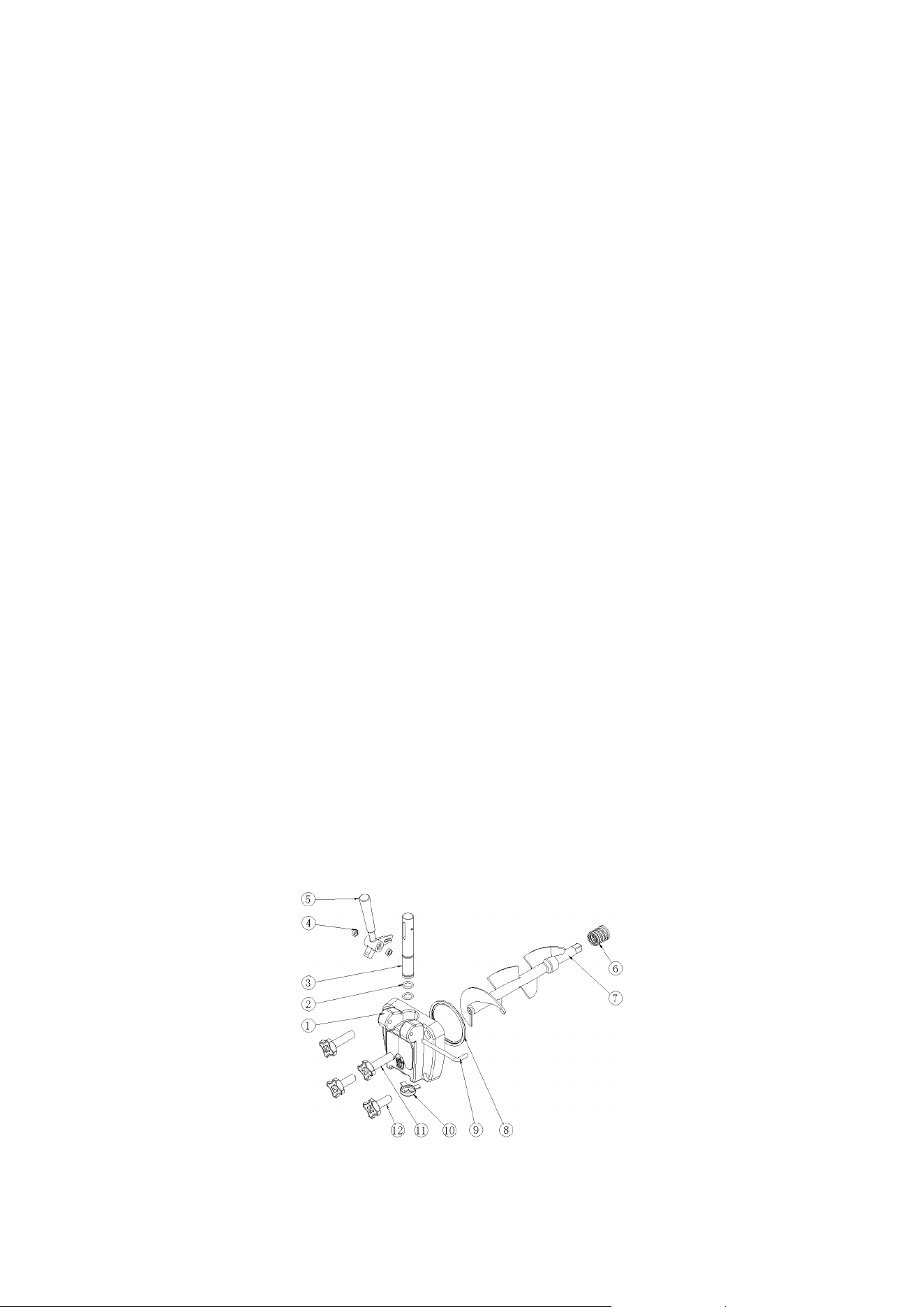
a. The "AUTO" key
When you press the "AUTO" button, the buzzer will sound a short sound and the automatic indicator
light will come on. The machine enters the automatic working state and the mixing motor starts to run.
10 seconds later, the compressor, induced draft fan and solenoid valve start to work and the machine
enters the fully automatic mode. When the actual measured hardness reaches 100, the machine will
stop automatically and enter the automatic standby mode. When the stop time reaches the set time,
the machine starts working again and repeats the same cycle. If you want to stop the machine, just
press the "Stop" button.
b. The "CLEAN" key
When you press the "CLEAN" key, the buzzer will sound a short sound and the cleaning indicator light
will come on. The machine enters the cleaning state and the agitator motor starts to run. The actual
measured hardness shows the current current value of the agitator motor. When you press the
"STOP" button, the machine will stop working and go into standby mode.
c. The "FRESH" key
1. When you press the "FRESH" button, the buzzer will sound a short sound and the compressor,
fan and solenoid valve will work after 10 seconds. The machine will enter auto mode and the
compressor will work continuously for 5 minutes and stop for 60 minutes. When the shutdown time
reaches the restart time, the machine will start working again and keep repeating. If you want to stop,
just press the "Stop" button.
2. When you press the "Fresh" button, the hopper will also enter the pre-cooling function, and the

7
pre-cooling compressor and fan will start working for 10 minutes continuously and stop for 5 minutes.
When the temperature of the hopper reaches 46
℉
, the pre-cooling compressor and fan will stop
working. When the temperature of the hopper is higher than 54
℉
, the pre-cooling compressor and fan
will start to work and repeat continuously. If you want to turn off the pre-cooling function, just press the
"Stop" button. The fan will only stop working when the auto function and pre-cooling function are
stopped.
d. The "PUFF" key
When you press the "PUFF" key, the puffing indicator will light up. In the automatic working state, in
the case of frozen cylinder, press "PUFF" key to replenish ice cream and improve the taste of ice
cream, press "STOP" key, the machine stops working.
e. The “ STOP ” key
When the machine is in the working state, just press the "STOP " key, the machine will stop working
and return to the standby state.
f. Ice cream hardness setting
Press and hold the "+" or "-" button for 2 seconds, or click the "+" or "-" button twice to enter the
hardness modification state. After entering, click on the "plus" or "minus" button to modify the
hardness.

8
ICE CREAM MAKING INSTRUCTION
Ice cream is usually made by mixing ice cream ingredients with water. Please mix strictly
according to the ratio on the ice cream bag (normally, 1 kg of ice cream ingredients should be
mixed with 2.5-3 kg of pure water).
Leave the mixed ice cream pulp for 15 minutes and then pour it evenly into the barrel on the top of
the machine. It is required that the pulp should not be lumped so that the pulp can flow smoothly
into the freezing cylinder through the feeding hole of the puffing tube.
Pull down the handle and let 2-3 cups of ice cream pulp flow out of the hole naturally. Then pour it
into the top feeding cylinder to prevent the water in the outlet from freezing, as it will affect the ice
cream making.
Install the feeding elbow and make sure the sealing sleeve is installed in place.
Turn on the power switch and put the machine into standby mode. Press the "CLEAN" button and
let the machine run for 3-5 minutes, then press the "STOP" button to stop.
Turn on the "AUTO" and "PUFF" button, the machine enters the fully automatic cooling and
molding state, press the "+, -" button to adjust the softness of the ice cream as needed (8-12 is
recommended).
When the molding rate reaches 70, take an egg cone or cup and place it at the outlet under the
liquid valve. Pull down the material handle and squeeze the ice cream. After releasing, please
push the handle back.
9
MAINTENANCE AND REPAIR
Freezing cylinder cleaning
In order to ensure the health of ice cream consumers, improve the service life of machine parts and
avoid unnecessary trouble, you must clean the refrigeration cylinder once a day.
Press the "CLEAN" button, remove the air pump and discharge the remaining ice cream. Press
"STOP" button, the machine stops.
Add warm water and appropriate amount of sanitizer and pour it into the cylinder.
Press "CLEAN" button and stir for about 5-8 minutes. Press "PUFF" button, clean and drain the
cleaning liquid.
Wash with water 2-3 times, then stop the machine .
Turn off the power and take out the machine spare parts.
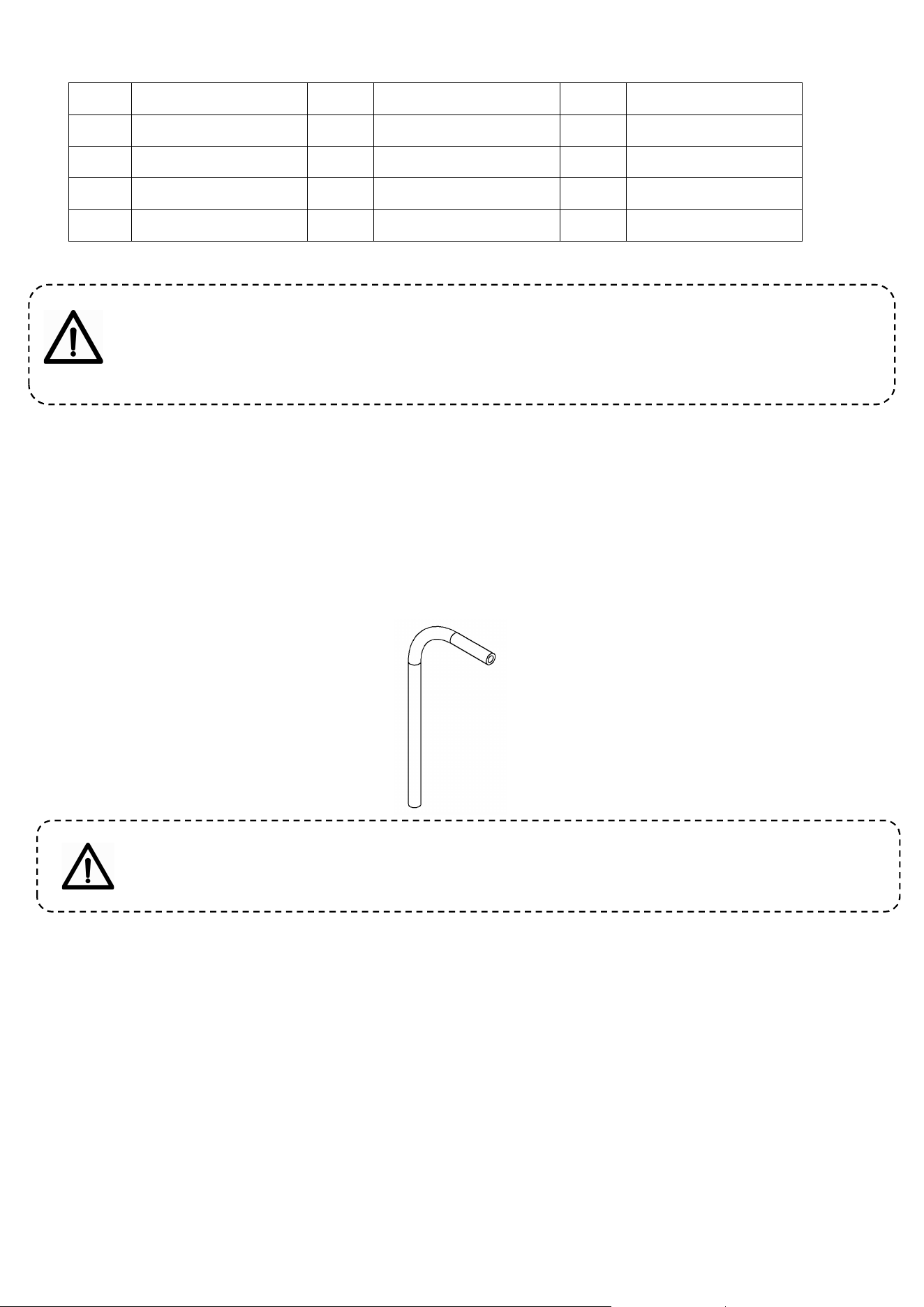
Unscrew the four nuts holding the liquid discharge valve and take out the liquid discharge valve
assembly.
Pull out the handle retaining pin, handle, piston and outlet valve seal ring from the outlet valve
assembly.
Pull out the agitator shaft from the freezing cylinder.
Clean all removed parts and replace if damaged.
After cleaning, apply petroleum jelly to the parts that need to be lubricated as shown below and
reassemble the parts by following the steps in reverse order.
Stirring shaft and liquid outlet valve diagram
10
Note: Daub vaseline at the corresponding places when installing the pistons, piston seals,
stirring shaft and bell mouth seals, for often using vaseline can prolong the service life of the
components.
A) Cleaning of puffed tubes
1. Turn off the power.
2. Pull out the intake silicone tube.
3. Clean all the parts of intake silicone tube, if damaged, please replace it in time
4. After cleaning, reinstall the parts.
Schematic diagram of intake silicone tube
Note:
Daub vaseline at the corresponding places when installing the pump tube , for often
using
vaseline can prolong the service life of the components.
B
)
Body cleaning
a. As consumers require the machine to be beautiful, clean and hygienic in appearance, please keep
the body clean at all times. You can scrub the body with a warm towel to remove dirt and spots, but
avoid cleaning directly with abrasion to avoid electrical failure.
b. Don't put too much water in the cylinder of the machine for cleaning, so that the water will not flow
into the expansion pump from the position of the air inlet nozzle and cause the electric appliance to
malfunction.
NO. Name NO. Name NO. Name
1 Liquid outlet valve 5 Stainless steel handle 9 Handle fixing rod
2 O shape seal ring 6 Bell mouth seal 10 Outlet sealing ring
3 Piston 7 Stirring shaft 11 Fixing nuts
4 Shock absorb ring 8 Seal for liquid valve 12 Fixing nuts
11
MAINTENANCE AND REPAIR
This ice cream machine is a professional equipment of electromechanical integration integrating
computer program control, mechanical drive and efficient refrigeration system. The following table lists
the possible failure phenomena of the ice cream machine and the possible causes and treatment
methods. Simple faults can be handled according to the treatment methods in the table. If the
malfunction cannot be eliminated, consult with the seller or manufacturer and ask them to guide the
repair. For complex malfunctions, seek professional repair immediately.
No. Troubles Possible causes Solutions
1
The machine
cannot start.
Whether the power switch is on or off.
Switch on the power switch by
yourself.
The power line is not well connected.
Check the power line and connect it
well.
The protection circuit works.
Restart the machine after clear the
trouble.
The control board is problematic. Replace the control board.
2
The cleaning
function doesn’t
work.
The connection line is loose.
Check the connection line and
connect it firmly
The stirring motor or capacitance is
damaged.
Repair or replace the capacitance or
motor.
The ac contactor is damaged. Replace the ac contactor.
3
The compressor
doesn’t run.
The connection line is loose.
Check the connection line and
connect it firmly.
The voltage is too low. Check the power voltage.
The contactor is damaged. Replace the contactor.
The control board is problematic. Replace the control board.
The compressor capacitance is
damaged.
Replace the capacitance.
The over-load protection for the
compressor works.
Find out the causes and remove
them.
The compressor is damaged. Replace the compressor.
4
Refrigerating don’t
work.
The refrigerating fluid leaks.
Find out the leakage location and
repair it well. Fill the refrigerant under
vacuum.
The solenoid valve is damaged. Replace the solenoid valve.
The draught fan doesn’t run. Repair or replace the draught fan.
The compressor runs abnormally. Check the compressor.
12
5
The ice cream
cannot come out.
No material in the cylinder Replenish the pulp.
The puffing tube is blocked. Pull out the buffing pipe and clean it.
Wrong ratio of the pulp, which causes
freezing cylinder.
Make the qualified pulp again.
The material discharge switch on the
panel is damaged or the connection
line is short-circuit.
Connect the line again or replace the
discharge switch.
The reducer is problematic. Repair or replace the reducer.
Stirring shaft wear Replace the stirring shaft
6 Poor puffing
The puffing tube is not inserted. Insert the puffing tube again.
The raw material of the ice cream is
poor in quality.
Improve the raw material quality.
7
After starting,
electric leakage
occurs.
Induced electricity of the shell
Check whether the power line is
firmly connected to the earth. If it is
not, please have it connected by the
professionals
8
The ice cream is
too soft.
Wrong mixing ratio of the pulp Make qualified pulp again.
Improper setting of the hardness Reset the hardness.
Discharging too frequently
After the measured hardness value
reaches 50, then put ice cream
9
Non-stop of the
machine
The hardness is set too high Adjust down the set hardness.
Poor refrigeration Check the refrigerating
10 Leaky material
Leaky liquid outlet valve
Replace the liquid outlet valve and
lock it with the fixing nuts.
Leaky discharge hole Replace the piston seal.
Leaky liquid joining pipe
Replace the bell mouth seal and lock
it with the fixing nuts.
Leaky inside the machine
Replace the cylinder’s connection
pipe.
11 Er 01
Compressor High voltage
protection
Check whether the tap switch is on
12 Er 02
Output switch fault Check the Output switch
13 Er 03
No running rate signal or
frozen tank
Check whether the circuit breaker is
turned on and whether the motor
rotates
14 Er 04
Low speed
Check if the freezing cylinder or lack of
material
15 Er 07
Higher voltage protection Place voltage regulation
16 Er 08
Lower voltage protection Place voltage regulation
17 CL
Material shortage or no material Refill the material
13
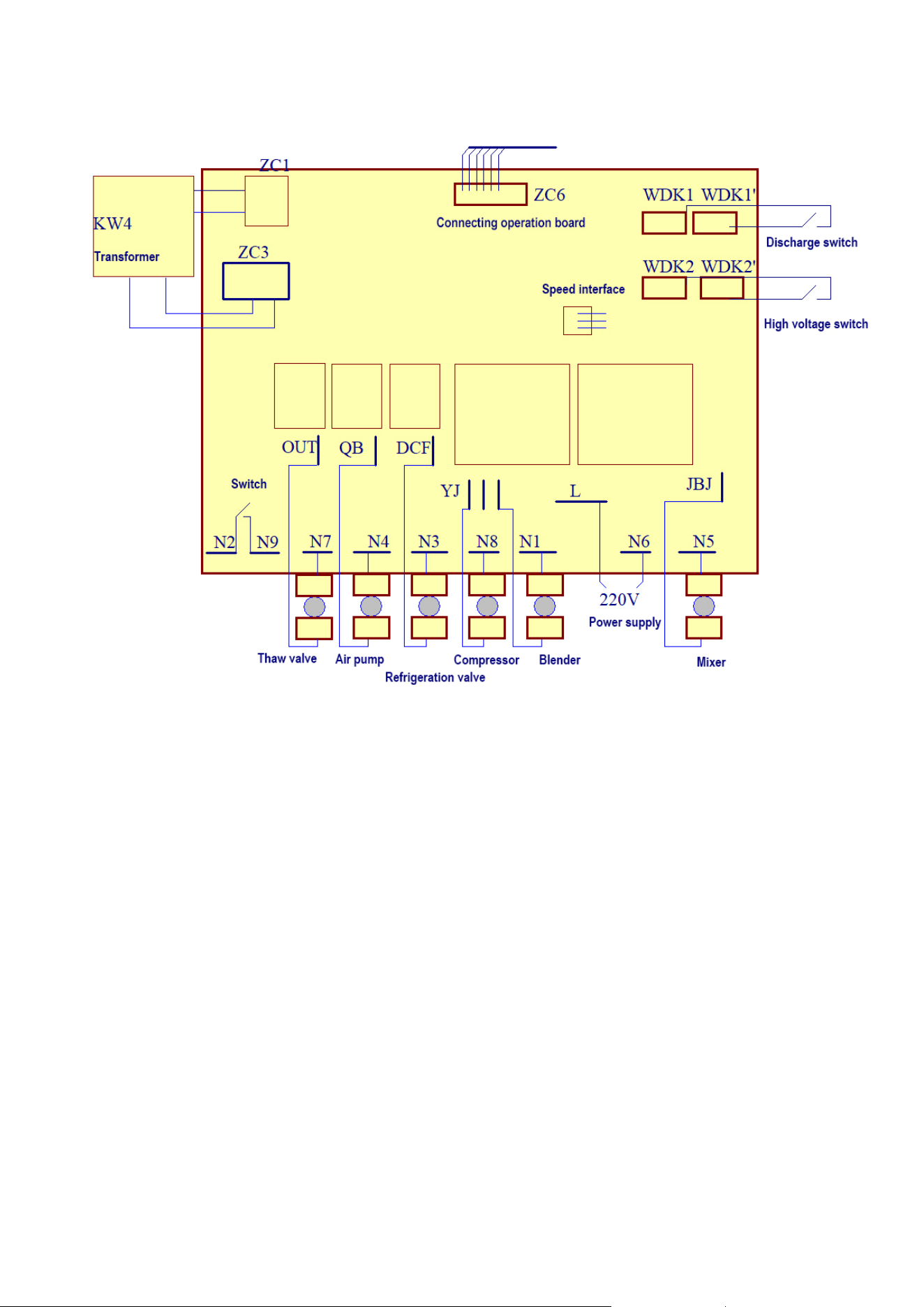
ELECTRIC PRINCIPLE DIAGRAM
ATTACHED ACCESSORIES
Seals: 1 set Edible vaseline: 1 bottle
Liquid outlet valve: 1 set Handle: 1 piece
Water receiver: 1 set Cylinder cover: 1 piece
Stirring shaft: 1 pieces Fixing nuts: 4 pieces
Puffing tube: 1 set Instructions: 1 copy
Warranty card Certificate of conformity

14
WARRANTY
This device is covered by a limited manufacturer's warranty. The manufacturer will repair or replace any part
of this equipment that is defective in material or workmanship within three years from the date of original
purchase, provided that the equipment is used under normal operating conditions as intended by the
manufacturer.
WARRANTY TERMS
During the first three years, any part of this equipment that is defective due to material or workmanship will
be repaired or replaced at the manufacturer's discretion, free of charge, to the original purchaser. The
purchaser will be responsible for any removal or shipping costs.
WARRANTY EXCLUSIONS
Warranty will not apply if damage is caused by any of the following:
Damaged when transporting or moving the device
Improper power supply, such as low voltage, defective household wiring, or improper fuses
Accidents, alterations, misuse or abuse of electrical appliances, such as the use of unapproved accessories,
insufficient indoor air circulation, or abnormal operating conditions (extreme temperatures)
Fire, flood, war, riot, hostilities or acts of God such as hurricanes, floods, etc.
Damage caused by the use of force or external influence
Partially or completely disassembled equipment that is excessively worn by the user
GET SALES SERVICE
When making a warranty claim, please have the original purchase checklist with the purchase date
ready. Once your device is confirmed to be eligible for warranty service, all repairs will be performed
by an authorized repair facility. For technical support and warranty services, please email to
AFTER-SALES INFORMATION
Model: YKF-8116F
Email: [email protected]
Phone: 1-866-658-5891 (US)
Monday-Friday from 7 a.m.- 3 p.m. EST