GARMIN
®
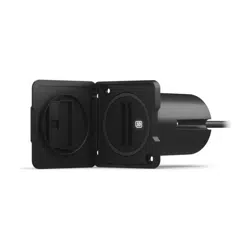
USB CARD READER
INSTALLATION INSTRUCTIONS
Important Safety Information
WARNING
Failure to follow these warnings, cautions, and notices could result in personal injury, damage to the vessel or
device, or poor product performance.
See the Important Safety and Product Information guide in the product box for product warnings and other
important information.
When connecting the power cable, do not remove the in-line fuse holder. To prevent the possibility of injury or
product damage caused by fire or overheating, the appropriate fuse must be in place as indicated in the product
specifications. Connecting the power cable without the appropriate fuse in place voids the product warranty.
CAUTION
To avoid possible personal injury, always wear safety goggles, ear protection, and a dust mask when drilling,
cutting, or sanding.
To avoid possible personal injury or damage to the device and vessel, disconnect the vessel's power supply
before beginning to install the device.
To avoid possible personal injury or damage to the device or vessel, before applying power to the device, make
sure that it has been properly grounded, following the instructions in the guide.
To avoid possible personal injury or damage to this device and vessel, only install this device when the vessel is
on land, or when properly secured and docked in calm water conditions.
NOTICE
For the best possible performance and to avoid potential damage to the device or to your vessel, you must
install this device according to these instructions.
NOTICE
When drilling or cutting, always check what is on the opposite side of the surface to avoid damaging the vessel.
Read all installation instructions before proceeding with the installation. If you experience difficulty during the
installation, contact Garmin Product Support.
Tools Needed
• Phillips screwdriver
• Drill
• 2.7mm (
3
/
32
in.) drill bit
• 38mm (1
1
/
2
in.) hole saw
GUID-75070848-6D93-4702-A71F-F60522259890 v3September 2023
Card Reader Mounting Considerations
NOTICE
This device should be mounted in a location that is not exposed to extreme temperatures or conditions. The
temperature range for this device is listed in the product specifications. Extended exposure to temperatures
exceeding the specified temperature range, in storage or operating conditions, may cause device failure.
Extreme-temperature-induced damage and related consequences are not covered by the warranty.
The card reader can be flush mounted in the dashboard using the included hardware. When selecting a
mounting location, observe these considerations.
• The card reader should be mounted in an accessible location. You must be able to access the card reader
when necessary to insert and remove memory cards containing additional mapping and device updates, and
to transfer user data.
• To avoid interference with a magnetic compass, the device should not be installed closer to a compass than
the compass-safe distance value listed in the product specifications.
• The location must allow room for the routing and connection of the cables.
Mounting the Card Reader
1 Select an appropriate mounting location.
2 Using a 38mm (1
1
/
2
in.) hole saw, cut the mounting surface.
3 If necessary, use a file and sandpaper to refine the size of the hole.
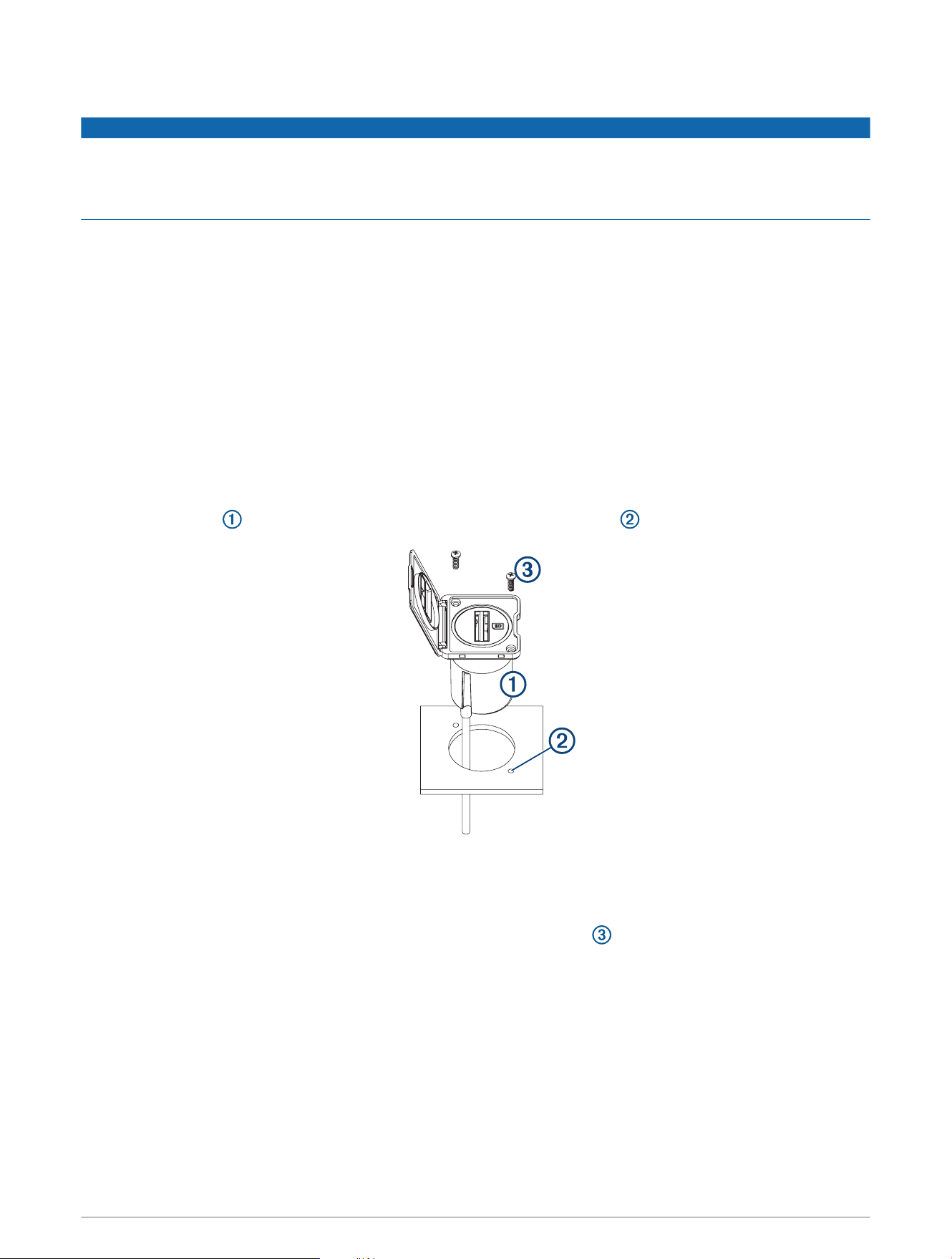
4 Place the device into the cutout, and mark the two pilot-hole locations .
5 Remove the device from the cutout.
6 Drill the 2.7mm (
3
/
32
in.) pilot holes.
7 Place the device into the cutout, with the logo right-side up.
8 Secure the device to the mounting surface using the included screws .
9 Install the ferrite bead on the cable, near the connector, to comply with regulations and to reduce noise.
10 If you are connecting to a GPSMAP
®
9000 series chartplotter, connect the included USB-C
®
adapter to the
cable.
11 Route the cable away from sources of interference.
12 Connect the cable to the USB port on the compatible chartplotter.
2

More Information
Specifications
Dimensions (W×H×D) 50.8 × 50.8 × 61mm (2 × 2 × 2.4in.) excluding the cable
Weight 114g (4.025oz.)
Temperature range From 5° to 158°F (from -15° to 70°C)
Material Fully gasketed, high-impact plastic
Water rating IEC 60529 IPX7
1
Input power 4.75 to 5.25Vdc
Fuse 7.5 A, 42V, fast-acting
Max. power usage at 5Vdc 2.5W
Typical current draw at 5Vdc 100mA
Max. current draw at 5Vdc 500mA
Compass-safe distance 53.3cm (21in.)
Innovation, Science and Economic Development Canada Compliance
This device contains licence-exempt transmitter(s)/receiver(s) that comply with Innovation, Science and
Economic Development Canada's licence-exempt RSS(s). Operation is subject to the following two conditions:
(1) this device may not cause interference, and (2) this device must accept any interference, including
interference that may cause undesired operation of the device.
FCC Compliance
This device complies with part 15 of the FCC Rules. Operation is subject to the following two conditions: (1) this
device may not cause harmful interference, and (2) this device must accept any interference received, including
interference that may cause undesired operation.
This equipment has been tested and found to comply with the limits for a Class B digital device, pursuant
to part 15 of the FCC rules. These limits are designed to provide reasonable protection against harmful
interference in a residential installation. This equipment generates, uses, and can radiate radio frequency energy
and may cause harmful interference to radio communications if not installed and used in accordance with the
instructions. However, there is no guarantee that interference will not occur in a particular installation. If this
equipment does cause harmful interference to radio or television reception, which can be determined by turning
the equipment off and on, the user is encouraged to try to correct the interference by one of the following
measures:
• Reorient or relocate the receiving antenna.
• Increase the separation between the equipment and the receiver.
• Connect the equipment into an outlet on a circuit different from that to which the receiver is connected.
• Consult the dealer or an experienced radio/TV technician for help.
This product does not contain any user-serviceable parts. Repairs should only be made by an authorized Garmin
service center. Unauthorized repairs or modifications could result in permanent damage to the equipment, and
void your warranty and your authority to operate this device under Part 15 regulations.
1
The device withstands incidental exposure to water of up to 1m for up to 30min. For more information, go to www.garmin.com/waterrating.
3

Limited Warranty
The Garmin standard limited warranty applies to this accessory. For more information, go to garmin.com
/support/warranty.
Australian Purchases: Our goods come with guarantees that cannot be excluded under the Australian
Consumer Law. You are entitled to a replacement or refund for a major failure and for compensation for any
other reasonably foreseeable loss or damage. You are also entitled to have the goods repaired or replaced if the
goods fail to be of acceptable quality and the failure does not amount to a major failure. The benefits under our
Limited Warranty are in addition to other rights and remedies under applicable law in relation to the products.
Garmin Australasia, 30 Clay Place, Eastern Creek, NSW 2766, Australia. Phone: 1800 235 822.
© 2019–2023 Garmin Ltd. or its subsidiaries
Garmin
®
and the Garmin logo are trademarks of Garmin Ltd. or its subsidiaries, registered in the USA and other countries. These trademarks may not be used without the
express permission of Garmin.
The SDHC logo is a trademark of SD-3C, LLC. USB-C
®
is a registered trademark of USB Implementers Forum.
© 2019–2023 Garmin Ltd. or its subsidiaries
support.garmin.com