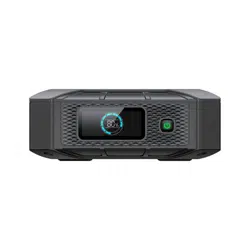

X20
Portable Power Bank
User Manual V3.0
Please Read This Manual Before Use And Follow Its Guidance.
Keep This Manual For Future Reference.
Thank You
Thank you for making BLUETTI a part of your family.
From the very beginning, BLUETTI has tried to stay true to a sustainable future through
green energy storage solutions while delivering an exceptional eco-friendly experience
for our homes and our world.
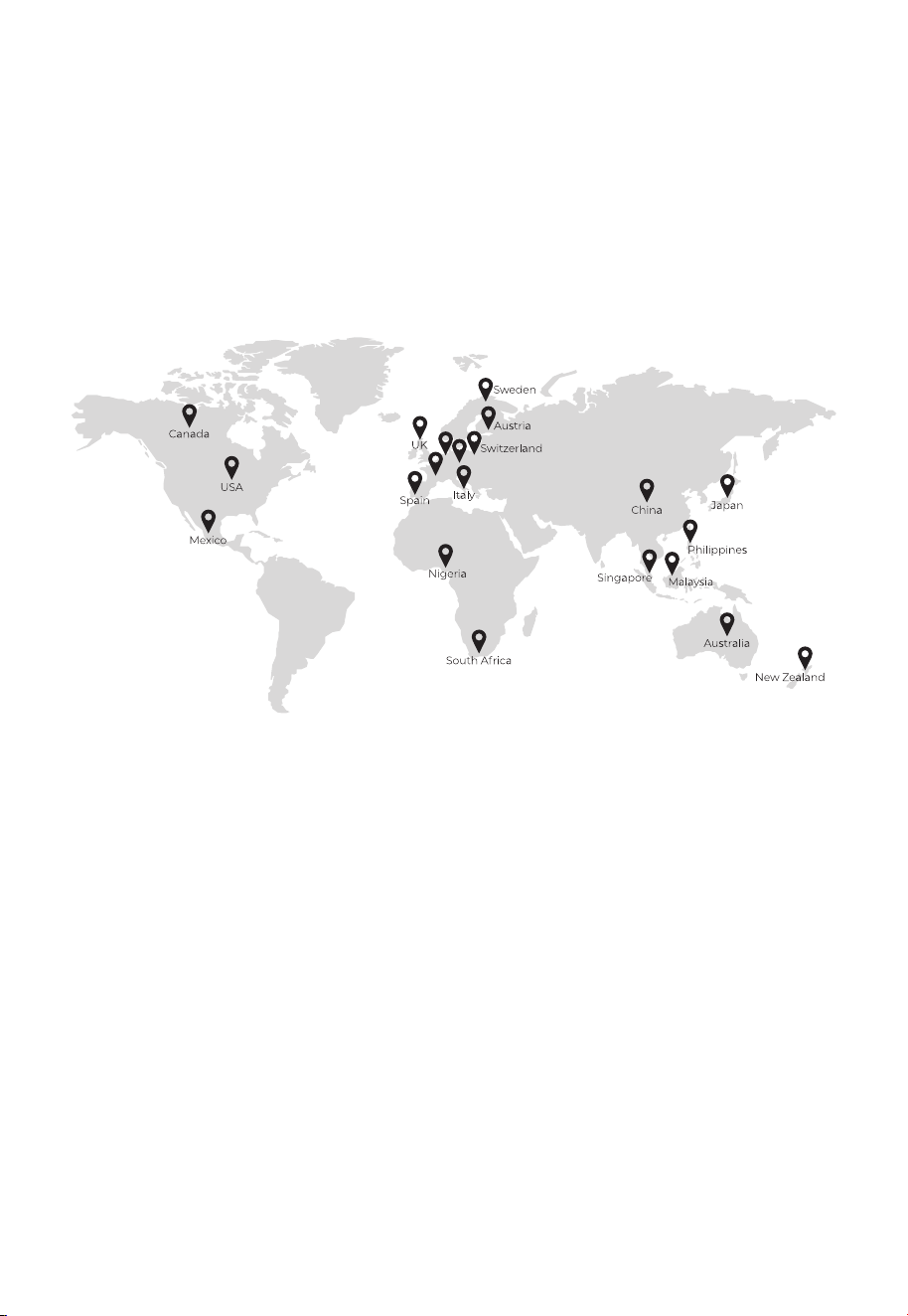
That's why BLUETTI makes its presence in 100+ countries and is trusted by millions of
customers across the globe.
Shenzhen PowerOak Newener Co., Ltd.
F19, BLD No.1, Kaidaer, Tongsha RD No.168, Xili street, Nanshan, Shenzhen, China
Web: https://www.bluettipower.com
France
Germany
Netherlands
Copyright © ShenzhenPowerOakNewenerCo., Ltd. All rights reserved.
No part of this document may be reproduced or transmitted in any form or by any
means without the prior written consent of ShenzhenPowerOakNewenerCo., Ltd.
Notice
BLUETTI's products, services, and features are subject to the agreed-upon terms and
conditions during purchase. Please note that some products, services, or features
described in this manual may not be available under your purchase contract. Unless
otherwise specified in the contract, BLUETTI makes no representations or warranties of
any kind, express or implied, with respect to the contents of this manual.
The contents of this manual are subject to change without notice. Please get the latest
version from: https://www.bluettipower.com/pages/user-guides
If you have any questions or concerns about this manual, please contact BLUETTI
support for further assistance.
About the Manual
Introduction
This manual provides information on the functionality, basic operation and safety
instructions of the X20 Power Bank (hereinafter referred to as X20). Please read and
understand all instructions in this manual before use.
Target Audience
• Technical support engineer
• End-user
Symbol Conventions
This manual uses the following symbols to highlight important information:
Symbol Category
Danger / Warning
/ Attention
Notice
Description
It indicates a hazardous situation which, if not avoided,
could result in death or serious injury.
It indicates a potentially hazardous situation which, if not
avoided, could cause substantial damage to property and
the environment.

Contents
Safety Instructions
Packing List
Product Overview
LCD Display
Operations
Power ON / OFF
Charging
Discharging
Shallow Charge Mode
Specifications
Troubleshooting
1
2
3
4
5
5.1
5.2
5.3
5.4
6
7
Appx. 1 Abbreviations
06
08
10
11
12
12
12
13
13
13
14
14

1. Safety Instructions
Read this manual for instructions on the proper use and safety information for the
product. The safety instructions provided herein are for illustrative purposes that include
but are not limited to those listed in this manual. Actual operation shall comply with all
applicable safety standards. If you have any questions, feel free to contact BLUETTI
support or your local BLUETTI dealers.
Statement
To ensure a safe operation, it's crucial to observe and adhere to the following conditions:
• Always operate or store the product in the conditions specified in this manual.
• The installation and ambient conditions must comply with the requirements in the
relevant international, national, or regional standards.
• Avoid unauthorized disassembly, component replacement, or modification of software
codes.
BLUETTI shall not be liable for the following circumstances:
• Damage resulting from force majeure events such as earthquakes, fires, storms, floods,
or mudslides.
• Damage caused by the customer's own transportation.
• Damage resulting from inadequate storage conditions as specified in the manual.
• Hardware or data damage caused by customer negligence, improper operation, or
intentional actions.
• System damage caused by third parties or customers, including but not limited to
improper handling and installation not in accordance with the instructions in this manual.
• Damage caused by adjustments, changes, or removal of labels in violation of this manual.
WARNING - Follow these guidelines for proper operation.
• Do not install, use and maintain the product in adverse weather conditions such as
lightning, rain, snow and strong breezes (including but not limited to handling and
operating the product, plugging and unplugging signal connections to outdoor
facilities, working at height, outdoor installations, etc.).
• Always turn off the power source?before?starting?any electrical work.
• Do not clean the product with water.
• Do not disassemble the product on your own.
• Regularly inspect the product and its accessories for damage or deterioration.
• If the product’s shell is cracked, do not use it and contact BLUETTI support or your local
BLUETTI dealers.
JUST POWER ON06

• In case of fire, use only a dry powder fire extinguisher appropriate for the product.
• In case of fire, EVACUATE the building or affected area immediately. Activate the closest
FIRE ALARM system and CALL your local emergency phone number.
• Use genuine cables and accessories provided by BLUETTI to reduce the risk of fire,
electric shock, or injury to persons.
• Keep the product away from heat resources or high temperatures, and do not expose it
to direct sunlight.
• Do not store the product with flammable liquids, gases, or explosive materials.
• Make sure the area where you are using the product is well ventilated and spacious.
• Do not block or cover the vents of the product as this may cause irreversible damage to it.
• Use the product for its intended purpose and avoid stacking objects on top of it during
storage or use.
• In case of malfunction, turn off the product immediately and contact BLUETTI support
or your local BLUETTI dealers if this manual cannot adequately explain the malfunction
to you.
• Do not place the product on an unstable or inclined surface.
• Do not insert foreign objects into any port and vent of the product.
• Keep the product out of the reach of children and pets.
• The transportation, wiring, and maintenance shall comply with all applicable laws,
regulations, and standards.
• User-provided materials and tools required shall meet the requirements specified in
applicable laws, regulations, and relevant standards.
Comply with applicable laws and regulations.
Storage Instructions
• When the SoC drops to 5%, please charge the product immediately.
• Before storing the product, charge it to 40% to 60% SoC to keep it in optimal condition.
In addition, power off the product and disconnect all electrical connections from it.
• Store the product in a cool and dry place, keeping it away from flammable or combusti-
ble materials and gases.
• The product can be safely stored within a temperature range of -20°C to 40°C ( -4°F to
104°F). However, if the storage duration exceeds one month, it's recommended to
maintain an ideal storage temperature of around 30°C (86°F).
• Fully cycle the product every 3 months to maintain the battery's health. It's NOT
recommended to store the product for extended periods of time, as it may affect its
performance and overall lifespan.
JUST POWER ON 07
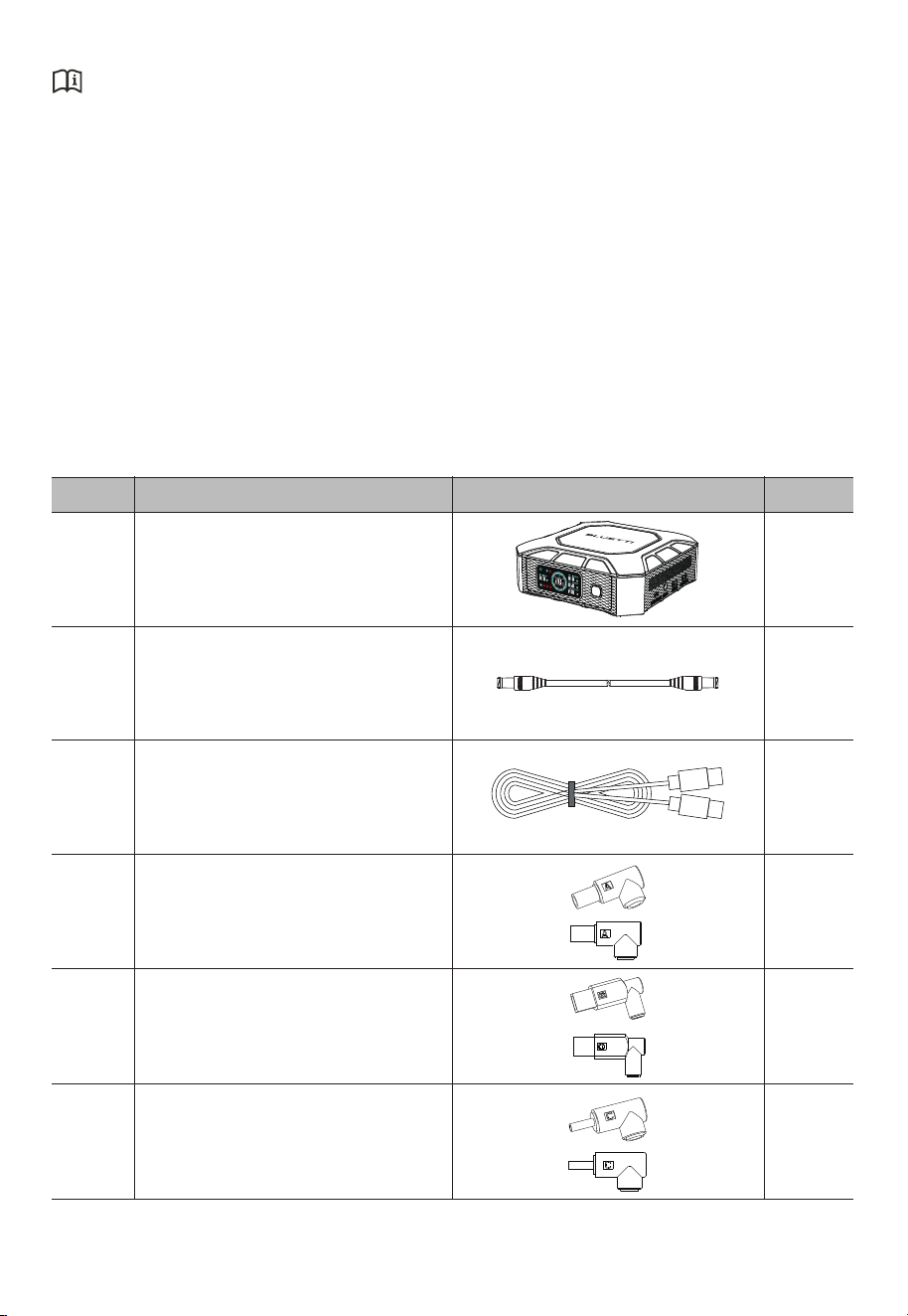
2. Packing List
If the SoC drops to 0 (during storage or upon startup), take the following actions to
safely restart the product:
• Shut down immediately.
• Charge within 48 hours.
• Keep it at an ambient temperature of 5°C to 35°C (41°F to 95°F) for 24 hours before
charging. It's recommended to charge the product via an AC source.
ItemNo. Picture Qty.
X20 Portable Power Bank1
2
3
4
5
6
1
1
1
1
1
1
20V/8A MAX. DC Power Cable
(DC093-DC5525, 1m/3.28ft)
20V/5A MAX.
(USB-C to USB-C Cable, 1m / 3.28ft)
Standard Packaging
DC 7.9*5.6*0.9
(FOR Lenovo / IBM)
DC 11*4.5
(FOR Lenovo square head)
DC 4.0*1.7
(FOR Lenovo)
JUST POWER ON08
1
1
1
1
1
1
1
1
1
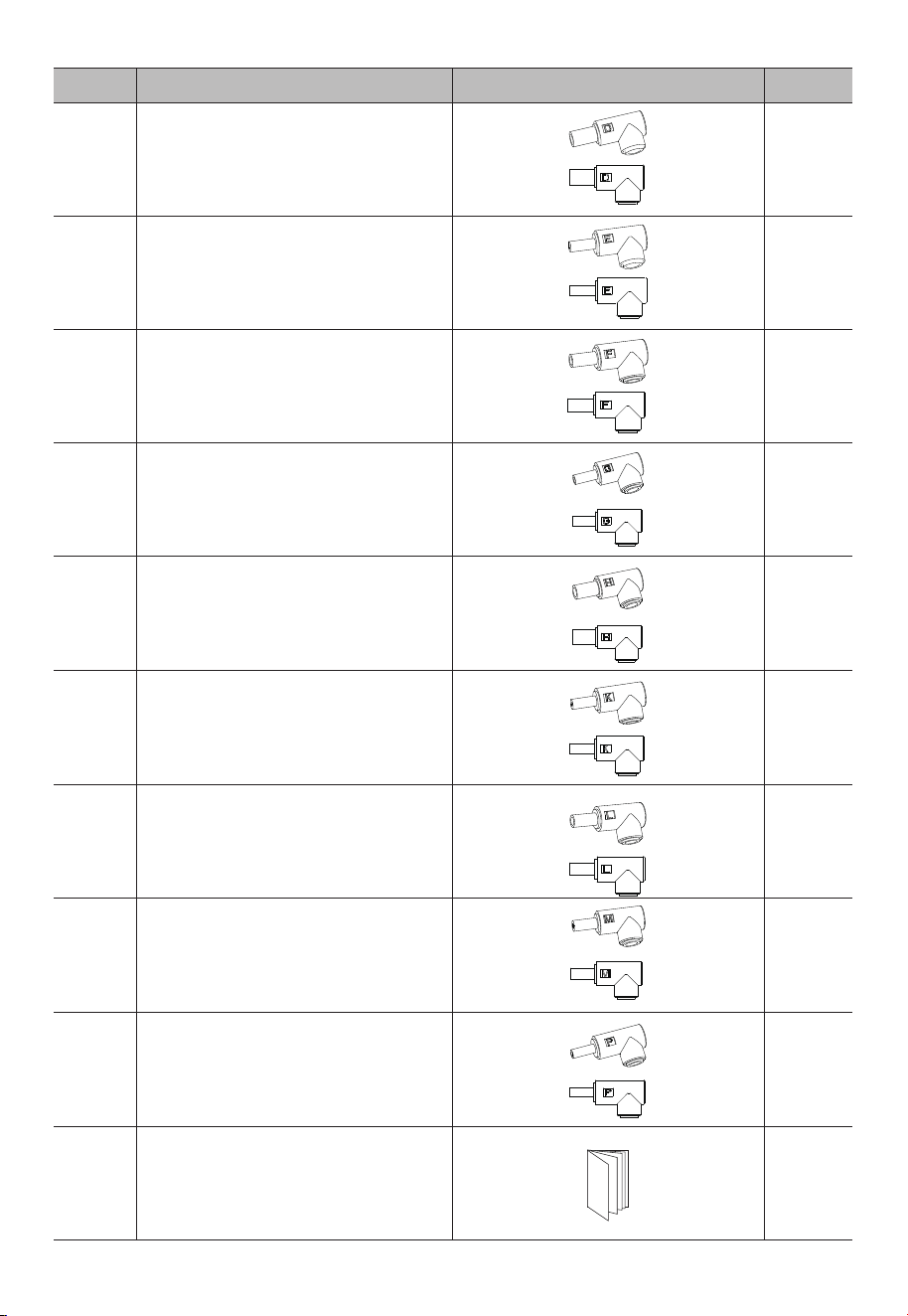
User Manual
Item Picture Qty.
DC 5.0*1.0
(FOR Samsung/ Sony )
DC 7.4*5.0*0.6
(FOR HP)
DC 5.5*1.7
(FOR ACER)
DC 5.5*2.1
(FOR ACER)
DC 7.4*5.0*0.6
(FOR DELL)
DC 6.5*4.4
(FOR Samsung / Sony)
DC 6.0*3.7*0.6
(FOR ASUS)
DC 5.5*2.5
(Universal type)
DC 4.5*3.0*0.6
(FOR HP)
No.
7
8
9
10
11
12
13
14
15
16
JUST POWER ON 09
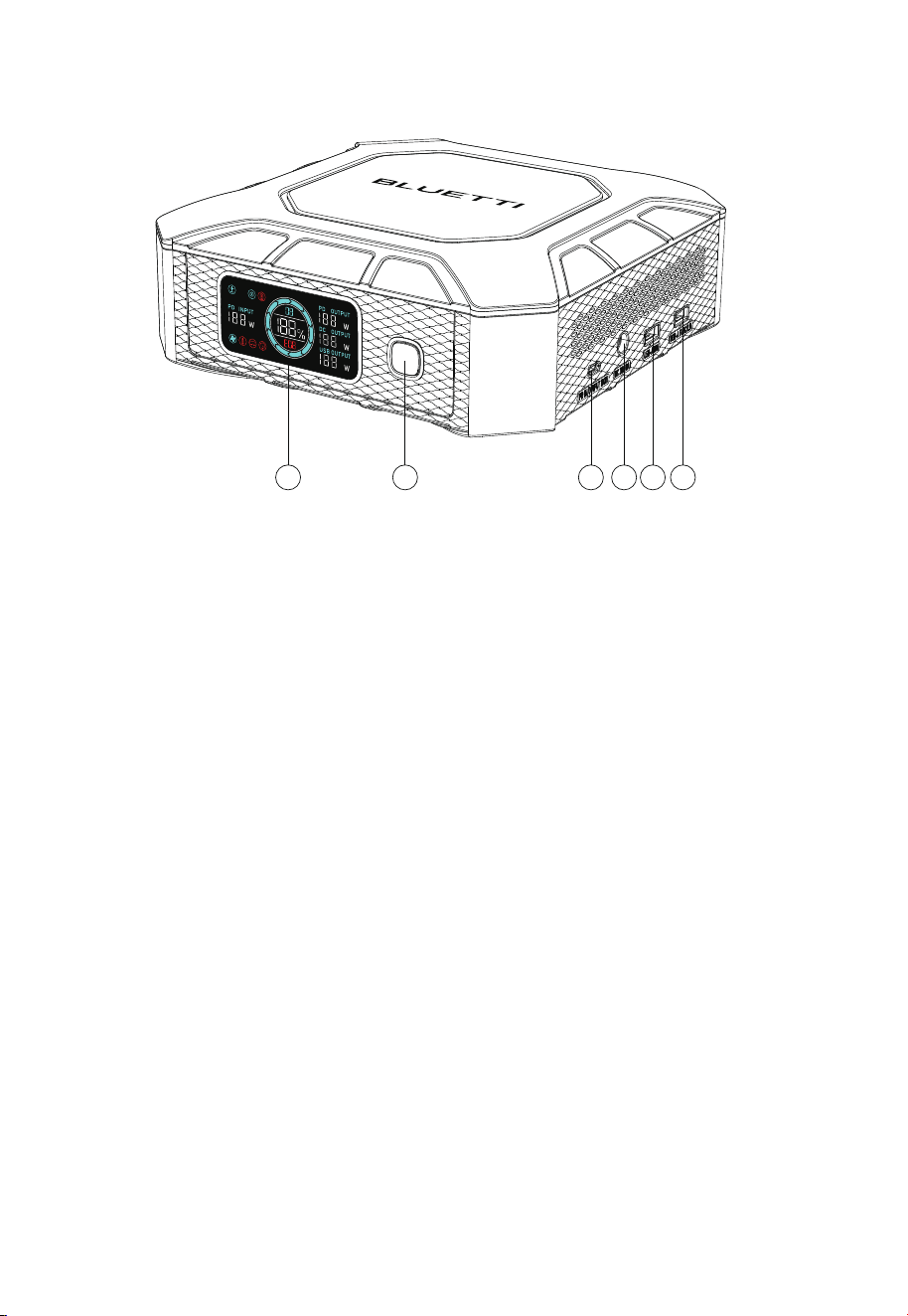
3. Product Overview
LCD Display
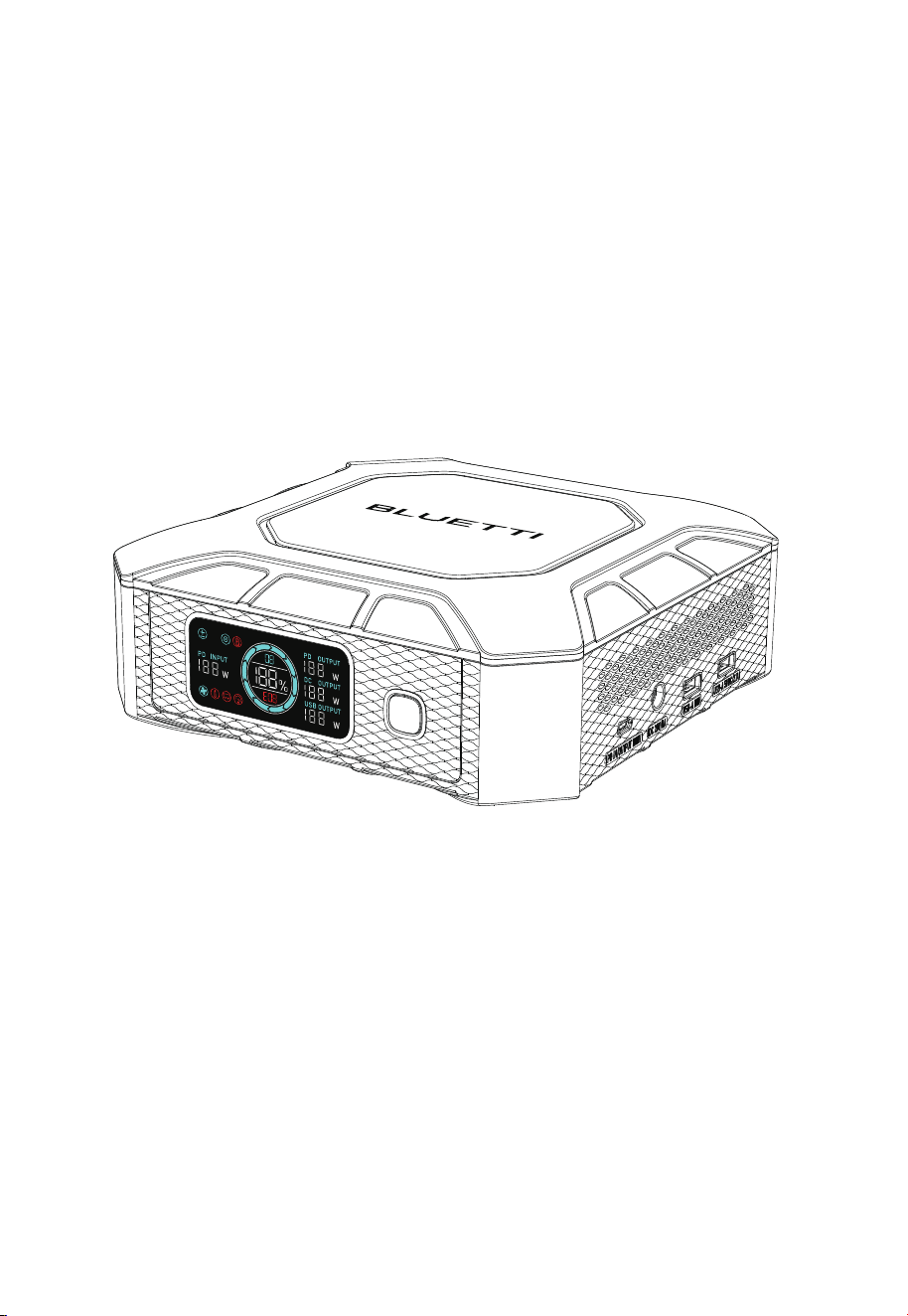
Power Button*
Bidirectional USB-C Port (Input & Output)
DC093 Port
18W USB-A Port
10.5W USB-A Port
①
②
③
④
⑤
⑥
* Its indicator stays steady green when powered on and flashes green while charging.
1 2 3 4 5 6
JUST POWER ON10
JUST POWER ON 11
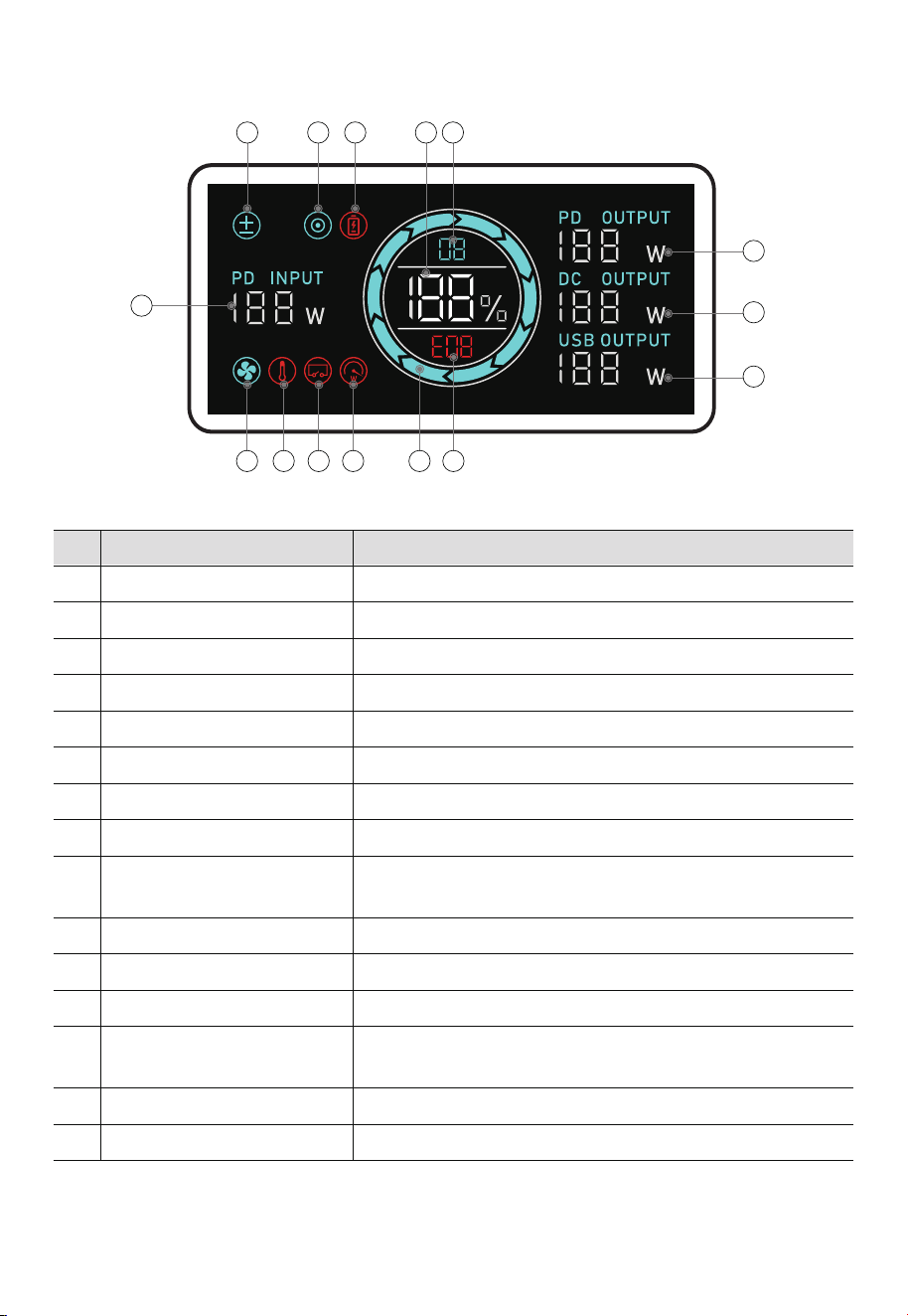
Shallow Charge Mode
DC Output
Low Battery Alert
Battery Capacity (SoC)
Software Version
USB-C Output Power
DC Output Power
USB-A Output Power
LCD Instructions
The Shallow Charge Mode is enabled to protect the battery.
The DC093 port is active.
The SoC drops below 5%.
The remaining battery capacity.
After startup, it displays for 3 seconds and then disappears.
The real-time USB-C output.
The real-time DC093 port output.
The real-time total USB-A output.
The fan is activated when the product’s temperature is high.
The total input power.
No. Icon Description
①
②
③
④
⑤
⑥
⑦
⑧
⑭
⑮
Fan Status
USB-C Input Power
Battery State of Charge (SoC)
Overload Alert
Short Circuit Alert
Each bar represents 10%.
The X20 is overloaded.
The X20 has a short circuit.
Error Code
When there's a fault, it displays an error code 3 seconds after
startup; otherwise, it remains blank.
Temperature Abnormal Alert
The temperature inside the product is too high or too low.
Wait for it to return to normal.
⑩
⑪
⑫
⑨
⑬
4. LCD Display
1 2 3 54
6
7
8
1011121314 9
15
Note: To clear the short circuit and overload icons, remove all loads, then press the power button
when the display is on.
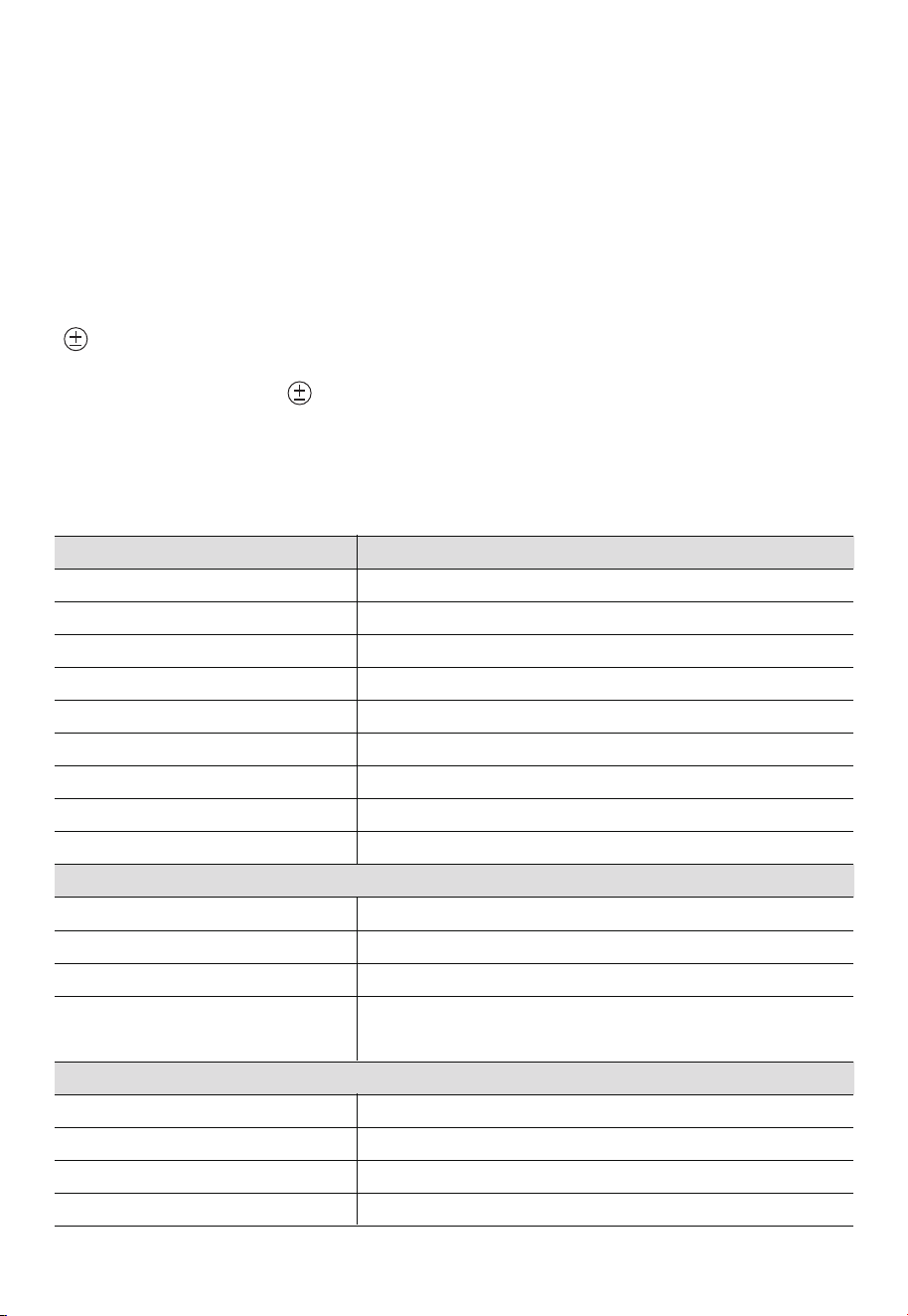
5.2 Charging
Plug the X20 into a standard wall outlet using the AC adapter and provided USB-C cable.
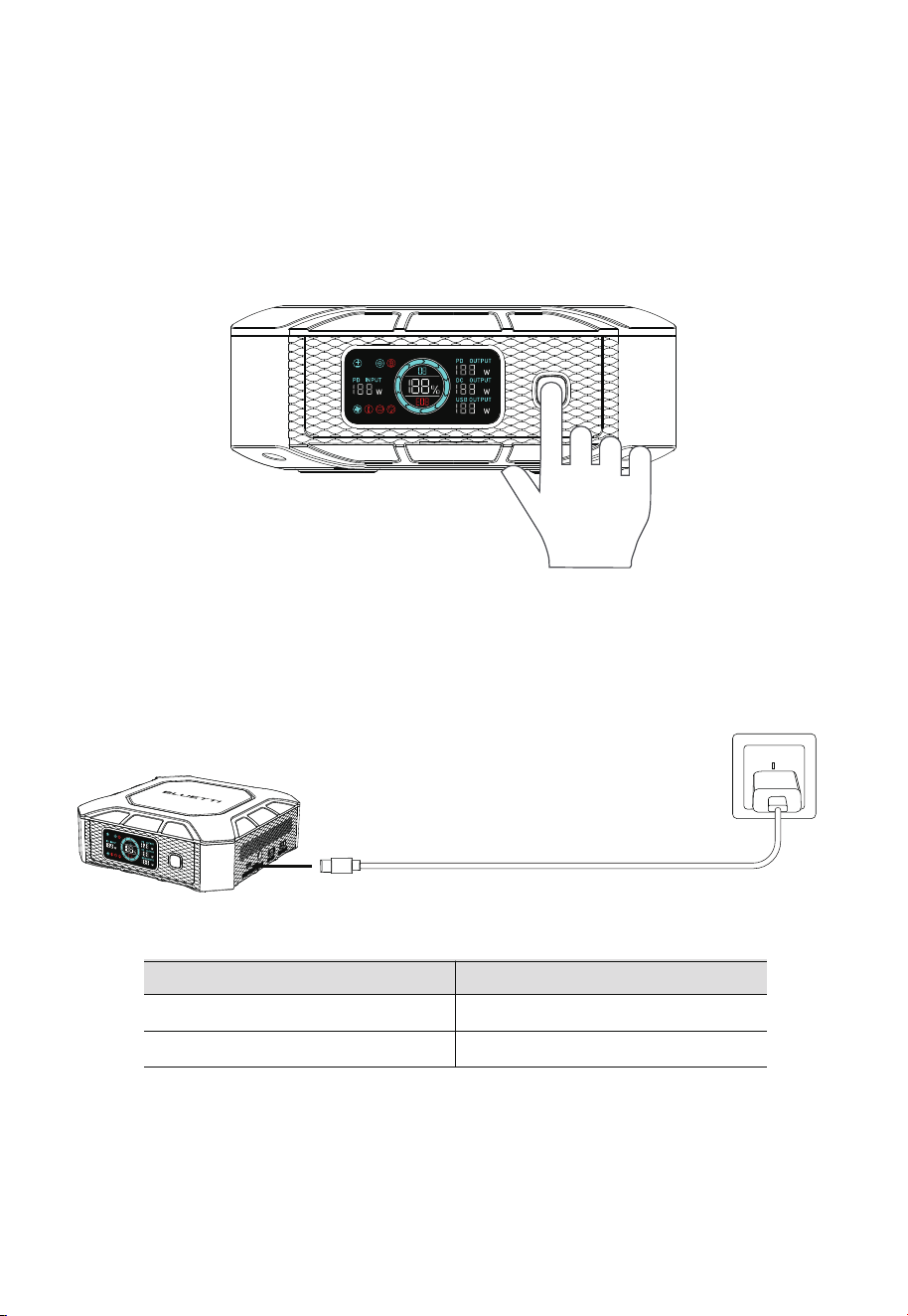
5.1 Power ON / OFF
• Power on: Press and hold the power button for 3 seconds until the display and indicator
light up. When the X20 is on and the display is off, press the power button once to turn
it on.
• Power off: Press and hold the power button for 3 seconds until the display and indicator
turn off.
Note:
• The above charging time is based on PD3.0 protocol.
• While charging, the X20 cannot be turned off using the power button.
• If the X20 is fully charged and the adapter is connected, it will only recharge when the
SoC falls below 95%.
Note: Automatic shutdown when no output/<1W for 1 minute.
5. Operations
JUST POWER ON12
65W Adapter
100W Adapter
About 3 hours
About 2 hours
Adapter Recharging Time
Interface
Power
Current
Voltage
USB-C
100W Max.
5A Max.
5V to 20V
DC Input
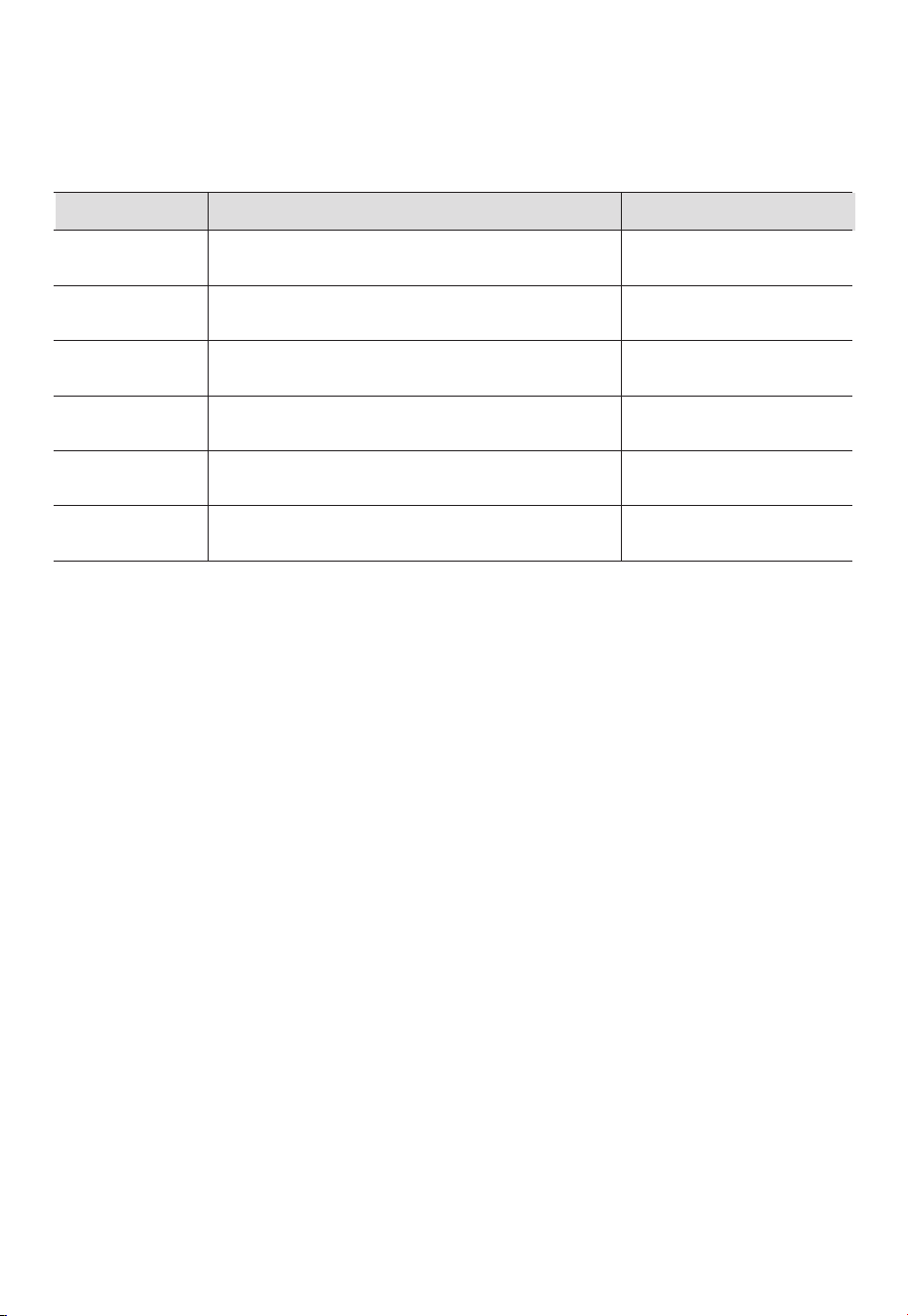
6. Specifications
Battery Capacity
Cell Type
Weight
Dimensions (L × W × H)
Charging Temperature
Discharging Temperature
Storage Temperature
Working Humidity
Noise
153.6Wh / 12Ah
LFP
Approx. 2.3kg / 5.07lbs
205mm × 205mm × 77mm / 8.07in × 8.07in × 3.03in
0°C to 40°C / 32°F to 104°F
-20°C to 40°C / -4°F to 104°F
-20°C to 40°C / -4°F to 104°F
10% to 90%
45dB
Item Specs
5.3 Discharging
The X20 includes a USB-C port, 2 USB-A ports, and a 20V DC port to power your various
devices.
5.4 Shallow Charge Mode
While the X20 device is connected to a charger for charging and being used at the same
time, its SoC will be intelligently maintained in the 60% to 70% power range in order to
effectively extend battery life.
To activate this mode, press the power button three times while the product is on. The
( ) appears.
To deactivate this mode, press the power button three times, restart the product, or
unplug the adapter. The ( ) disappears.
DC093 Port
USB-A
USB-A (QC 3.0)
20VDC,8A, 160W Max.
5VDC, 2.1A, 10.5W Max.
5VDC, 3A; 9VDC, 2A; 12VDC, 1.5A; 18W Max.
DC Output
USB-C
(PD3.0 / QC3.0+ / SCP / FCP / AFC)
5V/ 9V / 12V / 15V / 20VDC, 3A; 20VDC / 5A ; 100W Max
(eMarker chip built-in)
JUST POWER ON 13
Customer Service
Tel:
800-200-2980 (Monday to Sunday 9:00-17:00)
Email: sale@bluettipower.com (Pre-sales),
service@bluettipower.com (After-sales)
SHENZHEN POWEROAK NEWENER CO., LTD.
Add: F19, BLD No.1, Kaidaer, Tongsha Rd No.168,
Xili Street, Nanshan, Shenzhen, China
Error Code Description
USB-C port cannot be used for discharging.
DC093 port cannot be used for discharging.
USB-A ports cannot be used for discharging.
X20 cannot charge and discharge.
X20 fails to supply power.
/
Restart
Restart
Restart
Restart
Restart
Troubleshooting
The error code appears on the display when the product malfunctions. Please refer to
the table below for helpful guidance.
7. Troubleshooting
E01 / E06
E02 / E07
E03 / E09
E11
Others
• DC: Direct Current
• PD: Power Delivery
• SoC: State of Charge
Appx. 1 Abbreviations
E04 / E05 / E08
/ E10
Please contact BLUETTI
support for assistance.
JUST POWER ON14
Warranty Card
Warranty Instructions
Manufacture Date
Sale Date
File No.
Manufacturer
1. 24-months warranty
2. After-Sale-Service mailbox:service@ bluettipower.com
3. Following situations will go against the warranty terms:
A. Any problems, malfunction or damages due to incorrect using methods
or caused by unauthorized disassembly or repair.
B. The damage caused by force majeure, fire and other extreme abnormal
conditions.
C. Without the warranty card or the card records is not clear, complete, or
without the sales company seal
Certificate
Inspector:
QC:
P/N:17.0303.0784-02A2