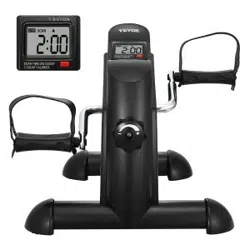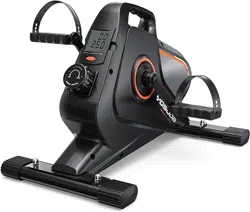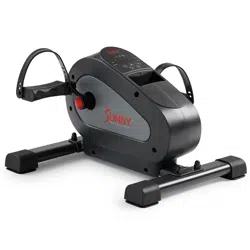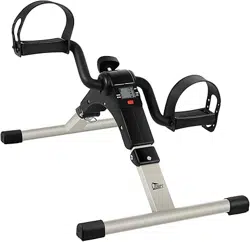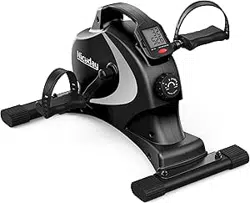
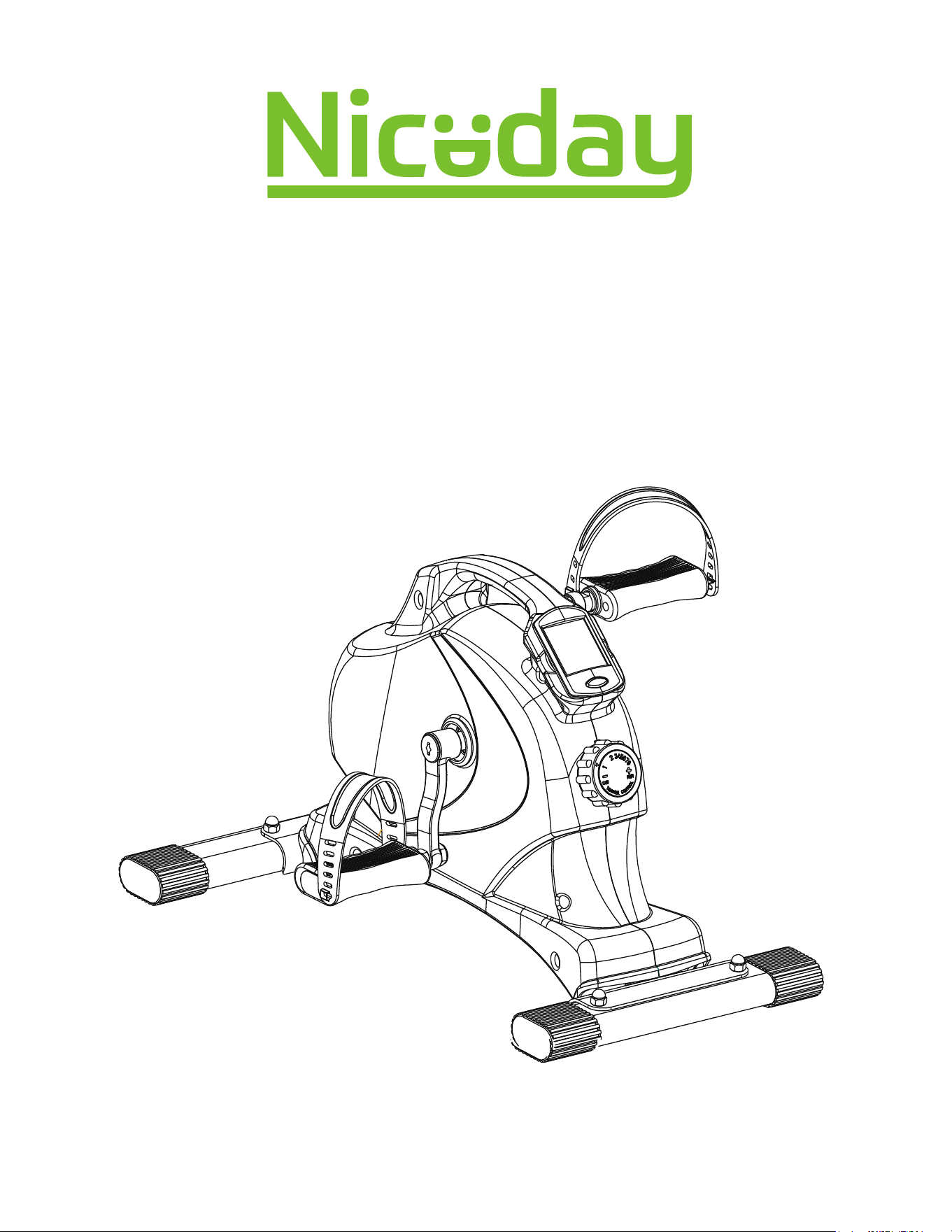
Magnetic Mini Bike 2 Way Legs
and Arms Workouts Digital Tracking
USER MANUAL
IMPORTANT! Please keep the user manual for maintenance and adjustment instructions.
Your satisfaction is very important to us, PLEASE DO NOT RETURN UNTIL YOU HAVE
CONTACTED US: [email protected]
1
IMPORTANT SAFETY INFORMATION
Read this entire manual before assembling and using the equipment. Safe use can only be
achieved if the equipment is assembled, maintained and used properly. It is your responsibility to
ensure that all users of the equipment are informed of all warnings and precautions.
Before starting or using this equipment, you should consult your doctor to determine if you have any
health conditions that could create a risk to your health and safety, or prevent you from using the
equipment properly.
Be aware of your body's signals. Incorrect or excessive exercise can damage your health. Stop
exercising if you experience any of the following symptoms: Pain, tightness in you chest,
irregular heartbeat, extreme shortness of breath, feeling light headed, dizzy or nauseous, stop and
consult your physician.
Keep pets and young children away from the equipment.
Before transporting, folding frame in closed position with support pin engaged to prevent
opening. Use transport wheels when possible. The frame must be in the closed and locked
position prior to transport. To avoid bodily injury and/ or damage to the product or property, proper
lifting and moving are required.
Warm-up stretching is recommended before exercise.
Use the equipment on a solid, flat level surface with a protective cover for your floor or carpet. Make
sure that adequate space is available for access to and around the equipment.
Before using, ensure that all nuts and bolts are securely tightened. The safety of the equipment can
only be maintained if it is regularly examined for damage and/or wear and tear.
Inspect and tighten all parts often. Replace any worn parts immediately.
Always use the equipment as indicated. If you find any defective components while assembling
or checking the equipment, or if you hear any unusual noises coming from the equipment during
exercise, discontinue use of the equipment immediately and do not use the equipment until the
problem has been resolved.
Recommended user weight of 220lbs, 100 kg, Recommended for ages 13+
While using the equipment, wear suitable clothing. Do not wear loose or dangling clothing while
using the equipment.
Do not place fingers or objects into the moving parts of the equipment.
Your product is intended for use in cool and dry conditions. You should avoid storage in
extreme cold, hot or damp areas as this may lead to corrosion and other related problems.
The equipment is suitable for home and office use only. It is for consumer use only. It is not for
use in public or commercial settings.
To make sure your safety and health, please use this equipment correctly and read all
warnings and cautions posted on Niceday Magnetic Mini Bike.
2
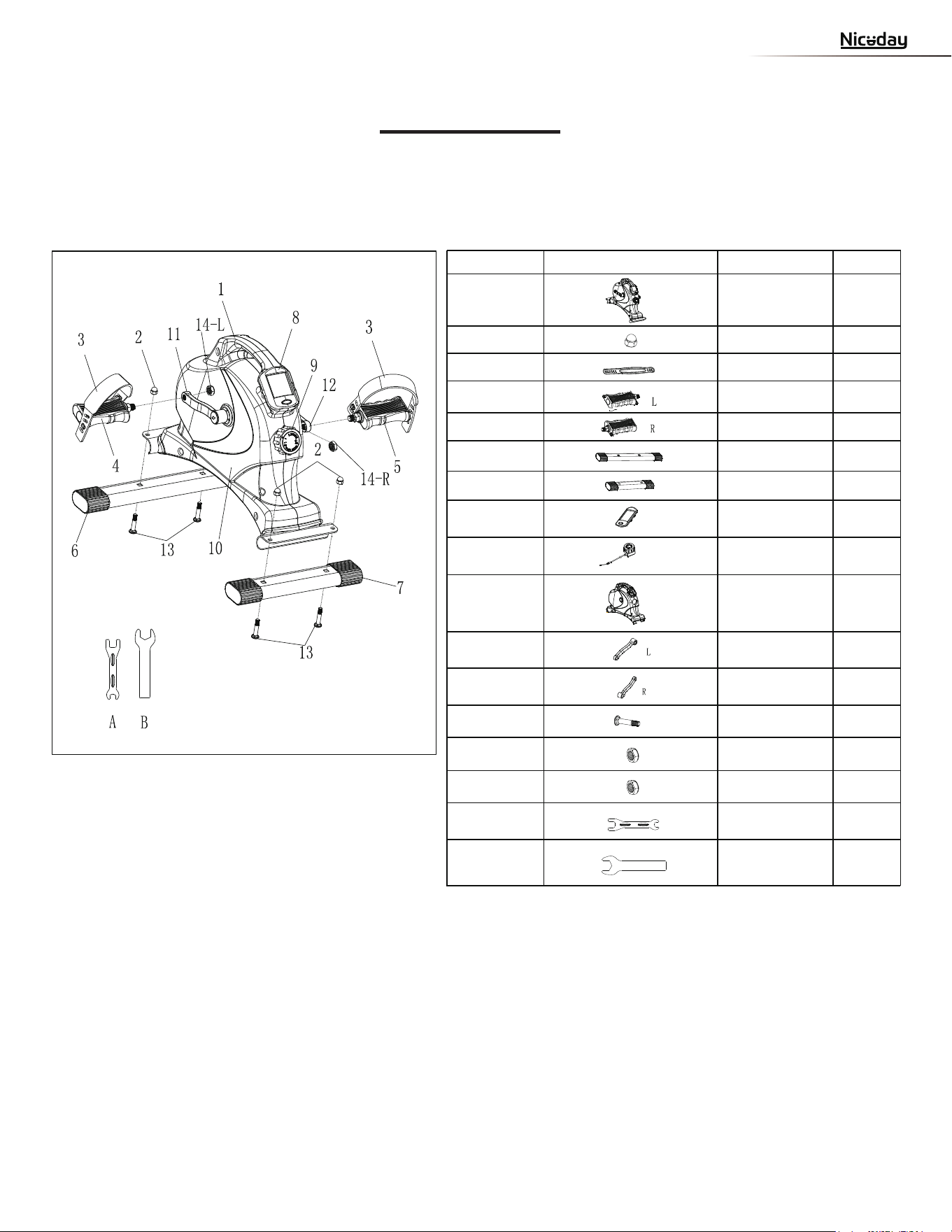
PARTS LIST
Nut
NO. PART DES. QTY
1 Main Frame 1
2 Cap 4
3 Pedal Strap 2
4 Left Pedal 1
5 Right Pedal 1
6 Rear Stabilizer 1
7 Front Stabilizer 1
8 Meter 1
9 Tension Knob 1
10 Cover 1
11
Left Crank 1
12 Right Crank 1
1
1
14-L
3 B
Nut
olt 4
1
1
1
14-R
A
B
Nut
Spanner
Spanner
A
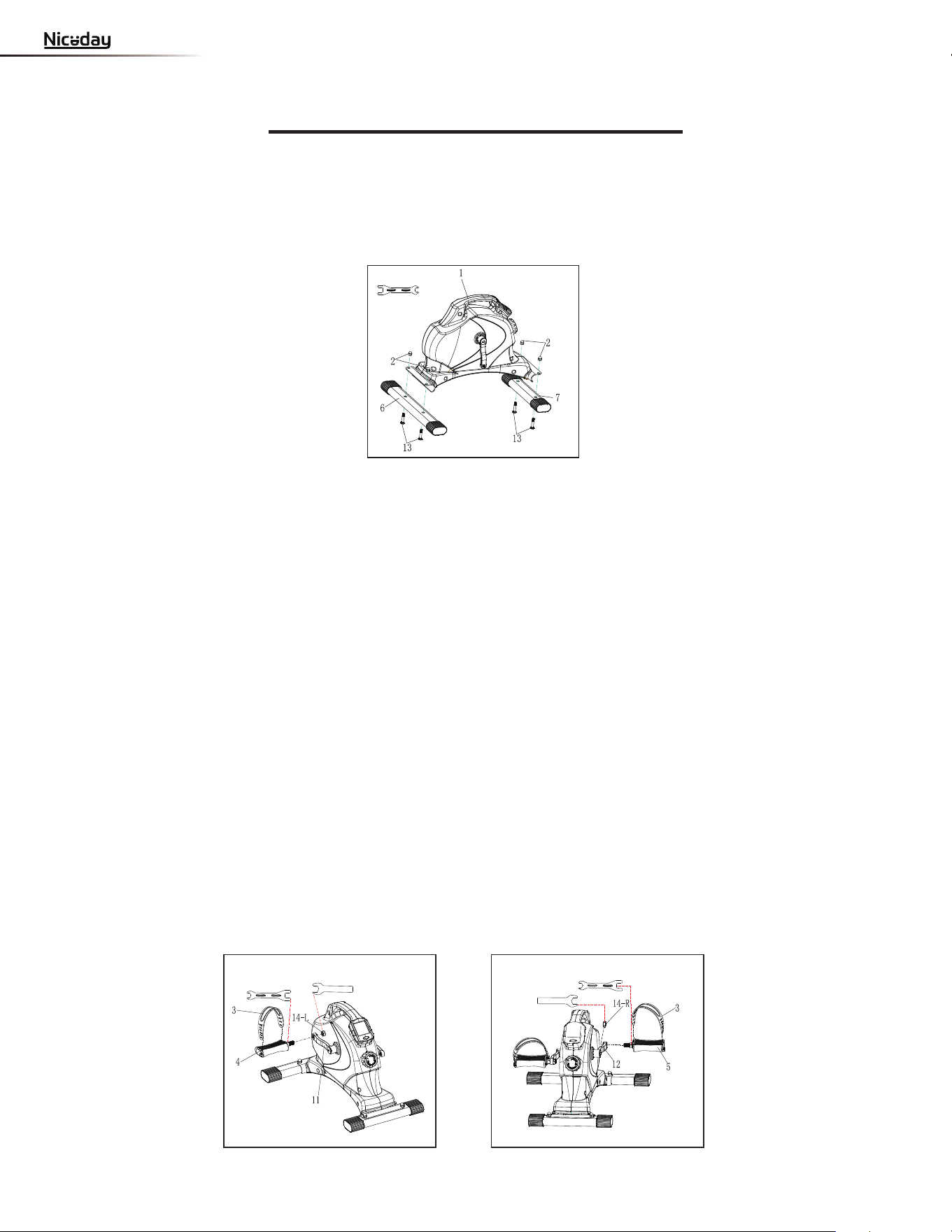
ASSEMBLY INSTRUCTIONS
STEP 1:
Attach the Front and Rear Stabilizers (No. 7 and No. 6) to the Main Frame (No. 1)
using 4 Bolts (No. 13) and 4 Nuts (No. 2) and secure with Spanner (A).
3
A
B
A
B
STEP 2:
Connect the Left and Right Pedals (No. 4 and No. 5) onto the Left and Right Crank
Arms (No. 11 and No. 12). Before you begin, immobilize the crank arms by turning the
tension control knob all the way to the right.
NOTE: The Left and Right Pedals (No. 4 and No. 5) are marked L for left pedal and R for
right pedal. Remove the 2
Nuts (No. 14L/R)
located on the
Pedals (No. 4 and 5)
.
The
Left
Nut (No. 14L) is black inside, and the Right Nut (No. 14R) is white inside.
Left Pedal: Align Left Pedal (No. 4) with the Left Crank Arm (No. 11)
at 90 degrees. Gently insert
the pedal into the crank arm, turn the pedal counter-clockwise as tightly as you can with your hand.
Once screwed in place, use Spanner (No. A) to hold the bolt of the pedal then screw 1 Nut (No. 14L)
clockwise into thread end of the Left Pedal (No. 4). Secure with Spanner (No. B).
Right Pedal: Align the Right Pedal (No. 5) with the Right Crank Arm (No. 12) at 90 degrees.
Gently insert the pedal into the crank arm, turn the pedal clockwise as tightly as you can with
your hand. Once screwed in place, use Spanner (No. A) to hold the bolt of the pedal then screw
1
Nut (No. 14R) counter-clockwise into thread end of the Right Pedal (No. 5). Secure with
Spanner (No. B).
Attach the Pedal Straps (No. 3) to the Right Pedals (No. 4 and No. 5). The assembly is now complete!
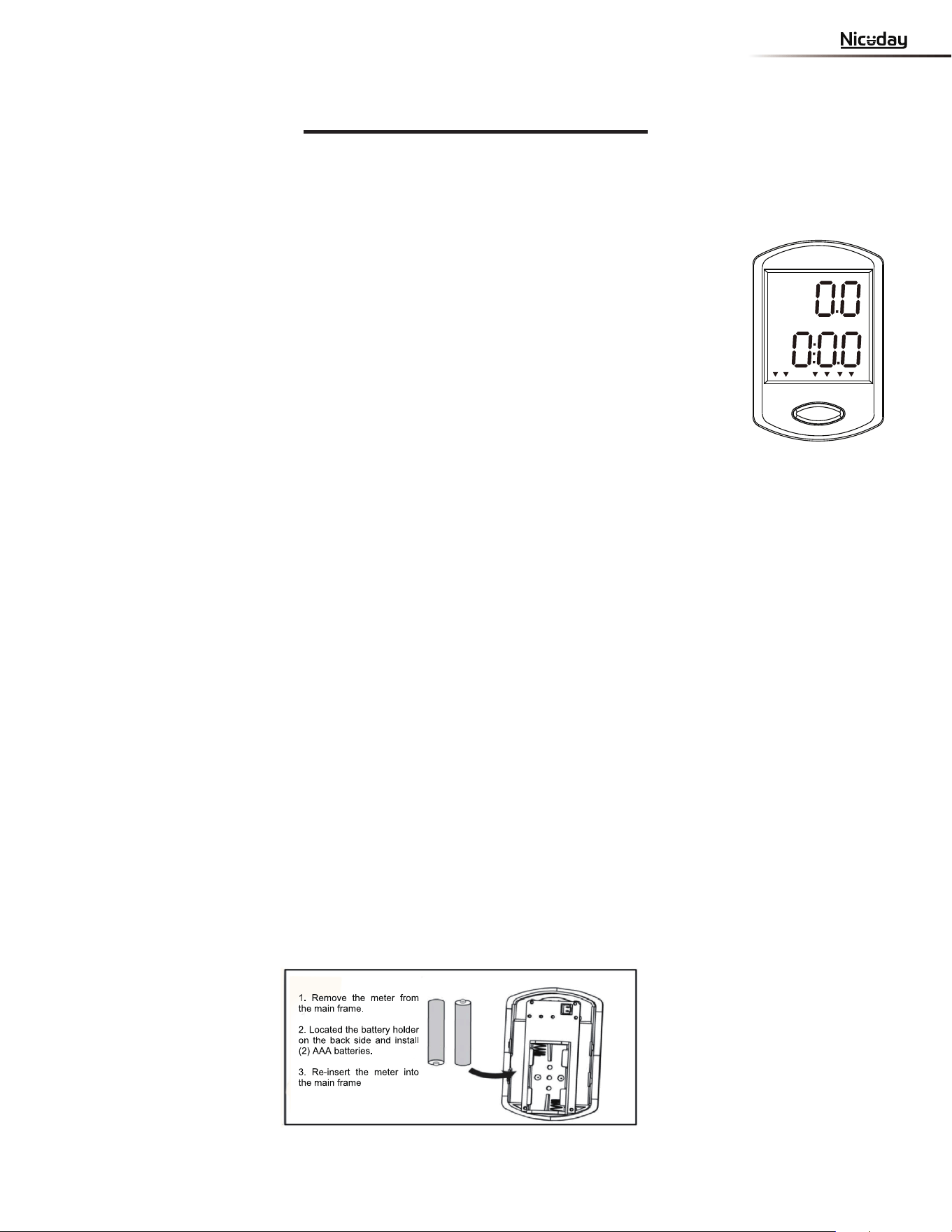
are included. If the display appears improper or becomes difficult to read,please try
installing new batteries before contacting our customer service.
4
EXERCISE COMPUTER
Our
exercise computer
exercise computer
exercise computer
exercise
computer
exercise computer
exercise computer
a roliat ot resu eht swolla ekiB esicrexE iniM citengaM Niceday eht no
personalized workout by monitoring their progress. During a workout, the
will
alternately and repeatedly display your Time, Speed, Distance, Odometer, Calories, RPM, and
retupmoc esu-ot-ysae ruo htiW .)evoba eht fo lla( nacS
computer
computer
ssentif rieht kcart yltneiciffe nac resu eht ,
improvements from one workout to the next.
FUNCTION
KEY:
1. MODE:
To select your specification mode and/or turn on
FUNCTIONS AND SPECIFICATIONS:
1. SCAN Repeatedly displays all functions alternately (in the
following order)
2. TIME -- Counts the total time elapsed (counts up to 99:59 MIN.)
3. SPEED --
Displays your current pedaling speed (00.00 up to 999.9 KPH)
4. DISTANCE --
Measures the total distance traveled (0.00-999.99
5. CALORIES -- The number of calories burned (0.0-999.9 KCAL)
6. ODOMETER -- Counts the total accumulated distance.
7.
RPM -- Displays the amount of rotations per minute.
HOW TO USE:
1. AUTO ON/OFF:
eh
t ecnO . eht no nrut ot nottub EDOM eht sserp ro gniladep nigeB
is on, it will remain active while in motion. The will
automatically turn off when it has reached approximately 4 minutes without any motion.
2. RESET:
To reset the , hold down the MODE button for 3 seconds. Yo
u can also
reset the by removing the batteries.
3. DISPLAY:
The top of the meter displays SPEED in miles per hour. The function displayed at the bottom of
the meter is changed by pressing the MODE key. An arrow will point to the function being
displayed. When you want a specific function displayed on the bottom, press MODE until arrow
points to the function. Meter will keep displaying that function until you press the MODE key.
When you want the meter to automatically rotate the display on the bottom, press MODE until
arrow points to SCAN. If meter is in SCAN mode, one arrow will point to SCAN, and a flashing
arrow will point to the function being displayed.
4. BATTERY/TROUBLESHOOT:
The exercise computer uses two AAA batteries, which
DIST CAL ODO RPM
SCAN
TIME
--
Kms)
5
OPERATION & MAINTENANCE
1. Please read all instructions before assembling the equipment. During assembly and
use
WARNING: Do not reverse pedal on this bike. Reverse pedaling will damage the bike.
, please make sure to follow all instructions carefully as any improper techniques of
use or assembly may result in injury or damage to the equipment.
2. The suggested exercise regimen for optimal results is 10-15 minutes per day, at least
three times a week.
3. Before beginning exercise, always inspect the equipment to ensure that all moving
parts, as well as hardware,
are secured properly and are in good condition.
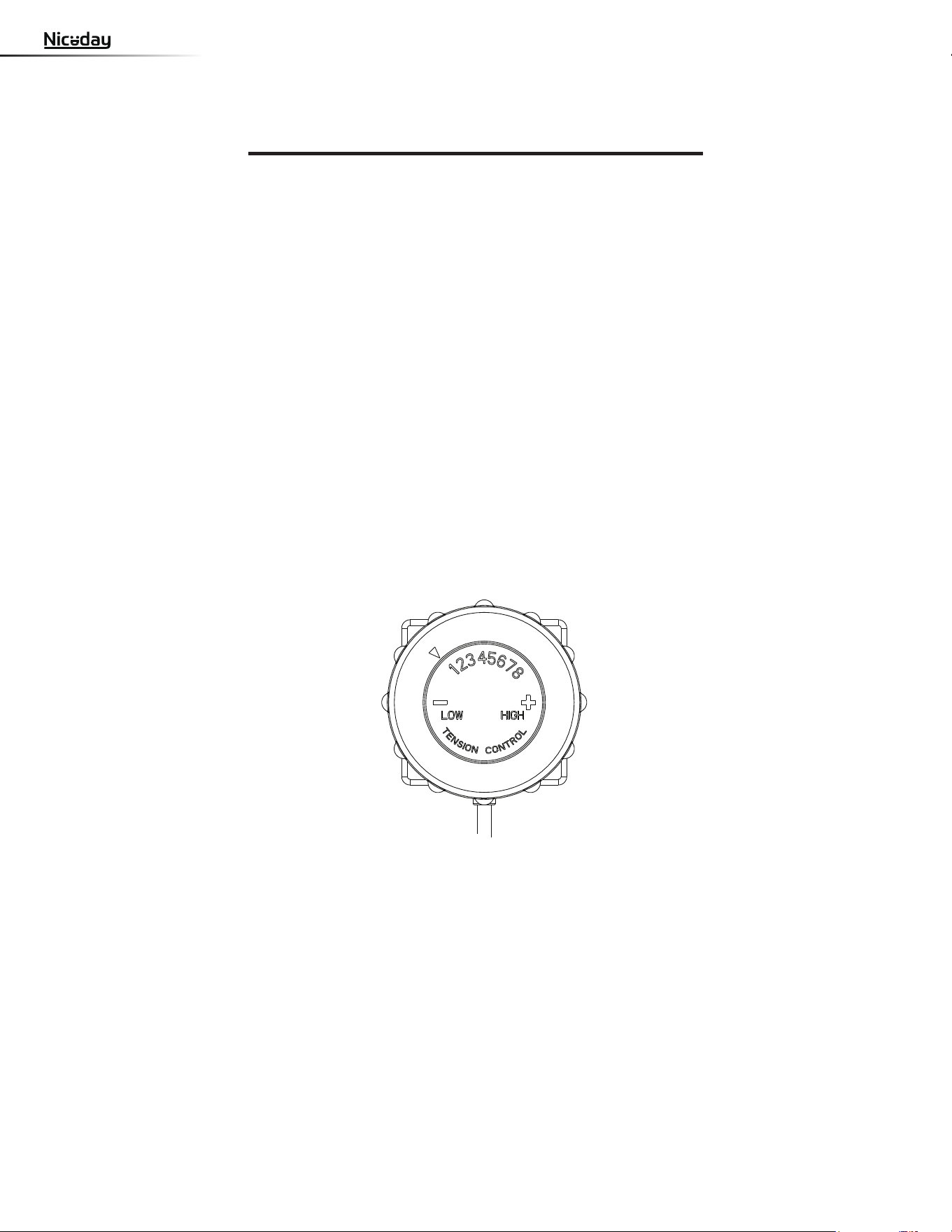
4. To adjust the level of tension, turn the Tension Knob (No. 9) to the left or right and
align the arrow to the preferred tension level as shown below. This machine contains 8
different levels of tension, with Level 1 being the lowest and Level 8 being the highest.
Turn the Tension Knob to the left to decrease the level of tension, turn the Tension Knob
to the right to increase the lev
el of tension.
MAINTENANCE:
Only use a dry cloth to gently wipe the bike. It is recommended that you clean the bike
after each use. Store the bike in a dry area; do not leave the bike outdoors as prolonged
exposure to the extreme weather will cause damage to the parts and affect the function.
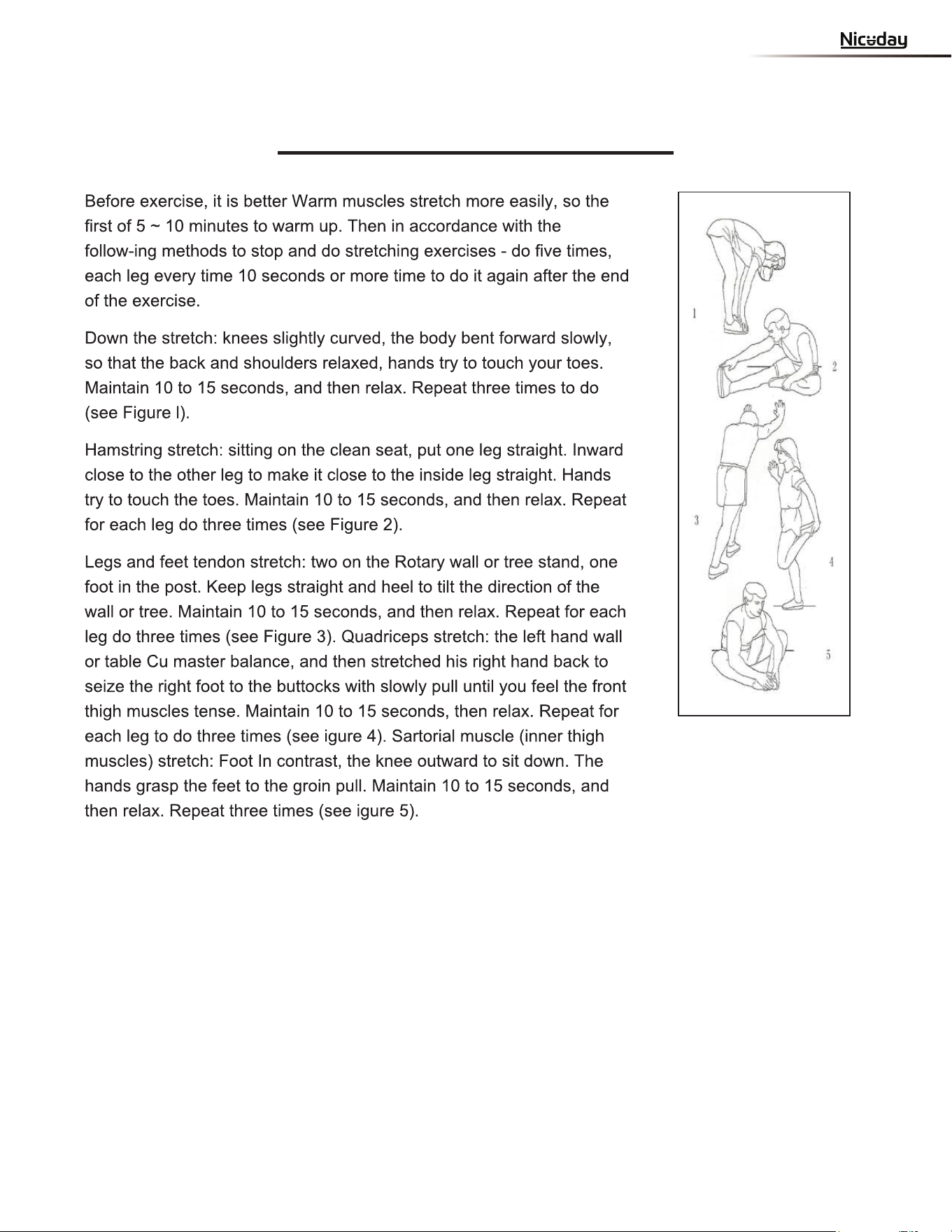
Warm Up

niced o icial
niced o icial
CONTACT WITH US FOR PRODUCT
ASSEMBLY, WORKOUT, AND MORE
VIDEOS...!
MADE IN
Importer: EASYHOME CO., LTD.
14F-1, No.360, Sec.2, Taiwan Blvd.,
Taichung 40453,Taiwan
UK Representative:
UK CROSSBORDER LIMITED 7 Bell Yard
London WC2A 2JR, United Kingdom
EU Representative:
OASIS SERVICE SP. Z O.O.
ul.Młynarska 42 lok.115, 01-171
Warszawa,Polska