
2
Catalog
Ⅰ、Before Using
1.Features.............................................4
2.Safety Information.........................6
3.Product schematic.....................7
Ⅱ、Voice recorder
1 Turn on/off......................................8
2 Key lock............................................8
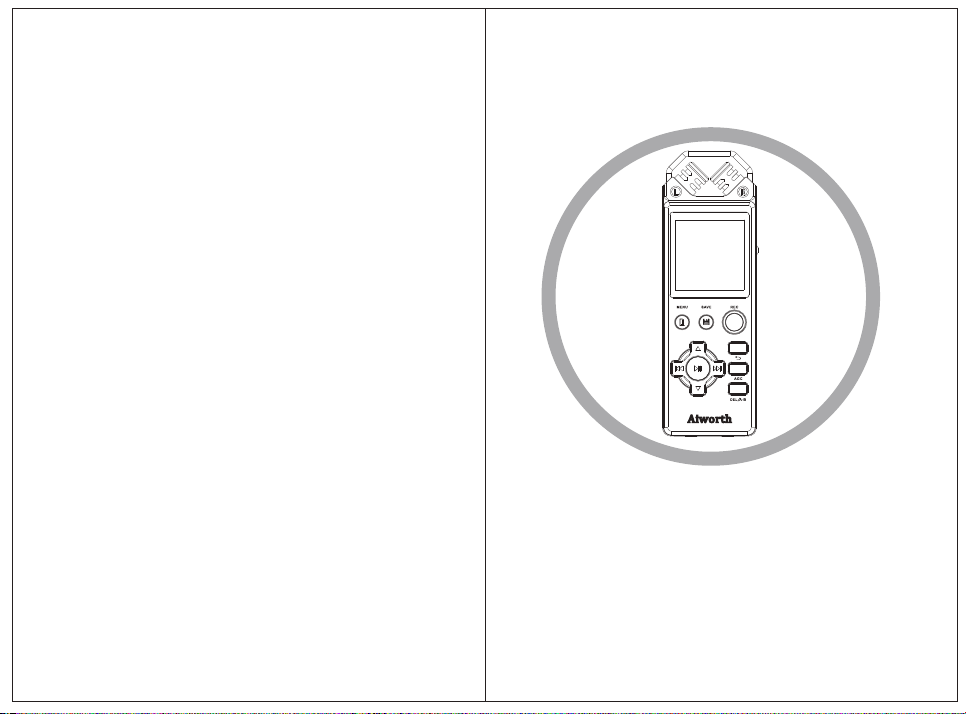
3 Key description...............................9
4 LINE-IN REC.....................................11
5 Microphone REC .........................11
6 Save position..................................13
7 Record settings..............................13
8 Recording bitrate..........................14
Ⅲ、Files manage and play
1.Folders.............................................15
2.Folder view.....................................15

3
3.Delete files....................................16
4.Flay files.........................................16
5.Flay settings...........................17
Ⅳ、FM Radio
1.Enter FM Radio...........................20
2.Auto search and FM REC....... .21
Ⅴ、System settings
1.Enter System settings...................21
2.Sound settings.............................22
3.Tools.............................................22
4.Sleep timer....................................23
5.Display setting..............................24
6.Date and time...............................24
7.Language..................................25
8.Information....................................25
9.Format device...............................25
10.Factory setting............................26
Ⅵ、Recording time(8GB)........ 26

4
Ⅶ、Specifications.....................27
Ⅷ、Connected to PC
1.Connect to PC................................33
2.Up/Down load files.......................34
3.Disconnected..................................34
4.Battery and charging....................35
Ⅰ、Before Using
1. Features
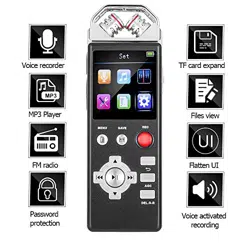
External 360-degree surround sound
microphone, all-round collection of audio,
ultra-high sensitivity, weak sound can be clearly
captured; the main structure of the separation
of the design to avoid electromagnetic
interference at work affect the recording effect;
PCM high quality recording, recording the
highest PCM 1536kbps / 48KHz lossless stereo
files, support MP3, WAV dual format recording,

5
the use of high sensitivity differential stereo
microphone, recording high sensitivity, strong
stereo;
Support storage TF card expansion, real-
time expansion of storage space, the maximum
support 128GB capacity;
This machine adopts aluminum alloy metal
body and frame, strong wear resistance,
compression and anti-drop, can withstand high
strength use;
This machine supports bookmark function,
can play up to 10 bookmarks; support
stopwatch and alarm clock function;
Support external line input (Line in),
support the timer off function;
Intelligent power detection, battery life
automatically save the recording file;
Built-in clock chip and the second
generation of recording time stamp technology
to support the machine directly to see the

6
recording file time;
Support FM FM listening and recording
function, MP3 playback and repeat function;
Support noise reduction function and
recording file editing function, you can cut the
recording file, split, insert and other operations;
2. Safety Information
In order to avoid short circuit, do not place
the product in the damp water.
Do not place the product near heating
equipment or direct sunlight.
Be careful not to squeeze the cable,
especially the plug.
Special Statement: Please read this manual
carefully before using this product, and if the
data is lost due to human operation or force
majeure, the Company will not be responsible
for any loss. In particular to remind the user
careful operation, pay attention to the data
backup.
Use the following guidelines when using
headphones:
Adjust to the appropriate volume, do not
7
use the headphones for a long time.
In particular, be careful not to adjust the
volume to the headphones so the range.
Do not tune the volume to cover the
surroundings.
Be careful or pause the use of headphones
in case of danger.
Do not use headphones while driving a car,
cycling, skateboarding. Otherwise it will lead to
traffic accidents, and violation of relevant laws
and regulations。
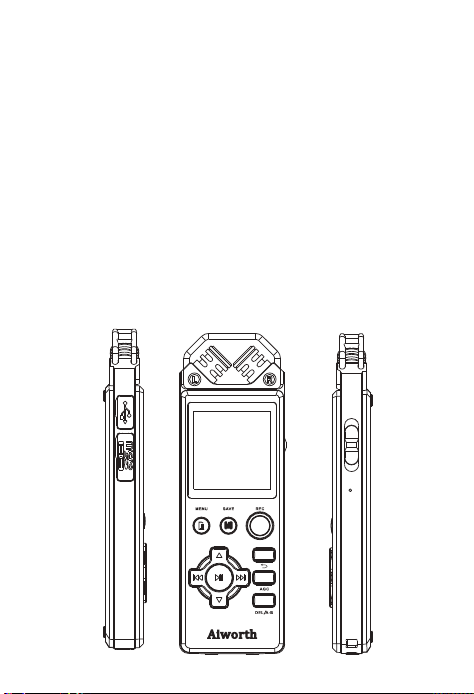
3. Product schematic
8
Ⅱ、Voice recorder
Note : Short press means press within 1
seconds;long press means hold press for 2-3
seconds.
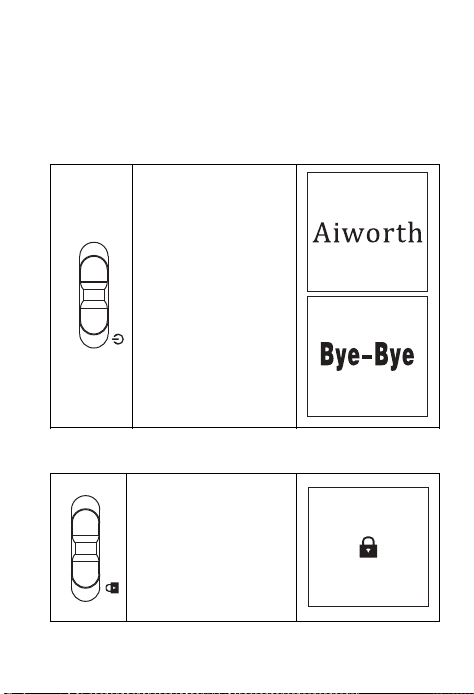
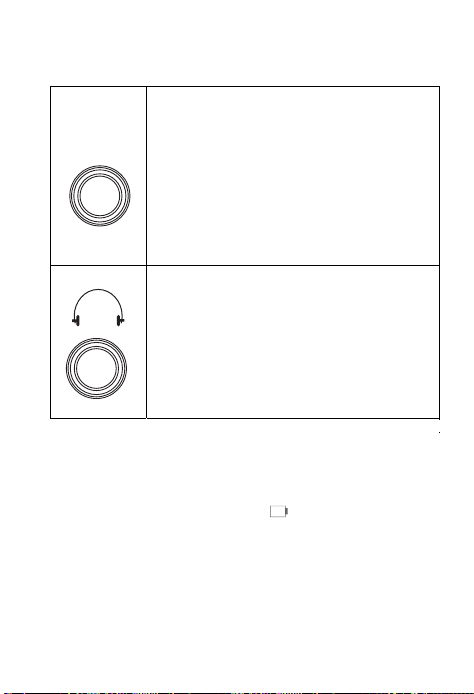
1 Turn on/off
Hole switch
down for 2
seconds to turn
on/off voice
recorder.
When turning off
will display 1,2,3
and “BYE-
BYE”,off.
2 Key lock
Switch up to lock
all the key.
9
3 Key description
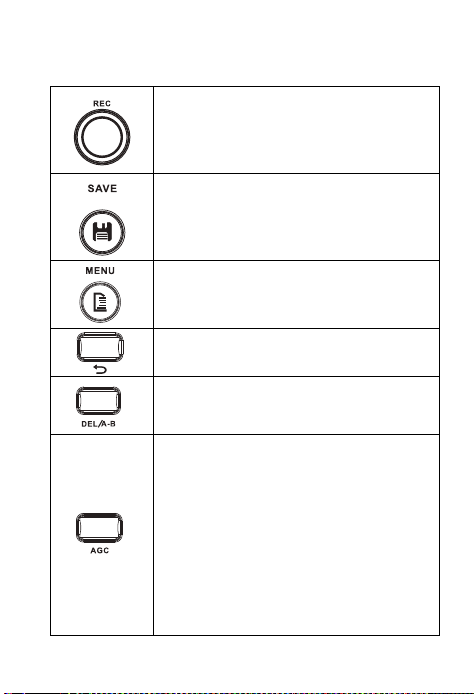
After turned on,anytime press
this button,start recording.
When recording,press save
button,recording stop and
saved.
Menu button,you could setting
all option in the menu.
Back button,back to last menu.
Short press set A-B repeat;
Long press for delete files.
Before recording,press AGC
button to set the Auto Gain
Control.
With this function,when the
sound is too loud or silent,could
be adjusted to the normal nature
sound
10
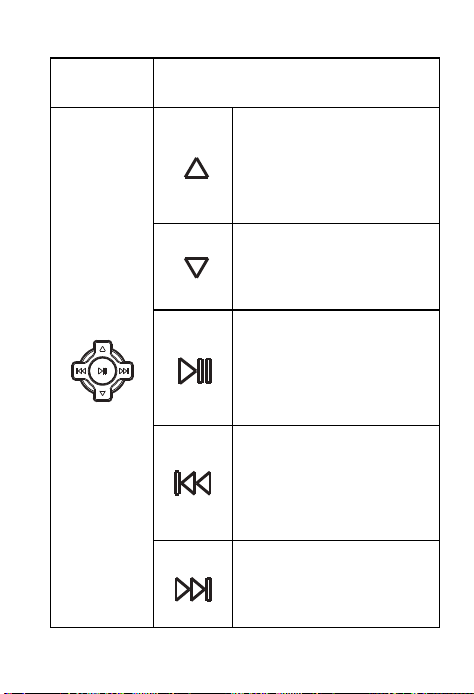
previous;
Volume up when
playing.
In the menu to next;
Volume down
when
playing.
When recording or
playing,short press
to
again
to
continue.
When playing,short
press
to previous
one,long
press to fast
forward.
When
press to next one,long
press to back forward.
tIn mhee tnuo
pause, press
playing, short
11
4 LINE-IN REC
3.5mm audio in jacket,you could
recording Radio、CD、VCD、
DVD by line-in recording.
In the recording setting,select
LINE-IN recording,and connect
you player via line-in cable,then
press REC button to start
recording.
Headphone jacket,listen files by
your headphone
NOTE:This device built in rechargeable
lithium battery,if don’t use it for long
time,please power off the device.
When Power indicator is“ ”,please charge
the device.Battery runs out,device will auto
power off,if recording,will auto saved first then
power off.
5Microphone REC
LINE IN
12
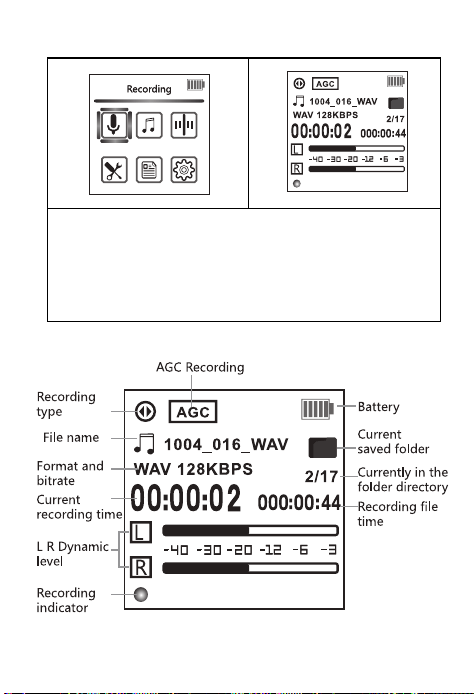
1、After turned on,anytime press REC button
start recording,and REC indicator light.
2 、 to pause,press
again to continue.
3、Press“SAVE” to stop recording and save.
Press“ PLAY / PAUSE ”
13
6 Save position
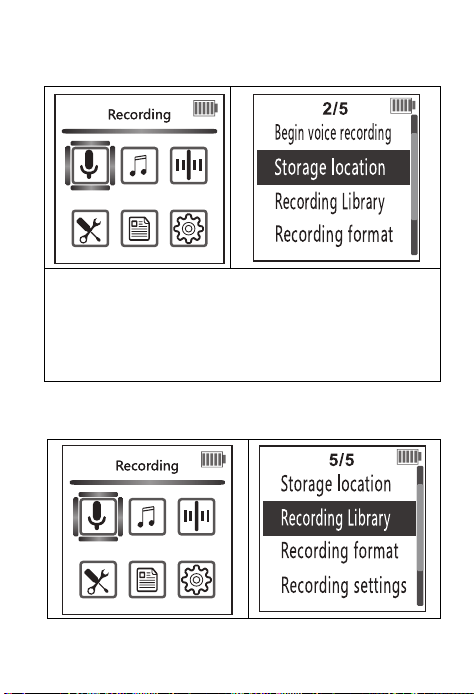
1、In the menu,goes to Recordings,and enter
the Save position,press PLAY/PAUSE to
enter.Then you could select where your
recorded files saved.Flash or TF CARD,and
press PLAY/PAUSE to confirm.
7 Recording settings
14
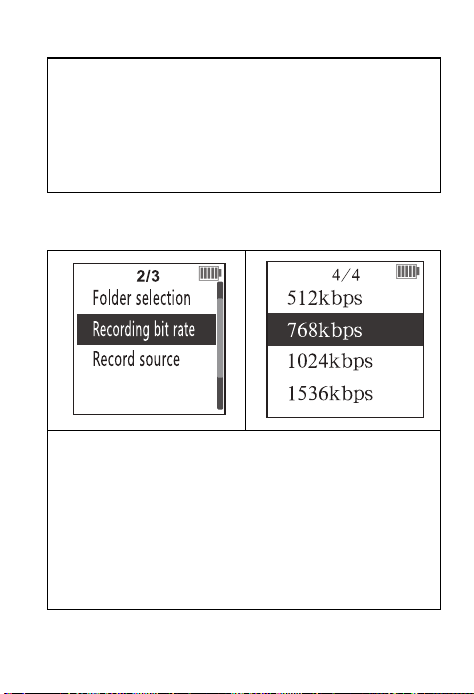
1、In the menu,goes to Recordings,and enter
the Recording settings,press PLAY/PAUSE to
enter.
2 、There Record folder,Bit rate,Record
activated
8Recording bit rate
Recording bit rate:
MP3 format : 192kbps 128kbps 64kbps
32kbps
WAV format:1536kbps 1024kbps 768 kbps
512kbps
Bit rate larger, recorded voice more
clearer,
need more space to save.
Ⅲ、Files manage and play
from,
AVR(Voice
recording),Monitor,Red
LED indicator.
15
1.Folders
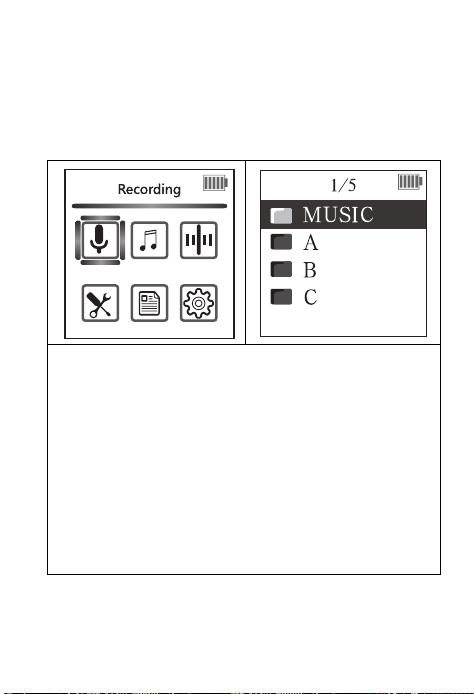
There 4 folders:A/B/C/MUSIC;folders A/B/C are
recorded files saved,MUSIC is for music files
2.Folder view
1、In the menu,goes to Recordings,and enter
the Folder view,press PLAY/PAUSE to enter
2、Recorded files named as year/month/
day,01is the number.
Example:17101201 means the first recorded
file on 2017/10/12
3、Default directory are A、B、C、
MUSIC;
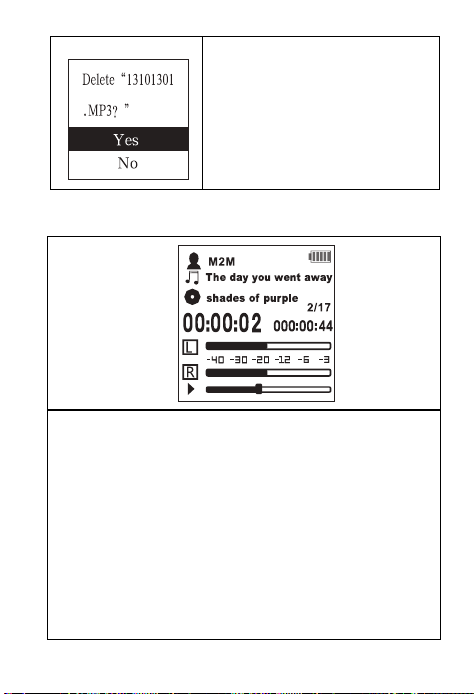
3.Delete files
16
Long press DEL button to
delete files,press
PLAY/PAUSE
to confirm.
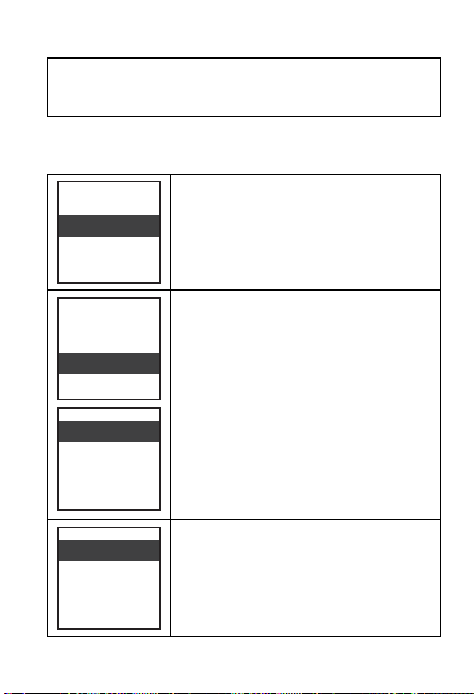
4.Play files
1、In folder view,press PLAY/PAUSE to play
file
2 、 When playing,press volume button to
adjust play volume
3 、 When playing,press A-B set the start
point,press again to set end point,then
will playing A-B repeat.And then press
again to cancel A-B repeat.
17
4 、 Short press PLAY/PAUSE to pause,press
again to continue.
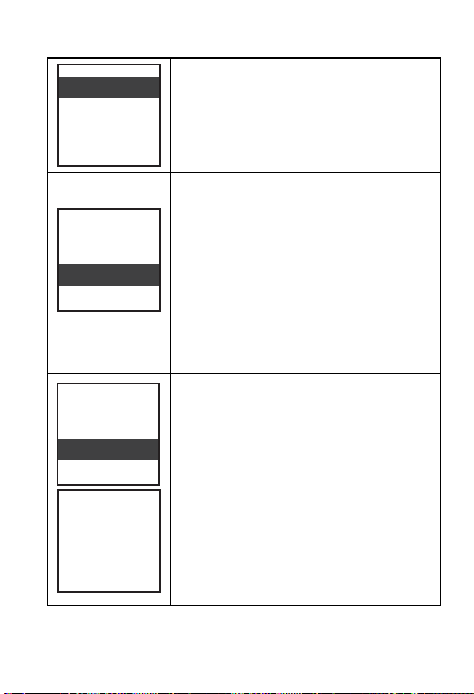
5.Play settings
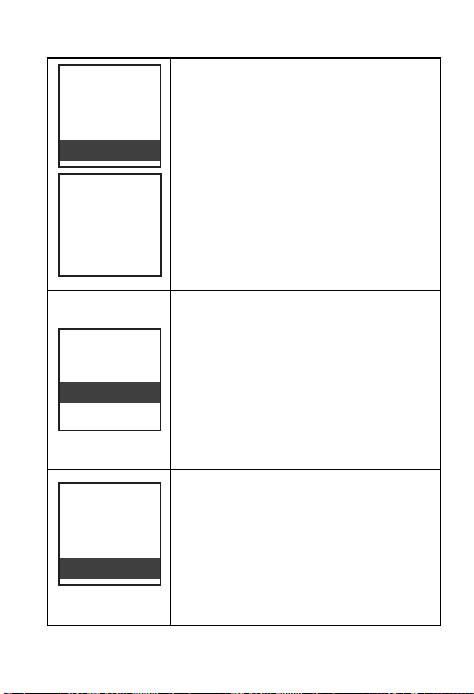
When playing,press MODE
button goes to play settings.
EQ setting:Off,Rock,Funk,Hip
hop,Jazz,Classical,Techno,Cust
om
Play mode:
Repeat 1:Repeat play 1 file
Repeat all:repeat play all files
View playing : Only play 10
seconds each files
Playing now
Play mode
Sound setting
T-Mark
Playing now
Play mode
Sound setting
T-Mark
Equalizer
Variable speed play
Repetition setting
Repeat play
Random play
18
Shuffle:Shuffle play all files.
Bookmarks:enter add
bookmark,then select a empty
bookmark(hh;mm;ss),press
PLAY/PAUSE to confirm,
it will back to play
interface,and current time
will add as a bookmark.10
bookmarks as most.
File cutting : Playing to the
point you want to cut and
pause.Then press MODE,select
file cutting,and confirm.And
this file is cut as you want.
(Only support WAV format)
Browse play
All repeat
Repeat play off
Single repetition
File clipping
Play mode
Sound setting
T-Mark
File segmentation
File clipping
Sound setting
T-Mark
Edit success
then
19
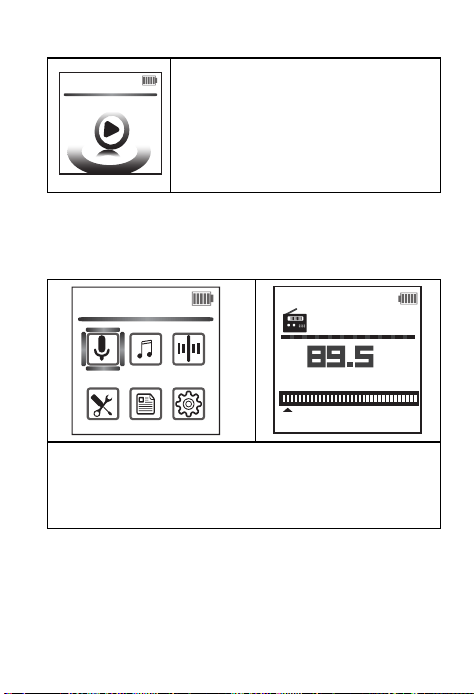
File cut apart:Playing to the
point you want to cut apart
and pause.Then press
MODE,select file cut apart,and
confirm.And the file is been
cut as two files(Only support
WAV format)
File insert : Playing to the
point you want to insert
and pause.Then press
MODE,
select file
insert,and
will start recording,
insert
the new recording.
(Only
support WAV format)
File connect : Playing to the
point you want to connect and
pause.Then press MODE,select
file connect,and confirm.Then
will start a new recording and
saved.Follow the original files.
(Only support WAV format)
Insert file
File segmentation
File clipping
Connection file
Insert file
File segmentation
File clipping
Edit success
Connection file
Insert file
File segmentation
File clipping
File cut apart
confirm.
Then
20
When playing and in the
menu,press NEXT or
PRE,
you
will find a NOW
PLAYING
press
PLAY/
PAUSE quick enter to
playing
interface.
Ⅳ FM Radio
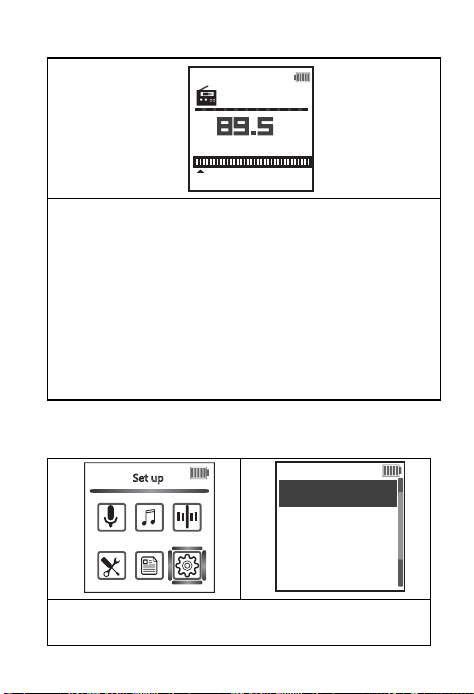
1 Enter FM Radio
1、In the menu,select FM radio and enter;
2、FM radio works must plug in headphone
as antenna
2 Auto search and FM REC
Playing now
Recording
CH01
87 108
MHz
interface, and
21
1 、 Select Auto Tune,and auto search.Auto
save the available channel
2、And you could Manual tune
3、When FM radio playing,press MODE could
start FM radio recording.
4 、 Press PLAY/PAUSE to pause radio
playing,and press BACK to drop out FM radio
Ⅴ、System settings
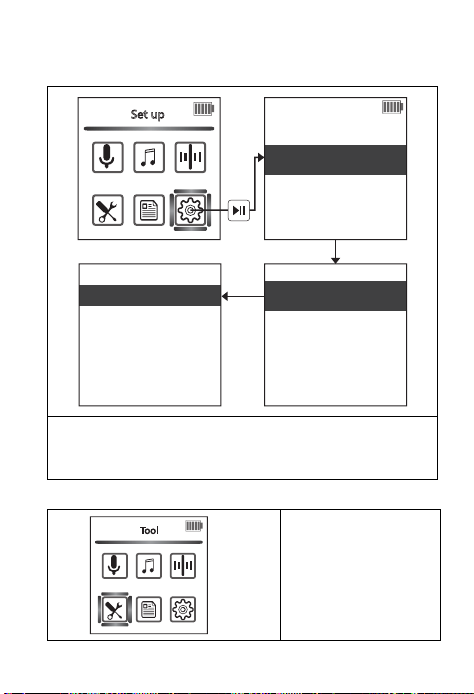
1 Enter system settings
1、In the menu,select Set
CH01
87 108
MHz
Set up
Display settings
1/9
Storage location
Sound setting
Timing shutdown
22
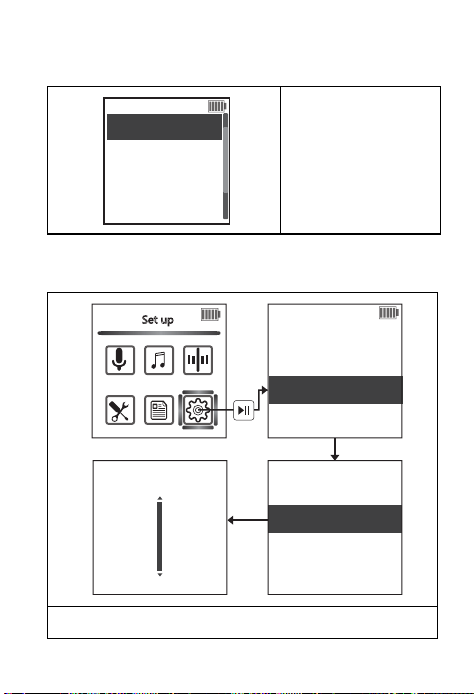
2 Sound settings
Select Equalizers and turn on/off the key
tone.
3 Tools
1In the menu,
select Tools
Display settings
Storage location
Sound setting
Timing shutdown
Equalizer
Key tone
Close
acid rock
Set up
Funk
hip hop
jazz
Tool
23
There are Auto
record/
Alarm/Password
/Stop watch
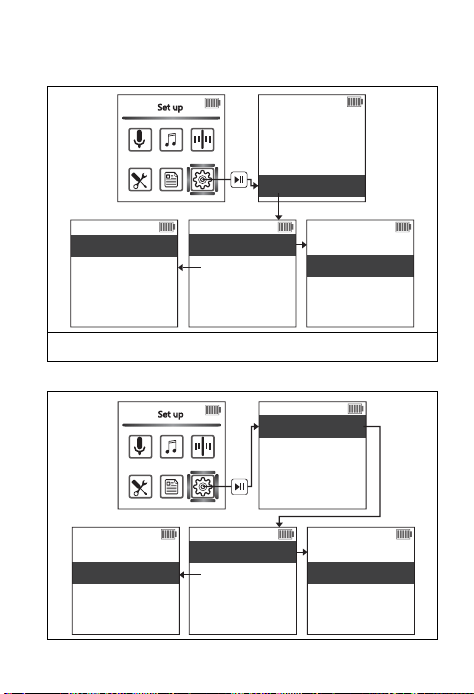
4 Sleep timer
There 10/30/60/90/120 minutes to choose.
1/4
Timed recording
alarm clock
Password settings
Stopwatch
Display settings
Storage location
Sound setting
Timing shutdown
Set timing
Set up
1 Mins
Close
24
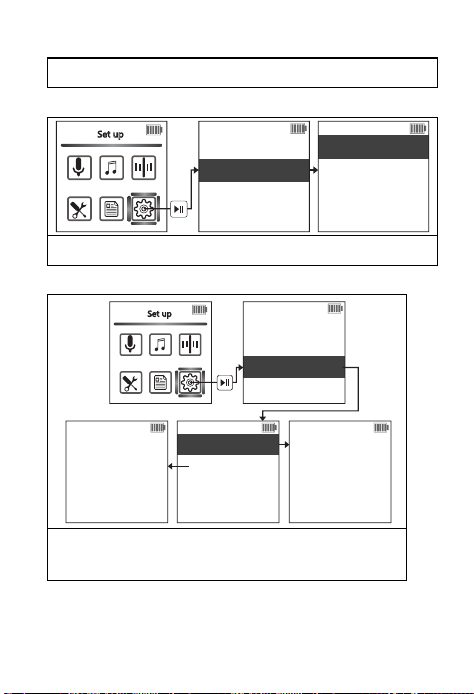
5 Display setting
There are Backlight timer and screensaver.
6 Date and time
Display settings
Storage location
Sound setting
Timing shutdown
Always light up
10 seconds
20 seconds
30 seconds
Digital clock
No
Screen saver
Set up
Backlight Timer
Information equipment
Date and time
Language
Information
Set time format
Set time
Set time format
Set time
Set up
Time setting
Date setting
25
Set date and time
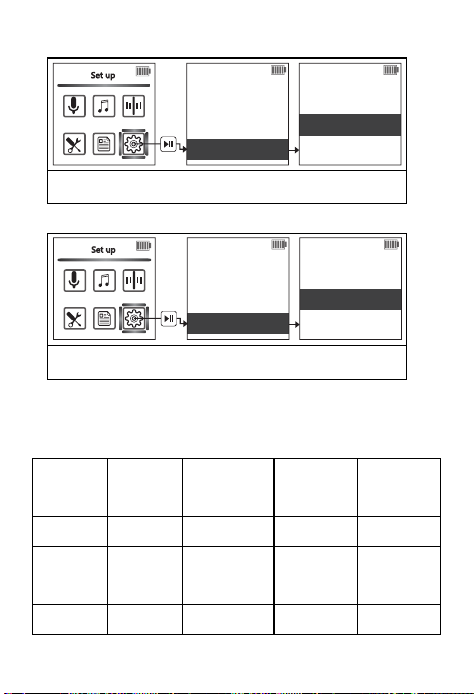
7 language
Select display language
8 Information
1.Display disk apace
2.Display player information
9 Format device
Information equipment
Date and time
Language
Information
Simplified Chinese
Traditional Chinese
English
Set up
Information equipment
Date and time
Language
Information
Set up
Player information
disk space
Available space: 1058MB
Total space: 100GMB
Song: 156
Model: R5591
Software version: V1.101.10
26
Will delete all files (Please back up)
10 Factory setting
All settings back to default
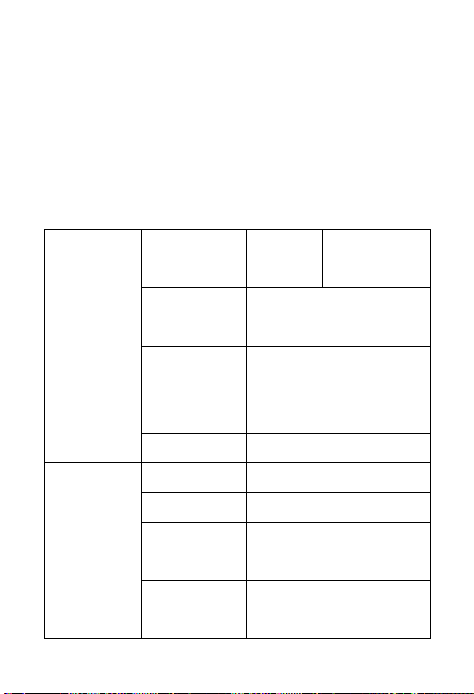
Ⅵ、Recording time (8GB)
WAV 1536
kbps
1024
kbps
768
kbps
512
kbps
Time 12 H 14 H 24 H 36 H
MP3 192
kbps
128
kbps
64
kbps
32
kbps
Time 97 H 145 H 290 H 580 H
Information equipment
Date and time
Language
Information
Set up
All data will be deleted.
Do you want to continue?
Yes
No
Information equipment
factory setting
Date and time
Language
Information
Set up
Restore factory settings?
Yes
No
27
NOTE:The above recording time for the 8GB
storage capacity of the maximum recording
time, not the battery can be continuous
recording time!
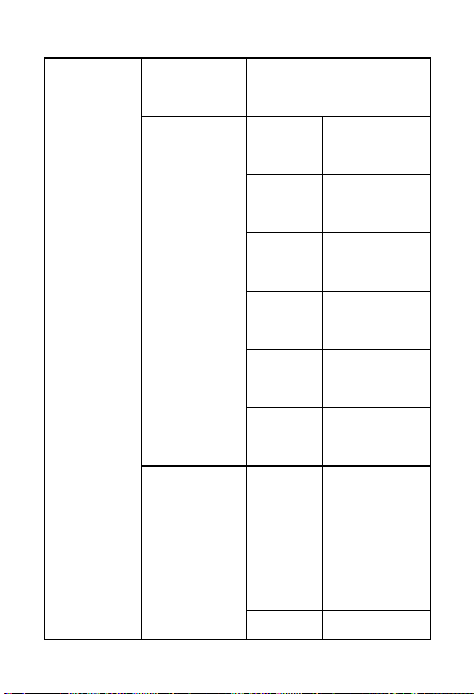
Ⅶ、Specifications
File
system
Memory
NAND
FLASH
8GB
Firmware
upgrade
Firmware upgrade by
upgrade tools
PC OS
Window XP、VISTA、
WINDOWS 7、
WINDOWS 8
File system FAT32
Display
Screen size 30*36MM
Screen 128*128 TFT
Language
Simplified,Traditional
Chinese, English
Screen saver
Time screen saver
and custom
28
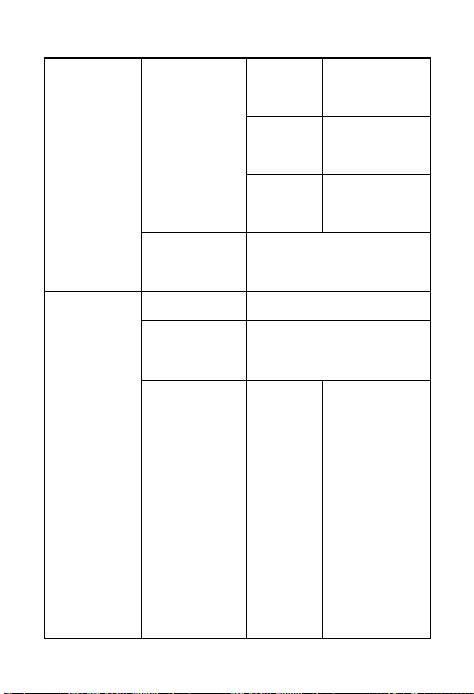
Playing
Format
MP3、WMA、OGG、
WAV、APE、FLAC
Bitrate
MP3
8Kbps~
320Kbps
WMA
32Kbps~
320Kbps
OGG
32Kbps~
320Kbps
APE
700Kbps~
1536Kbps
FLAC
700Kbps~
1536Kbps
WAV
32Kbps~
1536Kbps
Play mode
Repeat
Repeat
1,Repeat
all,View
playing,Shuf
fle playing
Bookma 10
29
rk bookmarks
at amost
Sound
set
EQ,Variable
speed play
A-B
Repeat
A-B repeat
SNR
Signal to noise
ratio≥80db
Recording
Format MP3、WAV
Mic
Capacitive all point to
the microphone
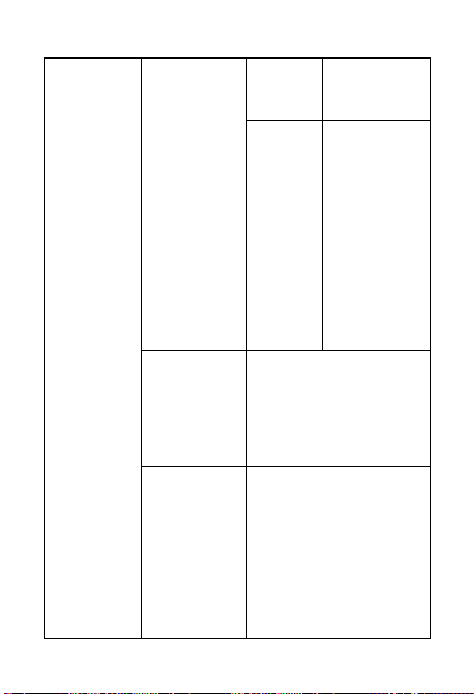
Recording
type
WAV
Format
(1536kbps4
8KHz16bit)
(1024kbps
32KHz
16bit)
(768kbps
24KHz
16bit)
(512kbps
30
16KHz
16bit)
MP3
Format
(192kbps
32KHz)
(128kbps
32KHz)
(64kbps
16KHz)
(32kbps
8KHz)
PCM
1536kbps(PCM)
1024kbps(PCM)
768kbps(PCM)
512kbps(PCM)
File
cutting(WA
V)
You can cut off the
unnecessary parts of
the recording file, the
content is complete
and save memory
space
31
File cut
apart(WAV)
Divide a recording
file into multiple
recording files
File
insert(WAV)
Can be added in the
middle of a recording
file recording, making
the content more
complete
File
connect(WA
V)
You can save the
sound recording file
followed by recording
Monitor Support
Record from Microphone,LINE IN
Noise
reduction
Support
AGC 7 levels adjust
Timed
recording
Support
FM Radio
Radio range 87.5MHz-108.0MHz
Speaker
Speaker Double magnetic
32
speakers
Output 8Ω1W
Other
Key lock
function
Support
Background
play
Support
Stop watch Support
Alarm Support
Memory
expansion
TF Card(128GB at
most)
Password Support
Interface
Transmissio
n interface
mini5PIN USB2.0
Transfer
speed
High speed
Line-in Line-in3.5mm Jacket
Headphone
output
Stereo output
Battery
Lithium polymer battery 053048
33
750 mAh
3.7V
Operating
temperatu
re
(-10 to 45 degrees Celsius)
Dimension 112*37*14mm
Weight
87g
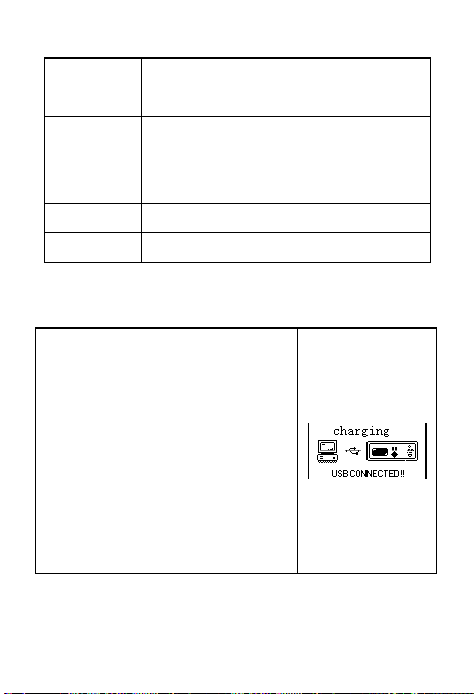
Ⅷ、Connected to PC
1 Connect to PC
For the first time, the
computer
will prompt to
create the
drive
r
repository,
find new hardware
and other
information,
you
can
automatically detect
the
Ai-
shows the right
picture,
indicating that the
R198. At this point the
display
connection
is successful。
34
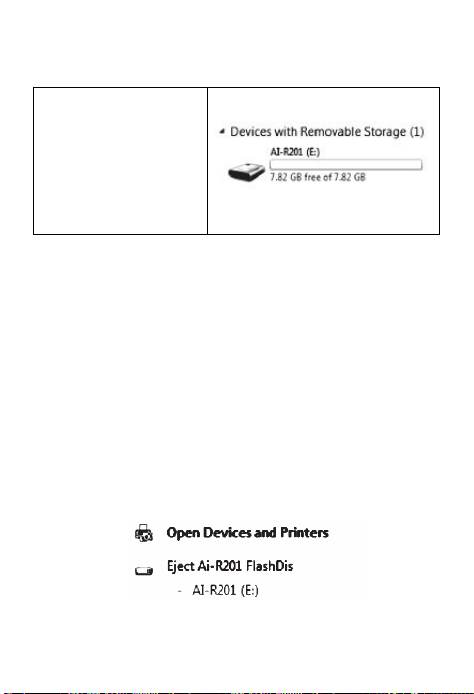
2 Up/Down load files
The drive letter
appears on the
Windows system,
and you can copy
the recording files
to your computer.
3 Disconnected
在 After the file transfer is com
close my computer or resource
m
follow the following method to
cable.
WINDOW 2000 and WINDOW
operating system users, accor
d
following steps shown
Click the green arrow in the lowe
of the computer。
Click Stop USB Disk - drive
After the Safely Remove Hardwa
appears, click OK to unplug the US
plete, please
m
anager, then
remove the
2000 above
d
ing to the
r right corner
re dialog box
B
cable。

35
NOTE!: different operating sy
s
tips slightly different, the fi
g
reference only。
4 Battery and charging
!Be sure to charge in the power
o
in lithium battery can be conn
e
computer by connecting the com
p
USB cable. Plug one end of the U
S
the USB port of the unit and plug
t
into the USB port of the comput
e
(the power indicator on the disp
l
scrolling. The charging time is a
b
and the battery is full when the
b
The icon is displayed as full grid st
a
Note: The machine has automatic
function, stop the state 1 minute
automatically shut down power sa
v
s
tem picture
g
ure is for
o
n. The buil
t
-
e
cted to the
p
uter with the
S
B cable into
t
he other end
e
r or charger
l
ay will show
b
out 5 hours
b
attery is full
a
tus
power saving
machine will
v
ing!