RJ58-EM-SERIES
Table of Contents
4 Get to Know Your Everything Maker
6 Safety Instructions & Important Safeguards
9 Before First Use
10 Quick Start: How to Use the Everything Maker
13 Cooking Tips
14 Keep it Clean
15 Notes
16 Terms & Conditions
19 Warranty Registration
4
Get to Know Your
Everything Maker
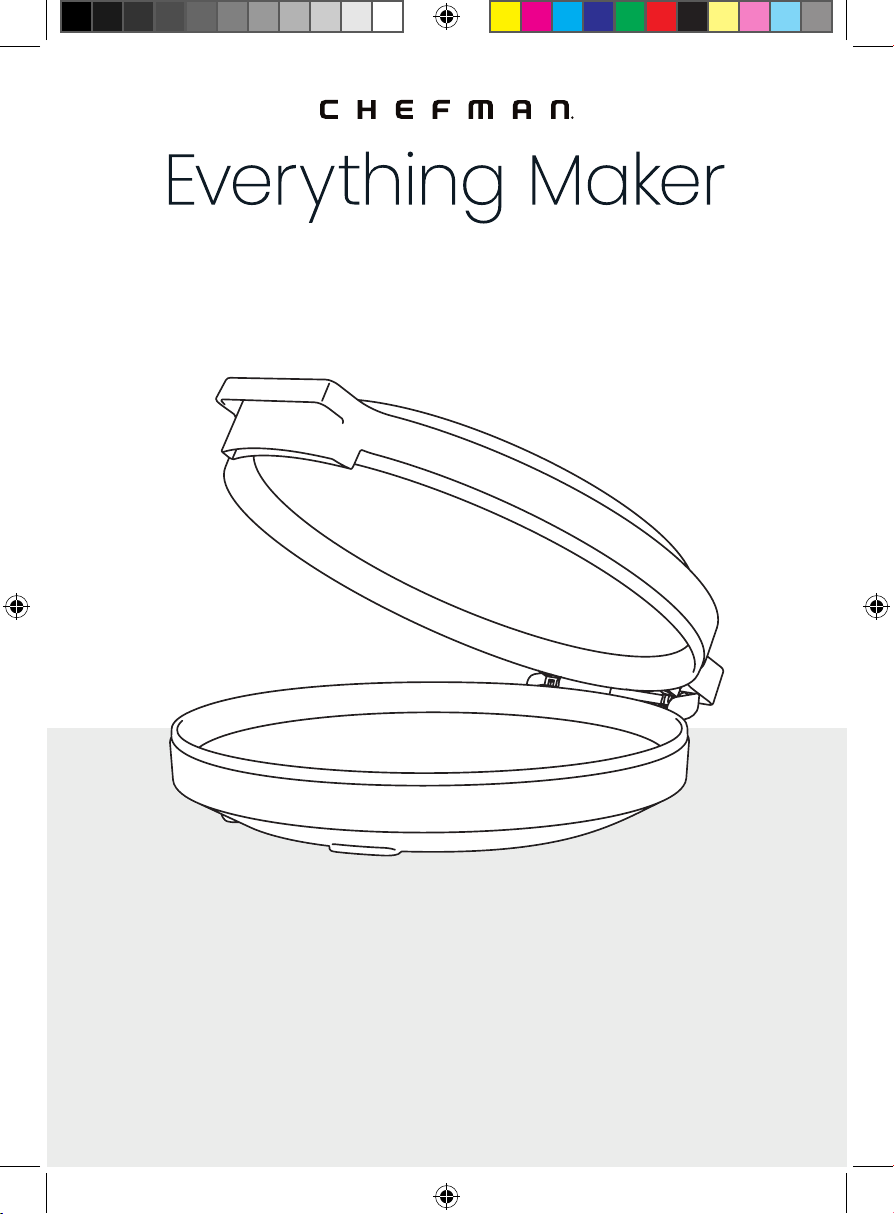
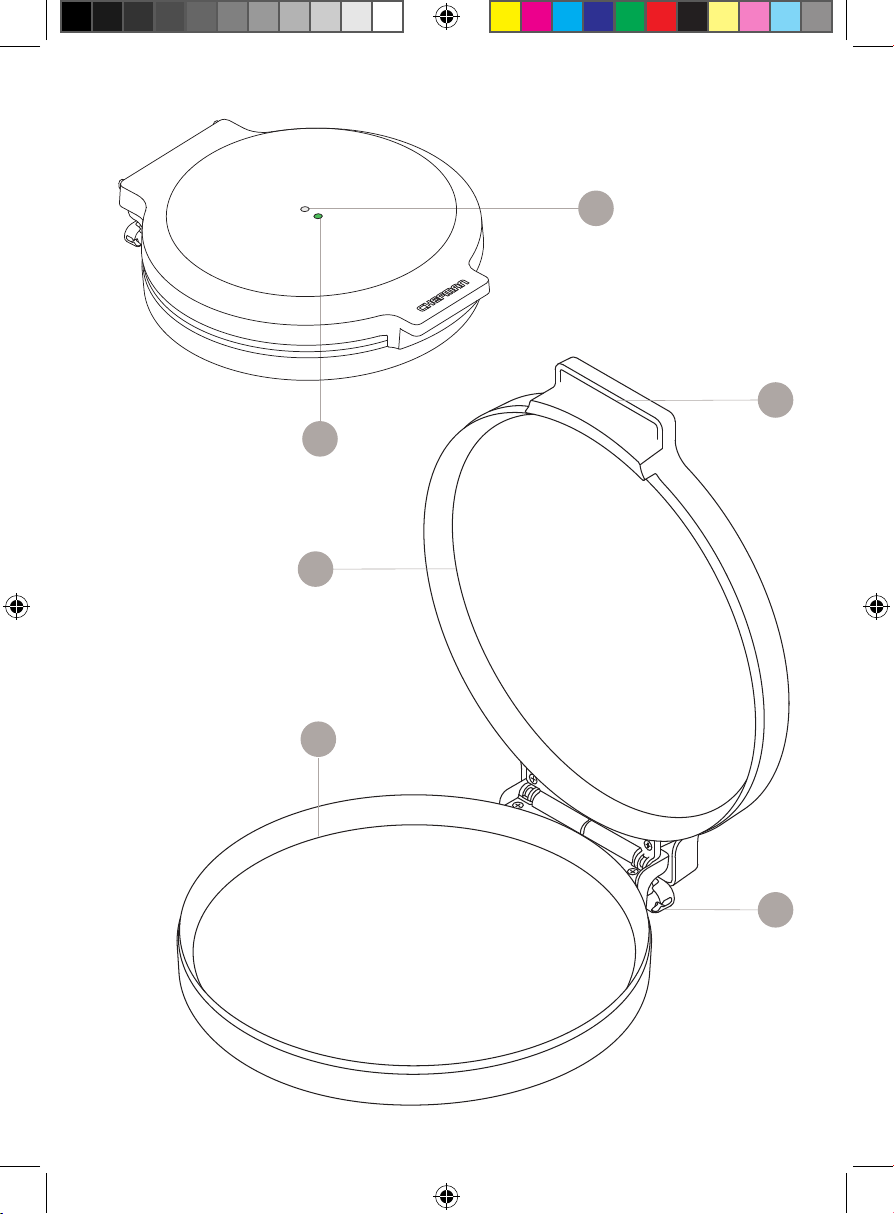
1. POWER light (white)
2. READY light (green)
3. Handle
4. Nonstick top cooking plate
5. Nonstick bottom cooking plate
6. Power cord storage
READ ALL INSTRUCTIONS BEFORE USE
For your safety and continued enjoyment of this product,
always read the instruction manual before using.
5
Get to Know Your Everything Maker
FEATURES DRAWING
1
4
2
3
6
5
FEATURES DRAWING
6
Safety Instructions &
Important Safeguards
WARNING: When using electrical appliances, basic safety precautions
should
always be followed, including:
1. Read all instructions.
2. Do NOT touch hot surfaces. Use handles or knobs.
3. To protect against electric shock do NOT immerse cord, plugs, or grill
body in water or other liquid.
4. Close supervision is necessary when any appliance is used by or
near children.
5. Unplug from outlet when not in use and before cleaning. Allow to cool
before putting on or taking off parts, and before cleaning the appliance.
6. Do NOT operate any appliance with a damaged cord or plug or after the
appliance malfunctions, or has been damaged in any manner. Contact
Chefman Customer Support for examination, repair, or adjustment.
7. The use of accessory attachments not recommended by the Chefman
may cause injuries.
8. Do NOT use outdoors.
9. Do NOT let cord hang over edge of table or counter, or touch hot surfaces.
10. Do NOT place on or near a hot gas or electric burner, or in a heated oven.
11. Extreme caution must be used when moving an appliance containing
hot oil or other hot liquids.
12. To turn the unit on, plug the power cord into the wall socket.
To disconnect, remove the plug from the wall socket.
13. Do NOT use appliance for other than intended use.
14. This appliance is not intended for deep frying foods.
Save these instructions
For household use only
7
Safety Instructions &
Important Safeguards
WARNING: This appliance has a polarized plug (one blade is wider than the
other). This plug is intended to fit into a polarized outlet only one way. If the plug
does not fit fully into the outlet, reverse the plug. If it still does not fit, contact a
qualified electrician. Do not attempt to modify the plug in any way or force it
into the outlet. This could result in injury or electric shock.
Short Cord Instructions
A short power-supply cord is provided to reduce the hazards of entanglement
or tripping over a longer cord. Longer detachable power-supply cords or
extension cords are available and may be used if care is exercised in
their use. If a longer detachable power-supply extension cord is used:
1. The marked electrical rating of the extension cord should be at least
as great as the electrical rating of the appliance.
2. The longer cord should be arranged so that it will not drape over
the countertop or tabletop where it can be pulled on by children or
tripped over.
8
California Proposition 65:
(Applicable for California Residents only)
WARNING: Cancer and Reproductive Harm
www.P65Warnings.ca.gov
Do not place the appliance on a
stovetop or any other heatable surface,
even if stovetop is not on.
Doing so is a fire hazard.
Safety Instructions &
Important Safeguards
Power Cord Safety Tips
1. Never pull or yank on the cord or the appliance.
2. To insert the plug, grasp it firmly and guide it into the outlet.
3. To disconnect the appliance, grasp the plug and remove it from
the outlet.
4. Never use the product if the power cord shows signs of abrasion or
excessive wear. Contact Chefman® Customer Support for additional
guidance and support.
5. Never wrap the cord tightly around the appliance, as this could place
undue stress on the cord where it enters the appliance and cause it
to fray and break.
DO NOT OPERATE THE APPLIANCE IF THE POWER CORD SHOWS ANY DAMAGE
OR IF THE APPLIANCE WORKS INTERMITTENTLY OR STOPS WORKING ENTIRELY.
9
Before First Use
1. Remove all packaging materials, such as plastic bags and foam inserts.
Check to ensure that all parts and accessories are accounted for.
2. Read and remove any stickers on the unit except for the rating label,
which should remain on the unit.
3. Wipe down the interior and exterior with a damp cloth. Dry thoroughly.
10
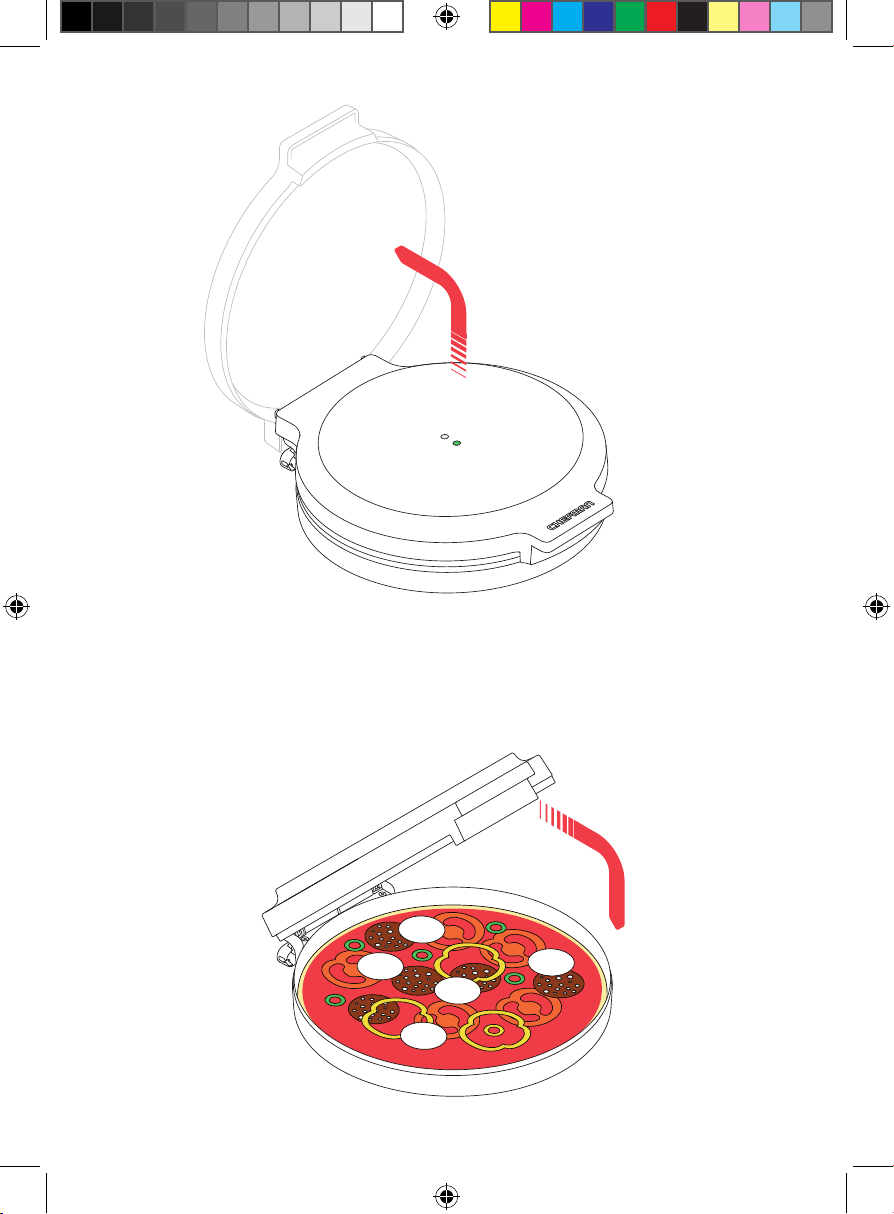
2. When the green READY light illuminates, open the unit wearing oven mitts.
(The parts around the handle can get very hot.) If desired, brush a little
vegetable oil or spray some non-aerosol cooking spray on the bottom
plate. Place your food on the bottom cooking plate. CAUTION: the unit is
HOT and steam may emit from the sides when opening and closing the
lid. Always use the handle and wear oven mitts to protect your hands.
Quick Start: How to Use
the Everything Maker
The Everything Maker is super simple to use: just plug it in and you’re ready to
go. In most cases, you’ll want to preheat the unit before using it, but certain
foods can be started on a cold unit (see Tips, p. 13, for more details).
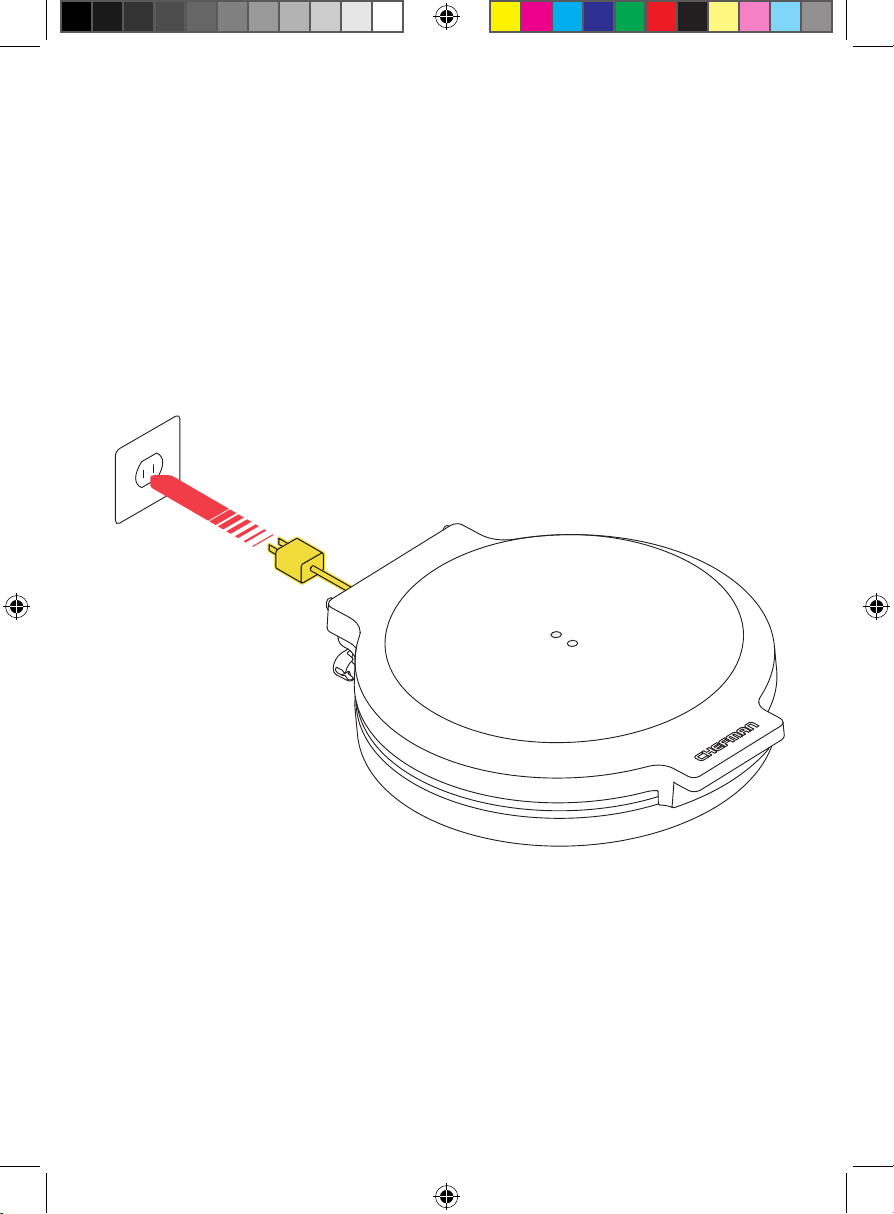
1. Set the closed Everything Maker on a dry, heat-resistant, level surface
and plug it in. The white POWER light will illuminate, and the unit will
automatically begin to preheat. During preheating, prepare your food
to be cooked.
Step 1 - 2 Prongs
11
Quick Start: How to Use the Everything Maker
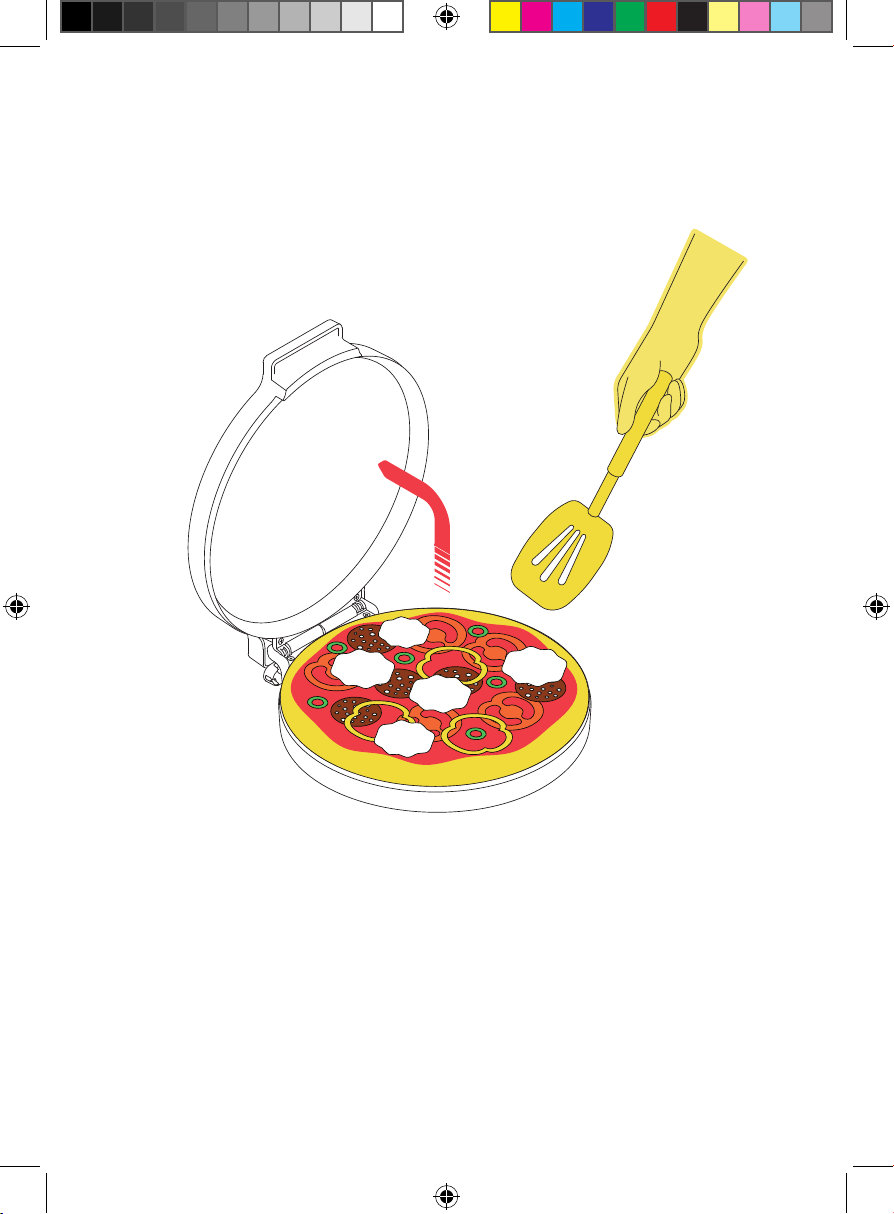
3. Close the lid and let the food cook. During cooking, the green READY
light will cycle on and off as the unit maintains its temperature. (Once
preheated, the temperature will range between 356°F and 428°F.) Cook
as directed by your recipe. For pizzas, look for a golden-brown crust and
bubbling cheese. For sandwiches and quesadillas, cook until the exterior
is golden brown.
Step 3
Step 2
12
Quick Start: How to Use the Everything Maker
5. If you wish to cook another batch of food, wait until the Everything Maker
has come back up to temperature (green READY light comes on) before
starting the next batch. When you’re finished cooking, unplug the power
cord from the outlet.
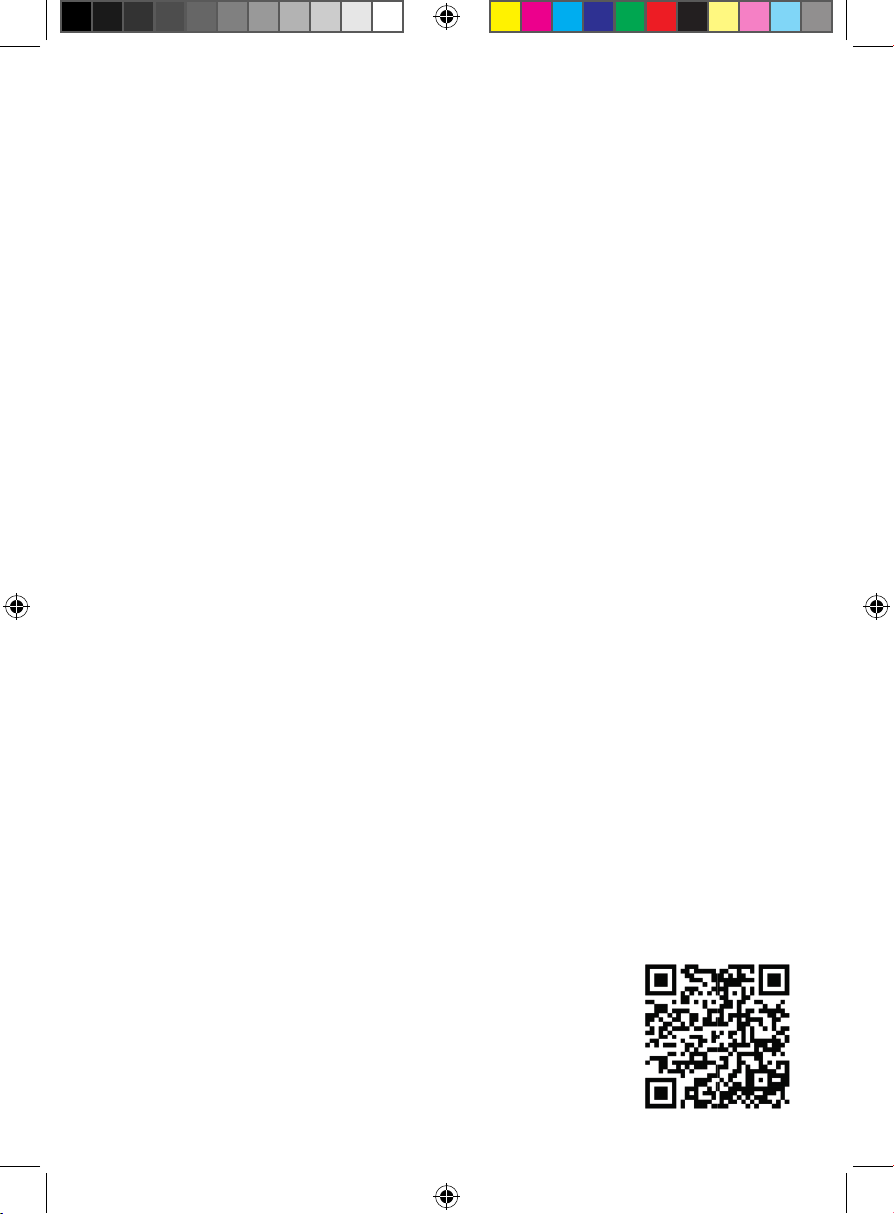
4. Wearing oven mitts, open the lid with the handle. Use a silicone, nylon, or
plastic spatula to remove the food from the Everything Maker. Do NOT use
metal utensils, which can damage the nonstick finish. Do NOT slice pizza
or other foods in the Everything Maker, which can also damage the finish.
Step 4
1313
Cooking Tips
• Parchment paper is your good friend when using the Everything Maker:
use it to line the lower plate for nachos, cookies, pizza, fl atbread, and more.
Not only does it quickly move many small pieces onto the cooking plate, but
it controls browning and makes cleanup a cinch. To ensure it doesn’t burn,
never leave parchment in the unit unattended. Do NOT use waxed paper on
the Everything Maker.
• For pizza, transferring fresh, topped pizza dough to the preheated Everything
Maker can be tricky, so try one of these methods:
• Shape and top your pizza dough on a square of parchment paper
slightly larger than the pizza. Holding the edges of the parchment,
transfer the pizza to the lower plate. The parchment can remain under
the pizza during baking and aid with removal.
• Alternatively, place your pizza dough in the cold, unplugged Everything
Maker. Add toppings, then plug in the unit and cook the pizza from a cold
start. Cooking time will be 5 to 10 minutes longer.
• A third method for baking your pizza: place only the dough in the
preheated Everything Maker, then close the lid and bake for about
4 minutes, until the crust fi rms up. Open the lid and quickly add the
toppings, then close the lid to fi nish baking.
• Brushing the lower plate with oil or spraying with a non-aerosol cooking
spray—while not necessary to prevent sticking—can enhance browning.
Never use aerosol cooking spray, which can damage the nonstick fi nish.
• Use silicone, nylon, or wood spatulas. Do NOT use any metal tools to add or
retrieve foods from the Everything Maker, and never cut foods while they are
sitting on the bottom plate.
• You can cook with the lid open—particularly to let liquid evaporate and
sauces reduce, or to use the bottom plate as a nonstick griddle. CAUTION:
the upper plate is hot even when cooking with the lid open, so be careful not
to touch it. Also note that the unit will retain heat better with the lid closed.
• If there is an excess of liquid or grease in the bottom plate after cooking,
do not try to pour it out. Instead, let it cool and use a dish towel or paper
towel to wipe it clean.
Digital Cookbook
Scan here for a digital cookbook of delicious
recipes created by our expert chefs especially
for your Everything Maker.
1414
Keep it Clean
With its nonstick coating, the Everything Maker is super easy to clean.
1. Unplug the unit and let it cool to room temperature before cleaning.
2. Wipe the cooking plates with a clean, damp cloth. If food still remains on
the plates, pour a small amount of cooking oil on the hardened food. Let
the oil sit for 5 minutes, then wipe clean with a paper towel or soft cloth.
To remove stubborn food residue, use a soft nylon brush, silicone scraper,
or other cleaning utensil safe for nonstick surfaces. Do NOT use harsh or
abrasive cleaners, which may damage the nonstick finish.
3. Wipe the exterior of the unit with a damp cloth. Dry thoroughly.
WARNING: Do NOT immerse the unit, cord or plug in water or any other
liquid. Do NOT pour or run water into any part of the unit. The unit is NOT
dishwasher safe. Do NOT place in dishwasher.
4. Wind the cord around the cord storage pegs at the base of the appliance.
Ensure the entire unit is clean and dry before storing. The unit may be
stored in an upright position to save space.
1515
Notes
16
Terms and Conditions
Limited Lifetime Warranty
Congratulations on your purchase of this Chefman product! We stand behind
the quality and durability of our products with a limited lifetime warranty
(the “Warranty”). If any component fails due to a manufacturing defect and
workmanship, we will repair or replace the appliance at no additional cost.
If your product does not work as it should, please contact Customer Support at
support@chefman.com so that we may assist you. We may ask you to please
submit, via email, photos and/or video of the issue you are experiencing. This is
to help us better assess the matter and possibly offer a quick fix. Photos and/or
video may also be required to determine Warranty eligibility.
We encourage you to register your product. Registering can make the Warranty
process easier and can keep you informed of any updates or recalls on
your product. To register, follow the directions on the Chefman® Warranty
Registration page in the Chefman® User Guide. Please retain your proof of
purchase even after registering, as this Warranty may be declared void without
proof of purchase within the contiguous United States and Canada.
17
Terms and Conditions
This Warranty Does Not Cover
• Misuse
Damage that occurs from neglectful or improper use of products, including,
but not limited to, damage that occurs as a result of usage with incompatible
voltage, regardless of whether the product was used with a converter or
adapter. See Safety Instructions in the Chefman® User Guide for information
on proper use of product;
• Poor Maintenance
General lack of proper care. We encourage you to take care of your
Chefman® products so that you may continue to enjoy them. Please see
Cleaning and Maintenance directions in the Chefman® User Guide for
information on proper maintenance;
• Commercial Use
Damage that occurs from commercial use;
• Normal Wear and Tear
Damage or degradation expected to occur due to normal use over time;
• Altered Products
Damage that occurs from alterations or modifications by any entity other
than Chefman® such as the removal of the rating label affixed to the product;
• Catastrophic Events
Damage that occurs from fire, floods, or natural disasters; or
• Loss of Interest
Claims of loss of interest or enjoyment.
18
Terms and Conditions
For product information, please visit us at Chefman.com.
EXCEPT WHERE SUCH LIABILITY IS REQUIRED BY LAW, THIS WARRANTY DOES NOT
COVER, AND CHEFMAN® SHALL NOT BE LIABLE FOR, INCIDENTAL, INDIRECT, SPECIAL,
OR CONSEQUENTIAL DAMAGES, INCLUDING WITHOUT LIMITATION, DAMAGE TO, OR
LOSS OF USE OF THE PRODUCT, OR LOST SALES OR PROFITS OR DELAY OR FAILURE
TO PERFORM THIS WARRANTY OBLIGATION. THE REMEDIES PROVIDED HEREIN ARE
THE EXCLUSIVE REMEDIES UNDER THIS WARRANTY, WHETHER BASED ON CONTRACT,
TORT OR OTHERWISE.
19
How do I register my product?
All you need to do is fill out a simple Chefman® registration form.
You can easily access the form in one of the two ways listed below:
• Visit Chefman.com/register.
• Scan the QR code to the right to access site.
Warranty Registration
What do I need to register my product?
• Contact Information
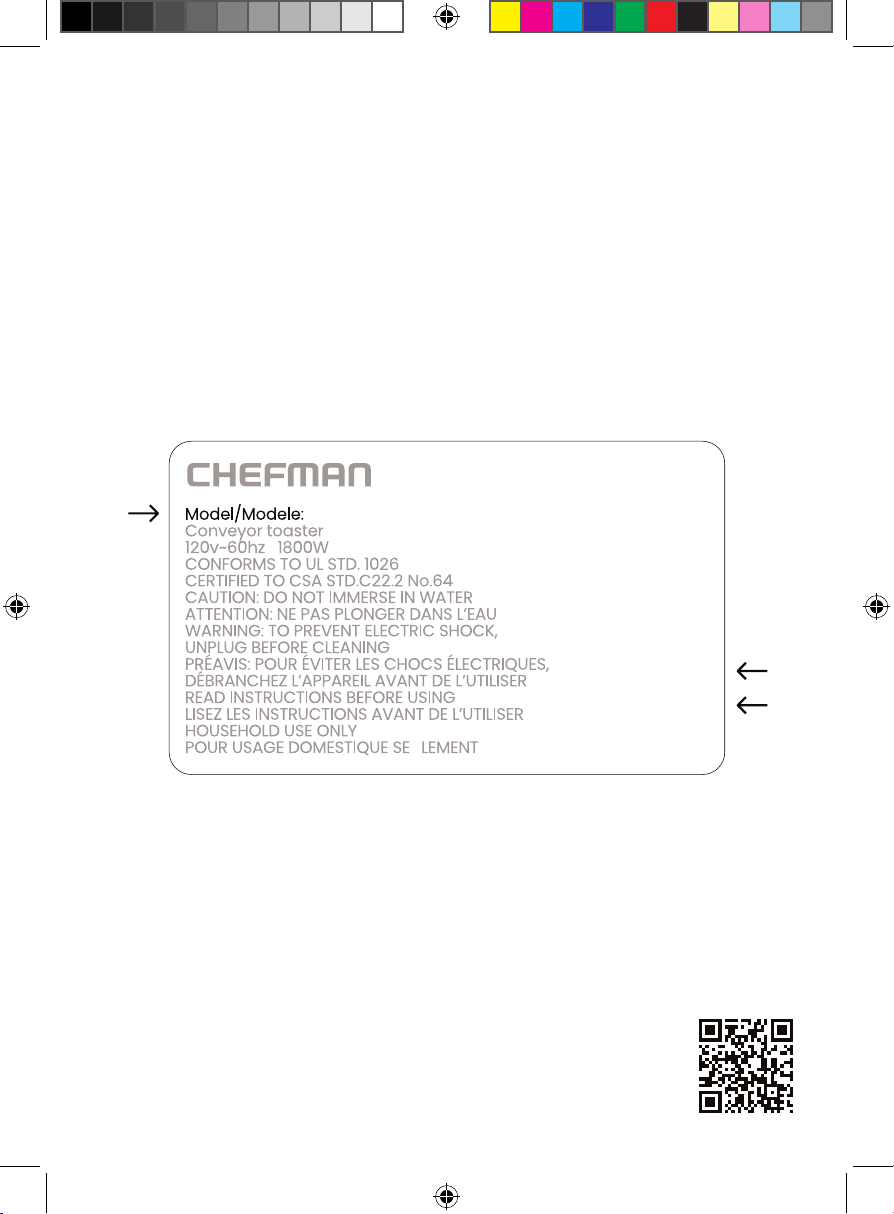
• Model Number (see example below)
• Proof of Purchase (online confirmation, receipt, gift receipt)
• Date Code (see example below)
• Access Code (see example below)
NOTE: Label depicted here is an example.
Please see label on your product for actual model/date code/access code.
Date Code:
0000
Access Code:
Xxxxxxxx
Made in China/Fabrique en Chine
AC Only/ AC Seulement
XXXXX
RJ58EMSERIESUG022224
Chefman® is a registered trademark of RJ Brands, LLC.