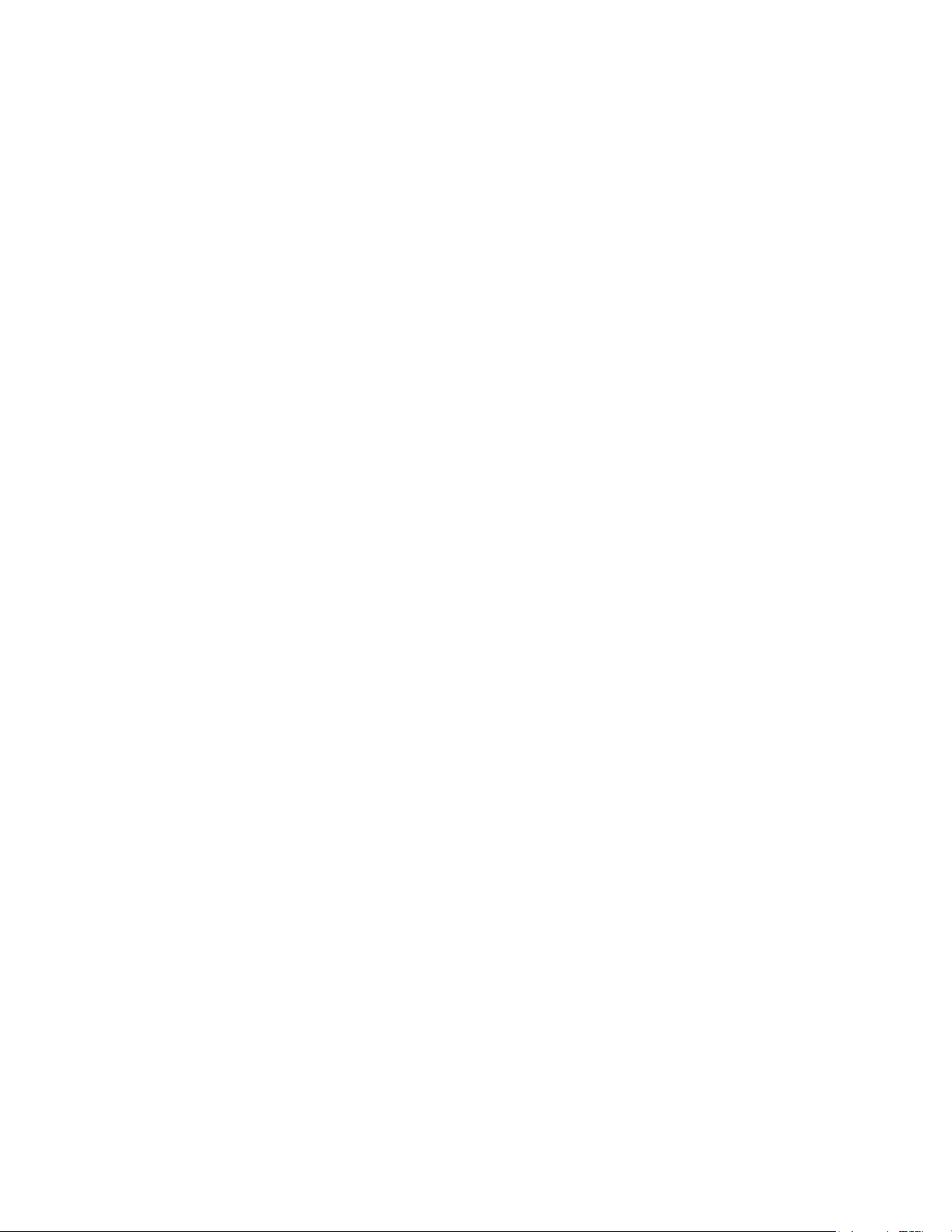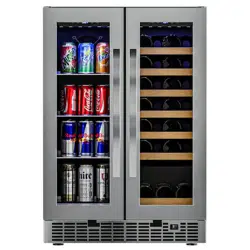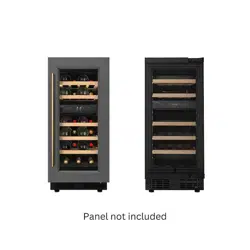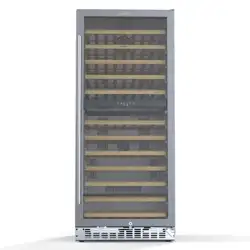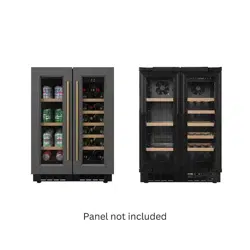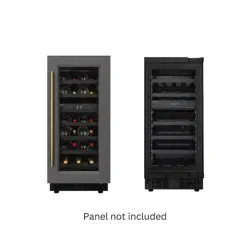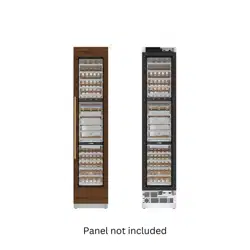
Panel Ready Column Wine Cooler
Refrigerator
Models: KM-PRC-W18
KM-PRC-F18 KM-PRC-R30
KM-PRC-F24
KM-PRC-R24
KM-PRC-W18
KM-RER 36-SWPR
KM-RER 36-FDPR
USER MANUAL
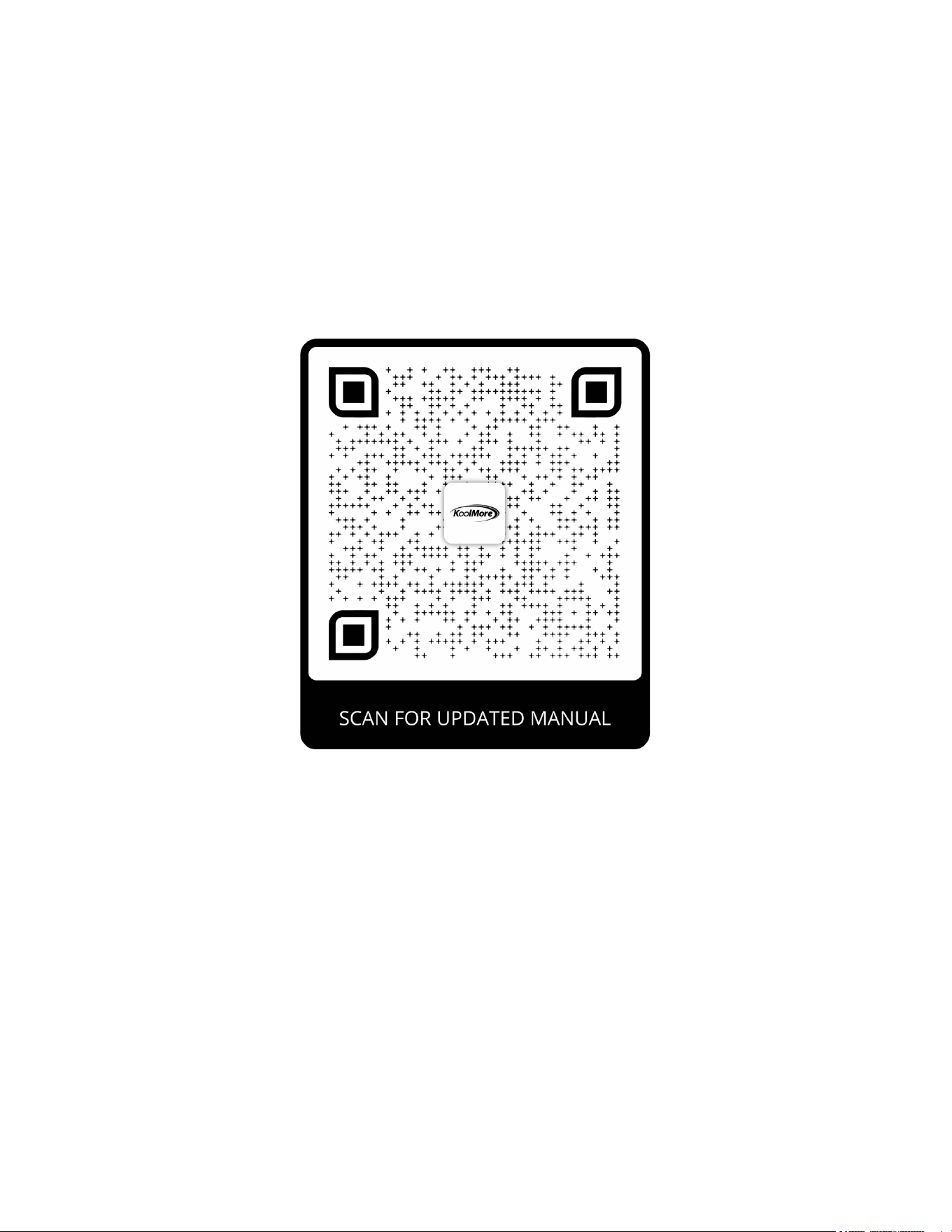
Stay informed with the latest information for your
KoolMore Reserve Appliance.
Scan the QR code above to access the most recent user manual
on our website, which is constantly being updated and improved.
If you need any assistance or have questions, our customer support
team is here to help.
P- 718-576-6342 E- Suppor[email protected]
Please write down the model number and serial number below for future reference. Both numbers are located on the
rating label on the back of your unit or inside of the unit and are needed to obtain warranty service. You may also want to
staple your receipt to this manual as it is the proof of your purchase and may also be needed for service under warranty.
Model Number: ______________________________________
Serial Number: _______________________________________
Date of Purchase: ____________________________________
To better serve you, please do the following before contacting customer service:
If you received a damaged product, immediately contact the retailer or dealer that sold you the product.
Read and follow this instruction manual carefully to help you install, use, and maintain your unit.
Refer to the Troubleshooting section of this manual as it will help you diagnose and solve many common issues.

3
Contents
Safety ................................................................................ 4
Parts List ........................................................................... 8
Specs ................................................................................ 9
Installation ....................................................................... 10
Operation ....................................................................... 29
Error Codes ............................................................................ 31
Maintanence ...................................................................... 32
Troubleshooting ................................................................ 34
Warranty ......................................................................... 36

4
Safety
Thank you for purchasing your beverage cooler.
This manual contains important information regarding the proper installation, use, and maintenance
of your beverage cooler. Following this manual will ensure that your product will work at its peak per-
formance and eciency.
General Safety
DANGER: When using an electrical appliance, basic precautions should always be followed, includ-
ing the following: READ ALL INSTRUCTIONS BEFORE USING.To reduce the risk of re, electric shock,
and/or injury to persons.
WARNING! To reduce the risk of re, electric shock or personal injury, unplug or disconnect the appli-
ance from the power supply before servicing.
CAUTION! Flammable refrigerant used! When handling, moving, and using the refrigerator, make sure
to avoid either damaging the refrigerant tubing, or increasing the risk of a leak.
• Use this appliance only as described in this manual. Other uses not recommended may cause re,
electric shock, or personal injury.
• This appliance is not intended for use by young children or inrm persons unless they have been
adequately supervised by a responsible person to ensure that they can use the appliance safely.
• Young children should be supervised to ensure that they do not play with the appliance.
• To protect against the risk of electric shock, NEVER IMMERSE the unit, cord, or plug in water or
spray any other liquid.
• Unplug the appliance from the plug socket when not in use, when moving from one location to
another, and before cleaning.
• For your safety, read all instructions carefully before operating the appliance.
• To disconnect the appliance, grip the plug and pull it from the wall outlet. Never pull by the cord.
• Never operate the appliance in the presence of explosive and/or ammable fumes.
• Do not place the appliance or any of its parts near an open ame, cooking, or heating appliance.
• Never operate the appliance with a damaged cord or plug. If the product malfunctions, or if it is
dropped or damaged in any manner, contact the manufacturer.
• The use of attachments not recommended by the manufacturer may be hazardous.
For your safety:
• Proper operation of the housing is recommended to avoid damage.
• A loose t between the AC outlet (receptacle) and plug may cause overheating and a distortion of
the plug. Contact a qualied electrician to replace loose or worn outlet.
WARNING
• Prop 65 Warning (California Residents): This product may contain chemicals known to the State
of California to cause cancer, birth defects, or other reproductive harm.
• Locate the unit away from direct sunlight and sources of heat (stove heater, radiator, etc.).
5
• This appliance uses R600a, an environmentally friendly and contains small quantities of isobutane
(R600a), an environmentally friendly refrigerant.
• CAUTION - Risk of re or explosion due to puncture of refrigerant tubing:
• To prevent damage to the refrigerant tubing, follow the instructions carefully. Flammable refriger-
ant used.
• When handling, installing, servicing, or transporting the unit, always ensure that the cooling circuit
is undamaged.
• If the cooling circuit becomes damaged, avoid proximity to open res and heat sources, or any
other potential sources of ignition. Ventilate the room and contact a service agent or a qualied
technician.
• Proper disposal of the appliance:
• Ensure that the appliance is not damaged before disposal.
• Ensure that the ventilation openings in and from the built-in appliance are never blocked or cov-
ered.
• No liability will be accepted for any damage caused by misuse of the appliance, or as a result of
repairs carried out by unqualied person. In this case neither the warranty nor any other liability
claims will apply.
WARNING!
• Never operate any other electrical appliance inside this appliance.
•
• Other safety recommendations:
• Never attempt to repair or replace any part of your appliance unless it is specically recommend-
ed in this manual. All other servicing should be referred to a qualied technician.
• DANGER - Risk of re or explosion. Flammable refrigerant used. To be repaired only by trained
service personnel. Use only manufacturer-authorized service parts. Any repair equipment must be
designed for ammable refrigerants. Follow all manufacturer repair instructions. Do not puncture
refrigerant tubing.
• DANGER - Risk of re or explosion. Flammable refrigerant used. To be repaired only by trained
service personnel. Do not puncture refrigerant tubing.
• Replace all access panels before operating.
• Use two or more people to move and install the appliance. Failure to do so can result in back or
other injury.
• Never clean appliance parts with ammable liquids. These fumes can create a re hazard or ex-
plosion. Never store or use gasoline or other ammable vapors and liquids in the vicinity of this or
any other appliance. The fumes can create a re hazard or explosion.
• Never connect or disconnect the electrical plug with wet hands.
•
• It is recommended that a separate circuit, serving only this appliance, be provided.
• Use receptacles that cannot be turned off by a switch or pull chain.
WARNING!
• To reduce the risk of re, electric shock, or personal injury, unplug or disconnect the appliance
from the power supply before servicing.
• For your safety, read all instructions carefully before operating the appliance.
• If you are experiencing problems, check the Troubleshooting Guide at the back of this manual. It
lists causes of minor operating problems that you can correct yourself.
Disposal of Old Appliance
6
• Dispose of your appliance packaging properly. Refrigeration equipment must be properly disposed
of in a way which protects the environment. This applies to your old appliance and to your new
unit once it has reached the end of its service life.
WARNING
• Please ensure that old appliances are rendered unusable before disposal by disconnecting the
power cable, and removing or destroying any locking and latching mechanisms. This will prevent
children from locking themselves in and endangering their lives.
WARNING - Risk of child entrapment. Before you throw away your old refrigerator or freezer:
• Take off the doors.
• Leave the shelves in place so that children may not easily climb inside.
CAUTION - Risk of re or explosion. Dispose of refrigerator properly in accordance with the applicable
federal or local regulations. Flammable refrigerant used.
• The appliance must be disposed of with normal household waste collection. It must not be dam-
aged, particularly the heat exchanger at the back/bottom of the unit. The symbol on the product or
its packaging indicates that this product is not to be handled as normal household waste but is to
be taken to a recycling collection point for electrical and electronic equipment. By correctly dis-
posing of this product, you are contributing to the protection of the environment from the potential
negative consequences associated with the incorrect disposal of this product. Further information
about the recycling of this product may be obtained from your local town hall or your local waste
collection service.
Before Using Your Appliance:
• Remove all external and interior packaging.
• Before connecting the appliance to the power source, let it stand upright for approximately 2
hours. This will reduce the possibility of a malfunction in the cooling system caused by handling
during transportation.
• Clean the interior surface with warm water using a soft cloth.
• The door of this appliance can be opened from either the left or the right side. The unit is delivered
with the door opening on the left side. Should you wish to open the door from the right, follow the
instructions “Reversing the Door Swing of your Appliance” listed below.
Installation of Your Appliance
WARNING! Do not store or install the appliance outdoors.
• The appliances are designed for either built-in or free-standing installation.
• Place your appliance on a oor that is strong enough to support it when it is fully loaded. To level
your appliance, adjust the feet at both sides of the bottom of the appliance to ensure it stands
level.
• Locate the appliance away from direct sunlight and sources of heat (stove, heater, radiator, etc.).
Do not place the electrical consumption. Extreme cold temperatures may also cause the unit not
to perform properly.
• Never place the unit in a damp area.
• Plug the appliance into an easily accessible electrical socket.
• Any questions concerning power and/or electrical connection should be directed towards a quali-
ed electrician or an authorized products service center.
• The air vent at the front of the appliance must never be covered or blocked in any way.
7
• For your safety, read all instructions carefully before operating the appliance.
• The appliance must be installed to all electrical connections in accordance with state and local
codes.
• Use two or more people to move and install the beverage cooler. Failure to do so can result in back
or other injury.
• The cabinet may experience decreased cooling eciency if air ow is restricted due to a fully load-
ed cabinet.
• Install the beverage cooler in a well-ventilated area where the ambient temperature is above 50°F
and below 90°F.
Attention:
• Never overload the cabinet.
• Do not open the door unless necessary.
• Never cover shelves with aluminum foil or any other shelf material which may prevent air circula-
tion.
• Should the appliance be left empty for long periods, it is suggested that the appliance be un-
plugged, and, after careful cleaning, leave the door ajar to allow air to circulate inside the cabinet
in order to avoid possible condensation, mold, or mildew from forming.
Electrical Connection
• Check that the voltage marked on the product corresponds with your supply voltage.
WARNING: Improper use of the grounded plug can result in the risk of electric shock. If the power
cord is damaged, it has to be replaced by a qualied electrician or an authorized service center.
• This appliance should be properly grounded for your safety. The power cord of this appliance is
equipped with a three-pin plug which mates with standard three-pin wall outlets to minimize the
possibility of electrical shock.
• Do not, under any circumstances, cut or remove the third (ground) prong from the power cord or
use an adapter to connect the appliance to a two-pin outlet.
• The wall outlet and circuit should be checked by a qualied electrician to make sure the outlet is
properly grounded. When a standard two-pin outlet is encountered, it is your personal responsibili-
ty and obligation to have it replaced with a properly grounded three-pin wall outlet.
• To prevent accidental injury, the cord should be secured behind the appliance and not exposed or
dangling.
• The appliance should always be plugged into its own individual electrical outlet which has a volt-
age rating that matches the rating label on the appliance. This provides the best performance and
also prevents overloading wiring circuits which could cause a re hazard from overheating. Never
unplug the appliance by pulling on the power cord. Always grip the plug rmly and pull straight out
from the receptacle. Repair or replace immediately all power cords that have become frayed or
otherwise damaged. Do not use a cord that shows cracks or abrasion damage along its length or
at either end.
• When moving the appliance, be careful not to damage the power cord.
• Never use an extension cord unless this cord has been checked and tested by a qualied techni-
cian or service person. The extension cord must be a UL/CUL Listed 3-wire grounded extension
cord that has a grounding plug and outlet and that the electrical rating of the cord is 115 volts and
at least 10 amperes.
8
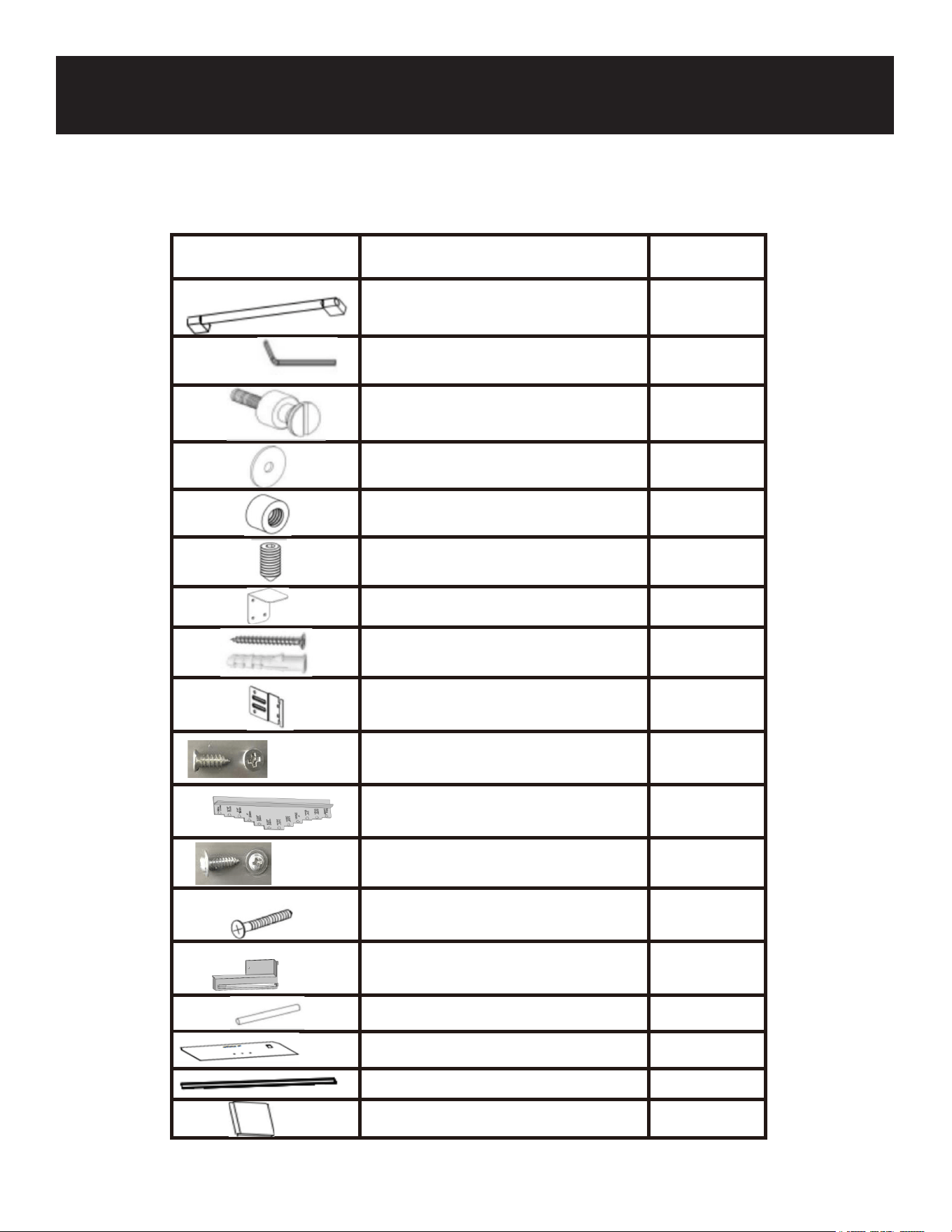
Quantity Part
KM-PRC-W18
Door handle (if applicable)
1
Allen/hex key (if applicable)
1
Handle mounting fastener
(if applicable)
2
Gasket (if applicable)
2
Stop nut, M5 (if applicable)
2
set screw, M5*10 (if applicable)
2
Anti-tip bracket
2
Anti tip bracket screws and dowels
8
Bracket furniture
8
Counter sunk head screw, ST4x14 20
Truss washer head, ST4*12 16
Position adjustment part
1
Countersunk head screws for xing
wooden doors ST4x35
8
Air vent hinge part (if applicable)
\
90° limit pin
1
Furniture door preparation template
1
Decorative parts
1+2
User manual
1
Parts List
9
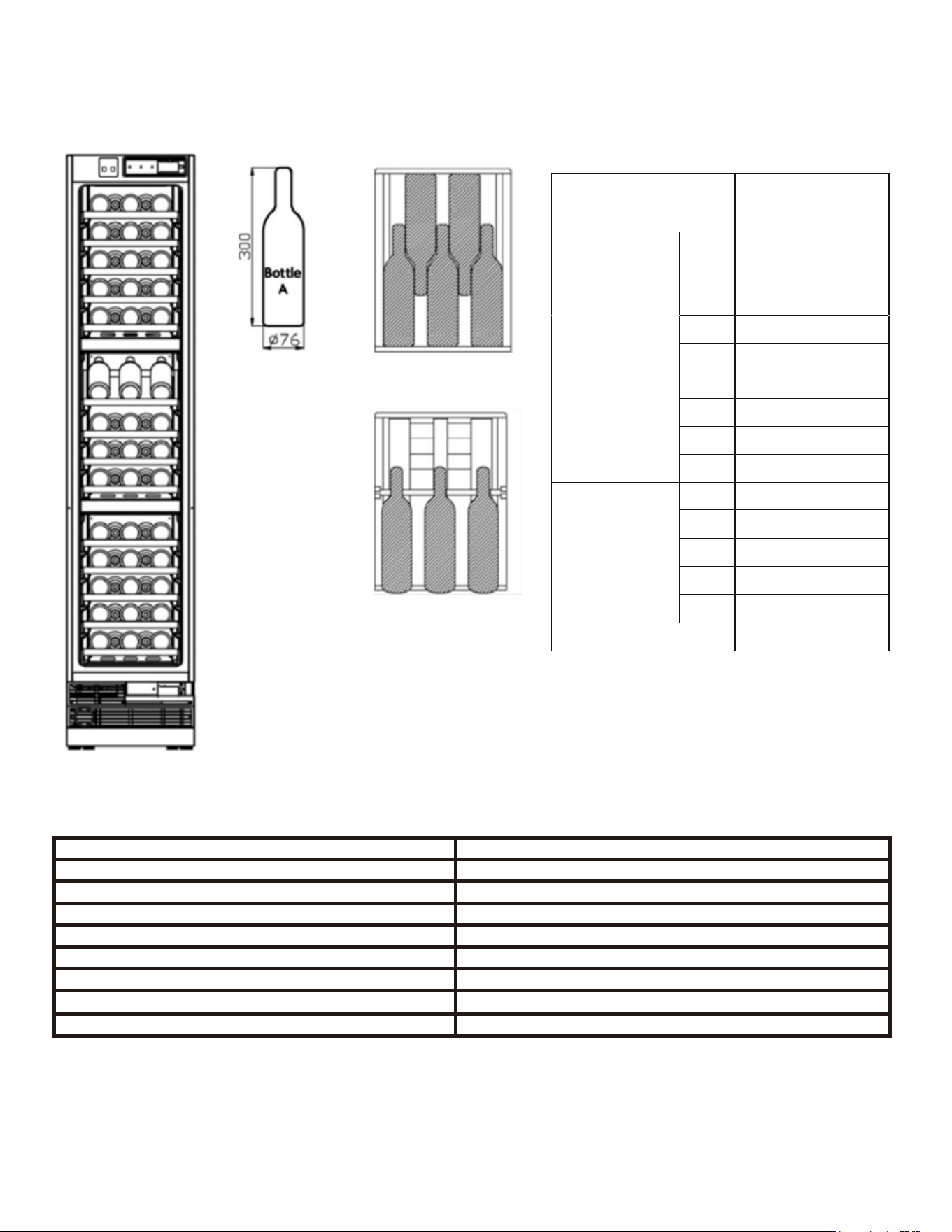
DESCRIPTION OF PRODUCT wine cooler
MODEL KM-PRC-W18
VOLTAGE/FREQUENCY AC 115/ 50&60Hz
AMPERAGE 1.5A
COLOR White OR Grey
STORAGE CAPACITY 68 & 62 Bottles
REFRIGERANT R600a
TEMPERATURE RANGE 41°F - 68°F
DIMENSIONS (HxWxD) 83 9/16 x 17 3/4 x 23 1/2
Internal Storage
*Storage capacity is based on standard 12 oz. cans and 750 ml. Bordeaux-style wine bottles.
Specications
Load
capacity
Bottle
storage
(Bottle
A)
Upper
zone
1 5
2 5
3 5
4 5
5 5
Middle
zone
1 3
2 5
3 5
4 5
Lower
zone
1 5
2 5
3 5
4 5
5 5
Total 68
10
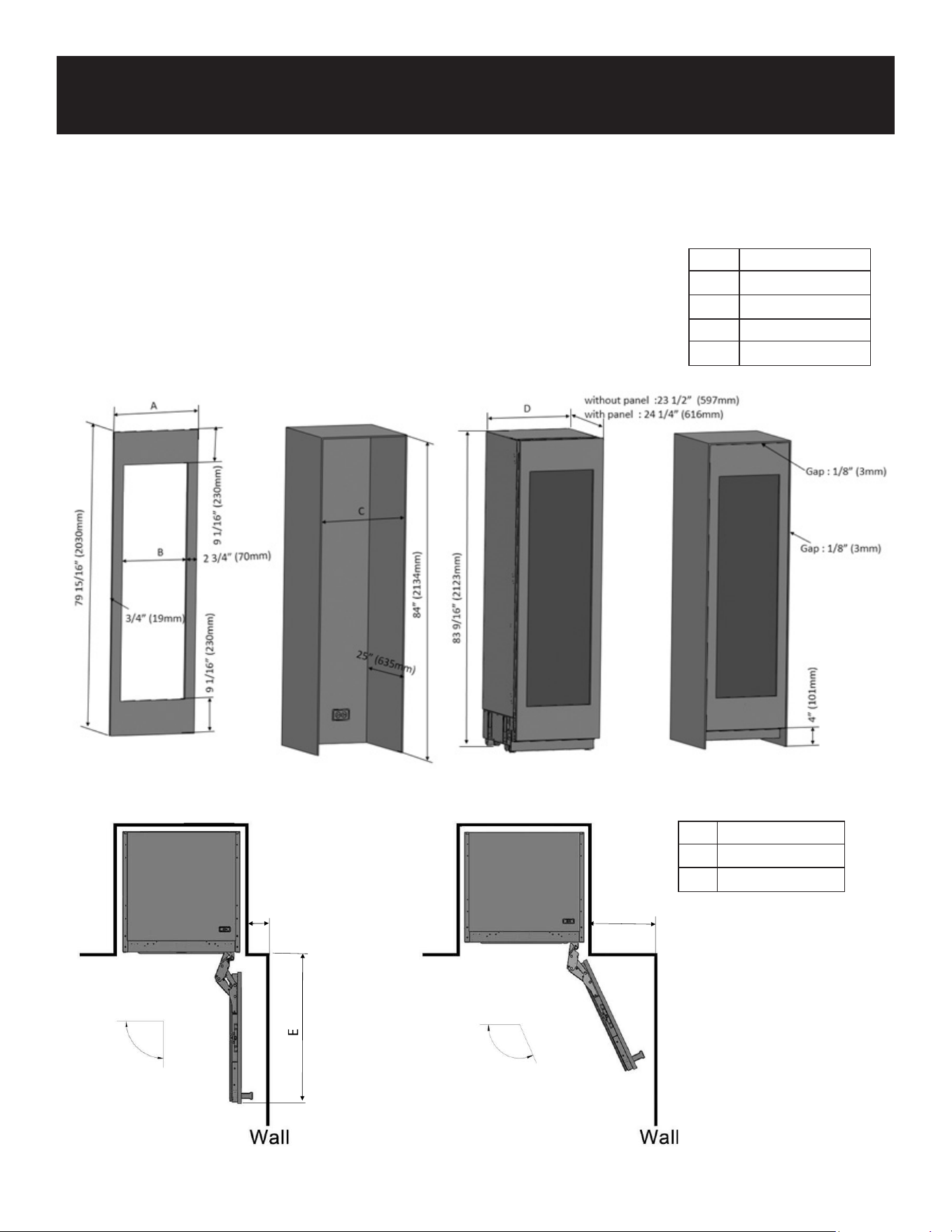
Installation dimensions
Wood panel cutout dimension and installation clearance
KM-PRC-W18
A
17 3/4"
B
12 1/4"
C
18"
D
17 3/4"
4 3/8" (110mm)
F
90°Door swing
115° Door swing
KM-PRC-W18
E
20"
F
11"
Installation
11
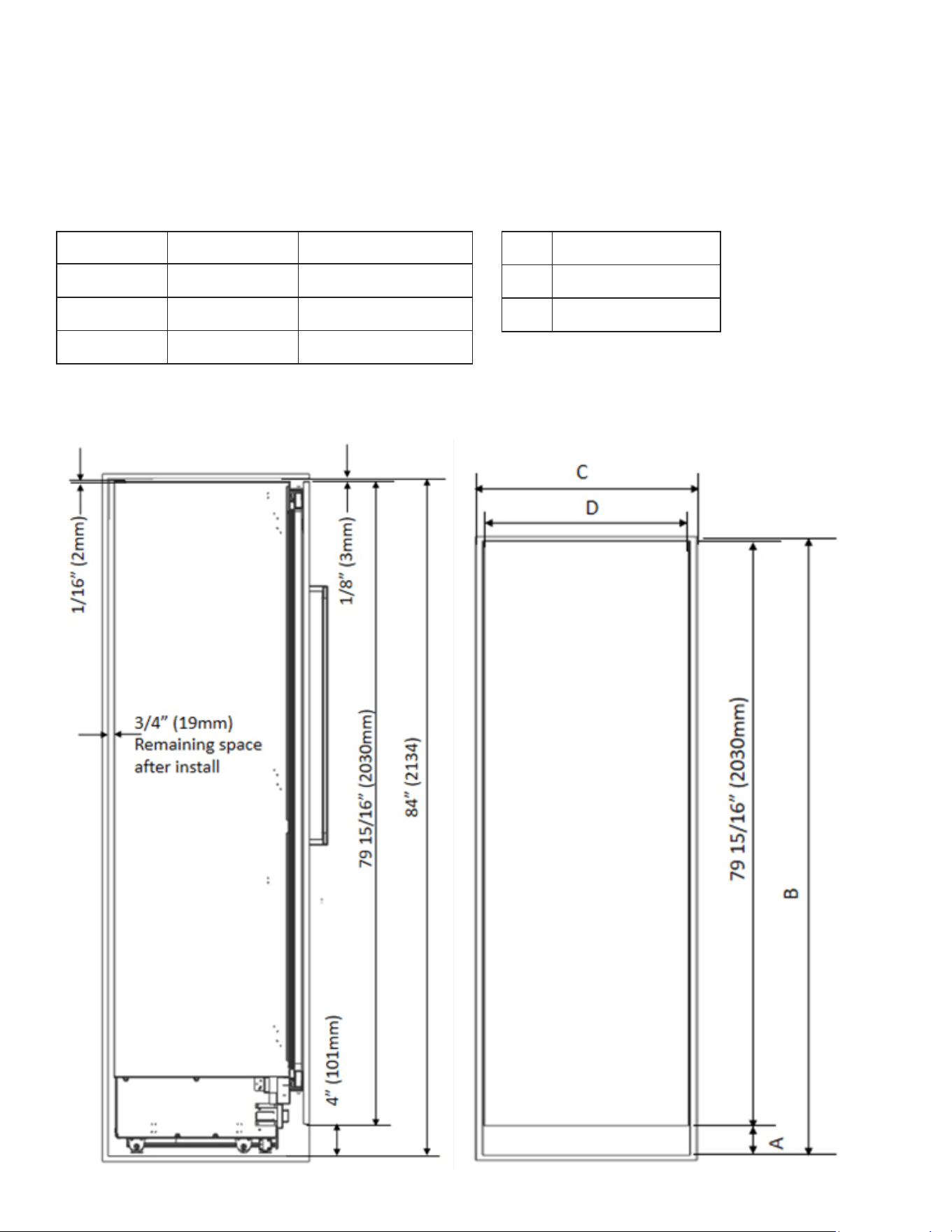
KM-PRC-W18
C 18"
D 17 3/4"
A B
standard 4" 84”
minimum 3 3/4" 83 3/4"
maximum 5 5/16" 85 5/16"
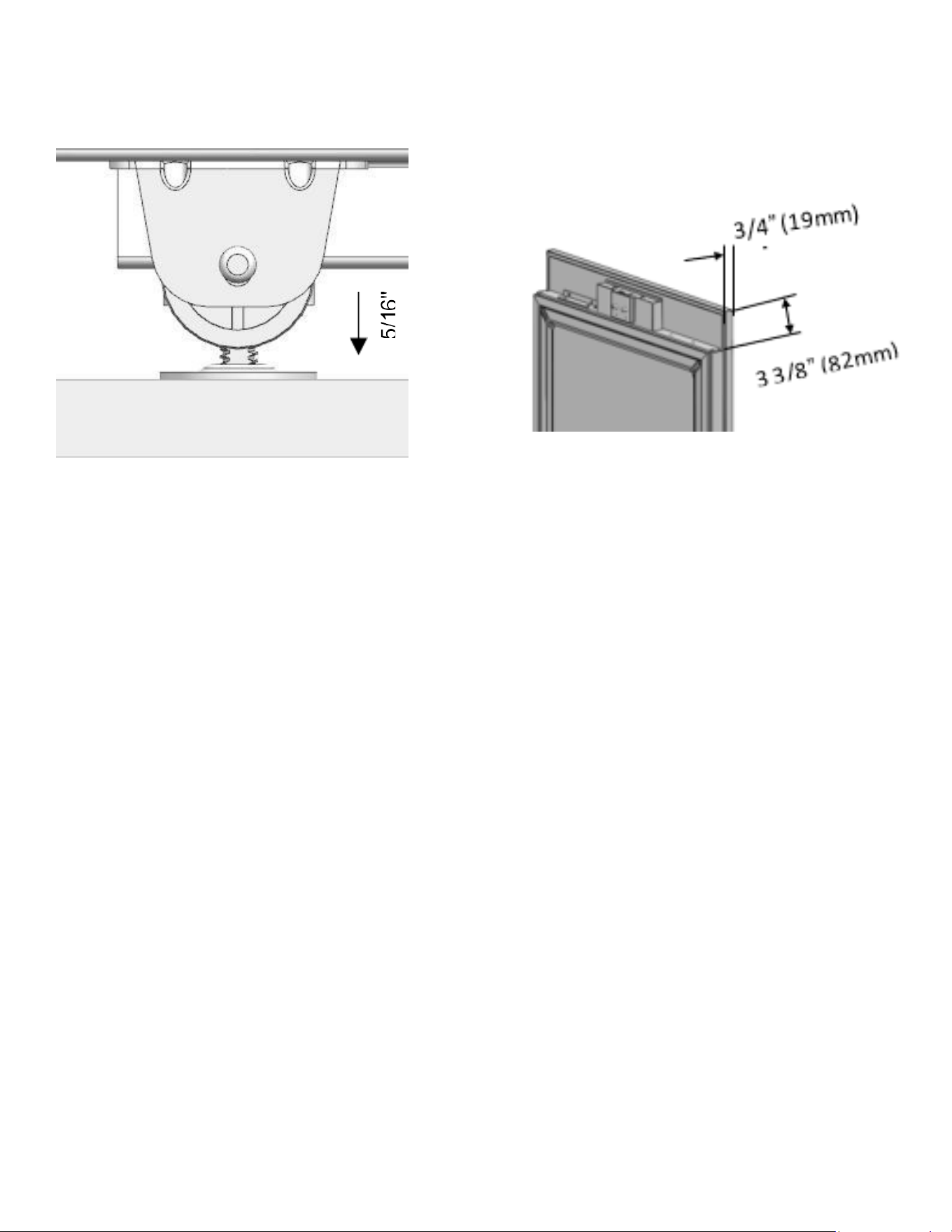
12
Anti tip brackets location
Minimum height
adjustment for leveling
Assembly dimension
between Wood panel and
fridge door
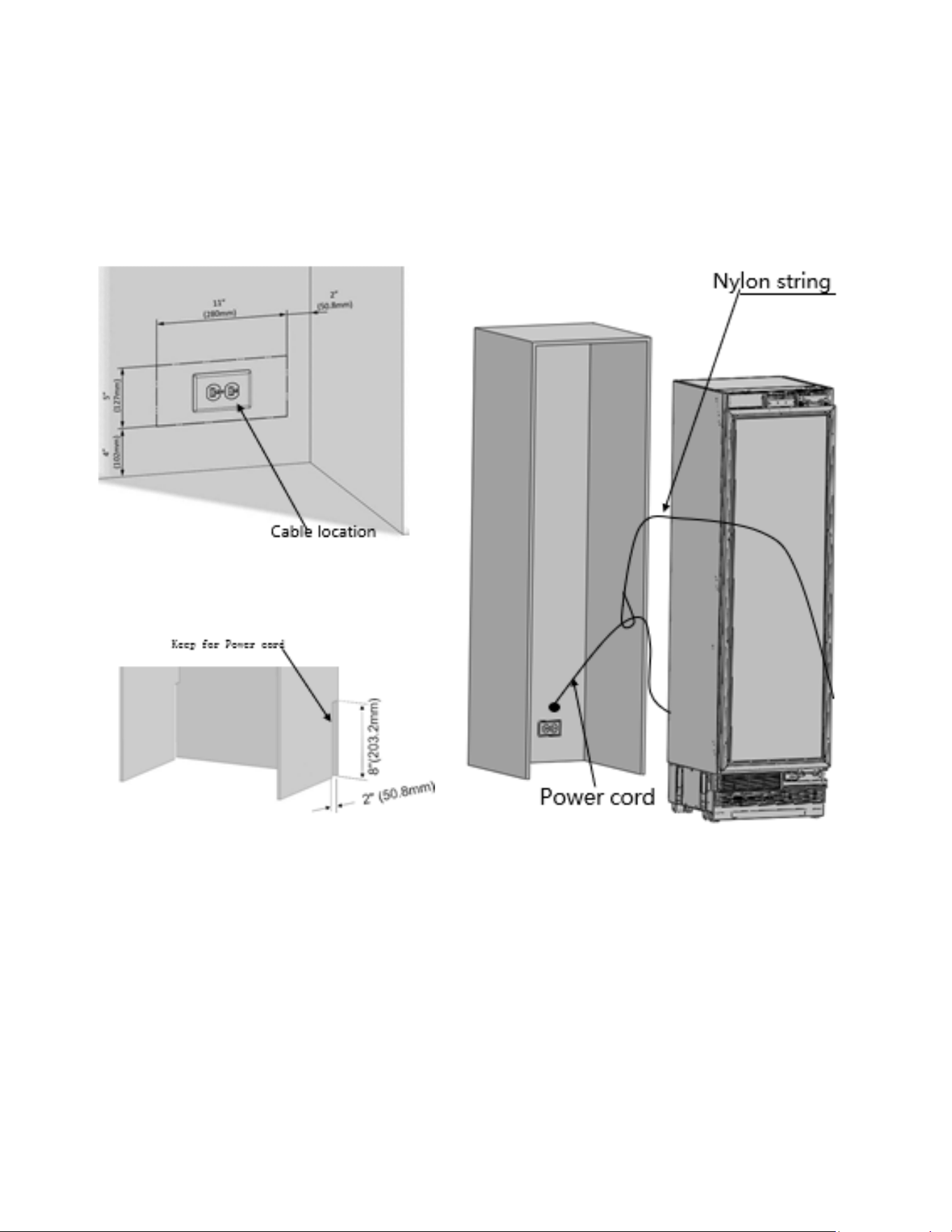
13
Power cord installation
Use nylon string to prevent the cable
from getting jammed.
Electrical location
14
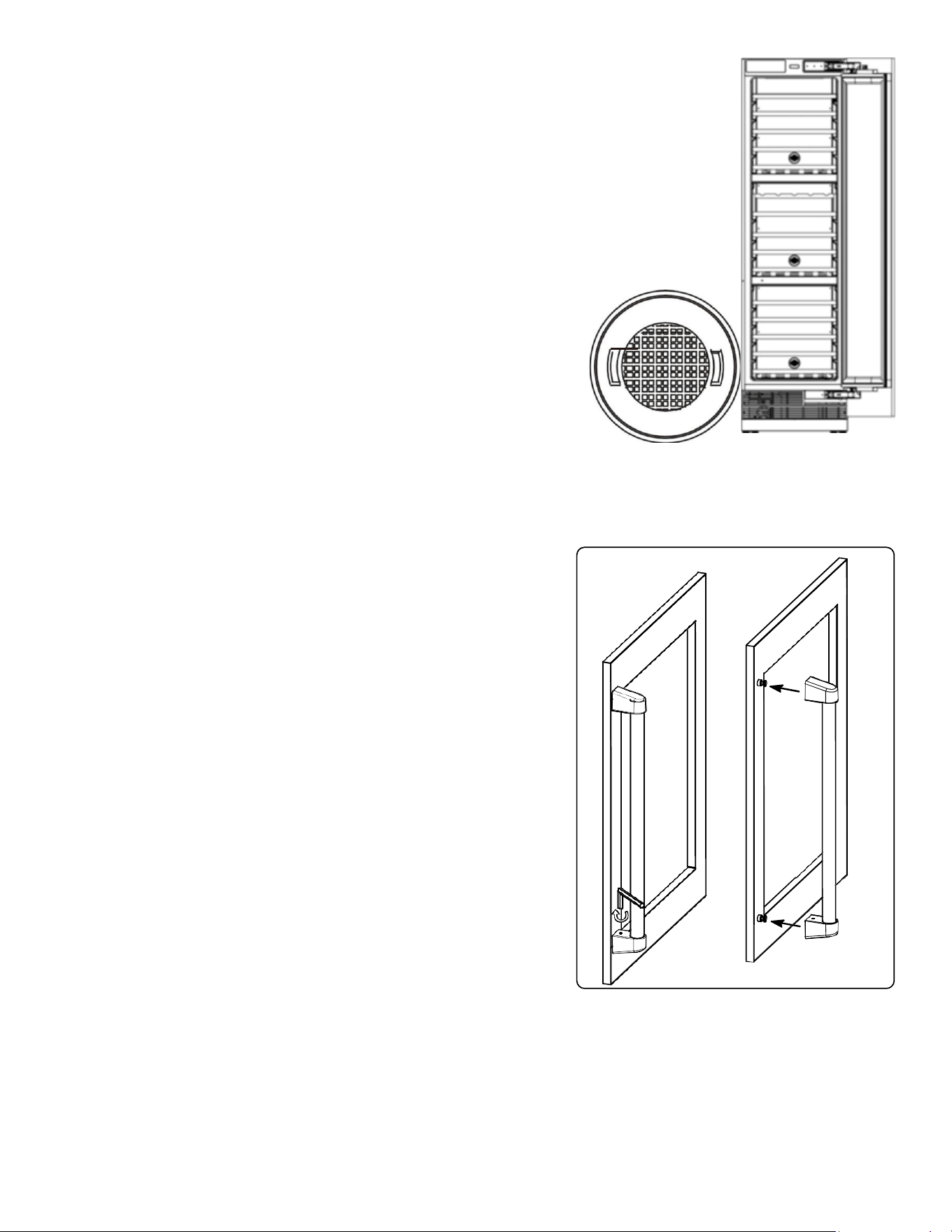
Carbon Filter
Function: The built-in carbon lter helps protect your beverages by acting as a bar-
rier against harmful odors.
Replacement: Replace the carbon lter every 3-6 months. If your refrigerator is
exposed to high odor levels, you might need to replace it more frequently.
How to Replace: To remove the old lter, turn it counterclockwise to unlock it from
the rear panel.
Handle Installation (if applicable)
Customization: If you want a different style of handle, you can
install pro or contemporary handles.
Installation Steps:
Alignment: Align the handle xing holes with the holes on the
wooden door.
Fixing: Insert the screws into the aligned holes and tighten
them with a screwdriver.
15
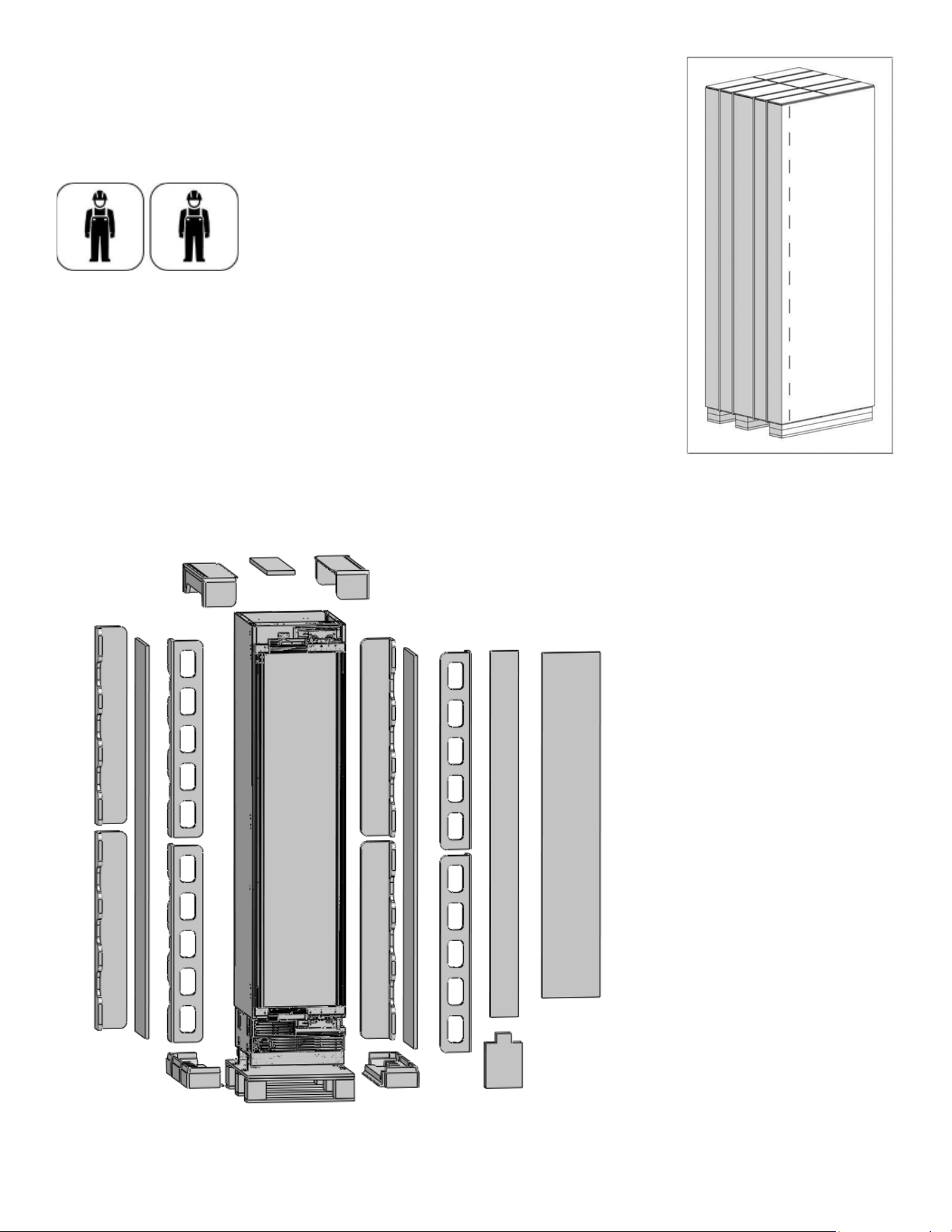
Removing the packing
• Use a box cutter to remove the tapes.
• Cut the Packaging Board with a Box Cutter through the section illustrated
in dotted lines and remove it.
At least two persons must carry the refrigerator.
Remove the Packaging Polystyrene material.
Do not remove the tape of the upper door on the product until the refrigerator is placed into the cabin.
Risk of tipping over
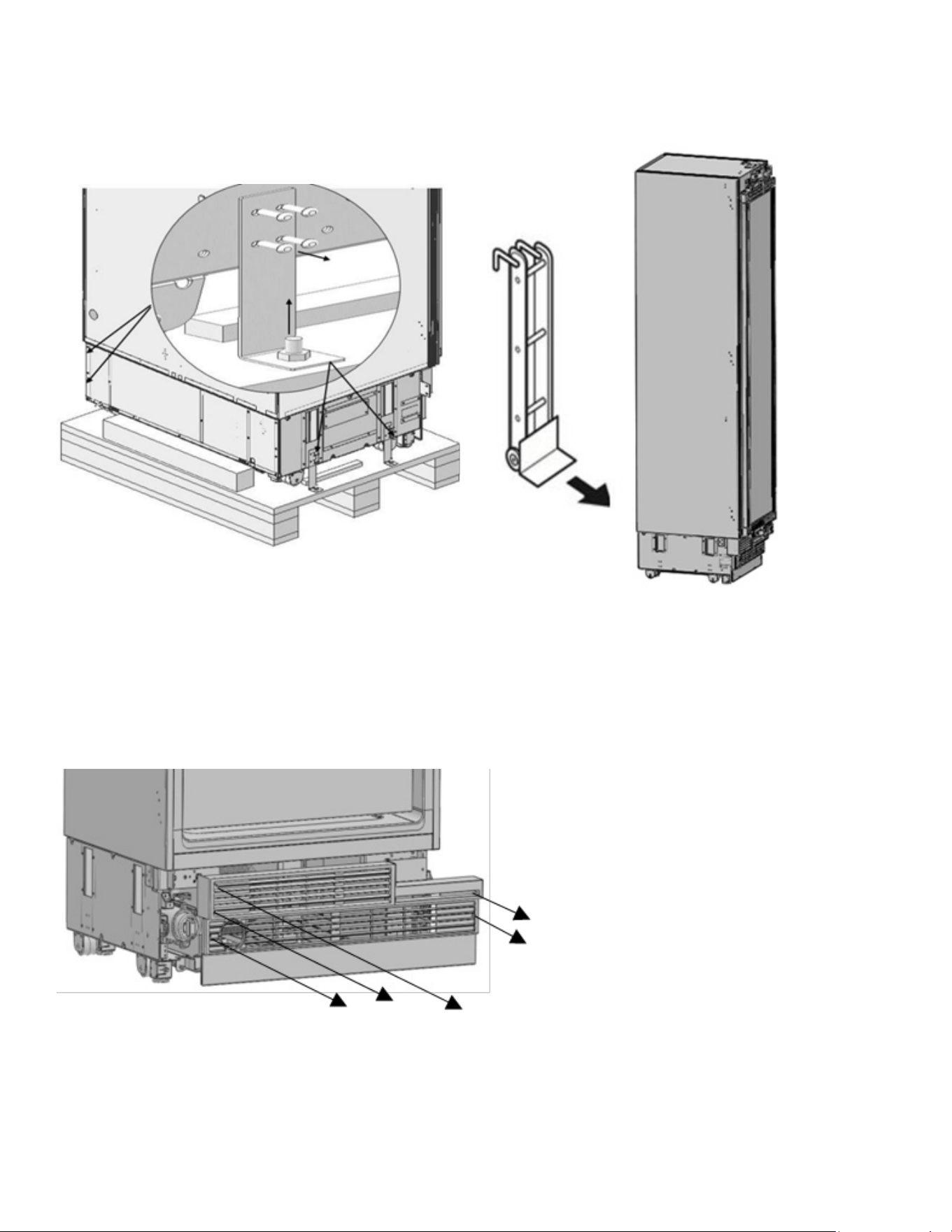
16
• Take the refrigerator off the wooden pallet
• Remove the brackets that connect the refrigerator to the Wooden Pallet.
• Recline the wine cooler slowly and pull back with the help of the cart, and then land it
The risk of tipping over is high as of this point. You should not open the doors
until the product is placed into the cabin.
Removing the vent hole assembly
Remove 5 screws to take out the Vent Hole Assembly.
17
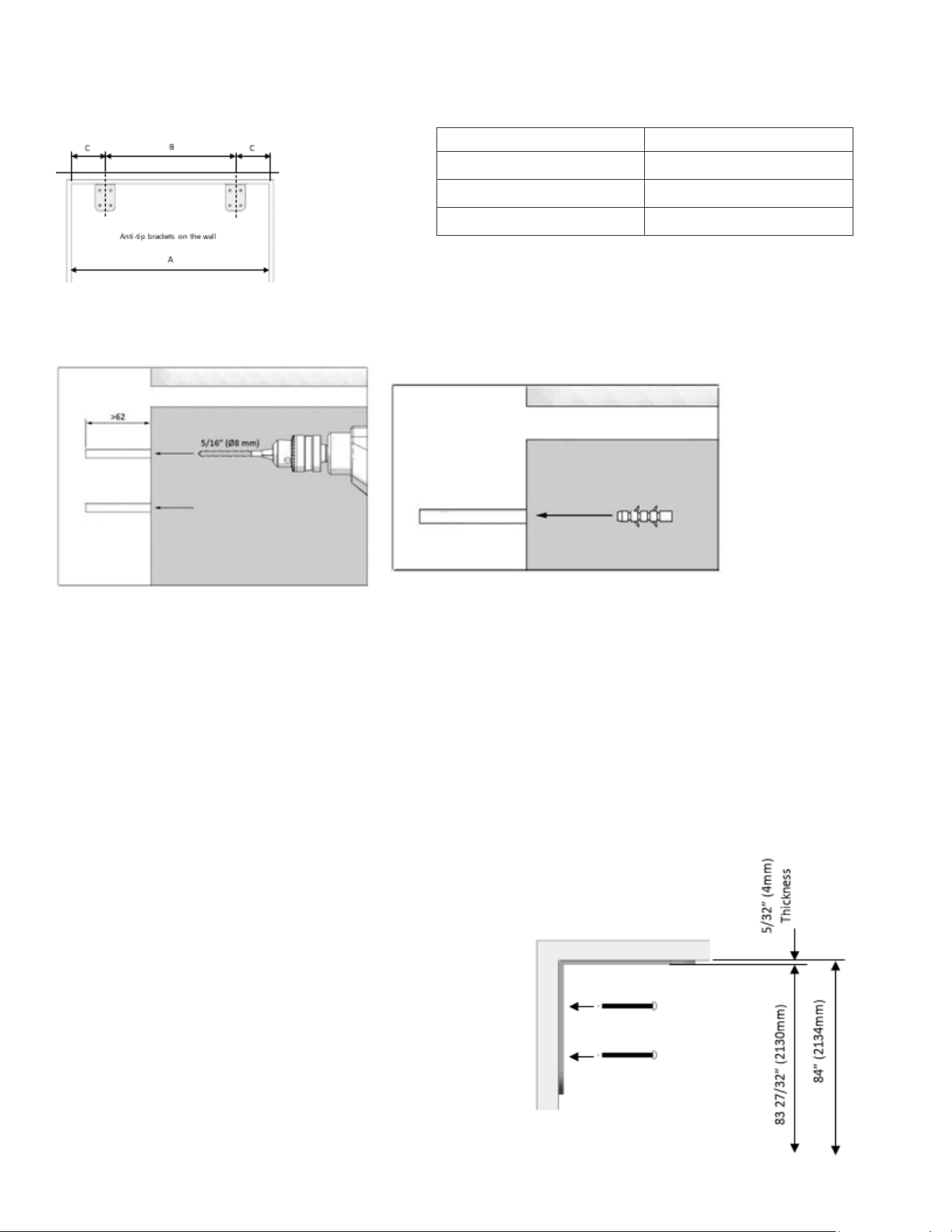
Mounting the anti-tip brackets
1. Mark the wall for anti-tip brackets
2. Use a drill to create holes for dowels at the Use the hammer to t the dowels
marked points. (5/16” -08)
3. Fit the brackets into their places, using 4 screws for each.
4. You must use all of the 2 brackets to ensure safety of the product.
5. Please remember to use the necessary protective equipment when drilling holes on the wall and
performing installation.
Category
KM-PRC-W18
A
18” (457mm)
B
11 5/8 (295mm)
C
3 3/16" (81mm)
18
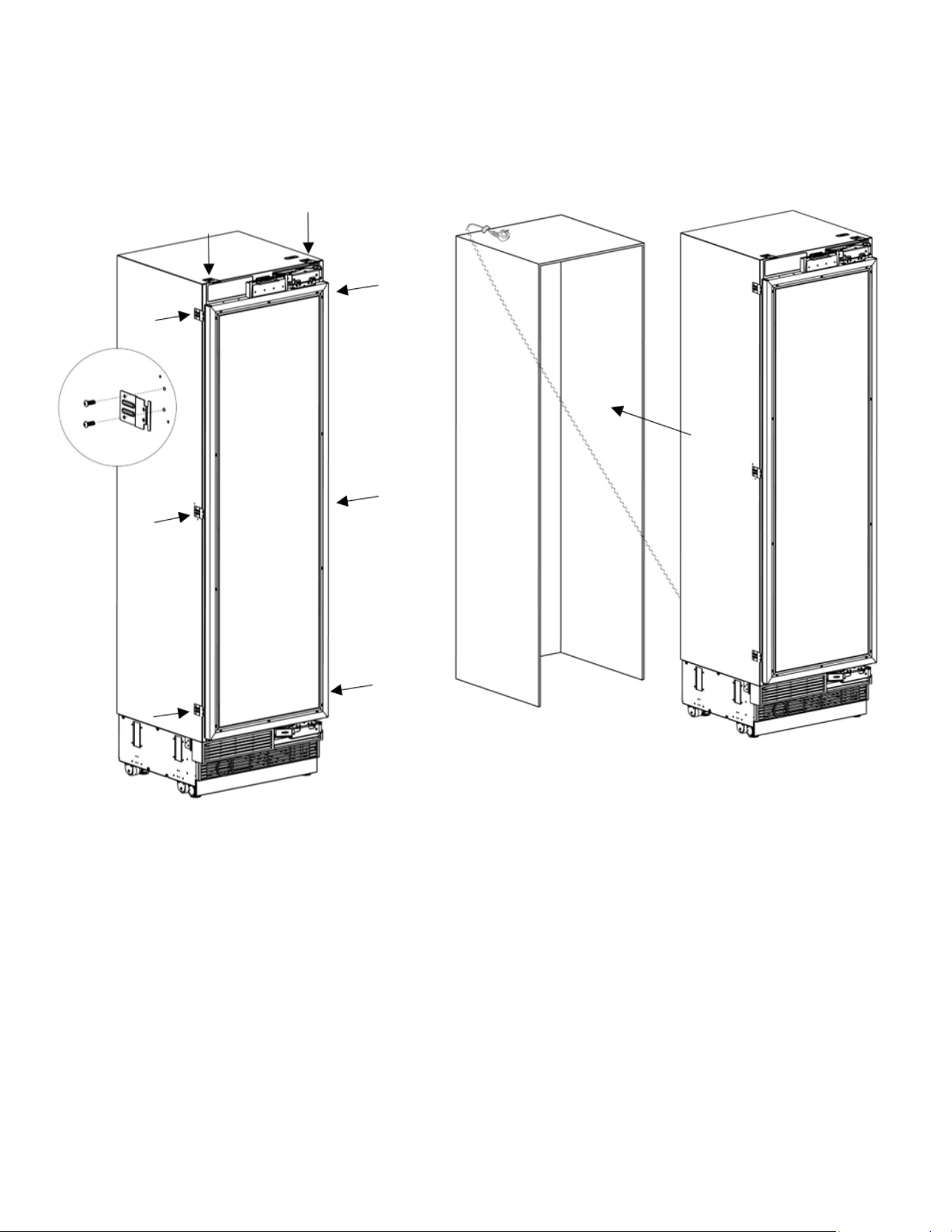
Screwing the side and upper brackets
• Fix the bracket furniture to the unit, where 2 on the top, and 3 on every side.
• Use the truss washer head screws(ST4*12) to tighten.
• Push the product carefully towards the cabin to place it.
• The plug of the product must be accessible after installation.
19
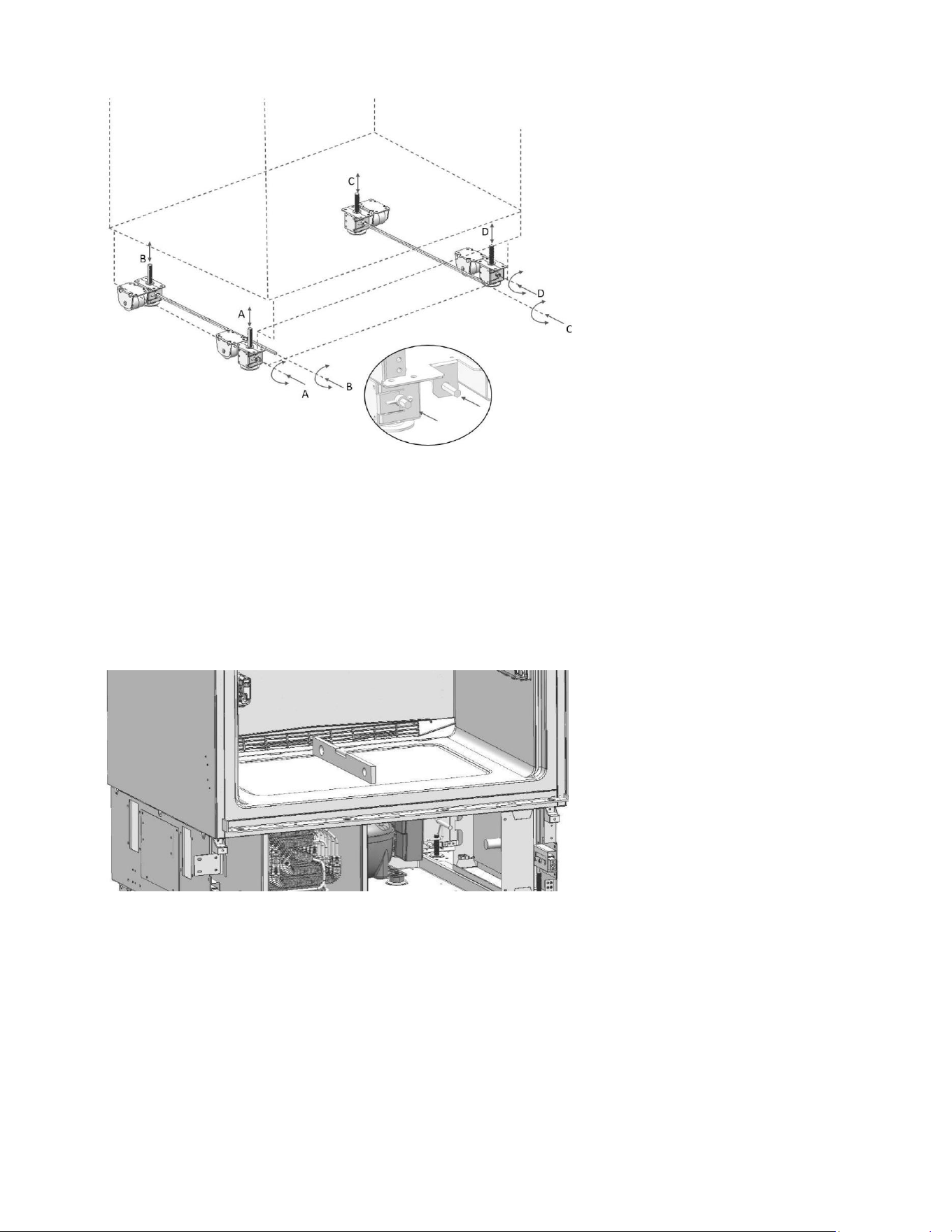
Adjusting the height of the wine cooler in the cabin
1. Adjust the wine cooler height using the adjustable feet.
Raise the front feet to reduce the risk of the cabin falling frontward.
A/D –Turn the key clockwise to lift the front
B/C –Turn the key clockwise to lift the rear
2. After adjusting the adjustable feet, check the atness in both width and depth directions.
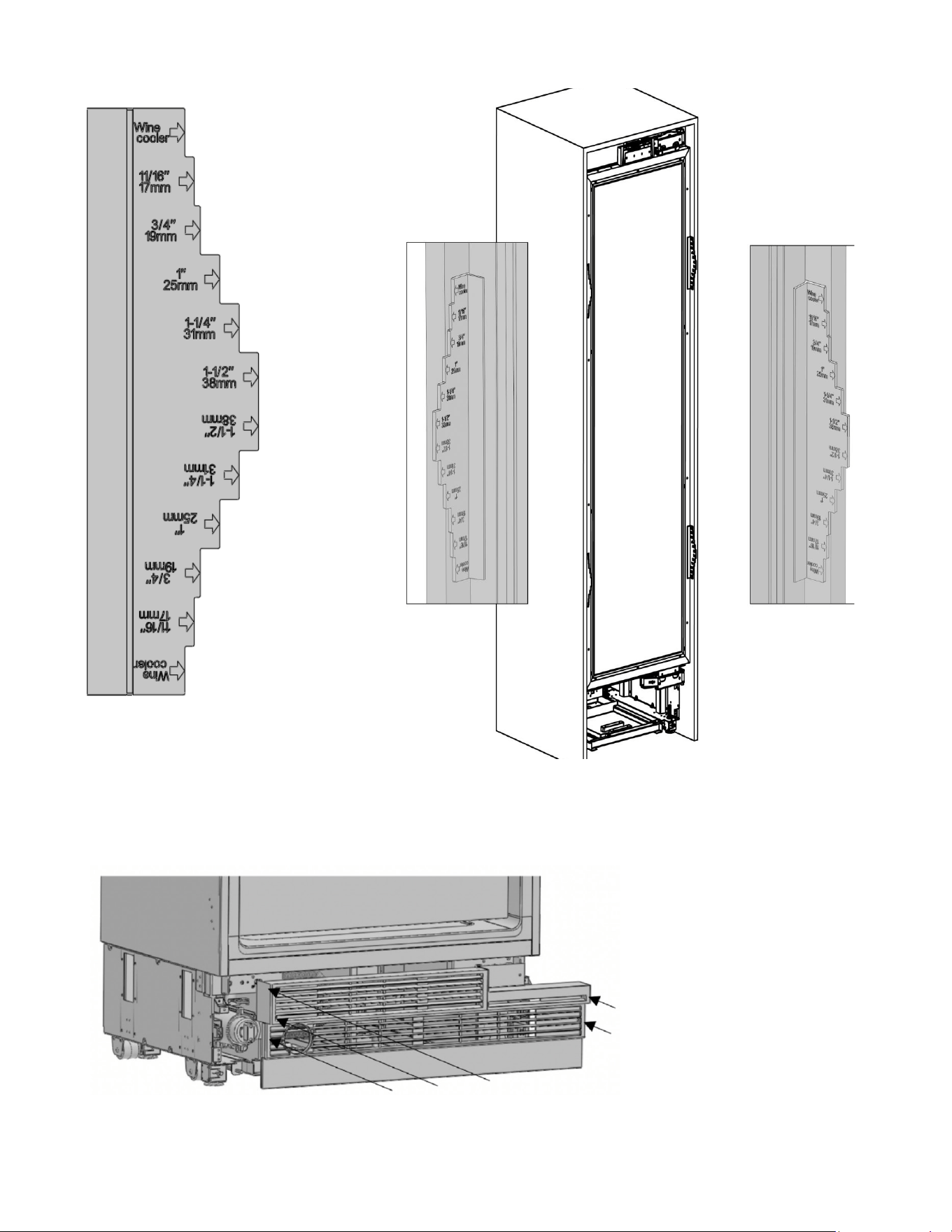
20
Adjusting the refrigerator according to the cabin ange
Position of the level adjustment must be adjusted according to the thickness of the door.
Attaching the vent hole assembly
Use 5 screws to attach the vent hole assembly.
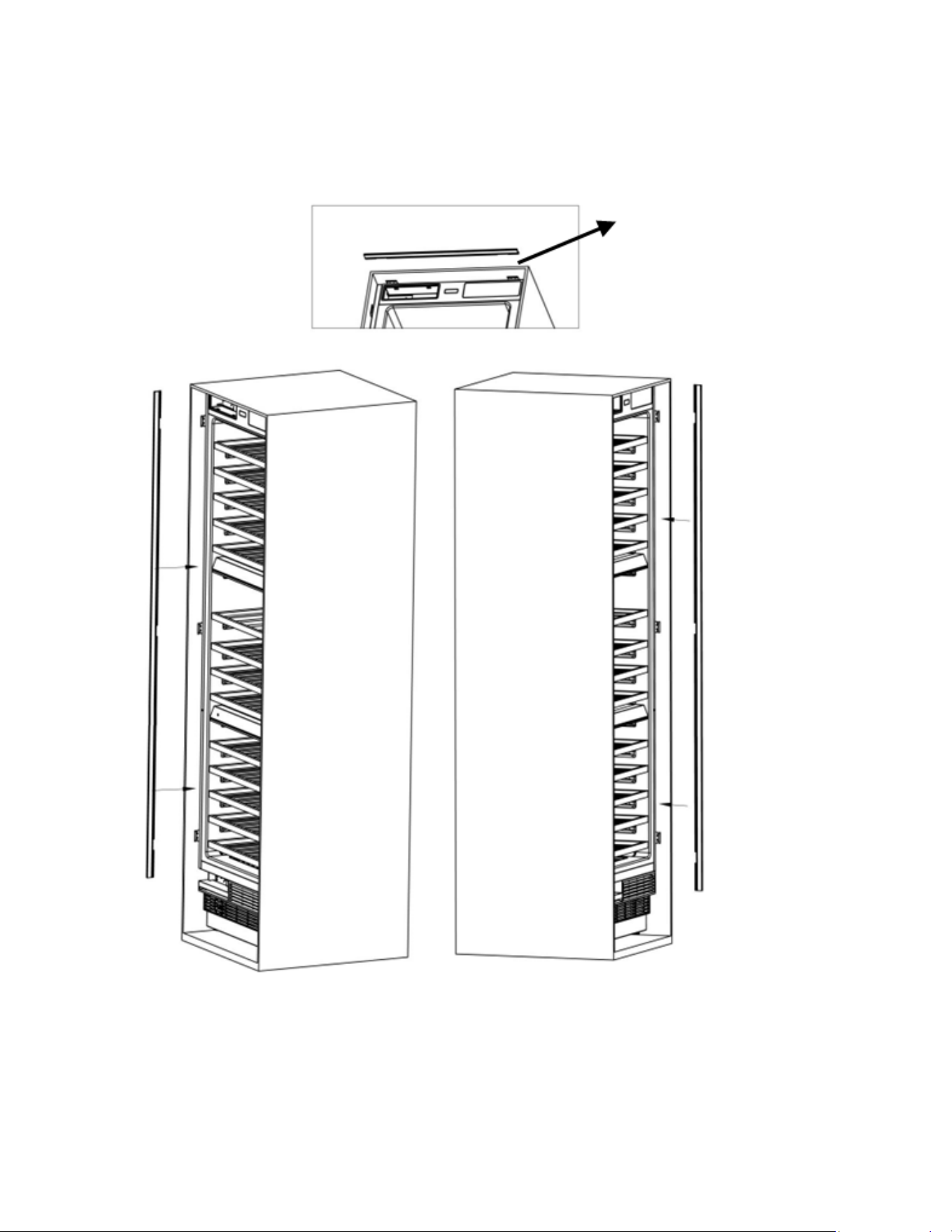
21
Attaching the decorative parts
Attach the side closing parts onto the right/left/upper connection brackets.
18.7”
108.89”
109.29”
22
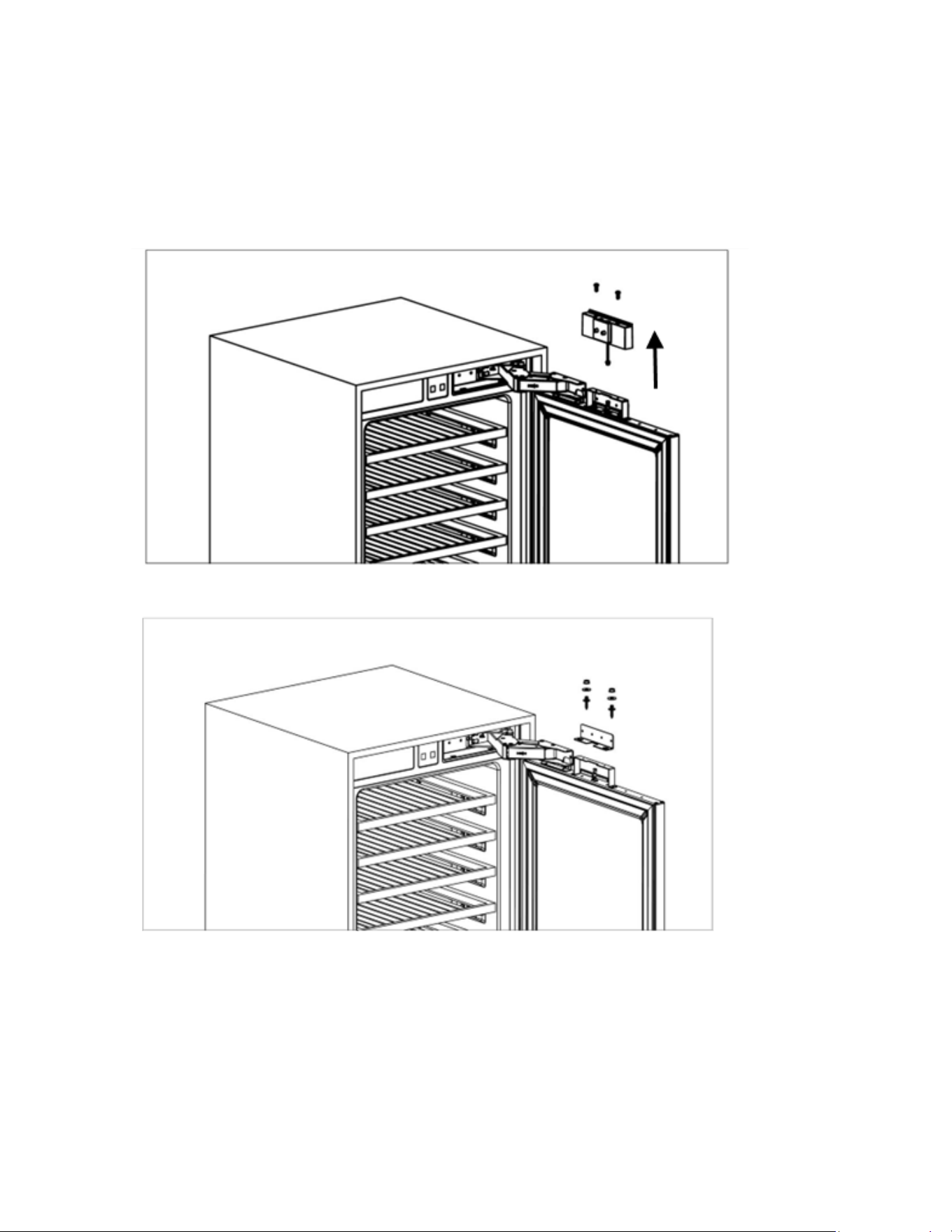
Removing the panel-adjustment mechanisms on the refrigerator
1. Remove screws to take out the top hanger bracket cover.
There is a magnet on the top hanger bracket cover. This is a functional part for the operation of
the product. It should not be confused with the low hanger
2. Remove the upper and lower adjusting mechanism assemblies from the door.
23
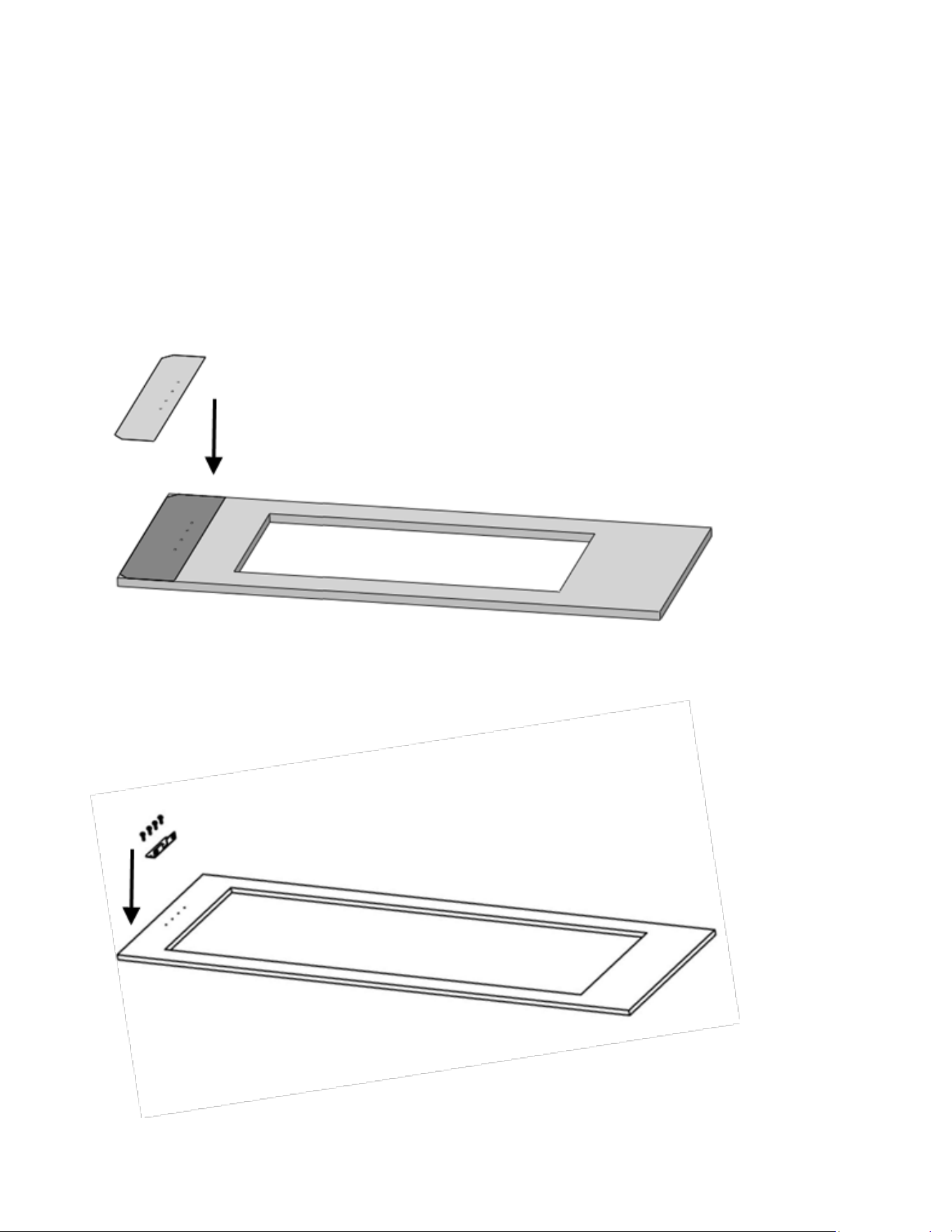
Preparing furniture door
• When marking, you can use the “Furniture door preparation template” provided with the product.
• Install cradles using the chipboard screws(ST4x14).
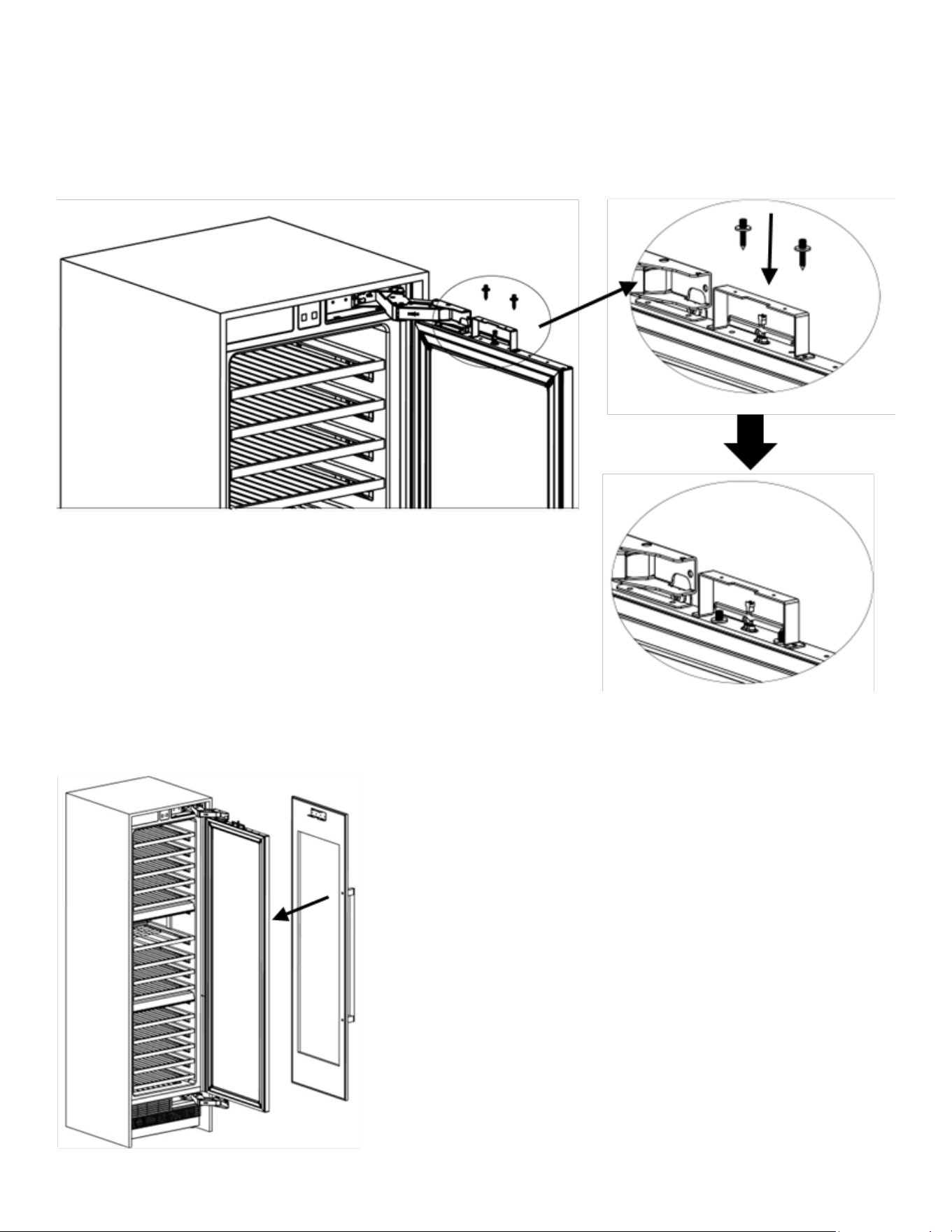
24
Installing the furniture door
• Use 2 screws to x.
• Attach the furniture door to the door
• You should adjust 3D direction using by two xing bolt to perform ne adjust-
ments.
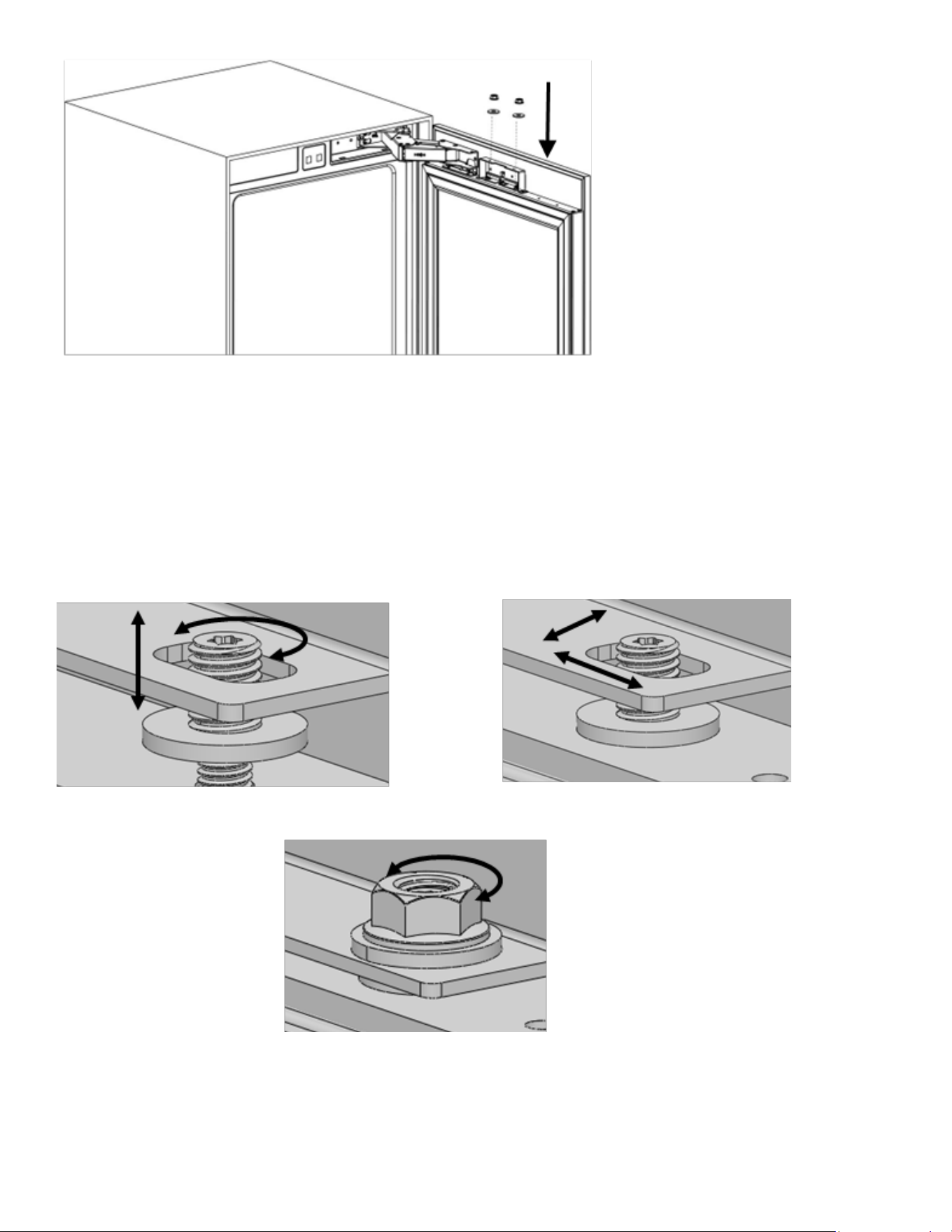
25
• How to align the furniture door upper part with bolts.
Up & down Front & back
Left & right
Fixing furniture door com-
pletely
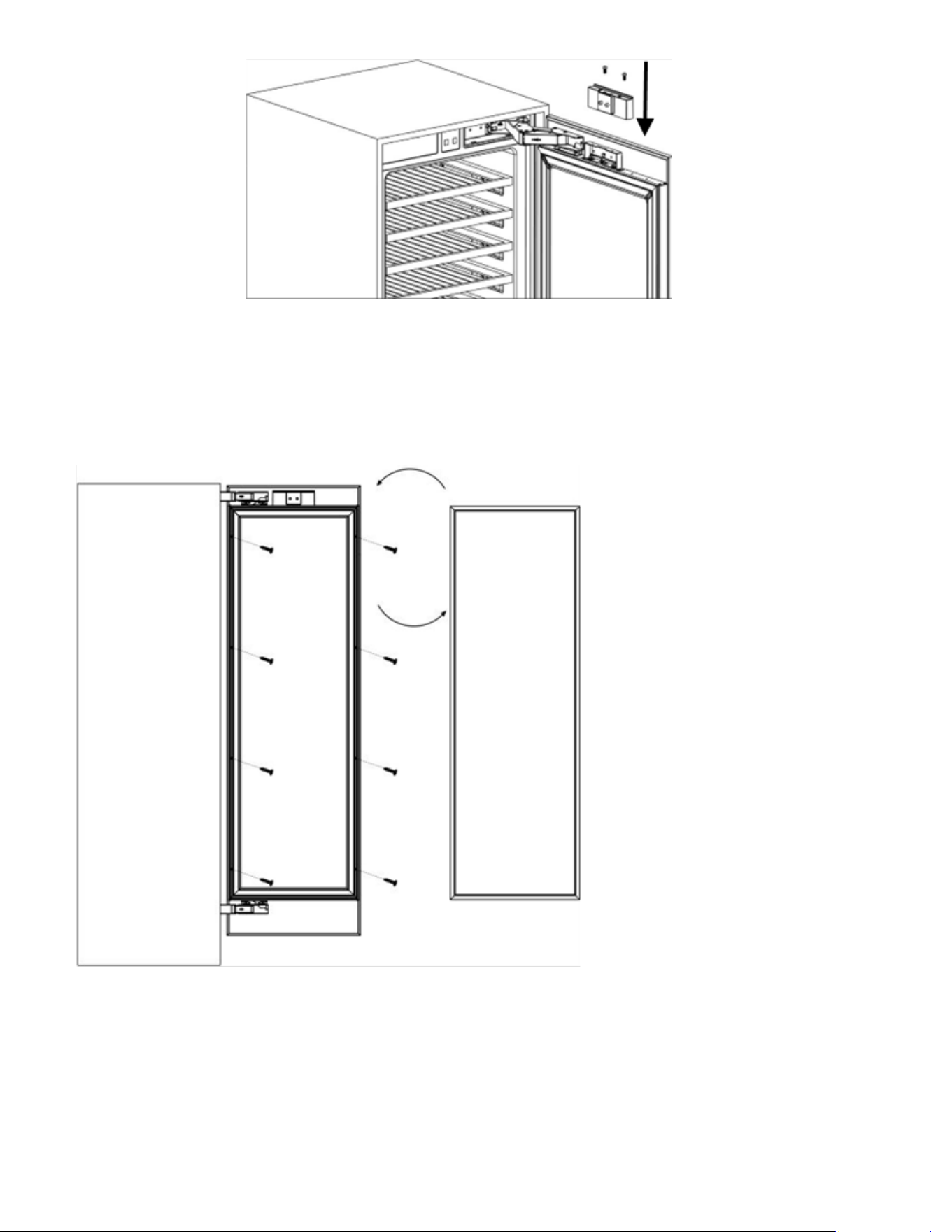
26
The left and right are secured by installing screws(ST4x35).
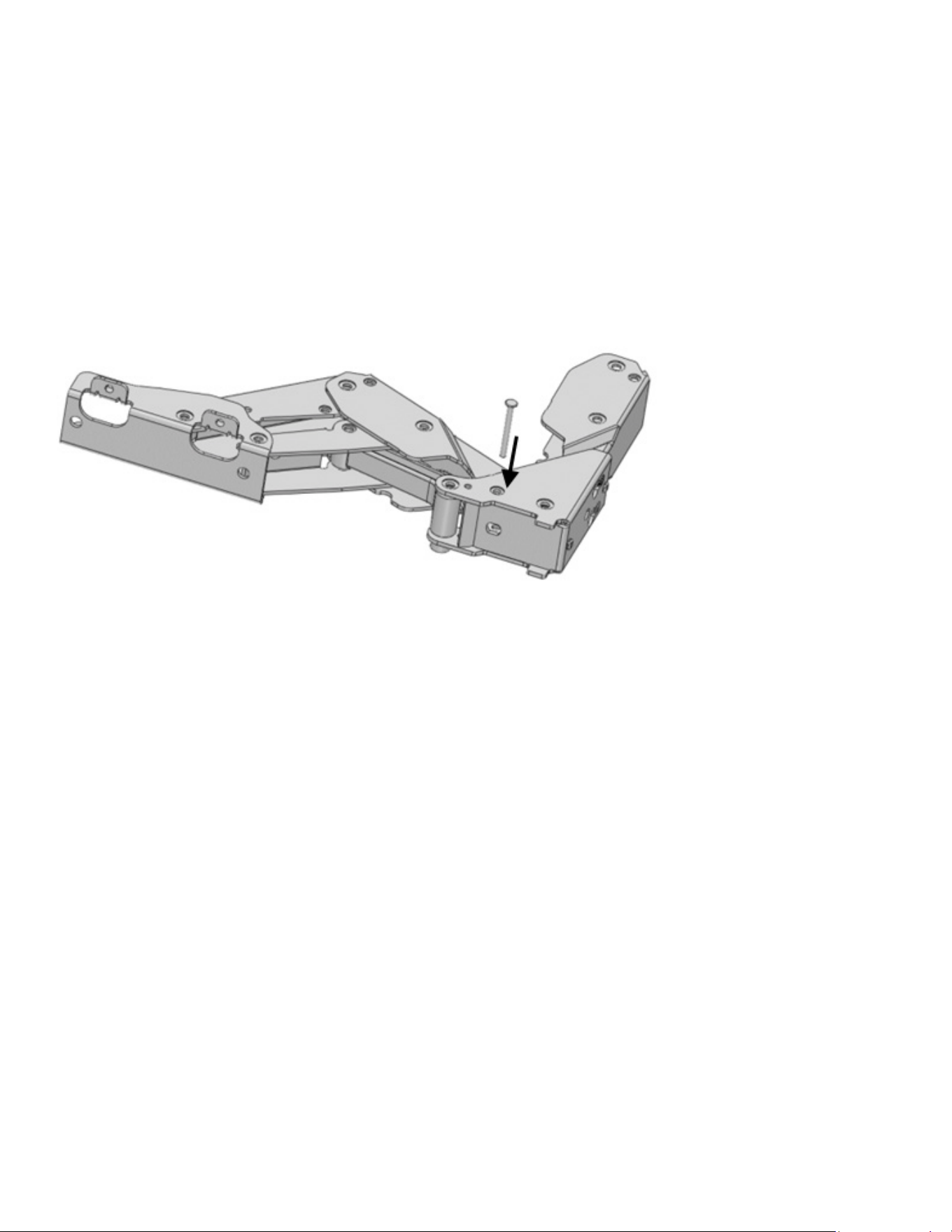
27
Installing the limit pins
limit pin should be inserted to upper hinge.
The door of your refrigerator can open by 115° maximum.
If the door thickness is more than 1 ½” , the door should not open more than 90°.
You must use 90°limit pin on the hinge.
Pin must be fully seated in the bracket or the door will not close properly.
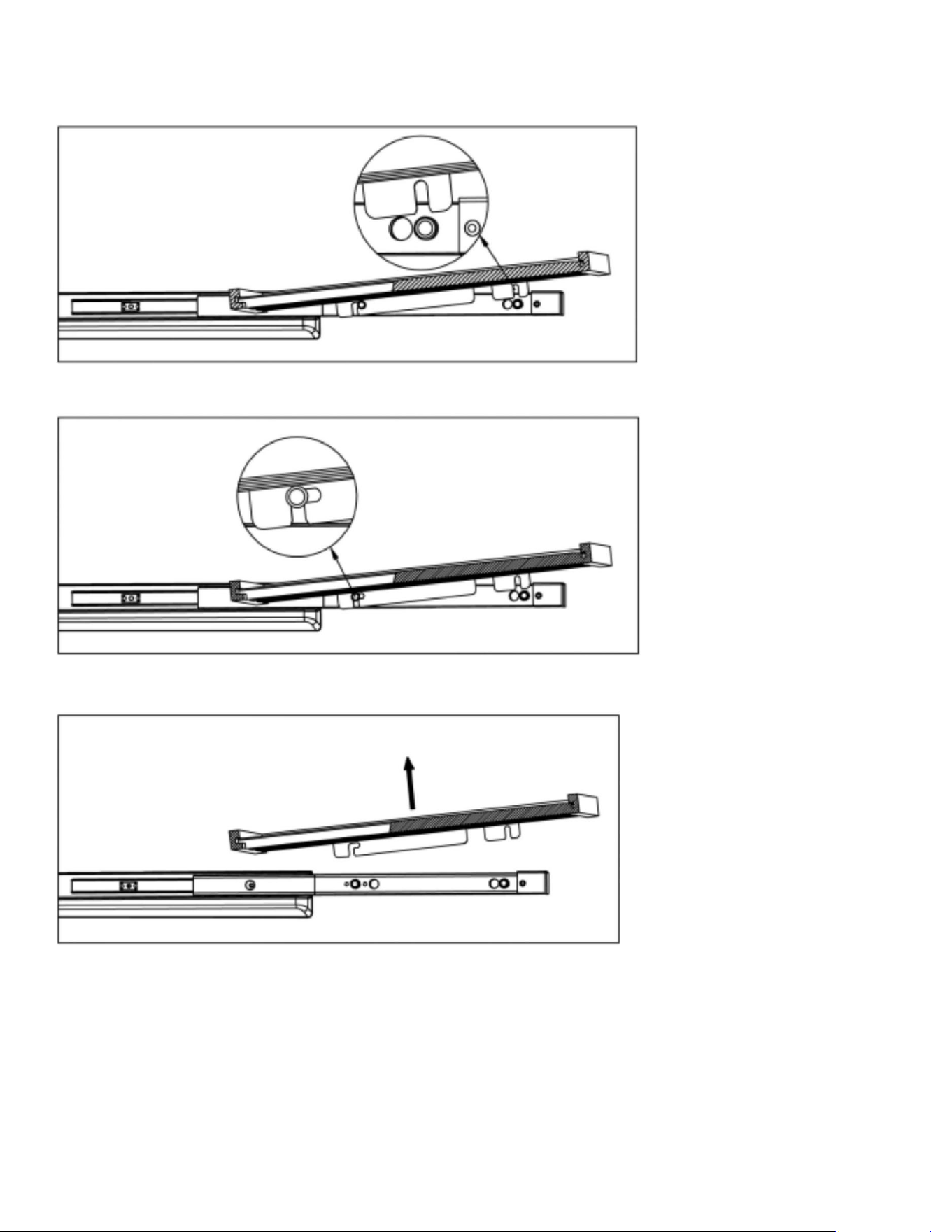
28
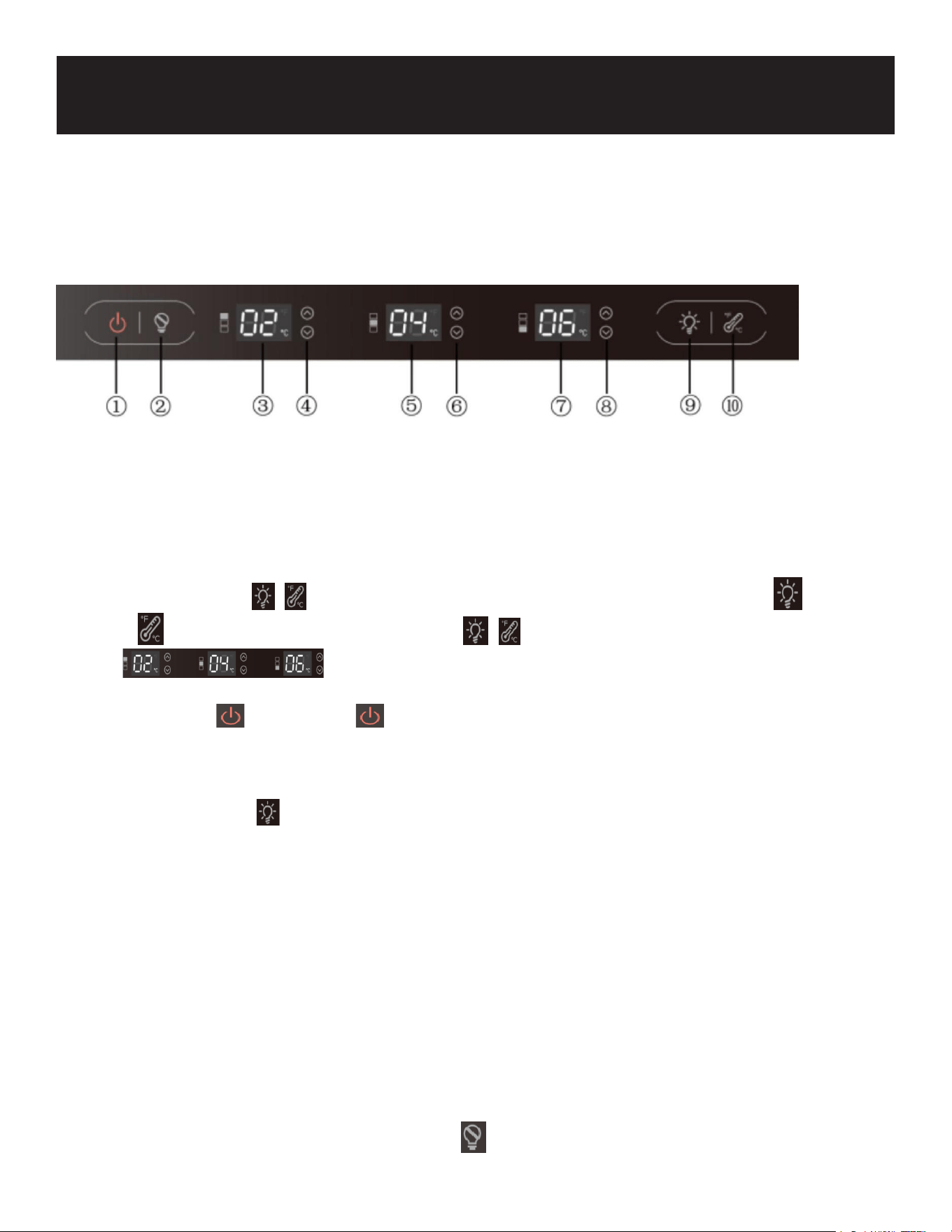
Removing the Wooden Shelves
1. Pull the wine rack. Wine rack card slot out of the guide rail xed column.
2. Pull the wine rack forward. The guide retaining post is stuck in the position indicated in the gure
that the retaining.
3. Pull the wine rack to
remove.
29
If the unit is unplugged, power lost, or turned off, you must wait 3 to 5 minutes before restarting the unit.
If you attempt to restart before this time delay, the appliance may not start and will not keep the last set
temperature.
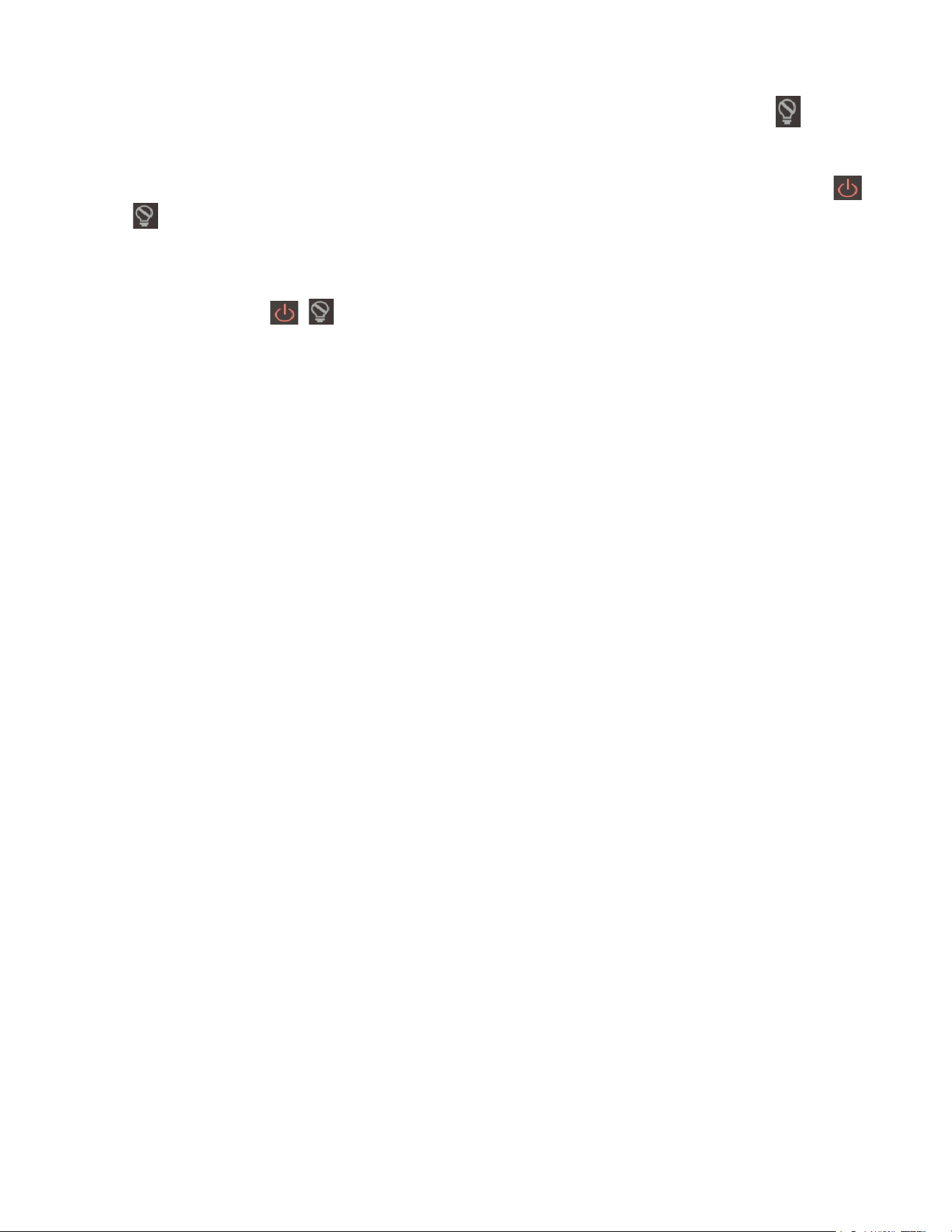
Control Panel
①
Power
On/OFF
②
Sabbath
Mode
③
Upper
Zone Temp
④ Above
Zone Temp.
Control
⑤
Middle
Zone
Temp
⑥
Middle
Zone
Temp.
Control
⑦
Lower
Zone
Temp
⑧ below
Zone Temp.
Control
⑨ Light Switch
⑩
Temp.
Display
Change
℃←→℉
• Child lock key ( + ): default is set to unlocked. To lock, you need to press (
+ ), manual locking. To unlock, press ( + ) to unlock; lock, press any key in
the box within the three temperature zones at the same time. See
blinking for 3 seconds, accompanied by beeping to suggest that its locked.
• On/Off key : Long press " " for 3s to turn on or turn off the power; when shutting
down, cut off the power of all peripherals and enter standby mode;
• LED Lighting Button: The LED lighting is controlled by the door switch; opening the door turns
the light on, and closing it turns it off. To cycle through the lighting modes (red, blue, white,
off), short press .
Note that the last mode is not saved when the light is turned off.
• To keep the light on continuously, long press the button for 3 seconds; this will display
the temperature zones for 5 seconds each before returning to the temperature display. To
revert to showing the temperature, press the key again. When the light is on, you can adjust
the brightness by pressing the up/down key to cycle through 7 levels from L1 (dim) to L7
(brightest). The last brightness setting is saved.
• Open and close the door control: when the door is opened, the lighting is turned on, the
display is lit and kept until the door is closed, the fan stops, when the door is opened for more
than 5 minutes, the open door alarm is triggered, and the alarm is turned off by pressing any
key; when the door is closed, the lighting is turned off (except for the manual operation of the
light), the fan stops the state of lifting and starting immediately, and the door is closed for 30
seconds, and the display is turned off.
• Shabbat Mode: on/off key : Short press " " key to enter or exit Shabbat Mode; after entering
Shabbat Mode, the press and fan will run normally, the lighting will go out for 96 Hours,
Operation
30
the display will go out for 96 Hours, the buzzer will turn off, and the power failure will be
memorized, and the power failure will be automatically exited after 96 hours of operation, and
the failure will also be automatically exited; if you need to exit manually, press " " key to exit
the Shabbat mode, and after exiting, it will run in normal mode.
• Show room mode: Enter the Showroom mode: Under the power off status, long press (
+ ) key for 3 seconds, enter the Show room mode, and the display panel will have “SN”
word to indicate. Under the showroom mode, the compressor will not work, meanwhile, other
functions will normally work. The showroom mode will not quit if power shut down, and the
mode will automatically quit after 72 hours. Quit the Show room mode, under the power off
status, press the ( + ) key again for 3 seconds, exit the Show room mode.
NOTE
When you change the temperature on the panel, the panel displays the current temperature and the
temperature on the display will gradually change according to the internal temperature until it reaches
the desired temperature. Note that it will take time for the wine cellar to reach the new temperature.
This is normal. You do not need to set the desired temperature just because the display does not show
your desired temperature.
If the control panel has moisture or liquid on its surface, it may fail. Wipe the moisture or liquid using
a dry cloth, and then try again.
Power failure memory function
(after power-on, the Settings remain in the state before power failure)
UPPER ZONE Temperature: 41°F - 68°F
MIDDLE ZONE Temperature: 41°F - 68°F
OWER ZONE Temperature: 41°F - 68°F
31
Explanation Open Circuit Code Short Circuit Code
Above Zone In-cabinet probes E1 E2
Above Zone Frosting probe E3 E4
Middle Zone In-cabinet probe E5 E6
Middle Zone Frosting probe E7 E8
Above Zone In-cabinet probes E9 E10
Below Zone Frosting probe E11 E12
Error Code
If a malfunction occurs, you should contact a service technician for repairs. Here are the trouble
codes you might encounter:
Note:
• Alarm Activation: When there is a fault code, the buzzer will emit “Tick” “Tick” “Tick” three consecu-
tive alarm sounds, the fault code will ash every 10 seconds in a cycle, and the alarm will be activat-
ed. If you want to release the alarm sound, press the on/off key.
• Key Press Sound: Whenever a key is pressed, the buzzer sounds “Tick”.
Defrosting
• Automatic Defrost: The wine cooler is designed with an automatic defrost system. However, on
colder settings, some frost might still build up. Humid ambient conditions can increase frost build-
up.
• Minimizing Frost: To minimize frost, keep the door closed as much as possible and avoid unneces-
sary door openings.
• Manual Defrosting: If frost is preventing the door from closing properly, you might need to power
the unit off until the frost melts, which could take up to 24 hours. Use a soft absorbent towel to dry
the unit afterward.
WARNING: Do not puncture refrigerant tubing.

32
Normal Sounds
Your wine cooler might produce sounds that are unfamiliar to you, especially if it's new. Hard surfaces
can amplify these sounds. Here are some common sounds and their sources:
• Rattling Noises: These might come from the refrigerant or water line ow.
• Items on Top: Items stored on top of the wine cooler can also make noises.
• Compressor: The high-eciency compressor might produce a pulsating or high-pitched sound.
• Water Running: Water running from the evaporator to the water bin can make a splashing sound.
• Gurgling: At the end of each cycle, you might hear a gurgling sound from the refrigerant owing.
• Air Movement: Air being forced over the condenser by the condenser fan might be audible.
Cleaning the Unit
Proper maintenance ensures eciency, top performance, and longevity of your wine cooler.
Interior Cleaning
1. Disconnect Power: Turn off the power to the unit.
2. Empty the Unit: Open the door and remove all contents and shelves.
3. Wipe Down: Use a clean cloth to wipe down the interior.
4. Reinsert Shelves: Put back the shelves and beverages.
5. Reconnect Power: Turn the power back on.
Exterior Cleaning
• Cleaning Solution: Use a mild detergent and lukewarm water solution, such as 2 tablespoons of
baking soda to 1 quart of water. Avoid solvents, acids, or abrasive cleaners.
• Cleaning Method: Use a soft sponge to apply the solution, rinse with clean water, and dry with a
soft cloth or towel to prevent water spots. If the door panel is stainless steel, be cautious as it can
discolor when exposed to chlorine gas and moisture.
• Stainless Steel: Clean with a cloth dampened with a mild detergent and warm water. Never use
abrasive or caustic cleaning agents.
Power Failure
• Minimize Impact: Most power failures are corrected within a few hours and should not signi-
cantly affect the temperature of your appliance if you minimize the number of times the door is
opened.
• Longer Outages: If the power is going to be off for a longer period, take steps to protect your con-
tents, like using ice packs or moving items to another cooler.
Moving Your Wine Cooler
1. Remove all Items: Take out all contents from the wine cooler.
2. Secure Shelves: Use tape to secure all loose items (shelves) inside your appliance.
3. Adjustable Leg: Turn the adjustable leg all the way up (clockwise) to the base to avoid damage
during transport.
4. Door Shut: Tape the door shut.
5. Secure for Transport: Ensure the appliance stays secure in the upright position during transporta-
Maintanence
33
tion. You might also want to protect the outside of the appliance with a blanket or similar item.
Energy Saving Tips
• Location: Place your appliance in the coolest area of the room, away from heat-producing appli-
ances and out of direct sunlight.
• Ventilation: Ensure the unit is adequately ventilated. Never cover the air vents.
• Door Usage: Only open the door for as long as necessary to minimize energy loss.
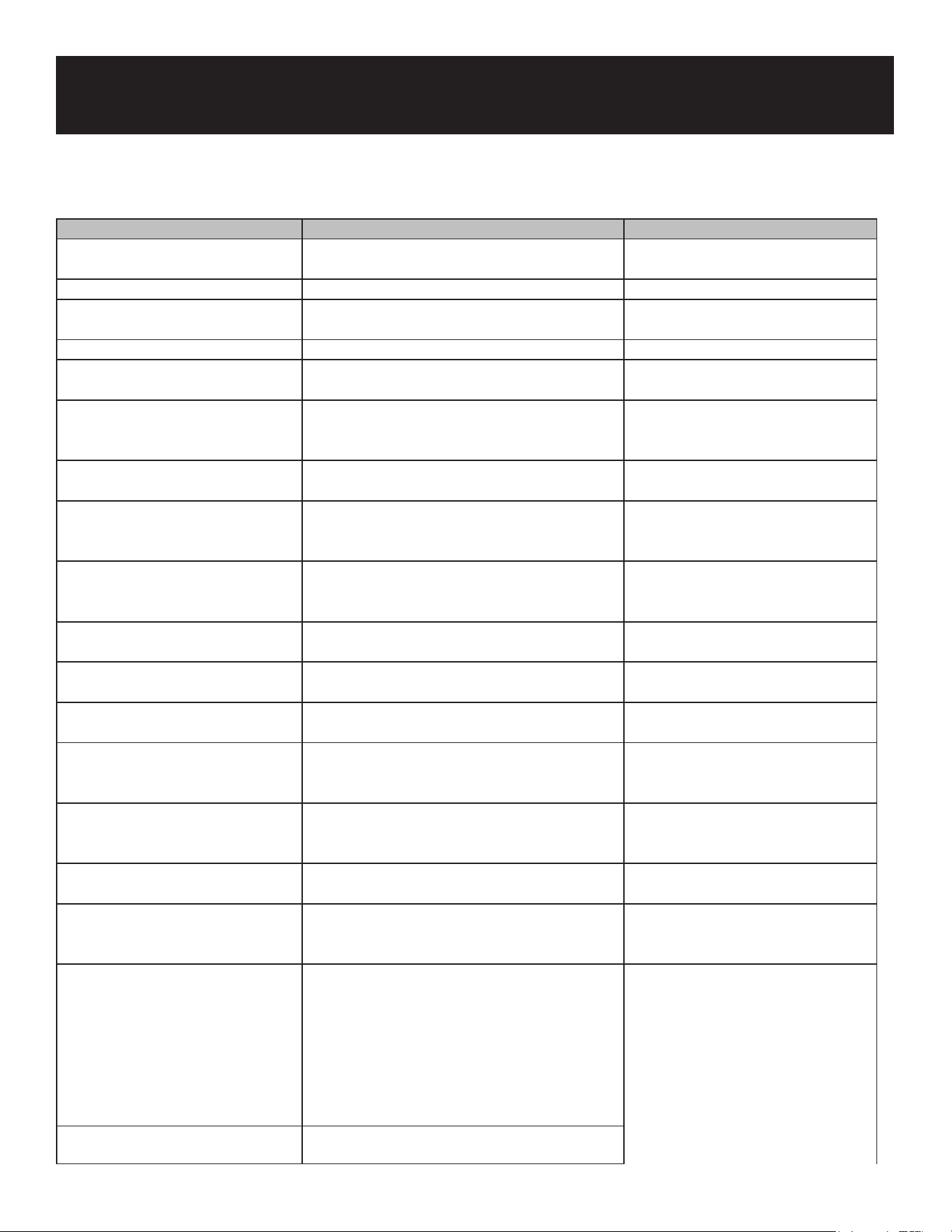
34
Possible Problem Possible Cause Solution
The appliance does not operate. Not plugged in. Ensure the appliance is plugged in
and the power outlet has power.
The appliance is turned o. Turn on the appliance.
The circuit breaker tripped or has a blown
fuse.
Replace the broken fuse or reset the
breaker.
The appliance is not cold enough. Temperature control setting is too high. Adjust the set temperature.
External environment may require a higher
setting.
Keep the appliance away from
sunshine or other heat sources.
The door is opened too frequently or for long
periods of time.
Close the door tightly and minimize
the frequency and duration of door
openings.
The door gasket is not sealed properly. Ensure the door gasket is not loose.
Demonstration mode may be enabled. Check the "Operating Your
Appliance" section to verify that
Demonstration mode is disabled.
The cooler does not have sucient ventilation.Follow the "Installation Clearance
Requirements" in the Installation
Instructions section.
The cooler has restricted air ow due to too
much storage.
Open space in the cabinet to allow
air ow.
The appliance turns on and o
frequently.
The room temperature is hotter than normal. Run the refrigerator at the
appropriate ambient temperature.
The door gasket is not sealed properly. Ensure the door gasket is not loose.
The door is opened too frequently or for long
periods of time.
Close the door tightly and minimize
the frequency and duration of door
openings.
The cooler does not have sucient ventilation.Read and follow the "Installation
Clearance Requirements" in the
Installation Instructions section.
The door is not closed completely. Make sure the door is completely
closed.
The body of the appliance is
electried.
The unit is not properly grounded. Contact your local electrician to test
your electrical grounding system.
Frost is forming in the appliance. The environment is too humid. The unit uses an ‘auto-defrost’
system, under certain conditions,
manual defrosting may be
required. If frost builds up, you
can try running the refrigerator
on a warmer temperature setting,
minimizing the number of times you
open the door or unplugging the
unit to allow the frost to melt.
The ambient temperature is too low.
Troubleshooting
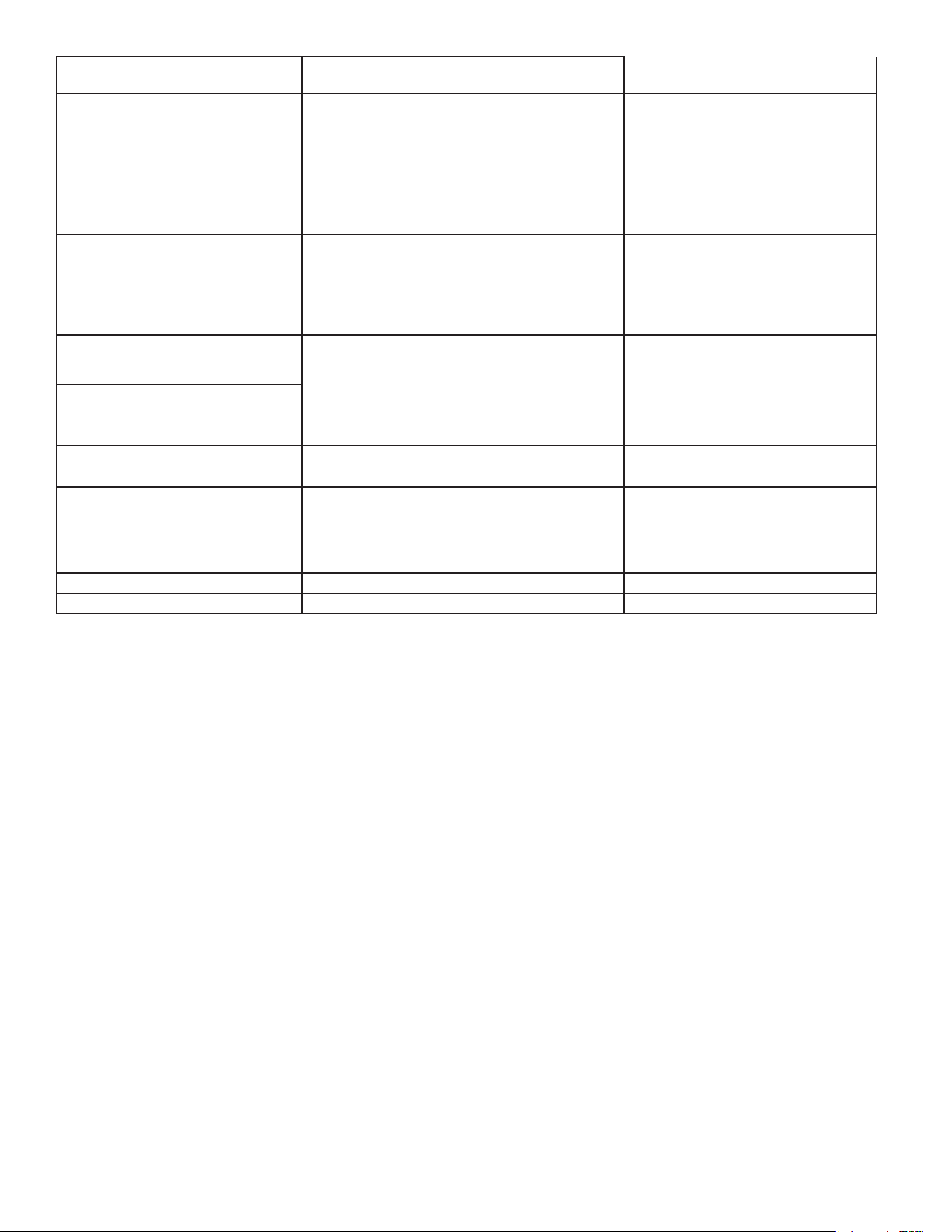
35
The door is being opened too frequently.
The appliance makes too much
noise.
The rattling noise may come from the ow of
the refrigerant, which is normal. As each cycle
ends, you may hear gurgling sounds caused
by the ow of refrigerant in the appliance.
It is normal that as each cooling
cycle ends, you may hearing ratting
or gurgling sounds caused by the
ow of refrigerant in the appliance.
The high eiciency compressor may
make a pulsating or high pitched
sound.
Contraction and expansion of the inside walls
may cause popping and cracking noises.
Some popping or cracking noises
are normal. They are caused by
expansion and contraction of the
inside walls due to temperature
changes.
The unit is not level or is touching another
appliance.
Check to make sure the cooler is
level and that it is non in contact
with another appliance or furniture.
The door will not close properly. The appliance is not level. Make sure the appliance is on a
level surface.
The door gasket is not installed correctly. Make sure the door gasket is
properly installed.
The gasket is dirty. Clean the door gasket.
The shelves are out of position. Install the shelves correctly.
36