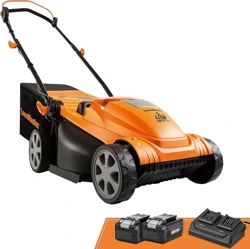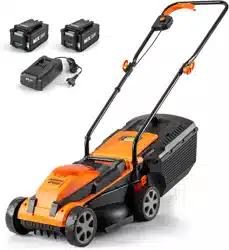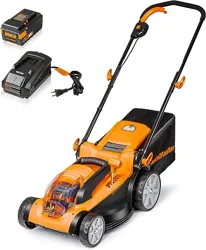
Operator's Manual
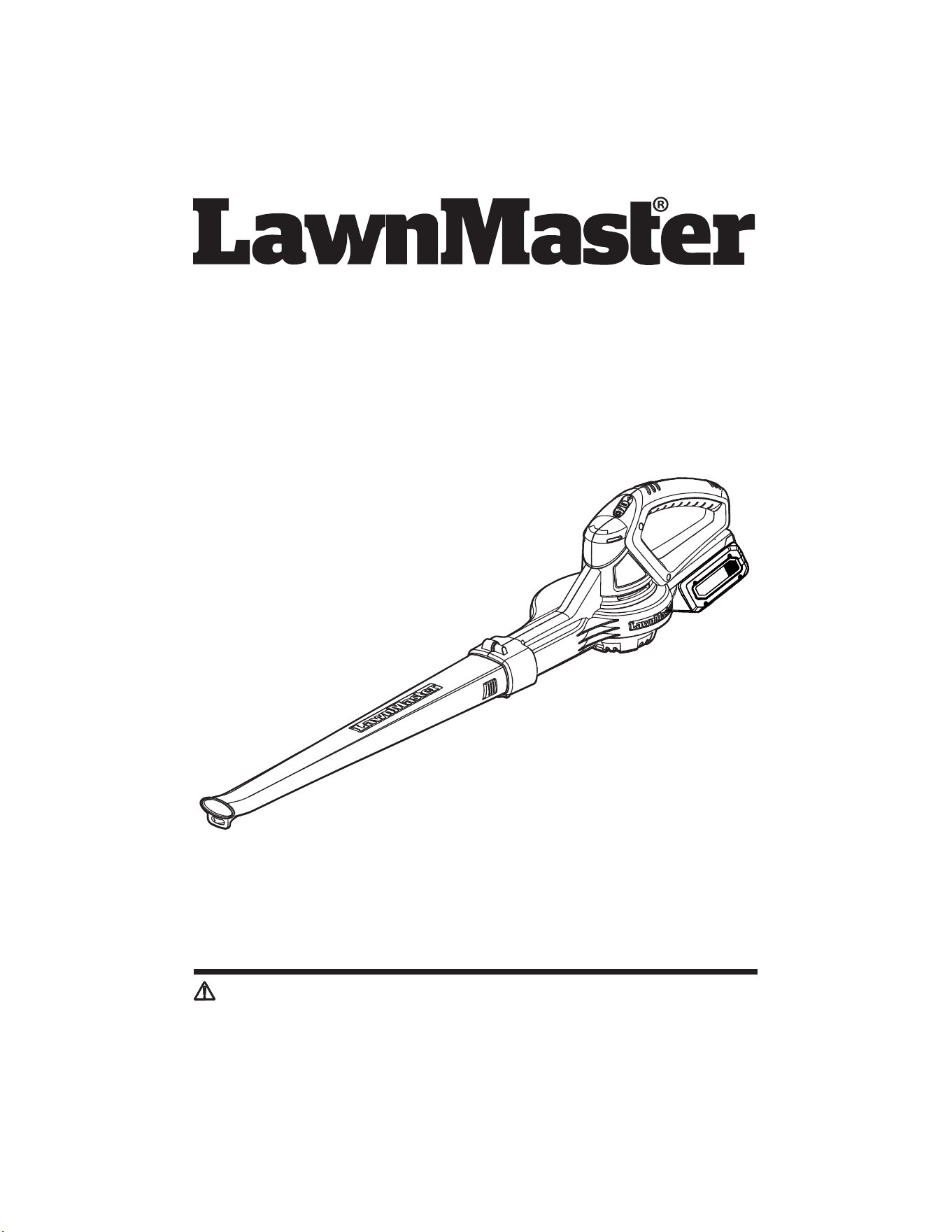
24V MAX* Lithium-ion Cordless Blower CLBL2406
Save this manual for future reference
* Maximum initial battery workload voltage (measured without a workload) is 24 volts.
Nominal voltage is 21.6 volts.
Read all safety rules and instructions carefully before operating this tool.
Distributed By: Suzhou Cleva Electric Appliance Co., Ltd.
NO.8 Ting Rong Street 215122 Suzhou - China
Battery Model Number is 24LB4005-CN
Charger Model Number is 24LFC14-ETL

2
TABLE OF CONTENTS
Section Page
TABLE OF CONTENTS 2
SPECIFICATIONS 3
IMPORTANT SAFETY INSTRUCTIONS 4-7
SYMBOLS 8-9
KNOW YOUR BLOWER 10-11
ASSEMBLY 12-14
BATTERY PACK AND CHARGER 15-17
OPERATION 18
MAINTENANCE 19-20
ENVIRONMENTALLY SAFE BATTERY DISPOSAL 21
TROUBLESHOOTING 22
LAWNMASTER
®
WARRANTY 23
EXPLODED VIEW 24
PARTS LIST 25
NOTES 26

3
SPECIFICATIONS
Type Cordless, Battery-powered
Max Air Volume 135 CFM
Max Air Speed 135 MPH
Weight with Battery 2.43 lbs (1.10 kg)
24V MAX* CORDLESS BLOWER
Model Number 24LB4005-CN
Rated Voltage of Battery 24 V Max* D.C
Capacity of Battery 4.0 Ah
Battery Type Lithium-ion
BATTERY PACK
Model Number 24LFC14-ETL
Charger Input 120 V ~ 60 Hz 70 W
Charger Output 24 V D.C. 2.5 A
Charging Time 100 minutes (For 24LB4005-CN)
* Maximum initial battery workload voltage (measured without a workload) is 24 volts.
Nominal voltage is 21.6 volts.
BATTERY CHARGER
4
READ AND UNDERSTAND ALL INSTRUCTIONS.
injury:
IMPORTANT SAFETY INSTRUCTIONS
WARNING
Accessories that may be suitable for one blower may create a risk of injury when used with another
blower.
water, do not try to operate and take it to a service center.
parts.
where they may be present.
for which it was designed.
area.
blower when you are tired.
Do not use in rain.
should be carefully checked to determine that it will operate properly and perform its intended
function. Check for alignment of moving parts, binding of moving parts, breakage of parts, mounting,
repaired or replaced by an authorized service center unless indicated elsewhere in this manual.
reach of children.
5
IMPORTANT SAFETY INSTRUCTIONS
accidents.
or storing blower. Such preventive safety measures reduce the risk of starting the blower
accidentally.
be used for appropriate conditions.
enables better control of the blower in unexpected situations.
switch is dangerous and must be repaired.
preventive safety measures reduce the risk of starting the blower accidentally.
accidents are caused by poorly maintained blowers.
to clean your blower. Following this rule will reduce the risk of loss of control and deterioration of the
enclosure plastic.
footwear. Wear protective footwear that will protect your feet and improve footing on slippery
surfaces.
or string which can be thrown or become entangled in the machine.
installed.
Follow instructions in the Maintenance section of this manual. Use of unauthorized parts or failure to
follow Maintenance Instructions may create a risk of shock or injury.
therefore, it is always in operating condition when the battery is installed. Beware of possible
these substances could result in serious injury to the operator or bystanders.
Gravel, sand, and other debris can be picked up by the air inlet and thrown at the operator or
bystanders, causing possible serious injuries.
6
IMPORTANT SAFETY INSTRUCTIONS
®
24LB4005-CN, 24LB4005-C, 24LB1304,
24LB2004, 24LB2605, or 24LB4005 lithium-ion batteries.
BATTERY PACK
®
24LFC14-ETL, 24LFC02-ETL or 24LSC01-
ETL chargers.
pack.
shock.
explosion and possibly injury.
eyes or skin. It may be toxic if swallowed.
from the battery may cause irritation or burns.
dropped or received a sharp blow. A damaged battery is subject to explosion. Properly dispose of a
dropped or damaged battery immediately.
them with clean water for at least 10 minutes, then seek immediate medical attention. Following this
rule will reduce the risk of serious personal injury.
keys, nails, screws, or other small metal objects, that can make a connection from one terminal to
temperature above 265°F (130°C) may cause an explosion.
in the instructions for use and care.
replacement parts. This will ensure that the safety of the product is maintained.
BATTERY CHARGER
®
24LB4005-CN, 24LB4005-C, 24LB1304,
24LB2004, 24LB2605 lithium-ion batteries.
of batteries may burst, causing personal injury or damage.
7
IMPORTANT SAFETY INSTRUCTIONS
If damaged, immediately discontinue use. Replace the charger with the identical unit as listed in the
Parts List of this manual.
the risk of electric shock. If the charger cord is damaged, replace the charger with an identical
model as listed in this manual.
another battery pack.
FCC COMPLIANCE
conditions:
- This device may not cause harmful interference, and
- This device must accept any interference received, including interference that may cause
undesired operation.
NOTE:
pursuant to Part 15 of the FCC Rules. These limits are designed to provide reasonable protection
against harmful interference in a residential installation.
used in accordance with the instructions, may cause harmful interference to radio communications.
However, there is no guarantee that interference will not occur in a particular installation. If
interference by one or more of the following measures:
- Reorient or relocate the receiving antenna.
SAVE THESE INSTRUCTIONS
tool, loan them these instructions also.
8
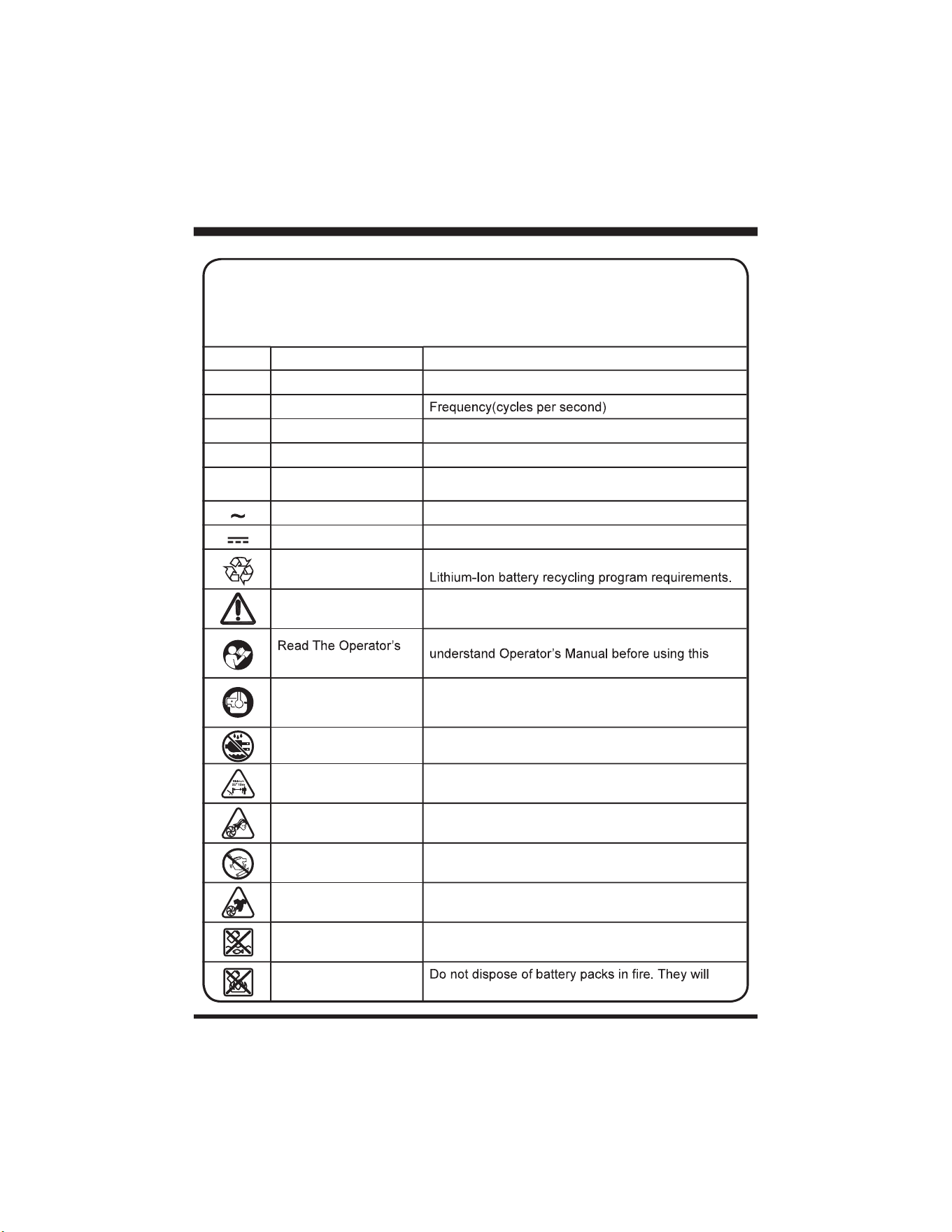
SYMBOLS
SYMBOL NAME DESIGNATION/EXPLANATION
V Volts Voltage
A Amperes Current
Hz Hertz
W Watt Power
hrs Hours Time
/min Per Minute
Revolution, strokes, surface speed, orbits etc, per
minute
Alternating Current Type of current
Direct Current Type or a characteristic of current
Lithium-Ion Battery
Recycling
Designates that this tool is in compliance with
Safety Alert Indicates a potential personal injury hazard.
Manual
To reduce the risk of injury user must read and
product.
Eye and Hearing
Protection
Always wear eye protection with side shields marked
to comply with ANSI Z87.1, along with hearing
protection.
Wet Conditions Alert Do not expose to rain or use in damp locations.
Keep Bystanders Away Keep all bystanders at least 50ft. away.
Long Hair
Failure to keep long hair away from the air inlet could
result in personal injury.
Blower Tubes Do not operate without tubes in place.
Loose Clothing
Failure to keep loose clothing from being drawn into
air intake could result in personal injury.
Keep Away From Water
Do not dispose of battery packs in rivers or immerse
in water.
Keep Away From Fire
explode or leak and cause injury.
Some of the following symbols may be used on this product. Please study them and learn
their meaning. Proper interpretation of these symbols will allow you to operate the product
better and safer.
9
SYMBOLS
SYMBOL NAME DESIGNATION/EXPLANATION
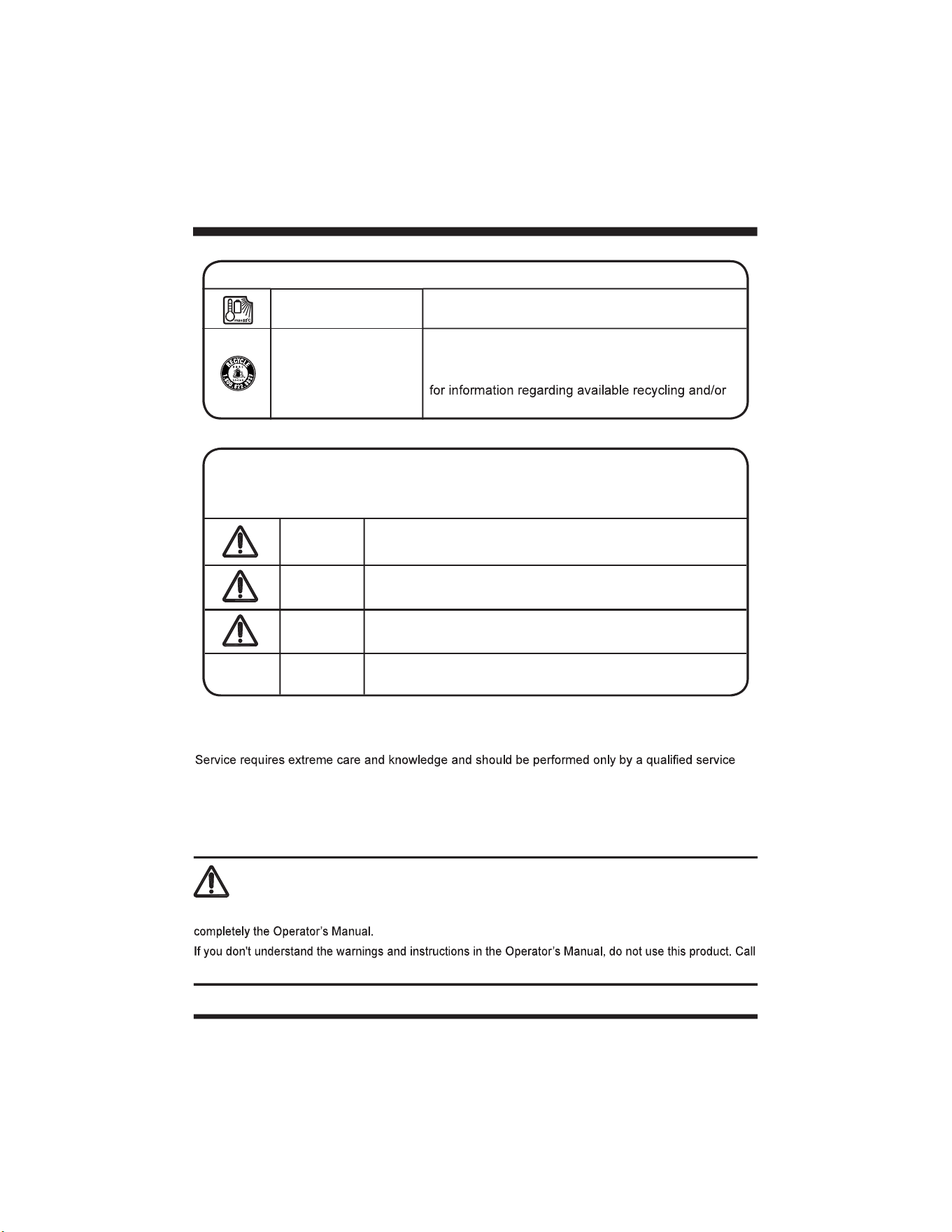
Heat Alert
Do not expose battery packs to heat in excess of
140°F (60°C).
Recycle Symbol
This product uses lithium-ion batteries. Local, state,
or federal laws may prohibit disposal of batteries in
ordinary trash. Consult your local waste authority
disposal options.
SERVICE
technician. When servicing, use only identical replacement parts.
For troubleshooting or replacement, please call Customer Service for assistance (Toll free number
866-384-8432).
To avoid serious personal injury, do not attempt to use this product until you read thoroughly and understand
Customer Service for assistance (Toll free number 866-384-8432)
.
WARNING
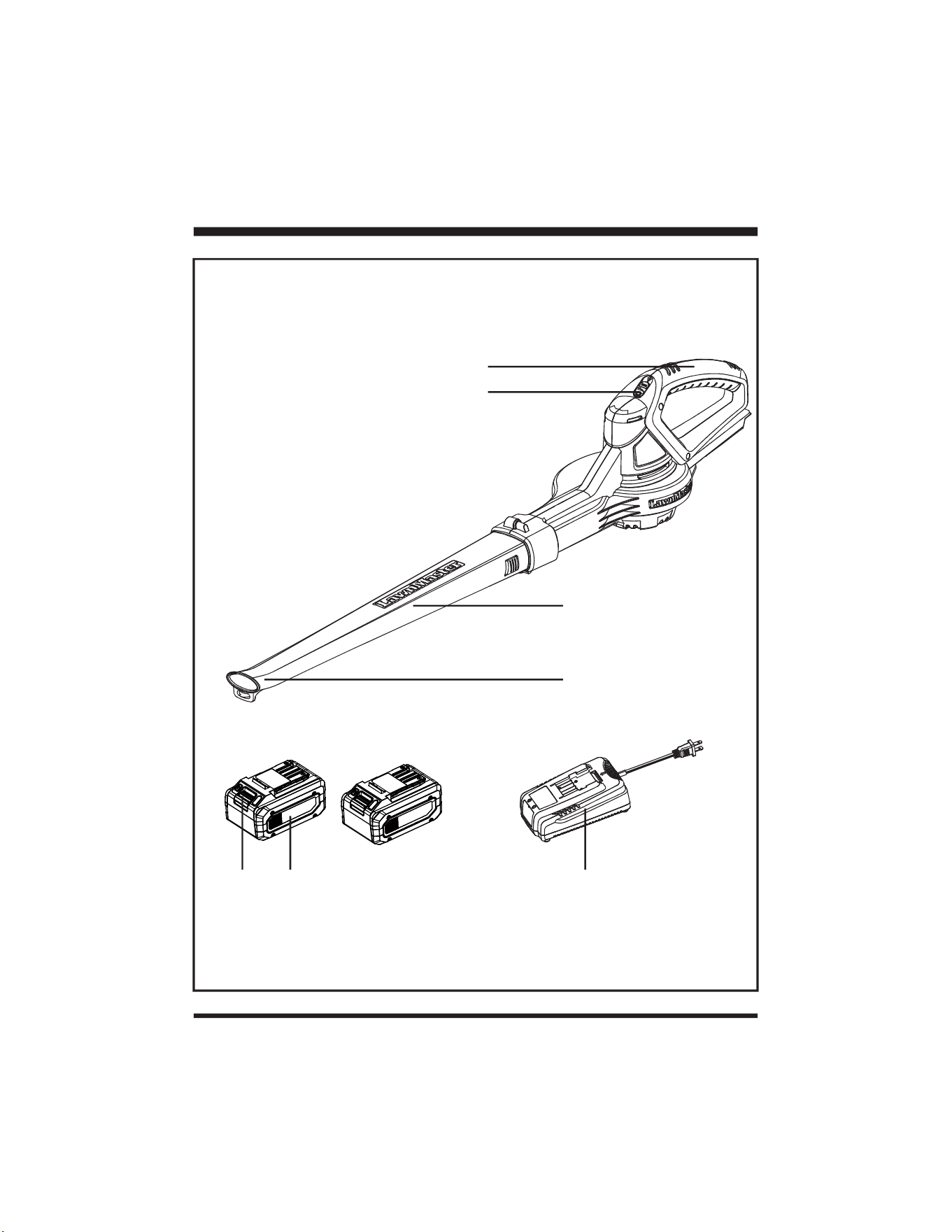
DANGER
Indicates an imminently hazardous situation, which, if not
avoided, will result in death or serious injury.
WARNING
Indicates a potentially hazardous situation, which, if not
avoided, could result in death or serious injury.
CAUTION
Indicates a potentially hazardous situation, which, if not
avoided, may result in minor or moderate injury.
NOTICE
(Without Safety Alert Symbol) Indicates a situation that may
result in property damage.
The following signal words and meanings are intended to explain the levels of risk
associated with this product.
SYMBOL SIGNAL MEANING
10
KNOW YOUR BLOWER
1
2
3
4
5 6 7
11
KNOW YOUR BLOWER
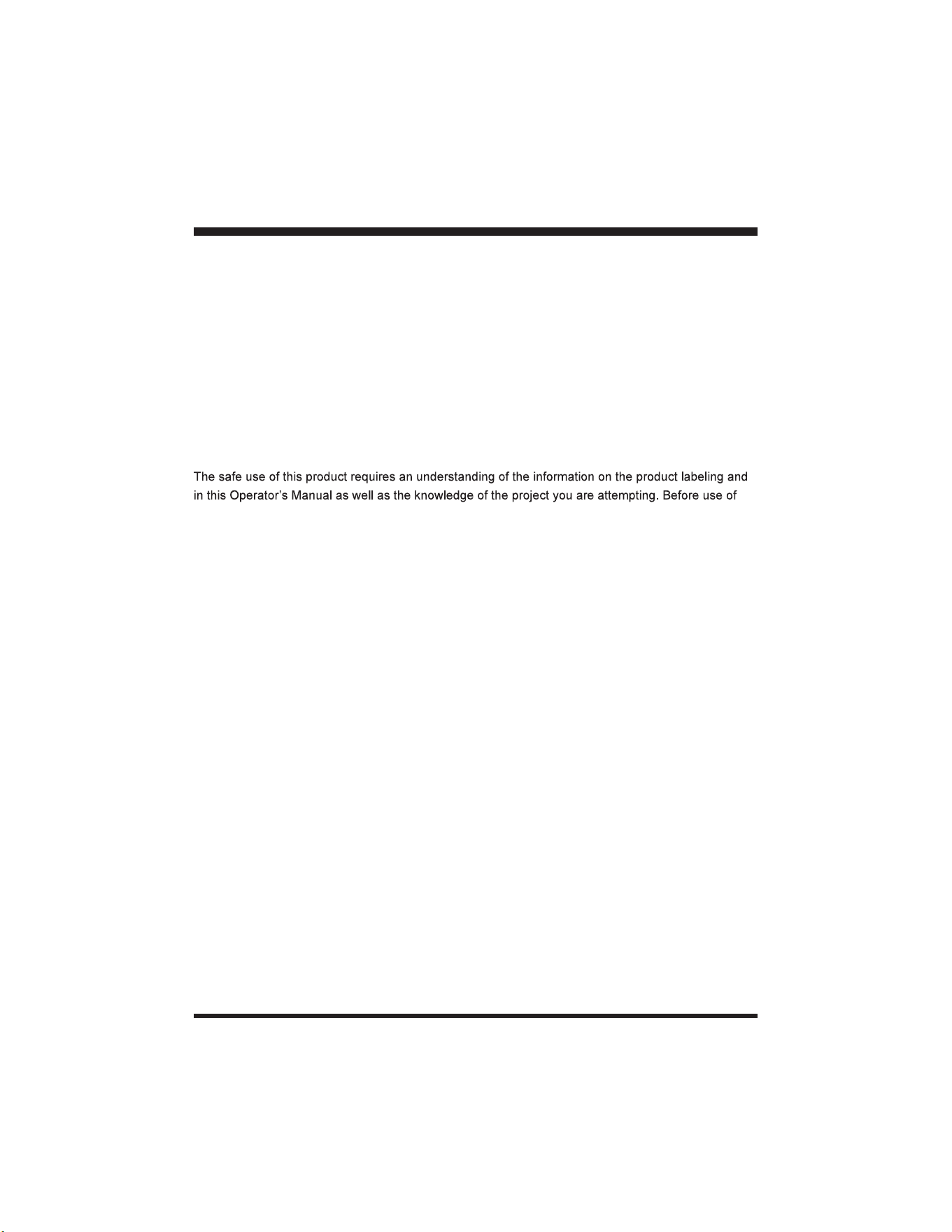
this product, familiarize yourself with all operating features and safety rules.
CORDLESS BLOWER
This cordless blower has a lightweight design that is great for reducing user fatigue in extended use.
BLOWER TUBE
The blower tube can be installed on the blower without using any tools.
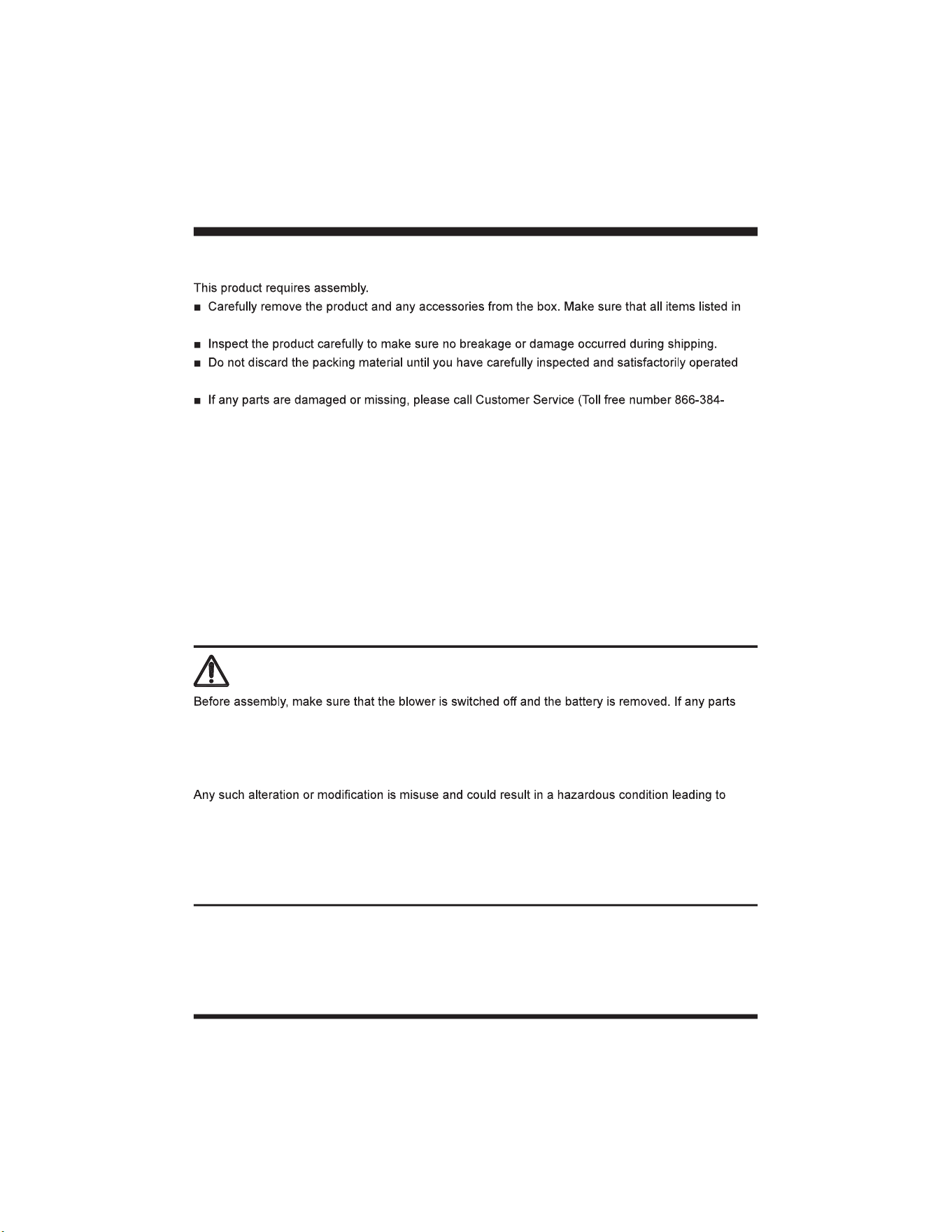
Components
1. Handle
2. Power Switch
3. Blower Tube
4. High Velocity Tip
5. Battery Release Button
6. Battery Pack (X2)
7. Battery Charger
KNOW YOUR BLOWER
12
ASSEMBLY
WARNING
are damaged or missing, do not operate this product until the parts are replaced. Failure to heed this
warning so could result in serious personal injury.
Do not attempt to modify this product or create accessories not recommended for use with this
product.
possible serious personal injury. Always remove battery pack from your tool when you are assembling
parts, making adjustments, cleaning, or when not in use. Removing battery pack will prevent accidental
starting that could cause serious personal injury.
Never operate without the proper safety devices in place and working. Never operate with damaged
safety devices. Failure to heed this warning can result in serious personal injury.
PACKING LIST
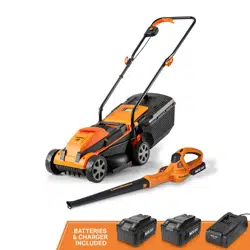
(1) Blower
(1) Blower Tube
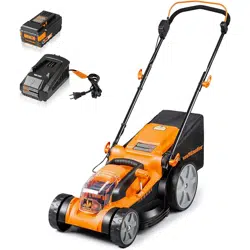
(2) 24V 4.0Ah Lithium-ion Battery Packs (shared with mower)
(1) 24V 2.5A Battery Charger (shared with mower)
(1) Operator's Manual
UNPACKING
the packing list are included.
the product.
8432).
13
ASSEMBLY
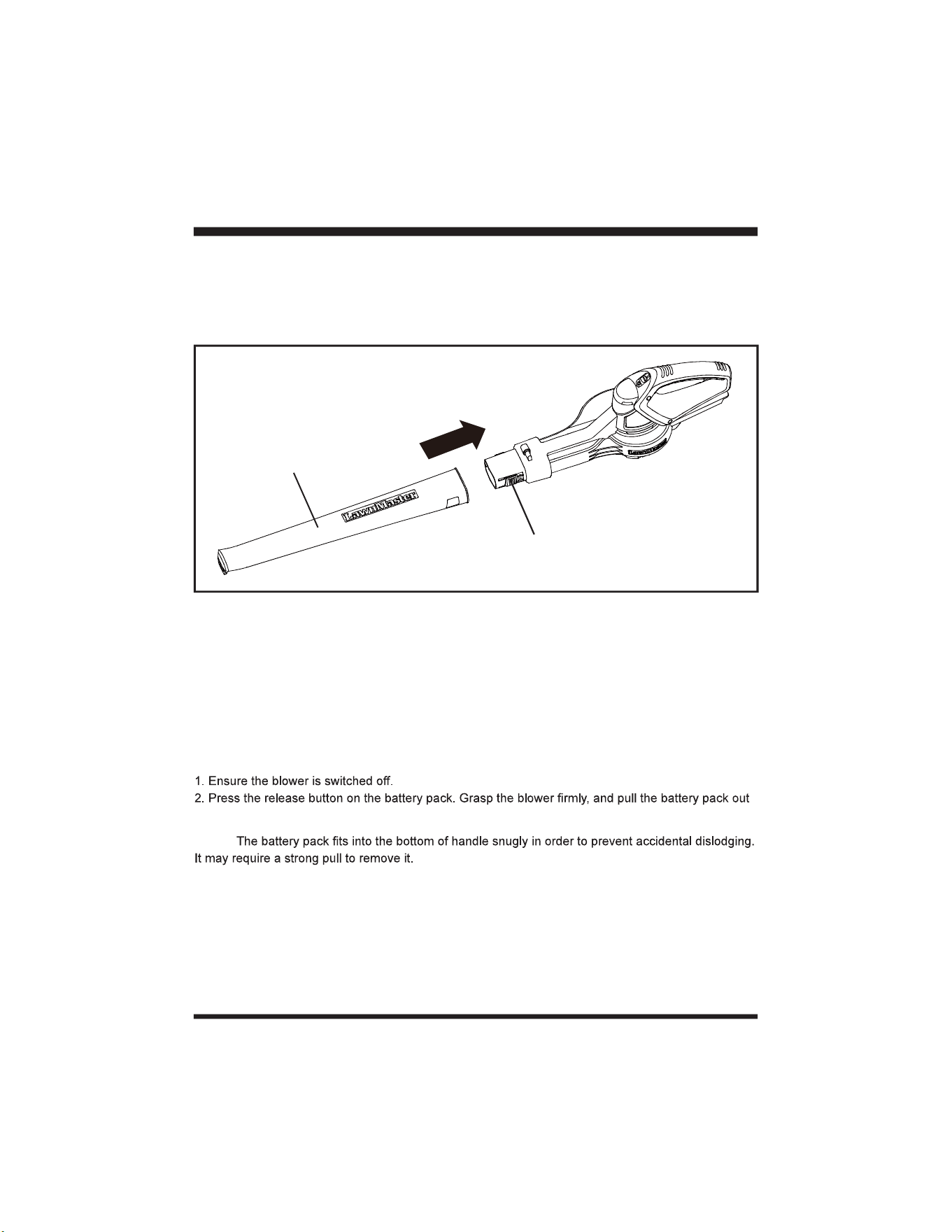
ATTACHING THE BLOWER TUBE
Fig. 1
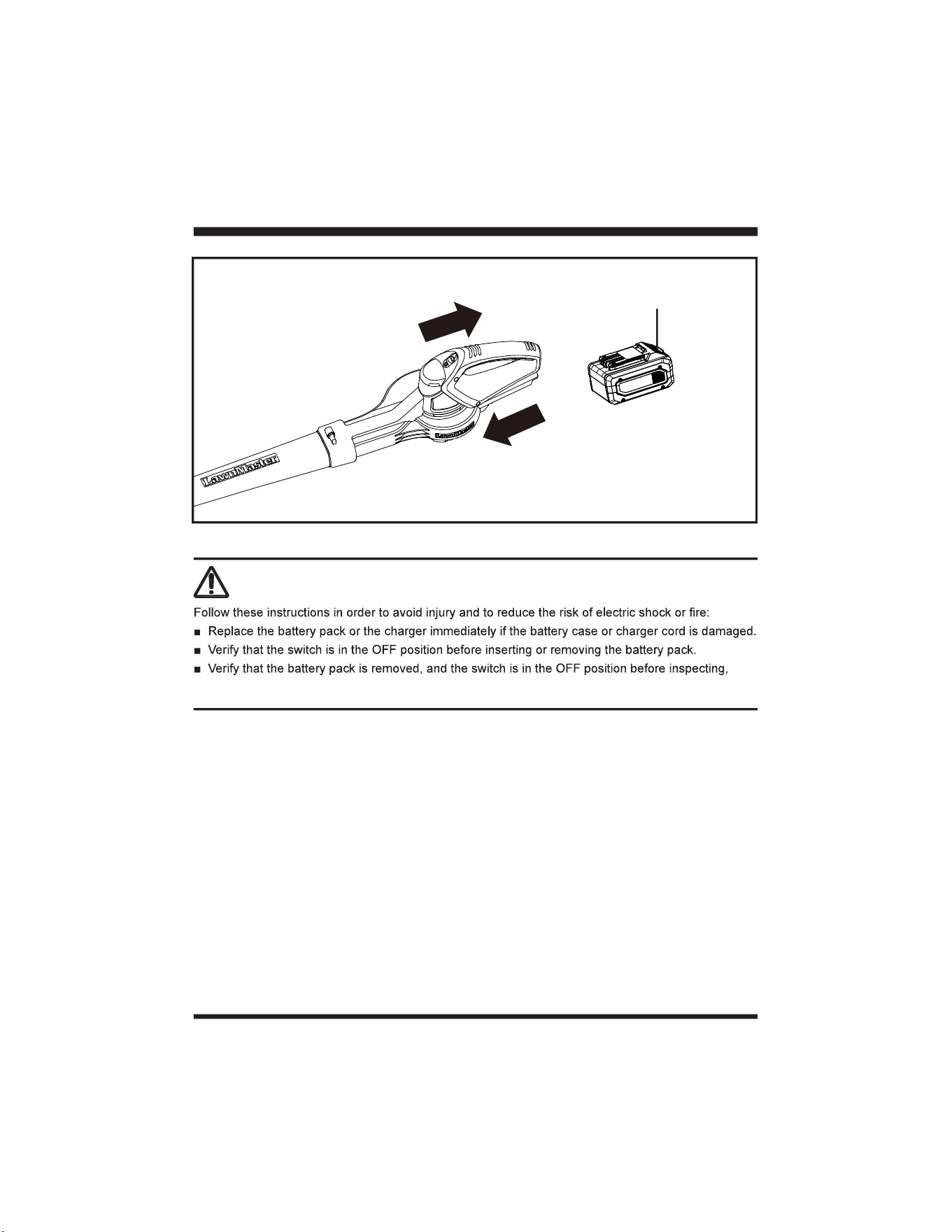
INSTALLING / REMOVING THE BATTERY PACK
To install the battery pack:
1. Make sure the battery is fully charged.
2. Align the battery pack with the battery slot on the underside of the main handle, and then insert the
battery pack into the handle (Fig. 2).
3. Push the battery pack until you hear a “click”.
To remove the battery pack:
of the handle (Fig. 2).
NOTE:
1. Align the widest end of the blower tube with the front opening on the blower.
2. Slide the blower tube over the opening until it snaps onto the latch and the blower tube is secure in
place.
Blower Tube
Latch
14
ASSEMBLY
WARNING
adjusting, or performing maintenance on any part of the blower.
Fig. 2
Release Button
15
BATTERY PACK AND CHARGER
BATTERY CHARGING
1. Use only with 24V LawnMaster
®
designed for the lithium-ion battery used in this tool.
2. Check the power voltage! Battery chargers operate on 120V.
3. The battery is charged between 40°F (4°C) and 104°F (40°C). This ensures an optimum battery
service life.
4. Protect the battery from heat, from continuous exposure to sun, and keep away from radiation or
other heat sources. Do not leave the battery in the tool in direct sunlight over long periods.
5. The battery is supplied partially charged. To ensure full capacity of the battery, charge the battery
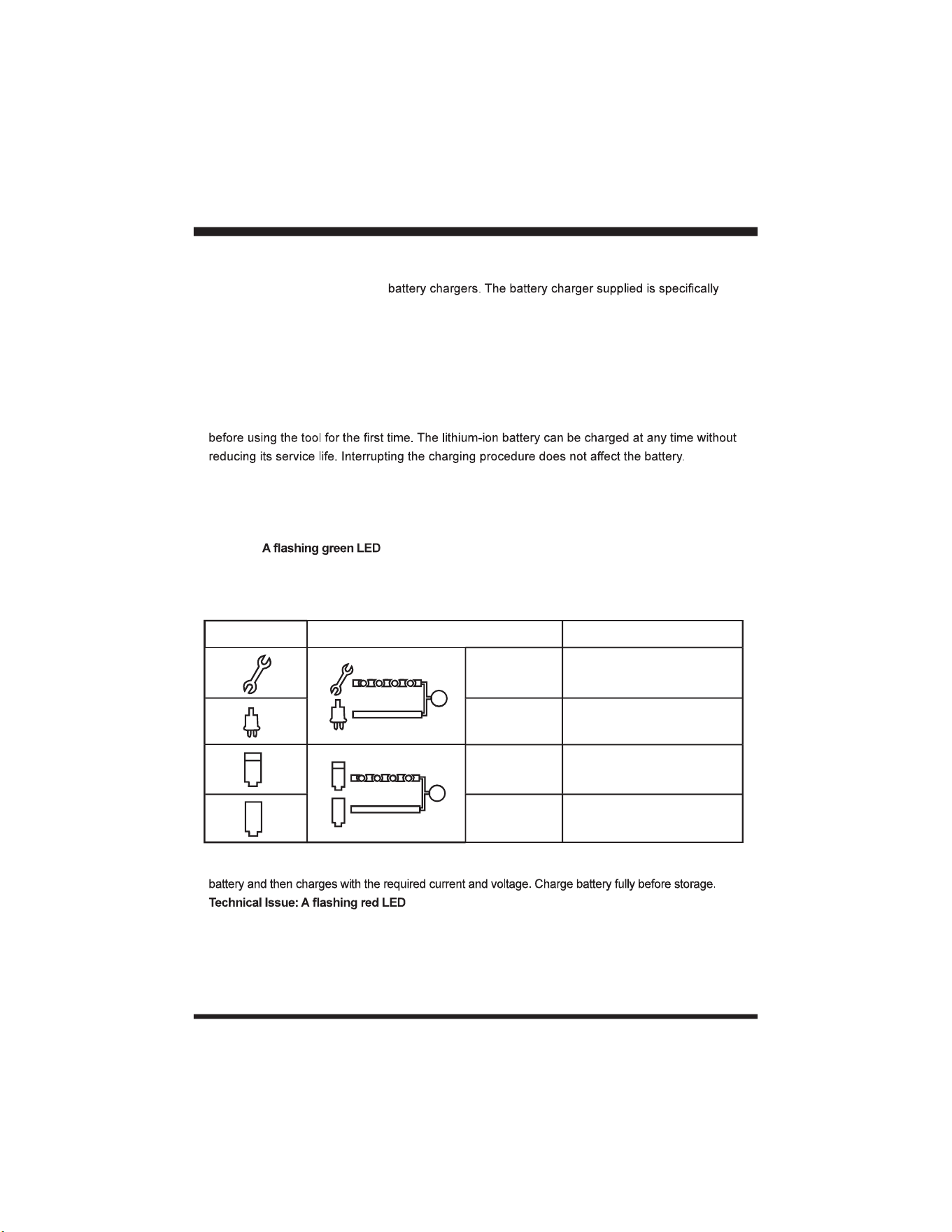
LED CHARGER STATUS
1. If the battery is not inserted into the charger, a continuous red LED light indicates that the charger is
plugged into a power supply socket and is now ready to begin charging.
2. Charging: on the charger indicates that the battery is charging normally.
3. Charged: Continuous green LED on the charger indicates that the battery is ready for use.
The indicator lights on the charger show the charger status:
4. The intelligent charger ensures maximum battery life, because it measures the existing charge level of the
5. light on the charger indicates that battery pack has a charging
problem or might be defective.
a) One possible condition is the battery temperature is not within the charging temperature range of 40°F
(4°C) and 104°F (40°C). As soon as the permitted temperature is reached, the battery charger will
automatically switch to charging.
SYMBOL INDICATOR LIGHTS STATUS
Red, blinking
Charging paused. See
Technical Issue.
Red, continuous Connected to power supply.
Green, blinking Charging.
Green,
continuous
Fully charged.
16
BATTERY PACK AND CHARGER
the battery pack. If the LED status repeats a second time, try to charge another identical battery. If
the battery charges normally, dispose of the defective battery pack (see Environmental Safe Battery
Disposal section).
normal), the charger may be defective. Replace with a new one.
6. After continuous or repeated charging cycles without interruption, the charger may warm up. This is normal
and does not indicate a technical defect of the battery charger.
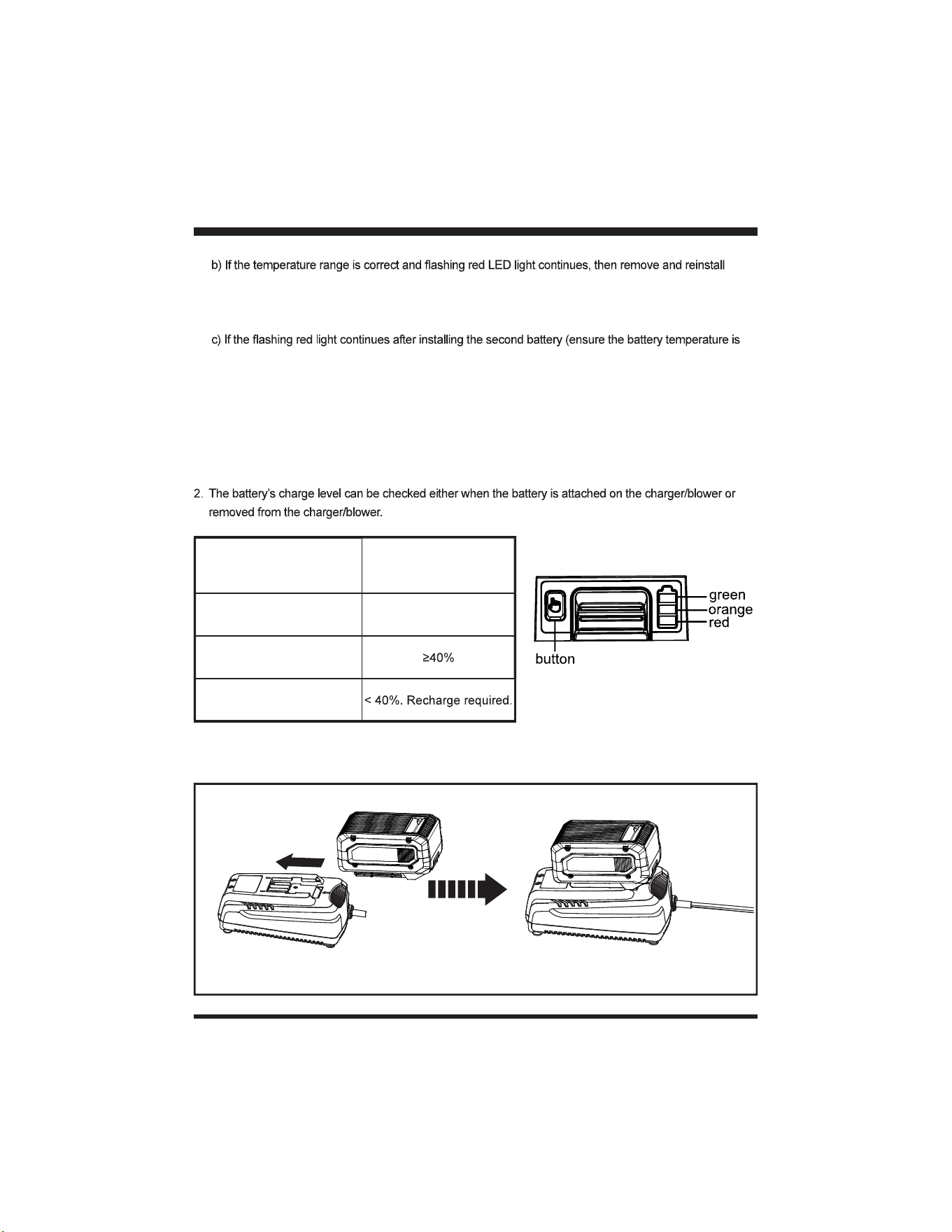
BATTERY LED PANEL
1. The panel consists of 3 LEDs on the battery. Press and hold the button, then release it, the LEDs will show
you the charge levels.
CHARGING THE BATTERY PACK
LEDs on Battery
(Continuous lighting)
Battery Capacity
3 LEDs (inc 2 green) Fully charged
2 LEDs (orange & red)
1 LED (red only)
Fig. 3
Indicator Lights
17
BATTERY PACK AND CHARGER
1. Align the slot of the battery pack with the rail on the charger. Slide the battery onto the rail until the
battery pack secures into place (Fig. 3).
2. Connect the charger to the power supply.
supply.
4. Press the release button on the battery pack and remove it from the charger.
NOTE: It is normal for the battery pack and the charger to become warm (but not hot) during charging
process. If the battery does not charge properly, check to make sure the electrical outlet is operational.
with the charger for more than 24 hours!
WARNING
If any part of the charger is missing or damaged, do not operate it! Replace the charger with a new
one. Failure to heed this warning could result in possible serious injury.
Check the voltage! The voltage must comply with the information on the rating label.
ON
OFF
18
STARTING / STOPPING THE BLOWER
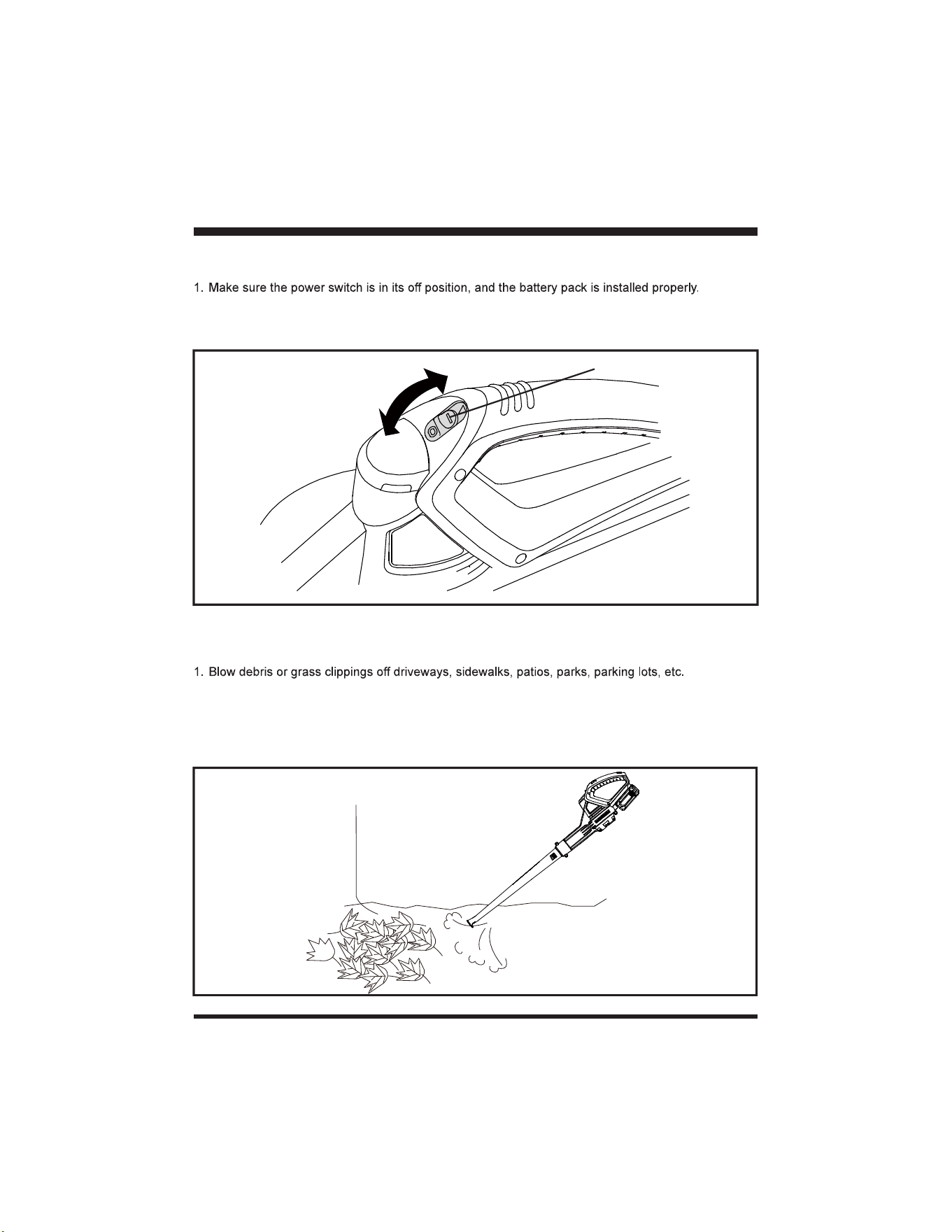
2. To start the blower, place the power switch in the ON (I) position.
3. To stop the blower, place the power switch in the OFF (O) position.
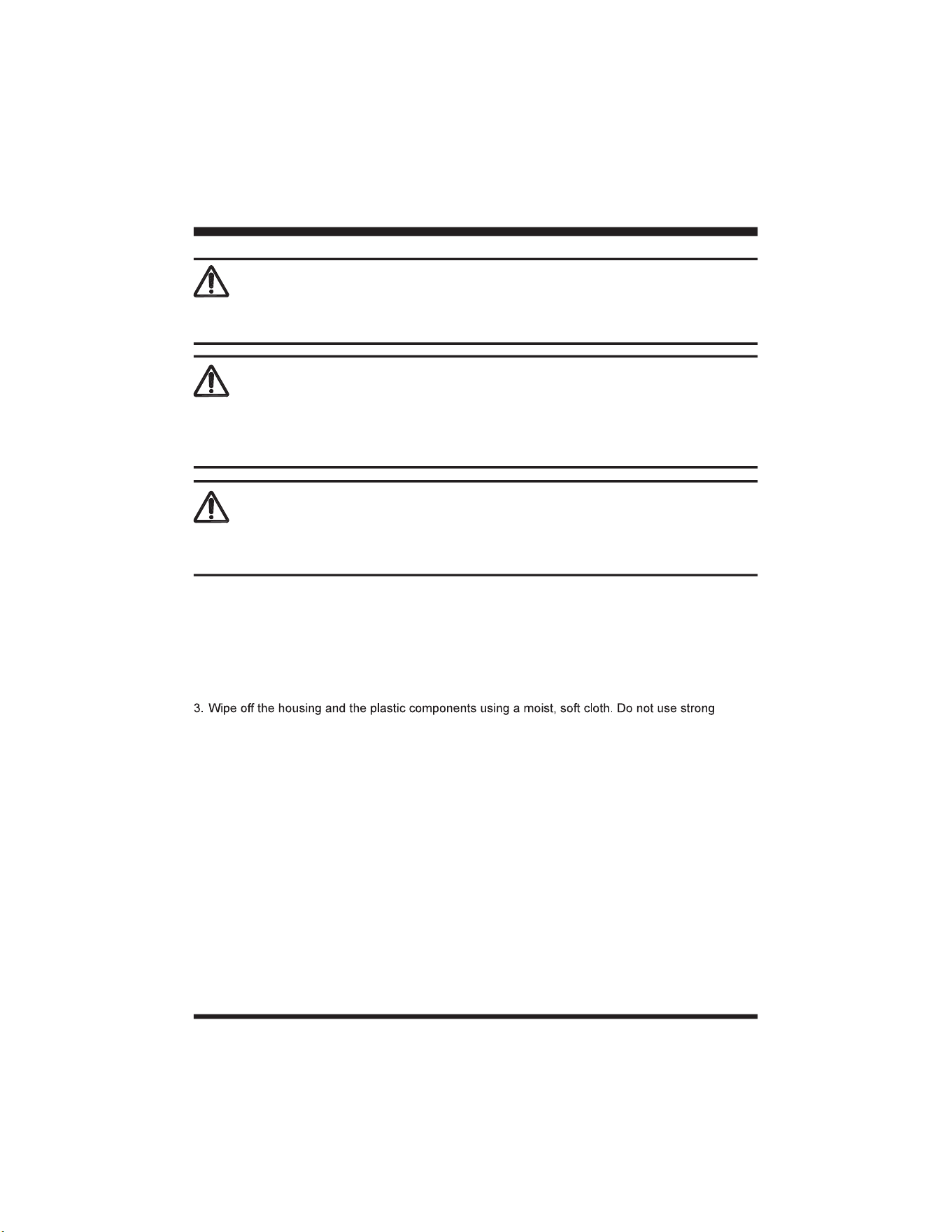
USING THE BLOWER
2. Gather grass clippings, straw, or leaves into piles. Remove debris from comers, around joints, and
between bricks.
NOTE: Your Lawnmaster
®
blower is designed to blow and clean hard surfaces, such as patios,
driveways, decks, garages, and sidewalks.
OPERATION
Fig. 4
Fig. 5
Power Switch
19
MAINTENANCE
WARNING
WARNING
When servicing, use only identical replacement parts. Use of any other parts may create a hazard or
cause product damage.
To avoid serious personal injury, always remove the battery pack from the tool when cleaning or
performing any maintenance.
GENERAL MAINTENANCE
1. Remove the battery pack.
2. Brush or blow dust and debris out of the air vents using compressed air or a vacuum. Keep the air
vents free of obstructions, sawdust, and wood chips. Do not spray, wash, or immerse the air vents
in water.
solvents or detergents on the plastic housing or plastic components. Certain household cleaners
may cause damage, and may cause a shock hazard.
BATTERY PACK MAINTENANCE
1. Fully charge the battery before placing in storage.
2. Recharge the battery pack whenever there is a noticeable reduction in the performance. Do not
allow the battery pack to become completely discharged.
3. Do not recharge a battery pack that is already fully charged. Overcharging shortens battery life.
4. Once the battery pack is fully charged, remove the battery from the charger and disconnect charger
from the outlet.
5. Do not store the battery pack on the tool or on the charger.
6. If the battery pack is hot, allow it to cool down before recharging.
WARNING
Always wear eye protection with side shields marked to comply with ANSI Z87.1, along with hearing
protection. Failure to do so could result in objects being thrown into your eyes, resulting in possible
serious injury.

20
CHARGER MAINTENANCE
1. Keep the charger clean and clear of debris. Do not allow foreign material into the recessed cavity or
on the contacts. Wipe with a dry cloth. Do not use solvents, water, or place in wet conditions.
2. Always unplug the charger when the battery pack is not installed on the charger.
3. Do not store the charger in excessive heat. Do not use in direct sunlight.
4. Disconnect the charger from the AC power outlet when not in use and once battery has reached a
full charge.
MAINTENANCE
21
ENVIRONMENTALLY SAFE BATTERY DISPOSAL
WARNING
WARNING
environment. Before disposing of damaged or worn-out lithium-ion battery packs, contact your local
instructions.
If the battery pack cracks or breaks, with or without leaks, do not recharge it and do not use. Dispose of
it and replace with a new battery pack.
DO NOT ATTEMPT TO REPAIR IT!
The following toxic and corrosive materials are in the batteries used in this battery pack:
lithium-ion, a toxic material.
environment:
DO NOT
attempt to remove or destroy any of the battery pack components.
DO NOT
attempt to open the battery pack.
DO NOT
get the solution in the
eyes or on skin, and do not swallow it.
DO NOT
place damaged or defective batteries in your regular household trash.
DO NOT
incinerate.
DO NOT
22
TROUBLESHOOTING
WARNING
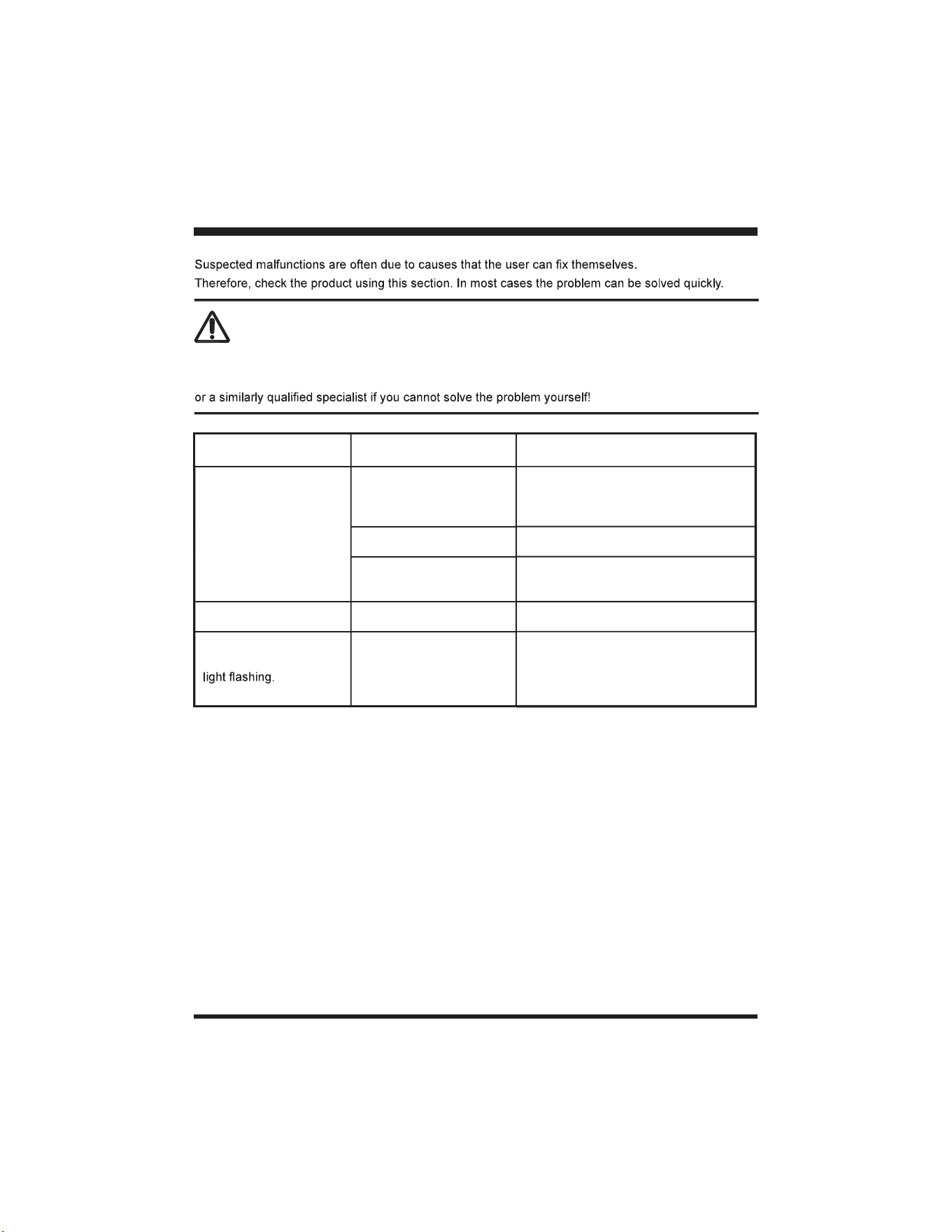
Only perform the steps described within these instructions!
All further inspection, maintenance and repair work must be performed by an authorized service center
PROBLEM POSSIBLE CAUSE SOLUTION
Motor fails to start when
power switch is turned
on.
The battery is not secure.
To secure the battery pack, make sure
the latches on the bottom of the battery
pack snap into place.
The battery is not charged. Remove and charge the battery pack.
Defective power switch or
defective battery.
Call Customer Service for assistance
(Toll free number 866-384-8432).
The blower will not blow. The tube is blocked. Clear the blockage.
Charger 2Hz red LED
Battery pack is too hot.
Allow the battery pack to reach normal
temperature. Charging will begin
when battery pack returns to normal
temperature.
For more status of the indicator lights on battery & charger, refer to page 15-16.
23
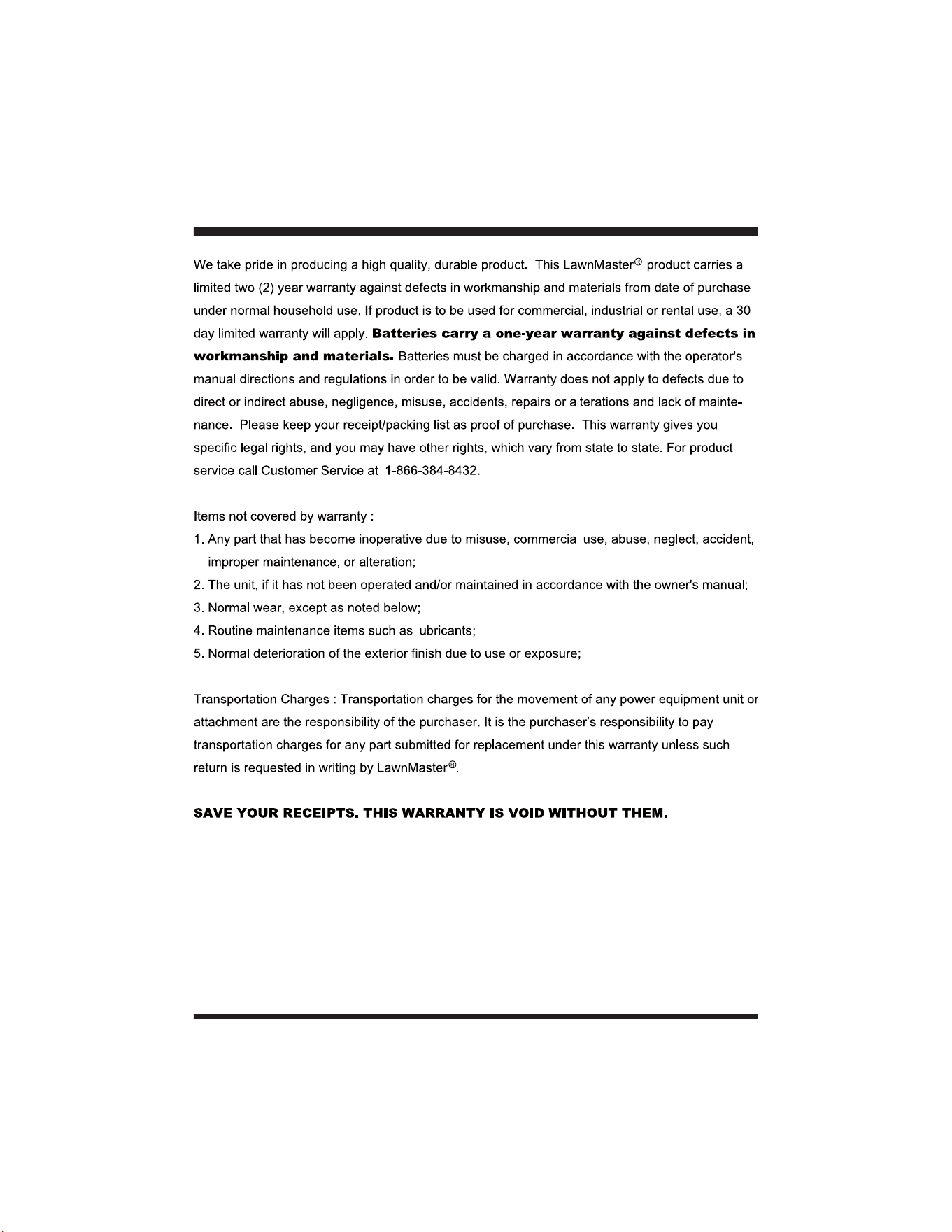
LAWNMASTER
®
WARRANTY
24
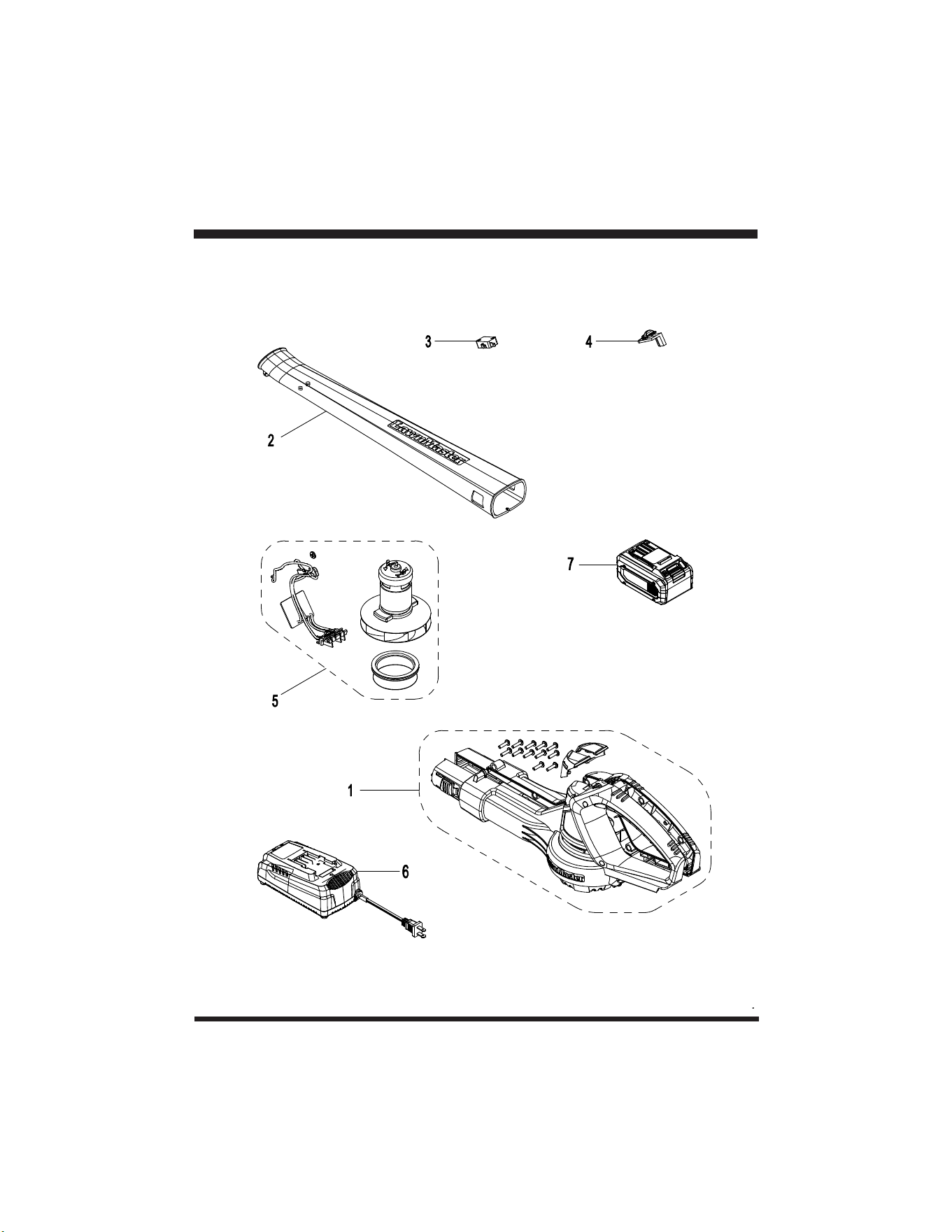
EXPLODED VIEW
25
PARTS LIST
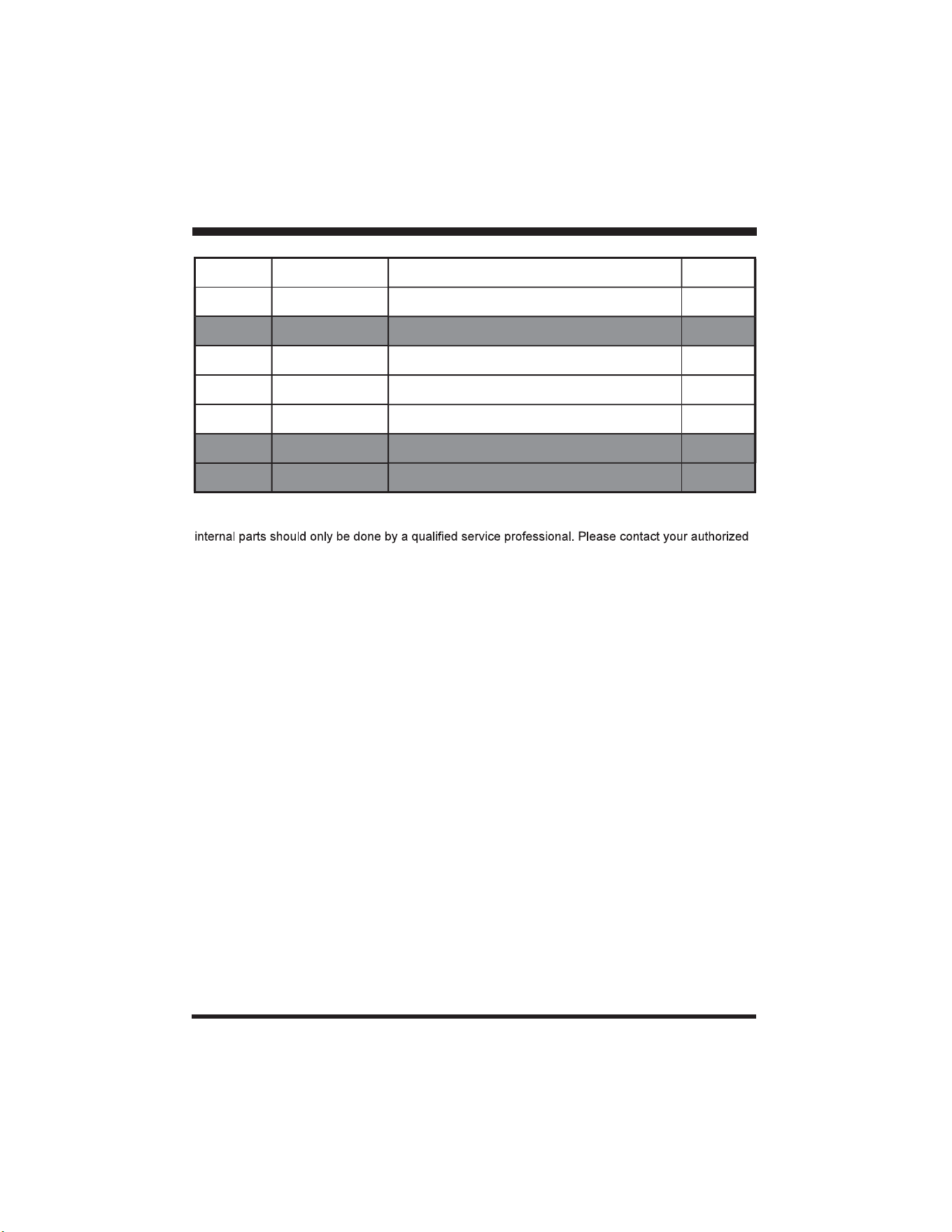
Key Number Part Number Description Quantity
1 Motor Housing Assembly 1
2 211079108 Blower Tube 1
3 Micro Switch 1
4 Switch Push Button 1
5 Motor Assembly 1
6 241003111 Charger 1
7 211070122 Battery 1
Replacement parts highlighted in grey are available for after sales purchase. Replacement of repair or
service dealer or Customer Service at 866-384-8432.

26
NOTES