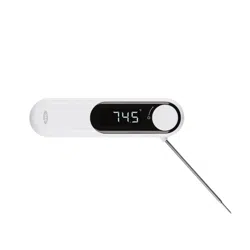

CHEF’S PRECISION
THERMOCOUPLE
THERMOMETER
www.oxo.com
PCKG V1
21
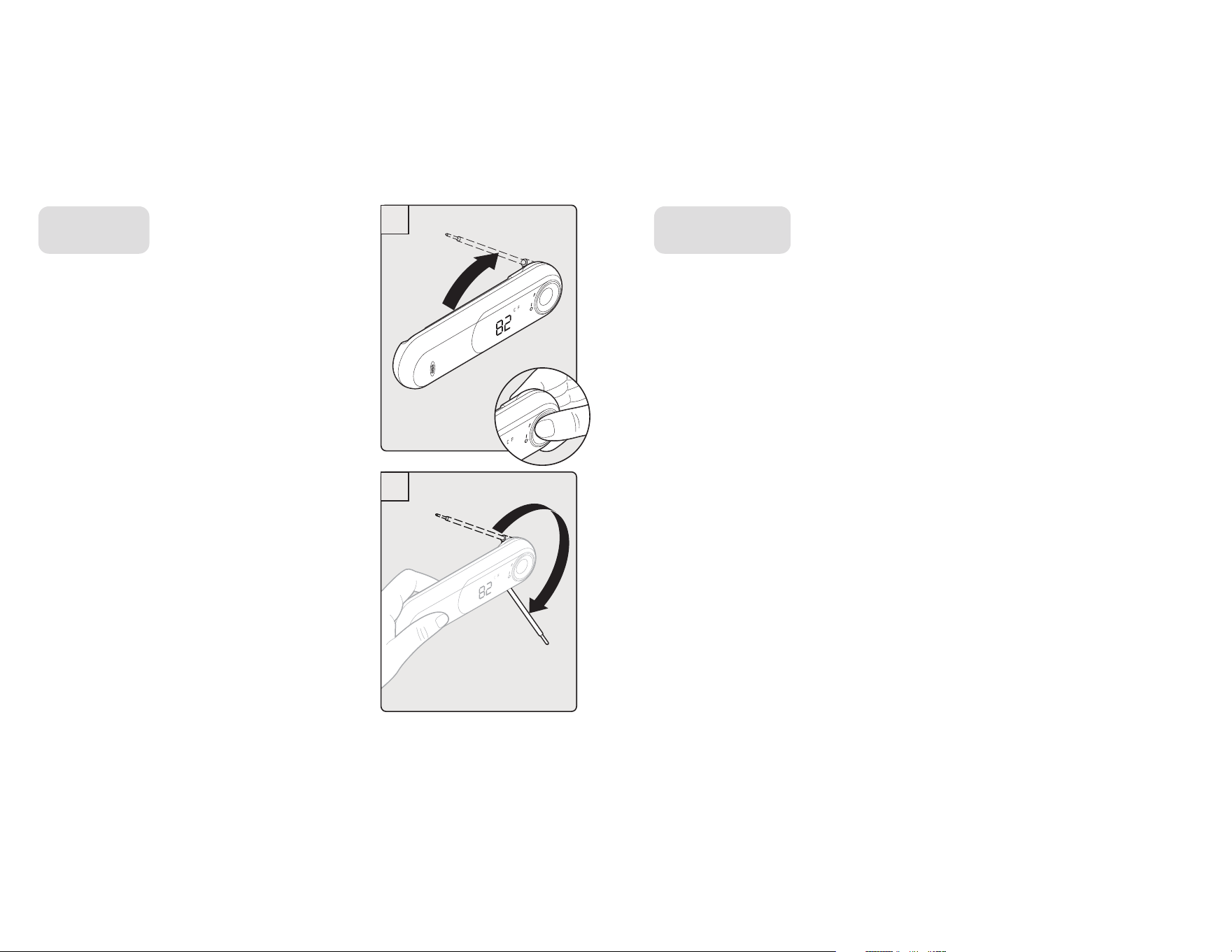
1. Hold dial end of Thermometer between
thumb and index finger and twist to
rotate probe to desired angle. (IMAGE 1)
NOTE: Probe rotates up to 225° for
use at any angle (IMAGE 2)
2. If desired, use notch in back of
Thermometer to easily grab probe.
3. Thermometer will turn on automatically
when probe is rotated. Insert
Thermometer into food. Minimum
insertion is only 1/8" (3 mm) in the
center of thickest section of food.
1. Wipe probe after each use, and wipe Thermometer body clean
regularly with a damp cloth.
2. IP66 water resistance rating means you can rinse Thermometer in
water to clean. Do not immerse in water.
TO USE TO CLEAN
1
2
43
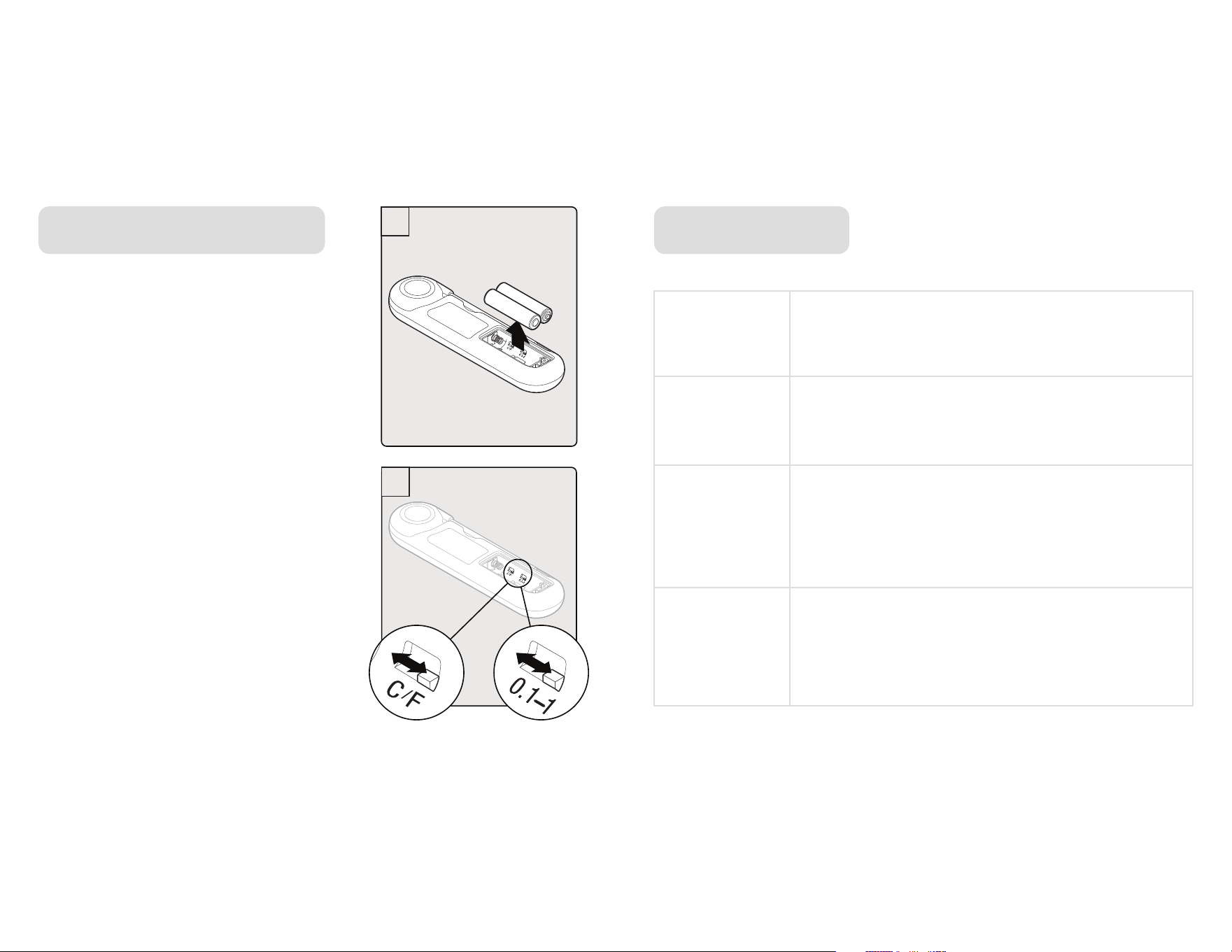
1. Use Phillips screwdriver to loosen screw in
battery door. When screw head becomes
visible, use to remove door. (Do not pull
screw completely out.)
2. Remove batteries. (SEE IMAGE 1)
3. Locate switches inside battery compartment
(IMAGE 2). Use screwdriver to move switch
to change setting between °F and °C or to
change resolution, adding or removing the
decimal point (e.g. from 1.0° to 1°)
4. Replace batteries and battery door.
Tighten screw.
TO CHANGE PREFERENCES
-58 to +572°F (-50~300°C)
Measurment
Range
Operating
Range
Accuracy
(Tamb=25°C)
Water
Resistance
Rating
32 to +122°F (0~50°C)
-30~150°C: ±0.5°C/0.9°F, otherwise
±1°C/1.8°F or 1% of reading, whichever
is greater
IP66 water resistance
SPECIFICATIONS
1
2
65
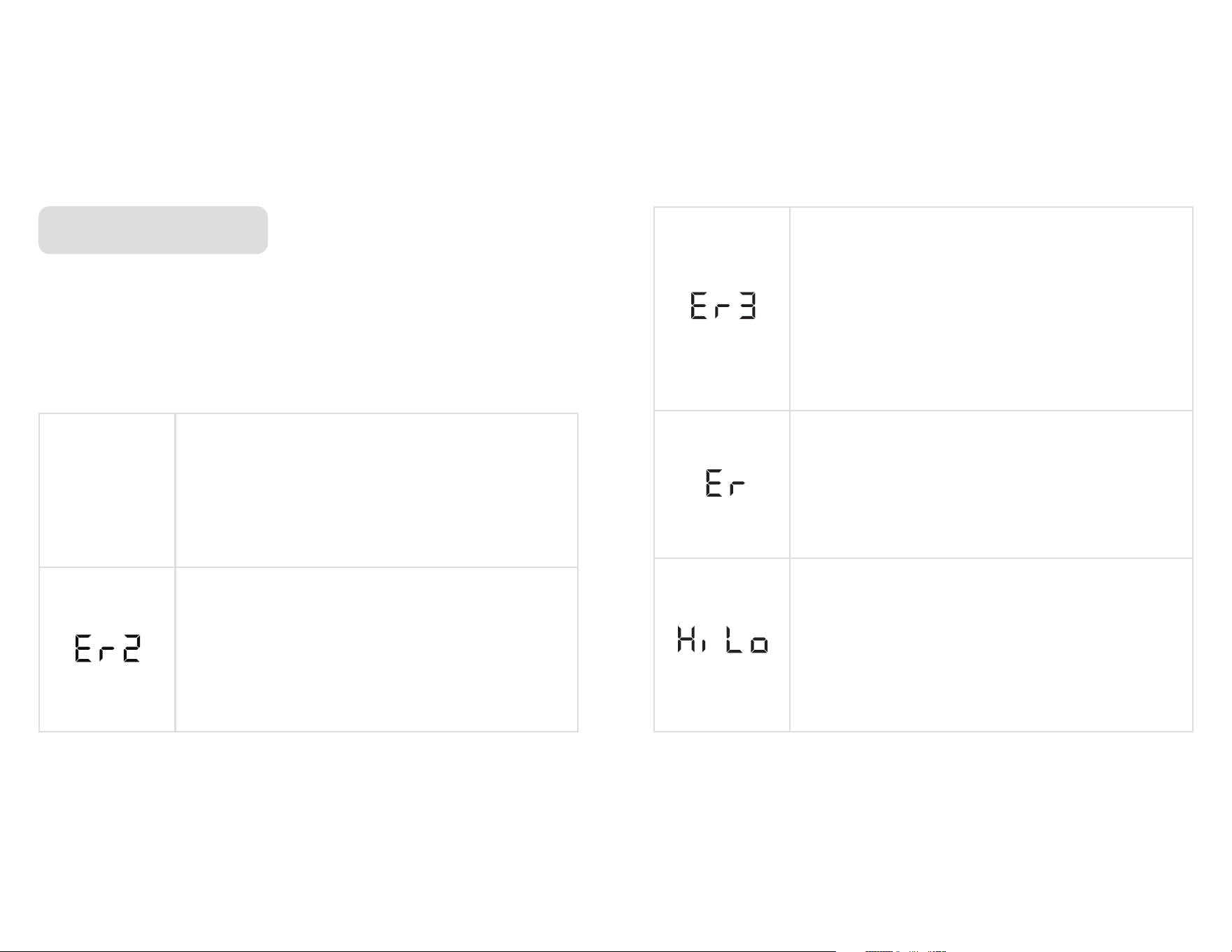
Temperature being measured is outside of the
measurement range.
Thermometer will automatically display
numbers when back in range.
Thermometer needs to be reset.
Turn off, remove batteries and wait for one
minute; reinsert batteries and turn on.
When on but not in use, the Thermometer will read the ambient
temperature in the room. The display will automatically turn off after 3
minutes and will automatically turn on again when probe is moved.
TROUBLESHOOTING
Thermometer has been exposed to rapid changes
in ambient temperature.
To reset, turn off, remove batteries and wait
one minute; reinsert batteries and turn on.
Thermometer will go into sleep mode after 3
minutes of inactivity; move Thermometer to
turn on. After 10 minutes, Thermometer will
automatically turn off; move probe to turn on.
Ambient temperature is outside the functional
range of 0°C ( 32° F) - 50°C ( 122°F).
To reset, turn off, remove batteries and
wait 30 minutes to stabilize to working
temperature; reinsert batteries and turn on.
Automatic
On/Off

87
We guarantee everything we make! Starting from the date of purchase, your OXO
Good Grips Chef’s Precision Thermocouple Thermometer is guaranteed by OXO for two
years in the case of any manufacturing defects in materials or workmanship. This OXO
warranty is only offered on OXO Thermometers sold and used in the US and Canada. The
warranty does not cover damages resulting from misuse or abuse of the product and/
or uses inconsistent with this Use and Care manual, attempts at repair, theft, use with
unauthorized attachments or failure to follow the instructions provided with the product.
The warranty becomes void if attempts at repair are made by non-authorized third parties
and/or if spare parts, other than those provided by OXO, are used. For questions, returns,
or warranty claims within the US, please visit www.oxo.com or contact OXO Customer
Service at (800) 545-4411. We will be glad to assist you. For customer service, claims
or questions on sales in Canada, OXO Customer Service will gladly put you in touch with
the appropriate individuals. This warranty gives you specific legal rights, and you may have
other legal rights which vary from state to state, country to country or province to province.
The customer may assert any such rights at their sole discretion.
DO NOT remove the sticker on the back of the thermometer, as product circuitry will be
compromised. Failure to follow these instructions will void warranty
This Thermometer is approved by NSF, an independent standards organization that verified
the quality and food safety of this Thermometer.
Certificate of Compliance (COCO)
EMC (EN 61326-1:2013)
CERTIFICATIONSTWO-YEAR WARRANTY

109
NOTES