Vanzon V40 Bluetooth Speakers Portable Wireless Speaker V5.0

Product's Documents

Below are documents related to this product, you can read online or download:
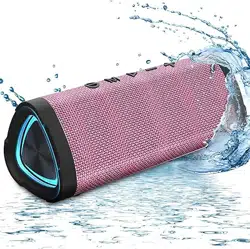
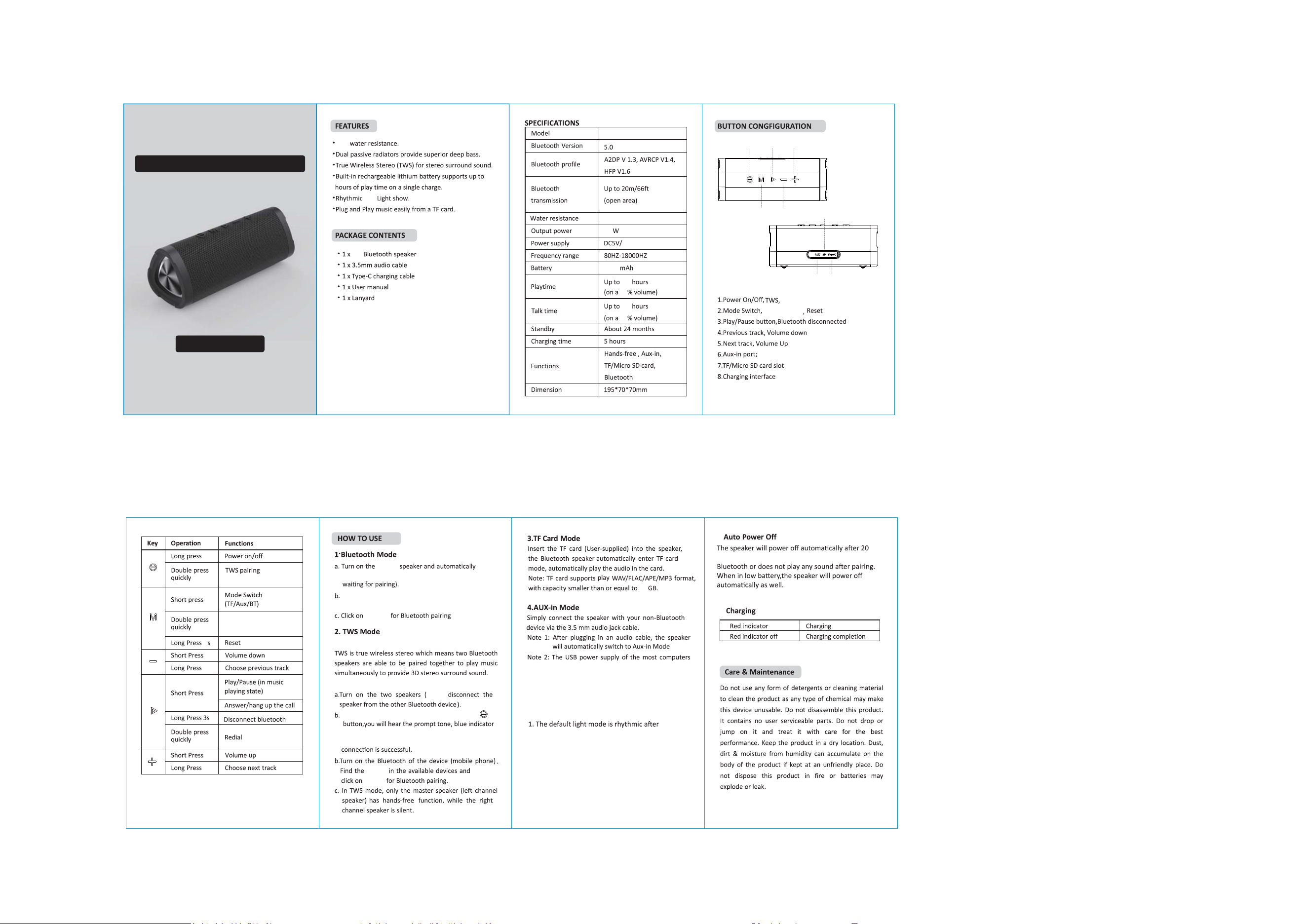
V40 photo

User Manual

This is the main product document for model V40.

The file format is pdf, 2 pages, you can download this manual here .

background
18
20
50
18
30
RGB
V40
V40
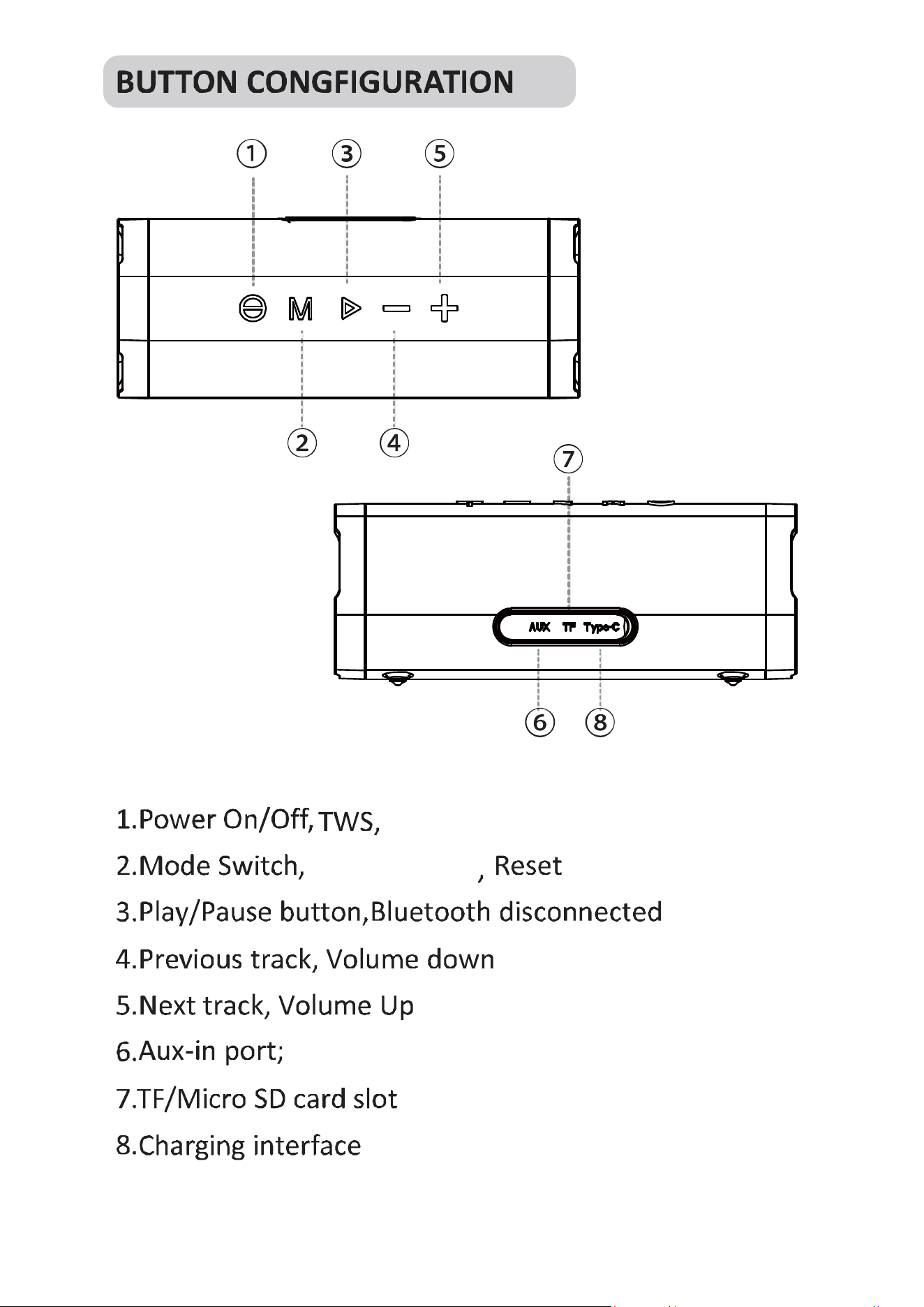
②④
⑥⑧
③⑤
1.0 A
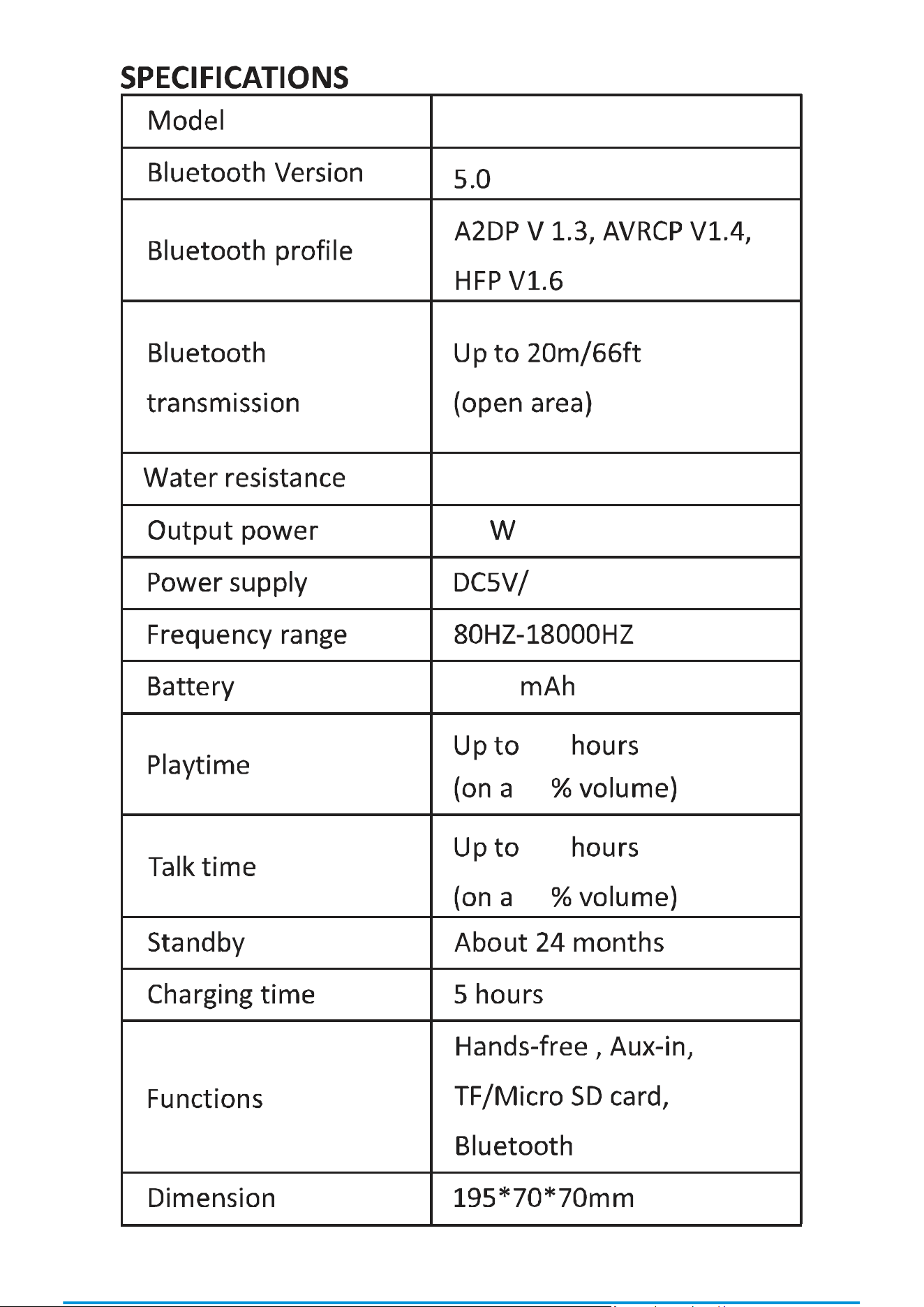
24
IPX7
IPX7
4000
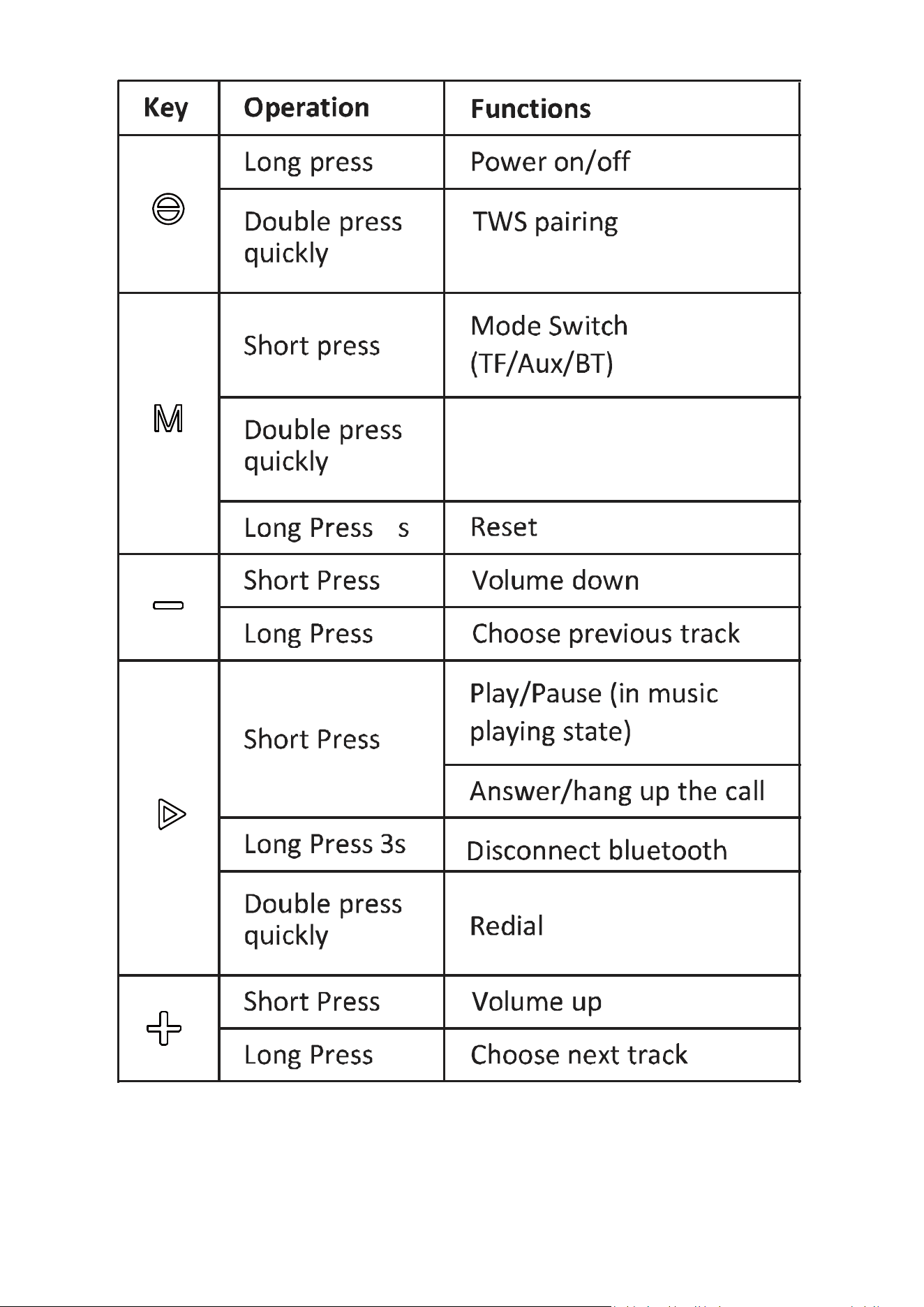
Light Mode
TWS Disconnect
2S
“ V40 ”
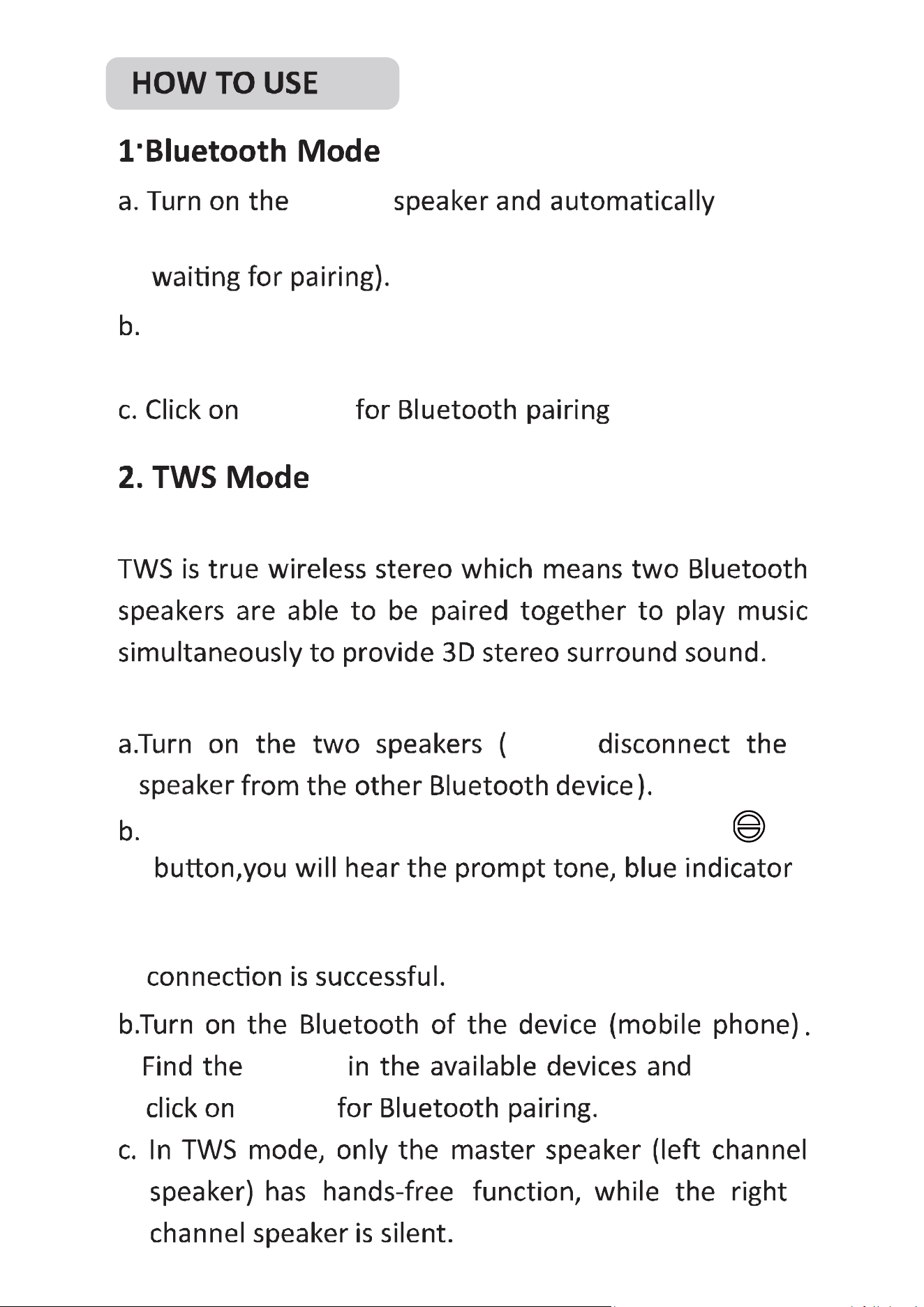
What is TWS?
How to operate TWS in Bluetooth mode?
“ V40 ”
“ V40 ”
Take one of the speakers and double press the“ ”
ǁŝůůƋƵŝĐŬŇĂƐŚĂŶĚĞnter the TWS pairing mode;
The blue indicatŽƌǁŝůůďĞŽīfor slave speaker when the
“ V40 ”
Turn on the Bluetooth of your phone.Find the "V40"
in the available devices.
enter the Bluetooth mode(The blue lighƚŝƐŇĂƐŚŝŶg,
on
64
5.RGB Ligth Mode:
6.
7.
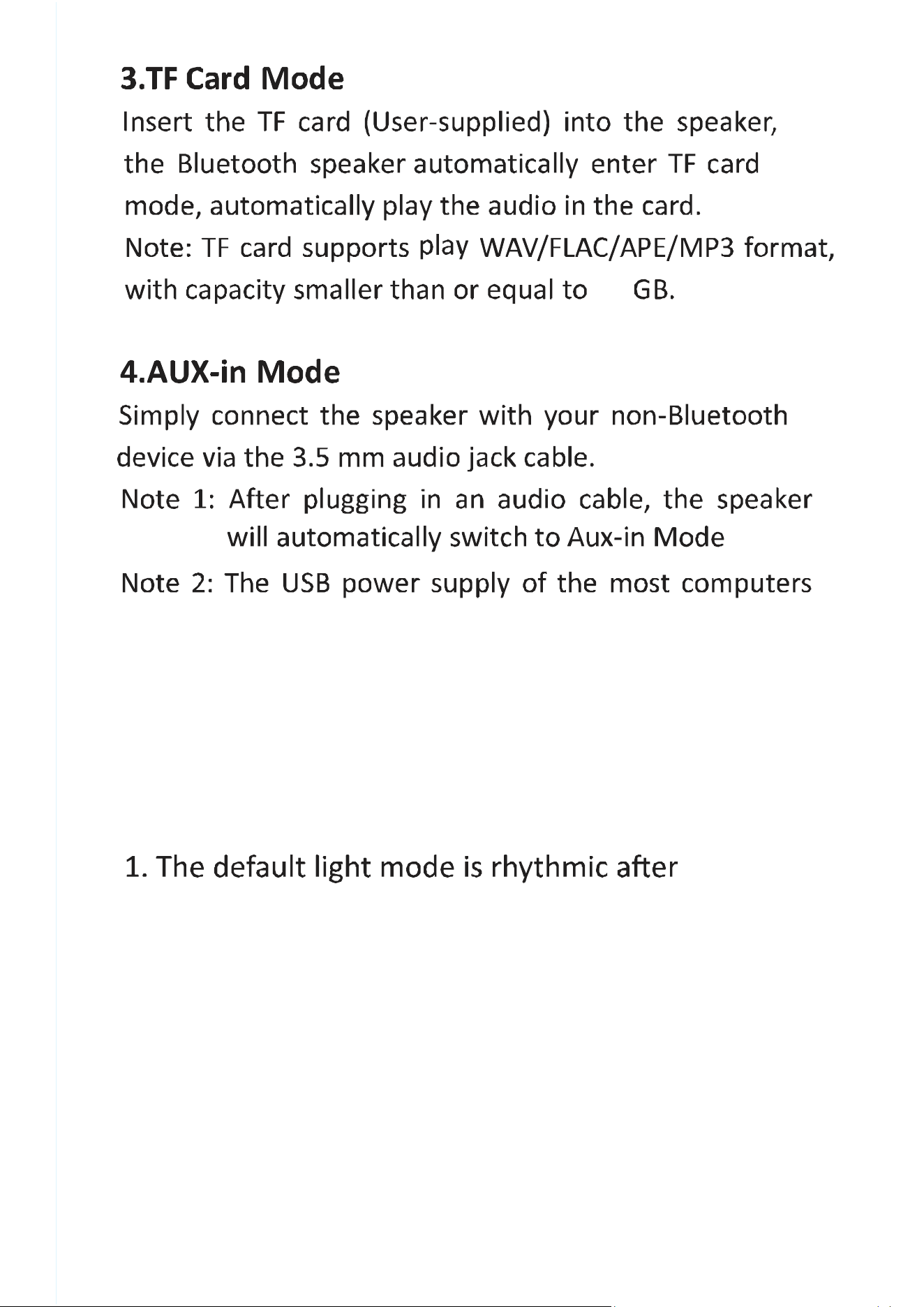
does not meet the standards of speakers.
Please do not allow the computer to charge
the speakers when the speaker is working in
Aux-in mode.
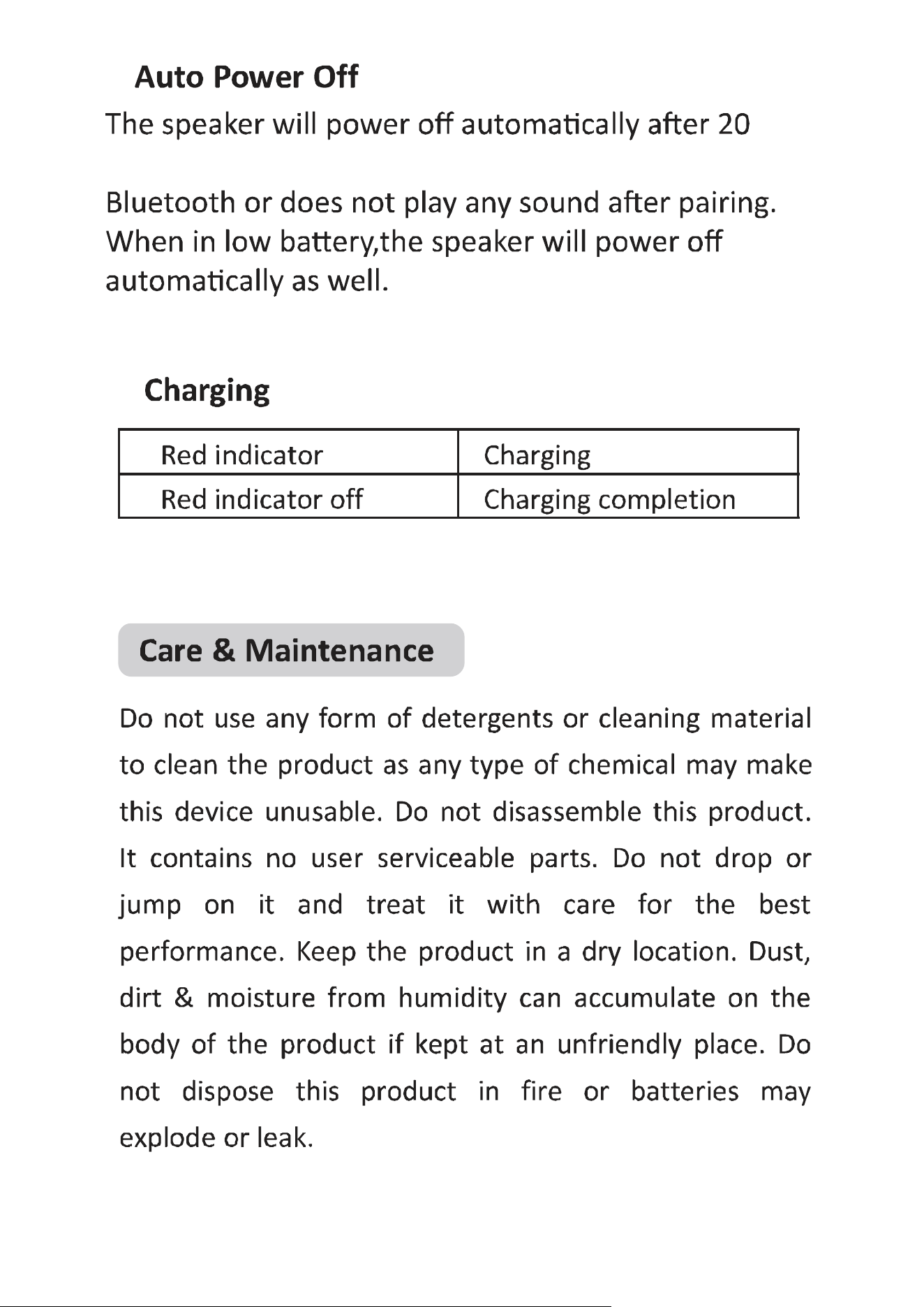
minutes if it does not pair with any device through
turn on the speaker.
2. Quick double press the "M" key switch
to breathing mode.
3. Or double press again "M" key can
ƚƵƌŶŽīƚŚĞRGB light
RGB Light Mode
the last phone call
Firstly
8
RGB Light Show Wireless Speaker
User Manual
Model:V40

background
)&&:DUQLQJ6WDWHPHQW
&KDQJHVRUPRGLILFDWLRQVQRWH[SUHVVO\DSSURYHGE\WKHSDUW\UHVSRQVLEOHIRUFRPSOLDQFHFRXOG
YRLGWKHXVHU¶VDXWKRULW\WRRSHUDWHWKHHTXLSPHQW7KLVHTXLSPHQWKDVEHHQWHVWHGDQGIRXQGWRFRPSO\
ZLWKWKHOLPLWVIRUD&ODVV%GLJLWDOGHYLFHSXUVXDQWWR3DUWRIWKH)&&5XOHV7KHVH
OLPLWVDUHGHVLJQHGWRSURYLGHUHDVRQDEOHSURWHFWLRQDJDLQVWKDUPIXOLQWHUIHUHQFHLQDUHVLGHQWLDO
LQVWDOODWLRQ7KLVHTXLSPHQWJHQHUDWHVXVHVDQGFDQUDGLDWHUDGLRIUHTXHQF\HQHUJ\DQGLIQRW
LQVWDOOHGDQGXVHGLQDFFRUGDQFHZLWKWKHLQVWUXFWLRQVPD\FDXVHKDUPIXOLQWHUIHUHQFHWRUDGLR
FRPPXQLFDWLRQV+RZHYHUWKHUHLVQRJXDUDQWHHWKDWLQWHUIHUHQFHZLOOQRWRFFXULQDSDUWLFXODU
LQVWDOODWLRQ,IWKLVHTXLSPHQWGRHVFDXVHKDUPIXOLQWHUIHUHQFHWRUDGLRRUWHOHYLVLRQUHFHSWLRQ
ZKLFKFDQEHGHWHUPLQHGE\WXUQLQJWKHHTXLSPHQWRIIDQGRQWKHXVHULVHQFRXUDJHGWRWU\WR
FRUUHFWWKHLQWHUIHUHQFHE\RQHRUPRUHRIWKHIROORZLQJPHDVXUHV
‐‐5HRULHQWRUUHORFDWHWKHUHFHLYLQJDQWHQQD
‐‐,QFUHDVHWKHVHSDUDWLRQEHWZHHQWKHHTXLSPHQWDQGUHFHLYHU
‐‐&RQQHFWWKHHTXLSPHQWLQWRDQRXWOHWRQDFLUFXLWGLIIHUHQWIURPWKDWWRZKLFKWKHUHFHLYHULVFRQQHFWHG
‐‐&RQVXOWWKHGHDOHURUDQH[SHULHQFHGUDGLR79WHFKQLFLDQIRUKHOS
7KLVGHYLFHFRPSOLHVZLWKSDUWRIWKH)&&5XOHV2SHUDWLRQLVVXEMHFWWRWKHIROORZLQJ
WZRFRQGLWLRQV7KLVGHYLFHPD\QRWFDXVHKDUPIXOLQWHUIHUHQFHDQG
WKLVGHYLFHPXVWDFFHSWDQ\LQWHUIHUHQFHUHFHLYHGLQFOXGLQJLQWHUIHUHQFHWKDWPD\
FDXVHXQGHVLUHGRSHUDWLRQ
7KHGHYLFHKDVEHHQHYDOXDWHGWRPHHWJHQHUDO5)H[SRVXUHUHTXLUHPHQW

Specifications

Vanzon V40 Questions and Answers

  • Total questions: 1

#1 How can I troubleshoot battery issues with the Vanzon V40 speaker?

If the speaker does not turn on, try charging it for at least 2 hours before attempting to power it on again (Page 1).

#2 What should I do if the sound from the Vanzon V40 speaker is distorted?

If you experience distorted sound, check the volume level on both the speaker and the connected device, and ensure that the speaker is not placed near any interference sources (Page 1).

#3 How often should I clean the Vanzon V40 Bluetooth speaker to maintain its performance?

It is recommended to clean the speaker regularly to prevent dust and debris buildup, especially around the charging port and speaker grill (Page 1).