Manual de instrucciones
Instruction manual
Manuel d’instructions
Bedienungsanleitung
Manuale di istruzioni
Manual de instruções
Instrukcja obsługi
Návod k použití
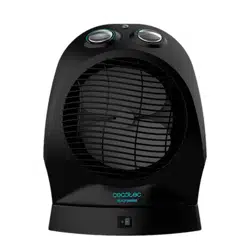
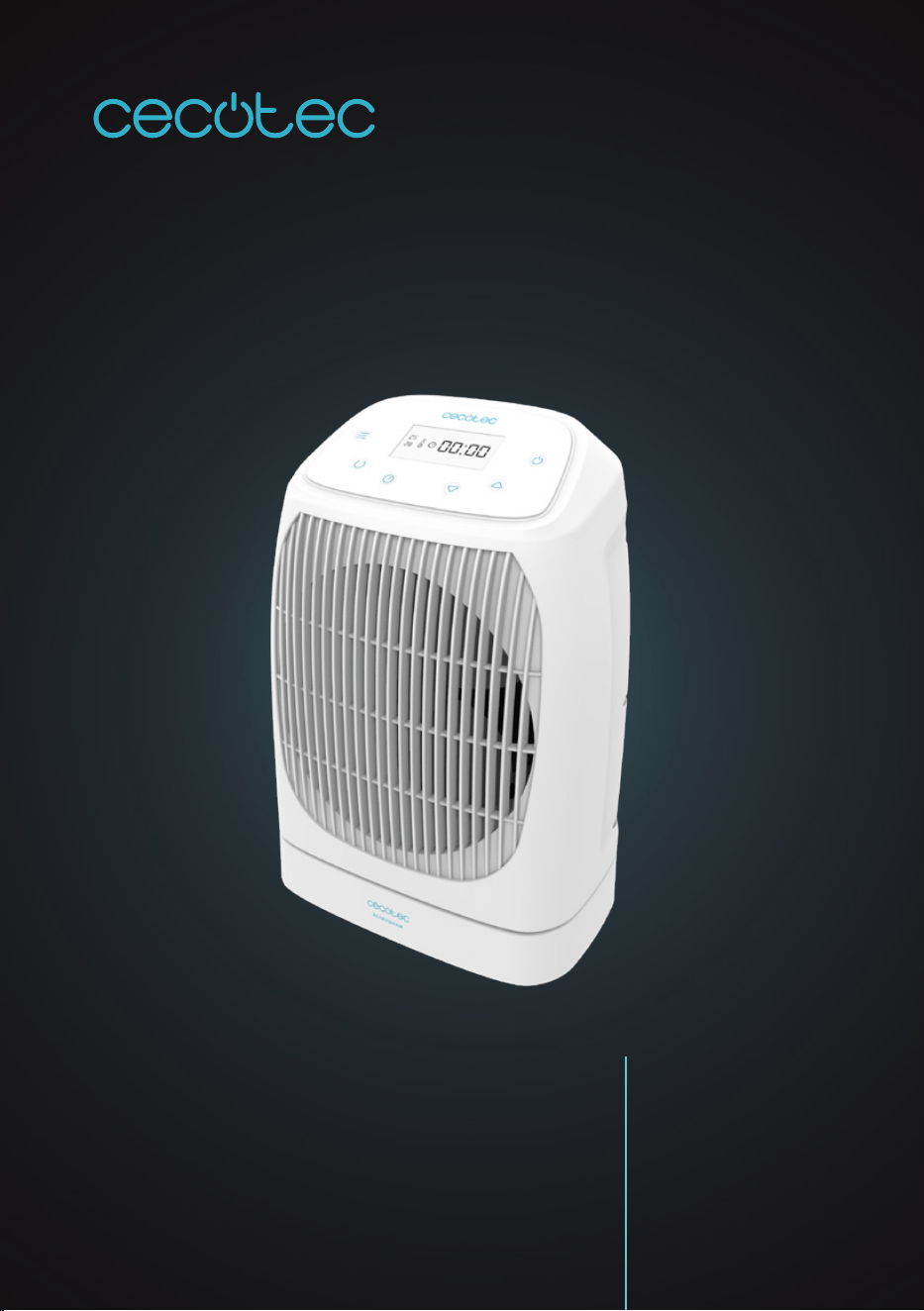
READY WARM 9870 SMART ROTATE
Termoventilador / Fan heater
ES · Este producto no es adecuado para calefacción primaria. Este producto está indica-
do únicamente para lugares abrigados o para una utilización puntual. EN · This product is
not suitable for primary heating purposes. This product is only suitable for well insulated
spaces or occasional use. FR · Ce produit n’est pas approprié pour un chauffage primaire.
Cet appareil a été conçu seulement pour être utilisé dans des espaces intérieurs ou pour
une utilisation momentanée. DE · Dieses Produkt ist nicht für primäre Heizzwecke geeignet.
Dieses Produkt ist nur für gut isolierte Räume oder gelegentlichen Gebrauch geeignet. IT ·
Questo prodotto non è adeguato per essere usato come fonte primaria di riscaldamento.
Questo prodotto è indicato unicamente per luoghi protetti o per un uso specico. PT · Este
produto não está adequado para aquecimento primário. Este produto está indicado unica-
mente para lugares abrigados ou para uma utilização pontual. PL · Ten produkt nie nadaje
się do wstępnego ogrzewania. Ten produkt jest wskazany tylko w miejscach osłoniętych lub
do okazjonalnego użytku. CZ · Tento přístroj není vhodný jako primární topidlo. Tento přístroj
je vhodný jako přídavné topení v krytých prostorách na občasné použití.

READY WARM 9870 SMART ROTATEREADY WARM 9870 SMART ROTATE 2524
ENGLISHESPAÑOL
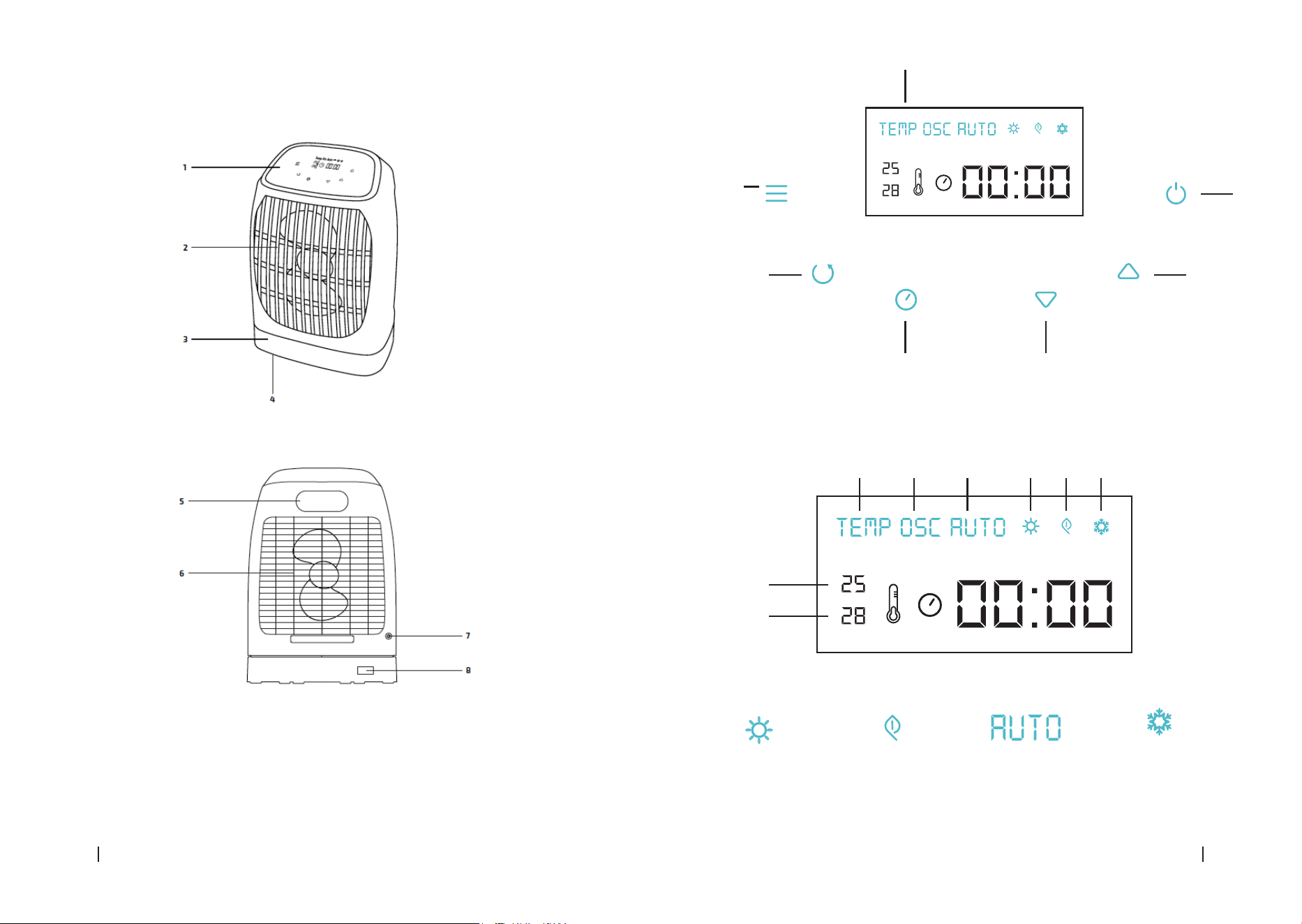
1. PARTS AND COMPONENTS
Fig. 1
1. Control panel
2. Protection grid
3. Base
4. Safety switch
5. Handle
6. Protection grid
7. Temperature sensor
8. Power switch
Control panel
Fig. 2
1. Display
2. Power button
3. + button
4. - button
5. Timer
6. Oscillation
7. Mode
Display
Fig. 3
1. Oscillation
2. Auto mode
3. Low-power heating
4. High-power heating
5. Frost mode
6. Timer
7. Select temperature
8. Room temperature
2. BEFORE USE
Warning: A slight odour and smoke might appear when heating the device for the rst time. This
is due to manufacturing materials residues and does not affect the appliance’s operating.
Take the product out of the box and remove all packaging material.
El servicio de garantía cubre todos los defectos de fabricación durante 2 años en base a la
legislación vigente, excepto piezas consumibles. En caso de mal uso por parte del usuario el
servicio de garantía no se hará responsable de la reparación.
Si en alguna ocasión detecta una incidencia con el producto o tiene alguna consulta, póngase
en contacto con el Servicio de Asistencia Técnica ocial de Cecotec a través del número de
teléfono +34 96 321 07 28.

READY WARM 9870 SMART ROTATEREADY WARM 9870 SMART ROTATE 2726
ENGLISH ENGLISH
Timer setting
The device includes a 24-hour programmable timer.
The timer can be set from 1 minute to 23 hours 59 minutes.
Once the programmed time has elapsed, the device switches off and END appears on the display.
Press the timer button. The hour indicator will blink.
Press the + and – buttons to set the desired hour.
Press the timer button again.
Press the + and – buttons to set the desired minutes.
Press the timer button again to save the settings.
The set time will show up on the display.
Oscillation function
Press the oscillation button to activate and deactivate the oscillation function. The device
oscillates from one side to another, spreading warm air.
Protection against overheating
The device turns automatically off when its temperature becomes too high. If this happens:
Turn off the power switch.
Allow the device to cool down.
Check if the air inlet or outlet is obstructed and clean it.
Safety switch
The device includes a tip-over safety system which automatically turns off the device when it
tilts or when it is lifted.
Frost protection
When this function is activated, the device automatically turns off when the room
temperature falls below 6 ºC and will remain on until it reaches 9 ºC.
Press the mode button repeatedly until the frost-protection mode symbol appears on the
display to activate it and press again to deactivate it.
4. CLEANING AND MAINTENANCE
Always turn off, unplug and allow the appliance to cool down before cleaning.
Do not use abrasive scouring pads, powders or cleaners to clean the product.
Use a soft, dampened and clean cloth to clean the product’s outer housing. Be careful not to
touch the heating elements.
If the heater is not going to be operated for a long period of time, store it in a dry and safe
place where it is protected from dust.
Check for any visible damage, if any is observed, contact as soon as possible the Technical
Support Service of Cecotec for advice or reparation.
Place the heater on a at and stable surface.
3. OPERATION
As soon as the appliance is turned on, the display will light up.
The device can be controlled from the control panel.
Switching on/off the device
Connect the mains plug into a power outlet.
Turn the power switch on in order to turn the device on. The power switch and the display will
light up, indicating the device has entered standby mode.
Press the power switch to enter operating mode. The indicator light will turn on.
Press the standby button to switch back to standby mode once operation is over.
Turn the power switch off to switch off the device completely.
Modes settings
Press the mode button repeatedly to select the desired operating mode.
Fig. 4 Low-power heat (1000 W).
Fig. 5 High-power heat (2000 W)
Fig. 6 Automatic mode: The device adapts the heat
power to the room temperature.
Fig. 7 Frost protection: The device turns
automatically on when the room temperature
is below 6º.
Temperature adjustment
The desired temperature is shown on the display (above the room temperature).
Use the + button to increase the desired temperature up to 38 ºC and the – button to
decrease it down to 6 ºC.
The room temperature is measured by the temperature sensor and shown on the display.
The device includes a thermostat which automatically switches off the device when the room
temperature has reached the set one.
If the room temperature falls below the set one, the device will switch automatically on again.
READY WARM 9870 SMART ROTATEREADY WARM 9870 SMART ROTATE 7574
Fig./Img./Abb./Afb./ Rys./Obr. 1
7
6
8
7
6 1 2 4 3 5
3
5
1
4
Fig./Img./Abb./Afb./ Rys./Obr. 2
Fig./Img./Abb./Afb./ Rys./Obr. 3
Fig./Img./Abb./
Afb./ Rys./Obr. 5
Fig./Img./Abb./
Afb./ Rys./Obr. 4
Fig./Img./Abb./
Afb./ Rys./Obr. 6
Fig./Img./Abb./
Afb./ Rys./Obr. 7
2

www.cecotec.es
Grupo Cecotec Innovaciones S.L.
C/ de la Pinadeta s/n, 46930
Quart de Poblet, Valencia (Spain)
PE01200715